amp BMW 645CI COUPE 2004 E63 User Guide
[x] Cancel search | Manufacturer: BMW, Model Year: 2004, Model line: 645CI COUPE, Model: BMW 645CI COUPE 2004 E63Pages: 216, PDF Size: 3.46 MB
Page 28 of 216
Opening and closing
26
Opening and closing
The key set
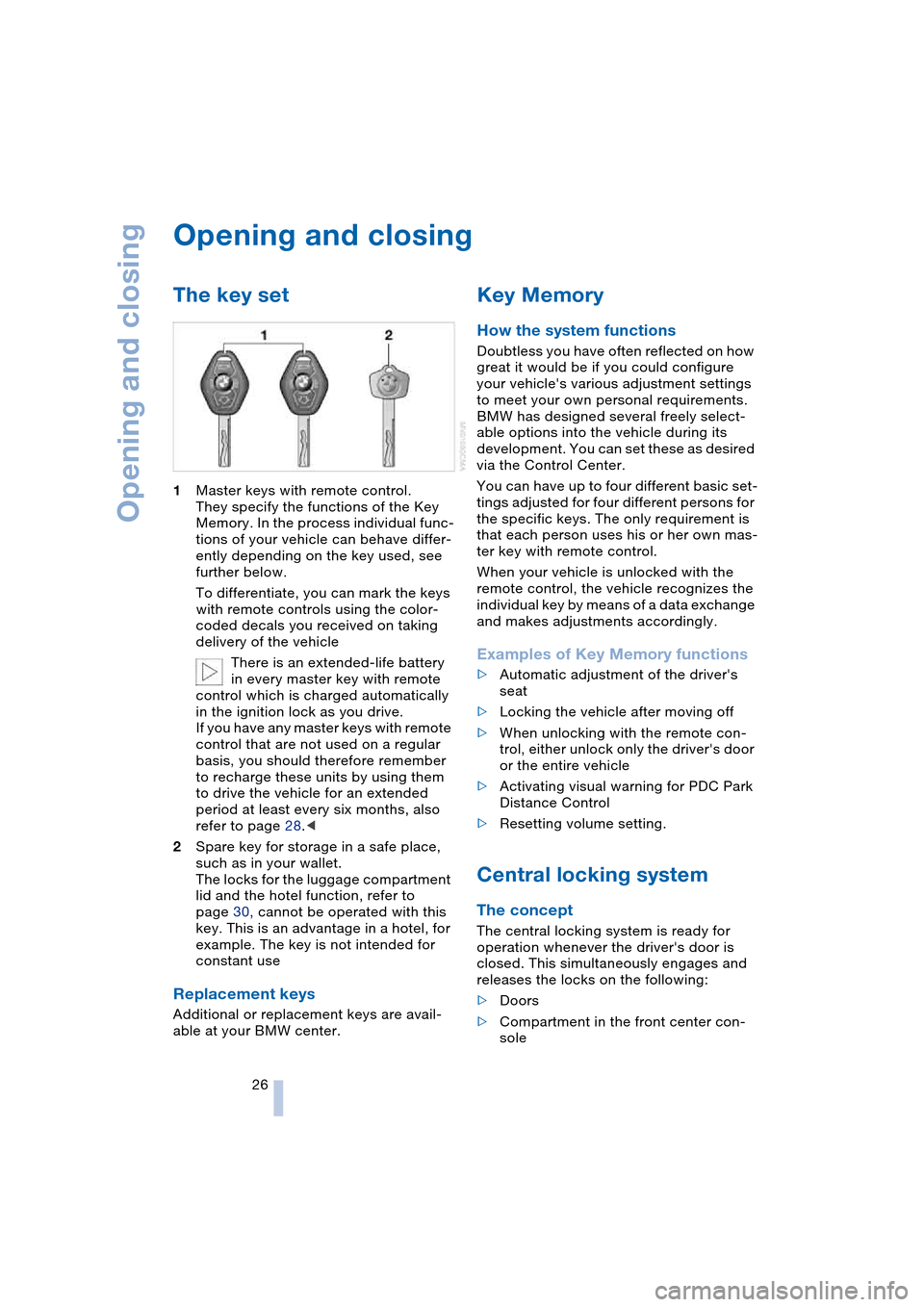
1Master keys with remote control.
They specify the functions of the Key
Memory. In the process individual func-
tions of your vehicle can behave differ-
ently depending on the key used, see
further below.
To differentiate, you can mark the keys
with remote controls using the color-
coded decals you received on taking
delivery of the vehicle
There is an extended-life battery
in every master key with remote
control which is charged automatically
in the ignition lock as you drive.
If you have any master keys with remote
control that are not used on a regular
basis, you should therefore remember
to recharge these units by using them
to drive the vehicle for an extended
period at least every six months, also
refer to page 28.<
2Spare key for storage in a safe place,
such as in your wallet.
The locks for the luggage compartment
lid and the hotel function, refer to
page 30, cannot be operated with this
key. This is an advantage in a hotel, for
example. The key is not intended for
constant use
Replacement keys
Additional or replacement keys are avail-
able at your BMW center.
Key Memory
How the system functions
Doubtless you have often reflected on how
great it would be if you could configure
your vehicle's various adjustment settings
to meet your own personal requirements.
BMW has designed several freely select-
able options into the vehicle during its
development. You can set these as desired
via the Control Center.
You can have up to four different basic set-
tings adjusted for four different persons for
the specific keys. The only requirement is
that each person uses his or her own mas-
ter key with remote control.
When your vehicle is unlocked with the
remote control, the vehicle recognizes the
individual key by means of a data exchange
and makes adjustments accordingly.
Examples of Key Memory functions
>Automatic adjustment of the driver's
seat
>Locking the vehicle after moving off
>When unlocking with the remote con-
trol, either unlock only the driver's door
or the entire vehicle
>Activating visual warning for PDC Park
Distance Control
>Resetting volume setting.
Central locking system
The concept
The central locking system is ready for
operation whenever the driver's door is
closed. This simultaneously engages and
releases the locks on the following:
>Doors
>Compartment in the front center con-
sole
Page 29 of 216
Controls
27Reference
At a glance
Driving tips
Communications
Navigation
Entertainment
Mobility
>Luggage compartment lid
>Fuel filler door.
The central locking system can be oper-
ated from the outside
>via the remote control
>via the door lock
and from inside via the button for the cen-
tral locking system.
If operated from the inside, the fuel filler
door and the compartment in the front
center console are not locked, refer to
page 29.
The anti-theft system is automatically acti-
vated whenever you activate the central
locking system from outside the vehicle.
It prevents the doors from being unlocked
using the safety lock buttons or door han-
dles. The alarm system is armed/disarmed
at the same time.
In the event of an accident, the central
locking system unlocks automatically. The
hazard warning flashers and interior lamps
also switch on.
Opening and closing: from
outside
Using the remote control
When you lock/unlock the vehicle, you
simultaneously activate/deactivate the
anti-theft system, arm/disarm the alarm
system, and switch the interior lamps on/
off.
Protect the remote control against
unauthorized use by handing over
only the spare key, for example when using
hotel valet parking.<
You can find more detailed information on
the alarm system on page 32.
Because any persons or animals left
unattended in a parked vehicle could
lock the doors from the inside, you should
always keep the remote control with you;
this precaution ensures that you will remain
able to unlock the vehicle from the outside
at all times.<
Unlocking
Use the button to unlock the vehicle
depending on the setting:
Control Center, for principle details, refer to
page 16:
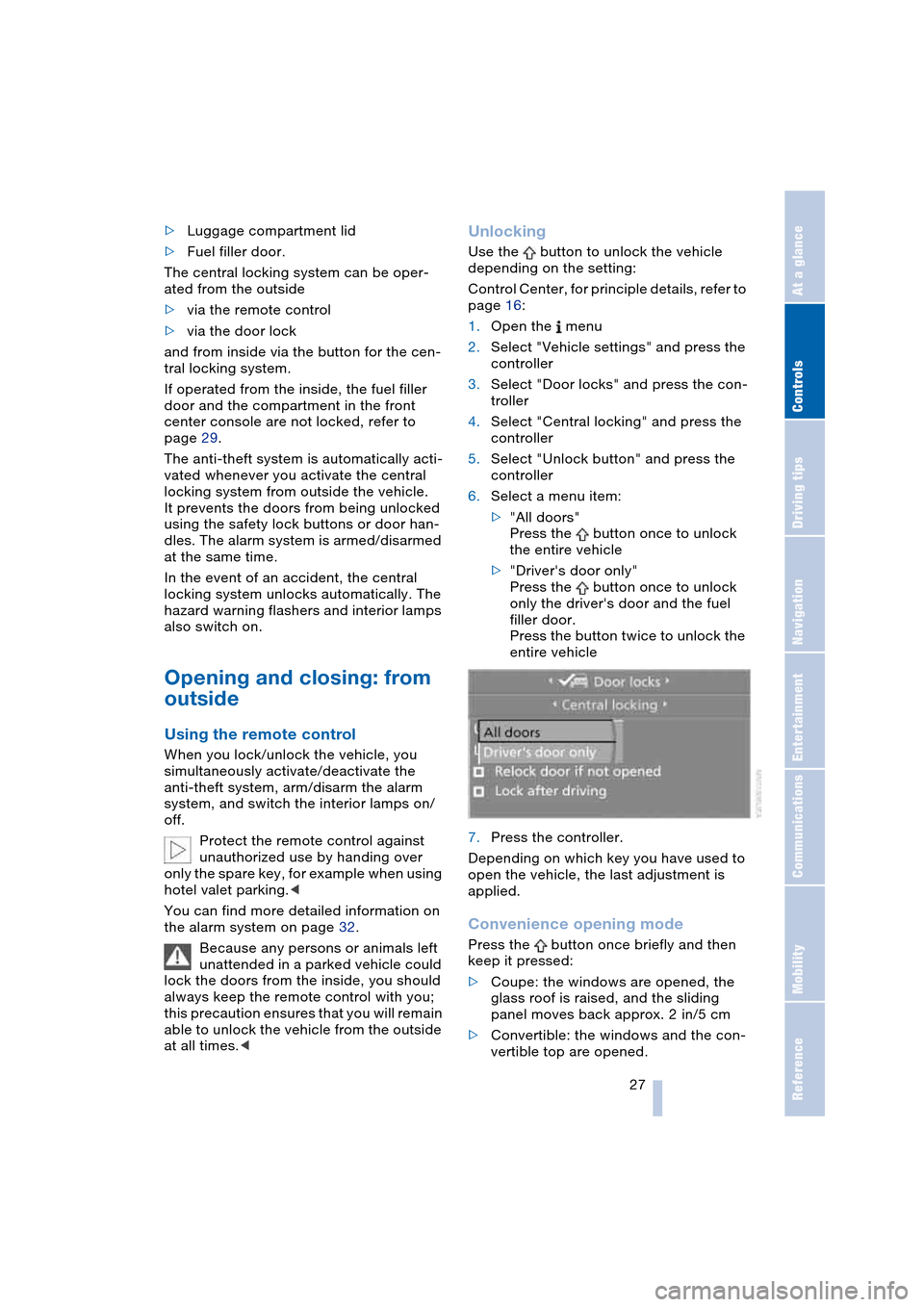
1.Open the menu
2.Select "Vehicle settings" and press the
controller
3.Select "Door locks" and press the con-
troller
4.Select "Central locking" and press the
controller
5.Select "Unlock button" and press the
controller
6.Select a menu item:
>"All doors"
Press the button once to unlock
the entire vehicle
>"Driver's door only"
Press the button once to unlock
only the driver's door and the fuel
filler door.
Press the button twice to unlock the
entire vehicle
7.Press the controller.
Depending on which key you have used to
open the vehicle, the last adjustment is
applied.
Convenience opening mode
Press the button once briefly and then
keep it pressed:
>Coupe: the windows are opened, the
glass roof is raised, and the sliding
panel moves back approx. 2 in/5 cm
>Convertible: the windows and the con-
vertible top are opened.
Page 30 of 216
Opening and closing
28
Locking and securing
Press the button.
Switching on interior lamps
Press the button if the vehicle is
locked.
You can also use this function to locate
your vehicle in parking garages etc.
Panic mode*
By pressing and holding the button for
more than approx. two seconds, you can
trigger the alarm system in response to any
impending danger.
To switch off the alarm: press any of the
buttons.
Opening luggage compartment lid
Press the button:
The luggage compartment lid opens,
regardless of whether it was previously
locked or unlocked.
A previously locked luggage com-
partment lid is also locked after clos-
ing.
Coupe: the luggage compartment lid
swings to the rear and upwards when
opened. Make sure there is sufficient free
space.<
Setting confirmation signals
You can have unlocking or locking the vehi-
cle confirmed.
Control Center, for principle details, refer to
page 16:
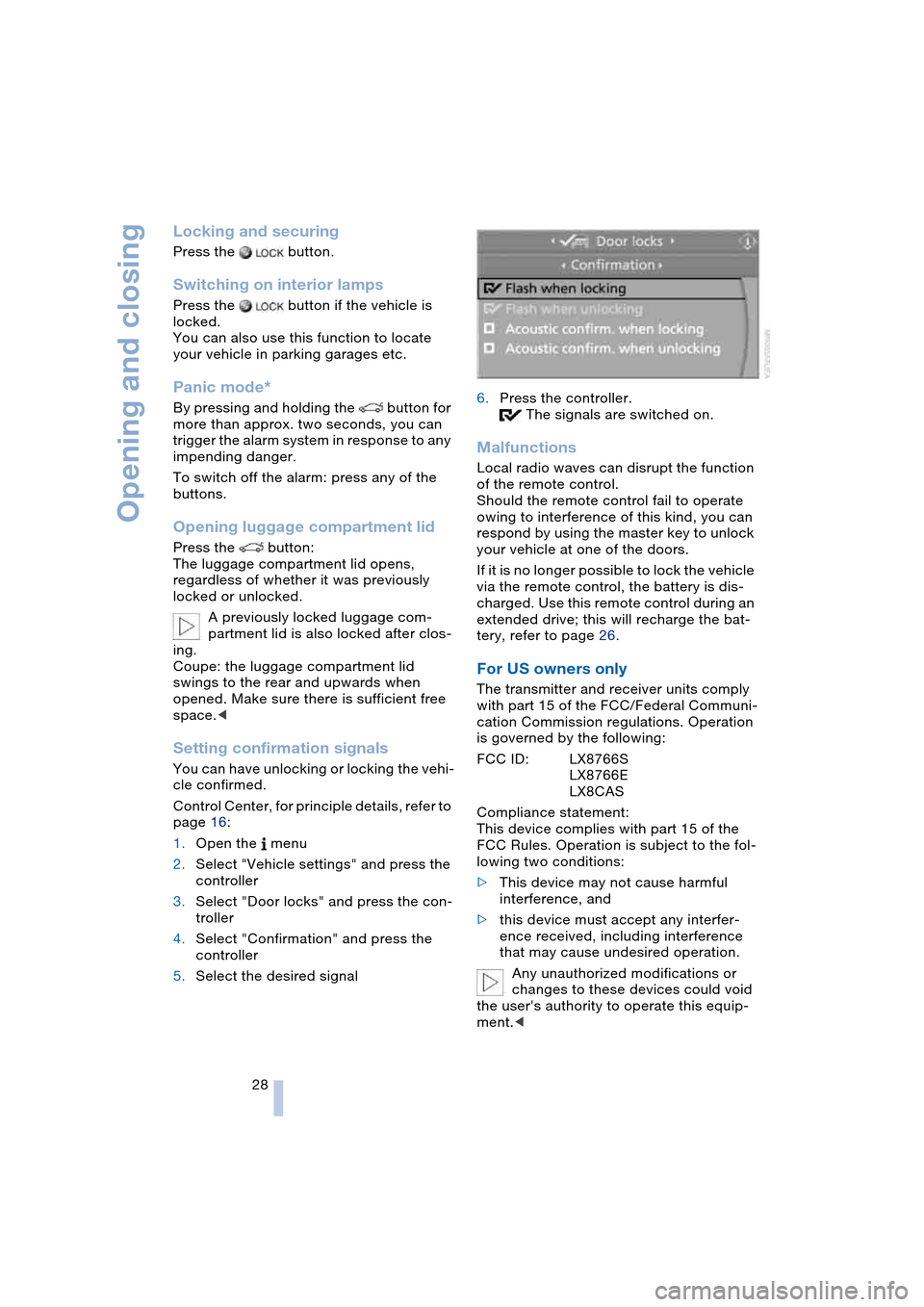
1.Open the menu
2.Select "Vehicle settings" and press the
controller
3.Select "Door locks" and press the con-
troller
4.Select "Confirmation" and press the
controller
5.Select the desired signal6.Press the controller.
The signals are switched on.
Malfunctions
Local radio waves can disrupt the function
of the remote control.
Should the remote control fail to operate
owing to interference of this kind, you can
respond by using the master key to unlock
your vehicle at one of the doors.
If it is no longer possible to lock the vehicle
via the remote control, the battery is dis-
charged. Use this remote control during an
extended drive; this will recharge the bat-
tery, refer to page 26.
For US owners only
The transmitter and receiver units comply
with part 15 of the FCC/Federal Communi-
cation Commission regulations. Operation
is governed by the following:
FCC ID: LX8766S
LX8766E
LX8CAS
Compliance statement:
This device complies with part 15 of the
FCC Rules. Operation is subject to the fol-
lowing two conditions:
>This device may not cause harmful
interference, and
>this device must accept any interfer-
ence received, including interference
that may cause undesired operation.
Any unauthorized modifications or
changes to these devices could void
the user's authority to operate this equip-
ment.<
Page 35 of 216
Controls
33Reference
At a glance
Driving tips
Communications
Navigation
Entertainment
Mobility
Indicator lamp displays
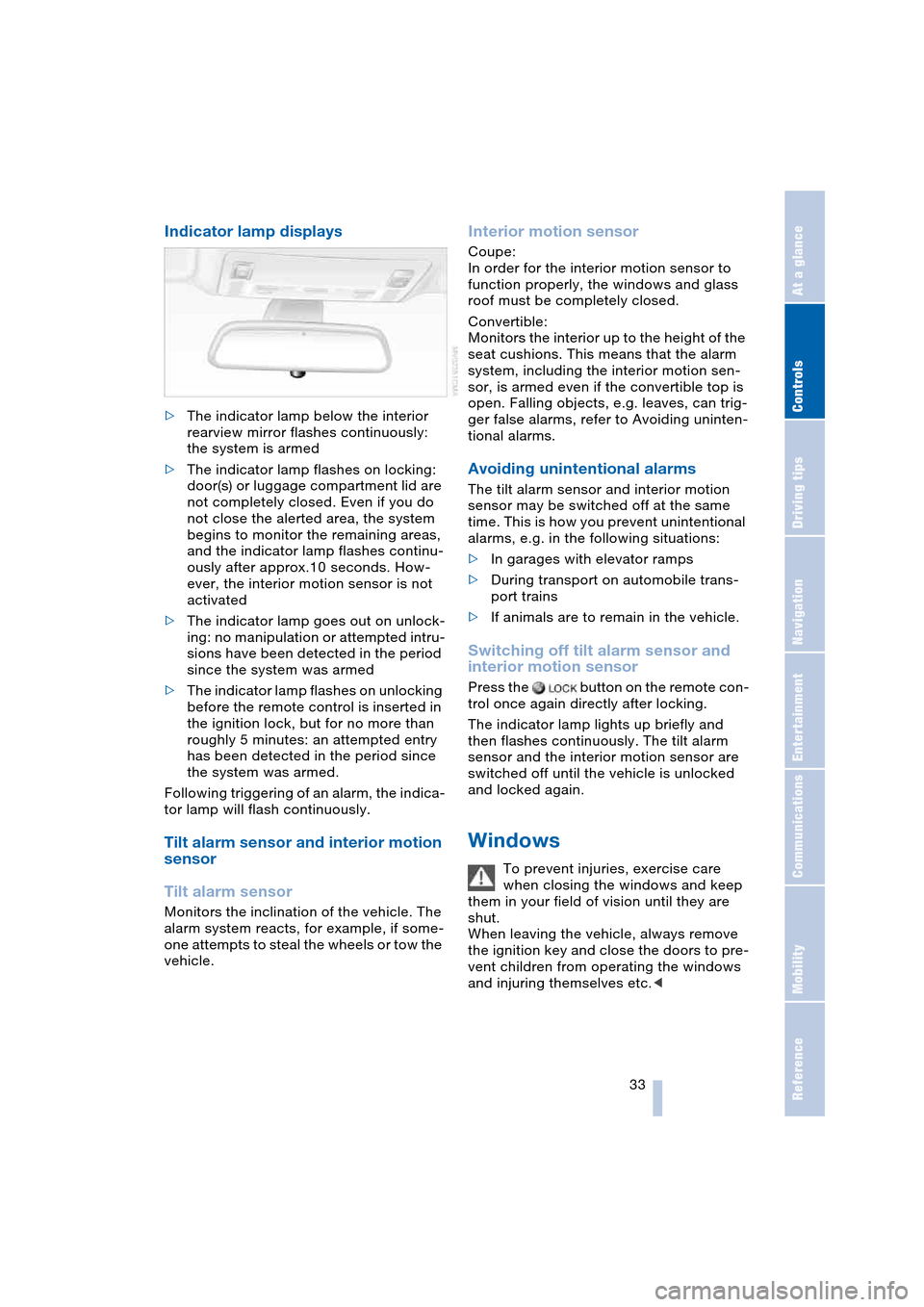
>The indicator lamp below the interior
rearview mirror flashes continuously:
the system is armed
>The indicator lamp flashes on locking:
door(s) or luggage compartment lid are
not completely closed. Even if you do
not close the alerted area, the system
begins to monitor the remaining areas,
and the indicator lamp flashes continu-
ously after approx.10 seconds. How-
ever, the interior motion sensor is not
activated
>The indicator lamp goes out on unlock-
ing: no manipulation or attempted intru-
sions have been detected in the period
since the system was armed
>The indicator lamp flashes on unlocking
before the remote control is inserted in
the ignition lock, but for no more than
roughly 5 minutes: an attempted entry
has been detected in the period since
the system was armed.
Following triggering of an alarm, the indica-
tor lamp will flash continuously.
Tilt alarm sensor and interior motion
sensor
Tilt alarm sensor
Monitors the inclination of the vehicle. The
alarm system reacts, for example, if some-
one attempts to steal the wheels or tow the
vehicle.
Interior motion sensor
Coupe:
In order for the interior motion sensor to
function properly, the windows and glass
roof must be completely closed.
Convertible:
Monitors the interior up to the height of the
seat cushions. This means that the alarm
system, including the interior motion sen-
sor, is armed even if the convertible top is
open. Falling objects, e.g. leaves, can trig-
ger false alarms, refer to Avoiding uninten-
tional alarms.
Avoiding unintentional alarms
The tilt alarm sensor and interior motion
sensor may be switched off at the same
time. This is how you prevent unintentional
alarms, e.g. in the following situations:
>In garages with elevator ramps
>During transport on automobile trans-
port trains
>If animals are to remain in the vehicle.
Switching off tilt alarm sensor and
interior motion sensor
Press the button on the remote con-
trol once again directly after locking.
The indicator lamp lights up briefly and
then flashes continuously. The tilt alarm
sensor and the interior motion sensor are
switched off until the vehicle is unlocked
and locked again.
Windows
To prevent injuries, exercise care
when closing the windows and keep
them in your field of vision until they are
shut.
When leaving the vehicle, always remove
the ignition key and close the doors to pre-
vent children from operating the windows
and injuring themselves etc.<
Page 37 of 216
Controls
35Reference
At a glance
Driving tips
Communications
Navigation
Entertainment
Mobility
Rear window
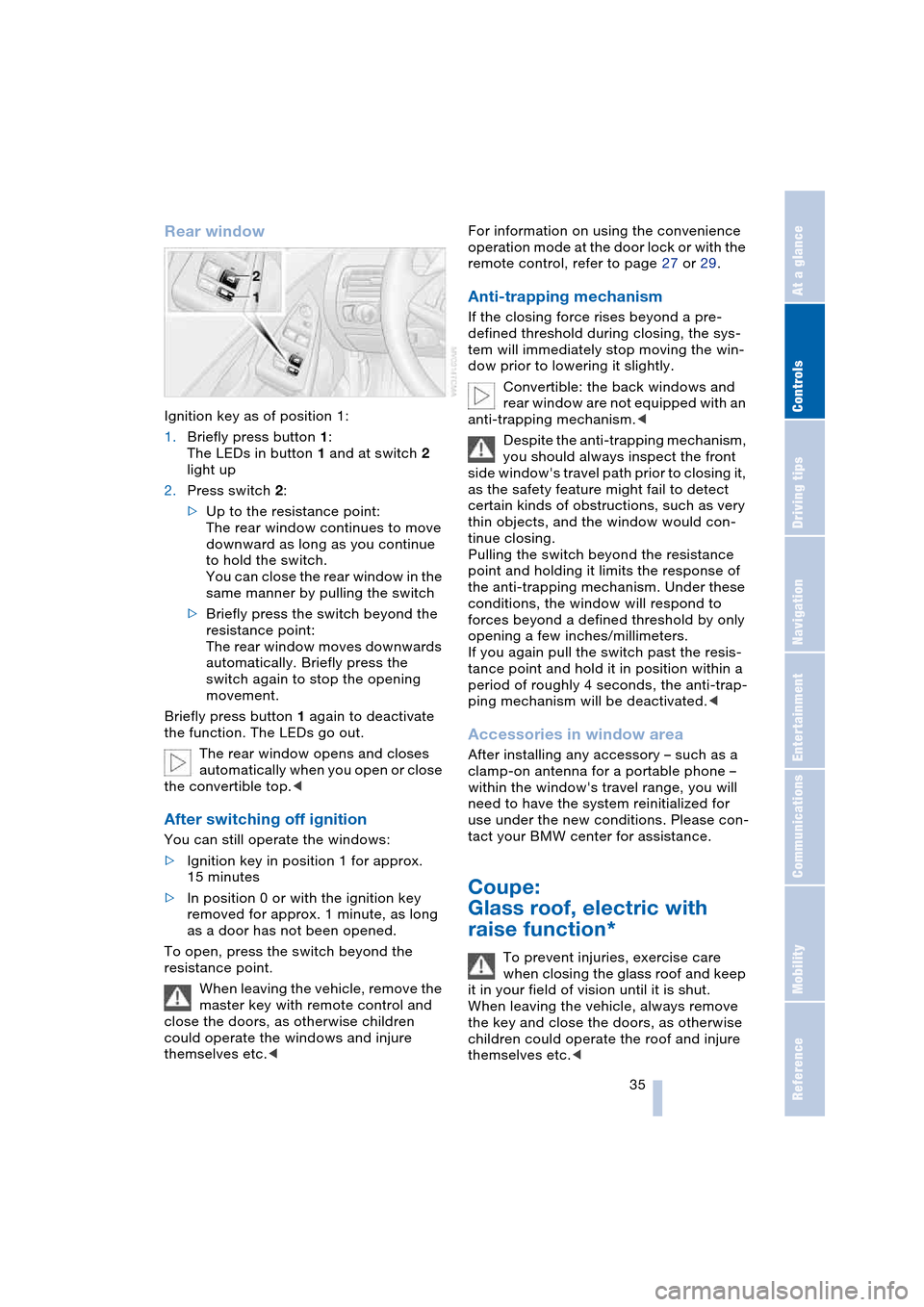
Ignition key as of position 1:
1.Briefly press button 1:
The LEDs in button 1 and at switch 2
light up
2.Press switch 2:
>Up to the resistance point:
The rear window continues to move
downward as long as you continue
to hold the switch.
You can close the rear window in the
same manner by pulling the switch
>Briefly press the switch beyond the
resistance point:
The rear window moves downwards
automatically. Briefly press the
switch again to stop the opening
movement.
Briefly press button 1 again to deactivate
the function. The LEDs go out.
The rear window opens and closes
automatically when you open or close
the convertible top.<
After switching off ignition
You can still operate the windows:
>Ignition key in position 1 for approx.
15 minutes
>In position 0 or with the ignition key
removed for approx. 1 minute, as long
as a door has not been opened.
To open, press the switch beyond the
resistance point.
When leaving the vehicle, remove the
master key with remote control and
close the doors, as otherwise children
could operate the windows and injure
themselves etc.
remote control, refer to page 27 or 29.
Anti-trapping mechanism
If the closing force rises beyond a pre-
defined threshold during closing, the sys-
tem will immediately stop moving the win-
dow prior to lowering it slightly.
Convertible: the back windows and
rear window are not equipped with an
anti-trapping mechanism.<
Despite the anti-trapping mechanism,
you should always inspect the front
side window's travel path prior to closing it,
as the safety feature might fail to detect
certain kinds of obstructions, such as very
thin objects, and the window would con-
tinue closing.
Pulling the switch beyond the resistance
point and holding it limits the response of
the anti-trapping mechanism. Under these
conditions, the window will respond to
forces beyond a defined threshold by only
opening a few inches/millimeters.
If you again pull the switch past the resis-
tance point and hold it in position within a
period of roughly 4 seconds, the anti-trap-
ping mechanism will be deactivated.<
Accessories in window area
After installing any accessory – such as a
clamp-on antenna for a portable phone –
within the window's travel range, you will
need to have the system reinitialized for
use under the new conditions. Please con-
tact your BMW center for assistance.
Coupe:
Glass roof, electric with
raise function*
To prevent injuries, exercise care
when closing the glass roof and keep
it in your field of vision until it is shut.
When leaving the vehicle, always remove
the key and close the doors, as otherwise
children could operate the roof and injure
themselves etc.<
Page 40 of 216
Opening and closing
38 Partial vacuums that occur at higher
speeds in the passenger compart-
ment can make the convertible top flap.
Use the ventilation controls to increase the
air supply so that no partial vacuum occurs
in the vehicle.<
To close the electrically activated side
windows while the vehicle is being
driven, always close the rear windows or
all four windows simultaneously first, as
otherwise the windows cannot close tightly
at higher speeds.<
Prior to opening and closing
>Read carefully and comply with the
safety precautions that appear above
>Ensure that the convertible top com-
partment floor in the luggage compart-
ment is folded down, refer to page 32,
as otherwise the convertible top cannot
be opened
>Ensure that the luggage compartment
lid is closed.
Opening and closing
As of ignition key position 1, with the vehi-
cle stationary:
So as not to place an excessive load
on the battery, only operate the con-
vertible top with the engine running, if pos-
sible.
Before closing the convertible top, remove
foreign bodies from the windshield frame,
as these might inhibit closing of the con-
vertible top.<
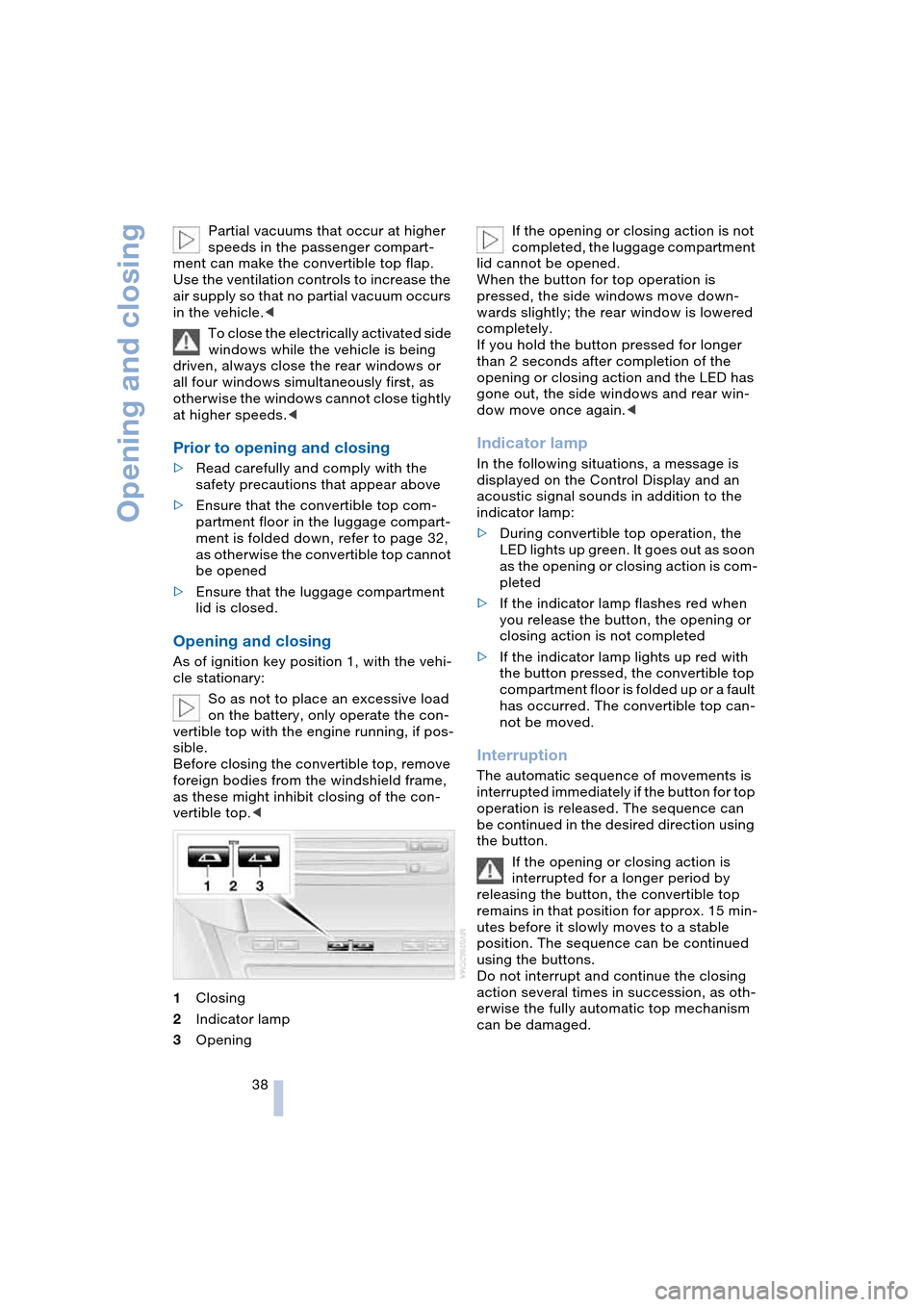
1Closing
2Indicator lamp
3OpeningIf the opening or closing action is not
completed, the luggage compartment
lid cannot be opened.
When the button for top operation is
pressed, the side windows move down-
wards slightly; the rear window is lowered
completely.
If you hold the button pressed for longer
than 2 seconds after completion of the
opening or closing action and the LED has
gone out, the side windows and rear win-
dow move once again.<
Indicator lamp
In the following situations, a message is
displayed on the Control Display and an
acoustic signal sounds in addition to the
indicator lamp:
>During convertible top operation, the
LED lights up green. It goes out as soon
as the opening or closing action is com-
pleted
>If the indicator lamp flashes red when
you release the button, the opening or
closing action is not completed
>If the indicator lamp lights up red with
the button pressed, the convertible top
compartment floor is folded up or a fault
has occurred. The convertible top can-
not be moved.
Interruption
The automatic sequence of movements is
interrupted immediately if the button for top
operation is released. The sequence can
be continued in the desired direction using
the button.
If the opening or closing action is
interrupted for a longer period by
releasing the button, the convertible top
remains in that position for approx. 15 min-
utes before it slowly moves to a stable
position. The sequence can be continued
using the buttons.
Do not interrupt and continue the closing
action several times in succession, as oth-
erwise the fully automatic top mechanism
can be damaged.
Page 46 of 216
Adjustments
44
Seat, mirror and steering
wheel memory
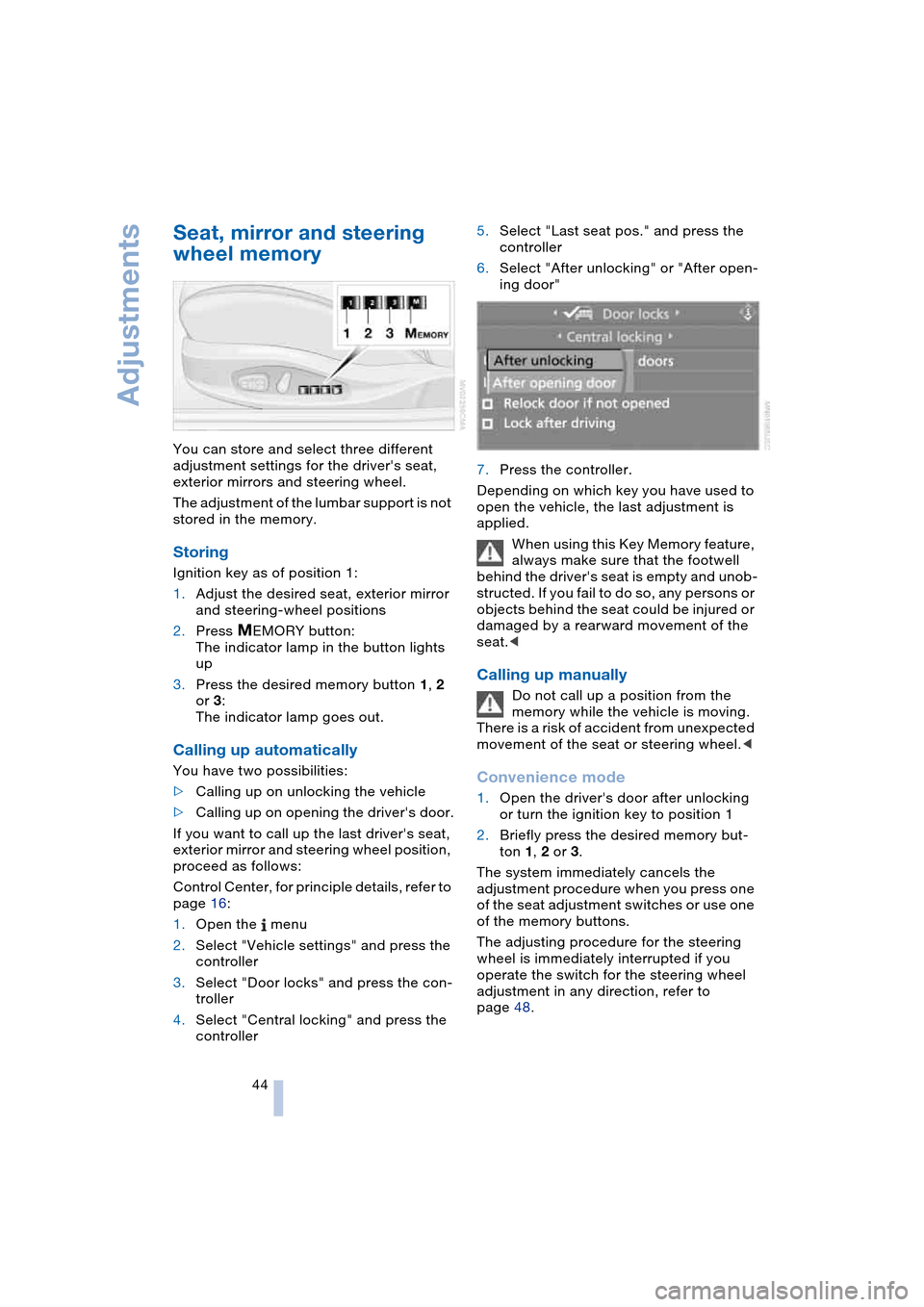
You can store and select three different
adjustment settings for the driver's seat,
exterior mirrors and steering wheel.
The adjustment of the lumbar support is not
stored in the memory.
Storing
Ignition key as of position 1:
1.Adjust the desired seat, exterior mirror
and steering-wheel positions
2.Press
MEMORY button:
The indicator lamp in the button lights
up
3.Press the desired memory button 1, 2
or 3:
The indicator lamp goes out.
Calling up automatically
You have two possibilities:
>Calling up on unlocking the vehicle
>Calling up on opening the driver's door.
If you want to call up the last driver's seat,
exterior mirror and steering wheel position,
proceed as follows:
Control Center, for principle details, refer to
page 16:
1.Open the menu
2.Select "Vehicle settings" and press the
controller
3.Select "Door locks" and press the con-
troller
4.Select "Central locking" and press the
controller5.Select "Last seat pos." and press the
controller
6.Select "After unlocking" or "After open-
ing door"
7.Press the controller.
Depending on which key you have used to
open the vehicle, the last adjustment is
applied.
When using this Key Memory feature,
always make sure that the footwell
behind the driver's seat is empty and unob-
structed. If you fail to do so, any persons or
objects behind the seat could be injured or
damaged by a rearward movement of the
seat.<
Calling up manually
Do not call up a position from the
memory while the vehicle is moving.
There is a risk of accident from unexpected
movement of the seat or steering wheel.<
Convenience mode
1.Open the driver's door after unlocking
or turn the ignition key to position 1
2.Briefly press the desired memory but-
ton 1, 2 or 3.
The system immediately cancels the
adjustment procedure when you press one
of the seat adjustment switches or use one
of the memory buttons.
The adjusting procedure for the steering
wheel is immediately interrupted if you
operate the switch for the steering wheel
adjustment in any direction, refer to
page 48.
Page 47 of 216
Controls
45Reference
At a glance
Driving tips
Communications
Navigation
Entertainment
Mobility
Safety feature
1.Close the driver's door and turn the
ignition key to position 0 or 2
2.Press the desired memory button 1, 2
or 3 and maintain pressure until the
adjustment process has been com-
pleted.
If you press the
MEMORY button acciden-
tally:
Press the button again; the indicator lamp
goes out.
Tilt function, passenger-side mirror
Automatic curb monitor
Activating
1.Select the driver's exterior mirror with
the switch
2.When you engage reverse gear or
selector-lever position R, the exterior
mirror glass on the front passenger side
tilts downward slightly. This allows the
driver to see the area immediately adja-
cent to the vehicle – such as a curb –
when parking, etc.
Deactivating
Slide the mirror selection switch to the pas-
senger's side position.
Front head restraints
Head restraints reduce the risk of spi-
nal injury in the event of an accident.
Adjust the head restraints so that they are
centered roughly at the level of your ears.<
Coupe
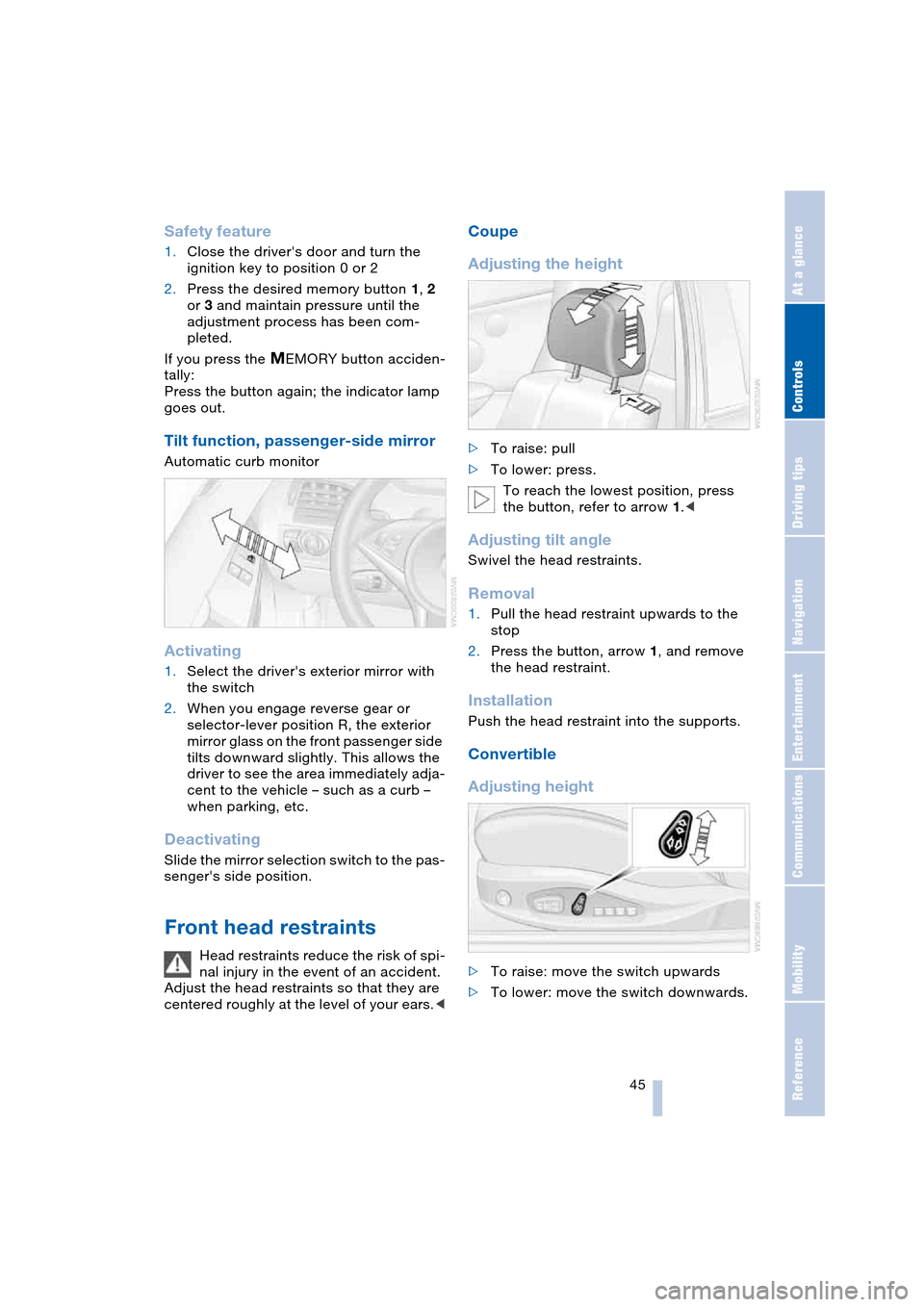
Adjusting the height
>To raise: pull
>To lower: press.
To reach the lowest position, press
the button, refer to arrow 1.<
Adjusting tilt angle
Swivel the head restraints.
Removal
1.Pull the head restraint upwards to the
stop
2.Press the button, arrow 1, and remove
the head restraint.
Installation
Push the head restraint into the supports.
Convertible
Adjusting height
>To raise: move the switch upwards
>To lower: move the switch downwards.
Page 48 of 216
Adjustments
46
Adjusting tilt angle
Swivel the head restraints.
Entry to the rear
Before moving off, fold back both seat
backrests. Otherwise, there is a risk
of accident from unexpected movement.<
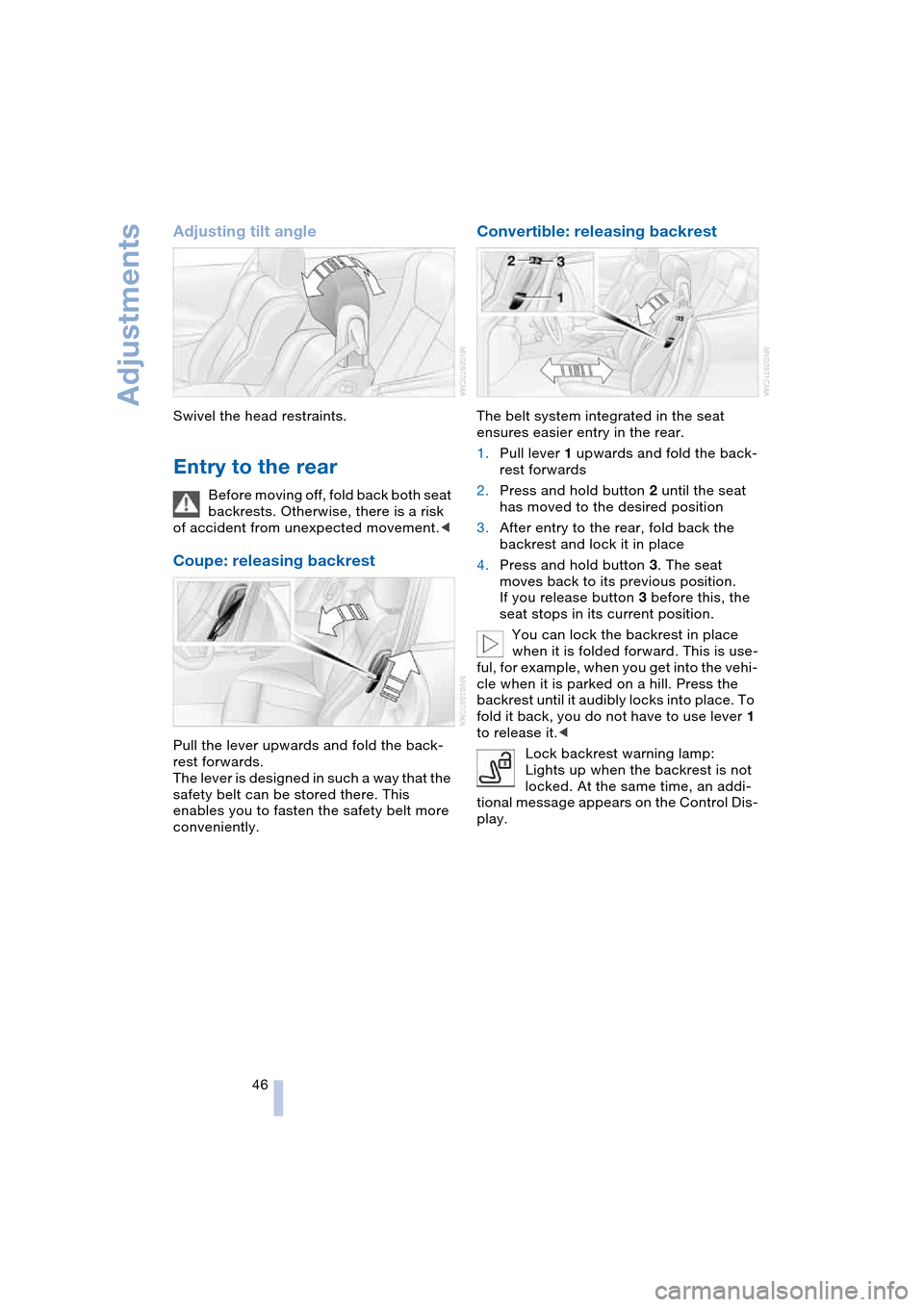
Coupe: releasing backrest
Pull the lever upwards and fold the back-
rest forwards.
The lever is designed in such a way that the
safety belt can be stored there. This
enables you to fasten the safety belt more
conveniently.
Convertible: releasing backrest
The belt system integrated in the seat
ensures easier entry in the rear.
1.Pull lever 1 upwards and fold the back-
rest forwards
2.Press and hold button 2 until the seat
has moved to the desired position
3.After entry to the rear, fold back the
backrest and lock it in place
4.Press and hold button 3. The seat
moves back to its previous position.
If you release button 3 before this, the
seat stops in its current position.
You can lock the backrest in place
when it is folded forward. This is use-
ful, for example, when you get into the vehi-
cle when it is parked on a hill. Press the
backrest until it audibly locks into place. To
fold it back, you do not have to use lever 1
to release it.<
Lock backrest warning lamp:
Lights up when the backrest is not
locked. At the same time, an addi-
tional message appears on the Control Dis-
play.
Page 49 of 216
Controls
47Reference
At a glance
Driving tips
Communications
Navigation
Entertainment
Mobility
Safety belts
Fasten your safety belt before starting any
trip. Airbags complement the safety belt as
an additional safety device, but they do not
represent a substitute.
Fastening
Make sure you hear the latch plate engage
in the belt buckle.
Please fasten safety belt
warning lamp:
Lights up until the driver and front
passenger have fastened their safety belts.
Depending on the model, a signal
* sounds
or a message
* appears on the Control Dis-
play at the same time.
The warning is also issued when the driver
or front passenger removes his or her
safety belt while driving.
The warning can also take place if
objects are placed on the passenger
seat.<
Releasing
1.Hold the belt firmly
2.Press the red button in the belt buckle
3.Guide the belt into its reel.
The shoulder strap's anchorage point will
be in the correct position for adults of every
build if the seat is correctly adjusted, refer
to page 43.
Damage to safety belts
If the safety belts are damaged or
stretched in an accident: have the
entire belt system, including the tensioning
mechanisms, replaced at your BMW cen-
ter. Have the belt anchorage points
inspected for damage at the same time.
Failure to observe this precaution may pre-
vent the safety belts from effectively pro-
viding optimal protection when needed.<
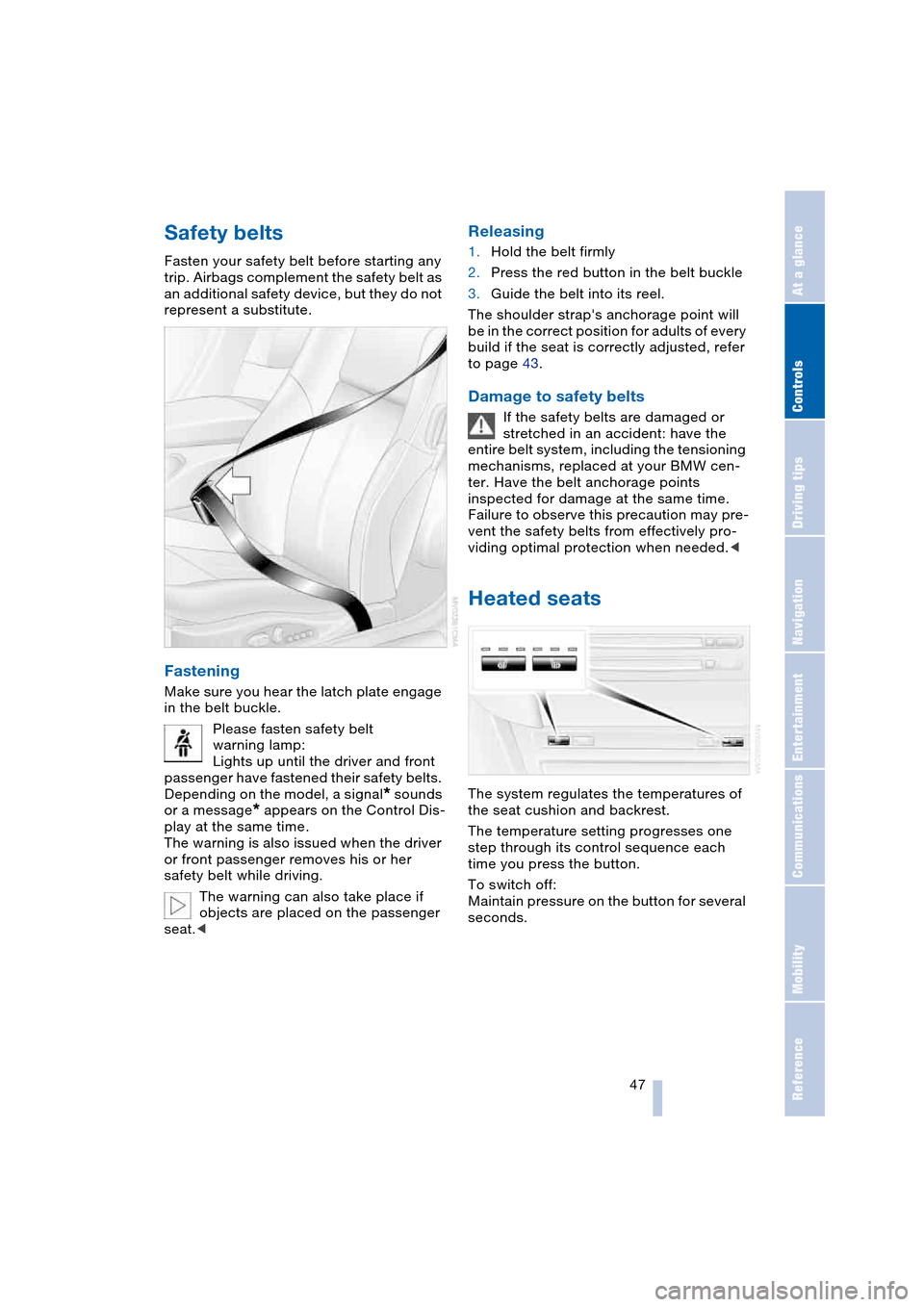
Heated seats
The system regulates the temperatures of
the seat cushion and backrest.
The temperature setting progresses one
step through its control sequence each
time you press the button.
To switch off:
Maintain pressure on the button for several
seconds.