profile BMW 7 SERIES 2015 G11 Owner's Guide
[x] Cancel search | Manufacturer: BMW, Model Year: 2015, Model line: 7 SERIES, Model: BMW 7 SERIES 2015 G11Pages: 314, PDF Size: 7.9 MB
Page 111 of 314
Selecting a driving modePress button for the desired driving mode
once.
Activating configuration of the driving mode
Press button for the desired driving mode sev‐
eral times.
Configure INDIVIDUAL driving mode1.Activate desired driving mode with Driving
Dynamics Control switch.2."Configure INDIVIDUAL"
Select desired setting.
The individual configuration of the driving
mode is taken over for the active profile. The
last set configuration is activated directly when
the driving mode is called up. With activating of
the drive-ready state, the COMFORT driving
mode is selected automatically.
Displays in the instrument cluster The selected drive mode is dis‐played in the instrument cluster.
Display on the Control Display
Drive mode changes can be briefly shown on
the Control Display.
About iDrive:
1."My Vehicle"2."Vehicle settings"3."Driving Experience Control"4."Driving mode information in control
display"Driving modes in detail
COMFORT
The concept
Balanced tuning between dynamic and con‐
sumption-optimized driving.
Switching on Press button repeatedly until COM‐
FORT is displayed in the instrument
cluster.
COMFORT PLUS
The concept
Particularly comfortable tuning for optimum traveling comfort.
Switching on Press button repeatedly until COM‐
FORT PLUS is displayed in the instru‐
ment cluster.
SPORT
The concept
Dynamic tuning for higher agility.
Switching on Press button. SPORT is displayed in
the instrument cluster.
SPORT INDIVIDUAL The concept
Individual settings can be adjusted in the
SPORT INDIVIDUAL drive mode.Seite 111DrivingControls111
Online Edition for Part no. 0140 2 964 330 - VI/15
Page 112 of 314
Configuration
About iDrive:1."My Vehicle"2."Vehicle settings"3."Driving Experience Control"4."Configure SPORT INDIVIDUAL"5.Select desired setting.
The setting is stored for the drive profile cur‐
rently used.
Reset SPORT INDIVIDUAL to the standard
settings:
"Reset to SPORT STANDARD".
ECO PRO The concept
Consumption-optimized tuning, refer to
page 241.
Switching on Press button. ECO PRO is displayed
in the instrument cluster.
ECO PRO INDIVIDUAL The concept
Individual settings can be adjusted in the ECO
PRO INDIVIDUAL drive mode.
Configuration
About iDrive:
1."My Vehicle"2."Vehicle settings"3."Driving Experience Control"4."Configure ECO PRO INDIVIDUAL"5.Select desired setting.
The setting is stored for the drive profile cur‐
rently used.
Reset ECO PRO INDIVIDUAL to the standard
settings:
"Reset to ECO PRO STANDARD".
ADAPTIVE
The concept
Comfort-oriented drive mode, whose tuning is
automatically adjusted to the driving situation
and driving style.
If the navigation system is active, upcoming
road sections are considered as well.
Switching on Press button. ADAPTIVE is displayed
in the instrument cluster.Seite 112ControlsDriving112
Online Edition for Part no. 0140 2 964 330 - VI/15
Page 127 of 314
If the image is distorted, have the basic set‐
tings checked by a dealer’s service center or
another qualified service center or repair shop.
Switching on/off
About iDrive:1."My Vehicle"2."System settings"3."Displays"4."Head-Up Display"5."Head-Up Display"
Display
Overview
The following information is displayed on the
Head-up Display:
▷Speed.▷Navigation system.▷Check Control messages.▷Selection list in the instrument cluster.▷Driver assistance systems.
Some of this information is only displayed
briefly as needed.
Selecting displays in the Head-up
Display
About iDrive:
1."My Vehicle"2."System settings"3."Displays"4."Head-Up Display"5.Select desired setting.
The setting is stored for the drive profile cur‐
rently used.
View Three different views are available for the
Head-up Display:
About iDrive:1."My Vehicle"2."System settings"3."Displays"4."Head-Up Display"5.Select desired setting.▷"STANDARD": all displays in the Head-
up Display are active.▷"REDUCED": the displays in the Head- up Display are reduced to the absolute
necessary.▷"INDIVIDUAL": all displays in the Head-
up Display are active. Individual dis‐
plays, e.g. Check Control messages,
can be individually configured.
The setting is stored for the drive profile cur‐
rently used.
Setting the brightness The brightness is automatically adjusted to the
ambient brightness.
The basic setting can be adjusted manually.
About iDrive:
1."My Vehicle"2."System settings"3."Displays"4."Head-Up Display"5."Brightness"6.Turn the controller until the desired bright‐
ness is set.7.Press the controller.
When the low beams are activated, the bright‐
ness of the Head-up Display can be addition‐
ally influenced using the instrument lighting.
The setting is stored for the drive profile cur‐
rently used.
Seite 127DisplaysControls127
Online Edition for Part no. 0140 2 964 330 - VI/15
Page 128 of 314
Adjusting the height
About iDrive:1."My Vehicle"2."System settings"3."Displays"4."Head-Up Display"5."Height"6.Turn the controller until the desired height
is reached.7.Press the controller.
The setting is stored for the drive profile cur‐
rently used.
Setting the rotation The screen of the Head-up Display can be ro‐
tated around its own axis.
About iDrive:
1."My Vehicle"2."System settings"3."Displays"4."Head-Up Display"5."Rotation"6.Turn the controller until the desired setting
is selected.7.Press the controller.
The setting is stored for the drive profile cur‐
rently used.
Special windshield The windshield is part of the system.
The shape of the windshield makes it possible
to display a precise image.
A film in the windshield prevents double im‐
ages from being displayed.
For this reason, it is strongly suggested to
have the special windshield replaced by a
dealer’s service center or another qualified
service center or repair shop.
Seite 128ControlsDisplays128
Online Edition for Part no. 0140 2 964 330 - VI/15
Page 131 of 314
E. g. the sensors are unable to detect fog or
hazy weather. To avoid safety risks under
these conditions, you should always switch on
the lights manually.
Daytime running lights General information
Position of switch:
, ,
The daytime running lights light up when the
drive-ready state is switched on. After the
drive-ready state is switched off, the parking
lights light up in position
.
Activating/deactivating
In some countries, daytime running lights are
mandatory, so it may not be possible to deacti‐
vate the daytime running lights.
About iDrive:
1."My Vehicle"2."Vehicle settings"3."Lighting"4."Exterior lighting"5.Select desired setting.
The setting is stored for the drive profile cur‐
rently used.
Adaptive Light Control The conceptAdaptive Light Control is a variable headlight
control system that enables dynamic illumina‐
tion of the road surface.
General information
Depending on the steering angle and other pa‐ rameters, the light from the headlight follows
the course of the road.
To avoid blinding oncoming traffic, the Adap‐
tive Light Control does not swivel to the driv‐
er's side when the vehicle is at a standstill.
Depending on the equipment version, Adap‐
tive Light Control consists of one or several systems:▷Cornering light, refer to page 131.▷Adaptive headlight range control, refer to
page 131.
Activating
Switch setting
with switched-on drive-
ready state.
Corner-illuminating lights
In tight curves, e.g., on mountainous roads or
when turning, an additional, corner-illuminating
lamp is switched on that lights up the inside of
the curve when the vehicle is moving below a
certain speed.
The turning lights are automatically switched
on depending on the steering angle or the use
of turn signals.
When driving in reverse, the turning lights may
be automatically switched on regardless of the
steering angle.
Self-leveling headlights
The self-leveling headlights compensate for
acceleration and braking operations in order
not to blind the oncoming traffic and to achieve
optimum illumination of the roadway.
Malfunction
A Check Control message is displayed.
Adaptive Light Control is malfunctioning or has
failed. Have the system checked as soon as
possible.
Seite 131LightsControls131
Online Edition for Part no. 0140 2 964 330 - VI/15
Page 140 of 314
WARNING
Due to system limits, individual functions
can malfunction during tow-starting/towing
with the Intelligent Safety systems activated,
e.g. approach control warning with light brak‐
ing function. There is risk of an accident.
Switch all Intelligent Safety systems off prior to
tow-starting/towing.◀
Overview
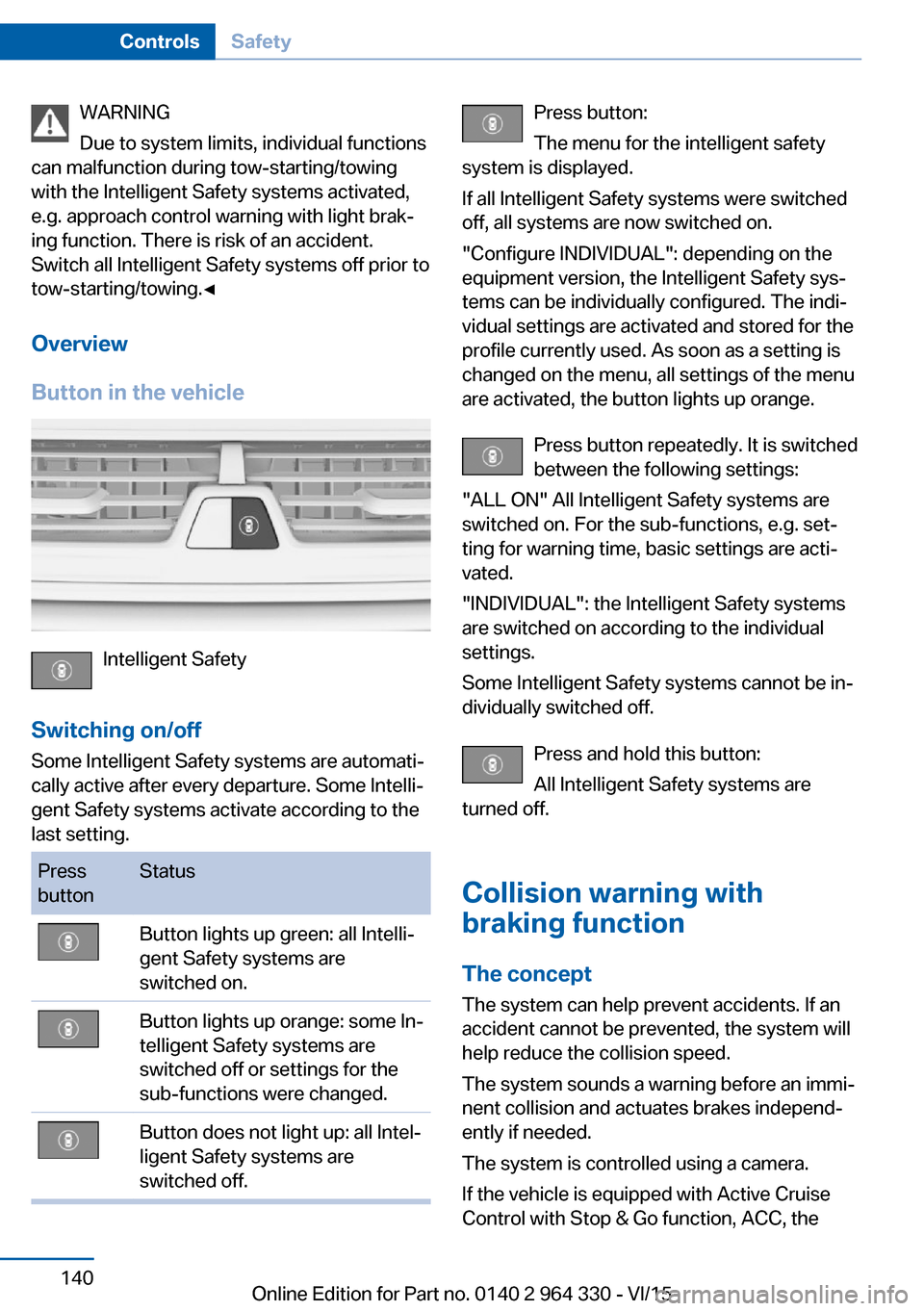
Button in the vehicle
Intelligent Safety
Switching on/off Some Intelligent Safety systems are automati‐
cally active after every departure. Some Intelli‐
gent Safety systems activate according to the
last setting.
Press
buttonStatusButton lights up green: all Intelli‐
gent Safety systems are
switched on.Button lights up orange: some In‐
telligent Safety systems are
switched off or settings for the
sub-functions were changed.Button does not light up: all Intel‐
ligent Safety systems are
switched off.Press button:
The menu for the intelligent safety
system is displayed.
If all Intelligent Safety systems were switched
off, all systems are now switched on.
"Configure INDIVIDUAL": depending on the
equipment version, the Intelligent Safety sys‐
tems can be individually configured. The indi‐
vidual settings are activated and stored for the
profile currently used. As soon as a setting is
changed on the menu, all settings of the menu
are activated, the button lights up orange.
Press button repeatedly. It is switched
between the following settings:
"ALL ON" All Intelligent Safety systems are
switched on. For the sub-functions, e.g. set‐
ting for warning time, basic settings are acti‐
vated.
"INDIVIDUAL": the Intelligent Safety systems
are switched on according to the individual
settings.
Some Intelligent Safety systems cannot be in‐
dividually switched off.
Press and hold this button:
All Intelligent Safety systems are
turned off.
Collision warning with
braking function
The concept The system can help prevent accidents. If an
accident cannot be prevented, the system will
help reduce the collision speed.
The system sounds a warning before an immi‐
nent collision and actuates brakes independ‐
ently if needed.
The system is controlled using a camera.
If the vehicle is equipped with Active Cruise
Control with Stop & Go function, ACC, theSeite 140ControlsSafety140
Online Edition for Part no. 0140 2 964 330 - VI/15
Page 142 of 314
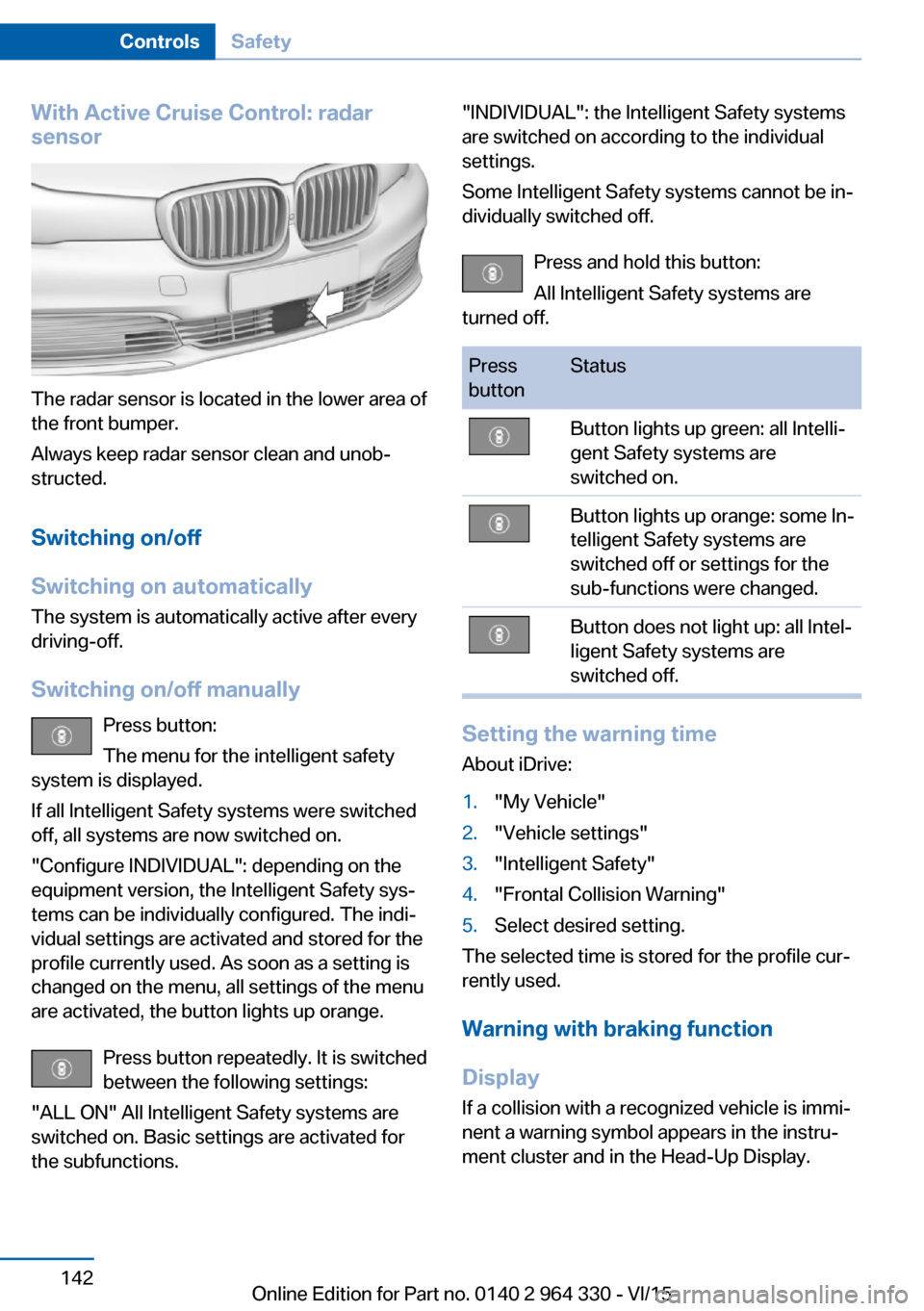
With Active Cruise Control: radar
sensor
The radar sensor is located in the lower area of
the front bumper.
Always keep radar sensor clean and unob‐
structed.
Switching on/off
Switching on automatically The system is automatically active after every
driving-off.
Switching on/off manually Press button:
The menu for the intelligent safety
system is displayed.
If all Intelligent Safety systems were switched
off, all systems are now switched on.
"Configure INDIVIDUAL": depending on the
equipment version, the Intelligent Safety sys‐
tems can be individually configured. The indi‐
vidual settings are activated and stored for the
profile currently used. As soon as a setting is
changed on the menu, all settings of the menu
are activated, the button lights up orange.
Press button repeatedly. It is switched
between the following settings:
"ALL ON" All Intelligent Safety systems are
switched on. Basic settings are activated for
the subfunctions.
"INDIVIDUAL": the Intelligent Safety systems
are switched on according to the individual
settings.
Some Intelligent Safety systems cannot be in‐
dividually switched off.
Press and hold this button:
All Intelligent Safety systems are
turned off.Press
buttonStatusButton lights up green: all Intelli‐
gent Safety systems are
switched on.Button lights up orange: some In‐
telligent Safety systems are
switched off or settings for the
sub-functions were changed.Button does not light up: all Intel‐
ligent Safety systems are
switched off.
Setting the warning time
About iDrive:
1."My Vehicle"2."Vehicle settings"3."Intelligent Safety"4."Frontal Collision Warning"5.Select desired setting.
The selected time is stored for the profile cur‐
rently used.
Warning with braking function
Display If a collision with a recognized vehicle is immi‐
nent a warning symbol appears in the instru‐
ment cluster and in the Head-Up Display.
Seite 142ControlsSafety142
Online Edition for Part no. 0140 2 964 330 - VI/15
Page 145 of 314
InformationWARNING
Indicators and warnings do not relieve
from the personal responsibility. Due to sys‐
tem limits, warnings or reactions of the system
may not be output or they may be output too
late or incorrectly. There is risk of an accident.
Adjust the driving style to the traffic condi‐
tions. Watch traffic closely and actively inter‐
fere in the respective situations.◀
WARNING
Due to system limits, individual functions
can malfunction during tow-starting/towing
with the Intelligent Safety systems activated,
e.g. approach control warning with light brak‐
ing function. There is risk of an accident.
Switch all Intelligent Safety systems off prior to
tow-starting/towing.◀
Overview
Button in the vehicle
Intelligent Safety
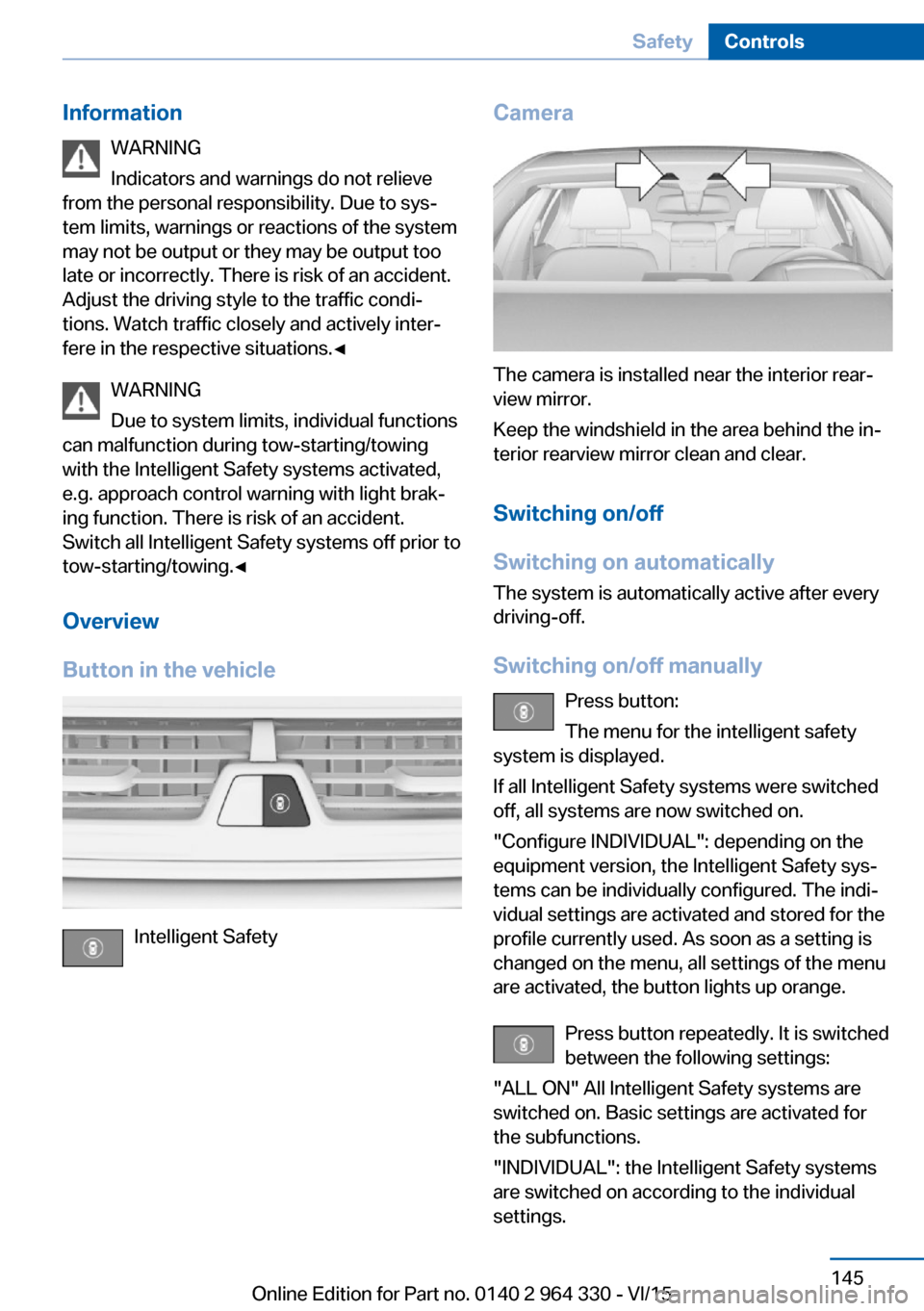
Camera
The camera is installed near the interior rear‐
view mirror.
Keep the windshield in the area behind the in‐
terior rearview mirror clean and clear.
Switching on/off
Switching on automatically The system is automatically active after every
driving-off.
Switching on/off manually Press button:
The menu for the intelligent safety
system is displayed.
If all Intelligent Safety systems were switched
off, all systems are now switched on.
"Configure INDIVIDUAL": depending on the
equipment version, the Intelligent Safety sys‐
tems can be individually configured. The indi‐
vidual settings are activated and stored for the
profile currently used. As soon as a setting is
changed on the menu, all settings of the menu
are activated, the button lights up orange.
Press button repeatedly. It is switched
between the following settings:
"ALL ON" All Intelligent Safety systems are
switched on. Basic settings are activated for
the subfunctions.
"INDIVIDUAL": the Intelligent Safety systems
are switched on according to the individual
settings.
Seite 145SafetyControls145
Online Edition for Part no. 0140 2 964 330 - VI/15
Page 151 of 314
Intelligent Safety
Camera
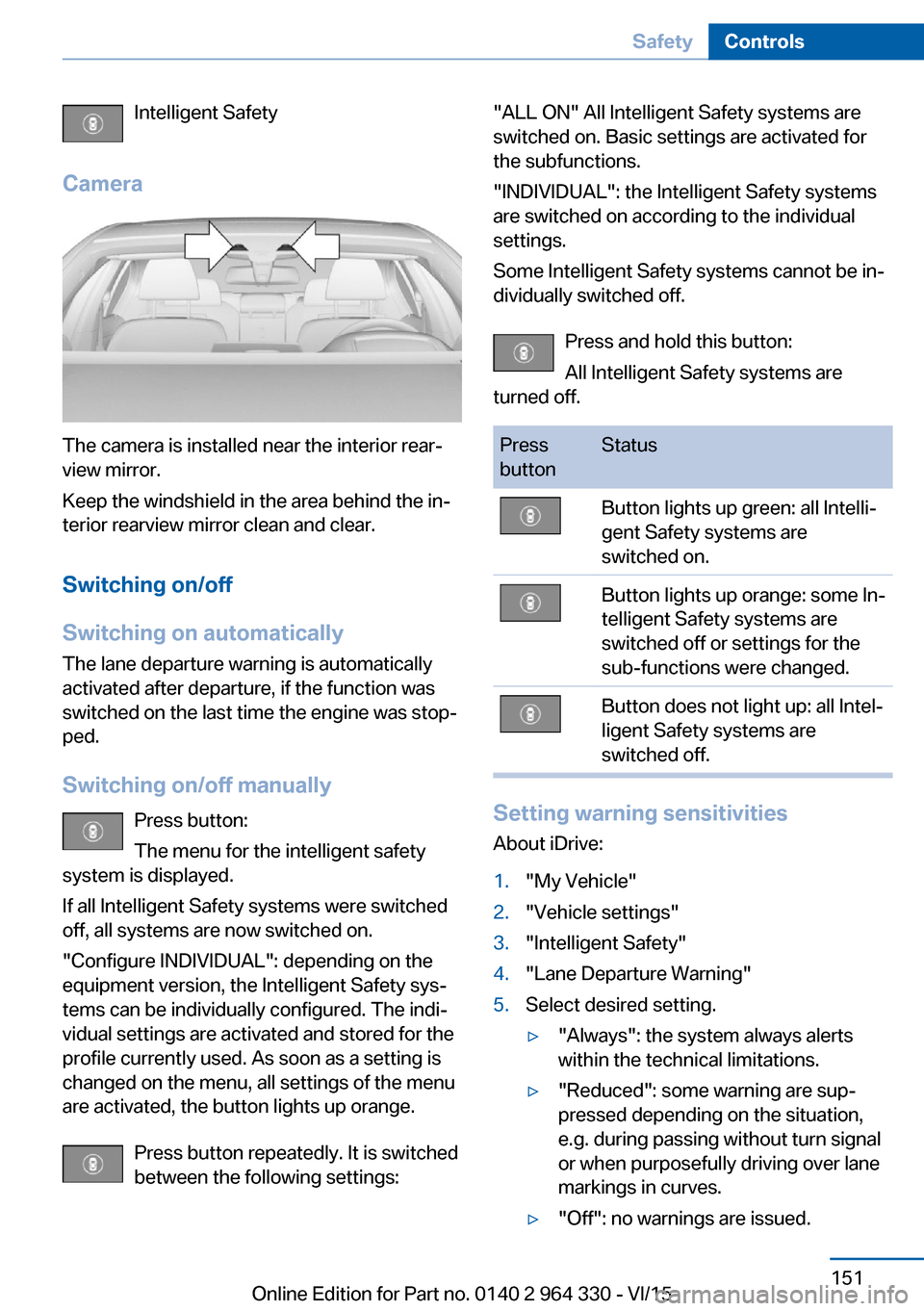
The camera is installed near the interior rear‐
view mirror.
Keep the windshield in the area behind the in‐
terior rearview mirror clean and clear.
Switching on/off
Switching on automatically The lane departure warning is automatically
activated after departure, if the function was
switched on the last time the engine was stop‐
ped.
Switching on/off manually Press button:
The menu for the intelligent safety
system is displayed.
If all Intelligent Safety systems were switched
off, all systems are now switched on.
"Configure INDIVIDUAL": depending on the
equipment version, the Intelligent Safety sys‐
tems can be individually configured. The indi‐
vidual settings are activated and stored for the
profile currently used. As soon as a setting is
changed on the menu, all settings of the menu
are activated, the button lights up orange.
Press button repeatedly. It is switched
between the following settings:
"ALL ON" All Intelligent Safety systems are
switched on. Basic settings are activated for
the subfunctions.
"INDIVIDUAL": the Intelligent Safety systems
are switched on according to the individual
settings.
Some Intelligent Safety systems cannot be in‐
dividually switched off.
Press and hold this button:
All Intelligent Safety systems are
turned off.Press
buttonStatusButton lights up green: all Intelli‐
gent Safety systems are
switched on.Button lights up orange: some In‐
telligent Safety systems are
switched off or settings for the
sub-functions were changed.Button does not light up: all Intel‐
ligent Safety systems are
switched off.
Setting warning sensitivities
About iDrive:
1."My Vehicle"2."Vehicle settings"3."Intelligent Safety"4."Lane Departure Warning"5.Select desired setting.▷"Always": the system always alerts
within the technical limitations.▷"Reduced": some warning are sup‐
pressed depending on the situation,
e.g. during passing without turn signal
or when purposefully driving over lane
markings in curves.▷"Off": no warnings are issued.Seite 151SafetyControls151
Online Edition for Part no. 0140 2 964 330 - VI/15
Page 152 of 314
The selected setting is stored for the drive pro‐
file currently used.
Set force of the steering wheel
vibration
About iDrive:1."My Vehicle"2."Vehicle settings"3."Steering wheel vibration"4.Select desired setting.
The setting is applied to all Intelligent Safety
systems and stored for the profile currently
used.
Vehicles with side collision warning:
switching steering intervention on/off
The steering intervention can be switched on
and off separately for Active Blind Spot Detec‐
tion and lane departure warning.
About iDrive:
1."My Vehicle"2."Vehicle settings"3."Intelligent Safety"4."Steering intervention"
The selected setting is stored for the drive pro‐
file currently used.
Display in the instrument cluster Green symbol: at least one lane mark‐
ing was detected and warnings can be
issued.
Issued warning
If you leave the lane and if a lane marking has
been detected, the steering wheel begins vi‐
brating.
If the turn signal is set before changing the
lane, a warning is not issued.
Vehicles with side collision warning: if the vi‐
brating steering wheel is ignored and the lane
marking crossed, the system intervenes with a
brief active steering intervention and helps to
maintain the vehicle in the lane. The steering
intervention can be noticed on the steering
wheel and can be manually overridden at any
time.
End of warning The warning is canceled in the following situa‐
tions:▷Automatically after approx. 3 seconds.▷When returning to your own lane.▷When braking hard.▷When using the turn signal.▷When DSC is actively controlling stability.
System limits
Functional limitations
The system may not be fully functional in the
following situations:
▷In heavy fog, rain or snowfall.▷In the event of missing, worn, poorly visi‐
ble, merging, diverging, or multiple lane
markings such as in construction areas.▷When lane markings are covered in snow,
ice, dirt or water.▷In tight curves or on narrow lanes.▷When the lane markings are covered by
objects.▷When driving very close to the vehicle in
front of you.▷If there are constant blinding effects be‐
cause of oncoming light, e. g., from the sun
low in the sky.▷When the windshield in front of the interior
rearview mirror is fogged over, dirty or cov‐
ered with stickers, etc.▷During calibration of the camera immedi‐
ately after vehicle delivery.
A Check Control message is displayed when
the system is not fully functional.
Seite 152ControlsSafety152
Online Edition for Part no. 0140 2 964 330 - VI/15