profile BMW 7 SERIES 2015 G11 Owner's Guide
[x] Cancel search | Manufacturer: BMW, Model Year: 2015, Model line: 7 SERIES, Model: BMW 7 SERIES 2015 G11Pages: 314, PDF Size: 7.9 MB
Page 154 of 314
Switching on/off
Switching on automatically The Active Blind Spot Detection is automati‐
cally activated after departure, if the function
was switched on the last time the engine was
stopped.
Switching on/off manually Press button:
The menu for the intelligent safety
system is displayed.
If all Intelligent Safety systems were switched
off, all systems are now switched on.
"Configure INDIVIDUAL": depending on the
equipment version, the Intelligent Safety sys‐
tems can be individually configured. The indi‐
vidual settings are activated and stored for the
profile currently used. As soon as a setting is
changed on the menu, all settings of the menu
are activated, the button lights up orange.
Press button repeatedly. It is switched
between the following settings:
"ALL ON" All Intelligent Safety systems are
switched on. Basic settings are activated for
the subfunctions.
"INDIVIDUAL": the Intelligent Safety systems
are switched on according to the individual
settings.
Some Intelligent Safety systems cannot be in‐
dividually switched off.
Press and hold this button:
All Intelligent Safety systems are
turned off.Press
buttonStatusButton lights up green: all Intelli‐
gent Safety systems are
switched on.Button lights up orange: some In‐
telligent Safety systems are
switched off or settings for the
sub-functions were changed.Button does not light up: all Intel‐
ligent Safety systems are
switched off.
Setting the warning time
About iDrive:
1."My Vehicle"2."Vehicle settings"3."Intelligent Safety"4."Blind Spot Detection"5.Select desired setting.
"Off": With this setting, no warning is out‐
put.
The setting is stored for the drive profile cur‐
rently used.
Set force of the steering wheel
vibration
About iDrive:
1."My Vehicle"2."Vehicle settings"3."Steering wheel vibration"4.Select desired setting.
The setting is applied to all Intelligent Safety
systems and stored for the profile currently
used.
Seite 154ControlsSafety154
Online Edition for Part no. 0140 2 964 330 - VI/15
Page 155 of 314
Vehicles with side collision warning:
switching steering intervention on/off
The steering intervention can be switched on
and off separately for Active Blind Spot Detec‐
tion and lane departure warning.
About iDrive:1."My Vehicle"2."Vehicle settings"3."Intelligent Safety"4."Steering intervention"
The setting is stored for the drive profile cur‐
rently used.
Issued warning
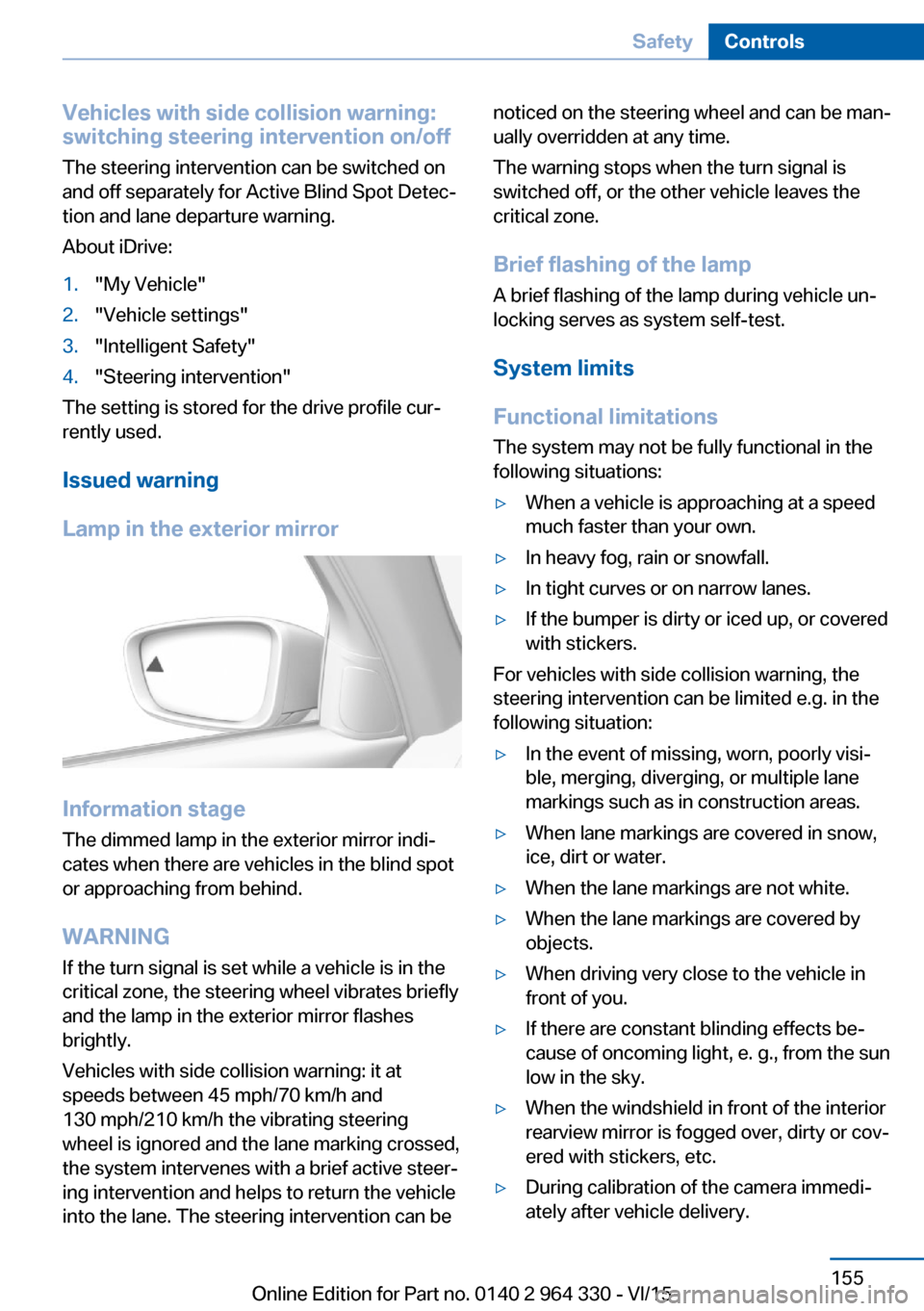
Lamp in the exterior mirror
Information stage
The dimmed lamp in the exterior mirror indi‐
cates when there are vehicles in the blind spot
or approaching from behind.
WARNING If the turn signal is set while a vehicle is in the
critical zone, the steering wheel vibrates briefly
and the lamp in the exterior mirror flashes
brightly.
Vehicles with side collision warning: it at
speeds between 45 mph/70 km/h and
130 mph/210 km/h the vibrating steering
wheel is ignored and the lane marking crossed,
the system intervenes with a brief active steer‐
ing intervention and helps to return the vehicle
into the lane. The steering intervention can be
noticed on the steering wheel and can be man‐
ually overridden at any time.
The warning stops when the turn signal is
switched off, or the other vehicle leaves the
critical zone.
Brief flashing of the lamp A brief flashing of the lamp during vehicle un‐
locking serves as system self-test.
System limits
Functional limitations
The system may not be fully functional in the
following situations:▷When a vehicle is approaching at a speed
much faster than your own.▷In heavy fog, rain or snowfall.▷In tight curves or on narrow lanes.▷If the bumper is dirty or iced up, or covered
with stickers.
For vehicles with side collision warning, the
steering intervention can be limited e.g. in the
following situation:
▷In the event of missing, worn, poorly visi‐
ble, merging, diverging, or multiple lane
markings such as in construction areas.▷When lane markings are covered in snow,
ice, dirt or water.▷When the lane markings are not white.▷When the lane markings are covered by
objects.▷When driving very close to the vehicle in
front of you.▷If there are constant blinding effects be‐
cause of oncoming light, e. g., from the sun
low in the sky.▷When the windshield in front of the interior
rearview mirror is fogged over, dirty or cov‐
ered with stickers, etc.▷During calibration of the camera immedi‐
ately after vehicle delivery.Seite 155SafetyControls155
Online Edition for Part no. 0140 2 964 330 - VI/15
Page 157 of 314
Overview
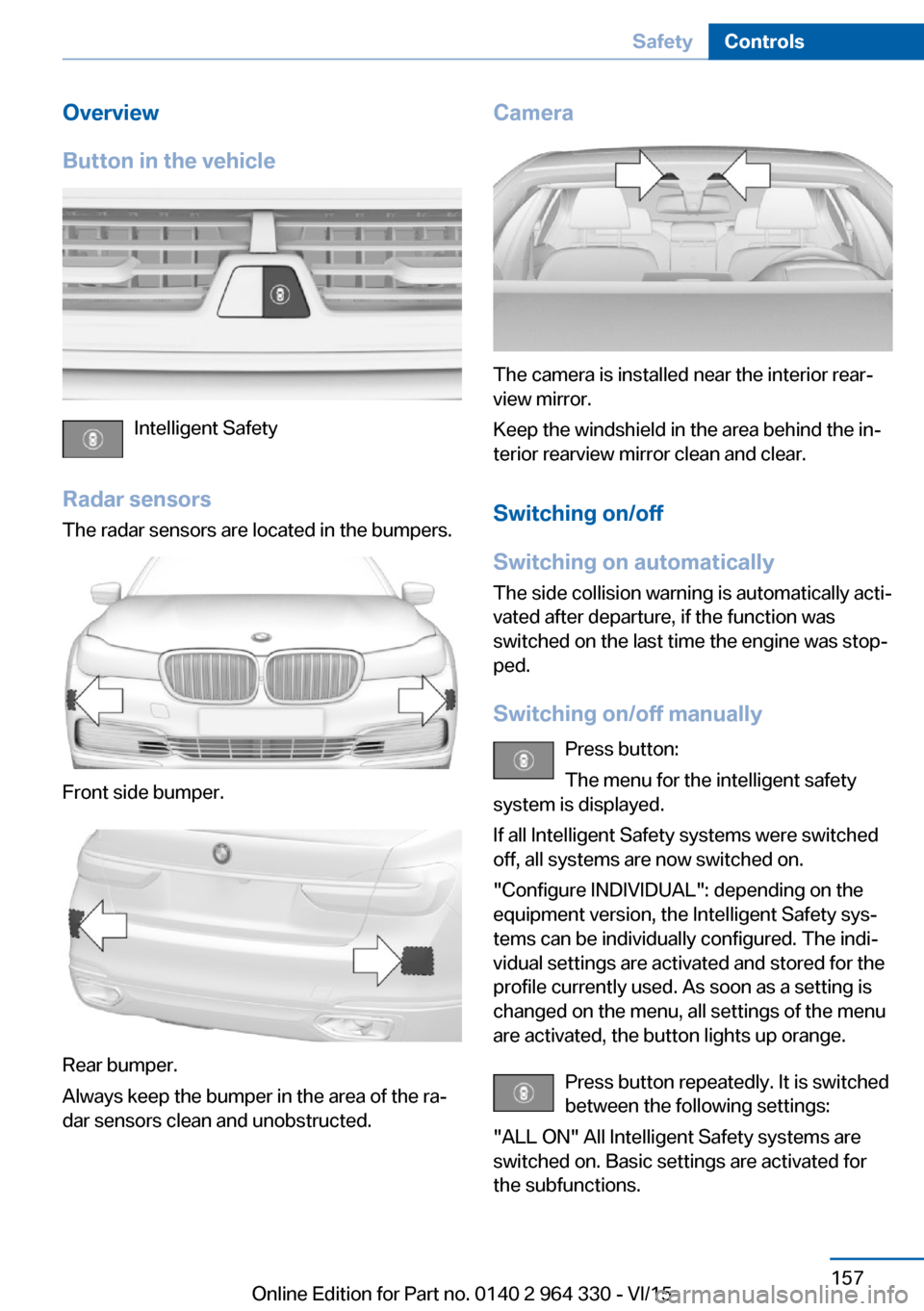
Button in the vehicle
Intelligent Safety
Radar sensors The radar sensors are located in the bumpers.
Front side bumper.
Rear bumper.
Always keep the bumper in the area of the ra‐
dar sensors clean and unobstructed.
Camera
The camera is installed near the interior rear‐
view mirror.
Keep the windshield in the area behind the in‐
terior rearview mirror clean and clear.
Switching on/off
Switching on automatically The side collision warning is automatically acti‐
vated after departure, if the function was
switched on the last time the engine was stop‐
ped.
Switching on/off manually Press button:
The menu for the intelligent safety
system is displayed.
If all Intelligent Safety systems were switched
off, all systems are now switched on.
"Configure INDIVIDUAL": depending on the
equipment version, the Intelligent Safety sys‐
tems can be individually configured. The indi‐
vidual settings are activated and stored for the
profile currently used. As soon as a setting is
changed on the menu, all settings of the menu
are activated, the button lights up orange.
Press button repeatedly. It is switched
between the following settings:
"ALL ON" All Intelligent Safety systems are
switched on. Basic settings are activated for
the subfunctions.
Seite 157SafetyControls157
Online Edition for Part no. 0140 2 964 330 - VI/15
Page 181 of 314
▷With parking assistant: by the side sensors
at approx. 24 in/60 cm.▷When a collision is imminent.
Information
WARNING
The system does not relieve from the
personal responsibility to correctly assess the
traffic situation. Based on the limits of the sys‐
tem, it cannot independently react to all traffic
situations. There is risk of an accident. Adjust
the driving style to the traffic conditions. Watch
traffic closely and actively interfere in the re‐
spective situations.◀
WARNING
Due to high speeds when PDC is acti‐
vated, the warning can be delayed due to
physical circumstances. There is risk of injuries
or risk of property damage. Avoid approaching
an object too fast. Avoid driving off fast while
PDC is not yet active.◀
Overview
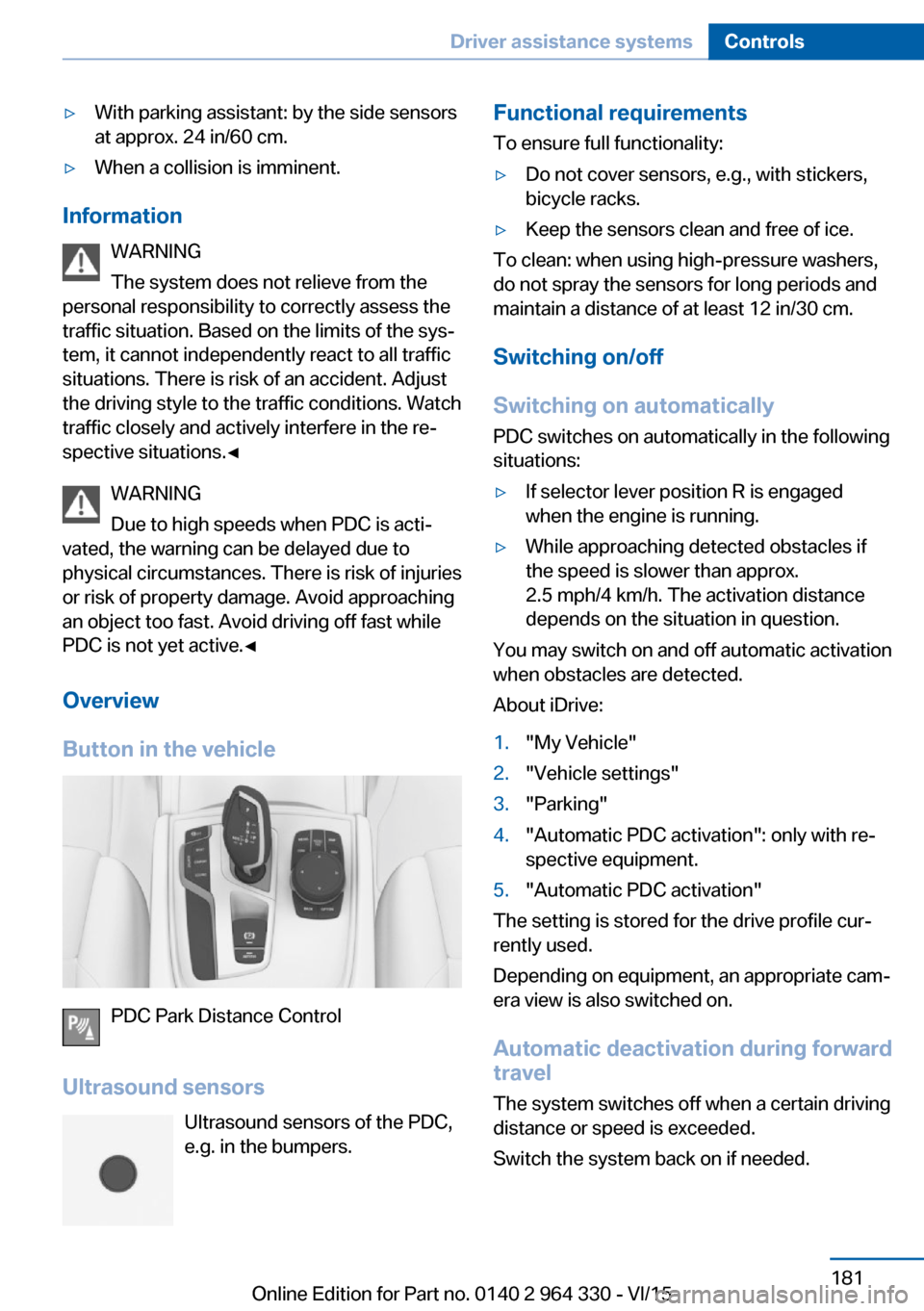
Button in the vehicle
PDC Park Distance Control
Ultrasound sensors Ultrasound sensors of the PDC,e.g. in the bumpers.
Functional requirements
To ensure full functionality:▷Do not cover sensors, e.g., with stickers,
bicycle racks.▷Keep the sensors clean and free of ice.
To clean: when using high-pressure washers,
do not spray the sensors for long periods and
maintain a distance of at least 12 in/30 cm.
Switching on/off
Switching on automatically PDC switches on automatically in the following
situations:
▷If selector lever position R is engaged
when the engine is running.▷While approaching detected obstacles if
the speed is slower than approx.
2.5 mph/4 km/h. The activation distance
depends on the situation in question.
You may switch on and off automatic activation
when obstacles are detected.
About iDrive:
1."My Vehicle"2."Vehicle settings"3."Parking"4."Automatic PDC activation": only with re‐
spective equipment.5."Automatic PDC activation"
The setting is stored for the drive profile cur‐
rently used.
Depending on equipment, an appropriate cam‐
era view is also switched on.
Automatic deactivation during forward
travel
The system switches off when a certain driving
distance or speed is exceeded.
Switch the system back on if needed.
Seite 181Driver assistance systemsControls181
Online Edition for Part no. 0140 2 964 330 - VI/15
Page 182 of 314
Switching on/off manuallyPress button.▷On: the LED lights up.▷Off: the LED goes out.
The rearview camera image is displayed when
the reverse gear is engaged by pressing the
button.
Display
Signal tones When approaching an object, an intermittent
sound indicates the position of the object. E. g.
if an object is detected to the left rear of the
vehicle, a signal tone sounds from the left rear
speaker.
The shorter the distance to the object, the
shorter the intervals.
If the distance to a detected object is less than
approx. 10 in/25 cm, a continuous tone is
sounded.
If there are objects in front of and behind the
vehicle at the same time, with a distance
smaller than approx. 10 in/25 cm, an alternat‐
ing constant tone will sound.
The interval tone and constant tone are
switched off if the selector lever position P is
engaged.
The interval tone is switched off after a short
time when the vehicle is stationary.
Volume
The ratio of the PDC signal tone volume to the
entertainment volume can be adjusted.
About iDrive:
1."My Vehicle"2."System settings"3."Tone"4."Volume settings"5."PDC"6.Set the desired value.
The setting is stored for the drive profile cur‐
rently used.
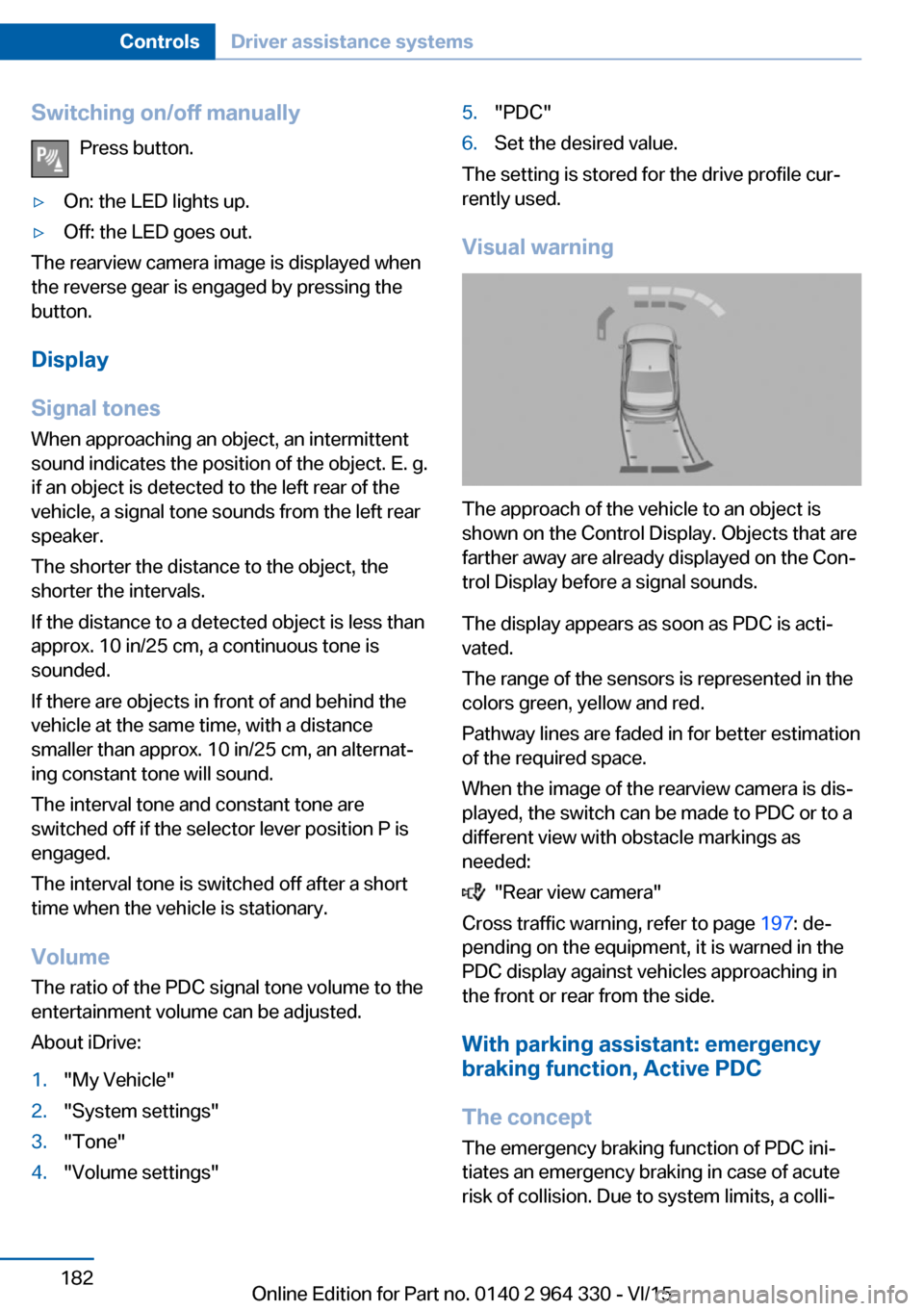
Visual warning
The approach of the vehicle to an object is
shown on the Control Display. Objects that are
farther away are already displayed on the Con‐
trol Display before a signal sounds.
The display appears as soon as PDC is acti‐
vated.
The range of the sensors is represented in the
colors green, yellow and red.
Pathway lines are faded in for better estimation
of the required space.
When the image of the rearview camera is dis‐
played, the switch can be made to PDC or to a
different view with obstacle markings as
needed:
"Rear view camera"
Cross traffic warning, refer to page 197: de‐
pending on the equipment, it is warned in the
PDC display against vehicles approaching in
the front or rear from the side.
With parking assistant: emergency
braking function, Active PDC
The concept The emergency braking function of PDC ini‐
tiates an emergency braking in case of acute
risk of collision. Due to system limits, a colli‐
Seite 182ControlsDriver assistance systems182
Online Edition for Part no. 0140 2 964 330 - VI/15
Page 183 of 314
sion cannot be prevented under all circum‐
stances.
The function is available from walking speed
while backing up or rolling backward.
A press of the gas pedal interrupts the braking
intervention.
After emergency braking to a stop, further
creeping toward an obstacle is possible. To
creep toward the obstacle, lightly press the ac‐
celerator pedal and release it again.
If the accelerator pedal is heavily depressed,
the vehicle drives off as usual. Manual braking
is possible at any time.
General information The system uses the ultrasound sensors of
PDC and parking assistant.
Information WARNING
The system does not relieve from the
personal responsibility to correctly assess the
traffic situation. There is risk of an accident.
Adjust the driving style to the traffic condi‐
tions. Watch traffic and vehicle surroundings
closely and actively interfere in the respective
situations.◀
Activating/deactivating the system About iDrive:1."My Vehicle"2."Vehicle settings"3."Parking"4."Active PDC emergency brake function"5."Active PDC emergency brake function"
The setting is stored for the drive profile cur‐
rently used.
With parking assistant: side
protection
The concept Obstacles on the side of the vehicle are de‐
tected by the sensors of the system. The sys‐
tem warns against these obstacles.
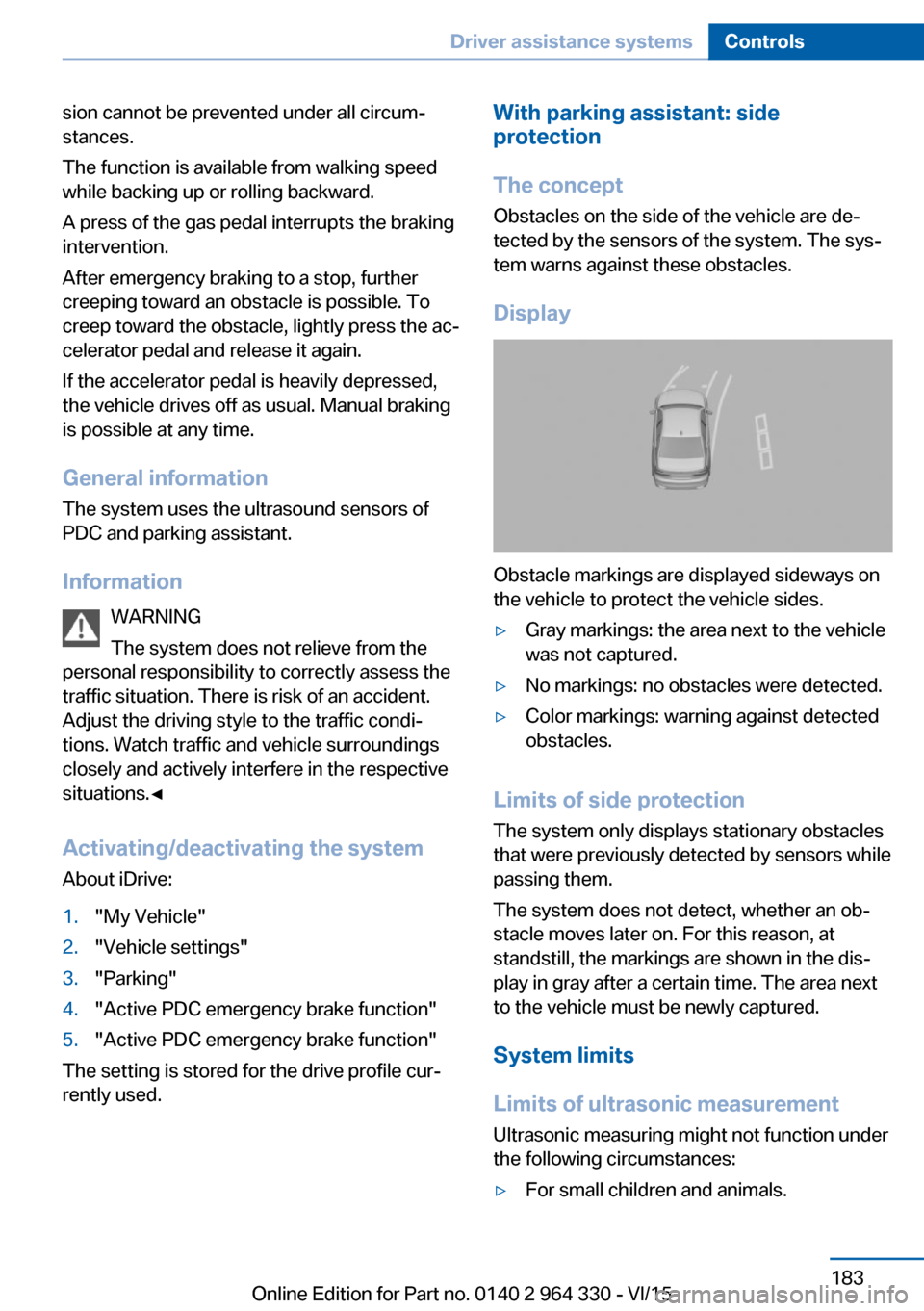
Display
Obstacle markings are displayed sideways on
the vehicle to protect the vehicle sides.
▷Gray markings: the area next to the vehicle
was not captured.▷No markings: no obstacles were detected.▷Color markings: warning against detected
obstacles.
Limits of side protection
The system only displays stationary obstacles
that were previously detected by sensors while passing them.
The system does not detect, whether an ob‐
stacle moves later on. For this reason, at standstill, the markings are shown in the dis‐
play in gray after a certain time. The area next
to the vehicle must be newly captured.
System limits
Limits of ultrasonic measurement Ultrasonic measuring might not function under
the following circumstances:
▷For small children and animals.Seite 183Driver assistance systemsControls183
Online Edition for Part no. 0140 2 964 330 - VI/15
Page 212 of 314
An indicator in the climate control display sig‐
nals that the ionization is switched on.
Ionization can also be operated using BMW
Touch Command.
Fragrancing
General information
Perfuming is done at intervals in order to avoid
a habituation effect.
Two fragrance cartridges in the vehicle allow
comfortable switching between the fragrances.
The fragrance cartridges are located in the
glove compartment.
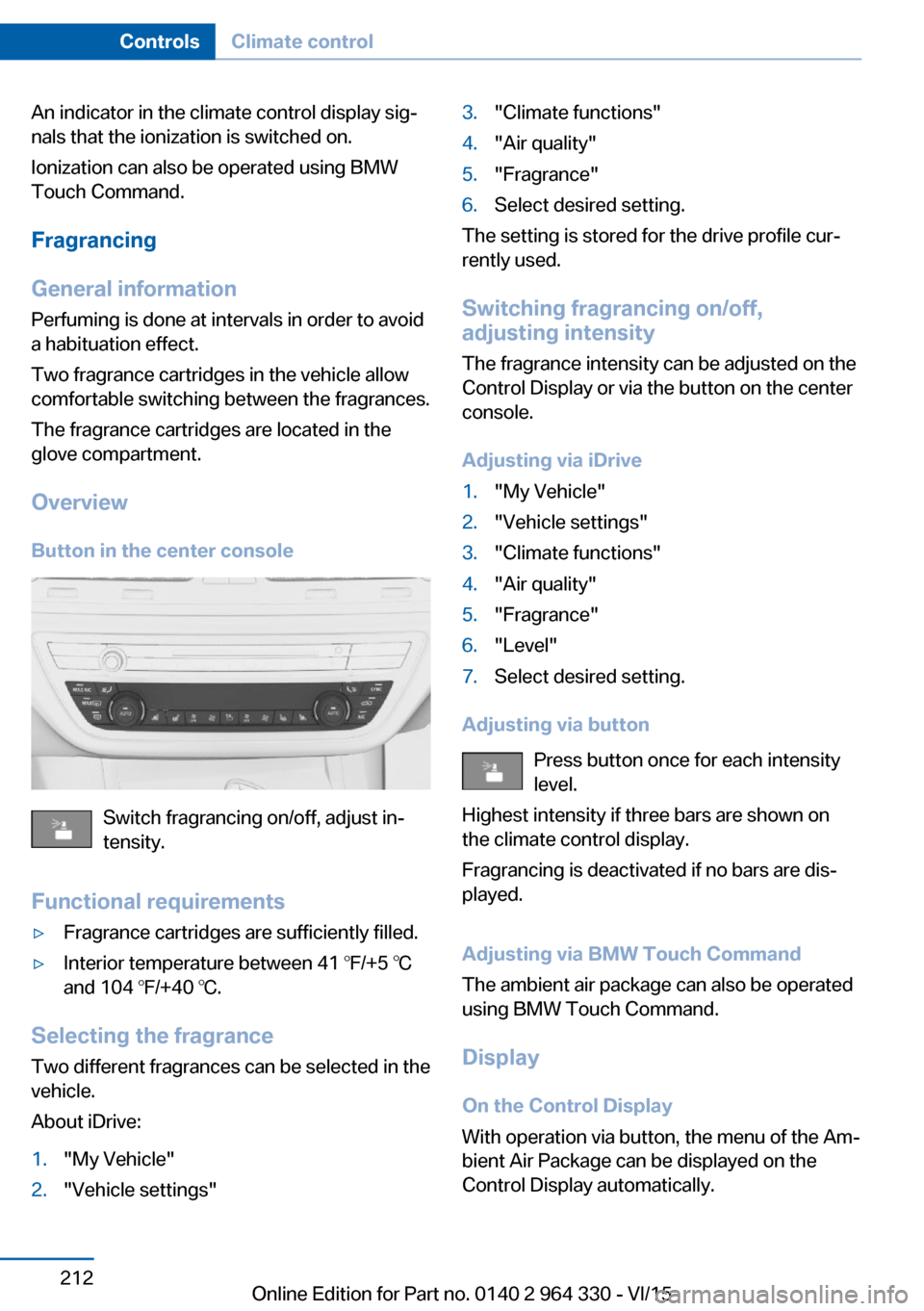
Overview Button in the center console
Switch fragrancing on/off, adjust in‐
tensity.
Functional requirements
▷Fragrance cartridges are sufficiently filled.▷Interior temperature between 41 ℉/+5 ℃
and 104 ℉/+40 ℃.
Selecting the fragrance
Two different fragrances can be selected in the
vehicle.
About iDrive:
1."My Vehicle"2."Vehicle settings"3."Climate functions"4."Air quality"5."Fragrance"6.Select desired setting.
The setting is stored for the drive profile cur‐
rently used.
Switching fragrancing on/off,
adjusting intensity
The fragrance intensity can be adjusted on the
Control Display or via the button on the center
console.
Adjusting via iDrive
1."My Vehicle"2."Vehicle settings"3."Climate functions"4."Air quality"5."Fragrance"6."Level"7.Select desired setting.
Adjusting via button Press button once for each intensity
level.
Highest intensity if three bars are shown on
the climate control display.
Fragrancing is deactivated if no bars are dis‐
played.
Adjusting via BMW Touch Command
The ambient air package can also be operated
using BMW Touch Command.
Display
On the Control Display
With operation via button, the menu of the Am‐
bient Air Package can be displayed on the
Control Display automatically.
Seite 212ControlsClimate control212
Online Edition for Part no. 0140 2 964 330 - VI/15
Page 221 of 314
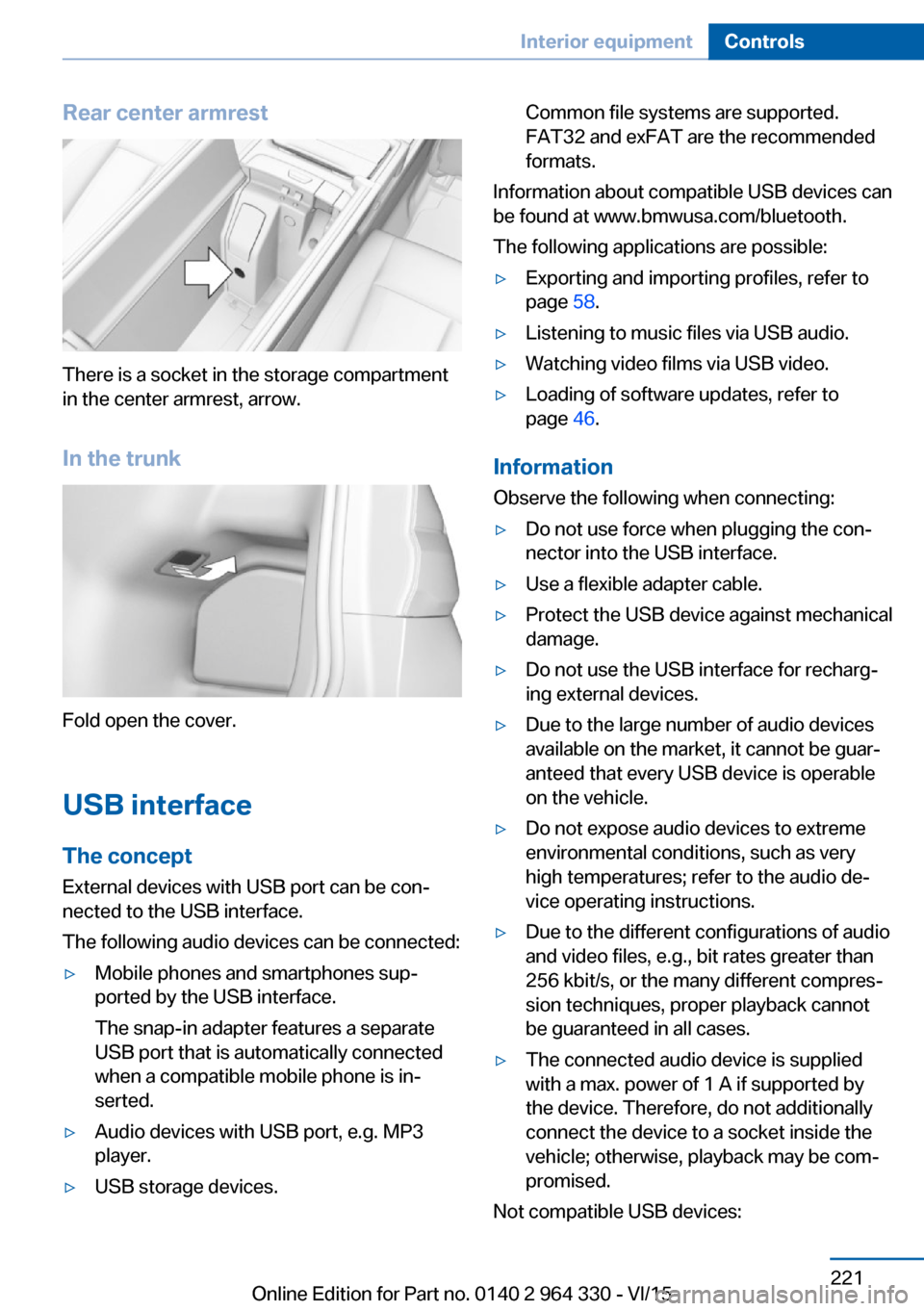
Rear center armrest
There is a socket in the storage compartment
in the center armrest, arrow.
In the trunk
Fold open the cover.
USB interface The concept
External devices with USB port can be con‐
nected to the USB interface.
The following audio devices can be connected:
▷Mobile phones and smartphones sup‐
ported by the USB interface.
The snap-in adapter features a separate
USB port that is automatically connected
when a compatible mobile phone is in‐
serted.▷Audio devices with USB port, e.g. MP3
player.▷USB storage devices.Common file systems are supported.
FAT32 and exFAT are the recommended
formats.
Information about compatible USB devices can
be found at www.bmwusa.com/bluetooth.
The following applications are possible:
▷Exporting and importing profiles, refer to
page 58.▷Listening to music files via USB audio.▷Watching video films via USB video.▷Loading of software updates, refer to
page 46.
Information
Observe the following when connecting:
▷Do not use force when plugging the con‐
nector into the USB interface.▷Use a flexible adapter cable.▷Protect the USB device against mechanical
damage.▷Do not use the USB interface for recharg‐
ing external devices.▷Due to the large number of audio devices
available on the market, it cannot be guar‐
anteed that every USB device is operable
on the vehicle.▷Do not expose audio devices to extreme
environmental conditions, such as very
high temperatures; refer to the audio de‐
vice operating instructions.▷Due to the different configurations of audio
and video files, e.g., bit rates greater than
256 kbit/s, or the many different compres‐
sion techniques, proper playback cannot
be guaranteed in all cases.▷The connected audio device is supplied
with a max. power of 1 A if supported by
the device. Therefore, do not additionally
connect the device to a socket inside the
vehicle; otherwise, playback may be com‐
promised.
Not compatible USB devices:
Seite 221Interior equipmentControls221
Online Edition for Part no. 0140 2 964 330 - VI/15
Page 246 of 314
▷Engine and transmission are at operating
temperature.
The driving status Coast can be influenced
with the shift paddles.
Activate coasting via the shift paddles:
1.Using the shift paddles + shift to the high‐
est gear.2.Shift paddles + press again to enter coast‐
ing mode.
Deactivate coasting:
Press shift paddles.
Display Display in the instrument cluster The mark in the efficiency dis‐
play below the tachometer is
backlit in blue and is located at
the zero point. The tachometer
approximately indicates idle
speed.
The coasting point indicator is illuminated at
the zero point during coasting.
Display in the instrument cluster with
expanded scope
The mark in the efficiency dis‐
play is backlit in blue and is lo‐
cated at the zero point.
The coasting point indicator is il‐
luminated at the zero point dur‐
ing coasting.
Indications on the Control Display
The Coasting driving condition is displayed in
EfficientDynamics Info while this driving mode
is active.
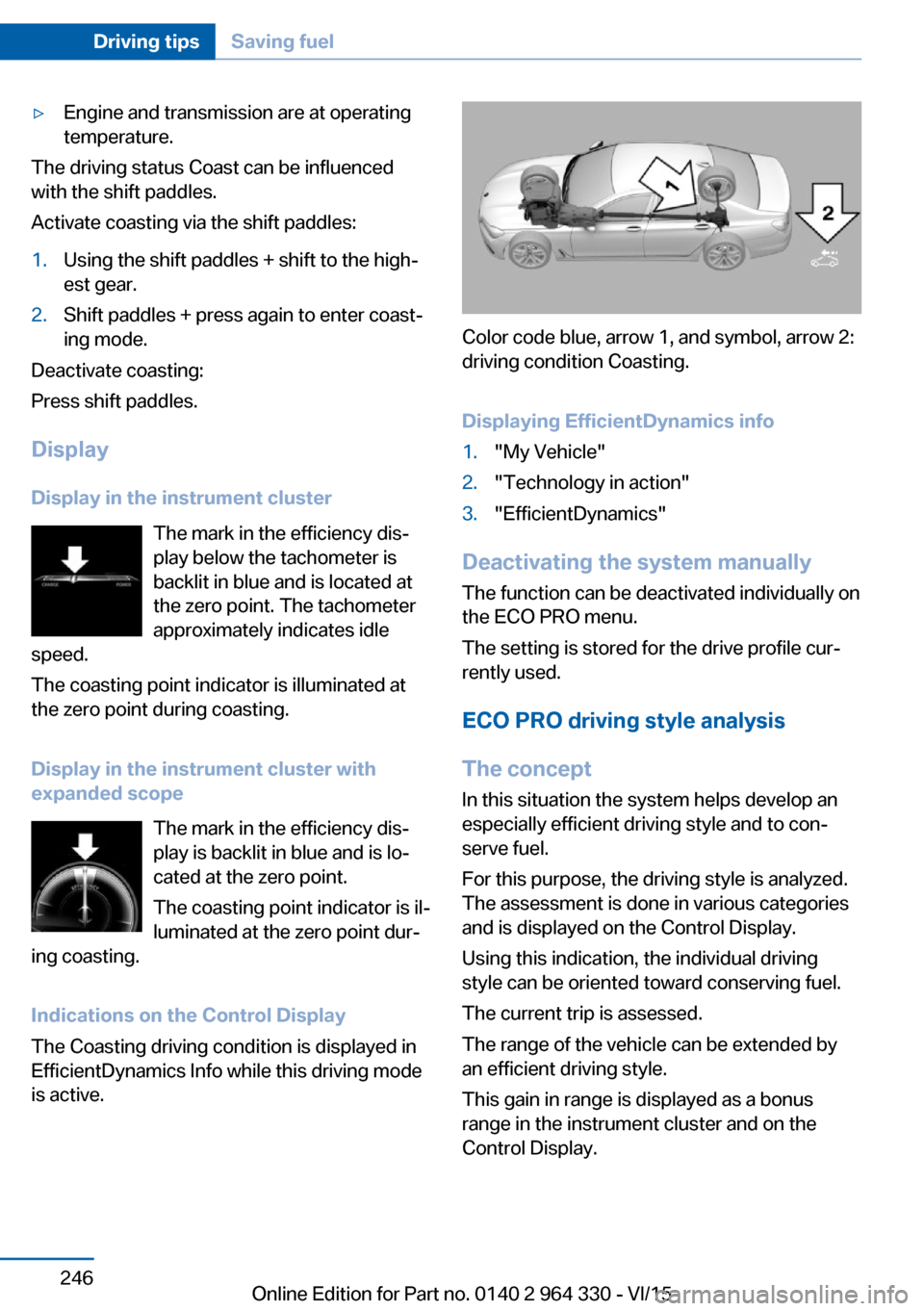
Color code blue, arrow 1, and symbol, arrow 2:
driving condition Coasting.
Displaying EfficientDynamics info
1."My Vehicle"2."Technology in action"3."EfficientDynamics"
Deactivating the system manually The function can be deactivated individually on
the ECO PRO menu.
The setting is stored for the drive profile cur‐
rently used.
ECO PRO driving style analysis
The concept In this situation the system helps develop an
especially efficient driving style and to con‐
serve fuel.
For this purpose, the driving style is analyzed.
The assessment is done in various categories
and is displayed on the Control Display.
Using this indication, the individual driving
style can be oriented toward conserving fuel.
The current trip is assessed.
The range of the vehicle can be extended by
an efficient driving style.
This gain in range is displayed as a bonus
range in the instrument cluster and on the
Control Display.
Seite 246Driving tipsSaving fuel246
Online Edition for Part no. 0140 2 964 330 - VI/15
Page 258 of 314
M+S
Winter and all-season tires with better cold
weather performance than summer tires.
Tire tread Summer tires
Do not drive with a tire tread depth of less than
0.12 in/3 mm.
There is an increased danger of hydroplaning if
the tire tread depth is less than 0.12 in/3 mm.
Winter tires
Do not drive with a tire tread depth of less than
0.16 in/4 mm.
Below a tread depth of 0.16 in/4 mm, tires are
less suitable for winter operation.
Minimum tread depth
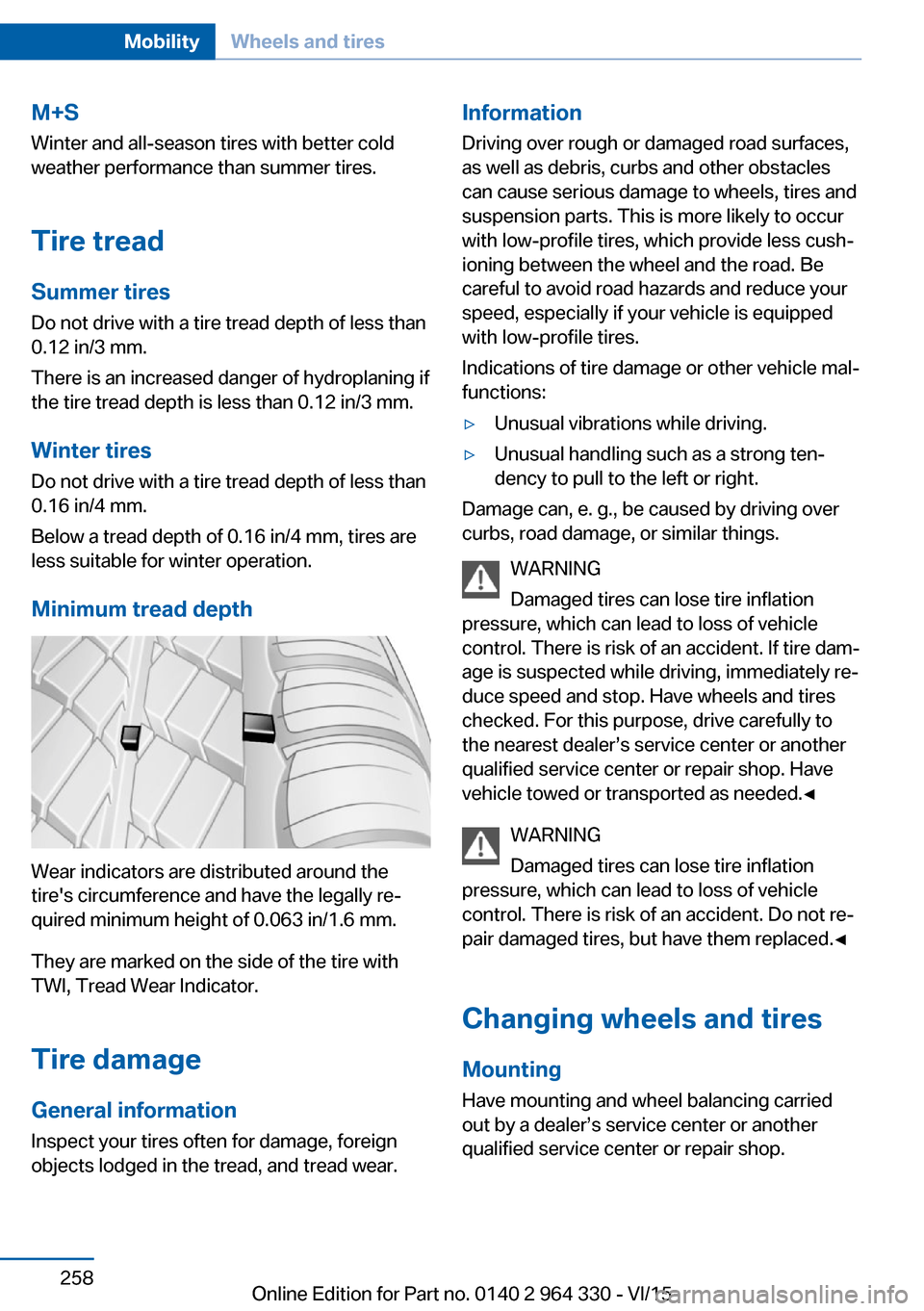
Wear indicators are distributed around the
tire's circumference and have the legally re‐
quired minimum height of 0.063 in/1.6 mm.
They are marked on the side of the tire with
TWI, Tread Wear Indicator.
Tire damage
General information
Inspect your tires often for damage, foreign
objects lodged in the tread, and tread wear.
Information
Driving over rough or damaged road surfaces,
as well as debris, curbs and other obstacles
can cause serious damage to wheels, tires and
suspension parts. This is more likely to occur
with low-profile tires, which provide less cush‐
ioning between the wheel and the road. Be
careful to avoid road hazards and reduce your
speed, especially if your vehicle is equipped
with low-profile tires.
Indications of tire damage or other vehicle mal‐
functions:▷Unusual vibrations while driving.▷Unusual handling such as a strong ten‐
dency to pull to the left or right.
Damage can, e. g., be caused by driving over
curbs, road damage, or similar things.
WARNING
Damaged tires can lose tire inflation
pressure, which can lead to loss of vehicle
control. There is risk of an accident. If tire dam‐
age is suspected while driving, immediately re‐
duce speed and stop. Have wheels and tires
checked. For this purpose, drive carefully to
the nearest dealer’s service center or another
qualified service center or repair shop. Have
vehicle towed or transported as needed.◀
WARNING
Damaged tires can lose tire inflation
pressure, which can lead to loss of vehicle
control. There is risk of an accident. Do not re‐
pair damaged tires, but have them replaced.◀
Changing wheels and tires
Mounting Have mounting and wheel balancing carriedout by a dealer’s service center or another
qualified service center or repair shop.
Seite 258MobilityWheels and tires258
Online Edition for Part no. 0140 2 964 330 - VI/15