front BMW 7 SERIES 2016 G11 Manual PDF
[x] Cancel search | Manufacturer: BMW, Model Year: 2016, Model line: 7 SERIES, Model: BMW 7 SERIES 2016 G11Pages: 314, PDF Size: 7.9 MB
Page 192 of 314
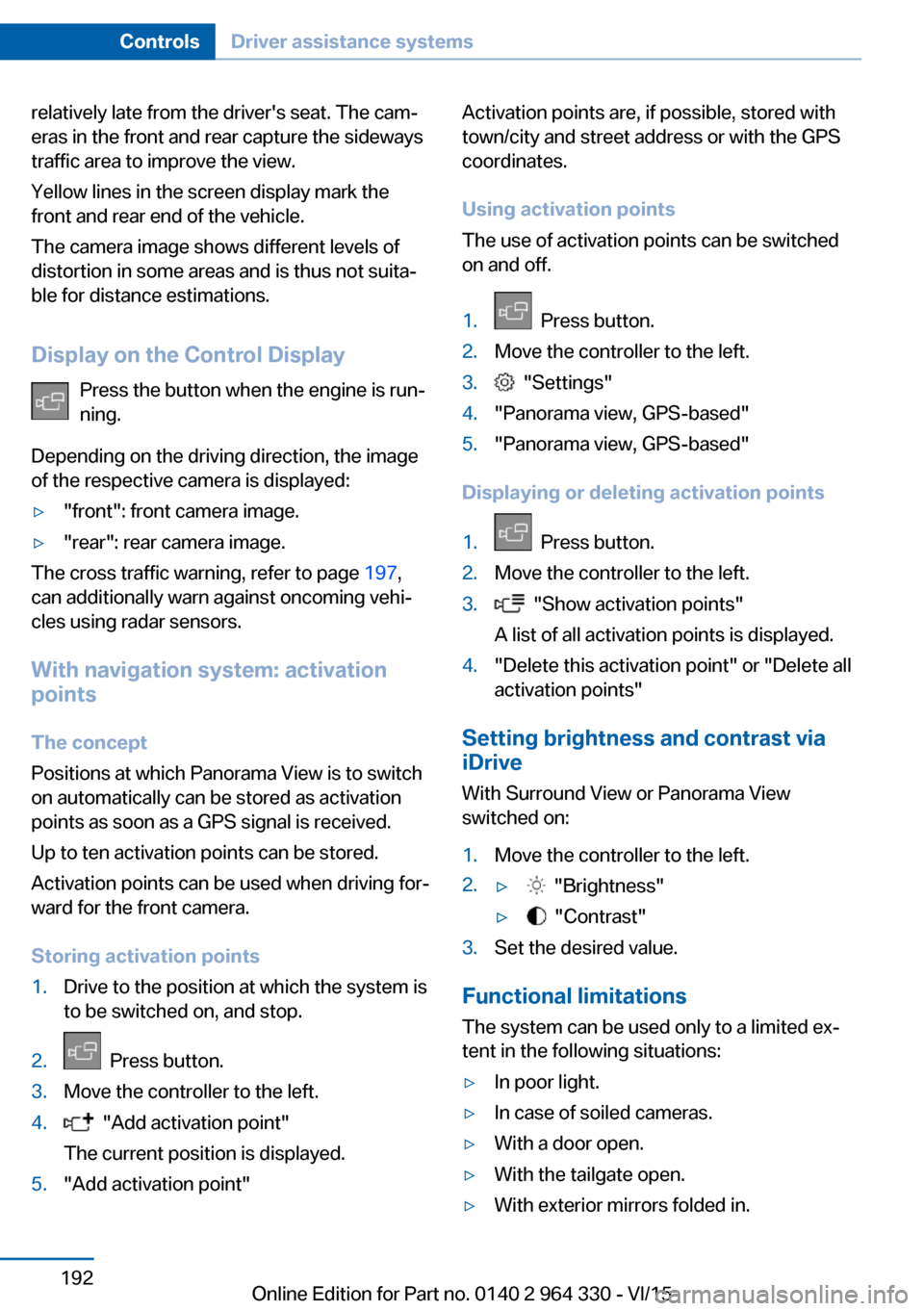
relatively late from the driver's seat. The cam‐
eras in the front and rear capture the sideways
traffic area to improve the view.
Yellow lines in the screen display mark the
front and rear end of the vehicle.
The camera image shows different levels of
distortion in some areas and is thus not suita‐
ble for distance estimations.
Display on the Control Display Press the button when the engine is run‐
ning.
Depending on the driving direction, the image
of the respective camera is displayed:▷"front": front camera image.▷"rear": rear camera image.
The cross traffic warning, refer to page 197,
can additionally warn against oncoming vehi‐
cles using radar sensors.
With navigation system: activation
points
The concept
Positions at which Panorama View is to switch
on automatically can be stored as activation
points as soon as a GPS signal is received.
Up to ten activation points can be stored.
Activation points can be used when driving for‐
ward for the front camera.
Storing activation points
1.Drive to the position at which the system is
to be switched on, and stop.2. Press button.3.Move the controller to the left.4. "Add activation point"
The current position is displayed.5."Add activation point"Activation points are, if possible, stored with
town/city and street address or with the GPS
coordinates.
Using activation points
The use of activation points can be switched
on and off.1. Press button.2.Move the controller to the left.3. "Settings"4."Panorama view, GPS-based"5."Panorama view, GPS-based"
Displaying or deleting activation points
1. Press button.2.Move the controller to the left.3. "Show activation points"
A list of all activation points is displayed.4."Delete this activation point" or "Delete all activation points"
Setting brightness and contrast viaiDrive
With Surround View or Panorama View
switched on:
1.Move the controller to the left.2.▷ "Brightness"▷ "Contrast"3.Set the desired value.
Functional limitations
The system can be used only to a limited ex‐
tent in the following situations:
▷In poor light.▷In case of soiled cameras.▷With a door open.▷With the tailgate open.▷With exterior mirrors folded in.Seite 192ControlsDriver assistance systems192
Online Edition for Part no. 0140 2 964 330 - VI/15
Page 193 of 314
Gray hatched areas with symbol, e.g. open
door, in the camera image mark areas that are
currently not displayed.
Gray hatched areas without symbol, e.g. in
front of the vehicle, mark areas that are not
visible to the cameras.
System limits
Non-visible areas
Areas around the vehicle that are not visible
because of the viewing angle of the cameras,
are presented hatched in gray.
Detection of objects Very low obstacles as well as high, protruding
objects such as ledges may not be detected by
the system.
Assistance functions also take into account
data of the PDC.
Follow instructions in the PDC chapter, refer to
page 180.
The objects displayed on the Control Display
under certain circumstances are closer than
they appear. Do not estimate the distance from
the objects on the display.
Malfunction
A camera malfunction is displayed on the Con‐
trol Display.
A yellow symbol is displayed and the
recording range of the malfunctioning
camera is displayed in black on the
Control Display.Parking assistant
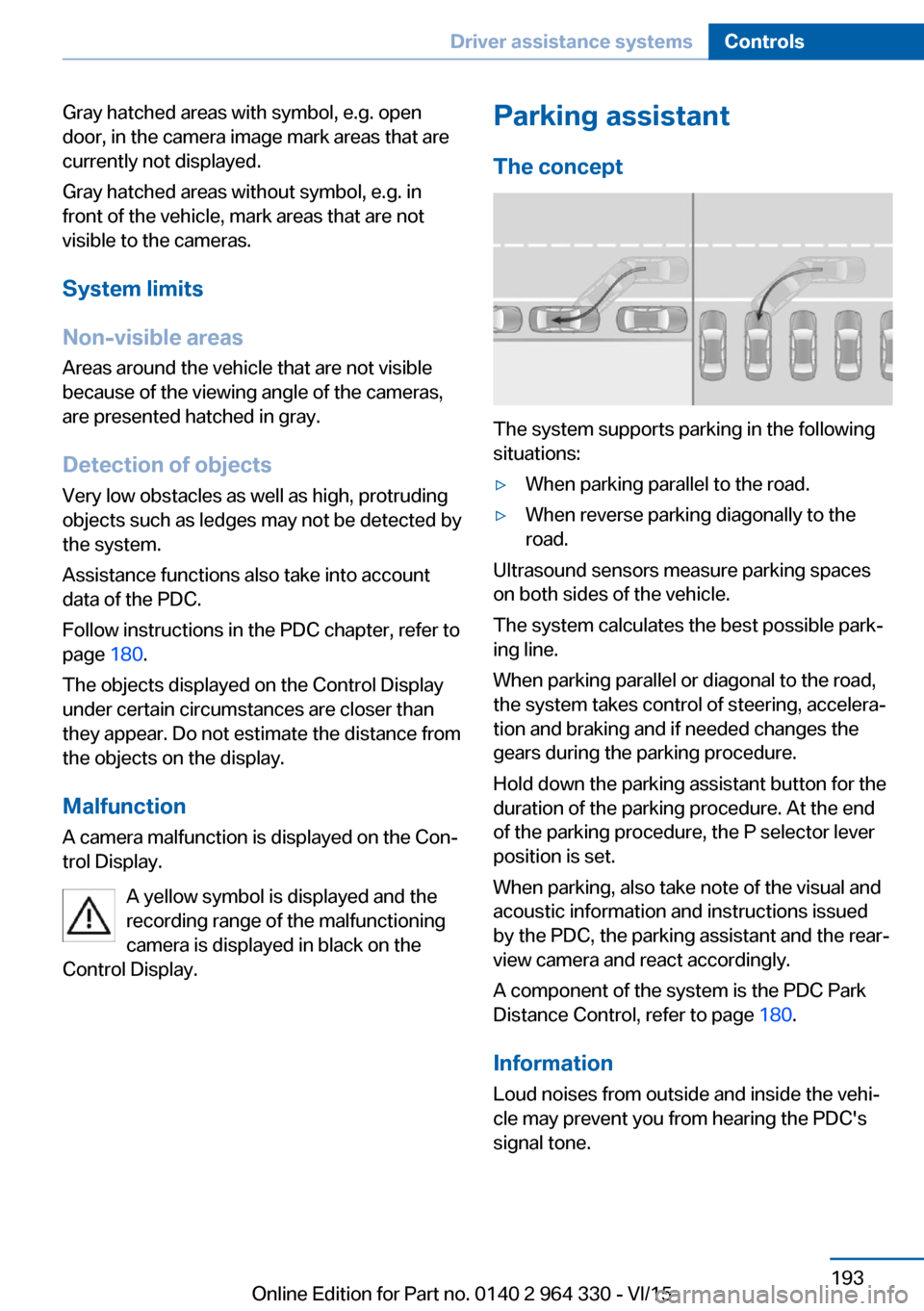
The concept
The system supports parking in the following
situations:
▷When parking parallel to the road.▷When reverse parking diagonally to the
road.
Ultrasound sensors measure parking spaces
on both sides of the vehicle.
The system calculates the best possible park‐
ing line.
When parking parallel or diagonal to the road,
the system takes control of steering, accelera‐
tion and braking and if needed changes the
gears during the parking procedure.
Hold down the parking assistant button for the
duration of the parking procedure. At the end
of the parking procedure, the P selector lever
position is set.
When parking, also take note of the visual and
acoustic information and instructions issued
by the PDC, the parking assistant and the rear‐
view camera and react accordingly.
A component of the system is the PDC Park
Distance Control, refer to page 180.
Information Loud noises from outside and inside the vehi‐
cle may prevent you from hearing the PDC's
signal tone.
Seite 193Driver assistance systemsControls193
Online Edition for Part no. 0140 2 964 330 - VI/15
Page 197 of 314
Functional limitations
The system may not be fully functional in the
following situations:▷On bumpy road surfaces such as gravel
roads.▷On slippery ground.▷On steep uphill or downhill grades.▷With accumulations of leaves/snow in the
parking space.▷With a mounted emergency wheel.▷In case of changes to an already-measured
parking space.
Limits of ultrasonic measurement
Ultrasonic measuring might not function under
the following circumstances:
▷For small children and animals.▷For persons with certain clothing, e.g.
coats.▷With external interference of the ultra‐
sound, e.g. from passing vehicles or loud
machines.▷When sensors are dirty, iced over, dam‐
aged or out of position.▷Under certain weather conditions such as
high relative humidity, rain, snowfall, ex‐
treme heat or strong wind.▷With tow bars and trailer couplings of other
vehicles.▷With thin or wedge-shaped objects.▷With moving objects.▷With elevated, protruding objects such as
ledges or cargo.▷With objects with corners and sharp edges.▷With objects with a fine surface structure
such as fences.▷For objects with porous surfaces.
Low objects already displayed, e.g., curbs, can
move into the blind area of the sensors before
or after a continuous tone sounds.
Cargo that extends beyond the perimeter of
the vehicle is not taken into account by the
system.
It can happen that parking spaces are detected
that are not suitable or suitable parking spaces
are not detected.
Malfunction
A Check Control message is displayed.
The parking assistant failed. Have the system
checked.
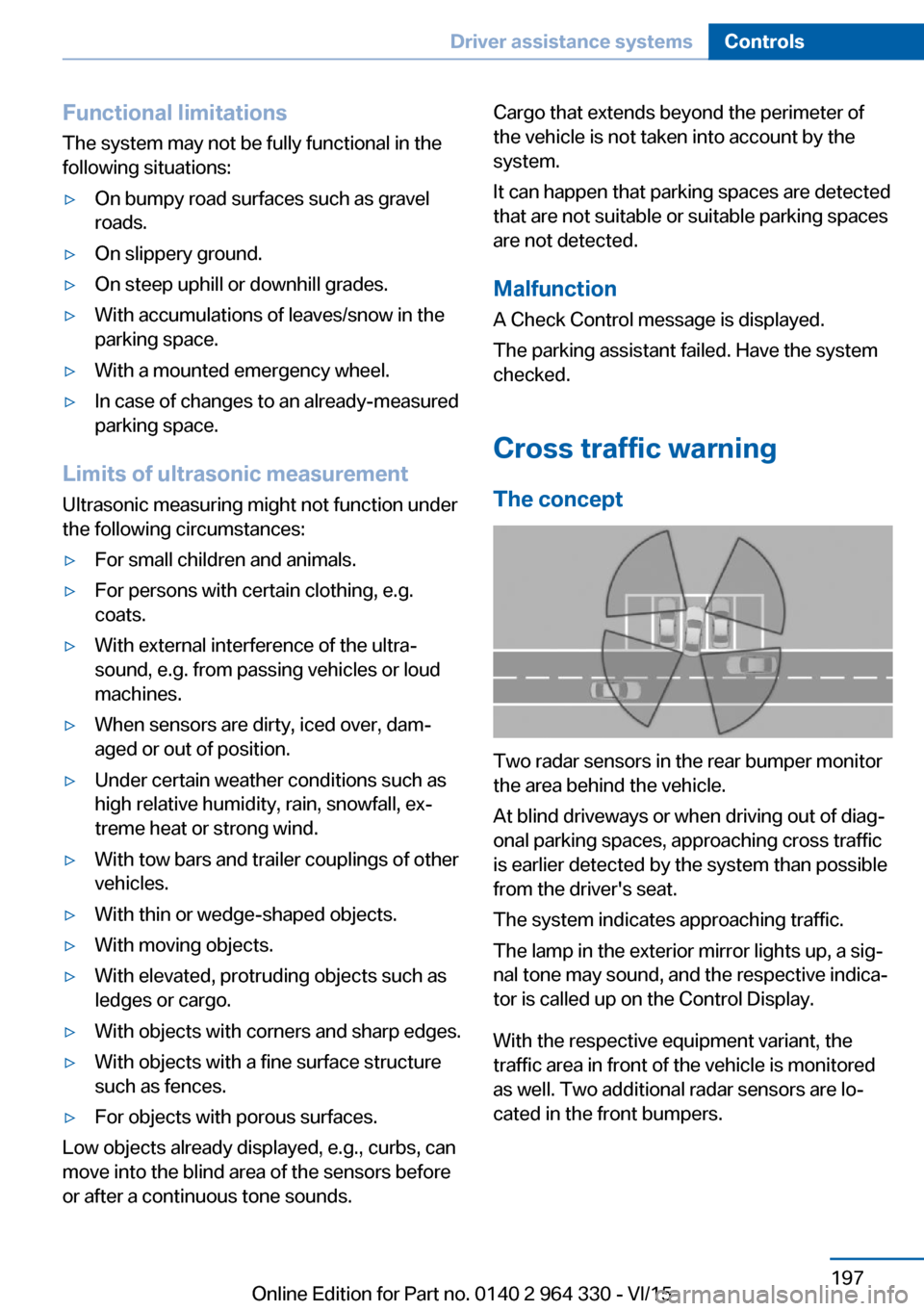
Cross traffic warning The concept
Two radar sensors in the rear bumper monitor
the area behind the vehicle.
At blind driveways or when driving out of diag‐
onal parking spaces, approaching cross traffic
is earlier detected by the system than possible
from the driver's seat.
The system indicates approaching traffic.
The lamp in the exterior mirror lights up, a sig‐
nal tone may sound, and the respective indica‐
tor is called up on the Control Display.
With the respective equipment variant, the
traffic area in front of the vehicle is monitored
as well. Two additional radar sensors are lo‐
cated in the front bumpers.
Seite 197Driver assistance systemsControls197
Online Edition for Part no. 0140 2 964 330 - VI/15
Page 198 of 314
InformationWARNING
The system does not relieve from the
personal responsibility to correctly assess visi‐
bility and traffic situation. There is risk of an ac‐
cident. Adjust the driving style to the traffic
conditions. Watch traffic closely and actively
interfere in the respective situations.◀
Overview
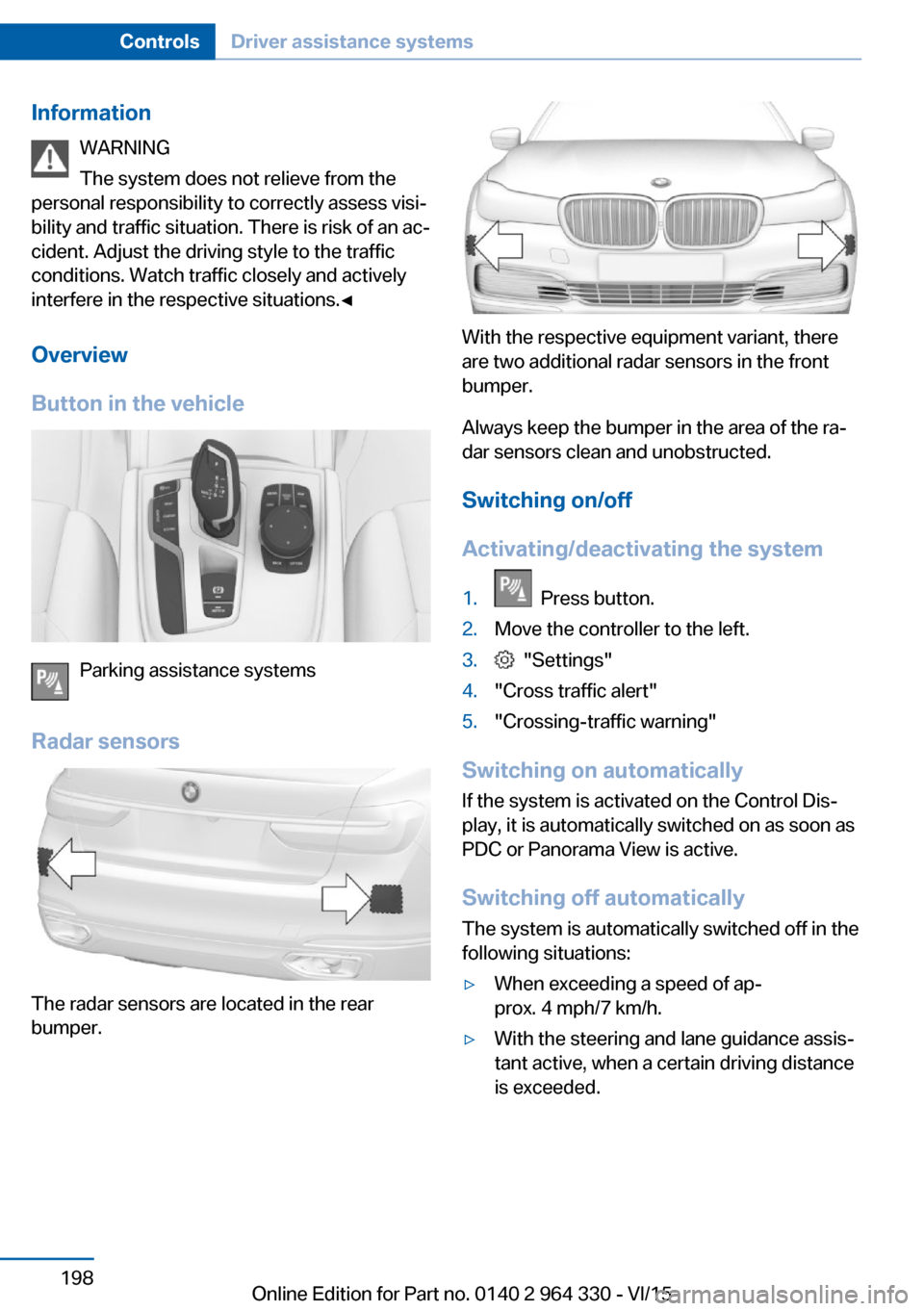
Button in the vehicle
Parking assistance systems
Radar sensors
The radar sensors are located in the rear
bumper.
With the respective equipment variant, there
are two additional radar sensors in the front
bumper.
Always keep the bumper in the area of the ra‐
dar sensors clean and unobstructed.
Switching on/off
Activating/deactivating the system
1. Press button.2.Move the controller to the left.3. "Settings"4."Cross traffic alert"5."Crossing-traffic warning"
Switching on automatically If the system is activated on the Control Dis‐
play, it is automatically switched on as soon as PDC or Panorama View is active.
Switching off automatically The system is automatically switched off in the
following situations:
▷When exceeding a speed of ap‐
prox. 4 mph/7 km/h.▷With the steering and lane guidance assis‐
tant active, when a certain driving distance
is exceeded.Seite 198ControlsDriver assistance systems198
Online Edition for Part no. 0140 2 964 330 - VI/15
Page 199 of 314
Display
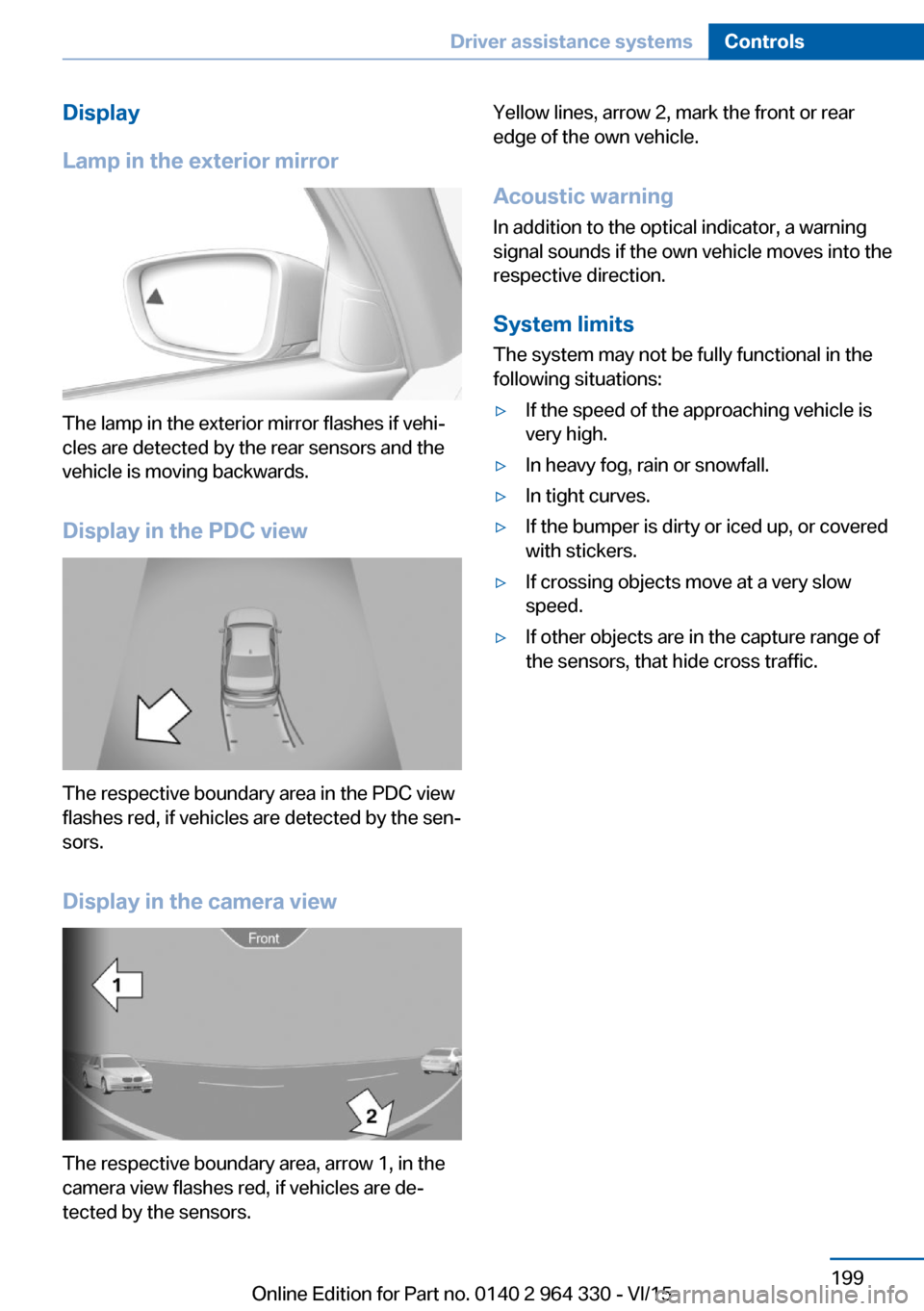
Lamp in the exterior mirror
The lamp in the exterior mirror flashes if vehi‐
cles are detected by the rear sensors and the
vehicle is moving backwards.
Display in the PDC view
The respective boundary area in the PDC view
flashes red, if vehicles are detected by the sen‐
sors.
Display in the camera view
The respective boundary area, arrow 1, in the
camera view flashes red, if vehicles are de‐
tected by the sensors.
Yellow lines, arrow 2, mark the front or rear
edge of the own vehicle.
Acoustic warning
In addition to the optical indicator, a warning
signal sounds if the own vehicle moves into the
respective direction.
System limits
The system may not be fully functional in the
following situations:▷If the speed of the approaching vehicle is
very high.▷In heavy fog, rain or snowfall.▷In tight curves.▷If the bumper is dirty or iced up, or covered
with stickers.▷If crossing objects move at a very slow
speed.▷If other objects are in the capture range of
the sensors, that hide cross traffic.Seite 199Driver assistance systemsControls199
Online Edition for Part no. 0140 2 964 330 - VI/15
Page 200 of 314
Driving comfortVehicle features and options
This chapter describes all standard, country-
specific and optional features offered with the
series. It also describes features that are not
necessarily available in your car, e. g., due to
the selected options or country versions. This
also applies to safety-related functions and
systems. The respectively applicable country
provisions must be observed when using the
respective features and systems.
Air suspension The conceptAir suspension ensures best possible driving
comfort under all load conditions. Due to a var‐
iable adjustment of the front and rear axles, the
damping is adjusted to the vehicle condition.
General information In the case of an uneven road surface, the ve‐
hicle level can be elevated to increase ground
clearance.▷Normal level, for normal road surface.▷Raised level, when the road surface is poor.
In the SPORT driving mode, refer to page 110,
or at higher speeds, the vehicle lowers itself.
Information WARNING
With lowering the vehicle, body parts can
be jammed. There is risk of injuries. When low‐
ering the vehicle, make sure that the areas of
movement under the vehicle and under the
wheel housing are free.◀
Overview
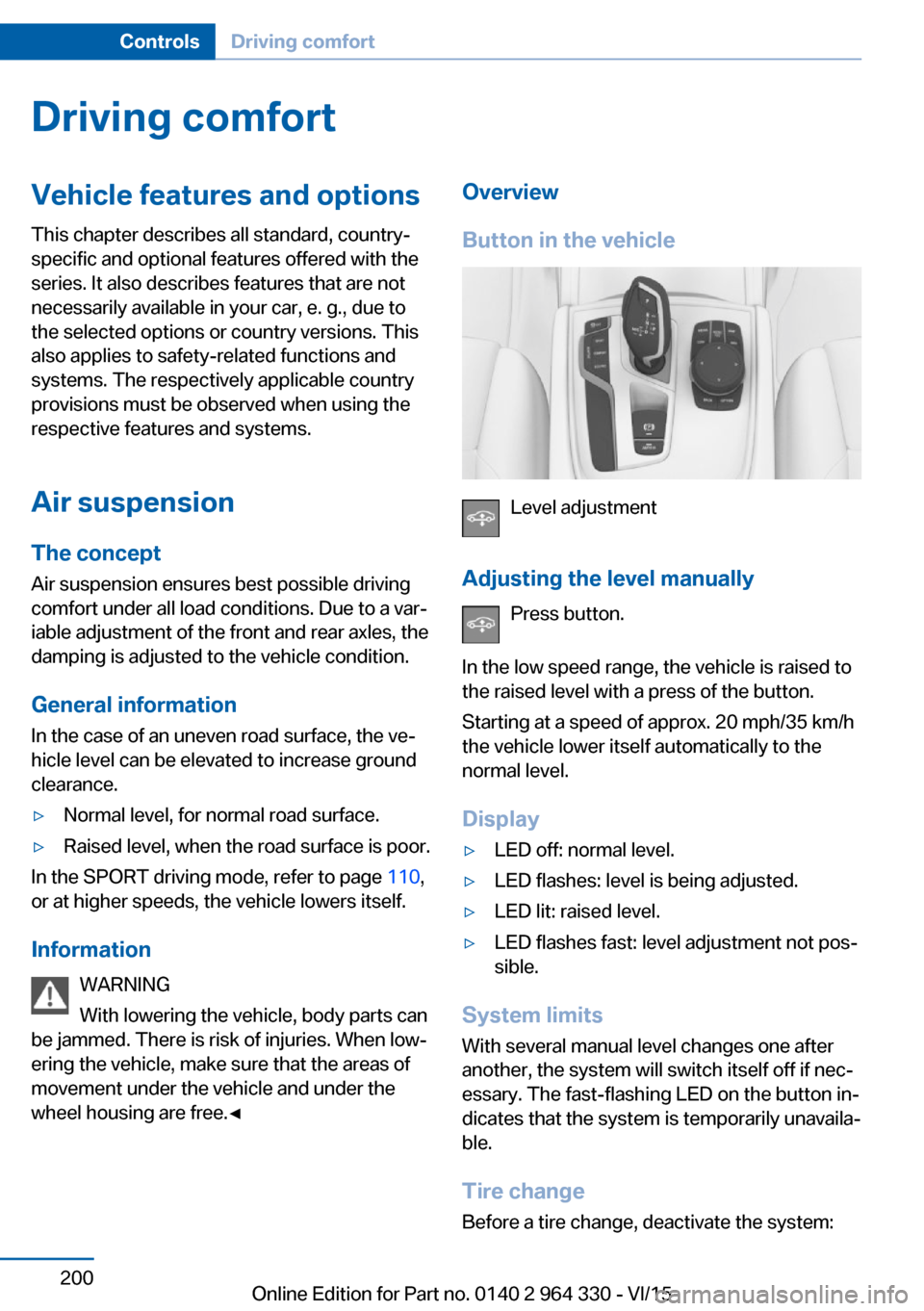
Button in the vehicle
Level adjustment
Adjusting the level manually Press button.
In the low speed range, the vehicle is raised to
the raised level with a press of the button.
Starting at a speed of approx. 20 mph/35 km/h
the vehicle lower itself automatically to the
normal level.
Display
▷LED off: normal level.▷LED flashes: level is being adjusted.▷LED lit: raised level.▷LED flashes fast: level adjustment not pos‐
sible.
System limits
With several manual level changes one after
another, the system will switch itself off if nec‐
essary. The fast-flashing LED on the button in‐
dicates that the system is temporarily unavaila‐
ble.
Tire change Before a tire change, deactivate the system:
Seite 200ControlsDriving comfort200
Online Edition for Part no. 0140 2 964 330 - VI/15
Page 202 of 314
Overview
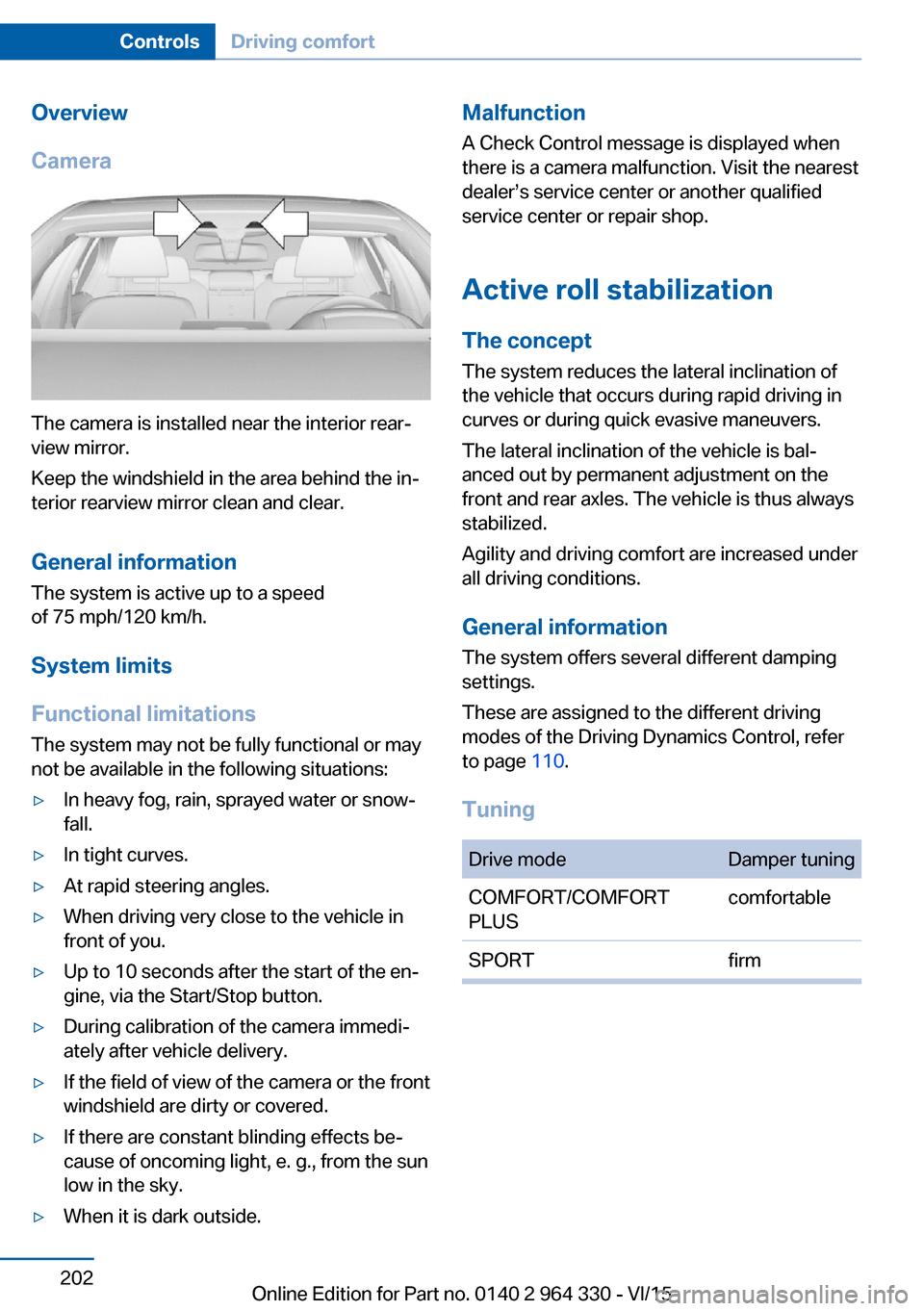
Camera
The camera is installed near the interior rear‐
view mirror.
Keep the windshield in the area behind the in‐
terior rearview mirror clean and clear.
General information
The system is active up to a speed
of 75 mph/120 km/h.
System limits
Functional limitations The system may not be fully functional or may
not be available in the following situations:
▷In heavy fog, rain, sprayed water or snow‐
fall.▷In tight curves.▷At rapid steering angles.▷When driving very close to the vehicle in
front of you.▷Up to 10 seconds after the start of the en‐
gine, via the Start/Stop button.▷During calibration of the camera immedi‐
ately after vehicle delivery.▷If the field of view of the camera or the front
windshield are dirty or covered.▷If there are constant blinding effects be‐
cause of oncoming light, e. g., from the sun
low in the sky.▷When it is dark outside.Malfunction
A Check Control message is displayed when
there is a camera malfunction. Visit the nearest
dealer’s service center or another qualified
service center or repair shop.
Active roll stabilization
The concept The system reduces the lateral inclination of
the vehicle that occurs during rapid driving in
curves or during quick evasive maneuvers.
The lateral inclination of the vehicle is bal‐
anced out by permanent adjustment on the
front and rear axles. The vehicle is thus always
stabilized.
Agility and driving comfort are increased under
all driving conditions.
General information
The system offers several different damping
settings.
These are assigned to the different driving
modes of the Driving Dynamics Control, refer
to page 110.
TuningDrive modeDamper tuningCOMFORT/COMFORT
PLUScomfortableSPORTfirmSeite 202ControlsDriving comfort202
Online Edition for Part no. 0140 2 964 330 - VI/15
Page 204 of 314
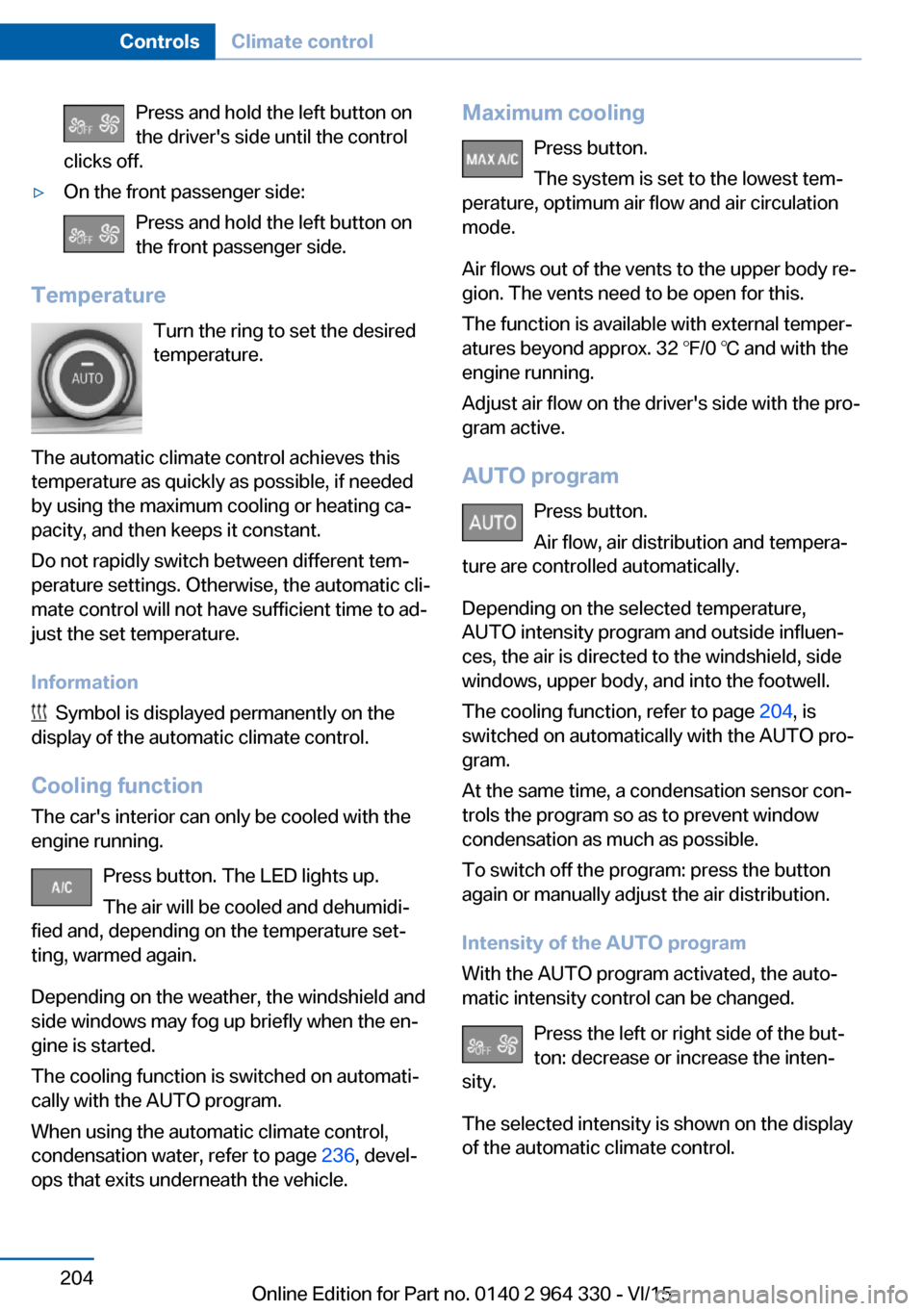
Press and hold the left button on
the driver's side until the control
clicks off.▷On the front passenger side:
Press and hold the left button on
the front passenger side.
Temperature
Turn the ring to set the desired
temperature.
The automatic climate control achieves this
temperature as quickly as possible, if needed
by using the maximum cooling or heating ca‐
pacity, and then keeps it constant.
Do not rapidly switch between different tem‐
perature settings. Otherwise, the automatic cli‐
mate control will not have sufficient time to ad‐
just the set temperature.
Information
Symbol is displayed permanently on the
display of the automatic climate control.
Cooling function The car's interior can only be cooled with the
engine running.
Press button. The LED lights up.
The air will be cooled and dehumidi‐
fied and, depending on the temperature set‐
ting, warmed again.
Depending on the weather, the windshield and
side windows may fog up briefly when the en‐
gine is started.
The cooling function is switched on automati‐
cally with the AUTO program.
When using the automatic climate control,
condensation water, refer to page 236, devel‐
ops that exits underneath the vehicle.
Maximum cooling
Press button.
The system is set to the lowest tem‐
perature, optimum air flow and air circulation
mode.
Air flows out of the vents to the upper body re‐
gion. The vents need to be open for this.
The function is available with external temper‐
atures beyond approx. 32 ℉/0 ℃ and with the
engine running.
Adjust air flow on the driver's side with the pro‐
gram active.
AUTO program Press button.
Air flow, air distribution and tempera‐
ture are controlled automatically.
Depending on the selected temperature,
AUTO intensity program and outside influen‐
ces, the air is directed to the windshield, side
windows, upper body, and into the footwell.
The cooling function, refer to page 204, is
switched on automatically with the AUTO pro‐
gram.
At the same time, a condensation sensor con‐
trols the program so as to prevent window
condensation as much as possible.
To switch off the program: press the button
again or manually adjust the air distribution.
Intensity of the AUTO program
With the AUTO program activated, the auto‐
matic intensity control can be changed.
Press the left or right side of the but‐
ton: decrease or increase the inten‐
sity.
The selected intensity is shown on the display
of the automatic climate control.Seite 204ControlsClimate control204
Online Edition for Part no. 0140 2 964 330 - VI/15
Page 206 of 314
If there is window condensation, press
the button on the driver's side to uti‐
lize the condensation sensor.
SYNC program Press button.
The current settings on the driver's
side for temperature, air flow, air distribution,
and AUTO program are transferred to the front
passenger side and to the left and right rear.
To switch off, press the button again.
The program is switched off if the settings on
the front passenger side or in the rear are
changed.
Defrosts windows and removes
condensation
Press button.
Ice and condensation are quickly re‐
moved from the windshield and the front side
windows.
For this purpose, point the side vents onto the
side windows as needed.
Adjust air flow with the program active. If there is window condensation, you
can also switch on the air conditioning
or press the button to utilize the condensation
sensor.
Rear window defroster Press button.
The rear window defroster switches
off automatically after a certain period of time.
Microfilter/activated-charcoal filter
The microfilter removes dust and pollen from
the incoming air.
The activated-charcoal filter removes gaseous
pollutants from the outside air that enters the
vehicle.This combined filter should be replaced during
scheduled maintenance, refer to page 279, of
your vehicle.
Ventilation
Setting The air flow directions can be individually ad‐
justed:▷Direct ventilation:
The air flow is directly pointed onto the
person. The air flow heats or cools noticea‐
bly, depending on the adjusted tempera‐
ture.▷Indirect ventilation:
If the vents are fully or partly closed, the air
is directly routed into the car's interior.
Indirect ventilation can also be adjusted on
the Control Display.
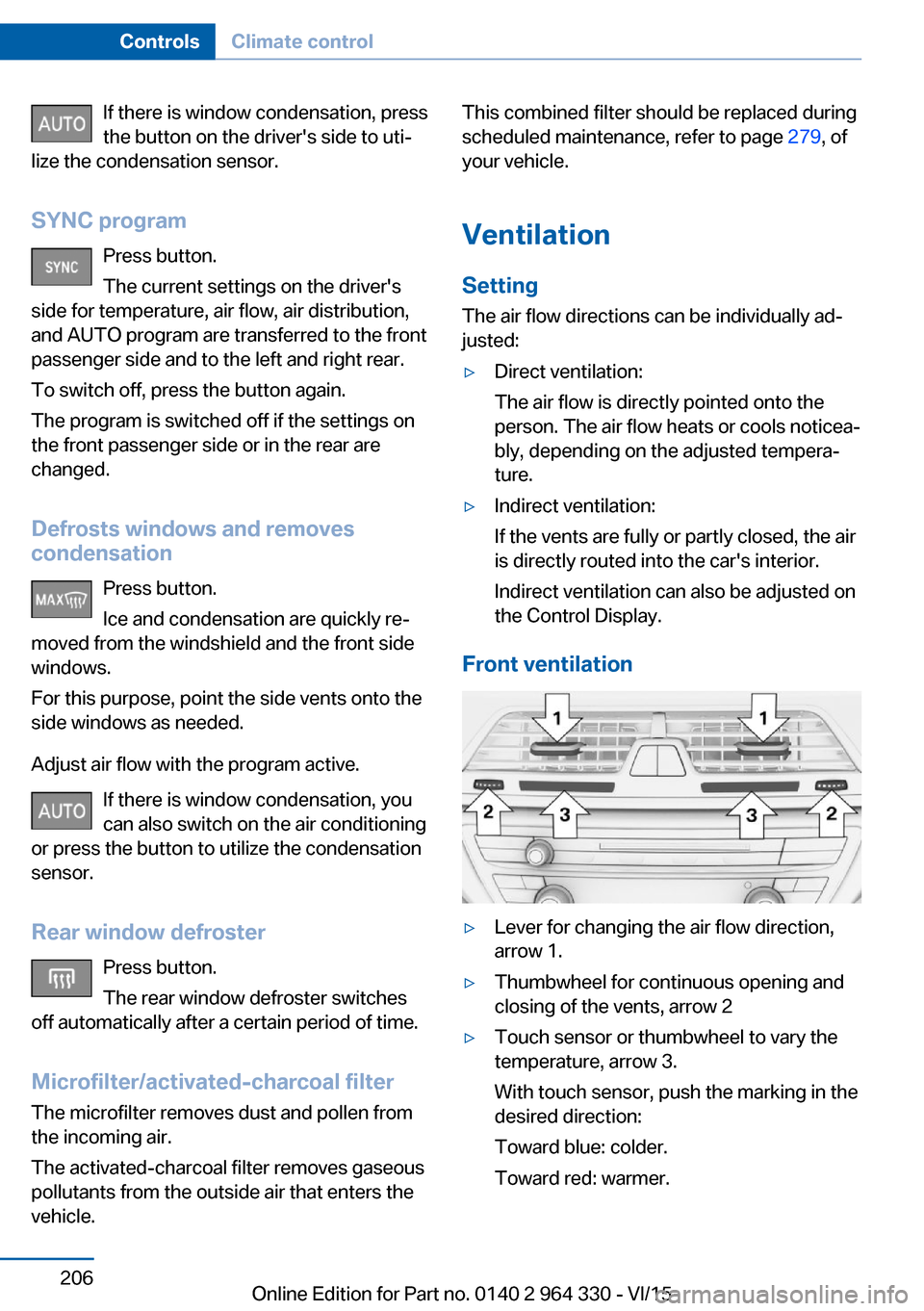
Front ventilation
▷Lever for changing the air flow direction,
arrow 1.▷Thumbwheel for continuous opening and
closing of the vents, arrow 2▷Touch sensor or thumbwheel to vary the
temperature, arrow 3.
With touch sensor, push the marking in the
desired direction:
Toward blue: colder.
Toward red: warmer.Seite 206ControlsClimate control206
Online Edition for Part no. 0140 2 964 330 - VI/15
Page 217 of 314
4.Likewise, press and hold the button of the
desired function on the hand-held trans‐
mitter.5.Release both buttons as soon as the inte‐
rior mirror LED flashes more rapidly or
lights up continuously. The LED flashing
more rapidly or being continuously light up
indicates that the button on the interior
mirror has been programmed. The system
can then be controlled by the button on the
interior rearview mirror.
If the LED does not flash faster after at
least 60 seconds, change the distance and
repeat the step. Several more attempts at
different distances may be necessary. Wait
at least 15 seconds between attempts.
Canada: if programming with the hand-
held transmitter was interrupted, hold
down the interior rearview mirror button
and repeatedly press and release the
hand-held transmitter button for 2 sec‐
onds.
Controls
WARNING
Body parts can be jammed when operat‐
ing remote-controlled systems, e.g. the garage
door, using the universal garage door opener. There is risk of injuries or risk of property dam‐
age. Make sure that the area of movement of
the respective system is clear during program‐
ming and operation. Also follow the safety in‐
structions of the hand-held transmitter.◀
The system, such as the garage door, can be
operated using the button on the interior mirror
while the drive or operating readiness is
switched on. To do this, hold down the button
within receiving range of the system until the
function is activated. The interior rearview mir‐
ror LED stays lit while the wireless signal is be‐
ing transmitted.
Deleting stored functions
Press and hold the left and right button on the
interior mirror simultaneously for approxi‐ mately 10 seconds until the LED flashes rap‐
idly green. All stored functions are deleted.
The functions cannot be deleted individually.
Sun visor Glare shield
Fold the sun visor down or up.
Glare shield from the side
Folding out1.Fold the sun visor down.2.Unhook it from the holder and swing it to
the side.3.Move it back to the desired position.
Folding up
Proceed in the reverse order to close the sun
visor.
Vanity mirror A vanity mirror is located in the sun visor be‐
hind a cover. When the cover is opened, the
mirror lighting switches on.
Ashtray
Front
Opening
1.Push the cover forward until it engages be‐
hind the cup holders. Push the cover for‐Seite 217Interior equipmentControls217
Online Edition for Part no. 0140 2 964 330 - VI/15