front BMW 7 SERIES 2016 G11 Repair Manual
[x] Cancel search | Manufacturer: BMW, Model Year: 2016, Model line: 7 SERIES, Model: BMW 7 SERIES 2016 G11Pages: 314, PDF Size: 7.9 MB
Page 171 of 314
Changing the speed
Press the rocker switch up or down repeatedly
until the desired speed is set.
If active, the displayed speed is stored and the
vehicle reaches the stored speed when the
road is clear.▷Each time the rocker switch is pressed to
the resistance point, the desired speed in‐
creases or decreases by 1 mph/1 km/h.▷Each time the rocker switch is pressed
past the point of resistance, the desired
speed increases or decreases by a maxi‐
mum of 5 mph/10 km/h.
Hold the rocker switch in position to repeat the
action.
Distance WARNING
The system does not relieve from the
personal responsibility. Due to the system lim‐
its, braking can be late. There is risk of acci‐
dents or risk of property damage. Be aware to
the traffic situation at all times. Adjust the dis‐
tance to the traffic and weather conditions and
maintain the prescribed safety distance, possi‐
bly by braking.◀
Without steering and lane guidance
assistant: reducing distance
Press button repeatedly until the de‐
sired distance is set.
Instrument cluster will display selected dis‐
tance, refer to page 172.
Without steering and lane guidance
assistant: increasing distance
Press button repeatedly until the de‐
sired distance is set.
Instrument cluster will display selected dis‐
tance, refer to page 172.
With steering and lane guidance
assistant: adjusting distance
Press button repeatedly until the de‐
sired distance is set.
Continuing cruise control
General information Press button with the system inter‐
rupted.
The stored speed is reached and maintained.
In the following cases, the stored speed value
is deleted and cannot be called up again:▷When the system is switched off.▷When drive readiness is switched off.
While standing
The system brought the vehicle to a complete
standstill:
▷Green marking in the speedometer:
Your vehicle accelerates automatically as
soon as the vehicle in the range of the ra‐
dar sensor moves off.▷Speedometer markings turn orange/white
after a short time: no automatic driving off.
By pressing the button, the time in
which there is automatic driving off is
extended.
Vehicle symbol in the distance indicator is
moving away: detected vehicle drove off.
The system was paused or your vehicle was
brought to a halt actively through stepping on
the brake pedal and it is standing behind an‐
other vehicle:
1. Press button to call up a stored
desired speed.2.Release the brake pedal.3.When the vehicle in front drives off:▷briefly press the gas pedal.Seite 171Driver assistance systemsControls171
Online Edition for Part no. 0140 2 964 330 - VI/15
Page 173 of 314
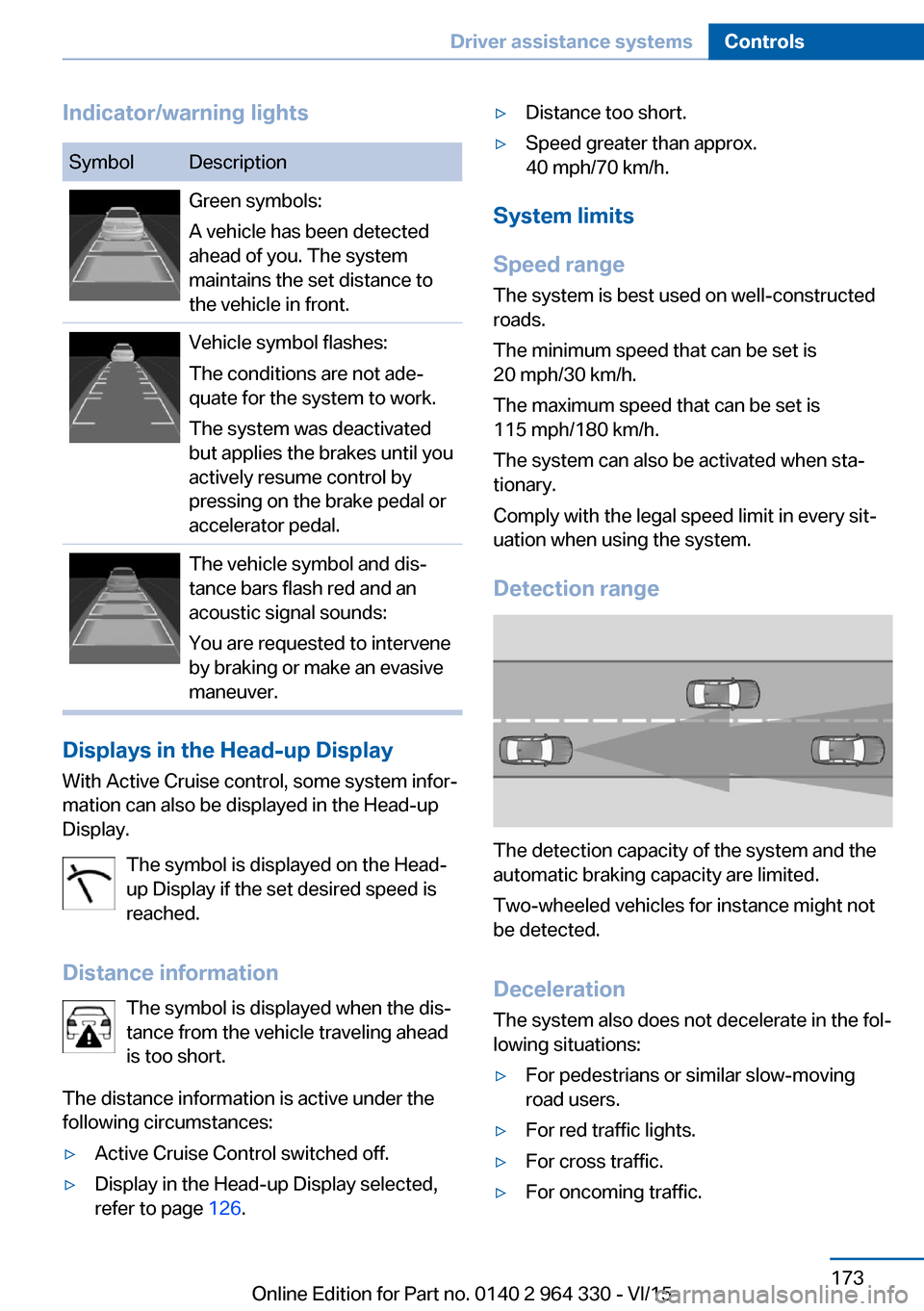
Indicator/warning lightsSymbolDescriptionGreen symbols:
A vehicle has been detected
ahead of you. The system
maintains the set distance to
the vehicle in front.Vehicle symbol flashes:
The conditions are not ade‐
quate for the system to work.
The system was deactivated
but applies the brakes until you
actively resume control by
pressing on the brake pedal or
accelerator pedal.The vehicle symbol and dis‐
tance bars flash red and an
acoustic signal sounds:
You are requested to intervene
by braking or make an evasive
maneuver.
Displays in the Head-up Display
With Active Cruise control, some system infor‐
mation can also be displayed in the Head-up
Display.
The symbol is displayed on the Head-
up Display if the set desired speed is
reached.
Distance information The symbol is displayed when the dis‐
tance from the vehicle traveling ahead
is too short.
The distance information is active under the
following circumstances:
▷Active Cruise Control switched off.▷Display in the Head-up Display selected,
refer to page 126.▷Distance too short.▷Speed greater than approx.
40 mph/70 km/h.
System limits
Speed range The system is best used on well-constructedroads.
The minimum speed that can be set is
20 mph/30 km/h.
The maximum speed that can be set is
115 mph/180 km/h.
The system can also be activated when sta‐
tionary.
Comply with the legal speed limit in every sit‐
uation when using the system.
Detection range
The detection capacity of the system and the
automatic braking capacity are limited.
Two-wheeled vehicles for instance might not
be detected.
Deceleration
The system also does not decelerate in the fol‐
lowing situations:
▷For pedestrians or similar slow-moving
road users.▷For red traffic lights.▷For cross traffic.▷For oncoming traffic.Seite 173Driver assistance systemsControls173
Online Edition for Part no. 0140 2 964 330 - VI/15
Page 174 of 314
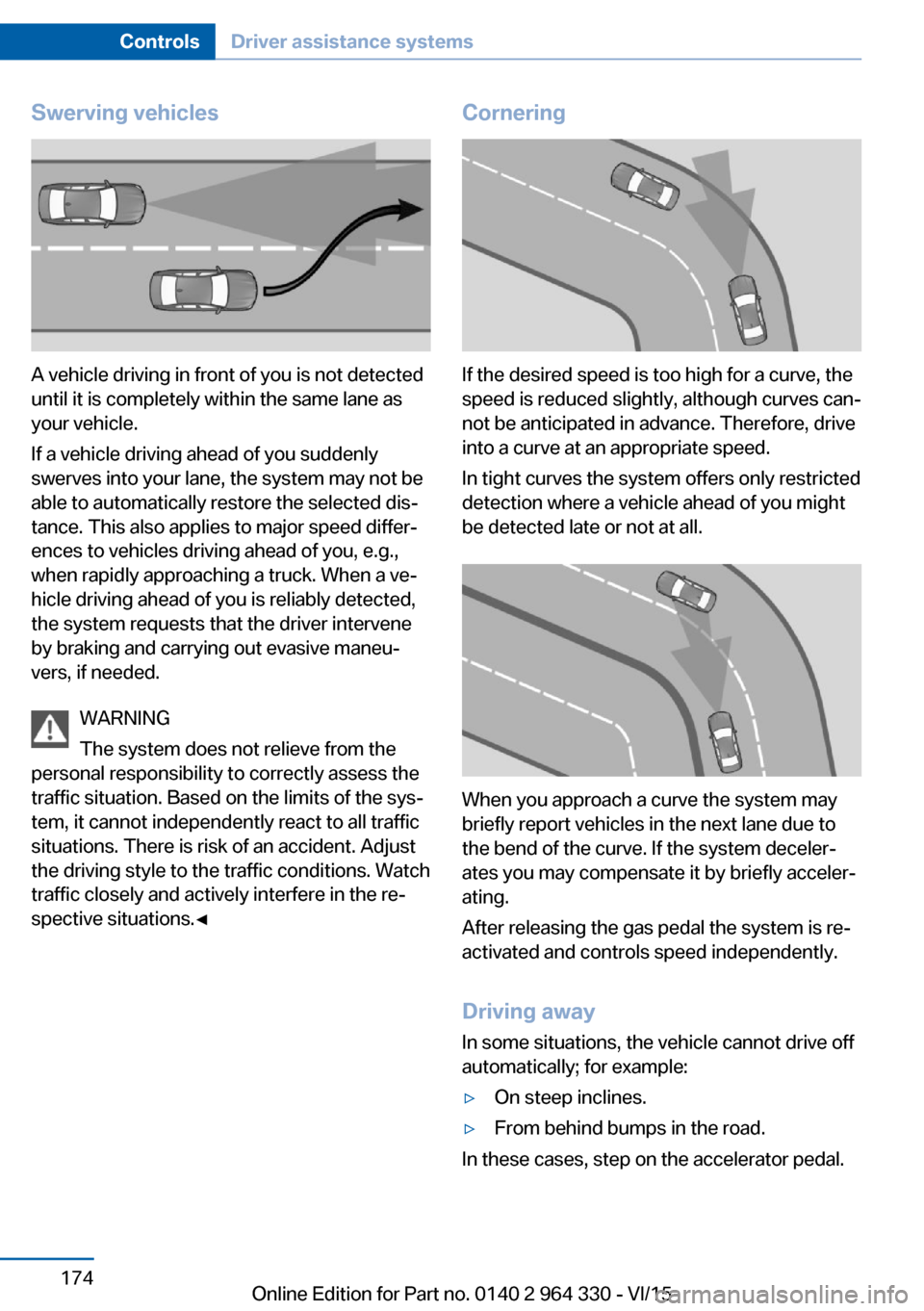
Swerving vehicles
A vehicle driving in front of you is not detected
until it is completely within the same lane as
your vehicle.
If a vehicle driving ahead of you suddenly
swerves into your lane, the system may not be
able to automatically restore the selected dis‐
tance. This also applies to major speed differ‐
ences to vehicles driving ahead of you, e.g.,
when rapidly approaching a truck. When a ve‐
hicle driving ahead of you is reliably detected,
the system requests that the driver intervene
by braking and carrying out evasive maneu‐
vers, if needed.
WARNING
The system does not relieve from the
personal responsibility to correctly assess the
traffic situation. Based on the limits of the sys‐
tem, it cannot independently react to all traffic
situations. There is risk of an accident. Adjust
the driving style to the traffic conditions. Watch
traffic closely and actively interfere in the re‐
spective situations.◀
Cornering
If the desired speed is too high for a curve, the
speed is reduced slightly, although curves can‐
not be anticipated in advance. Therefore, drive
into a curve at an appropriate speed.
In tight curves the system offers only restricted
detection where a vehicle ahead of you might
be detected late or not at all.
When you approach a curve the system may
briefly report vehicles in the next lane due to
the bend of the curve. If the system deceler‐
ates you may compensate it by briefly acceler‐
ating.
After releasing the gas pedal the system is re‐
activated and controls speed independently.
Driving away In some situations, the vehicle cannot drive off
automatically; for example:
▷On steep inclines.▷From behind bumps in the road.
In these cases, step on the accelerator pedal.
Seite 174ControlsDriver assistance systems174
Online Edition for Part no. 0140 2 964 330 - VI/15
Page 177 of 314
When the system is switched on, the current
speed is maintained and stored as the desired
speed.
This is displayed, refer to page 177, in the
speedometer and briefly in the instrument
cluster.
DSC Dynamic Stability Control will be
switched on if needed.
Changing the speed
Press the rocker switch up or down repeatedly
until the desired speed is set.
If active, the displayed speed is stored and the
vehicle reaches the stored speed when the
road is clear.▷Each time the rocker switch is pressed to
the resistance point, the desired speed in‐
creases or decreases by 1 mph/1 km/h.▷Each time the rocker switch is pressed
past the point of resistance, the desired
speed increases or decreases by a maxi‐
mum of 5 mph/10 km/h.
The maximum speed that can be set de‐
pends on the vehicle.▷Pressing the rocker switch to the resist‐
ance point and holding it accelerates or de‐
celerates the vehicle without requiring
pressure on the accelerator pedal.
After the rocker switch is released, the ve‐
hicle maintains its final speed. Pressing the
switch beyond the resistance point causes
the vehicle to accelerate more rapidly.
Continuing cruise control
Press button while the system is inter‐
rupted.
The stored speed is reached and maintained.
Displays in the instrument cluster
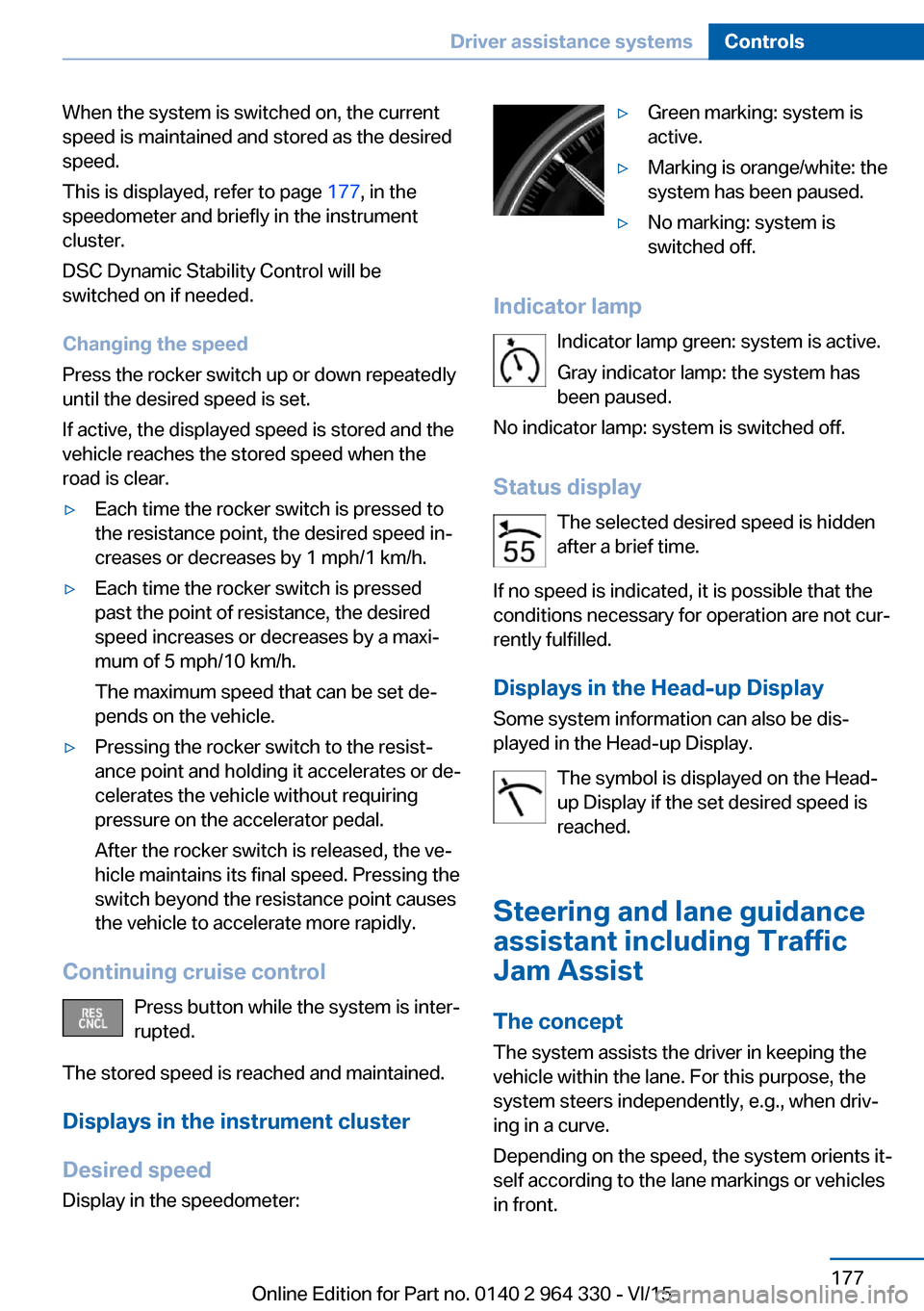
Desired speed Display in the speedometer:
▷Green marking: system is
active.▷Marking is orange/white: the
system has been paused.▷No marking: system is
switched off.
Indicator lamp
Indicator lamp green: system is active.
Gray indicator lamp: the system has
been paused.
No indicator lamp: system is switched off.
Status display The selected desired speed is hidden
after a brief time.
If no speed is indicated, it is possible that the
conditions necessary for operation are not cur‐
rently fulfilled.
Displays in the Head-up Display Some system information can also be dis‐
played in the Head-up Display.
The symbol is displayed on the Head-
up Display if the set desired speed is
reached.
Steering and lane guidance
assistant including Traffic
Jam Assist
The concept
The system assists the driver in keeping the vehicle within the lane. For this purpose, the
system steers independently, e.g., when driv‐
ing in a curve.
Depending on the speed, the system orients it‐
self according to the lane markings or vehicles
in front.
Seite 177Driver assistance systemsControls177
Online Edition for Part no. 0140 2 964 330 - VI/15
Page 178 of 314
General information
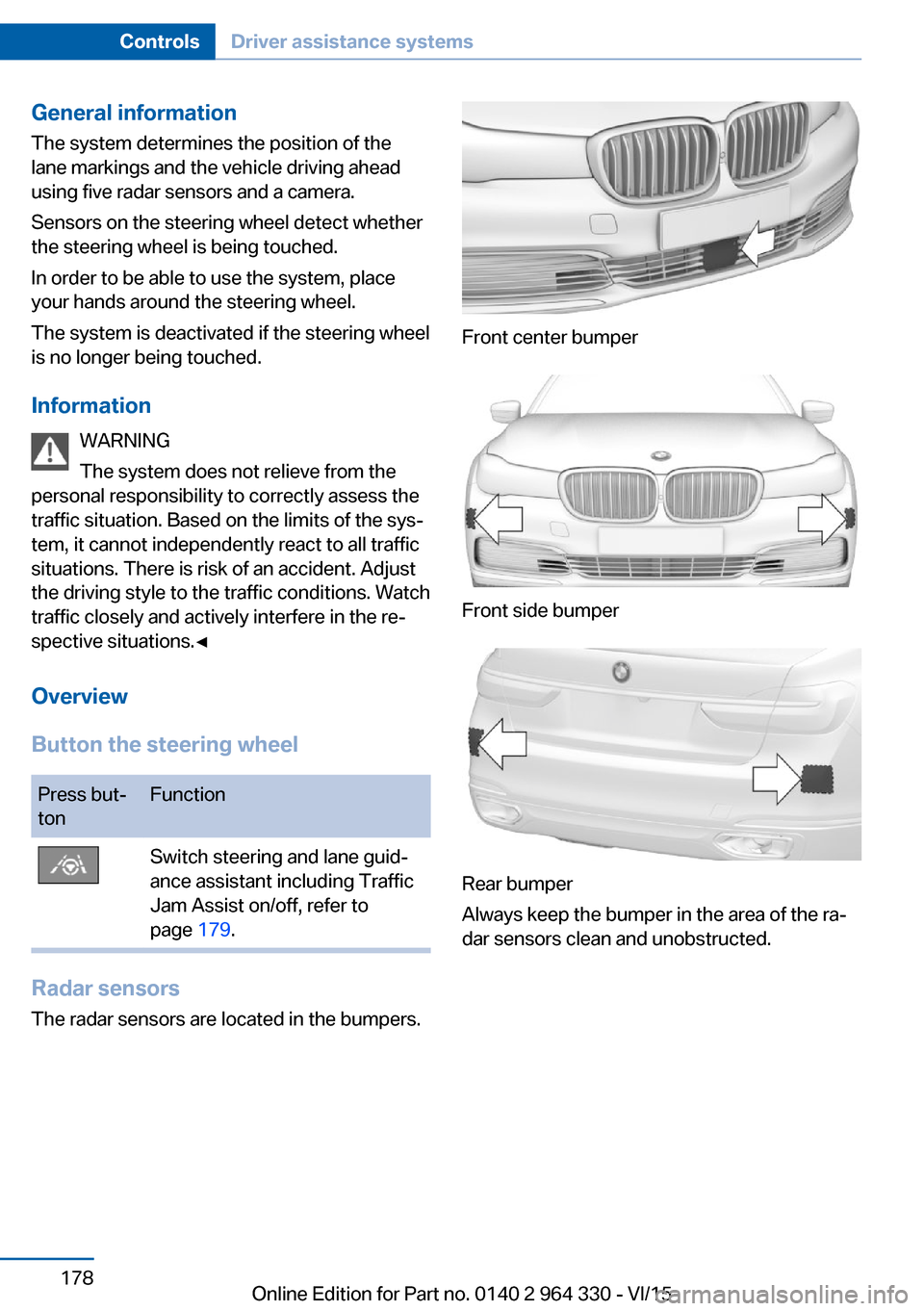
The system determines the position of the
lane markings and the vehicle driving ahead
using five radar sensors and a camera.
Sensors on the steering wheel detect whether
the steering wheel is being touched.
In order to be able to use the system, place
your hands around the steering wheel.
The system is deactivated if the steering wheel
is no longer being touched.
Information WARNING
The system does not relieve from the
personal responsibility to correctly assess the
traffic situation. Based on the limits of the sys‐
tem, it cannot independently react to all traffic
situations. There is risk of an accident. Adjust
the driving style to the traffic conditions. Watch
traffic closely and actively interfere in the re‐
spective situations.◀
Overview
Button the steering wheelPress but‐
tonFunctionSwitch steering and lane guid‐
ance assistant including Traffic
Jam Assist on/off, refer to
page 179.
Radar sensors
The radar sensors are located in the bumpers.
Front center bumper
Front side bumper
Rear bumper
Always keep the bumper in the area of the ra‐
dar sensors clean and unobstructed.
Seite 178ControlsDriver assistance systems178
Online Edition for Part no. 0140 2 964 330 - VI/15
Page 179 of 314
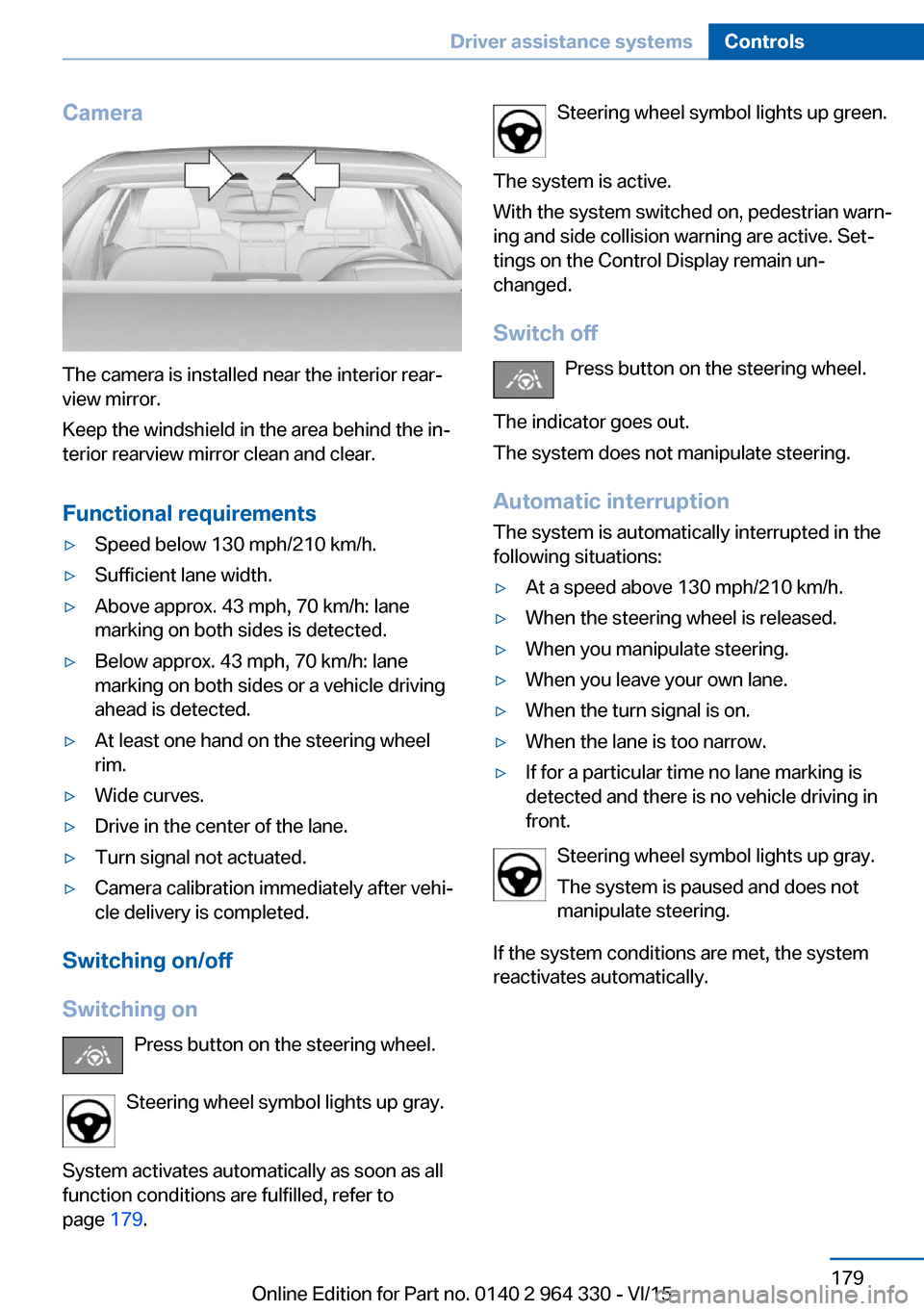
Camera
The camera is installed near the interior rear‐
view mirror.
Keep the windshield in the area behind the in‐
terior rearview mirror clean and clear.
Functional requirements
▷Speed below 130 mph/210 km/h.▷Sufficient lane width.▷Above approx. 43 mph, 70 km/h: lane
marking on both sides is detected.▷Below approx. 43 mph, 70 km/h: lane
marking on both sides or a vehicle driving
ahead is detected.▷At least one hand on the steering wheel
rim.▷Wide curves.▷Drive in the center of the lane.▷Turn signal not actuated.▷Camera calibration immediately after vehi‐
cle delivery is completed.
Switching on/off
Switching on Press button on the steering wheel.
Steering wheel symbol lights up gray.
System activates automatically as soon as all
function conditions are fulfilled, refer to
page 179.
Steering wheel symbol lights up green.
The system is active.
With the system switched on, pedestrian warn‐
ing and side collision warning are active. Set‐
tings on the Control Display remain un‐
changed.
Switch off Press button on the steering wheel.
The indicator goes out.
The system does not manipulate steering.
Automatic interruptionThe system is automatically interrupted in the
following situations:▷At a speed above 130 mph/210 km/h.▷When the steering wheel is released.▷When you manipulate steering.▷When you leave your own lane.▷When the turn signal is on.▷When the lane is too narrow.▷If for a particular time no lane marking is
detected and there is no vehicle driving in
front.
Steering wheel symbol lights up gray.
The system is paused and does not
manipulate steering.
If the system conditions are met, the system
reactivates automatically.
Seite 179Driver assistance systemsControls179
Online Edition for Part no. 0140 2 964 330 - VI/15
Page 180 of 314
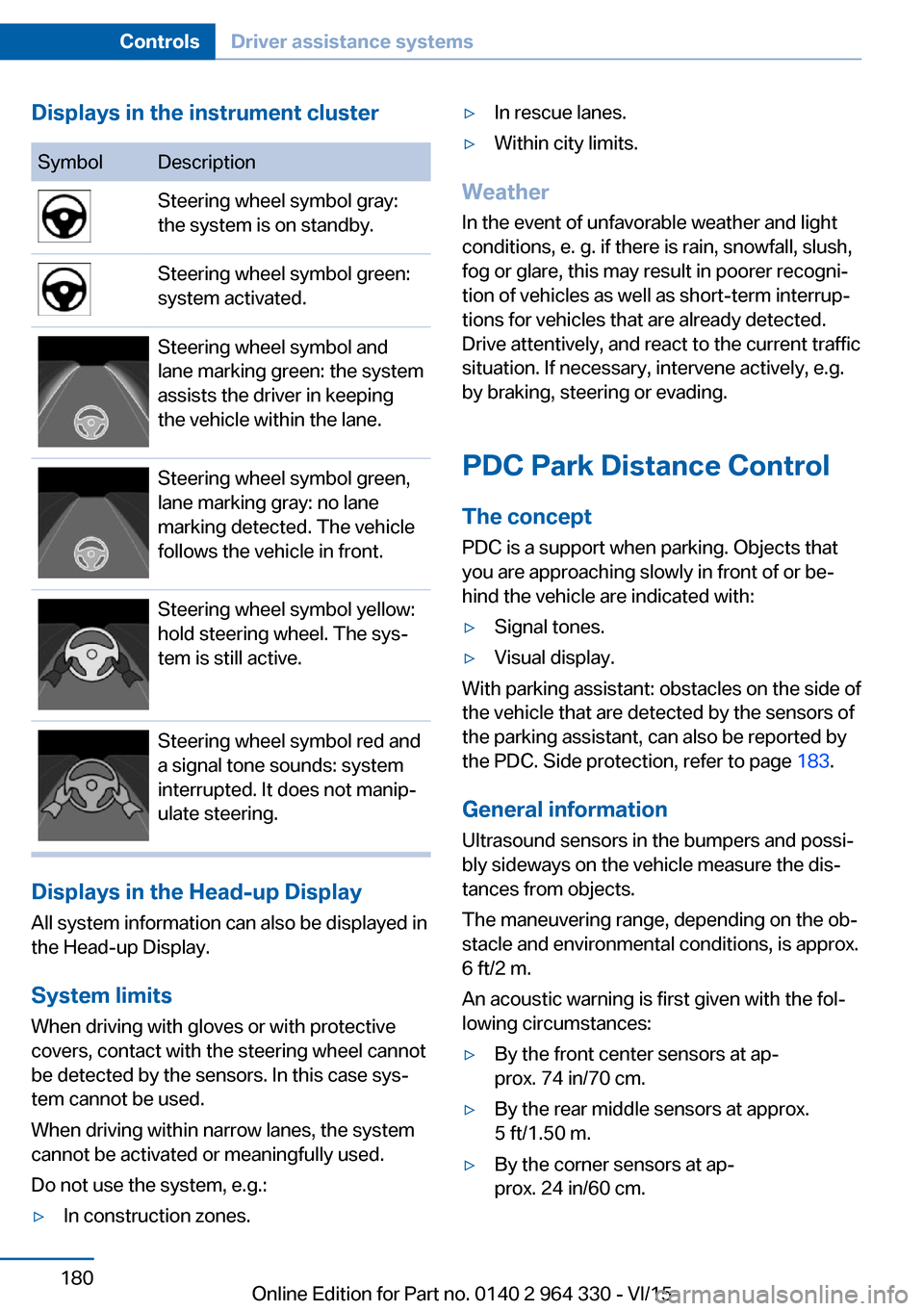
Displays in the instrument clusterSymbolDescriptionSteering wheel symbol gray:
the system is on standby.Steering wheel symbol green:
system activated.Steering wheel symbol and
lane marking green: the system
assists the driver in keeping
the vehicle within the lane.Steering wheel symbol green,
lane marking gray: no lane
marking detected. The vehicle
follows the vehicle in front.Steering wheel symbol yellow:
hold steering wheel. The sys‐
tem is still active.Steering wheel symbol red and
a signal tone sounds: system
interrupted. It does not manip‐
ulate steering.
Displays in the Head-up Display
All system information can also be displayed in
the Head-up Display.
System limits
When driving with gloves or with protective
covers, contact with the steering wheel cannot
be detected by the sensors. In this case sys‐
tem cannot be used.
When driving within narrow lanes, the system
cannot be activated or meaningfully used.
Do not use the system, e.g.:
▷In construction zones.▷In rescue lanes.▷Within city limits.
Weather
In the event of unfavorable weather and light conditions, e. g. if there is rain, snowfall, slush,
fog or glare, this may result in poorer recogni‐
tion of vehicles as well as short-term interrup‐
tions for vehicles that are already detected. Drive attentively, and react to the current trafficsituation. If necessary, intervene actively, e.g.
by braking, steering or evading.
PDC Park Distance Control The conceptPDC is a support when parking. Objects that
you are approaching slowly in front of or be‐
hind the vehicle are indicated with:
▷Signal tones.▷Visual display.
With parking assistant: obstacles on the side of
the vehicle that are detected by the sensors of
the parking assistant, can also be reported by
the PDC. Side protection, refer to page 183.
General information
Ultrasound sensors in the bumpers and possi‐
bly sideways on the vehicle measure the dis‐
tances from objects.
The maneuvering range, depending on the ob‐
stacle and environmental conditions, is approx.
6 ft/2 m.
An acoustic warning is first given with the fol‐
lowing circumstances:
▷By the front center sensors at ap‐
prox. 74 in/70 cm.▷By the rear middle sensors at approx.
5 ft/1.50 m.▷By the corner sensors at ap‐
prox. 24 in/60 cm.Seite 180ControlsDriver assistance systems180
Online Edition for Part no. 0140 2 964 330 - VI/15
Page 182 of 314
Switching on/off manuallyPress button.▷On: the LED lights up.▷Off: the LED goes out.
The rearview camera image is displayed when
the reverse gear is engaged by pressing the
button.
Display
Signal tones When approaching an object, an intermittent
sound indicates the position of the object. E. g.
if an object is detected to the left rear of the
vehicle, a signal tone sounds from the left rear
speaker.
The shorter the distance to the object, the
shorter the intervals.
If the distance to a detected object is less than
approx. 10 in/25 cm, a continuous tone is
sounded.
If there are objects in front of and behind the
vehicle at the same time, with a distance
smaller than approx. 10 in/25 cm, an alternat‐
ing constant tone will sound.
The interval tone and constant tone are
switched off if the selector lever position P is
engaged.
The interval tone is switched off after a short
time when the vehicle is stationary.
Volume
The ratio of the PDC signal tone volume to the
entertainment volume can be adjusted.
About iDrive:
1."My Vehicle"2."System settings"3."Tone"4."Volume settings"5."PDC"6.Set the desired value.
The setting is stored for the drive profile cur‐
rently used.
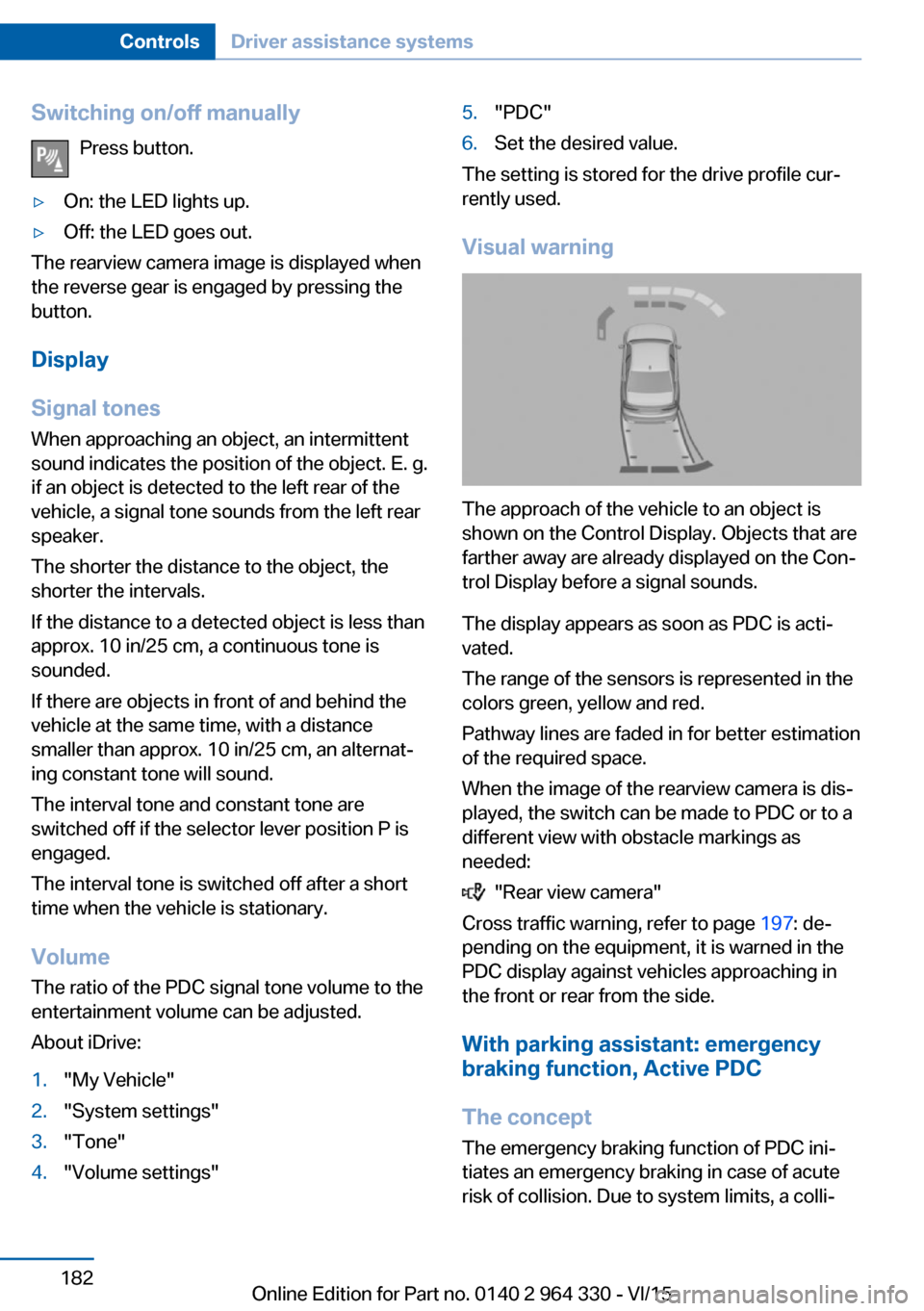
Visual warning
The approach of the vehicle to an object is
shown on the Control Display. Objects that are
farther away are already displayed on the Con‐
trol Display before a signal sounds.
The display appears as soon as PDC is acti‐
vated.
The range of the sensors is represented in the
colors green, yellow and red.
Pathway lines are faded in for better estimation
of the required space.
When the image of the rearview camera is dis‐
played, the switch can be made to PDC or to a
different view with obstacle markings as
needed:
"Rear view camera"
Cross traffic warning, refer to page 197: de‐
pending on the equipment, it is warned in the
PDC display against vehicles approaching in
the front or rear from the side.
With parking assistant: emergency
braking function, Active PDC
The concept The emergency braking function of PDC ini‐
tiates an emergency braking in case of acute
risk of collision. Due to system limits, a colli‐
Seite 182ControlsDriver assistance systems182
Online Edition for Part no. 0140 2 964 330 - VI/15
Page 188 of 314
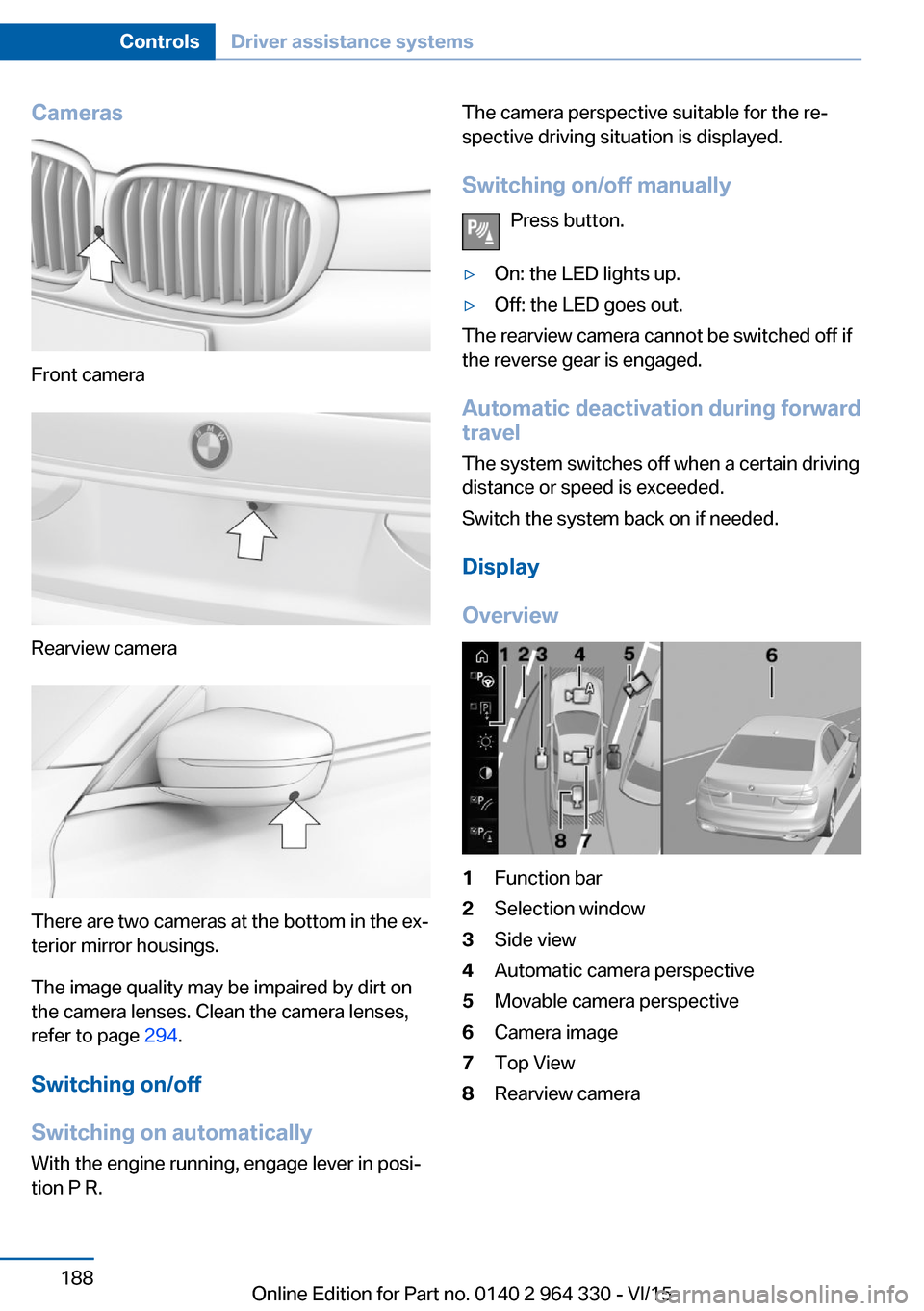
Cameras
Front camera
Rearview camera
There are two cameras at the bottom in the ex‐
terior mirror housings.
The image quality may be impaired by dirt on
the camera lenses. Clean the camera lenses,
refer to page 294.
Switching on/off
Switching on automatically With the engine running, engage lever in posi‐
tion P R.
The camera perspective suitable for the re‐
spective driving situation is displayed.
Switching on/off manually Press button.▷On: the LED lights up.▷Off: the LED goes out.
The rearview camera cannot be switched off if
the reverse gear is engaged.
Automatic deactivation during forward
travel
The system switches off when a certain driving
distance or speed is exceeded.
Switch the system back on if needed.
Display
Overview
1Function bar2Selection window3Side view4Automatic camera perspective5Movable camera perspective6Camera image7Top View8Rearview cameraSeite 188ControlsDriver assistance systems188
Online Edition for Part no. 0140 2 964 330 - VI/15
Page 189 of 314
Selecting the camera perspectiveGeneral information
The individual camera perspectives can be se‐
lected in the selection window via iDrive.
Side view
The side view can be selected for the right or
left vehicle side.
This view helps when positioning the vehicle at
the curb or with other obstacles on the side by
displaying the side surroundings.
The side view looks from rear to front and in
case of danger, focuses automatically on pos‐
sible obstacles.
Automatic camera perspective
The automatic camera perspective shows a
steering-dependent view in the respective
driving direction.
This perspective adapts to the respective driv‐ ing situation.
As soon as obstacles are detected, the view
changes to a fixed display of the area in front or
at the rear behind the bumper or if necessary,
changes to a side view.
Movable camera perspective
With selection of the movable camera per‐
spective, a circle appears on the Control Dis‐
play.
By turning the controller or via touch function,
specified perspectives on the circle can be se‐
lected.
The current perspective is marked with a cam‐
era symbol.
With BMW Gesture Control: an additional cam‐
era symbols appears on the circuit. This cam‐
era symbol is freely movable via BMW Gesture
Control, refer to page 30.
Exit the circle by pressing the controller or via
touch function on the active camera symbol.Top view
The top view shows the vehicle and surround‐
ings from above.
Rearview camera
This view shows the picture of the rearview
camera.
Function bar
Assistance functions can be activated, refer to
page 189, via the function bar and settings ap‐
plied.▷ "Parking Assistant", refer to page 193.▷ "Brightness", refer to page 192.▷ "Contrast", refer to page 192.▷ "Parking aid lines", refer to page 190.▷ "Obstacle marking", refer to page 190.▷ "Car wash", refer to page 190.▷ "Settings": apply settings, e.g. to use
the activation points for Panorama View.
Assistance functions
Activate/deactivate assistance
functions
More than one assistance function can be ac‐
tive at the same time.
The following assistance functions can be
manually activated:
▷ "Parking aid lines"▷ "Obstacle marking"▷ "Car wash"
The following assistance functions are auto‐
matically displayed:
▷Side protection, refer to page 191.▷Rim protection, refer to page 191.▷Door opening angle, refer to page 191.Seite 189Driver assistance systemsControls189
Online Edition for Part no. 0140 2 964 330 - VI/15