remote control BMW 740I 1998 User Guide
[x] Cancel search | Manufacturer: BMW, Model Year: 1998, Model line: 740I, Model: BMW 740I 1998Pages: 211, PDF Size: 1.68 MB
Page 41 of 211
40n
Alarm systemThe vehicle alarm system responds:
>When a door, the hood or the lug-
gage compartment lid is opened
>To movement inside the vehicle (inte-
rior motion sensor)
>To variations in the vehicle tilt sensor
such as occur during attempts to
steal the wheels or tow the vehicle
>To interruption of battery voltage.
The system responds to unauthorized
vehicle entry and attempted theft by si-
multaneously activating the following:
>Sounding an acoustical alarm for
30 seconds
>The hazard warning flashers are acti-
vated for approx. five minutes
>The high beams flash on and off in
the same rhythm.
To arm and disarm the alarm
systemWhen the vehicle is locked or unlocked
by using a key or with the remote con-
trol, the alarm system is also simulta-
neously armed or disarmed.
The interior motion sensor is activated
approx. 30 seconds after you have fin-
ished locking the car.
The system indicates that it has been
correctly armed by switching on the
hazard flashers for a single cycle and by
emitting an acoustical signal.
When the system is active, you can still
gain access to the luggage compart-
ment by pressing button 3 on the re-
mote control transmitter. When the lid is
closed, it is armed once again.
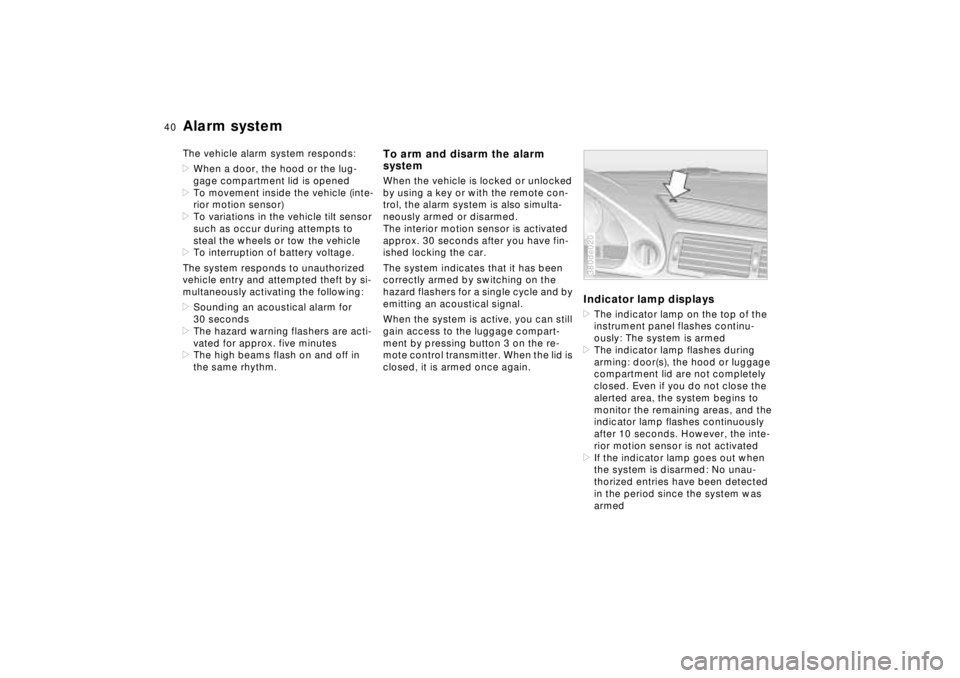
Indicator lamp displays>The indicator lamp on the top of the
instrument panel flashes continu-
ously: The system is armed
>The indicator lamp flashes during
arming: door(s), the hood or luggage
compartment lid are not completely
closed. Even if you do not close the
alerted area, the system begins to
monitor the remaining areas, and the
indicator lamp flashes continuously
after 10 seconds. However, the inte-
rior motion sensor is not activated
>If the indicator lamp goes out when
the system is disarmed: No unau-
thorized entries have been detected
in the period since the system was
armed380de020
Page 42 of 211
41n
RepairsIndexOverview Controls Car care Technology Data
Alarm system>If the indicator lamp flashes for
10 seconds when the system is
disarmed: An attempted entry has
been detected in the period since the
system was armed.
Following triggering of an alarm, the in-
dicator lamp will flash continuously.Tilt alarm sensorThe tilt alarm sensor and interior motion
sensor may be switched off at the same
time. By doing this, you can prevent
false alarms on garage ramps or when
the vehicle is transported by trailer or
train, for instance.
Lock the vehicle twice (= arm the sys-
tem). In other words, press button 2 of
the remote control twice in succession
or lock the vehicle twice with the key.
The indicator lamp lights up briefly and
then flashes continuously. The tilt alarm
sensor and the interior motion sensor
are deactivated for as long as the sys-
tem remains armed.
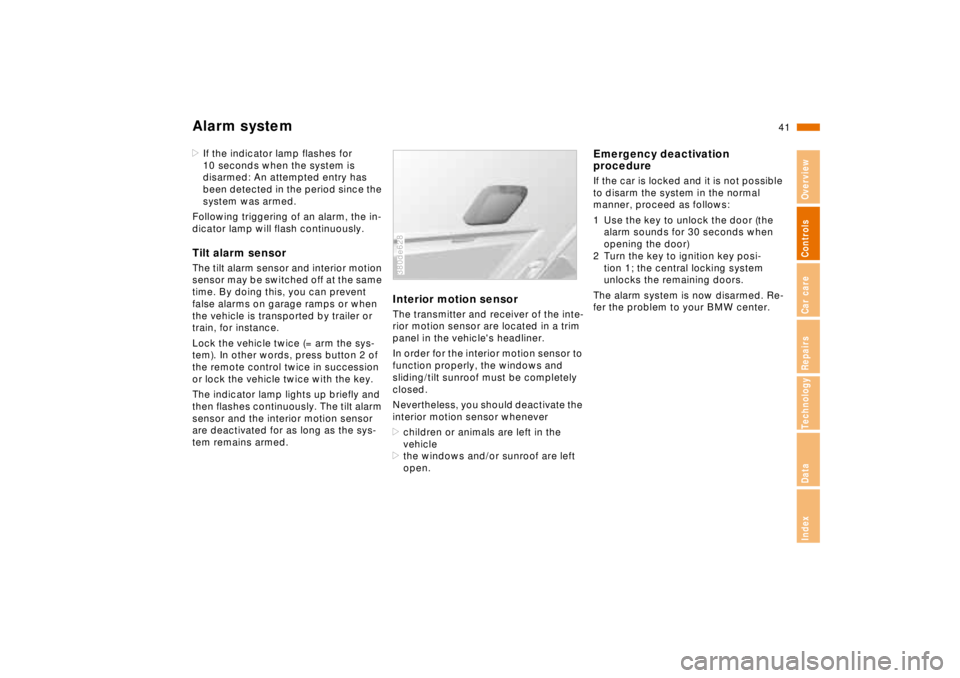
Interior motion sensorThe transmitter and receiver of the inte-
rior motion sensor are located in a trim
panel in the vehicle's headliner.
In order for the interior motion sensor to
function properly, the windows and
sliding/tilt sunroof must be completely
closed.
Nevertheless, you should deactivate the
interior motion sensor whenever
>children or animals are left in the
vehicle
>the windows and/or sunroof are left
open.380de628
Emergency deactivation
procedureIf the car is locked and it is not possible
to disarm the system in the normal
manner, proceed as follows:
1 Use the key to unlock the door (the
alarm sounds for 30 seconds when
opening the door)
2 Turn the key to ignition key posi-
tion 1; the central locking system
unlocks the remaining doors.
The alarm system is now disarmed. Re-
fer the problem to your BMW center.
Page 43 of 211
42n
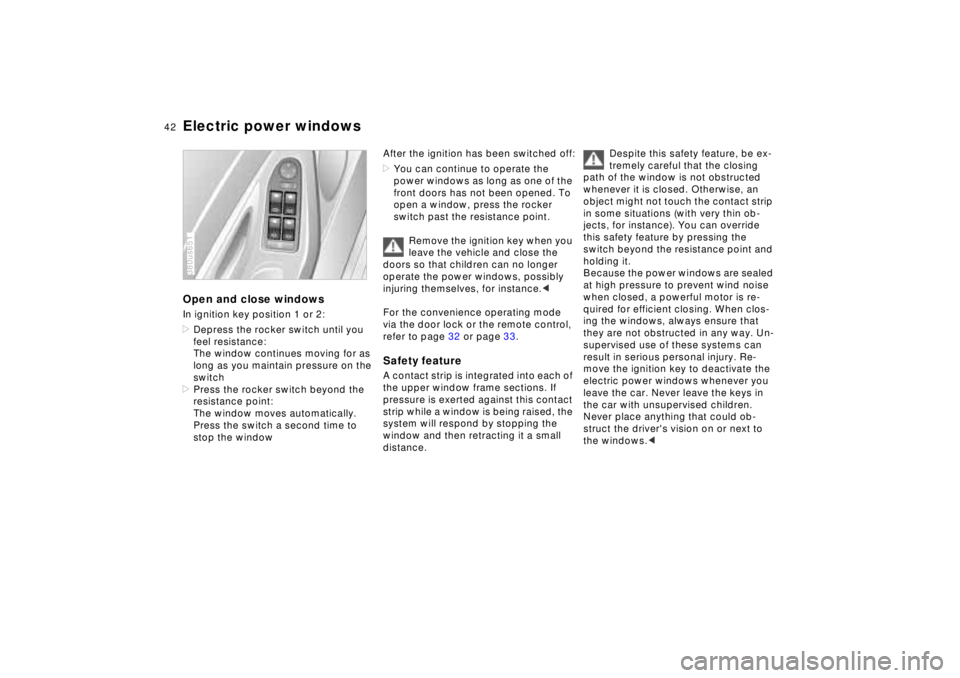
Electric power windowsOpen and close windowsIn ignition key position 1 or 2:
>Depress the rocker switch until you
feel resistance:
The window continues moving for as
long as you maintain pressure on the
switch
>Press the rocker switch beyond the
resistance point:
The window moves automatically.
Press the switch a second time to
stop the window380us651
After the ignition has been switched off:
>You can continue to operate the
power windows as long as one of the
front doors has not been opened. To
open a window, press the rocker
switch past the resistance point.
Remove the ignition key when you
leave the vehicle and close the
doors so that children can no longer
operate the power windows, possibly
injuring themselves, for instance.<
For the convenience operating mode
via the door lock or the remote control,
refer to page 32 or page 33.Safety featureA contact strip is integrated into each of
the upper window frame sections. If
pressure is exerted against this contact
strip while a window is being raised, the
system will respond by stopping the
window and then retracting it a small
distance.
Despite this safety feature, be ex-
tremely careful that the closing
path of the window is not obstructed
whenever it is closed. Otherwise, an
object might not touch the contact strip
in some situations (with very thin ob-
jects, for instance). You can override
this safety feature by pressing the
switch beyond the resistance point and
holding it.
Because the power windows are sealed
at high pressure to prevent wind noise
when closed, a powerful motor is re-
quired for efficient closing. When clos-
ing the windows, always ensure that
they are not obstructed in any way. Un-
supervised use of these systems can
result in serious personal injury. Re-
move the ignition key to deactivate the
electric power windows whenever you
leave the car. Never leave the keys in
the car with unsupervised children.
Never place anything that could ob-
struct the driver's vision on or next to
the windows.<
Page 45 of 211
44n
Sliding/Tilt sunroof
To prevent injuries, exercise care
when closing the sliding/tilt sun-
roof and keep it in your field of vision
until it is shut.
Before leaving the car, switch off the
electric sunroof mechanism by taking
out the ignition key. Do not leave
children unattended in the vehicle with
access to vehicle keys. Use of the key
can result in starting of the engine and
operation of vehicle systems such as
power sunroof, etc. Unsupervised use
of these systems can result in serious
personal injury.<
To avoid pressure or drafts in the pas-
senger compartment when the sunroof
is open or lifted, keep the air vents in
the dashboard open and increase
the air supply if necessary. Refer to
pages 100, 104.
For the convenience operating mode
via the door lock or the radio remote
control, refer to page 32 or page 33.
Safety featureIf the sliding/tilt sunroof encounters re-
sistance at a point roughly past the
middle of its travel when it is closing,
the closing cycle is interrupted and the
sunroof will open again slightly.
Despite this safety feature, be ex-
tremely careful that the closing
path of the sunroof is not obstructed
whenever it is closed. Otherwise, trig-
gering the closing-force limitation may
not be ensured in some situations (with
very thin objects, for instance). You can
override this safety feature by pressing
the switch beyond the resistance point
and holding it.<
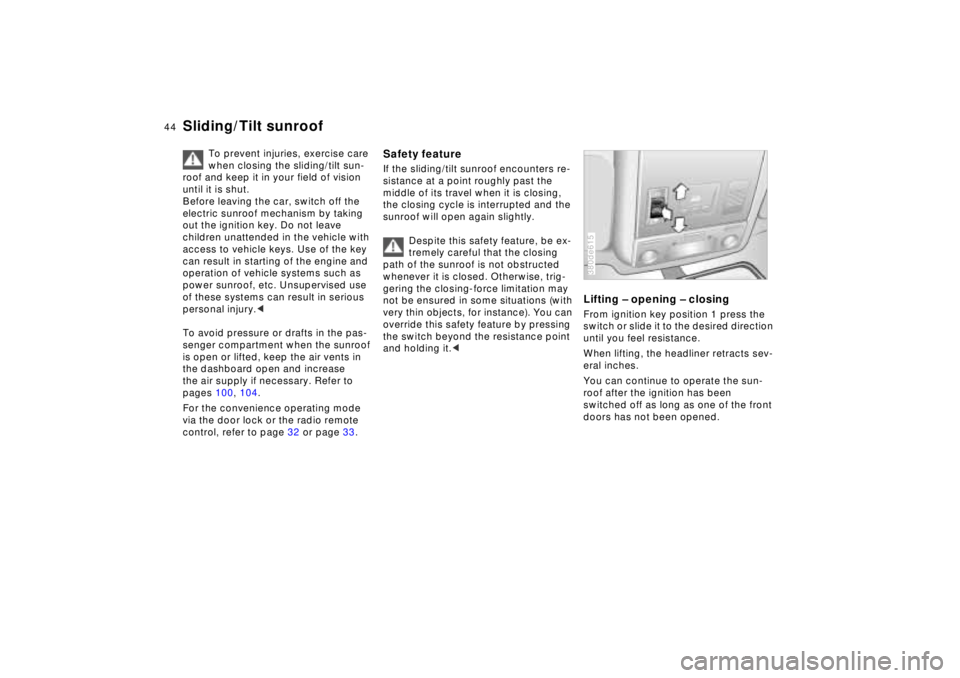
Lifting – opening – closingFrom ignition key position 1 press the
switch or slide it to the desired direction
until you feel resistance.
When lifting, the headliner retracts sev-
eral inches.
You can continue to operate the sun-
roof after the ignition has been
switched off as long as one of the front
doors has not been opened.380de615
Page 50 of 211
49n
RepairsIndexOverview Controls Car care Technology Data
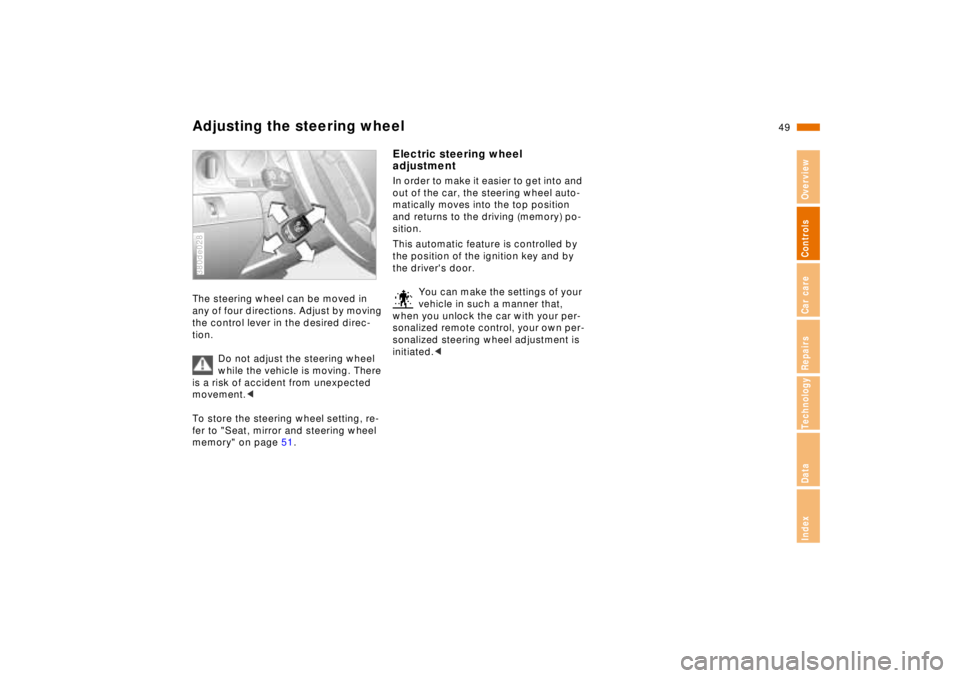
Adjusting the steering wheelThe steering wheel can be moved in
any of four directions. Adjust by moving
the control lever in the desired direc-
tion.
Do not adjust the steering wheel
while the vehicle is moving. There
is a risk of accident from unexpected
movement.<
To store the steering wheel setting, re-
fer to "Seat, mirror and steering wheel
memory" on page 51.380de028
Electric steering wheel
adjustmentIn order to make it easier to get into and
out of the car, the steering wheel auto-
matically moves into the top position
and returns to the driving (memory) po-
sition.
This automatic feature is controlled by
the position of the ignition key and by
the driver's door.
You can make the settings of your
vehicle in such a manner that,
when you unlock the car with your per-
sonalized remote control, your own per-
sonalized steering wheel adjustment is
initiated.<
Page 51 of 211
50n
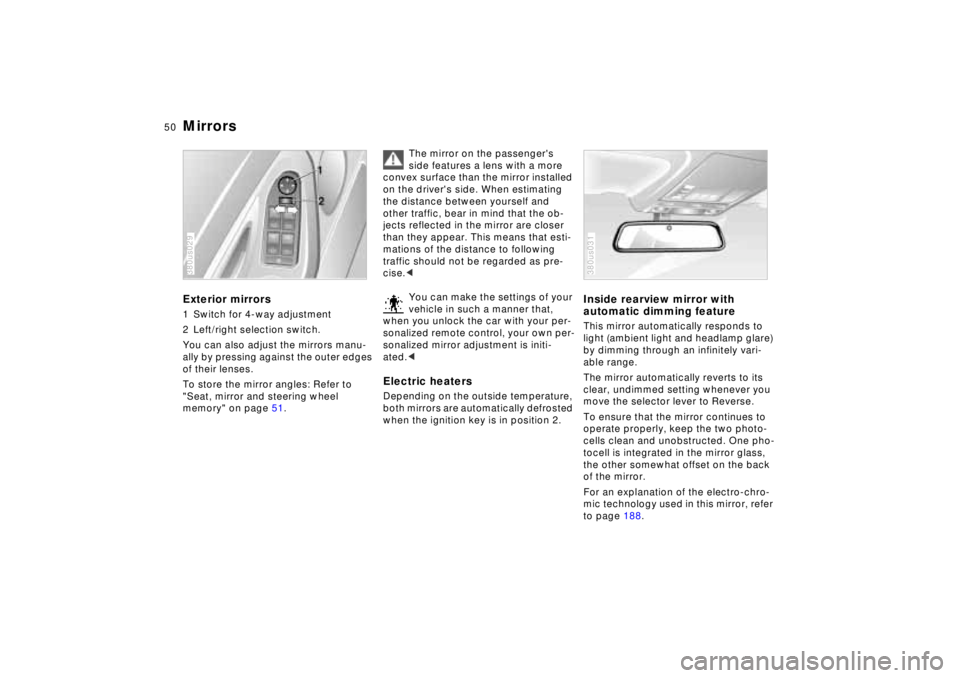
MirrorsExterior mirrors1 Switch for 4-way adjustment
2 Left/right selection switch.
You can also adjust the mirrors manu-
ally by pressing against the outer edges
of their lenses.
To store the mirror angles: Refer to
"Seat, mirror and steering wheel
memory" on page 51.380us029
The mirror on the passenger's
side features a lens with a more
convex surface than the mirror installed
on the driver's side. When estimating
the distance between yourself and
other traffic, bear in mind that the ob-
jects reflected in the mirror are closer
than they appear. This means that esti-
mations of the distance to following
traffic should not be regarded as pre-
cise.<
You can make the settings of your
vehicle in such a manner that,
when you unlock the car with your per-
sonalized remote control, your own per-
sonalized mirror adjustment is initi-
ated.<
Electric heatersDepending on the outside temperature,
both mirrors are automatically defrosted
when the ignition key is in position 2.
Inside rearview mirror with
automatic dimming featureThis mirror automatically responds to
light (ambient light and headlamp glare)
by dimming through an infinitely vari-
able range.
The mirror automatically reverts to its
clear, undimmed setting whenever you
move the selector lever to Reverse.
To ensure that the mirror continues to
operate properly, keep the two photo-
cells clean and unobstructed. One pho-
tocell is integrated in the mirror glass,
the other somewhat offset on the back
of the mirror.
For an explanation of the electro-chro-
mic technology used in this mirror, refer
to page 188.380us031
Page 53 of 211
52n
Seat, mirror and steering wheel memory
You can make the settings of your
vehicle in such a manner that,
when you unlock the car with your per-
sonalized remote control, your own per-
sonalized settings for the seat position
and the mirror and steering wheel ad-
justments are initiated.<
When you make use of this fea-
ture, be sure that the footwell be-
hind the driver's seat is not obstructed
before unlocking the car. Otherwise,
any objects which are behind the seat
might be damaged by any rearward
movement of the seat.<
Passenger side exterior mirror tilt
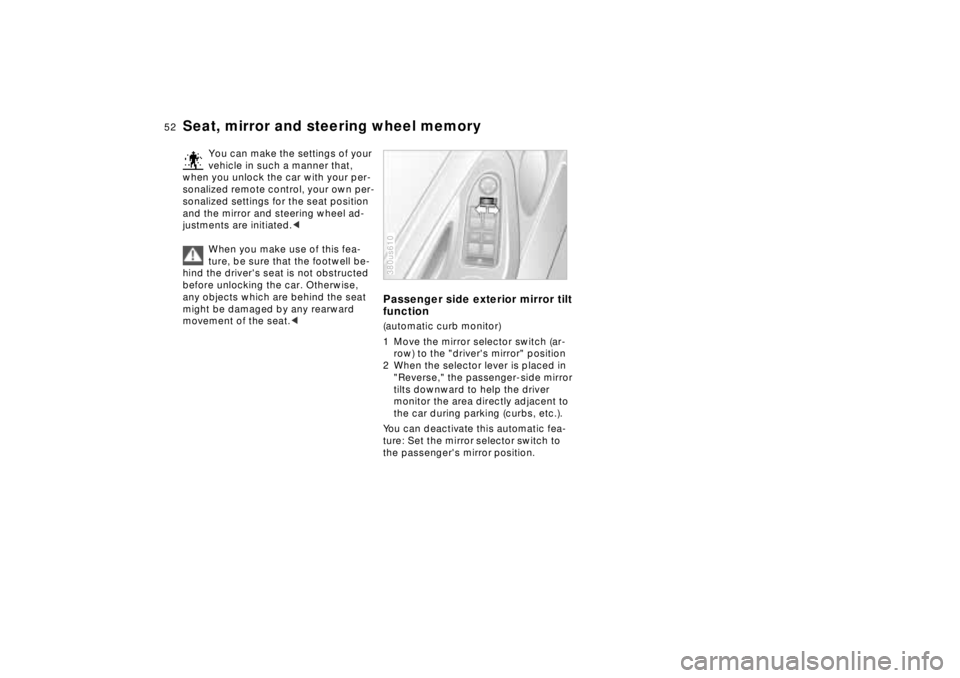
function(automatic curb monitor)
1 Move the mirror selector switch (ar-
row) to the "driver's mirror" position
2 When the selector lever is placed in
"Reverse," the passenger-side mirror
tilts downward to help the driver
monitor the area directly adjacent to
the car during parking (curbs, etc.).
You can deactivate this automatic fea-
ture: Set the mirror selector switch to
the passenger's mirror position.380us610
Page 54 of 211
53n
RepairsIndexOverview Controls Car care Technology Data
Car Memory, Key MemoryHow the system functionsYou have probably frequently wished
that you could configure individual
functions of your vehicles to reflect your
own personal requirements. In engi-
neering your vehicle, BMW has in-
cluded several user-defined functions
in the vehicle's design. Your authorized
BMW center can make these settings
for you.
There are settings related to the vehicle
("Car Memory") and settings related to
individuals ("Key Memory"). You can
have two different basic settings ad-
justed for two different persons. The
only requirement is that each person
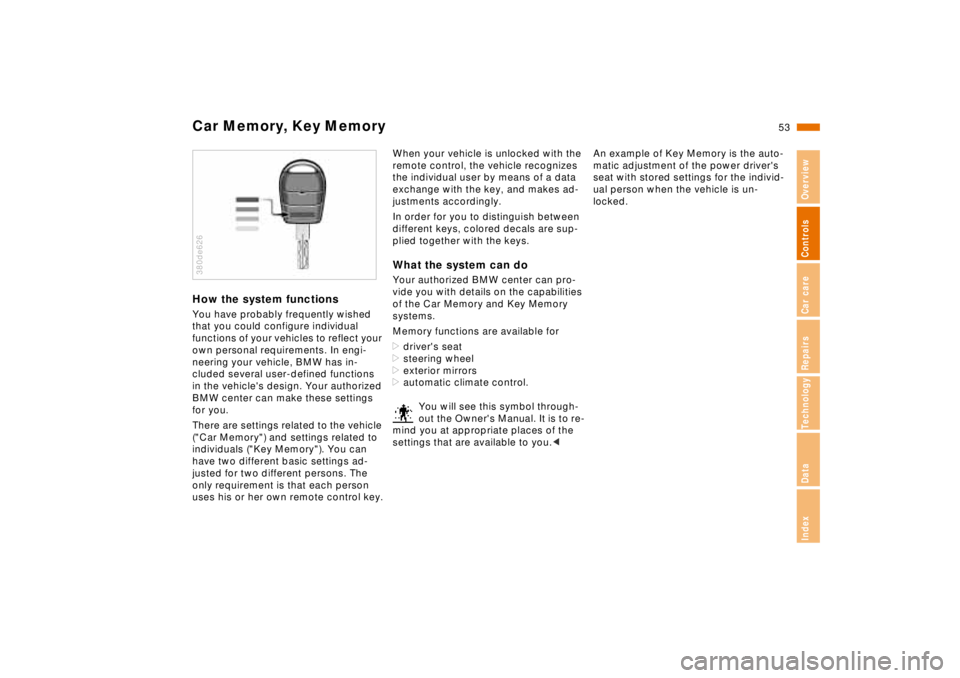
uses his or her own remote control key.380de626
When your vehicle is unlocked with the
remote control, the vehicle recognizes
the individual user by means of a data
exchange with the key, and makes ad-
justments accordingly.
In order for you to distinguish between
different keys, colored decals are sup-
plied together with the keys.What the system can doYour authorized BMW center can pro-
vide you with details on the capabilities
of the Car Memory and Key Memory
systems.
Memory functions are available for
>driver's seat
>steering wheel
>exterior mirrors
>automatic climate control.
You will see this symbol through-
out the Owner's Manual. It is to re-
mind you at appropriate places of the
settings that are available to you.<
An example of Key Memory is the auto-
matic adjustment of the power driver's
seat with stored settings for the individ-
ual person when the vehicle is un-
locked.
Page 77 of 211

76n
Check ControlPriority 2
These alerts for problems are reported
for 20 seconds when the ignition key is
in position 2. The status reports remain
after the message disappears. You can
view the message again by pressing the
CHECK button.
>TRUNK LID OPEN
This message is given only when ini-
tially starting off.
>DOOR OPEN
This is displayed after a minimum
vehicle speed is exceeded.
>FASTEN SEAT BELTS
*
In addition, the indicator lamp with
the safety belt symbol appears and
an acoustic signal is heard.
>WASHER FLUID LOW
The washer fluid is too low. Top up
the fluid at the earliest opportunity.
Refer to page 142.
>CHECK ENGINE OIL
Add engine oil as soon as possible.
Refer to page 143.
>OUTSIDE TEMPERATURE 247
(–5.06)
This display is only an example. The
current reading appears at an outside
temperature of 37.57 (+36) and
below. Refer also to page 72.>TIRE PRESSURE SET
*
The RDC has imported the current in-
flation pressure in the tires as the tar-
get values which the system will
monitor.
Refer to page 94.
>CHECK TIRE PRESSURE
*
Check and correct the tire inflation
pressure to specifications at the earli-
est opportunity (next stop for fuel).
Refer to page 94.
>TIRE CHECK INACTIVE
*
A temporary interference of the RDC
or a system fault. Refer to page 95
>BRAKE LAMP CIRCUIT
A bulb has failed or the circuit has a
malfunction. Refer to pages 163, 176
or consult an authorized BMW center.
>CHECK LOWBEAMS
CHECK SIDE LAMPS
CHECK REAR LAMPS
CHECK FRONT FOGLAMPS
CHECK LICPLATE LAMP
CHECK TRAILER LIGHTS
CHECK HIGHBEAMS
CHECK BACKUP LAMPS
Defective bulb or circuit. Refer to
pages 163, 176 or consult an autho-
rized BMW center.
>TRANS. FAILSAFE PROG
Please consult the nearest authorized
BMW center. Refer to pages 64, 67.>CHECK BRAKE LININGS
Have the brake pads inspected by
your BMW center. Refer to page 126.
>REMOTE KEY BATTERY
Change the battery. Refer to
page 168.
>CHECK COOLANT LEVEL
The coolant is too low. Top up at the
next opportunity. Refer to page 146.
>ENGINE FAILSAFE PROG
Fault in the Electronic Engine Power
Control EML. When braking, higher
brake application pressure may be
necessary and brake pedal travel may
be significantly longer.
Please have the system inspected by
your authorized BMW center.
Page 85 of 211
84n
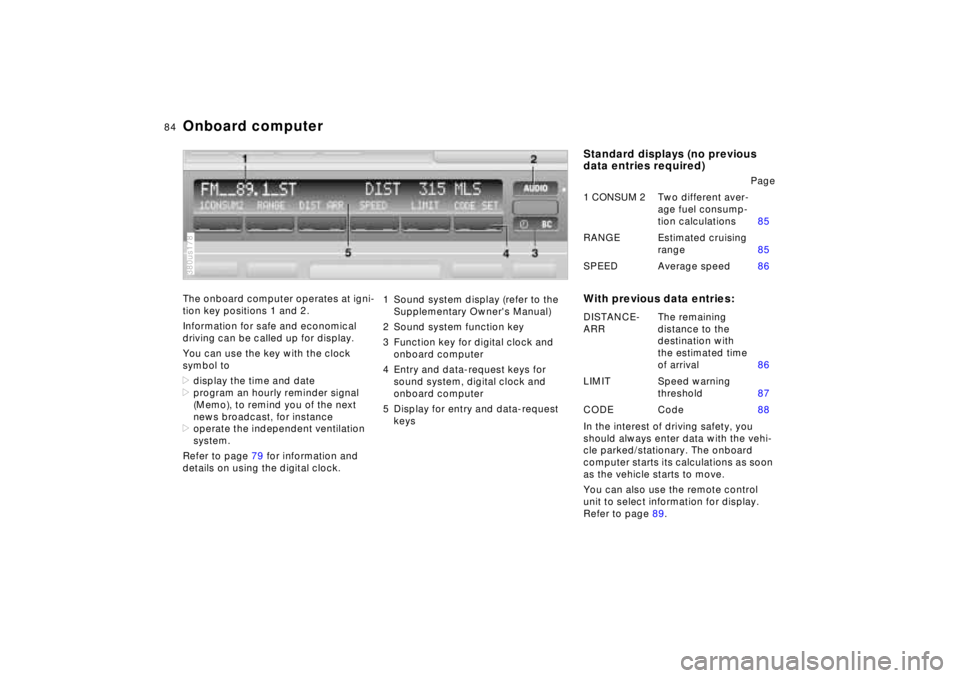
Onboard computerThe onboard computer operates at igni-
tion key positions 1 and 2.
Information for safe and economical
driving can be called up for display.
You can use the key with the clock
symbol to
>display the time and date
>program an hourly reminder signal
(Memo), to remind you of the next
news broadcast, for instance
>operate the independent ventilation
system.
Refer to page 79 for information and
details on using the digital clock.380us178
1 Sound system display (refer to the
Supplementary Owner's Manual)
2 Sound system function key
3 Function key for digital clock and
onboard computer
4 Entry and data-request keys for
sound system, digital clock and
onboard computer
5 Display for entry and data-request
keys
Standard displays (no previous
data entries required)
With previous data entries:In the interest of driving safety, you
should always enter data with the vehi-
cle parked/stationary. The onboard
computer starts its calculations as soon
as the vehicle starts to move.
You can also use the remote control
unit to select information for display.
Refer to page 89.Page
1 CONSUM 2Two different aver-
age fuel consump-
tion calculations85
RANGE Estimated cruising
range85
SPEED Average speed86
DISTANCE-
ARRThe remaining
distance to the
destination with
the estimated time
of arrival86
LIMIT Speed warning
threshold87
CODE Code88