steering wheel BMW 740I 1998 User Guide
[x] Cancel search | Manufacturer: BMW, Model Year: 1998, Model line: 740I, Model: BMW 740I 1998Pages: 211, PDF Size: 1.68 MB
Page 51 of 211
50n
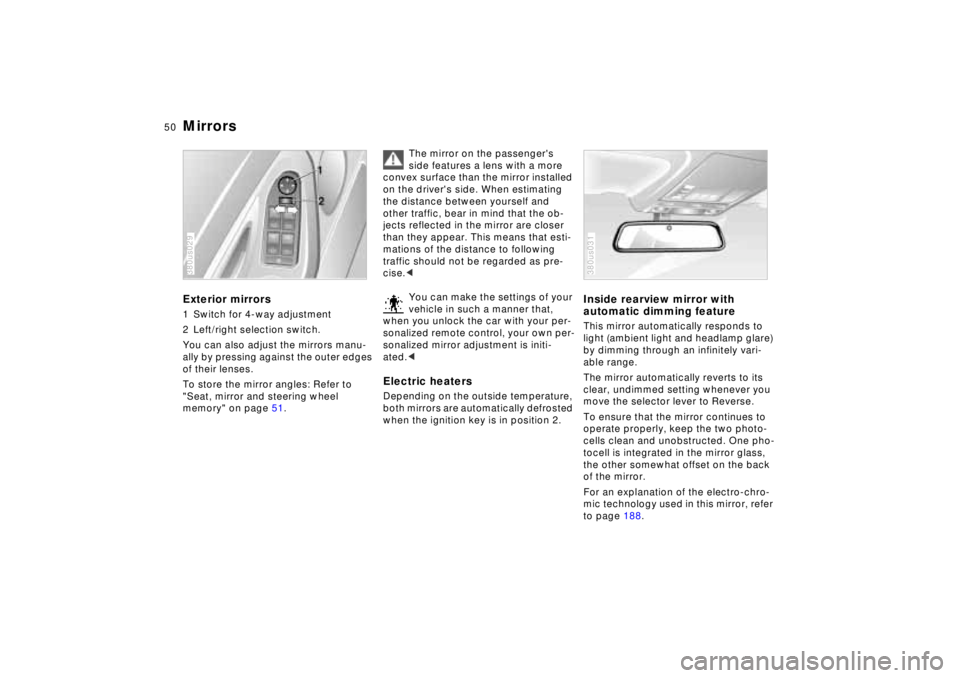
MirrorsExterior mirrors1 Switch for 4-way adjustment
2 Left/right selection switch.
You can also adjust the mirrors manu-
ally by pressing against the outer edges
of their lenses.
To store the mirror angles: Refer to
"Seat, mirror and steering wheel
memory" on page 51.380us029
The mirror on the passenger's
side features a lens with a more
convex surface than the mirror installed
on the driver's side. When estimating
the distance between yourself and
other traffic, bear in mind that the ob-
jects reflected in the mirror are closer
than they appear. This means that esti-
mations of the distance to following
traffic should not be regarded as pre-
cise.<
You can make the settings of your
vehicle in such a manner that,
when you unlock the car with your per-
sonalized remote control, your own per-
sonalized mirror adjustment is initi-
ated.<
Electric heatersDepending on the outside temperature,
both mirrors are automatically defrosted
when the ignition key is in position 2.
Inside rearview mirror with
automatic dimming featureThis mirror automatically responds to
light (ambient light and headlamp glare)
by dimming through an infinitely vari-
able range.
The mirror automatically reverts to its
clear, undimmed setting whenever you
move the selector lever to Reverse.
To ensure that the mirror continues to
operate properly, keep the two photo-
cells clean and unobstructed. One pho-
tocell is integrated in the mirror glass,
the other somewhat offset on the back
of the mirror.
For an explanation of the electro-chro-
mic technology used in this mirror, refer
to page 188.380us031
Page 52 of 211
51n
RepairsIndexOverview Controls Car care Technology Data
Mirrors Seat, mirror and steering wheel memoryLighted vanity mirrorFold down the sun visor and slide the
cover panel to the side as required.
The mirror lamps operate in ignition key
positions 1 and 2.Sun visorsThese can be folded down toward the
windshield or swiveled out against the
side windows.380de670
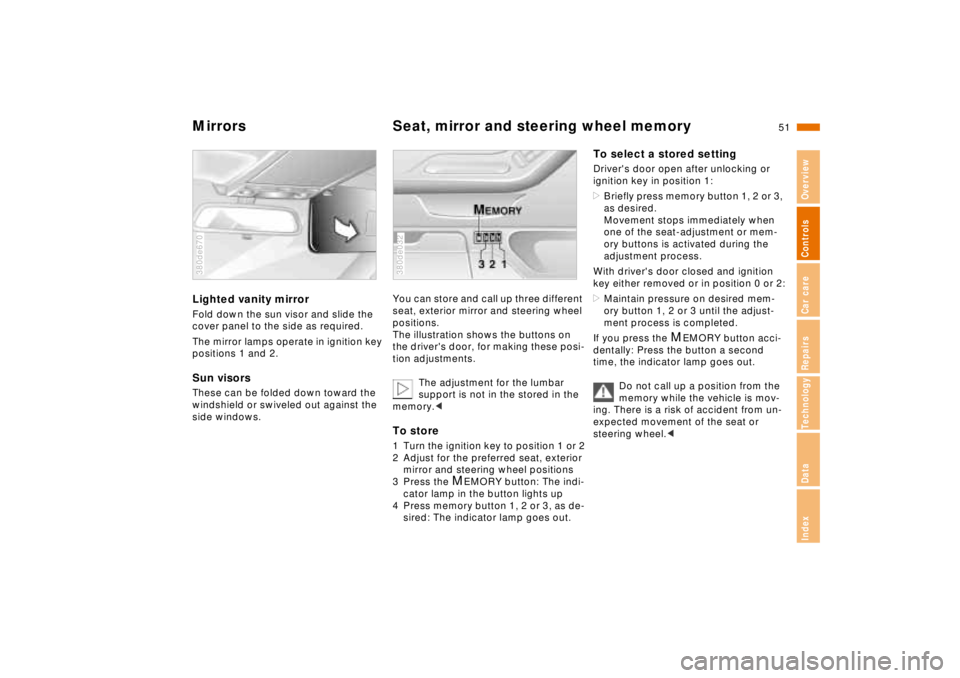
You can store and call up three different
seat, exterior mirror and steering wheel
positions.
The illustration shows the buttons on
the driver's door, for making these posi-
tion adjustments.
The adjustment for the lumbar
support is not in the stored in the
memory.< To store1 Turn the ignition key to position 1 or 2
2 Adjust for the preferred seat, exterior
mirror and steering wheel positions
3 Press the
M
EMORY button: The indi-
cator lamp in the button lights up
4 Press memory button 1, 2 or 3, as de-
sired: The indicator lamp goes out.
380de032
To select a stored settingDriver's door open after unlocking or
ignition key in position 1:
>Briefly press memory button 1, 2 or 3,
as desired.
Movement stops immediately when
one of the seat-adjustment or mem-
ory buttons is activated during the
adjustment process.
With driver's door closed and ignition
key either removed or in position 0 or 2:
>Maintain pressure on desired mem-
ory button 1, 2 or 3 until the adjust-
ment process is completed.
If you press the
M
EMORY button acci-
dentally: Press the button a second
time, the indicator lamp goes out.
Do not call up a position from the
memory while the vehicle is mov-
ing. There is a risk of accident from un-
expected movement of the seat or
steering wheel.<
Page 53 of 211
52n
Seat, mirror and steering wheel memory
You can make the settings of your
vehicle in such a manner that,
when you unlock the car with your per-
sonalized remote control, your own per-
sonalized settings for the seat position
and the mirror and steering wheel ad-
justments are initiated.<
When you make use of this fea-
ture, be sure that the footwell be-
hind the driver's seat is not obstructed
before unlocking the car. Otherwise,
any objects which are behind the seat
might be damaged by any rearward
movement of the seat.<
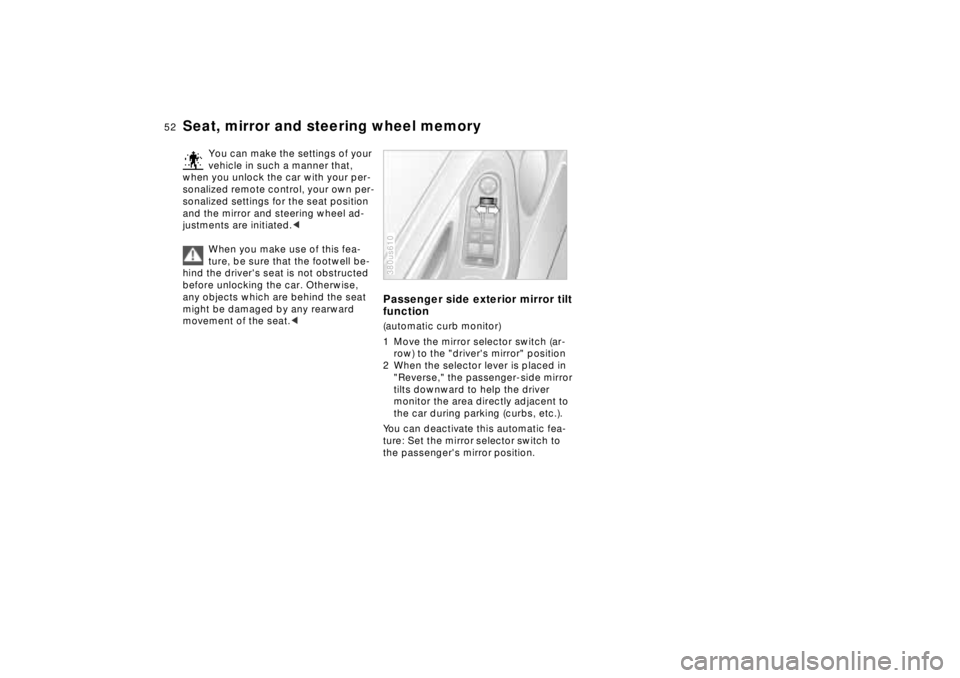
Passenger side exterior mirror tilt
function(automatic curb monitor)
1 Move the mirror selector switch (ar-
row) to the "driver's mirror" position
2 When the selector lever is placed in
"Reverse," the passenger-side mirror
tilts downward to help the driver
monitor the area directly adjacent to
the car during parking (curbs, etc.).
You can deactivate this automatic fea-
ture: Set the mirror selector switch to
the passenger's mirror position.380us610
Page 54 of 211
53n
RepairsIndexOverview Controls Car care Technology Data
Car Memory, Key MemoryHow the system functionsYou have probably frequently wished
that you could configure individual
functions of your vehicles to reflect your
own personal requirements. In engi-
neering your vehicle, BMW has in-
cluded several user-defined functions
in the vehicle's design. Your authorized
BMW center can make these settings
for you.
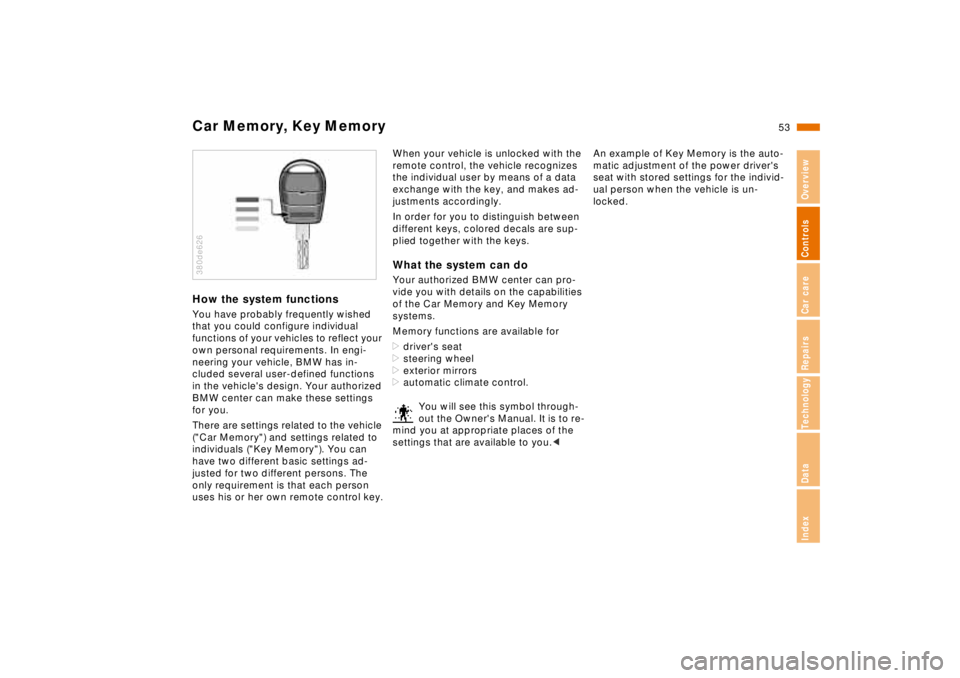
There are settings related to the vehicle
("Car Memory") and settings related to
individuals ("Key Memory"). You can
have two different basic settings ad-
justed for two different persons. The
only requirement is that each person
uses his or her own remote control key.380de626
When your vehicle is unlocked with the
remote control, the vehicle recognizes
the individual user by means of a data
exchange with the key, and makes ad-
justments accordingly.
In order for you to distinguish between
different keys, colored decals are sup-
plied together with the keys.What the system can doYour authorized BMW center can pro-
vide you with details on the capabilities
of the Car Memory and Key Memory
systems.
Memory functions are available for
>driver's seat
>steering wheel
>exterior mirrors
>automatic climate control.
You will see this symbol through-
out the Owner's Manual. It is to re-
mind you at appropriate places of the
settings that are available to you.<
An example of Key Memory is the auto-
matic adjustment of the power driver's
seat with stored settings for the individ-
ual person when the vehicle is un-
locked.
Page 57 of 211
56n
Airbags
For your safety, comply with the
following instructions for the air-
bags. If you do not, the airbags may not
be able to provide their maximum pro-
tection. All passengers in the vehicle
should be aware of and comply with
this information:
The airbags are supplemental restraint
devices designed to provide extra pro-
tection; they are not a substitute for
safety belts. Wear your safety belt at all
times. The airbags will not be triggered
in the event of a minor accident, a vehi-
cle roll-over, or collisions from the rear.
In these situations, the safety belts pro-
vide optimal protection.
Adjust your seat to a position that pro-
vides maximum distance between you
and the steering wheel, the instrument
panel and the door while still allowing
comfortable and safe access to all vehi-
cle controls.
Hold the steering wheel at the rim
(hands at the "9 o'clock and 3 o'clock"
positions) in order to avoid injuries to
the hands or arms if the airbag is trig-
gered.
Never allow any objects to obstruct the
area between the airbag and the driver/
passenger.
Do not use the cover panel above the
passenger-side airbag as a storage
area.
Do not apply tape or stickers or other
material over the padded steering
wheel hub, the instrument panel, the
side trim panels of the front or rear
doors and the roof pillars or the sides of
the headliner, or modify them in any
other way.
Do not install a rear-facing child-re-
straint device on the front passenger
seat.
If your vehicle is equipped with side air-
bags in the rear, be sure that child seats
are installed correctly and with the
greatest possible distance from the
door. Do not allow children to lean out
of the child's seat in the direction of the
door. Otherwise, serious injuries could
occur if the airbag is triggered.<
Even when all these guidelines are fol-
lowed, there is still a small residual risk
of injuries to the face, hands and arms
occurring in isolated instances. The ig-
nition and inflation noise may provoke a
mild temporary hearing loss in extremely
sensitive individuals.
Airbag warning information is also pro-
vided on the sun visors.
For additional information concerning the
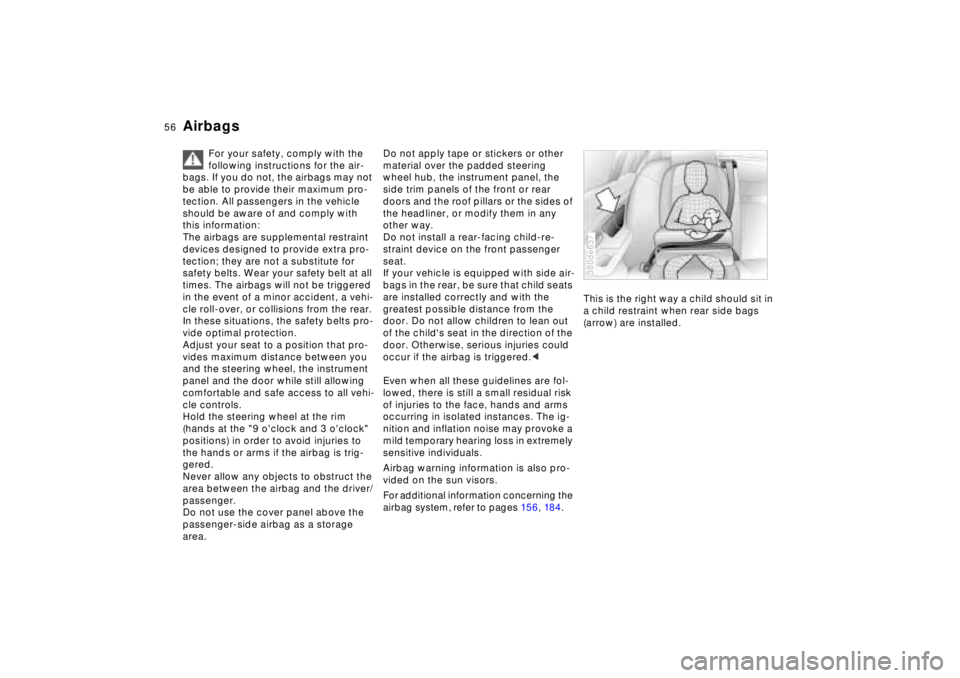
airbag system, refer to pages 15 6, 18 4.This is the right way a child should sit in
a child restraint when rear side bags
(arrow) are installed.
380de637
Page 60 of 211
59n
RepairsIndexOverview Controls Car care Technology Data
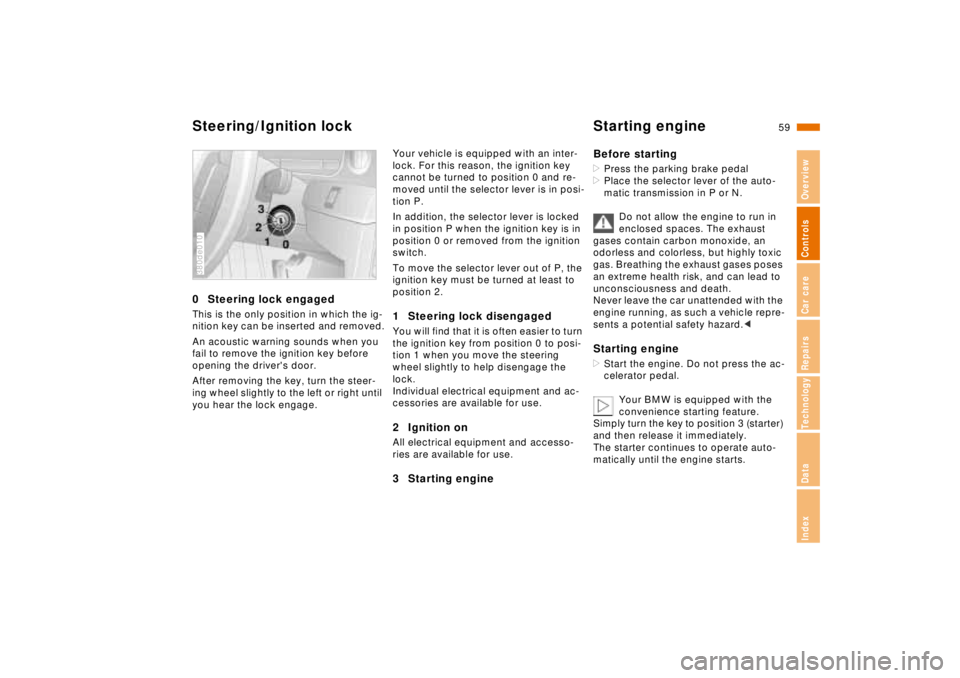
Steering/Ignition lock Starting engine0 Steering lock engagedThis is the only position in which the ig-
nition key can be inserted and removed.
An acoustic warning sounds when you
fail to remove the ignition key before
opening the driver's door.
After removing the key, turn the steer-
ing wheel slightly to the left or right until
you hear the lock engage.380de010
Your vehicle is equipped with an inter-
lock. For this reason, the ignition key
cannot be turned to position 0 and re-
moved until the selector lever is in posi-
tion P.
In addition, the selector lever is locked
in position P when the ignition key is in
position 0 or removed from the ignition
switch.
To move the selector lever out of P, the
ignition key must be turned at least to
position 2.1 Steering lock disengagedYou will find that it is often easier to turn
the ignition key from position 0 to posi-
tion 1 when you move the steering
wheel slightly to help disengage the
lock.
Individual electrical equipment and ac-
cessories are available for use.2 Ignition onAll electrical equipment and accesso-
ries are available for use.3 Starting engineBefore starting
>Press the parking brake pedal
>Place the selector lever of the auto-
matic transmission in P or N.
Do not allow the engine to run in
enclosed spaces. The exhaust
gases contain carbon monoxide, an
odorless and colorless, but highly toxic
gas. Breathing the exhaust gases poses
an extreme health risk, and can lead to
unconsciousness and death.
Never leave the car unattended with the
engine running, as such a vehicle repre-
sents a potential safety hazard.< Starting engine>Start the engine. Do not press the ac-
celerator pedal.
Your BMW is equipped with the
convenience starting feature.
Simply turn the key to position 3 (starter)
and then release it immediately.
The starter continues to operate auto-
matically until the engine starts.
Page 104 of 211
103n
RepairsIndexOverview Controls Car care Technology Data
Automatic climate controlAutomatic recirculated-air control
(AUC)
You can respond to unpleasant
external odors by temporarily
stopping the flow of outside air. The
system then recirculates the air cur-
rently within the vehicle. Press the but-
ton repeatedly to run through the fol-
lowing control sequence:
>Indicator lamps off: Fresh air flows
into the vehicle
>Left-hand indicator lamp on – AUC
mode: The system detects pollutants
in the outside air and responds by
deactivating the outside air flow when
required. The system then recircu-
lates the air currently within the vehi-
cle
>Right-hand indicator lamp on: The
flow of external air into the vehicle is
permanently blocked. The system
then recirculates the air currently
within the vehicle.
If you have a multi-function steering
wheel with the AUC button (refer to
page 23), you can also switch between
"OFF" and AUC from there.
If the windows fog over in the re-
circulated-air mode, switch this
mode off and increase the air supply as
required.<
Rear window defroster
When the rear window defroster
is activated, the indicator lamp
comes on. The rear window defroster
switches off automatically.
Temperature
You can make individual
temperature settings on the
driver's side and the front passenger
side. Your settings will be shown in the
display 7. The displayed temperatures
are reference values for the interior
temperature. We recommend 707
(226) as a comfortable setting,
whether the air conditioner is operating
or not. When you start the vehicle, the
system ensures that the selected tem-
perature is achieved as quickly as pos-
sible. It then maintains this tempera-
ture, regardless of the season.
You can set uncontrolled heater
output at up to 907 (326). Full
cooling output is available from the air
conditioner down to 607 (166).<
Air supply
In the "AUTO" program, the
air flow is controlled auto-
matically. AUTO will appear in the dis-
play, refer to the overview on page 100.
Use "+" and "–" to vary the air flow.
When your setting is displayed by bars,
the automatic air flow is switched off.
Automatic air distribution maintains its
setting. You can reactivate the auto-
matic air flow by pressing the "AUTO"
button.
When you press "– " during operation at
minimum blower speed all displays are
canceled: The fan, heating and air con-
ditioner are switched off. The outside
air supply is closed. By pressing any
button of the automatic climate control
(except the "REST" button 9), you can
switch the system back on.
Page 107 of 211
106n
Seat heating
*
Steering wheel heating
*
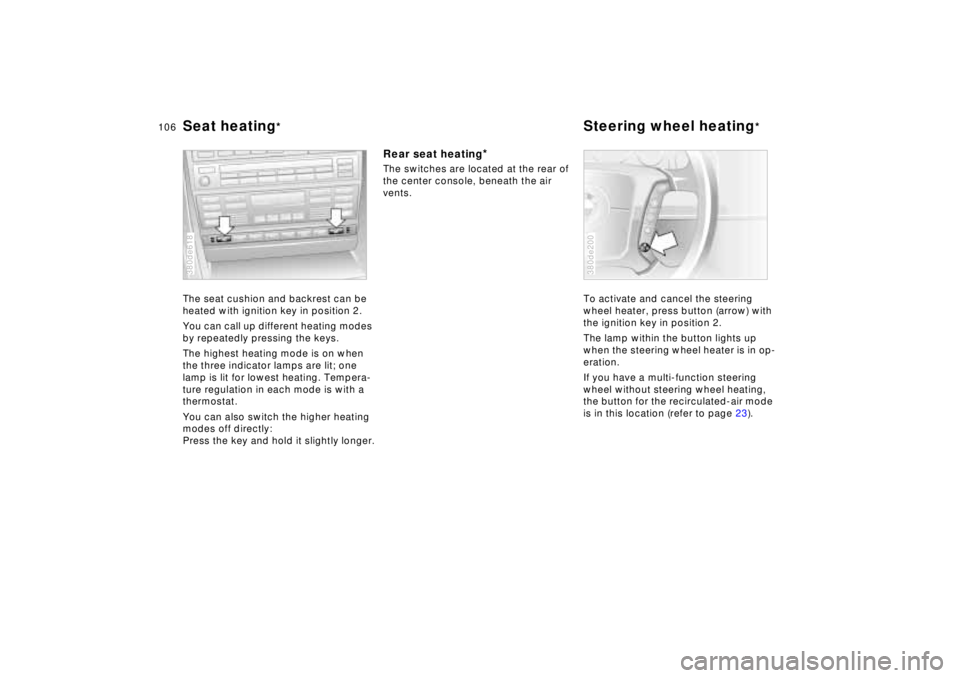
The seat cushion and backrest can be
heated with ignition key in position 2.
You can call up different heating modes
by repeatedly pressing the keys.
The highest heating mode is on when
the three indicator lamps are lit; one
lamp is lit for lowest heating. Tempera-
ture regulation in each mode is with a
thermostat.
You can also switch the higher heating
modes off directly:
Press the key and hold it slightly longer.380de618
Rear seat heating
*
The switches are located at the rear of
the center console, beneath the air
vents.
To activate and cancel the steering
wheel heater, press button (arrow) with
the ignition key in position 2.
The lamp within the button lights up
when the steering wheel heater is in op-
eration.
If you have a multi-function steering
wheel without steering wheel heating,
the button for the recirculated-air mode
is in this location (refer to page 23).
380de200
Page 122 of 211
Overview
Controls and features
Operation, care
and maintenance
Owner service procedures
Technical data
Index Advanced technology
121n
RepairsIndexOverview Controls Car care Technology Data
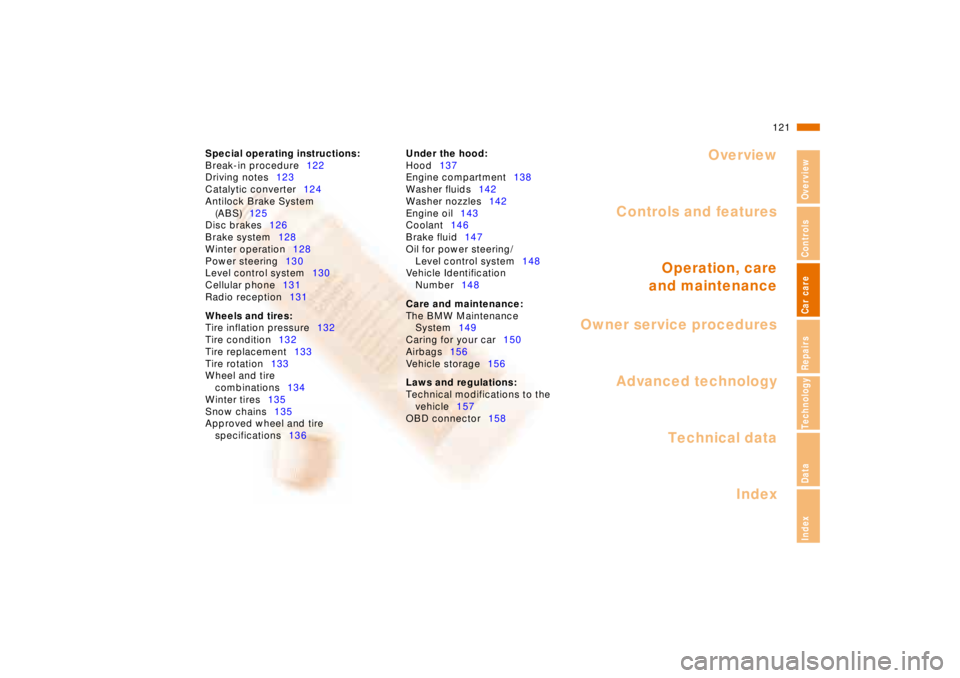
Special operating instructions:
Break-in procedure122
Driving notes123
Catalytic converter124
Antilock Brake System
(ABS)125
Disc brakes126
Brake system128
Winter operation128
Power steering130
Level control system130
Cellular phone131
Radio reception131
Wheels and tires:
Tire inflation pressure132
Tire condition132
Tire replacement133
Tire rotation133
Wheel and tire
combinations134
Winter tires135
Snow chains135
Approved wheel and tire
specifications136Under the hood:
Hood137
Engine compartment138
Washer fluids142
Washer nozzles142
Engine oil143
Coolant146
Brake fluid147
Oil for power steering/
Level control system148
Vehicle Identification
Number148
Care and maintenance:
The BMW Maintenance
System149
Caring for your car150
Airbags156
Vehicle storage156
Laws and regulations:
Technical modifications to the
vehicle157
OBD connector158
Page 126 of 211

125n
RepairsIndexOverview Controls Car care Technology Data
Antilock Brake System (ABS)The conceptABS enhances active safety by helping
to prevent the wheels from locking dur-
ing brake applications. The reason:
Locked wheels are dangerous. When
the front wheels slide, the driver loses
steering control over the vehicle. Trac-
tion loss at the rear wheels can cause
the rear end to break into an uncon-
trolled skid.
The system can achieve the shortest
braking distances possible under most
conditions (on straights and in curves,
on asphalt, ice, wet road surfaces, etc.).
ABS is designed to meet two essential
requirements during every brake appli-
cation:
>To help provide vehicle stability
>To help maintain steering control and
maneuverability – on all types of road
surfaces (asphalt, concrete, mud, wet
pavement, snow, ice).
Braking with ABSThe system becomes operative once
the vehicle exceeds a speed of approx.
6 mph (10 km/h). The ABS is deactivated
whenever the vehicle's speed drops
back below approx. 4 mph (6 km/h). This
means that the wheels can lock in the fi-
nal phase of a panic stop – a factor of no
significance in actual use.
If you are in a situation which requires
full braking, you will exploit the full bene-
fits of the ABS system if you apply maxi-
mum brake pressure ("panic stop").
Since the vehicle maintains steering re-
sponsiveness, you can avoid possible
obstacles with a minimum of steering ef-
fort, despite the full brake application.
The ABS system closed-loop control cir-
cuit cycles in fractions of a second.
A pulsation at the brake pedal indicates
to the driver that ABS is active, that is,
that the vehicle is within its maximum
braking range. In addition, a pulsation – a
result of the control function cycles – in-
dicates to the driver that vehicle speed
should be reduced to adapt to road sur-
face conditions when there is reduced
traction and grip between tires and road
surface (slippery road surface).
Always depress the brake pedal with
constant pressure. Keep the brake pedal
down. Do not pump the brakes.In driving conditions where there is a
loose upper surface together with a
subsurface which provides better trac-
tion (on gravel or snow, for instance), or
with snow chains, the braking distance
may also be longer than when the
wheels are locked. However, ABS con-
tinues to provide enhanced vehicle sta-
bility and steering response under
these conditions.
Information for your safetyNot even ABS can suspend the laws of
physics. ABS alone cannot prevent ac-
cidents when the brakes are applied
without an adequate safety interval be-
tween vehicles, if the car is driven at an
excessive rate of speed in curves, or if
aquaplaning occurs. Responsibility for
these types of situations remains in the
hands (and at the feet) of the driver. You
should never allow the added safety of
ABS to lull you into a false sense of se-
curity, or mislead you into taking in-
creased risks that could affect your own
safety and that of others.
Do not make any modifications to
the ABS system.
Service procedures on ABS are to be
performed by authorized technicians
only.<