key BMW 740I 1998 Owner's Manual
[x] Cancel search | Manufacturer: BMW, Model Year: 1998, Model line: 740I, Model: BMW 740I 1998Pages: 211, PDF Size: 1.68 MB
Page 59 of 211
58n
Child restraints Child restraint installation Child-safety locksbackrest could lead to serious or fatal
injuries.
If it is necessary for a child (not an in-
fant) to ride in the front seat, certain
precautions should be taken. First,
move the passenger seat as far away
from the dashboard as possible. This
important precaution is intended to
maximize the distance between the air-
bag and the child. Older children should
be tightly secured with the safety belt.
Younger children should be secured in
an appropriate forward-facing child re-
straint system that has first been prop-
erly secured with a safety belt. Never
install a rear-facing child restraint sys-
tem in the front passenger seat.
We strongly urge you to carefully read
and observe the instructions for instal-
lation and use provided by the child re-
straint's manufacturer whenever you
use such a device.
Be sure that all occupants (of all ages)
remain properly and securely restrained
at all times.<
All rear seating positions in your
vehicle meet the recommendations
of SAE J1819, an industry recom-
mended practice for securing child
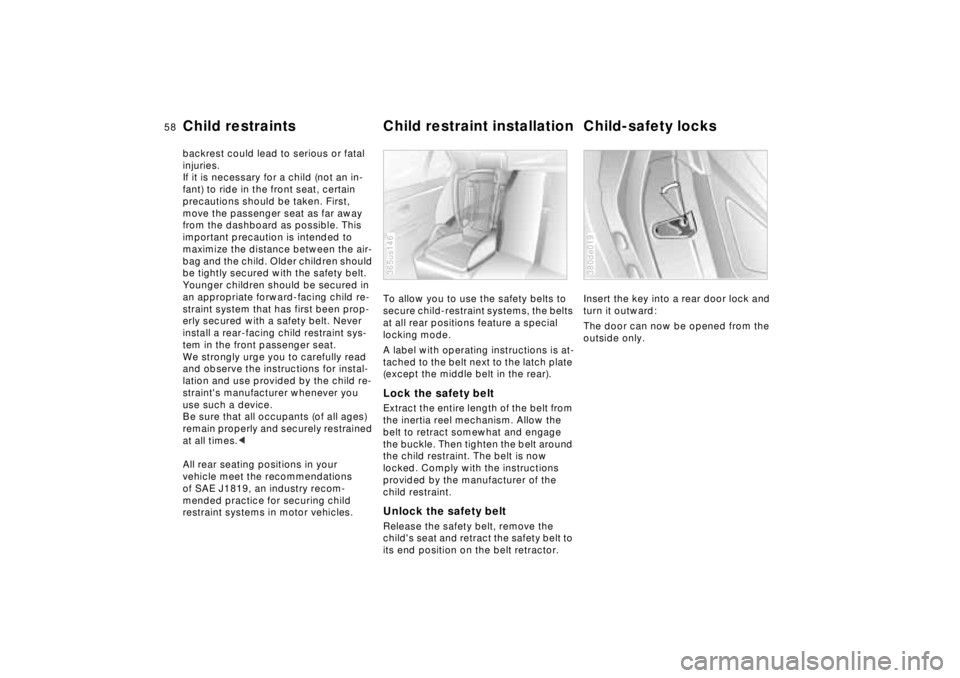
restraint systems in motor vehicles.To allow you to use the safety belts to
secure child-restraint systems, the belts
at all rear positions feature a special
locking mode.
A label with operating instructions is at-
tached to the belt next to the latch plate
(except the middle belt in the rear).
Lock the safety beltExtract the entire length of the belt from
the inertia reel mechanism. Allow the
belt to retract somewhat and engage
the buckle. Then tighten the belt around
the child restraint. The belt is now
locked. Comply with the instructions
provided by the manufacturer of the
child restraint.Unlock the safety beltRelease the safety belt, remove the
child's seat and retract the safety belt to
its end position on the belt retractor.365us146
Insert the key into a rear door lock and
turn it outward:
The door can now be opened from the
outside only.380de019
Page 60 of 211
59n
RepairsIndexOverview Controls Car care Technology Data
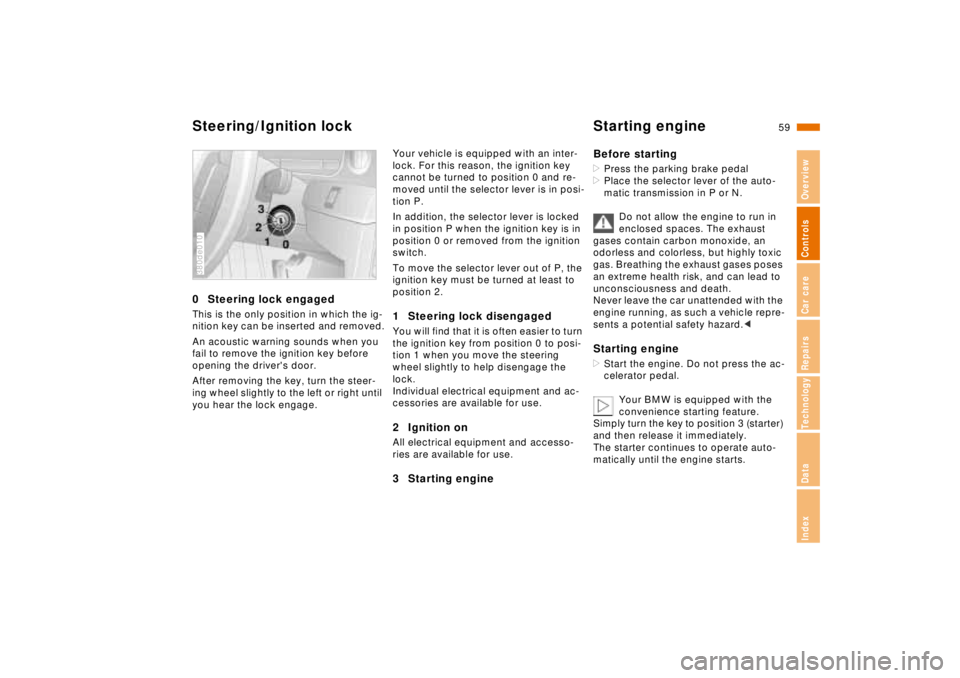
Steering/Ignition lock Starting engine0 Steering lock engagedThis is the only position in which the ig-
nition key can be inserted and removed.
An acoustic warning sounds when you
fail to remove the ignition key before
opening the driver's door.
After removing the key, turn the steer-
ing wheel slightly to the left or right until
you hear the lock engage.380de010
Your vehicle is equipped with an inter-
lock. For this reason, the ignition key
cannot be turned to position 0 and re-
moved until the selector lever is in posi-
tion P.
In addition, the selector lever is locked
in position P when the ignition key is in
position 0 or removed from the ignition
switch.
To move the selector lever out of P, the
ignition key must be turned at least to
position 2.1 Steering lock disengagedYou will find that it is often easier to turn
the ignition key from position 0 to posi-
tion 1 when you move the steering
wheel slightly to help disengage the
lock.
Individual electrical equipment and ac-
cessories are available for use.2 Ignition onAll electrical equipment and accesso-
ries are available for use.3 Starting engineBefore starting
>Press the parking brake pedal
>Place the selector lever of the auto-
matic transmission in P or N.
Do not allow the engine to run in
enclosed spaces. The exhaust
gases contain carbon monoxide, an
odorless and colorless, but highly toxic
gas. Breathing the exhaust gases poses
an extreme health risk, and can lead to
unconsciousness and death.
Never leave the car unattended with the
engine running, as such a vehicle repre-
sents a potential safety hazard.< Starting engine>Start the engine. Do not press the ac-
celerator pedal.
Your BMW is equipped with the
convenience starting feature.
Simply turn the key to position 3 (starter)
and then release it immediately.
The starter continues to operate auto-
matically until the engine starts.
Page 61 of 211

60n
Starting engine Switching off engineIf the battery's voltage is not adequate,
the automatic starting procedure is not
initiated, or it is interrupted. Should this
condition arise, it remains possible to
jump-start the engine (refer to page 17 9).
Do not allow the engine to warm up by
leaving it running while the vehicle re-
mains stationary. Instead, begin driving
immediately at a moderate engine
speed.<
Should the engine fail to start on the
first attempt (if it is very hot or cold, for
instance):
>Press the accelerator pedal halfway
down while engaging the starter.
BMW 740i/L:
Cold starts at extremely low tempera-
tures, from approx. +57 (–156)
and at elevations above 3300 feet
(1000 meters):
>Press the accelerator pedal halfway
down while engaging the starter.Engine idle speed is controlled by the
engine computer system. Increased
speeds at start-up are normal and
should decrease as the engine warms
up. If engine speed does not decrease,
service is required.
To prevent the battery from discharg-
ing, always switch off any electrical de-
vices not in use, as well as the ignition
when the vehicle is not being driven.Turn the ignition key to position 1 or 0.
The vehicle must be stationary
and the selector lever in "Park"
before you can remove the ignition key.
Always remove the ignition key and en-
gage the steering lock before leaving
the vehicle.<
Page 62 of 211
61n
RepairsIndexOverview Controls Car care Technology Data
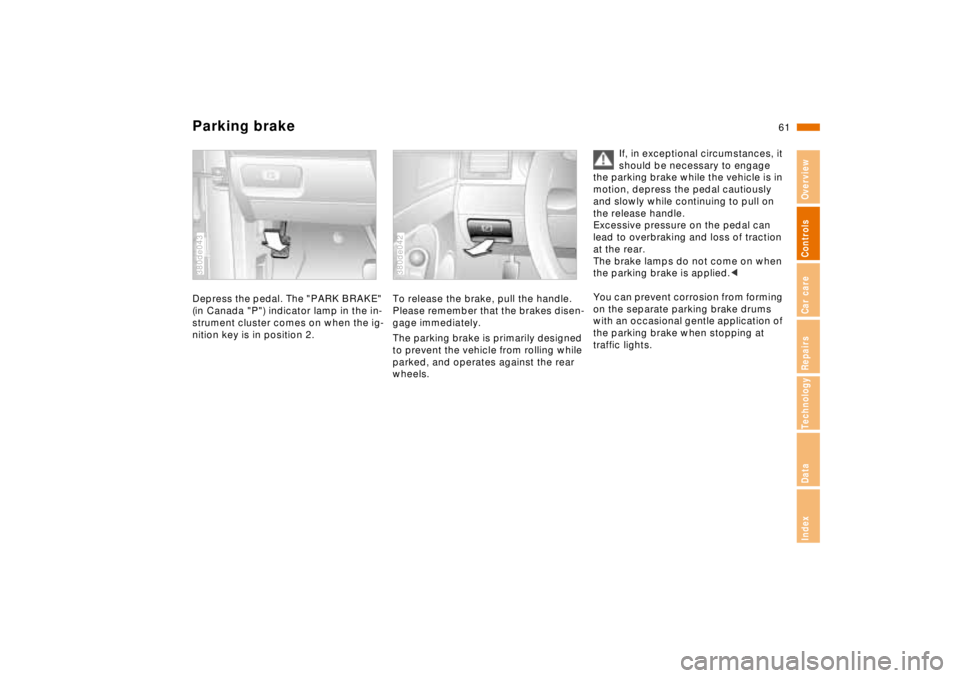
Parking brakeDepress the pedal. The "PARK BRAKE"
(in Canada "P") indicator lamp in the in-
strument cluster comes on when the ig-
nition key is in position 2.380de043
To release the brake, pull the handle.
Please remember that the brakes disen-
gage immediately.
The parking brake is primarily designed
to prevent the vehicle from rolling while
parked, and operates against the rear
wheels.380de042
If, in exceptional circumstances, it
should be necessary to engage
the parking brake while the vehicle is in
motion, depress the pedal cautiously
and slowly while continuing to pull on
the release handle.
Excessive pressure on the pedal can
lead to overbraking and loss of traction
at the rear.
The brake lamps do not come on when
the parking brake is applied.<
You can prevent corrosion from forming
on the separate parking brake drums
with an occasional gentle application of
the parking brake when stopping at
traffic lights.
Page 69 of 211
68n
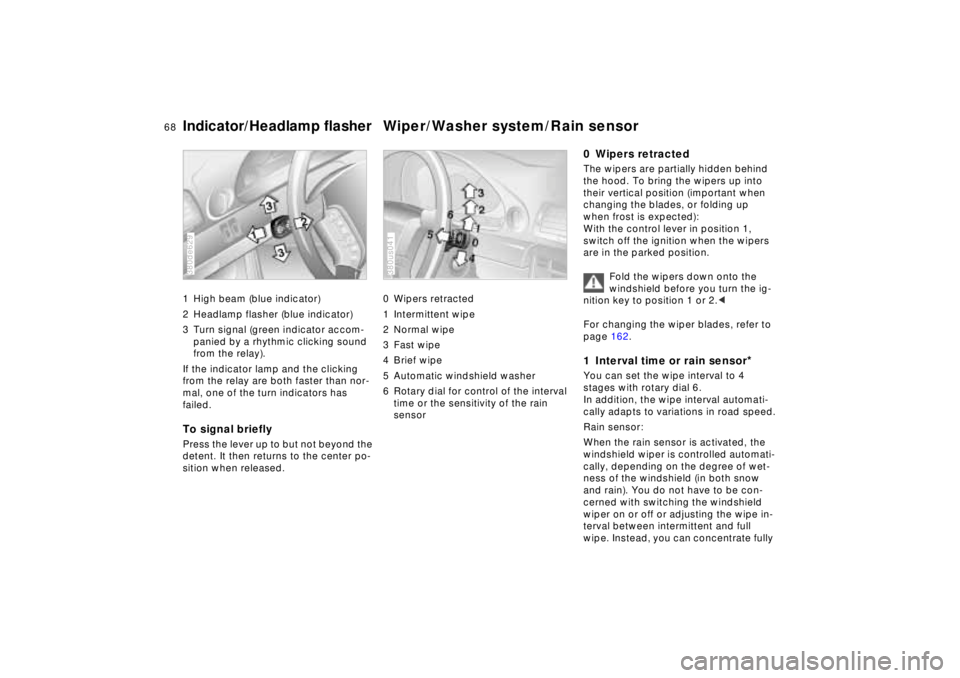
Indicator/Headlamp flasher Wiper/Washer system/Rain sensor1 High beam (blue indicator)
2 Headlamp flasher (blue indicator)
3 Turn signal (green indicator accom-
panied by a rhythmic clicking sound
from the relay).
If the indicator lamp and the clicking
from the relay are both faster than nor-
mal, one of the turn indicators has
failed.To signal brieflyPress the lever up to but not beyond the
detent. It then returns to the center po-
sition when released.380de629
0 Wipers retracted
1 Intermittent wipe
2 Normal wipe
3 Fast wipe
4 Brief wipe
5 Automatic windshield washer
6 Rotary dial for control of the interval
time or the sensitivity of the rain
sensor380us041
0 Wipers retractedThe wipers are partially hidden behind
the hood. To bring the wipers up into
their vertical position (important when
changing the blades, or folding up
when frost is expected):
With the control lever in position 1,
switch off the ignition when the wipers
are in the parked position.
Fold the wipers down onto the
windshield before you turn the ig-
nition key to position 1 or 2.<
For changing the wiper blades, refer to
page 162.1 Interval time or rain sensor
*
You can set the wipe interval to 4
stages with rotary dial 6.
In addition, the wipe interval automati-
cally adapts to variations in road speed.
Rain sensor:
When the rain sensor is activated, the
windshield wiper is controlled automati-
cally, depending on the degree of wet-
ness of the windshield (in both snow
and rain). You do not have to be con-
cerned with switching the windshield
wiper on or off or adjusting the wipe in-
terval between intermittent and full
wipe. Instead, you can concentrate fully
Page 70 of 211

69n
RepairsIndexOverview Controls Car care Technology Data
Wiper/Washer systemon the traffic conditions. This is espe-
cially important under adverse weather
conditions.
To activate the rain sensor:
From ignition key position 1 and up,
move the lever to position 1. The wipers
travel once across the windshield, re-
gardless of the weather.
You can leave the lever permanently in
position 1. It is then only necessary to
activate the rain sensor from ignition
key position 1 and up. To do this
>turn rotary dial 7 briefly or
>use either the automatic windshield
washer 5 or the automatic intensive
washer 6.
To modify the sensitivity of the rain
sensor:
Turn rotary dial 7.
Turn the rain sensor off in auto-
matic car washes.
If you do not, damage may occur if the
wipers switch on unintentionally.<
2 Normal wiper speedWhen the vehicle is stationary, the wip-
ers switch automatically to intermittent
wipe (not on vehicles with rain sensor).3 Fast wiper speedWhen the vehicle is stationary, the wip-
ers operate at normal speed (not on ve-
hicles with rain sensor).5 Automatic windshield washerThe system sprays washer fluid against
the windshield and activates the wipers
for a brief period.
If you only pull the lever briefly, the sys-
tem sprays washer fluid onto the wind-
shield without activating the wipers.Headlamp washers
*
If they are on, the headlamps will also
be cleaned every fifth time you activate
the automatic windshield washer.Do not use the washers if there is
any danger that the fluid will
freeze on the windshield, otherwise vi-
sion could be obscured. For this rea-
son, use an antifreeze agent. Refer to
page 142.
Do not use the washers when the reser-
voir is empty, since this could cause
damage to the washer pump.<
Windshield washer jetsThe windshield washer jets and the
windshield in the wiper sweep area are
defrosted automatically when the igni-
tion key is in position 2.
Page 71 of 211
70n
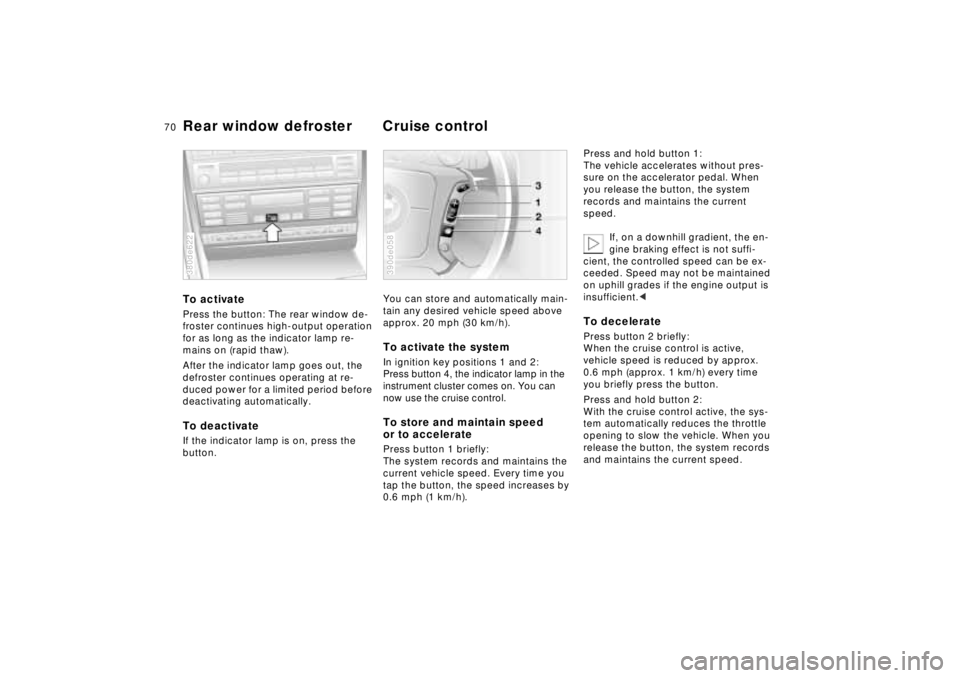
Rear window defroster Cruise controlTo activatePress the button: The rear window de-
froster continues high-output operation
for as long as the indicator lamp re-
mains on (rapid thaw).
After the indicator lamp goes out, the
defroster continues operating at re-
duced power for a limited period before
deactivating automatically.To deactivateIf the indicator lamp is on, press the
button.380de622
You can store and automatically main-
tain any desired vehicle speed above
approx. 20 mph (30 km/h).To activate the system In ignition key positions 1 and 2:
Press button 4, the indicator lamp in the
instrument cluster comes on. You can
now use the cruise control.To store and maintain speed
or to acceleratePress button 1 briefly:
The system records and maintains the
current vehicle speed. Every time you
tap the button, the speed increases by
0.6 mph (1 km/h).390de058
Press and hold button 1:
The vehicle accelerates without pres-
sure on the accelerator pedal. When
you release the button, the system
records and maintains the current
speed.
If, on a downhill gradient, the en-
gine braking effect is not suffi-
cient, the controlled speed can be ex-
ceeded. Speed may not be maintained
on uphill grades if the engine output is
insufficient.< To deceleratePress button 2 briefly:
When the cruise control is active,
vehicle speed is reduced by approx.
0.6 mph (approx. 1 km/h) every time
you briefly press the button.
Press and hold button 2:
With the cruise control active, the sys-
tem automatically reduces the throttle
opening to slow the vehicle. When you
release the button, the system records
and maintains the current speed.
Page 72 of 211

71n
RepairsIndexOverview Controls Car care Technology Data
Cruise controlTo cancel the cruise controlWhen the system is activated, press
and hold button 4. The indicator lamp
stays on. You can use the cruise control
again as desired.
In addition, cruise control is canceled
automatically:
>When you apply pressure to the
brake pedal
>If the automatic transmission selector
lever is moved from "D" to "N"
>If you exceed or fall below the pro-
grammed speed for an extended pe-
riod (by depressing the accelerator,
for example).To resume the stored settingPress button 3:
The vehicle accelerates to and main-
tains the last speed stored. When you
turn the ignition key to position 0, the
stored speed is deleted from the sys-
tem's memory and the system is deacti-
vated.
To deactivate the systemWhen the cruise control has been can-
celed, press button 4 again. The indica-
tor lamp goes off and the memorized
speed is canceled.Do not use cruise control on twist-
ing roads, when high traffic den-
sity prevents driving at a constant
speed, when the road surface is slick
(snow, rain, ice), or when the road sur-
face is loose (rocks or gravel, sand).<
Page 73 of 211
72n
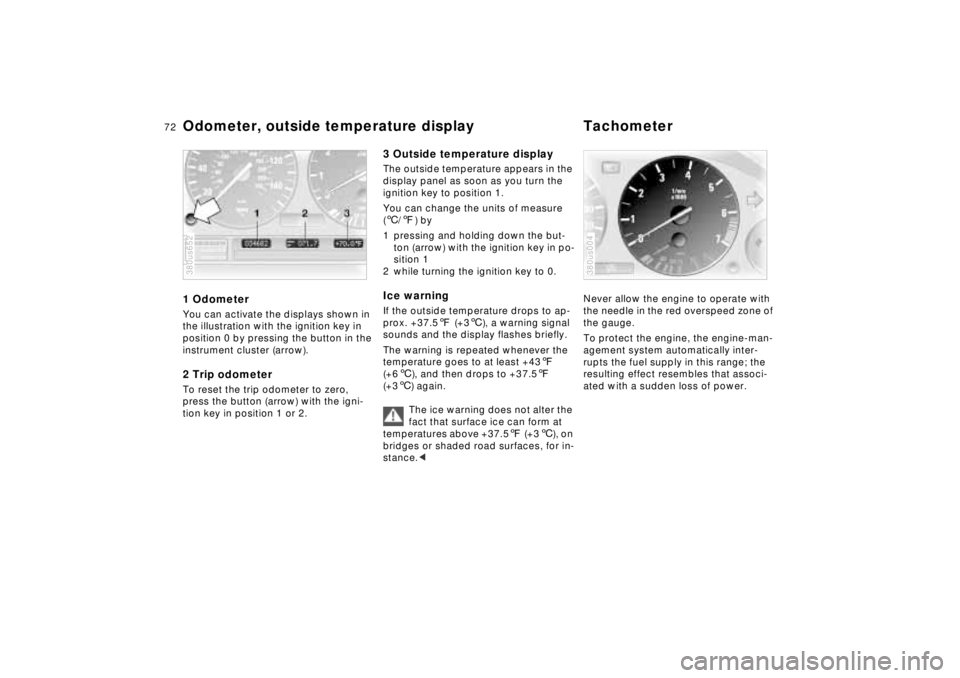
Odometer, outside temperature display Tachometer1 OdometerYou can activate the displays shown in
the illustration with the ignition key in
position 0 by pressing the button in the
instrument cluster (arrow).2 Trip odometerTo reset the trip odometer to zero,
press the button (arrow) with the igni-
tion key in position 1 or 2.380us652
3 Outside temperature displayThe outside temperature appears in the
display panel as soon as you turn the
ignition key to position 1.
You can change the units of measure
(6/7) by
1 pressing and holding down the but-
ton (arrow) with the ignition key in po-
sition 1
2 while turning the ignition key to 0.Ice warningIf the outside temperature drops to ap-
prox. +37.57 (+36), a warning signal
sounds and the display flashes briefly.
The warning is repeated whenever the
temperature goes to at least +437
(+66), and then drops to +37.57
(+36) again.
The ice warning does not alter the
fact that surface ice can form at
temperatures above +37.57 (+36), on
bridges or shaded road surfaces, for in-
stance.<
Never allow the engine to operate with
the needle in the red overspeed zone of
the gauge.
To protect the engine, the engine-man-
agement system automatically inter-
rupts the fuel supply in this range; the
resulting effect resembles that associ-
ated with a sudden loss of power.380us004
Page 76 of 211
75n
RepairsIndexOverview Controls Car care Technology Data
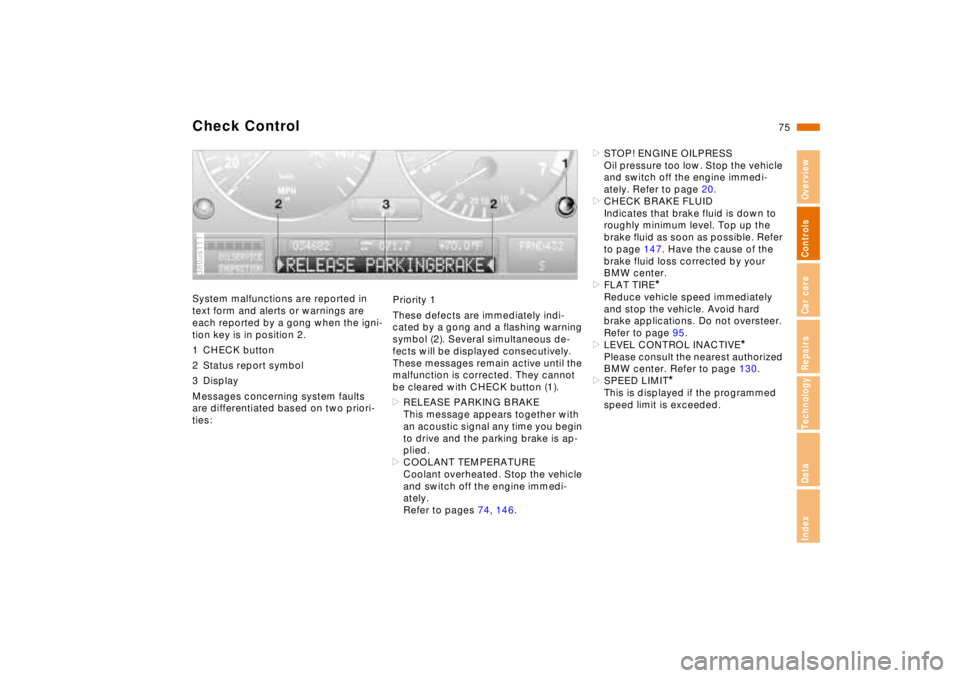
Check ControlSystem malfunctions are reported in
text form and alerts or warnings are
each reported by a gong when the igni-
tion key is in position 2.
1 CHECK button
2 Status report symbol
3 Display
Messages concerning system faults
are differentiated based on two priori-
ties:380us111
Priority 1
These defects are immediately indi-
cated by a gong and a flashing warning
symbol (2). Several simultaneous de-
fects will be displayed consecutively.
These messages remain active until the
malfunction is corrected. They cannot
be cleared with CHECK button (1).
>RELEASE PARKING BRAKE
This message appears together with
an acoustic signal any time you begin
to drive and the parking brake is ap-
plied.
>COOLANT TEMPERATURE
Coolant overheated. Stop the vehicle
and switch off the engine immedi-
ately.
Refer to pages 74, 146.>STOP! ENGINE OILPRESS
Oil pressure too low. Stop the vehicle
and switch off the engine immedi-
ately. Refer to page 20.
>CHECK BRAKE FLUID
Indicates that brake fluid is down to
roughly minimum level. Top up the
brake fluid as soon as possible. Refer
to page 147. Have the cause of the
brake fluid loss corrected by your
BMW center.
>FLAT TIRE
*
Reduce vehicle speed immediately
and stop the vehicle. Avoid hard
brake applications. Do not oversteer.
Refer to page 95.
>LEVEL CONTROL INACTIVE
*
Please consult the nearest authorized
BMW center. Refer to page 130.
>SPEED LIMIT
*
This is displayed if the programmed
speed limit is exceeded.