key BMW 740I 1998 Workshop Manual
[x] Cancel search | Manufacturer: BMW, Model Year: 1998, Model line: 740I, Model: BMW 740I 1998Pages: 211, PDF Size: 1.68 MB
Page 107 of 211
106n
Seat heating
*
Steering wheel heating
*
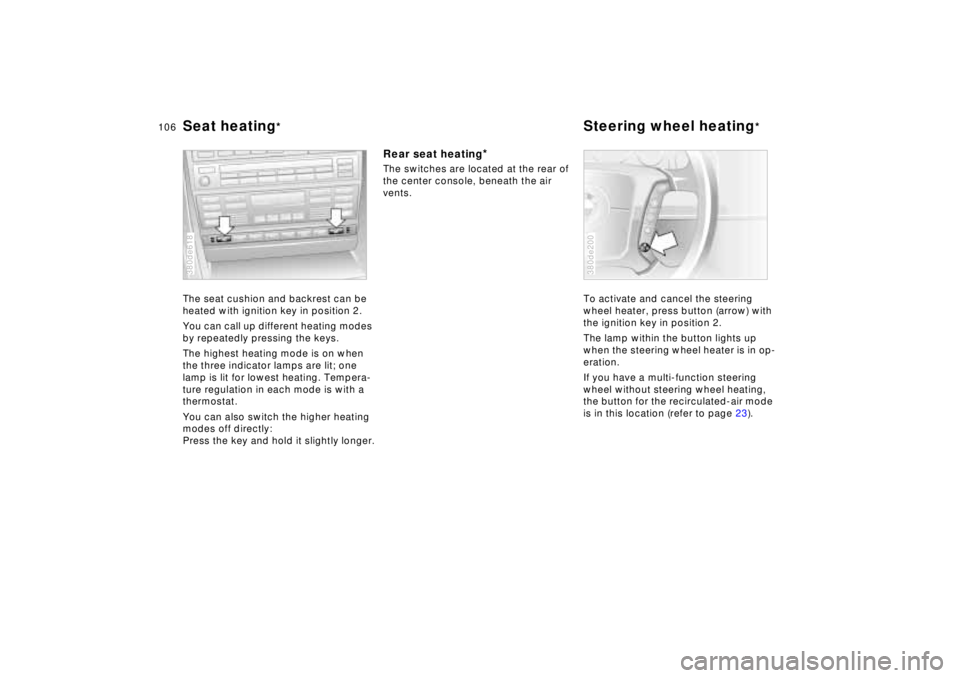
The seat cushion and backrest can be
heated with ignition key in position 2.
You can call up different heating modes
by repeatedly pressing the keys.
The highest heating mode is on when
the three indicator lamps are lit; one
lamp is lit for lowest heating. Tempera-
ture regulation in each mode is with a
thermostat.
You can also switch the higher heating
modes off directly:
Press the key and hold it slightly longer.380de618
Rear seat heating
*
The switches are located at the rear of
the center console, beneath the air
vents.
To activate and cancel the steering
wheel heater, press button (arrow) with
the ignition key in position 2.
The lamp within the button lights up
when the steering wheel heater is in op-
eration.
If you have a multi-function steering
wheel without steering wheel heating,
the button for the recirculated-air mode
is in this location (refer to page 23).
380de200
Page 108 of 211
107n
RepairsIndexOverview Controls Car care Technology Data
Roller sun blind
*
Independent ventilation system
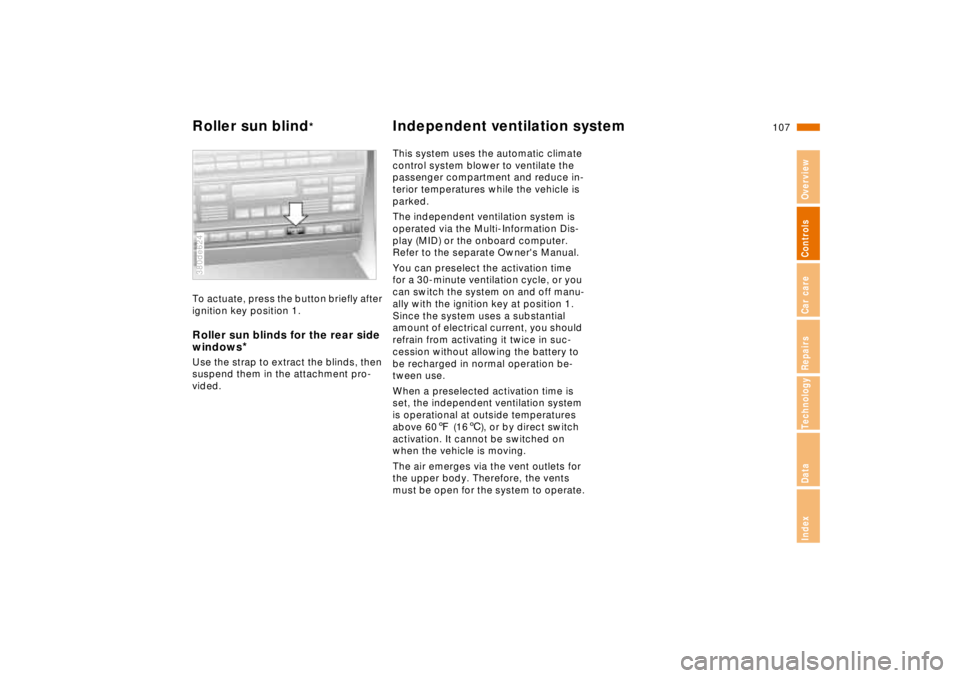
To actuate, press the button briefly after
ignition key position 1.Roller sun blinds for the rear side
windows
*
Use the strap to extract the blinds, then
suspend them in the attachment pro-
vided.380de624
This system uses the automatic climate
control system blower to ventilate the
passenger compartment and reduce in-
terior temperatures while the vehicle is
parked.
The independent ventilation system is
operated via the Multi-Information Dis-
play (MID) or the onboard computer.
Refer to the separate Owner's Manual.
You can preselect the activation time
for a 30-minute ventilation cycle, or you
can switch the system on and off manu-
ally with the ignition key at position 1.
Since the system uses a substantial
amount of electrical current, you should
refrain from activating it twice in suc-
cession without allowing the battery to
be recharged in normal operation be-
tween use.
When a preselected activation time is
set, the independent ventilation system
is operational at outside temperatures
above 607 (166), or by direct switch
activation. It cannot be switched on
when the vehicle is moving.
The air emerges via the vent outlets for
the upper body. Therefore, the vents
must be open for the system to operate.
Page 109 of 211

108n
Integrated Universal Remote Control
*
The conceptThe Integrated Universal Remote Con-
trol replaces up to three hand-held
transmitters of different devices such as
garage-door openers, alarm systems,
or door locking systems. The Integrated
Universal Remote Control recognizes
and "learns" the transmitted signal of
each of the original hand-held transmit-
ters.
The signal of an original hand-held
transmitter can be programmed on one
of the three channel keys. Following
that, each of the devices can be actu-
ated with the appropriately-program-
med channel key. Transmission of the
signal is signaled by the indicator lamp.
If the vehicle is sold, the memory of the
channel keys should be cleared as de-
scribed on page 110.
During programming and before
every remote actuation of a pro-
grammed device by the Integrated Uni-
versal Remote Control, check to be
sure that there are no persons, animals
or objects within the actuation range of
the device in order to prevent possible
injuries or damage. Also, comply with
the safety precautions of the original
hand-held transmitter.<
To Canadian residents:
During programming, your hand-
held transmitter may automatically stop
transmitting after two seconds, which
may not be long enough to program the
BMW Universal Transmitter. If you are
programming from one of these hand-
held transmitters, the Universal Trans-
mitter's light may begin to flash in a se-
ries of double-blinks. If this occurs,
continue to hold the button on the Uni-
versal Transmitter while you reactivate
your hand-held transmitter. You may
have to repeat this function several
times while programming.<
Before programming, read the
"User information" section on
page 110.<
Original hand-held transmitter
If this symbol is present on the
packaging or in the instructions
of the original hand-held trans-
mitter, it may be assumed that this
hand-held transmitter is compatible
with the Integrated Universal Remote
Control.
Checking for the conversion codeTo determine whether the original
hand-held transmitter is provided with a
conversion-code system, you may ei-
ther read the instructions for the original
hand-held transmitter or program a
channel key as described on page 109
(left-hand column under "Program-
ming").
Then press and hold the programmed
channel key of the Integrated Universal
Remote Control. If the indicator lamp of
the Integrated Universal Remote Con-
trol flashes for two seconds and then
comes on steadily, the original hand-
held transmitter is provided with a con-
version-code system. With a conver-
sion-code system, program the channel
keys as described on page 109 (right-
hand column under "Programming a
hand-held transmitter with conversion
code").
If you have additional questions,
please consult your BMW center
or call 1-800-355-3515.<
Page 110 of 211
109n
RepairsIndexOverview Controls Car care Technology Data
Integrated Universal Remote Control
*
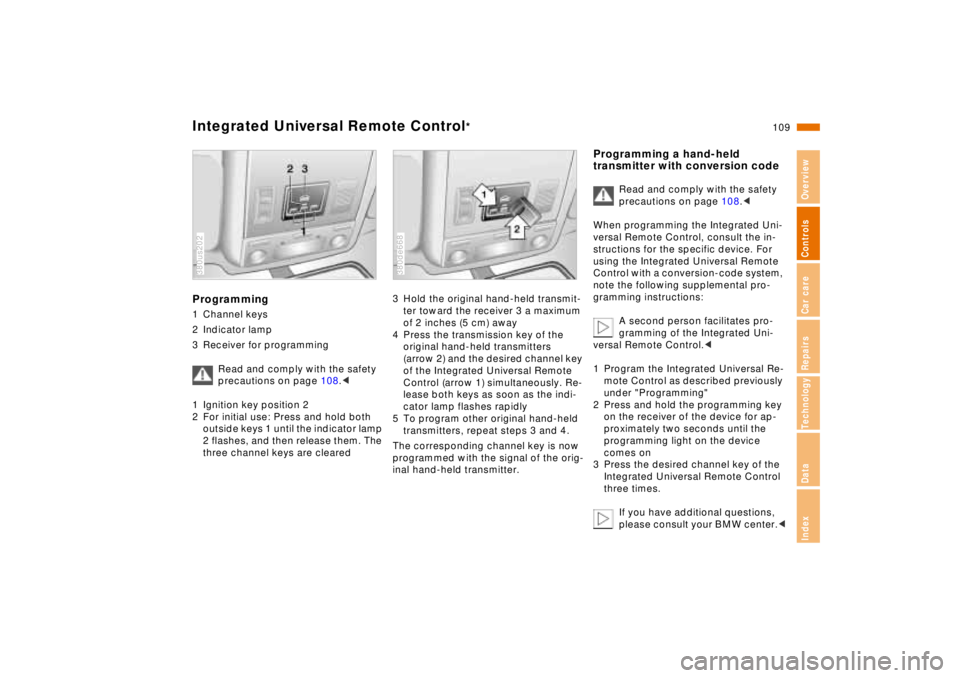
Programming1 Channel keys
2 Indicator lamp
3 Receiver for programming
Read and comply with the safety
precautions on page 108.<
1 Ignition key position 2
2 For initial use: Press and hold both
outside keys 1 until the indicator lamp
2 flashes, and then release them. The
three channel keys are cleared380us202
3 Hold the original hand-held transmit-
ter toward the receiver 3 a maximum
of 2 inches (5 cm) away
4 Press the transmission key of the
original hand-held transmitters
(arrow 2) and the desired channel key
of the Integrated Universal Remote
Control (arrow 1) simultaneously. Re-
lease both keys as soon as the indi-
cator lamp flashes rapidly
5 To program other original hand-held
transmitters, repeat steps 3 and 4.
The corresponding channel key is now
programmed with the signal of the orig-
inal hand-held transmitter.380de668
Programming a hand-held
transmitter with conversion code
Read and comply with the safety
precautions on page 108.<
When programming the Integrated Uni-
versal Remote Control, consult the in-
structions for the specific device. For
using the Integrated Universal Remote
Control with a conversion-code system,
note the following supplemental pro-
gramming instructions:
A second person facilitates pro-
gramming of the Integrated Uni-
versal Remote Control.<
1 Program the Integrated Universal Re-
mote Control as described previously
under "Programming"
2 Press and hold the programming key
on the receiver of the device for ap-
proximately two seconds until the
programming light on the device
comes on
3 Press the desired channel key of the
Integrated Universal Remote Control
three times.
If you have additional questions,
please consult your BMW center.<
Page 111 of 211
110n
Integrated Universal Remote Control
*
Glove compartment
Clearing the channel keys
Read and comply with the safety
precautions on page 108.<
The memory of individual channel keys
cannot be deleted. However, the three
channel keys can be cleared together
as follows:
>Press and hold both outside keys of
the Integrated Universal Remote
Control until the indicator lamp
flashes, and then release them.
All of the channel keys are cleared.
User informationDo not use this BMW Universal Trans-
mitter with any garage door opener that
lacks safety "stop" and "reverse" fea-
tures as required by federal safety stan-
dards (this includes any garage door
opener model manufactured before
April 1, 1982).
This device complies with Section 15 of
the FCC Rules. Operation is subject to
the following two conditions: As defined
in the regulations, this device must not
emit harmful interference, and must be
shielded against interference from ex-
ternal sources to prevent unauthorized
or inadvertent activation.
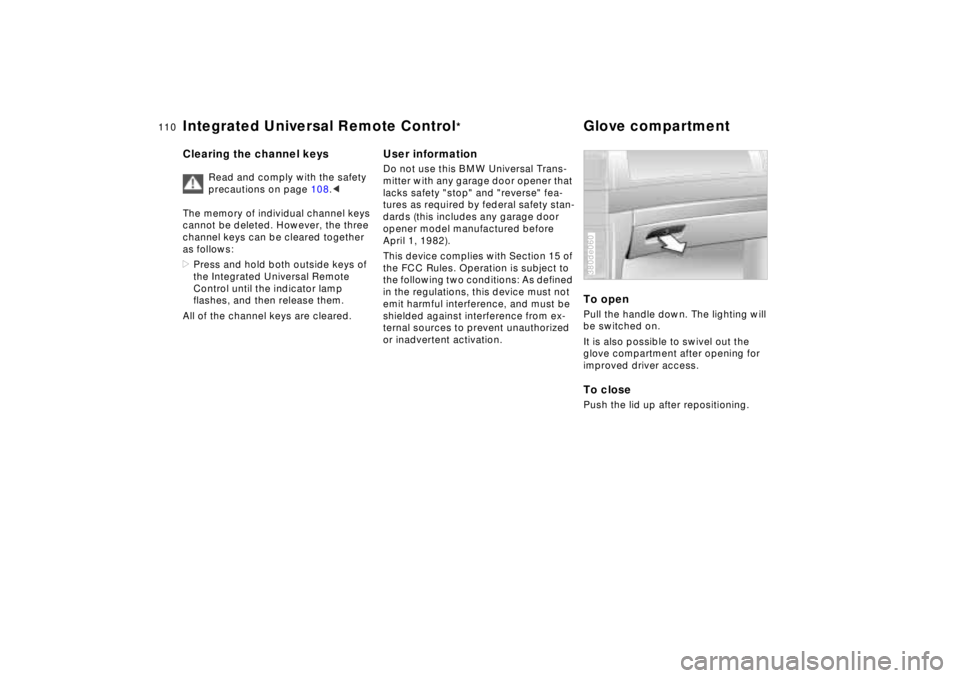
To openPull the handle down. The lighting will
be switched on.
It is also possible to swivel out the
glove compartment after opening for
improved driver access.To closePush the lid up after repositioning.380de060
Page 112 of 211
111n
RepairsIndexOverview Controls Car care Technology Data
Glove compartment Center armrestsTo lockLock with a master key or manually
press the small lever behind the glove
compartment latch to the right.
For example, if you turn over only
your door and ignition keys for va-
let parking (refer to page 30), access to
the glove compartment is not possible.<
To prevent injury in the event of an
accident, close the glove com-
partment immediately after use.<
Rechargeable flashlightLocated on the left-hand side of the
glove compartment.
Features integral overload-protection,
so it can be left in its holder continu-
ously.
Be sure that the flashlight is
switched off when it is inserted
into its holder. Failure to comply with
this precaution could lead to overcharg-
ing and damage.<
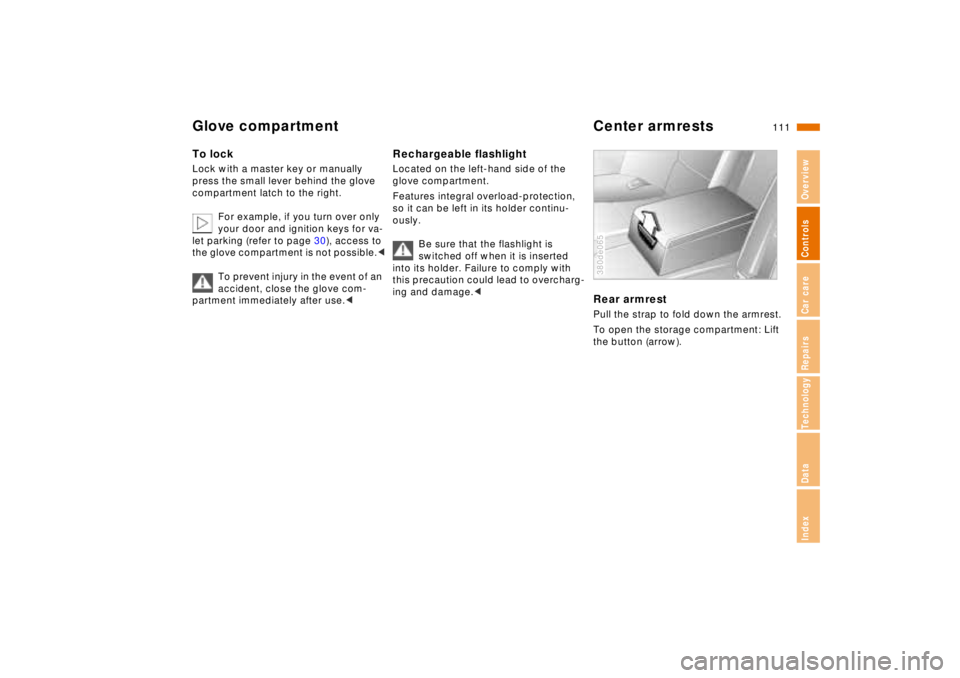
Rear armrestPull the strap to fold down the armrest.
To open the storage compartment: Lift
the button (arrow).380de065
Page 116 of 211
115n
RepairsIndexOverview Controls Car care Technology Data
Cigarette lighter
*
Rear foot rests
*
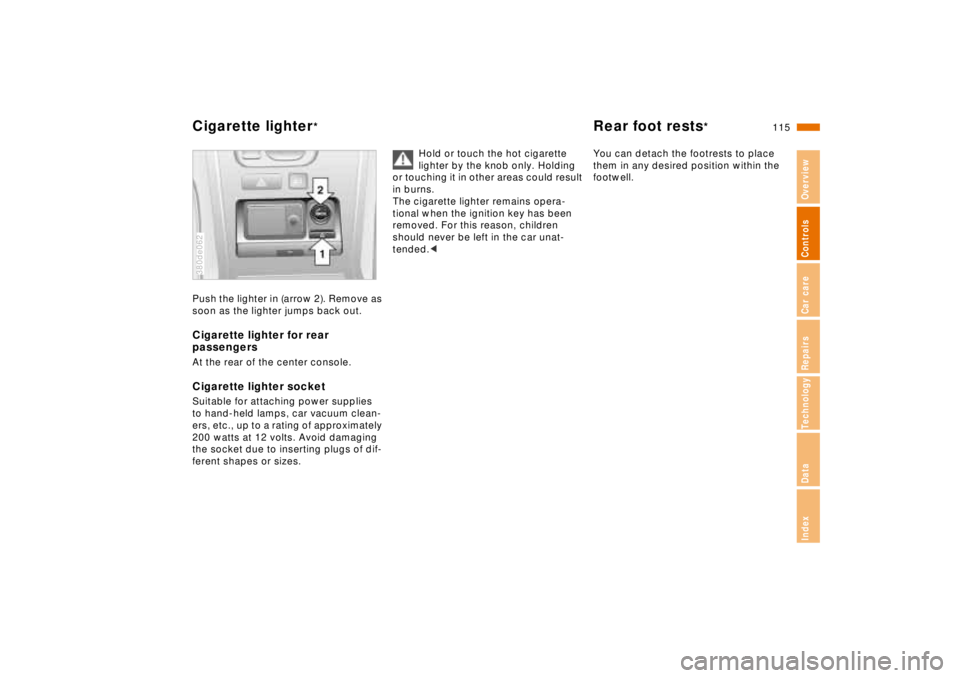
Push the lighter in (arrow 2). Remove as
soon as the lighter jumps back out.Cigarette lighter for rear
passengersAt the rear of the center console.Cigarette lighter socketSuitable for attaching power supplies
to hand-held lamps, car vacuum clean-
ers, etc., up to a rating of approximately
200 watts at 12 volts. Avoid damaging
the socket due to inserting plugs of dif-
ferent shapes or sizes.380de062
Hold or touch the hot cigarette
lighter by the knob only. Holding
or touching it in other areas could result
in burns.
The cigarette lighter remains opera-
tional when the ignition key has been
removed. For this reason, children
should never be left in the car unat-
tended.<
You can detach the footrests to place
them in any desired position within the
footwell.
Page 169 of 211
168n
Remote controlChanging batteryReplace the battery when the message
"REMOTE KEY BATTERY" appears in
the Check Control. The LED no longer
lights up when a button is pressed and
it is no longer possible to lock the car
using the remote key.
Install only a battery of the type that is
specified in the battery compartment
(CR 2016). Be sure the battery is in-
stalled in the correct position.
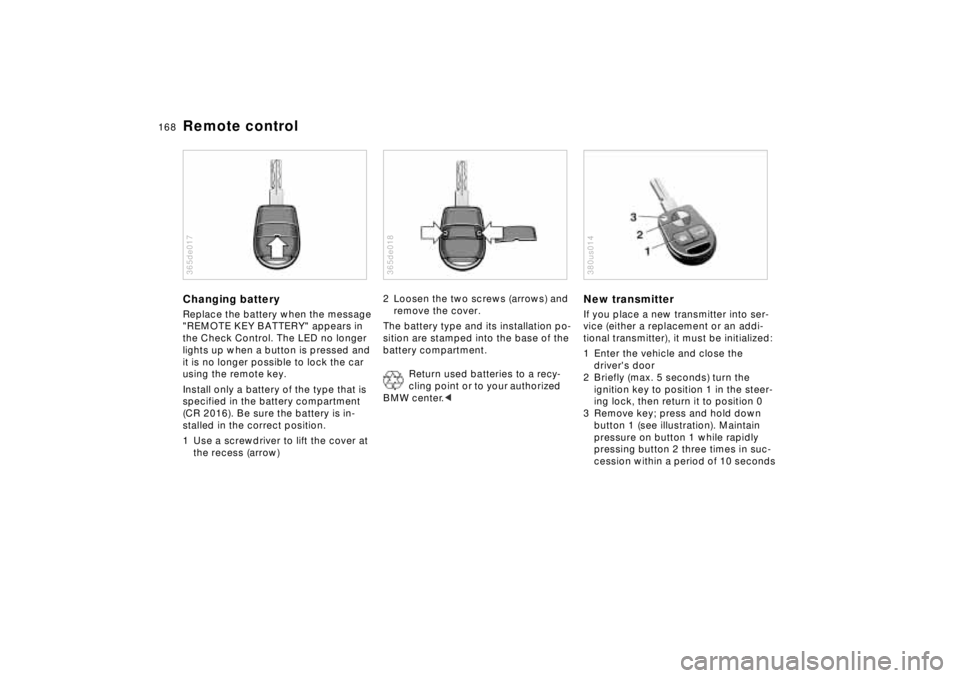
1 Use a screwdriver to lift the cover at
the recess (arrow)365de017
2 Loosen the two screws (arrows) and
remove the cover.
The battery type and its installation po-
sition are stamped into the base of the
battery compartment.
Return used batteries to a recy-
cling point or to your authorized
BMW center.< 365de018
New transmitterIf you place a new transmitter into ser-
vice (either a replacement or an addi-
tional transmitter), it must be initialized:
1 Enter the vehicle and close the
driver's door
2 Briefly (max. 5 seconds) turn the
ignition key to position 1 in the steer-
ing lock, then return it to position 0
3 Remove key; press and hold down
button 1 (see illustration). Maintain
pressure on button 1 while rapidly
pressing button 2 three times in suc-
cession within a period of 10 seconds380us014
Page 170 of 211

169n
RepairsIndexOverview Controls Car care Technology Data
Remote control4 Release button 1, LED 3 will flash
slowly for a maximum of 10 seconds
5 The central locking system activates
and releases all lock mechanisms in
rapid succession to indicate that the
initialization procedure has been
successfully completed.
If the LED does not flash or the central
locking system fails to respond, you
must repeat the initialization procedure.
If you possess additional transmitters
for your vehicle (up to a maximum
of four units), you must now initialize
these as well. Be sure that no more
than 30 seconds is allowed to elapse
between the individual initialization pro-
cedures. Do not actuate the steering
lock during this time.
In the event of a system malfunction,
please contact your authorized BMW
center, who can also provide you with
replacement transmitters.To prevent unauthorized use of the
transmitter, surrender only the
door and ignition key or the spare key
(refer to page 30) for valet parking).<
Page 171 of 211
170n
Changing tires
Safety measures in the event of a
flat tire or wheel change:
Stop the vehicle as far as possible from
passing traffic. Park on a firm, flat, sur-
face.
Switch on the hazard flashers.
Turn the steering wheel to the straight-
ahead position, remove the key and en-
gage the steering lock. Make sure that
the selector lever is in Park, and engage
the parking brake.
All passengers should be outside the
car and well away from your immediate
working area (for instance, behind a
guardrail).
If a warning triangle or portable hazard
warning lamp is available, set it up on
the roadside at an appropriate distance
from the rear of the vehicle.
Comply with all safety guidelines and
regulations.
Change the wheel only on a level, firm
surface which is not slippery. Avoid
jacking the car on a soft or slippery sup-
port surface (snow, ice, loose gravel,
etc.), since it could slide sideways.
Position the jack on a firm support sur-
face.
Do not place wooden blocks or similar
objects under the jack. If this is done,
the jack might not be able to reach its
full support capacity because of the
limited height. Do not lie under the vehi-
cle or start the engine when the vehicle
is supported by the jack - risk of fatal
injury.<
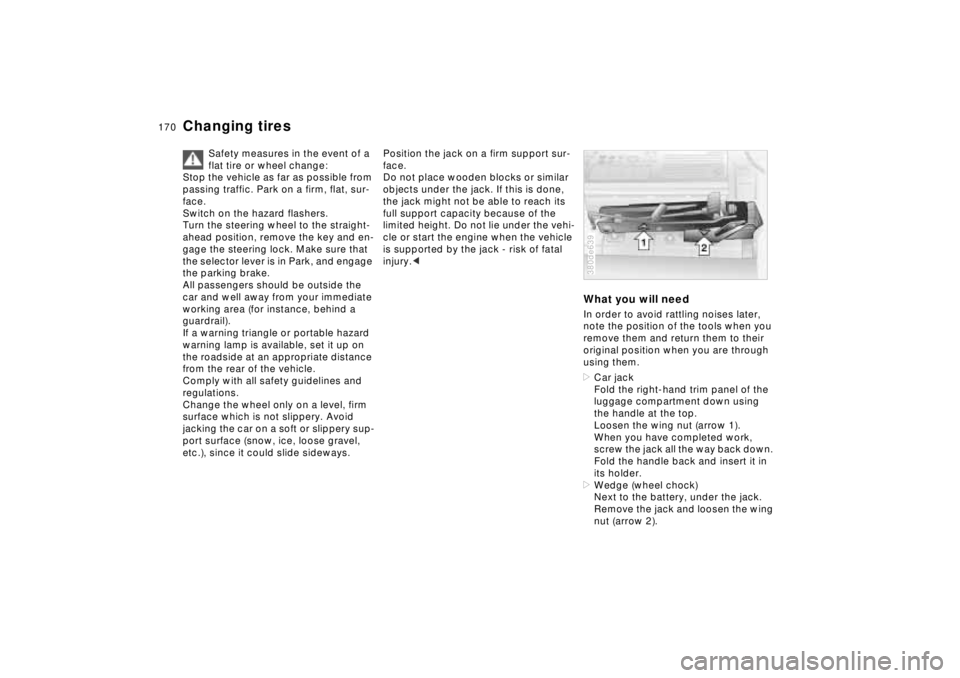
What you will needIn order to avoid rattling noises later,
note the position of the tools when you
remove them and return them to their
original position when you are through
using them.
>Car jack
Fold the right-hand trim panel of the
luggage compartment down using
the handle at the top.
Loosen the wing nut (arrow 1).
When you have completed work,
screw the jack all the way back down.
Fold the handle back and insert it in
its holder.
>Wedge (wheel chock)
Next to the battery, under the jack.
Remove the jack and loosen the wing
nut (arrow 2).380de639