navigation system BMW 745LI SEDAN 2002 User Guide
[x] Cancel search | Manufacturer: BMW, Model Year: 2002, Model line: 745LI SEDAN, Model: BMW 745LI SEDAN 2002Pages: 208, PDF Size: 6.33 MB
Page 30 of 208

At a glanceControlsDriving tipsCommunicationsNavigationEntertainmentMobilityReference
29
Brief commandsFunction
Command
To switch on mobile
phone>>Telephone on<<
Redialing >>Redial<<
To select from the
phone directory>>Dial name<<
Dial telephone
number>>Dial (telephone) number<<
To add new entry >>Save name<<
To display the entry >>Read out telephone book<<
Delete entry >>Edit telephone book<<
To deactivate voice
messages from
system>>Message (output) off<<
To activate voice
messages from
system>>Message (output) on<<
To repeat previous
navigation guid-
ance instructions>>Repeat message (output)<<
Destination entry
submenu>>(Navigation) destination entry<<
Select destination >>Select destination<<
To change scale >>(Change) scale<<
Starting the desti-
nation guidance
system>>Route guidance (on)<<
You are searching
for a destination,
but do not know the
exact address>>(Navigation) information<<
To request
addresses>>(Navigation) address book<<
Map display >>Map<<
To switch off audio
source>>Audio off<<
To switch on radio >>Radio on<<
Selecting radio
stations>>(Radio) frequency selection<<, >>Frequence selection<<,
>>Frequency input<<
Page 36 of 208
At a glanceControlsDriving tipsCommunicationsNavigationEntertainmentMobilityReference
35
Central locking system The concept The central locking system is ready for
operation whenever the driver's door is
closed. This simultaneously engages and
releases the locks on the following:
>Doors
>Luggage compartment lid
>Fuel filler door.
The central locking system can be oper-
ated
>from outside via the remote control as
well as via the driver's door lock
>from inside via the button for the central
locking system.
When the system is locked from inside, the
fuel filler door remains unlocked, refer to
page 37.
The anti-theft system is automatically
armed whenever you activate the central
locking system from outside the vehicle.
The alarm system is armed/deactivated at
the same time.
In the event of an accident, the central
locking system unlocks automatically (only
those doors which were not locked sepa-
rately with the safety lock buttons). Refer to
page 38. In addition, the hazard warning
flashers and interior lamps come on.Opening and closing Ð from
outside Using the remote control The remote control makes opening and
closing the doors of your vehicle very
convenient. Furthermore, it provides three
additional functions which you can only
execute via the remote control:
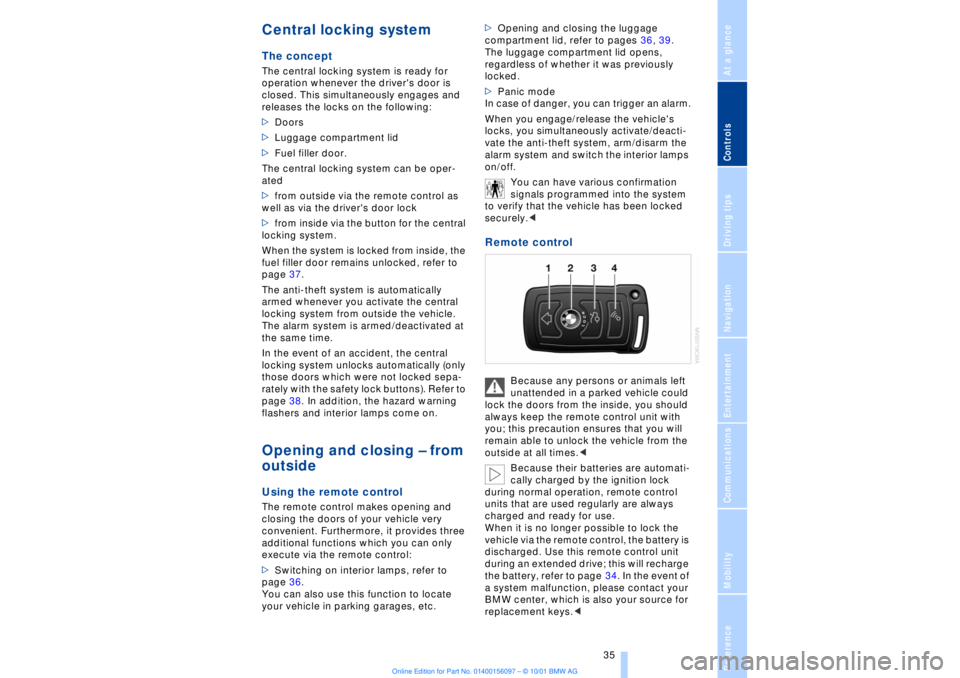
>Switching on interior lamps, refer to
page 36.
You can also use this function to locate
your vehicle in parking garages, etc. >Opening and closing the luggage
compartment lid, refer to pages 36, 39.
The luggage compartment lid opens,
regardless of whether it was previously
locked.
>Panic mode
In case of danger, you can trigger an alarm.
When you engage/release the vehicle's
locks, you simultaneously activate/deacti-
vate the anti-theft system, arm/disarm the
alarm system
and switch the interior lamps
on/off.
You can have various confirmation
signals programmed into the system
to verify that the vehicle has been locked
securely.<
Remote control
Because any persons or animals left
unattended in a parked vehicle could
lock the doors from the inside, you should
always keep the remote control unit with
you; this precaution ensures that you will
remain able to unlock the vehicle from the
outside at all times.<
Because their batteries are automati-
cally charged by the ignition lock
during normal operation, remote control
units that are used regularly are always
charged and ready for use.
When it is no longer possible to lock the
vehicle via the remote control, the battery is
discharged. Use this remote control unit
during an extended drive; this will recharge
the battery, refer to page 34. In the event of
a system malfunction, please contact your
BMW center, which is also your source for
replacement keys.<
Page 38 of 208
At a glanceControlsDriving tipsCommunicationsNavigationEntertainmentMobilityReference
37
Compliance statement:
This device complies with part 15 of the
FCC Rules. Operation is subject to the
following two conditions:
>This device may not cause harmful inter-
ference, and
>this device must accept any interference
received, including interference that may
cause undesired operation.
Any unauthorized modifications or
changes to these devices could void
the user's authority to operate this equip-
ment.
Turning the key a second time unlocks all of
the remaining doors, the luggage compart-
ment lid and the fuel filler door.
You can have a signal set as an
acknowledgment message that the
vehicle is closed correctly.< Convenience operation You also have the option of operating the
windows and the sliding/tilt sunroof from
the driver's door lock.
>To open:
With the door closed, turn the key to the
"unlock" position and hold it there
>To close:
With the door closed, turn the key to the
"lock" position and hold it there.
Watch during the closing process to
be sure that no one is injured.
Releasing the key stops the operation.<
Manual operation (in the event of an electrical malfunction)
You can turn the key all the way to the right
or left in the door lock or engage or release
the locking mechanism in the driver's door. Opening and closing Ð from
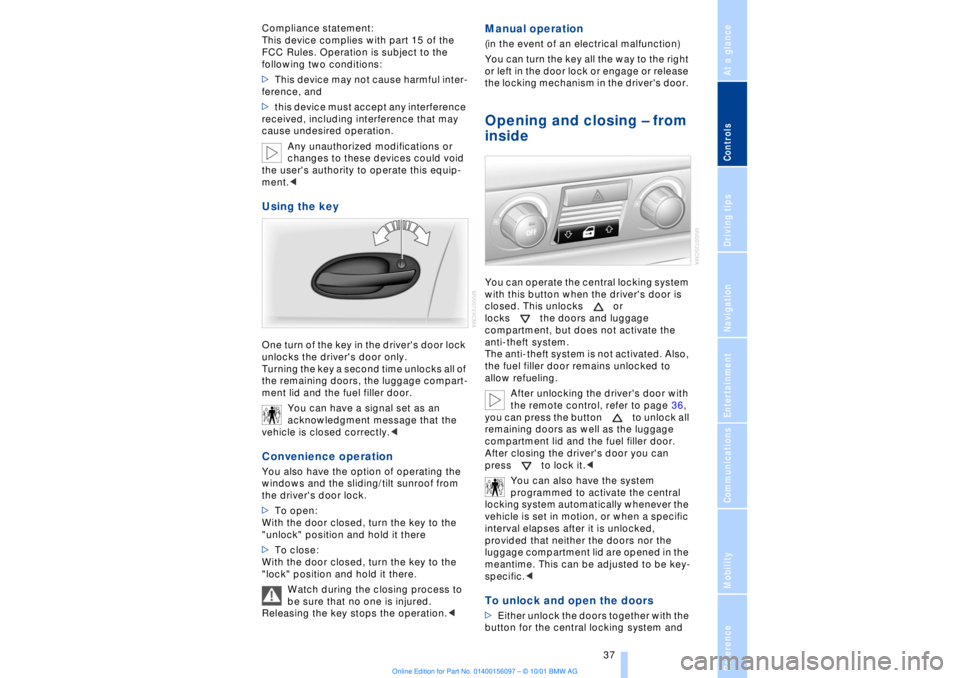
inside You can operate the central locking system
with this button when the driver's door is
closed. This unlocks or
locks the doors and luggage
compartment, but does not activate the
anti-theft system.
The anti-theft system is not activated. Also,
the fuel filler door remains unlocked to
allow refueling.
After unlocking the driver's door with
the remote control, refer to page 36,
you can press the button to unlock all
remaining doors as well as the luggage
compartment lid and the fuel filler door.
After closing the driver's door you can
press to lock it.<
You can also have the system
programmed to activate the central
locking system automatically whenever the
vehicle is set in motion, or when a specific
interval elapses after it is unlocked,
provided that neither the doors nor the
luggage compartment lid are opened in the
meantime. This can be adjusted to be key-
specific.< To unlock and open the doors >Either unlock the doors together with the
button for the central locking system and
Page 40 of 208
At a glanceControlsDriving tipsCommunicationsNavigationEntertainmentMobilityReference
39
>unlock the vehicle using the remote
control, refer to page 36, or
>insert the remote control all the way into
the ignition lock, engaging the detent.< Secure separately The switch position will vary according to
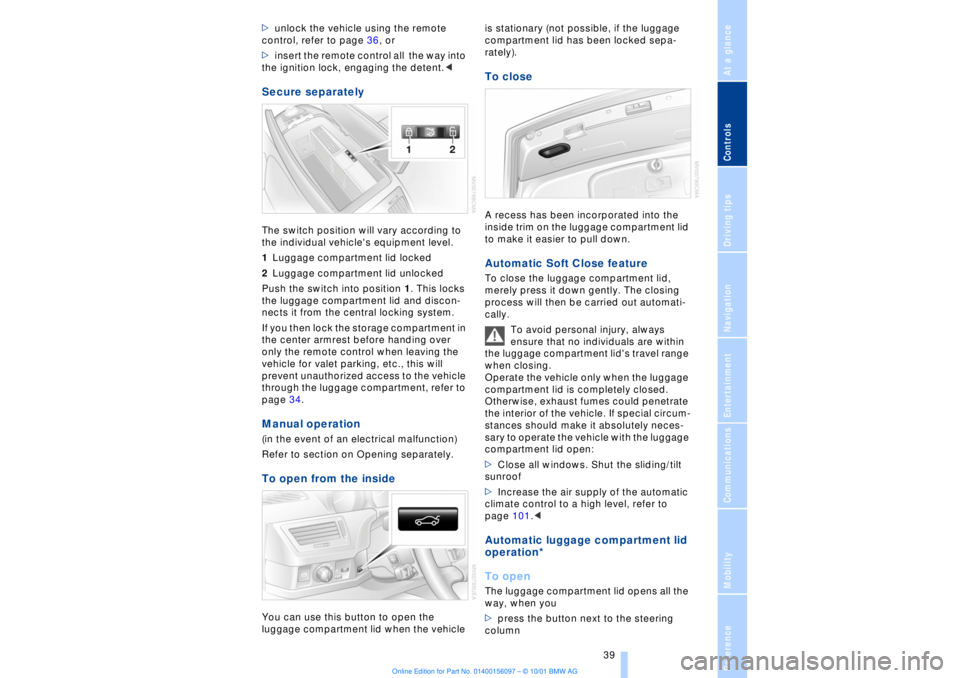
the individual vehicle's equipment level.
1Luggage compartment lid locked
2Luggage compartment lid unlocked
Push the switch into position 1. This locks
the luggage compartment lid and discon-
nects it from the central locking system.
If you then lock the storage compartment in
the center armrest before handing over
only the remote control when leaving the
vehicle for valet parking, etc., this will
prevent unauthorized access to the vehicle
through the luggage compartment, refer to
page 34. Manual operation (in the event of an electrical malfunction)
Refer to section on Opening separately.To open from the insideYou can use this button to open the
luggage compartment lid when the vehicle is stationary (not possible, if the luggage
compartment lid has been locked sepa-
rately).
To closeA recess has been incorporated into the
inside trim on the luggage compartment lid
to make it easier to pull down. Automatic Soft Close feature To close the luggage compartment lid,
merely press it down gently. The closing
process will then be carried out automati-
cally.
To avoid personal injury, always
ensure that no individuals are within
the luggage compartment lid's travel range
when closing.
Operate the vehicle only when the luggage
compartment lid is completely closed.
Otherwise, exhaust fumes could penetrate
the interior of the vehicle. If special circum-
stances should make it absolutely neces-
sary to operate the vehicle with the luggage
compartment lid open:
>Close all windows. Shut the sliding/tilt
sunroof
>Increase the air supply of the automatic
climate control to a high level, refer to
page 101.< Automatic luggage compartment lid
operation*
To openThe luggage compartment lid opens all the
way, when you
>press the button next to the steering
column
Page 42 of 208
At a glanceControlsDriving tipsCommunicationsNavigationEntertainmentMobilityReference
41
>The hazard warning flashers for approx.
five minutes
>The high beams, which flash on and off
in the same rhythm.To arm and disarm the alarm system When you lock (or unlock) the vehicle,
either with the remote control unit or at the
door lock, the alarm system is armed (or
disarmed) at the same time.
The system indicates that is has been
correctly armed by switching on the hazard
warning flashers for a single cycle and by
emitting an acoustic signal.
You can have different acknowledg-
ment signals set to confirm arming
and disarming.<
Even with the alarm system armed, you can
open the luggage compartment lid using
the button 3on the remote control
unit, refer to page 36. The alarm system will
start to monitor the luggage compartment
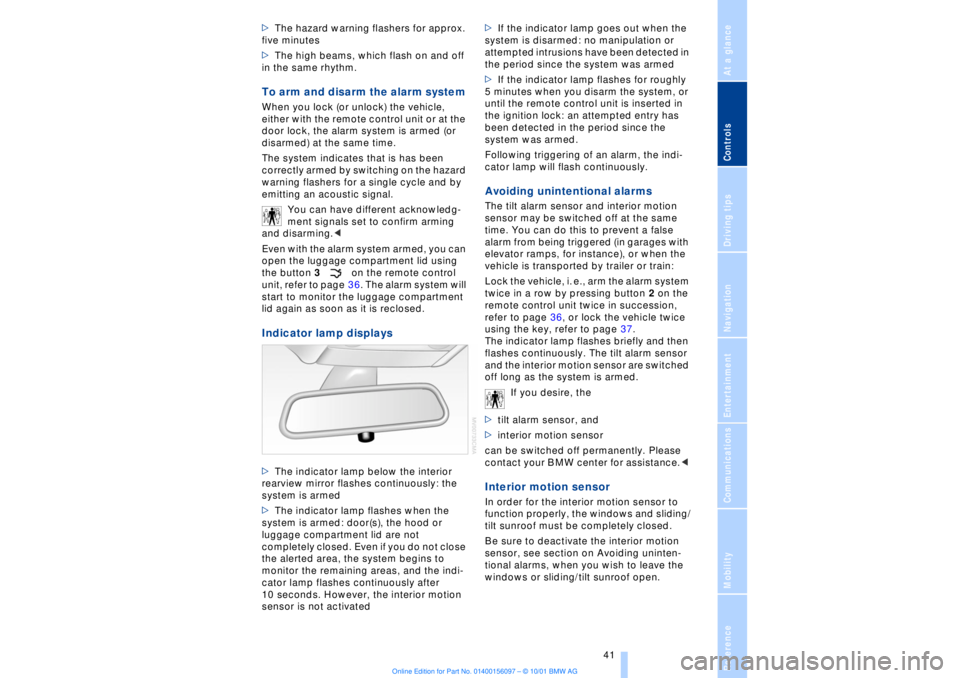
lid again as soon as it is reclosed. Indicator lamp displays>The indicator lamp below the interior
rearview mirror flashes continuously: the
system is armed
>The indicator lamp flashes when the
system is armed: door(s), the hood or
luggage compartment lid are not
completely closed. Even if you do not close
the alerted area, the system begins to
monitor the remaining areas, and the indi-
cator lamp flashes continuously after
10 seconds. However, the interior motion
sensor is not activated >If the indicator lamp goes out when the
system is disarmed: no manipulation or
attempted intrusions have been detected in
the period since the system was armed
>If the indicator lamp flashes for roughly
5 minutes when you disarm the system, or
until the remote control unit is inserted in
the ignition lock: an attempted entry has
been detected in the period since the
system was armed.
Following triggering of an alarm, the indi-
cator lamp will flash continuously.
Avoiding unintentional alarms The tilt alarm sensor and interior motion
sensor may be switched off at the same
time. You can do this to prevent a false
alarm from being triggered (in garages with
elevator ramps, for instance), or when the
vehicle is transported by trailer or train:
Lock the vehicle, i. e., arm the alarm system
twice in a row by pressing button 2 on the
remote control unit twice in succession,
refer to page 36, or lock the vehicle twice
using the key, refer to page 37.
The indicator lamp flashes briefly and then
flashes continuously. The tilt alarm sensor
and the interior motion sensor are switched
off long as the system is armed.
If you desire, the
>tilt alarm sensor, and
>interior motion sensor
can be switched off permanently. Please
contact your BMW center for assistance.< Interior motion sensor In order for the interior motion sensor to
function properly, the windows and sliding/
tilt sunroof must be completely closed.
Be sure to deactivate the interior motion
sensor, see section on Avoiding uninten-
tional alarms, when you wish to leave the
windows or sliding/tilt sunroof open.
Page 44 of 208
At a glanceControlsDriving tipsCommunicationsNavigationEntertainmentMobilityReference
43
indicator lamp lights up when this safety
feature is activated.
Press the safety switch whenever
children are riding in the rear of the
vehicle. Careless use of the power
windows can lead to injury.<
The remote control unit must be
locked in position in the ignition lock
before this safety feature can be deacti-
vated.< After installing accessories After installing any accessory Ð such as a
clamp-on antenna for a mobile phone Ð
within the window's travel range, you will
need to have the system reinitialized for
use under the new conditions . Please
contact your BMW center for assistance. Sliding/tilt sunroof*
To prevent injuries, exercise care
when closing the sliding/tilt sunroof
and keep it in your field of vision until it is
shut.
When leaving the vehicle, always disen-
gage the remote control in the ignition lock
and close the doors to prevent children
from operating the sunroof and injuring
themselves, etc.<
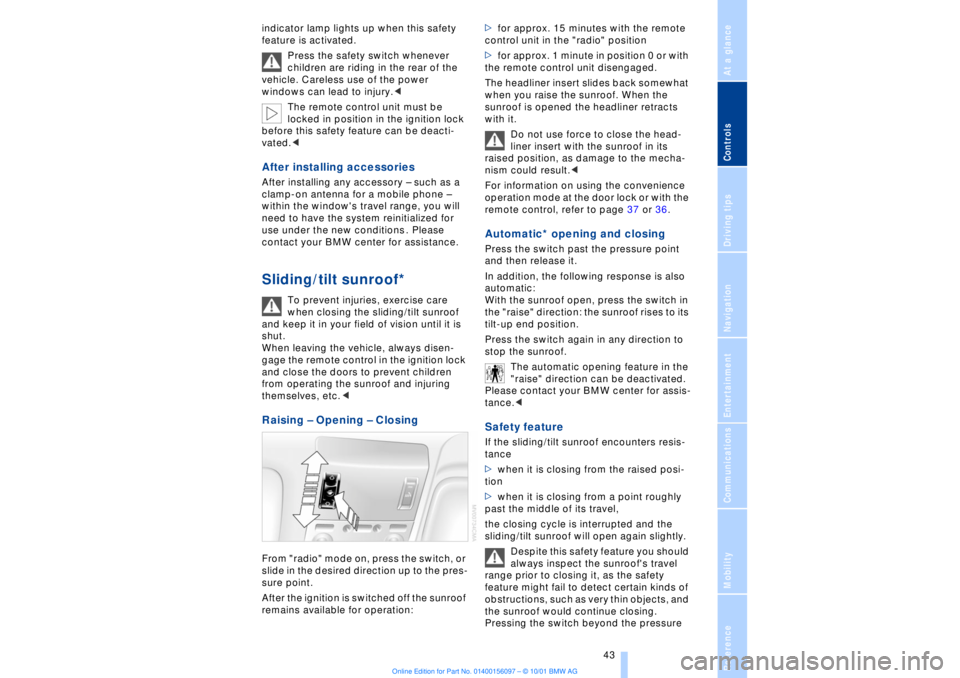
Raising Ð Opening Ð Closing From "radio" mode on, press the switch, or
slide in the desired direction up to the pres-
sure point.
After the ignition is switched off the sunroof
remains available for operation:>for approx. 15 minutes with the remote
control unit in the "radio" position
>for approx. 1 minute in position 0 or with
the remote control unit disengaged.
The headliner insert slides back somewhat
when you raise the sunroof. When the
sunroof is opened the headliner retracts
with it.
Do not use force to close the head-
liner insert with the sunroof in its
raised position, as damage to the mecha-
nism could result.<
For information on using the convenience
operation mode at the door lock or with the
remote control, refer to page 37 or 36.
Automatic* opening and closing Press the switch past the pressure point
and then release it.
In addition, the following response is also
automatic:
With the sunroof open, press the switch in
the "raise" direction: the sunroof rises to its
tilt-up end position.
Press the switch again in any direction to
stop the sunroof.
The automatic opening feature in the
"raise" direction can be deactivated.
Please contact your BMW center for assis-
tance.< Safety feature If the sliding/tilt sunroof encounters resis-
tance
>when it is closing from the raised posi-
tion
>when it is closing from a point roughly
past the middle of its travel,
the closing cycle is interrupted and the
sliding/tilt sunroof will open again slightly.
Despite this safety feature you should
always inspect the sunroof's travel
range prior to closing it, as the safety
feature might fail to detect certain kinds of
obstructions, such as very thin objects, and
the sunroof would continue closing.
Pressing the switch beyond the pressure
Page 46 of 208
At a glanceControlsDriving tipsCommunicationsNavigationEntertainmentMobilityReference
45
Adjustments Correct sitting position
The ideal sitting position can make a vital
contribution to relaxed, fatigue-free driving.
The correct sitting position also works
together with the safety belts and airbags
to provide occupants with maximum levels
of passive safety in an accident. To ensure
that the safety systems operate with
optimal efficiency, we strongly urge you to
observe the instructions contained in the
following section.
For additional information on transporting
children safely, refer to page 57. Correct sitting position with airbags
Always maintain an adequate
distance between yourself and the
airbags. Always hold the steering wheel by
its rim with hands at the 9 o'clock and
3 o'clock positions, to minimize the risk of
injuries to your hands and arms in the event
of airbag deployment. No one and nothing
is to come between the airbags and the
seat occupant.
To prevent possible leg injuries should the
knee airbag deploy in an accident, ensure
that the front passenger assumes a correct
sitting position. Do not use the cover of the
front airbag on the front passenger side as
a storage area for objects, or as a rest for
feet or legs.<
For airbag locations and additional infor-
mation on airbags, refer to page 55.
Correct sitting position with safety
belts For the safety of all vehicle occupants,
please comply with the following instruc-
tions for wearing safety belts.
Never allow more than one person to
wear a single safety belt. Never allow
infants or small children to ride in a
passenger's lap. Avoid twisting the belt
while routing it firmly across the hips and
shoulder. Wear it as snugly against your body as possible. Do not allow the belt to
rest against hard or fragile objects.
Do not route the belt across your neck, or
run it across sharp edges. Be sure that the
belt does not become caught or jammed.
Avoid wearing loose or bulky clothing that
would prevent the belt from resting
securely against your body; pull on the
shoulder strap periodically to keep it
tensioned. In the event of a frontal impact,
a loose lap belt could slide over your hips,
leading to abdominal injury. In addition, the
safety belt's restraint effectiveness is
reduced if the belt is worn loosely.
Expectant mothers should always wear
their safety belts, taking care to position
the lap belt against the lower hips, where it
will not exert pressure against the abdom-
inal area.<
For putting on safety belts, refer to
page 50.
Seats For your personal safety when adjusting
the seat position, please follow the instruc-
tions below carefully.
Never attempt to adjust your seat
while operating the vehicle. The seat
could respond with unexpected move-
ment, and the ensuing loss of vehicle
control could lead to an accident.
Never recline the backrest to an extremely
horizontal position while the vehicle is
underway Ð this precaution is especially
important for front passengers and the
occupants of electric power rear seats to
remember. Failure to observe these
precautions can prevent the belts from
providing effective protection against
injury, as passengers could slide under the
belts in an accident.<
Please observe the information on using
safety belts provided on page 50 and the
Page 48 of 208
At a glanceControlsDriving tipsCommunicationsNavigationEntertainmentMobilityReference
47
1Shoulder support:
You can use the adjustable upper backrest
for supplementary support in the shoulder
region. This provides a relaxed driving
position and helps relieve stress on the
shoulder muscles.
Make corrections in the forward/
backward adjustment of the seat to
ensure that the safety belt still fits firmly
against your body. If you do not do this, the
protection provided by the safety belt may
be reduced.
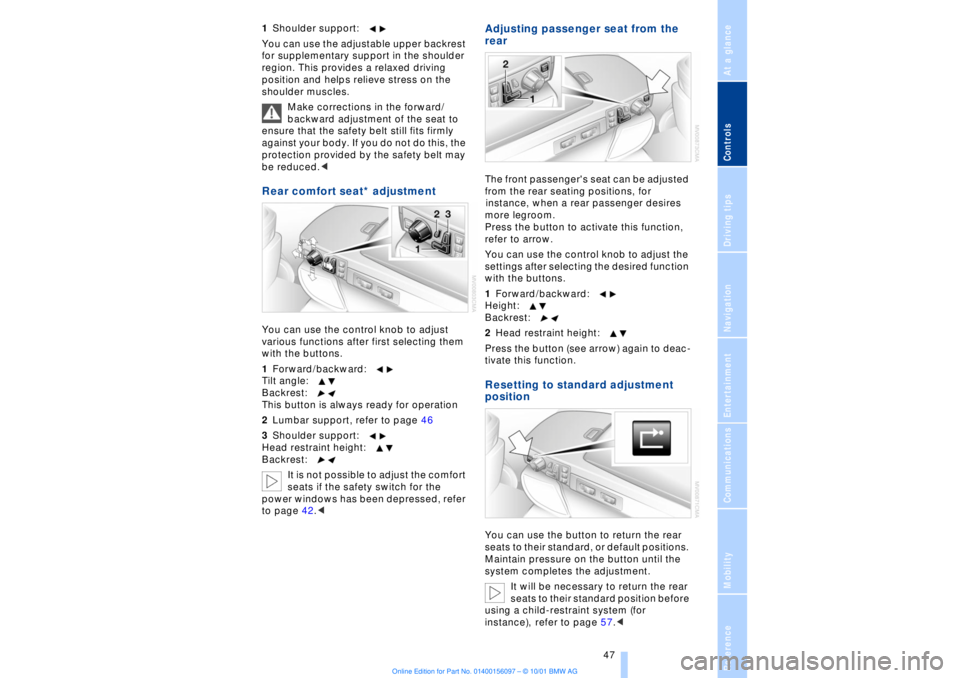
You can use the control knob to adjust
various functions after first selecting them
with the buttons.
1Forward/backward:
Tilt angle:
Backrest:
This button is always ready for operation
2Lumbar support, refer to page 46
3Shoulder support:
Head restraint height:
Backrest:
It is not possible to adjust the comfort
seats if the safety switch for the
power windows has been depressed, refer
to page 42.<
Adjusting passenger seat from the
rear The front passenger's seat can be adjusted
from the rear seating positions, for
instance, when a rear passenger desires
more legroom.
Press the button to activate this function,
refer to arrow.
You can use the control knob to adjust the
settings after selecting the desired function
with the buttons.
1Forward/backward:
Height:
Backrest:
2Head restraint height:
Press the button (see arrow) again to deac-
tivate this function.Resetting to standard adjustment
positionYou can use the button to return the rear
seats to their standard, or default positions.
Maintain pressure on the button until the
system completes the adjustment.
It will be necessary to return the rear
seats to their standard position before
using a child-restraint system (for
instance), refer to page 57.<
Page 50 of 208
At a glanceControlsDriving tipsCommunicationsNavigationEntertainmentMobilityReference
49
Electrical adjustment*
The head restraints at the outside
seating positions extend automati-
cally whenever the system detects a
passenger on the seat.<
To prevent possible personal injury
and property damage, always ensure
that the area above the head restraints is
clear and unobstructed before extending
them upward.<
Manual head restraint removal and
installation
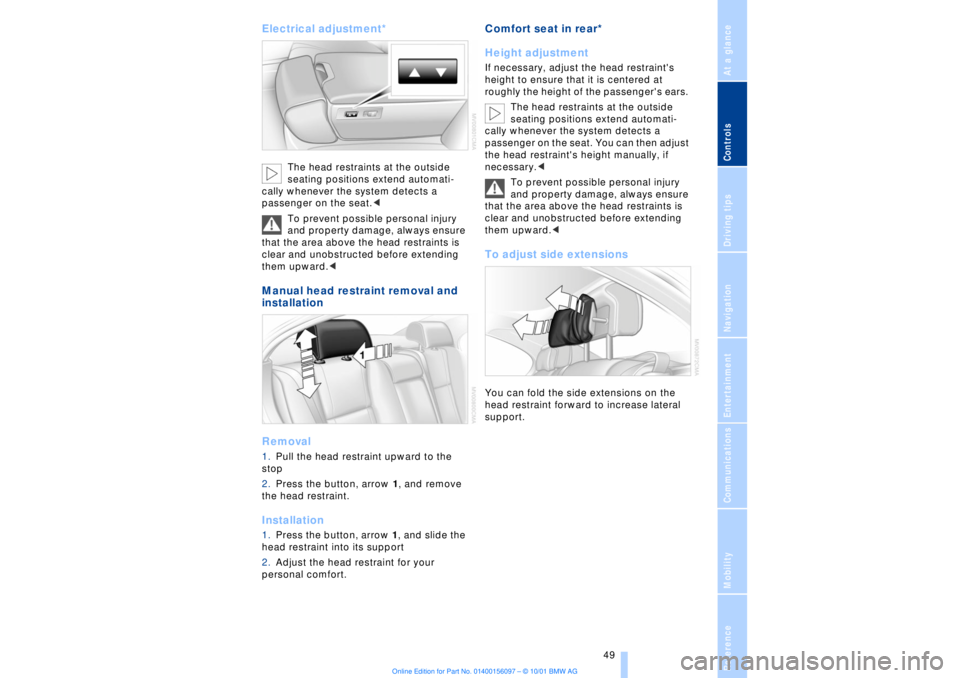
Removal1.Pull the head restraint upward to the
stop
2.Press the button, arrow 1, and remove
the head restraint. Installation1.Press the button, arrow 1, and slide the
head restraint into its support
2.Adjust the head restraint for your
personal comfort.
Comfort seat in rear*
Height adjustment If necessary, adjust the head restraint's
height to ensure that it is centered at
roughly the height of the passenger's ears.
The head restraints at the outside
seating positions extend automati-
cally whenever the system detects a
passenger on the seat. You can then adjust
the head restraint's height manually, if
necessary.<
To prevent possible personal injury
and property damage, always ensure
that the area above the head restraints is
clear and unobstructed before extending
them upward.< To adjust side extensionsYou can fold the side extensions on the
head restraint forward to increase lateral
support.
Page 52 of 208
At a glanceControlsDriving tipsCommunicationsNavigationEntertainmentMobilityReference
51
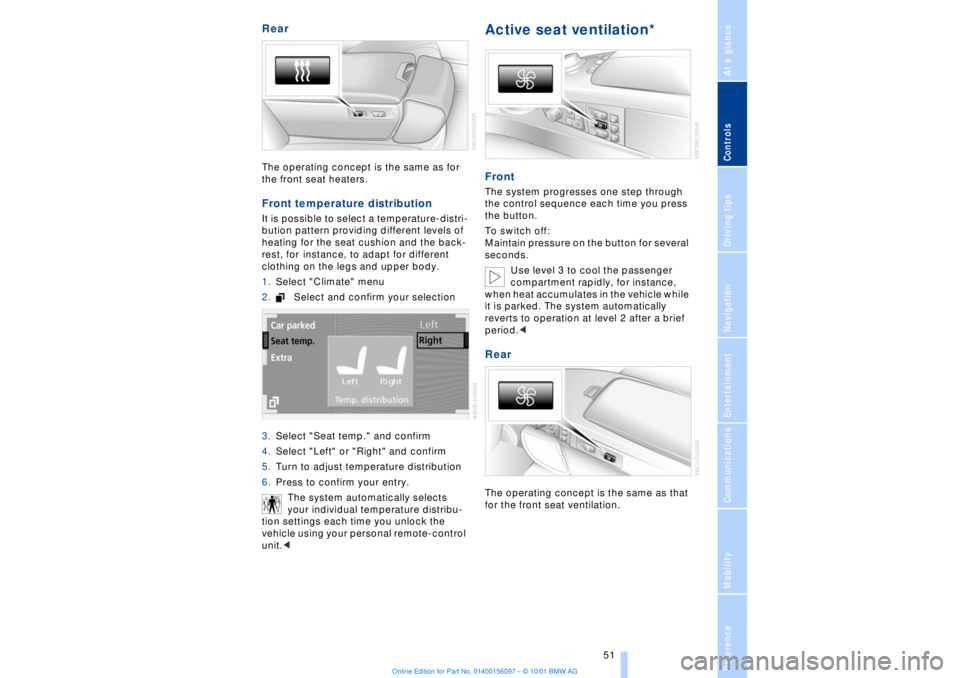
Rear The operating concept is the same as for
the front seat heaters. Front temperature distribution It is possible to select a temperature-distri-
bution pattern providing different levels of
heating for the seat cushion and the back-
rest, for instance, to adapt for different
clothing on the legs and upper body.
1.Select "Climate" menu
2.Select and confirm your selection
3.Select "Seat temp." and confirm
4.Select "Left" or "Right" and confirm
5.Turn to adjust temperature distribution
6.Press to confirm your entry.
The system automatically selects
your individual temperature distribu-
tion settings each time you unlock the
vehicle using your personal remote-control
unit.<
Active seat ventilation* FrontThe system progresses one step through
the control sequence each time you press
the button.
To switch off:
Maintain pressure on the button for several
seconds.
Use level 3 to cool the passenger
compartment rapidly, for instance,
when heat accumulates in the vehicle while
it is parked. The system automatically
reverts to operation at level 2 after a brief
period.< RearThe operating concept is the same as that
for the front seat ventilation.