remote control BMW 745LI SEDAN 2002 User Guide
[x] Cancel search | Manufacturer: BMW, Model Year: 2002, Model line: 745LI SEDAN, Model: BMW 745LI SEDAN 2002Pages: 208, PDF Size: 6.33 MB
Page 52 of 208
At a glanceControlsDriving tipsCommunicationsNavigationEntertainmentMobilityReference
51
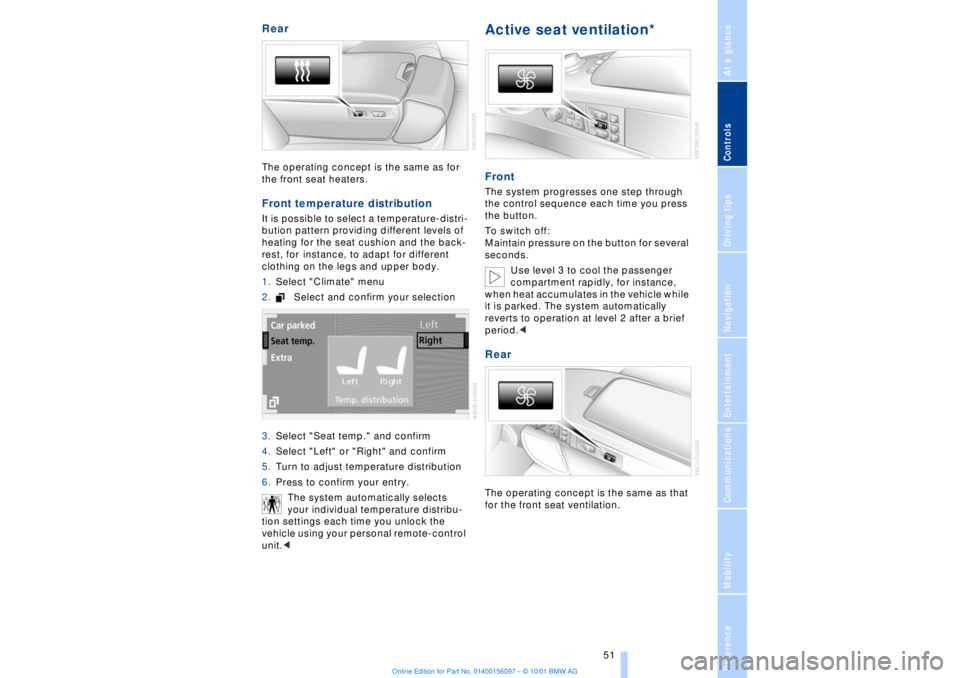
Rear The operating concept is the same as for
the front seat heaters. Front temperature distribution It is possible to select a temperature-distri-
bution pattern providing different levels of
heating for the seat cushion and the back-
rest, for instance, to adapt for different
clothing on the legs and upper body.
1.Select "Climate" menu
2.Select and confirm your selection
3.Select "Seat temp." and confirm
4.Select "Left" or "Right" and confirm
5.Turn to adjust temperature distribution
6.Press to confirm your entry.
The system automatically selects
your individual temperature distribu-
tion settings each time you unlock the
vehicle using your personal remote-control
unit.<
Active seat ventilation* FrontThe system progresses one step through
the control sequence each time you press
the button.
To switch off:
Maintain pressure on the button for several
seconds.
Use level 3 to cool the passenger
compartment rapidly, for instance,
when heat accumulates in the vehicle while
it is parked. The system automatically
reverts to operation at level 2 after a brief
period.< RearThe operating concept is the same as that
for the front seat ventilation.
Page 55 of 208
Adjustments
54 3.Select "MFL." Continue to press the
controller until the desired function
appears:
>"Recirc. air"
In this mode the supply of outside air
remains blocked, refer to AUC Automatic
recirculated-air control on page 101
>"Navi info"
To repeat the most recent message from
the navigation system, refer to page 133
>"AUTO P"
To activate/deactivate Automatic Hold
refer to Automatic Hold on page 63.
You can select the displayed function using
button 1 in the steering wheel.
If you have activated the Automatic
hold feature, refer to page 63, you
can use button 1 to deactivate the system
for parking maneuvers, etc.<
Seat, mirror and steering
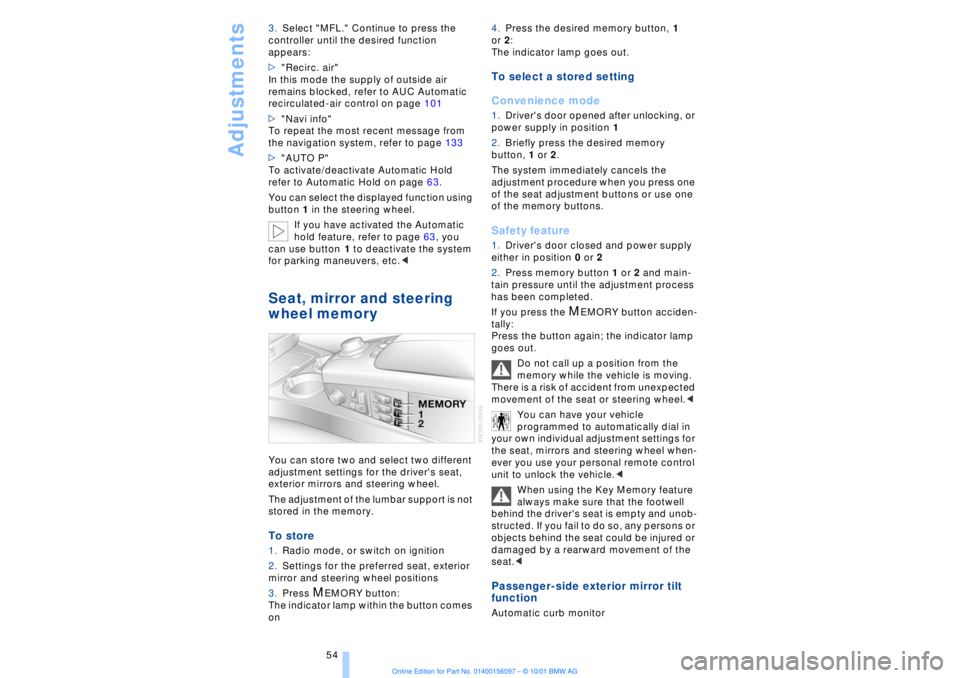
wheel memory You can store two and select two different
adjustment settings for the driver's seat,
exterior mirrors and steering wheel.
The adjustment of the lumbar support is not
stored in the memory. To store 1.Radio mode, or switch on ignition
2.Settings for the preferred seat, exterior
mirror and steering wheel positions
3.Press
M
EMORY button:
The indicator lamp within the button comes
on 4.Press the desired memory button, 1
or 2:
The indicator lamp goes out.
To select a stored setting
Convenience mode1.Driver's door opened after unlocking, or
power supply in position 1
2.Briefly press the desired memory
button, 1 or 2.
The system immediately cancels the
adjustment procedure when you press one
of the seat adjustment buttons or use one
of the memory buttons. Safety feature1.Driver's door closed and power supply
either in position 0 or 2
2.Press memory button 1 or 2 and main-
tain pressure until the adjustment process
has been completed.
If you press the
M
EMORY button acciden-
tally:
Press the button again; the indicator lamp
goes out.
Do not call up a position from the
memory while the vehicle is moving.
There is a risk of accident from unexpected
movement of the seat or steering wheel.<
You can have your vehicle
programmed to automatically dial in
your own individual adjustment settings for
the seat, mirrors and steering wheel when-
ever you use your personal remote control
unit to unlock the vehicle.<
When using the Key Memory feature
always make sure that the footwell
behind the driver's seat is empty and unob-
structed. If you fail to do so, any persons or
objects behind the seat could be injured or
damaged by a rearward movement of the
seat.<
Passenger-side exterior mirror tilt
function Automatic curb monitor
Page 57 of 208
Adjustments
56
Important safety notes
Do not apply adhesive materials to
the cover panels of the airbags, cover
them or modify them in any other way.
Do not attempt to remove the airbag
restraint system from the vehicle. If you
note any indication of system malfunction,
if you desire to have an airbag deactivated,
or if the airbags are triggered in response
to an accident, you should always entrust
all inspection, repair and dismantling oper-
ations to your BMW center.
Never modify or tamper with either the
wiring or the individual components in the
airbag system. This category includes the
upholstery in the center of the steering
wheel, on the instrument panel, the side
trim panels on the front and rear doors, and
the roof pillars along with the sides of the
headliner. Do not attempt to remove or
dismantle the steering wheel.
To ensure compliance with official safety
regulations, entrust disposal of airbag
generators to a BMW center.
Unprofessional attempts to service the
system could lead to failure in an emer-
gency or undesired airbag activation, either
of which could result in personal injury. Do
not touch the individual components
directly after the system has been trig-
gered, because there is a danger of
burns.<
At all times, occupants should sit
upright and be properly restrained Ð
infants and small children in appropriate
child-restraint systems; larger children and
adults using the safety belts. Never let an
occupant's head rest near or on a side
airbag because the inflating airbag could
cause a serious or fatal injury. Please note
that the word "Airbag" imprinted on the
door trim panel indicates the airbag's loca-
tion.
Never install a rear-facing child-restraint
device on the front passenger seat. If you
do so, the child could be injured when the
airbag is triggered.
Children should always ride in the rear and
the restraint systems should be secured
with the vehicle's belts.Accident research shows that the safest
place for children in an automobile is in the
rear seat. However, a child sitting in the
rear seat and not properly restrained may
place his or her head on or near the airbag,
if so equipped.
For example, a child Ñ even though belted
Ñ may fall asleep with his or her head
against the side airbag. It may be difficult
for a driver to ensure that children in the
rear seat will remain properly positioned at
all times and do not place their heads on or
near the side airbag. Therefore, we recom-
mend that the rear side airbags, if provided,
be deactivated if you plan to transport chil-
dren in the rear seat.
The rear seat side airbags may already
have been deactivated, either at the time of
manufacture or by a BMW center. Labels in
the rear door opening should indicate the
status of your rear-seat side airbags. If you
are uncertain of their status, or wish to have
the airbags activated or deactivated,
please contact your BMW center.<
Even when all these guidelines are
observed, there is still a small residual risk
of injuries to the face, hands and arms
occurring from airbag deployment in
isolated instances. The ignition and infla-
tion noise may provoke a mild temporary
hearing loss in extremely sensitive individ-
uals.
Airbag warning information is also provided
on the sun blinds.
Indicator lamp
The indicator lamp shows the
airbag and belt-tensioner system's
operational status as soon as you
insert the remote control unit in the ignition
(radio mode).
System operational:
>The indicator lamp comes on briefly.
System malfunction:
>The indicator lamp fails to come on or
>it remains on continuously.
Page 60 of 208
At a glanceControlsDriving tipsCommunicationsNavigationEntertainmentMobilityReference
59
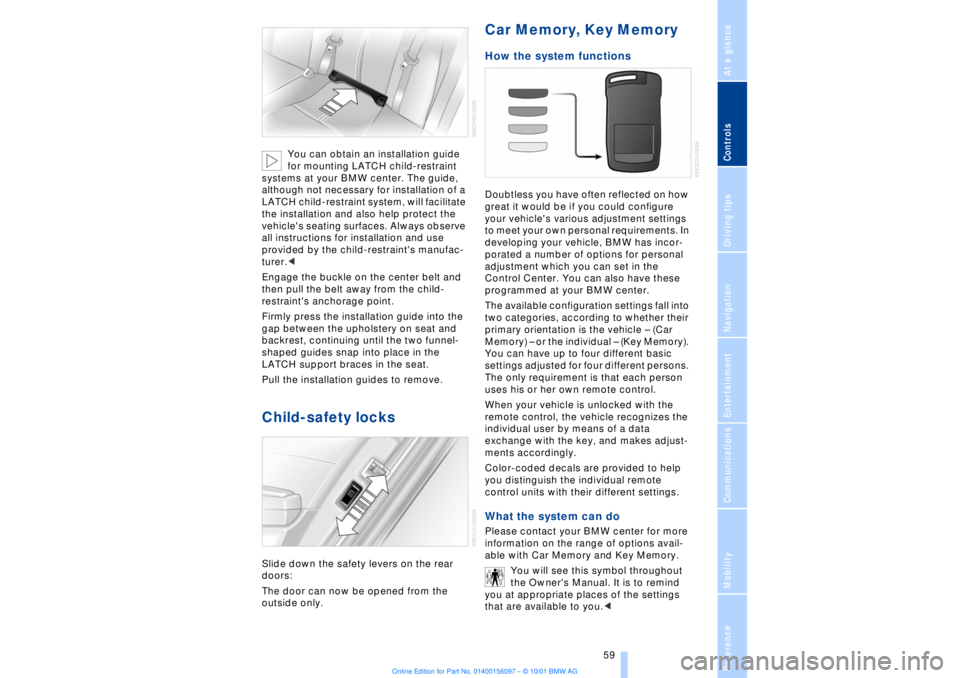
You can obtain an installation guide
for mounting LATCH child-restraint
systems at your BMW center. The guide,
although not necessary for installation of a
LATCH child-restraint system, will facilitate
the installation and also help protect the
vehicle's seating surfaces. Always observe
all instructions for installation and use
provided by the child-restraint's manufac-
turer.<
Engage the buckle on the center belt and
then pull the belt away from the child-
restraint's anchorage point.
Firmly press the installation guide into the
gap between the upholstery on seat and
backrest, continuing until the two funnel-
shaped guides snap into place in the
LATCH support braces in the seat.
Pull the installation guides to remove.
Child-safety locks Slide down the safety levers on the rear
doors:
The door can now be opened from the
outside only.
Car Memory, Key Memory How the system functions Doubtless you have often reflected on how
great it would be if you could configure
your vehicle's various adjustment settings
to meet your own personal requirements. In
developing your vehicle, BMW has incor-
porated a number of options for personal
adjustment which you can set in the
Control Center. You can also have these
programmed at your BMW center.
The available configuration settings fall into
two categories, according to whether their
primary orientation is the vehicle Ð (Car
Memory) Ð or the individual Ð (Key Memory).
You can have up to four different basic
settings adjusted for four different persons.
The only requirement is that each person
uses his or her own remote control.
When your vehicle is unlocked with the
remote control, the vehicle recognizes the
individual user by means of a data
exchange with the key, and makes adjust-
ments accordingly.
Color-coded decals are provided to help
you distinguish the individual remote
control units with their different settings. What the system can do Please contact your BMW center for more
information on the range of options avail-
able with Car Memory and Key Memory.
You will see this symbol throughout
the Owner's Manual. It is to remind
you at appropriate places of the settings
that are available to you.<
Page 62 of 208
At a glanceControlsDriving tipsCommunicationsNavigationEntertainmentMobilityReference
61
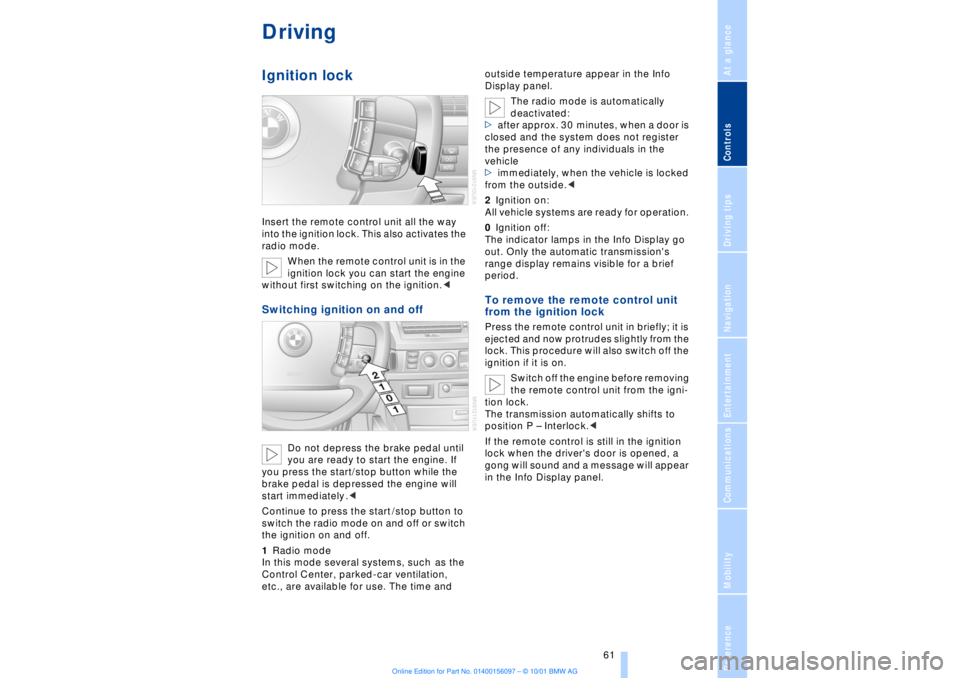
DrivingIgnition lockInsert the remote control unit all the way
into the ignition lock. This also activates the
radio mode.
When the remote control unit is in the
ignition lock you can start the engine
without first switching on the ignition.
you are ready to start the engine. If
you press the start/stop button while the
brake pedal is depressed the engine will
start immediately .<
Continue to press the start /stop button to
switch the radio mode on and off or switch
the ignition on and off.
1Radio mode
In this mode several systems, such as the
Control Center, parked-car ventilation,
etc., are available for use. The time and outside temperature appear in the Info
Display panel.
The radio mode is automatically
deactivated:
>after approx. 30 minutes, when a door is
closed and the system does not register
the presence of any individuals in the
vehicle
>immediately, when the vehicle is locked
from the outside.<
2Ignition on:
All vehicle systems are ready for operation.
0Ignition off:
The indicator lamps in the Info Display go
out. Only the automatic transmission's
range display remains visible for a brief
period.
To remove the remote control unit
from the ignition lock Press the remote control unit in briefly; it is
ejected and now protrudes slightly from the
lock. This procedure will also switch off the
ignition if it is on.
Switch off the engine before removing
the remote control unit from the igni-
tion lock.
The transmission automatically shifts to
position P Ð Interlock.<
If the remote control is still in the ignition
lock when the driver's door is opened, a
gong will sound and a message will appear
in the Info Display panel.
Page 63 of 208
Driving
62
Starting the engine
Do not allow the engine to run in
enclosed spaces. The exhaust gases
contain carbon monoxide, an odorless and
colorless, but highly toxic gas. Breathing
the exhaust gases poses an extreme health
risk, and can lead to unconsciousness and
death.
Never leave the vehicle parked with the
engine running, as it would then pose a
potential safety hazard.<
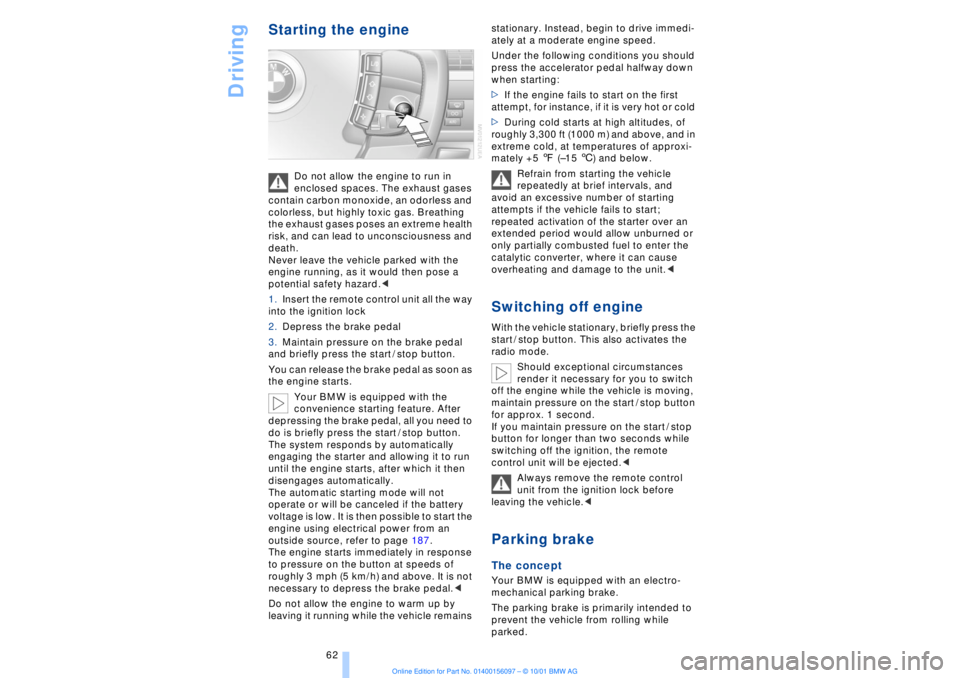
1.Insert the remote control unit all the way
into the ignition lock
2.Depress the brake pedal
3.Maintain pressure on the brake pedal
and briefly press the start / stop button.
You can release the brake pedal as soon as
the engine starts.
Your BMW is equipped with the
convenience starting feature. After
depressing the brake pedal, all you need to
do is briefly press the start / stop button.
The system responds by automatically
engaging the starter and allowing it to run
until the engine starts, after which it then
disengages automatically.
The automatic starting mode will not
operate or will be canceled if the battery
voltage is low. It is then possible to start the
engine using electrical power from an
outside source, refer to page 187.
The engine starts immediately in response
to pressure on the button at speeds of
roughly 3 mph (5 km/h) and above. It is not
necessary to depress the brake pedal.<
Do not allow the engine to warm up by
leaving it running while the vehicle remains stationary. Instead, begin to drive immedi-
ately at a moderate engine speed.
Under the following conditions you should
press the accelerator pedal halfway down
when starting:
>If the engine fails to start on the first
attempt, for instance, if it is very hot or cold
>During cold starts at high altitudes, of
roughly 3,300 ft (1000 m) and above, and in
extreme cold, at temperatures of approxi-
mately +5 7 (Ð15 6) and below.
Refrain from starting the vehicle
repeatedly at brief intervals, and
avoid an excessive number of starting
attempts if the vehicle fails to start;
repeated activation of the starter over an
extended period would allow unburned or
only partially combusted fuel to enter the
catalytic converter, where it can cause
overheating and damage to the unit.<
Switching off engineWith the vehicle stationary, briefly press the
start / stop button. This also activates the
radio mode.
Should exceptional circumstances
render it necessary for you to switch
off the engine while the vehicle is moving,
maintain pressure on the start / stop button
for approx. 1 second.
If you maintain pressure on the start / stop
button for longer than two seconds while
switching off the ignition, the remote
control unit will be ejected.<
Always remove the remote control
unit from the ignition lock before
leaving the vehicle.< Parking brake The concept Your BMW is equipped with an electro-
mechanical parking brake.
The parking brake is primarily intended to
prevent the vehicle from rolling while
parked.
Page 64 of 208
At a glanceControlsDriving tipsCommunicationsNavigationEntertainmentMobilityReference
63
You have two separate options for
engaging the parking brake:
>Manually, by briefly pressing the button
>Automatically, through activation of the
Automatic Hold mode, refer to next
column.
An electrohydraulic mechanism then
engages the parking brakes to prevent the
rear wheels from turning whenever you
switch off the engine.
When the engine is running, parking brake
engagement is controlled by the brake
system's hydraulic circuits, which act on
the disc brakes at the front and rear
wheels. Brake pedal feel Because this function is activated using the
brake system's hydraulic circuits, the
response of the brake pedal may change
slightly. Engagement may also be accom-
panied by activation noise Ð this is normal. Manual engagement
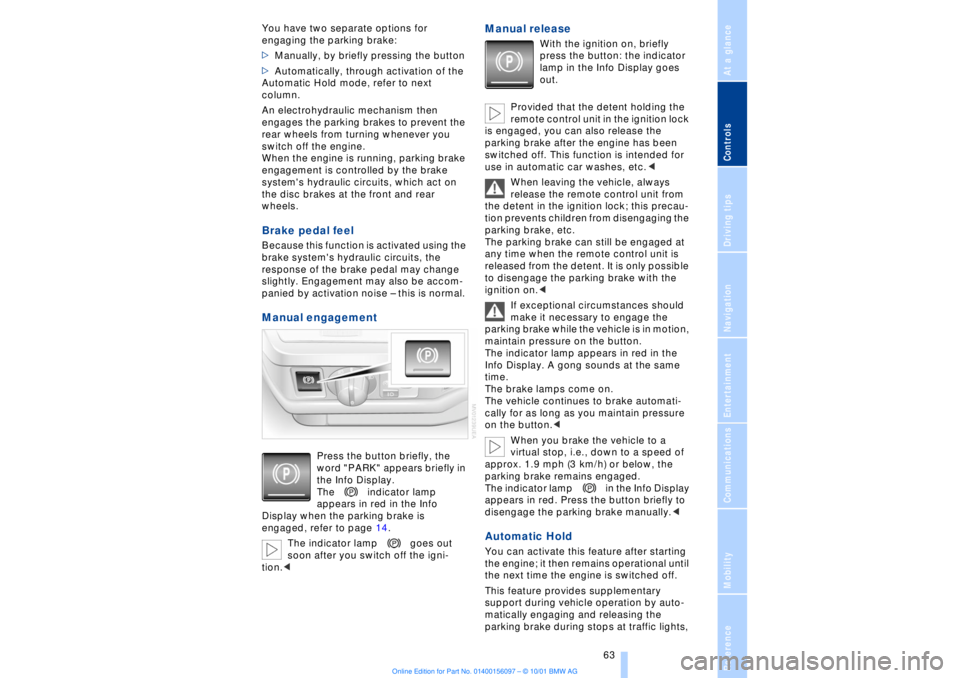
Press the button briefly, the
word "PARK" appears briefly in
the Info Display.
The indicator lamp
appears in red in the Info
Display when the parking brake is
engaged, refer to page 14.
The indicator lamp goes out
soon after you switch off the igni-
tion.<
Manual release
With the ignition on, briefly
press the button: the indicator
lamp in the Info Display goes
out.
Provided that the detent holding the
remote control unit in the ignition lock
is engaged, you can also release the
parking brake after the engine has been
switched off. This function is intended for
use in automatic car washes, etc.<
When leaving the vehicle, always
release the remote control unit from
the detent in the ignition lock; this precau-
tion prevents children from disengaging the
parking brake, etc.
The parking brake can still be engaged at
any time when the remote control unit is
released from the detent. It is only possible
to disengage the parking brake with the
ignition on.<
If exceptional circumstances should
make it necessary to engage the
parking brake while the vehicle is in motion,
maintain pressure on the button.
The indicator lamp appears in red in the
Info Display. A gong sounds at the same
time.
The brake lamps come on.
The vehicle continues to brake automati-
cally for as long as you maintain pressure
on the button.<
When you brake the vehicle to a
virtual stop, i.e., down to a speed of
approx. 1.9 mph (3 km/h) or below, the
parking brake remains engaged.
The indicator lamp in the Info Display
appears in red. Press the button briefly to
disengage the parking brake manually.<
Automatic Hold You can activate this feature after starting
the engine; it then remains operational until
the next time the engine is switched off.
This feature provides supplementary
support during vehicle operation by auto-
matically engaging and releasing the
parking brake during stops at traffic lights,
Page 65 of 208
Driving
64 in stop-and-go traffic, etc. As the vehicle
then no longer tends to "creep" when a
driving position is engaged, it is no longer
necessary to hold the vehicle by
depressing the brake pedal.
It prevents the vehicle from rolling back-
ward during uphill starts.
The parking brake also engages automati-
cally when you switch off the engine after
stopping the vehicle.
You can activate and deactivate the Auto-
matic Hold feature by selecting the
"Settings" menu in the Control Center. A
description of the Control Center is
provided on page 19.
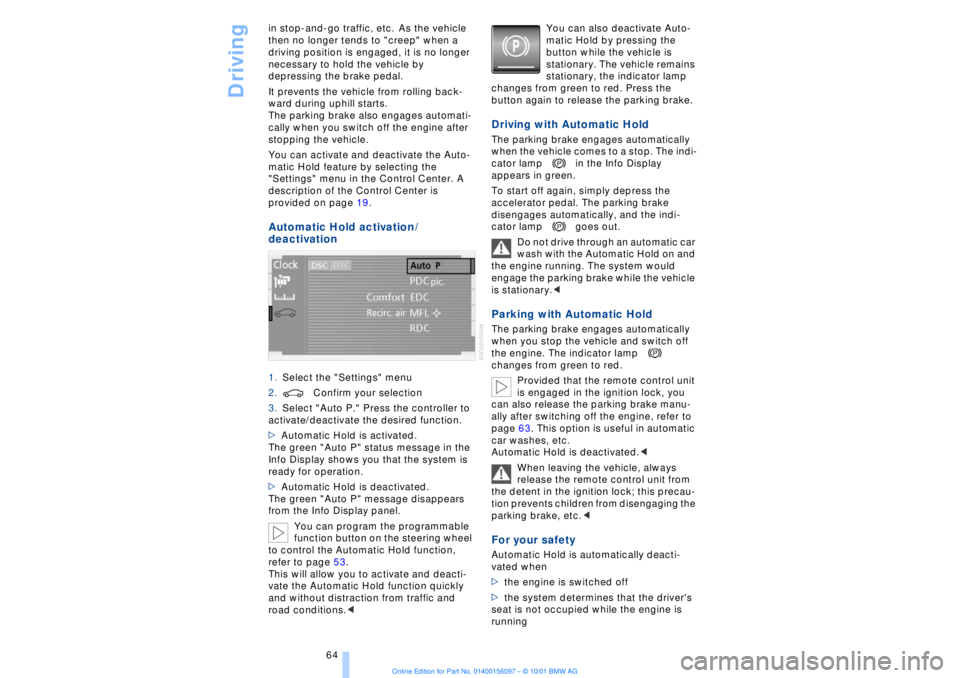
Automatic Hold activation /
deactivation 1.Select the "Settings" menu
2.Confirm your selection
3.Select "Auto P." Press the controller to
activate/deactivate the desired function.
>Automatic Hold is activated.
The green "Auto P" status message in the
Info Display shows you that the system is
ready for operation.
>Automatic Hold is deactivated.
The green "Auto P" message disappears
from the Info Display panel.
You can program the programmable
function button on the steering wheel
to control the Automatic Hold function,
refer to page 53.
This will allow you to activate and deacti-
vate the Automatic Hold function quickly
and without distraction from traffic and
road conditions.< You can also deactivate Auto-
matic Hold by pressing the
button while the vehicle is
stationary. The vehicle remains
stationary, the indicator lamp
changes from green to red. Press the
button again to release the parking brake.
Driving with Automatic Hold The parking brake engages automatically
when the vehicle comes to a stop. The indi-
cator lamp in the Info Display
appears in green.
To start off again, simply depress the
accelerator pedal. The parking brake
disengages automatically, and the indi-
cator lamp goes out.
Do not drive through an automatic car
wash with the Automatic Hold on and
the engine running. The system would
engage the parking brake while the vehicle
is stationary.
the engine. The indicator lamp
changes from green to red.
Provided that the remote control unit
is engaged in the ignition lock, you
can also release the parking brake manu-
ally after switching off the engine, refer to
page 63. This option is useful in automatic
car washes, etc.
Automatic Hold is deactivated.<
When leaving the vehicle, always
release the remote control unit from
the detent in the ignition lock; this precau-
tion prevents children from disengaging the
parking brake, etc.
>the engine is switched off
>the system determines that the driver's
seat is not occupied while the engine is
running
Page 68 of 208
At a glanceControlsDriving tipsCommunicationsNavigationEntertainmentMobilityReference
67
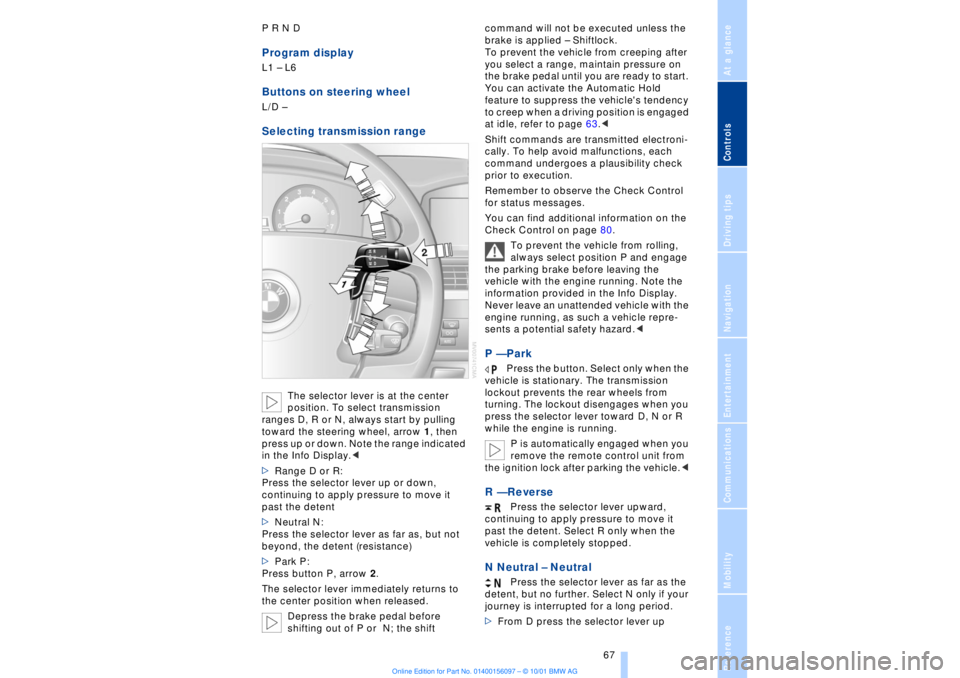
P R N D Program displayL1 Ð L6 Buttons on steering wheel L/D Ð Selecting transmission range
The selector lever is at the center
position. To select transmission
ranges D, R or N, always start by pulling
toward the steering wheel, arrow 1, then
press up or down. Note the range indicated
in the Info Display.<
>Range D or R:
Press the selector lever up or down,
continuing to apply pressure to move it
past the detent
>Neutral N:
Press the selector lever as far as, but not
beyond, the detent (resistance)
>Park P:
Press button P, arrow 2.
The selector lever immediately returns to
the center position when released.
Depress the brake pedal before
shifting out of P or N; the shift command will not be executed unless the
brake is applied Ð Shiftlock.
To prevent the vehicle from creeping after
you select a range, maintain pressure on
the brake pedal until you are ready to start.
You can activate the Automatic Hold
feature to suppress the vehicle's tendency
to creep when a driving position is engaged
at idle, refer to page 63.<
Shift commands are transmitted electroni-
cally. To help avoid malfunctions, each
command undergoes a plausibility check
prior to execution.
Remember to observe the Check Control
for status messages.
You can find additional information on the
Check Control on page 80.
To prevent the vehicle from rolling,
always select position P and engage
the parking brake before leaving the
vehicle with the engine running. Note the
information provided in the Info Display.
Never leave an unattended vehicle with the
engine running, as such a vehicle repre-
sents a potential safety hazard.<
P Ñ Park
Press the button. Select only when the
vehicle is stationary. The transmission
lockout prevents the rear wheels from
turning. The lockout disengages when you
press the selector lever toward D, N or R
while the engine is running.
P is automatically engaged when you
remove the remote control unit from
the ignition lock after parking the vehicle.<
R Ñ Reverse
Press the selector lever upward,
continuing to apply pressure to move it
past the detent. Select R only when the
vehicle is completely stopped.
N Neutral Ð Neutral
Press the selector lever as far as the
detent, but no further. Select N only if your
journey is interrupted for a long period.
>From D press the selector lever up
Page 69 of 208
Driving
68 >From R press the selector lever down.
Note the arrows indicating direction in the
range display.
N is selected automatically whenever
the remote control unit remains
locked in the ignition lock after the ignition
is switched off. This function is useful in
automatic car washes, etc.
After approx. 30 minutes the system auto-
matically engages P. Remember to
observe the Check Control for status
messages.<
D Drive Ð Automatic
Press the selector lever down,
continuing to apply pressure to move it
past the detent. This is the range recom-
mended for normal vehicle operation. All
forward gears are available.
Kickdown The kickdown mode provides maximum
acceleration. Press the accelerator pedal
beyond full-throttle detent point. L mode We recommend the L mode for times when
you wish to suppress certain shifts, for
instance, when ascending or descending
steep grades. When the L mode is activated the transmis-
sion remains in your current gear, which
also appears in the Info Display, refer to
page 67. The transmission continues to
shift through the available ratios, but does
not proceed beyond the gear in the display.
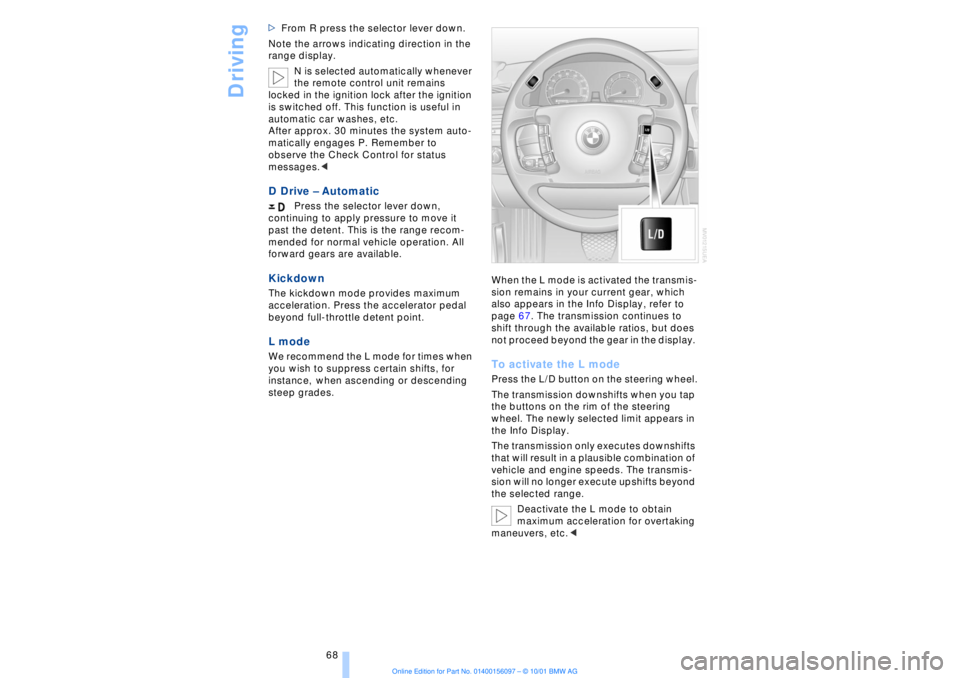
To activate the L mode Press the L/D button on the steering wheel.
The transmission downshifts when you tap
the buttons on the rim of the steering
wheel. The newly selected limit appears in
the Info Display.
The transmission only executes downshifts
that will result in a plausible combination of
vehicle and engine speeds. The transmis-
sion will no longer execute upshifts beyond
the selected range.
Deactivate the L mode to obtain
maximum acceleration for overtaking
maneuvers, etc.<