navigation BMW 745LI SEDAN 2002 Manual Online
[x] Cancel search | Manufacturer: BMW, Model Year: 2002, Model line: 745LI SEDAN, Model: BMW 745LI SEDAN 2002Pages: 208, PDF Size: 6.33 MB
Page 148 of 208
At a glanceControlsDriving tipsCommunicationsNavigationEntertainmentMobilityReference
147
Searching for music tracks
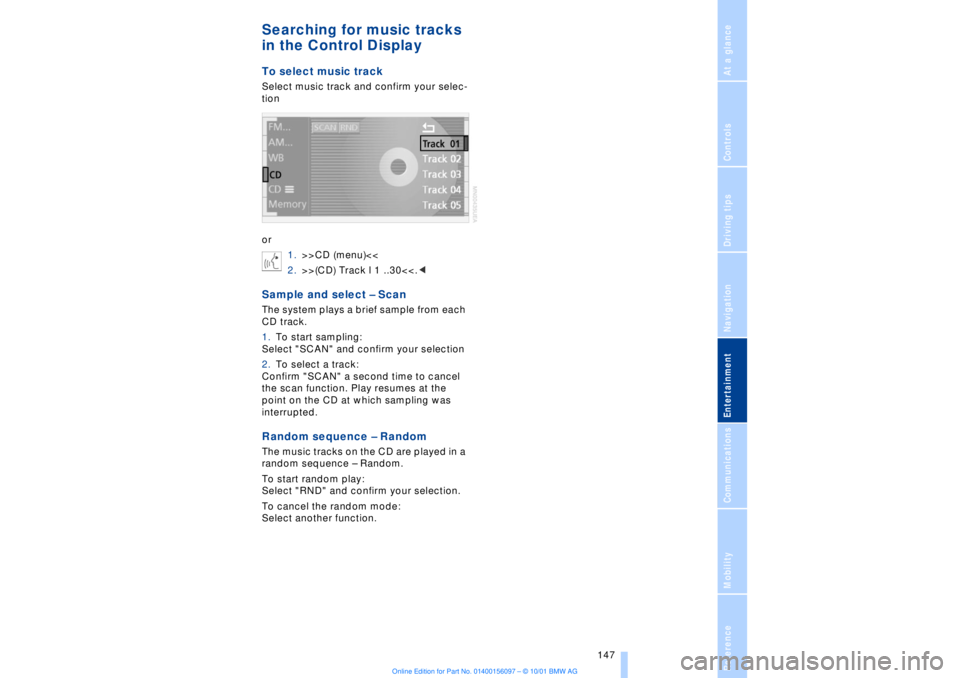
in the Control DisplayTo select music trackSelect music track and confirm your selec-
tion
or
1.>>CD (menu)<<
2.>>(CD) Track l 1 ..30<<.
1.To start sampling:
Select "SCAN" and confirm your selection
2.To select a track:
Confirm "SCAN" a second time to cancel
the scan function. Play resumes at the
point on the CD at which sampling was
interrupted.Random sequence Ð RandomThe music tracks on the CD are played in a
random sequence Ð Random.
To start random play:
Select "RND" and confirm your selection.
To cancel the random mode:
Select another function.
Page 150 of 208
At a glanceControlsDriving tipsCommunicationsNavigationEntertainmentMobilityReference
149
Always refer all repair and maintenance
operations to qualified technicians.
You may experience playback prob-
lems, such as skips, when using CDs
that you have copied at home.<
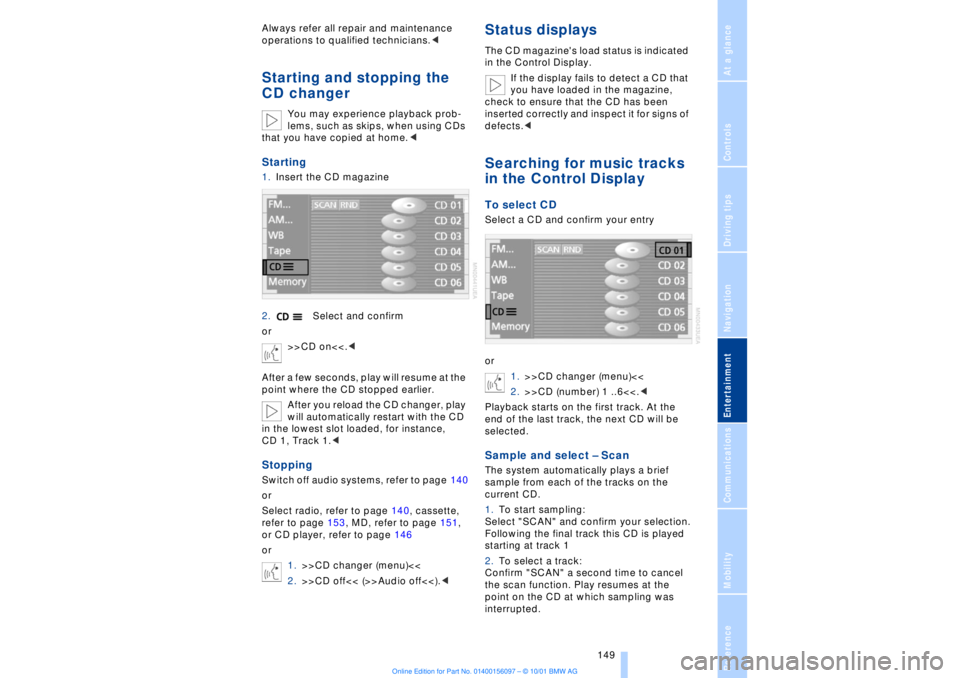
Starting1.Insert the CD magazine
2.Select and confirm
or
>>CD on<<.<
After a few seconds, play will resume at the
point where the CD stopped earlier.
After you reload the CD changer, play
will automatically restart with the CD
in the lowest slot loaded, for instance,
CD 1, Track 1.
Select radio, refer to page 140, cassette,
refer to page 153, MD, refer to page 151,
or CD player, refer to page 146
or
1.>>CD changer (menu)<<
2.>>CD off<< (>>Audio off<<).<
Status displaysThe CD magazine's load status is indicated
in the Control Display.
If the display fails to detect a CD that
you have loaded in the magazine,
check to ensure that the CD has been
inserted correctly and inspect it for signs of
defects.
or
1.>>CD changer (menu)<<
2.>>CD (number) 1 ..6<<.<
Playback starts on the first track. At the
end of the last track, the next CD will be
selected.Sample and select Ð ScanThe system automatically plays a brief
sample from each of the tracks on the
current CD.
1.To start sampling:
Select "SCAN" and confirm your selection.
Following the final track this CD is played
starting at track 1
2.To select a track:
Confirm "SCAN" a second time to cancel
the scan function. Play resumes at the
point on the CD at which sampling was
interrupted.
Page 152 of 208
At a glanceControlsDriving tipsCommunicationsNavigationEntertainmentMobilityReference
151
MiniDisc MDStartingInsert the MiniDisc.
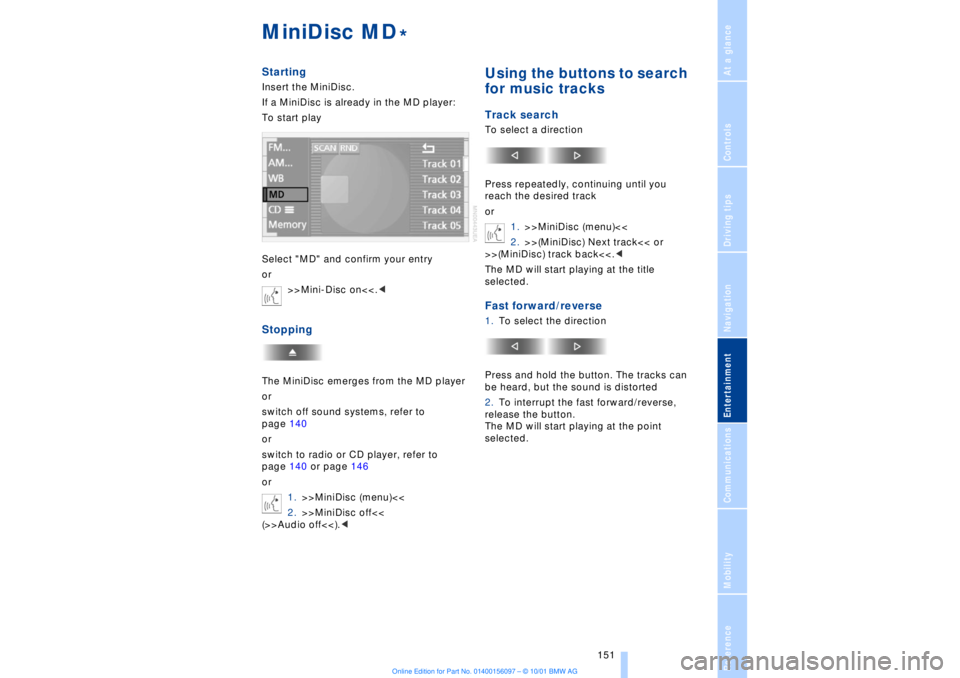
If a MiniDisc is already in the MD player:
To start play
Select "MD" and confirm your entry
or
>>Mini-Disc on<<.
switch off sound systems, refer to
page 140
or
switch to radio or CD player, refer to
page 140 or page 146
or
1.>>MiniDisc (menu)<<
2.>>MiniDisc off<<
(>>Audio off<<).<
Using the buttons to search
for music tracksTrack searchTo select a direction
Press repeatedly, continuing until you
reach the desired track
or
1.>>MiniDisc (menu)<<
2.>>(MiniDisc) Next track<< or
>>(MiniDisc) track back<<.<
The MD will start playing at the title
selected.Fast forward/reverse1.To select the direction
Press and hold the button. The tracks can
be heard, but the sound is distorted
2.To interrupt the fast forward/reverse,
release the button.
The MD will start playing at the point
selected.
*
Page 154 of 208
At a glanceControlsDriving tipsCommunicationsNavigationEntertainmentMobilityReference
153
CassetteStartingSlide the cassette all the way into the slot,
ensuring that the side with the exposed
tape is on the right.
If a cassette is already in the slot:
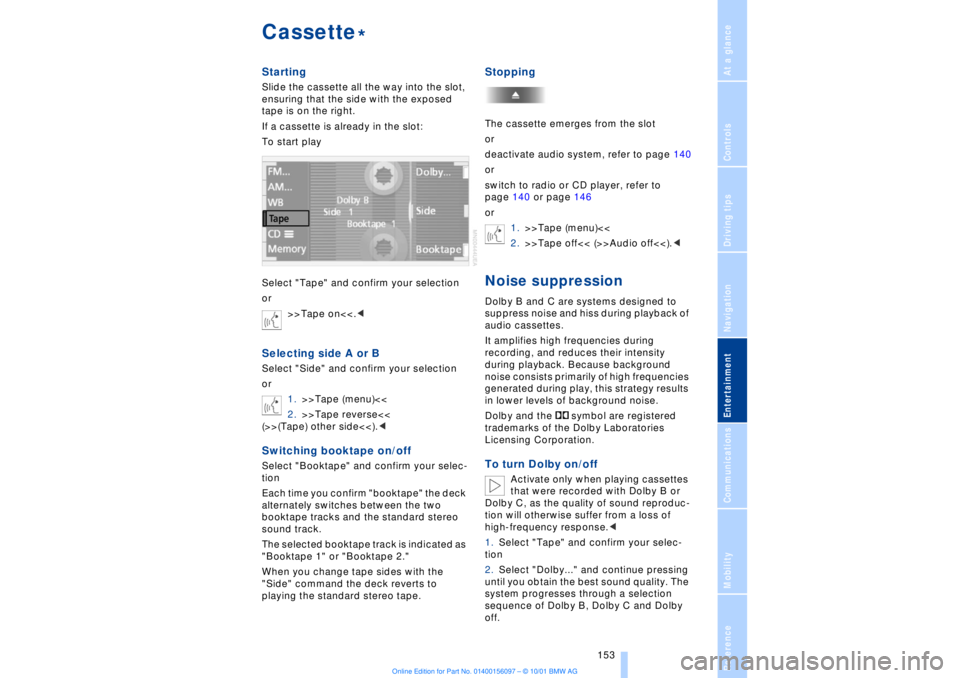
To start play
Select "Tape" and confirm your selection
or
>>Tape on<<.
1.>>Tape (menu)<<
2.>>Tape reverse<<
(>>(Tape) other side<<).
Each time you confirm "booktape" the deck
alternately switches between the two
booktape tracks and the standard stereo
sound track.
The selected booktape track is indicated as
"Booktape 1" or "Booktape 2."
When you change tape sides with the
"Side" command the deck reverts to
playing the standard stereo tape.
StoppingThe cassette emerges from the slot
or
deactivate audio system, refer to page 140
or
switch to radio or CD player, refer to
page 140 or page 146
or
1.>>Tape (menu)<<
2.>>Tape off<< (>>Audio off<<).
audio cassettes.
It amplifies high frequencies during
recording, and reduces their intensity
during playback. Because background
noise consists primarily of high frequencies
generated during play, this strategy results
in lower levels of background noise.
Dolby and the symbol are registered
trademarks of the Dolby Laboratories
Licensing Corporation.To turn Dolby on/off
Activate only when playing cassettes
that were recorded with Dolby B or
Dolby C, as the quality of sound reproduc-
tion will otherwise suffer from a loss of
high-frequency response.<
1.Select "Tape" and confirm your selec-
tion
2.Select "Dolby..." and continue pressing
until you obtain the best sound quality. The
system progresses through a selection
sequence of Dolby B, Dolby C and Dolby
off.
*
Page 156 of 208
At a glanceControlsDriving tipsCommunicationsNavigationEntertainmentMobilityReference
155
Page 160 of 208
At a glanceControlsDriving tipsCommunicationsNavigationEntertainmentMobilityReference
159
Batteries
Never attempt to open your BMW
mobile phone or its battery. Use only
approved battery types Ð the wrong battery
can destroy your cell phone.
To avoid possible short circuits, after
removing a battery you should never allow
it to come into contact with metallic
surfaces of any kind.<
Disposing of used batteries
Return used batteries to a recycling
collection point or to your BMW
center.<
Care instructionsYou can find everything you need to know
about caring for your mobile phone in the
separate "Mobile Phone" manual and in our
supplementary publication on "Car care." Operation
For information on operating your
mobile phone please consult the
separate manual.<
You can also operate your BMW mobile
phone using the
>controls on the steering wheel, refer to
page 18
>Control Display
>Key Pad
>voice command system.
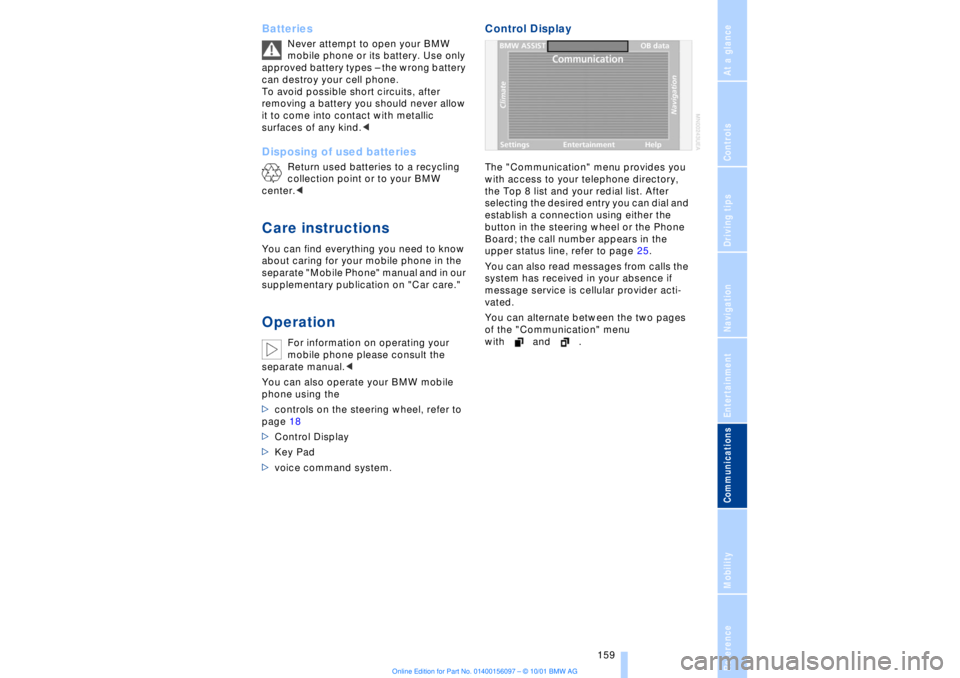
Control DisplayThe "Communication" menu provides you
with access to your telephone directory,
the Top 8 list and your redial list. After
selecting the desired entry you can dial and
establish a connection using either the
button in the steering wheel or the Phone
Board; the call number appears in the
upper status line, refer to page 25.
You can also read messages from calls the
system has received in your absence if
message service is cellular provider acti-
vated.
You can alternate between the two pages
of the "Communication" menu
with and .
Page 162 of 208
At a glanceControlsDriving tipsCommunicationsNavigationEntertainmentMobilityReference
161
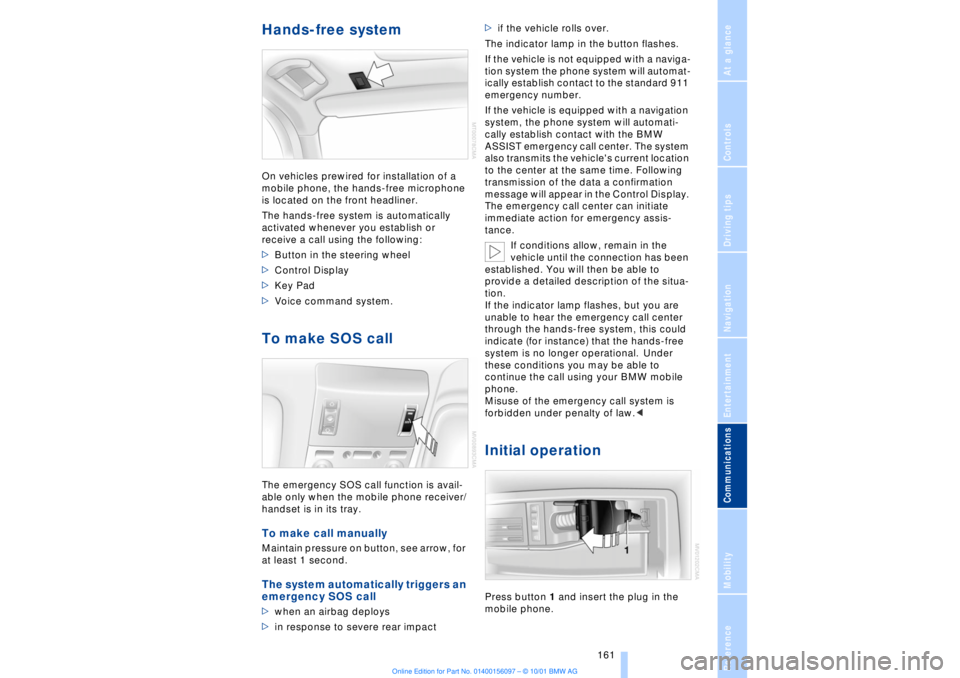
Hands-free system On vehicles prewired for installation of a
mobile phone, the hands-free microphone
is located on the front headliner.
The hands-free system is automatically
activated whenever you establish or
receive a call using the following:
>Button in the steering wheel
>Control Display
>Key Pad
>Voice command system.To make SOS call The emergency SOS call function is avail-
able only when the mobile phone receiver/
handset is in its tray.To make call manually Maintain pressure on button, see arrow, for
at least 1 second. The system automatically triggers an
emergency SOS call >when an airbag deploys
>in response to severe rear impact >if the vehicle rolls over.
The indicator lamp in the button flashes.
If the vehicle is not equipped with a naviga-
tion system the phone system will automat-
ically establish contact to the standard 911
emergency number.
If the vehicle is equipped with a navigation
system, the phone system will automati-
cally establish contact with the BMW
ASSIST emergency call center. The system
also transmits the vehicle's current location
to the center at the same time. Following
transmission of the data a confirmation
message will appear in the Control Display.
The emergency call center can initiate
immediate action for emergency assis-
tance.
If conditions allow, remain in the
vehicle until the connection has been
established. You will then be able to
provide a detailed description of the situa-
tion.
If the indicator lamp flashes, but you are
unable to hear the emergency call center
through the hands-free system, this could
indicate (for instance) that the hands-free
system is no longer operational. Under
these conditions you may be able to
continue the call using your BMW mobile
phone.
Misuse of the emergency call system is
forbidden under penalty of law.<
Initial operationPress button 1 and insert the plug in the
mobile phone.
Page 164 of 208
At a glanceControlsDriving tipsCommunicationsNavigationEntertainmentMobilityReference
163
To make a new entry in the voice
command telephone directory Using the voice command system:
1.>>Save name<<
2.Enter name and repeat entry upon
request
3.Enter phone numbers
4.>>Save<<.
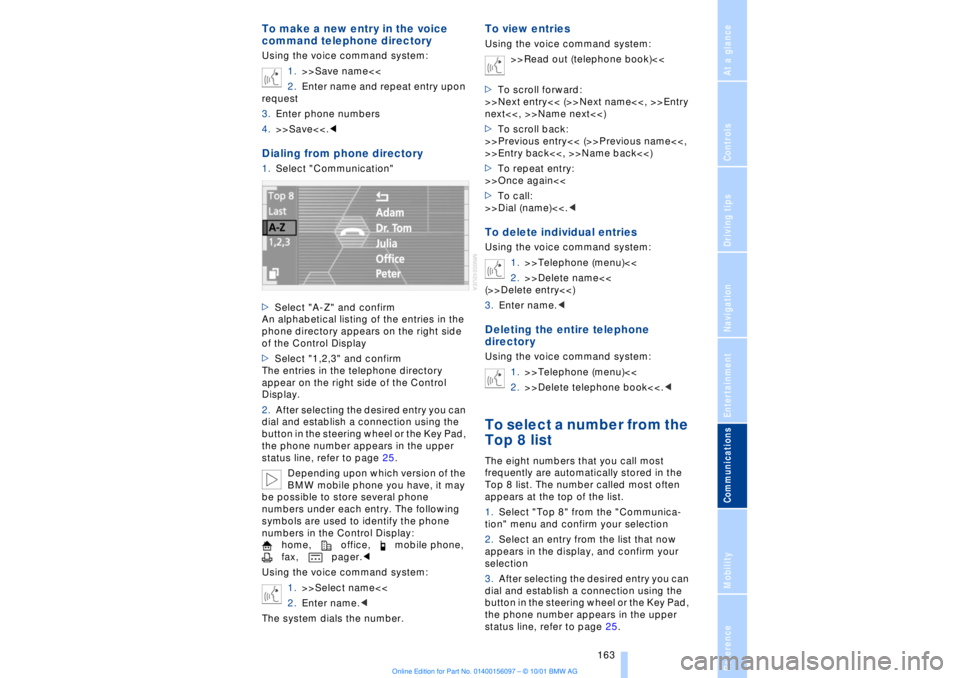
An alphabetical listing of the entries in the
phone directory appears on the right side
of the Control Display
>Select "1,2,3" and confirm
The entries in the telephone directory
appear on the right side of the Control
Display.
2.After selecting the desired entry you can
dial and establish a connection using the
button in the steering wheel or the Key Pad,
the phone number appears in the upper
status line, refer to page 25.
Depending upon which version of the
BMW mobile phone you have, it may
be possible to store several phone
numbers under each entry. The following
symbols are used to identify the phone
numbers in the Control Display:
home, office, mobile phone,
fax, pager.<
Using the voice command system:
1.>>Select name<<
2.Enter name.<
The system dials the number.
To view entriesUsing the voice command system:
>>Read out (telephone book)<<
>To scroll forward:
>>Next entry<< (>>Next name<<, >>Entry
next<<, >>Name next<<)
>To scroll back:
>>Previous entry<< (>>Previous name<<,
>>Entry back<<, >>Name back<<)
>To repeat entry:
>>Once again<<
>To call:
>>Dial (name)<<.
2.>>Delete name<<
(>>Delete entry<<)
3.Enter name.
1.>>Telephone (menu)<<
2.>>Delete telephone book<<.
frequently are automatically stored in the
Top 8 list. The number called most often
appears at the top of the list.
1.Select "Top 8" from the "Communica-
tion" menu and confirm your selection
2.Select an entry from the list that now
appears in the display, and confirm your
selection
3.After selecting the desired entry you can
dial and establish a connection using the
button in the steering wheel or the Key Pad,
the phone number appears in the upper
status line, refer to page 25.
Page 166 of 208
At a glanceControlsDriving tipsCommunicationsNavigationEntertainmentMobilityReference
165
Page 170 of 208
At a glanceControlsDriving tipsCommunicationsNavigationEntertainmentMobilityReference
169
Fuel specifications The engine uses lead-free gasoline only.
Required fuel:
>Premium Unleaded Gasoline,
min. 91 AKI.
AKI = Anti-Knock Index.
Do not use leaded fuels. The use of
leaded fuels will cause permanent
damage to the system's oxygen sensor and
the catalytic converter.<