change BMW 750I 2006 Owner's Guide
[x] Cancel search | Manufacturer: BMW, Model Year: 2006, Model line: 750I, Model: BMW 750I 2006Pages: 247, PDF Size: 8.66 MB
Page 111 of 247
Controls
109Reference
At a glance
Driving tips
Communications
Navigation
Entertainment
Mobility
Ventilation in rear
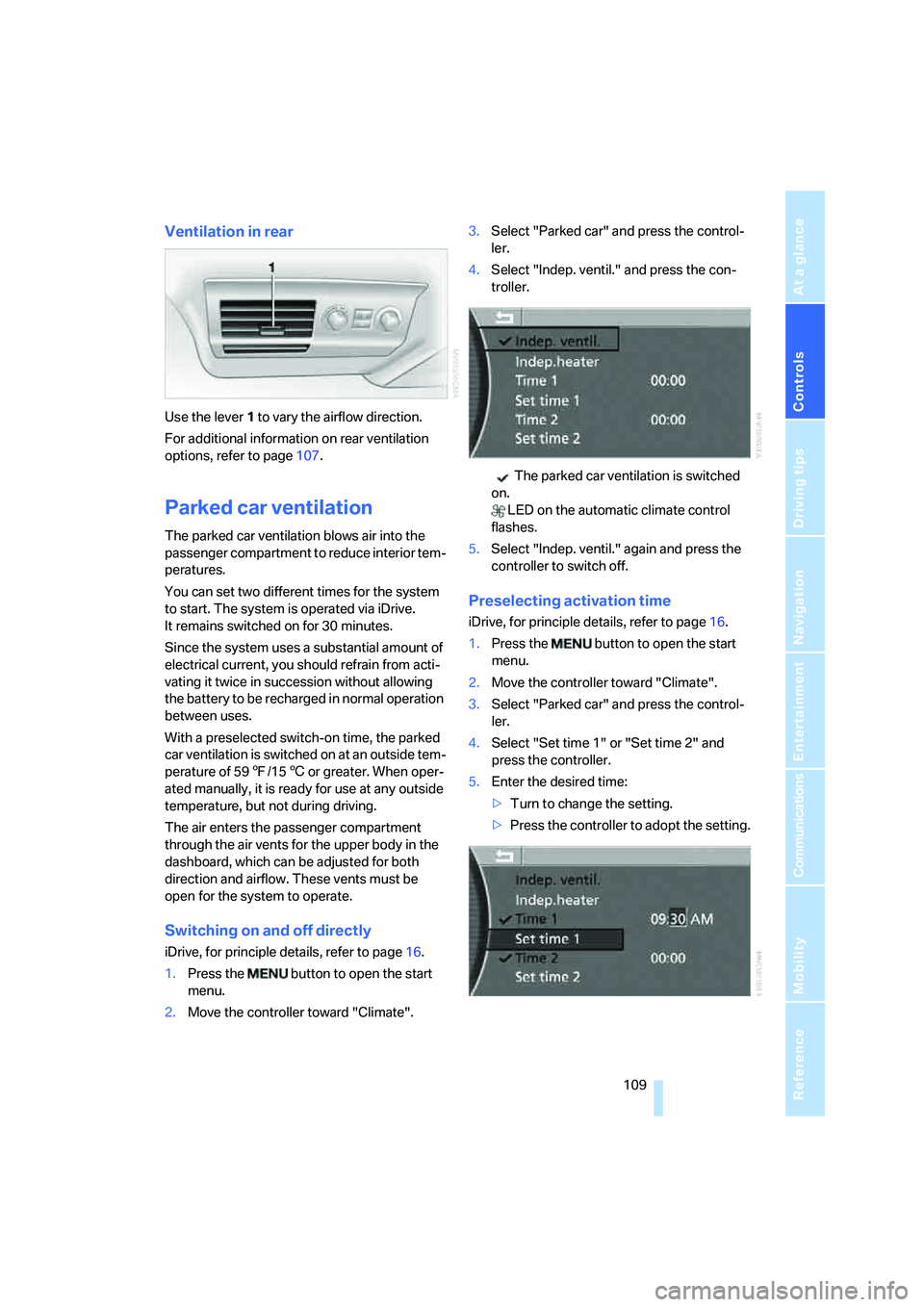
Use the lever1 to vary the airflow direction.
For additional information on rear ventilation
options, refer to page107.
Parked car ventilation
The parked car ventilation blows air into the
passenger compartment to reduce interior tem-
peratures.
You can set two different times for the system
to start. The system is operated via iDrive.
It remains switched on for 30 minutes.
Since the system uses a substantial amount of
electrical current, you should refrain from acti-
vating it twice in succession without allowing
the battery to be recharged in normal operation
between uses.
With a preselected switch-on time, the parked
car ventilation is switched on at an outside tem-
perature of 597/156 or greater. When oper-
ated manually, it is ready for use at any outside
temperature, but not during driving.
The air enters the passenger compartment
through the air vents for the upper body in the
dashboard, which can be adjusted for both
direction and airflow. These vents must be
open for the system to operate.
Switching on and off directly
iDrive, for principle details, refer to page16.
1.Press the button to open the start
menu.
2.Move the controller toward "Climate".3.Select "Parked car" and press the control-
ler.
4.Select "Indep. ventil." and press the con-
troller.
The parked car ventilation is switched
on.
LED on the automatic climate control
flashes.
5.Select "Indep. ventil." again and press the
controller to switch off.
Preselecting activation time
iDrive, for principle details, refer to page16.
1.Press the button to open the start
menu.
2.Move the controller toward "Climate".
3.Select "Parked car" and press the control-
ler.
4.Select "Set time 1" or "Set time 2" and
press the controller.
5.Enter the desired time:
>Turn to change the setting.
>Press the controller to adopt the setting.
Page 135 of 247
Navigation
Driving tips
133Reference
At a glance
Controls
Communications
Entertainment
Mobility
>To cancel selection:
Select the arrow and press the con-
troller.
4.Turn the controller to select place names in
the list and press the controller.
Entering destination with zip code*
You can enter the zip code if the navigation CD/
DVD supports this function.
1.Select "Town / ZIP" and press the control-
ler.
2.Enter the zip code:
Select numbers individually and press the
controller each time.
>To enter a blank space:
Select the symbol and press the
controller.
>To delete last digit or letter:
Select the symbol and press the con-
troller.
>To cancel selection:
Select the arrow and press the con-
troller.
3.Select the zip code and press the controller.
The corresponding destination is displayed.
4.Turn the controller to select place names in
the list and press the controller.
Entering street, house number, and
intersection
Entering street
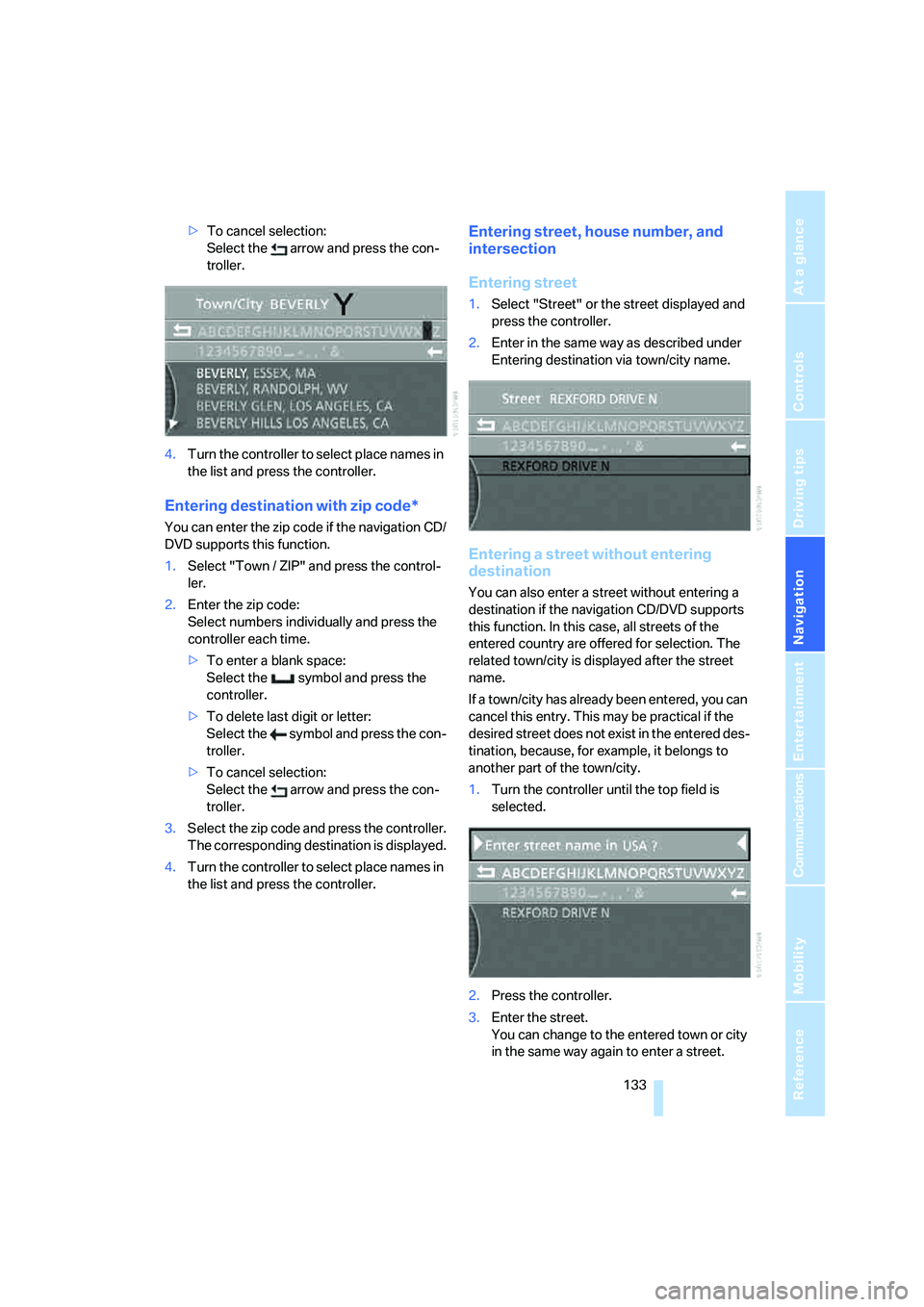
1.Select "Street" or the street displayed and
press the controller.
2.Enter in the same way as described under
Entering destination via town/city name.
Entering a street without entering
destination
You can also enter a street without entering a
destination if the navigation CD/DVD supports
this function. In this case, all streets of the
entered country are offered for selection. The
related town/city is displayed after the street
name.
If a town/city has already been entered, you can
cancel this entry. This may be practical if the
desired street does not exist in the entered des-
tination, because, for example, it belongs to
another part of the town/city.
1.Turn the controller until the top field is
selected.
2.Press the controller.
3.Enter the street.
You can change to the entered town or city
in the same way again to enter a street.
Page 137 of 247
Navigation
Driving tips
135Reference
At a glance
Controls
Communications
Entertainment
Mobility
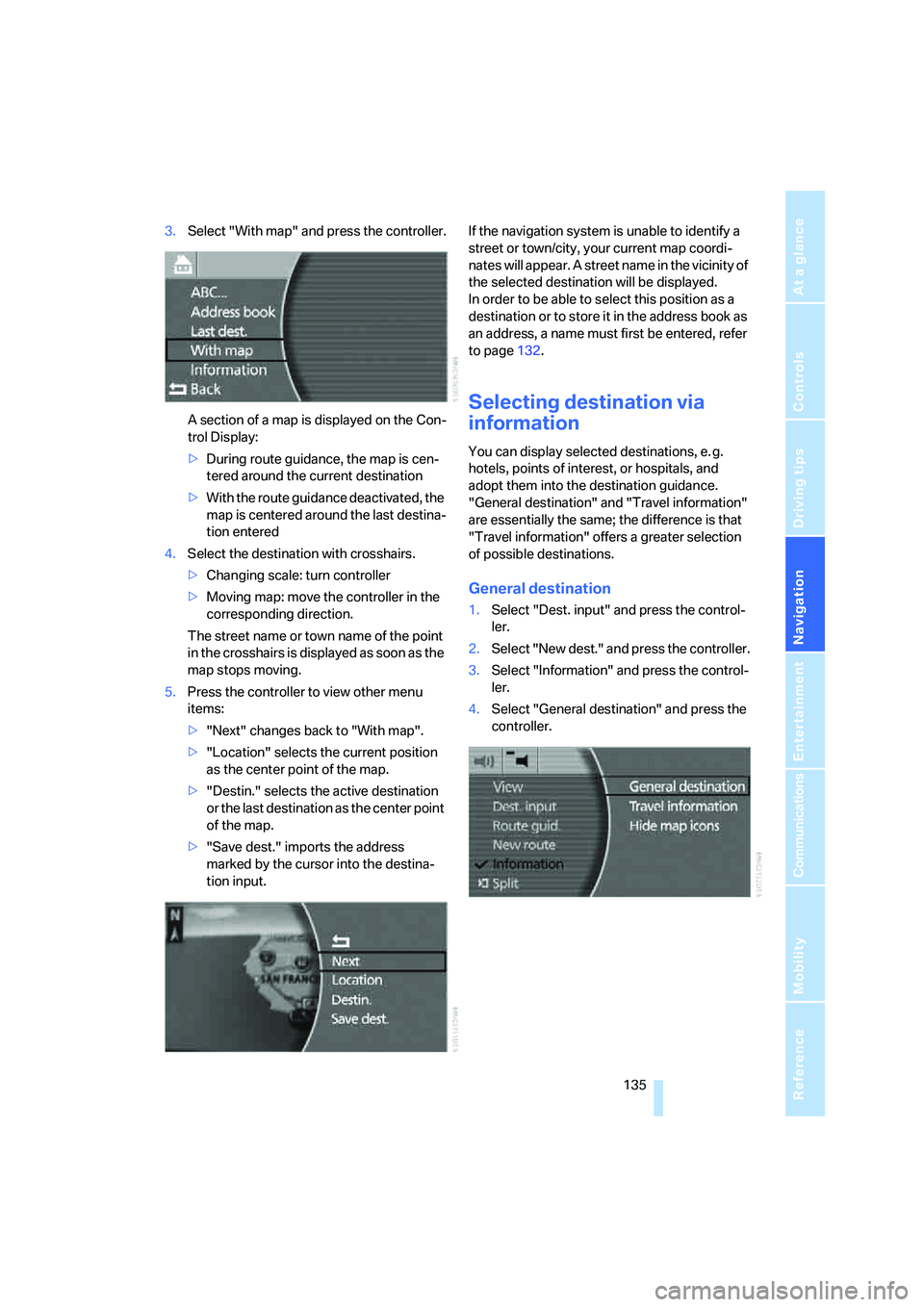
3.Select "With map" and press the controller.
A section of a map is displayed on the Con-
trol Display:
>During route guidance, the map is cen-
tered around the current destination
>With the route guidance deactivated, the
map is centered around the last destina-
tion entered
4.Select the destination with crosshairs.
>Changing scale: turn controller
>Moving map: move the controller in the
corresponding direction.
The street name or town name of the point
in the crosshairs is displayed as soon as the
map stops moving.
5.Press the controller to view other menu
items:
>"Next" changes back to "With map".
>"Location" selects the current position
as the center point of the map.
>"Destin." selects the active destination
or the last destination as the center point
of the map.
>"Save dest." imports the address
marked by the cursor into the destina-
tion input.If the navigation system is unable to identify a
street or town/city, your current map coordi-
nates will appear. A street name in the vicinity of
the selected destination will be displayed.
In order to be able to select this position as a
destination or to store it in the address book as
an address, a name must first be entered, refer
to page132.
Selecting destination via
information
You can display selected destinations, e. g.
hotels, points of interest, or hospitals, and
adopt them into the destination guidance.
"General destination" and "Travel information"
are essentially the same; the difference is that
"Travel information" offers a greater selection
of possible destinations.
General destination
1.Select "Dest. input" and press the control-
ler.
2.Select "New dest." and press the controller.
3.Select "Information" and press the control-
ler.
4.Select "General destination" and press the
controller.
Page 140 of 247
Destination input
138
Importing destination into route
guidance
1.Select desired destination from destination
list and move to top or first position of des-
tination list, refer to Editing destination list.
2.Select "Route guid." and press the control-
ler.
Route guidance starts.
Using the voice command system:
Editing destination list
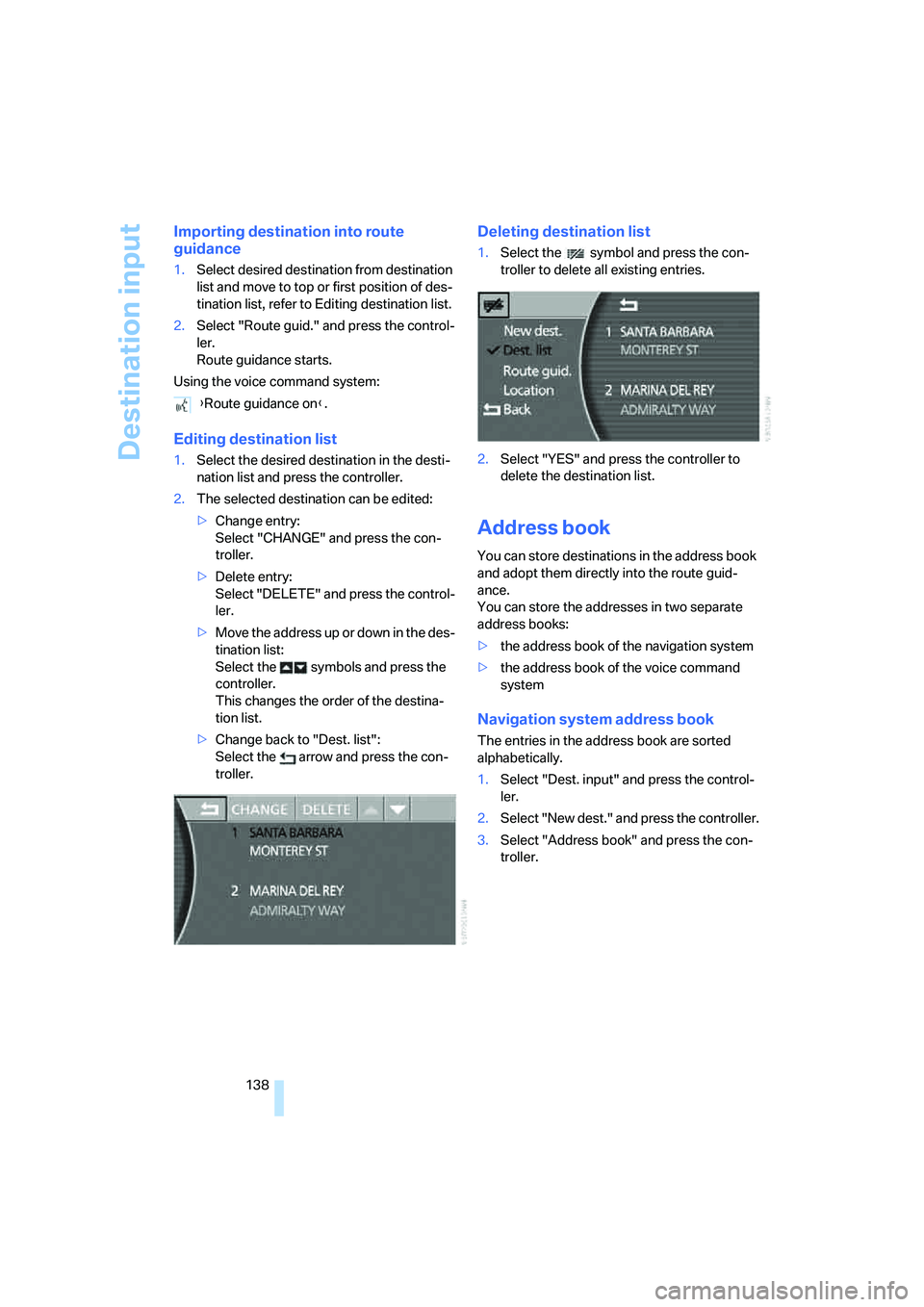
1.Select the desired destination in the desti-
nation list and press the controller.
2.The selected destination can be edited:
>Change entry:
Select "CHANGE" and press the con-
troller.
>Delete entry:
Select "DELETE" and press the control-
ler.
>Move the address up or down in the des-
tination list:
Select the symbols and press the
controller.
This changes the order of the destina-
tion list.
>Change back to "Dest. list":
Select the arrow and press the con-
troller.
Deleting destination list
1.Select the symbol and press the con-
troller to delete all existing entries.
2.Select "YES" and press the controller to
delete the destination list.
Address book
You can store destinations in the address book
and adopt them directly into the route guid-
ance.
You can store the addresses in two separate
address books:
>the address book of the navigation system
>the address book of the voice command
system
Navigation system address book
The entries in the address book are sorted
alphabetically.
1.Select "Dest. input" and press the control-
ler.
2.Select "New dest." and press the controller.
3.Select "Address book" and press the con-
troller. {Route guidance on}.
Page 141 of 247
Navigation
Driving tips
139Reference
At a glance
Controls
Communications
Entertainment
Mobility
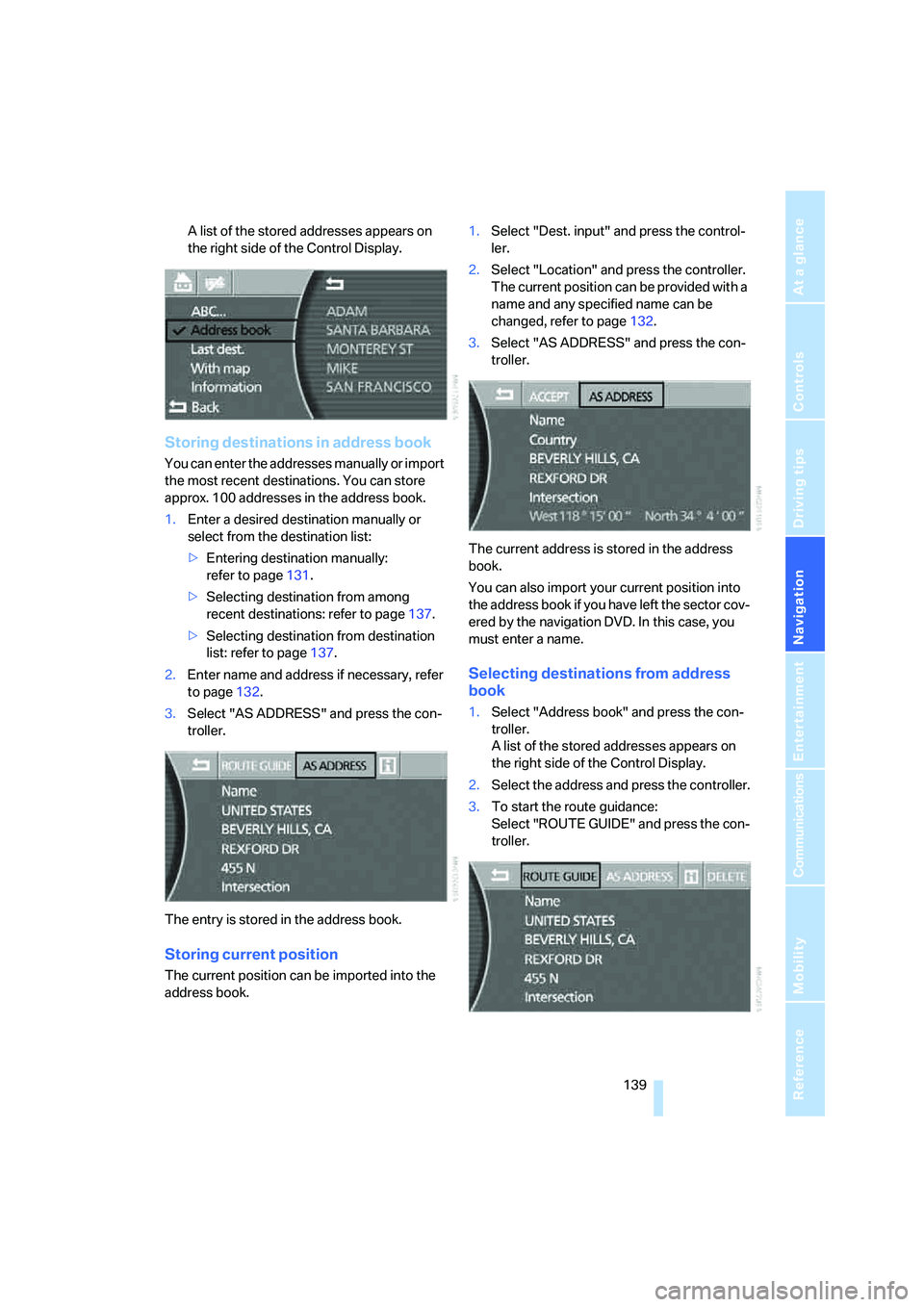
A list of the stored addresses appears on
the right side of the Control Display.
Storing destinations in address book
You can enter the addresses manually or import
the most recent destinations. You can store
approx. 100 addresses in the address book.
1.Enter a desired destination manually or
select from the destination list:
>Entering destination manually:
refer to page131.
>Selecting destination from among
recent destinations: refer to page137.
>Selecting destination from destination
list: refer to page137.
2.Enter name and address if necessary, refer
to page132.
3.Select "AS ADDRESS" and press the con-
troller.
The entry is stored in the address book.
Storing current position
The current position can be imported into the
address book.1.Select "Dest. input" and press the control-
ler.
2.Select "Location" and press the controller.
The current position can be provided with a
name and any specified name can be
changed, refer to page132.
3.Select "AS ADDRESS" and press the con-
troller.
The current address is stored in the address
book.
You can also import your current position into
the address book if you have left the sector cov-
ered by the navigation DVD. In this case, you
must enter a name.
Selecting destinations from address
book
1.Select "Address book" and press the con-
troller.
A list of the stored addresses appears on
the right side of the Control Display.
2.Select the address and press the controller.
3.To start the route guidance:
Select "ROUTE GUIDE" and press the con-
troller.
Page 142 of 247
Destination input
140
Changing destinations in address book
1.Select "Address book" and press the con-
troller.
A list of the stored addresses appears on
the right side of the Control Display.
2.Select the address and press the controller.
Change entry, refer to Entering destination
manually, page131.
When an entry is changed, a copy of the
entry is stored.<
Deleting destinations individually from
address book
1.Select "Address book" and press the con-
troller.
A list of the stored addresses appears on
the right side of the Control Display.
2.Select the address and press the controller.
3.Select "DELETE" and press the controller.
4.Select "YES" and press the controller to
delete the address.
Deleting all destinations from address
book
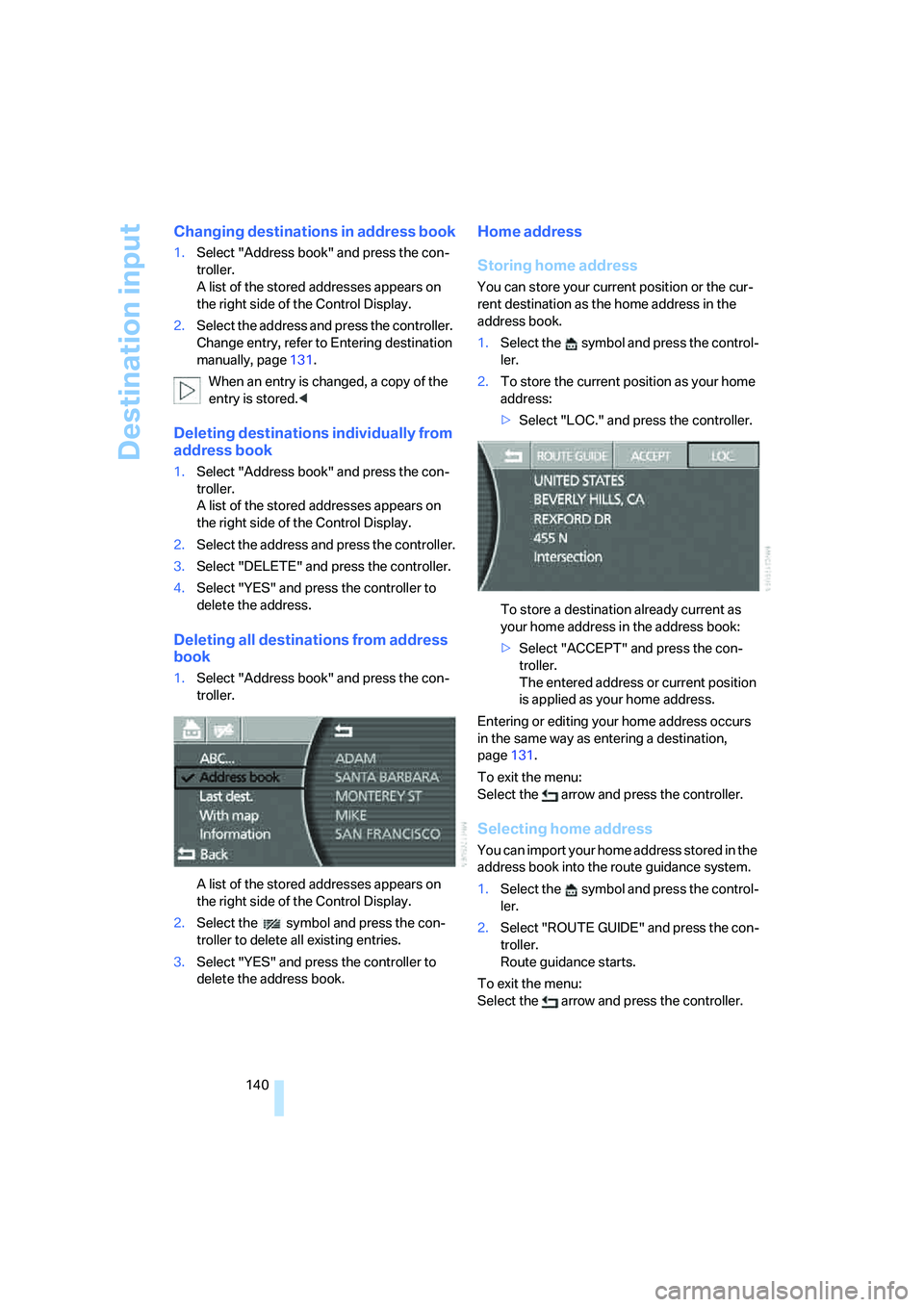
1.Select "Address book" and press the con-
troller.
A list of the stored addresses appears on
the right side of the Control Display.
2.Select the symbol and press the con-
troller to delete all existing entries.
3.Select "YES" and press the controller to
delete the address book.
Home address
Storing home address
You can store your current position or the cur-
rent destination as the home address in the
address book.
1.Select the symbol and press the control-
ler.
2.To store the current position as your home
address:
>Select "LOC." and press the controller.
To store a destination already current as
your home address in the address book:
>Select "ACCEPT" and press the con-
troller.
The entered address or current position
is applied as your home address.
Entering or editing your home address occurs
in the same way as entering a destination,
page131.
To exit the menu:
Select the arrow and press the controller.
Selecting home address
You can import your home address stored in the
address book into the route guidance system.
1.Select the symbol and press the control-
ler.
2.Select "ROUTE GUIDE" and press the con-
troller.
Route guidance starts.
To exit the menu:
Select the arrow and press the controller.
Page 143 of 247
Navigation
Driving tips
141Reference
At a glance
Controls
Communications
Entertainment
Mobility
Using the voice command system:
Voice command system address book
It is only possible to save the first entry in the
destination list. To save other addresses,
change the destination list accordingly, refer to
page137.
Storing destinations in address book
The destination to be stored in the voice com-
mand address book must be the first destina-
tion in the destination list.
The house number is not stored in the
address book of the voice command sys-
tem.<
Using the voice command system:
Selecting destinations from address
bookDeleting destinations from address
book
To delete individual destinations:
To delete all existing entries:
Route selection
You can influence the calculated route by
choosing certain route criteria.
The route is planned according to fixed rules,
taking the road type into account, e.g. whether
the route involves highways or winding roads.
The road types are stored on the navigation
DVD. As a result, the routes recommended by
the navigation system may not always be the
same ones that you would choose based on
personal experience.
Changing route criteria
1.Select "New route" and press the control-
ler.
2.Select "Route preference" and press the
controller.
The various criteria are listed on the Control
Display. 1.{Navigation}.
2.{Home}.
1.{Navigation}.
2.{Save destination}.
3.Say the name that is associated with
the destination coordinates.
1.{Navigation}.
2.{Select destination}.
3.Say the name.
or
1.{Navigation}.
2.{Read out}.
>To scroll forward: {Next}.
>To scroll back: {Back}.
>To repeat: {Repeat}.
>To apply in destination list: {Select}.
1.{Navigation}.
2.{Delete}.
3.Say the name.
1.{Navigation}.
2.{Delete address book}.
Page 144 of 247
Destination input
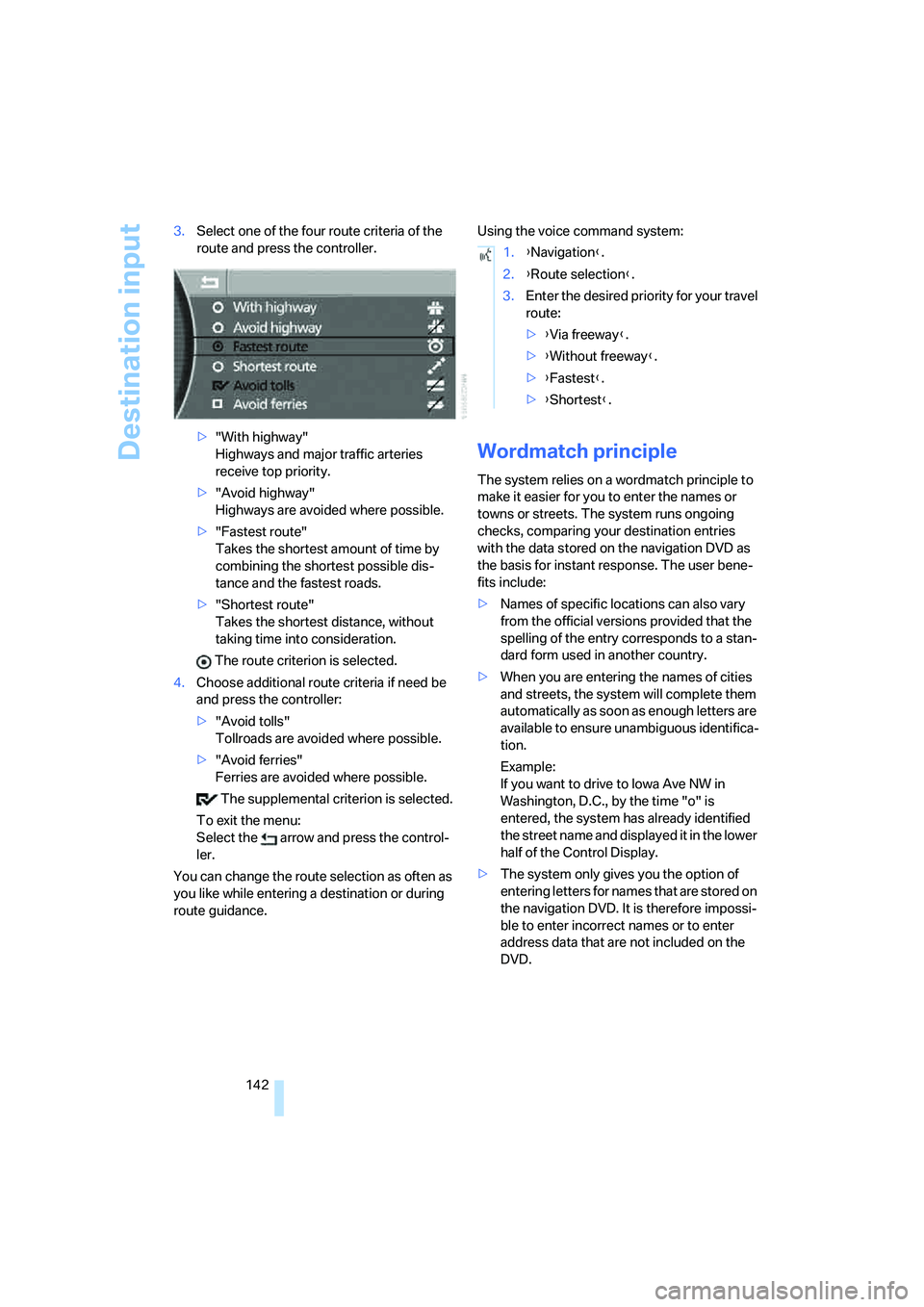
142 3.Select one of the four route criteria of the
route and press the controller.
>"With highway"
Highways and major traffic arteries
receive top priority.
>"Avoid highway"
Highways are avoided where possible.
>"Fastest route"
Takes the shortest amount of time by
combining the shortest possible dis-
tance and the fastest roads.
>"Shortest route"
Takes the shortest distance, without
taking time into consideration.
The route criterion is selected.
4.Choose additional route criteria if need be
and press the controller:
>"Avoid tolls"
Tollroads are avoided where possible.
>"Avoid ferries"
Ferries are avoided where possible.
The supplemental criterion is selected.
To exit the menu:
Select the arrow and press the control-
ler.
You can change the route selection as often as
you like while entering a destination or during
route guidance.Using the voice command system:
Wordmatch principle
The system relies on a wordmatch principle to
make it easier for you to enter the names or
towns or streets. The system runs ongoing
checks, comparing your destination entries
with the data stored on the navigation DVD as
the basis for instant response. The user bene-
fits include:
>Names of specific locations can also vary
from the official versions provided that the
spelling of the entry corresponds to a stan-
dard form used in another country.
>When you are entering the names of cities
and streets, the system will complete them
automatically as soon as enough letters are
available to ensure unambiguous identifica-
tion.
Example:
If you want to drive to Iowa Ave NW in
Washington, D.C., by the time "o" is
entered, the system has already identified
the street name and displayed it in the lower
half of the Control Display.
>The system only gives you the option of
entering letters for names that are stored on
the navigation DVD. It is therefore impossi-
ble to enter incorrect names or to enter
address data that are not included on the
DVD.
1.{Navigation}.
2.{Route selection}.
3.Enter the desired priority for your travel
route:
>{Via freeway}.
>{Without freeway}.
>{Fastest}.
>{Shortest}.
Page 145 of 247
Navigation
Driving tips
143Reference
At a glance
Controls
Communications
Entertainment
Mobility
Route guidance
Starting route guidance
The route guidance is started for the first desti-
nation in the destination list, refer to page137.
There must be at least one destination in the
destination list.
iDrive, for principle details, refer to page16.
1.Press the button to open the start
menu.
2.Move the controller toward "Navigation".
3.Press the controller as needed.
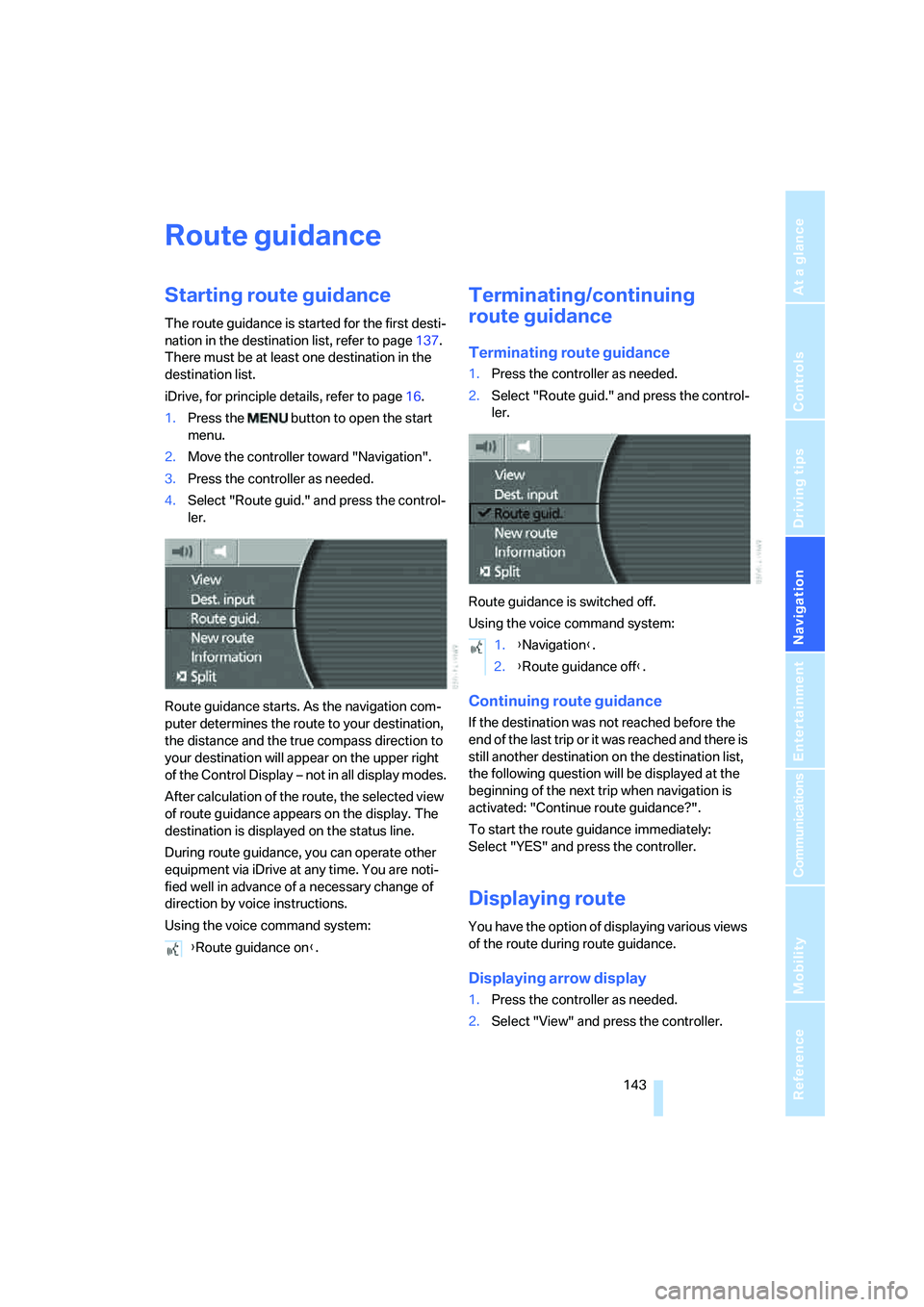
4.Select "Route guid." and press the control-
ler.
Route guidance starts. As the navigation com-
puter determines the route to your destination,
the distance and the true compass direction to
your destination will appear on the upper right
of the Control Display – not in all display modes.
After calculation of the route, the selected view
of route guidance appears on the display. The
destination is displayed on the status line.
During route guidance, you can operate other
equipment via iDrive at any time. You are noti-
fied well in advance of a necessary change of
direction by voice instructions.
Using the voice command system:
Terminating/continuing
route guidance
Terminating route guidance
1.Press the controller as needed.
2.Select "Route guid." and press the control-
ler.
Route guidance is switched off.
Using the voice command system:
Continuing route guidance
If the destination was not reached before the
end of the last trip or it was reached and there is
still another destination on the destination list,
the following question will be displayed at the
beginning of the next trip when navigation is
activated: "Continue route guidance?".
To start the route guidance immediately:
Select "YES" and press the controller.
Displaying route
You have the option of displaying various views
of the route during route guidance.
Displaying arrow display
1.Press the controller as needed.
2.Select "View" and press the controller. {Route guidance on}.
1.{Navigation}.
2.{Route guidance off}.
Page 146 of 247
Route guidance
144 3.Select "Arrow display" and press the con-
troller.
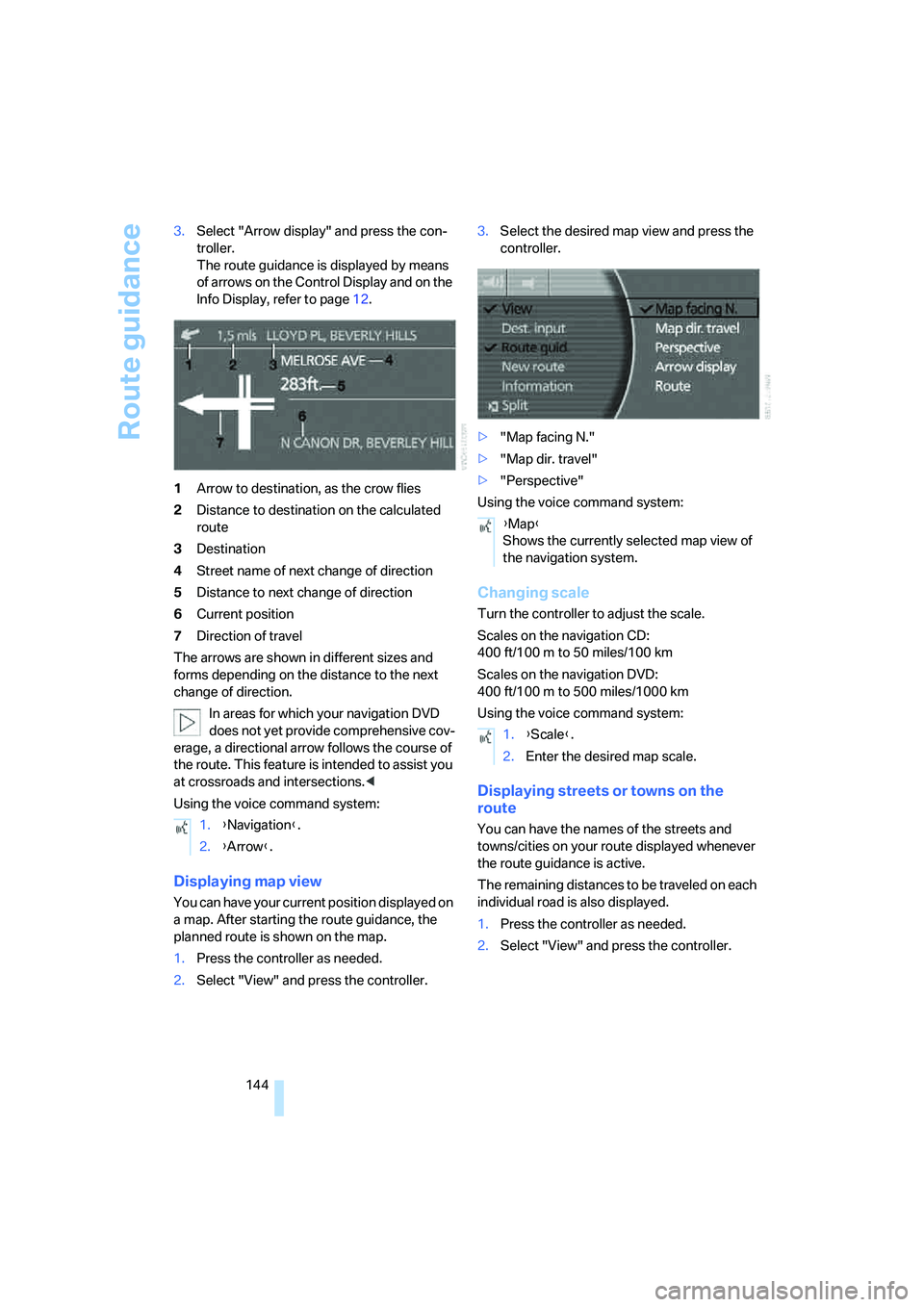
The route guidance is displayed by means
of arrows on the Control Display and on the
Info Display, refer to page12.
1Arrow to destination, as the crow flies
2Distance to destination on the calculated
route
3Destination
4Street name of next change of direction
5Distance to next change of direction
6Current position
7Direction of travel
The arrows are shown in different sizes and
forms depending on the distance to the next
change of direction.
In areas for which your navigation DVD
does not yet provide comprehensive cov-
erage, a directional arrow follows the course of
the route. This feature is intended to assist you
at crossroads and intersections.<
Using the voice command system:
Displaying map view
You can have your current position displayed on
a map. After starting the route guidance, the
planned route is shown on the map.
1.Press the controller as needed.
2.Select "View" and press the controller.3.Select the desired map view and press the
controller.
>"Map facing N."
>"Map dir. travel"
>"Perspective"
Using the voice command system:
Changing scale
Turn the controller to adjust the scale.
Scales on the navigation CD:
400 ft/100 m to 50 miles/100 km
Scales on the navigation DVD:
400ft/100m to 500miles/1000km
Using the voice command system:
Displaying streets or towns on the
route
You can have the names of the streets and
towns/cities on your route displayed whenever
the route guidance is active.
The remaining distances to be traveled on each
individual road is also displayed.
1.Press the controller as needed.
2.Select "View" and press the controller. 1.{Navigation}.
2.{Arrow}.
{Map}
Shows the currently selected map view of
the navigation system.
1.{Scale}.
2.Enter the desired map scale.