display BMW 750LI SEDAN 2015 Manual Online
[x] Cancel search | Manufacturer: BMW, Model Year: 2015, Model line: 750LI SEDAN, Model: BMW 750LI SEDAN 2015Pages: 314, PDF Size: 7.9 MB
Page 158 of 314
"INDIVIDUAL": the Intelligent Safety systems
are switched on according to the individual
settings.
Some Intelligent Safety systems cannot be in‐
dividually switched off.
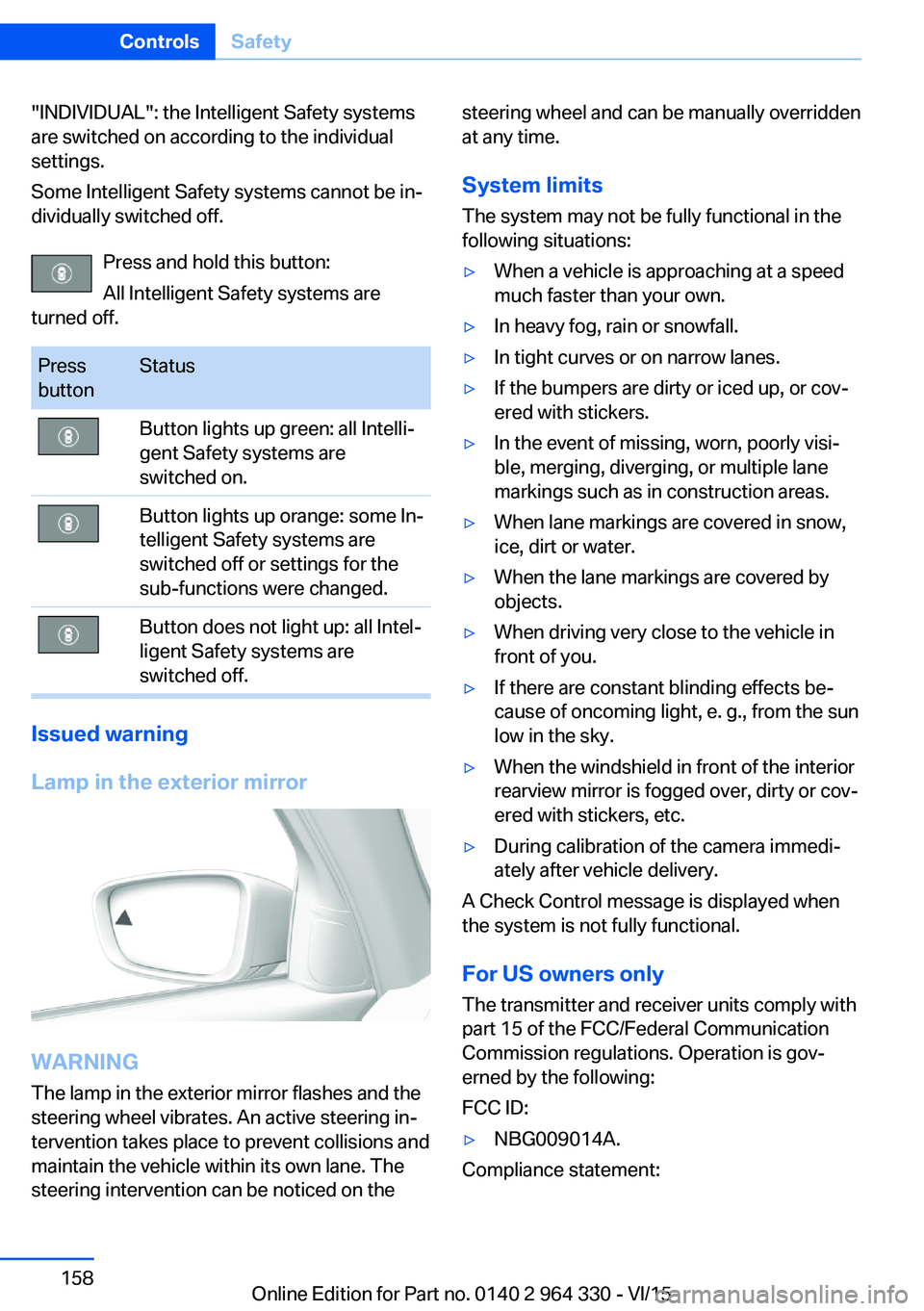
Press and hold this button:
All Intelligent Safety systems are
turned off.Press
buttonStatusButton lights up green: all Intelli‐
gent Safety systems are
switched on.Button lights up orange: some In‐
telligent Safety systems are
switched off or settings for the
sub-functions were changed.Button does not light up: all Intel‐
ligent Safety systems are
switched off.
Issued warning
Lamp in the exterior mirror
WARNING
The lamp in the exterior mirror flashes and the
steering wheel vibrates. An active steering in‐
tervention takes place to prevent collisions and
maintain the vehicle within its own lane. The
steering intervention can be noticed on the
steering wheel and can be manually overridden
at any time.
System limits
The system may not be fully functional in the
following situations:▷When a vehicle is approaching at a speed
much faster than your own.▷In heavy fog, rain or snowfall.▷In tight curves or on narrow lanes.▷If the bumpers are dirty or iced up, or cov‐
ered with stickers.▷In the event of missing, worn, poorly visi‐
ble, merging, diverging, or multiple lane
markings such as in construction areas.▷When lane markings are covered in snow,
ice, dirt or water.▷When the lane markings are covered by
objects.▷When driving very close to the vehicle in
front of you.▷If there are constant blinding effects be‐
cause of oncoming light, e. g., from the sun
low in the sky.▷When the windshield in front of the interior
rearview mirror is fogged over, dirty or cov‐
ered with stickers, etc.▷During calibration of the camera immedi‐
ately after vehicle delivery.
A Check Control message is displayed when
the system is not fully functional.
For US owners only The transmitter and receiver units comply with
part 15 of the FCC/Federal Communication
Commission regulations. Operation is gov‐
erned by the following:
FCC ID:
▷NBG009014A.
Compliance statement:
Seite 158ControlsSafety158
Online Edition for Part no. 0140 2 964 330 - VI/15
Page 160 of 314
▷NBG009014A.
Compliance statement:
This device complies with part 15 of the FCC
Rules. Operation is subject to the following
two conditions:
▷This device may not cause harmful inter‐
ference, and▷this device must accept any interference
received, including interference that may
cause undesired operation.
Any unauthorized modifications or changes to
these devices could void the user's authority to
operate this equipment.
Brake force display
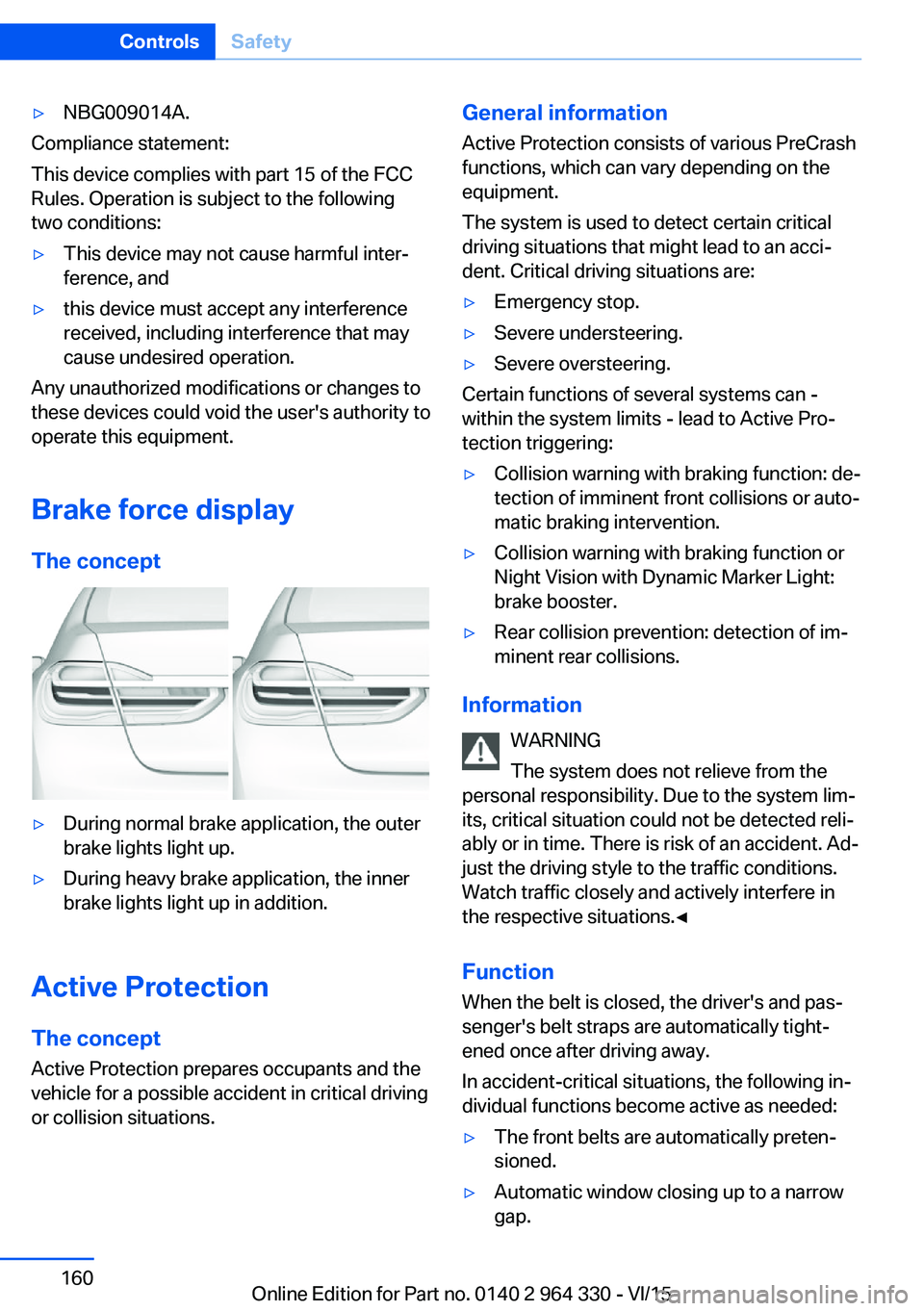
The concept
▷During normal brake application, the outer
brake lights light up.▷During heavy brake application, the inner
brake lights light up in addition.
Active Protection
The concept
Active Protection prepares occupants and the
vehicle for a possible accident in critical driving
or collision situations.
General information
Active Protection consists of various PreCrash
functions, which can vary depending on the
equipment.
The system is used to detect certain critical
driving situations that might lead to an acci‐
dent. Critical driving situations are:▷Emergency stop.▷Severe understeering.▷Severe oversteering.
Certain functions of several systems can -
within the system limits - lead to Active Pro‐
tection triggering:
▷Collision warning with braking function: de‐
tection of imminent front collisions or auto‐
matic braking intervention.▷Collision warning with braking function or
Night Vision with Dynamic Marker Light:
brake booster.▷Rear collision prevention: detection of im‐
minent rear collisions.
Information
WARNING
The system does not relieve from the
personal responsibility. Due to the system lim‐
its, critical situation could not be detected reli‐
ably or in time. There is risk of an accident. Ad‐
just the driving style to the traffic conditions.
Watch traffic closely and actively interfere in
the respective situations.◀
Function
When the belt is closed, the driver's and pas‐
senger's belt straps are automatically tight‐
ened once after driving away.
In accident-critical situations, the following in‐
dividual functions become active as needed:
▷The front belts are automatically preten‐
sioned.▷Automatic window closing up to a narrow
gap.Seite 160ControlsSafety160
Online Edition for Part no. 0140 2 964 330 - VI/15
Page 161 of 314
▷Automatic closing of the glass sunroof, in‐
cluding sliding visor.▷For vehicles equipped with Comfort seats
in the front: automatic positioning of the
backrest for the front passenger seat.▷For vehicles equipped with Comfort seats
in the rear: automatic positioning of the
backrests for the rear passenger seats.
After a critical driving situation without an acci‐
dent, the front belts are loosened again. All
other systems can be restored to the desired
setting.
If the belt tension does not loosen automati‐
cally, stop the vehicle and unbuckle the belt
using the red button in the buckle. Fasten the
belt before continuing on your trip.
Post Crash — iBrake The conceptIn certain accident situations, e.g. collision, the
system can bring the vehicle to a halt automat‐
ically without driver intervention. This can re‐
duce the risk of a further collision and the con‐
sequences thereof.
At standstill After coming to a halt, the brake is released
automatically.
Harder vehicle braking
It can be necessary to bring the vehicle in cer‐
tain situations to a halt quicker.
Here, a higher braking pressure must be gen‐
erated for a short period when pressing the brake pedal than during automatic braking.
This interrupts automatic braking.
Interrupting automatic braking It can be necessary to interrupt automatic
braking in certain situations,e.g. for an evasive
maneuver.
Interrupt automatic braking:
▷By pressing the brake pedal.▷By pressing the accelerator pedal.
Attentiveness assistant
The concept The system can detect increasing lack of alert‐
ness or fatigue of the driver during long, mo‐
notonous journeys, e.g., on highways. In this
situation, it is recommended that the driver
takes a break.
Information WARNING
The system does not relieve from the
personal responsibility to correctly assess
one's physical state. An increasing lack of
alertness or fatigue may not be detected or not
be detected in time. There is risk of an acci‐
dent. Make sure that the driver is rested and
alert. Adjust the driving style to the traffic con‐
ditions.◀
Function
The system is switched on each time drive
readiness is switched on.
After travel has begun, the system is trained
about the driver, so that increasing lack of alertness or fatigue can be detected.
This procedure takes the following criteria into
account:
▷Personal driving style, e.g., steering behav‐
ior.▷Driving conditions, e.g., length of trip.
Starting at approximately 43 mph/70 km/h, the
system is active and can display a recommen‐
dation to take a break.
Seite 161SafetyControls161
Online Edition for Part no. 0140 2 964 330 - VI/15
Page 162 of 314
Break recommendation
Switching on/off, adjusting The Attentiveness Assistant is active automat‐
ically with each switching on of drive readiness
and can thus display a break recommendation.
The break recommendation can also be
switched on or off via iDrive and adjusted:
About iDrive:1."My Vehicle"2."Vehicle settings"3."Driver attention control"4.Select desired setting.▷"Off": no break recommendation is
made.▷"Standard": the break recommendation
is made with a defined value.▷"Sensitive": the break recommendation
is issued earlier.
Display
If the driver becomes increasingly less alert or
fatigued, a message is displayed in the Control
Display with the recommendation to take a
break.
During the display, the following settings can
be selected:
▷"Do not ask again"▷"Places to stop"▷"Remind me later"
The break recommendation is repeated af‐
ter 20 minutes.
After a break, another recommendation to take
a break cannot be displayed until after approxi‐
mately 45 minutes.
System limits
The function may be limited in the following
situations, for instance, and will either output
an incorrect warning or no warning at all:
▷When the clock is set incorrectly.▷When the vehicle speed is mainly below
about 43 mph/70 km/h.▷With a sporty driving style, such as during
rapid acceleration or when cornering fast.▷In active driving situations, such as when
changing lanes frequently.▷When the road surface is poor.▷In the event of strong side winds.Seite 162ControlsSafety162
Online Edition for Part no. 0140 2 964 330 - VI/15
Page 164 of 314
WARNING
When driving with roof load, e.g. with
roof-mounted luggage rack, driving safety may
not be ensured in driving-critical situations due
to the elevated center of gravity. There is risk
of accidents or risk of property damage. Do not
deactivate Dynamic Stability Control DSC
when driving with roof load.◀
Overview
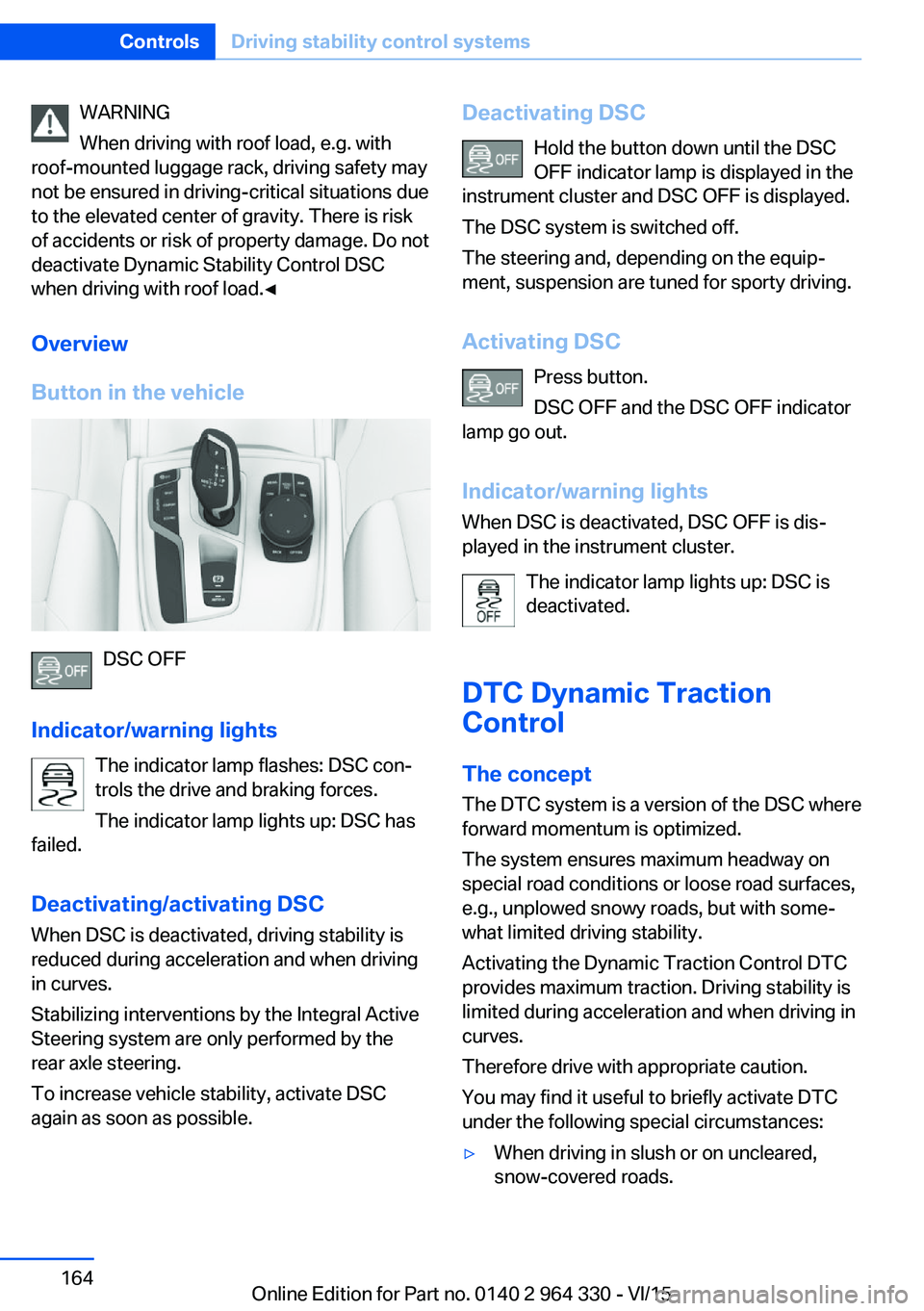
Button in the vehicle
DSC OFF
Indicator/warning lights The indicator lamp flashes: DSC con‐
trols the drive and braking forces.
The indicator lamp lights up: DSC has
failed.
Deactivating/activating DSC
When DSC is deactivated, driving stability is
reduced during acceleration and when driving
in curves.
Stabilizing interventions by the Integral Active
Steering system are only performed by the
rear axle steering.
To increase vehicle stability, activate DSC
again as soon as possible.
Deactivating DSC
Hold the button down until the DSC
OFF indicator lamp is displayed in the
instrument cluster and DSC OFF is displayed.
The DSC system is switched off.
The steering and, depending on the equip‐
ment, suspension are tuned for sporty driving.
Activating DSC Press button.
DSC OFF and the DSC OFF indicator
lamp go out.
Indicator/warning lights
When DSC is deactivated, DSC OFF is dis‐
played in the instrument cluster.
The indicator lamp lights up: DSC is
deactivated.
DTC Dynamic Traction
Control
The concept The DTC system is a version of the DSC where
forward momentum is optimized.
The system ensures maximum headway on
special road conditions or loose road surfaces,
e.g., unplowed snowy roads, but with some‐
what limited driving stability.
Activating the Dynamic Traction Control DTC
provides maximum traction. Driving stability is
limited during acceleration and when driving in
curves.
Therefore drive with appropriate caution.
You may find it useful to briefly activate DTC
under the following special circumstances:▷When driving in slush or on uncleared,
snow-covered roads.Seite 164ControlsDriving stability control systems164
Online Edition for Part no. 0140 2 964 330 - VI/15
Page 165 of 314
▷When freeing vehicle from deep snow or
driving off from loose grounds.▷When driving with snow chains.
Overview
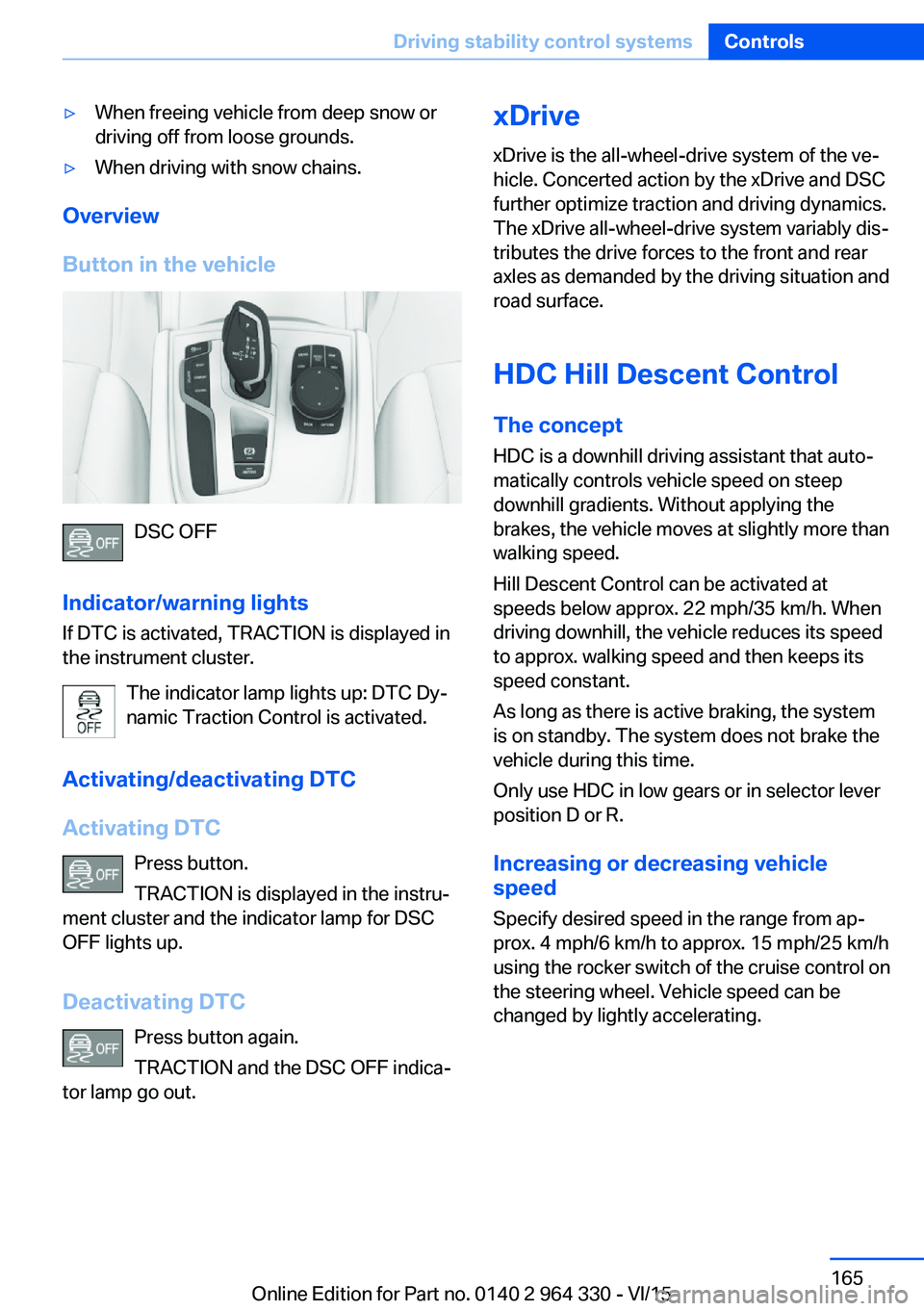
Button in the vehicle
DSC OFF
Indicator/warning lights
If DTC is activated, TRACTION is displayed in
the instrument cluster.
The indicator lamp lights up: DTC Dy‐
namic Traction Control is activated.
Activating/deactivating DTC
Activating DTC Press button.
TRACTION is displayed in the instru‐
ment cluster and the indicator lamp for DSC
OFF lights up.
Deactivating DTC Press button again.
TRACTION and the DSC OFF indica‐
tor lamp go out.
xDrive
xDrive is the all-wheel-drive system of the ve‐
hicle. Concerted action by the xDrive and DSC
further optimize traction and driving dynamics.
The xDrive all-wheel-drive system variably dis‐
tributes the drive forces to the front and rear
axles as demanded by the driving situation and
road surface.
HDC Hill Descent Control
The concept
HDC is a downhill driving assistant that auto‐
matically controls vehicle speed on steep
downhill gradients. Without applying the
brakes, the vehicle moves at slightly more than
walking speed.
Hill Descent Control can be activated at
speeds below approx. 22 mph/35 km/h. When
driving downhill, the vehicle reduces its speed
to approx. walking speed and then keeps its
speed constant.
As long as there is active braking, the system
is on standby. The system does not brake the
vehicle during this time.
Only use HDC in low gears or in selector lever
position D or R.
Increasing or decreasing vehicle
speed
Specify desired speed in the range from ap‐
prox. 4 mph/6 km/h to approx. 15 mph/25 km/h
using the rocker switch of the cruise control on
the steering wheel. Vehicle speed can be
changed by lightly accelerating.Seite 165Driving stability control systemsControls165
Online Edition for Part no. 0140 2 964 330 - VI/15
Page 166 of 314
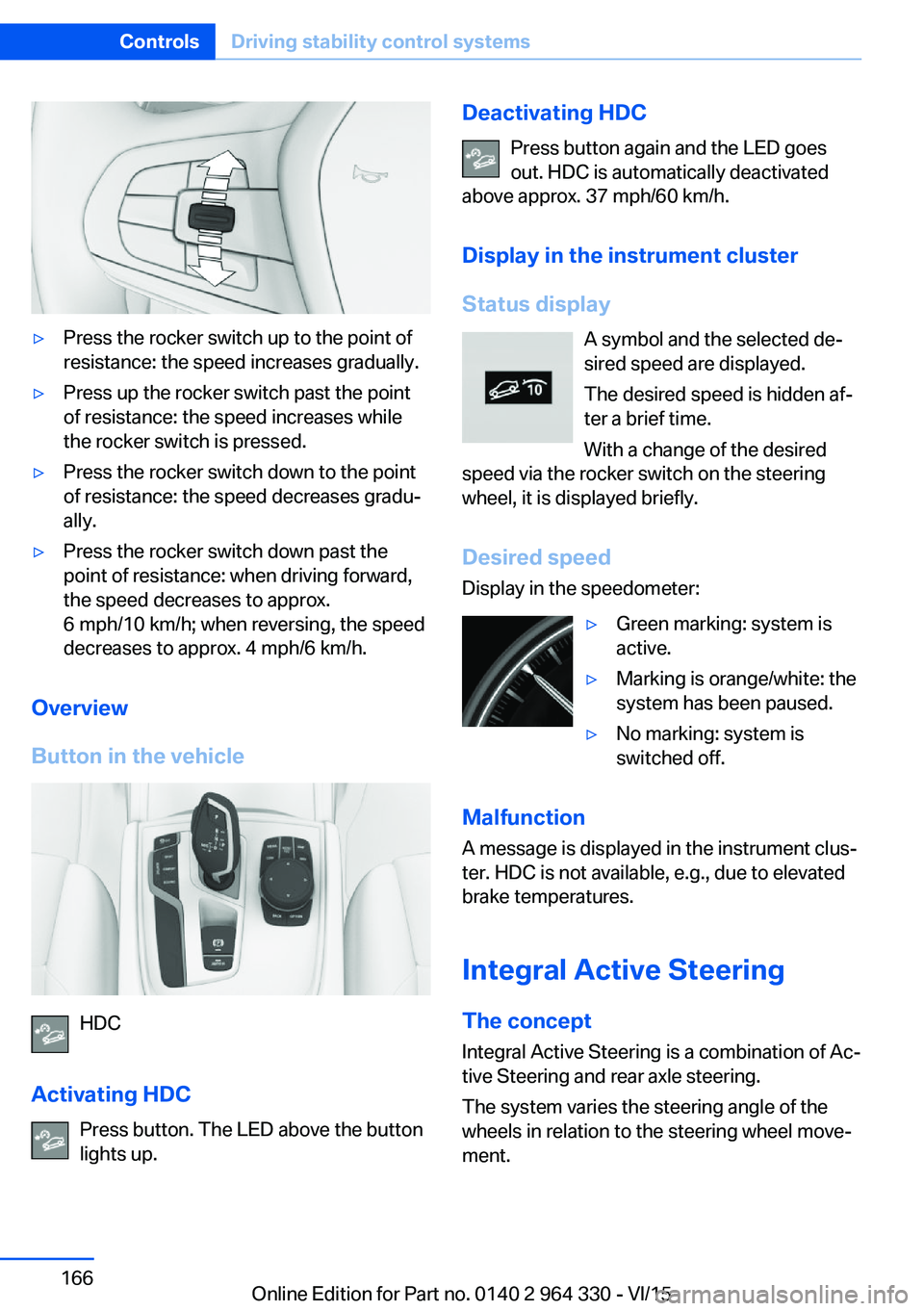
▷Press the rocker switch up to the point of
resistance: the speed increases gradually.▷Press up the rocker switch past the point
of resistance: the speed increases while
the rocker switch is pressed.▷Press the rocker switch down to the point
of resistance: the speed decreases gradu‐
ally.▷Press the rocker switch down past the
point of resistance: when driving forward,
the speed decreases to approx.
6 mph/10 km/h; when reversing, the speed
decreases to approx. 4 mph/6 km/h.
Overview
Button in the vehicle
HDC
Activating HDC Press button. The LED above the buttonlights up.
Deactivating HDC
Press button again and the LED goes
out. HDC is automatically deactivated
above approx. 37 mph/60 km/h.
Display in the instrument cluster
Status display A symbol and the selected de‐
sired speed are displayed.
The desired speed is hidden af‐
ter a brief time.
With a change of the desired
speed via the rocker switch on the steering
wheel, it is displayed briefly.
Desired speedDisplay in the speedometer:▷Green marking: system is
active.▷Marking is orange/white: the
system has been paused.▷No marking: system is
switched off.
Malfunction
A message is displayed in the instrument clus‐
ter. HDC is not available, e.g., due to elevated
brake temperatures.
Integral Active Steering The concept
Integral Active Steering is a combination of Ac‐
tive Steering and rear axle steering.
The system varies the steering angle of the
wheels in relation to the steering wheel move‐
ment.
Seite 166ControlsDriving stability control systems166
Online Edition for Part no. 0140 2 964 330 - VI/15
Page 170 of 314
Switch off
To switch off the system while standing, step
on brake pedal at the same time.
Press button on the steering wheel.
The displays go out. The stored desired speed
is deleted.
Interrupting When active, press the button on the
steering wheel.
If interrupting the system while stationary,
press on the brake pedal at the same time.
The system is automatically interrupted in the
following situations:▷When the brakes are applied.▷When selector lever position D is disen‐
gaged.▷When DTC Dynamic Traction Control is
activated or DSC is deactivated.▷When DSC is actively controlling stability.▷If the safety belt and the driver's door are
opened while the vehicle is standing still.▷If the system has not detected objects for
an extended period, e.g., on a road with
very little traffic without curb or shoulder
markings.▷If the detection range of the radar is dis‐
rupted, e.g., by dirt or heavy fog.▷After a longer stationary period when the
vehicle has been braked to a stop by the
system.
Maintaining, storing, and changing the
speed
Information WARNING
The desired speed can be incorrectly ad‐
justed or called up by mistake. There is risk of
an accident. Adjust the desired speed to the
traffic conditions. Watch traffic closely and ac‐
tively interfere in the respective situations.◀
WARNING
Risk of accident due to too high speed
differences to other vehicles, e.g. in the follow‐
ing situations:▷When fast approaching a slowly moving
vehicle.▷Suddenly swerving vehicle onto the own
lane.▷When fast approaching standing vehicles.
There is risk of injuries or danger to life. Watch
traffic closely and actively interfere in the re‐
spective situations.◀
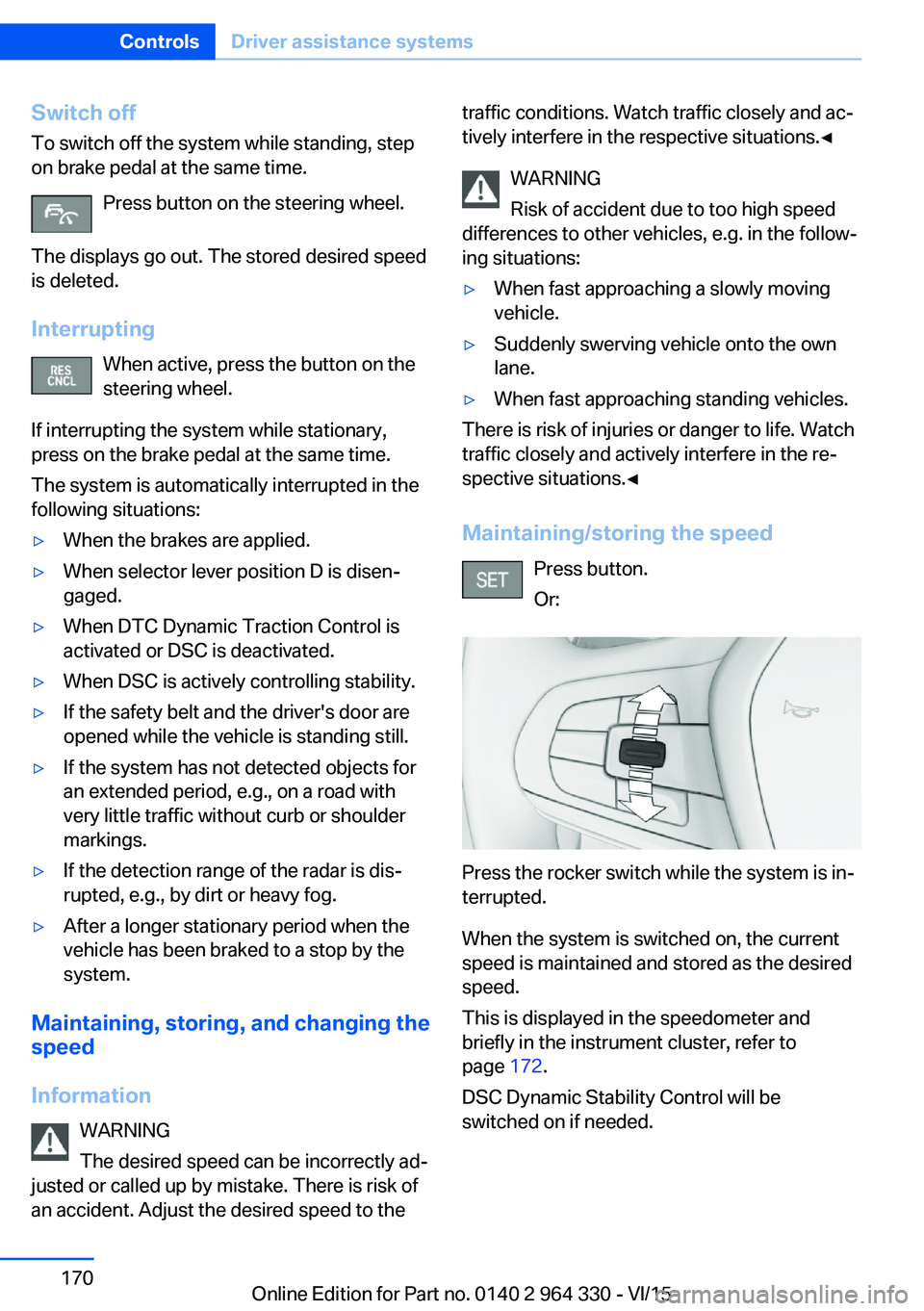
Maintaining/storing the speed Press button.
Or:
Press the rocker switch while the system is in‐
terrupted.
When the system is switched on, the current
speed is maintained and stored as the desired
speed.
This is displayed in the speedometer and
briefly in the instrument cluster, refer to
page 172.
DSC Dynamic Stability Control will be
switched on if needed.
Seite 170ControlsDriver assistance systems170
Online Edition for Part no. 0140 2 964 330 - VI/15
Page 171 of 314
Changing the speed
Press the rocker switch up or down repeatedly
until the desired speed is set.
If active, the displayed speed is stored and the
vehicle reaches the stored speed when the
road is clear.▷Each time the rocker switch is pressed to
the resistance point, the desired speed in‐
creases or decreases by 1 mph/1 km/h.▷Each time the rocker switch is pressed
past the point of resistance, the desired
speed increases or decreases by a maxi‐
mum of 5 mph/10 km/h.
Hold the rocker switch in position to repeat the
action.
Distance WARNING
The system does not relieve from the
personal responsibility. Due to the system lim‐
its, braking can be late. There is risk of acci‐
dents or risk of property damage. Be aware to
the traffic situation at all times. Adjust the dis‐
tance to the traffic and weather conditions and
maintain the prescribed safety distance, possi‐
bly by braking.◀
Without steering and lane guidance
assistant: reducing distance
Press button repeatedly until the de‐
sired distance is set.
Instrument cluster will display selected dis‐
tance, refer to page 172.
Without steering and lane guidance
assistant: increasing distance
Press button repeatedly until the de‐
sired distance is set.
Instrument cluster will display selected dis‐
tance, refer to page 172.
With steering and lane guidance
assistant: adjusting distance
Press button repeatedly until the de‐
sired distance is set.
Continuing cruise control
General information Press button with the system inter‐
rupted.
The stored speed is reached and maintained.
In the following cases, the stored speed value
is deleted and cannot be called up again:▷When the system is switched off.▷When drive readiness is switched off.
While standing
The system brought the vehicle to a complete
standstill:
▷Green marking in the speedometer:
Your vehicle accelerates automatically as
soon as the vehicle in the range of the ra‐
dar sensor moves off.▷Speedometer markings turn orange/white
after a short time: no automatic driving off.
By pressing the button, the time in
which there is automatic driving off is
extended.
Vehicle symbol in the distance indicator is
moving away: detected vehicle drove off.
The system was paused or your vehicle was
brought to a halt actively through stepping on
the brake pedal and it is standing behind an‐
other vehicle:
1. Press button to call up a stored
desired speed.2.Release the brake pedal.3.When the vehicle in front drives off:▷briefly press the gas pedal.Seite 171Driver assistance systemsControls171
Online Edition for Part no. 0140 2 964 330 - VI/15
Page 172 of 314
▷ Press button.▷ Press button▷Press the rocker switch.
Displays in the instrument cluster
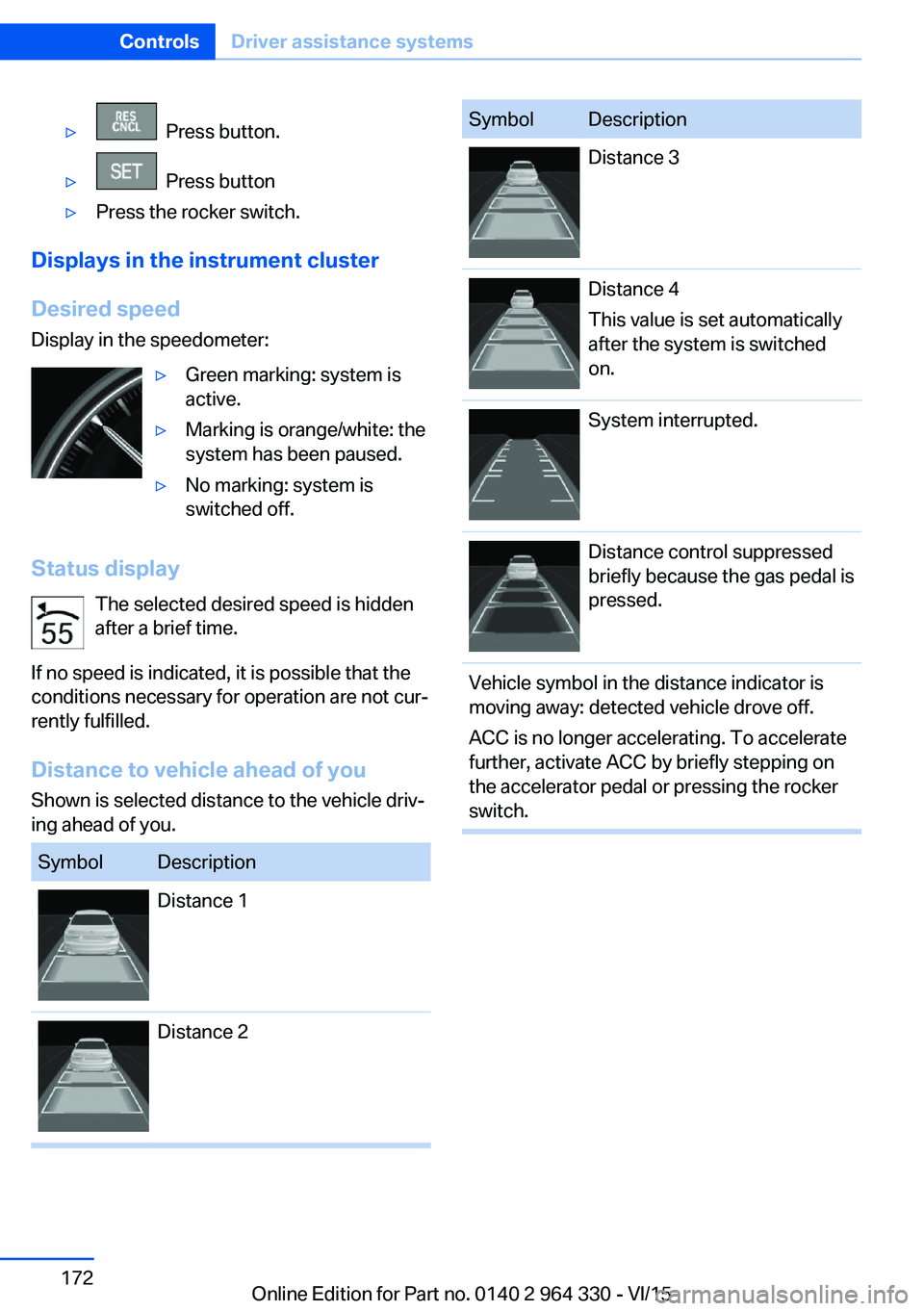
Desired speed Display in the speedometer:
▷Green marking: system is
active.▷Marking is orange/white: the
system has been paused.▷No marking: system is
switched off.
Status display
The selected desired speed is hidden
after a brief time.
If no speed is indicated, it is possible that the
conditions necessary for operation are not cur‐
rently fulfilled.
Distance to vehicle ahead of you Shown is selected distance to the vehicle driv‐
ing ahead of you.
SymbolDescriptionDistance 1Distance 2SymbolDescriptionDistance 3Distance 4
This value is set automatically
after the system is switched
on.System interrupted.Distance control suppressed
briefly because the gas pedal is
pressed.Vehicle symbol in the distance indicator is
moving away: detected vehicle drove off.
ACC is no longer accelerating. To accelerate
further, activate ACC by briefly stepping on
the accelerator pedal or pressing the rocker
switch.Seite 172ControlsDriver assistance systems172
Online Edition for Part no. 0140 2 964 330 - VI/15