display BMW 750LI SEDAN 2015 Workshop Manual
[x] Cancel search | Manufacturer: BMW, Model Year: 2015, Model line: 750LI SEDAN, Model: BMW 750LI SEDAN 2015Pages: 314, PDF Size: 7.9 MB
Page 118 of 314
Fuel gauge
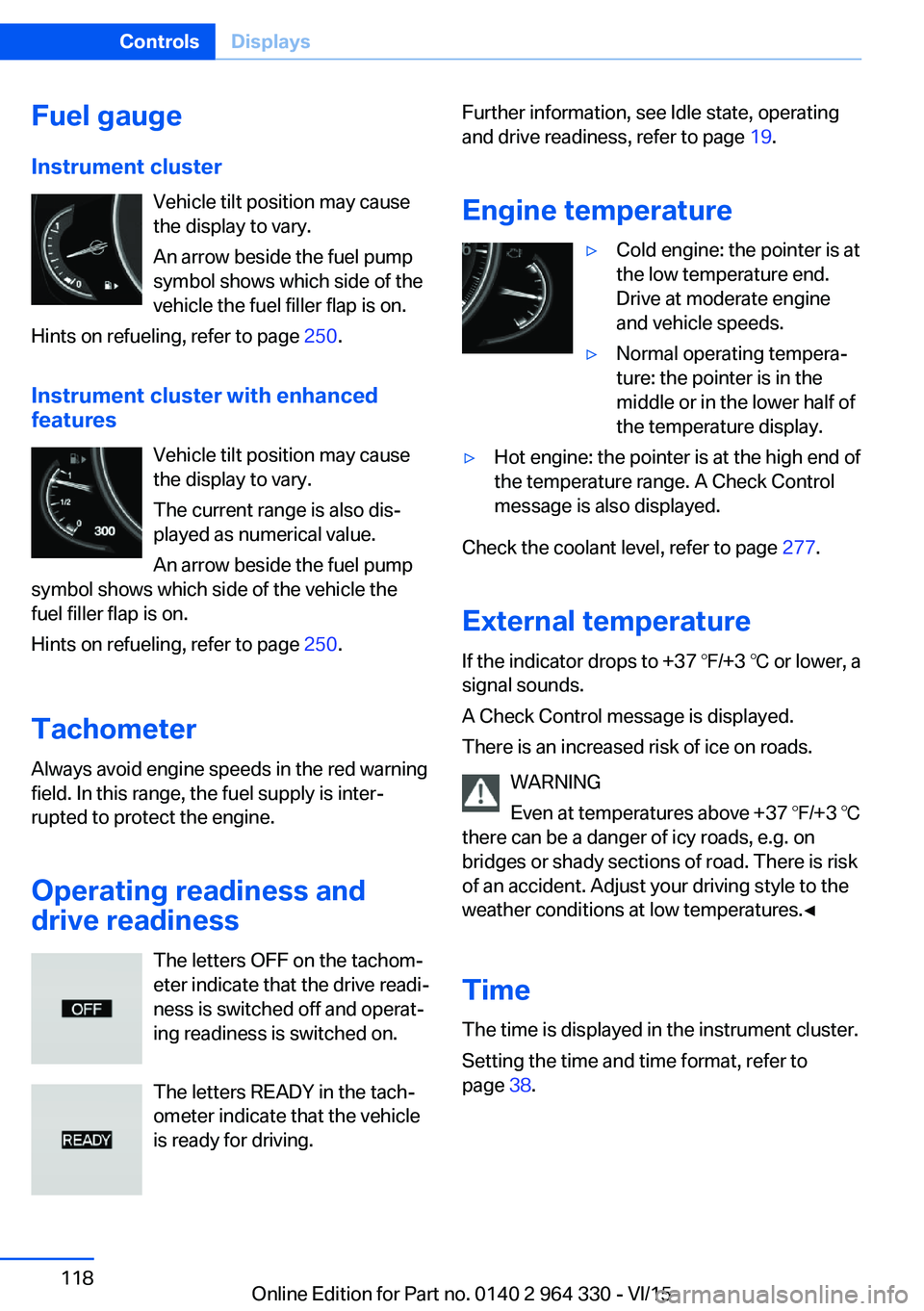
Instrument cluster Vehicle tilt position may cause
the display to vary.
An arrow beside the fuel pump
symbol shows which side of the
vehicle the fuel filler flap is on.
Hints on refueling, refer to page 250.
Instrument cluster with enhanced features
Vehicle tilt position may causethe display to vary.
The current range is also dis‐
played as numerical value.
An arrow beside the fuel pump
symbol shows which side of the vehicle the
fuel filler flap is on.
Hints on refueling, refer to page 250.
Tachometer
Always avoid engine speeds in the red warning
field. In this range, the fuel supply is inter‐
rupted to protect the engine.
Operating readiness and
drive readiness
The letters OFF on the tachom‐
eter indicate that the drive readi‐
ness is switched off and operat‐
ing readiness is switched on.
The letters READY in the tach‐
ometer indicate that the vehicle
is ready for driving.Further information, see Idle state, operating
and drive readiness, refer to page 19.
Engine temperature▷Cold engine: the pointer is at
the low temperature end.
Drive at moderate engine
and vehicle speeds.▷Normal operating tempera‐
ture: the pointer is in the
middle or in the lower half of
the temperature display.▷Hot engine: the pointer is at the high end of
the temperature range. A Check Control
message is also displayed.
Check the coolant level, refer to page 277.
External temperature
If the indicator drops to +37 ℉/+3 ℃ or lower, a
signal sounds.
A Check Control message is displayed.
There is an increased risk of ice on roads.
WARNING
Even at temperatures above +37 ℉/+3 ℃
there can be a danger of icy roads, e.g. on
bridges or shady sections of road. There is risk
of an accident. Adjust your driving style to the
weather conditions at low temperatures.◀
Time The time is displayed in the instrument cluster.
Setting the time and time format, refer to
page 38.
Seite 118ControlsDisplays118
Online Edition for Part no. 0140 2 964 330 - VI/15
Page 119 of 314
Service requirements
The concept After switching on the drive-ready state, the in‐
strument cluster briefly displays available driv‐
ing distance or time to the next scheduled
maintenance.
A service advisor can read out the current
service requirements from your remote con‐
trol.
Some information regarding the service re‐
quirements can also be shown on the remote
control with display.
Display
Detailed information on service
requirements
More information on the scope of service re‐
quired can be displayed on the Control Dis‐
play.
About iDrive:1."My Vehicle"2."Vehicle status"3. "Service required"
Required maintenance procedures and le‐
gally mandated inspections are displayed.4.Select an entry to call up detailed informa‐
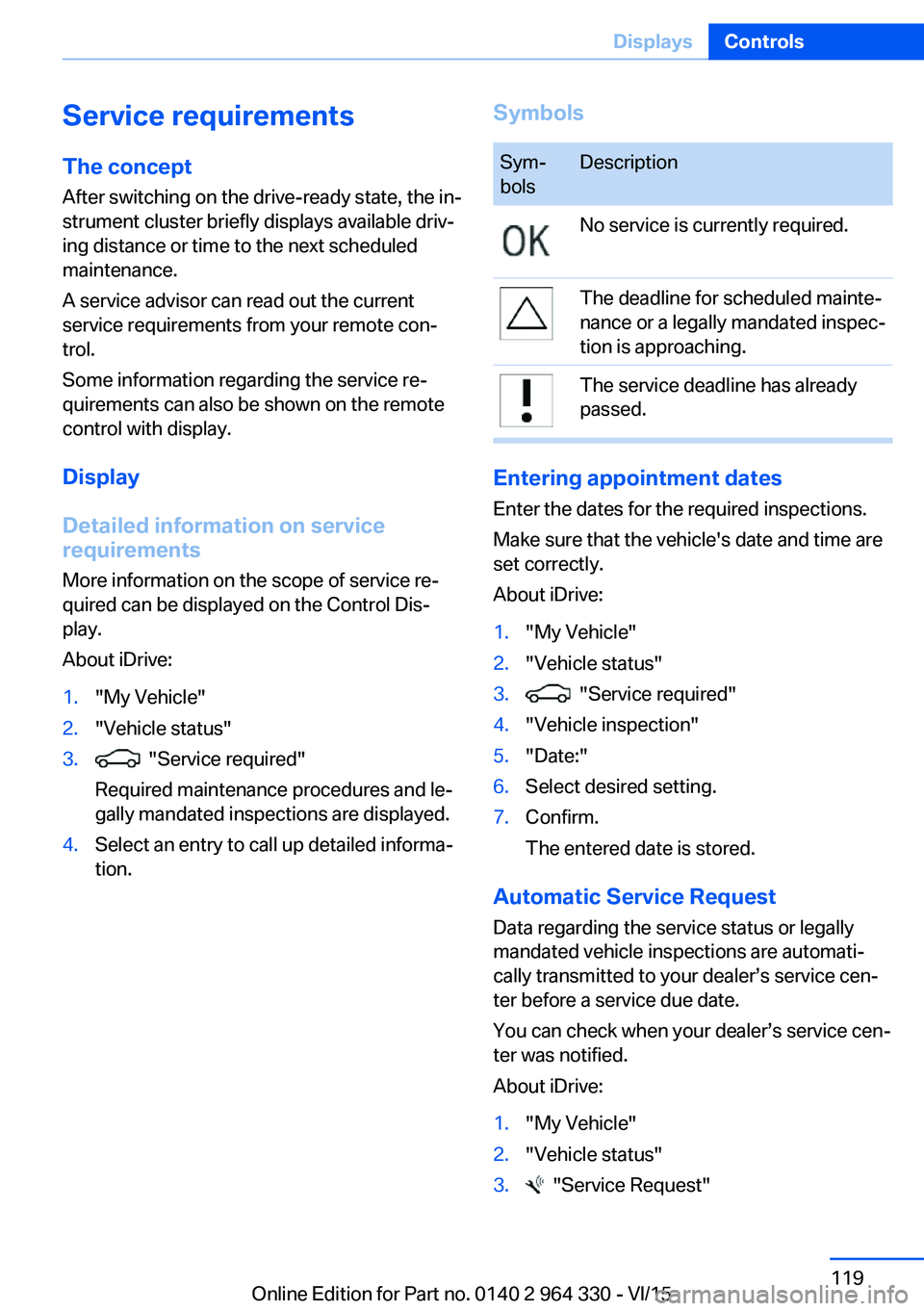
tion.SymbolsSym‐
bolsDescriptionNo service is currently required.The deadline for scheduled mainte‐
nance or a legally mandated inspec‐
tion is approaching.The service deadline has already
passed.
Entering appointment dates
Enter the dates for the required inspections.
Make sure that the vehicle's date and time are
set correctly.
About iDrive:
1."My Vehicle"2."Vehicle status"3. "Service required"4."Vehicle inspection"5."Date:"6.Select desired setting.7.Confirm.
The entered date is stored.
Automatic Service Request
Data regarding the service status or legally
mandated vehicle inspections are automati‐
cally transmitted to your dealer’s service cen‐
ter before a service due date.
You can check when your dealer’s service cen‐
ter was notified.
About iDrive:
1."My Vehicle"2."Vehicle status"3. "Service Request"Seite 119DisplaysControls119
Online Edition for Part no. 0140 2 964 330 - VI/15
Page 120 of 314
Gear shift indicatorThe conceptThe system recommends the most fuel effi‐
cient gear for the current driving situation.
General information
Depending on the vehicle's features and coun‐
try version of the vehicle, the gear shift indica‐
tor is active in the manual mode of the Step‐
tronic transmission.
Suggestions to shift gear up or down are dis‐
played in the instrument cluster.
On vehicles without a gear shift indicator, the
engaged gear is displayed.
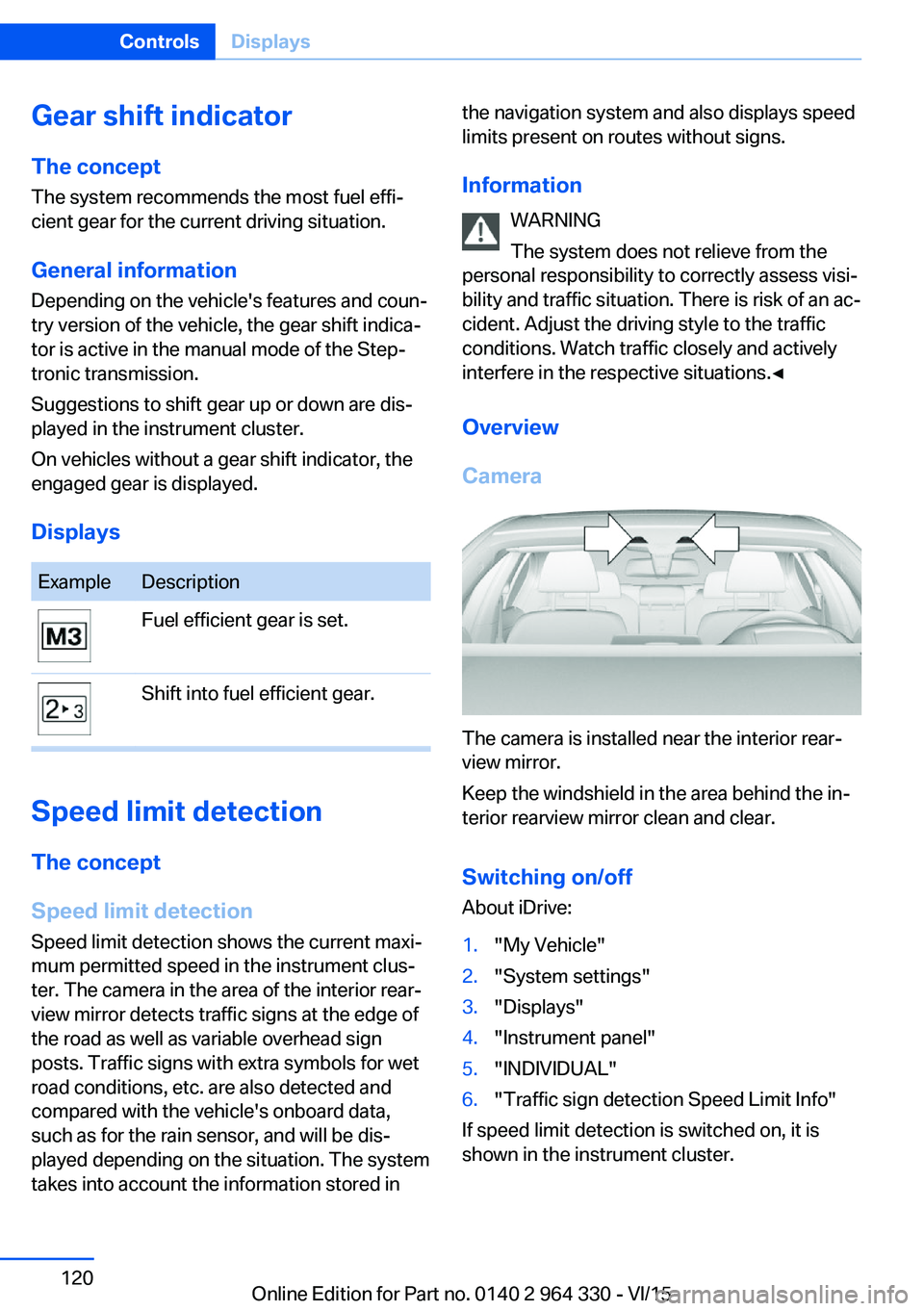
DisplaysExampleDescriptionFuel efficient gear is set.Shift into fuel efficient gear.
Speed limit detection
The concept
Speed limit detection
Speed limit detection shows the current maxi‐
mum permitted speed in the instrument clus‐
ter. The camera in the area of the interior rear‐
view mirror detects traffic signs at the edge of
the road as well as variable overhead sign
posts. Traffic signs with extra symbols for wet
road conditions, etc. are also detected and
compared with the vehicle's onboard data,
such as for the rain sensor, and will be dis‐
played depending on the situation. The system
takes into account the information stored in
the navigation system and also displays speed
limits present on routes without signs.
Information WARNING
The system does not relieve from the
personal responsibility to correctly assess visi‐
bility and traffic situation. There is risk of an ac‐
cident. Adjust the driving style to the traffic
conditions. Watch traffic closely and actively
interfere in the respective situations.◀
Overview
Camera
The camera is installed near the interior rear‐
view mirror.
Keep the windshield in the area behind the in‐
terior rearview mirror clean and clear.
Switching on/offAbout iDrive:
1."My Vehicle"2."System settings"3."Displays"4."Instrument panel"5."INDIVIDUAL"6."Traffic sign detection Speed Limit Info"
If speed limit detection is switched on, it is
shown in the instrument cluster.
Seite 120ControlsDisplays120
Online Edition for Part no. 0140 2 964 330 - VI/15
Page 121 of 314
Display
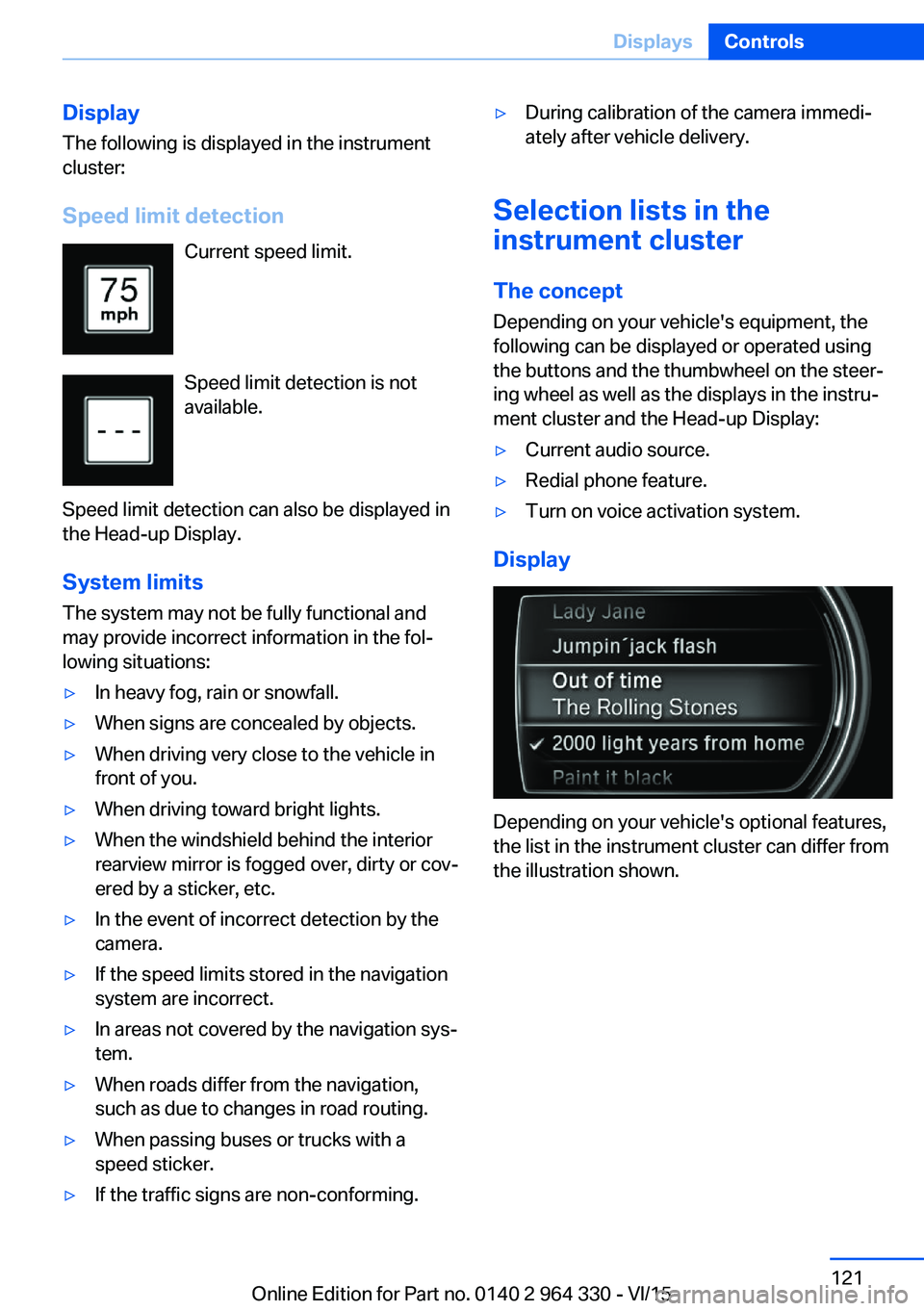
The following is displayed in the instrument
cluster:
Speed limit detection Current speed limit.
Speed limit detection is not
available.
Speed limit detection can also be displayed in
the Head-up Display.
System limits
The system may not be fully functional and
may provide incorrect information in the fol‐
lowing situations:▷In heavy fog, rain or snowfall.▷When signs are concealed by objects.▷When driving very close to the vehicle in
front of you.▷When driving toward bright lights.▷When the windshield behind the interior
rearview mirror is fogged over, dirty or cov‐
ered by a sticker, etc.▷In the event of incorrect detection by the
camera.▷If the speed limits stored in the navigation
system are incorrect.▷In areas not covered by the navigation sys‐
tem.▷When roads differ from the navigation,
such as due to changes in road routing.▷When passing buses or trucks with a
speed sticker.▷If the traffic signs are non-conforming.▷During calibration of the camera immedi‐
ately after vehicle delivery.
Selection lists in the
instrument cluster
The concept Depending on your vehicle's equipment, the
following can be displayed or operated using
the buttons and the thumbwheel on the steer‐
ing wheel as well as the displays in the instru‐
ment cluster and the Head-up Display:
▷Current audio source.▷Redial phone feature.▷Turn on voice activation system.
Display
Depending on your vehicle's optional features,
the list in the instrument cluster can differ from
the illustration shown.
Seite 121DisplaysControls121
Online Edition for Part no. 0140 2 964 330 - VI/15
Page 122 of 314
Activating a list and adjusting the
setting
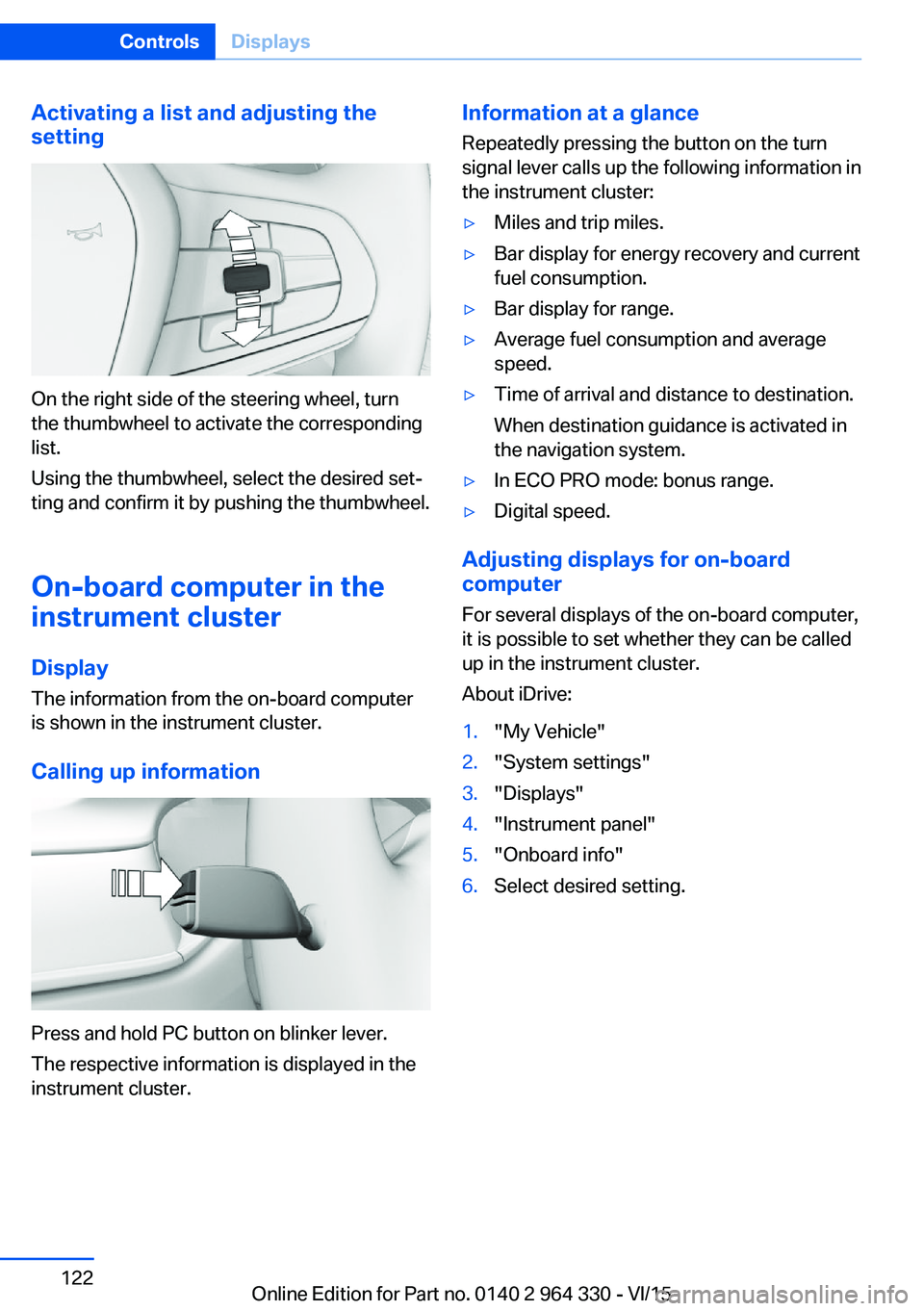
On the right side of the steering wheel, turn
the thumbwheel to activate the corresponding
list.
Using the thumbwheel, select the desired set‐
ting and confirm it by pushing the thumbwheel.
On-board computer in the
instrument cluster
Display
The information from the on-board computer
is shown in the instrument cluster.
Calling up information
Press and hold PC button on blinker lever.
The respective information is displayed in the
instrument cluster.
Information at a glance
Repeatedly pressing the button on the turn
signal lever calls up the following information in
the instrument cluster:▷Miles and trip miles.▷Bar display for energy recovery and current
fuel consumption.▷Bar display for range.▷Average fuel consumption and average
speed.▷Time of arrival and distance to destination.
When destination guidance is activated in
the navigation system.▷In ECO PRO mode: bonus range.▷Digital speed.
Adjusting displays for on-board
computer
For several displays of the on-board computer,
it is possible to set whether they can be called
up in the instrument cluster.
About iDrive:
1."My Vehicle"2."System settings"3."Displays"4."Instrument panel"5."Onboard info"6.Select desired setting.Seite 122ControlsDisplays122
Online Edition for Part no. 0140 2 964 330 - VI/15
Page 123 of 314
Information in detail
Odometer and trip odometer
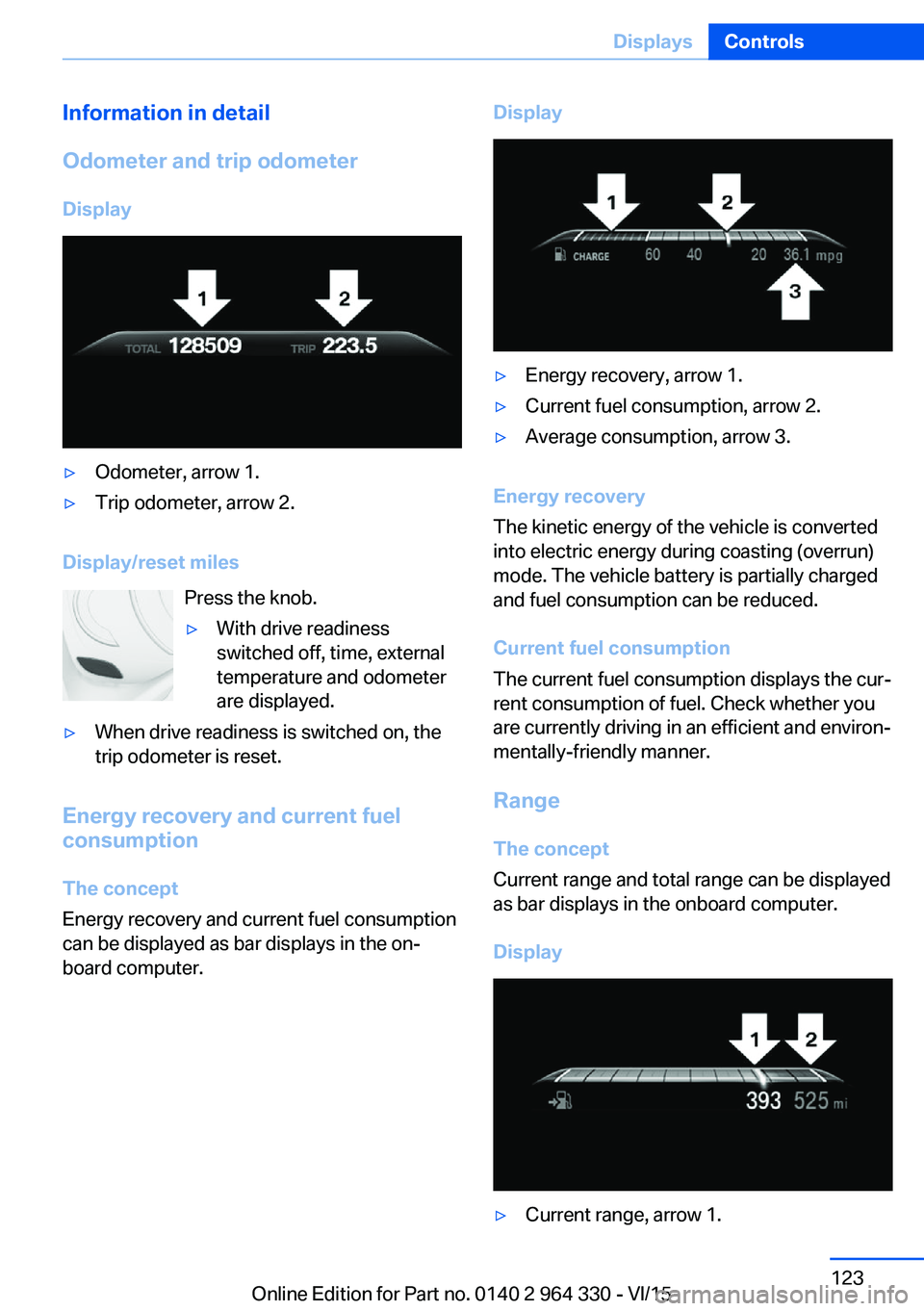
Display▷Odometer, arrow 1.▷Trip odometer, arrow 2.
Display/reset miles Press the knob.
▷With drive readiness
switched off, time, external
temperature and odometer
are displayed.▷When drive readiness is switched on, the
trip odometer is reset.
Energy recovery and current fuel
consumption
The concept
Energy recovery and current fuel consumption
can be displayed as bar displays in the on‐
board computer.
Display▷Energy recovery, arrow 1.▷Current fuel consumption, arrow 2.▷Average consumption, arrow 3.
Energy recovery
The kinetic energy of the vehicle is converted
into electric energy during coasting (overrun)
mode. The vehicle battery is partially charged
and fuel consumption can be reduced.
Current fuel consumption
The current fuel consumption displays the cur‐
rent consumption of fuel. Check whether you
are currently driving in an efficient and environ‐
mentally-friendly manner.
Range
The concept
Current range and total range can be displayed
as bar displays in the onboard computer.
Display
▷Current range, arrow 1.Seite 123DisplaysControls123
Online Edition for Part no. 0140 2 964 330 - VI/15
Page 124 of 314
▷Total range, arrow 2.
With a low remaining range, a Check Control
message is briefly displayed. With a dynamic
driving style, e.g. taking curves aggressively,
the engine function is not always ensured.
The Check Control message appears continu‐
ously below a range of approx. 30 miles/50 km.
CAUTION
With a range of less than 30 miles/50 km
it is possible that the engine will no longer have
sufficient fuel. Engine functions are no longer
ensured. There is risk of property damage. Re‐
fuel promptly.◀
Average speed and average fuel
consumption
General information
Average speed and average fuel consumption
are calculated for the distance traveled since
the last reset in the onboard computer.
Periods in which the vehicle is parked with the
engine manually stopped are not included in
the calculation of the average speed.
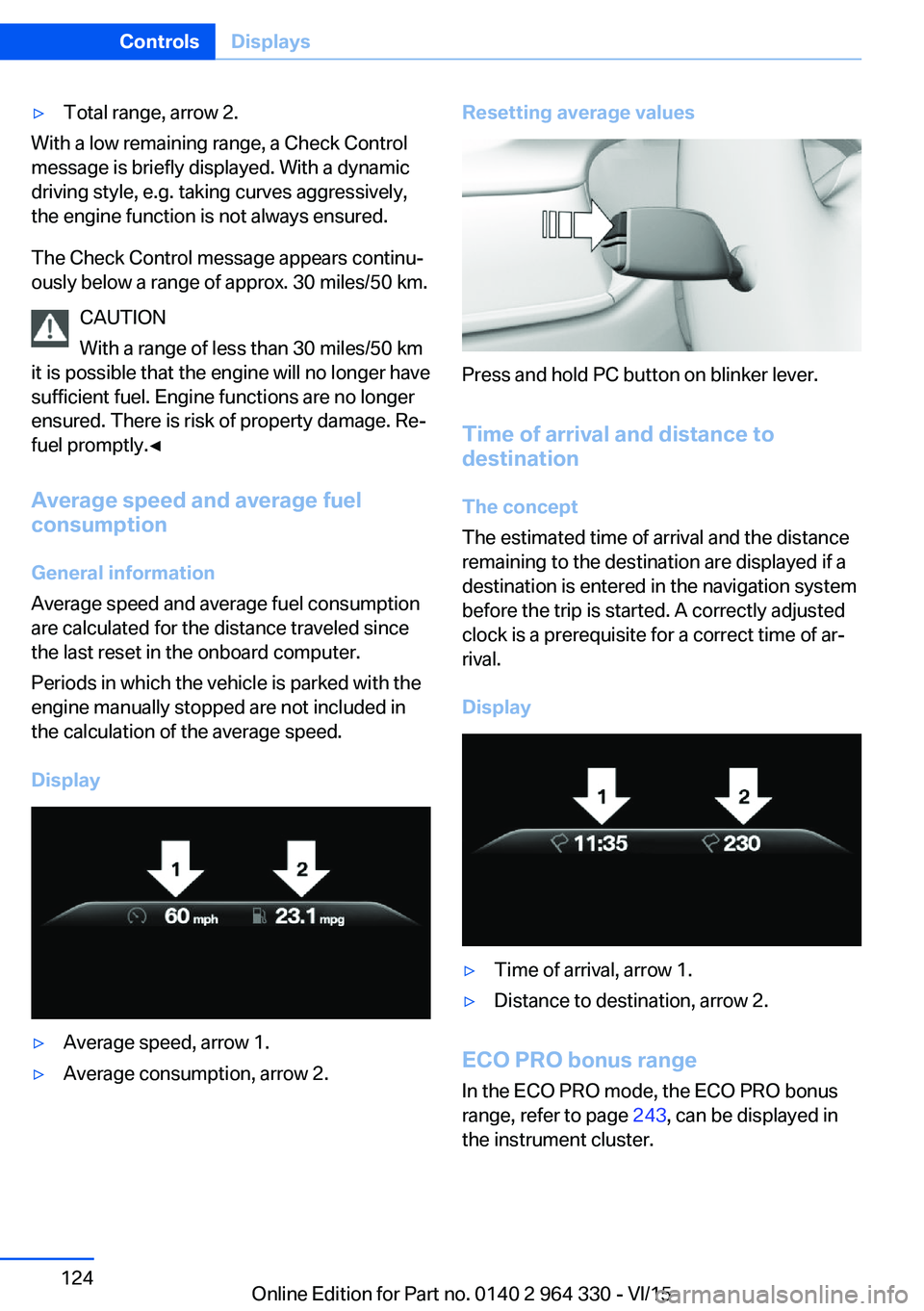
Display
▷Average speed, arrow 1.▷Average consumption, arrow 2.Resetting average values
Press and hold PC button on blinker lever.
Time of arrival and distance to
destination
The concept
The estimated time of arrival and the distance
remaining to the destination are displayed if a
destination is entered in the navigation system
before the trip is started. A correctly adjusted
clock is a prerequisite for a correct time of ar‐
rival.
Display
▷Time of arrival, arrow 1.▷Distance to destination, arrow 2.
ECO PRO bonus range In the ECO PRO mode, the ECO PRO bonus
range, refer to page 243, can be displayed in
the instrument cluster.
Seite 124ControlsDisplays124
Online Edition for Part no. 0140 2 964 330 - VI/15
Page 125 of 314
Onboard computer on the
Control Display
General information
Two types of onboard computers are available
on the Control Display:▷"Onboard info": the values can be reset as
often as necessary.▷"Trip computer": the values provide an
overview of the current trip.
Calling up the onboard computer or
trip computer
About iDrive:
1."My Vehicle"2."Driving information"3."Onboard info" or "Trip computer"
Resetting the trip on-board computer
About iDrive:
1."My Vehicle"2."Driving information"3."Trip computer"4.▷ "Reset": all values are reset.▷ "Automatic reset": all values are
reset approx. 4 hours after the vehicle
came to a standstill.
Resetting the fuel consumption or
speed
About iDrive:
1."My Vehicle"2."Driving information"3."Onboard info"4."Consumption" or "Speed"5."OK"Sport displays
The concept
On the Control Display, the current values for
performance and torque can be displayed if
the vehicle is appropriately equipped.
Displaying sport displays on the
Control Display
About iDrive:1."My Vehicle"2."Technology in action"3."Sport displays"
Speed warning
The concept Displays a speed, when reached, should cause
a warning to be issued.
The warning is repeated if the vehicle speed
drops below the set speed once by at least
3 mph/5 km/h.
Displaying, setting or changing the
speed warning
About iDrive:
1."My Vehicle"2."Vehicle settings"3."Speed warning"4."Warning at:"5.Turn the controller until the desired speed
is displayed.6.Press the controller.
Speed warning is stored.
Seite 125DisplaysControls125
Online Edition for Part no. 0140 2 964 330 - VI/15
Page 126 of 314
Activating/deactivating the speed
warning
About iDrive:1."My Vehicle"2."Vehicle settings"3."Speed warning"4."Speed warning"5.Press the controller.
Setting your current speed as the
speed warning
About iDrive:
1."My Vehicle"2."Vehicle settings"3."Speed warning"4."Select current speed"5.Press the controller.
The current vehicle speed is stored as the
speed warning.
Vehicle status
The concept The status can be displayed and actions per‐
formed for several systems.
Opening the vehicle status
About iDrive:
1."My Vehicle"2."Vehicle status"
Information at a glance
▷ "Flat Tire Monitor": Status of the Flat
Tire Monitor, refer to page 269.▷ "Tire Pressure Monitor": Status of the
Tire Pressure Monitor, refer to page 265.▷Reset the Tire Pressure Monitor, refer to
page 265.▷ "Engine oil level"Electronic engine
oil level check, refer to page 273.▷ "Check Control": Display of stored
Check Control messages, refer to
page 117.▷ "Service required"Display of service
requirements, refer to page 119.▷ "Service Request": Service request.
Head-up Display
Overview
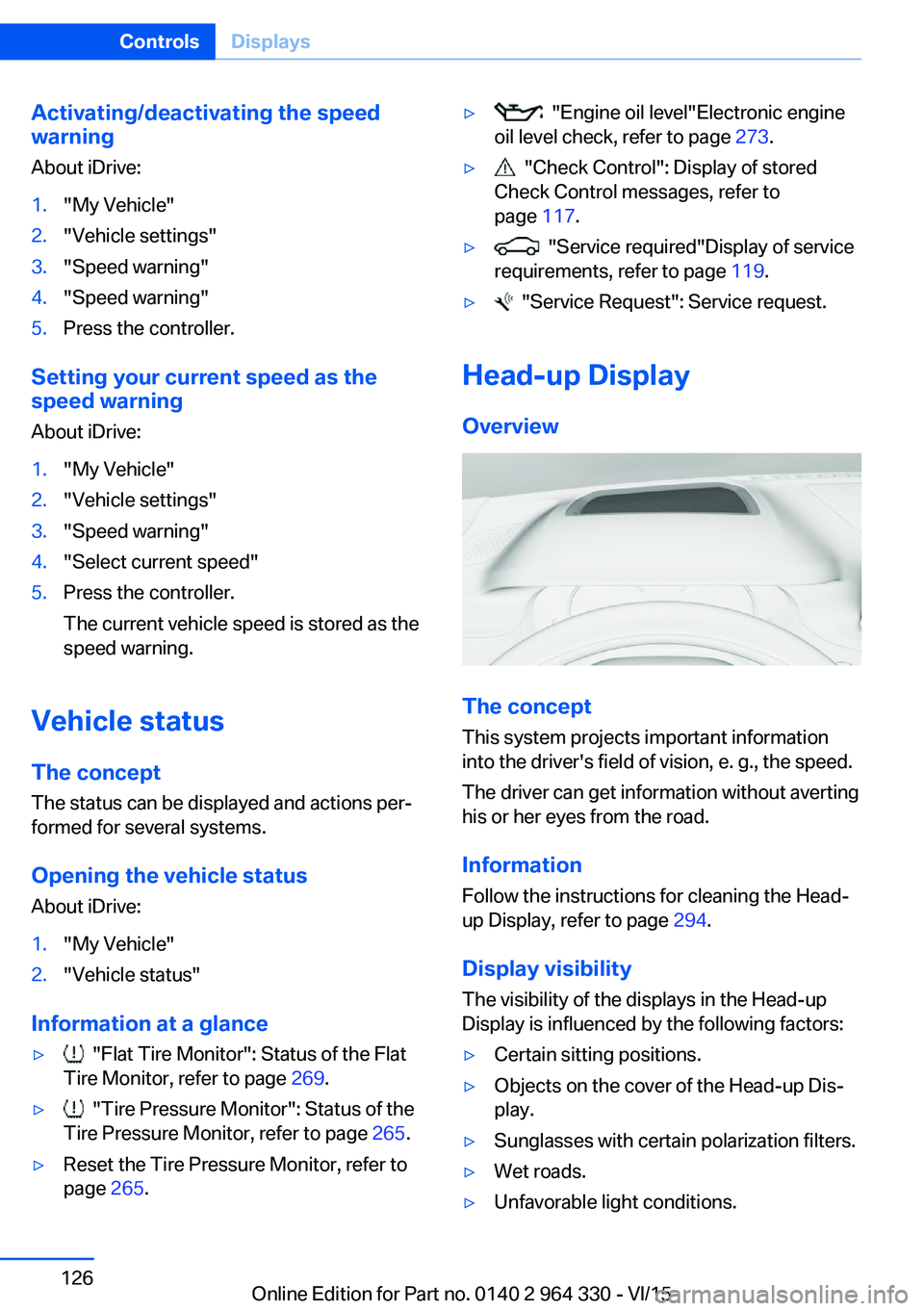
The concept
This system projects important information
into the driver's field of vision, e. g., the speed.
The driver can get information without averting
his or her eyes from the road.
Information Follow the instructions for cleaning the Head-
up Display, refer to page 294.
Display visibility The visibility of the displays in the Head-up
Display is influenced by the following factors:
▷Certain sitting positions.▷Objects on the cover of the Head-up Dis‐
play.▷Sunglasses with certain polarization filters.▷Wet roads.▷Unfavorable light conditions.Seite 126ControlsDisplays126
Online Edition for Part no. 0140 2 964 330 - VI/15
Page 127 of 314
If the image is distorted, have the basic set‐
tings checked by a dealer’s service center or
another qualified service center or repair shop.
Switching on/off
About iDrive:1."My Vehicle"2."System settings"3."Displays"4."Head-Up Display"5."Head-Up Display"
Display
Overview
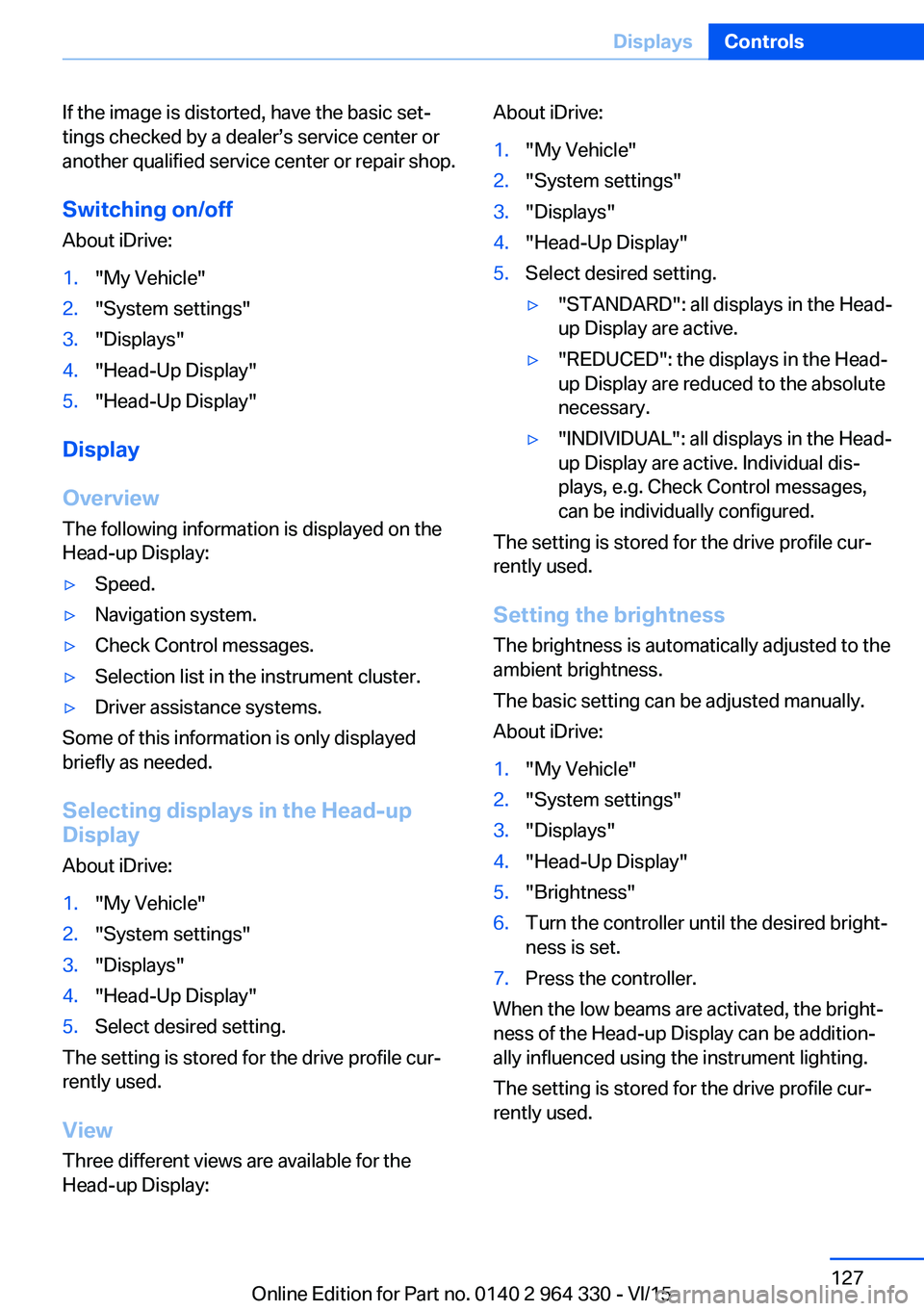
The following information is displayed on the
Head-up Display:
▷Speed.▷Navigation system.▷Check Control messages.▷Selection list in the instrument cluster.▷Driver assistance systems.
Some of this information is only displayed
briefly as needed.
Selecting displays in the Head-up
Display
About iDrive:
1."My Vehicle"2."System settings"3."Displays"4."Head-Up Display"5.Select desired setting.
The setting is stored for the drive profile cur‐
rently used.
View Three different views are available for the
Head-up Display:
About iDrive:1."My Vehicle"2."System settings"3."Displays"4."Head-Up Display"5.Select desired setting.▷"STANDARD": all displays in the Head-
up Display are active.▷"REDUCED": the displays in the Head- up Display are reduced to the absolute
necessary.▷"INDIVIDUAL": all displays in the Head-
up Display are active. Individual dis‐
plays, e.g. Check Control messages,
can be individually configured.
The setting is stored for the drive profile cur‐
rently used.
Setting the brightness The brightness is automatically adjusted to the
ambient brightness.
The basic setting can be adjusted manually.
About iDrive:
1."My Vehicle"2."System settings"3."Displays"4."Head-Up Display"5."Brightness"6.Turn the controller until the desired bright‐
ness is set.7.Press the controller.
When the low beams are activated, the bright‐
ness of the Head-up Display can be addition‐
ally influenced using the instrument lighting.
The setting is stored for the drive profile cur‐
rently used.
Seite 127DisplaysControls127
Online Edition for Part no. 0140 2 964 330 - VI/15