buttons BMW 760i 2004 E65 User Guide
[x] Cancel search | Manufacturer: BMW, Model Year: 2004, Model line: 760i, Model: BMW 760i 2004 E65Pages: 232, PDF Size: 5.27 MB
Page 68 of 232
Driving
66 ized. The indicator lamp in the
Info Display lights up red
>Releasing: the parking brake is ready
for operation. The indicator
lamp in the Info Display goes out.
Automatic transmission
with Steptronic
While you can drive as with any conven-
tional automatic transmission, you also
enjoy the option of shifting manually at the
steering wheel, refer to page 67.
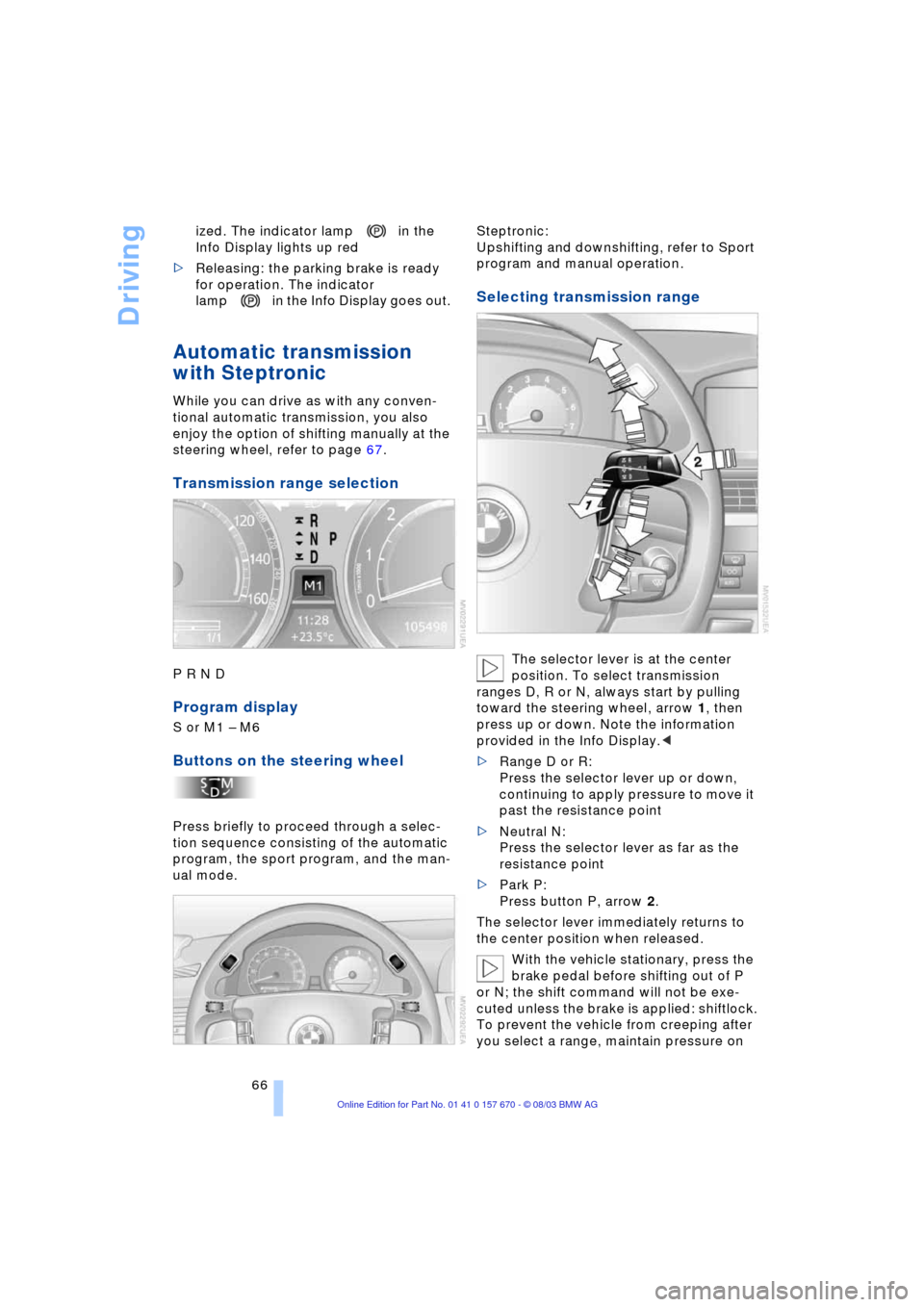
Transmission range selection
P R N D
Program display
S or M1 Ð M6
Buttons on the steering wheel
Press briefly to proceed through a selec-
tion sequence consisting of the automatic
program, the sport program, and the man-
ual mode.Steptronic:
Upshifting and downshifting, refer to Sport
program and manual operation.
Selecting transmission range
The selector lever is at the center
position. To select transmission
ranges D, R or N, always start by pulling
toward the steering wheel, arrow 1, then
press up or down. Note the information
provided in the Info Display.<
>Range D or R:
Press the selector lever up or down,
continuing to apply pressure to move it
past the resistance point
>Neutral N:
Press the selector lever as far as the
resistance point
>Park P:
Press button P, arrow 2.
The selector lever immediately returns to
the center position when released.
With the vehicle stationary, press the
brake pedal before shifting out of P
or N; the shift command will not be exe-
cuted unless the brake is applied: shiftlock.
To prevent the vehicle from creeping after
you select a range, maintain pressure on
Page 70 of 232
Driving
68 page 66. We recommend this program for
performance-oriented driving.
When you press the S/M/D button a sec-
ond time the transmission switches to its
manual mode; press again to return to the
automatic program.
You can also return to the standard auto-
matic program by reselecting D.
In the manual mode the transmission
upshifts when you briefly press the buttons
on the rear of the steering wheel. You
downshift by briefly pressing the buttons
on the front of the steering wheel. The Info
Display shows the manual ranges M1
through M6.
Upshifts and downshifts are executed only
when they will result in a plausible combi-
nation of engine and vehicle speed; thus,
for example, a downshift that would cause
the engine to overrev will not be executed
by the system. The selected gear appears
briefly in the Info Display, followed by the
current gear.
To obtain maximum acceleration, for
passing maneuvers, etc., during
operation in the manual mode, use the
kickdown or downshift manually.<
Malfunctions
A status report will appear in the Check
Control to alert you to any malfunctions in
the transmission-control system. Please
note any supplementary information that
appears on the Control Display. The direc-
tional arrows also start to flash in the Info
Display.
While it will remain still possible to move
the selector lever to any desired position,
the transmission will revert to operation in
its default mode with only a limited number
of forward gears.
Some types of malfunction will make it
impossible to engage all gears.
The engine may respond with reduced out-
put when accelerating from a standing
start. If this happens, avoid extreme engine loads
and consult the nearest BMW center.
If no status messages appear in the
Info Display you should accelerate
carefully to confirm that you are driving in
the desired direction.
Never work in the engine compartment
with any of the forward or reverse gears
engaged, as the vehicle could start to
move. Engaging the parking brake, refer to
page 62.<
Manual release of transmission
lockout
You can respond to any interruptions in the
supply of electrical power, for instance, if
the battery is discharged or disconnected,
by releasing the transmission lockout man-
ually.
To prevent the drive wheels from
locking up and sliding, the transmis-
sion lockout must always be released man-
ually before the vehicle is towed.<
Press the brake pedal before releas-
ing the transmission lockout manu-
ally. If the brakes are not applied, the vehi-
cle could start to roll if parked on a steep
slope.
The transmission lockout should only be
released for towing. Remember to engage
the transmission lockout when you repark
the vehicle after moving it.
Should it also be necessary to release
the parking brake manually, owing to a dis-
charged battery, etc., always adhere to the
following sequence:
1.Start by manually releasing the parking
brake, refer to page 64
2.Then proceed to manually release the
transmission lockout.<
Jump-starting and towing, refer to
pages 207 and 208.
Page 83 of 232
Controls
81Reference
At a glance
Driving tips
Communications
Navigation
Entertainment
Mobility
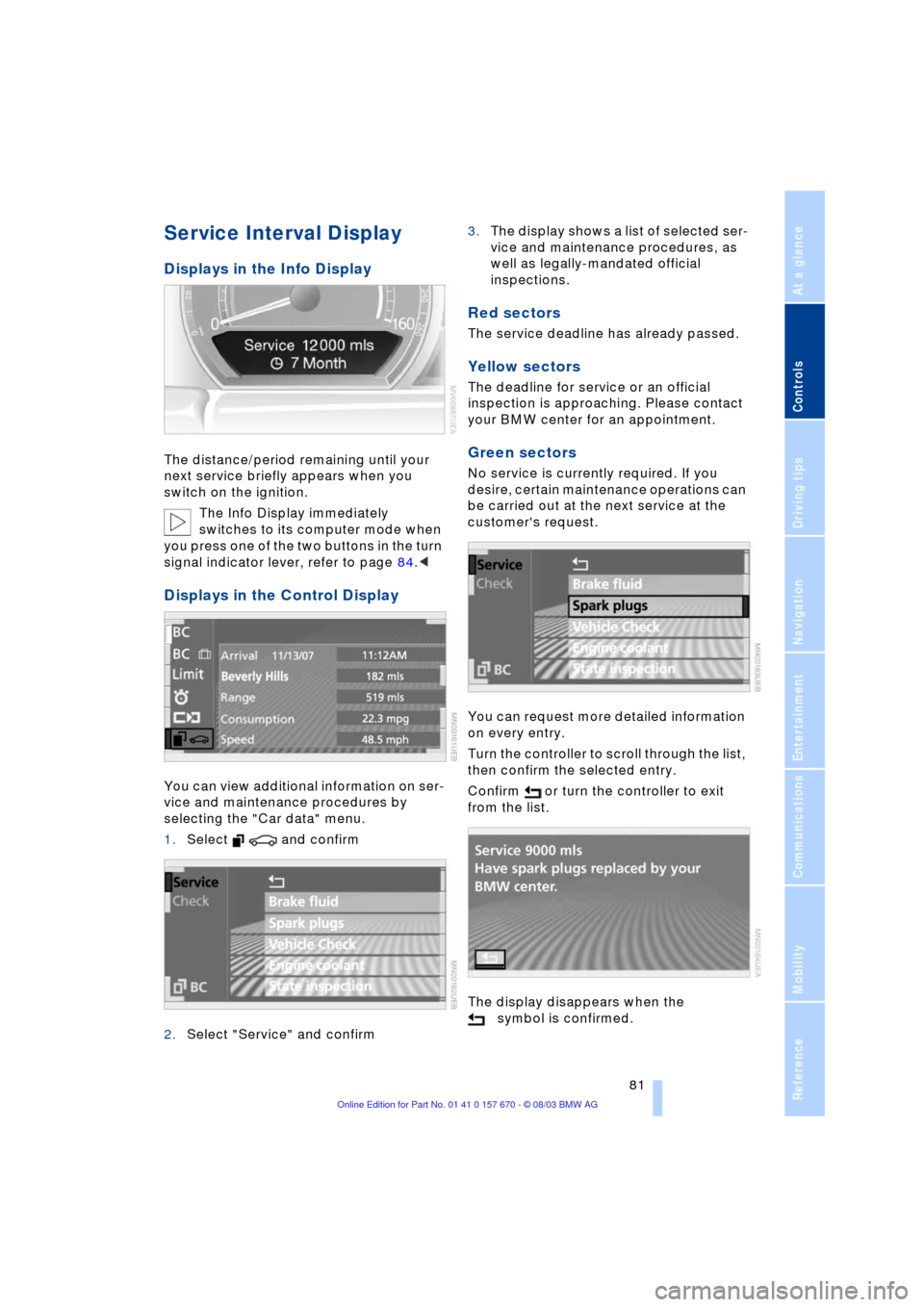
Service Interval Display
Displays in the Info Display
The distance/period remaining until your
next service briefly appears when you
switch on the ignition.
The Info Display immediately
switches to its computer mode when
you press one of the two buttons in the turn
signal indicator lever, refer to page 84.<
Displays in the Control Display
You can view additional information on ser-
vice and maintenance procedures by
selecting the "Car data" menu.
1.Select and confirm
2.Select "Service" and confirm 3.The display shows a list of selected ser-
vice and maintenance procedures, as
well as legally-mandated official
inspections.
Red sectors
The service deadline has already passed.
Yellow sectors
The deadline for service or an official
inspection is approaching. Please contact
your BMW center for an appointment.
Green sectors
No service is currently required. If you
desire, certain maintenance operations can
be carried out at the next service at the
customer's request.
You can request more detailed information
on every entry.
Turn the controller to scroll through the list,
then confirm the selected entry.
Confirm or turn the controller to exit
from the list.
The display disappears when the
symbol is confirmed.
Page 86 of 232
Everything under control
84 The display disappears when the sym-
bol is confirmed.
Displays after completion of trip
Selected fault reports generated during the
trip are shown consecutively when you
switch off the ignition.
If indicated, the following message may
also appear:
"Parking lamps on!"
This message appears when you open the
driver's door after parking. A supplemen-
tary gong is also heard.
Even with the ignition and Info Display off,
you can reactivate the screen and display
the messages.
Press the CHECK button for approx.
8 seconds, refer to page 83. The stored
status reports appear again in the display.
If several messages are present, you can
continue to briefly press the CHECK button
to view them in succession.
The Check Control function
>cancels itself automatically after a brief
period
>can be canceled by again pressing the
CHECK button for approx. 8 seconds.
You can select the language in which
Check Control status reports and
messages from the computer will appear,
refer to page 88.<
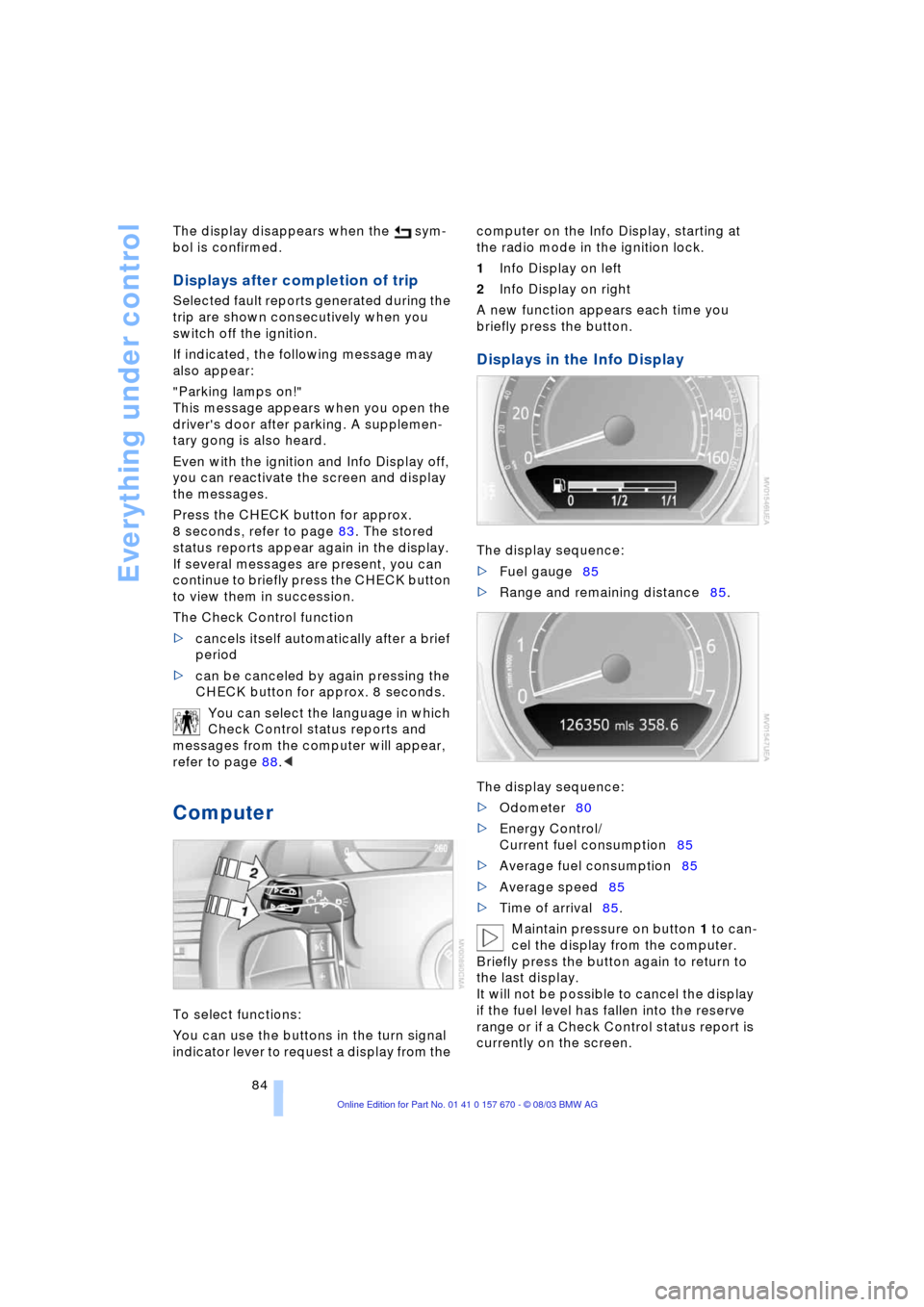
Computer
To select functions:
You can use the buttons in the turn signal
indicator lever to request a display from the computer on the Info Display, starting at
the radio mode in the ignition lock.
1Info Display on left
2Info Display on right
A new function appears each time you
briefly press the button.
Displays in the Info Display
The display sequence:
>Fuel gauge85
>Range and remaining distance85.
The display sequence:
>Odometer80
>Energy Control/
Current fuel consumption85
>Average fuel consumption85
>Average speed85
>Time of arrival85.
Maintain pressure on button 1 to can-
cel the display from the computer.
Briefly press the button again to return to
the last display.
It will not be possible to cancel the display
if the fuel level has fallen into the reserve
range or if a Check Control status report is
currently on the screen.
Page 108 of 232
A congenial climate
106 This function allows you to make minor
adjustments for maximum comfort while
also letting you vary temperatures within
the storage compartment.
Switching off automatic climate
control*
The air supply, the heater and
the air conditioner are all
switched off. You can restart
the automatic climate control
by pressing any of its buttons
except the REST button.
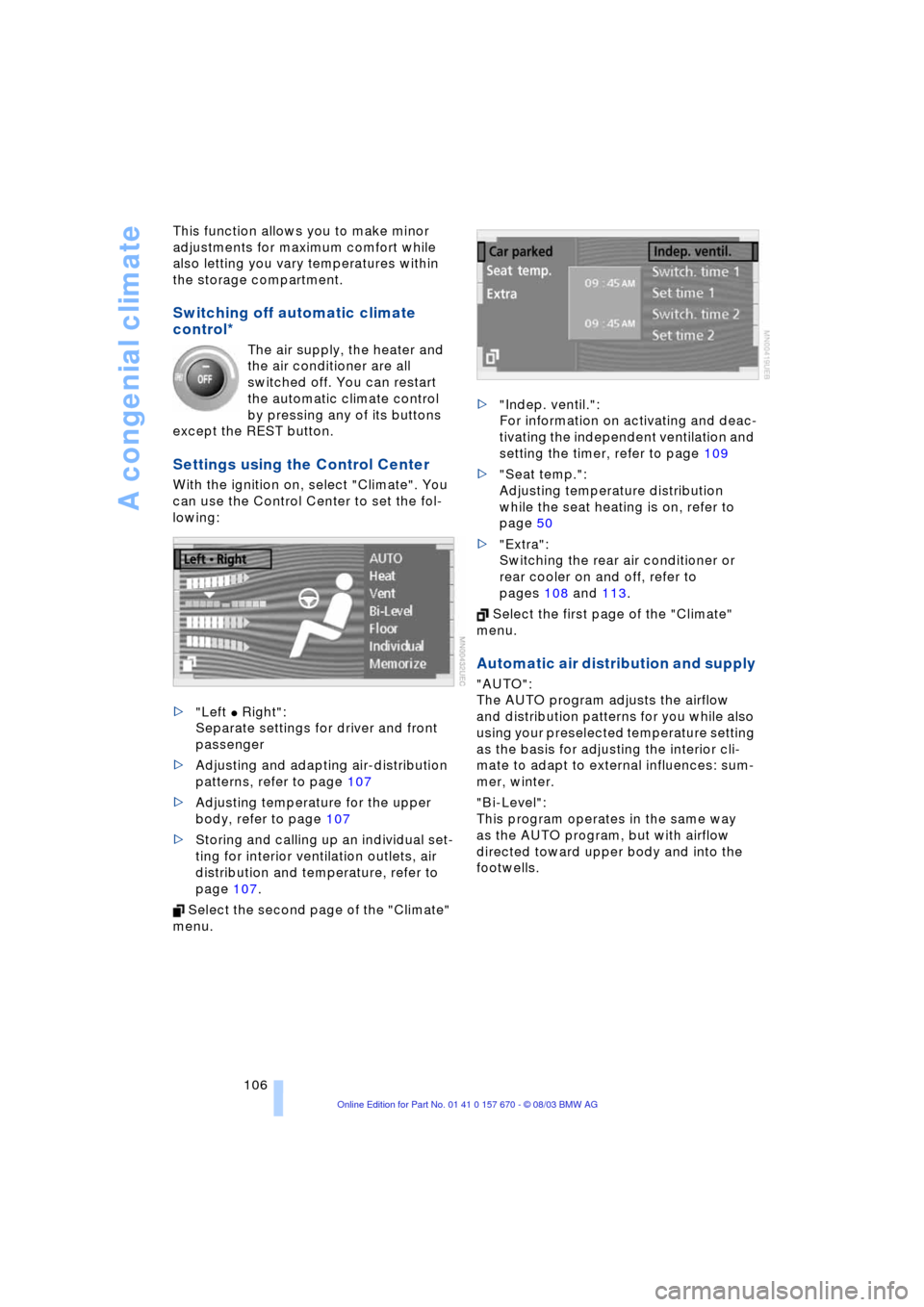
Settings using the Control Center
With the ignition on, select "Climate". You
can use the Control Center to set the fol-
lowing:
>"Left
C Right":
Separate settings for driver and front
passenger
>Adjusting and adapting air-distribution
patterns, refer to page 107
>Adjusting temperature for the upper
body, refer to page 107
>Storing and calling up an individual set-
ting for interior ventilation outlets, air
distribution and temperature, refer to
page 107.
Select the second page of the "Climate"
menu. >"Indep. ventil.":
For information on activating and deac-
tivating the independent ventilation and
setting the timer, refer to page 109
>"Seat temp.":
Adjusting temperature distribution
while the seat heating is on, refer to
page 50
>"Extra":
Switching the rear air conditioner or
rear cooler on and off, refer to
pages 108 and 113.
Select the first page of the "Climate"
menu.
Automatic air distribution and supply
"AUTO":
The AUTO program adjusts the airflow
and distribution patterns for you while also
using your preselected temperature setting
as the basis for adjusting the interior cli-
mate to adapt to external influences: sum-
mer, winter.
"Bi-Level":
This program operates in the same way
as the AUTO program, but with airflow
directed toward upper body and into the
footwells.
Page 113 of 232
Controls
111Reference
At a glance
Driving tips
Communications
Navigation
Entertainment
Mobility
Practical interior accessories
Integrated universal remote
control*
The concept
The integrated universal remote control
can replace as many as three hand-held
transmitters for various remote-controlled
accessories, such as door openers and
house alarm systems. The integrated uni-
versal remote control registers and stores
signals from the original hand-held trans-
mitters.
The signal of an original hand-held trans-
mitter can be programmed on one of the
three memory buttons 1. Following that,
each of the devices can be actuated with
the appropriately-programmed memory
button 1. The indicator lamp 2 flashes to
confirm transmission of the signal.
If the vehicle is sold, the memory buttons 1
should be cleared as described on
page 112.
To prevent possible damage or injury,
before programming or using the inte-
grated universal remote control, always
inspect the immediate area to make certain
that no people, animals or objects are
within the travel range of the device. Also,
comply with the safety precautions of the
original hand-held transmitter.<
Checking the compatibility
If you see this symbol on the pack-
aging or in the manual supplied with
the original hand-held transmitter, it
is safe to assume that it is compatible with
the integrated universal remote control.
If you have additional questions,
please consult your BMW center or
call 1-800-355-3515.
You can also visit these websites:
www.bmwusa.com or
www.homelink.com.
HomeLink is a registered trademark owned
by Johnson Controls, Inc.<
Programming
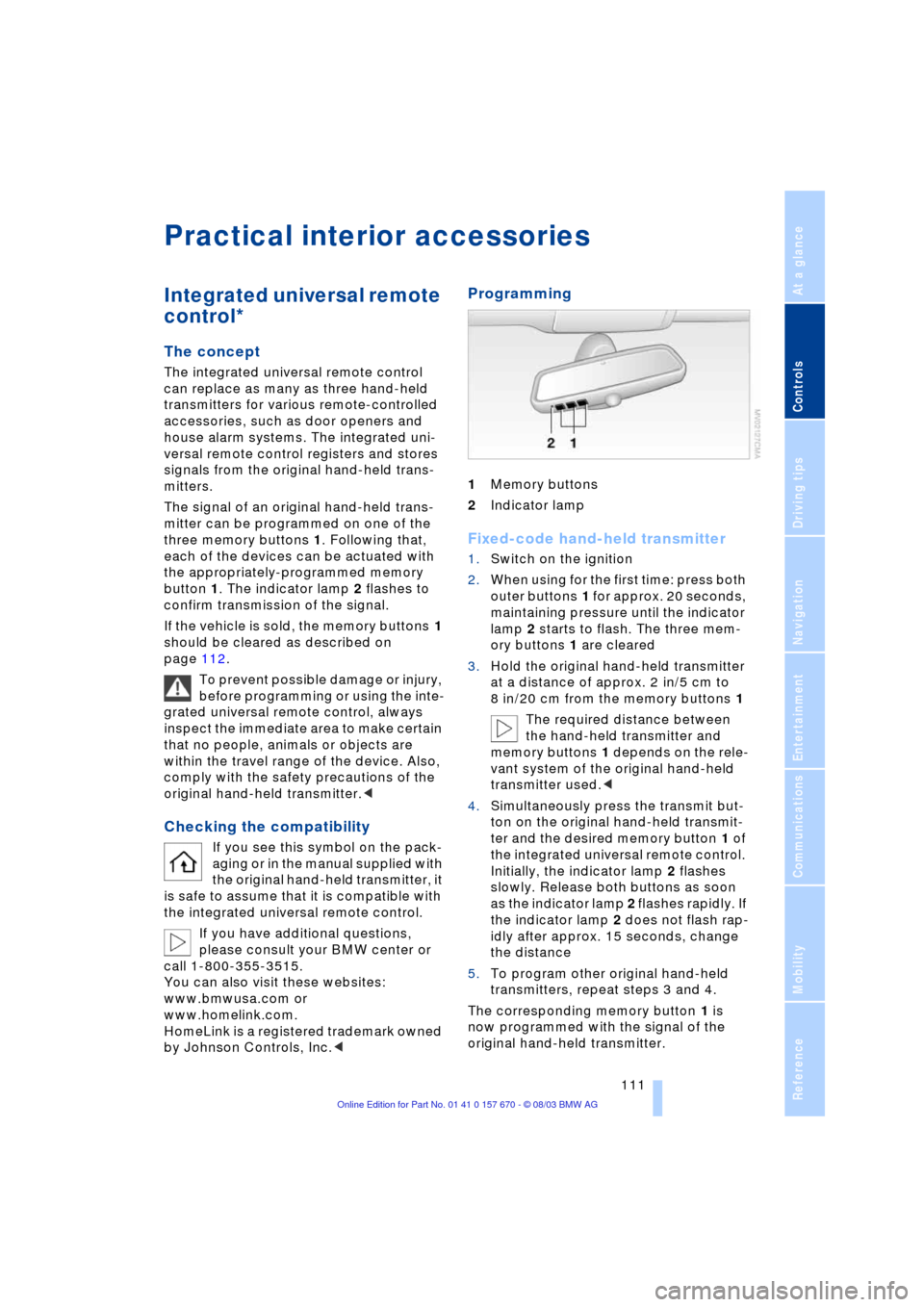
1Memory buttons
2Indicator lamp
Fixed-code hand-held transmitter
1.Switch on the ignition
2.When using for the first time: press both
outer buttons 1 for approx. 20 seconds,
maintaining pressure until the indicator
lamp 2 starts to flash. The three mem-
ory buttons 1 are cleared
3.Hold the original hand-held transmitter
at a distance of approx. 2 in/5 cm to
8 in/20 cm from the memory buttons 1
The required distance between
the hand-held transmitter and
memory buttons 1 depends on the rele-
vant system of the original hand-held
transmitter used.<
4.Simultaneously press the transmit but-
ton on the original hand-held transmit-
ter and the desired memory button 1 of
the integrated universal remote control.
Initially, the indicator lamp 2 flashes
slowly. Release both buttons as soon
as the indicator lamp 2 flashes rapidly. If
the indicator lamp 2 does not flash rap-
idly after approx. 15 seconds, change
the distance
5.To program other original hand-held
transmitters, repeat steps 3 and 4.
The corresponding memory button 1 is
now programmed with the signal of the
original hand-held transmitter.
Page 114 of 232
Practical interior accessories
112 The device can be operated as of ignition
on.
If the device cannot be operated
after repeated programming, check
whether the original hand-held transmitter
uses an alternating-code system. To do so,
either read the instructions of the original
hand-held transmitter or press and hold
down the programmed memory button 1 of
the integrated universal remote control.
If the indicator lamp 2 on the integrated
universal remote control flashes quickly for
a brief period and then remains lit up for
approx. two seconds, this indicates that
the original hand-held transmitter is
equipped with an alternating-code sytem.
In the case of an alternating-code system,
program the memory buttons 1 as
described at the section on alternating-
code transmitters.<
Alternating-code transmitters
Consult the operating instructions of the
unit you wish to set when programming the
integrated universal remote control. You
will find information there on the possibili-
ties for synchronization.
When programming hand-held transmitters
that employ an alternating code, please
observe the following supplementary
instructions:
Programming will be easier with the
aid of a second person.<
1.Park your vehicle within the range of the
remote-controlled device
2.Program the integrated universal
remote control as described at the sec-
tion on fixed-code hand-held transmit-
ters
3.Localize the button on the receiver of
the device you want to set up, e.g. on
the upper section of the motor
4.Press the button on the receiver of the
device you want to set up. After step 4,
you have approx. 30 seconds for step 5
5.Press the programmed memory
button 1 on the integrated universal
remote control three times. The corresponding memory button 1 is
now programmed with the signal of the
original hand-held transmitter.
If you have any additional questions,
please contact your BMW center.<
Clearing memory buttons
Individual memory buttons 1 can not be
cleared. However, you clear all three mem-
ory buttons 1 together as follows:
Press both outer buttons 1 of the inte-
grated universal remote control for approx.
20 seconds, maintaining pressure until the
indicator lamp 2 starts to flash.
Roller sun blinds*
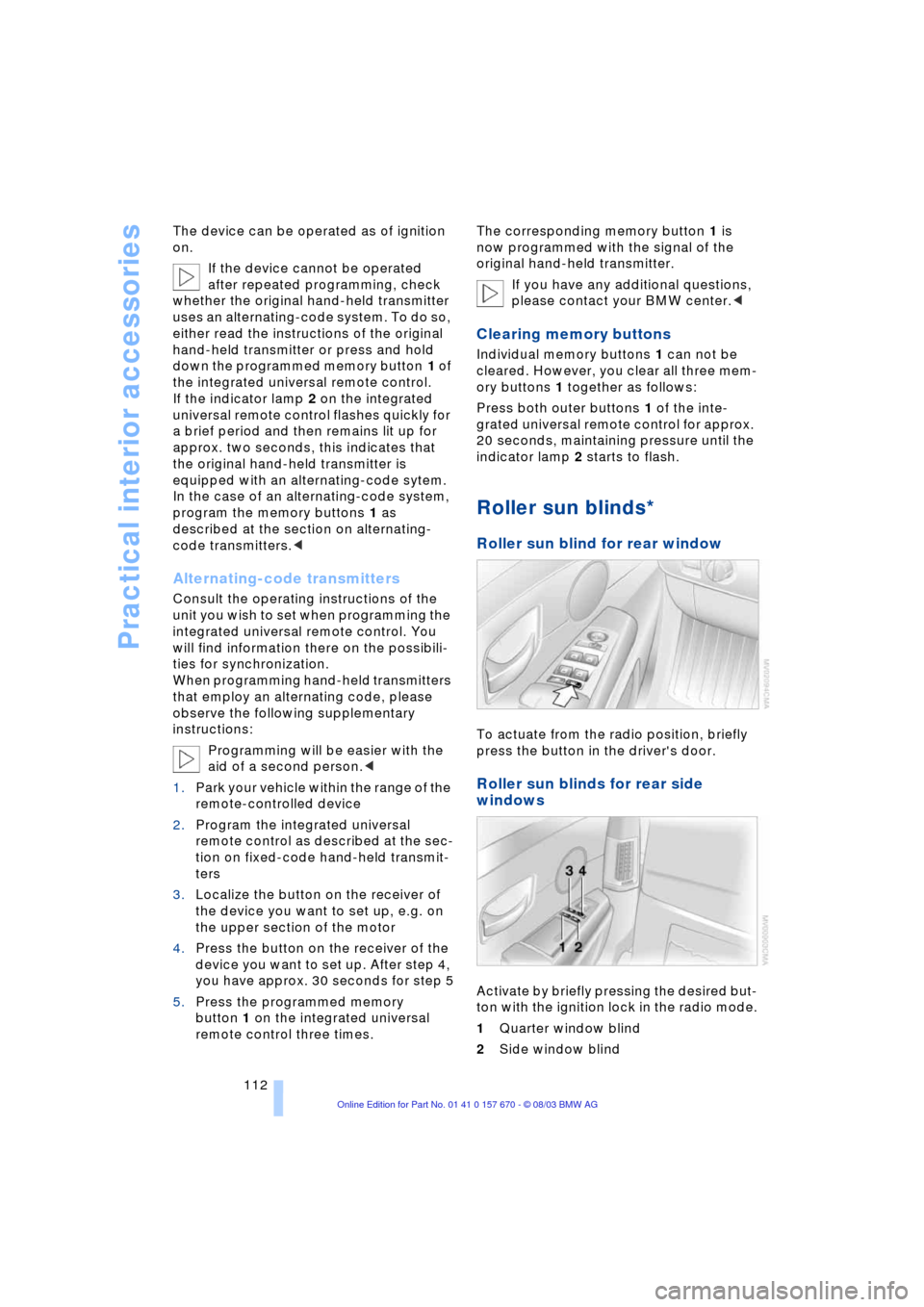
Roller sun blind for rear window
To actuate from the radio position, briefly
press the button in the driver's door.
Roller sun blinds for rear side
windows
Activate by briefly pressing the desired but-
ton with the ignition lock in the radio mode.
1Quarter window blind
2Side window blind
Page 150 of 232
On/off, tone
148
On/off, tone
Controls
Operation using buttons
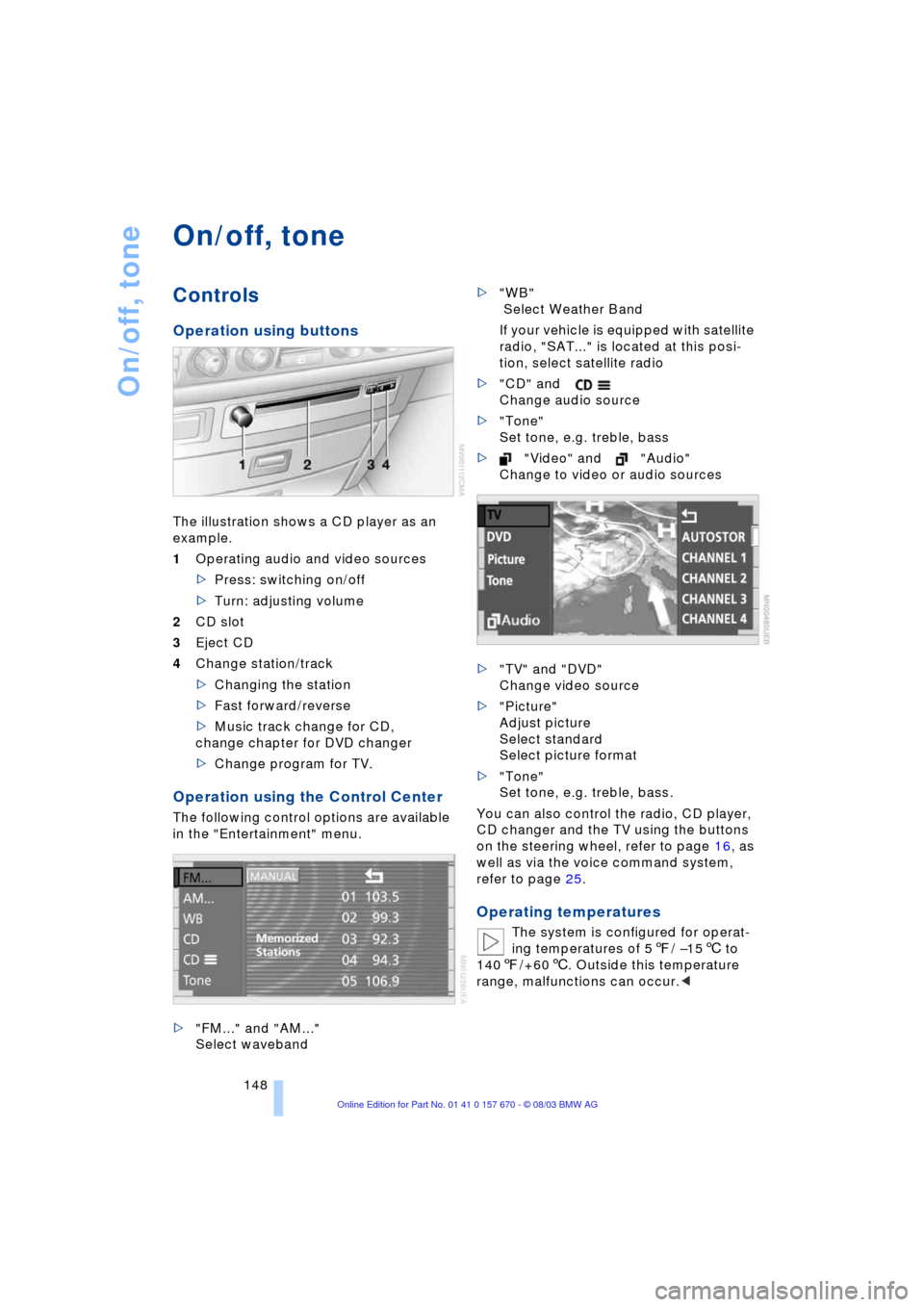
The illustration shows a CD player as an
example.
1Operating audio and video sources
>Press: switching on/off
>Turn: adjusting volume
2CD slot
3Eject CD
4Change station/track
>Changing the station
>Fast forward/reverse
>Music track change for CD,
change chapter for DVD changer
>Change program for TV.
Operation using the Control Center
The following control options are available
in the "Entertainment" menu.
>"FM..." and "AM..."
Select waveband>"WB"
Select Weather Band
If your vehicle is equipped with satellite
radio, "SAT..." is located at this posi-
tion, select satellite radio
>"CD" and
Change audio source
>"Tone"
Set tone, e.g. treble, bass
>"Video" and "Audio"
Change to video or audio sources
>"TV" and "DVD"
Change video source
>"Picture"
Adjust picture
Select standard
Select picture format
>"Tone"
Set tone, e.g. treble, bass.
You can also control the radio, CD player,
CD changer and the TV using the buttons
on the steering wheel, refer to page 16, as
well as via the voice command system,
refer to page 25.
Operating temperatures
The system is configured for operat-
ing temperatures of 57/ Ð156 to
1407/+606. Outside this temperature
range, malfunctions can occur.<
Page 155 of 232
Navigation
Entertainment
Driving tips
153Reference
At a glance
Controls
Communications
Mobility
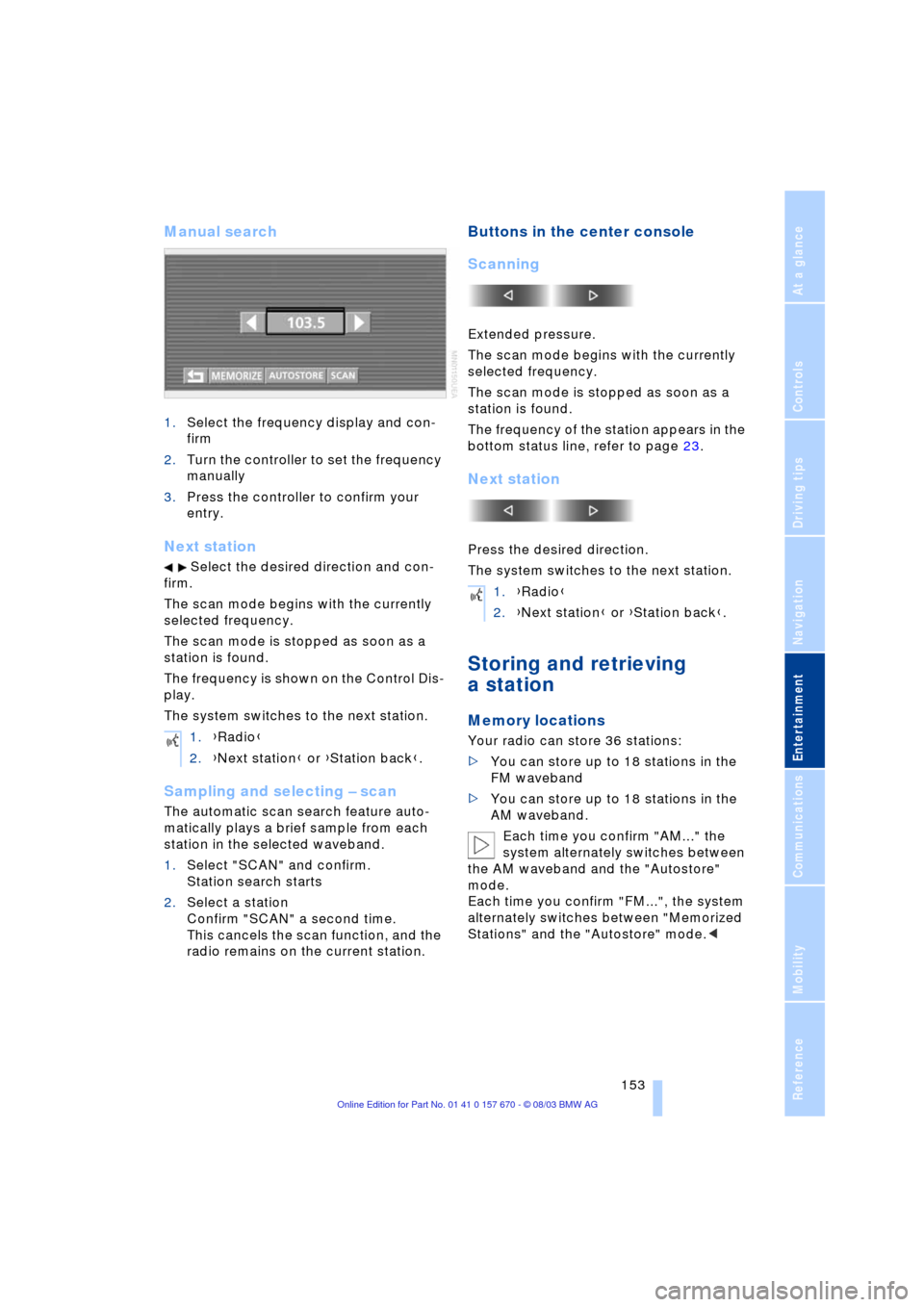
Manual search
1.Select the frequency display and con-
firm
2.Turn the controller to set the frequency
manually
3.Press the controller to confirm your
entry.
Next station
Select the desired direction and con-
firm.
The scan mode begins with the currently
selected frequency.
The scan mode is stopped as soon as a
station is found.
The frequency is shown on the Control Dis-
play.
The system switches to the next station.
Sampling and selecting Ð scan
The automatic scan search feature auto-
matically plays a brief sample from each
station in the selected waveband.
1.Select "SCAN" and confirm.
Station search starts
2.Select a station
Confirm "SCAN" a second time.
This cancels the scan function, and the
radio remains on the current station.
Buttons in the center console
Scanning
Extended pressure.
The scan mode begins with the currently
selected frequency.
The scan mode is stopped as soon as a
station is found.
The frequency of the station appears in the
bottom status line, refer to page 23.
Next station
Press the desired direction.
The system switches to the next station.
Storing and retrieving
a station
Memory locations
Your radio can store 36 stations:
>You can store up to 18 stations in the
FM waveband
>You can store up to 18 stations in the
AM waveband.
Each time you confirm "AM..." the
system alternately switches between
the AM waveband and the "Autostore"
mode.
Each time you confirm "FM...", the system
alternately switches between "Memorized
Stations" and the "Autostore" mode.< 1.{Radio}
2.{Next station} or {Station back}.
1.{Radio}
2.{Next station} or {Station back}.
Page 160 of 232
CD Compact Disc
158
CD Compact Disc
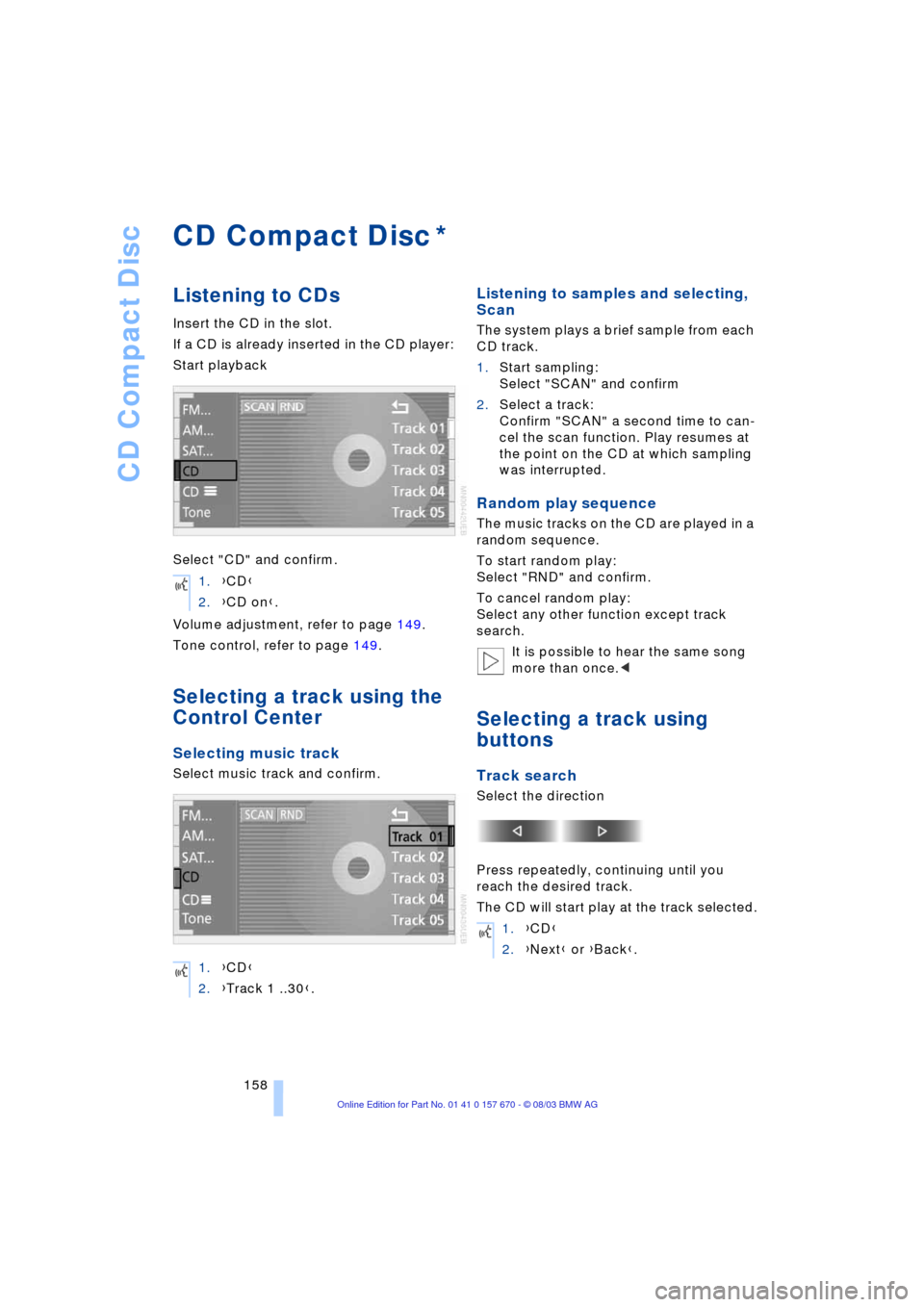
Listening to CDs
Insert the CD in the slot.
If a CD is already inserted in the CD player:
Start playback
Select "CD" and confirm.
Volume adjustment, refer to page 149.
Tone control, refer to page 149.
Selecting a track using the
Control Center
Selecting music track
Select music track and confirm.
Listening to samples and selecting,
Scan
The system plays a brief sample from each
CD track.
1.Start sampling:
Select "SCAN" and confirm
2.Select a track:
Confirm "SCAN" a second time to can-
cel the scan function. Play resumes at
the point on the CD at which sampling
was interrupted.
Random play sequence
The music tracks on the CD are played in a
random sequence.
To start random play:
Select "RND" and confirm.
To cancel random play:
Select any other function except track
search.
It is possible to hear the same song
more than once.<
Selecting a track using
buttons
Track search
Select the direction
Press repeatedly, continuing until you
reach the desired track.
The CD will start play at the track selected.
*
1.{CD}
2.{CD on}.
1.{CD}
2.{Track 1 ..30}.
1.{CD}
2.{Next} or {Back}.