radio BMW 760i 2005 E65 User Guide
[x] Cancel search | Manufacturer: BMW, Model Year: 2005, Model line: 760i, Model: BMW 760i 2005 E65Pages: 239, PDF Size: 8.03 MB
Page 45 of 239
Controls
43Reference
At a glance
Driving tips
Communications
Navigation
Entertainment
Mobility
detected in the period since the system
was armed
>If the indicator lamp flashes after you
unlock the vehicle before the remote
control is inserted in the ignition lock,
but for no more than roughly 5 minutes:
an attempted entry has been detected
in the period since the system was
armed.
F o l l o w i n g t r i g g e r i n g o f a n a l a r m , t h e i n d i c a -
tor lamp will flash continuously.
Tilt alarm sensor and interior motion
sensor
Tilt alarm sensor
The tilt of the vehicle is monitored. The
alarm system reacts, e.g. in case of an
attempted wheel theft or towing.
Interior motion sensor
In order for the interior motion sensor to
function properly, the windows and glass
roof must be completely closed.
Avoiding unintentional alarms
The tilt alarm sensor and interior motion
sensor may be switched off at the same
time. This prevents unintentional alarms,
e.g. in the following situations:
>In duplex garages
>When transporting on car-carrying
trains
>When animals are to remain in the
vehicle.
Switching off tilt alarm sensor and
interior motion sensor
Press button 2on the remote
control twice consecutively.
The indicator lamp lights up briefly and then
flashes continuously. The tilt alarm sensor
and the interior motion sensor are switched
off up to the next unlocking and locking
actions. If you wish, the tilt alarm sensor and
interior motion sensor will be perma-
nently deactivated. Please contact your
BMW center for assistance.<
Windows
Opening and closing windows
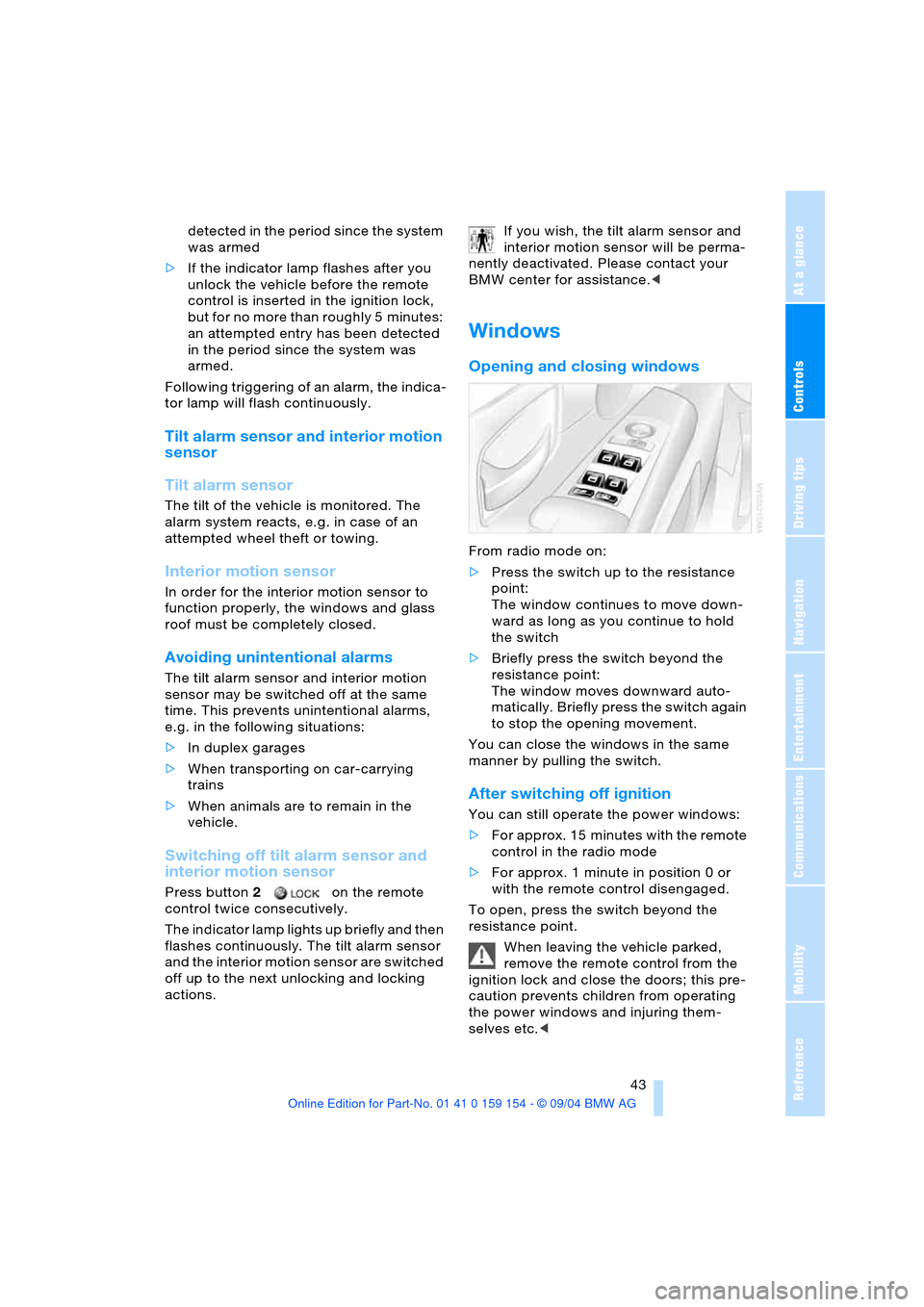
From radio mode on:
>Press the switch up to the resistance
point:
The window continues to move down-
ward as long as you continue to hold
the switch
>Briefly press the switch beyond the
resistance point:
The window moves downward auto-
matically. Briefly press the switch again
to stop the opening movement.
You can close the windows in the same
manner by pulling the switch.
After switching off ignition
You can still operate the power windows:
>For approx. 15 minutes with the remote
control in the radio mode
>For approx. 1 minute in position 0 or
with the remote control disengaged.
To open, press the switch beyond the
resistance point.
When leaving the vehicle parked,
remove the remote control from the
ignition lock and close the doors; this pre-
caution prevents children from operating
the power windows and injuring them-
selves etc.<
Page 46 of 239
Opening and closing
44 For information on using the convenience
operation at the door lock or with the
remote control, refer to page36 or38.
Anti-trapping mechanism
If the force rises beyond a predefined
threshold during closing, the system will
stop moving the window prior to lowering it
slightly.
Despite the anti-trapping mechanism
you should inspect the window's
travel path prior to closing it, as the safety
system might fail to detect certain kinds of
obstructions, such as very thin objects, and
the window would continue closing.
The protection provided by the anti-trap-
ping mechanism is limited when the switch
is pulled beyond the resistance point and
held. Under these conditions the window
will respond to forces beyond a defined
threshold by only opening several millime-
ters.
If you again pull the switch beyond the
resistance point and hold it in position
within a period of roughly 4 seconds, this
anti-trapping mechanism will be deacti-
vated.<
When you close the windows they will
slow down as they approach the end
of their travel; this is to allow the anti-trap-
ping mechanism to respond more precisely
to any obstructions encountered in this crit-
ical range.<
Safety switch
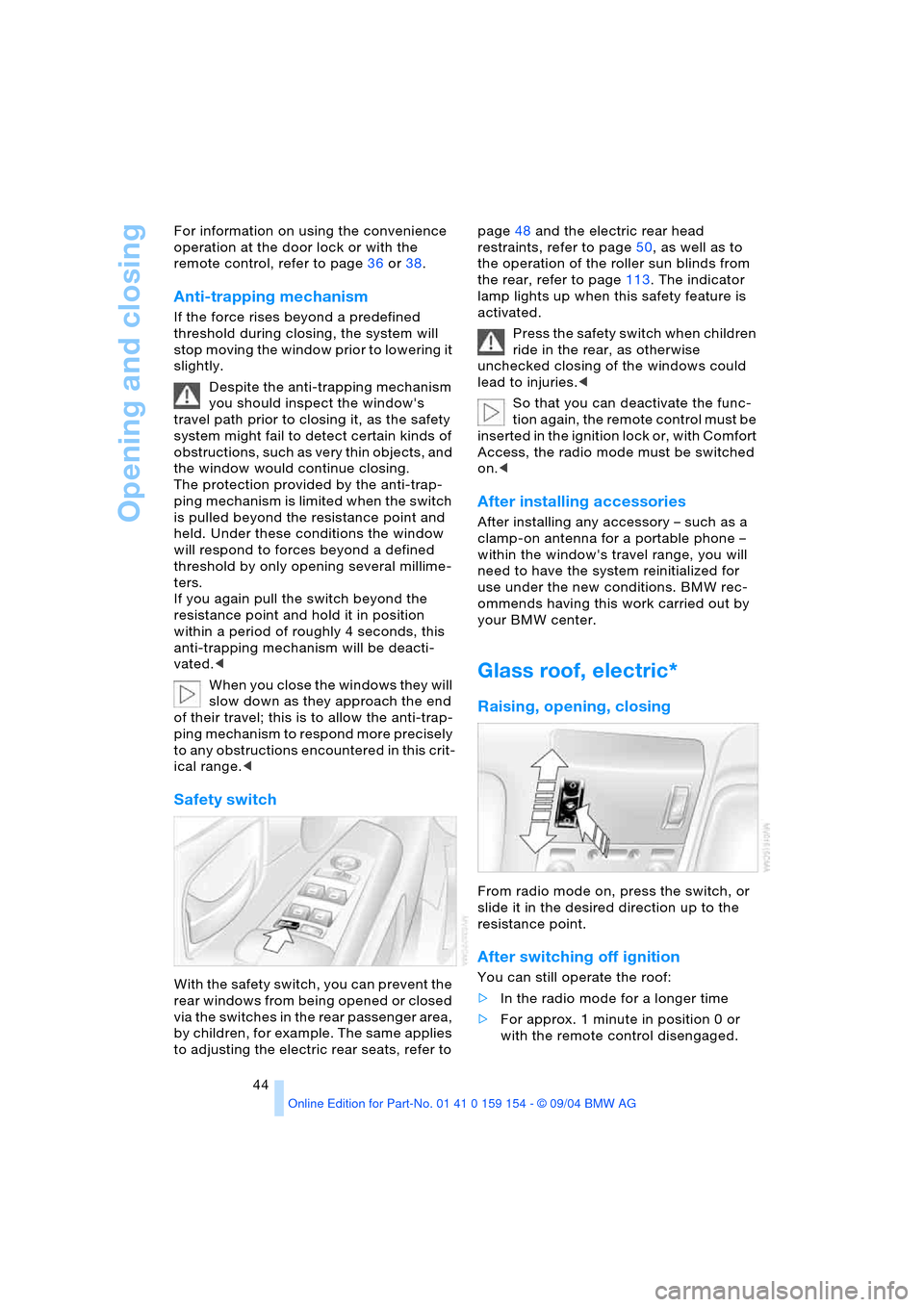
With the safety switch, you can prevent the
rear windows from being opened or closed
via the switches in the rear passenger area,
by children, for example. The same applies
to adjusting the electric rear seats, refer to page48 and the electric rear head
restraints, refer to page50, as well as to
the operation of the roller sun blinds from
the rear, refer to page113. The indicator
lamp lights up when this safety feature is
activated.
Press the safety switch when children
ride in the rear, as otherwise
unchecked closing of the windows could
lead to injuries.<
So that you can deactivate the func-
tion again, the remote control must be
i n s e r t e d i n t h e i g n i t i o n l o c k o r , w i t h C o m f o r t
Access, the radio mode must be switched
on.<
After installing accessories
After installing any accessory – such as a
clamp-on antenna for a portable phone –
within the window's travel range, you will
need to have the system reinitialized for
use under the new conditions. BMW rec-
ommends having this work carried out by
your BMW center.
Glass roof, electric*
Raising, opening, closing
From radio mode on, press the switch, or
slide it in the desired direction up to the
resistance point.
After switching off ignition
You can still operate the roof:
>In the radio mode for a longer time
>For approx. 1 minute in position 0 or
with the remote control disengaged.
Page 57 of 239
Controls
55Reference
At a glance
Driving tips
Communications
Navigation
Entertainment
Mobility
Hold refer to Automatic Hold on
page65.
You can select the displayed function using
the button on the steering wheel.
If you have activated the Automatic
Hold feature, refer to page65, you
can use the button on the steering wheel to
deactivate the system for parking maneu-
vers etc.<
Seat, mirror and steering
wheel memory
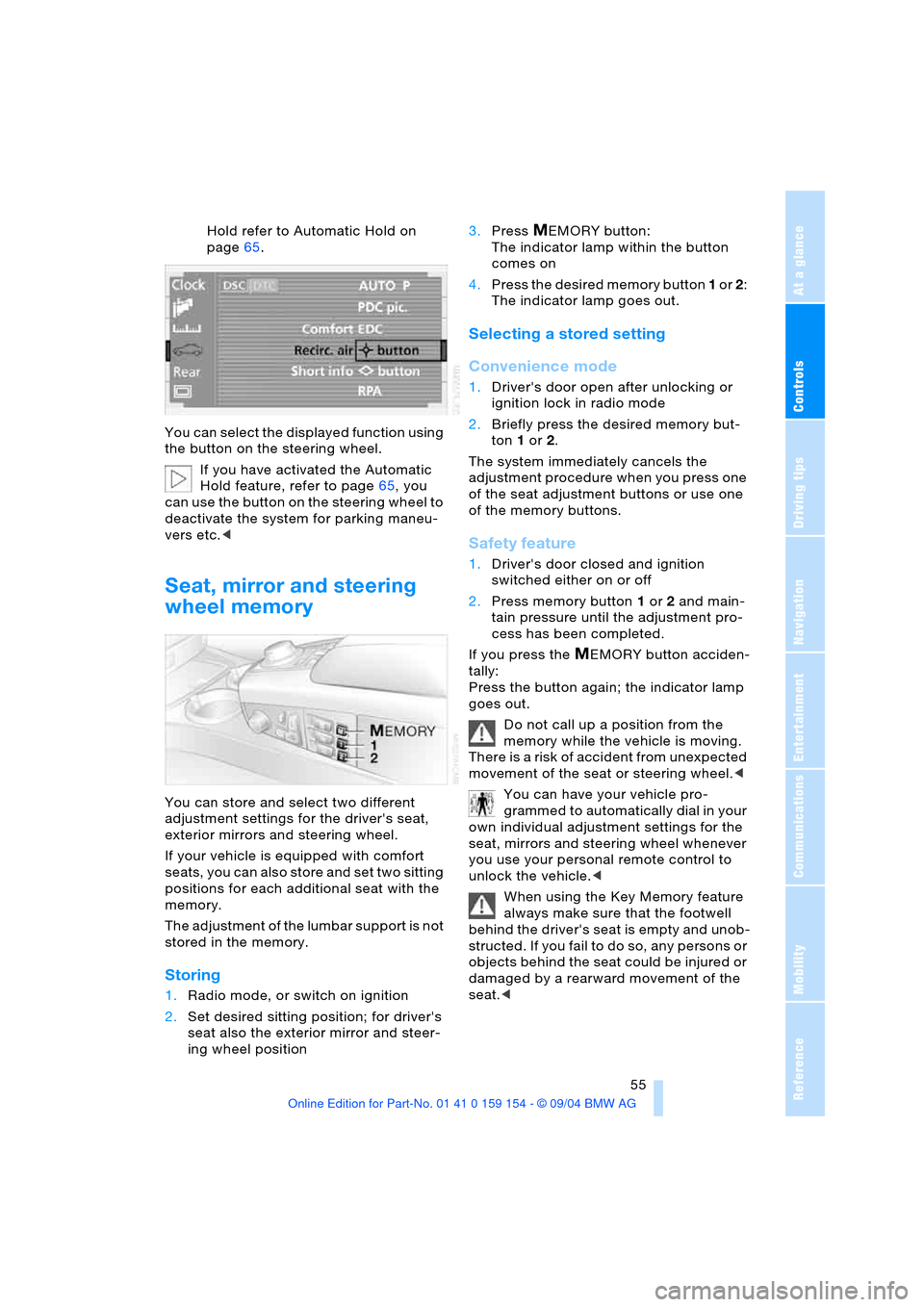
You can store and select two different
adjustment settings for the driver's seat,
exterior mirrors and steering wheel.
If your vehicle is equipped with comfort
seats, you can also store and set two sitting
positions for each additional seat with the
memory.
The adjustment of the lumbar support is not
stored in the memory.
Storing
1.Radio mode, or switch on ignition
2.Set desired sitting position; for driver's
seat also the exterior mirror and steer-
ing wheel position 3.Press
MEMORY button:
The indicator lamp within the button
comes on
4.Press the desired memory button 1 or 2:
The indicator lamp goes out.
Selecting a stored setting
Convenience mode
1.Driver's door open after unlocking or
ignition lock in radio mode
2.Briefly press the desired memory but-
ton 1 or2.
The system immediately cancels the
adjustment procedure when you press one
of the seat adjustment buttons or use one
of the memory buttons.
Safety feature
1.Driver's door closed and ignition
switched either on or off
2.Press memory button 1 or2 and main-
tain pressure until the adjustment pro-
cess has been completed.
If you press the
MEMORY button acciden-
tally:
Press the button again; the indicator lamp
goes out.
Do not call up a position from the
memory while the vehicle is moving.
There is a risk of accident from unexpected
movement of the seat or steering wheel.<
You can have your vehicle pro-
grammed to automatically dial in your
own individual adjustment settings for the
seat, mirrors and steering wheel whenever
you use your personal remote control to
unlock the vehicle.<
When using the Key Memory feature
always make sure that the footwell
behind the driver's seat is empty and unob-
structed. If you fail to do so, any persons or
objects behind the seat could be injured or
damaged by a rearward movement of the
seat.<
Page 64 of 239
Driving
62
Driving
Ignition lock
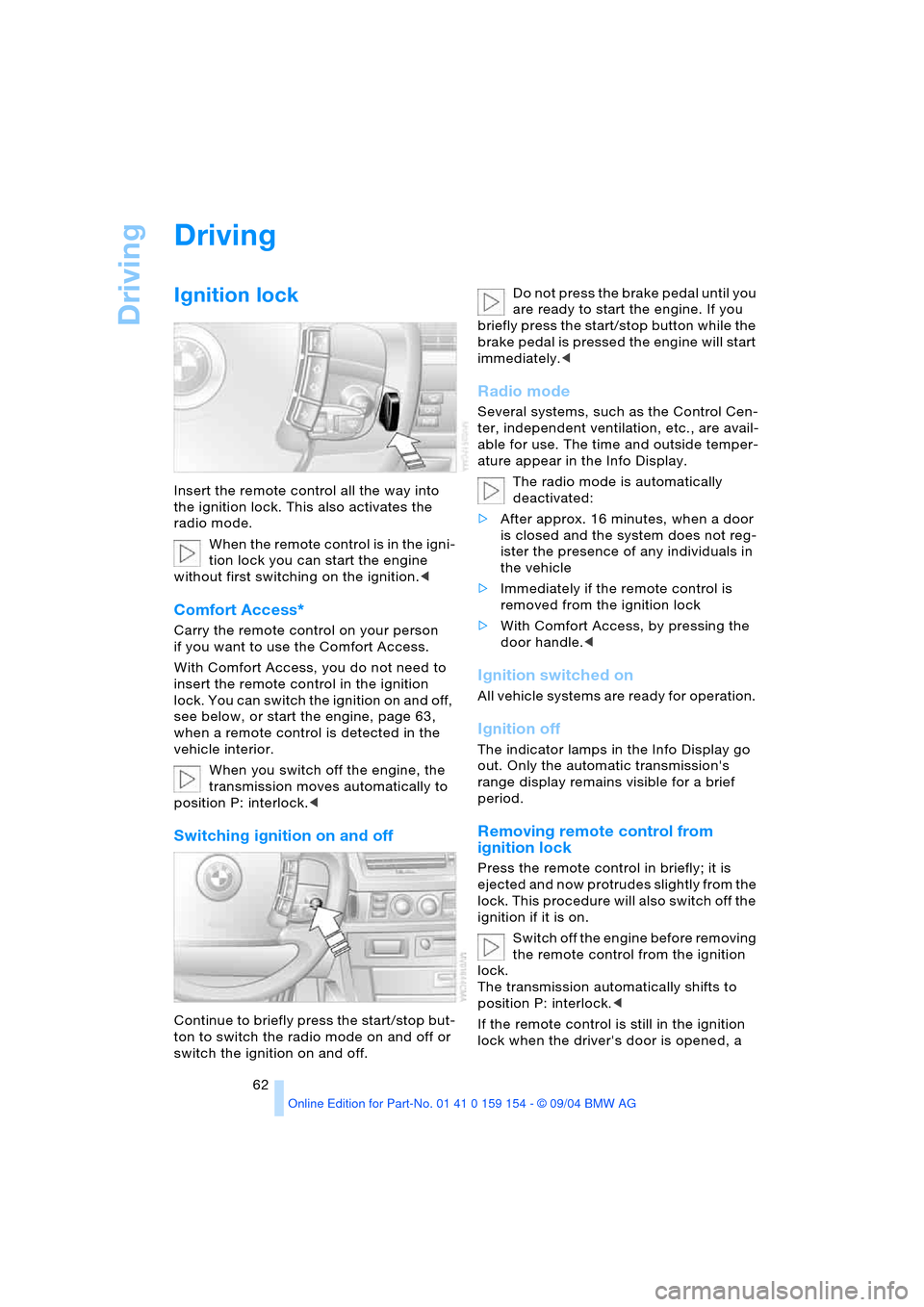
Insert the remote control all the way into
the ignition lock. This also activates the
radio mode.
When the remote control is in the igni-
tion lock you can start the engine
without first switching on the ignition.<
Comfort Access*
Carry the remote control on your person
if you want to use the Comfort Access.
With Comfort Access, you do not need to
insert the remote control in the ignition
lock. You can switch the ignition on and off,
see below, or start the engine, page 63,
when a remote control is detected in the
vehicle interior.
When you switch off the engine, the
transmission moves automatically to
position P: interlock.<
Switching ignition on and off
Continue to briefly press the start/stop but-
ton to switch the radio mode on and off or
switch the ignition on and off. Do not press the brake pedal until you
are ready to start the engine. If you
briefly press the start/stop button while the
brake pedal is pressed the engine will start
immediately.<
Radio mode
Several systems, such as the Control Cen-
ter, independent ventilation, etc., are avail-
able for use. The time and outside temper-
ature appear in the Info Display.
The radio mode is automatically
deactivated:
>After approx. 16 minutes, when a door
is closed and the system does not reg-
ister the presence of any individuals in
the vehicle
>Immediately if the remote control is
removed from the ignition lock
>With Comfort Access, by pressing the
door handle.<
Ignition switched on
All vehicle systems are ready for operation.
Ignition off
The indicator lamps in the Info Display go
out. Only the automatic transmission's
range display remains visible for a brief
period.
Removing remote control from
ignition lock
Press the remote control in briefly; it is
ejected and now protrudes slightly from the
lock. This procedure will also switch off the
ignition if it is on.
Switch off the engine before removing
the remote control from the ignition
lock.
The transmission automatically shifts to
position P: interlock.<
If the remote control is still in the ignition
lock when the driver's door is opened, a
Page 65 of 239
Controls
63Reference
At a glance
Driving tips
Communications
Navigation
Entertainment
Mobility
gong will sound and a message will appear
in the Info Display.
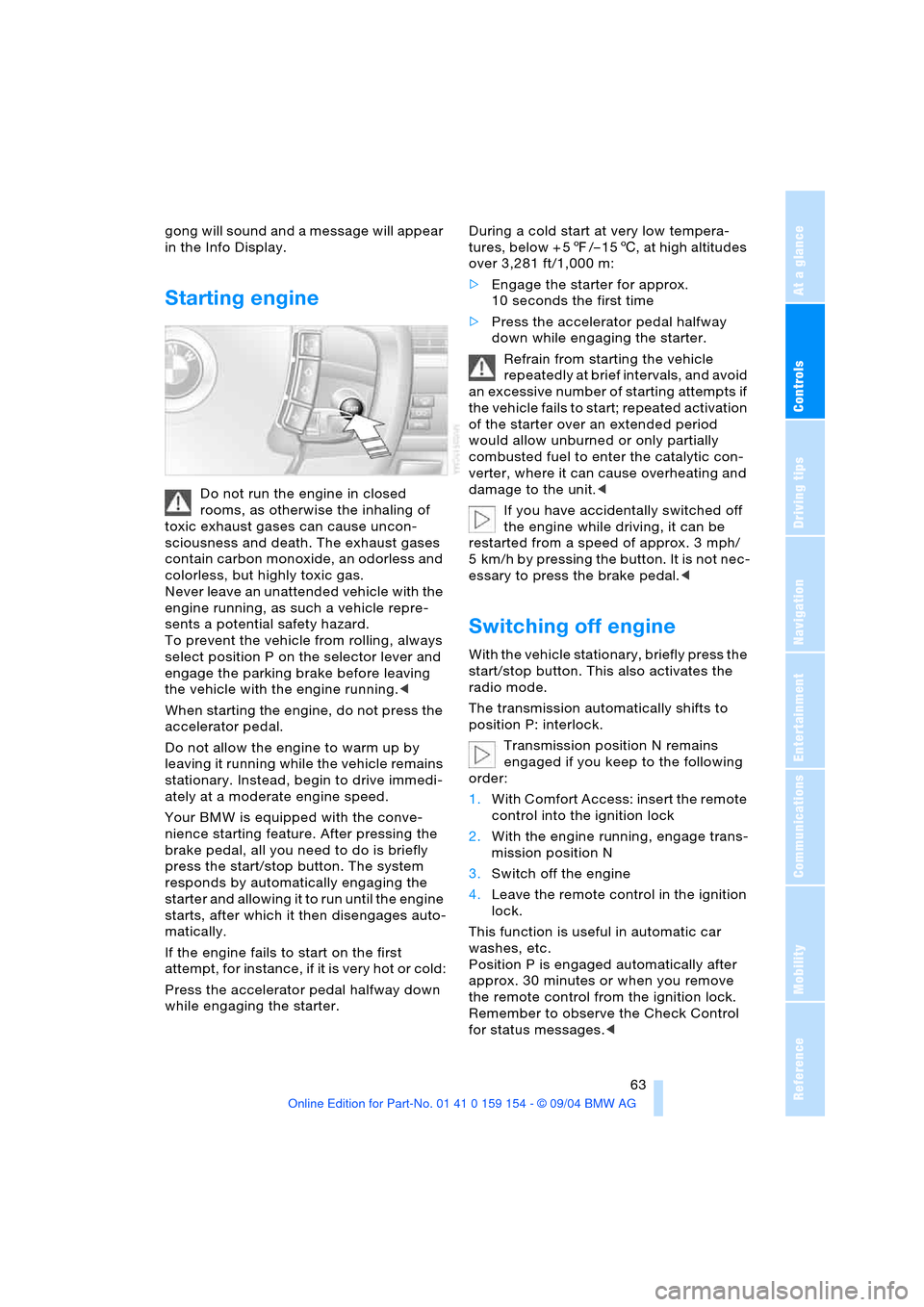
Starting engine
Do not run the engine in closed
rooms, as otherwise the inhaling of
toxic exhaust gases can cause uncon-
sciousness and death. The exhaust gases
contain carbon monoxide, an odorless and
colorless, but highly toxic gas.
Never leave an unattended vehicle with the
engine running, as such a vehicle repre-
sents a potential safety hazard.
To prevent the vehicle from rolling, always
select position P on the selector lever and
engage the parking brake before leaving
the vehicle with the engine running.<
When starting the engine, do not press the
accelerator pedal.
Do not allow the engine to warm up by
leaving it running while the vehicle remains
stationary. Instead, begin to drive immedi-
ately at a moderate engine speed.
Your BMW is equipped with the conve-
nience starting feature. After pressing the
brake pedal, all you need to do is briefly
press the start/stop button. The system
responds by automatically engaging the
starter and allowing it to run until the engine
starts, after which it then disengages auto-
matically.
If the engine fails to start on the first
attempt, for instance, if it is very hot or cold:
Press the accelerator pedal halfway down
while engaging the starter.During a cold start at very low tempera-
tures, below + 57/– 156, at high altitudes
over 3,281 ft/1,000 m:
>Engage the starter for approx.
10 seconds the first time
>Press the accelerator pedal halfway
down while engaging the starter.
Refrain from starting the vehicle
repeatedly at brief intervals, and avoid
an excessive number of starting attempts if
the vehicle fails to start; repeated activation
of the starter over an extended period
would allow unburned or only partially
combusted fuel to enter the catalytic con-
verter, where it can cause overheating and
damage to the unit.<
If you have accidentally switched off
the engine while driving, it can be
restarted from a speed of approx. 3 mph/
5 km/h by pressing the button. It is not nec-
essary to press the brake pedal.<
Switching off engine
With the vehicle stationary, briefly press the
start/stop button. This also activates the
radio mode.
The transmission automatically shifts to
position P: interlock.
Transmission position N remains
engaged if you keep to the following
order:
1.With Comfort Access: insert the remote
control into the ignition lock
2.With the engine running, engage trans-
mission position N
3.Switch off the engine
4.Leave the remote control in the ignition
lock.
This function is useful in automatic car
washes, etc.
Position P is engaged automatically after
approx. 30 minutes or when you remove
the remote control from the ignition lock.
Remember to observe the Check Control
for status messages.<
Page 74 of 239
Driving
72 defective; if a trailer is attached, this could
also indicate that one of its turn signal
bulbs is defective.
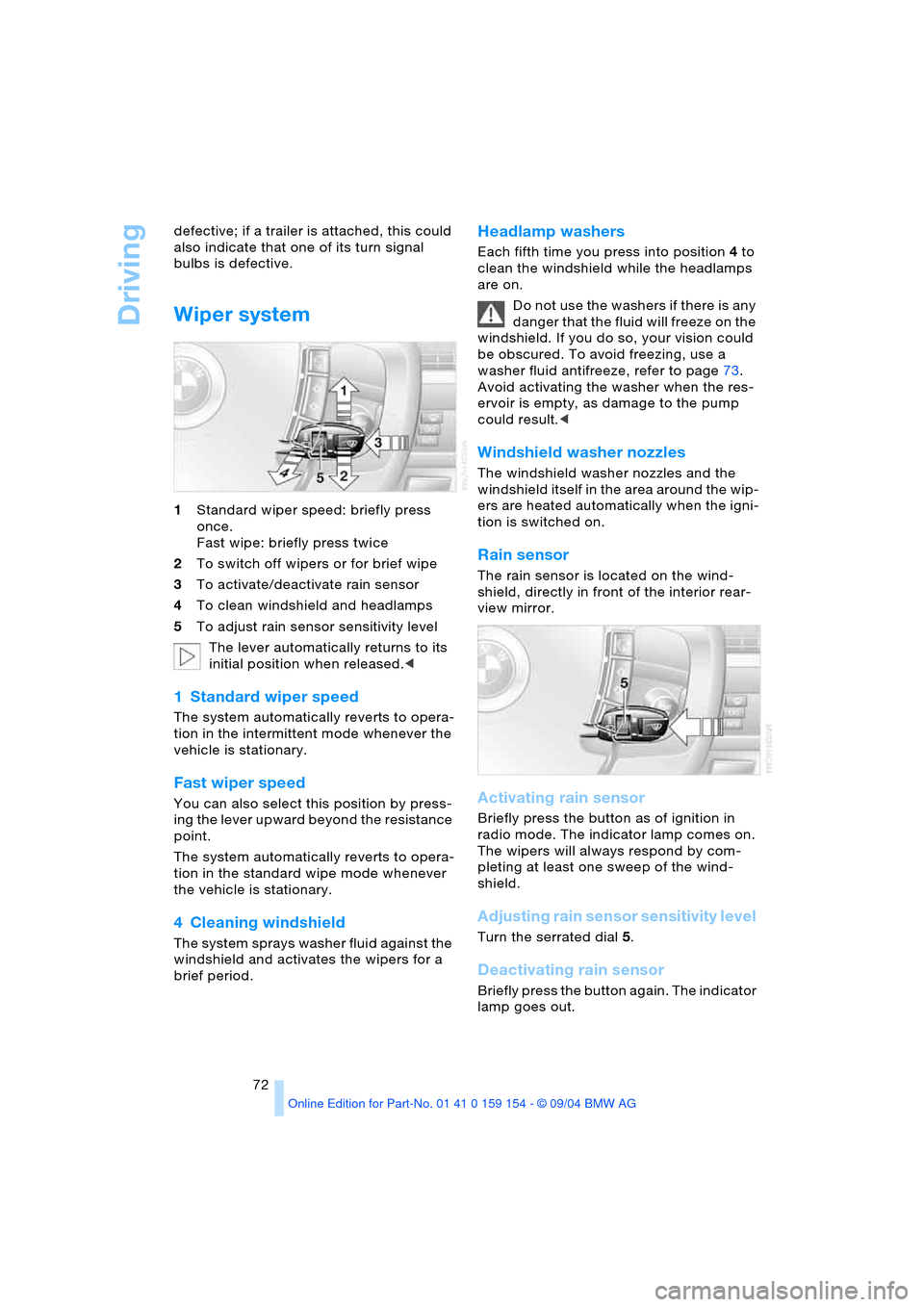
Wiper system
1Standard wiper speed: briefly press
once.
Fast wipe: briefly press twice
2To switch off wipers or for brief wipe
3To activate/deactivate rain sensor
4To clean windshield and headlamps
5To adjust rain sensor sensitivity level
The lever automatically returns to its
initial position when released.<
1 Standard wiper speed
The system automatically reverts to opera-
tion in the intermittent mode whenever the
vehicle is stationary.
Fast wiper speed
You can also select this position by press-
ing the lever upward beyond the resistance
point.
The system automatically reverts to opera-
tion in the standard wipe mode whenever
the vehicle is stationary.
4 Cleaning windshield
The system sprays washer fluid against the
windshield and activates the wipers for a
brief period.
Headlamp washers
Each fifth time you press into position 4 to
clean the windshield while the headlamps
are on.
Do not use the washers if there is any
danger that the fluid will freeze on the
windshield. If you do so, your vision could
be obscured. To avoid freezing, use a
washer fluid antifreeze, refer to page73.
Avoid activating the washer when the res-
ervoir is empty, as damage to the pump
could result.<
Windshield washer nozzles
The windshield washer nozzles and the
windshield itself in the area around the wip-
ers are heated automatically when the igni-
tion is switched on.
Rain sensor
The rain sensor is located on the wind-
shield, directly in front of the interior rear-
view mirror.
Activating rain sensor
Briefly press the button as of ignition in
radio mode. The indicator lamp comes on.
The wipers will always respond by com-
pleting at least one sweep of the wind-
shield.
Adjusting rain sensor sensitivity level
Turn the serrated dial 5.
Deactivating rain sensor
Briefly press the button again. The indicator
lamp goes out.
Page 75 of 239
Controls
73Reference
At a glance
Driving tips
Communications
Navigation
Entertainment
Mobility
The rain sensor is automatically deac-
tivated when you switch off the igni-
tion.<
Deactivate the rain sensor when
passing through an automatic car
wash. Failure to do so could result in dam-
age caused by undesired wiper activa-
tion.<
Selecting wiper fold-out position
Important for changing wiper blades, when
folding away from windshield to prevent
blades from sticking when ice forms, etc.
1.Switch off the engine and remove the
remote control from the ignition lock
2.Press the wiper lever up and maintain
pressure for about 3 seconds until the
wipers are roughly vertical: this is the
fold-out position.
After folding the wipers back against the
windshield you will need to reactivate the
wiper system:
1.Insert the remote control to activate the
radio mode in the ignition lock
2.Apply brief upward pressure to the
wiper lever. The wipers return to their
retracted position and are ready for nor-
mal operation.
To prevent damage to the wipers,
always fold them back against the
windshield before switching on either the
radio mode or the ignition.<
Washer fluid
Washer fluid antifreeze is flammable.
Always keep it well away from sparks
and open flames, and store it in tightly
closed containers well out of the reach of
children. Always observe the instructions
for use provided on the containers.<
We recommend that you mix the
washer fluid before adding it to the
reservoir.<
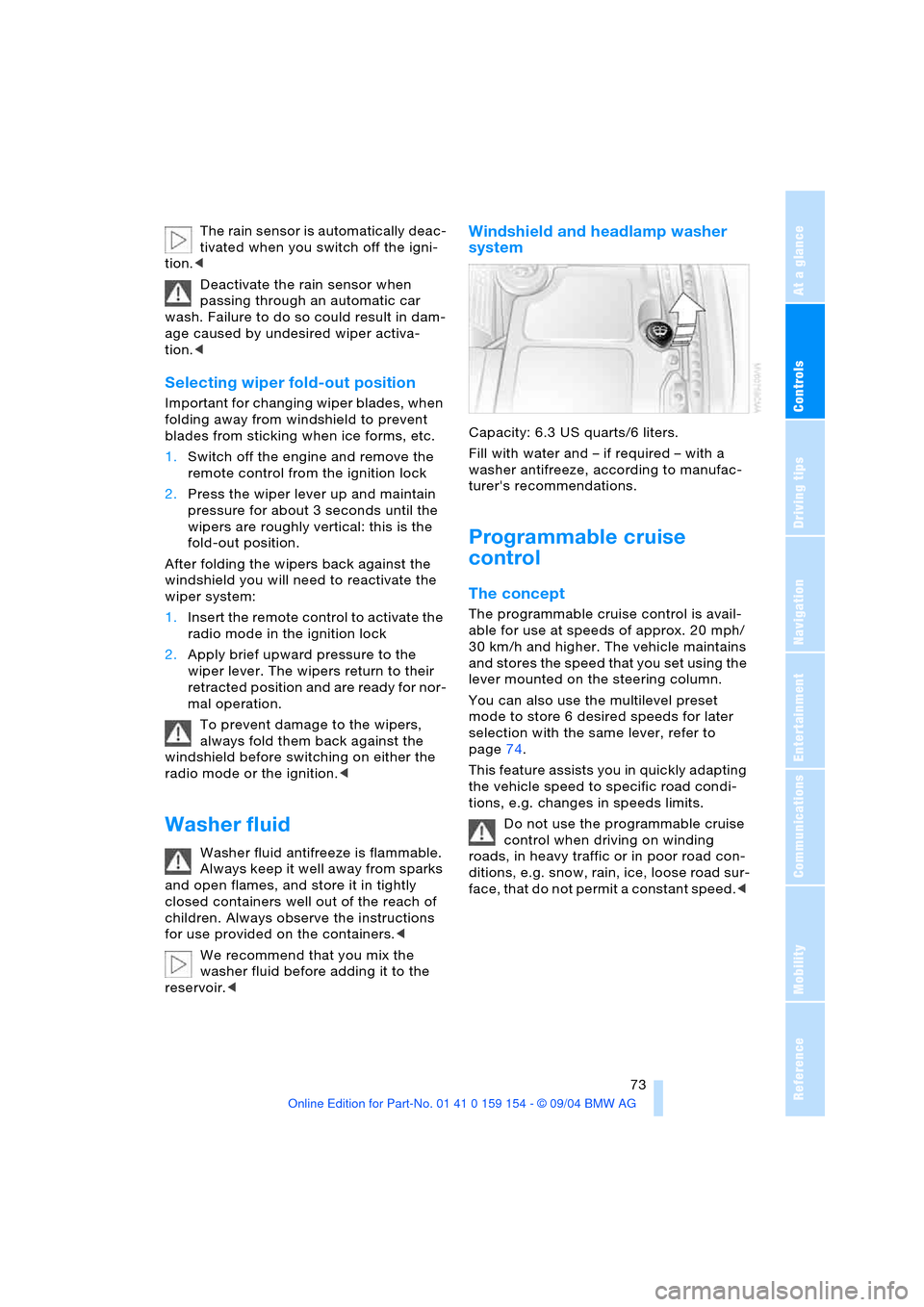
Windshield and headlamp washer
system
Capacity: 6.3USquarts/6liters.
Fill with water and – if required – with a
washer antifreeze, according to manufac-
turer's recommendations.
Programmable cruise
control
The concept
The programmable cruise control is avail-
able for use at speeds of approx. 20 mph/
30 km/h and higher. The vehicle maintains
and stores the speed that you set using the
lever mounted on the steering column.
You can also use the multilevel preset
mode to store 6 desired speeds for later
selection with the same lever, refer to
page74.
This feature assists you in quickly adapting
the vehicle speed to specific road condi-
tions, e.g. changes in speeds limits.
Do not use the programmable cruise
control when driving on winding
roads, in heavy traffic or in poor road con-
ditions, e.g. snow, rain, ice, loose road sur-
face, that do not permit a constant speed.<
Page 83 of 239
Controls
81Reference
At a glance
Driving tips
Communications
Navigation
Entertainment
Mobility
Everything under control
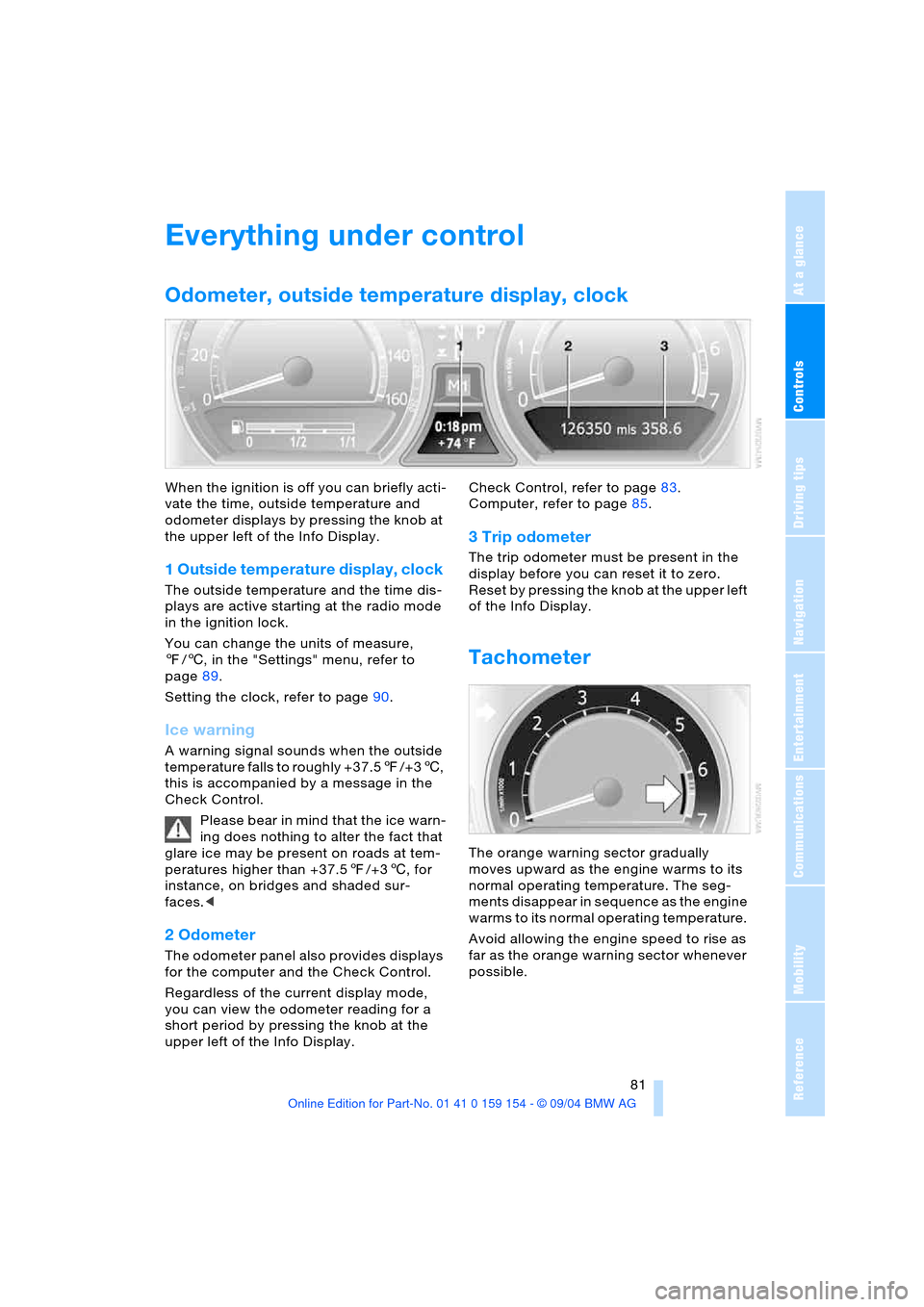
Odometer, outside temperature display, clock
When the ignition is off you can briefly acti-
vate the time, outside temperature and
odometer displays by pressing the knob at
the upper left of the Info Display.
1 Outside temperature display, clock
The outside temperature and the time dis-
plays are active starting at the radio mode
in the ignition lock.
You can change the units of measure,
7/6, in the "Settings" menu, refer to
page89.
Setting the clock, refer to page90.
Ice warning
A warning signal sounds when the outside
temperature falls to roughly +37.57/+36,
this is accompanied by a message in the
Check Control.
Please bear in mind that the ice warn-
ing does nothing to alter the fact that
glare ice may be present on roads at tem-
peratures higher than +37.57/+36, for
instance, on bridges and shaded sur-
faces.<
2 Odometer
The odometer panel also provides displays
for the computer and the Check Control.
Regardless of the current display mode,
you can view the odometer reading for a
short period by pressing the knob at the
upper left of the Info Display. Check Control, refer to page83.
Computer, refer to page85.
3 Trip odometer
The trip odometer must be present in the
display before you can reset it to zero.
Reset by pressing the knob at the upper left
of the Info Display.
Tachometer
The orange warning sector gradually
moves upward as the engine warms to its
normal operating temperature. The seg-
ments disappear in sequence as the engine
warms to its normal operating temperature.
Avoid allowing the engine speed to rise as
far as the orange warning sector whenever
possible.
Page 87 of 239
Controls
85Reference
At a glance
Driving tips
Communications
Navigation
Entertainment
Mobility
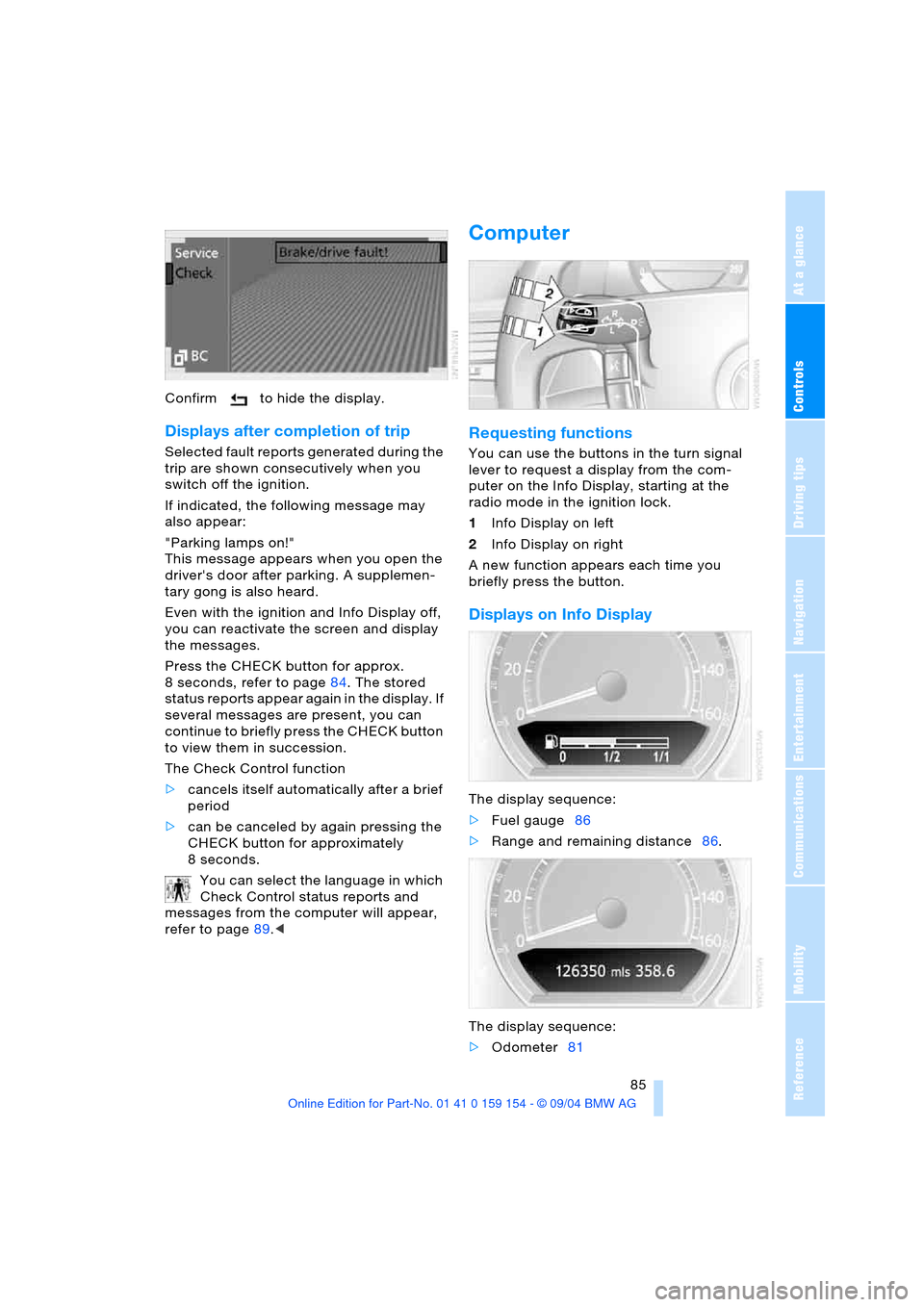
Confirm to hide the display.
Displays after completion of trip
Selected fault reports generated during the
trip are shown consecutively when you
switch off the ignition.
If indicated, the following message may
also appear:
"Parking lamps on!"
This message appears when you open the
driver's door after parking. A supplemen-
tary gong is also heard.
Even with the ignition and Info Display off,
you can reactivate the screen and display
the messages.
Press the CHECK button for approx.
8 seconds, refer to page84. The stored
status reports appear again in the display. If
several messages are present, you can
continue to briefly press the CHECK button
to view them in succession.
The Check Control function
>cancels itself automatically after a brief
period
>can be canceled by again pressing the
CHECK button for approximately
8seconds.
You can select the language in which
Check Control status reports and
messages from the computer will appear,
refer to page89.<
Computer
Requesting functions
You can use the buttons in the turn signal
lever to request a display from the com-
puter on the Info Display, starting at the
radio mode in the ignition lock.
1Info Display on left
2Info Display on right
A new function appears each time you
briefly press the button.
Displays on Info Display
The display sequence:
>Fuel gauge86
>Range and remaining distance86.
The display sequence:
>Odometer81
Page 101 of 239
Controls
99Reference
At a glance
Driving tips
Communications
Navigation
Entertainment
Mobility
whether or not the seat is occupied by a
child in the child-restraint system or an
adult.
>When a child is seated in the child-
restraint system or with an empty seat,
the front and side airbags are automat-
ically deactivated on the passenger's
side
>When an adult is traveling in the front
seat, the front and side airbags remain
active on the passenger side.
Although not desired, it can occur in
the case of heavier children that the
front passenger airbags remain active or in
the case of very light adults or young per-
sons that the front passenger airbags are
deactivated.
The state of the front passenger airbags is
shown with the indicator lamp, refer to Indi-
cator lamps in the following. In this case
transport the corresponding persons on the
rear seat.
Except when persons to be transported, do
not increase the load on the front passen-
ger seat with additional items. Do not fit
seat covers, seat cushion padding, ball
mats or other items to the front passenger
seat unless they are specifically recom-
mended by BMW. Do not place any items
under the seat. Otherwise, the function of
the seat occupation detection could be
impaired.<
Indicator lamps
Airbag system ready for use
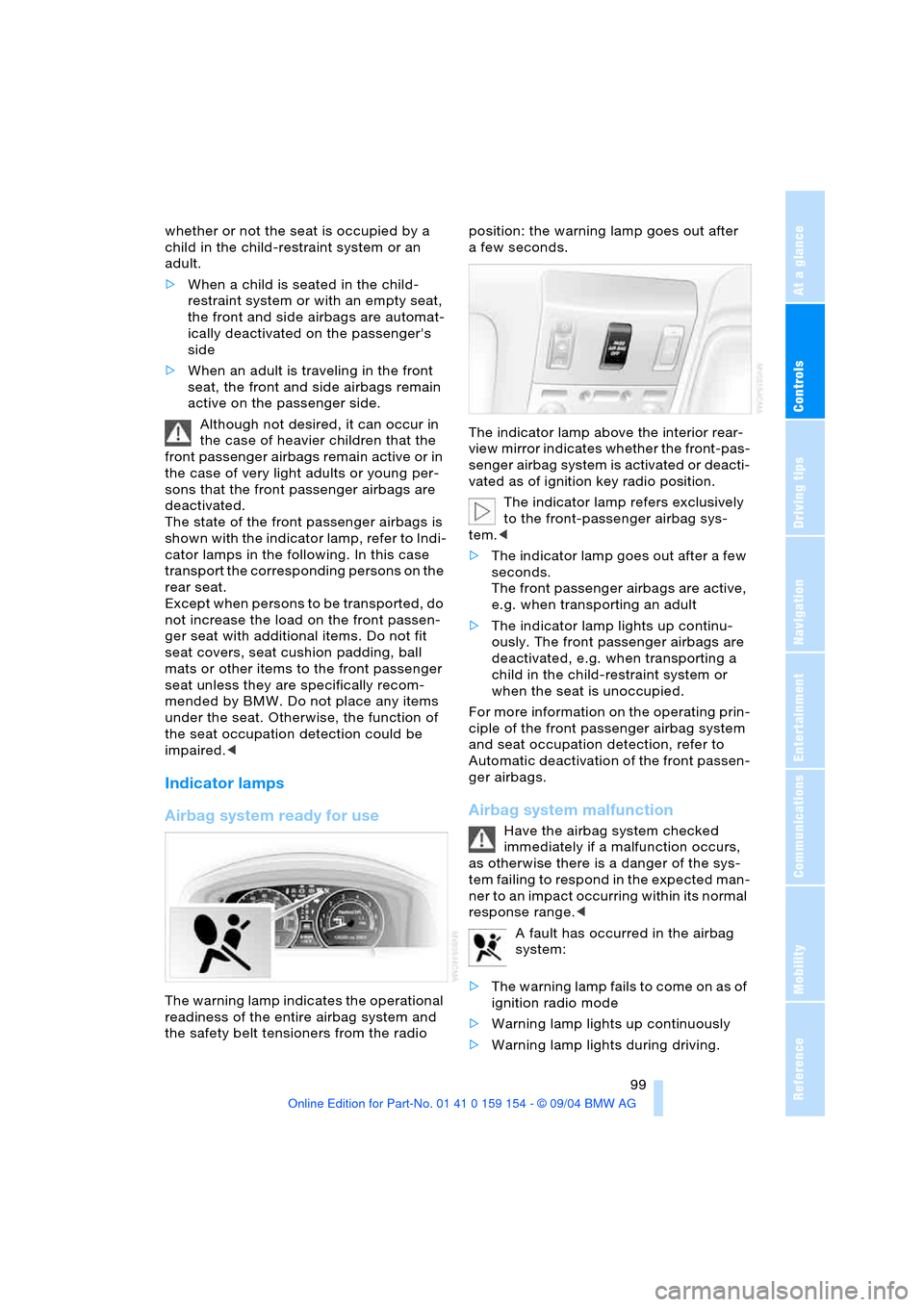
The warning lamp indicates the operational
readiness of the entire airbag system and
the safety belt tensioners from the radio position: the warning lamp goes out after
afew seconds.
The indicator lamp above the interior rear-
view mirror indicates whether the front-pas-
senger airbag system is activated or deacti-
vated as of ignition key radio position.
The indicator lamp refers exclusively
to the front-passenger airbag sys-
tem.<
>The indicator lamp goes out after a few
seconds.
The front passenger airbags are active,
e.g. when transporting an adult
>The indicator lamp lights up continu-
ously. The front passenger airbags are
deactivated, e.g. when transporting a
child in the child-restraint system or
when the seat is unoccupied.
For more information on the operating prin-
ciple of the front passenger airbag system
and seat occupation detection, refer to
Automatic deactivation of the front passen-
ger airbags.
Airbag system malfunction
Have the airbag system checked
immediately if a malfunction occurs,
as otherwise there is a danger of the sys-
tem failing to respond in the expected man-
ner to an impact occurring within its normal
response range.<
A fault has occurred in the airbag
system:
>The warning lamp fails to come on as of
ignition radio mode
>Warning lamp lights up continuously
>Warning lamp lights during driving.