cooling BMW 760LI SEDAN 2003 Owners Manual
[x] Cancel search | Manufacturer: BMW, Model Year: 2003, Model line: 760LI SEDAN, Model: BMW 760LI SEDAN 2003Pages: 229, PDF Size: 4.35 MB
Page 19 of 229
At a glance
Controls
Driving tips
Communications
Navigation
Entertainment
Mobility
Reference
17
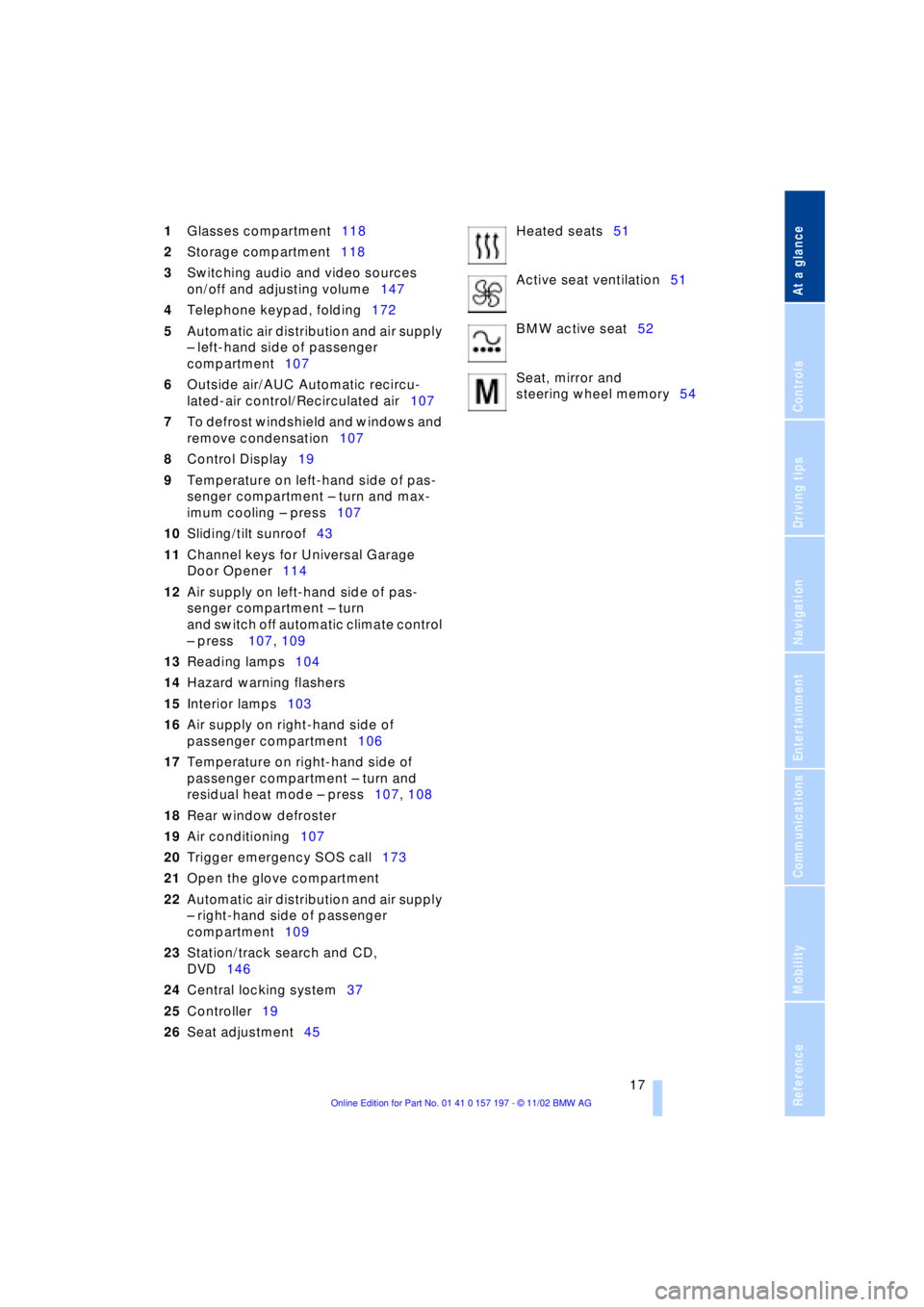
1Glasses compartment118
2Storage compartment118
3Switching audio and video sources
on/off and adjusting volume147
4Telephone keypad, folding172
5Automatic air distribution and air supply
Ð left-hand side of passenger
compartment107
6Outside air/AUC Automatic recircu-
lated-air control/Recirculated air107
7To defrost windshield and windows and
remove condensation107
8Control Display19
9Temperature on left-hand side of pas-
senger compartment Ð turn and max-
imum cooling Ð press107
10Sliding/tilt sunroof43
11Channel keys for Universal Garage
Door Opener114
12Air supply on left-hand side of pas-
senger compartment Ð turn
and switch off automatic climate control
Ð press 107, 109
13Reading lamps104
14Hazard warning flashers
15Interior lamps103
16Air supply on right-hand side of
passenger compartment106
17Temperature on right-hand side of
passenger compartment Ð turn and
residual heat mode Ð press107, 108
18Rear window defroster
19Air conditioning107
20Trigger emergency SOS call173
21Open the glove compartment
22Automatic air distribution and air supply
Ð right-hand side of passenger
compartment109
23Station/track search and CD,
DVD146
24Central locking system37
25Controller19
26Seat adjustment45Heated seats51
Active seat ventilation51
BMW active seat52
Seat, mirror and
steering wheel memory54
Page 108 of 229
A congenial climate
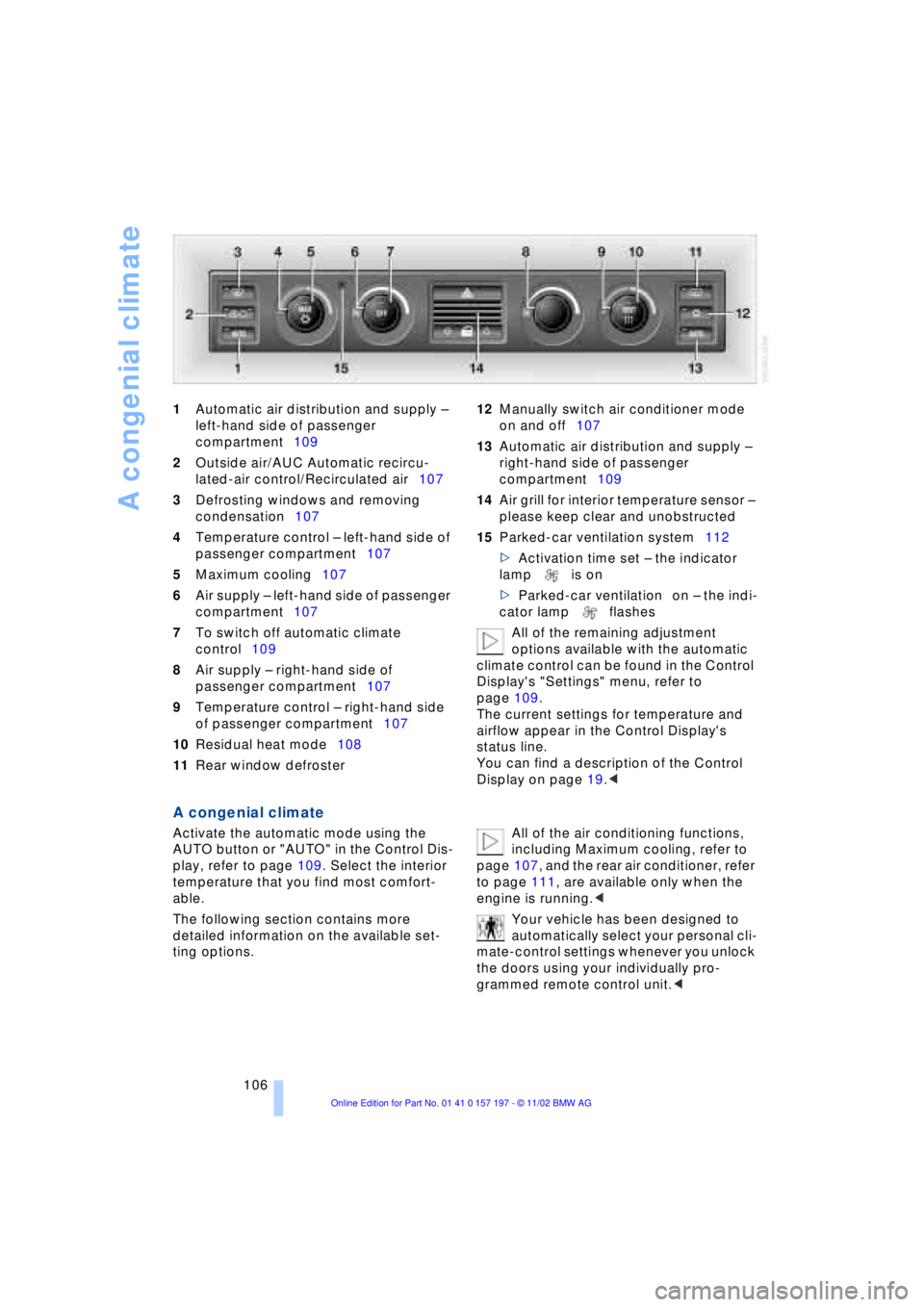
106 1Automatic air distribution and supply Ð
left-hand side of passenger
compartment109
2Outside air/AUC Automatic recircu-
lated-air control/Recirculated air107
3Defrosting windows and removing
condensation107
4Temperature control Ð left-hand side of
passenger compartment107
5Maximum cooling107
6Air supply Ð left-hand side of passenger
compartment107
7To switch off automatic climate
control109
8Air supply Ð right-hand side of
passenger compartment107
9Temperature control Ð right-hand side
of passenger compartment107
10Residual heat mode108
11Rear window defroster 12Manually switch air conditioner mode
on and off107
13Automatic air distribution and supply Ð
right-hand side of passenger
compartment109
14Air grill for interior temperature sensor Ð
please keep clear and unobstructed
15Parked-car ventilation system112
>Activation time set Ð the indicator
lamp is on
>Parked-car ventilation on Ð the indi-
cator lamp flashes
All of the remaining adjustment
options available with the automatic
climate control can be found in the Control
Display's "Settings" menu, refer to
page 109.
The current settings for temperature and
airflow appear in the Control Display's
status line.
You can find a description of the Control
Display on page 19.<
A congenial climate
Activate the automatic mode using the
AUTO button or "AUTO" in the Control Dis-
play, refer to page 109. Select the interior
temperature that you find most comfort-
able.
The following section contains more
detailed information on the available set-
ting options. All of the air conditioning functions,
including Maximum cooling, refer to
page 107, and the rear air conditioner, refer
to page 111, are available only when the
engine is running.<
Your vehicle has been designed to
automatically select your personal cli-
mate-control settings whenever you unlock
the doors using your individually pro-
grammed remote control unit.<
Page 109 of 229
At a glance
Controls
Driving tips
Communications
Navigation
Entertainment
Mobility
Reference
107
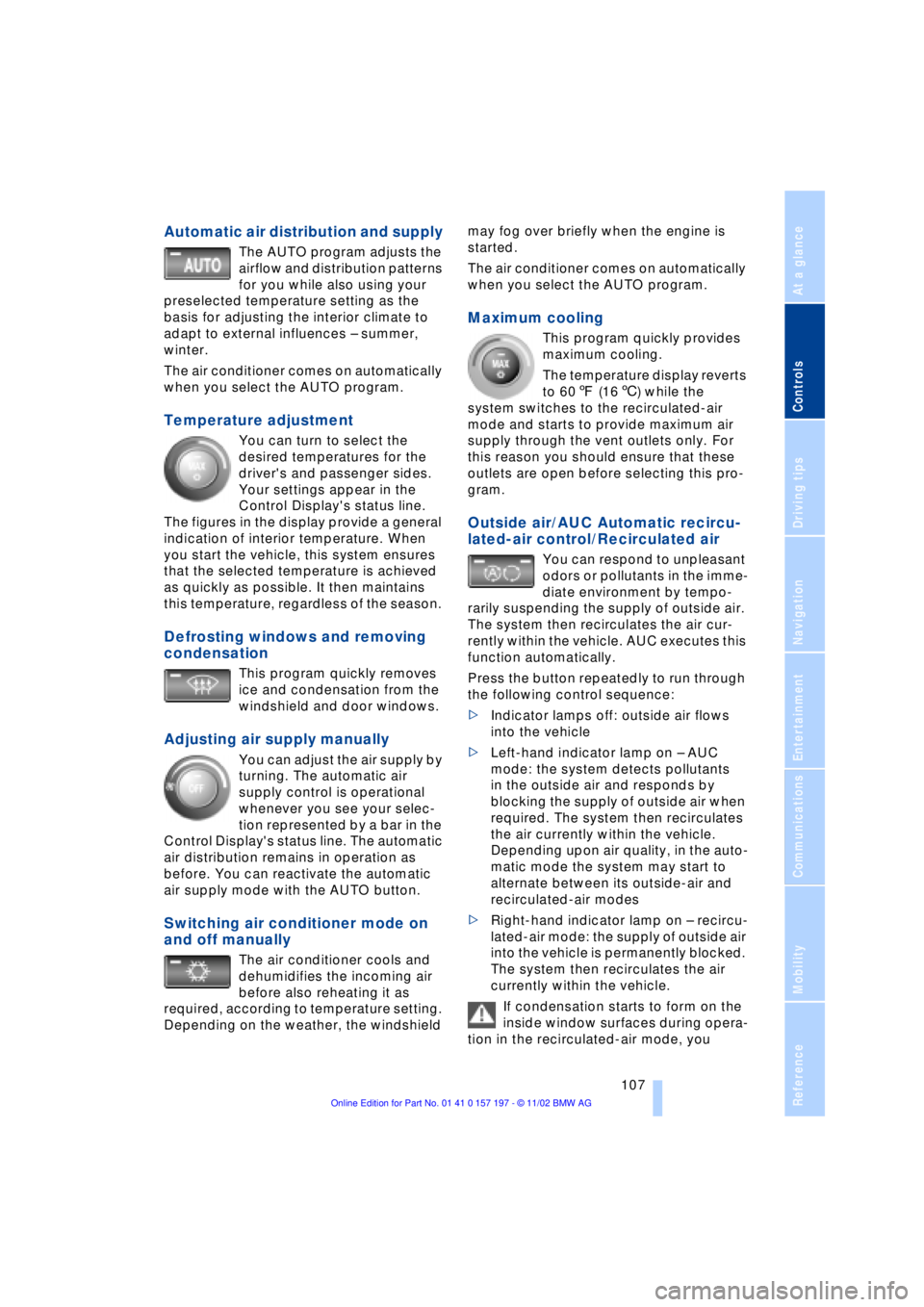
Automatic air distribution and supply
The AUTO program adjusts the
airflow and distribution patterns
for you while also using your
preselected temperature setting as the
basis for adjusting the interior climate to
adapt to external influences Ð summer,
winter.
The air conditioner comes on automatically
when you select the AUTO program.
Temperature adjustment
You can turn to select the
desired temperatures for the
driver's and passenger sides.
Your settings appear in the
Control Display's status line.
The figures in the display provide a general
indication of interior temperature. When
you start the vehicle, this system ensures
that the selected temperature is achieved
as quickly as possible. It then maintains
this temperature, regardless of the season.
Defrosting windows and removing
condensation
This program quickly removes
ice and condensation from the
windshield and door windows.
Adjusting air supply manually
You can adjust the air supply by
turning. The automatic air
supply control is operational
whenever you see your selec-
tion represented by a bar in the
Control Display's status line. The automatic
air distribution remains in operation as
before. You can reactivate the automatic
air supply mode with the AUTO button.
Switching air conditioner mode on
and off manually
The air conditioner cools and
dehumidifies the incoming air
before also reheating it as
required, according to temperature setting.
Depending on the weather, the windshield may fog over briefly when the engine is
started.
The air conditioner comes on automatically
when you select the AUTO program.
Maximum cooling
This program quickly provides
maximum cooling.
The temperature display reverts
to 607 (166) while the
system switches to the recirculated-air
mode and starts to provide maximum air
supply through the vent outlets only. For
this reason you should ensure that these
outlets are open before selecting this pro-
gram.
Outside air/AUC Automatic recircu-
lated-air control/Recirculated air
You can respond to unpleasant
odors or pollutants in the imme-
diate environment by tempo-
rarily suspending the supply of outside air.
The system then recirculates the air cur-
rently within the vehicle. AUC executes this
function automatically.
Press the button repeatedly to run through
the following control sequence:
>Indicator lamps off: outside air flows
into the vehicle
>Left-hand indicator lamp on Ð AUC
mode: the system detects pollutants
in the outside air and responds by
blocking the supply of outside air when
required. The system then recirculates
the air currently within the vehicle.
Depending upon air quality, in the auto-
matic mode the system may start to
alternate between its outside-air and
recirculated-air modes
>Right-hand indicator lamp on Ð recircu-
lated-air mode: the supply of outside air
into the vehicle is permanently blocked.
The system then recirculates the air
currently within the vehicle.
If condensation starts to form on the
inside window surfaces during opera-
tion in the recirculated-air mode, you
Page 110 of 229
A congenial climate
108 should switch it off while also increasing air
supply as required.<
Residual heat mode
The system uses the warmth
stored in the engine to heat the
interior when the ignition is off,
for instance, while the vehicle
is stopped at a school to pick
up a child.
You can adjust the automatic climate con-
trol's settings when the ignition lock is in
the radio mode. The system blows heated
air into the interior in accordance with the
selected distribution pattern while the igni-
tion is off.
Provided that the engine has warmed
to its normal operating temperature
and the battery is charged, you can use this
function for up to 15 minutes after
switching off the ignition. The LED within
the button lights up to confirm compliance
with both of these conditions.<
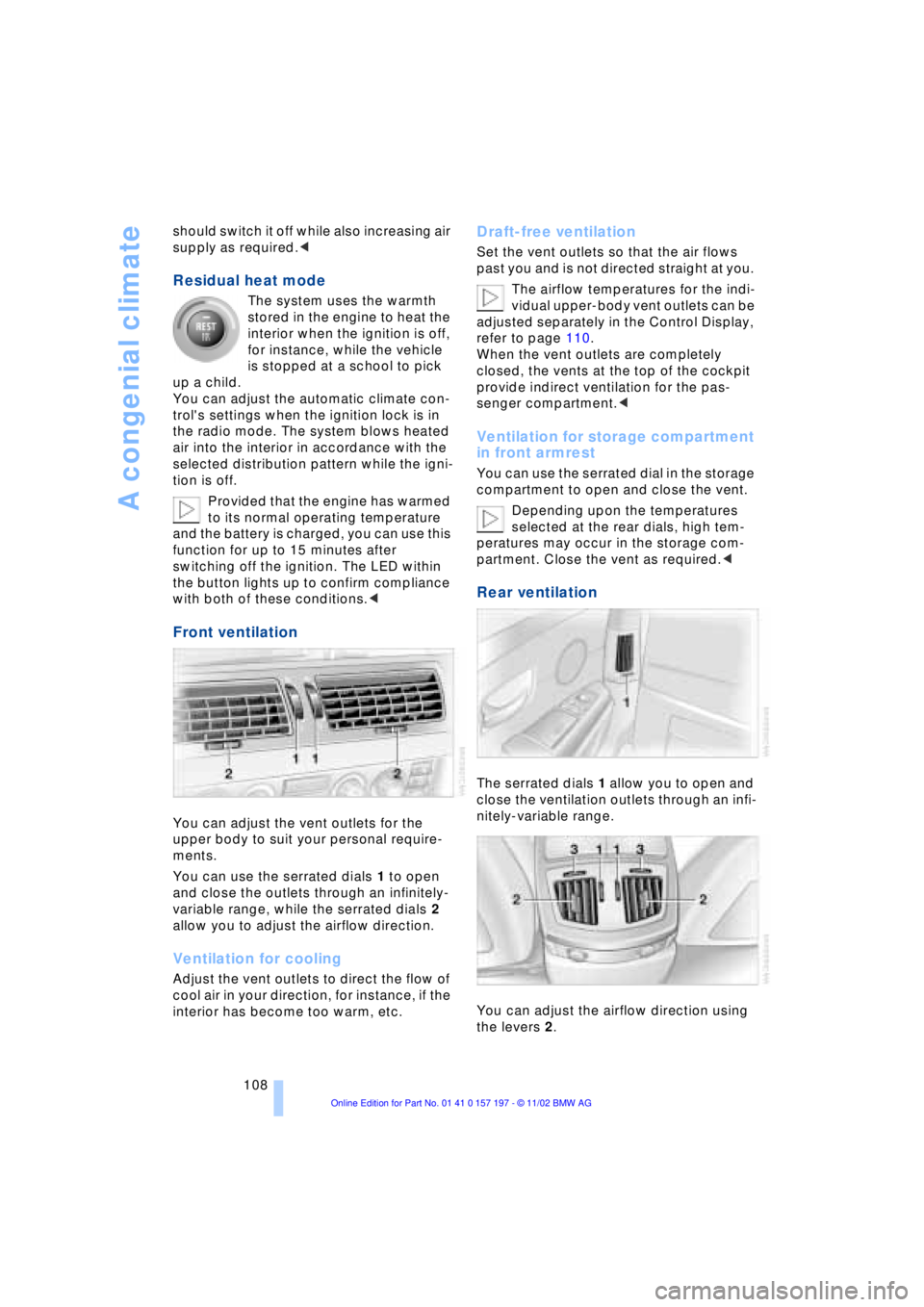
Front ventilation
You can adjust the vent outlets for the
upper body to suit your personal require-
ments.
You can use the serrated dials 1 to open
and close the outlets through an infinitely-
variable range, while the serrated dials 2
allow you to adjust the airflow direction.
Ventilation for cooling
Adjust the vent outlets to direct the flow of
cool air in your direction, for instance, if the
interior has become too warm, etc.
Draft-free ventilation
Set the vent outlets so that the air flows
past you and is not directed straight at you.
The airflow temperatures for the indi-
vidual upper-body vent outlets can be
adjusted separately in the Control Display,
refer to page 110.
When the vent outlets are completely
closed, the vents at the top of the cockpit
provide indirect ventilation for the pas-
senger compartment.<
Ventilation for storage compartment
in front armrest
You can use the serrated dial in the storage
compartment to open and close the vent.
Depending upon the temperatures
selected at the rear dials, high tem-
peratures may occur in the storage com-
partment. Close the vent as required.<
Rear ventilation
The serrated dials 1 allow you to open and
close the ventilation outlets through an infi-
nitely-variable range.
You can adjust the airflow direction using
the levers 2.
Page 113 of 229
At a glance
Controls
Driving tips
Communications
Navigation
Entertainment
Mobility
Reference
111
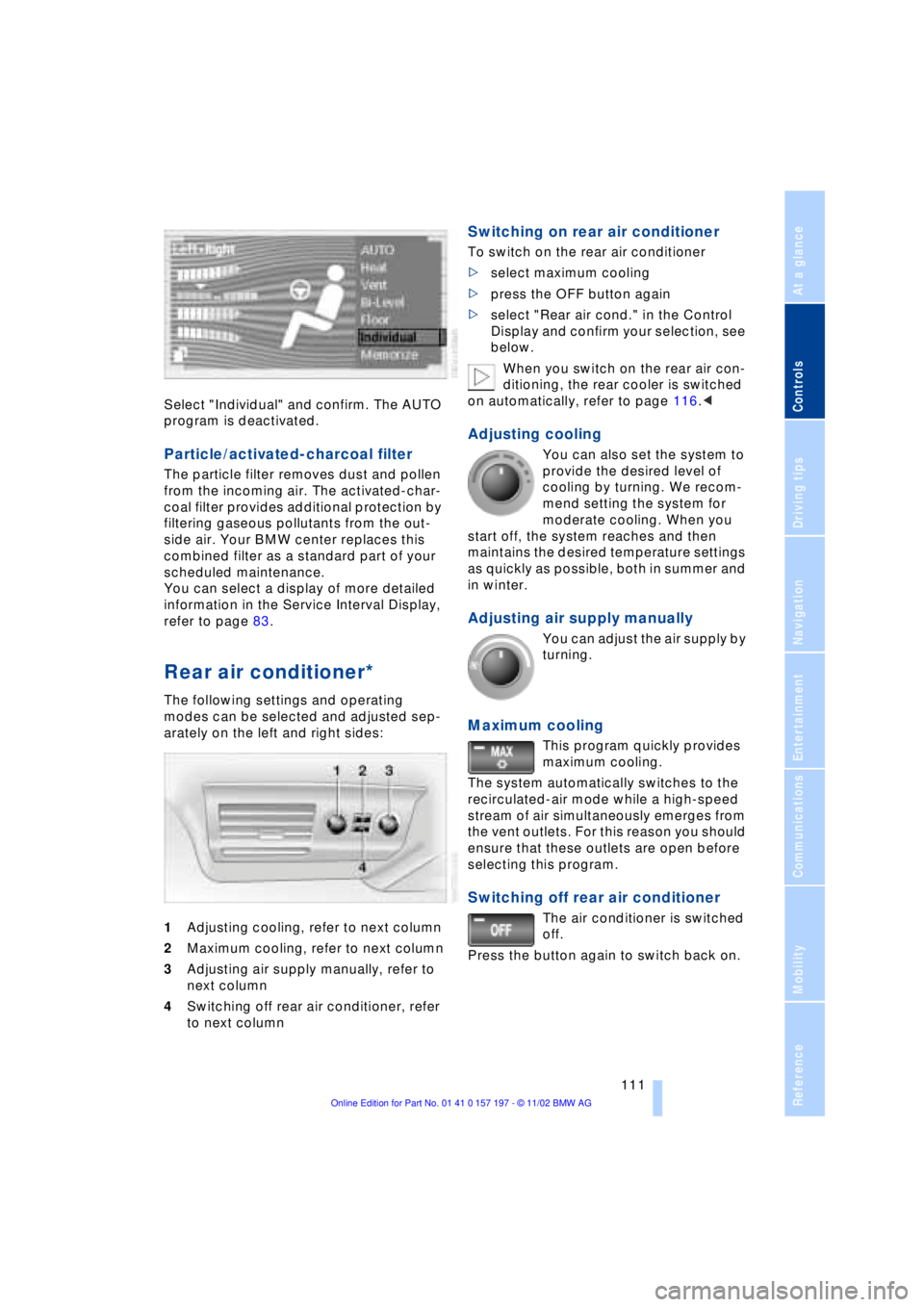
Select "Individual" and confirm. The AUTO
program is deactivated.
Particle/activated-charcoal filter
The particle filter removes dust and pollen
from the incoming air. The activated-char-
coal filter provides additional protection by
filtering gaseous pollutants from the out-
side air. Your BMW center replaces this
combined filter as a standard part of your
scheduled maintenance.
You can select a display of more detailed
information in the Service Interval Display,
refer to page 83.
Rear air conditioner*
The following settings and operating
modes can be selected and adjusted sep-
arately on the left and right sides:
1Adjusting cooling, refer to next column
2Maximum cooling, refer to next column
3Adjusting air supply manually, refer to
next column
4Switching off rear air conditioner, refer
to next column
Switching on rear air conditioner
To switch on the rear air conditioner
>select maximum cooling
>press the OFF button again
>select "Rear air cond." in the Control
Display and confirm your selection, see
below.
When you switch on the rear air con-
ditioning, the rear cooler is switched
on automatically, refer to page 116.<
Adjusting cooling
You can also set the system to
provide the desired level of
cooling by turning. We recom-
mend setting the system for
moderate cooling. When you
start off, the system reaches and then
maintains the desired temperature settings
as quickly as possible, both in summer and
in winter.
Adjusting air supply manually
You can adjust the air supply by
turning.
Maximum cooling
This program quickly provides
maximum cooling.
The system automatically switches to the
recirculated-air mode while a high-speed
stream of air simultaneously emerges from
the vent outlets. For this reason you should
ensure that these outlets are open before
selecting this program.
Switching off rear air conditioner
The air conditioner is switched
off.
Press the button again to switch back on.
Page 114 of 229
A congenial climate
112
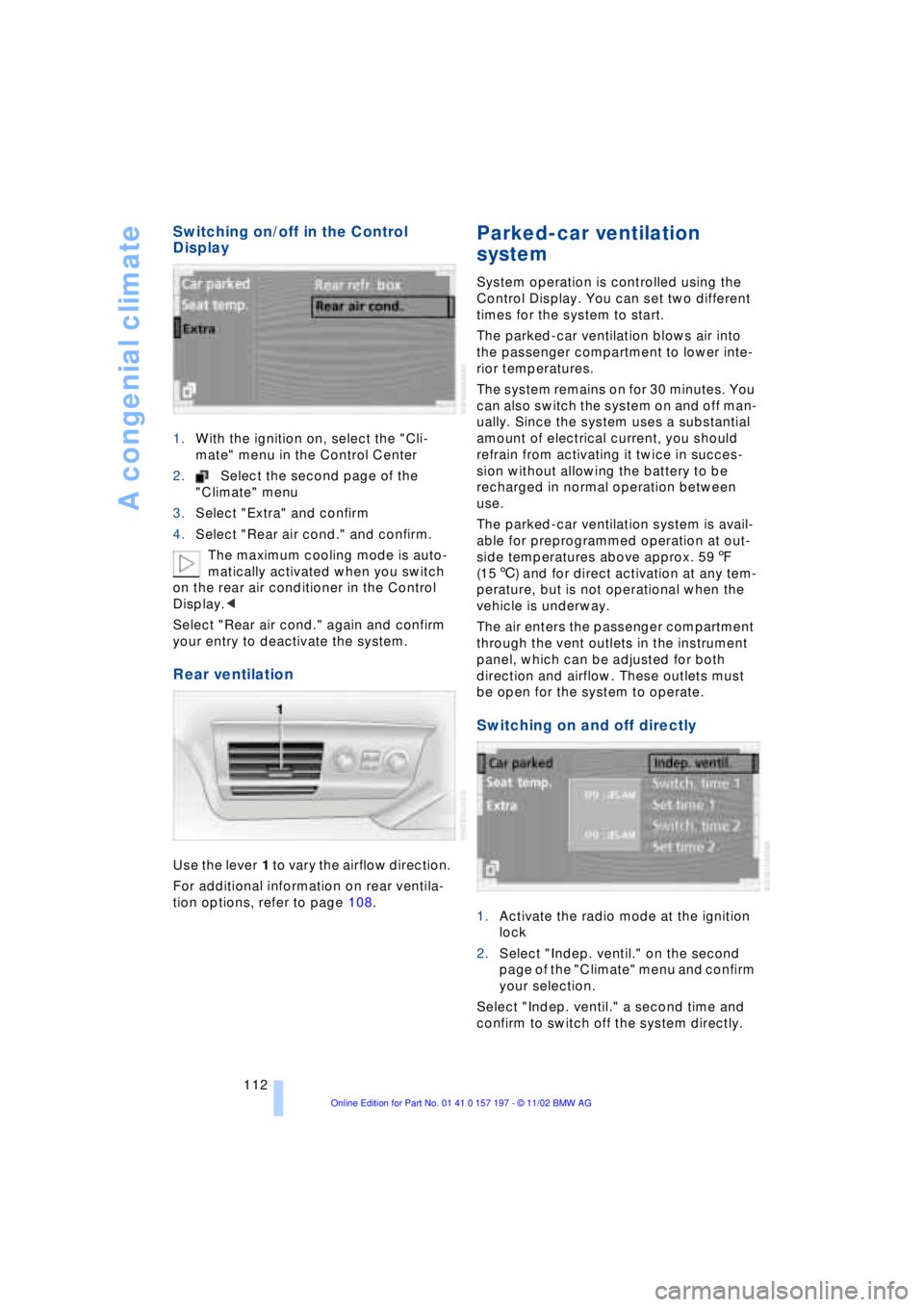
Switching on/off in the Control
Display
1.With the ignition on, select the "Cli-
mate" menu in the Control Center
2.Select the second page of the
"Climate" menu
3.Select "Extra" and confirm
4.Select "Rear air cond." and confirm.
The maximum cooling mode is auto-
matically activated when you switch
on the rear air conditioner in the Control
Display.<
Select "Rear air cond." again and confirm
your entry to deactivate the system.
Rear ventilation
Use the lever 1 to vary the airflow direction.
For additional information on rear ventila-
tion options, refer to page 108.
Parked-car ventilation
system
System operation is controlled using the
Control Display. You can set two different
times for the system to start.
The parked-car ventilation blows air into
the passenger compartment to lower inte-
rior temperatures.
The system remains on for 30 minutes. You
can also switch the system on and off man-
ually. Since the system uses a substantial
amount of electrical current, you should
refrain from activating it twice in succes-
sion without allowing the battery to be
recharged in normal operation between
use.
The parked-car ventilation system is avail-
able for preprogrammed operation at out-
side temperatures above approx. 597
(156) and for direct activation at any tem-
perature, but is not operational when the
vehicle is underway.
The air enters the passenger compartment
through the vent outlets in the instrument
panel, which can be adjusted for both
direction and airflow. These outlets must
be open for the system to operate.
Switching on and off directly
1.Activate the radio mode at the ignition
lock
2.Select "Indep. ventil." on the second
page of the "Climate" menu and confirm
your selection.
Select "Indep. ventil." a second time and
confirm to switch off the system directly.
Page 193 of 229
At a glance
Controls
Driving tips
Communications
Navigation
Entertainment
Mobility
Reference
191
The oil quantity between the two marks on
the dipstick is approx. 1.1 US quarts
(1 liter). Do not fill beyond the upper mark
on the dipstick. Excess oil can damage the
engine.
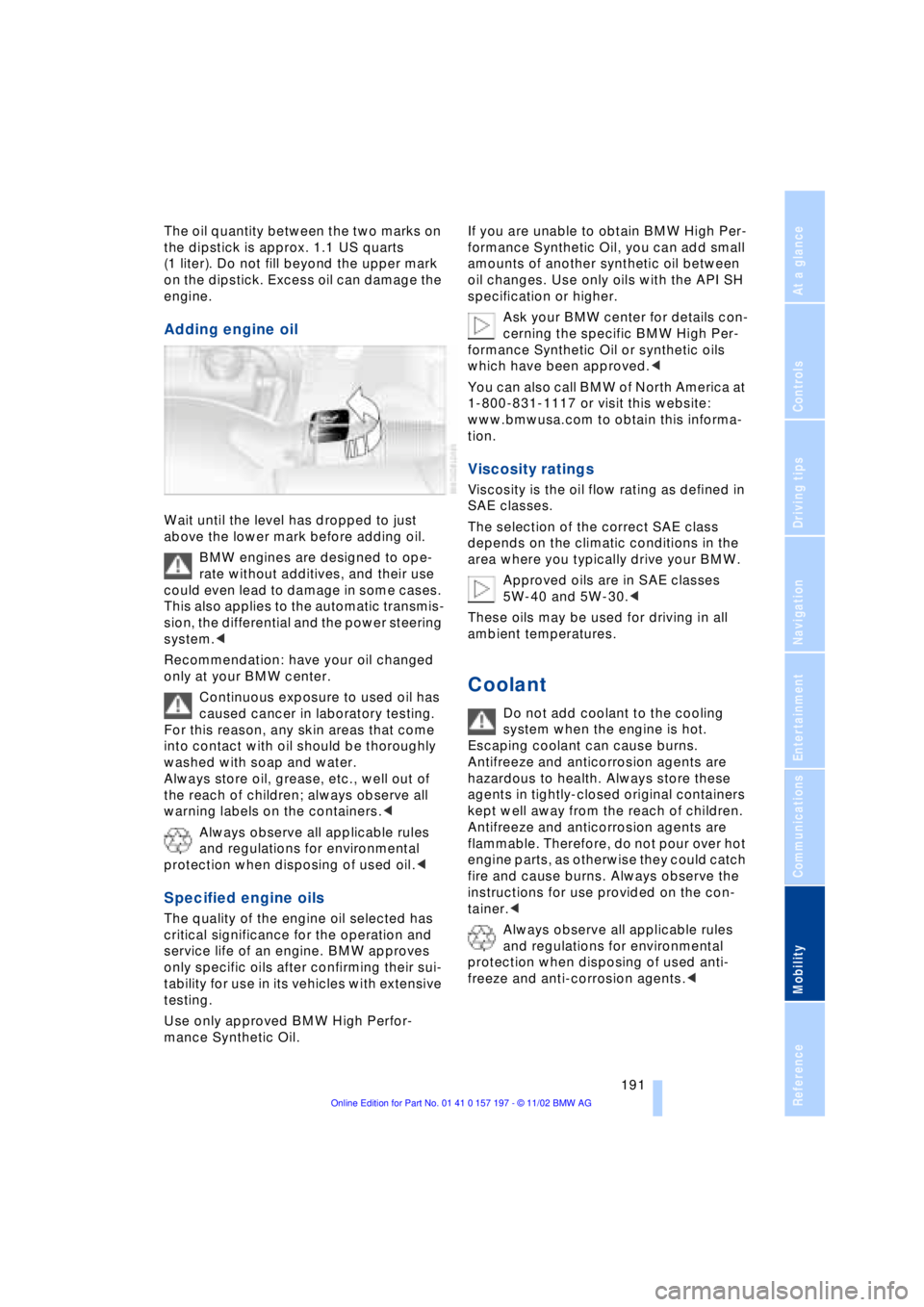
Adding engine oil
Wait until the level has dropped to just
above the lower mark before adding oil.
BMW engines are designed to ope-
rate without additives, and their use
could even lead to damage in some cases.
This also applies to the automatic transmis-
sion, the differential and the power steering
system.<
Recommendation: have your oil changed
only at your BMW center.
Continuous exposure to used oil has
caused cancer in laboratory testing.
For this reason, any skin areas that come
into contact with oil should be thoroughly
washed with soap and water.
Always store oil, grease, etc., well out of
the reach of children; always observe all
warning labels on the containers.<
Always observe all applicable rules
and regulations for environmental
protection when disposing of used oil.<
Specified engine oils
The quality of the engine oil selected has
critical significance for the operation and
service life of an engine. BMW approves
only specific oils after confirming their sui-
tability for use in its vehicles with extensive
testing.
Use only approved BMW High Perfor-
mance Synthetic Oil.If you are unable to obtain BMW High Per-
formance Synthetic Oil, you can add small
amounts of another synthetic oil between
oil changes. Use only oils with the API SH
specification or higher.
Ask your BMW center for details con-
cerning the specific BMW High Per-
formance Synthetic Oil or synthetic oils
which have been approved.<
You can also call BMW of North America at
1-800-831-1117 or visit this website:
www.bmwusa.com to obtain this informa-
tion.
Viscosity ratings
Viscosity is the oil flow rating as defined in
SAE classes.
The selection of the correct SAE class
depends on the climatic conditions in the
area where you typically drive your BMW.
Approved oils are in SAE classes
5W-40 and 5W-30.<
These oils may be used for driving in all
ambient temperatures.
Coolant
Do not add coolant to the cooling
system when the engine is hot.
Escaping coolant can cause burns.
Antifreeze and anticorrosion agents are
hazardous to health. Always store these
agents in tightly-closed original containers
kept well away from the reach of children.
Antifreeze and anticorrosion agents are
flammable. Therefore, do not pour over hot
engine parts, as otherwise they could catch
fire and cause burns. Always observe the
instructions for use provided on the con-
tainer.<
Always observe all applicable rules
and regulations for environmental
protection when disposing of used anti-
freeze and anti-corrosion agents.<
Page 213 of 229
At a glance
Controls
Driving tips
Communications
Navigation
Entertainment
Mobility
Reference
211
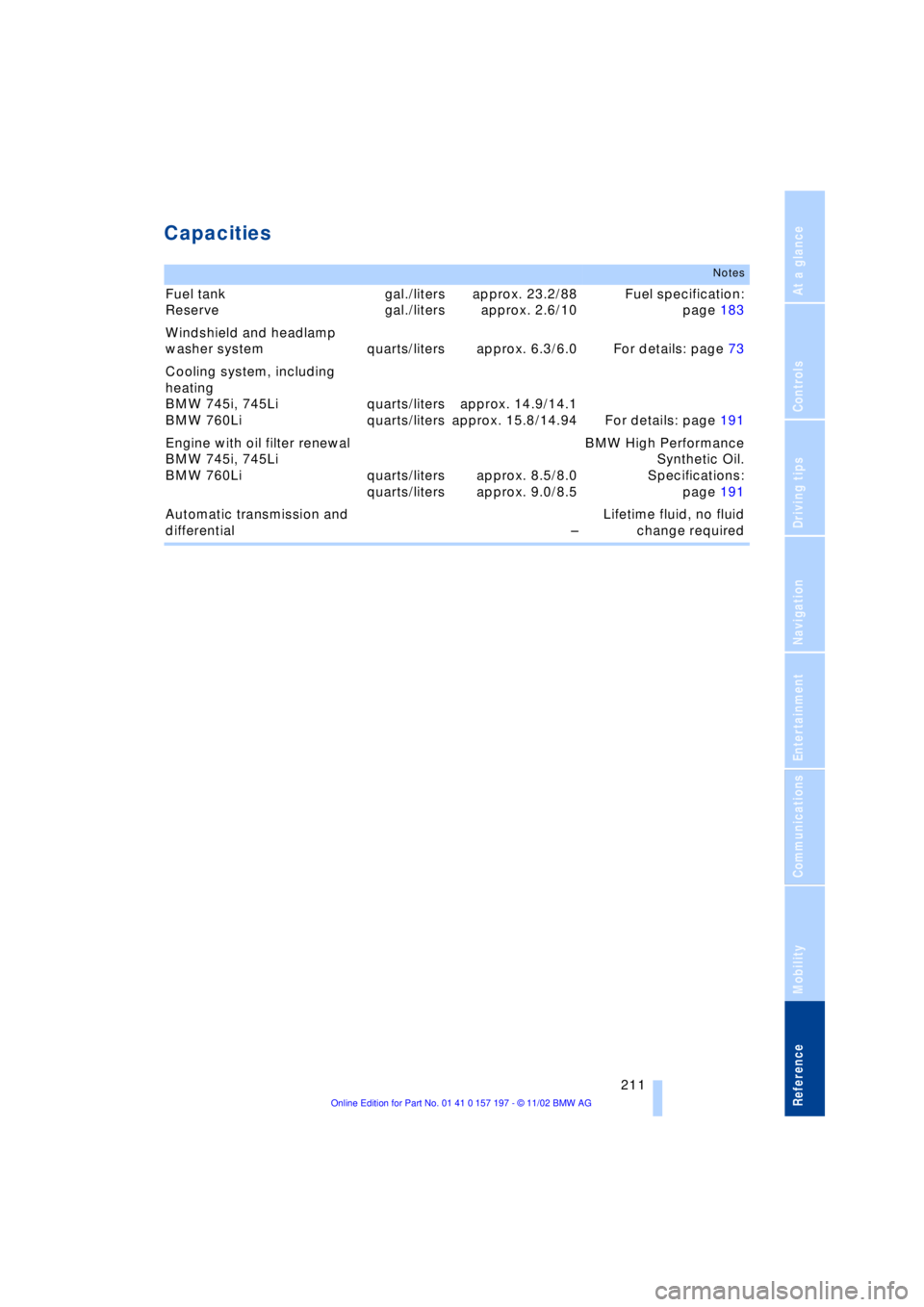
Capacities
Notes
Fuel tank
Reserve gal./liters
gal./litersapprox. 23.2/88
approx. 2.6/10Fuel specification:
page 183
Windshield and headlamp
washer system quarts/liters approx. 6.3/6.0 For details: page 73
Cooling system, including
heating
BMW 745i, 745Li
BMW 760Liquarts/liters
quarts/litersapprox. 14.9/14.1
approx. 15.8/14.94 For details: page 191
Engine with oil filter renewal
BMW 745i, 745Li
BMW 760Li quarts/liters
quarts/litersapprox. 8.5/8.0
approx. 9.0/8.5BMW High Performance
Synthetic Oil.
Specifications:
page 191
Automatic transmission and
differential ÐLifetime fluid, no fluid
change required
Page 217 of 229
215
At a glance
Controls
Driving tips
Communications
Navigation
Entertainment
Mobility
Reference
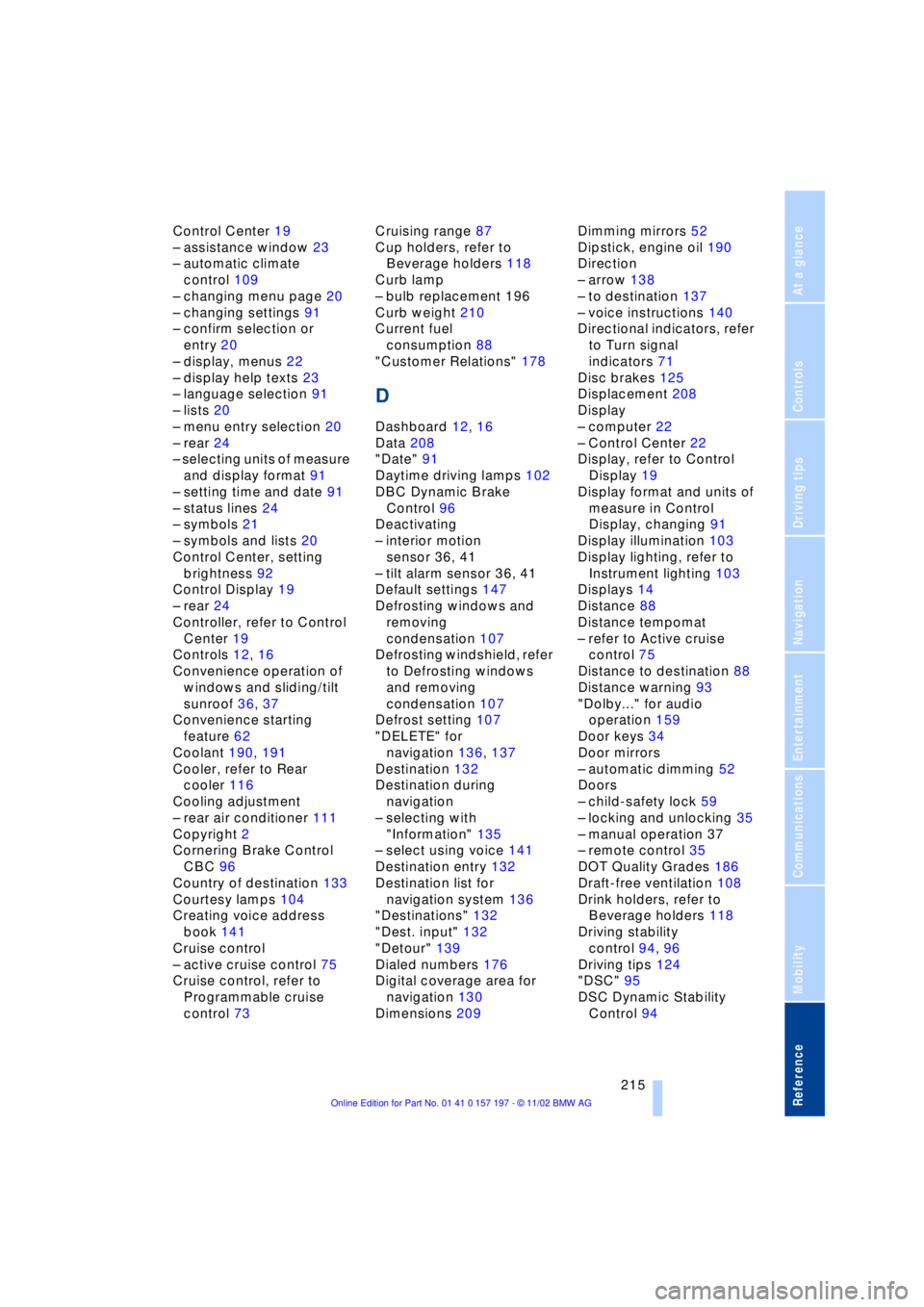
Control Center 19
Ð assistance window 23
Ð automatic climate
control 109
Ð changing menu page 20
Ð changing settings 91
Ð confirm selection or
entry 20
Ð display, menus 22
Ð display help texts 23
Ð language selection 91
Ð lists 20
Ð menu entry selection 20
Ð rear 24
Ð selecting units of measure
and display format 91
Ð setting time and date 91
Ð status lines 24
Ð symbols 21
Ð symbols and lists 20
Control Center, setting
brightness 92
Control Display 19
Ð rear 24
Controller, refer to Control
Center 19
Controls 12, 16
Convenience operation of
windows and sliding/tilt
sunroof 36, 37
Convenience starting
feature 62
Coolant 190, 191
Cooler, refer to Rear
cooler 116
Cooling adjustment
Ð rear air conditioner 111
Copyright 2
Cornering Brake Control
CBC 96
Country of destination 133
Courtesy lamps 104
Creating voice address
book 141
Cruise control
Ð active cruise control 75
Cruise control, refer to
Programmable cruise
control 73Cruising range 87
Cup holders, refer to
Beverage holders 118
Curb lamp
Ð bulb replacement 196
Curb weight 210
Current fuel
consumption 88
"Customer Relations" 178
D
Dashboard 12, 16
Data 208
"Date" 91
Daytime driving lamps 102
DBC Dynamic Brake
Control 96
Deactivating
Ð interior motion
sensor 36, 41
Ð tilt alarm sensor 36, 41
Default settings 147
Defrosting windows and
removing
condensation 107
Defrosting windshield, refer
to Defrosting windows
and removing
condensation 107
Defrost setting 107
"DELETE" for
navigation 136, 137
Destination 132
Destination during
navigation
Ð selecting with
"Information" 135
Ð select using voice 141
Destination entry 132
Destination list for
navigation system 136
"Destinations" 132
"Dest. input" 132
"Detour" 139
Dialed numbers 176
Digital coverage area for
navigation 130
Dimensions 209Dimming mirrors 52
Dipstick, engine oil 190
Direction
Ð arrow 138
Ð to destination 137
Ð voice instructions 140
Directional indicators, refer
to Turn signal
indicators 71
Disc brakes 125
Displacement 208
Display
Ð computer 22
Ð Control Center 22
Display, refer to Control
Display 19
Display format and units of
measure in Control
Display, changing 91
Display illumination 103
Display lighting, refer to
Instrument lighting 103
Displays 14
Distance 88
Distance tempomat
Ð refer to Active cruise
control 75
Distance to destination 88
Distance warning 93
"Dolby..." for audio
operation 159
Door keys 34
Door mirrors
Ð automatic dimming 52
Doors
Ð child-safety lock 59
Ð locking and unlocking 35
Ð manual operation 37
Ð remote control 35
DOT Quality Grades 186
Draft-free ventilation 108
Drink holders, refer to
Beverage holders 118
Driving stability
control 94, 96
Driving tips 124
"DSC" 95
DSC Dynamic Stability
Control 94
Page 220 of 229
Everything from A to Z
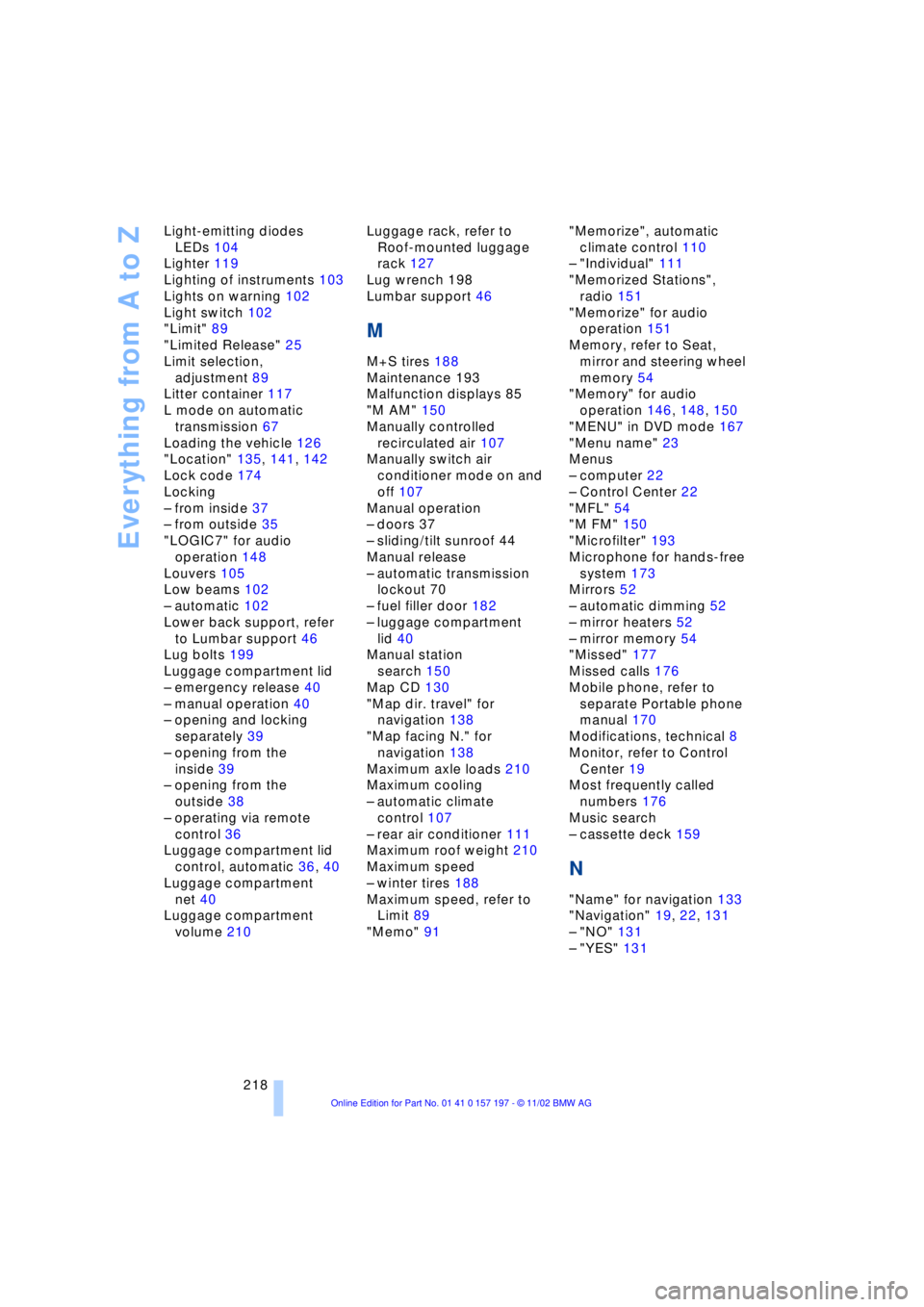
218 Light-emitting diodes
LEDs 104
Lighter 119
Lighting of instruments 103
Lights on warning 102
Light switch 102
"Limit" 89
"Limited Release" 25
Limit selection,
adjustment 89
Litter container 117
L mode on automatic
transmission 67
Loading the vehicle 126
"Location" 135, 141, 142
Lock code 174
Locking
Ð from inside 37
Ð from outside 35
"LOGIC7" for audio
operation 148
Louvers 105
Low beams 102
Ð automatic 102
Lower back support, refer
to Lumbar support 46
Lug bolts 199
Luggage compartment lid
Ð emergency release 40
Ð manual operation 40
Ð opening and locking
separately 39
Ð opening from the
inside 39
Ð opening from the
outside 38
Ð operating via remote
control 36
Luggage compartment lid
control, automatic 36, 40
Luggage compartment
net 40
Luggage compartment
volume 210Luggage rack, refer to
Roof-mounted luggage
rack 127
Lug wrench 198
Lumbar support 46
M
M+S tires 188
Maintenance 193
Malfunction displays 85
"M AM" 150
Manually controlled
recirculated air 107
Manually switch air
conditioner mode on and
off 107
Manual operation
Ð doors 37
Ð sliding/tilt sunroof 44
Manual release
Ð automatic transmission
lockout 70
Ð fuel filler door 182
Ð luggage compartment
lid 40
Manual station
search 150
Map CD 130
"Map dir. travel" for
navigation 138
"Map facing N." for
navigation 138
Maximum axle loads 210
Maximum cooling
Ð automatic climate
control 107
Ð rear air conditioner 111
Maximum roof weight 210
Maximum speed
Ð winter tires 188
Maximum speed, refer to
Limit 89
"Memo" 91"Memorize", automatic
climate control 110
Ð "Individual" 111
"Memorized Stations",
radio 151
"Memorize" for audio
operation 151
Memory, refer to Seat,
mirror and steering wheel
memory 54
"Memory" for audio
operation 146, 148, 150
"MENU" in DVD mode 167
"Menu name" 23
Menus
Ð computer 22
Ð Control Center 22
"MFL" 54
"M FM" 150
"Microfilter" 193
Microphone for hands-free
system 173
Mirrors 52
Ð automatic dimming 52
Ð mirror heaters 52
Ð mirror memory 54
"Missed" 177
Missed calls 176
Mobile phone, refer to
separate Portable phone
manual 170
Modifications, technical 8
Monitor, refer to Control
Center 19
Most frequently called
numbers 176
Music search
Ð cassette deck 159
N
"Name" for navigation 133
"Navigation" 19, 22, 131
Ð "NO" 131
Ð "YES" 131