heating BMW ACTIVEHYBRID 5 2012 User Guide
[x] Cancel search | Manufacturer: BMW, Model Year: 2012, Model line: ACTIVEHYBRID 5, Model: BMW ACTIVEHYBRID 5 2012Pages: 319, PDF Size: 12.54 MB
Page 137 of 319
The parked-car heating warms the vehicle inte‐
rior, making snow and ice easier to remove.
Both systems can be switched on via the remote
control of the parked-car heating, depending on
the external temperature.
The parked-car heating can also be switched on
and off via the iDrive, either directly or at two
preselected switch-on times.
Controls
When the remote control for the parked-car
heating is used, it depends on the external tem‐
perature for whether the auxiliary air condition‐
ing or the parked-car heating is activated:▷External temperature below approx.
59 ℉/15 ℃: parked-car heating, refer to
page 139, is activated.▷External temperature above approx.
59 ℉/15 ℃: auxiliary air conditioning, refer
to page 137, is activated.
Auxiliary air conditioning
The concept
To cool the heated passenger compartment im‐
mediately before starting to drive, the automatic
climate control can be activated via a remote
control.
The automatic climate control reduces the inte‐
rior temperature with high cooling power for ap‐
prox. two minutes.
The auxiliary air conditioning can be switched on
or off using the remote control or the remote
control of the parked-car heating.
If it is activated using the remote control of the
parked-car heating, the parked-car ventilation is
activated for about, refer to page 136, 30 mi‐
nutes after auxiliary air conditioning.
Remote control
The concept
The remote control can be used to activate the
auxiliary air conditioning for two minutes at tem‐
peratures of 59 ℉/15 ℃ and higher.
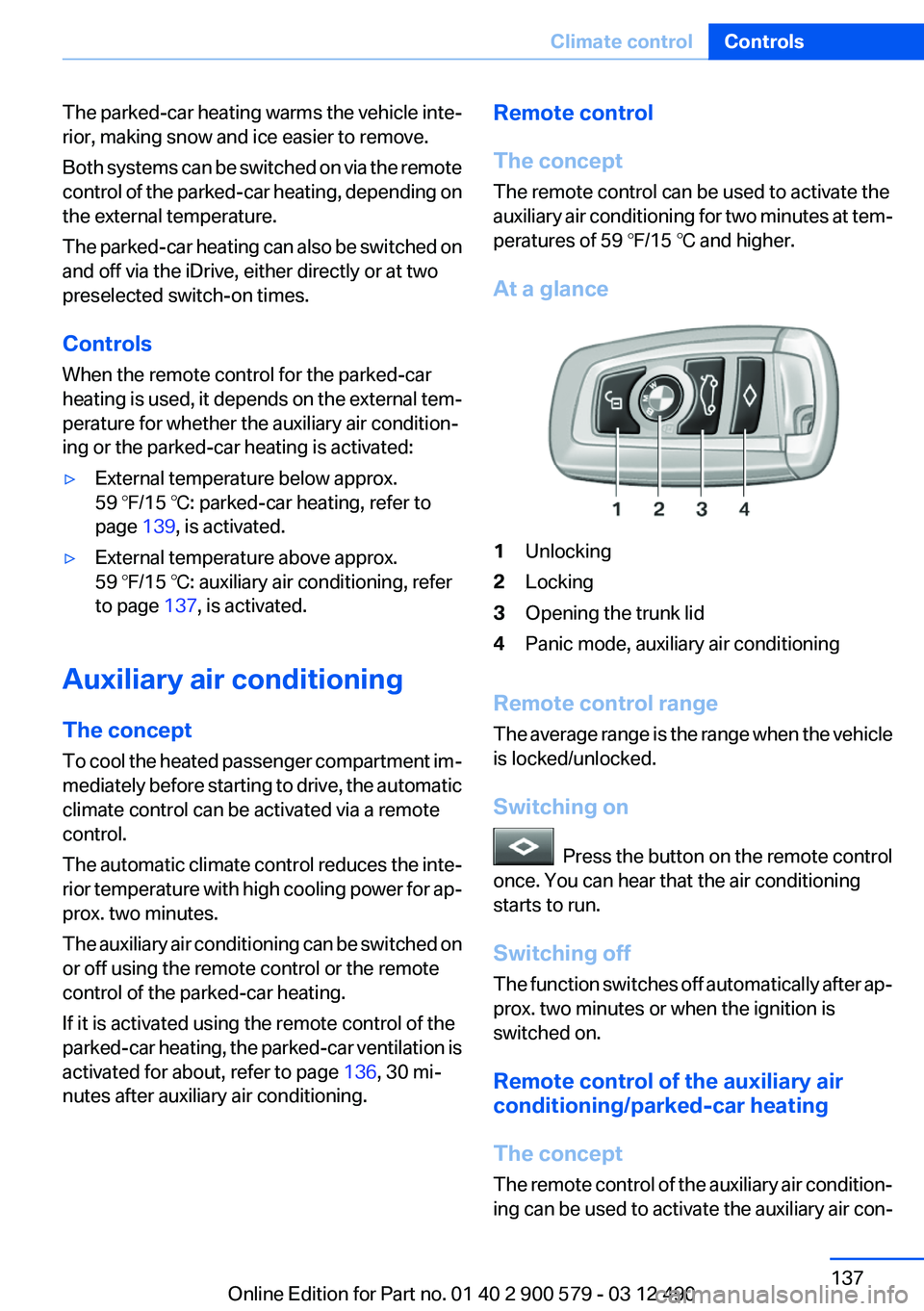
At a glance1Unlocking2Locking3Opening the trunk lid4Panic mode, auxiliary air conditioning
Remote control range
The average range is the range when the vehicle
is locked/unlocked.
Switching on
Press the button on the remote control
once. You can hear that the air conditioning
starts to run.
Switching off
The function switches off automatically after ap‐
prox. two minutes or when the ignition is
switched on.
Remote control of the auxiliary air
conditioning/parked-car heating
The concept
The remote control of the auxiliary air condition‐
ing can be used to activate the auxiliary air con‐
Seite 137Climate controlControls137
Online Edition for Part no. 01 40 2 900 579 - 03 12 490
Page 138 of 319
ditioning for two minutes at temperatures above
59 ℉/15 ℃.
When the ignition is switched off, the parked-car
ventilation is activated for approx. 30 minutes.
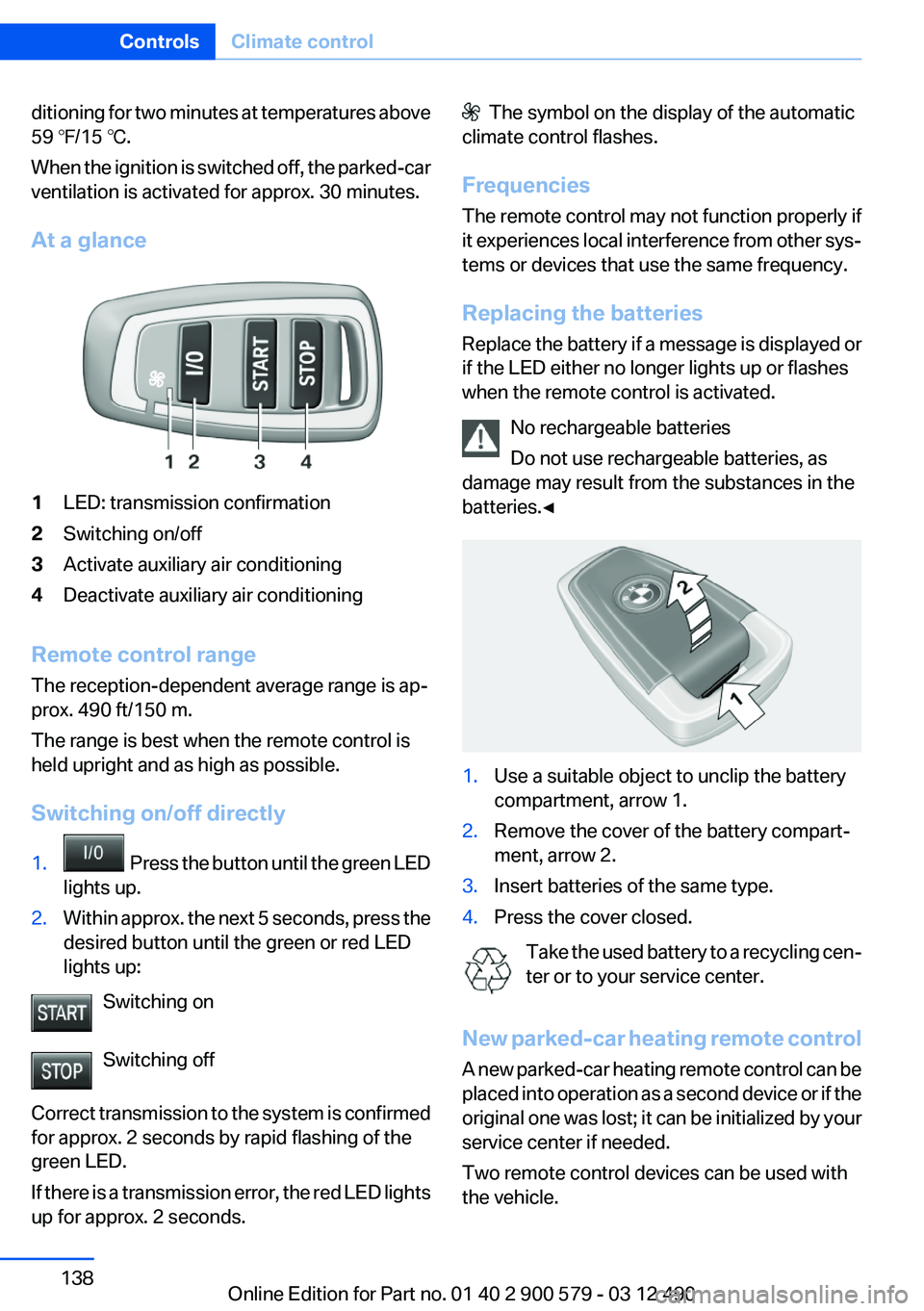
At a glance1LED: transmission confirmation2Switching on/off3Activate auxiliary air conditioning4Deactivate auxiliary air conditioning
Remote control range
The reception-dependent average range is ap‐
prox. 490 ft/150 m.
The range is best when the remote control is
held upright and as high as possible.
Switching on/off directly
1. Press the button until the green LED
lights up.2.Within approx. the next 5 seconds, press the
desired button until the green or red LED
lights up:
Switching on
Switching off
Correct transmission to the system is confirmed
for approx. 2 seconds by rapid flashing of the
green LED.
If there is a transmission error, the red LED lights
up for approx. 2 seconds.
The symbol on the display of the automatic
climate control flashes.
Frequencies
The remote control may not function properly if
it experiences local interference from other sys‐
tems or devices that use the same frequency.
Replacing the batteries
Replace the battery if a message is displayed or
if the LED either no longer lights up or flashes
when the remote control is activated.
No rechargeable batteries
Do not use rechargeable batteries, as
damage may result from the substances in the
batteries.◀1.Use a suitable object to unclip the battery
compartment, arrow 1.2.Remove the cover of the battery compart‐
ment, arrow 2.3.Insert batteries of the same type.4.Press the cover closed.
Take the used battery to a recycling cen‐
ter or to your service center.
New parked-car heating remote control
A new parked-car heating remote control can be
placed into operation as a second device or if the
original one was lost; it can be initialized by your
service center if needed.
Two remote control devices can be used with
the vehicle.
Seite 138ControlsClimate control138
Online Edition for Part no. 01 40 2 900 579 - 03 12 490
Page 139 of 319
Parked-car heating
The concept
The parked-car heating warms the vehicle inte‐
rior, making snow and ice easier to remove. With
the ignition switched off, the air is automatically
routed to the windshield, to the side windows,
and into the footwell.
The systems can be switched on and off directly
or by using two preset switch-on times. They
remain switched on for 30 minutes.
Operation takes place on the iDrive or the re‐
mote control.
Parked-car heating in enclosed areas
Do not operate the parked-car heating in
enclosed areas, as breathing of the harmful ex‐
haust fumes may lead to loss of consciousness
and death. The exhaust gases contain carbon
monoxide, an odorless and colorless but highly
toxic gas. Switch off the parked-car heating
when refueling.◀
Functional requirement▷If the switch-on time is preselected:With the
remote control or if a switch-on time is pre‐
selected: External temperature ap‐
prox. 59 ℉/15 ℃.▷Direct operation: any external temperature.▷The battery is sufficiently charged.▷The fuel tank is filled to above the reserve
range.
If the parked-car heating has not been used for
several months, it may be necessary to switch it
on again after several minutes.
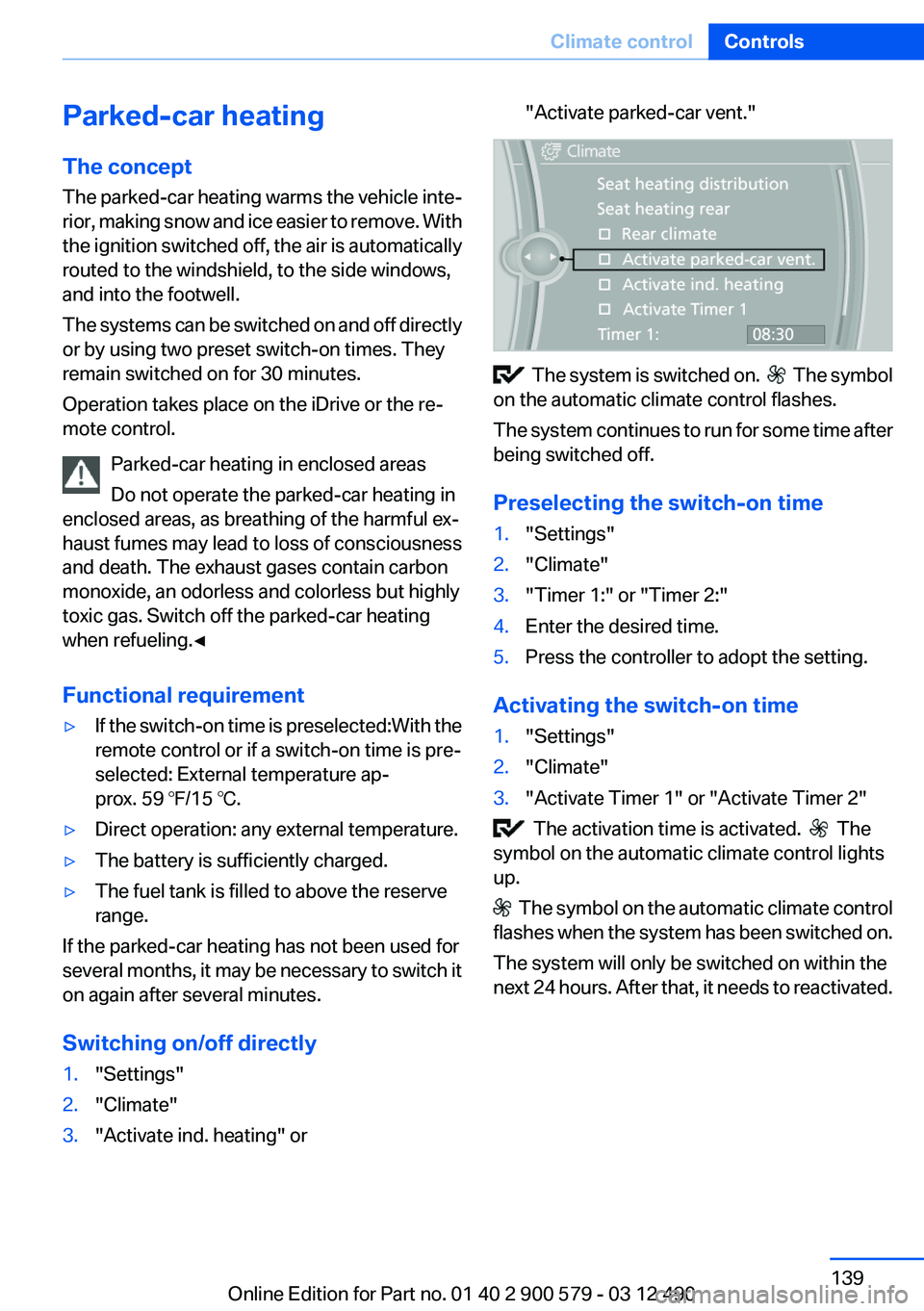
Switching on/off directly
1."Settings"2."Climate"3."Activate ind. heating" or"Activate parked-car vent."
The system is switched on. The symbol
on the automatic climate control flashes.
The system continues to run for some time after
being switched off.
Preselecting the switch-on time
1."Settings"2."Climate"3."Timer 1:" or "Timer 2:"4.Enter the desired time.5.Press the controller to adopt the setting.
Activating the switch-on time
1."Settings"2."Climate"3."Activate Timer 1" or "Activate Timer 2"
The activation time is activated. The
symbol on the automatic climate control lights
up.
The symbol on the automatic climate control
flashes when the system has been switched on.
The system will only be switched on within the
next 24 hours. After that, it needs to reactivated.
Seite 139Climate controlControls139
Online Edition for Part no. 01 40 2 900 579 - 03 12 490
Page 140 of 319
Remote control of the parked-car
heating/auxiliary air conditioning
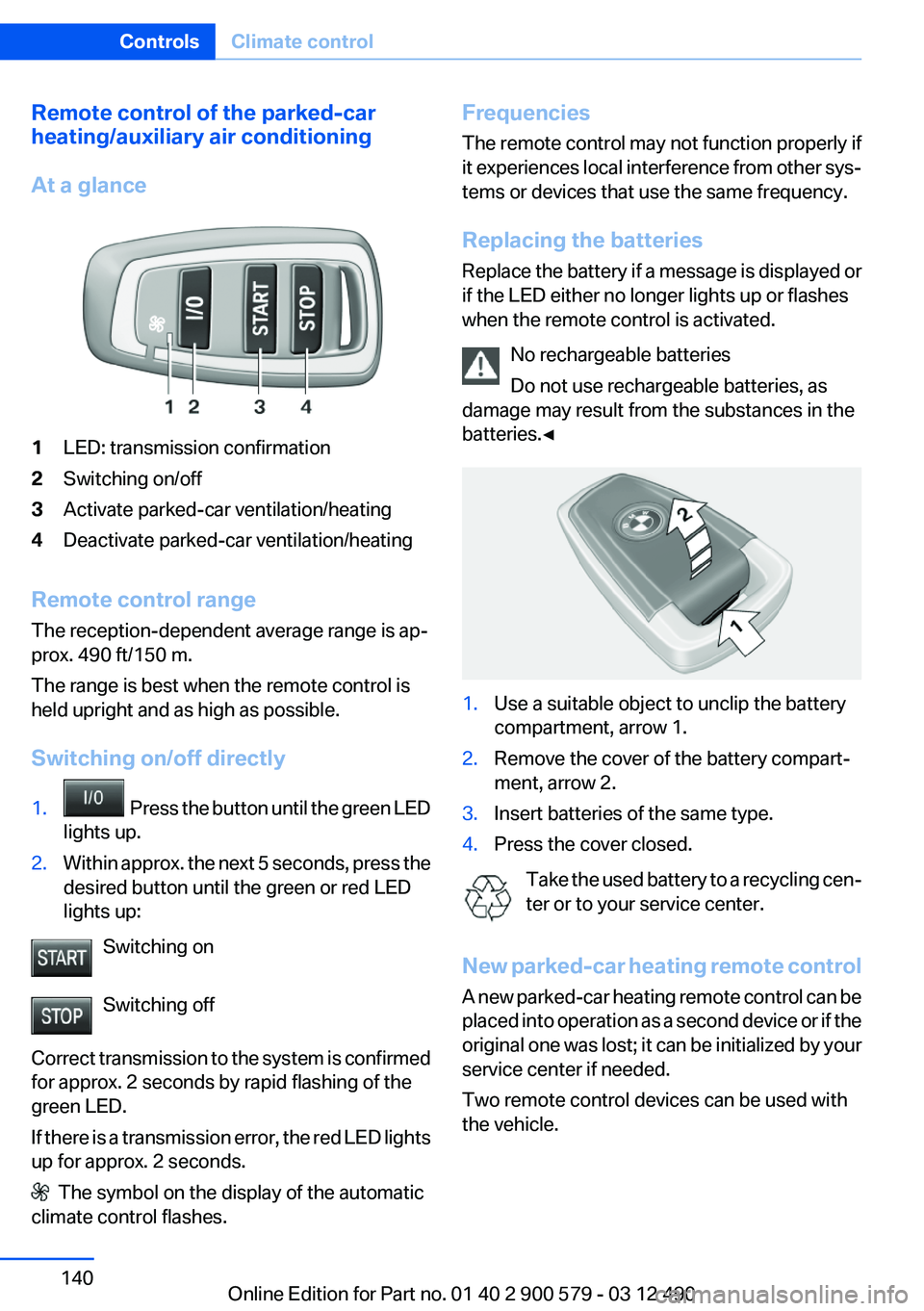
At a glance1LED: transmission confirmation2Switching on/off3Activate parked-car ventilation/heating4Deactivate parked-car ventilation/heating
Remote control range
The reception-dependent average range is ap‐
prox. 490 ft/150 m.
The range is best when the remote control is
held upright and as high as possible.
Switching on/off directly
1. Press the button until the green LED
lights up.2.Within approx. the next 5 seconds, press the
desired button until the green or red LED
lights up:
Switching on
Switching off
Correct transmission to the system is confirmed
for approx. 2 seconds by rapid flashing of the
green LED.
If there is a transmission error, the red LED lights
up for approx. 2 seconds.
The symbol on the display of the automatic
climate control flashes.
Frequencies
The remote control may not function properly if
it experiences local interference from other sys‐
tems or devices that use the same frequency.
Replacing the batteries
Replace the battery if a message is displayed or
if the LED either no longer lights up or flashes
when the remote control is activated.
No rechargeable batteries
Do not use rechargeable batteries, as
damage may result from the substances in the
batteries.◀1.Use a suitable object to unclip the battery
compartment, arrow 1.2.Remove the cover of the battery compart‐
ment, arrow 2.3.Insert batteries of the same type.4.Press the cover closed.
Take the used battery to a recycling cen‐
ter or to your service center.
New parked-car heating remote control
A new parked-car heating remote control can be
placed into operation as a second device or if the
original one was lost; it can be initialized by your
service center if needed.
Two remote control devices can be used with
the vehicle.
Seite 140ControlsClimate control140
Online Edition for Part no. 01 40 2 900 579 - 03 12 490
Page 158 of 319
LoadingVehicle equipment
All standard, country-specific and optional
equipment that is offered in the model series is
described in this chapter. Therefore, equipment
is also described that is not available in a vehicle,
e. g., because of the selected optional equip‐
ment or country variant. This also applies for
safety-related functions and systems.
General information Overloading the vehicle
To avoid exceeding the approved carrying
capacity of the tires, never overload the vehicle.
Overloading can lead to overheating and in‐
creases the rate at which damage develops in‐
side the tires. This could result in a sudden loss
of tire inflation pressure.◀
No fluids in the trunk
Make sure that fluids do not leak into the
trunk; otherwise, the vehicle may be damaged. ◀
Determining the load limit1.Locate the following statement on your ve‐
hicle’s placard:▷The combined weight of occupants and
cargo should never exceed XXX kg or
YYY lbs. Otherwise, damage to the ve‐hicle and unstable driving situations may
result.2.Determine the combined weight of the
driver and passengers that will be riding in
your vehicle.3.Subtract the combined weight of the driver
and passengers from XXX kilograms or YYY
pounds.4.The resulting figure equals the available
amount of cargo and luggage load capacity.
For example, if the YYY amount equals
1,000 lbs and there will be four 150 lbs pas‐
sengers in your vehicle, the amount of avail‐
able cargo and luggage load capacity is
400 lbs: 1,000 lbs minus 600 lbs = 400 lbs.5.Determine the combined weight of luggage
and cargo being loaded on the vehicle. That
weight may not safely exceed the available
cargo and luggage load capacity calculated
in Step 4.
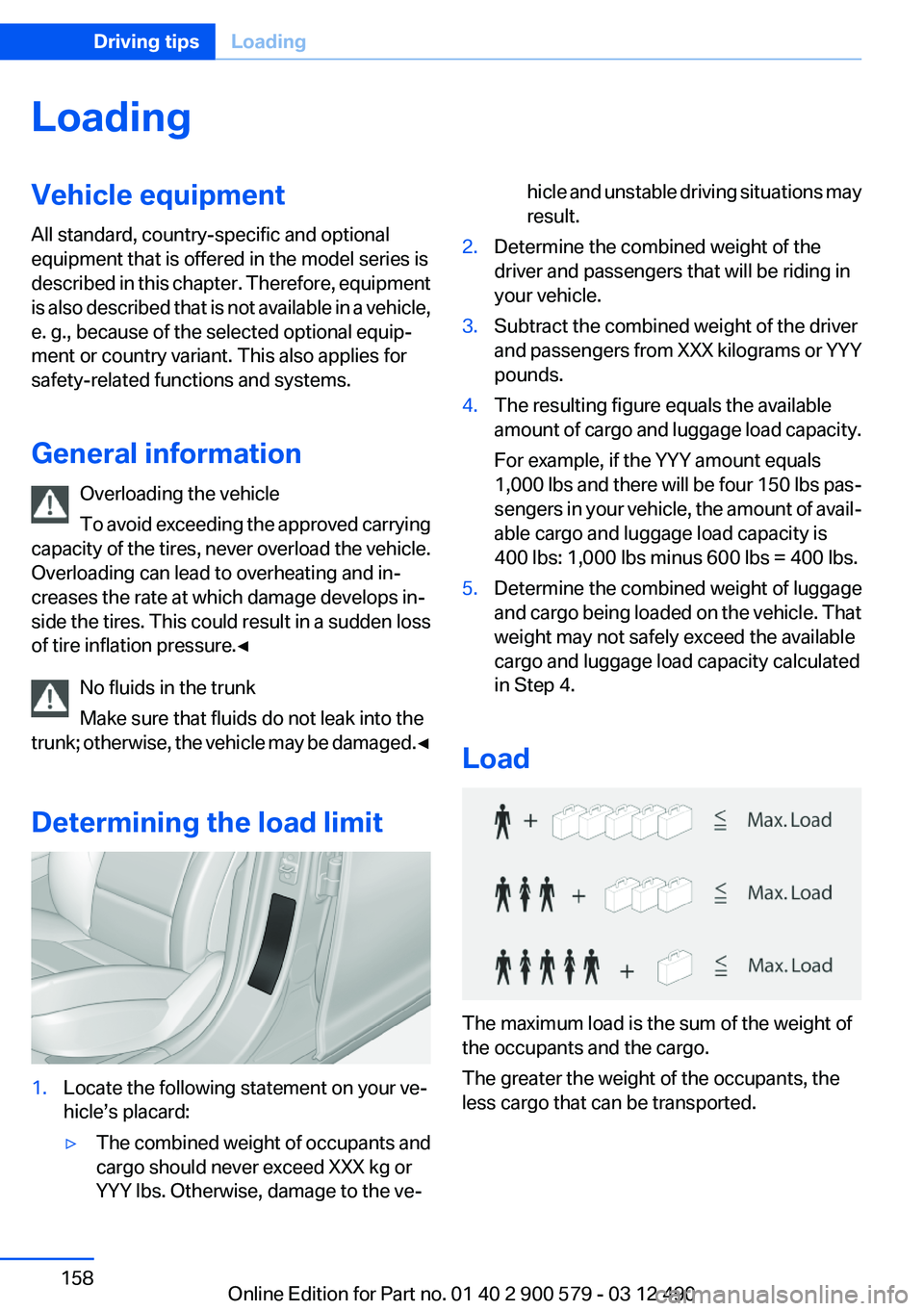
Load
The maximum load is the sum of the weight of
the occupants and the cargo.
The greater the weight of the occupants, the
less cargo that can be transported.
Seite 158Driving tipsLoading158
Online Edition for Part no. 01 40 2 900 579 - 03 12 490
Page 162 of 319
The flow of fuel is interrupted while coasting.
Switch off the engine during
longer stops
Switch off the engine during longer stops, e.g.,
at traffic lights, railroad crossings or in traffic
congestion.
Switch off any functions that
are not currently needed
Functions such as seat heating and the rear win‐
dow defroster require a lot of energy and con‐
sume additional fuel, especially in city and stop-
and-go traffic.
Therefore, switch off these functions if they are
not actually needed.
Have maintenance carried out
Have vehicles maintained regularly to achieve
optimal vehicle economy and operating life.
Have the maintenance carried out by your serv‐
ice center.
Please also note the BMW Maintenance Sys‐
tem, refer to page 273.
ECO PRO
The concept
ECO PRO supports a driving style that saves on
fuel consumption. For this purpose, the engine
control and comfort functions, e. g. the climate
control output, are adjusted.
In addition, context-sensitive instructions can
be displayed that assist in driving in a manner
that optimizes fuel consumption.
The extension of the range that is achieved as a
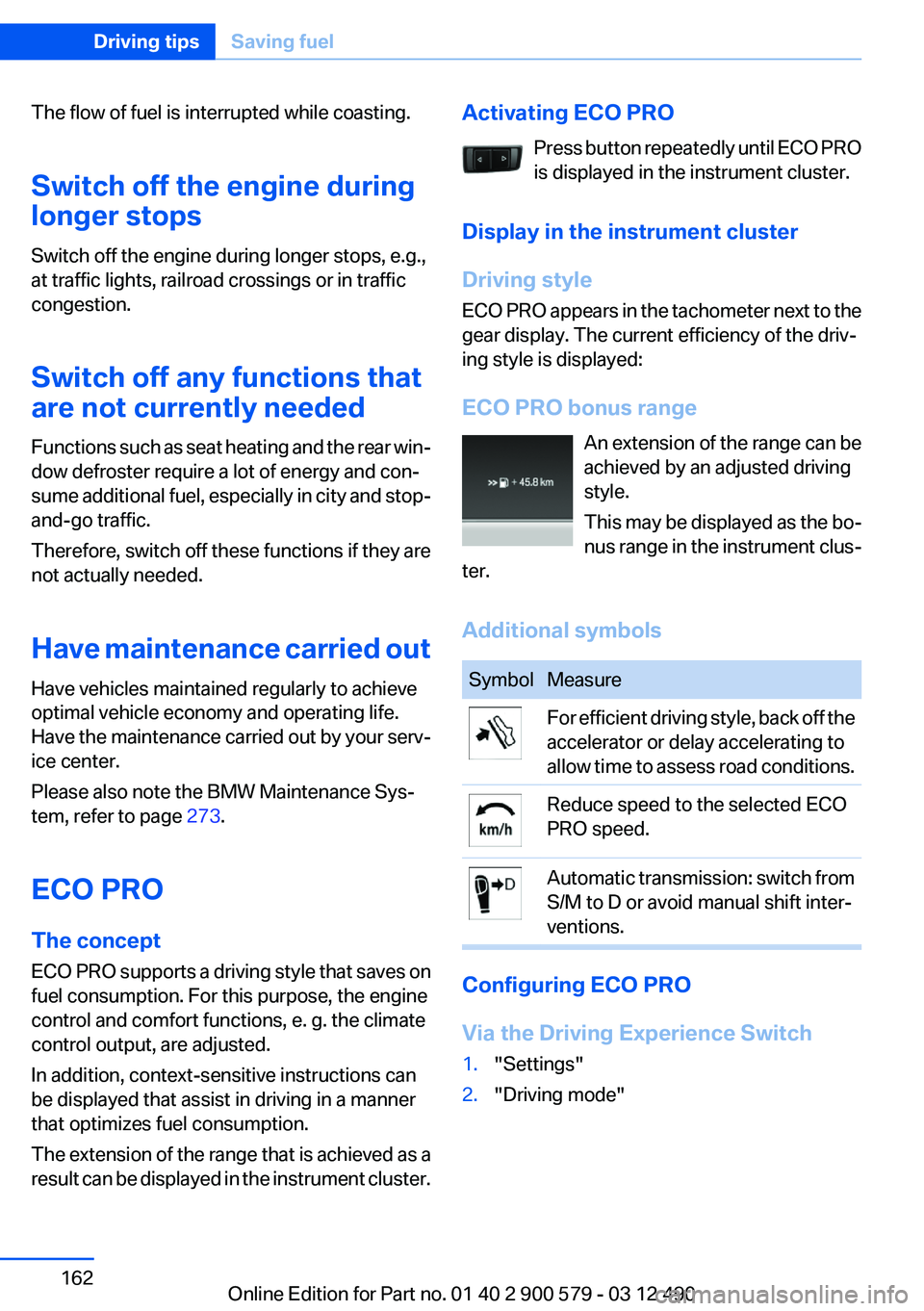
result can be displayed in the instrument cluster.Activating ECO PRO
Press button repeatedly until ECO PRO
is displayed in the instrument cluster.
Display in the instrument cluster
Driving style
ECO PRO appears in the tachometer next to the
gear display. The current efficiency of the driv‐
ing style is displayed:
ECO PRO bonus range An extension of the range can be
achieved by an adjusted driving
style.
This may be displayed as the bo‐
nus range in the instrument clus‐
ter.
Additional symbolsSymbolMeasureFor efficient driving style, back off the
accelerator or delay accelerating to
allow time to assess road conditions.Reduce speed to the selected ECO
PRO speed.Automatic transmission: switch from
S/M to D or avoid manual shift inter‐
ventions.
Configuring ECO PRO
Via the Driving Experience Switch
1."Settings"2."Driving mode"Seite 162Driving tipsSaving fuel162
Online Edition for Part no. 01 40 2 900 579 - 03 12 490
Page 163 of 319
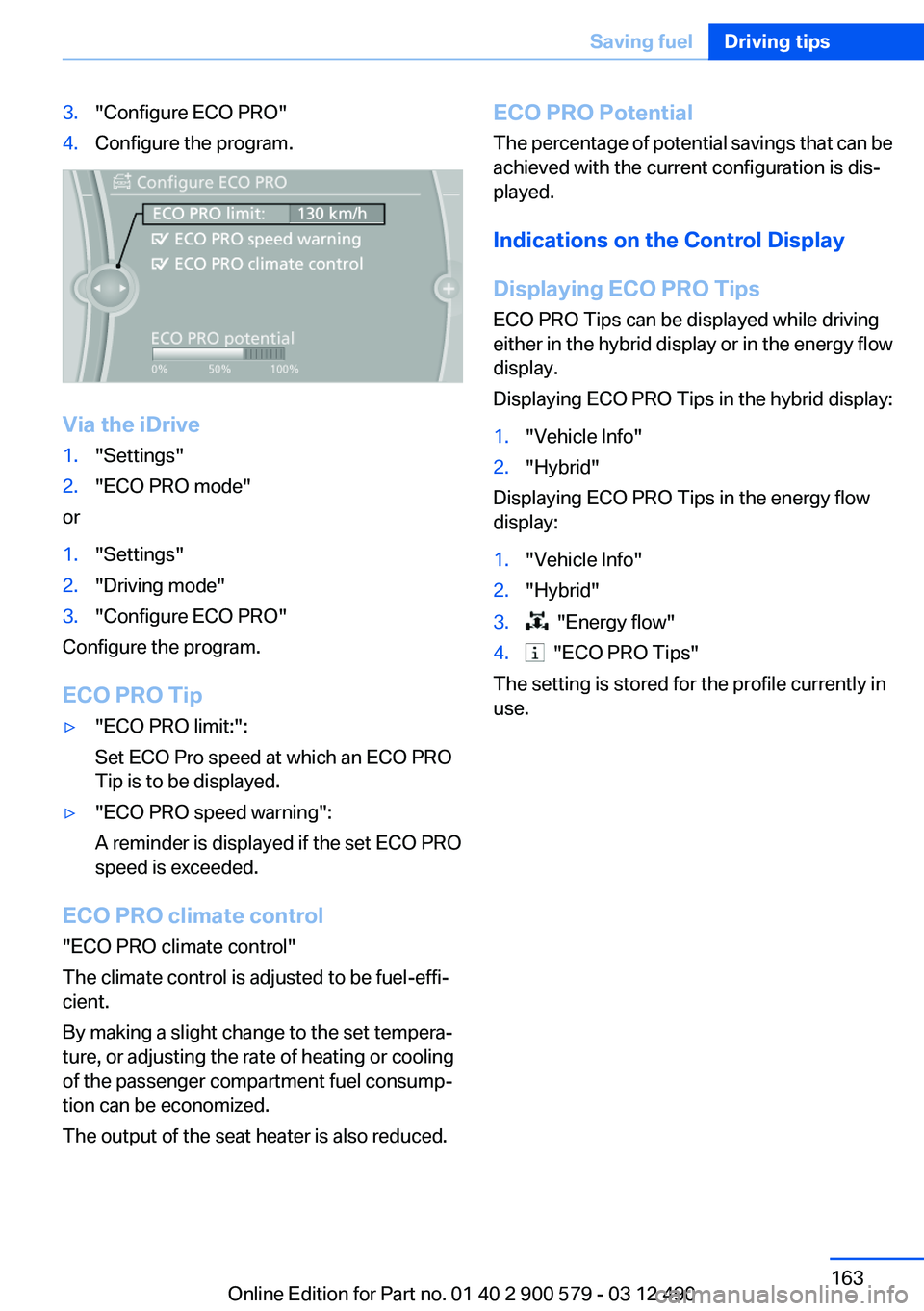
3."Configure ECO PRO"4.Configure the program.
Via the iDrive
1."Settings"2."ECO PRO mode"
or
1."Settings"2."Driving mode"3."Configure ECO PRO"
Configure the program.
ECO PRO Tip
▷"ECO PRO limit:":
Set ECO Pro speed at which an ECO PRO
Tip is to be displayed.▷"ECO PRO speed warning":
A reminder is displayed if the set ECO PRO
speed is exceeded.
ECO PRO climate control
"ECO PRO climate control"
The climate control is adjusted to be fuel-effi‐
cient.
By making a slight change to the set tempera‐
ture, or adjusting the rate of heating or cooling
of the passenger compartment fuel consump‐
tion can be economized.
The output of the seat heater is also reduced.
ECO PRO Potential
The percentage of potential savings that can be
achieved with the current configuration is dis‐
played.
Indications on the Control Display
Displaying ECO PRO Tips
ECO PRO Tips can be displayed while driving
either in the hybrid display or in the energy flow
display.
Displaying ECO PRO Tips in the hybrid display:1."Vehicle Info"2."Hybrid"
Displaying ECO PRO Tips in the energy flow
display:
1."Vehicle Info"2."Hybrid"3. "Energy flow"4. "ECO PRO Tips"
The setting is stored for the profile currently in
use.
Seite 163Saving fuelDriving tips163
Online Edition for Part no. 01 40 2 900 579 - 03 12 490
Page 314 of 319
Oil change interval, service re‐quirements 82
Oil filler neck 270
Oil types, alternative 271
Oil types, approved 271
Old batteries, disposal 282
Onboard Diagnostics OBD 274
Onboard monitor, refer to Control Display 16
Onboard vehicle tool kit 275
Opening/closing from in‐ side 39
Opening/closing via door lock 38
Opening/closing with remote control 36
Operating concept, iDrive 16
Optional equipment, standard equipment 6
Outside air, refer to Automatic recirculated-air control 132
Overheating of engine, refer to Coolant temperature 80
P
Paint, vehicle 290
Pair mobile phone 227
Panic mode 37
Parallel parking assistant 121
Park Distance Control PDC 114
Parked-car heating 139
Parked-car ventilation 136
Parked vehicle, condensa‐ tion 157
Parking aid, refer to PDC 114
Parking assistant 121
Parking brake 68
Parking lamps 89
Parking with Auto Hold 69
Passenger side mirror, tilting downward 58
Pathway lines, backup cam‐ era 117 PDC Park Distance Con‐
trol 114
Pedestrian detection, refer to Night Vision 125
People detection, refer to Night Vision 125
Personal information 238
Personal Profile 33
Phone 226
Pinch protection system, glass sunroof 47
Pinch protection system, win‐ dows 46
Plastic, care 291
PlugIn 255
Position, storing 168
Postal code, entering in navi‐ gation 167
Power failure 282
Power sunroof, glass 47
Power windows 45
Pressure, tire air pres‐ sure 261
Pressure warning FTM, tires 100
Profile, refer to Personal Pro‐ file 33
Programmable memory but‐ tons, iDrive 20
Protective function, glass sun‐ roof 47
Protective function, win‐ dows 46
Push-and-turn switch, refer to Controller 16
R
Radiator fluid 272
Radio 188
Radio-operated key, refer to Remote control 32
Radio ready state 64
Rain sensor 72
Random 197
Random playback 197 RDS 189
Reading out loud 245
Rear automatic climate con‐ trol 134
Rear entertainment 217
Rear lamps 279
Rear socket 145
Rear source, selecting for rear entertainment 220
Rearview mirror 57
Rear window defroster 132
Recirculated-air mode 132
Recommended tire brands 266
Refueling 258
Remaining range 80
Reminders 245
Remote control/key 32
Remote control, auxiliary air conditioning 137
Remote control, auxiliary air conditioning, key 137
Remote control, malfunc‐ tion 38
Remote control, parked-car heating 140
Remote control, rear enter‐ tainment 218
Remote control, universal 141
Renaming a station 189
Replacement fuse 282
Replacing parts 275
Replacing wheels/tires 265
Reporting safety defects 8
Reserve warning, refer to Range 80
Reset, Tire Pressure Monitor TPM 98
Residual cooling 135
Residual heat, automatic cli‐ mate control 132
Retaining straps, securing cargo 159
Retreaded tires 266
Reversing lamp, bulb replace‐ ment 280 Seite 314ReferenceEverything from A to Z314
Online Edition for Part no. 01 40 2 900 579 - 03 12 490
Page 315 of 319
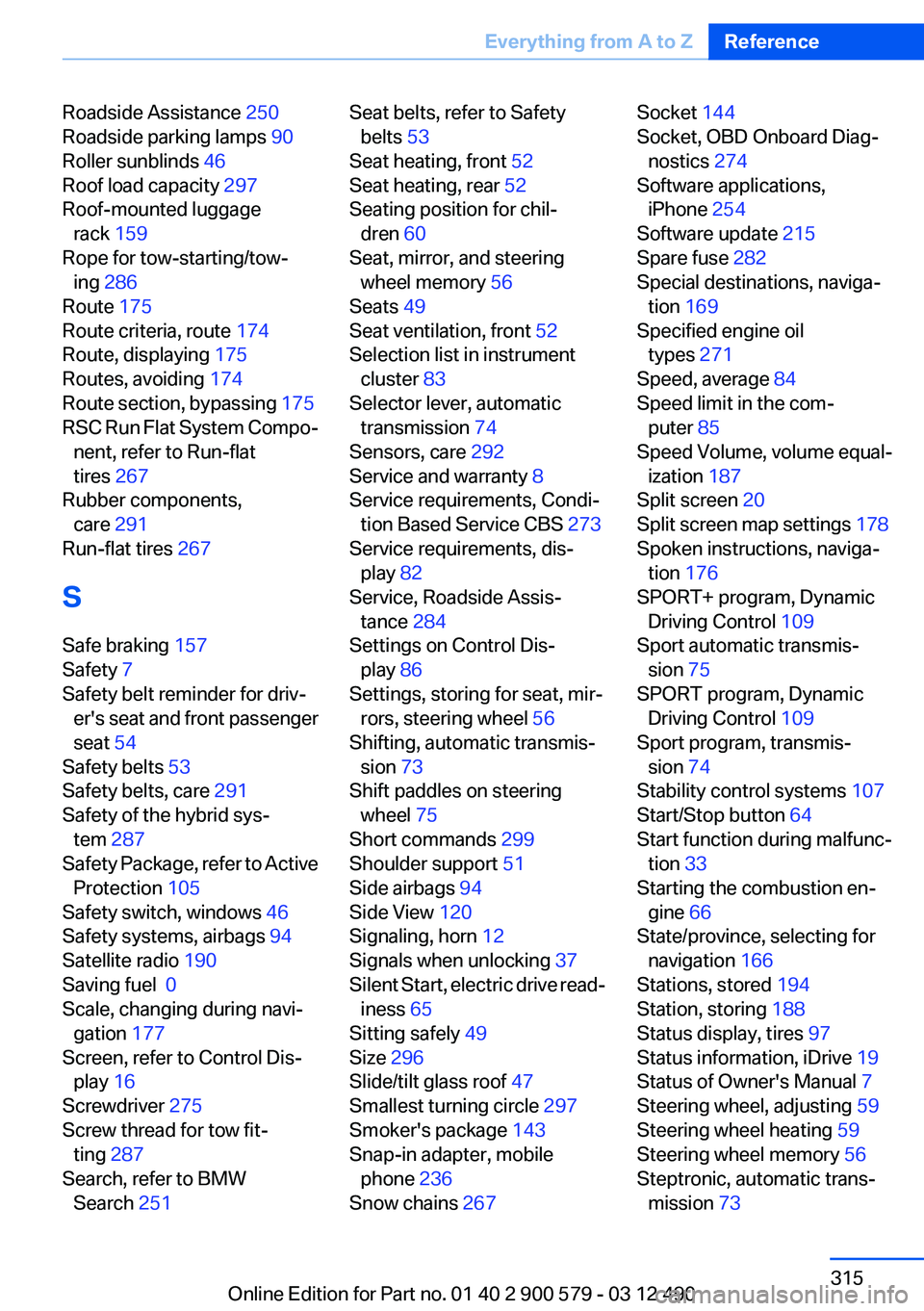
Roadside Assistance 250
Roadside parking lamps 90
Roller sunblinds 46
Roof load capacity 297
Roof-mounted luggage rack 159
Rope for tow-starting/tow‐ ing 286
Route 175
Route criteria, route 174
Route, displaying 175
Routes, avoiding 174
Route section, bypassing 175
RSC Run Flat System Compo‐ nent, refer to Run-flat
tires 267
Rubber components, care 291
Run-flat tires 267
S
Safe braking 157
Safety 7
Safety belt reminder for driv‐ er's seat and front passenger
seat 54
Safety belts 53
Safety belts, care 291
Safety of the hybrid sys‐ tem 287
Safety Package, refer to Active Protection 105
Safety switch, windows 46
Safety systems, airbags 94
Satellite radio 190
Saving fuel 0
Scale, changing during navi‐ gation 177
Screen, refer to Control Dis‐ play 16
Screwdriver 275
Screw thread for tow fit‐ ting 287
Search, refer to BMW Search 251 Seat belts, refer to Safety
belts 53
Seat heating, front 52
Seat heating, rear 52
Seating position for chil‐ dren 60
Seat, mirror, and steering wheel memory 56
Seats 49
Seat ventilation, front 52
Selection list in instrument cluster 83
Selector lever, automatic transmission 74
Sensors, care 292
Service and warranty 8
Service requirements, Condi‐ tion Based Service CBS 273
Service requirements, dis‐ play 82
Service, Roadside Assis‐ tance 284
Settings on Control Dis‐ play 86
Settings, storing for seat, mir‐ rors, steering wheel 56
Shifting, automatic transmis‐ sion 73
Shift paddles on steering wheel 75
Short commands 299
Shoulder support 51
Side airbags 94
Side View 120
Signaling, horn 12
Signals when unlocking 37
Silent Start, electric drive read‐ iness 65
Sitting safely 49
Size 296
Slide/tilt glass roof 47
Smallest turning circle 297
Smoker's package 143
Snap-in adapter, mobile phone 236
Snow chains 267 Socket 144
Socket, OBD Onboard Diag‐ nostics 274
Software applications, iPhone 254
Software update 215
Spare fuse 282
Special destinations, naviga‐ tion 169
Specified engine oil types 271
Speed, average 84
Speed limit in the com‐ puter 85
Speed Volume, volume equal‐ ization 187
Split screen 20
Split screen map settings 178
Spoken instructions, naviga‐ tion 176
SPORT+ program, Dynamic Driving Control 109
Sport automatic transmis‐ sion 75
SPORT program, Dynamic Driving Control 109
Sport program, transmis‐ sion 74
Stability control systems 107
Start/Stop button 64
Start function during malfunc‐ tion 33
Starting the combustion en‐ gine 66
State/province, selecting for navigation 166
Stations, stored 194
Station, storing 188
Status display, tires 97
Status information, iDrive 19
Status of Owner's Manual 7
Steering wheel, adjusting 59
Steering wheel heating 59
Steering wheel memory 56
Steptronic, automatic trans‐ mission 73 Seite 315Everything from A to ZReference315
Online Edition for Part no. 01 40 2 900 579 - 03 12 490
Page 316 of 319
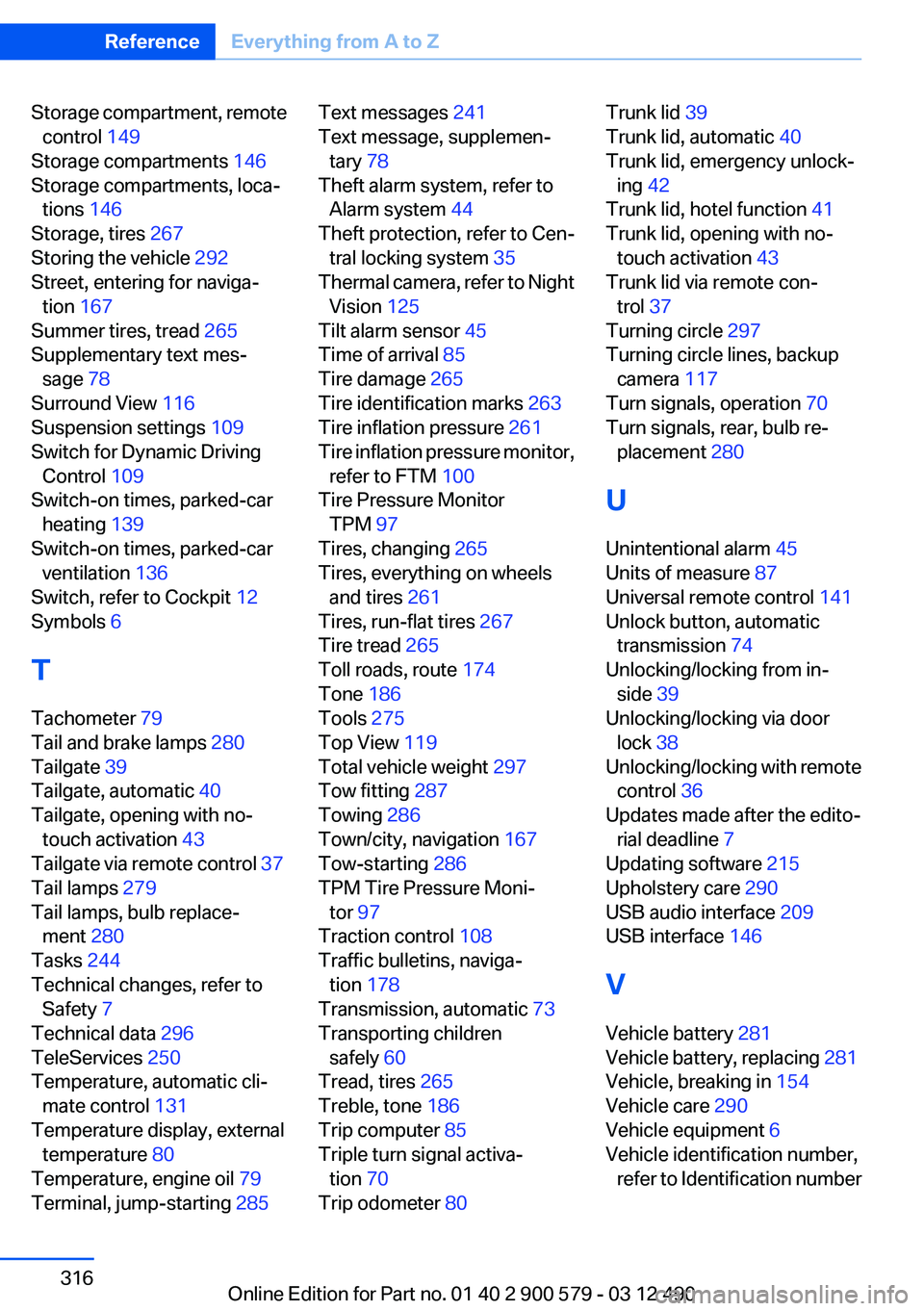
Storage compartment, remotecontrol 149
Storage compartments 146
Storage compartments, loca‐ tions 146
Storage, tires 267
Storing the vehicle 292
Street, entering for naviga‐ tion 167
Summer tires, tread 265
Supplementary text mes‐ sage 78
Surround View 116
Suspension settings 109
Switch for Dynamic Driving Control 109
Switch-on times, parked-car heating 139
Switch-on times, parked-car ventilation 136
Switch, refer to Cockpit 12
Symbols 6
T
Tachometer 79
Tail and brake lamps 280
Tailgate 39
Tailgate, automatic 40
Tailgate, opening with no- touch activation 43
Tailgate via remote control 37
Tail lamps 279
Tail lamps, bulb replace‐ ment 280
Tasks 244
Technical changes, refer to Safety 7
Technical data 296
TeleServices 250
Temperature, automatic cli‐ mate control 131
Temperature display, external temperature 80
Temperature, engine oil 79
Terminal, jump-starting 285 Text messages 241
Text message, supplemen‐ tary 78
Theft alarm system, refer to Alarm system 44
Theft protection, refer to Cen‐ tral locking system 35
Thermal camera, refer to Night Vision 125
Tilt alarm sensor 45
Time of arrival 85
Tire damage 265
Tire identification marks 263
Tire inflation pressure 261
Tire inflation pressure monitor, refer to FTM 100
Tire Pressure Monitor TPM 97
Tires, changing 265
Tires, everything on wheels and tires 261
Tires, run-flat tires 267
Tire tread 265
Toll roads, route 174
Tone 186
Tools 275
Top View 119
Total vehicle weight 297
Tow fitting 287
Towing 286
Town/city, navigation 167
Tow-starting 286
TPM Tire Pressure Moni‐ tor 97
Traction control 108
Traffic bulletins, naviga‐ tion 178
Transmission, automatic 73
Transporting children safely 60
Tread, tires 265
Treble, tone 186
Trip computer 85
Triple turn signal activa‐ tion 70
Trip odometer 80 Trunk lid 39
Trunk lid, automatic 40
Trunk lid, emergency unlock‐ ing 42
Trunk lid, hotel function 41
Trunk lid, opening with no- touch activation 43
Trunk lid via remote con‐ trol 37
Turning circle 297
Turning circle lines, backup camera 117
Turn signals, operation 70
Turn signals, rear, bulb re‐ placement 280
U
Unintentional alarm 45
Units of measure 87
Universal remote control 141
Unlock button, automatic transmission 74
Unlocking/locking from in‐ side 39
Unlocking/locking via door lock 38
Unlocking/locking with remote control 36
Updates made after the edito‐ rial deadline 7
Updating software 215
Upholstery care 290
USB audio interface 209
USB interface 146
V
Vehicle battery 281
Vehicle battery, replacing 281
Vehicle, breaking in 154
Vehicle care 290
Vehicle equipment 6
Vehicle identification number, refer to Identification numberSeite 316ReferenceEverything from A to Z316
Online Edition for Part no. 01 40 2 900 579 - 03 12 490