key BMW M3 CONVERTIBLE 2001 E46 Owner's Guide
[x] Cancel search | Manufacturer: BMW, Model Year: 2001, Model line: M3 CONVERTIBLE, Model: BMW M3 CONVERTIBLE 2001 E46Pages: 195, PDF Size: 1.96 MB
Page 52 of 195
52n
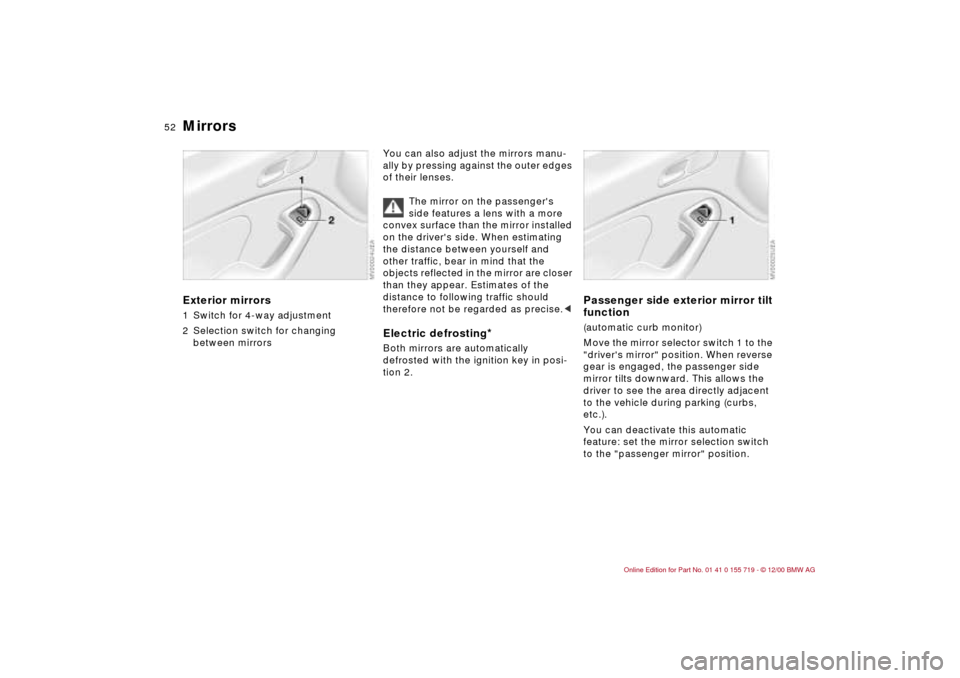
Mirrors Exterior mirrors1 Switch for 4-way adjustment
2 Selection switch for changing
between mirrors
You can also adjust the mirrors manu-
ally by pressing against the outer edges
of their lenses.
The mirror on the passenger's
side features a lens with a more
convex surface than the mirror installed
on the driver's side. When estimating
the distance between yourself and
other traffic, bear in mind that the
objects reflected in the mirror are closer
than they appear. Estimates of the
distance to following traffic should
therefore not be regarded as precise.< Electric defrosting
*
Both mirrors are automatically
defrosted with the ignition key in posi-
tion 2.
Passenger side exterior mirror tilt
function(automatic curb monitor)
Move the mirror selector switch 1 to the
"driver's mirror" position. When reverse
gear is engaged, the passenger side
mirror tilts downward. This allows the
driver to see the area directly adjacent
to the vehicle during parking (curbs,
etc.).
You can deactivate this automatic
feature: set the mirror selection switch
to the "passenger mirror" position.
Page 54 of 195
54n
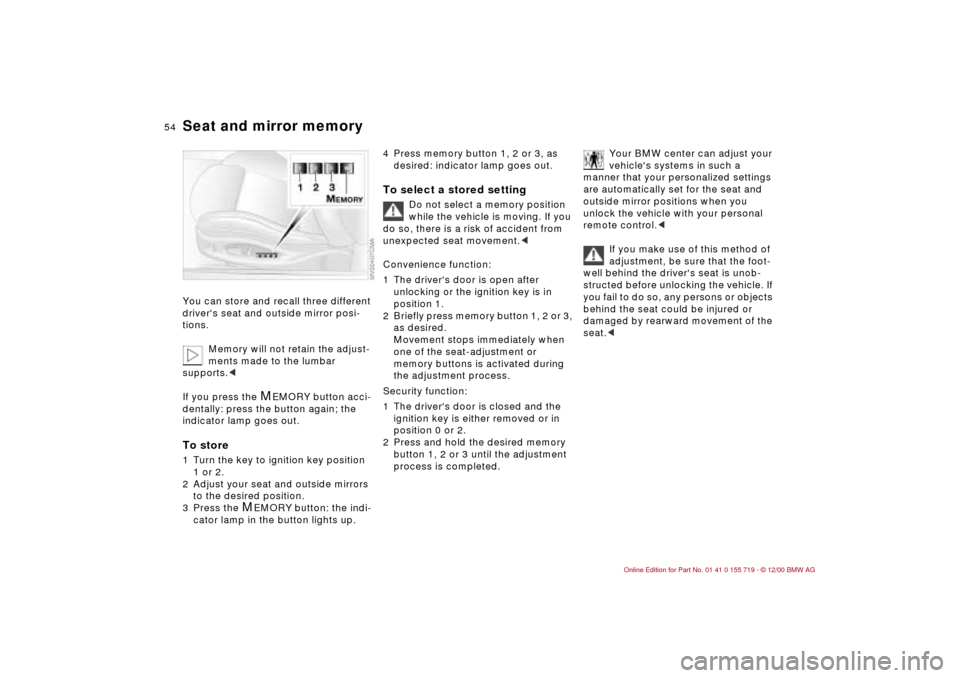
Seat and mirror memoryYou can store and recall three different
driver's seat and outside mirror posi-
tions.
Memory will not retain the adjust-
ments made to the lumbar
supports.<
If you press the
M
EMORY button acci-
dentally: press the button again; the
indicator lamp goes out.
To store1 Turn the key to ignition key position
1 or 2.
2 Adjust your seat and outside mirrors
to the desired position.
3 Press the
M
EMORY button: the indi-
cator lamp in the button lights up.
4 Press memory button 1, 2 or 3, as
desired: indicator lamp goes out.To select a stored setting
Do not select a memory position
while the vehicle is moving. If you
do so, there is a risk of accident from
unexpected seat movement.<
Convenience function:
1 The driver's door is open after
unlocking or the ignition key is in
position 1.
2 Briefly press memory button 1, 2 or 3,
as desired.
Movement stops immediately when
one of the seat-adjustment or
memory buttons is activated during
the adjustment process.
Security function:
1 The driver's door is closed and the
ignition key is either removed or in
position 0 or 2.
2 Press and hold the desired memory
button 1, 2 or 3 until the adjustment
process is completed.
Your BMW center can adjust your
vehicle's systems in such a
manner that your personalized settings
are automatically set for the seat and
outside mirror positions when you
unlock the vehicle with your personal
remote control.<
If you make use of this method of
adjustment, be sure that the foot-
well behind the driver's seat is unob-
structed before unlocking the vehicle. If
you fail to do so, any persons or objects
behind the seat could be injured or
damaged by rearward movement of the
seat.<
Page 55 of 195
55n
IndexDataTechnologyRepairsCar careControlsOverview
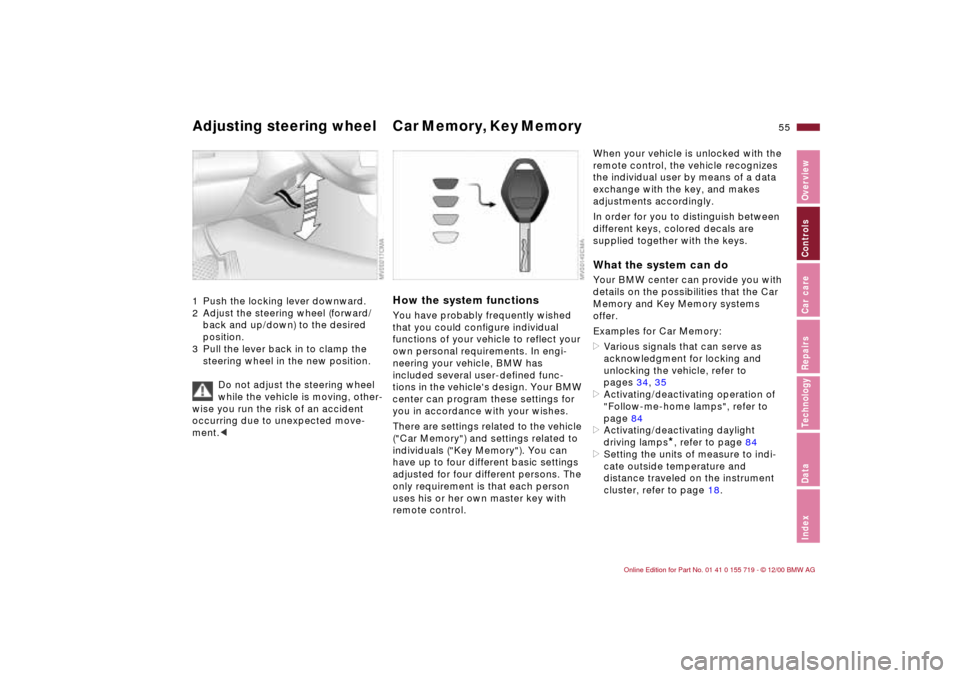
Adjusting steering wheel Car Memory, Key Memory 1 Push the locking lever downward.
2 Adjust the steering wheel (forward/
back and up/down) to the desired
position.
3 Pull the lever back in to clamp the
steering wheel in the new position.
Do not adjust the steering wheel
while the vehicle is moving, other-
wise you run the risk of an accident
occurring due to unexpected move-
ment.<
How the system functionsYou have probably frequently wished
that you could configure individual
functions of your vehicle to reflect your
own personal requirements. In engi-
neering your vehicle, BMW has
included several user-defined func-
tions in the vehicle's design. Your BMW
center can program these settings for
you in accordance with your wishes.
There are settings related to the vehicle
("Car Memory") and settings related to
individuals ("Key Memory"). You can
have up to four different basic settings
adjusted for four different persons. The
only requirement is that each person
uses his or her own master key with
remote control.
When your vehicle is unlocked with the
remote control, the vehicle recognizes
the individual user by means of a data
exchange with the key, and makes
adjustments accordingly.
In order for you to distinguish between
different keys, colored decals are
supplied together with the keys.What the system can doYour BMW center can provide you with
details on the possibilities that the Car
Memory and Key Memory systems
offer.
Examples for Car Memory:
>Various signals that can serve as
acknowledgment for locking and
unlocking the vehicle, refer to
pages 34, 35
>Activating/deactivating operation of
"Follow-me-home lamps", refer to
page 84
>Activating/deactivating daylight
driving lamps
*, refer to page 84
>Setting the units of measure to indi-
cate outside temperature and
distance traveled on the instrument
cluster, refer to page 18.
Page 56 of 195

56n
Car Memory, Key MemoryExamples for Key Memory:
>Locking the vehicle after driving off,
refer to page 38
>Unlocking and simultaneously
lowering the driver's window, refer to
page 36
>Automatically moving the seat and
outside mirror into position for that
particular person when unlocking the
vehicle, refer to page 54
>Calling up customized settings for the
automatic climate control when
unlocking using the remote control,
refer to page 90.
You will see this symbol
throughout the Owner's Manual. It
is to remind you at appropriate places
of the settings that are available to
you.<
Page 61 of 195
61n
IndexDataTechnologyRepairsCar careControlsOverview
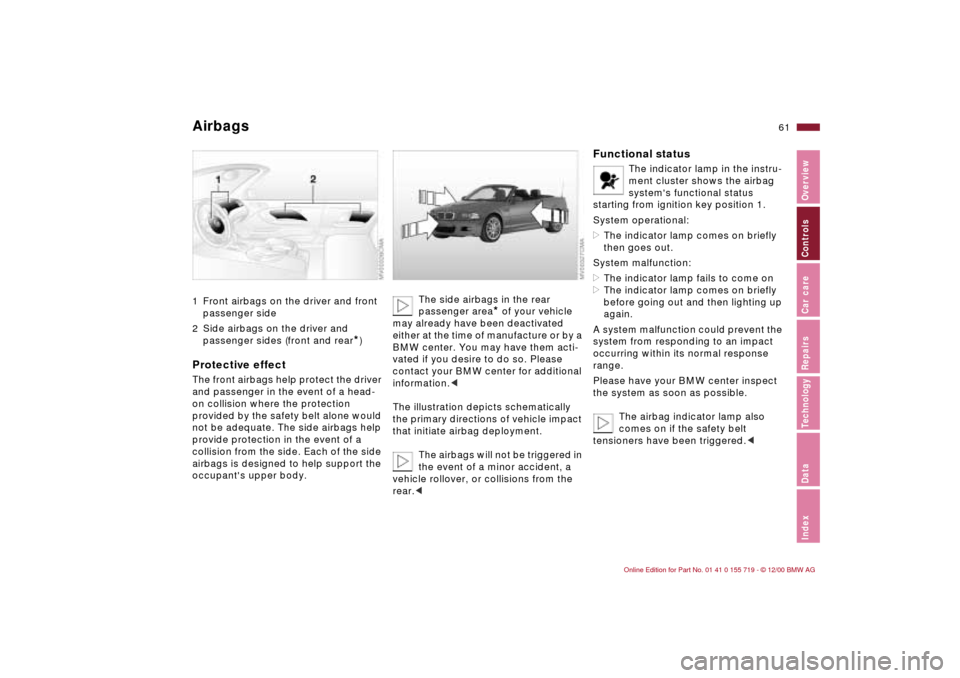
Airbags 1 Front airbags on the driver and front
passenger side
2 Side airbags on the driver and
passenger sides (front and rear
*)
Protective effectThe front airbags help protect the driver
and passenger in the event of a head-
on collision where the protection
provided by the safety belt alone would
not be adequate. The side airbags help
provide protection in the event of a
collision from the side. Each of the side
airbags is designed to help support the
occupant's upper body.
The side airbags in the rear
passenger area
* of your vehicle
may already have been deactivated
either at the time of manufacture or by a
BMW center. You may have them acti-
vated if you desire to do so. Please
contact your BMW center for additional
information.<
The illustration depicts schematically
the primary directions of vehicle impact
that initiate airbag deployment.
The airbags will not be triggered in
the event of a minor accident, a
vehicle rollover, or collisions from the
rear.<
Functional status
The indicator lamp in the instru-
ment cluster shows the airbag
system's functional status
starting from ignition key position 1.
System operational:
>The indicator lamp comes on briefly
then goes out.
System malfunction:
>The indicator lamp fails to come on
>The indicator lamp comes on briefly
before going out and then lighting up
again.
A system malfunction could prevent the
system from responding to an impact
occurring within its normal response
range.
Please have your BMW center inspect
the system as soon as possible.
The airbag indicator lamp also
comes on if the safety belt
tensioners have been triggered.<
Page 66 of 195
66n
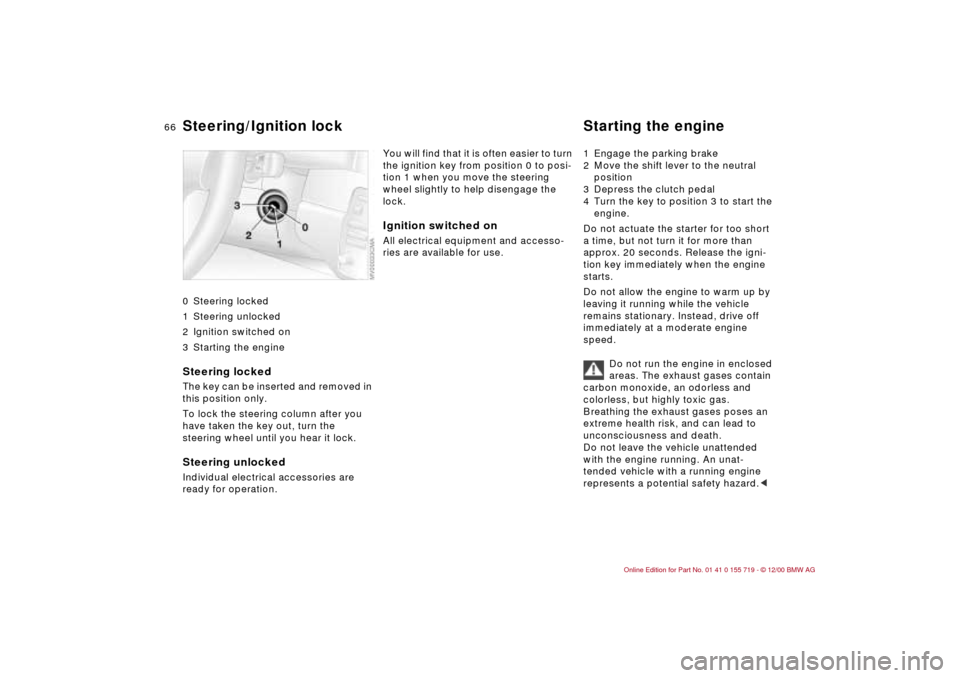
0 Steering locked
1 Steering unlocked
2 Ignition switched on
3 Starting the engine
Steering locked The key can be inserted and removed in
this position only.
To lock the steering column after you
have taken the key out, turn the
steering wheel until you hear it lock.Steering unlocked Individual electrical accessories are
ready for operation.
You will find that it is often easier to turn
the ignition key from position 0 to posi-
tion 1 when you move the steering
wheel slightly to help disengage the
lock. Ignition switched onAll electrical equipment and accesso-
ries are available for use. 1 Engage the parking brake
2 Move the shift lever to the neutral
position
3 Depress the clutch pedal
4 Turn the key to position 3 to start the
engine.
Do not actuate the starter for too short
a time, but not turn it for more than
approx. 20 seconds. Release the igni-
tion key immediately when the engine
starts.
Do not allow the engine to warm up by
leaving it running while the vehicle
remains stationary. Instead, drive off
immediately at a moderate engine
speed.
Do not run the engine in enclosed
areas. The exhaust gases contain
carbon monoxide, an odorless and
colorless, but highly toxic gas.
Breathing the exhaust gases poses an
extreme health risk, and can lead to
unconsciousness and death.
Do not leave the vehicle unattended
with the engine running. An unat-
tended vehicle with a running engine
represents a potential safety hazard.<
Steering/Ignition lock Starting the engine
Page 67 of 195
67n
IndexDataTechnologyRepairsCar careControlsOverview
Starting the engine Switching off the engine Parking brake If the engine does not start on the first
attempt (if it is very hot or cold, for
instance):
>Press the accelerator pedal halfway
down while engaging the starter.
Cold starts at very low temperatures,
starting at approx. 5 7 (–15 6) and at
high altitudes (over 1,000 meters):
>On the first start attempt, engage the
starter for a longer period (approx.
10 seconds)
>Press the accelerator pedal halfway
down while engaging the starter.
Engine idle speed is controlled by the
engine computer system. Increased
speeds at startup are normal and
should decrease as the engine warms
up. If engine speed does not decrease,
service is required.
To prevent the battery from
discharging, always deactivate elec-
trical devices that are not in use. Switch
the ignition off when the vehicle is not
being driven.Turn the ignition key to position 1 or 0.
Do not remove the ignition key
while the vehicle is still moving.
If you did so, the steering lock would
engage when the steering wheel is
turned.
When you leave the vehicle, always
remove the ignition key and engage the
steering lock.
Set the parking brake when parking on
steep hills, because under certain
conditions, putting the vehicle into first
or reverse gear may not be enough to
prevent it from rolling away.
The power assist is not available when
the engine is not on. This means that
more effort is required for braking.<
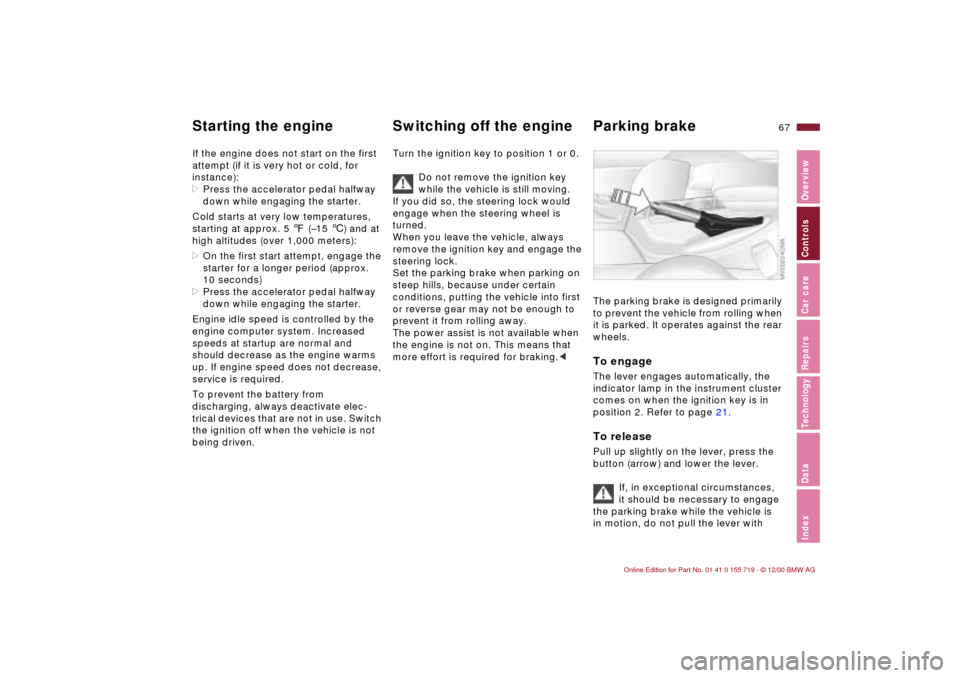
The parking brake is designed primarily
to prevent the vehicle from rolling when
it is parked. It operates against the rear
wheels. To engageThe lever engages automatically, the
indicator lamp in the instrument cluster
comes on when the ignition key is in
position 2. Refer to page 21.To releasePull up slightly on the lever, press the
button (arrow) and lower the lever.
If, in exceptional circumstances,
it should be necessary to engage
the parking brake while the vehicle is
in motion, do not pull the lever with
Page 68 of 195
68n
Parking brake Manual transmission excessive pressure. Keep your thumb
pressed against the release button
while carefully pulling up the lever to
apply moderate pressure.
Excessive pressure can lead to over-
braking and loss of traction (fishtailing)
at the rear axle.
The brake lamps do not come on when
the parking brake is engaged.
Set the parking brake when parking on
steep hills, because under certain
conditions, putting the vehicle into first
or reverse gear may not be enough to
prevent it from rolling away.<
To avoid corrosion and one-sided
braking, apply the parking brake lightly
from time to time when coasting to a
standstill (at a traffic signal, for
instance), provided that it is safe to do
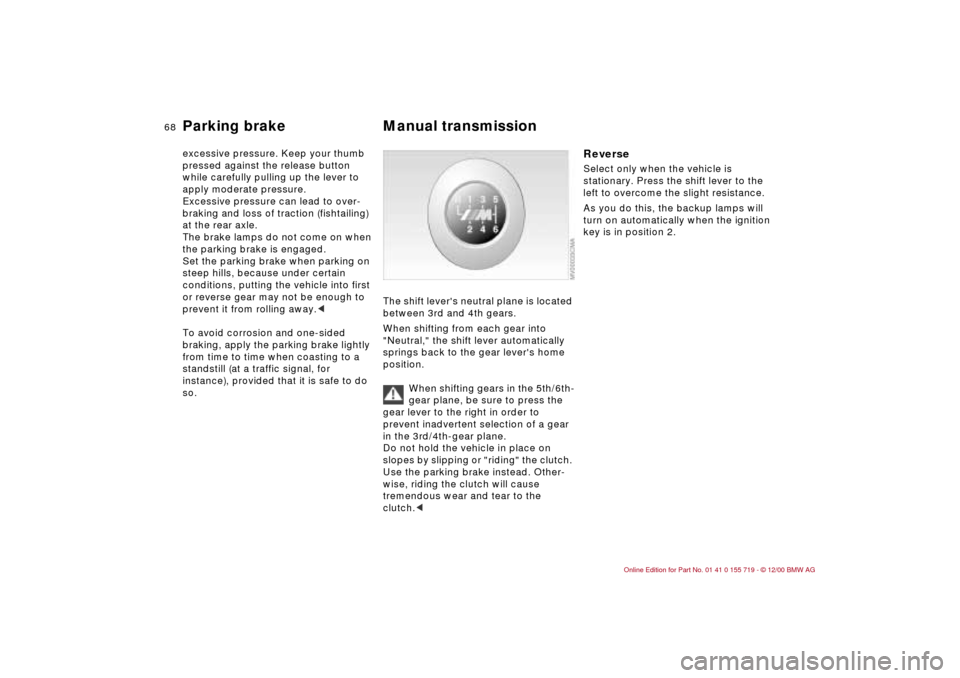
so. The shift lever's neutral plane is located
between 3rd and 4th gears.
When shifting from each gear into
"Neutral," the shift lever automatically
springs back to the gear lever's home
position.
When shifting gears in the 5th/6th-
gear plane, be sure to press the
gear lever to the right in order to
prevent inadvertent selection of a gear
in the 3rd/4th-gear plane.
Do not hold the vehicle in place on
slopes by slipping or "riding" the clutch.
Use the parking brake instead. Other-
wise, riding the clutch will cause
tremendous wear and tear to the
clutch.<
Reverse Select only when the vehicle is
stationary. Press the shift lever to the
left to overcome the slight resistance.
As you do this, the backup lamps will
turn on automatically when the ignition
key is in position 2.
Page 70 of 195
70n
Washer/Wiper systemRain sensor
*
When the rain sensor is activated, the
windshield wiper is controlled automati-
cally, depending on the degree of
wetness of the windshield (in both snow
and rain). You do not have to be
concerned with switching the wind-
shield wiper on or off or adjusting the
wipe interval between intermittent and
full wipe. Instead, you can concentrate
fully on the traffic conditions. This is
especially important under adverse
weather conditions.
The rain sensor is positioned on the
windshield, directly ahead of the inte-
rior rearview mirror.
To activate the rain sensor:
>From ignition key position 1 and up,
move the lever to position 1. The
wipers travel once across the wind-
shield, regardless of the weather
>You can leave the lever permanently
in position 1. It is then only necessary
to activate the rain sensor from igni-
tion key position 1 and up. To do this
give rotary dial 5 a quick turn.
To adjust the sensitivity of the rain
sensor: turn rotary dial 5.
Deactivating the rain sensor: put lever
in position 0.Deactivate the rain sensor when
passing through an automatic car
wash. Failure to do so could result in
damage caused by undesired wiper
activation.<
Normal wiper speedWhen the vehicle is stationary, the
wipers switch automatically to intermit-
tent wipe (not on vehicles with rain
sensor).Fast wiper speedWhen the vehicle is stationary, the
wipers operate at normal speed (not on
vehicles with rain sensor).
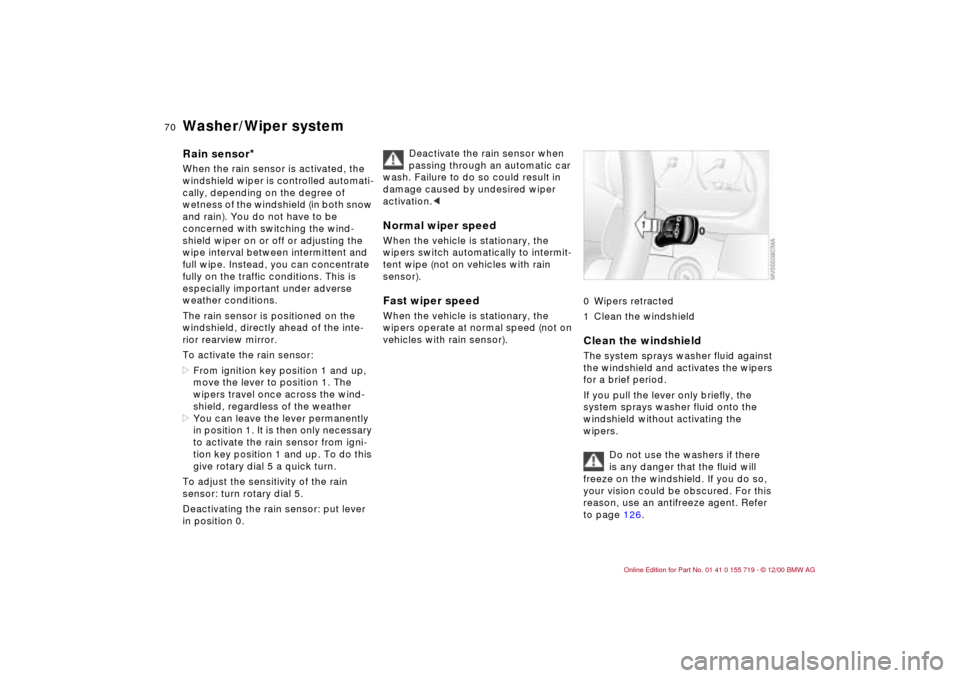
0 Wipers retracted
1 Clean the windshieldClean the windshieldThe system sprays washer fluid against
the windshield and activates the wipers
for a brief period.
If you pull the lever only briefly, the
system sprays washer fluid onto the
windshield without activating the
wipers.
Do not use the washers if there
is any danger that the fluid will
freeze on the windshield. If you do so,
your vision could be obscured. For this
reason, use an antifreeze agent. Refer
to page 126.
Page 71 of 195
71n
IndexDataTechnologyRepairsCar careControlsOverview
Washer/Wiper system Rear window defroster Cruise control Do not use the washers when the reser-
voir is empty, since this could cause
damage to the washer pump.
When the vehicle's lighting system is
switched on, the headlamps will also be
cleaned every fifth time the automatic
windshield washer is activated.Windshield washer jetsThe windshield washer jets are warmed
automatically when the ignition key is in
position 2.
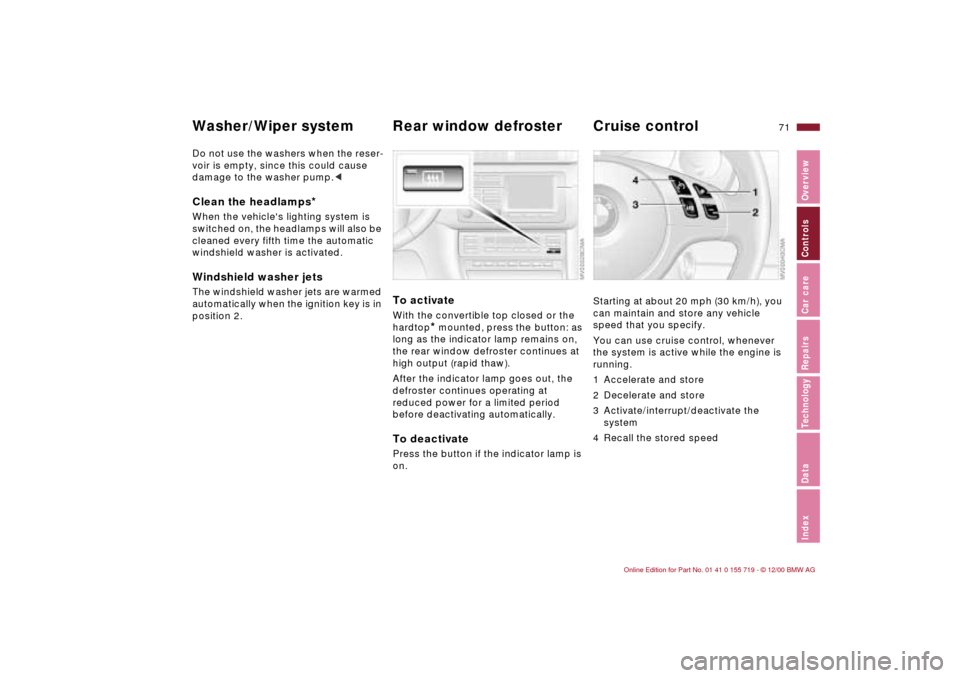
To activateWith the convertible top closed or the
hardtop
* mounted, press the
button: as
long as the indicator lamp remains on,
the rear window defroster continues at
high output (rapid thaw).
After the indicator lamp goes out, the
defroster continues operating at
reduced power for a limited period
before deactivating automatically.
To deactivatePress the button if the indicator lamp is
on.
Starting at about 20 mph (30 km/h), you
can maintain and store any vehicle
speed that you specify.
You can use cruise control, whenever
the system is active while the engine is
running.
1 Accelerate and store
2 Decelerate and store
3 Activate/interrupt/deactivate the
system
4 Recall the stored speed