lock BMW M3 COUPE 2003 E46 User Guide
[x] Cancel search | Manufacturer: BMW, Model Year: 2003, Model line: M3 COUPE, Model: BMW M3 COUPE 2003 E46Pages: 158, PDF Size: 4.18 MB
Page 33 of 158
33
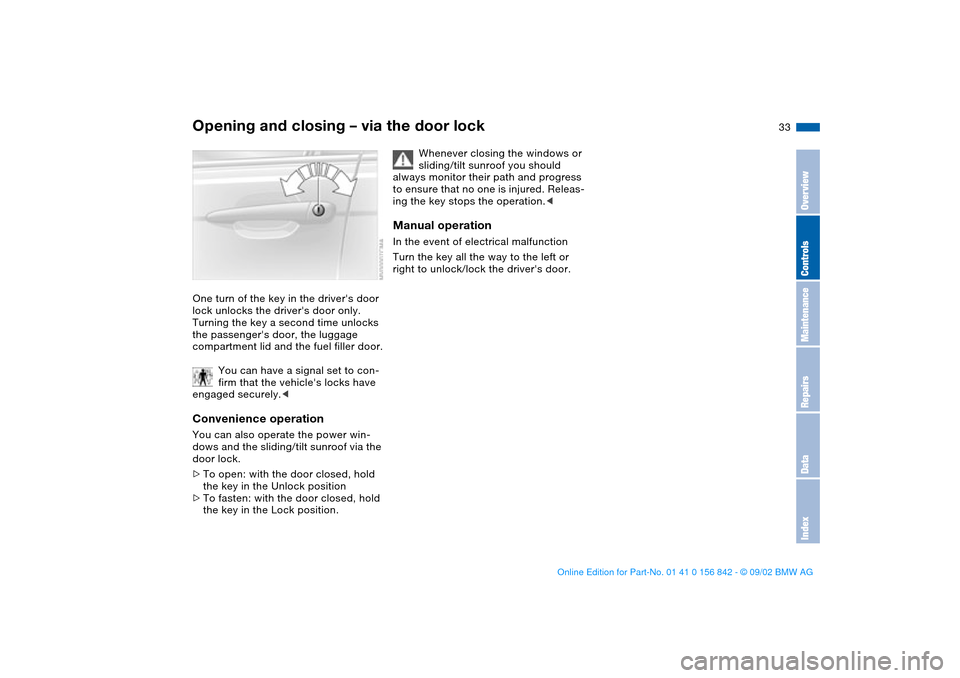
Opening and closing – via the door lockOne turn of the key in the driver's door
lock unlocks the driver's door only.
Turning the key a second time unlocks
the passenger's door, the luggage
compartment lid and the fuel filler door.
You can have a signal set to con-
firm that the vehicle's locks have
engaged securely.
door lock.
>To open: with the door closed, hold
the key in the Unlock position
>To fasten: with the door closed, hold
the key in the Lock position.
Whenever closing the windows or
sliding/tilt sunroof you should
always monitor their path and progress
to ensure that no one is injured. Releas-
ing the key stops the operation.<
Manual operationIn the event of electrical malfunction
Turn the key all the way to the left or
right to unlock/lock the driver's door.
OverviewControlsMaintenanceRepairsDataIndex
handbook.book Page 33 Saturday, July 27, 2002 1:12 PM
Page 34 of 158
34
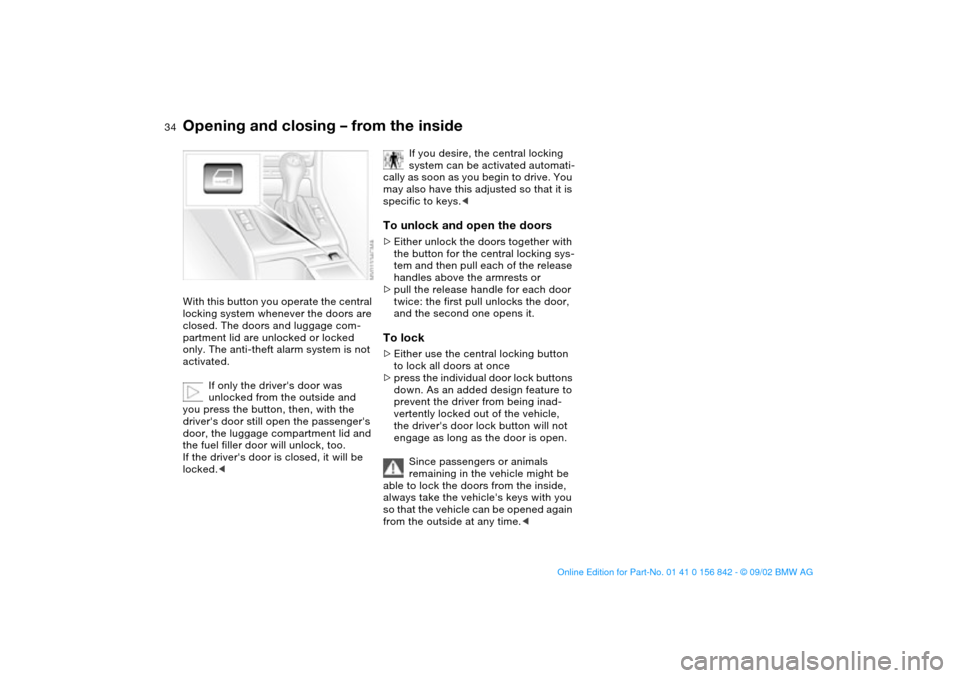
Opening and closing – from the insideWith this button you operate the central
locking system whenever the doors are
closed. The doors and luggage com-
partment lid are unlocked or locked
only. The anti-theft alarm system is not
activated.
If only the driver's door was
unlocked from the outside and
you press the button, then, with the
driver's door still open the passenger's
door, the luggage compartment lid and
the fuel filler door will unlock, too.
If the driver's door is closed, it will be
locked.<
If you desire, the central locking
system can be activated automati-
cally as soon as you begin to drive. You
may also have this adjusted so that it is
specific to keys.<
To unlock and open the doors>Either unlock the doors together with
the button for the central locking sys-
tem and then pull each of the release
handles above the armrests or
>pull the release handle for each door
twice: the first pull unlocks the door,
and the second one opens it.To lock>Either use the central locking button
to lock all doors at once
>press the individual door lock buttons
down. As an added design feature to
prevent the driver from being inad-
vertently locked out of the vehicle,
the driver's door lock button will not
engage as long as the door is open.
Since passengers or animals
remaining in the vehicle might be
able to lock the doors from the inside,
always take the vehicle's keys with you
so that the vehicle can be opened again
from the outside at any time.<
handbook.book Page 34 Saturday, July 27, 2002 1:12 PM
Page 35 of 158
35
Luggage compartment lidThe lockOnly the master keys fit in the lock for
the luggage compartment lid, refer to
page 30.
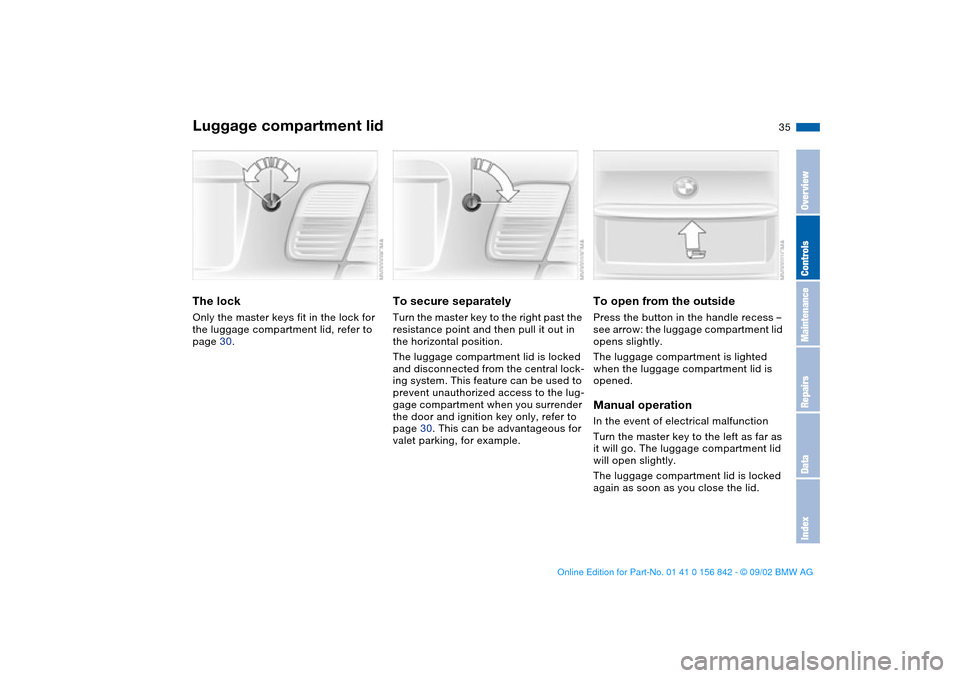
To secure separatelyTurn the master key to the right past the
resistance point and then pull it out in
the horizontal position.
The luggage compartment lid is locked
and disconnected from the central lock-
ing system. This feature can be used to
prevent unauthorized access to the lug-
gage compartment when you surrender
the door and ignition key only, refer to
page 30. This can be advantageous for
valet parking, for example.
To open from the outsidePress the button in the handle recess –
see arrow: the luggage compartment lid
opens slightly.
The luggage compartment is lighted
when the luggage compartment lid is
opened.Manual operationIn the event of electrical malfunction
Turn the master key to the left as far as
it will go. The luggage compartment lid
will open slightly.
The luggage compartment lid is locked
again as soon as you close the lid.
OverviewControlsMaintenanceRepairsDataIndex
handbook.book Page 35 Saturday, July 27, 2002 1:12 PM
Page 36 of 158
36
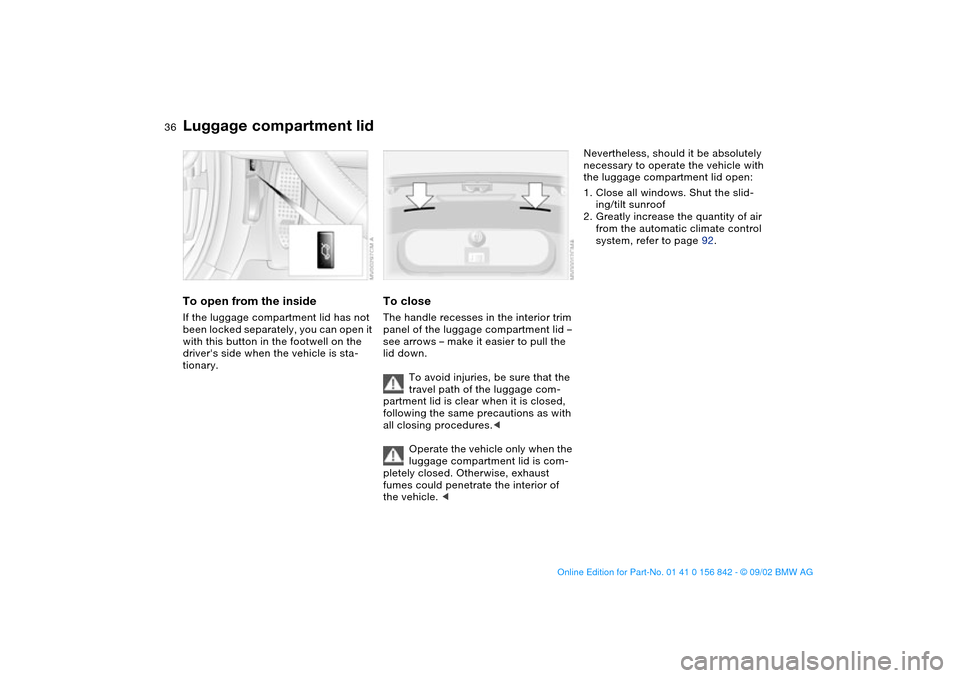
To open from the insideIf the luggage compartment lid has not
been locked separately, you can open it
with this button in the footwell on the
driver's side when the vehicle is sta-
tionary.
To closeThe handle recesses in the interior trim
panel of the luggage compartment lid –
see arrows – make it easier to pull the
lid down.
To avoid injuries, be sure that the
travel path of the luggage com-
partment lid is clear when it is closed,
following the same precautions as with
all closing procedures.<
Operate the vehicle only when the
luggage compartment lid is com-
pletely closed. Otherwise, exhaust
fumes could penetrate the interior of
the vehicle. <
Nevertheless, should it be absolutely
necessary to operate the vehicle with
the luggage compartment lid open:
1. Close all windows. Shut the slid-
ing/tilt sunroof
2. Greatly increase the quantity of air
from the automatic climate control
system, refer to page 92.
Luggage compartment lid
handbook.book Page 36 Saturday, July 27, 2002 1:12 PM
Page 38 of 158
38
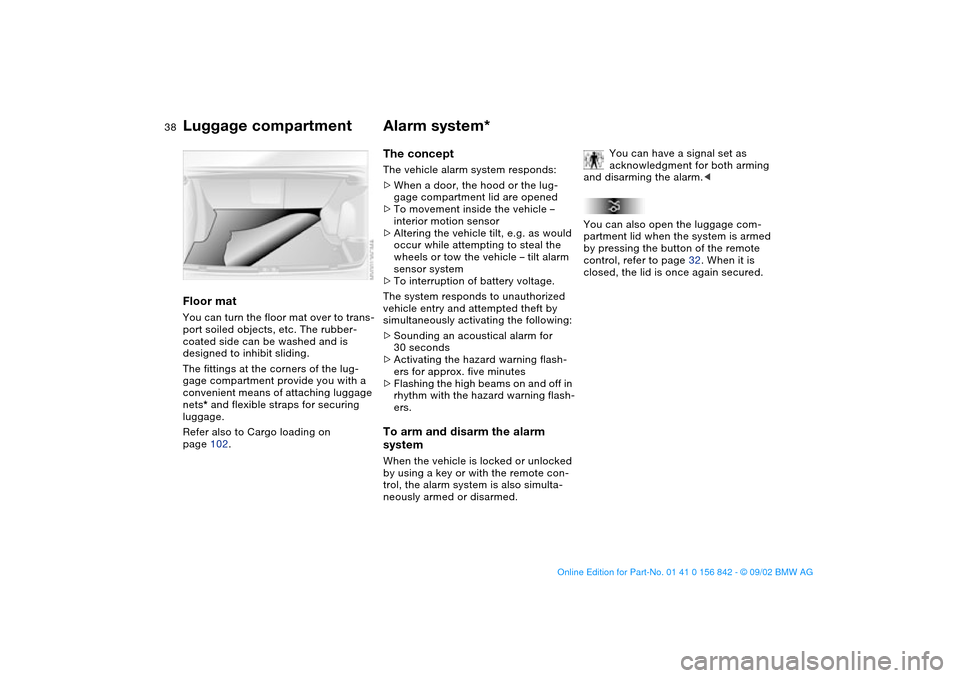
Floor matYou can turn the floor mat over to trans-
port soiled objects, etc. The rubber-
coated side can be washed and is
designed to inhibit sliding.
The fittings at the corners of the lug-
gage compartment provide you with a
convenient means of attaching luggage
nets* and flexible straps for securing
luggage.
Refer also to Cargo loading on
page 102.
Alarm system*The conceptThe vehicle alarm system responds:
>When a door, the hood or the lug-
gage compartment lid are opened
>To movement inside the vehicle –
interior motion sensor
>Altering the vehicle tilt, e.g. as would
occur while attempting to steal the
wheels or tow the vehicle – tilt alarm
sensor system
>To interruption of battery voltage.
The system responds to unauthorized
vehicle entry and attempted theft by
simultaneously activating the following:
>Sounding an acoustical alarm for
30 seconds
>Activating the hazard warning flash-
ers for approx. five minutes
>Flashing the high beams on and off in
rhythm with the hazard warning flash-
ers.To arm and disarm the alarm
systemWhen the vehicle is locked or unlocked
by using a key or with the remote con-
trol, the alarm system is also simulta-
neously armed or disarmed.You can have a signal set as
acknowledgment for both arming
and disarming the alarm.<
You can also open the luggage com-
partment lid when the system is armed
by pressing the button of the remote
control, refer to page 32. When it is
closed, the lid is once again secured.
Luggage compartment
handbook.book Page 38 Saturday, July 27, 2002 1:12 PM
Page 39 of 158
39
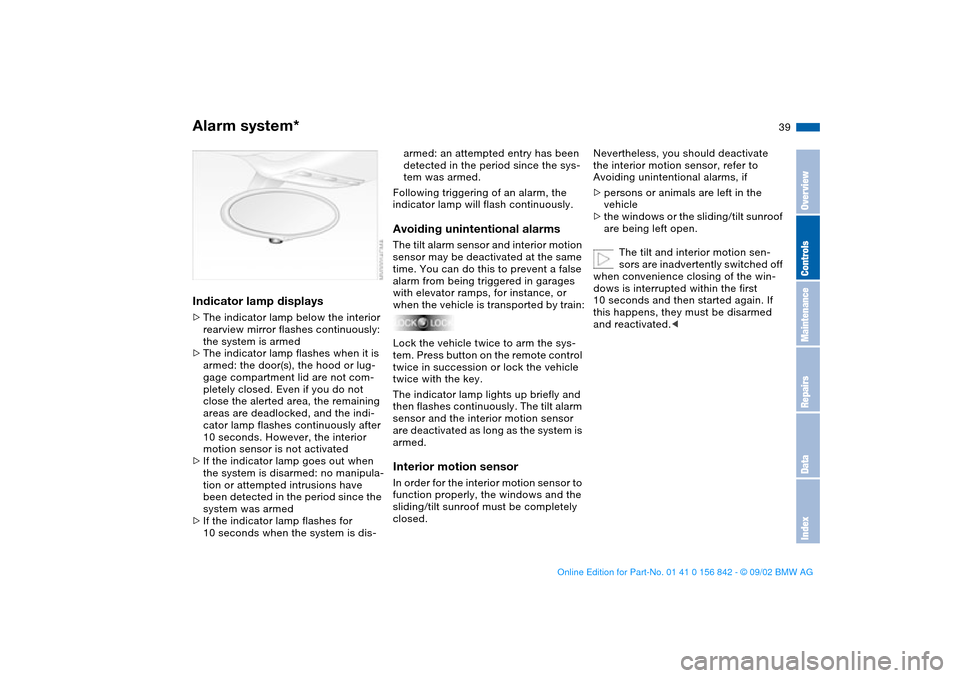
Indicator lamp displays>The indicator lamp below the interior
rearview mirror flashes continuously:
the system is armed
>The indicator lamp flashes when it is
armed: the door(s), the hood or lug-
gage compartment lid are not com-
pletely closed. Even if you do not
close the alerted area, the remaining
areas are deadlocked, and the indi-
cator lamp flashes continuously after
10 seconds. However, the interior
motion sensor is not activated
>If the indicator lamp goes out when
the system is disarmed: no manipula-
tion or attempted intrusions have
been detected in the period since the
system was armed
>If the indicator lamp flashes for
10 seconds when the system is dis-
armed: an attempted entry has been
detected in the period since the sys-
tem was armed.
Following triggering of an alarm, the
indicator lamp will flash continuously.Avoiding unintentional alarmsThe tilt alarm sensor and interior motion
sensor may be deactivated at the same
time. You can do this to prevent a false
alarm from being triggered in garages
with elevator ramps, for instance, or
when the vehicle is transported by train:
Lock the vehicle twice to arm the sys-
tem. Press button on the remote control
twice in succession or lock the vehicle
twice with the key.
The indicator lamp lights up briefly and
then flashes continuously. The tilt alarm
sensor and the interior motion sensor
are deactivated as long as the system is
armed.Interior motion sensorIn order for the interior motion sensor to
function properly, the windows and the
sliding/tilt sunroof must be completely
closed.
Nevertheless, you should deactivate
the interior motion sensor, refer to
Avoiding unintentional alarms, if
>persons or animals are left in the
vehicle
>the windows or the sliding/tilt sunroof
are being left open.
The tilt and interior motion sen-
sors are inadvertently switched off
when convenience closing of the win-
dows is interrupted within the first
10 seconds and then started again. If
this happens, they must be disarmed
and reactivated.<
Alarm system*
OverviewControlsMaintenanceRepairsDataIndex
handbook.book Page 39 Saturday, July 27, 2002 1:12 PM
Page 40 of 158
40
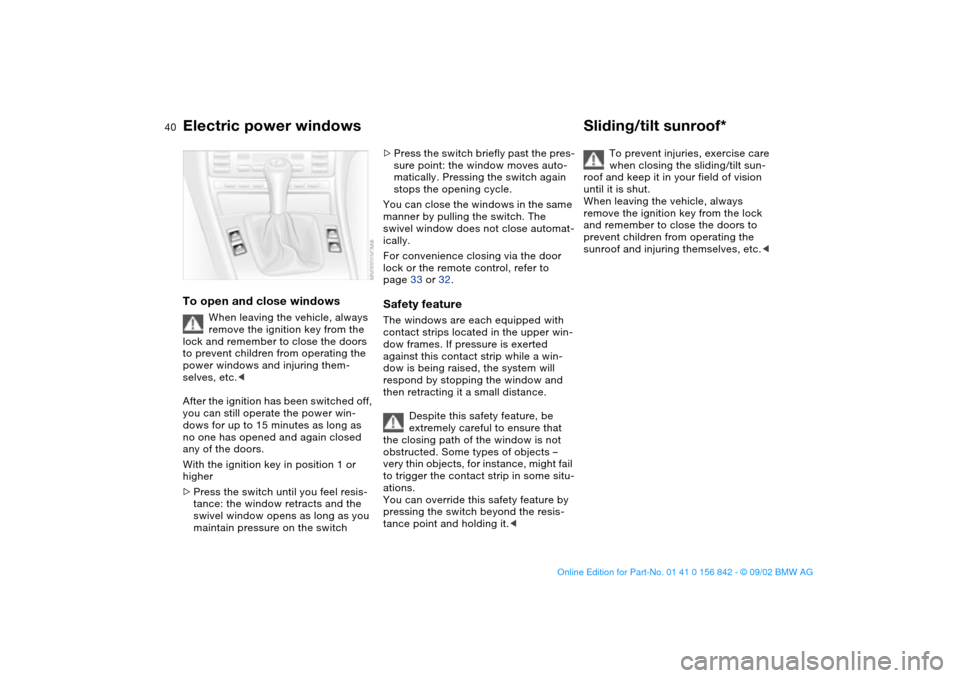
Electric power windowsTo open and close windows
When leaving the vehicle, always
remove the ignition key from the
lock and remember to close the doors
to prevent children from operating the
power windows and injuring them-
selves, etc.<
After the ignition has been switched off,
you can still operate the power win-
dows for up to 15 minutes as long as
no one has opened and again closed
any of the doors.
With the ignition key in position 1 or
higher
>Press the switch until you feel resis-
tance: the window retracts and the
swivel window opens as long as you
maintain pressure on the switch
>Press the switch briefly past the pres-
sure point: the window moves auto-
matically. Pressing the switch again
stops the opening cycle.
You can close the windows in the same
manner by pulling the switch. The
swivel window does not close automat-
ically.
For convenience closing via the door
lock or the remote control, refer to
page 33 or 32.Safety featureThe windows are each equipped with
contact strips located in the upper win-
dow frames. If pressure is exerted
against this contact strip while a win-
dow is being raised, the system will
respond by stopping the window and
then retracting it a small distance.
Despite this safety feature, be
extremely careful to ensure that
the closing path of the window is not
obstructed. Some types of objects –
very thin objects, for instance, might fail
to trigger the contact strip in some situ-
ations.
You can override this safety feature by
pressing the switch beyond the resis-
tance point and holding it.<
Sliding/tilt sunroof*
To prevent injuries, exercise care
when closing the sliding/tilt sun-
roof and keep it in your field of vision
until it is shut.
When leaving the vehicle, always
remove the ignition key from the lock
and remember to close the doors to
prevent children from operating the
sunroof and injuring themselves, etc.<
handbook.book Page 40 Saturday, July 27, 2002 1:12 PM
Page 41 of 158
41
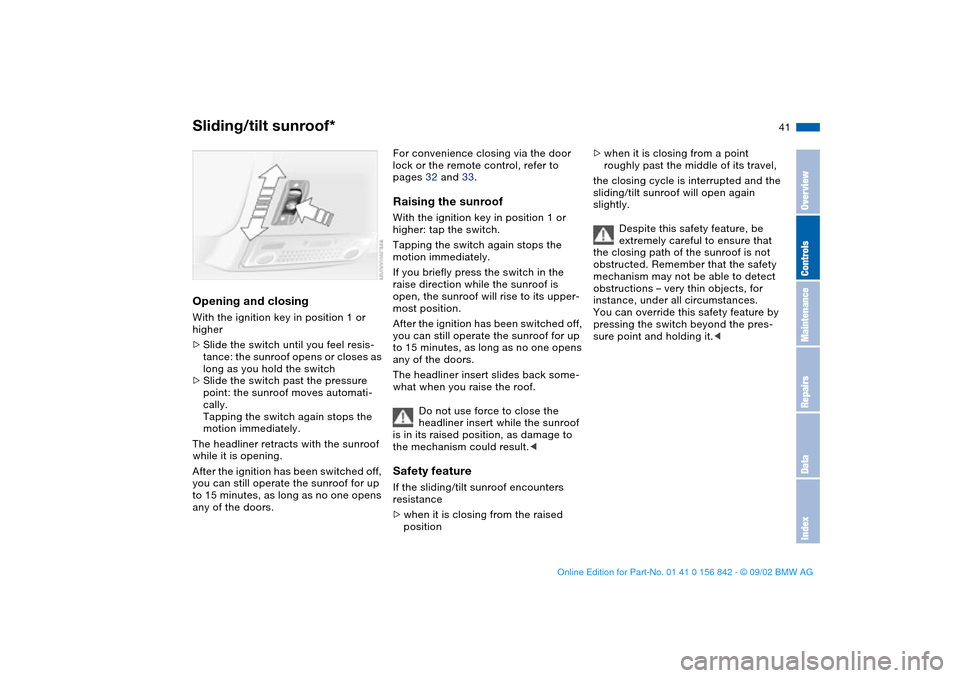
Opening and closingWith the ignition key in position 1 or
higher
>Slide the switch until you feel resis-
tance: the sunroof opens or closes as
long as you hold the switch
>Slide the switch past the pressure
point: the sunroof moves automati-
cally.
Tapping the switch again stops the
motion immediately.
The headliner retracts with the sunroof
while it is opening.
After the ignition has been switched off,
you can still operate the sunroof for up
to 15 minutes, as long as no one opens
any of the doors.
For convenience closing via the door
lock or the remote control, refer to
pages 32 and 33.Raising the sunroofWith the ignition key in position 1 or
higher: tap the switch.
Tapping the switch again stops the
motion immediately.
If you briefly press the switch in the
raise direction while the sunroof is
open, the sunroof will rise to its upper-
most position.
After the ignition has been switched off,
you can still operate the sunroof for up
to 15 minutes, as long as no one opens
any of the doors.
The headliner insert slides back some-
what when you raise the roof.
Do not use force to close the
headliner insert while the sunroof
is in its raised position, as damage to
the mechanism could result.
>when it is closing from the raised
position
>when it is closing from a point
roughly past the middle of its travel,
the closing cycle is interrupted and the
sliding/tilt sunroof will open again
slightly.
Despite this safety feature, be
extremely careful to ensure that
the closing path of the sunroof is not
obstructed. Remember that the safety
mechanism may not be able to detect
obstructions – very thin objects, for
instance, under all circumstances.
You can override this safety feature by
pressing the switch beyond the pres-
sure point and holding it.<
Sliding/tilt sunroof*
OverviewControlsMaintenanceRepairsDataIndex
handbook.book Page 41 Saturday, July 27, 2002 1:12 PM
Page 47 of 158
47
2. Press button 1 and remove the head
restraint.Installation – frontPress button 1 and slide the head
restraint into the sockets.Removal and installation – rearGive the head restraint a sharp upward
tug to release it from its locking mecha-
nism. Press down forcefully to install.
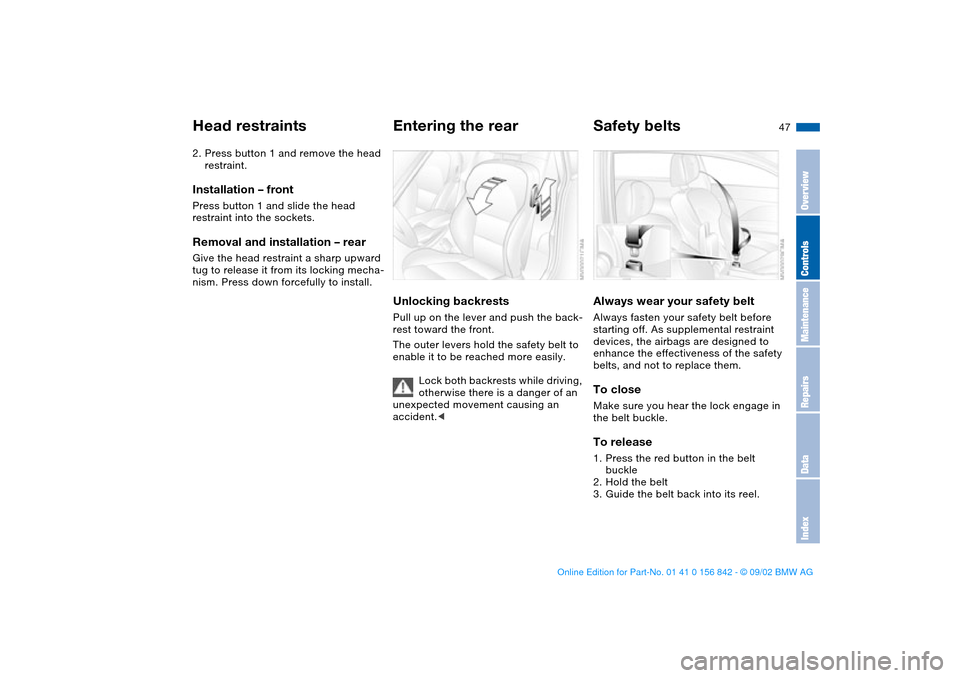
Entering the rearUnlocking backrestsPull up on the lever and push the back-
rest toward the front.
The outer levers hold the safety belt to
enable it to be reached more easily.
Lock both backrests while driving,
otherwise there is a danger of an
unexpected movement causing an
accident.<
Safety beltsAlways wear your safety beltAlways fasten your safety belt before
starting off. As supplemental restraint
devices, the airbags are designed to
enhance the effectiveness of the safety
belts, and not to replace them.To closeMake sure you hear the lock engage in
the belt buckle.To release1. Press the red button in the belt
buckle
2. Hold the belt
3. Guide the belt back into its reel.
Head restraints
OverviewControlsMaintenanceRepairsDataIndex
handbook.book Page 47 Saturday, July 27, 2002 1:12 PM
Page 49 of 158
49
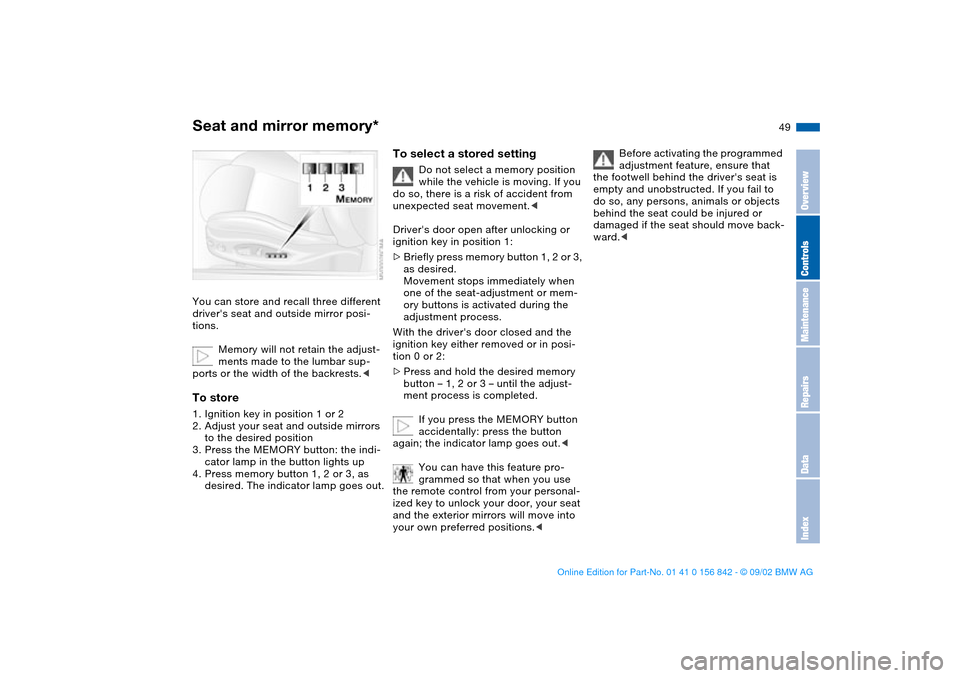
Seat and mirror memory*You can store and recall three different
driver's seat and outside mirror posi-
tions.
Memory will not retain the adjust-
ments made to the lumbar sup-
ports or the width of the backrests.
to the desired position
3. Press the MEMORY button: the indi-
cator lamp in the button lights up
4. Press memory button 1, 2 or 3, as
desired. The indicator lamp goes out.
To select a stored setting
Do not select a memory position
while the vehicle is moving. If you
do so, there is a risk of accident from
unexpected seat movement.<
Driver's door open after unlocking or
ignition key in position 1:
>Briefly press memory button 1, 2 or 3,
as desired.
Movement stops immediately when
one of the seat-adjustment or mem-
ory buttons is activated during the
adjustment process.
With the driver's door closed and the
ignition key either removed or in posi-
tion 0 or 2:
>Press and hold the desired memory
button – 1, 2 or 3 – until the adjust-
ment process is completed.
If you press the MEMORY button
accidentally: press the button
again; the indicator lamp goes out.<
You can have this feature pro-
grammed so that when you use
the remote control from your personal-
ized key to unlock your door, your seat
and the exterior mirrors will move into
your own preferred positions.<
Before activating the programmed
adjustment feature, ensure that
the footwell behind the driver's seat is
empty and unobstructed. If you fail to
do so, any persons, animals or objects
behind the seat could be injured or
damaged if the seat should move back-
ward.<
OverviewControlsMaintenanceRepairsDataIndex
handbook.book Page 49 Saturday, July 27, 2002 1:12 PM