lights BMW M3 COUPE 2006 E46 User Guide
[x] Cancel search | Manufacturer: BMW, Model Year: 2006, Model line: M3 COUPE, Model: BMW M3 COUPE 2006 E46Pages: 170, PDF Size: 2.63 MB
Page 76 of 170
76
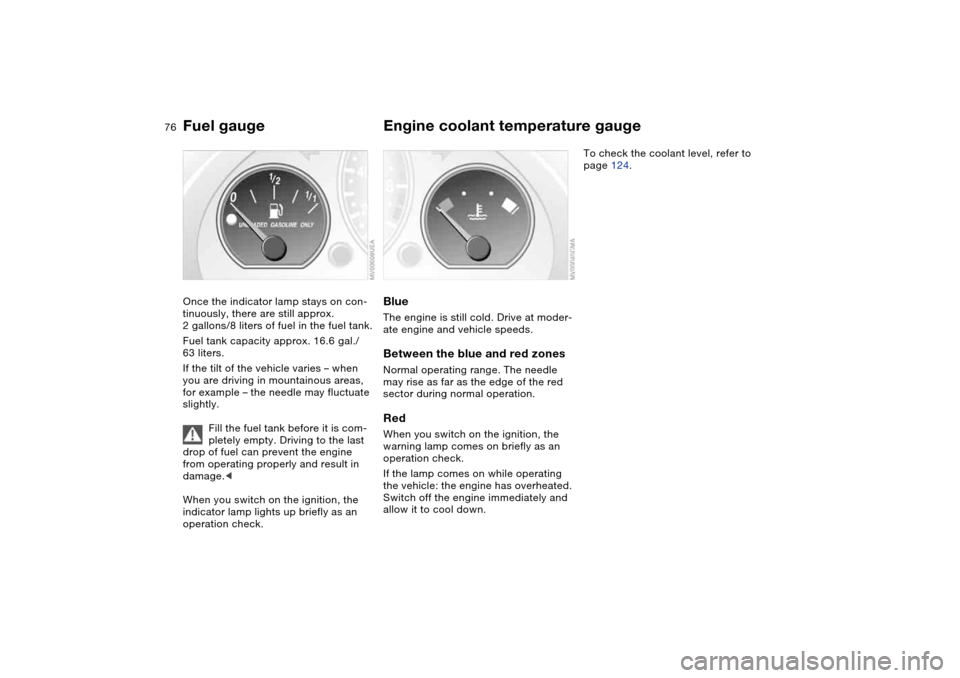
Fuel gaugeOnce the indicator lamp stays on con-
tinuously, there are still approx.
2 gallons/8 liters of fuel in the fuel tank.
Fuel tank capacity approx. 16.6 gal./
63 liters.
If the tilt of the vehicle varies – when
you are driving in mountainous areas,
for example – the needle may fluctuate
slightly.
Fill the fuel tank before it is com-
pletely empty. Driving to the last
drop of fuel can prevent the engine
from operating properly and result in
damage.<
When you switch on the ignition, the
indicator lamp lights up briefly as an
operation check.
Engine coolant temperature gaugeBlueThe engine is still cold. Drive at moder-
ate engine and vehicle speeds.Between the blue and red zonesNormal operating range. The needle
may rise as far as the edge of the red
sector during normal operation.RedWhen you switch on the ignition, the
warning lamp comes on briefly as an
operation check.
If the lamp comes on while operating
the vehicle: the engine has overheated.
Switch off the engine immediately and
allow it to cool down.
To check the coolant level, refer to
page 124.
Page 82 of 170
82
Dynamic Stability Control (DSC)The conceptDSC supports vehicle stability, even in
critical driving situations.
DSC optimizes driving stability and
traction during acceleration and when
you are starting from a standstill. In
addition, it also recognizes unstable
vehicle conditions, such as understeer-
ing and oversteering. By reducing
engine power and applying brakes at
the wheels, DSC helps to keep the
vehicle on a steady course within phys-
ically feasible limits.
DSC starts up automatically each time
you start the engine.
The laws of physics cannot be
repealed, even with DSC. The
driver remains responsible for the con-
sequences of any inadequate driving
style. Therefore, do not take any risks
because of the additional safety pro-
vided. Do not make any modifications
to the DSC system. Allow only autho-
rized technicians to perform service
procedures on the DSC.<
Indicator lamp for DSC
The indicator lamp in the instru-
ment cluster will go out shortly
after the ignition has been
switched on, refer to page 20.
>The indicator lamp flashes: DSC is
active and is controlling the drive
torque based on driving conditions
>The indicator lamp does not go out
after the engine is started or lights up
continuously while you are driving:
DSC has been deactivated via the
button or is defective.
You can continue to drive the vehicle
normally without DSC. In the event of a
malfunction, contact a BMW center or a
workshop that works according to
BMW requirements with appropriately
trained personnel.
M Track mode*M track mode is a feature of the
Dynamic Stability Control DSC,
designed for driving on dry roads. It
allows you to drive with higher longitu-
dinal and lateral acceleration, whereas
driving stability is somewhat reduced.
Only in its absolute limit range will the
system try to stabilize the vehicle by
reducing engine power and applying
brakes to the wheels. Under these driv-
ing conditions the driver must be pre-
pared to perform corrective steering
movements if necessary.
By default, M Track mode is off after
each engine start.
While M Track mode is active, sta-
bilising interventions are per-
formed to a reduced extent only.<
To maintain vehicle stability,
always drive with DSC switched
on and M Track mode switched off
whenever possible.
shortly after the ignition is
switched on.
>Indicator lamp stays on: M Track
mode ist on
>Indicator lamp stays on and DSC
indicator lamp flashes:
M Track mode is actively regulating
drive torque and braking forces.
Page 83 of 170
83
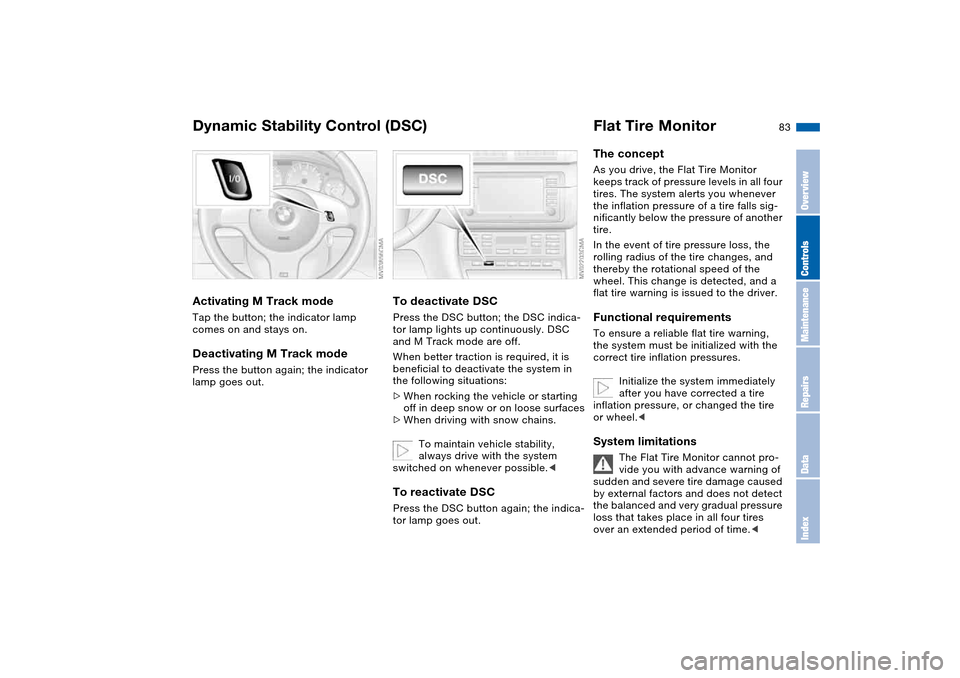
Activating M Track modeTap the button; the indicator lamp
comes on and stays on.Deactivating M Track modePress the button again; the indicator
lamp goes out.
To deactivate DSCPress the DSC button; the DSC indica-
tor lamp lights up continuously. DSC
and M Track mode are off.
When better traction is required, it is
beneficial to deactivate the system in
the following situations:
>When rocking the vehicle or starting
off in deep snow or on loose surfaces
>When driving with snow chains.
To maintain vehicle stability,
always drive with the system
switched on whenever possible.
Flat Tire MonitorThe conceptAs you drive, the Flat Tire Monitor
keeps track of pressure levels in all four
tires. The system alerts you whenever
the inflation pressure of a tire falls sig-
nificantly below the pressure of another
tire.
In the event of tire pressure loss, the
rolling radius of the tire changes, and
thereby the rotational speed of the
wheel. This change is detected, and a
flat tire warning is issued to the driver.Functional requirementsTo ensure a reliable flat tire warning,
the system must be initialized with the
correct tire inflation pressures.
Initialize the system immediately
after you have corrected a tire
inflation pressure, or changed the tire
or wheel.
vide you with advance warning of
sudden and severe tire damage caused
by external factors and does not detect
the balanced and very gradual pressure
loss that takes place in all four tires
over an extended period of time.<
Dynamic Stability Control (DSC)
OverviewControlsMaintenanceRepairsDataIndex
Page 84 of 170
84
The system could issue a false warning
or function in a delayed manner in the
following situations:
>System was not initialized
>You are driving on a snow-covered or
slippery road surface
>Performance-oriented driving: slip at
the drive wheels, high levels of lateral
acceleration
>You are driving with snow chainsInitializing the system
The initialization is completed
while you are driving, and can be
interrupted at any time. Initialization is
automatically continued when you con-
tinue driving. When driving with snow
chains, do not initialize the system.<
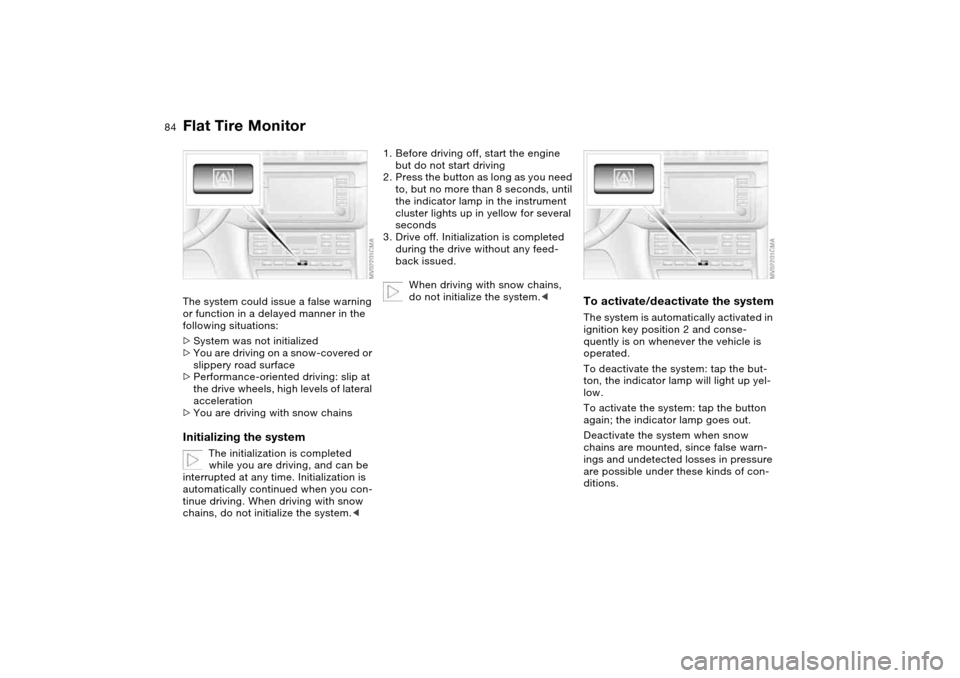
1. Before driving off, start the engine
but do not start driving
2. Press the button as long as you need
to, but no more than 8 seconds, until
the indicator lamp in the instrument
cluster lights up in yellow for several
seconds
3. Drive off. Initialization is completed
during the drive without any feed-
back issued.
When driving with snow chains,
do not initialize the system.<
To activate/deactivate the systemThe system is automatically activated in
ignition key position 2 and conse-
quently is on whenever the vehicle is
operated.
To deactivate the system: tap the but-
ton, the indicator lamp will light up yel-
low.
To activate the system: tap the button
again; the indicator lamp goes out.
Deactivate the system when snow
chains are mounted, since false warn-
ings and undetected losses in pressure
are possible under these kinds of con-
ditions.
Flat Tire Monitor
Page 85 of 170
85
Flat tire
The indicator lamp in the instru-
ment cluster lights up red. In
addition, an acoustic signal is
sounded.
1. Carefully reduce speed and come to
a stop. Avoid sudden braking and
steering maneuvers
2. Determine which wheel is damaged
If this cannot be determined, con-
tact your BMW center.<
3. Fix the flat tire using the M Mobility
system, refer to page 137
4. Press the button for approx.
4 seconds. The red indicator lamp
goes out.
After replacing the damaged tire, initial-
ize the system.
System malfunction
The indicator lamp in the instru-
ment cluster lights up yellow.
The Flat Tire Monitor is malfunc-
tioning or out of order. Please contact
your BMW center for additional infor-
mation.
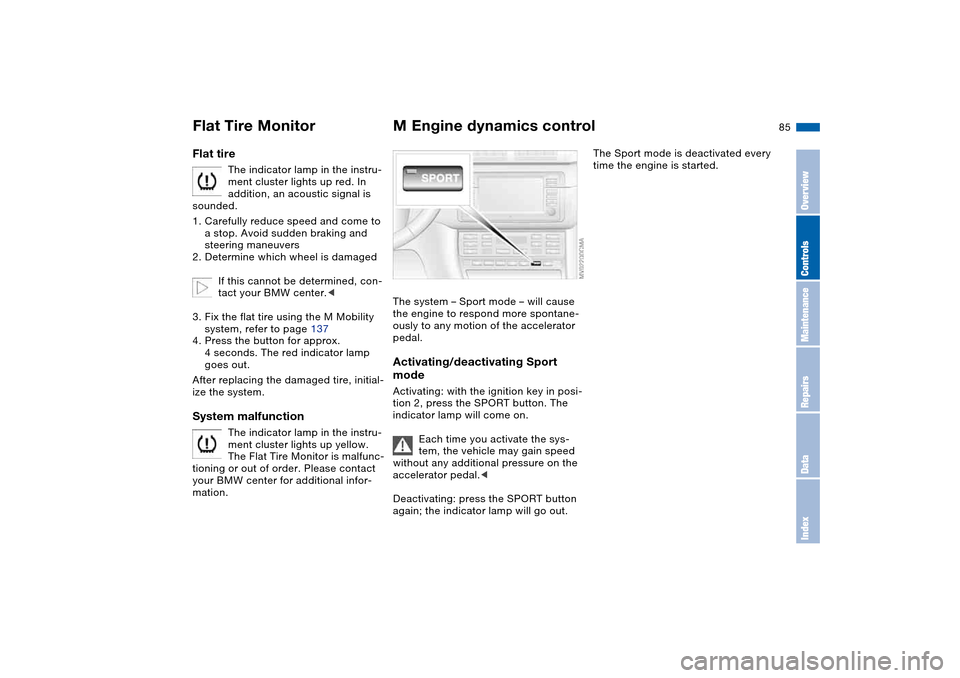
M Engine dynamics controlThe system – Sport mode – will cause
the engine to respond more spontane-
ously to any motion of the accelerator
pedal.Activating/deactivating Sport
modeActivating: with the ignition key in posi-
tion 2, press the SPORT button. The
indicator lamp will come on.
Each time you activate the sys-
tem, the vehicle may gain speed
without any additional pressure on the
accelerator pedal.<
Deactivating: press the SPORT button
again; the indicator lamp will go out.
The Sport mode is deactivated every
time the engine is started.
Flat Tire Monitor
OverviewControlsMaintenanceRepairsDataIndex
Page 87 of 170
87 Lamps
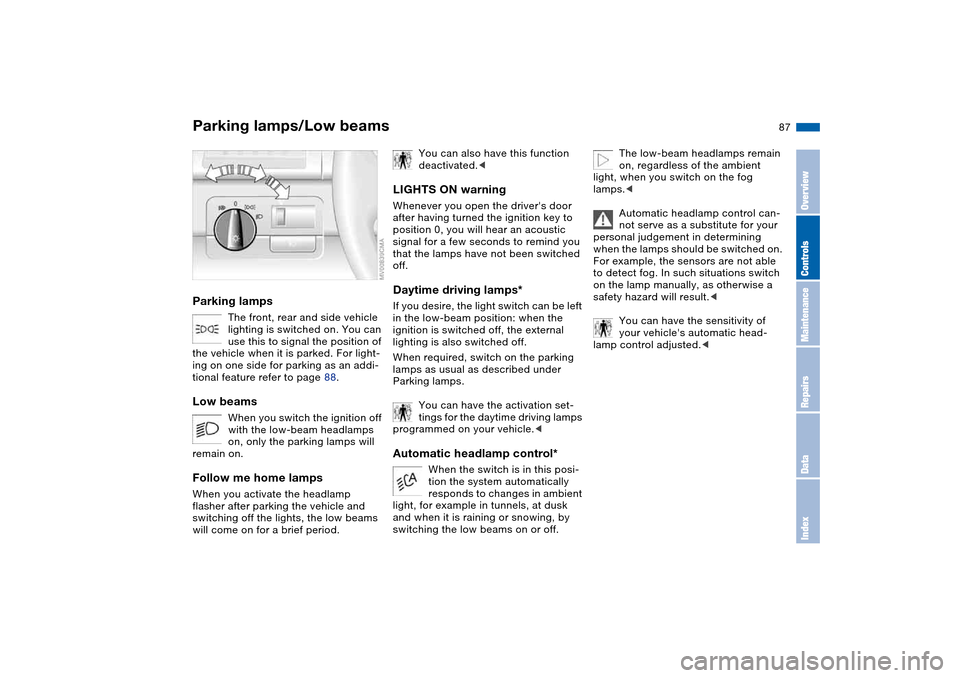
Parking lamps/Low beamsParking lamps
The front, rear and side vehicle
lighting is switched on. You can
use this to signal the position of
the vehicle when it is parked. For light-
ing on one side for parking as an addi-
tional feature refer to page 88.
Low beams
When you switch the ignition off
with the low-beam headlamps
on, only the parking lamps will
remain on.
Follow me home lampsWhen you activate the headlamp
flasher after parking the vehicle and
switching off the lights, the low beams
will come on for a brief period.
You can also have this function
deactivated.<
LIGHTS ON warningWhenever you open the driver's door
after having turned the ignition key to
position 0, you will hear an acoustic
signal for a few seconds to remind you
that the lamps have not been switched
off.Daytime driving lamps*If you desire, the light switch can be left
in the low-beam position: when the
ignition is switched off, the external
lighting is also switched off.
When required, switch on the parking
lamps as usual as described under
Parking lamps.
You can have the activation set-
tings for the daytime driving lamps
programmed on your vehicle.
tion the system automatically
responds to changes in ambient
light, for example in tunnels, at dusk
and when it is raining or snowing, by
switching the low beams on or off.
The low-beam headlamps remain
on, regardless of the ambient
light, when you switch on the fog
lamps.<
Automatic headlamp control can-
not serve as a substitute for your
personal judgement in determining
when the lamps should be switched on.
For example, the sensors are not able
to detect fog. In such situations switch
on the lamp manually, as otherwise a
safety hazard will result.<
You can have the sensitivity of
your vehicle's automatic head-
lamp control adjusted.<
OverviewControlsMaintenanceRepairsDataIndex
Page 89 of 170
89
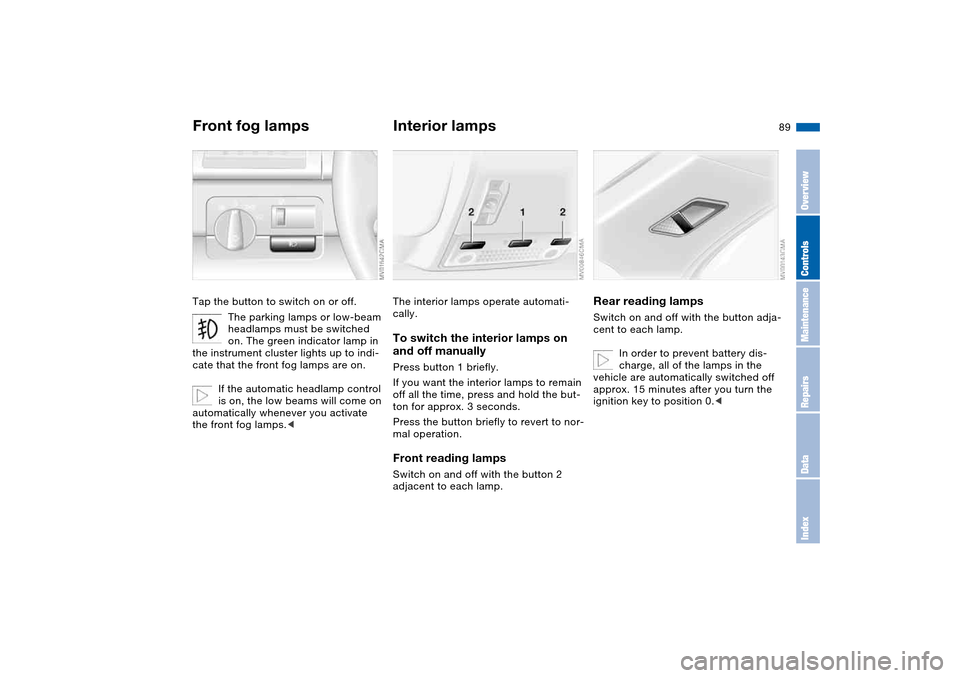
Front fog lampsTap the button to switch on or off.
The parking lamps or low-beam
headlamps must be switched
on. The green indicator lamp in
the instrument cluster lights up to indi-
cate that the front fog lamps are on.
If the automatic headlamp control
is on, the low beams will come on
automatically whenever you activate
the front fog lamps.<
Interior lampsThe interior lamps operate automati-
cally.To switch the interior lamps on
and off manuallyPress button 1 briefly.
If you want the interior lamps to remain
off all the time, press and hold the but-
ton for approx. 3 seconds.
Press the button briefly to revert to nor-
mal operation.Front reading lampsSwitch on and off with the button 2
adjacent to each lamp.
Rear reading lampsSwitch on and off with the button adja-
cent to each lamp.
In order to prevent battery dis-
charge, all of the lamps in the
vehicle are automatically switched off
approx. 15 minutes after you turn the
ignition key to position 0.<
OverviewControlsMaintenanceRepairsDataIndex
Page 142 of 170
142Giving and receiving assistance
Receiving assistanceThe BMW Group's Mobile Service
offers you 24-hour assistance in the
event of a breakdown, even on week-
ends and holidays.
The telephone numbers of the Mobile
Service control center in your country
are listed in the Contact brochure.
If your vehicle has the necessary equip-
ment, you can contact the Mobile Ser-
vice or issue an emergency call using
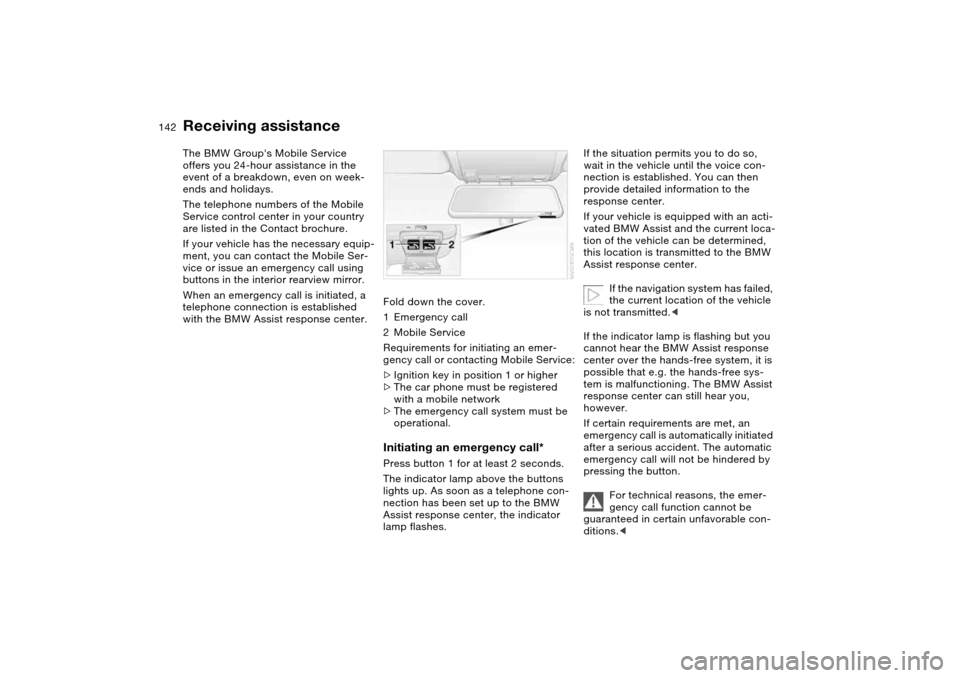
buttons in the interior rearview mirror.
When an emergency call is initiated, a
telephone connection is established
with the BMW Assist response center.Fold down the cover.
1Emergency call
2Mobile Service
Requirements for initiating an emer-
gency call or contacting Mobile Service:
>Ignition key in position 1 or higher
>The car phone must be registered
with a mobile network
>The emergency call system must be
operational.
Initiating an emergency call*Press button 1 for at least 2 seconds.
The indicator lamp above the buttons
lights up. As soon as a telephone con-
nection has been set up to the BMW
Assist response center, the indicator
lamp flashes.
If the situation permits you to do so,
wait in the vehicle until the voice con-
nection is established. You can then
provide detailed information to the
response center.
If your vehicle is equipped with an acti-
vated BMW Assist and the current loca-
tion of the vehicle can be determined,
this location is transmitted to the BMW
Assist response center.
If the navigation system has failed,
the current location of the vehicle
is not transmitted.<
If the indicator lamp is flashing but you
cannot hear the BMW Assist response
center over the hands-free system, it is
possible that e.g. the hands-free sys-
tem is malfunctioning. The BMW Assist
response center can still hear you,
however.
If certain requirements are met, an
emergency call is automatically initiated
after a serious accident. The automatic
emergency call will not be hindered by
pressing the button.
For technical reasons, the emer-
gency call function cannot be
guaranteed in certain unfavorable con-
ditions.<
Page 143 of 170
143
Mobile Service*To establish contact with the BMW
Group's Mobile Service:
Press button 2 for at least 2 seconds.
The indicator lamp above the buttons
lights up. As soon as a telephone con-
nection has been set up with the Mobile
Service, the indicator lamp flashes.
Depending on the country you are in,
your vehicle's current location will also
be transmitted if your vehicle is
equipped with an activated BMW Assist
function.
Jump-startingWhen your battery is discharged, you
can use two jumper cables to start your
vehicle with power from the battery in a
second vehicle. You can also use the
same method to help start another
vehicle. Use only jumper cables with
fully insulated handles on the terminal
clamps.
Do not touch high-voltage wiring
and cables on a running engine.
Contact with components carrying high
voltage can be harmful or fatal.
Carefully observe the following instruc-
tions to avoid personal injury and/or
damage to one or both vehicles.
approximately the same capacity –
measured in Ah. This information is
provided on the battery
2. Stop the engine of the support vehi-
cle
3. Switch off all consumers in both
vehicles.
Make absolutely certain that there
is no contact between the body-
work of the two vehicles, otherwise
there is a short circuit hazard.<
Connecting the jumper cables
Be sure to connect the jumper
cables in the right order; other-
wise there is a risk of injury due to
sparks being created near the battery.<
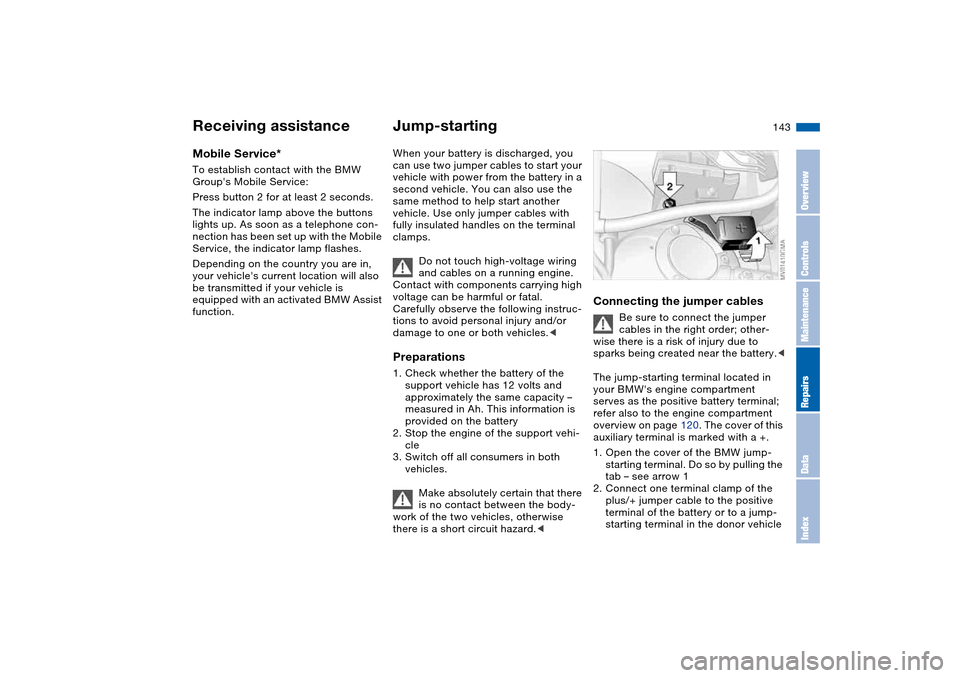
The jump-starting terminal located in
your BMW's engine compartment
serves as the positive battery terminal;
refer also to the engine compartment
overview on page 120. The cover of this
auxiliary terminal is marked with a +.
1. Open the cover of the BMW jump-
starting terminal. Do so by pulling the
tab – see arrow 1
2. Connect one terminal clamp of the
plus/+ jumper cable to the positive
terminal of the battery or to a jump-
starting terminal in the donor vehicle
Receiving assistance
OverviewControlsMaintenanceRepairsDataIndex
Page 161 of 170
Everything from A to Z
161
Interior motion sensor 37, 38
switching off 30, 38
Interior rearview mirror
automatic dimming
feature 50
Interior temperature
adjusting 92
Intermittent mode, wipers 72
Interval display, service 77
J
Jump-starting 143
K
Key Memory 59
Keys 28
with remote control 28
L
Lamp defect 133
Lamps and bulbs 133
Lashing down loads, refer to
Cargo loading 102
Lashing eyelets, refer to
Securing cargo 104
Lashing fittings, refer to
Securing cargo 104
LATCH child-restraint
mounting system 57
Leather care, refer to the
Caring for your vehicle
brochureLeaving the vehicle 64
LEDs light-emitting
diodes 136
Length, refer to
Dimensions 151
License plate lamp
bulb replacement 136
Light switch 87
Light-emitting diodes
(LEDs) 136
Lighter 98
LIGHTS ON warning 87
Lights, refer to Parking
lamps/Low beams 87
Litter bag holders 97
Load, determining the maxi-
mum 102
Load, refer to Cargo
loading 102
Loading
vehicle 102
Load-securing devices 104
Lock buttons on doors, refer
to Locking 33
Lock, steering wheel 61
Locking
from inside 33
from outside 29, 32
Locking and unlocking
doors
from inside 33
from outside 29, 32Low beams 87
automatic 87
bulb replacement 133
indicator lamp, defective
lamp 77
Luggage compartment
capacity 152
emergency operation,
refer to Manual
operation 34
floor mat 37
floor panel 36
lid 34
opening from outside 34
opening, remote
control 30
opening/closing, refer to
Luggage compartment
lid 34
remote control 30
volume 152
Luggage compartment lid 34
emergency operation 34
emergency release 36
indicator lamp 77
opening from inside the
vehicle 34, 35
opening from outside 34
remote control 30
securing separately 34
unlocking manually 34Luggage compartment light-
ing 34
Luggage rack, refer to Roof-
mounted luggage rack 105
Lumbar support 44
M
M Engine dynamics
control 85
M Mobility system 137
M Track mode 82
indicator lamp 20
Maintenance 77, 126
Maintenance system 126
Making telephone calls,
refer to the telephone
Owner's Manual
Malfunction
door lock 32
fuel filler door 24
Malfunction displays 77
Manual operation
door lock 32
driver's door 32
fuel filler door 24
glass sunroof 41
luggage compartment
lid 34
Manual transmission 65
Master keys
with remote control 28
OverviewControlsMaintenanceRepairsDataIndex