belt BMW M4 2016 User Guide
[x] Cancel search | Manufacturer: BMW, Model Year: 2016, Model line: M4, Model: BMW M4 2016Pages: 228, PDF Size: 4.88 MB
Page 66 of 228
▷After approximately eight minutes.▷When locking via the central locking sys‐
tem.▷Shortly before the battery is discharged so
that an engine start remains possible.
Radio readiness remains active when ignition
is switched off automatically, such as for
following reasons:
▷Opening or closing driver's door.▷Unfastening driver's seat belt.▷When low-beam headlights are automati‐
cally changed to side lights.
If engine is switched off and ignition is
switched on, radio ready state will be automati‐
cally activated when door is opened if light is
switched off or daytime driving lights are
switched on, when corresponding equipment
is fitted.
Engine start Notes DANGER
A blocked exhaust pipe or inadequate
ventilation can allow harmful exhaust fumes to
penetrate the vehicle. The exhaust gas con‐
tains carbon monoxide, which is colourless and
odourless, but highly toxic. In enclosed spaces,
the exhaust fumes can also build up outside
the vehicle. Danger of fatal injury. Keep the ex‐
haust pipe clear and ensure sufficient ventila‐
tion.◀
WARNING
An unsecured vehicle can start moving
and rolling away. Danger of accidents. Before
leaving the vehicle, secure it to prevent rolling
away.
Observe the following to ensure that the vehi‐
cle is secured against rolling away:
▷Engage the parking brake.▷Turn the front wheels into the direction of
the kerb on upward or downward gradi‐
ents.▷Additionally secure the vehicle on upward
or downward gradients, e.g. using a
wedge.◀
ATTENTION
Repeated start attempts or starting sev‐
eral times in quick succession means that fuel
is not combusted, or insufficiently so. The cat‐
alytic converter can overheat. Danger of dam‐
age to property. Avoid starting more than once
in quick succession.◀
M double clutch transmission
Starting the engine
1.Press the brake.2.Press the start/stop button.
Starting proceeds for a certain time automati‐
cally and stops as soon as the engine is star‐
ted.
Manual gearbox
Starting the engine
1.Press the brake.2.Depress the clutch and engage idle posi‐
tion.3.Press the start/stop button.
Starting proceeds for a certain time automati‐
cally and stops as soon as the engine is star‐
ted.
Seite 66ControlsDriving66
Online Edition for Part no. 01 40 2 964 013 - VI/15
Page 67 of 228
Stopping the engine
Notes WARNING
Unsupervised children or animals in the
vehicle can set the vehicle in motion and en‐
danger themselves or other road users, for ex‐
ample by the following actions:▷Pressing the start/stop button.▷Releasing the parking brake.▷Opening and closing doors or windows.▷Setting the selector lever to neutral.▷Operating vehicle equipment.
Risk of accident or injury. Do not leave children
or animals unsupervised in the vehicle. When
leaving the vehicle, take the remote control
with you and lock it.◀
WARNING
An unsecured vehicle can start moving
and rolling away. Danger of accidents. Before
leaving the vehicle, secure it to prevent rolling
away.
Observe the following to ensure that the vehi‐
cle is secured against rolling away:
▷Engage the parking brake.▷Turn the front wheels into the direction of
the kerb on upward or downward gradi‐
ents.▷Additionally secure the vehicle on upward
or downward gradients, e.g. using a
wedge.◀
Before entering the car wash
So that the vehicle can roll into the vehicle
wash, follow the information on washing in au‐
tomatic vehicle washes, see page 208.
M double clutch transmission
Stopping the engine
1.Brake the vehicle until it comes to a stop.2.Press the start/stop button.
The engine is switched off.
The radio ready state is switched on.3.Apply the parking brake.
Manual gearbox
Stopping the engine
1.Press the Start/Stop button when the vehi‐
cle is at standstill.2.Engage first gear or reverse.3.Apply the parking brake.
Auto Start Stop function
Principle The Auto Start Stop function helps you to save
fuel. by stopping the engine when stationary,
for example, in a traffic jam or at traffic lights.
The ignition remains switched on. For driving
off, the engine starts automatically.
Automatic operation
After each time the engine is started using the
start/stop button, the Auto Start Stop function
is ready to operate.
The function is activated from 5 km/h,
3 mph3 mph, km/h.
Stopping the engine The engine is automatically shut down whenstationary under the following conditions:
M double clutch transmission:
▷Selector lever in selector lever position D.▷Brake pedal remains depressed while the
vehicle is at a standstill.▷Driver's seat belt buckled or driver's door
closed.
Manual gearbox:
▷Transmission in neutral and clutch pedal
not pressed.Seite 67DrivingControls67
Online Edition for Part no. 01 40 2 964 013 - VI/15
Page 68 of 228
▷Driver's seat belt buckled or driver's door
closed.
The air flow rate of the air conditioning system
is reduced when the engine is not running.
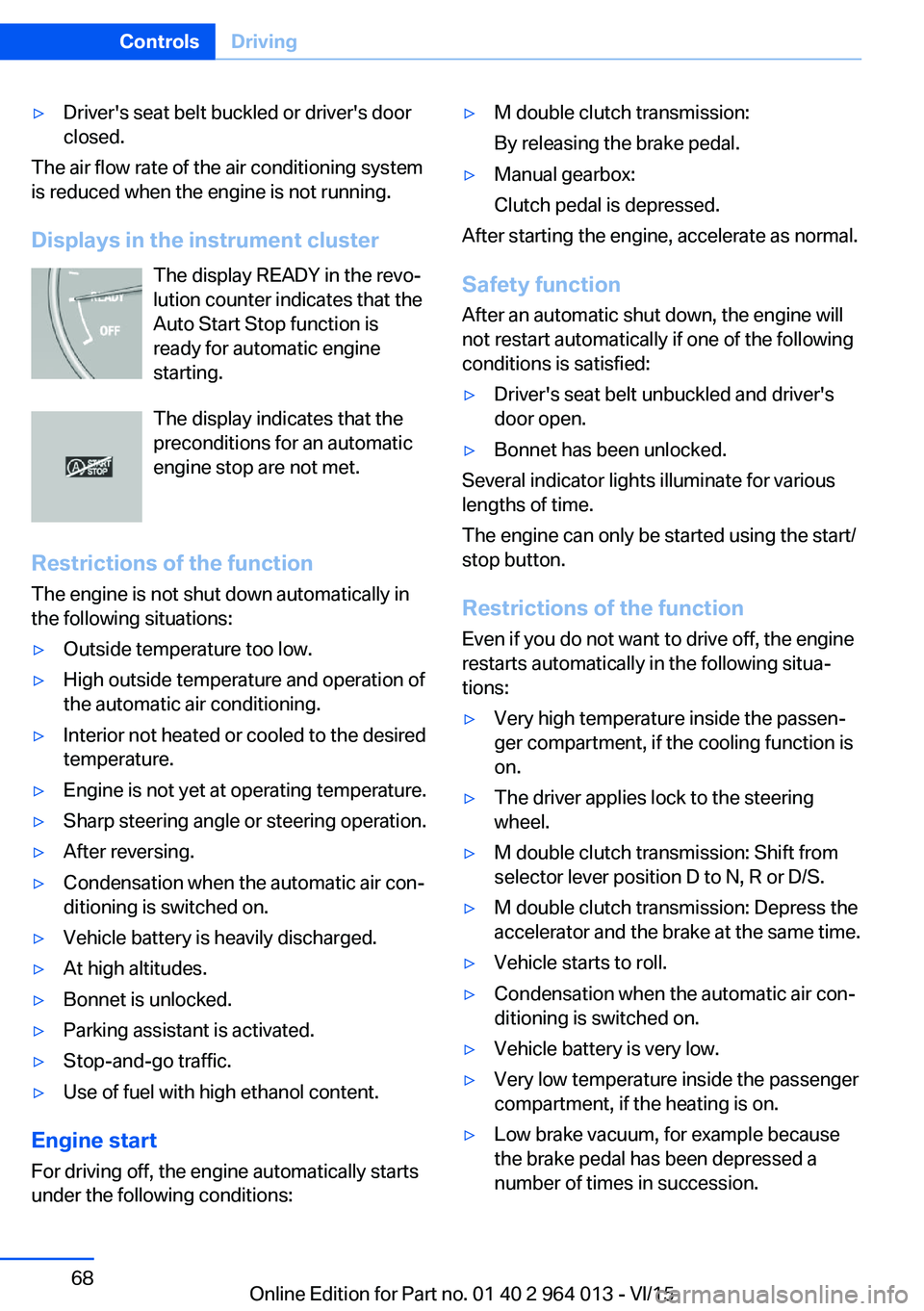
Displays in the instrument cluster The display READY in the revo‐
lution counter indicates that the
Auto Start Stop function is
ready for automatic engine
starting.
The display indicates that the preconditions for an automatic
engine stop are not met.
Restrictions of the function The engine is not shut down automatically in
the following situations:
▷Outside temperature too low.▷High outside temperature and operation of
the automatic air conditioning.▷Interior not heated or cooled to the desired
temperature.▷Engine is not yet at operating temperature.▷Sharp steering angle or steering operation.▷After reversing.▷Condensation when the automatic air con‐
ditioning is switched on.▷Vehicle battery is heavily discharged.▷At high altitudes.▷Bonnet is unlocked.▷Parking assistant is activated.▷Stop-and-go traffic.▷Use of fuel with high ethanol content.
Engine start
For driving off, the engine automatically starts
under the following conditions:
▷M double clutch transmission:
By releasing the brake pedal.▷Manual gearbox:
Clutch pedal is depressed.
After starting the engine, accelerate as normal.
Safety function After an automatic shut down, the engine will
not restart automatically if one of the following
conditions is satisfied:
▷Driver's seat belt unbuckled and driver's
door open.▷Bonnet has been unlocked.
Several indicator lights illuminate for various
lengths of time.
The engine can only be started using the start/
stop button.
Restrictions of the function
Even if you do not want to drive off, the engine
restarts automatically in the following situa‐
tions:
▷Very high temperature inside the passen‐
ger compartment, if the cooling function is
on.▷The driver applies lock to the steering
wheel.▷M double clutch transmission: Shift from
selector lever position D to N, R or D/S.▷M double clutch transmission: Depress the
accelerator and the brake at the same time.▷Vehicle starts to roll.▷Condensation when the automatic air con‐
ditioning is switched on.▷Vehicle battery is very low.▷Very low temperature inside the passenger
compartment, if the heating is on.▷Low brake vacuum, for example because
the brake pedal has been depressed a
number of times in succession.Seite 68ControlsDriving68
Online Edition for Part no. 01 40 2 964 013 - VI/15
Page 80 of 228
▷Energy recuperation, see page 86.▷Gear display with Drivelogic, see
page 85.▷Seat belt reminder for rear seats, see
page 53.▷Kilometres/trip odometer, see page 84.▷Messages, for example Check Control, see
page 80.▷Current fuel consumption, see page 86.▷Navigation display, see Owner's Handbook
for Navigation, Entertainment, Communi‐
cation.▷Range, see page 85.▷Service requirements, see page 87.▷Speed Limit Information, see page 88.▷System states of the driving dynamics, see
page 86.▷Time, see page 85.
Check control
Principle The check control monitors vehicle functionsand alerts you to any faults in the monitored
systems.
A check control message is displayed as a
combination of indicator or warning lights and
text messages in the instrument cluster and
the Head-Up Display.
If applicable, the text message shown in the
Control Display is accompanied by an addi‐
tional acoustic sound.
Indicator and warning lamps
General Indicator and warning lights in the instrument
cluster can illuminate in a variety of combina‐
tions and colours.
When the engine starts or the ignition is
switched on, the functionality of some lights is
briefly checked.
Red lights
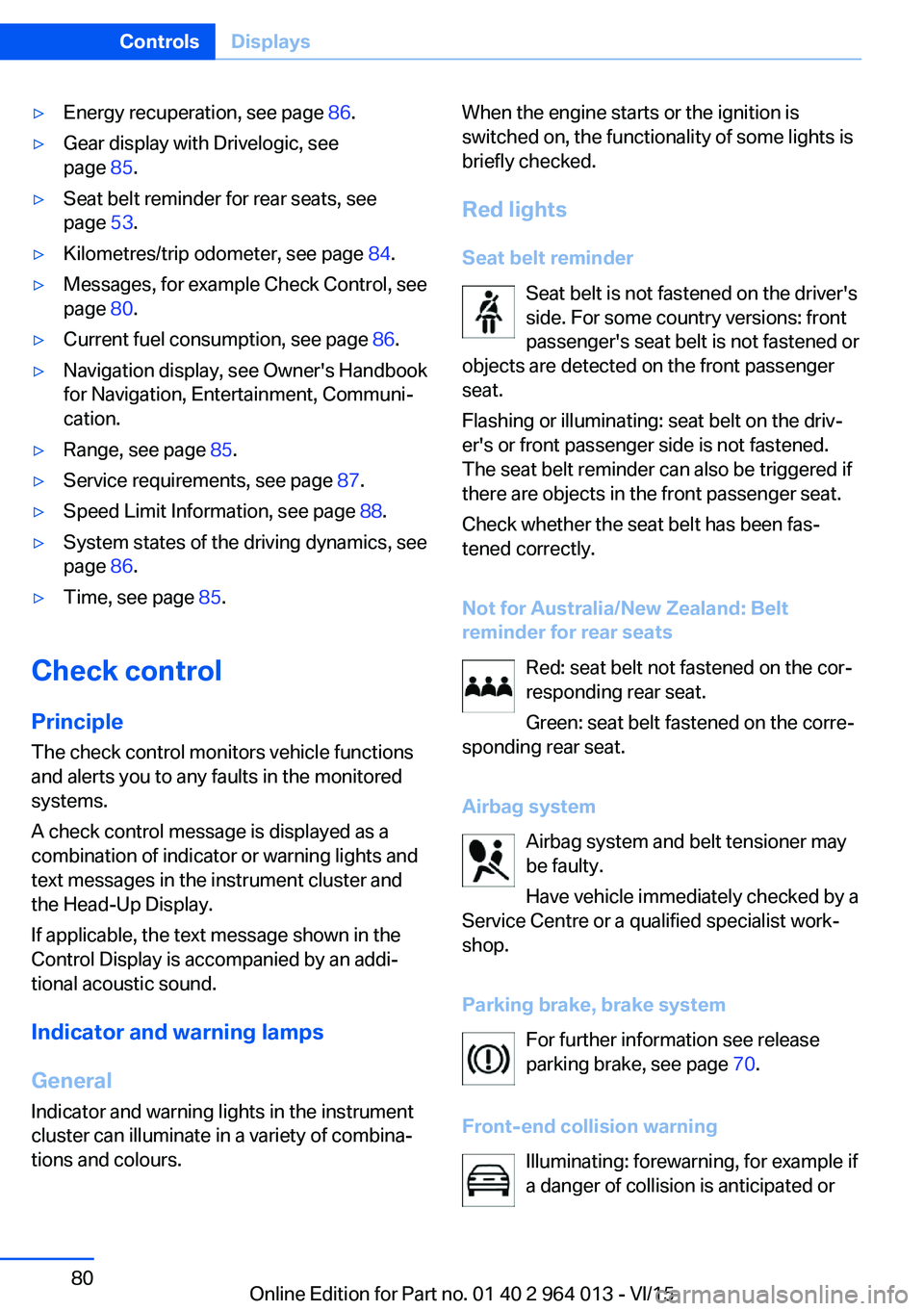
Seat belt reminder Seat belt is not fastened on the driver's
side. For some country versions: front
passenger's seat belt is not fastened or
objects are detected on the front passenger
seat.
Flashing or illuminating: seat belt on the driv‐
er's or front passenger side is not fastened.
The seat belt reminder can also be triggered if
there are objects in the front passenger seat.
Check whether the seat belt has been fas‐
tened correctly.
Not for Australia/New Zealand: Belt
reminder for rear seats
Red: seat belt not fastened on the cor‐
responding rear seat.
Green: seat belt fastened on the corre‐
sponding rear seat.
Airbag system Airbag system and belt tensioner may
be faulty.
Have vehicle immediately checked by a
Service Centre or a qualified specialist work‐
shop.
Parking brake, brake system For further information see release
parking brake, see page 70.
Front-end collision warning Illuminating: forewarning, for example if
a danger of collision is anticipated orSeite 80ControlsDisplays80
Online Edition for Part no. 01 40 2 964 013 - VI/15
Page 104 of 228
SecurityVehicle equipment
This chapter describes all standard, national
and special equipment provided in the model
series. Equipment not available in the vehicle is
therefore also described, for example the se‐lected special equipment or national version.
This also applies to safety-relevant functions
and systems. Comply with the relevant na‐
tional regulations when using the correspond‐
ing functions and systems.
Airbags
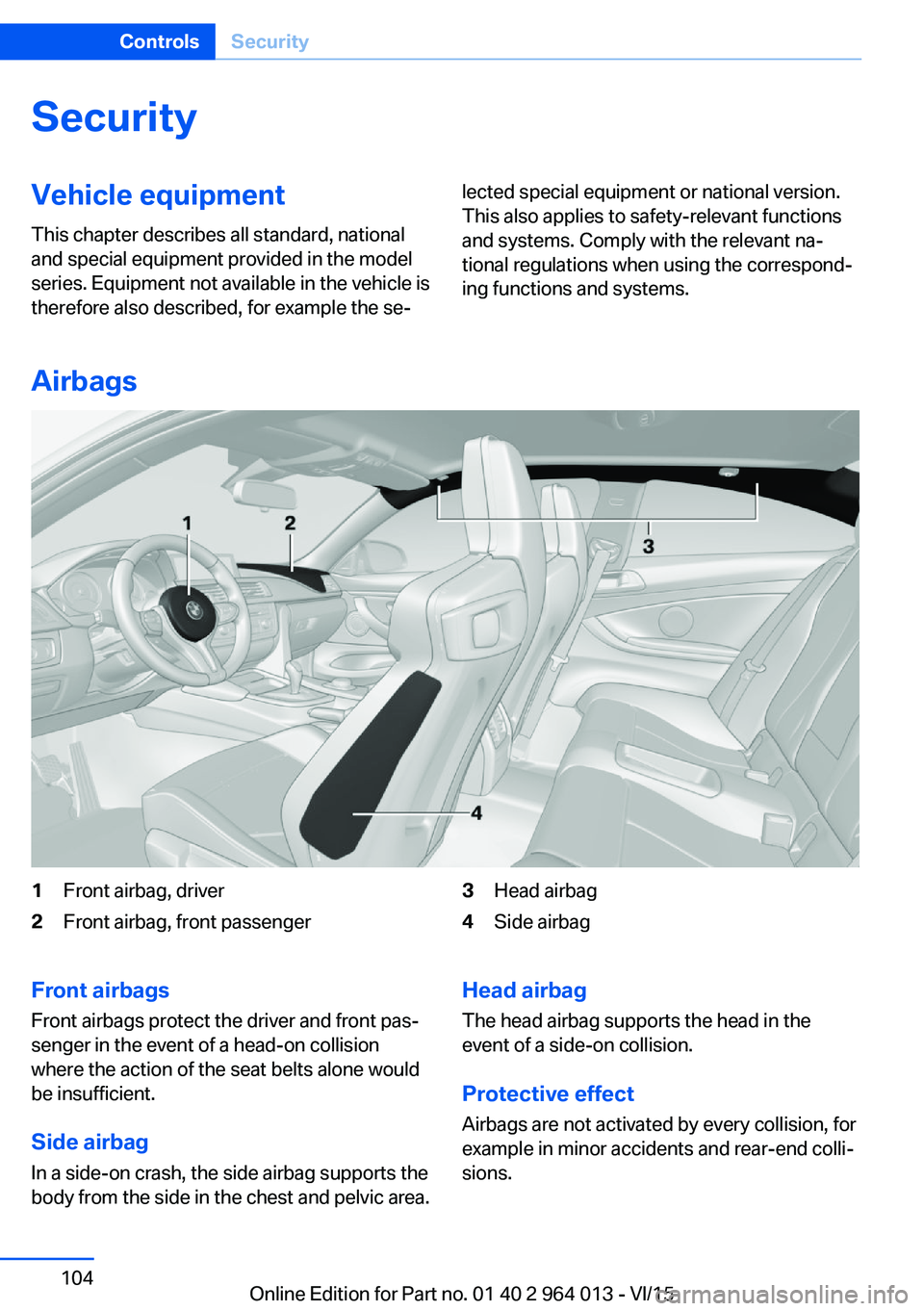
1Front airbag, driver2Front airbag, front passenger3Head airbag4Side airbagFront airbags
Front airbags protect the driver and front pas‐
senger in the event of a head-on collision
where the action of the seat belts alone would
be insufficient.
Side airbag In a side-on crash, the side airbag supports the
body from the side in the chest and pelvic area.Head airbag
The head airbag supports the head in the
event of a side-on collision.
Protective effect Airbags are not activated by every collision, for
example in minor accidents and rear-end colli‐
sions.Seite 104ControlsSecurity104
Online Edition for Part no. 01 40 2 964 013 - VI/15
Page 105 of 228
Notes on optimum protective effect of
the airbag
WARNING
If the seat position is wrong or the de‐
ployment area of the airbag is impaired, the air‐
bag system cannot provide the intended pro‐
tection, or may cause additional injuries when
it deploys. Danger of injury or life. Comply with
these notes for optimum protective effect.◀▷Keep your distance from the airbags.▷Make sure that vehicle occupants keep
their head away from the side airbag.▷Always grip the steering wheel on the
steering wheel rim. Keep you hands in the
3 o'clock and 9 o'clock positions to reduce
the risk of injury to hands or arms when the
airbag deploys.▷Make sure that the front-seat passenger is
sitting correctly, in other words with feet or
legs in the footwell, not resting on the
dashboard.▷Do not position any other persons, pets or
objects between the airbags and persons.▷Never attach any material to the airbag
covers with adhesive; never place material
over them or modify them in any way.▷Keep the dashboard and windscreen in the
area of the passenger's side free, for exam‐
ple do not attach adhesive foil or covers
and do not fit brackets for navigation devi‐
ces or mobile telephones.▷Do not use the front airbag cover on the
front passenger's side as a tray.▷Do not fit seat covers, cushions or other
objects not specifically suitable for seats
with integral side airbags to the front seats.▷Do not hang items of clothing such as
coats or jackets over the backrests.▷Do not modify individual components of
the system or its wiring in any way. This
also applies to the covers of the steering
wheel, the dashboard and seats.▷Do not dismantle the airbag system.
Even if all these notes are complied with, de‐
pending on the circumstances in which an ac‐
cident occurs, certain injuries as a result of
contact with the airbag cannot be entirely ruled
out.
The noise caused by the deployment of an air‐
bag may lead to temporary hearing loss for ve‐
hicle occupants sensitive to noise.
Operational readiness of the airbag
system
Notes WARNING
Individual components of the airbag sys‐
tem can be hot after triggering. Danger of in‐ jury. Do not touch individual components.◀
WARNING
Work carried out incorrectly can lead to a
failure, a malfunction or accidental triggering of
the airbag system. If there is a malfunction, the
airbag system might not trigger as intended in
an accident, in spite of the accident being of
the appropriate severity. Danger of injury or
life. Have the airbag system tested, repaired or
removed and scrapped by a Service Partner or a qualified specialist workshop.◀
Correct function When the ignition is switched on, the
warning light in the instrument cluster
briefly illuminates in order to show the
functional readiness of the entire airbag sys‐
tem and the belt tensioner.
Airbag system disrupted
▷Warning light does not illuminate after the
ignition is switched on.▷Warning lamp is permanently illuminated.Seite 105SecurityControls105
Online Edition for Part no. 01 40 2 964 013 - VI/15
Page 122 of 228
Function
After fastening the belt, the front belts are au‐
tomatically pretensioned once when driving
away.
When driving in critical situations, the following
individual functions become active as required:▷The front belts are automatically preten‐
sioned.▷The windows are automatically closed.▷The Glass Roof automatically closes.
After a critical driving situation without acci‐
dent, the front belts are released again. All
other systems can be put back into the desired
setting.
If the belt tension does not loosen automati‐
cally, stop the vehicle and open the seat belt
using the red button in the lock section. Fasten
the seat belt again before continuing your jour‐
ney.
PostCrash The system can automatically bring the vehicle
to a standstill in certain accident situations
without the involvement of the driver. The risk
of a further collision and its consequences can
thereby be reduced.
By depressing the brake pedal, the vehicle can
be decelerated much faster. The automatic
braking is interrupted as a result. By pressing
the accelerator pedal, automatic braking is also
interrupted.
After reaching a standstill, the brake is auto‐
matically triggered. Then secure the vehicle
against rolling away.
Seite 122ControlsSecurity122
Online Edition for Part no. 01 40 2 964 013 - VI/15
Page 166 of 228
LoadsVehicle equipment
This chapter describes all standard, national
and special equipment provided in the model
series. Equipment not available in the vehicle is
therefore also described, for example the se‐
lected special equipment or national version.
This also applies to safety-relevant functions
and systems. Comply with the relevant na‐
tional regulations when using the correspond‐
ing functions and systems.
Notes WARNING
A high gross vehicle weight can cause
the tyres to overheat, causing internal damage
and a sudden loss of tyre pressure. Danger of
accidents. Comply with the permitted load in‐
dex of the tyre, and do not exceed the permit‐
ted gross vehicle weight.◀
WARNING
If the permitted total weight and the per‐
mitted axle loads are exceeded, operational
safety of the vehicle is not ensured anymore.
Danger of accidents. Do not exceed the per‐
mitted total weight and permitted axle loads.◀
ATTENTION
Liquids in the boot can cause damage.
Danger of damage to property. Make sure that
no liquids leak out in the boot.◀
WARNING
Loose objects in the interior can be
thrown into the interior during the journey, for
example in an accident or during braking and
evasive manoeuvres. Danger of injury. Secure
loose objects in the interior.◀Stowing transported loads▷Wrap protective material around sharp cor‐
ners and edges of the load.▷Heavy transported load: stow as far for‐
ward and as low down as possible, ideally
directly behind the rear backrests.▷Very heavy transported load: with no pas‐
sengers on the back seat, insert both outer
seat belts into the respective opposite
buckles.▷Fully fold down the rear-seat backrest if
the load is to be stowed accordingly.▷Do not stack storage goods above the up‐
per edge of the backrests.
Securing transported loads
Lashing eyes in the boot
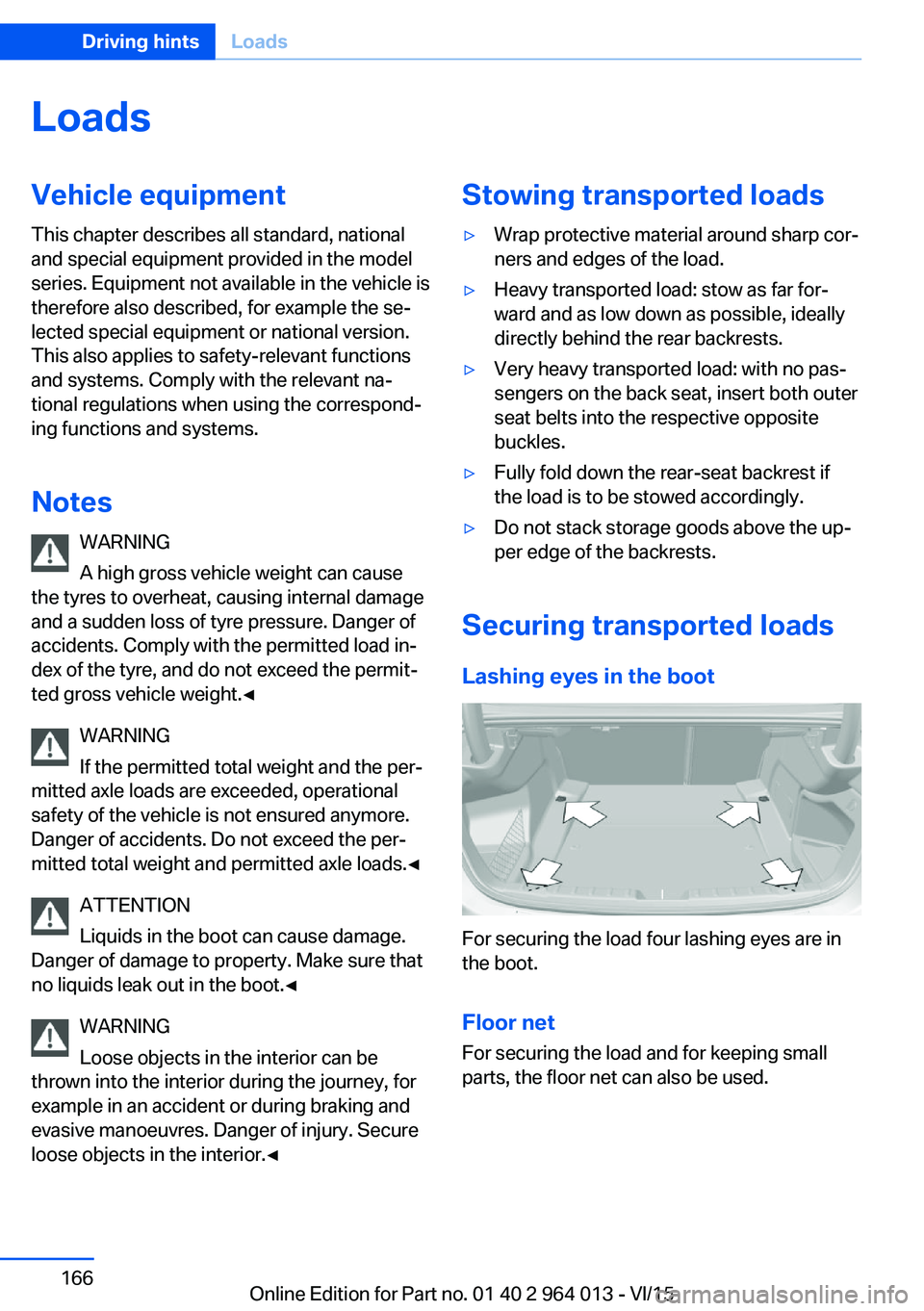
For securing the load four lashing eyes are in
the boot.
Floor net
For securing the load and for keeping small
parts, the floor net can also be used.
Seite 166Driving hintsLoads166
Online Edition for Part no. 01 40 2 964 013 - VI/15
Page 211 of 228
ATTENTION
Cleaning agents containing alcohol or
solvents, such as nitro thinners, cold cleans‐
ers, fuel or similar can damage plastic parts.
Danger of damage to property. Use a microfi‐
bre cloth to clean. Slightly moisten the cloth
with water.◀
Seat belts Dirt on the seat belts can interfere with the ac‐
tion of the reel and represent a safety hazard.
WARNING
Chemical cleaners can cause irreparable
damage to the fabric of the seat belts. Lack of protective effect of the seat belts. Danger ofinjury or life. Only use a mild soap and water
solution for cleaning the seat belts.◀
Clean only with a mild soap solution while still
fitted to the vehicle.
Never allow seat belts to retract unless they
are dry.
Carpets and foot mats WARNING
Objects in the driver's footwell can re‐
strict the pedal travel, or block a pedal that has
been pressed. Danger of accidents. Stow
items in the vehicle so that they are secure and
cannot get into the driver's footwell. Only use
floor mats that have been categorised as ap‐
propriate for the vehicle and that can be fas‐
tened accordingly. Do not use any loose floor
mats, and do not place several floor mats on
top of one another. Make sure that there is suf‐
ficient space for the pedals. Ensure that the
floor mats are securely reattached after having
been removed, for example for cleaning.◀
Floor mats can be removed from the vehicle to
enable the interior to be cleaned more thor‐
oughly.
In the event of heavy soiling, clean floor car‐
pets using a microfibre cloth and water or tex‐tile cleaner. In doing so, rub back and forth in
the direction of travel, otherwise the carpet can
become tangled.
Sensors/lenses of the camera
Clean sensors or lenses of the camera using a
cloth moistened with a small amount of a glass
detergent.
Displays/screens/protective sleeve of
the Head-Up Displays
ATTENTION
Chemical cleaners, moisture or fluids of
all kinds can damage the surface of displays
and screens. Danger of damage to property.
Use a clean, anti-static microfibre cloth to
clean.◀
ATTENTION
The surfaces of displays can be dam‐
aged due to improper cleaning. Danger of
damage to property. Avoid applying excessive
pressure and do not use abrasive materials.◀
Use a clean, anti-static microfibre cloth to
clean.
Clean the protective sleeve of the Head-Up
Display with a microfibre cloth and commer‐
cially available dishwashing liquid.
Laying up out of use
When the vehicle is laid up for longer than
three months, special measures are to be
taken. Further information is available from a
Service Partner or a qualified specialist work‐
shop.Seite 211General careMobility211
Online Edition for Part no. 01 40 2 964 013 - VI/15
Page 218 of 228
Everything from A to Z
IndexA ABS, anti-lock braking sys‐ tem 123
Acceleration assistant, see Launch Control 77
Accessories and parts 8
Activation, airbags 106
Active M differential 126
Active Protection 120
Adaptive brake light, see Dy‐ namic brake lights 120
Adaptive Headlights 100
Adaptive M chassis 126
Additives, oil 187
Adjust headlights 102
After washing the car 209
Age of tyres 176
Airbags 104
Airbags, indicator/warning lamp 105
Airbag switch, see Key switch for front passenger air‐
bags 106
Air conditioning 144
Air distribution, manual 146
Air flow, automatic air condi‐ tioning 146
Air outlets, see Ventila‐ tion 147
Air pressure, tyres 175
Alarm, false 43
Alarm system 42
All-season tyres, see Winter tyres 177
Alternative oil grades 187
Ambient lighting 103
Anti-freeze protection, washer fluid 73
Anti-lock braking system, ABS 123 Anti-theft alarm system, see
Alarm system 42
Anti-theft system, wheel studs 199
Anti-trap mechanism, glass Roof 46
Anti-trap mechanism, win‐ dows 44
Approved engine oils, see Suitable engine oil
grades 187
Aquaplaning 163
Around the centre con‐ sole 14
Around the headlining 15
Around the steering wheel 12
Arrival time 92
Ashtray 149
Attentiveness assistant 121
AUC, automatic air recircula‐ tion control 146
AUTO intensity 145
Automatic air condition‐ ing 144
Automatic air recirculation control, AUC 146
Automatic anti-glare control, see High-beam assis‐
tance 100
Automatic driving lights con‐ trol 99
Automatic locking 42
Automatic parking func‐ tion 56
AUTO program, automatic air conditioning 145
AUTO program, intensity 145
Auto Start Stop function 67
Average fuel consumption 91
Average speed 91
Axle load limit 215 Axle loads, weight 215
B Backrest contour, see Lum‐ bar support 50
Backrest width 50
Bar for tow-starting/ towing 206
Battery, vehicle 199
Being towed, see Tow-start‐ ing/towing 204
Belt holder 54
Belts, seat belts 52
Black ice, see Outside tem‐ perature warning 84
Blower, see Air flow 146
BMW Driver's Guide App 6
BMW homepage 6
BMW internet site 6
BMW Maintenance Sys‐ tem 191
BMW M Technology 160
BMW Services 6
Bonnet 183
Boot lid closing 38
Boot lid, contactless open‐ ing 40
Boot lid, emergency re‐ lease 39
Boot lid via remote control 36
Boot, storage space 156
Bottle holder, see Cu‐ pholder 155
Brake assist 123
Brake lights, adaptive 120
Brake lights, dynamic 120
Braking, information 163
Braking safely 163
Breakdown Assist 202 Seite 218ReferenceEverything from A to Z218
Online Edition for Part no. 01 40 2 964 013 - VI/15