boot BMW M4 2016 User Guide
[x] Cancel search | Manufacturer: BMW, Model Year: 2016, Model line: M4, Model: BMW M4 2016Pages: 228, PDF Size: 4.88 MB
Page 134 of 228
Additionally, look directly to check the traffic
situation and the area around the vehicle and
intervene actively in the corresponding situa‐
tions.◀
Overview
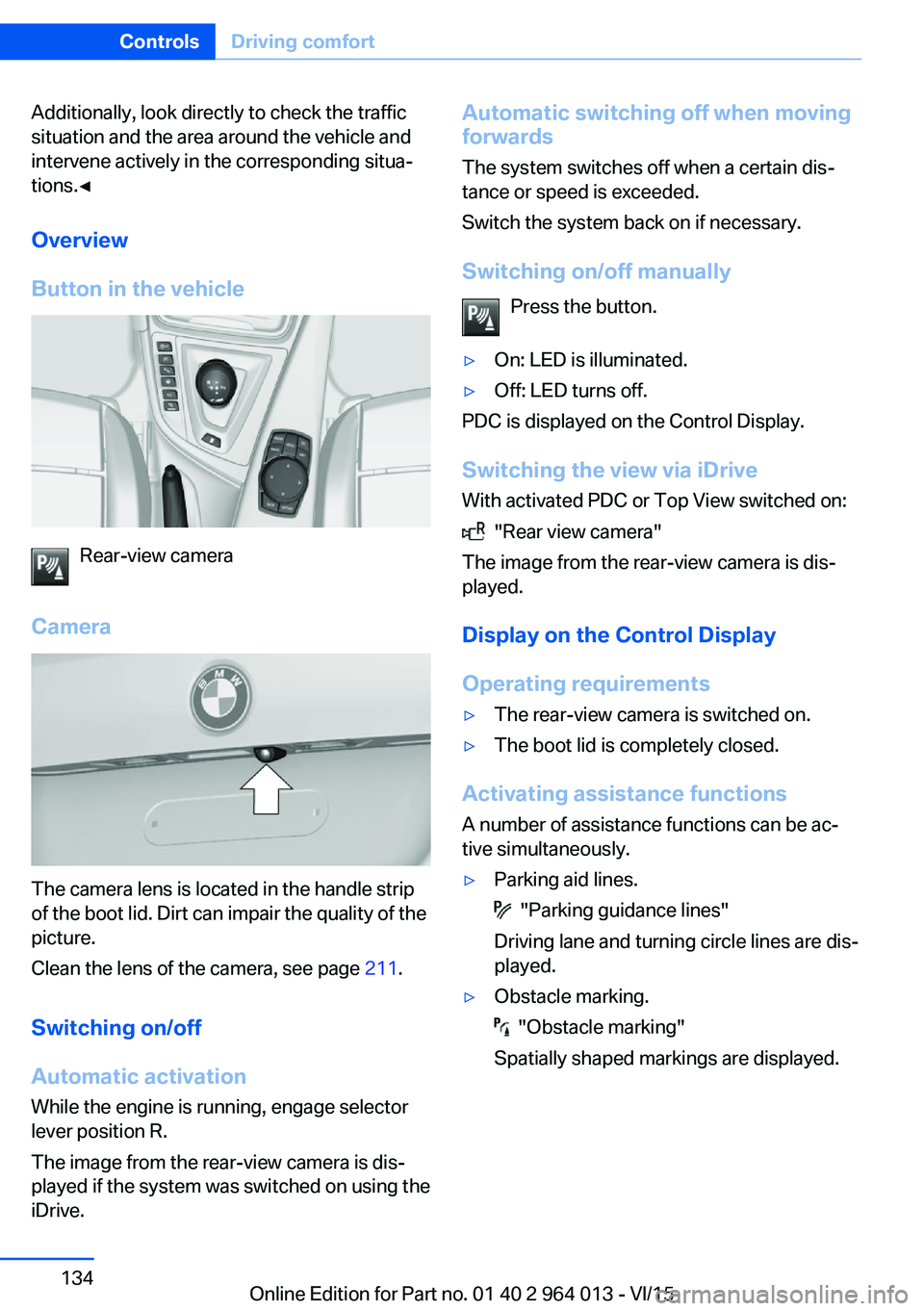
Button in the vehicle
Rear-view camera
Camera
The camera lens is located in the handle strip
of the boot lid. Dirt can impair the quality of the
picture.
Clean the lens of the camera, see page 211.
Switching on/off Automatic activation While the engine is running, engage selector
lever position R.
The image from the rear-view camera is dis‐
played if the system was switched on using the
iDrive.
Automatic switching off when moving
forwards
The system switches off when a certain dis‐
tance or speed is exceeded.
Switch the system back on if necessary.
Switching on/off manually Press the button.▷On: LED is illuminated.▷Off: LED turns off.
PDC is displayed on the Control Display.
Switching the view via iDrive With activated PDC or Top View switched on:
"Rear view camera"
The image from the rear-view camera is dis‐
played.
Display on the Control Display
Operating requirements
▷The rear-view camera is switched on.▷The boot lid is completely closed.
Activating assistance functions
A number of assistance functions can be ac‐
tive simultaneously.
▷Parking aid lines.
"Parking guidance lines"
Driving lane and turning circle lines are dis‐
played.
▷Obstacle marking.
"Obstacle marking"
Spatially shaped markings are displayed.
Seite 134ControlsDriving comfort134
Online Edition for Part no. 01 40 2 964 013 - VI/15
Page 139 of 228
2.Turn the controller until the desired setting
is reached and press the controller.
Displaying the turning circle and
driving lane line
▷The static red turning circle line indicates
the space requirement to the side with full
steering angle.▷The variable green driving lane line helps to
estimate the actual space requirement to
the side.
The lane line depends on the engaged
gear and the current steering angle. The
lane line is continuously adjusted by the
steering wheel movement.
"Parking guidance lines"
The turning circle and driving lane lines are
displayed.
System limits
Top View cannot be used in the following sit‐
uations:
▷With a door open.▷With the boot lid open.▷With an exterior mirror folded in.▷In poor light conditions.
In some of these situations a Check Control
message is displayed.
Park Assistant
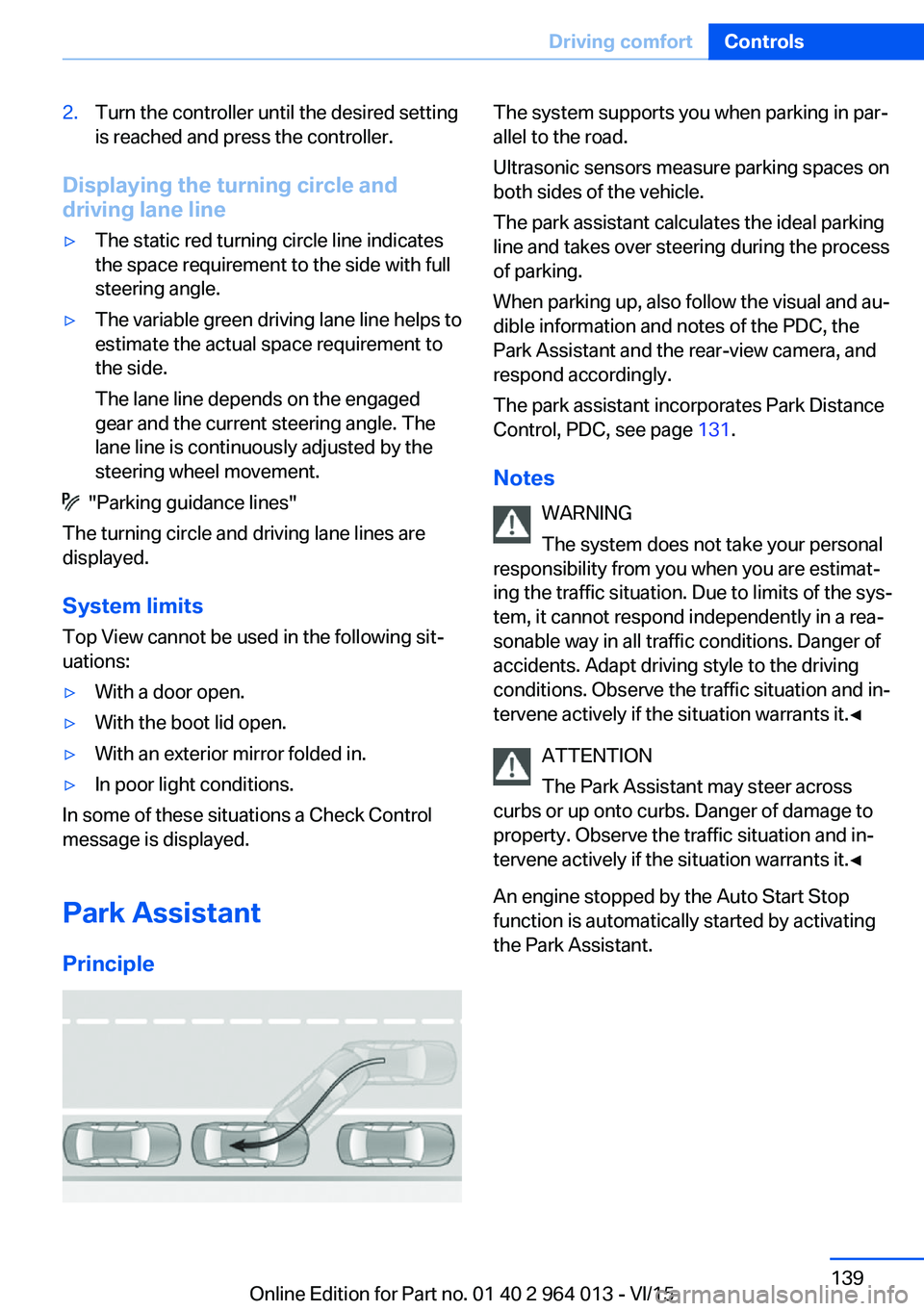
Principle
The system supports you when parking in par‐
allel to the road.
Ultrasonic sensors measure parking spaces on
both sides of the vehicle.
The park assistant calculates the ideal parking
line and takes over steering during the process
of parking.
When parking up, also follow the visual and au‐
dible information and notes of the PDC, the
Park Assistant and the rear-view camera, and
respond accordingly.
The park assistant incorporates Park Distance
Control, PDC, see page 131.
Notes WARNING
The system does not take your personal
responsibility from you when you are estimat‐
ing the traffic situation. Due to limits of the sys‐
tem, it cannot respond independently in a rea‐
sonable way in all traffic conditions. Danger of
accidents. Adapt driving style to the driving
conditions. Observe the traffic situation and in‐
tervene actively if the situation warrants it.◀
ATTENTION
The Park Assistant may steer across
curbs or up onto curbs. Danger of damage to
property. Observe the traffic situation and in‐
tervene actively if the situation warrants it.◀
An engine stopped by the Auto Start Stop
function is automatically started by activating
the Park Assistant.Seite 139Driving comfortControls139
Online Edition for Part no. 01 40 2 964 013 - VI/15
Page 140 of 228
Overview
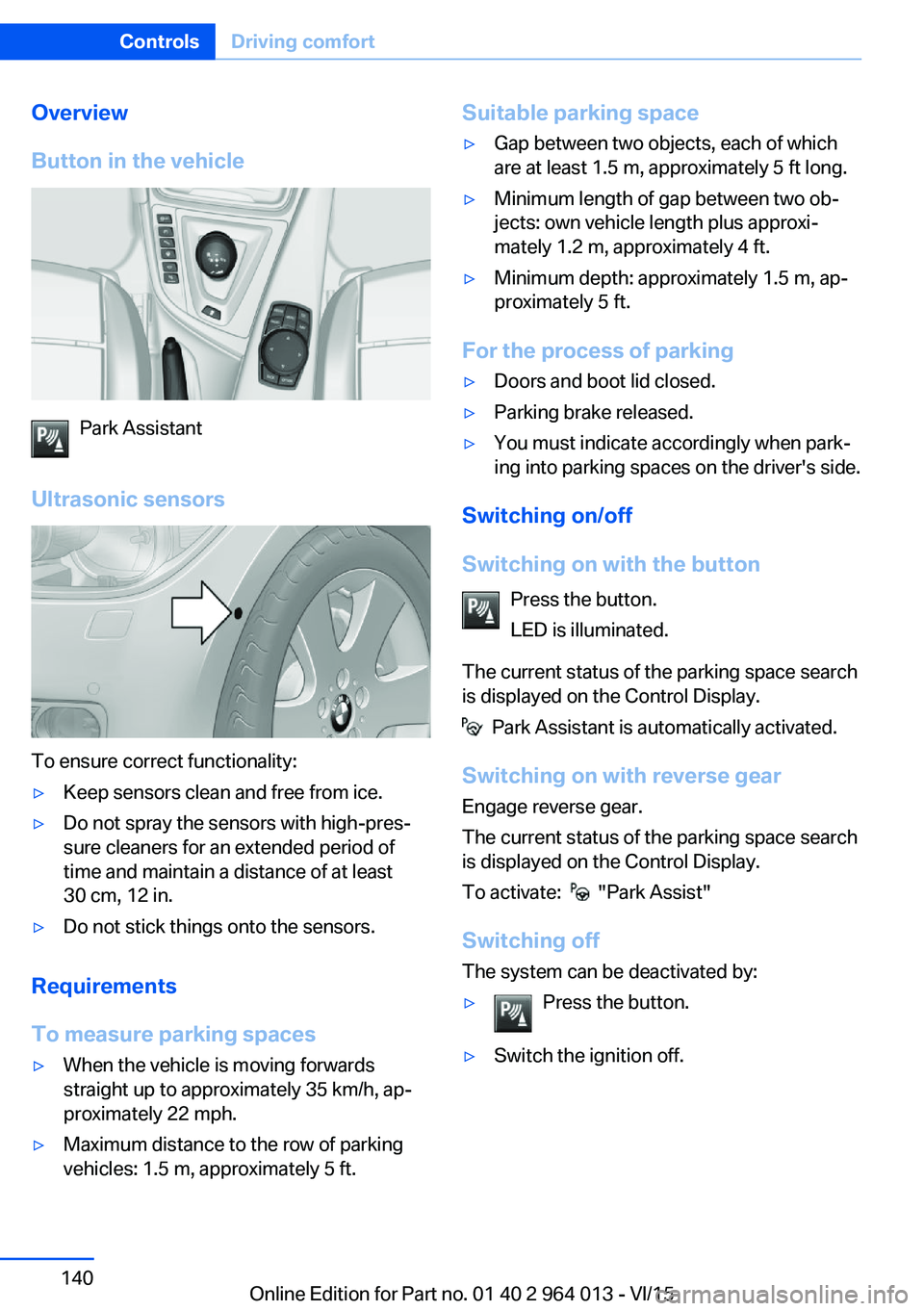
Button in the vehicle
Park Assistant
Ultrasonic sensors
To ensure correct functionality:
▷Keep sensors clean and free from ice.▷Do not spray the sensors with high-pres‐
sure cleaners for an extended period of
time and maintain a distance of at least
30 cm, 12 in.▷Do not stick things onto the sensors.
Requirements
To measure parking spaces
▷When the vehicle is moving forwards
straight up to approximately 35 km/h, ap‐
proximately 22 mph.▷Maximum distance to the row of parking
vehicles: 1.5 m, approximately 5 ft.Suitable parking space▷Gap between two objects, each of which
are at least 1.5 m, approximately 5 ft long.▷Minimum length of gap between two ob‐
jects: own vehicle length plus approxi‐
mately 1.2 m, approximately 4 ft.▷Minimum depth: approximately 1.5 m, ap‐
proximately 5 ft.
For the process of parking
▷Doors and boot lid closed.▷Parking brake released.▷You must indicate accordingly when park‐
ing into parking spaces on the driver's side.
Switching on/off
Switching on with the button Press the button.
LED is illuminated.
The current status of the parking space search
is displayed on the Control Display.
Park Assistant is automatically activated.
Switching on with reverse gear
Engage reverse gear.
The current status of the parking space search
is displayed on the Control Display.
To activate:
"Park Assist"
Switching off The system can be deactivated by:
▷Press the button.▷Switch the ignition off.Seite 140ControlsDriving comfort140
Online Edition for Part no. 01 40 2 964 013 - VI/15
Page 150 of 228
Connecting electrical
appliances
Information ATTENTION
Battery chargers for the vehicle battery
can operate with high voltages and high cur‐
rents, which can overload or damage the
12 volt on-board network. Danger of damage
to property. Only connect battery chargers for
the vehicle battery to the jump-starting con‐
nections in the engine compartment.◀
ATTENTION
If metallic objects fall into the socket,
they can cause a short circuit. Danger of dam‐
age to property. After using the socket, put the
lighter or socket cover back on.◀
Power sockets
General
Cigarette lighter socket can be used as a
socket for electrical devices when the engine
is running or the ignition is switched on.
Note The total load of all sockets must not exceed
140 Watt at 12 Volt.
To avoid damage to the socket, do not insert
an incompatible plug.
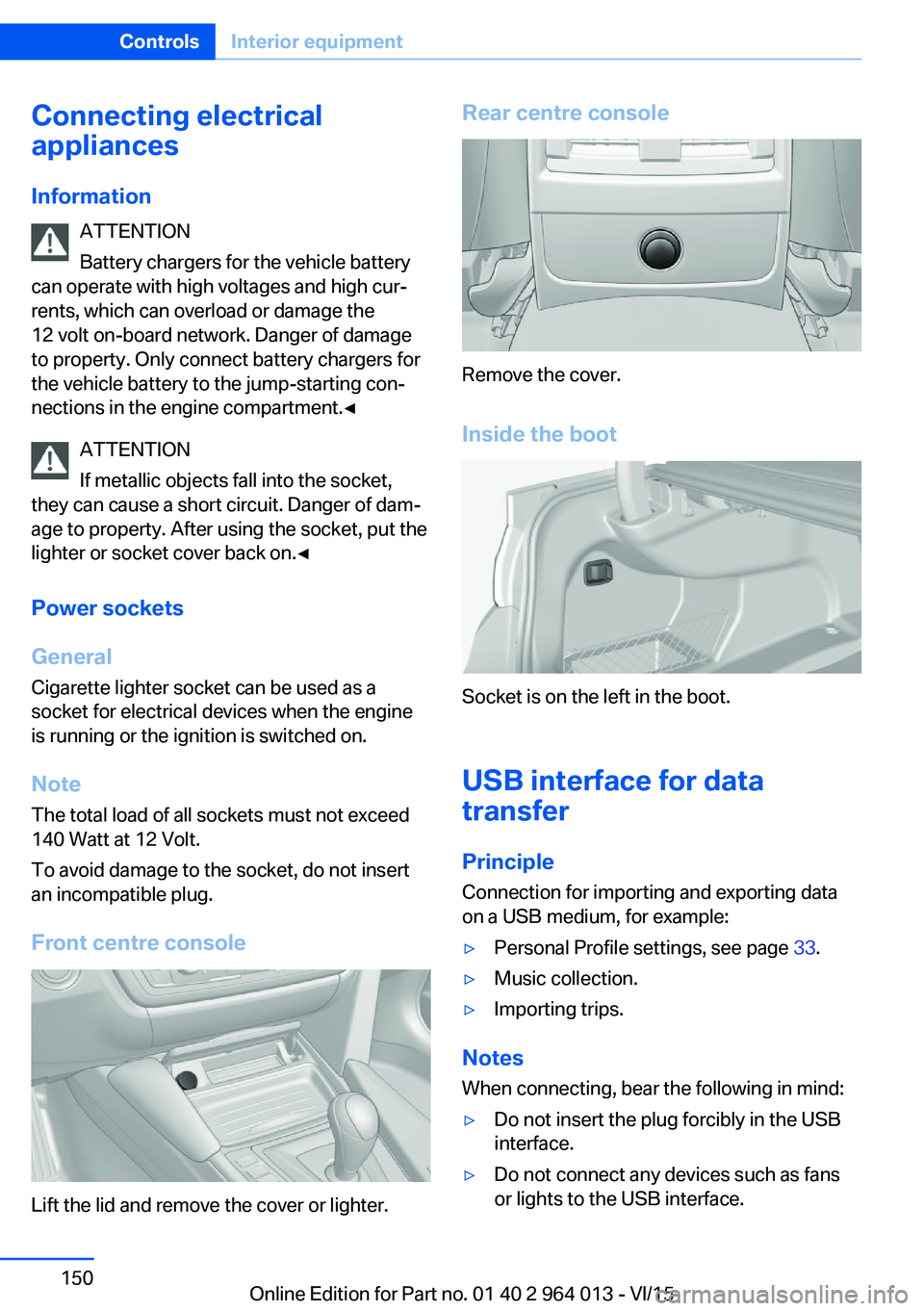
Front centre console
Lift the lid and remove the cover or lighter.
Rear centre console
Remove the cover.
Inside the boot
Socket is on the left in the boot.
USB interface for data
transfer
Principle Connection for importing and exporting data
on a USB medium, for example:
▷Personal Profile settings, see page 33.▷Music collection.▷Importing trips.
Notes
When connecting, bear the following in mind:
▷Do not insert the plug forcibly in the USB
interface.▷Do not connect any devices such as fans
or lights to the USB interface.Seite 150ControlsInterior equipment150
Online Edition for Part no. 01 40 2 964 013 - VI/15
Page 151 of 228
▷Do not connect up USB hard drives.▷Do not use the USB audio interface for
charging external devices.
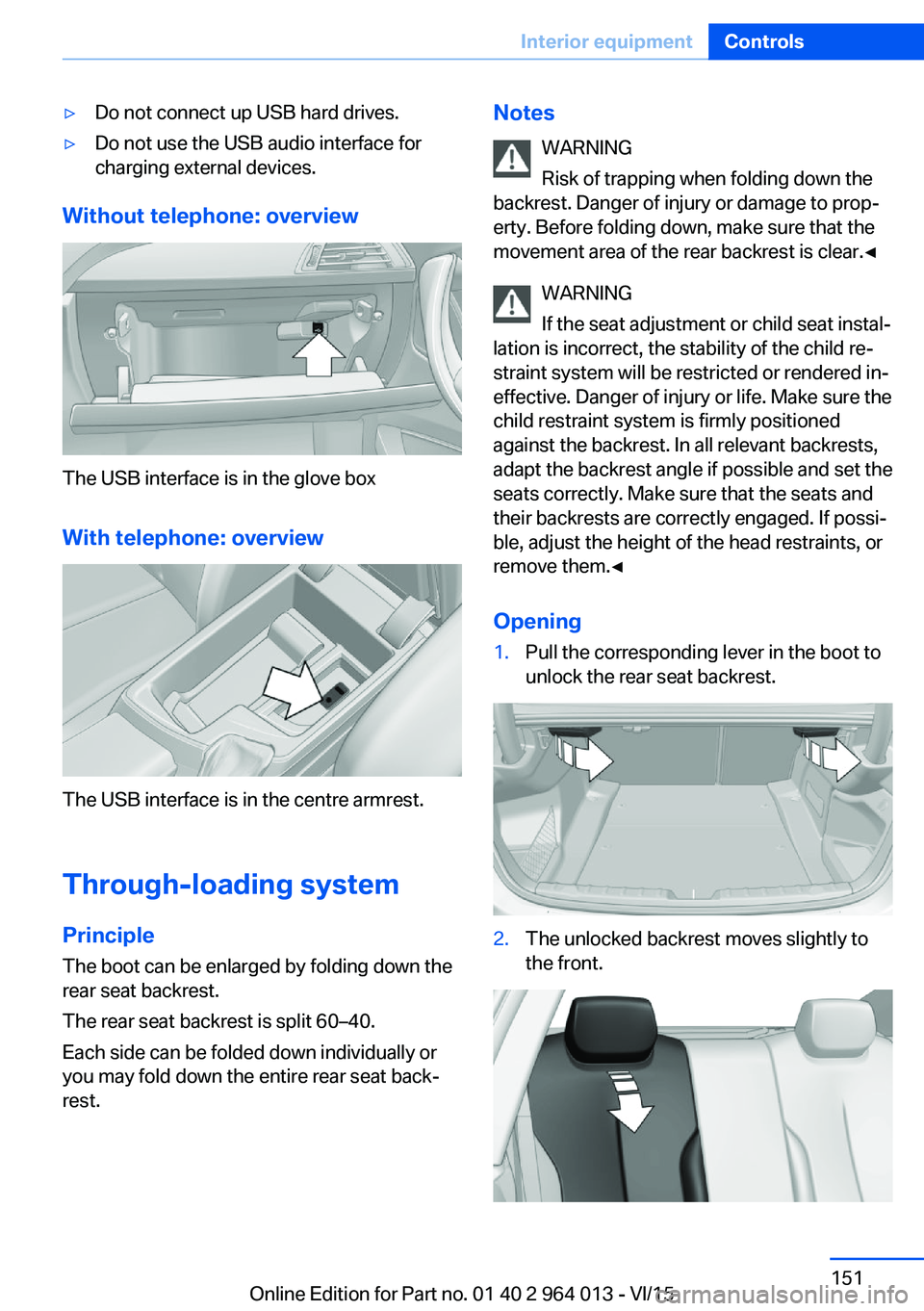
Without telephone: overview
The USB interface is in the glove box
With telephone: overview
The USB interface is in the centre armrest.
Through-loading system PrincipleThe boot can be enlarged by folding down the
rear seat backrest.
The rear seat backrest is split 60–40.
Each side can be folded down individually or
you may fold down the entire rear seat back‐ rest.
Notes
WARNING
Risk of trapping when folding down the
backrest. Danger of injury or damage to prop‐
erty. Before folding down, make sure that the
movement area of the rear backrest is clear.◀
WARNING
If the seat adjustment or child seat instal‐
lation is incorrect, the stability of the child re‐
straint system will be restricted or rendered in‐
effective. Danger of injury or life. Make sure the
child restraint system is firmly positioned
against the backrest. In all relevant backrests,
adapt the backrest angle if possible and set the
seats correctly. Make sure that the seats and
their backrests are correctly engaged. If possi‐
ble, adjust the height of the head restraints, or
remove them.◀
Opening1.Pull the corresponding lever in the boot to
unlock the rear seat backrest.2.The unlocked backrest moves slightly to
the front.Seite 151Interior equipmentControls151
Online Edition for Part no. 01 40 2 964 013 - VI/15
Page 152 of 228
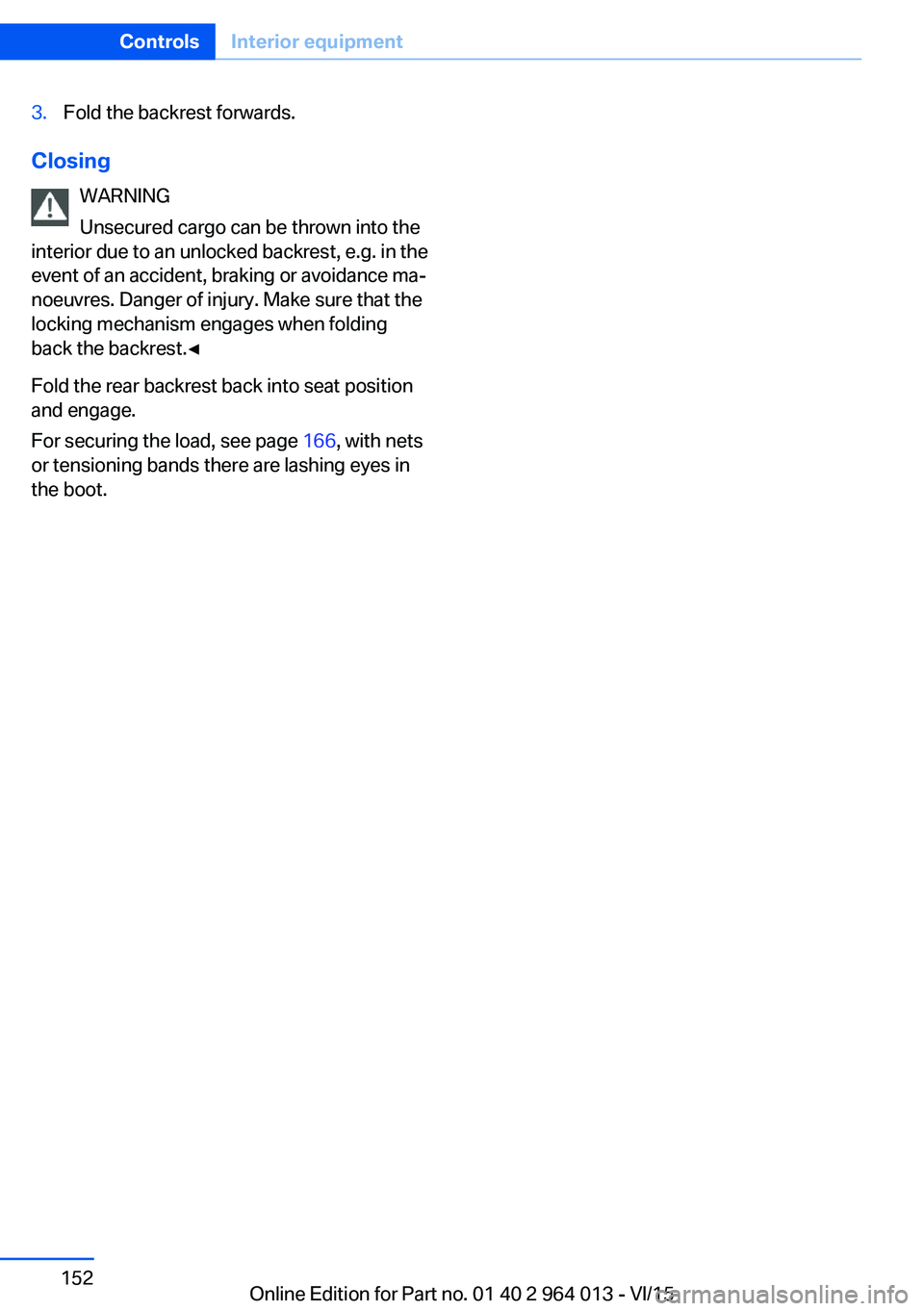
3.Fold the backrest forwards.
ClosingWARNING
Unsecured cargo can be thrown into the
interior due to an unlocked backrest, e.g. in the
event of an accident, braking or avoidance ma‐
noeuvres. Danger of injury. Make sure that the locking mechanism engages when folding
back the backrest.◀
Fold the rear backrest back into seat position
and engage.
For securing the load, see page 166, with nets
or tensioning bands there are lashing eyes in
the boot.
Seite 152ControlsInterior equipment152
Online Edition for Part no. 01 40 2 964 013 - VI/15
Page 156 of 228
Storage compartments in the
boot
Storage compartment
There is a storage compartment on the left.
On the right-hand side there is a storage com‐
partment for on-board toolkit, see page 193,
and first-aid kit, see page 203.
Net
Smaller objects can be stowed in the net on
the left-hand side.
Bag holders WARNING
Incorrect use of the holders can repre‐
sent a danger, for example if objects fly around
in the case of braking and evasive manoeuvres.
Danger of injury and damage to property. Only
hang light objects, for example shopping bags,
on the holders. Only transport heavy luggage
with suitable means of securing in the boot.◀
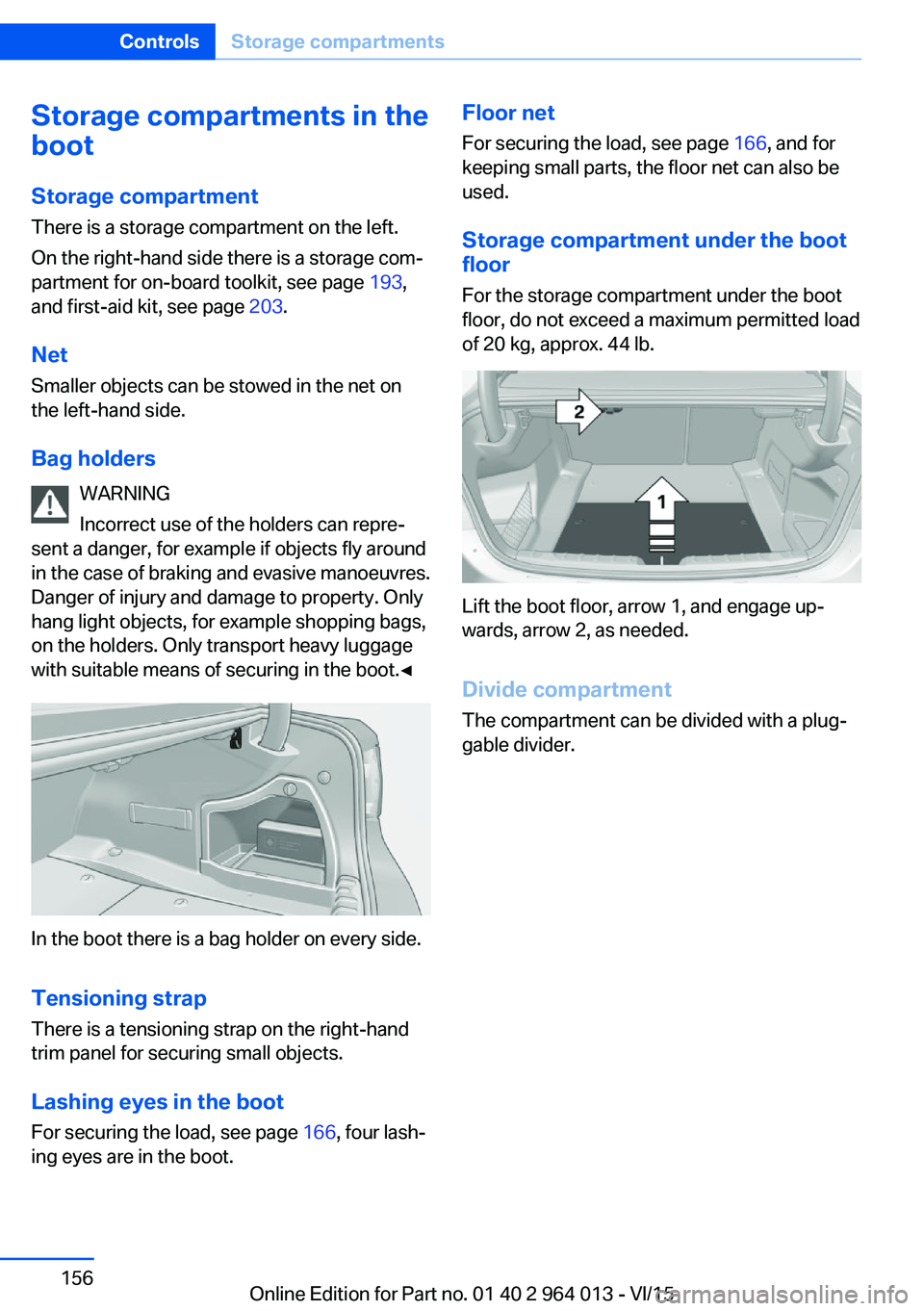
In the boot there is a bag holder on every side.
Tensioning strap
There is a tensioning strap on the right-hand
trim panel for securing small objects.
Lashing eyes in the boot
For securing the load, see page 166, four lash‐
ing eyes are in the boot.
Floor net
For securing the load, see page 166, and for
keeping small parts, the floor net can also be
used.
Storage compartment under the boot
floor
For the storage compartment under the boot
floor, do not exceed a maximum permitted load
of 20 kg, approx. 44 lb.
Lift the boot floor, arrow 1, and engage up‐
wards, arrow 2, as needed.
Divide compartment
The compartment can be divided with a plug‐
gable divider.
Seite 156ControlsStorage compartments156
Online Edition for Part no. 01 40 2 964 013 - VI/15
Page 163 of 228
General driving information
Closing the boot lid WARNING
An open boot lid projects beyond the ve‐
hicle, and in the event of an accident, braking
or avoidance manoeuvres, it can endanger ve‐ hicle occupants and other road users, or dam‐
age the vehicle. There is also the danger of ex‐
haust fumes entering the interior of the
vehicle. Danger of injury or damage to prop‐
erty. Do not drive with the boot lid open.◀
If there is no alternative to driving with the tail‐
gate open:▷Close all windows and the Glass Roof.▷Turn up the blower to a high output level.▷Maintain moderate speed.
Hot exhaust system
WARNING
During driving, high temperatures can be
generated under the body, for example be‐
cause of the exhaust system. If flammable ma‐
terials, for example leaves of grass, come into
contact with hot parts of the exhaust system,
these materials can catch fire. Danger of injury
or damage to property.
Never remove the heat shields fitted here, or
apply underseal to them. Make sure that when driving, idling or parking, no flammable materi‐
als can come into contact with hot vehicle
parts. Do not touch the hot exhaust system.◀
Radio signals WARNING
Certain vehicle functions may be affec‐
ted by interference from high-frequency radio
signals. Such signals are output from a series
of transmission systems, for example, from air
traffic beacons or relay stations for mobile tele‐
communications.
We recommend you consult a Service Partner
or a qualified specialist workshop should you
experience any difficulties.◀
Mobile communication equipment WARNING
The vehicle's electronics and mobile
radio devices can interfere. The transmission
operation of mobile radio devices generates
radiation. Danger of injury or damage to prop‐
erty. If possible, only use mobile radio devices,
e.g. mobile telephones, in the interior with di‐
rect connection to an external antenna to ex‐
clude mutual interference and to dissipate the
radiation from the vehicle's interior.◀
Aquaplaning
On wet or slushy roads, a wedge of water can
form between the tyres and the road.
This situation, known as aquaplaning, means
that the tyre can actually lose contact com‐
pletely with the road surface and the vehicle
can neither be steered nor the brakes properly
applied.
Wading ATTENTION
Driving through excessively deep water
too fast can result in water entering the engine
compartment, electrical system or transmis‐
sion. Danger of damage to property. When
driving through water, do not exceed the maxi‐
mum specified water depth and maximum
fording speed.◀
Only if the water is calm and only up to a water
depth of max. 25 cm, approximately 9.8 inches
and at this depth drive no faster than walking
speed up to 5 km/h, approximately 3 mph.
Safe braking Your vehicle is equipped with ABS as standard.Seite 163Driving precautionsDriving hints163
Online Edition for Part no. 01 40 2 964 013 - VI/15
Page 166 of 228
LoadsVehicle equipment
This chapter describes all standard, national
and special equipment provided in the model
series. Equipment not available in the vehicle is
therefore also described, for example the se‐
lected special equipment or national version.
This also applies to safety-relevant functions
and systems. Comply with the relevant na‐
tional regulations when using the correspond‐
ing functions and systems.
Notes WARNING
A high gross vehicle weight can cause
the tyres to overheat, causing internal damage
and a sudden loss of tyre pressure. Danger of
accidents. Comply with the permitted load in‐
dex of the tyre, and do not exceed the permit‐
ted gross vehicle weight.◀
WARNING
If the permitted total weight and the per‐
mitted axle loads are exceeded, operational
safety of the vehicle is not ensured anymore.
Danger of accidents. Do not exceed the per‐
mitted total weight and permitted axle loads.◀
ATTENTION
Liquids in the boot can cause damage.
Danger of damage to property. Make sure that
no liquids leak out in the boot.◀
WARNING
Loose objects in the interior can be
thrown into the interior during the journey, for
example in an accident or during braking and
evasive manoeuvres. Danger of injury. Secure
loose objects in the interior.◀Stowing transported loads▷Wrap protective material around sharp cor‐
ners and edges of the load.▷Heavy transported load: stow as far for‐
ward and as low down as possible, ideally
directly behind the rear backrests.▷Very heavy transported load: with no pas‐
sengers on the back seat, insert both outer
seat belts into the respective opposite
buckles.▷Fully fold down the rear-seat backrest if
the load is to be stowed accordingly.▷Do not stack storage goods above the up‐
per edge of the backrests.
Securing transported loads
Lashing eyes in the boot
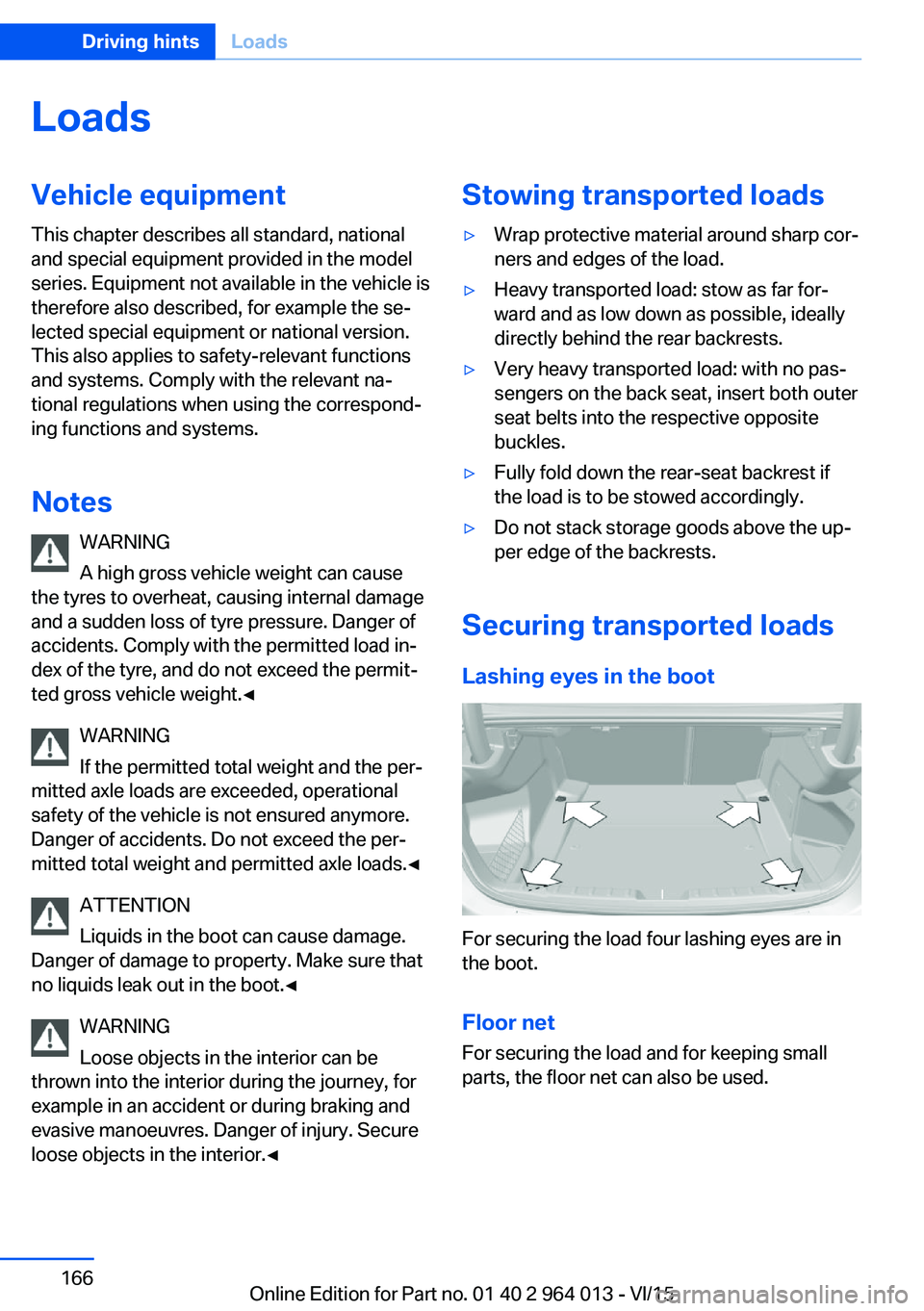
For securing the load four lashing eyes are in
the boot.
Floor net
For securing the load and for keeping small
parts, the floor net can also be used.
Seite 166Driving hintsLoads166
Online Edition for Part no. 01 40 2 964 013 - VI/15
Page 167 of 228
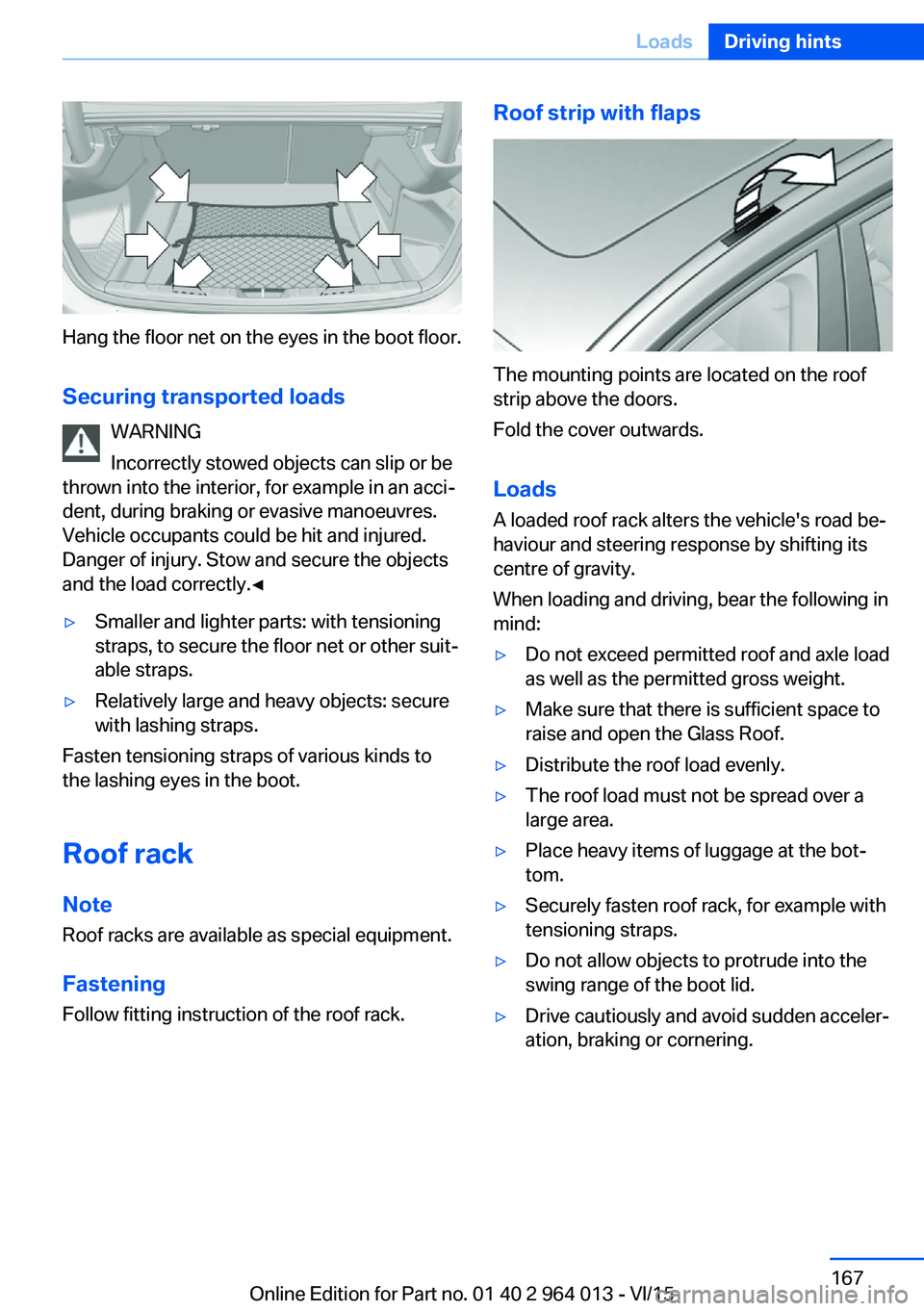
Hang the floor net on the eyes in the boot floor.Securing transported loads WARNING
Incorrectly stowed objects can slip or be
thrown into the interior, for example in an acci‐
dent, during braking or evasive manoeuvres.
Vehicle occupants could be hit and injured.
Danger of injury. Stow and secure the objects
and the load correctly.◀
▷Smaller and lighter parts: with tensioning
straps, to secure the floor net or other suit‐
able straps.▷Relatively large and heavy objects: secure
with lashing straps.
Fasten tensioning straps of various kinds to
the lashing eyes in the boot.
Roof rack Note
Roof racks are available as special equipment.
Fastening Follow fitting instruction of the roof rack.
Roof strip with flaps
The mounting points are located on the roof
strip above the doors.
Fold the cover outwards.
Loads
A loaded roof rack alters the vehicle's road be‐
haviour and steering response by shifting its
centre of gravity.
When loading and driving, bear the following in
mind:
▷Do not exceed permitted roof and axle load
as well as the permitted gross weight.▷Make sure that there is sufficient space to
raise and open the Glass Roof.▷Distribute the roof load evenly.▷The roof load must not be spread over a
large area.▷Place heavy items of luggage at the bot‐
tom.▷Securely fasten roof rack, for example with
tensioning straps.▷Do not allow objects to protrude into the
swing range of the boot lid.▷Drive cautiously and avoid sudden acceler‐
ation, braking or cornering.Seite 167LoadsDriving hints167
Online Edition for Part no. 01 40 2 964 013 - VI/15