navigation system BMW M5 2007 Owners Manual
[x] Cancel search | Manufacturer: BMW, Model Year: 2007, Model line: M5, Model: BMW M5 2007Pages: 253, PDF Size: 8.57 MB
Page 5 of 253
Reference
At a glance
Controls
Driving tips
Communications
Navigation
Entertainment
Mobility
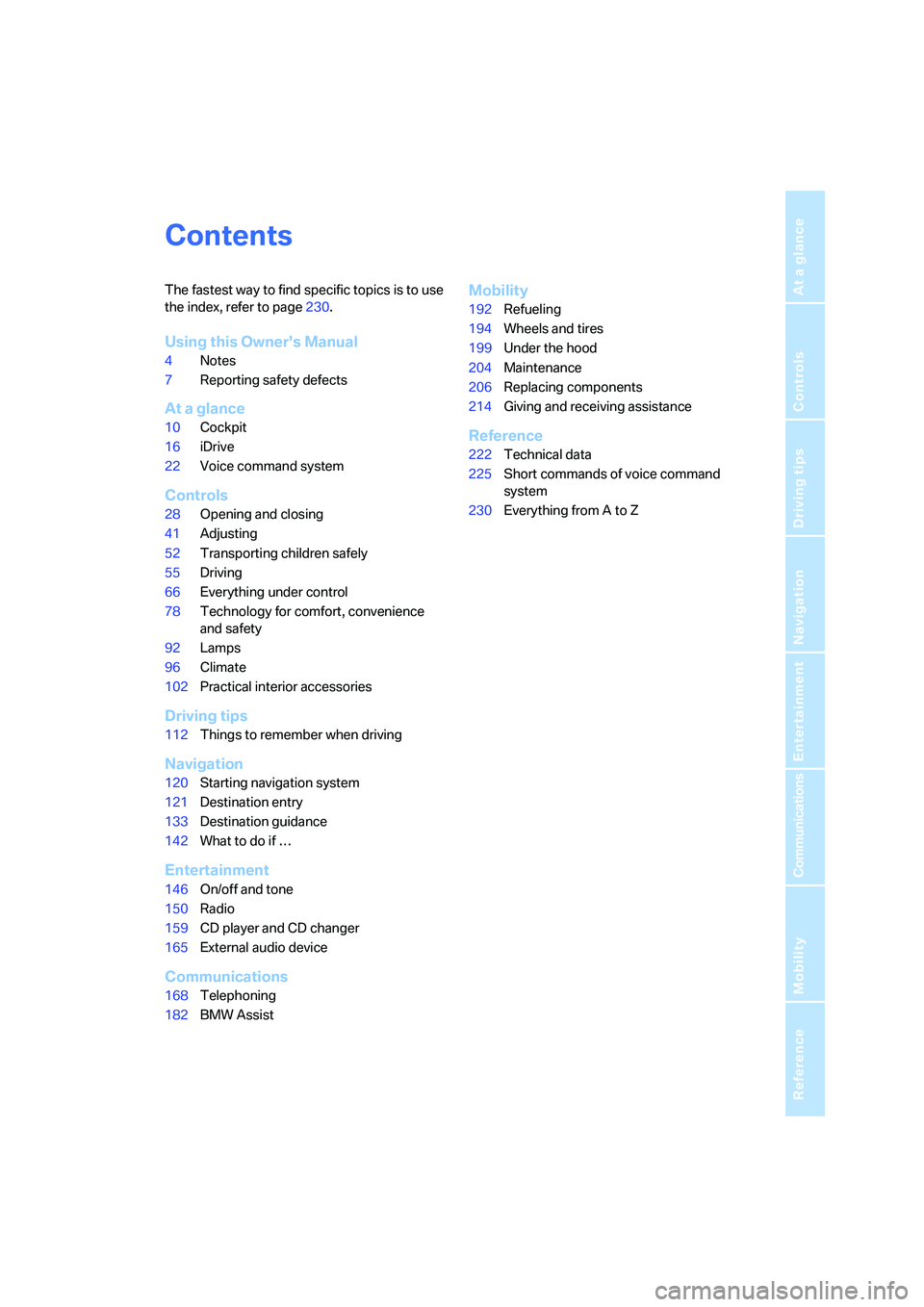
Contents
The fastest way to find specific topics is to use
the index, refer to page230.
Using this Owner's Manual
4Notes
7Reporting safety defects
At a glance
10Cockpit
16iDrive
22Voice command system
Controls
28Opening and closing
41Adjusting
52Transporting children safely
55Driving
66Everything under control
78Technology for comfort, convenience
and safety
92Lamps
96Climate
102Practical interior accessories
Driving tips
112Things to remember when driving
Navigation
120Starting navigation system
121Destination entry
133Destination guidance
142What to do if …
Entertainment
146On/off and tone
150Radio
159CD player and CD changer
165External audio device
Communications
168Telephoning
182BMW Assist
Mobility
192Refueling
194Wheels and tires
199Under the hood
204Maintenance
206Replacing components
214Giving and receiving assistance
Reference
222Technical data
225Short commands of voice command
system
230Everything from A to Z
Page 9 of 253
7Reference
At a glance
Controls
Driving tips
Communications
Navigation
Entertainment
Mobility
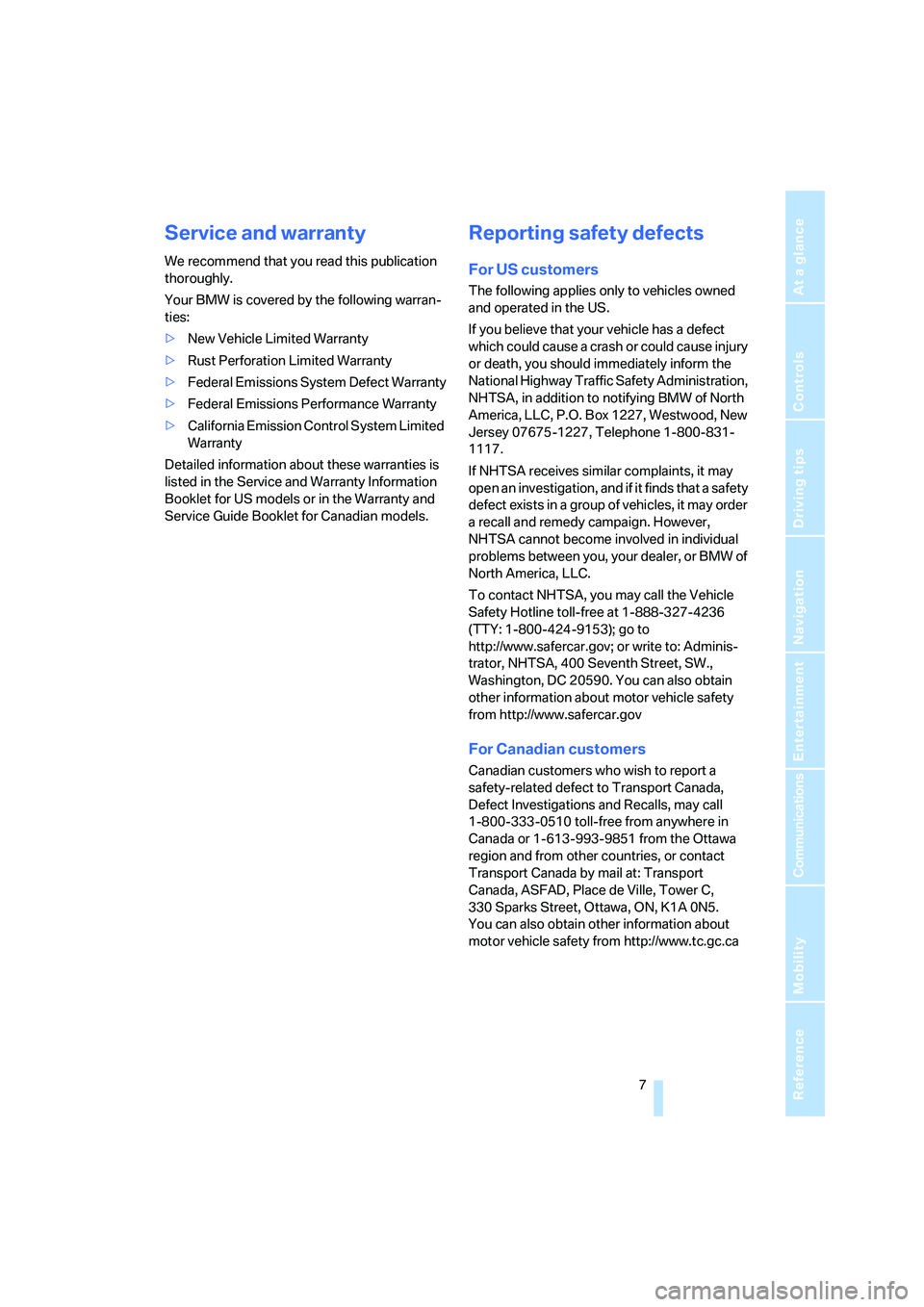
Service and warranty
We recommend that you read this publication
thoroughly.
Your BMW is covered by the following warran-
ties:
>New Vehicle Limited Warranty
>Rust Perforation Limited Warranty
>Federal Emissions System Defect Warranty
>Federal Emissions Performance Warranty
>California Emission Control System Limited
Warranty
Detailed information about these warranties is
listed in the Service and Warranty Information
Booklet for US models or in the Warranty and
Service Guide Booklet for Canadian models.
Reporting safety defects
For US customers
The following applies only to vehicles owned
and operated in the US.
If you believe that your vehicle has a defect
which could cause a crash or could cause injury
or death, you should immediately inform the
National Highway Traffic Safety Administration,
NHTSA, in addition to notifying BMW of North
America, LLC, P.O. Box 1227, Westwood, New
Jersey 07675-1227, Telephone 1-800-831-
1117.
If NHTSA receives similar complaints, it may
open an investigation, and if it finds that a safety
defect exists in a group of vehicles, it may order
a recall and remedy campaign. However,
NHTSA cannot become involved in individual
problems between you, your dealer, or BMW of
North America, LLC.
To contact NHTSA, you may call the Vehicle
Safety Hotline toll-free at 1-888-327-4236
(TTY: 1-800-424-9153); go to
http://www.safercar.gov; or write to: Adminis-
trator, NHTSA, 400 Seventh Street, SW.,
Washington, DC 20590. You can also obtain
other information about motor vehicle safety
from http://www.safercar.gov
For Canadian customers
Canadian customers who wish to report a
safety-related defect to Transport Canada,
Defect Investigations and Recalls, may call
1-800-333-0510 toll-free from anywhere in
Canada or 1-613-993-9851 from the Ottawa
region and from other countries, or contact
Transport Canada by mail at: Transport
Canada, ASFAD, Place de Ville, Tower C,
330 Sparks Street, Ottawa, ON, K1A 0N5.
You can also obtain other information about
motor vehicle safety from http://www.tc.gc.ca
Page 13 of 253
At a glance
11Reference
Controls
Driving tips
Communications
Navigation
Entertainment
Mobility
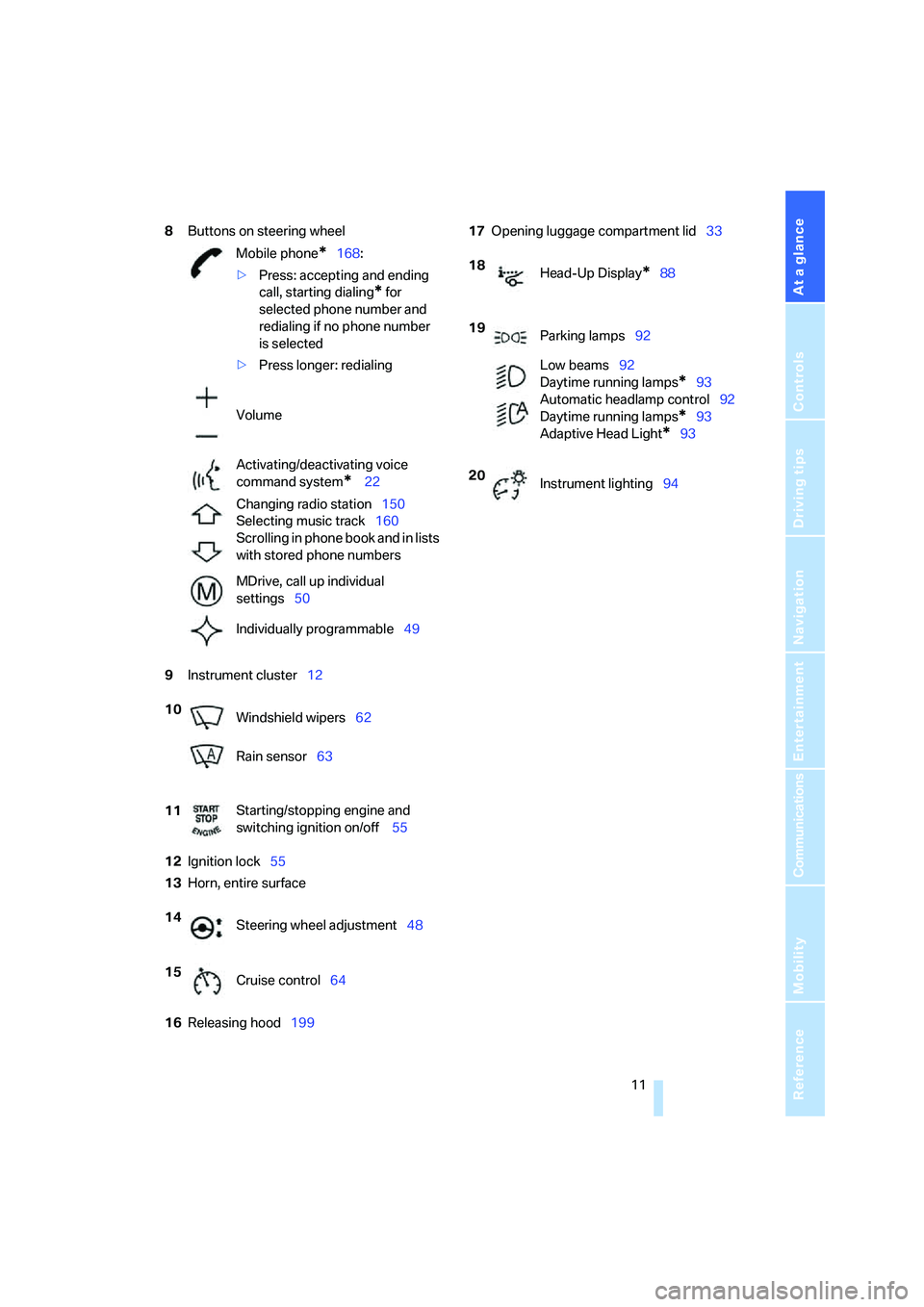
8Buttons on steering wheel
9Instrument cluster12
12Ignition lock55
13Horn, entire surface
16Releasing hood19917Opening luggage compartment lid33
Mobile phone
*168:
>Press: accepting and ending
call, starting dialing
* for
selected phone number and
redialing if no phone number
is selected
>Press longer: redialing
Volume
Activating/deactivating voice
command system
* 22
Changing radio station150
Selecting music track160
Scrolling in phone book and in lists
with stored phone numbers
MDrive, call up individual
settings50
Individually programmable49
10
Windshield wipers62
Rain sensor63
11Starting/stopping engine and
switching ignition on/off 55
14
Steering wheel adjustment48
15
Cruise control64
18
Head-Up Display*88
19
Parking lamps92
Low beams92
Daytime running lamps
*93
Automatic headlamp control92
Daytime running lamps
*93
Adaptive Head Light
*93
20
Instrument lighting94
Page 17 of 253
At a glance
15Reference
Controls
Driving tips
Communications
Navigation
Entertainment
Mobility
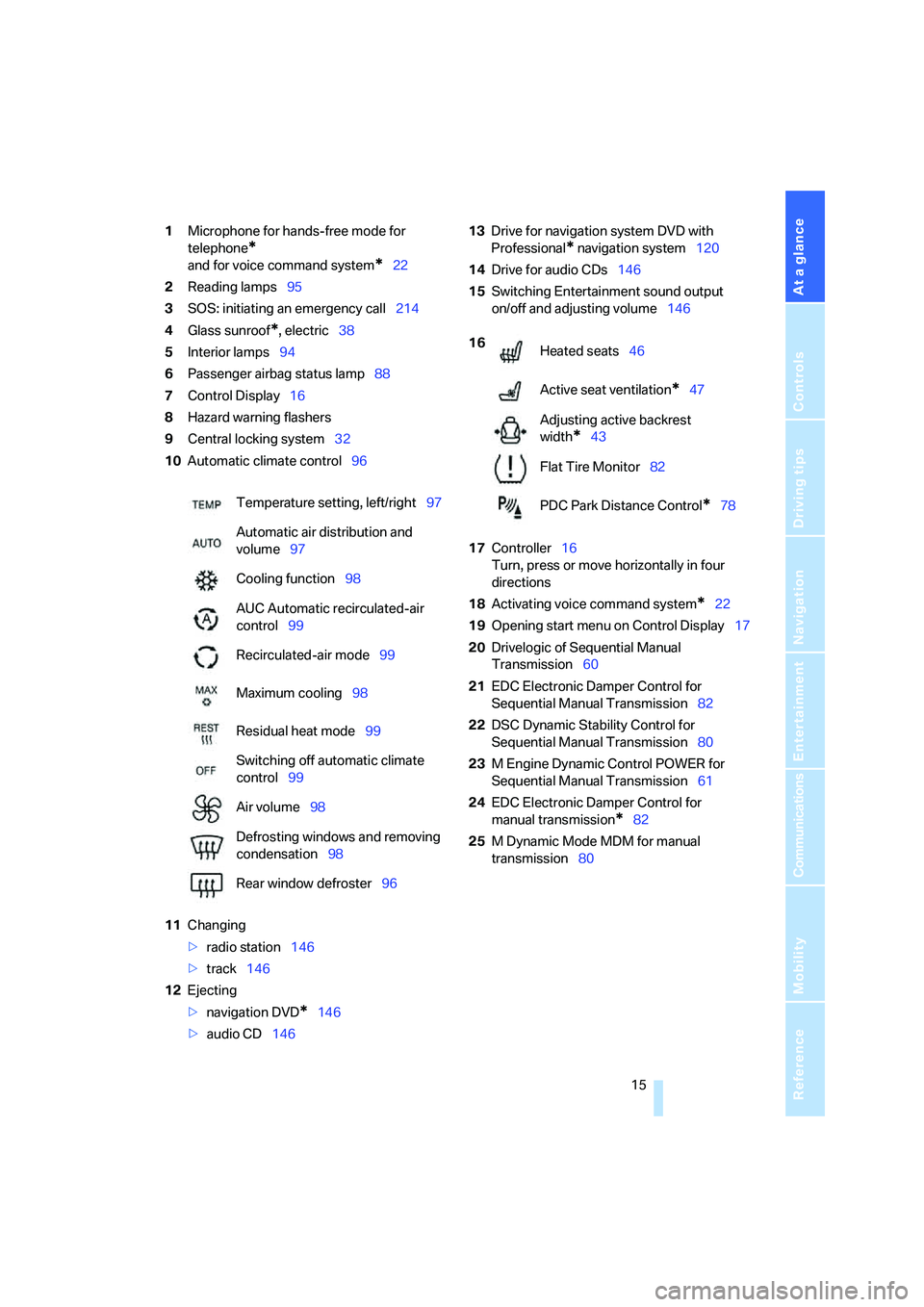
1Microphone for hands-free mode for
telephone
*
and for voice command system*22
2Reading lamps95
3SOS: initiating
an emergency call214
4Glass sunroof
*, electric38
5Interior lamps94
6Passenger airbag status lamp88
7Control Display16
8Hazard warning flashers
9Central locking system32
10Automatic climate control96
11Changing
>radio station146
>track146
12Ejecting
>navigation DVD
*146
>audio CD14613Drive for navigation system DVD with
Professional
* navigation system120
14Drive for audio CDs146
15Switching Entertainment sound output
on/off and adjusting volume146
17Controller16
Turn, press or move horizontally in four
directions
18Activating voice command system
*22
19Opening start menu on Control Display17
20Drivelogic of Sequential Manual
Transmission60
21EDC Electronic Damper Control for
Sequential Manual Transmission82
22DSC Dynamic Stability Control for
Sequential Manual Transmission80
23M Engine Dynamic Control POWER for
Sequential Manual Transmission61
24EDC Electronic Damper Control for
manual transmission
*82
25M Dynamic Mode MDM for manual
transmission80 Temperature setting, left/right97
Automatic air distribution and
volume97
Cooling function98
AUC Automatic recirculated-air
control99
Recirculated-air mode99
Maximum cooling98
Residual heat mode99
Switching off automatic climate
control99
Air volume98
Defrosting windows and removing
condensation98
Rear window defroster96
16
Heated seats46
Active seat ventilation
*47
Adjusting active backrest
width
*43
Flat Tire Monitor82
PDC Park Distance Control
*78
Page 19 of 253
At a glance
17Reference
Controls
Driving tips
Communications
Navigation
Entertainment
Mobility
Menu overview
Communication
>Telephone*
>BMW Assist* or TeleService*
Navigation or onboard information
>Navigation system*
>Onboard information, e.g. for displaying
the average fuel consumption
Entertainment
>Radio
>CD player and CD changer
*
>External audio device
Climate
>Vent settings
>Automatic programs
>Seat heater distribution
*
>Parked car operation
menu
>Switching off Control Display
>Tone and display settings
>Settings for your vehicle, e.g. for MDrive,
or for the central locking system
>Display of maintenance intervals and dead-
lines for legally mandated inspections
>Settings for telephone
Operating principle
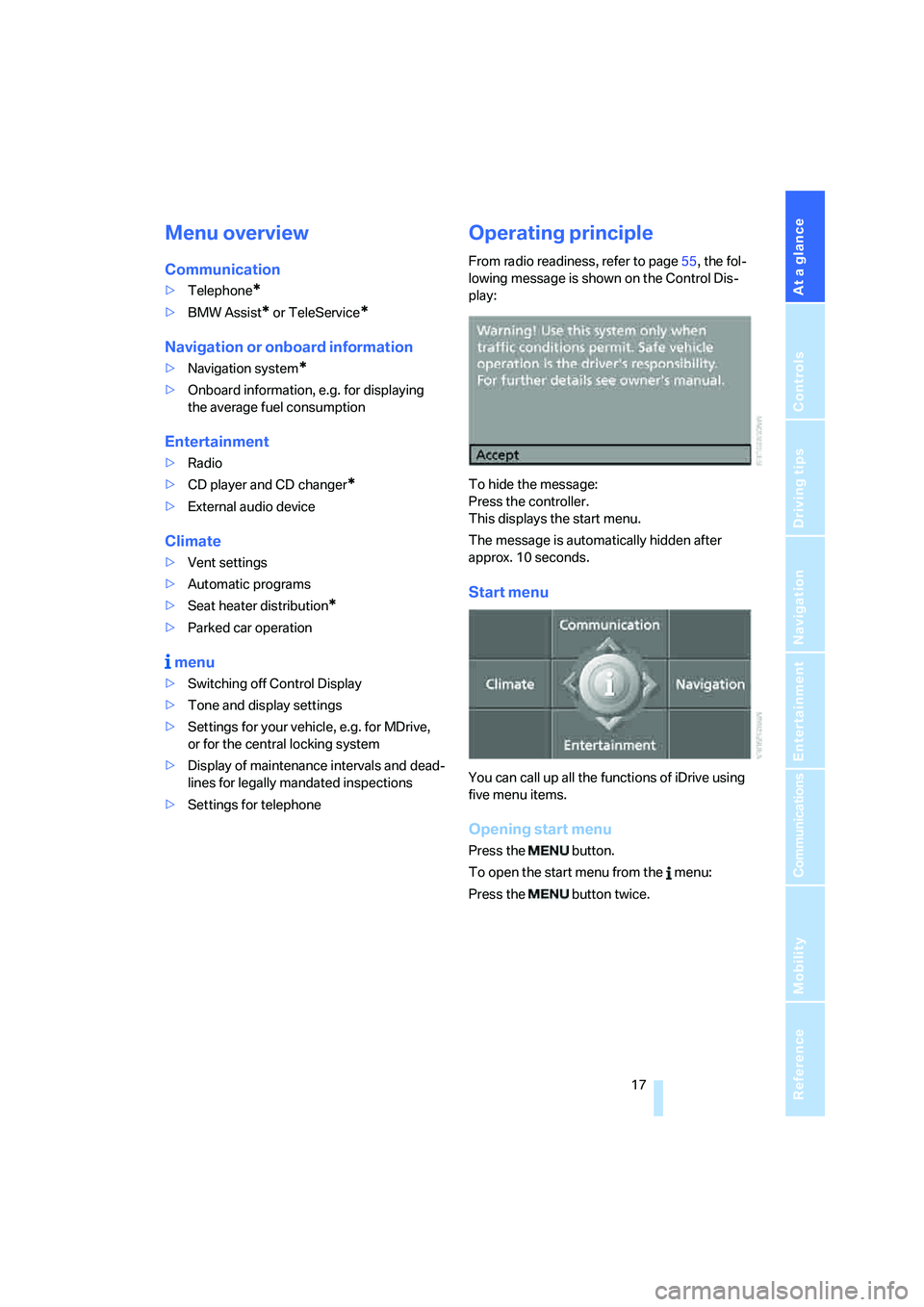
From radio readiness, refer to page55, the fol-
lowing message is shown on the Control Dis-
play:
To hide the message:
Press the controller.
This displays the start menu.
The message is automatically hidden after
approx. 10 seconds.
Start menu
You can call up all the functions of iDrive using
five menu items.
Opening start menu
Press the button.
To open the start menu from the menu:
Press the button twice.
Page 22 of 253
iDrive
20
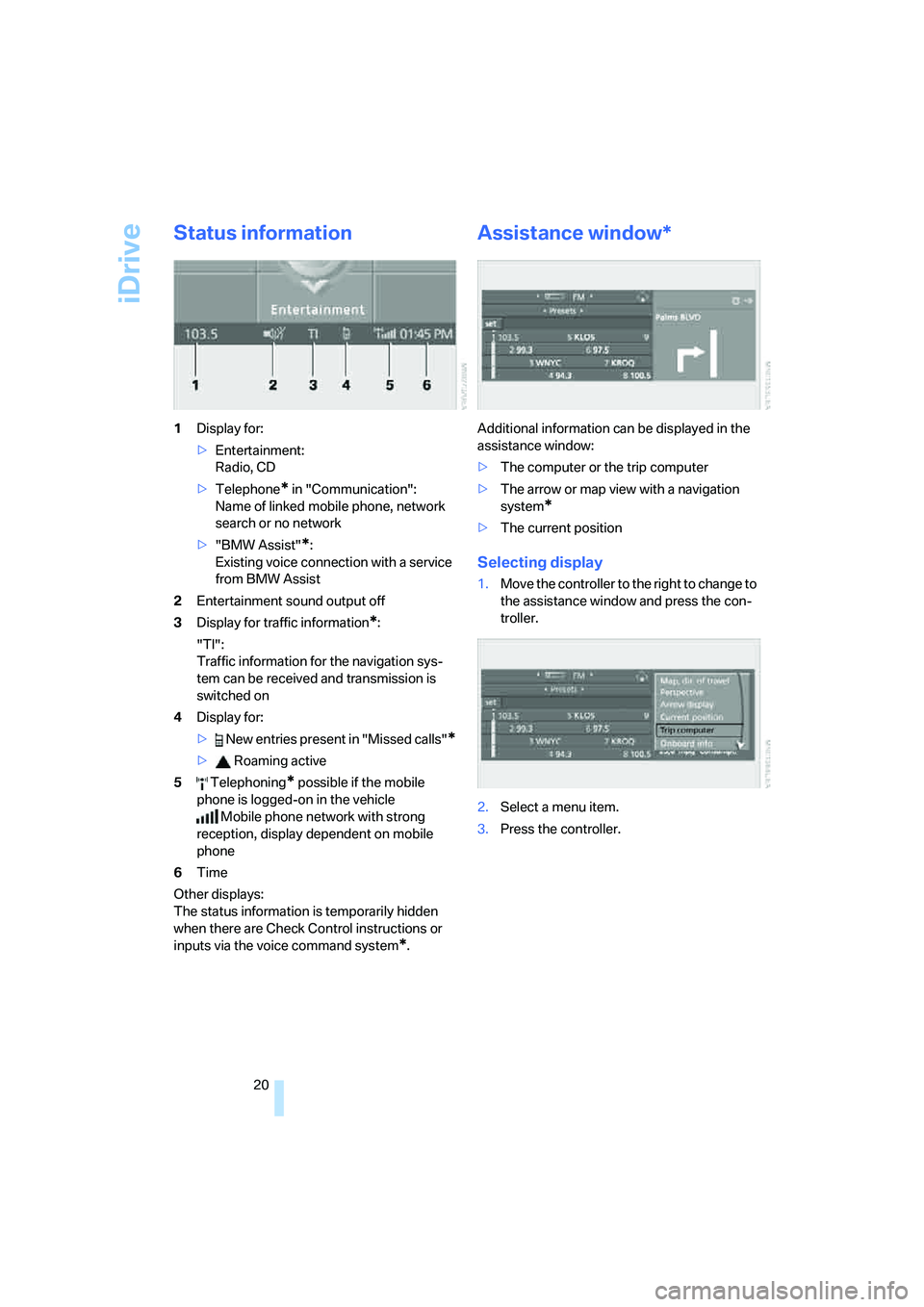
Status information
1Display for:
>Entertainment:
Radio, CD
>Telephone
* in "Communication":
Name of linked mobile phone, network
search or no network
>"BMW Assist"
*:
Existing voice connection with a service
from BMW Assist
2Entertainment sound output off
3Display for traffic information
*:
"TI":
Traffic information for the navigation sys-
tem
can be received and transmission is
switched on
4Display for:
> New entries present in "Missed calls"
*
> Roaming active
5 Telephoning
* possible if the mobile
phone is logged-on in the vehicle
Mobile phone network with strong
reception, display dependent on mobile
phone
6Time
Other displays:
The status information is temporarily hidden
when there are Check Control instructions or
inputs via the voice command system
*.
Assistance window*
Additional information can be displayed in the
assistance window:
>The computer or the trip computer
>The arrow or map view with a navigation
system
*
>The current position
Selecting display
1.Move the controller to the right to change to
the assistance window and press the con-
troller.
2.Select a menu item.
3.Press the controller.
Page 25 of 253
At a glance
23Reference
Controls
Driving tips
Communications
Navigation
Entertainment
Mobility
If no other commands are possible, then oper-
ate the equipment via iDrive.
Terminating or canceling voice
command system
Press the button on the steering wheel or in
the center console
or
Commands
Having possible commands read aloud
You can have the system read aloud the possi-
ble commands related to the selected menu
item on the Control Display.
To have the system list the possible com-
mands:
For example, if you have selected "CD", the
system will read aloud the possible commands
for operating the CD player and the CD
changer
*.
Opening help
Using alternative commands
There are often a number of commands to run a
function, e.g.:
Running functions directly with short
commands
With short commands you can carry out certain
functions directly, regardless of which menu
item is selected, refer to page225.
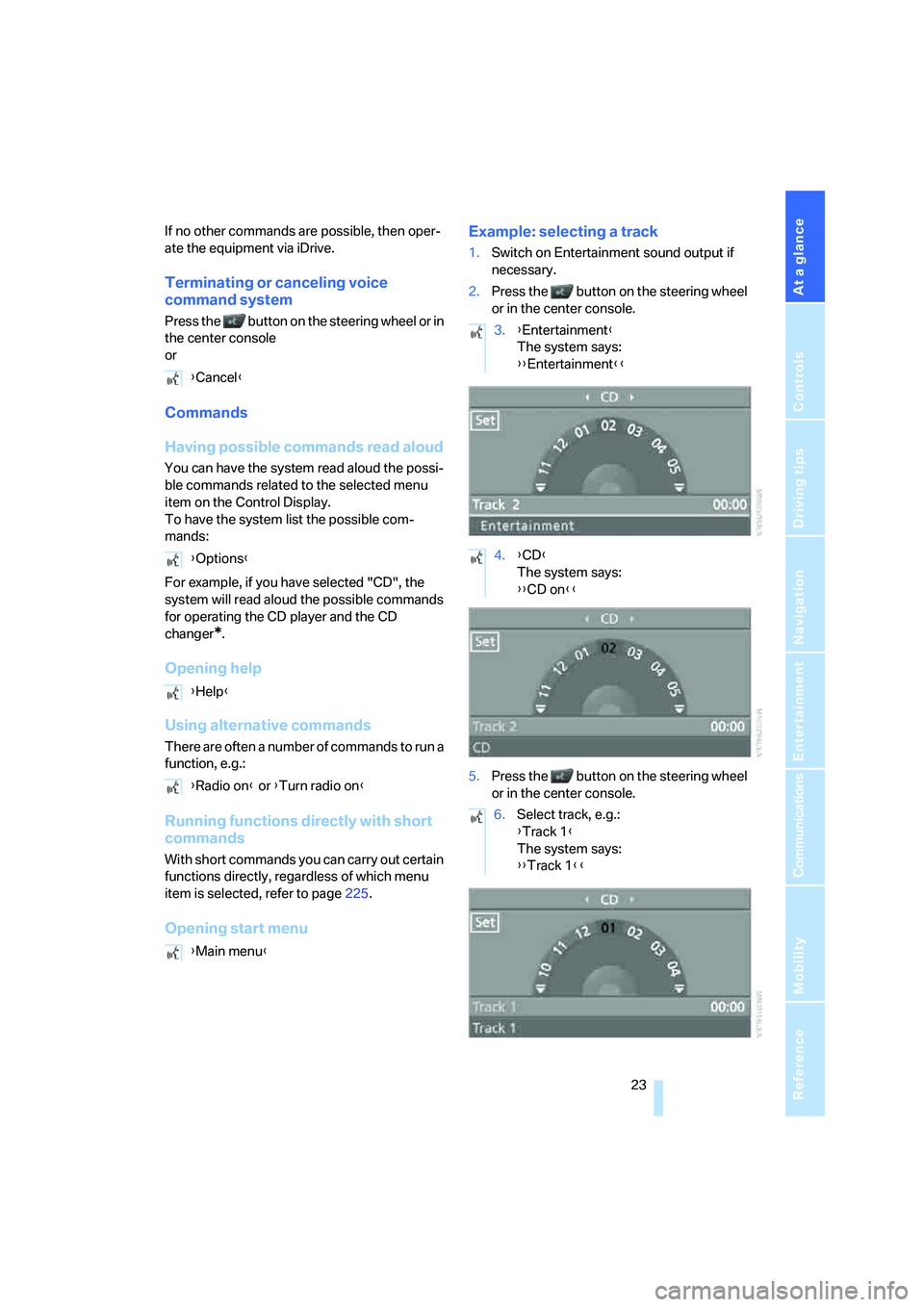
Opening start menuExample: selecting a track
1.Switch on Entertainment sound output if
necessary.
2.Press the button on the steering wheel
or in the center console.
5.Press the button on the steering wheel
or in the center console. {Cancel}
{Options}
{Help}
{Radio on} or {Turn radio on}
{Main menu}
3.{Entertainment}
The system says:
{{Entertainment}}
4.{CD}
The system says:
{{CD on}}
6.Select track, e.g.:
{Track 1}
The system says:
{{Track 1}}
Page 31 of 253
Controls
29Reference
At a glance
Driving tips
Communications
Navigation
Entertainment
Mobility
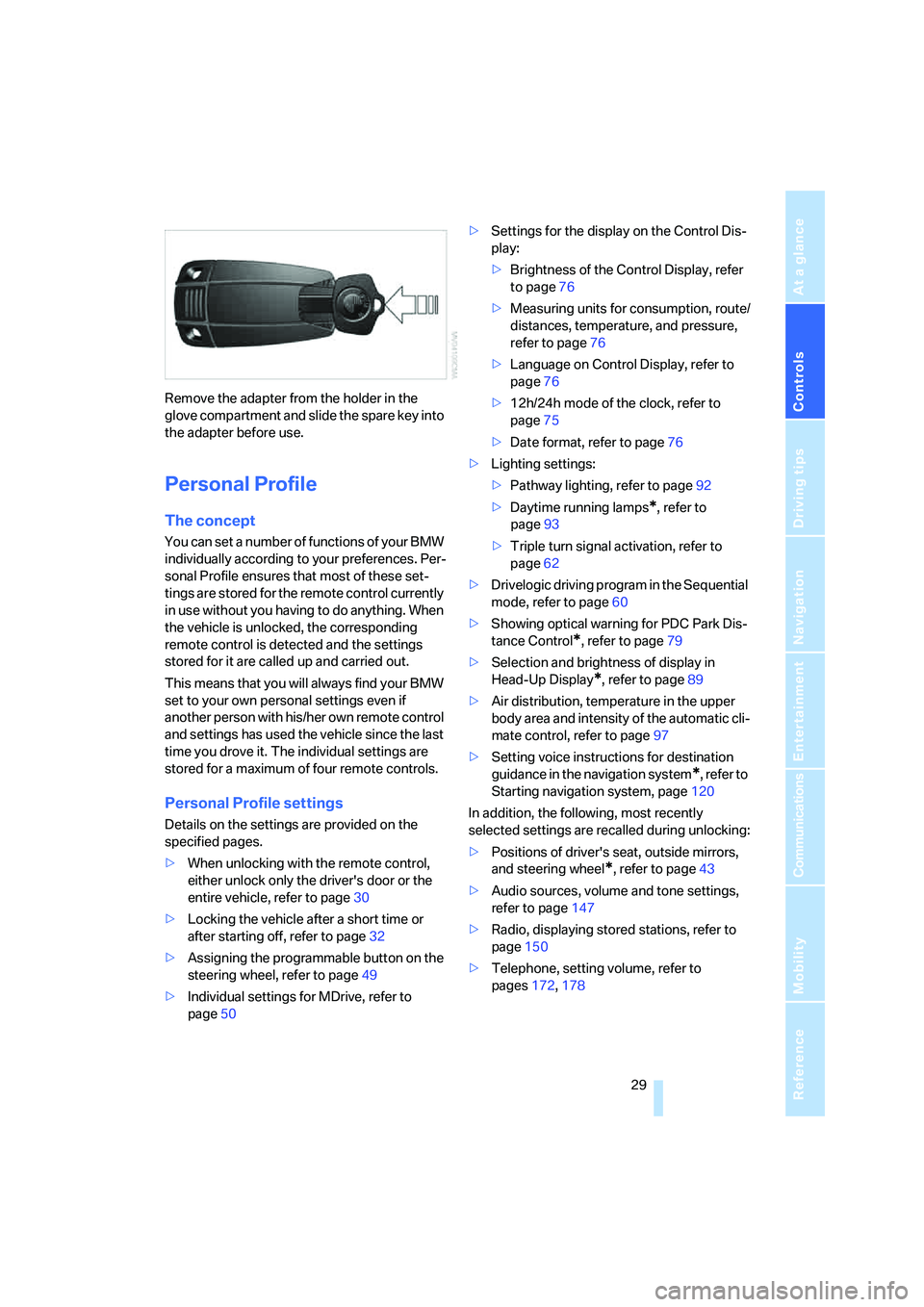
Remove the adapter from the holder in the
glove compartment and slide the spare key into
the adapter before use.
Personal Profile
The concept
You can set a number of functions of your BMW
individually according to your preferences. Per-
sonal Profile ensures that most of these set-
tings are stored for the remote control currently
in use without you having to do anything. When
the vehicle is unlocked, the corresponding
remote control is detected and the settings
stored for it are called up and carried out.
This means that you will always find your BMW
set to your own personal settings even if
another person with his/her own remote control
and settings has used the vehicle since the last
time you drove it. The individual settings are
stored for a maximum of four remote controls.
Personal Profile settings
Details on the settings are provided on the
specified pages.
>When unlocking with the remote control,
either unlock only the driver's door or the
entire vehicle, refer to page30
>Locking the vehicle after a short time or
after starting off, refer to page32
>Assigning the programmable button on the
steering wheel, refer to page49
>Individual settings for MDrive, refer to
page50>Settings for the display on the Control Dis-
play:
>Brightness of the Control Display, refer
to page76
>Measuring units for consumption, route/
distances, temperature, and pressure,
refer to page76
>Language on Control Display, refer to
page76
>12h/24h mode of the clock, refer to
page75
>Date format, refer to page76
>Lighting settings:
>Pathway lighting, refer to page92
>Daytime running lamps
*, refer to
page93
>Triple turn signal activation, refer to
page62
>Drivelogic driving program in the Sequential
mode, refer to page60
>Showing optical warning for PDC Park Dis-
tance Control
*, refer to page79
>Selection and brightness of display in
Head-Up Display
*, refer to page89
>Air distribution, temperature in the upper
body area and intensity of the automatic cli-
mate control, refer to page97
>Setting voice instructions for destination
guidance in the navigation system
*, refer to
Starting navigation system, page120
In addition, the following, most recently
selected settings are recalled during unlocking:
>Positions of driver's seat, outside mirrors,
and steering wheel
*, refer to page43
>Audio sources, volume and tone settings,
refer to page147
>Radio, displaying stored stations, refer to
page150
>Telephone, setting volume, refer to
pages172,178
Page 33 of 253
Controls
31Reference
At a glance
Driving tips
Communications
Navigation
Entertainment
Mobility
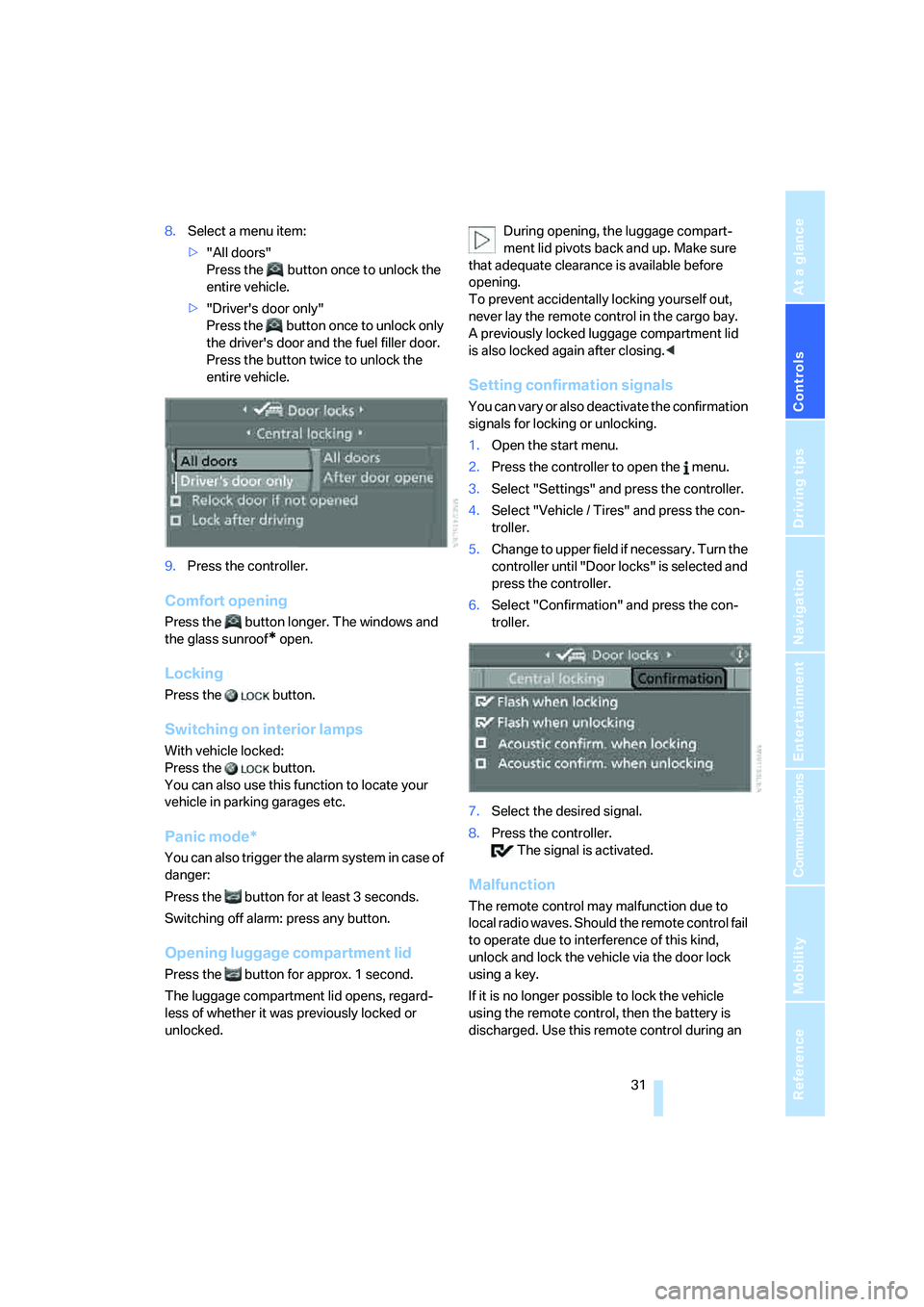
8.Select a menu item:
>"All doors"
Press the button once to unlock the
entire vehicle.
>"Driver's door only"
Press the button once to unlock only
the driver's door and the fuel filler door.
Press the button twice to unlock the
entire vehicle.
9.Press the controller.
Comfort opening
Press the button longer. The windows and
the glass sunroof
* open.
Locking
Press the button.
Switching on interior lamps
With vehicle locked:
Press the button.
You can also use this function to locate your
vehicle in parking garages etc.
Panic mode*
You can also trigger the alarm system in case of
danger:
Press the button for at least 3 seconds.
Switching off alarm: press any button.
Opening luggage compartment lid
Press the button for approx. 1 second.
The luggage compartment lid opens, regard-
less of whether it was previously locked or
unlocked.During opening, the luggage compart-
ment lid pivots back and up. Make sure
that adequate clearance is available before
opening.
To prevent accidentally locking yourself out,
never lay the remote control in the cargo bay.
A previously locked luggage compartment lid
is also locked again after closing.<
Setting confirmation signals
You can vary or also deactivate the confirmation
signals for locking or unlocking.
1.Open the start menu.
2.Press the controller to open the menu.
3.Select "Settings" and press the controller.
4.Select "Vehicle / Tires" and press the con-
troller.
5.Change to upper field if necessary. Turn the
controller until "Door locks" is selected and
press the controller.
6.Select "Confirmation" and press the con-
troller.
7.Select the desired signal.
8.Press the controller.
The signal is activated.
Malfunction
The remote control may malfunction due to
local radio waves. Should the remote control fail
to operate due to interference of this kind,
unlock and lock the vehicle via the door lock
using a key.
If it is no longer possible to lock the vehicle
using the remote control, then the battery is
discharged. Use this remote control during an
Page 35 of 253
Controls
33Reference
At a glance
Driving tips
Communications
Navigation
Entertainment
Mobility
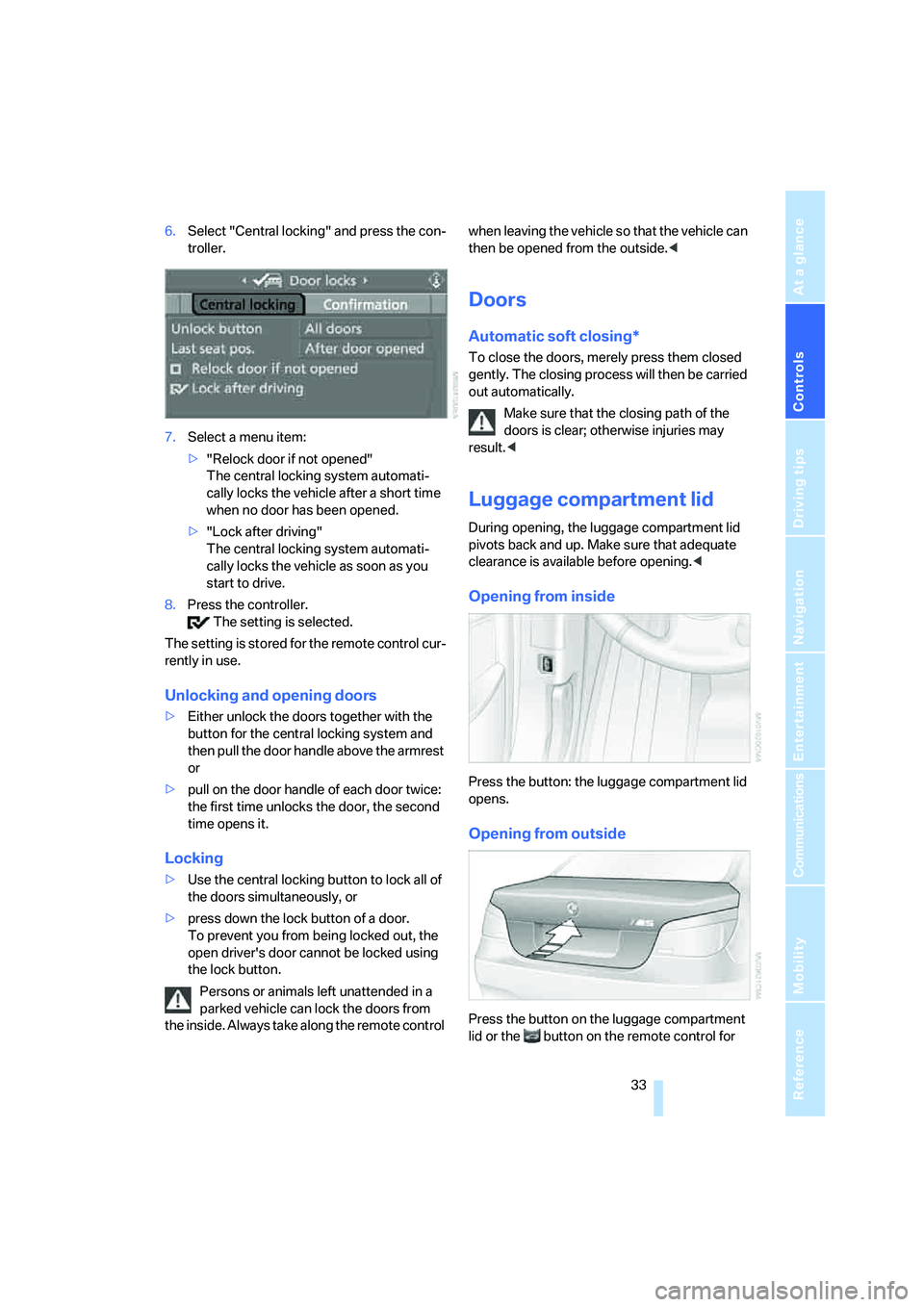
6.Select "Central locking" and press the con-
troller.
7.Select a menu item:
>"Relock door if not opened"
The central locking system automati-
cally locks the vehicle after a short time
when no door has been opened.
>"Lock after driving"
The central locking system automati-
cally locks the vehicle as soon as you
start to drive.
8.Press the controller.
The setting is selected.
The setting is stored for the remote control cur-
rently in use.
Unlocking and opening doors
>Either unlock the doors together with the
button for the central locking system and
then pull the door handle above the armrest
or
>pull on the door handle of each door twice:
the first time unlocks the door, the second
time opens it.
Locking
>Use the central locking button to lock all of
the doors simultaneously, or
>press down the lock button of a door.
To prevent you from being locked out, the
open driver's door cannot be locked using
the lock button.
Persons or animals left unattended in a
parked vehicle can lock the doors from
the inside. Always take along the remote control when leaving the vehicle so that the vehicle can
then be opened from the outside.<
Doors
Automatic soft closing*
To close the doors, merely press them closed
gently. The closing process will then be carried
out automatically.
Make sure that the closing path of the
doors is clear; otherwise injuries may
result.<
Luggage compartment lid
During opening, the luggage compartment lid
pivots back and up. Make sure that adequate
clearance is available before opening.<
Opening from inside
Press the button: the luggage compartment lid
opens.
Opening from outside
Press the button on the luggage compartment
lid or the button on the remote control for