check engine BMW M5 SEDAN 2003 User Guide
[x] Cancel search | Manufacturer: BMW, Model Year: 2003, Model line: M5 SEDAN, Model: BMW M5 SEDAN 2003Pages: 155, PDF Size: 1.87 MB
Page 68 of 155

68n
Check ControlDisplays after completion of a tripAll of the malfunctions registered during
the trip appear consecutively when the
key is turned to position 0.
The following displays will appear when
appropriate:
>"LIGHTS ON"
This display appears when you open
the driver's door after parking the
vehicle
>"KEY IN IGNITION LOCK"
>"CHECK ENGINE OIL LEV"
Add the engine oil at the earliest
opportunity (next stop to refuel).
Refer to page 115.
Status messages remain available for
a period of approx. three minutes after
the display goes out and the key is
removed from the ignition. Press the
CHECK button 3 to display these mes-
sages. If there were multiple messages,
press the CHECK button repeatedly to
view them all in sequence.
To check the Check ControlPress the CHECK button 3 with the
ignition key in position 2:
CHECK CONTROL OK appears in the
display.
There are no faults in the monitored
systems.ComputerYou can find descriptions of the com-
puter starting on page 73 and in the
"Owner's Manual for Onboard Com-
puter."
You can have the Check Control
and computer messages dis-
played in a different language.<
Page 82 of 155
82n
Flat Tire MonitorThe conceptThe Flat Tire Monitor keeps track of the
inflation pressures in your tires as you
drive. The system provides an alert
whenever the inflation pressure drops
significantly in one of the tires.
To initialize the Flat Tire Monitor system
with the correct tire inflation pressures,
start by checking the inflation pressures
in all four tires, comparing them with
the figures specified in the tire inflation
pressure table (page 23). Then correct
the tire inflation pressures as neces-
sary. Now you can activate the system. The Check Control (refer to page 66)
will inform you if the tire inflation pres-
sure of one the tires has dropped signif-
icantly.
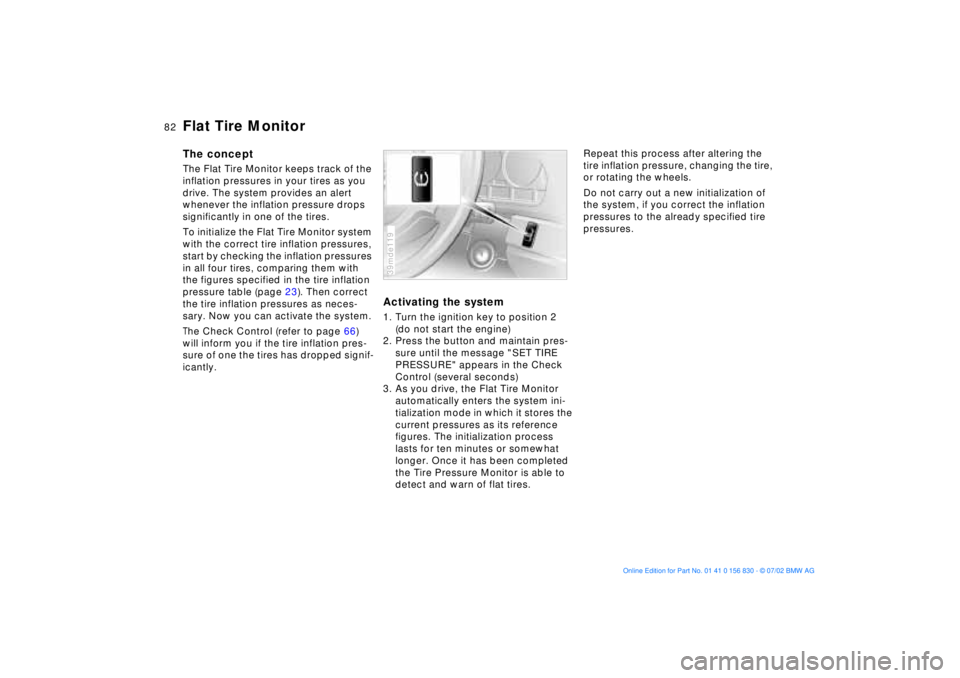
Activating the system1. Turn the ignition key to position 2
(do not start the engine)
2. Press the button and maintain pres-
sure until the message "SET TIRE
PRESSURE" appears in the Check
Control (several seconds)
3. As you drive, the Flat Tire Monitor
automatically enters the system ini-
tialization mode in which it stores the
current pressures as its reference
figures. The initialization process
lasts for ten minutes or somewhat
longer. Once it has been completed
the Tire Pressure Monitor is able to
detect and warn of flat tires.39mde119
Repeat this process after altering the
tire inflation pressure, changing the tire,
or rotating the wheels.
Do not carry out a new initialization of
the system, if you correct the inflation
pressures to the already specified tire
pressures.
Page 115 of 155
115n
OverviewControlsMaintenanceRepairsDataIndex
Washer fluids Engine oilHeadlamp and windshield
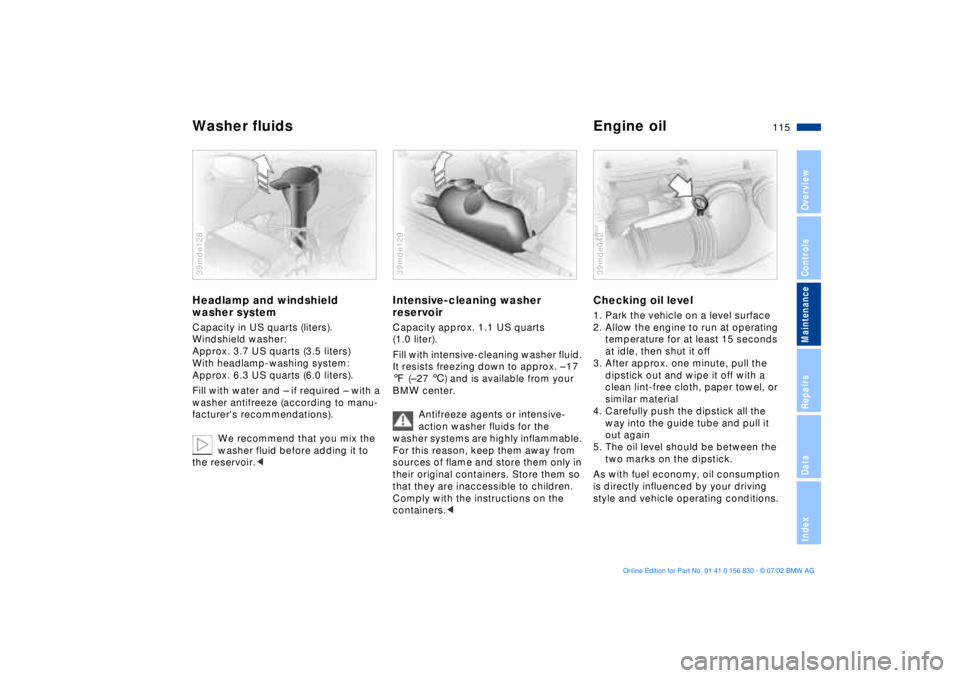
washer systemCapacity in US quarts (liters).
Windshield washer:
Approx. 3.7 US quarts (3.5 liters)
With headlamp-washing system:
Approx. 6.3 US quarts (6.0 liters).
Fill with water and Ð if required Ð with a
washer antifreeze (according to manu-
facturer's recommendations).
We recommend that you mix the
washer fluid before adding it to
the reservoir.< 39mde128
Intensive-cleaning washer
reservoirCapacity approx. 1.1 US quarts
(1.0 liter).
Fill with intensive-cleaning washer fluid.
It resists freezing down to approx. Ð 17
7 (Ð 27 6) and is available from your
BMW center.
Antifreeze agents or intensive-
action washer fluids for the
washer systems are highly inflammable.
For this reason, keep them away from
sources of flame and store them only in
their original containers. Store them so
that they are inaccessible to children.
Comply with the instructions on the
containers.<39mde129
Checking oil level 1. Park the vehicle on a level surface
2. Allow the engine to run at operating
temperature for at least 15 seconds
at idle, then shut it off
3. After approx. one minute, pull the
dipstick out and wipe it off with a
clean lint-free cloth, paper towel, or
similar material
4. Carefully push the dipstick all the
way into the guide tube and pull it
out again
5. The oil level should be between the
two marks on the dipstick.
As with fuel economy, oil consumption
is directly influenced by your driving
style and vehicle operating conditions. 39mde042
Page 118 of 155
118n
Coolant Brake fluidChecking coolant level and
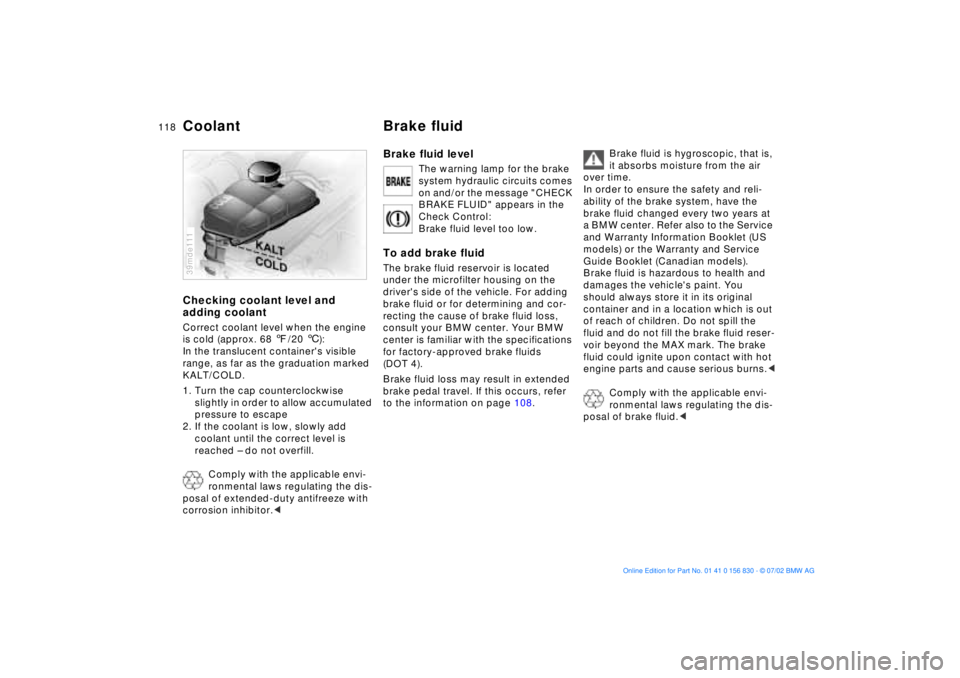
adding coolantCorrect coolant level when the engine
is cold (approx. 68 7/20 6):
In the translucent container's visible
range, as far as the graduation marked
KALT/COLD.
1. Turn the cap counterclockwise
slightly in order to allow accumulated
pressure to escape
2. If the coolant is low, slowly add
coolant until the correct level is
reached Ð do not overfill.
Comply with the applicable envi-
ronmental laws regulating the dis-
posal of extended-duty antifreeze with
corrosion inhibitor.<39mde111
Brake fluid level
The warning lamp for the brake
system hydraulic circuits comes
on and/or the message "CHECK
BRAKE FLUID" appears in the
Check Control:
Brake fluid level too low.
To add brake fluidThe brake fluid reservoir is located
under the microfilter housing on the
driver's side of the vehicle. For adding
brake fluid or for determining and cor-
recting the cause of brake fluid loss,
consult your BMW center. Your BMW
center is familiar with the specifications
for factory-approved brake fluids
(DOT 4).
Brake fluid loss may result in extended
brake pedal travel. If this occurs, refer
to the information on page 108.
Brake fluid is hygroscopic, that is,
it absorbs moisture from the air
over time.
In order to ensure the safety and reli-
ability of the brake system, have the
brake fluid changed every two years at
a BMW center. Refer also to the Service
and Warranty Information Booklet (US
models) or the Warranty and Service
Guide Booklet (Canadian models).
Brake fluid is hazardous to health and
damages the vehicle's paint. You
should always store it in its original
container and in a location which is out
of reach of children. Do not spill the
fluid and do not fill the brake fluid reser-
voir beyond the MAX mark. The brake
fluid could ignite upon contact with hot
engine parts and cause serious burns.<
Comply with the applicable envi-
ronmental laws regulating the dis-
posal of brake fluid.<
Page 119 of 155
119n
OverviewControlsMaintenanceRepairsDataIndex
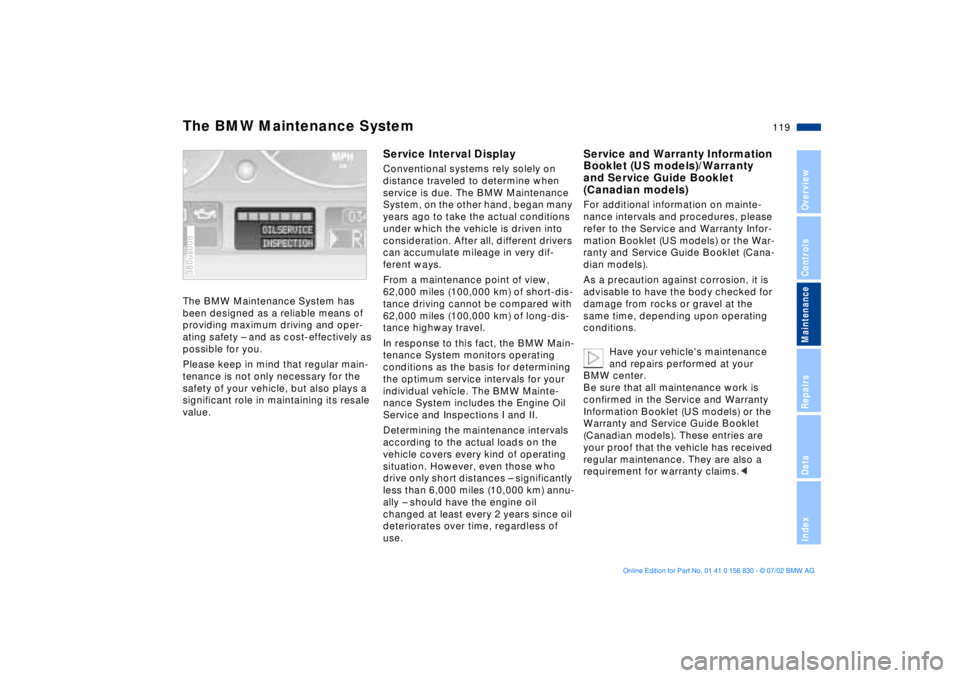
The BMW Maintenance System has
been designed as a reliable means of
providing maximum driving and oper-
ating safety Ð and as cost-effectively as
possible for you.
Please keep in mind that regular main-
tenance is not only necessary for the
safety of your vehicle, but also plays a
significant role in maintaining its resale
value. 380us008
Service Interval DisplayConventional systems rely solely on
distance traveled to determine when
service is due. The BMW Maintenance
System, on the other hand, began many
years ago to take the actual conditions
under which the vehicle is driven into
consideration. After all, different drivers
can accumulate mileage in very dif-
ferent ways.
From a maintenance point of view,
62,000 miles (100,000 km) of short-dis-
tance driving cannot be compared with
62,000 miles (100,000 km) of long-dis-
tance highway travel.
In response to this fact, the BMW Main-
tenance System monitors operating
conditions as the basis for determining
the optimum service intervals for your
individual vehicle. The BMW Mainte-
nance System includes the Engine Oil
Service and Inspections I and II.
Determining the maintenance intervals
according to the actual loads on the
vehicle covers every kind of operating
situation. However, even those who
drive only short distances Ð significantly
less than 6,000 miles (10,000 km) annu-
ally Ð should have the engine oil
changed at least every 2 years since oil
deteriorates over time, regardless of
use.
Service and Warranty Information
Booklet (US models)/Warranty
and Service Guide Booklet
(Canadian models)For additional information on mainte-
nance intervals and procedures, please
refer to the Service and Warranty Infor-
mation Booklet (US models) or the War-
ranty and Service Guide Booklet (Cana-
dian models).
As a precaution against corrosion, it is
advisable to have the body checked for
damage from rocks or gravel at the
same time, depending upon operating
conditions.
Have your vehicle's maintenance
and repairs performed at your
BMW center.
Be sure that all maintenance work is
confirmed in the Service and Warranty
Information Booklet (US models) or the
Warranty and Service Guide Booklet
(Canadian models). These entries are
your proof that the vehicle has received
regular maintenance. They are also a
requirement for warranty claims.<
The BMW Maintenance System
Page 121 of 155
121n
OverviewControlsMaintenanceRepairsDataIndex
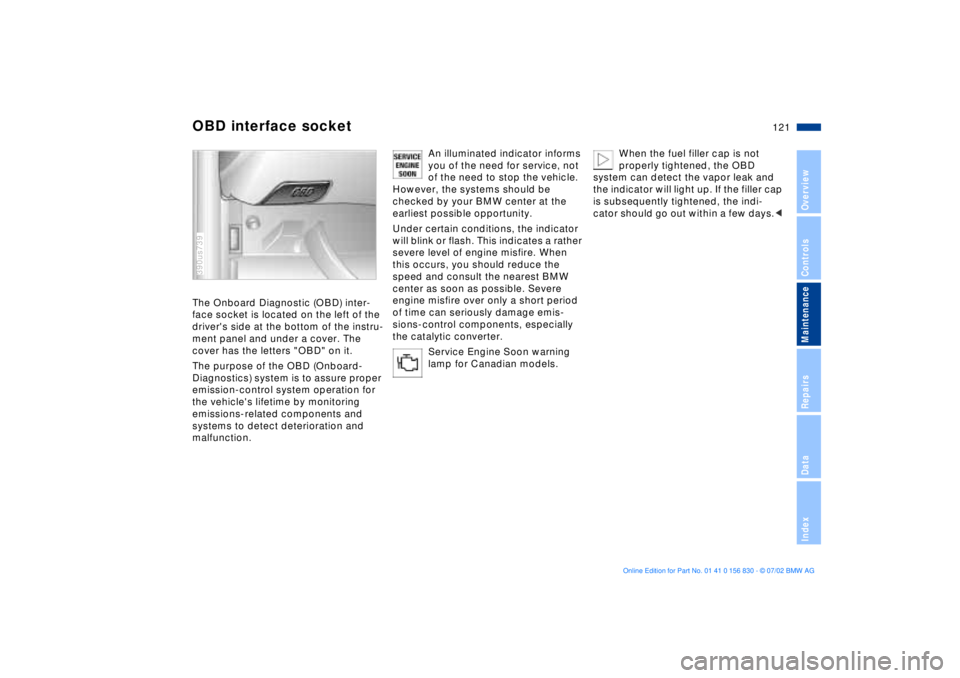
OBD interface socketThe Onboard Diagnostic (OBD) inter-
face socket is located on the left of the
driver's side at the bottom of the instru-
ment panel and under a cover. The
cover has the letters "OBD" on it.
The purpose of the OBD (Onboard-
Diagnostics) system is to assure proper
emission-control system operation for
the vehicle's lifetime by monitoring
emissions-related components and
systems to detect deterioration and
malfunction.390us739
An illuminated indicator informs
you of the need for service, not
of the need to stop the vehicle.
However, the systems should be
checked by your BMW center at the
earliest possible opportunity.
Under certain conditions, the indicator
will blink or flash. This indicates a rather
severe level of engine misfire. When
this occurs, you should reduce the
speed and consult the nearest BMW
center as soon as possible. Severe
engine misfire over only a short period
of time can seriously damage emis-
sions-control components, especially
the catalytic converter.
Service Engine Soon warning
lamp for Canadian models.
When the fuel filler cap is not
properly tightened, the OBD
system can detect the vapor leak and
the indicator will light up. If the filler cap
is subsequently tightened, the indi-
cator should go out within a few days.<
Page 146 of 155

Everything from A to ZA
ABS (Antilock Brake
System)17, 107
Activated-charcoal filter91
Active seat43
Adding
brake fluid118t
engine coolant118t
engine oil116t
washer fluid115t
Adjusting
backrest41
head restraints43
mirrors48
seats40
steering wheel47
temperature89
Air conditioning90
Air distribution89
Air pressure, tires22, 109
Air supply89
Airbags17, 49
Alarm system35
Anchorage points
child-restraint system with
tether strap52
Antifreeze118
Antilock Brake System
(ABS)17, 107
Aquaplaning107, 109 Ashtray
front97
rear98
Attach vacuum cleaner98
AUC (Automatic recircu-
lated-air control)90
Automatic climate
control87
removing condensation
from the windows89
Automatic cruise control61
Automatic curb monitor46
Automatic dimming
exterior mirror48
interior rearview mirror48
Automatic recirculated-air
control (AUC)90
Automatic steering wheel
adjustment47
Automatic windshield
washer60
Average fuel
consumption75
Average speed76
Avoiding unintentional
alarms36
Axle loads142
B
Backrest, adjusting41
Backup lamps59
bulb replacement126t
Battery131
care131
charging131
discharged133t
Belts44
Beverage holder97
Blower89
BMW active seat43
BMW comfort seat42
BMW High Performance
Synthetic Oil117
BMW M sport seat41
BMW Maintenance
System119
BMW Universal
Transmitter93
Bottle holder, refer to
Beverage holder97
Brake fluid118
disposal118
Brake hydraulic system,
brake pads16
Brake system108
brake fluid level108
brake linings108
malfunctions108t
Break-in procedures106 Bulbs and lamps124
C
California Proposition
65 Warning120
Capacities143
Car telephone97
Cargo loading102
Cellular phone97
refer also to the separate
Owner's Manual97
Center (high mount) brake
lamp127
Central locking system26
key31
Charging the battery132t
CHECK button66
Check Control66
Check engine oil
level115t
Check tire inflation
pressure22t, 109
Child seats51
Child-restraint
installation53
Child-restraint system with
tether strap52
Cigarette lighter98
Clock70
refer also to the "Owner's
Manual for Onboard
Computer"
Page 147 of 155
Everything from A to Z
147n
OverviewControlsMaintenanceRepairsDataIndex
Cockpit14
Code76
activating76
deactivating76
refer also to the "Owner's
Manual for Onboard
Computer"
selecting76
Comfort seat42
Compartments96
Computer73
refer also to the "Owner's
Manual for Onboard
Computer"
remote control77
Configuring individual
settings55
Consumption75
Convenience operation of
windows and sliding/tilt
sunroof27
Coolant117
disposal118
Coolant temperature
gauge65
Cooling, maximum90
Copyright4
Cover, roller sun blinds92
Cruise control61
Cruising range75 Cup holder, refer to
Beverage holder97
Curb weight142
D
Date
calling up70
changing70
refer also to the "Owner's
Manual for Onboard
Computer"
Daytime driving lamps84
DBC (Dynamic Brake
Control)17, 80
Deactivating
interior motion sensor36
tilt alarm sensor36
Deep water107
Defrosting position89
Defrosting the
windows89t
Digital clock70
refer also to the "Owner's
Manual for Onboard
Computer"
Dimensions141
Disconnecting the
battery133t
Displacement140
Display lighting85 Displays, instrument
cluster15
Disposal
brake fluid118
coolant118
engine oil116
Distance from
destination74
Divided rear backrest99
Door key26
Doors
manual operation27
remote control28
unlocking and locking27
DOT Quality Grades110
Driving notes107
DSC (Dynamic Stability
Control)17, 80
Dynamic Brake Control
(DBC)17, 80
Dynamic Driving Control81
Dynamic Stability Control
(DSC)17, 80
E
Electric power windows36
Electrical heating, exterior
mirror48 Electrical malfunction
doors27t
fuel filler door20t
luggage compartment
lid32t
sliding/tilt sunroof39t
Elements of operation14
Emergency release of
luggage compartment
lid from luggage
compartment's interior34
Engine compartment114
Engine coolant118
temperature gauge65
Engine data140
Engine oil
checking level115
consumption115
dipstick115
disposal116
grades117
level16
pressure16
temperature gauge64
Engine performance140
Estimated time of arrival75
Exterior mirrors48
automatic dimming48
electrical heating48