engine BMW M6 CONVERTIBLE 2013 F12 Owner's Guide
[x] Cancel search | Manufacturer: BMW, Model Year: 2013, Model line: M6 CONVERTIBLE, Model: BMW M6 CONVERTIBLE 2013 F12Pages: 222, PDF Size: 7.3 MB
Page 77 of 222
Risk of an accident
Use the settings for DSC in M Drive; oth‐
erwise, driving stability may be impaired, and
there is risk of an accident.◀
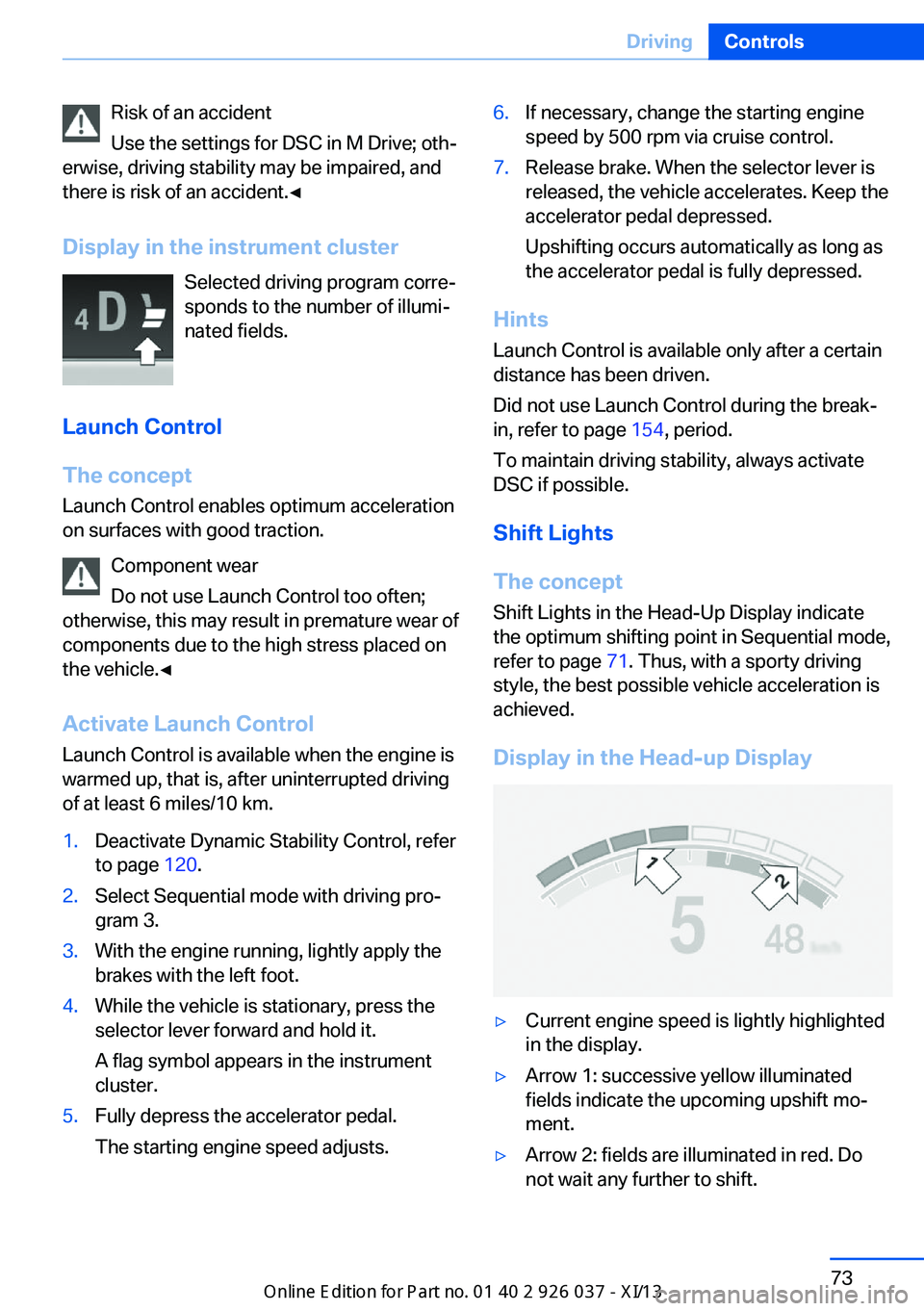
Display in the instrument cluster Selected driving program corre‐
sponds to the number of illumi‐
nated fields.
Launch Control
The concept Launch Control enables optimum accelerationon surfaces with good traction.
Component wear
Do not use Launch Control too often;
otherwise, this may result in premature wear of
components due to the high stress placed on
the vehicle.◀
Activate Launch Control Launch Control is available when the engine is
warmed up, that is, after uninterrupted driving
of at least 6 miles/10 km.1.Deactivate Dynamic Stability Control, refer
to page 120.2.Select Sequential mode with driving pro‐
gram 3.3.With the engine running, lightly apply the
brakes with the left foot.4.While the vehicle is stationary, press the
selector lever forward and hold it.
A flag symbol appears in the instrument
cluster.5.Fully depress the accelerator pedal.
The starting engine speed adjusts.6.If necessary, change the starting engine
speed by 500 rpm via cruise control.7.Release brake. When the selector lever is
released, the vehicle accelerates. Keep the
accelerator pedal depressed.
Upshifting occurs automatically as long as
the accelerator pedal is fully depressed.
Hints
Launch Control is available only after a certain
distance has been driven.
Did not use Launch Control during the break-
in, refer to page 154, period.
To maintain driving stability, always activate
DSC if possible.
Shift Lights
The concept
Shift Lights in the Head-Up Display indicate
the optimum shifting point in Sequential mode,
refer to page 71. Thus, with a sporty driving
style, the best possible vehicle acceleration is
achieved.
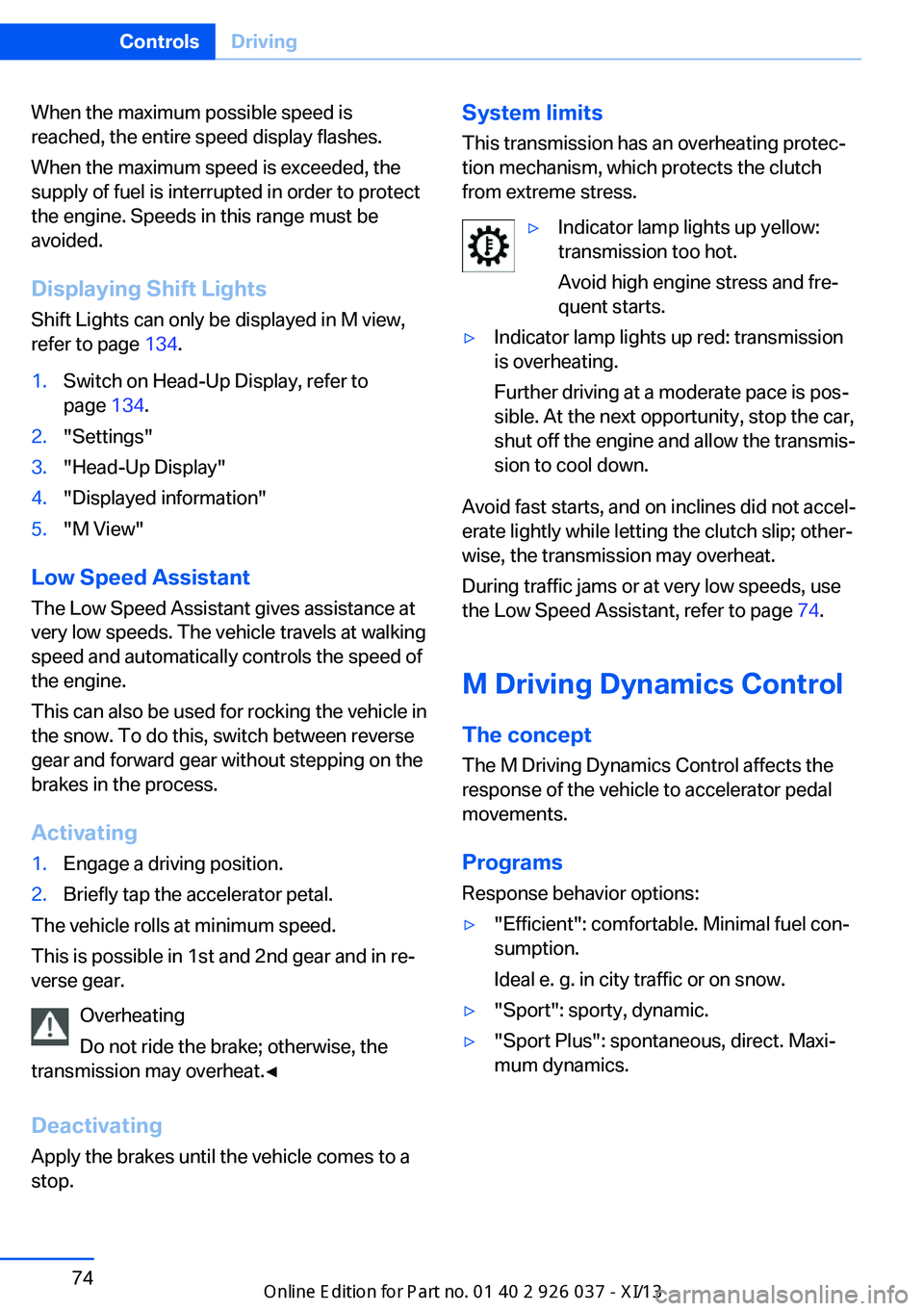
Display in the Head-up Display
▷Current engine speed is lightly highlighted
in the display.▷Arrow 1: successive yellow illuminated
fields indicate the upcoming upshift mo‐
ment.▷Arrow 2: fields are illuminated in red. Do
not wait any further to shift.Seite 73DrivingControls73
Online Edition for Part no. 01 40 2 910 746 - VI/13
Page 78 of 222
When the maximum possible speed is
reached, the entire speed display flashes.
When the maximum speed is exceeded, the
supply of fuel is interrupted in order to protect
the engine. Speeds in this range must be
avoided.
Displaying Shift LightsShift Lights can only be displayed in M view,
refer to page 134.1.Switch on Head-Up Display, refer to
page 134.2."Settings"3."Head-Up Display"4."Displayed information"5."M View"
Low Speed Assistant
The Low Speed Assistant gives assistance at
very low speeds. The vehicle travels at walking
speed and automatically controls the speed of
the engine.
This can also be used for rocking the vehicle in
the snow. To do this, switch between reverse
gear and forward gear without stepping on the
brakes in the process.
Activating
1.Engage a driving position.2.Briefly tap the accelerator petal.
The vehicle rolls at minimum speed.
This is possible in 1st and 2nd gear and in re‐
verse gear.
Overheating
Do not ride the brake; otherwise, the
transmission may overheat.◀
DeactivatingApply the brakes until the vehicle comes to a
stop.
System limits
This transmission has an overheating protec‐
tion mechanism, which protects the clutch
from extreme stress.▷Indicator lamp lights up yellow:
transmission too hot.
Avoid high engine stress and fre‐
quent starts.▷Indicator lamp lights up red: transmission
is overheating.
Further driving at a moderate pace is pos‐
sible. At the next opportunity, stop the car,
shut off the engine and allow the transmis‐
sion to cool down.
Avoid fast starts, and on inclines did not accel‐
erate lightly while letting the clutch slip; other‐
wise, the transmission may overheat.
During traffic jams or at very low speeds, use
the Low Speed Assistant, refer to page 74.
M Driving Dynamics Control
The concept The M Driving Dynamics Control affects the
response of the vehicle to accelerator pedal
movements.
ProgramsResponse behavior options:
▷"Efficient": comfortable. Minimal fuel con‐
sumption.
Ideal e. g. in city traffic or on snow.▷"Sport": sporty, dynamic.▷"Sport Plus": spontaneous, direct. Maxi‐
mum dynamics.Seite 74ControlsDriving74
Online Edition for Part no. 01 40 2 910 746 - VI/13
Page 79 of 222
Selecting a channel
Via M Drive1."Settings"2."M Drive 1" or"M Drive 2"3. Select the symbol.4.Select the desired channel.
When M Drive is active, setting is immedi‐
ately applied.
To activate M Drive with the selected settings,
press the corresponding button on the steer‐
ing wheel:
▷▷
Using the button
Press button repeatedly until the desired
program is displayed in the instrument
cluster.
Display in the instrument cluster Engine Dynamics Control with selected
program with activated Display of the
system states of the driving dynamics,
refer to page 85.
Turn signal, high beams,
headlamp flasher
Turn signal
Using turn signals
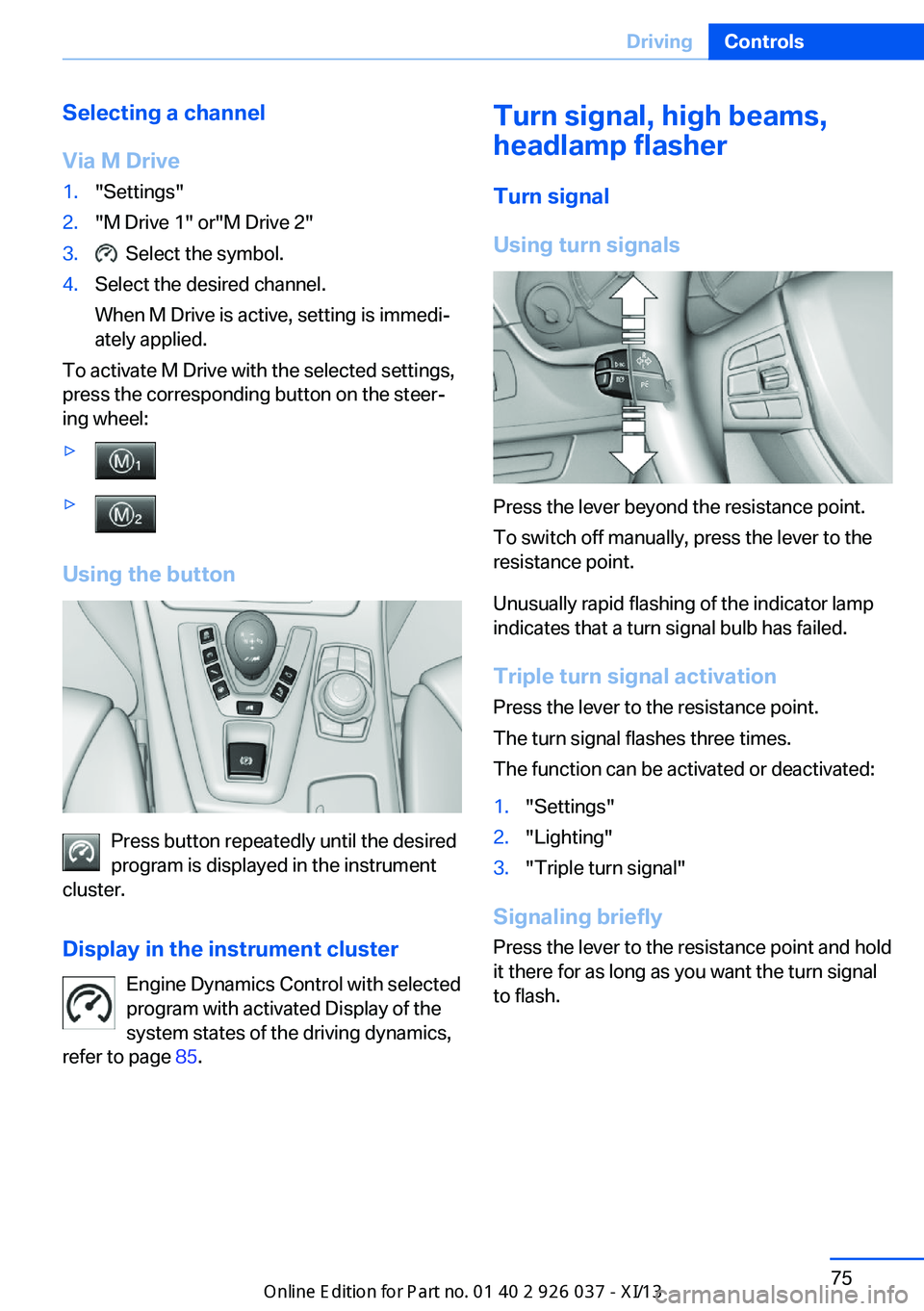
Press the lever beyond the resistance point.
To switch off manually, press the lever to the
resistance point.
Unusually rapid flashing of the indicator lamp
indicates that a turn signal bulb has failed.
Triple turn signal activation Press the lever to the resistance point.
The turn signal flashes three times.
The function can be activated or deactivated:
1."Settings"2."Lighting"3."Triple turn signal"
Signaling briefly
Press the lever to the resistance point and hold
it there for as long as you want the turn signal
to flash.
Seite 75DrivingControls75
Online Edition for Part no. 01 40 2 910 746 - VI/13
Page 82 of 222
After the wipers are folded back down, the
wiper system must be reactivated.
Fold the wipers back down
Before switching the ignition on, fold the
wipers back down to the windshield; other‐
wise, the wipers may become damaged when
they are switched on.◀1.Switch on the ignition.2.Press the wiper levers down. The wipers
move to their resting position and are
ready for operation.
Washer fluid
General information Antifreeze for washer fluid
Antifreeze is flammable and can cause
injury if it is used incorrectly.
Therefore, keep it away from sources of igni‐
tion.
Only keep it in the closed original container
and inaccessible to children.
Follow the notes and instructions on the con‐
tainer.
United States: The washer fluid mixture ratio is
regulated by the U.S. EPA and many individual
states; do not exceed the allowable washer
fluid dilution ratios limits that apply. Follow the
usage instructions on the washer fluid con‐
tainer. Use BMW’s Windshield Washer Con‐
centrate or the equivalent.◀
Washer fluid reservoir Adding washer fluid
Only add washer fluid when the engine is
cool, and then close the cover completely to
avoid contact between the washer fluid and
hot engine parts.
Otherwise, there is the danger of fire and a risk
to personal safety if the fluid is spilled.◀
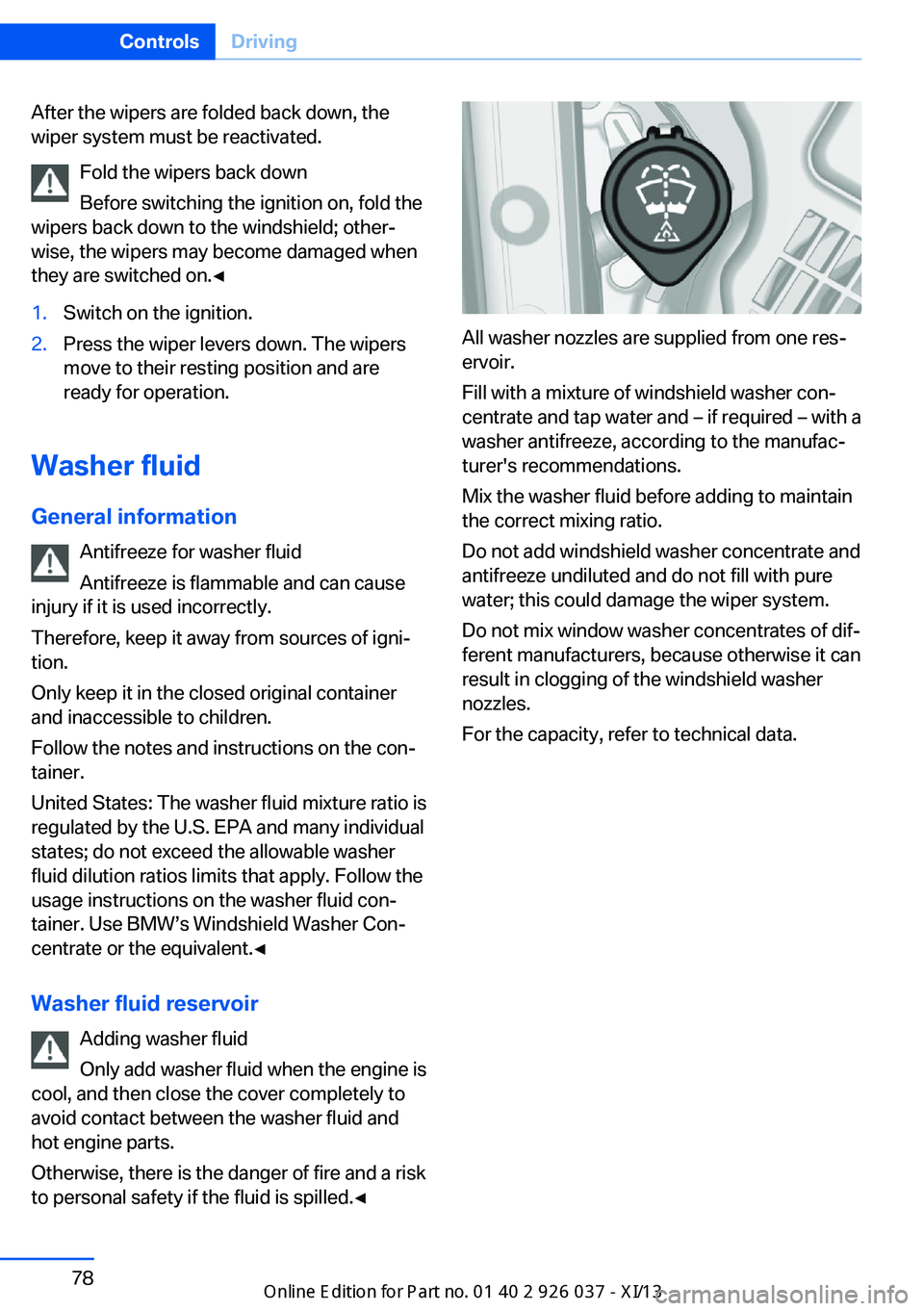
All washer nozzles are supplied from one res‐
ervoir.
Fill with a mixture of windshield washer con‐
centrate and tap water and – if required – with a
washer antifreeze, according to the manufac‐
turer's recommendations.
Mix the washer fluid before adding to maintain
the correct mixing ratio.
Do not add windshield washer concentrate and
antifreeze undiluted and do not fill with pure
water; this could damage the wiper system.
Do not mix window washer concentrates of dif‐
ferent manufacturers, because otherwise it can
result in clogging of the windshield washer
nozzles.
For the capacity, refer to technical data.
Seite 78ControlsDriving78
Online Edition for Part no. 01 40 2 910 746 - VI/13
Page 84 of 222
Electronic displays
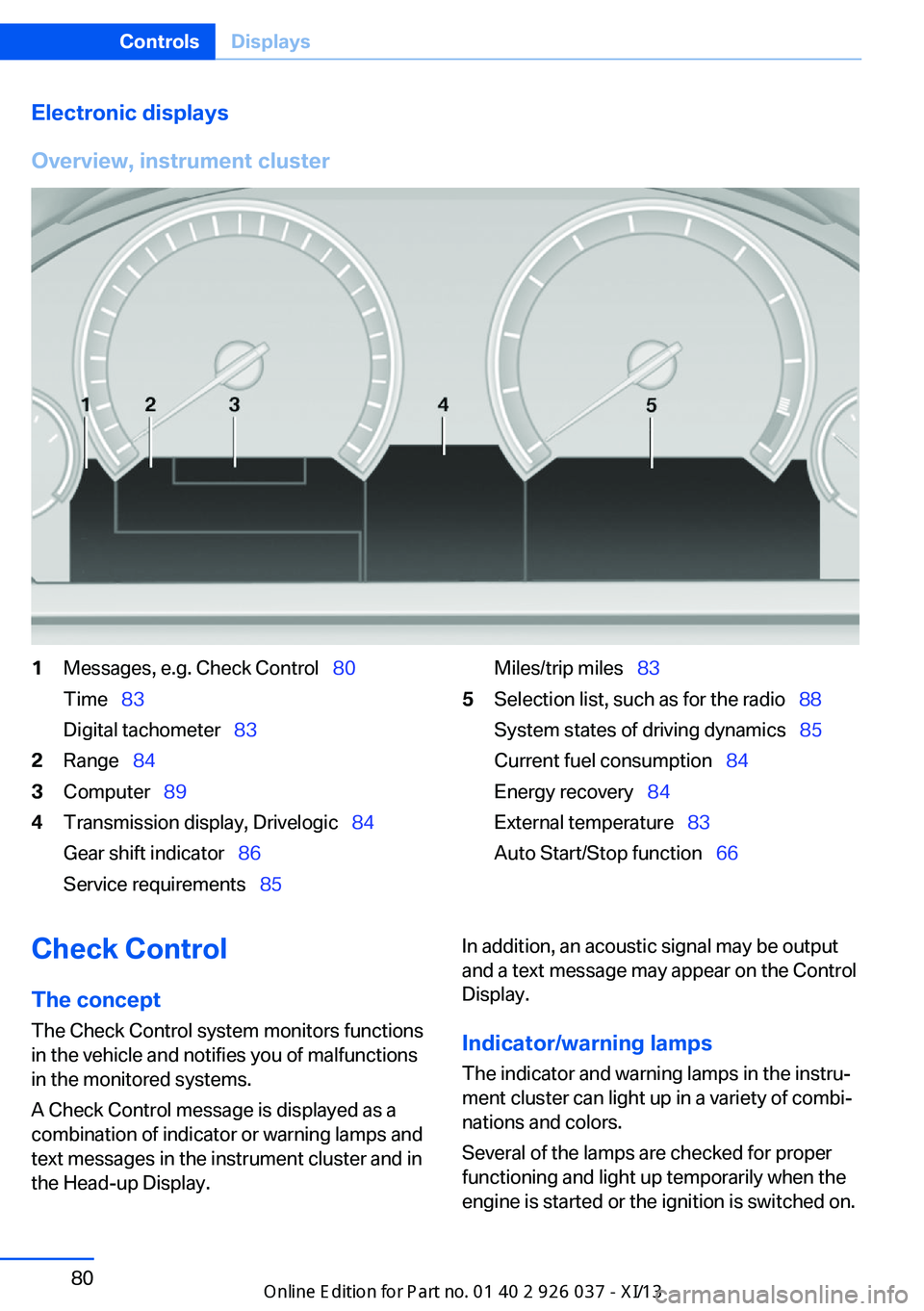
Overview, instrument cluster1Messages, e.g. Check Control 80
Time 83
Digital tachometer 832Range 843Computer 894Transmission display, Drivelogic 84
Gear shift indicator 86
Service requirements 85Miles/trip miles 835Selection list, such as for the radio 88
System states of driving dynamics 85
Current fuel consumption 84
Energy recovery 84
External temperature 83
Auto Start/Stop function 66Check Control
The concept The Check Control system monitors functions
in the vehicle and notifies you of malfunctions
in the monitored systems.
A Check Control message is displayed as a
combination of indicator or warning lamps and
text messages in the instrument cluster and in
the Head-up Display.In addition, an acoustic signal may be output
and a text message may appear on the Control Display.
Indicator/warning lamps The indicator and warning lamps in the instru‐
ment cluster can light up in a variety of combi‐
nations and colors.
Several of the lamps are checked for proper
functioning and light up temporarily when the
engine is started or the ignition is switched on.Seite 80ControlsDisplays80
Online Edition for Part no. 01 40 2 910 746 - VI/13
Page 85 of 222
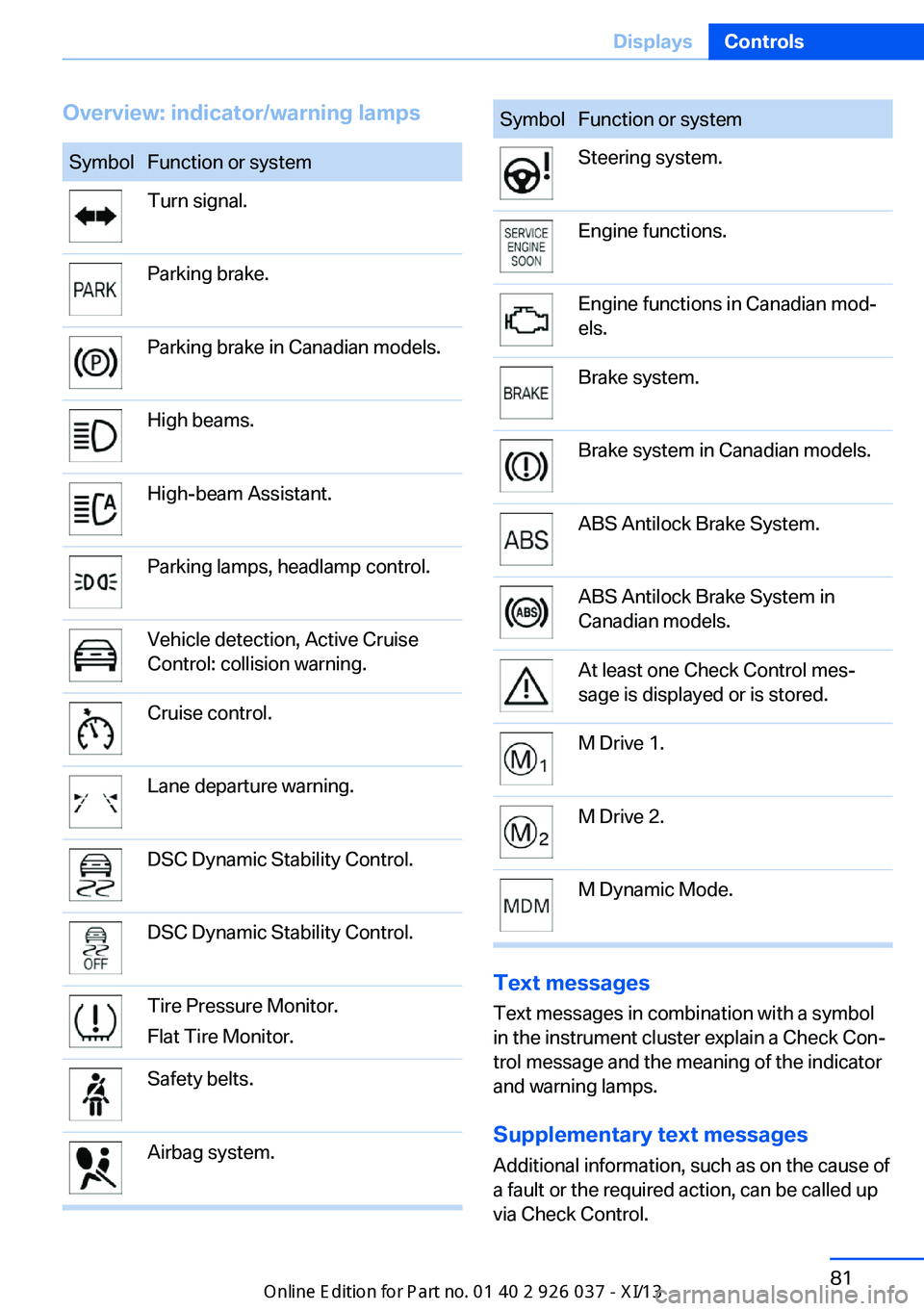
Overview: indicator/warning lampsSymbolFunction or systemTurn signal.Parking brake.Parking brake in Canadian models.High beams.High-beam Assistant.Parking lamps, headlamp control.Vehicle detection, Active Cruise
Control: collision warning.Cruise control.Lane departure warning.DSC Dynamic Stability Control.DSC Dynamic Stability Control.Tire Pressure Monitor.
Flat Tire Monitor.Safety belts.Airbag system.SymbolFunction or systemSteering system.Engine functions.Engine functions in Canadian mod‐
els.Brake system.Brake system in Canadian models.ABS Antilock Brake System.ABS Antilock Brake System in
Canadian models.At least one Check Control mes‐
sage is displayed or is stored.M Drive 1.M Drive 2.M Dynamic Mode.
Text messages
Text messages in combination with a symbol
in the instrument cluster explain a Check Con‐ trol message and the meaning of the indicator
and warning lamps.
Supplementary text messages
Additional information, such as on the cause of
a fault or the required action, can be called up
via Check Control.
Seite 81DisplaysControls81
Online Edition for Part no. 01 40 2 910 746 - VI/13
Page 86 of 222
The supplementary text of urgent messages is
automatically displayed on the Control Display.
Symbols
Depending on the Check Control message, the
following functions can be selected.▷ "Owner's Manual"
Display additional information about the
Check Control message in the Integrated
Owner's Manual.▷ "Service request"
Contact the service partner.▷ "Roadside Assistance"
Contact Roadside Assistance.
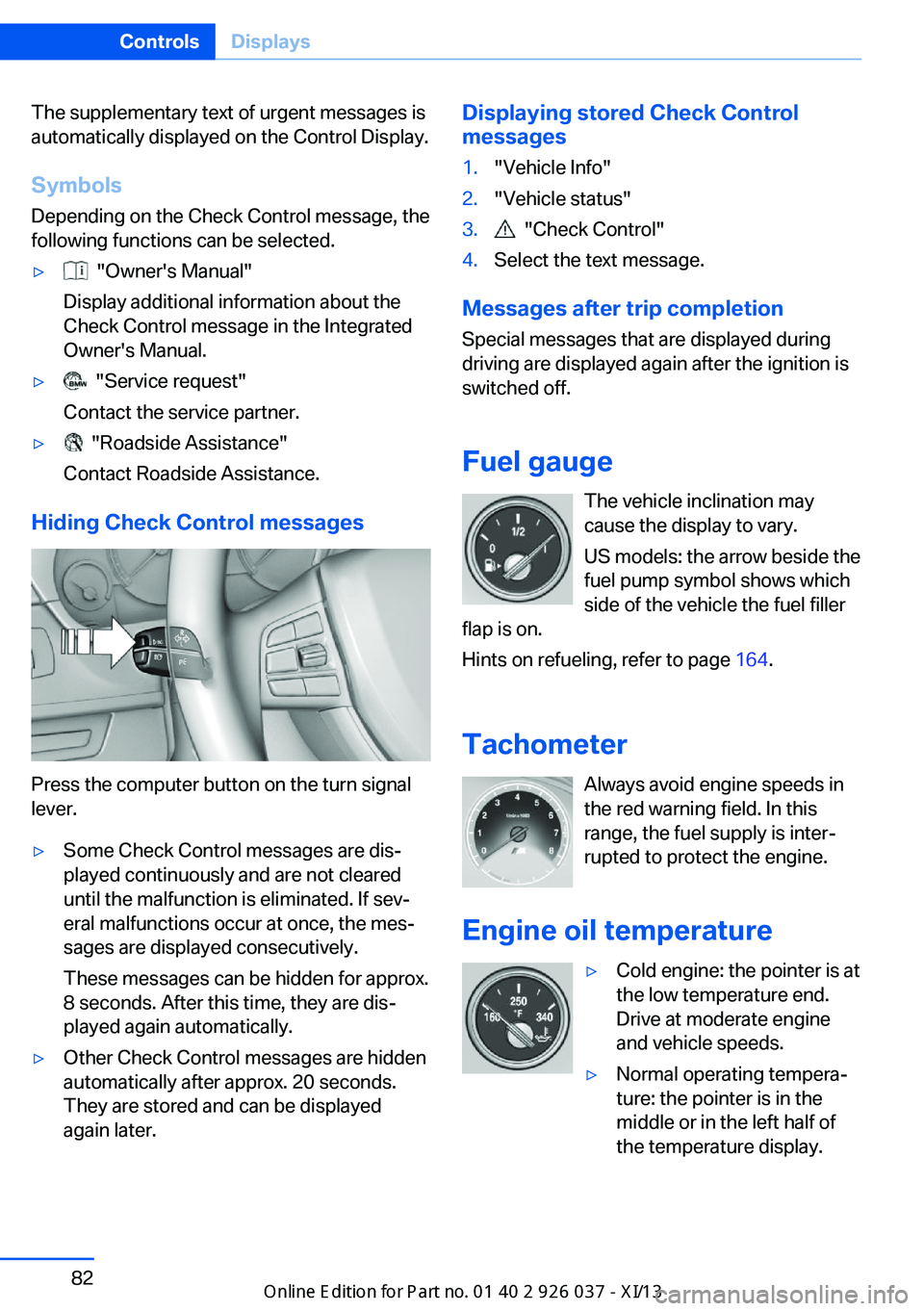
Hiding Check Control messages
Press the computer button on the turn signal
lever.
▷Some Check Control messages are dis‐
played continuously and are not cleared
until the malfunction is eliminated. If sev‐
eral malfunctions occur at once, the mes‐
sages are displayed consecutively.
These messages can be hidden for approx.
8 seconds. After this time, they are dis‐
played again automatically.▷Other Check Control messages are hidden
automatically after approx. 20 seconds.
They are stored and can be displayed
again later.Displaying stored Check Control
messages1."Vehicle Info"2."Vehicle status"3. "Check Control"4.Select the text message.
Messages after trip completion
Special messages that are displayed during
driving are displayed again after the ignition is
switched off.
Fuel gauge The vehicle inclination may
cause the display to vary.
US models: the arrow beside the
fuel pump symbol shows which
side of the vehicle the fuel filler
flap is on.
Hints on refueling, refer to page 164.
Tachometer Always avoid engine speeds inthe red warning field. In this
range, the fuel supply is inter‐
rupted to protect the engine.
Engine oil temperature
▷Cold engine: the pointer is at
the low temperature end.
Drive at moderate engine
and vehicle speeds.▷Normal operating tempera‐
ture: the pointer is in the
middle or in the left half of
the temperature display.Seite 82ControlsDisplays82
Online Edition for Part no. 01 40 2 910 746 - VI/13
Page 87 of 222
▷Hot engine: the pointer is at the high tem‐
perature end. A Check Control message is
also displayed.
Coolant temperature
If the coolant along with the engine becomes
too hot, a Check Control message is displayed.
Check the coolant level, refer to page 181.
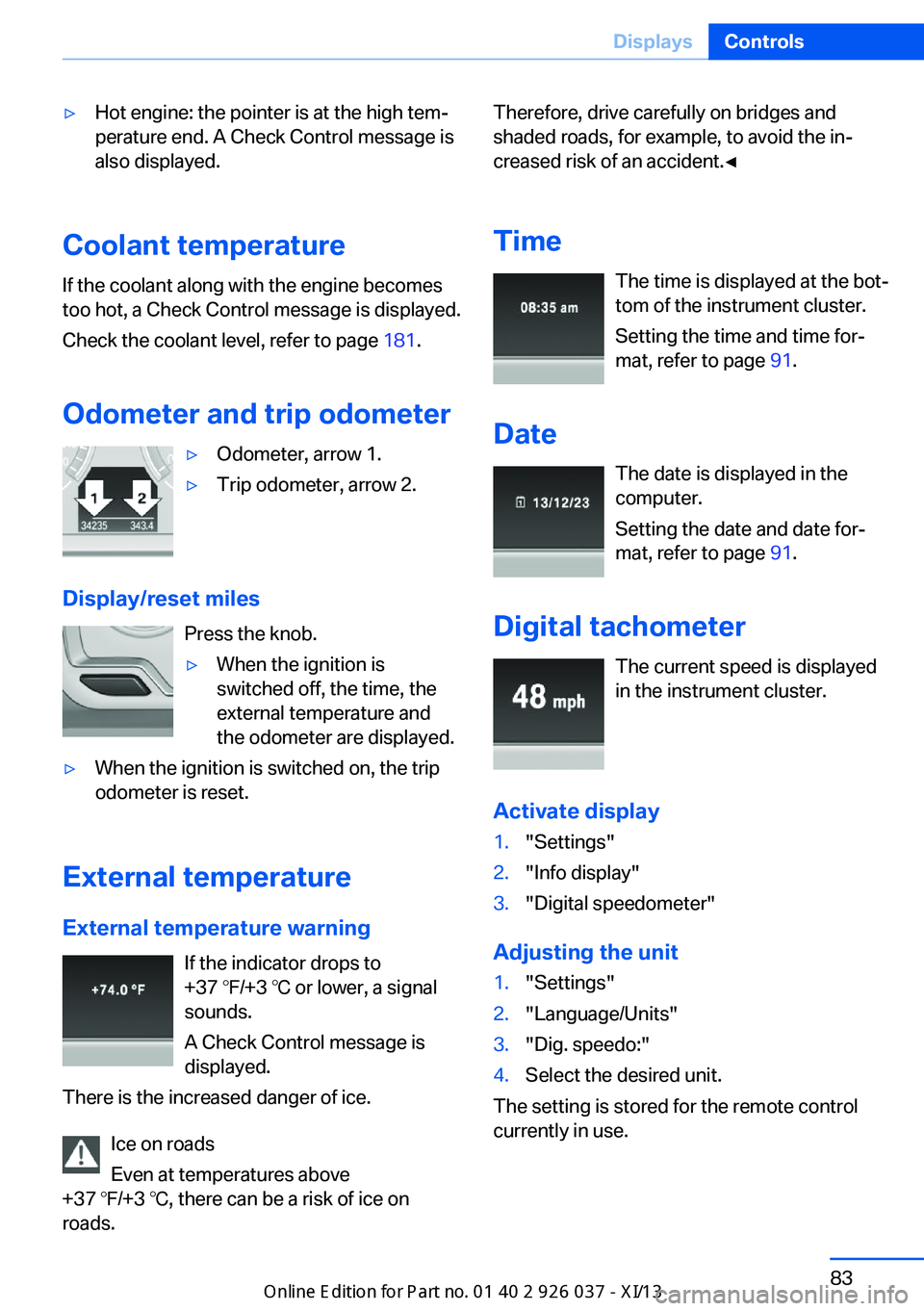
Odometer and trip odometer
▷Odometer, arrow 1.▷Trip odometer, arrow 2.
Display/reset miles Press the knob.
▷When the ignition is
switched off, the time, the
external temperature and
the odometer are displayed.▷When the ignition is switched on, the trip
odometer is reset.
External temperature
External temperature warning If the indicator drops to
+37 ℉/+3 ℃ or lower, a signal
sounds.
A Check Control message is displayed.
There is the increased danger of ice.
Ice on roads
Even at temperatures above
+37 ℉/+3 ℃, there can be a risk of ice on
roads.
Therefore, drive carefully on bridges and
shaded roads, for example, to avoid the in‐
creased risk of an accident.◀
Time The time is displayed at the bot‐
tom of the instrument cluster.
Setting the time and time for‐
mat, refer to page 91.
Date The date is displayed in the
computer.
Setting the date and date for‐
mat, refer to page 91.
Digital tachometer The current speed is displayed
in the instrument cluster.
Activate display1."Settings"2."Info display"3."Digital speedometer"
Adjusting the unit
1."Settings"2."Language/Units"3."Dig. speedo:"4.Select the desired unit.
The setting is stored for the remote control
currently in use.
Seite 83DisplaysControls83
Online Edition for Part no. 01 40 2 910 746 - VI/13
Page 88 of 222
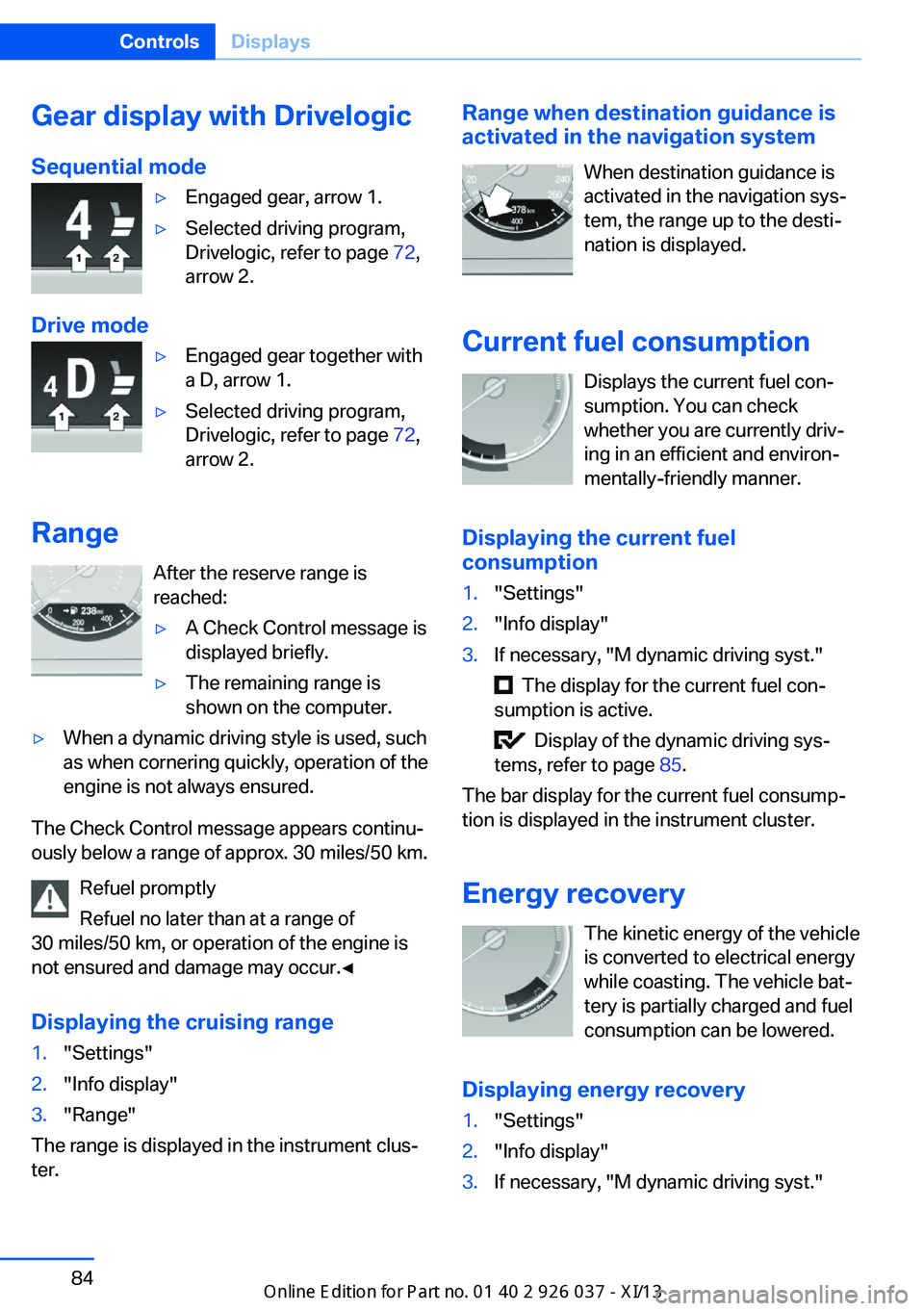
Gear display with Drivelogic
Sequential mode▷Engaged gear, arrow 1.▷Selected driving program,
Drivelogic, refer to page 72,
arrow 2.
Drive mode
▷Engaged gear together with
a D, arrow 1.▷Selected driving program,
Drivelogic, refer to page 72,
arrow 2.
Range
After the reserve range is
reached:
▷A Check Control message is
displayed briefly.▷The remaining range is
shown on the computer.▷When a dynamic driving style is used, such
as when cornering quickly, operation of the
engine is not always ensured.
The Check Control message appears continu‐
ously below a range of approx. 30 miles/50 km.
Refuel promptly
Refuel no later than at a range of
30 miles/50 km, or operation of the engine is
not ensured and damage may occur.◀
Displaying the cruising range
1."Settings"2."Info display"3."Range"
The range is displayed in the instrument clus‐
ter.
Range when destination guidance is
activated in the navigation system
When destination guidance is
activated in the navigation sys‐
tem, the range up to the desti‐
nation is displayed.
Current fuel consumption Displays the current fuel con‐
sumption. You can check whether you are currently driv‐
ing in an efficient and environ‐
mentally-friendly manner.
Displaying the current fuel
consumption1."Settings"2."Info display"3.If necessary, "M dynamic driving syst."
The display for the current fuel con‐
sumption is active.
Display of the dynamic driving sys‐
tems, refer to page 85.
The bar display for the current fuel consump‐
tion is displayed in the instrument cluster.
Energy recovery The kinetic energy of the vehicle
is converted to electrical energy
while coasting. The vehicle bat‐
tery is partially charged and fuel
consumption can be lowered.
Displaying energy recovery
1."Settings"2."Info display"3.If necessary, "M dynamic driving syst."Seite 84ControlsDisplays84
Online Edition for Part no. 01 40 2 910 746 - VI/13
Page 89 of 222
The display for the energy recovery is
active.
Display of the dynamic driving sys‐
tems, refer to page 85.
EfficientDynamics display
Information on fuel consumption and technol‐
ogy can be displayed during driving.
1."Vehicle Info"2."EfficientDynamics"
Displaying fuel consumption history
The average fuel consumption can be dis‐
played within an adjustable time frame.
"Consumption history"
Adjusting fuel consumption history time frame
Select the symbol.
Resetting fuel consumption history
1.Open "Options".2."Reset consumption history"
Displaying EfficientDynamics info
The current efficiency can be displayed.
"EfficientDynamics info"
The following systems are displayed:
▷Automatic engine Start/Stop function.▷Energy recovery.▷Climate control output.
Driving dynamics systems
The system states of the driving
dynamics are displayed in the
instrument cluster.
SymbolsDescriptionEngine Dynamics Control, refer to
page 74.Electronic Damper Control EDC,
refer to page 121.Servotronic, refer to page 122.
Activate display
1."Settings"2."Info display"3.If necessary. "M dynamic driving syst."
The display for the Driving Dynamics
System is active.
Display Current fuel consumption, refer
to page 84, and Energy recovery, refer to
page 84.
Service requirements
Display The driving distance or the time
to the next scheduled mainte‐
nance is displayed briefly after
the ignition is switched on.
The current service require‐
ments can be read out from the remote control
by the service specialist.
With TeleService, data regarding the service
status or legally mandated inspections of your
vehicle are automatically transmitted to your
service center before the service due date.
Seite 85DisplaysControls85
Online Edition for Part no. 01 40 2 910 746 - VI/13