wheel BMW SPORT WAGON 2001 User Guide
[x] Cancel search | Manufacturer: BMW, Model Year: 2001, Model line: SPORT WAGON, Model: BMW SPORT WAGON 2001Pages: 238, PDF Size: 2.44 MB
Page 35 of 238
IndexDataTechnologyRepairsCar careControlsOverview
Overview
Controls and features
Operation, care
and maintenance
Owner service procedures
Technical data
Index Advanced technology
35n
Technology for safety and
driving convenience:
Park Distance Control
(PDC)100
Automatic Stability Control plus
Traction (ASC+T)/Dynamic
Stability Control (DSC)102
Tire Pressure Control (RDC)103
Lamps:
Parking lamps/Low beams105
Instrument lighting105
High beams/Parking lamps106
Fog lamps106
Interior lamps106
Reading lamps107
Controlling the climate for
pleasant driving:
Air conditioner108
Automatic climate control114
Seat heating119
Steering wheel heating120
Roller sun blind120
Independent ventilation
system120Cabin convenience:
BMW Universal Transmitter121
Glove compartment124
Storage facilities124
Cellular phone125
Beverage holder 125
Ashtray, front126
Cigarette lighter126
Ashtray, rear127
Loading and transporting
cargo:
Through-loading system128
Ski bag129
sport wagon:
Luggage compartment132
Roll-up cover132
Partition net132
Storage areas in the luggage
compartment133
Cargo loading136
Roof-mounted luggage rack137
Page 47 of 238
IndexDataTechnologyRepairsCar careControlsOverview
47n
Alarm systemThe conceptThe vehicle alarm system responds:
>When a door, the hood or the lug-
gage compartment lid/tailgate is
opened.
>To movement inside the vehicle
(interior motion sensor).
>To variations in the vehicle tilt sensor
such as occur during attempts to
steal the wheels or tow the vehicle.
>To interruption of battery voltage.
The system responds to unauthorized
vehicle entry and attempted theft by
simultaneously activating the following:
>Sounding an acoustical alarm for
30 seconds.
>The hazard warning flashers are
activated for approx. five minutes.
>The high beams flash on and off in
the same rhythm.
To arm and disarm the
alarm systemWhen the vehicle is locked or unlocked
with the key or the remote control, the
alarm system is also simultaneously
armed or disarmed.
The interior motion sensor is activated
approx. 30 seconds after you have fin-
ished locking the car.
The system indicates that it has been
correctly armed by switching on the
hazard flashers for a single cycle and by
emitting an acoustical signal.
You can have different acknowl-
edgment signals set to confirm
arming and disarming.<
When the system is armed, you can still
gain access to the luggage compart-
ment lid/tailgate by pressing button 3
on the remote control (refer to page 41).
When you close the luggage compart-
ment lid/tailgate, it locks again.
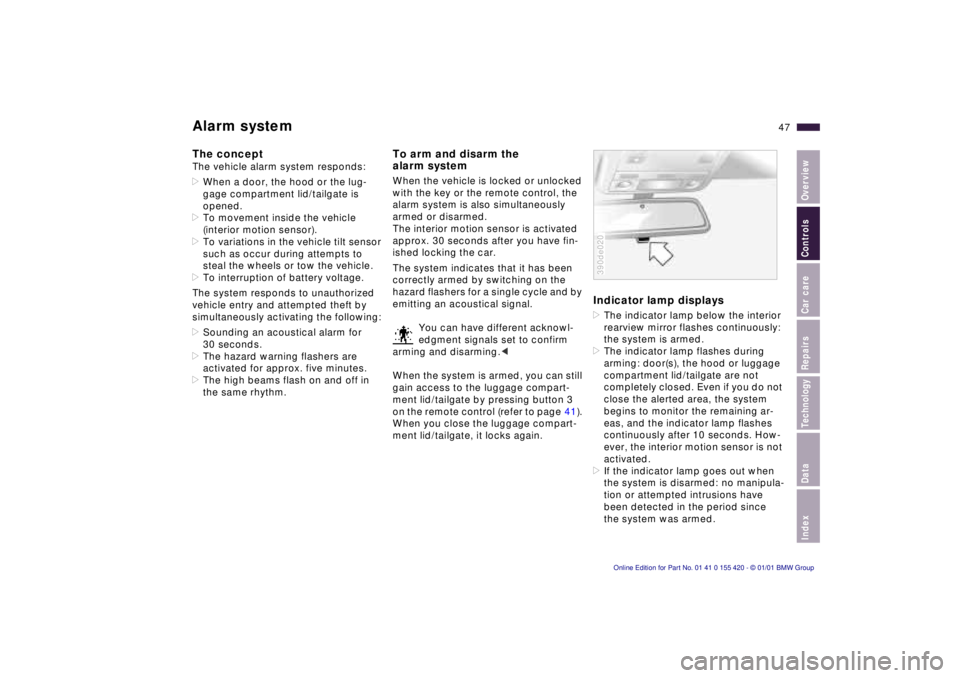
Indicator lamp displays>The indicator lamp below the interior
rearview mirror flashes continuously:
the system is armed.
>The indicator lamp flashes during
arming: door(s), the hood or luggage
compartment lid/tailgate are not
completely closed. Even if you do not
close the alerted area, the system
begins to monitor the remaining ar-
eas, and the indicator lamp flashes
continuously after 10 seconds. How-
ever, the interior motion sensor is not
activated.
>If the indicator lamp goes out when
the system is disarmed: no manipula-
tion or attempted intrusions have
been detected in the period since
the system was armed.390de020
Page 52 of 238
52n
For maximum safety, please comply
with the following instructions when ad-
justing a seat:
Never try to adjust your seat while
operating the vehicle. The seat
could respond with unexpected move-
ment, and the ensuing loss of vehicle
control could lead to an accident.
Wear the safety belt firmly against your
body at all times. In the event of a fron-
tal impact, a loose lap belt could slide
over your hips, leading to abdominal
injury. In addition, the safety belt's
restraint effectiveness is reduced if the
belt is worn loosely.
Never ride with the backrest reclined to
an extreme horizontal angle (especially
important for front passengers to
remember). Keep the backrest relatively
upright to minimize the risk of "sliding
under" the safety belt and sustaining
injury in an accident.
Do not slide the seats to the rear
when the vehicle is at an extreme angle
(on garage ramps or steep slopes, for
instance), to prevent the shoulder
strap's automatic height adjustment
mechanism from disengaging.<
Correct sitting postureTo reduce strain on the spinal column,
sit all the way back in the seat and rest
your back fully against the backrest.
The ideal sitting posture is achieved
with your head extending from your
spine in a straight line.
For long-distance driving, you may wish
to increase the backrest tilt-angle
slightly to reduce muscular tension.
Please remember that you should
always remain able to grasp the entire
periphery of the steering wheel without
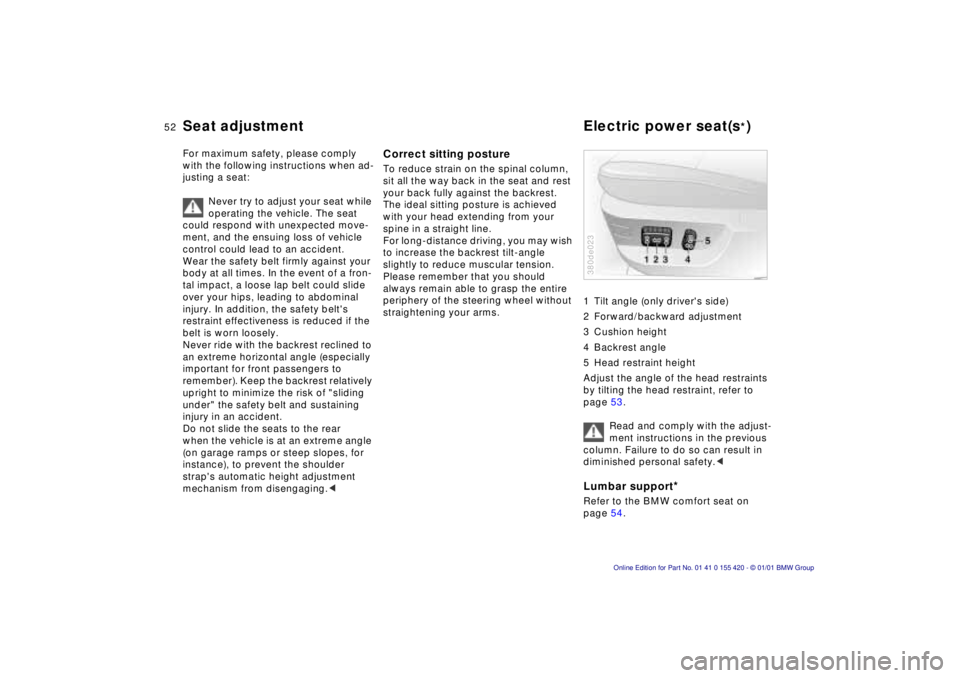
straightening your arms.1 Tilt angle (only driver's side)
2 Forward/backward adjustment
3 Cushion height
4 Backrest angle
5 Head restraint height
Adjust the angle of the head restraints
by tilting the head restraint, refer to
page 53.
Read and comply with the adjust-
ment instructions in the previous
column. Failure to do so can result in
diminished personal safety.<
Lumbar support
*
Refer to the BMW comfort seat on
page 54.380de023
Seat adjustment Electric power seat(s
*)
Page 56 of 238
56n
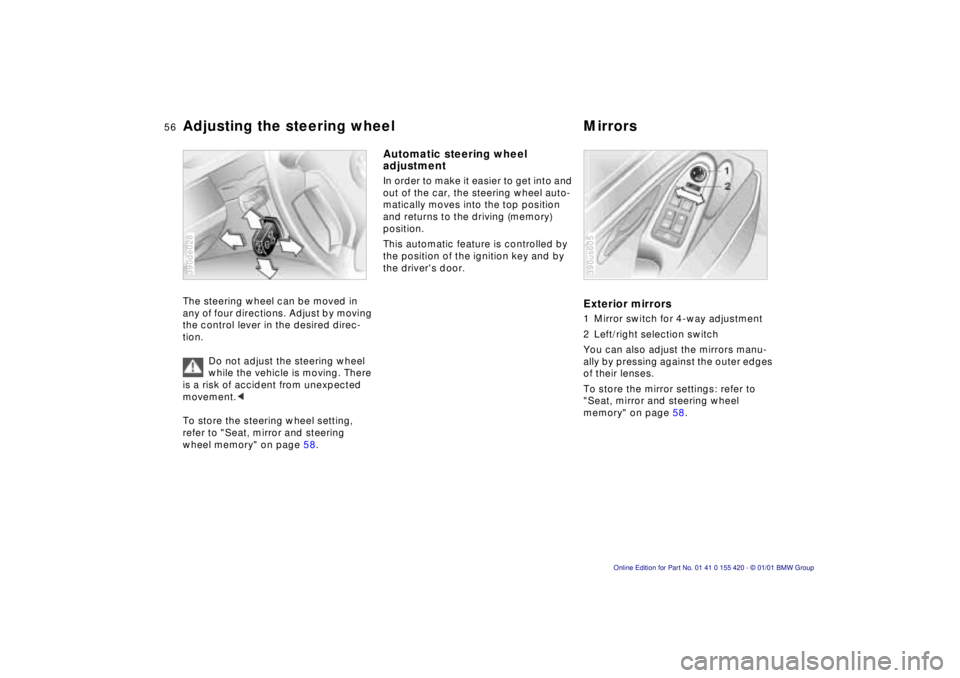
Adjusting the steering wheel MirrorsThe steering wheel can be moved in
any of four directions. Adjust by moving
the control lever in the desired direc-
tion.
Do not adjust the steering wheel
while the vehicle is moving. There
is a risk of accident from unexpected
movement.<
To store the steering wheel setting,
refer to "Seat, mirror and steering
wheel memory" on page 58.390de028
Automatic steering wheel
adjustment In order to make it easier to get into and
out of the car, the steering wheel auto-
matically moves into the top position
and returns to the driving (memory)
position.
This automatic feature is controlled by
the position of the ignition key and by
the driver's door.
Exterior mirrors1 Mirror switch for 4-way adjustment
2 Left/right selection switch
You can also adjust the mirrors manu-
ally by pressing against the outer edges
of their lenses.
To store the mirror settings: refer to
"Seat, mirror and steering wheel
memory" on page 58.390us605
Page 58 of 238
58n
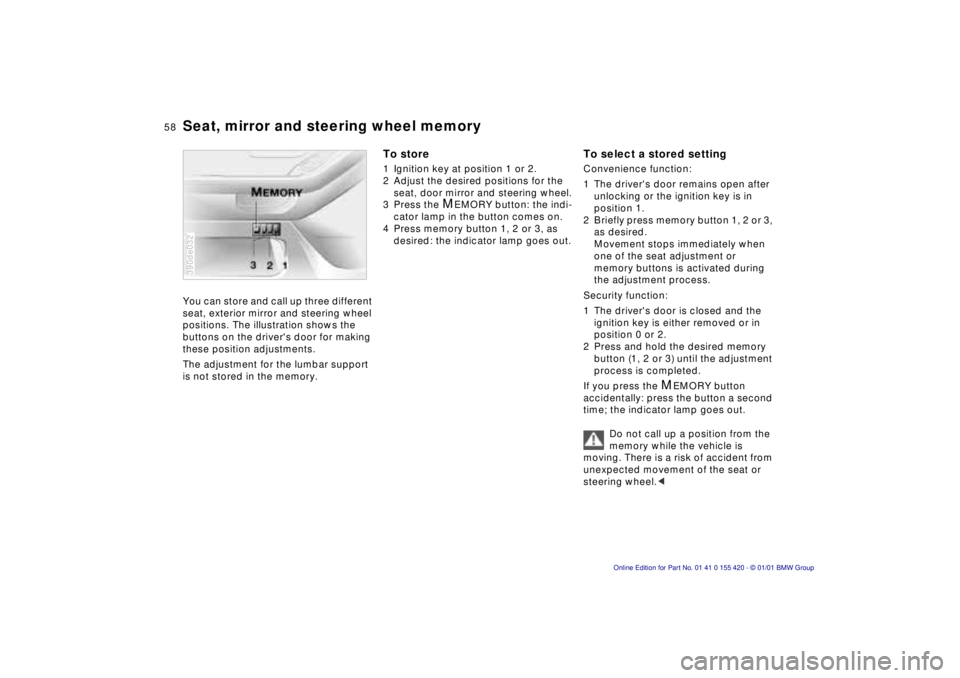
Seat, mirror and steering wheel memoryYou can store and call up three different
seat, exterior mirror and steering wheel
positions. The illustration shows the
buttons on the driver's door for making
these position adjustments.
The adjustment for the lumbar support
is not stored in the memory.390de032
To store1 Ignition key at position 1 or 2.
2 Adjust the desired positions for the
seat, door mirror and steering wheel.
3 Press the
M
EMORY button: the indi-
cator lamp in the button comes on.
4 Press memory button 1, 2 or 3, as
desired: the indicator lamp goes out.
To select a stored settingConvenience function:
1 The driver's door remains open after
unlocking or the ignition key is in
position 1.
2 Briefly press memory button 1, 2 or 3,
as desired.
Movement stops immediately when
one of the seat adjustment or
memory buttons is activated during
the adjustment process.
Security function:
1 The driver's door is closed and the
ignition key is either removed or in
position 0 or 2.
2 Press and hold the desired memory
button (1, 2 or 3) until the adjustment
process is completed.
If you press the
M
EMORY button
accidentally: press the button a second
time; the indicator lamp goes out.
Do not call up a position from the
memory while the vehicle is
moving. There is a risk of accident from
unexpected movement of the seat or
steering wheel.<
Page 59 of 238
IndexDataTechnologyRepairsCar careControlsOverview
59n
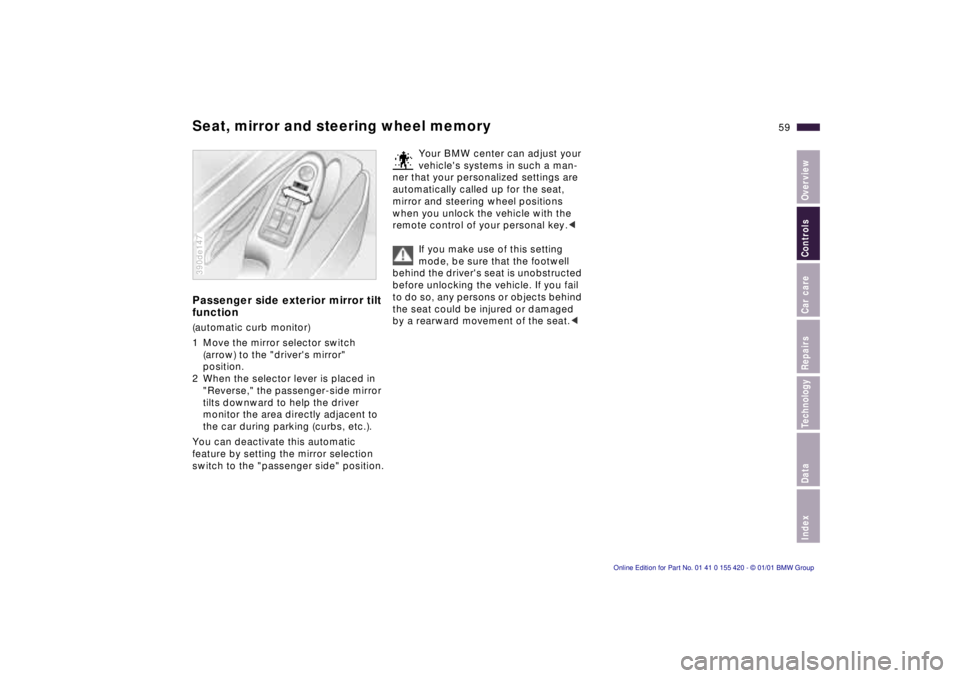
Seat, mirror and steering wheel memoryPassenger side exterior mirror tilt
function(automatic curb monitor)
1 Move the mirror selector switch
(arrow) to the "driver's mirror"
position.
2 When the selector lever is placed in
"Reverse," the passenger-side mirror
tilts downward to help the driver
monitor the area directly adjacent to
the car during parking (curbs, etc.).
You can deactivate this automatic
feature by setting the mirror selection
switch to the "passenger side" position.390de147
Your BMW center can adjust your
vehicle's systems in such a man-
ner that your personalized settings are
automatically called up for the seat,
mirror and steering wheel positions
when you unlock the vehicle with the
remote control of your personal key.<
If you make use of this setting
mode, be sure that the footwell
behind the driver's seat is unobstructed
before unlocking the vehicle. If you fail
to do so, any persons or objects behind
the seat could be injured or damaged
by a rearward movement of the seat.<
Page 63 of 238
IndexDataTechnologyRepairsCar careControlsOverview
63n
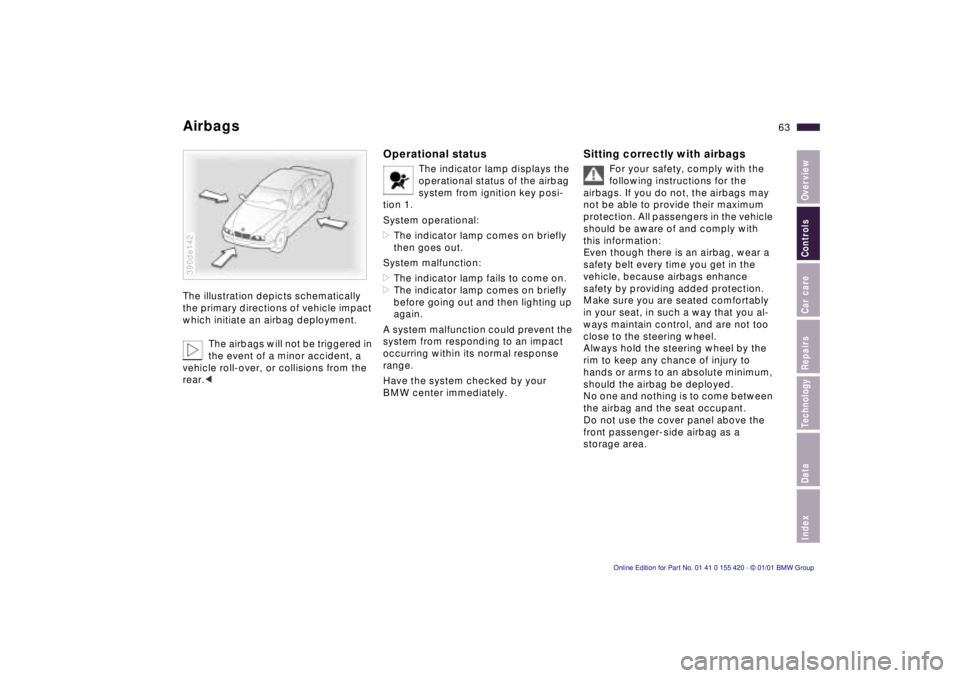
AirbagsThe illustration depicts schematically
the primary directions of vehicle impact
which initiate an airbag deployment.
The airbags will not be triggered in
the event of a minor accident, a
vehicle roll-over, or collisions from the
rear.c390de142
Operational status
The indicator lamp displays the
operational status of the airbag
system from ignition key posi-
tion 1.
System operational:
>The indicator lamp comes on briefly
then goes out.
System malfunction:
>The indicator lamp fails to come on.
>The indicator lamp comes on briefly
before going out and then lighting up
again.
A system malfunction could prevent the
system from responding to an impact
occurring within its normal response
range.
Have the system checked by your
BMW center immediately.
Sitting correctly with airbags
For your safety, comply with the
following instructions for the
airbags. If you do not, the airbags may
not be able to provide their maximum
protection. All passengers in the vehicle
should be aware of and comply with
this information:
Even though there is an airbag, wear a
safety belt every time you get in the
vehicle, because airbags enhance
safety by providing added protection.
Make sure you are seated comfortably
in your seat, in such a way that you al-
ways maintain control, and are not too
close to the steering wheel.
Always hold the steering wheel by the
rim to keep any chance of injury to
hands or arms to an absolute minimum,
should the airbag be deployed.
No one and nothing is to come between
the airbag and the seat occupant.
Do not use the cover panel above the
front passenger-side airbag as a
storage area.
Page 68 of 238
68n
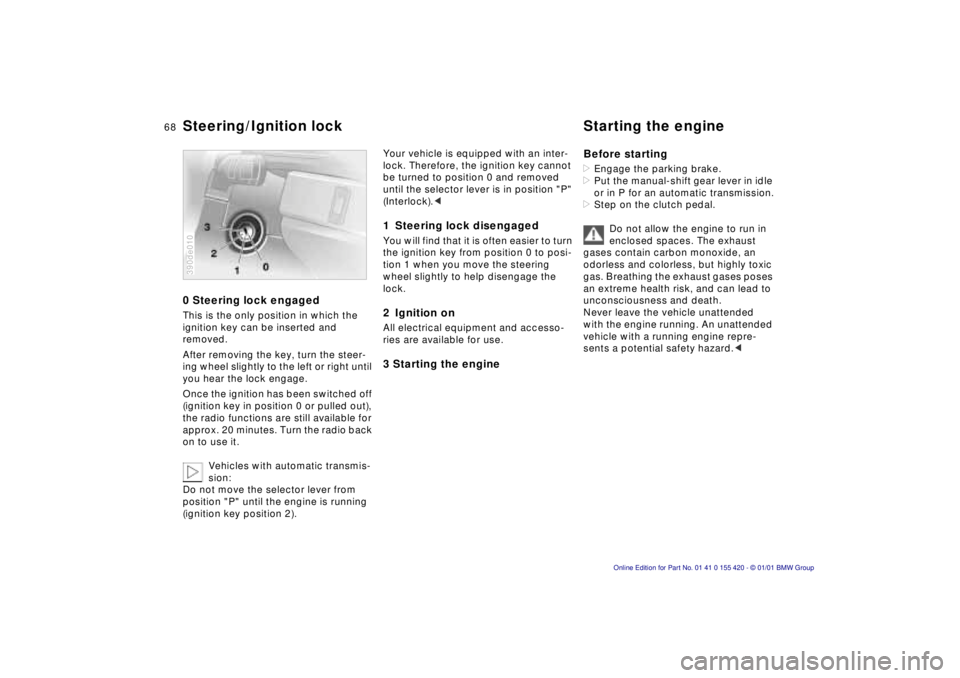
0 Steering lock engagedThis is the only position in which the
ignition key can be inserted and
removed.
After removing the key, turn the steer-
ing wheel slightly to the left or right until
you hear the lock engage.
Once the ignition has been switched off
(ignition key in position 0 or pulled out),
the radio functions are still available for
approx. 20 minutes. Turn the radio back
on to use it.
Vehicles with automatic transmis-
sion:
Do not move the selector lever from
position "P" until the engine is running
(ignition key position 2).390de010
Your vehicle is equipped with an inter-
lock. Therefore, the ignition key cannot
be turned to position 0 and removed
until the selector lever is in position "P"
(Interlock).< 1 Steering lock disengagedYou will find that it is often easier to turn
the ignition key from position 0 to posi-
tion 1 when you move the steering
wheel slightly to help disengage the
lock.2 Ignition onAll electrical equipment and accesso-
ries are available for use.3 Starting the engineBefore starting
>Engage the parking brake.
>Put the manual-shift gear lever in idle
or in P for an automatic transmission.
>Step on the clutch pedal.
Do not allow the engine to run in
enclosed spaces. The exhaust
gases contain carbon monoxide, an
odorless and colorless, but highly toxic
gas. Breathing the exhaust gases poses
an extreme health risk, and can lead to
unconsciousness and death.
Never leave the vehicle unattended
with the engine running. An unattended
vehicle with a running engine repre-
sents a potential safety hazard.<
Steering/Ignition lock Starting the engine
Page 70 of 238
70n
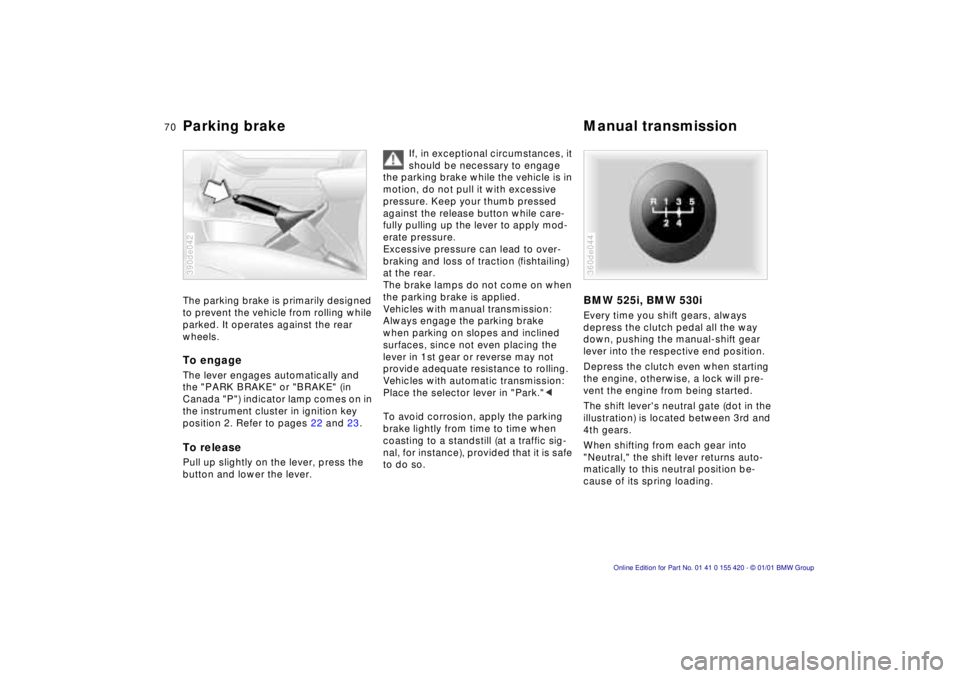
Parking brake Manual transmissionThe parking brake is primarily designed
to prevent the vehicle from rolling while
parked. It operates against the rear
wheels.To engageThe lever engages automatically and
the "PARK BRAKE" or "BRAKE" (in
Canada "P") indicator lamp comes on in
the instrument cluster in ignition key
position 2. Refer to pages 22 and 23.To releasePull up slightly on the lever, press the
button and lower the lever.390de042
If, in exceptional circumstances, it
should be necessary to engage
the parking brake while the vehicle is in
motion, do not pull it with excessive
pressure. Keep your thumb pressed
against the release button while care-
fully pulling up the lever to apply mod-
erate pressure.
Excessive pressure can lead to over-
braking and loss of traction (fishtailing)
at the rear.
The brake lamps do not come on when
the parking brake is applied.
Vehicles with manual transmission:
Always engage the parking brake
when parking on slopes and inclined
surfaces, since not even placing the
lever in 1st gear or reverse may not
provide adequate resistance to rolling.
Vehicles with automatic transmission:
Place the selector lever in "Park."<
To avoid corrosion, apply the parking
brake lightly from time to time when
coasting to a standstill (at a traffic sig-
nal, for instance), provided that it is safe
to do so.
BMW 525i, BMW 530iEvery time you shift gears, always
depress the clutch pedal all the way
down, pushing the manual-shift gear
lever into the respective end position.
Depress the clutch even when starting
the engine, otherwise, a lock will pre-
vent the engine from being started.
The shift lever's neutral gate (dot in the
illustration) is located between 3rd and
4th gears.
When shifting from each gear into
"Neutral," the shift lever returns auto-
matically to this neutral position be-
cause of its spring loading.360de044
Page 73 of 238

IndexDataTechnologyRepairsCar careControlsOverview
73n
Automatic transmission
*
Before leaving the vehicle when
the engine is running, shift the
selector lever to the "Park" or "Neutral"
position and apply the parking brake.
The vehicle could move if this is not
done.
Never leave the vehicle unattended
with the engine running. An unattended
vehicle with a running engine repre-
sents a potential safety hazard.
If you should accidentally select
"Neutral" while traveling at high speed,
remove your foot from the accelerator
pedal immediately. Allow the engine
speed to drop to idle before selecting
the desired drive position. Damage
could otherwise occur due to excessive
engine speed.<
P ParkSelect "Park" only when the vehicle is
stationary. The transmission locks to
prevent the rear wheels from turning.R ReverseSelect "Reverse" only when the vehicle
is stationary.
N NeutralSelect "Neutral" only if your journey is
interrupted for a long period.D Drive
(automatic shift program)This position is designed for driving
under all normal operating conditions.
All forward gears are available.4 – Sport ProgramThis position is recommended if you
wish to select a performance-oriented
driving style.
3 and 2 – shift limiterSelect this range when you wish to limit
gear changes (on steep uphill or down-
hill slopes, for instance). The transmis-
sion shifts up only as far as the selected
gear."Kickdown" In the "Kickdown" mode, you achieve
maximum performance.
To activate this mode, depress the
accelerator pedal beyond the full-
throttle position, at which a resistance
point must be overcome.