position BMW X1 2014 E84 Workshop Manual
[x] Cancel search | Manufacturer: BMW, Model Year: 2014, Model line: X1, Model: BMW X1 2014 E84Pages: 297, PDF Size: 7 MB
Page 259 of 297
Breakdown assistanceVehicle equipment
This chapter describes all series equipment as
well as country-specific and special equipment
offered for this model series. Therefore, it also
describes equipment that may not be found in
your vehicle, for instance due to the selected
special equipment or the country version. This
also applies to safety-related functions and
systems.
When using the features and systems descri‐
bed here, adhere to local regulations.
Hazard warning flashers
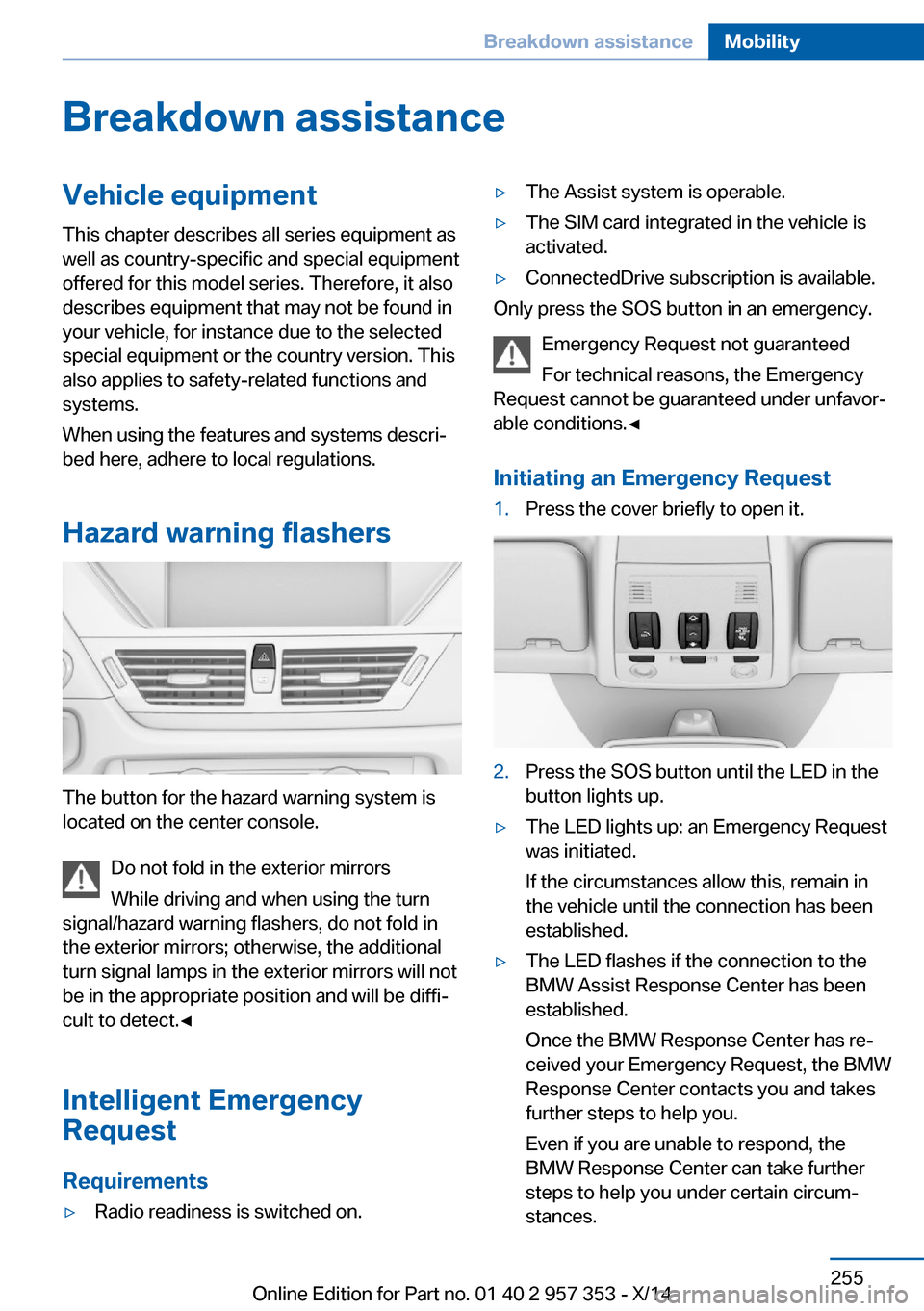
The button for the hazard warning system is
located on the center console.
Do not fold in the exterior mirrors
While driving and when using the turn
signal/hazard warning flashers, do not fold in
the exterior mirrors; otherwise, the additional
turn signal lamps in the exterior mirrors will not
be in the appropriate position and will be diffi‐
cult to detect.◀
Intelligent Emergency
Request
Requirements
▷Radio readiness is switched on.▷The Assist system is operable.▷The SIM card integrated in the vehicle is
activated.▷ConnectedDrive subscription is available.
Only press the SOS button in an emergency.
Emergency Request not guaranteed
For technical reasons, the Emergency
Request cannot be guaranteed under unfavor‐
able conditions.◀
Initiating an Emergency Request
1.Press the cover briefly to open it.2.Press the SOS button until the LED in the
button lights up.▷The LED lights up: an Emergency Request
was initiated.
If the circumstances allow this, remain in
the vehicle until the connection has been
established.▷The LED flashes if the connection to the
BMW Assist Response Center has been
established.
Once the BMW Response Center has re‐
ceived your Emergency Request, the BMW
Response Center contacts you and takes
further steps to help you.
Even if you are unable to respond, the
BMW Response Center can take further
steps to help you under certain circum‐
stances.Seite 255Breakdown assistanceMobility255
Online Edition for Part no. 01 40 2 957 353 - X/14
Page 260 of 297
For this purpose, data that are used to de‐
termine the necessary rescue measures,
such as the current position of the vehicle
if it can be established, are transmitted to
the BMW Response Center.▷If the LED is flashing but the BMW Re‐
sponse Center cannot be heard on the
hands-free system, the hands-free system
may be malfunctioning. However, the
BMW Response Center may still be able to
hear you.
Initiating an Emergency Request
automatically
Under certain conditions, an Emergency Re‐
quest is automatically initiated immediately af‐
ter a severe accident. Automatic Collision Noti‐
fication is not affected by pressing the SOS
button.
Warning triangle
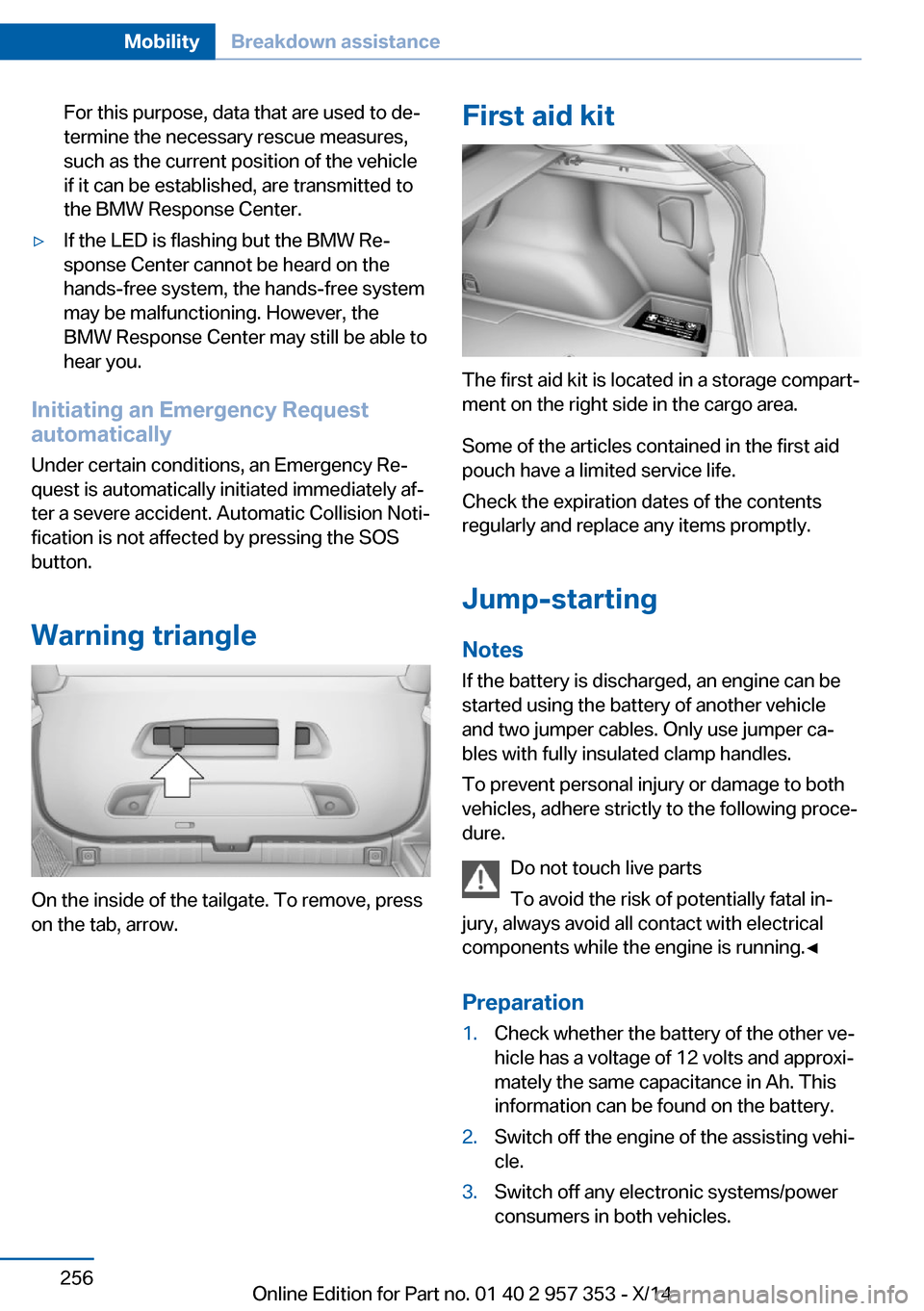
On the inside of the tailgate. To remove, press
on the tab, arrow.
First aid kit
The first aid kit is located in a storage compart‐
ment on the right side in the cargo area.
Some of the articles contained in the first aid
pouch have a limited service life.
Check the expiration dates of the contents
regularly and replace any items promptly.
Jump-starting
Notes If the battery is discharged, an engine can be
started using the battery of another vehicle
and two jumper cables. Only use jumper ca‐
bles with fully insulated clamp handles.
To prevent personal injury or damage to both
vehicles, adhere strictly to the following proce‐
dure.
Do not touch live parts
To avoid the risk of potentially fatal in‐
jury, always avoid all contact with electrical
components while the engine is running.◀
Preparation
1.Check whether the battery of the other ve‐
hicle has a voltage of 12 volts and approxi‐
mately the same capacitance in Ah. This
information can be found on the battery.2.Switch off the engine of the assisting vehi‐
cle.3.Switch off any electronic systems/power
consumers in both vehicles.Seite 256MobilityBreakdown assistance256
Online Edition for Part no. 01 40 2 957 353 - X/14
Page 262 of 297
Automatic transmission, 8-gear:
transporting your vehicle
Note Your vehicle is not permitted to be towed.
Therefore, contact a service center in the
event of a breakdown.
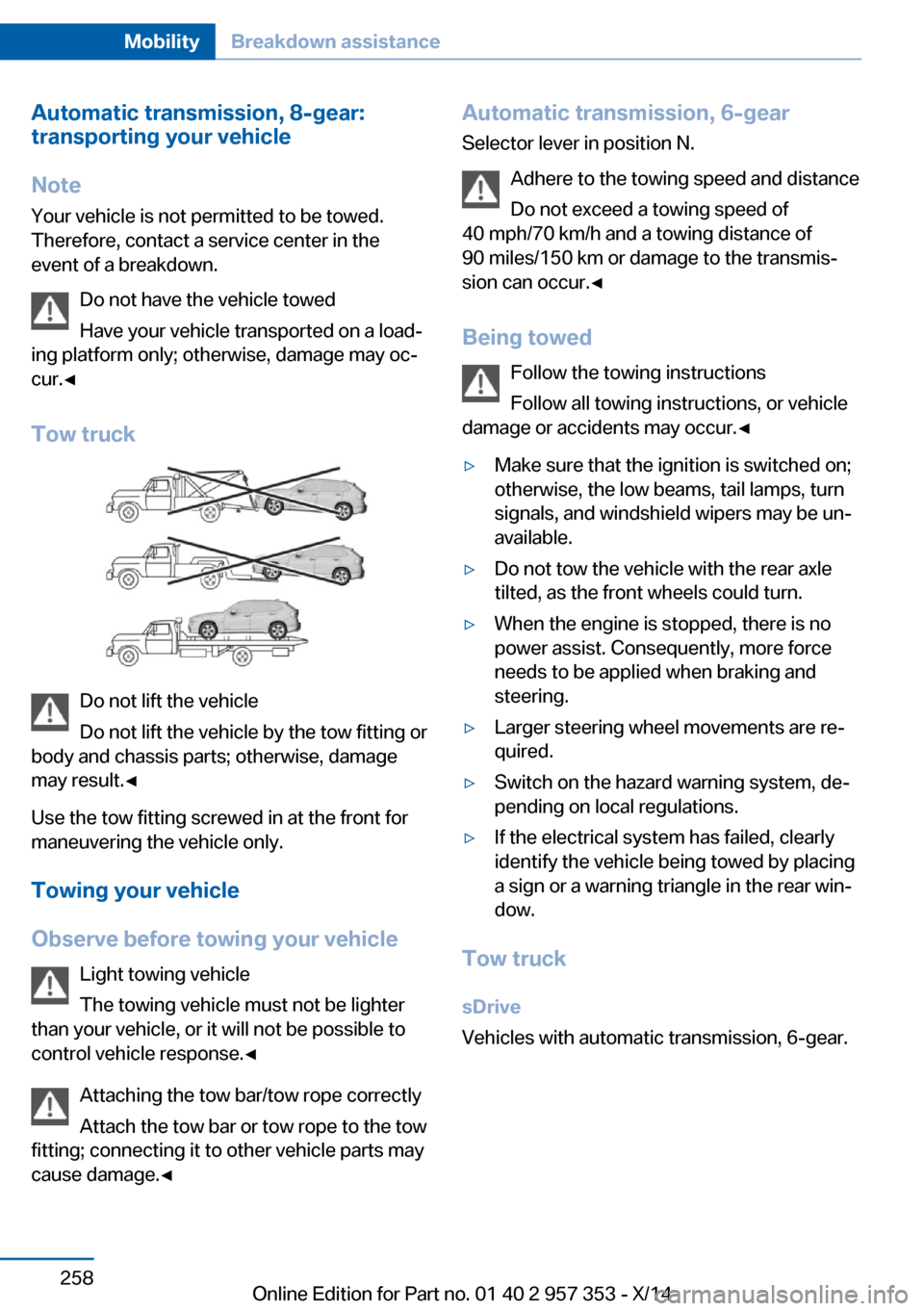
Do not have the vehicle towed
Have your vehicle transported on a load‐
ing platform only; otherwise, damage may oc‐
cur.◀
Tow truck
Do not lift the vehicle
Do not lift the vehicle by the tow fitting or
body and chassis parts; otherwise, damage
may result.◀
Use the tow fitting screwed in at the front for
maneuvering the vehicle only.
Towing your vehicle
Observe before towing your vehicle Light towing vehicle
The towing vehicle must not be lighter
than your vehicle, or it will not be possible to
control vehicle response.◀
Attaching the tow bar/tow rope correctly
Attach the tow bar or tow rope to the tow
fitting; connecting it to other vehicle parts may
cause damage.◀
Automatic transmission, 6-gear
Selector lever in position N.
Adhere to the towing speed and distance
Do not exceed a towing speed of
40 mph/70 km/h and a towing distance of
90 miles/150 km or damage to the transmis‐
sion can occur.◀
Being towed Follow the towing instructions
Follow all towing instructions, or vehicle
damage or accidents may occur.◀▷Make sure that the ignition is switched on;
otherwise, the low beams, tail lamps, turn
signals, and windshield wipers may be un‐
available.▷Do not tow the vehicle with the rear axle
tilted, as the front wheels could turn.▷When the engine is stopped, there is no
power assist. Consequently, more force
needs to be applied when braking and
steering.▷Larger steering wheel movements are re‐
quired.▷Switch on the hazard warning system, de‐
pending on local regulations.▷If the electrical system has failed, clearly
identify the vehicle being towed by placing
a sign or a warning triangle in the rear win‐
dow.
Tow truck
sDrive
Vehicles with automatic transmission, 6-gear.
Seite 258MobilityBreakdown assistance258
Online Edition for Part no. 01 40 2 957 353 - X/14
Page 265 of 297
CareVehicle equipmentThis chapter describes all series equipment as
well as country-specific and special equipment
offered for this model series. Therefore, it also
describes equipment that may not be found in
your vehicle, for instance due to the selected
special equipment or the country version. This
also applies to safety-related functions and
systems.
When using the features and systems descri‐
bed here, adhere to local regulations.
Car washes Notes Steam jets or high-pressure washers
When using steam jets or high-pressure
washers, hold them a sufficient distance away
and use a maximum temperature of
140 ℉/60 ℃.
Holding them too close or using excessively
high pressures or temperatures can cause
damage or preliminary damage that may then
lead to long-term damage.
Follow the operating instructions for the high-
pressure washer.◀
Do not direct steam or high-pressure washers
toward the decorative labels applied by the
manufacturer; otherwise, damage may result.
Cleaning sensors/cameras with high-
pressure washers
When using high-pressure washers, do not
spray the exterior sensors and cameras, for
Park Distance Control or the backup camera,
for instance, for extended periods of time and
only from a distance of at least 12 in/30 cm.◀Regularly remove foreign bodies, such as
leaves, from the area below the windshield
when the hood is open.
Wash your vehicle frequently, particularly in
winter.
Intense soiling and road salt can damage the
vehicle.
Washing in automatic car washes Give preference to cloth car washes or those
that use soft brushes in order to avoid paint damage.
Notes Note the following:▷Make sure that the wheels and tires are not
damaged by the transport mechanisms.▷Fold in the exterior mirrors; otherwise, they
may be damaged, depending on the width
of the vehicle.▷Deactivate the rain sensor, refer to
page 63, to avoid unintentional wiper acti‐
vation.▷Move the rear window wiper to its resting
position, deactivate it, and protect it
against damage. Ask the car wash operator
about any necessary protective measures.▷Remove additional attachments, for in‐
stance a spoiler or telephone antenna, if
there is a risk that these may be damaged.
Guide rails in car washes
Avoid car washes with guide rails higher
than 4 in/10 cm; otherwise, the vehicle body
could be damaged.◀
Before driving into a car wash The vehicle is able to roll if the following steps
are taken.
Seite 261CareMobility261
Online Edition for Part no. 01 40 2 957 353 - X/14
Page 266 of 297
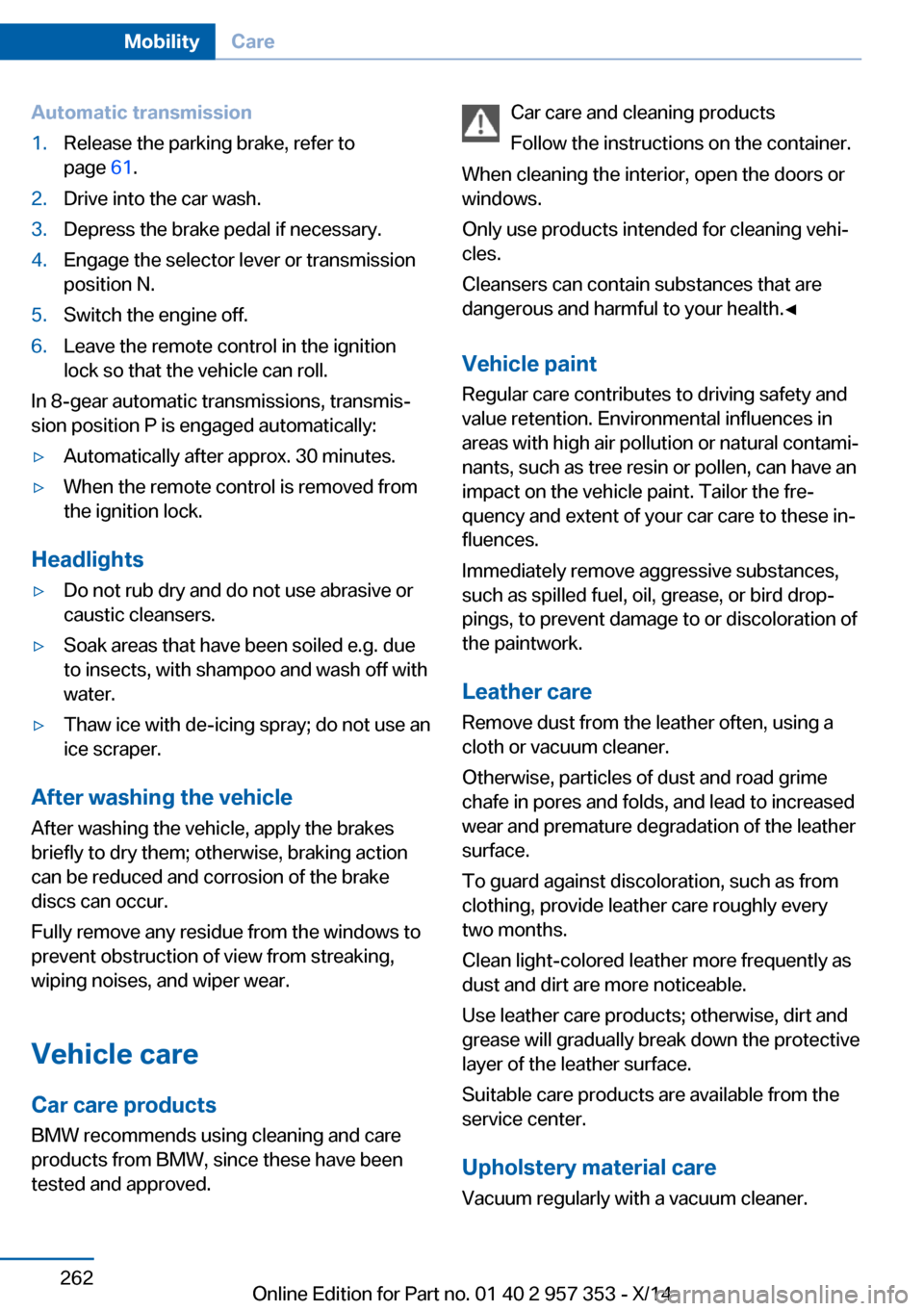
Automatic transmission1.Release the parking brake, refer to
page 61.2.Drive into the car wash.3.Depress the brake pedal if necessary.4.Engage the selector lever or transmission
position N.5.Switch the engine off.6.Leave the remote control in the ignition
lock so that the vehicle can roll.
In 8-gear automatic transmissions, transmis‐
sion position P is engaged automatically:
▷Automatically after approx. 30 minutes.▷When the remote control is removed from
the ignition lock.
Headlights
▷Do not rub dry and do not use abrasive or
caustic cleansers.▷Soak areas that have been soiled e.g. due
to insects, with shampoo and wash off with
water.▷Thaw ice with de-icing spray; do not use an
ice scraper.
After washing the vehicle
After washing the vehicle, apply the brakes
briefly to dry them; otherwise, braking action
can be reduced and corrosion of the brake
discs can occur.
Fully remove any residue from the windows to
prevent obstruction of view from streaking,
wiping noises, and wiper wear.
Vehicle careCar care productsBMW recommends using cleaning and care
products from BMW, since these have been
tested and approved.
Car care and cleaning products
Follow the instructions on the container.
When cleaning the interior, open the doors or
windows.
Only use products intended for cleaning vehi‐
cles.
Cleansers can contain substances that are
dangerous and harmful to your health.◀
Vehicle paint Regular care contributes to driving safety and
value retention. Environmental influences in
areas with high air pollution or natural contami‐
nants, such as tree resin or pollen, can have an
impact on the vehicle paint. Tailor the fre‐
quency and extent of your car care to these in‐
fluences.
Immediately remove aggressive substances,
such as spilled fuel, oil, grease, or bird drop‐
pings, to prevent damage to or discoloration of
the paintwork.
Leather care
Remove dust from the leather often, using a
cloth or vacuum cleaner.
Otherwise, particles of dust and road grime
chafe in pores and folds, and lead to increased
wear and premature degradation of the leather
surface.
To guard against discoloration, such as from
clothing, provide leather care roughly every
two months.
Clean light-colored leather more frequently as
dust and dirt are more noticeable.
Use leather care products; otherwise, dirt and
grease will gradually break down the protective
layer of the leather surface.
Suitable care products are available from the
service center.
Upholstery material care Vacuum regularly with a vacuum cleaner.Seite 262MobilityCare262
Online Edition for Part no. 01 40 2 957 353 - X/14
Page 276 of 297
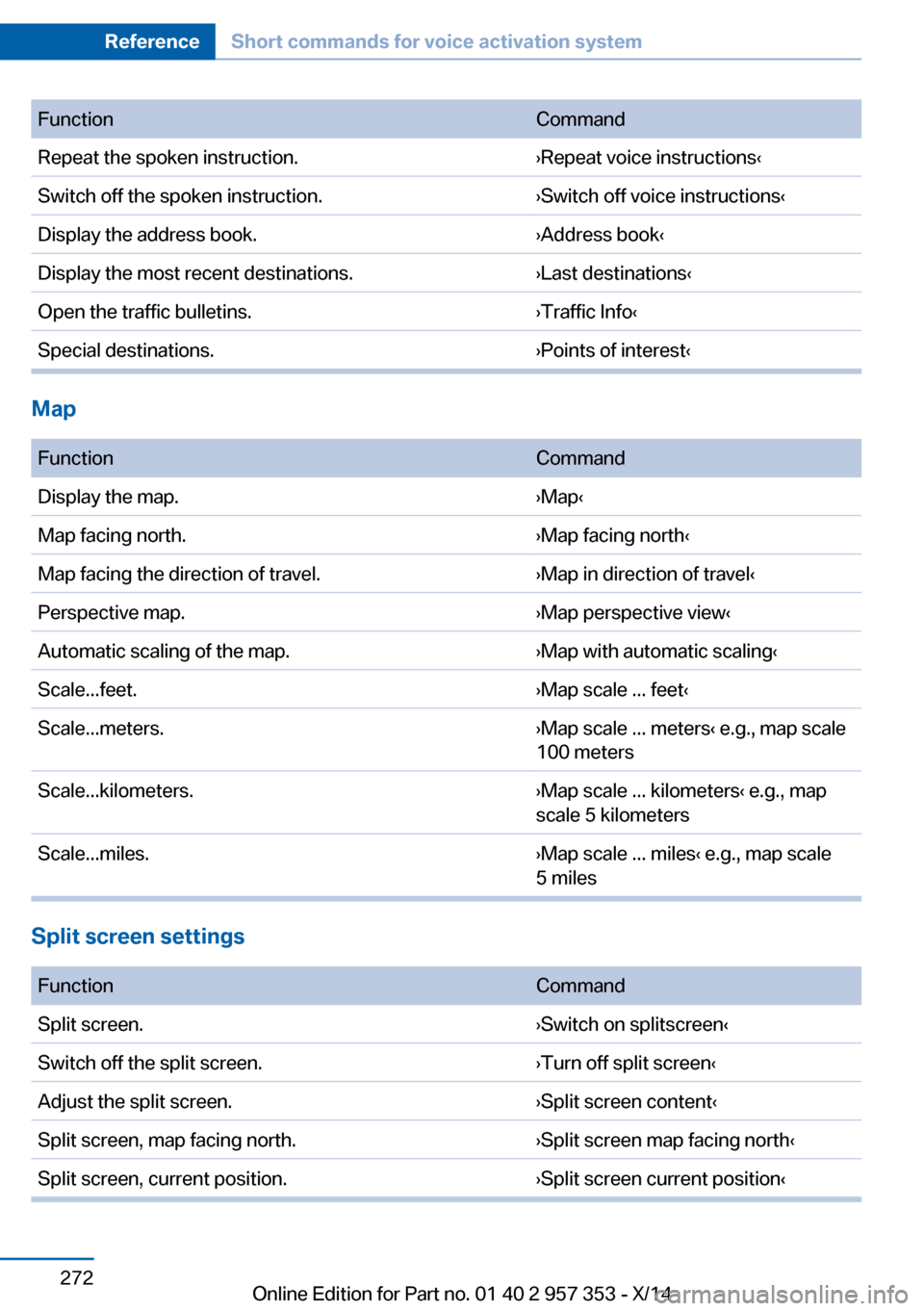
FunctionCommandRepeat the spoken instruction.›Repeat voice instructions‹Switch off the spoken instruction.›Switch off voice instructions‹Display the address book.›Address book‹Display the most recent destinations.›Last destinations‹Open the traffic bulletins.›Traffic Info‹Special destinations.›Points of interest‹
Map
FunctionCommandDisplay the map.›Map‹Map facing north.›Map facing north‹Map facing the direction of travel.›Map in direction of travel‹Perspective map.›Map perspective view‹Automatic scaling of the map.›Map with automatic scaling‹Scale...feet.›Map scale ... feet‹Scale...meters.›Map scale ... meters‹ e.g., map scale
100 metersScale...kilometers.›Map scale ... kilometers‹ e.g., map
scale 5 kilometersScale...miles.›Map scale ... miles‹ e.g., map scale
5 miles
Split screen settings
FunctionCommandSplit screen.›Switch on splitscreen‹Switch off the split screen.›Turn off split screen‹Adjust the split screen.›Split screen content‹Split screen, map facing north.›Split screen map facing north‹Split screen, current position.›Split screen current position‹Seite 272ReferenceShort commands for voice activation system272
Online Edition for Part no. 01 40 2 957 353 - X/14
Page 283 of 297
Average speed, refer to Com‐puter 73
Axle loads, refer to Weights 268
B
Backrest curvature, refer to Lumbar support 45
Backrests, refer to Seats 44
Backrest width adjust‐ ment 46
Back seats– Adjusting the backrest
tilt 119
Backup camera 105
Backup camera, obstacle marking 107
Backup camera, pathway lines 106
Backup camera, turning lines 106
Backup lamps, bulb replace‐ ment 252
Balance 164
Band-aids, refer to First aid kit 256
Bass 164
Battery
– Remote control 30
Battery disposal 254
Battery, refer to Vehicle bat‐ tery 253
Battery replacement, remote control for vehicle 38
Before entering the car wash 261
Belts, refer to Safety belts 46
Belt tensioners, refer to Safety belts 46
Beverage holder, refer to Cu‐ pholder 125
Black and white map dis‐ play 158
Blower, refer to Air flow rate 110
Bluetooth audio 187
Bluetooth connection, acti‐
vating/deactivating 197
BMW Apps 222
BMW EfficientDynamics, re‐ fer to Saving fuel 137
BMW Homepage 6
BMW Internet page 6
BMW maintenance sys‐ tem 245
BMW Online 220
Bottle holder, refer to Cu‐ pholder 125
Brake assistant 97
Brake discs, breaking in 130
Brake fluid, refer to Service requirements 78
Brake force display 96
Brake force distribution, elec‐ tronic 97
Brake lamps– Bulb replacement 252
Brake lamps, brake force dis‐
play 96
Brake lights, adaptive 96
Brake pads, breaking in 130
Brakes
– Parking brake 61
Brakes, BMW maintenance
system 245
Brakes, service require‐ ments 78
Brake system, BMW mainte‐ nance system 245
Braking, notes 131
Breakdown assistance, refer to Roadside Assistance 219
Breakdown, transporting the vehicle 258
Breaking in 130
Brightness on the Control Display 78
Bulb replacement, refer to Lamp and bulb replace‐
ment 248
Button for starting the engine, refer to Start/Stop but‐
ton 57
C
Calendar 212
California Proposition 65 Warning 7
Camera, care 264
Camera, refer to Backup cam‐ era 105
Can holder, refer to Cu‐ pholder 125
Car battery, refer to Vehicle battery 253
Car care products 262
Care 261
Care, displays 264
Care, vehicle 262
Cargo 134
Cargo area 118
Cargo area– Comfort Access 37– Cover 118– Folding up the cargo floor
panel 121– Multi-function hook 122– Partition net 119
Cargo area, capacities 268
Cargo area, enlarging 119
Cargo area lid, refer to Tail‐ gate 35
Cargo area light, refer to Inte‐ rior lights 87
Cargo area net, refer to Parti‐ tion net 119
Cargo area, opening from the inside 36
Cargo area, opening from the outside 36
Cargo floor panel
– Folding up 121
Cargo floor panel, raising 121
Cargo straps, securing cargo 135
Car key, refer to Integrated key/remote control 30
Carpet, care 263
Seite 279Everything from A to ZReference279
Online Edition for Part no. 01 40 2 957 353 - X/14
Page 287 of 297
Fuel tank capacity, refer toFilling capacities 269
Fuel tank contents, refer to Filling capacities 269
Fuel tank, refer to Filling ca‐ pacities 269
Fuse 254
G
Garage door opener, refer to Universal garage door
opener 113
Gasoline 228
Gasoline gauge, refer to Fuel gauge 72
Gas station recommenda‐ tion 155
Gear change– Automatic transmission with
Steptronic 66
Gear change, automatic
transmission with Step‐
tronic 69
Gear change, via shift pad‐ dles 69
Gear display, automatic trans‐ mission with Steptronic 65
General driving notes 130
Glare protection 117
Glass sunroof, electric
– Convenient operation 32– Remote control 32
Glass sunroof, refer to Panor‐
amic glass sunroof 41
Glove compartment 123
Glove compartment, light‐ ing 123
GPS navigation, refer to Navi‐ gation system 142
Gross vehicle weight, refer to Weights 268
H
Halogen headlamps
– Bulb replacement 249Hand-held transmitter, alter‐
nating code 114
Hands-free microphone 16
Hazard warning sys‐ tem 16, 255
HDC Hill Descent Control 99
HD Radio 167
Head airbags 88
Headlamp control, auto‐ matic 83, 84
Headlamp courtesy delay fea‐ ture 84
Headlamp cover, remov‐ ing 249
Headlamp flasher 62, 85
Headlamps 83
Headlamps– Bulb replacement 249
Headlamps, care 262
Headlamps, cleaning 64
Headlight flasher, indicator lamp 15
Headlights, cleaning, washer
fluid 65
Headliner 17
Head restraints 47
Head restraints
– Adjusting the height 47– Removing 48
Heating
– Rear window 111– Seats 46
Heating, mirrors 50
Heavy cargo, refer to Stowing cargo 135
Height adjustment
– Seats 44
Height, refer to Dimen‐
sions 268
High-beam Assistant 85
High beams 85
High beams
– Bulb replacement 249
High beams/low beams, auto‐
matic, refer to High-beam
Assistant 85
High-beams, indicator
lamp 15
High-pressure washers 261
Hill Descent Control HDC 99
Hill drive-off assistant, refer to Drive-off assistant 100
Hills 132
Holder for beverages 125
Holder for remote control, re‐ fer to Ignition lock 57
Homepage 6
Hood 241
Hood, opening 241
Horn 12
Hot exhaust system 131
Hotline 221
House number, entering for navigation 145
Hydraulic brake assistant 97
Hydroplaning 131
I Ice warning, refer to External temperature warning 71
Icy roads, refer to External temperature warning 71
Identification marks, tires 235
Identification number, refer to Engine compartment 240
iDrive 18
iDrive– Changing settings 77– Changing the date and
time 76– Changing the language 77– Changing the units of meas‐
ure and display format 75– Setting the brightness 78
Ignition 58
Ignition key position 1, refer to Radio ready state 57
Ignition key position 2, refer to Ignition on 58
Ignition key, refer to Remote control with integrated
key 30
Seite 283Everything from A to ZReference283
Online Edition for Part no. 01 40 2 957 353 - X/14
Page 290 of 297
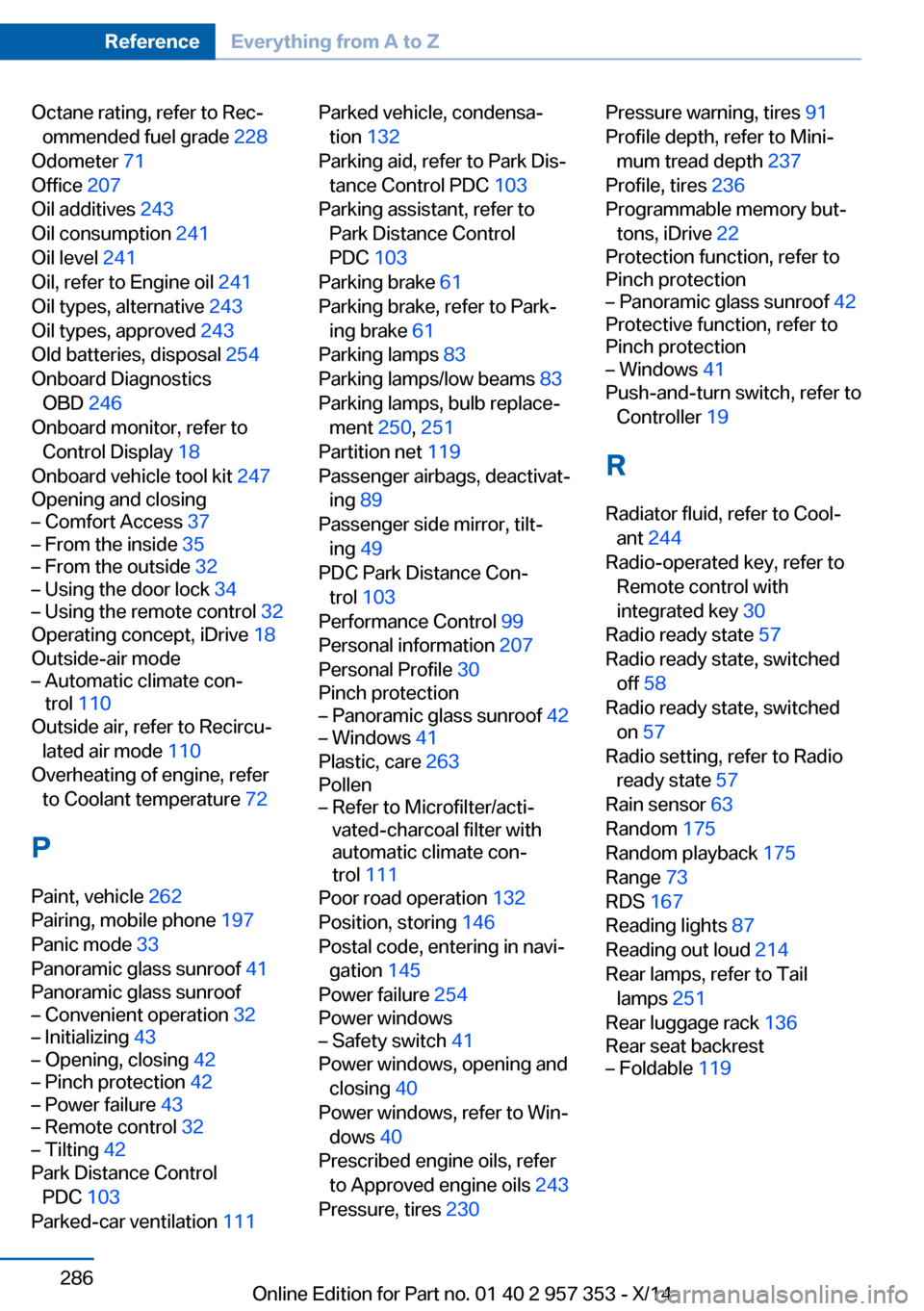
Octane rating, refer to Rec‐ommended fuel grade 228
Odometer 71
Office 207
Oil additives 243
Oil consumption 241
Oil level 241
Oil, refer to Engine oil 241
Oil types, alternative 243
Oil types, approved 243
Old batteries, disposal 254
Onboard Diagnostics OBD 246
Onboard monitor, refer to Control Display 18
Onboard vehicle tool kit 247
Opening and closing– Comfort Access 37– From the inside 35– From the outside 32– Using the door lock 34– Using the remote control 32
Operating concept, iDrive 18
Outside-air mode
– Automatic climate con‐
trol 110
Outside air, refer to Recircu‐
lated air mode 110
Overheating of engine, refer to Coolant temperature 72
P Paint, vehicle 262
Pairing, mobile phone 197
Panic mode 33
Panoramic glass sunroof 41
Panoramic glass sunroof
– Convenient operation 32– Initializing 43– Opening, closing 42– Pinch protection 42– Power failure 43– Remote control 32– Tilting 42
Park Distance Control
PDC 103
Parked-car ventilation 111
Parked vehicle, condensa‐
tion 132
Parking aid, refer to Park Dis‐ tance Control PDC 103
Parking assistant, refer to Park Distance Control
PDC 103
Parking brake 61
Parking brake, refer to Park‐ ing brake 61
Parking lamps 83
Parking lamps/low beams 83
Parking lamps, bulb replace‐ ment 250, 251
Partition net 119
Passenger airbags, deactivat‐ ing 89
Passenger side mirror, tilt‐ ing 49
PDC Park Distance Con‐ trol 103
Performance Control 99
Personal information 207
Personal Profile 30
Pinch protection– Panoramic glass sunroof 42– Windows 41
Plastic, care 263
Pollen
– Refer to Microfilter/acti‐
vated-charcoal filter with
automatic climate con‐
trol 111
Poor road operation 132
Position, storing 146
Postal code, entering in navi‐ gation 145
Power failure 254
Power windows
– Safety switch 41
Power windows, opening and
closing 40
Power windows, refer to Win‐ dows 40
Prescribed engine oils, refer to Approved engine oils 243
Pressure, tires 230
Pressure warning, tires 91
Profile depth, refer to Mini‐ mum tread depth 237
Profile, tires 236
Programmable memory but‐ tons, iDrive 22
Protection function, refer to
Pinch protection– Panoramic glass sunroof 42
Protective function, refer to
Pinch protection
– Windows 41
Push-and-turn switch, refer to
Controller 19
R Radiator fluid, refer to Cool‐ ant 244
Radio-operated key, refer to Remote control with
integrated key 30
Radio ready state 57
Radio ready state, switched off 58
Radio ready state, switched on 57
Radio setting, refer to Radio ready state 57
Rain sensor 63
Random 175
Random playback 175
Range 73
RDS 167
Reading lights 87
Reading out loud 214
Rear lamps, refer to Tail lamps 251
Rear luggage rack 136
Rear seat backrest
– Foldable 119Seite 286ReferenceEverything from A to Z286
Online Edition for Part no. 01 40 2 957 353 - X/14
Page 292 of 297
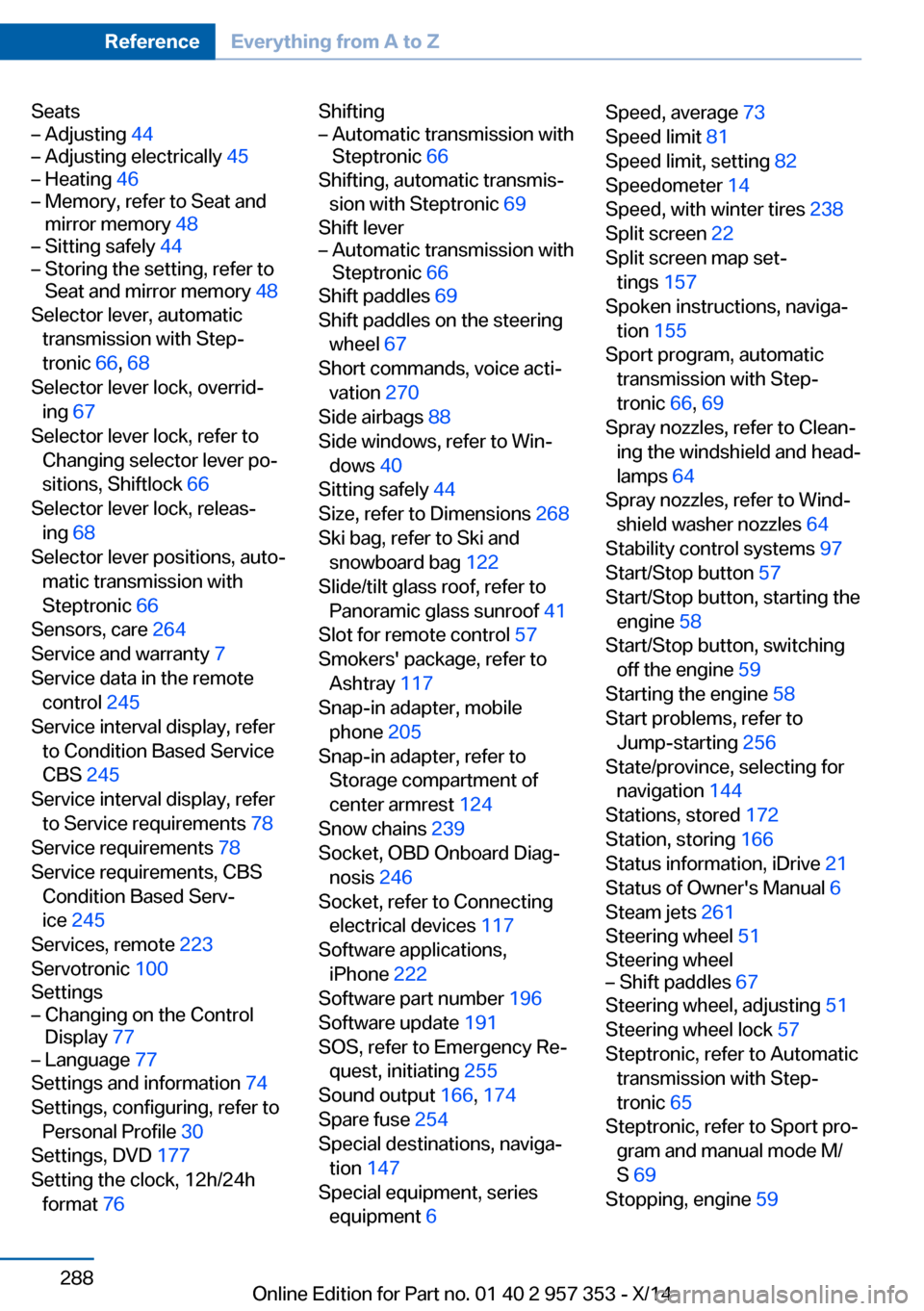
Seats– Adjusting 44– Adjusting electrically 45– Heating 46– Memory, refer to Seat and
mirror memory 48– Sitting safely 44– Storing the setting, refer to
Seat and mirror memory 48
Selector lever, automatic
transmission with Step‐
tronic 66, 68
Selector lever lock, overrid‐ ing 67
Selector lever lock, refer to Changing selector lever po‐
sitions, Shiftlock 66
Selector lever lock, releas‐ ing 68
Selector lever positions, auto‐ matic transmission with
Steptronic 66
Sensors, care 264
Service and warranty 7
Service data in the remote control 245
Service interval display, refer to Condition Based Service
CBS 245
Service interval display, refer to Service requirements 78
Service requirements 78
Service requirements, CBS Condition Based Serv‐
ice 245
Services, remote 223
Servotronic 100
Settings
– Changing on the Control
Display 77– Language 77
Settings and information 74
Settings, configuring, refer to Personal Profile 30
Settings, DVD 177
Setting the clock, 12h/24h format 76
Shifting– Automatic transmission with
Steptronic 66
Shifting, automatic transmis‐
sion with Steptronic 69
Shift lever
– Automatic transmission with
Steptronic 66
Shift paddles 69
Shift paddles on the steering wheel 67
Short commands, voice acti‐
vation 270
Side airbags 88
Side windows, refer to Win‐ dows 40
Sitting safely 44
Size, refer to Dimensions 268
Ski bag, refer to Ski and snowboard bag 122
Slide/tilt glass roof, refer to Panoramic glass sunroof 41
Slot for remote control 57
Smokers' package, refer to Ashtray 117
Snap-in adapter, mobile phone 205
Snap-in adapter, refer to Storage compartment of
center armrest 124
Snow chains 239
Socket, OBD Onboard Diag‐ nosis 246
Socket, refer to Connecting electrical devices 117
Software applications, iPhone 222
Software part number 196
Software update 191
SOS, refer to Emergency Re‐ quest, initiating 255
Sound output 166, 174
Spare fuse 254
Special destinations, naviga‐ tion 147
Special equipment, series equipment 6
Speed, average 73
Speed limit 81
Speed limit, setting 82
Speedometer 14
Speed, with winter tires 238
Split screen 22
Split screen map set‐ tings 157
Spoken instructions, naviga‐ tion 155
Sport program, automatic transmission with Step‐
tronic 66, 69
Spray nozzles, refer to Clean‐ ing the windshield and head‐
lamps 64
Spray nozzles, refer to Wind‐ shield washer nozzles 64
Stability control systems 97
Start/Stop button 57
Start/Stop button, starting the engine 58
Start/Stop button, switching off the engine 59
Starting the engine 58
Start problems, refer to Jump-starting 256
State/province, selecting for navigation 144
Stations, stored 172
Station, storing 166
Status information, iDrive 21
Status of Owner's Manual 6
Steam jets 261
Steering wheel 51
Steering wheel– Shift paddles 67
Steering wheel, adjusting 51
Steering wheel lock 57
Steptronic, refer to Automatic transmission with Step‐
tronic 65
Steptronic, refer to Sport pro‐ gram and manual mode M/
S 69
Stopping, engine 59
Seite 288ReferenceEverything from A to Z288
Online Edition for Part no. 01 40 2 957 353 - X/14