traction control BMW X3 2012 Owners Manual
[x] Cancel search | Manufacturer: BMW, Model Year: 2012, Model line: X3, Model: BMW X3 2012Pages: 278, PDF Size: 10.15 MB
Page 71 of 278
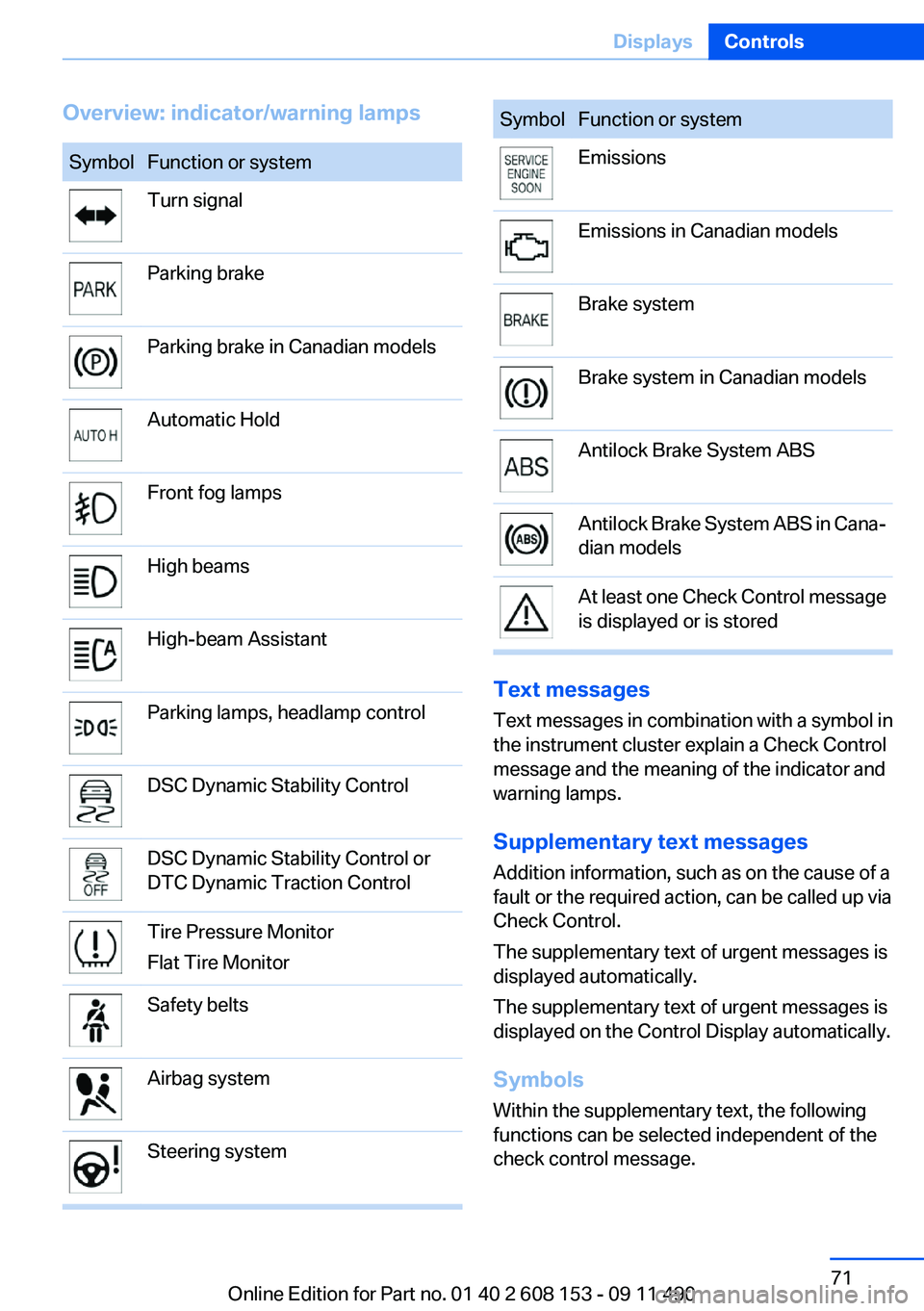
Overview: indicator/warning lampsSymbolFunction or systemTurn signalParking brakeParking brake in Canadian modelsAutomatic HoldFront fog lampsHigh beamsHigh-beam AssistantParking lamps, headlamp controlDSC Dynamic Stability ControlDSC Dynamic Stability Control or
DTC Dynamic Traction ControlTire Pressure Monitor
Flat Tire MonitorSafety beltsAirbag systemSteering systemSymbolFunction or systemEmissionsEmissions in Canadian modelsBrake systemBrake system in Canadian modelsAntilock Brake System ABSAntilock Brake System ABS in Cana‐
dian modelsAt least one Check Control message
is displayed or is stored
Text messages
Text messages in combination with a symbol in
the instrument cluster explain a Check Control
message and the meaning of the indicator and
warning lamps.
Supplementary text messages
Addition information, such as on the cause of a
fault or the required action, can be called up via
Check Control.
The supplementary text of urgent messages is
displayed automatically.
The supplementary text of urgent messages is
displayed on the Control Display automatically.
Symbols
Within the supplementary text, the following
functions can be selected independent of the
check control message.
Seite 71DisplaysControls71
Online Edition for Part no. 01 40 2 608 153 - 09 11 490
Page 94 of 278
Driving stability control systemsVehicle equipment
All standard, country-specific and optional
equipment that is offered in the model series is
described in this chapter. Therefore, equipment
is also described that is not available in a vehicle,
e. g., because of the selected optional equip‐
ment or country variant. This also applies for
safety-related functions and systems.
Antilock Brake System ABS
ABS prevents locking of the wheels during brak‐
ing.
The vehicle remains steerable even during full
brake applications, thus increasing active
safety.
ABS is operational every time you start the en‐
gine.
Brake assistant
When you apply the brakes rapidly, this system
automatically produces the maximum braking
force boost. It thus helps to achieve the shortest
possible braking distance during full braking.
This system utilizes all of the benefits provided
by ABS.
Do not reduce the pressure on the brake pedal
for the duration of the full braking.
DSC Dynamic Stability
Control
The concept
DSC prevents traction loss in the driving wheels
when driving away and accelerating.
DSC also recognizes unstable vehicle condi‐
tions, such as fishtailing or nose-diving. Subjectto physical limits, DSC helps to keep the vehicle
on a steady course by reducing engine speed
and by applying brakes at individual wheels.
Adjust your driving style to the situation
An appropriate driving style is always the
responsibility of the driver.
The laws of physics cannot be repealed, even
with DSC.
Therefore, do not reduce the additional safety
margin by driving in a risky manner.◀
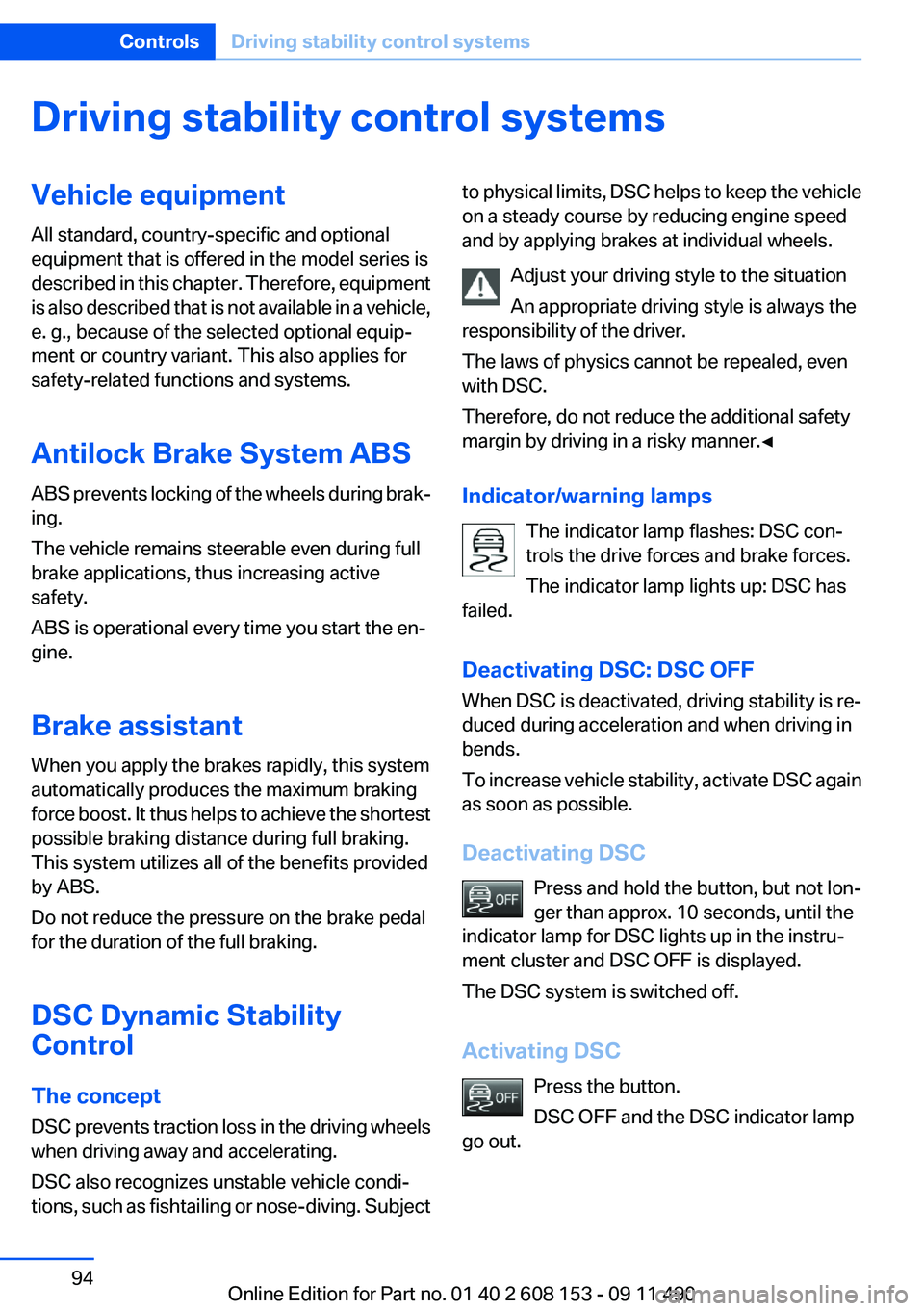
Indicator/warning lamps The indicator lamp flashes: DSC con‐
trols the drive forces and brake forces.
The indicator lamp lights up: DSC has
failed.
Deactivating DSC: DSC OFF
When DSC is deactivated, driving stability is re‐
duced during acceleration and when driving in
bends.
To increase vehicle stability, activate DSC again
as soon as possible.
Deactivating DSC Press and hold the button, but not lon‐
ger than approx. 10 seconds, until the
indicator lamp for DSC lights up in the instru‐
ment cluster and DSC OFF is displayed.
The DSC system is switched off.
Activating DSC Press the button.
DSC OFF and the DSC indicator lamp
go out.Seite 94ControlsDriving stability control systems94
Online Edition for Part no. 01 40 2 608 153 - 09 11 490
Page 95 of 278
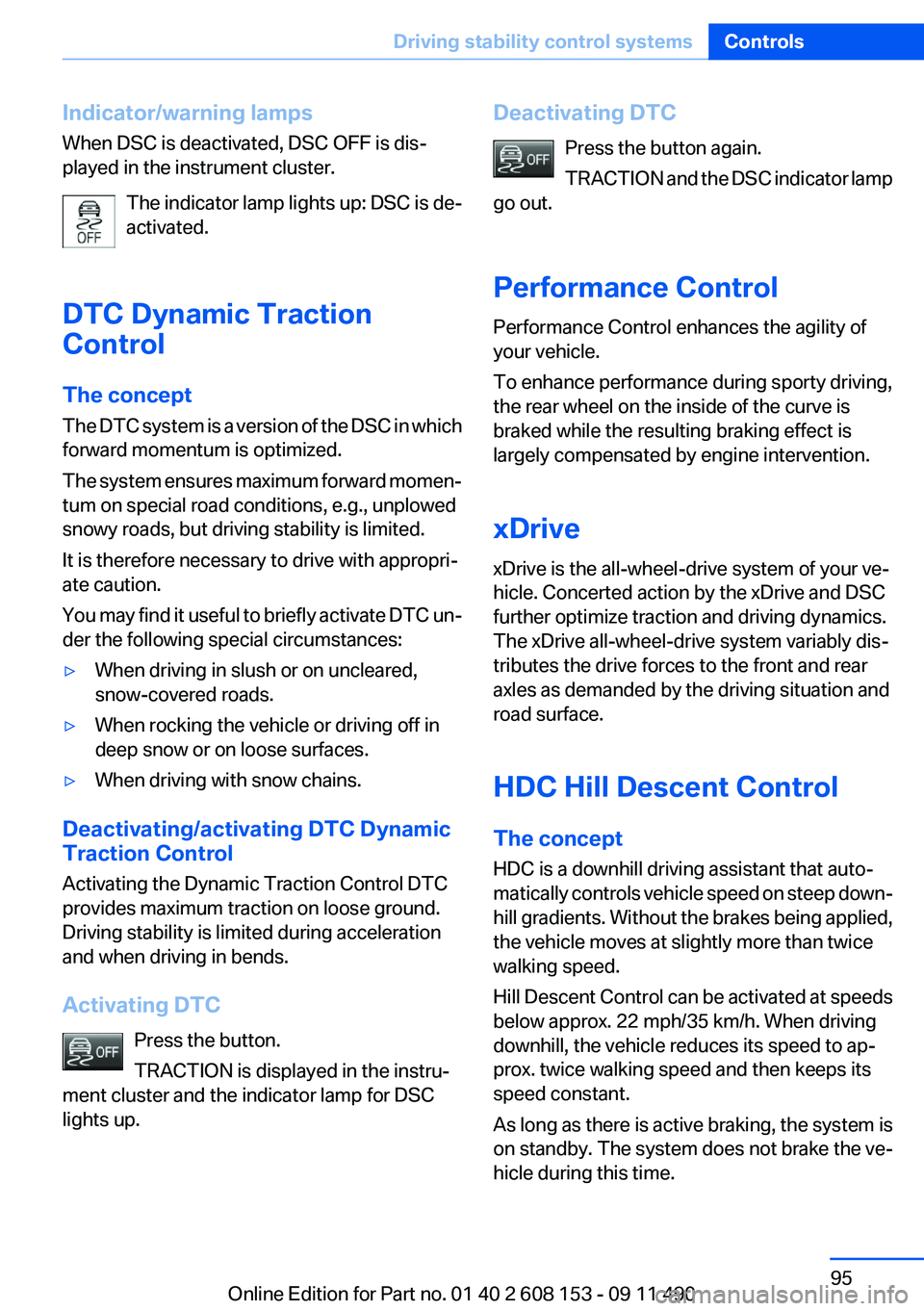
Indicator/warning lamps
When DSC is deactivated, DSC OFF is dis‐
played in the instrument cluster.
The indicator lamp lights up: DSC is de‐
activated.
DTC Dynamic Traction
Control
The concept
The DTC system is a version of the DSC in which
forward momentum is optimized.
The system ensures maximum forward momen‐
tum on special road conditions, e.g., unplowed
snowy roads, but driving stability is limited.
It is therefore necessary to drive with appropri‐
ate caution.
You may find it useful to briefly activate DTC un‐
der the following special circumstances:▷When driving in slush or on uncleared,
snow-covered roads.▷When rocking the vehicle or driving off in
deep snow or on loose surfaces.▷When driving with snow chains.
Deactivating/activating DTC Dynamic
Traction Control
Activating the Dynamic Traction Control DTC
provides maximum traction on loose ground.
Driving stability is limited during acceleration
and when driving in bends.
Activating DTC Press the button.
TRACTION is displayed in the instru‐
ment cluster and the indicator lamp for DSC
lights up.
Deactivating DTC
Press the button again.
TRACTION and the DSC indicator lamp
go out.
Performance Control
Performance Control enhances the agility of
your vehicle.
To enhance performance during sporty driving,
the rear wheel on the inside of the curve is
braked while the resulting braking effect is
largely compensated by engine intervention.
xDrive
xDrive is the all-wheel-drive system of your ve‐
hicle. Concerted action by the xDrive and DSC
further optimize traction and driving dynamics.
The xDrive all-wheel-drive system variably dis‐
tributes the drive forces to the front and rear
axles as demanded by the driving situation and
road surface.
HDC Hill Descent Control
The concept
HDC is a downhill driving assistant that auto‐
matically controls vehicle speed on steep down‐
hill gradients. Without the brakes being applied,
the vehicle moves at slightly more than twice
walking speed.
Hill Descent Control can be activated at speeds
below approx. 22 mph/35 km/h. When driving
downhill, the vehicle reduces its speed to ap‐
prox. twice walking speed and then keeps its
speed constant.
As long as there is active braking, the system is
on standby. The system does not brake the ve‐
hicle during this time.Seite 95Driving stability control systemsControls95
Online Edition for Part no. 01 40 2 608 153 - 09 11 490
Page 97 of 278
Variable sport steering
The variable sport steering increases the steer‐
ing angle of the front wheels at large steering
wheel angles, e.g., in tight curves or when park‐
ing. Steering becomes more direct.
It also varies the force required to turn the
wheels in accordance with the vehicle speed.
This results in a sporty steering response. In ad‐
dition, it becomes easier to steer during parking
and maneuvering.
Dynamic Driving Control
The concept
Dynamic Driving Control can be used to adjust
the driving dynamics of the vehicle. Several pro‐
grams are available for this purpose; they can be
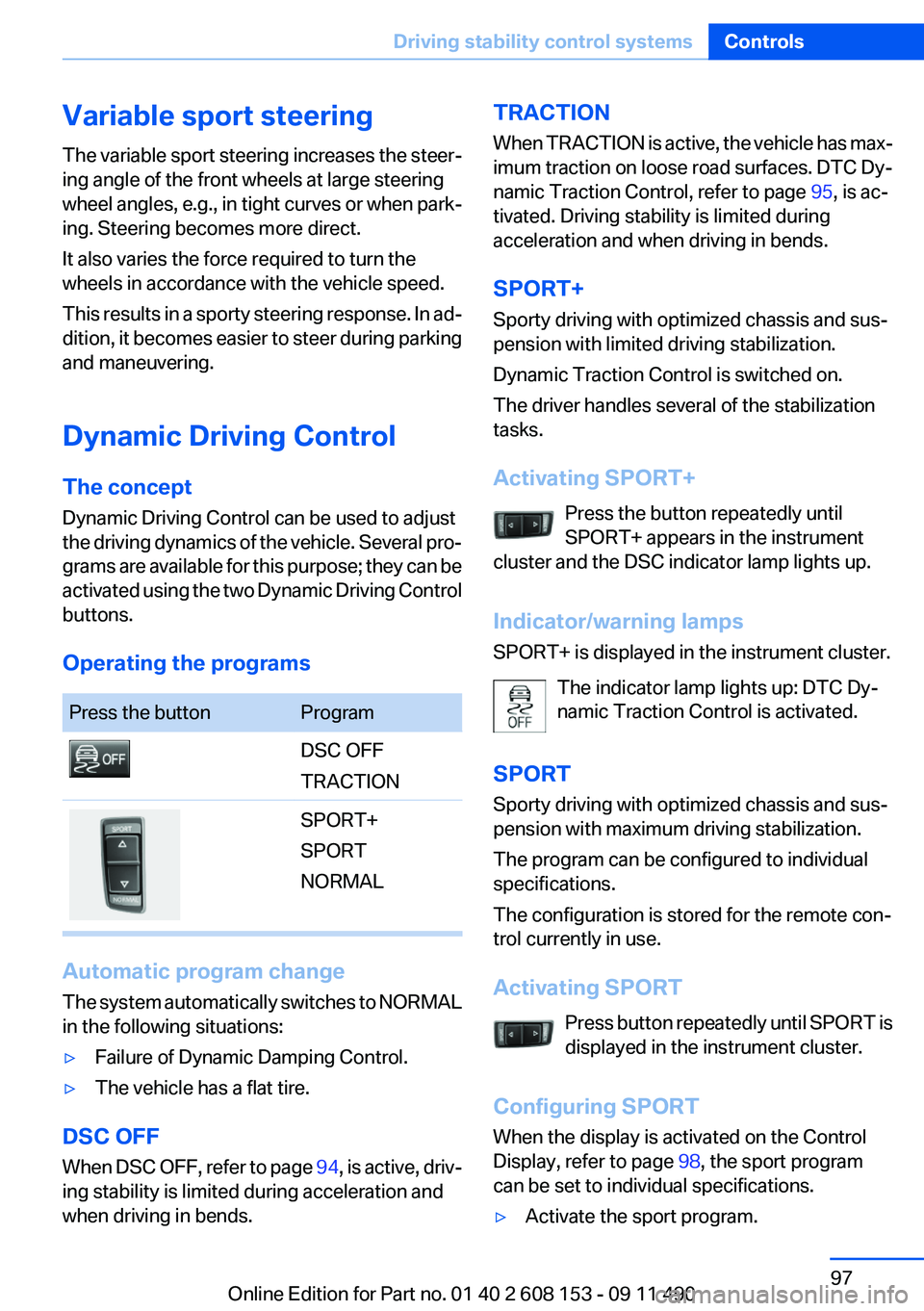
activated using the two Dynamic Driving Control
buttons.
Operating the programsPress the buttonProgramDSC OFF
TRACTIONSPORT+
SPORT
NORMAL
Automatic program change
The system automatically switches to NORMAL
in the following situations:
▷Failure of Dynamic Damping Control.▷The vehicle has a flat tire.
DSC OFF
When DSC OFF, refer to page 94, is active, driv‐
ing stability is limited during acceleration and
when driving in bends.
TRACTION
When TRACTION is active, the vehicle has max‐
imum traction on loose road surfaces. DTC Dy‐
namic Traction Control, refer to page 95, is ac‐
tivated. Driving stability is limited during
acceleration and when driving in bends.
SPORT+
Sporty driving with optimized chassis and sus‐
pension with limited driving stabilization.
Dynamic Traction Control is switched on.
The driver handles several of the stabilization
tasks.
Activating SPORT+ Press the button repeatedly until
SPORT+ appears in the instrument
cluster and the DSC indicator lamp lights up.
Indicator/warning lamps
SPORT+ is displayed in the instrument cluster.
The indicator lamp lights up: DTC Dy‐
namic Traction Control is activated.
SPORT
Sporty driving with optimized chassis and sus‐
pension with maximum driving stabilization.
The program can be configured to individual
specifications.
The configuration is stored for the remote con‐
trol currently in use.
Activating SPORT Press button repeatedly until SPORT is
displayed in the instrument cluster.
Configuring SPORT
When the display is activated on the Control
Display, refer to page 98, the sport program
can be set to individual specifications.▷Activate the sport program.Seite 97Driving stability control systemsControls97
Online Edition for Part no. 01 40 2 608 153 - 09 11 490
Page 100 of 278
InterruptingWhen active, press the button.
The system is automatically interrupted if:▷The brakes are applied.▷Transmission position D is disengaged.▷DTC Dynamic Traction Control is activated
or DSC is deactivated.▷DSC is actively controlling stability.▷HDC is activated.
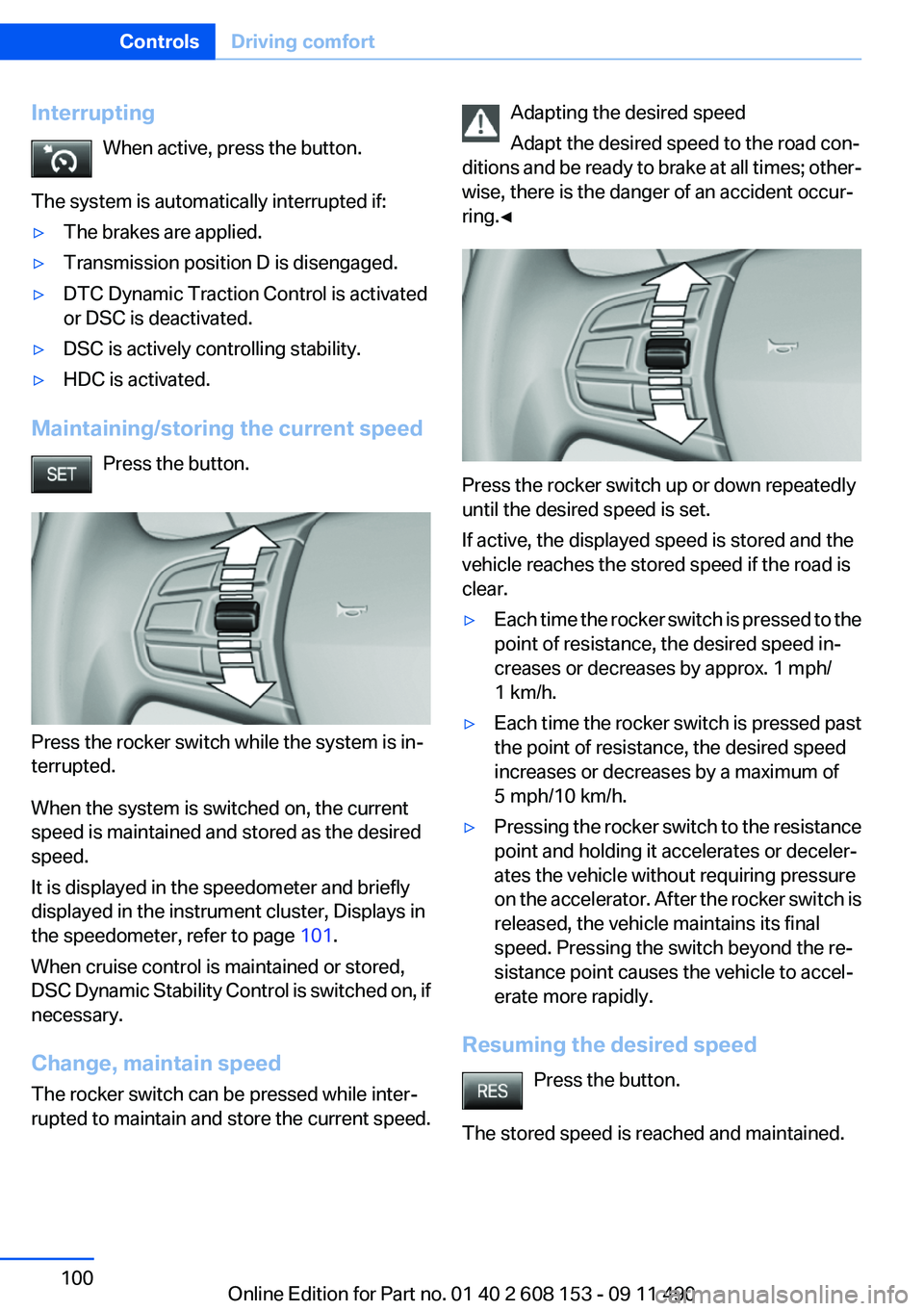
Maintaining/storing the current speed
Press the button.
Press the rocker switch while the system is in‐
terrupted.
When the system is switched on, the current
speed is maintained and stored as the desired
speed.
It is displayed in the speedometer and briefly
displayed in the instrument cluster, Displays in
the speedometer, refer to page 101.
When cruise control is maintained or stored,
DSC Dynamic Stability Control is switched on, if
necessary.
Change, maintain speed
The rocker switch can be pressed while inter‐
rupted to maintain and store the current speed.
Adapting the desired speed
Adapt the desired speed to the road con‐
ditions and be ready to brake at all times; other‐
wise, there is the danger of an accident occur‐
ring.◀
Press the rocker switch up or down repeatedly
until the desired speed is set.
If active, the displayed speed is stored and the
vehicle reaches the stored speed if the road is
clear.
▷Each time the rocker switch is pressed to the
point of resistance, the desired speed in‐
creases or decreases by approx. 1 mph/
1 km/h.▷Each time the rocker switch is pressed past
the point of resistance, the desired speed
increases or decreases by a maximum of
5 mph/10 km/h.▷Pressing the rocker switch to the resistance
point and holding it accelerates or deceler‐
ates the vehicle without requiring pressure
on the accelerator. After the rocker switch is
released, the vehicle maintains its final
speed. Pressing the switch beyond the re‐
sistance point causes the vehicle to accel‐
erate more rapidly.
Resuming the desired speed
Press the button.
The stored speed is reached and maintained.
Seite 100ControlsDriving comfort100
Online Edition for Part no. 01 40 2 608 153 - 09 11 490
Page 214 of 278
"Update BMW Assist"
Data transfer
During the updating of BMW services, display
the status of the data transfer.1."BMW Assist" or "ConnectedDrive"2."Options" Open.3."Data transfer"
Apps
At a glance
Certain software applications of a suitable cell
phone can be integrated in the vehicle. These
software applications are displayed on the Con‐
trol Display.
Operation can be performed via iDrive.
Requirements
▷The mobile phone is suitable.▷The cell phone operating system supports
the software applications of Apps.▷Software applications are installed on the
cell phone and ready to use.▷Corresponding mobile wireless contract.
Any additionally incurred costs are not a part
of Apps.▷Use only BMW approved software applica‐
tions; otherwise, it may result in malfunc‐
tions.
Information about suitable cell phones, available
software applications and their installation can
be found at www.bmw.com/connectivity or at
the service center.
Create the entries.
Make entries only when traffic and road
conditions allow. Otherwise, the vehicle occu‐
pants and other road users may be put in danger
because of the distraction from driving.
For reasons of safety, some software applica‐
tions are usable only while the vehicle is station‐
ary.◀
Use apps1.Connect the cell phone via the snap-in
adapter or via the USB audio interface.2."ConnectedDrive"3.Select the desired software application.
Displaying status
Information about the currently available soft‐
ware applications can be displayed.
1."ConnectedDrive"2."BMW apps"
PlugIn
Selected functions of the cell phone are dis‐
played on the Control Display. Operation can be
performed via iDrive.
1.Connect cell phone via the snap-in adapter.2."ConnectedDrive"3."PlugIn"4."Activate PlugIn"5.Navigate to the displayed functions via the
controller and select, for example, a desired
category or track.
Press button to switch within the cell
phone functions to a higher level or back.
Press button twice to switch back to the
main menu.
Notes
▷The ranges of Apps that can be displayed on
the Control Display depend on the range of
installed software applications on the cell
phone.▷The data transmission of the software ap‐
plications from the cell phone to the vehicle
can last some time. Some software applica‐Seite 214CommunicationConnectedDrive214
Online Edition for Part no. 01 40 2 608 153 - 09 11 490
Page 224 of 278
Speed letter
T = up to 118 mph, 190 km/h
H = up to 131 mph, 210 km/h
V = up to 150 mph, 240 km/h
W = up to 167 mph, 270 km/h
Y = up to 186 mph, 300 km/h
Tire Identification Number
DOT code: DOT xxxx xxx 3510
xxxx: manufacturer code for the tire brand
xxx: tire size and tire design
3510: tire age
Tires with DOT codes meet the guidelines of the
U.S. Department of Transportation.
Tire age
DOT … 3510: the tire was manufactured in the
35th week in 2010.
Recommendation
Regardless of wear, replace tires at least every
6 years.
Uniform Tire Quality Grading
Quality grades can be found where applicable
on the tire sidewall between tread shoulder and
maximum section width.
For example: Treadwear 200; Traction AA;
Temperature A
DOT Quality Grades
Treadwear
Traction AA A B C
Temperature A B C
All passenger car tires must conform to Federal
Safety Requirements in addition to these
grades.
Treadwear
The treadwear grade is a comparative rating
based on the wear rate of the tire when testedunder controlled conditions on a specified gov‐
ernment test course. For example, a tire graded
150 would wear one and one-half, 1 g, times as
well on the government course as a tire graded
100. The relative performance of tires depends
upon the actual conditions of their use, however,
and may depart significantly from the norm due
to variations in driving habits, service practices
and differences in road characteristics and cli‐
mate.
Traction
The traction grades, from highest to lowest, are
AA, A, B, and C.
Those grades represent the tire's ability to stop
on wet pavement as measured under controlled
conditions on specified government test surfa‐
ces of asphalt and concrete. A tire marked C may
have poor traction performance.
The traction grade assigned to this tire is based
on straight-ahead braking traction tests, and
does not include acceleration, cornering, hydro‐
planing, or peak traction characteristics.
Temperature
The temperature grades are A, the highest, B,
and C, representing the tire's resistance to the
generation of heat and its ability to dissipate
heat when tested under controlled conditions
on a specified indoor laboratory test wheel. Sus‐
tained high temperature can cause the material
of the tire to degenerate and reduce tire life, and
excessive temperature can lead to sudden tire
failure. The grade C corresponds to a level of
performance which all passenger car tires must
meet under the Federal Motor Vehicle Safety
Standard No. 109. Grades Band A represent
higher levels of performance on the laboratory
test wheel than the minimum required by law.
Temperature grade for this tire
The temperature grade for this tire is es‐
tablished for a tire that is properly inflated and
not overloaded. Excessive speed, underinfla‐
tion, or excessive loading, either separately or inSeite 224MobilityWheels and tires224
Online Edition for Part no. 01 40 2 608 153 - 09 11 490
Page 228 of 278
▷245/50 R 18.
No snow chains with tires of size 245/45 R
19
Do not mount snow chains on tires of size
245/45 R 19; otherwise, the vehicle can become
damaged.◀
Follow the chain manufacturer's instructions.
Make sure that the snow chains are always suf‐
ficiently tight. Retighten as needed according to
the chain manufacturer's instructions.
Do not initialize the Flat Tire Monitor after
mounting snow chains, as doing so may result
in incorrect readings.
Do not initialize the Tire Pressure Monitor after
mounting snow chains, as doing so may result
in incorrect readings.
When driving with snow chains, briefly activate
Dynamic Traction Control if necessary.
Maximum speed with snow chains
Do not exceed a speed of 30 mph/50 km/h when
using snow chains.
Seite 228MobilityWheels and tires228
Online Edition for Part no. 01 40 2 608 153 - 09 11 490
Page 270 of 278
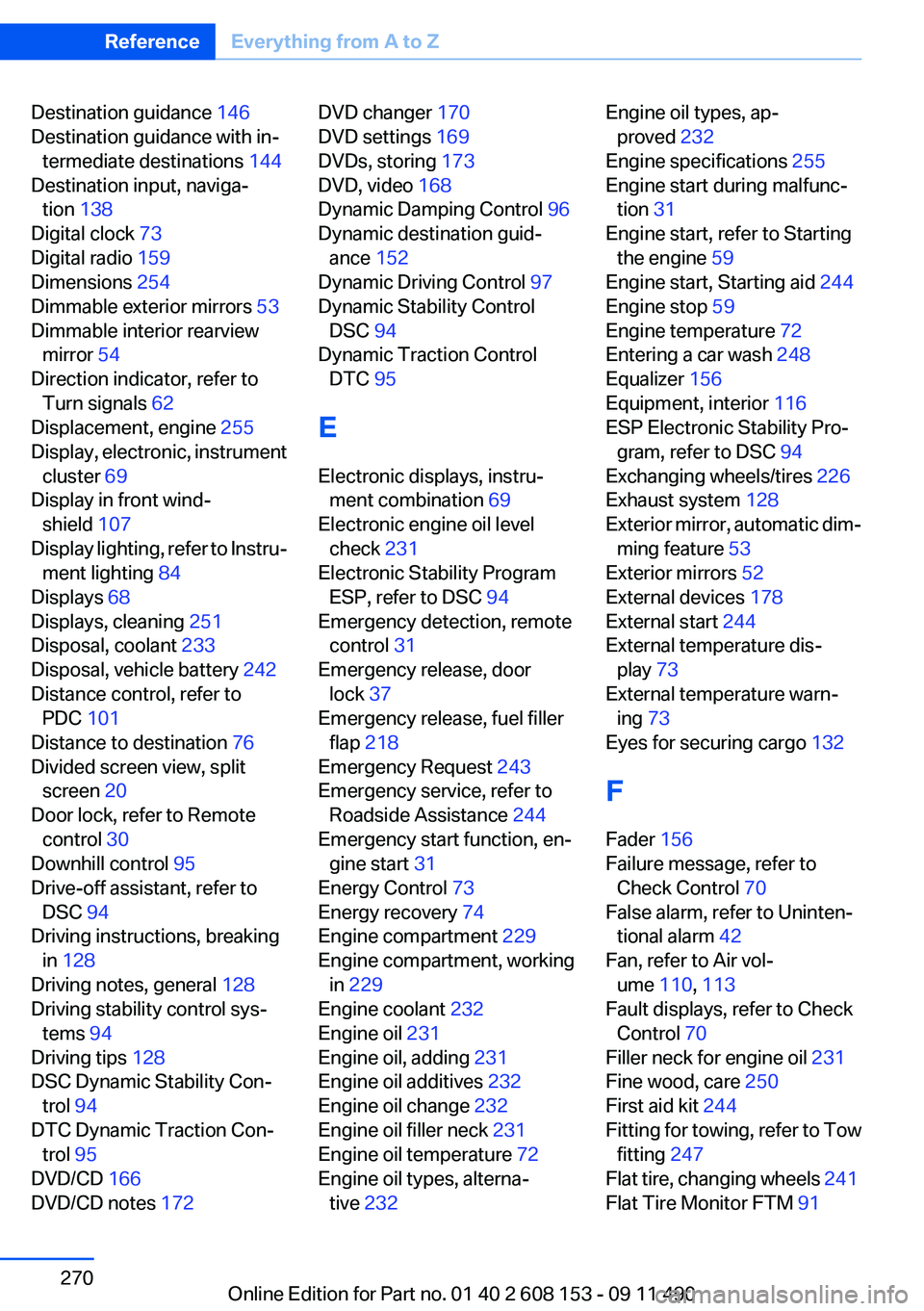
Destination guidance 146
Destination guidance with in‐ termediate destinations 144
Destination input, naviga‐ tion 138
Digital clock 73
Digital radio 159
Dimensions 254
Dimmable exterior mirrors 53
Dimmable interior rearview mirror 54
Direction indicator, refer to Turn signals 62
Displacement, engine 255
Display, electronic, instrument cluster 69
Display in front wind‐ shield 107
Display lighting, refer to Instru‐ ment lighting 84
Displays 68
Displays, cleaning 251
Disposal, coolant 233
Disposal, vehicle battery 242
Distance control, refer to PDC 101
Distance to destination 76
Divided screen view, split screen 20
Door lock, refer to Remote control 30
Downhill control 95
Drive-off assistant, refer to DSC 94
Driving instructions, breaking in 128
Driving notes, general 128
Driving stability control sys‐ tems 94
Driving tips 128
DSC Dynamic Stability Con‐ trol 94
DTC Dynamic Traction Con‐ trol 95
DVD/CD 166
DVD/CD notes 172 DVD changer 170
DVD settings 169
DVDs, storing 173
DVD, video 168
Dynamic Damping Control 96
Dynamic destination guid‐ ance 152
Dynamic Driving Control 97
Dynamic Stability Control DSC 94
Dynamic Traction Control DTC 95
E
Electronic displays, instru‐ ment combination 69
Electronic engine oil level check 231
Electronic Stability Program ESP, refer to DSC 94
Emergency detection, remote control 31
Emergency release, door lock 37
Emergency release, fuel filler flap 218
Emergency Request 243
Emergency service, refer to Roadside Assistance 244
Emergency start function, en‐ gine start 31
Energy Control 73
Energy recovery 74
Engine compartment 229
Engine compartment, working in 229
Engine coolant 232
Engine oil 231
Engine oil, adding 231
Engine oil additives 232
Engine oil change 232
Engine oil filler neck 231
Engine oil temperature 72
Engine oil types, alterna‐ tive 232 Engine oil types, ap‐
proved 232
Engine specifications 255
Engine start during malfunc‐ tion 31
Engine start, refer to Starting the engine 59
Engine start, Starting aid 244
Engine stop 59
Engine temperature 72
Entering a car wash 248
Equalizer 156
Equipment, interior 116
ESP Electronic Stability Pro‐ gram, refer to DSC 94
Exchanging wheels/tires 226
Exhaust system 128
Exterior mirror, automatic dim‐ ming feature 53
Exterior mirrors 52
External devices 178
External start 244
External temperature dis‐ play 73
External temperature warn‐ ing 73
Eyes for securing cargo 132
F
Fader 156
Failure message, refer to Check Control 70
False alarm, refer to Uninten‐ tional alarm 42
Fan, refer to Air vol‐ ume 110, 113
Fault displays, refer to Check Control 70
Filler neck for engine oil 231
Fine wood, care 250
First aid kit 244
Fitting for towing, refer to Tow fitting 247
Flat tire, changing wheels 241
Flat Tire Monitor FTM 91 Seite 270ReferenceEverything from A to Z270
Online Edition for Part no. 01 40 2 608 153 - 09 11 490
Page 275 of 278
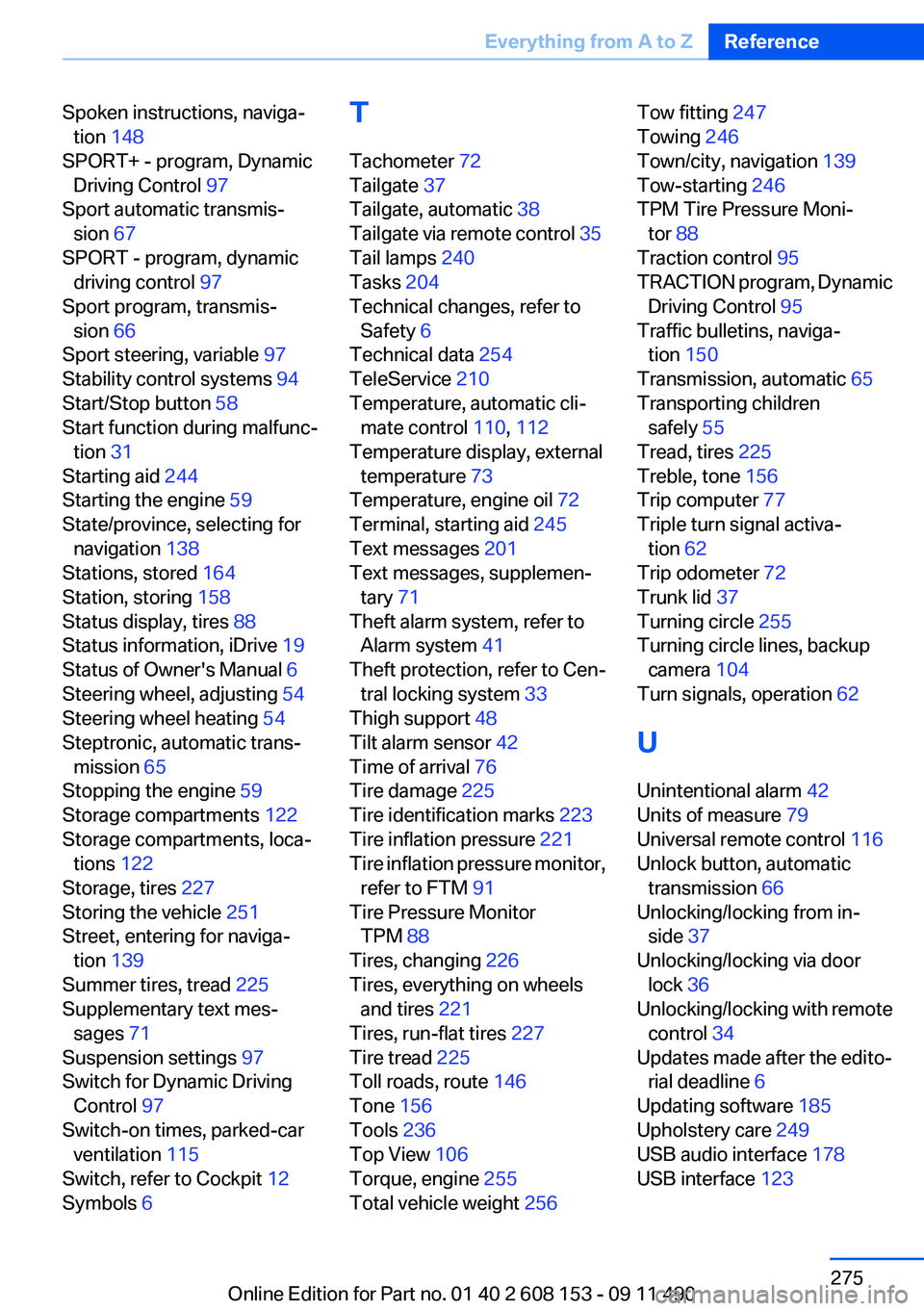
Spoken instructions, naviga‐tion 148
SPORT+ - program, Dynamic Driving Control 97
Sport automatic transmis‐ sion 67
SPORT - program, dynamic driving control 97
Sport program, transmis‐ sion 66
Sport steering, variable 97
Stability control systems 94
Start/Stop button 58
Start function during malfunc‐ tion 31
Starting aid 244
Starting the engine 59
State/province, selecting for navigation 138
Stations, stored 164
Station, storing 158
Status display, tires 88
Status information, iDrive 19
Status of Owner's Manual 6
Steering wheel, adjusting 54
Steering wheel heating 54
Steptronic, automatic trans‐ mission 65
Stopping the engine 59
Storage compartments 122
Storage compartments, loca‐ tions 122
Storage, tires 227
Storing the vehicle 251
Street, entering for naviga‐ tion 139
Summer tires, tread 225
Supplementary text mes‐ sages 71
Suspension settings 97
Switch for Dynamic Driving Control 97
Switch-on times, parked-car ventilation 115
Switch, refer to Cockpit 12
Symbols 6 T
Tachometer 72
Tailgate 37
Tailgate, automatic 38
Tailgate via remote control 35
Tail lamps 240
Tasks 204
Technical changes, refer to Safety 6
Technical data 254
TeleService 210
Temperature, automatic cli‐ mate control 110, 112
Temperature display, external temperature 73
Temperature, engine oil 72
Terminal, starting aid 245
Text messages 201
Text messages, supplemen‐ tary 71
Theft alarm system, refer to Alarm system 41
Theft protection, refer to Cen‐ tral locking system 33
Thigh support 48
Tilt alarm sensor 42
Time of arrival 76
Tire damage 225
Tire identification marks 223
Tire inflation pressure 221
Tire inflation pressure monitor, refer to FTM 91
Tire Pressure Monitor TPM 88
Tires, changing 226
Tires, everything on wheels and tires 221
Tires, run-flat tires 227
Tire tread 225
Toll roads, route 146
Tone 156
Tools 236
Top View 106
Torque, engine 255
Total vehicle weight 256 Tow fitting 247
Towing 246
Town/city, navigation 139
Tow-starting 246
TPM Tire Pressure Moni‐ tor 88
Traction control 95
TRACTION program, Dynamic Driving Control 95
Traffic bulletins, naviga‐ tion 150
Transmission, automatic 65
Transporting children safely 55
Tread, tires 225
Treble, tone 156
Trip computer 77
Triple turn signal activa‐ tion 62
Trip odometer 72
Trunk lid 37
Turning circle 255
Turning circle lines, backup camera 104
Turn signals, operation 62
U
Unintentional alarm 42
Units of measure 79
Universal remote control 116
Unlock button, automatic transmission 66
Unlocking/locking from in‐ side 37
Unlocking/locking via door lock 36
Unlocking/locking with remote control 34
Updates made after the edito‐ rial deadline 6
Updating software 185
Upholstery care 249
USB audio interface 178
USB interface 123 Seite 275Everything from A to ZReference275
Online Edition for Part no. 01 40 2 608 153 - 09 11 490