cruise BMW X3 2015 F25 User Guide
[x] Cancel search | Manufacturer: BMW, Model Year: 2015, Model line: X3, Model: BMW X3 2015 F25Pages: 257, PDF Size: 5.26 MB
Page 136 of 257
The indicator lights in the instrument cluster
light up and the mark in the speedometer is set
to the current speed.
Cruise control can be used.
Switch off Deactivated or interrupted system
With deactivated or interrupted system
use your brakes, steering and moves as usual
to avoid the chance of an accident.◀
To switch off the system while standing, step
on brake pedal at the same time.
Press button.▷If active: press twice.▷If interrupted: press once.
The displays go out. The stored desired speed
is deleted.
Interrupting When active, press the button.
If interrupting the system while stationary,
press on the brake pedal at the same time.
The system is automatically interrupted in the
following situations:
▷When the brakes are applied.▷When selector lever position D is disen‐
gaged.▷When DTC Dynamic Traction Control is
activated or DSC is deactivated.▷When DSC is actively controlling stability.▷When SPORT+ is activated with Driving
Dynamics Control.▷If the safety belt and the driver's door are
opened while the vehicle is standing still.▷If the system has not detected objects for
an extended period, e.g., on a road with
very little traffic without curb or shoulder
markings.▷If the detection range of the radar is dis‐
rupted, e.g., by dirt or heavy fog.
Maintaining, storing, and changing the
speed
Hints Adjusting the desired speedModify desired speed to road conditions
and be ready to brake at all times; otherwise,
there is the risk of an accident.◀
Differences in speed
Large differences in speed relative to
other vehicles cannot be compensated by the
system such as in the following situations:
▷When fast approaching a slowly moving
vehicle.▷When another vehicle suddenly swerves
into the wrong lane.▷When stationary objects are approached at
high speed.◀
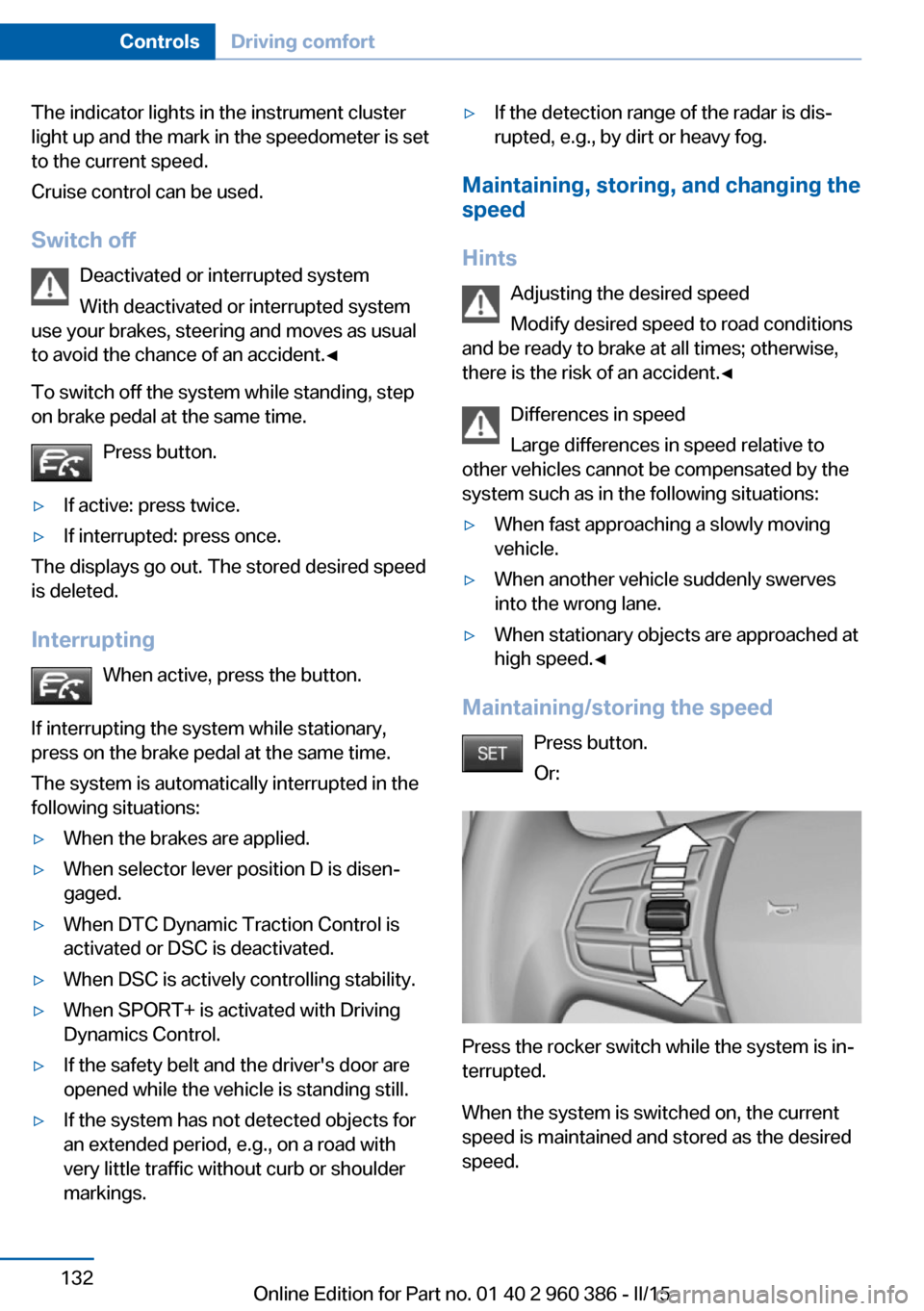
Maintaining/storing the speed
Press button.
Or:
Press the rocker switch while the system is in‐
terrupted.
When the system is switched on, the current
speed is maintained and stored as the desired
speed.
Seite 132ControlsDriving comfort132
Online Edition for Part no. 01 40 2 960 386 - II/15
Page 137 of 257
This is displayed in the speedometer and
briefly in the instrument cluster. Displays in the
instrument cluster, refer to page 134.
When cruise control is maintained or stored,
DSC Dynamic Stability Control will be turned
on if needed.
Changing the speed
Press the rocker switch up or down repeatedly
until the desired speed is set.
If active, the displayed speed is stored and the vehicle reaches the stored speed when the
road is clear.▷Each time the rocker switch is pressed to
the point of resistance, the desired speed
increases or decreases by approx.
1 mph/1 km/h.▷Each time the rocker switch is pressed
past the point of resistance, the desired
speed increases or decreases by a maxi‐
mum of 5 mph/10 km/h.
Hold the rocker switch in position to repeat the
action.
Distance Select a distance
Adjust the distance according to the traf‐
fic and weather conditions; otherwise, there is
the risk of an accident. Maintain the prescribed
safety distance.◀
Reduce distance Press button repeatedly until the de‐
sired distance is set.
Instrument cluster will display selected dis‐
tance, refer to page 134.
Increase distance Press button repeatedly until the de‐
sired distance is set.
Instrument cluster will display selected dis‐
tance, refer to page 134.
Calling up the desired speed and
distance
While driving Press button with the system
switched on.
In the following cases, the stored speed value
is deleted and cannot be called up again:▷When the system is switched off.▷When the ignition is switched off.
While standing
The system brought the vehicle to a complete
standstill:
▷Green marking in the speedometer:
Your vehicle accelerates automatically as
soon as the vehicle in the range of the ra‐
dar sensor moves off.▷Speedometer markings turn orange: no au‐
tomatic driving off.
To accelerate to the desired speed auto‐
matically, press the accelerator or press
the RES or SET button.
Rolling bars in the distance display indicate
that the the vehicle detected by the radar sen‐
sor has driven off.
Your vehicle was brought down to a halt
through stepping on the brake pedal and it is
standing behind another vehicle:
1. Press button to call up a stored
desired speed.2.Release the brake pedal.3.Step on the accelerator briefly, or press the
RES rocker switch when the vehicle ahead
of you drives away.Seite 133Driving comfortControls133
Online Edition for Part no. 01 40 2 960 386 - II/15
Page 139 of 257
Distance informationThe symbol is displayed when the dis‐
tance from the vehicle traveling ahead
is too short.▷Active Cruise Control switched off.▷Display in the Head-up Display selected,
refer to page 93.▷Distance too short.▷Speed greater than approx.
40 mph/70 km/h.
System limits
Speed range The system is best used on well-constructedroads.
The minimum speed that can be set is
20 mph/30 km/h. The maximum speed that
can be set depends on the vehicle.
The system can also be activated when sta‐
tionary.
Comply with the legal speed limit in every sit‐
uation when using the system.
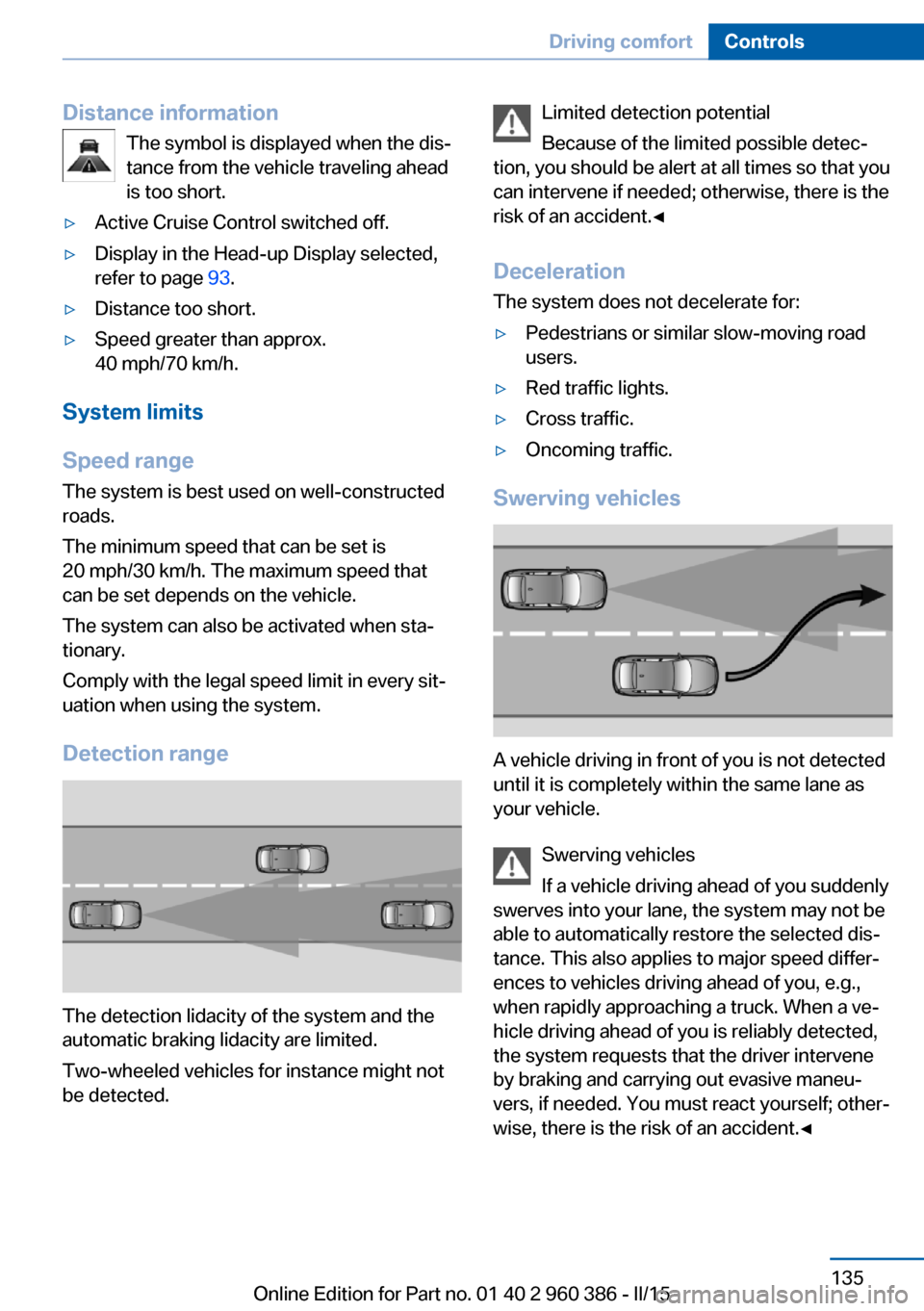
Detection range
The detection lidacity of the system and the
automatic braking lidacity are limited.
Two-wheeled vehicles for instance might not
be detected.
Limited detection potential
Because of the limited possible detec‐
tion, you should be alert at all times so that you
can intervene if needed; otherwise, there is the
risk of an accident.◀
Deceleration
The system does not decelerate for:▷Pedestrians or similar slow-moving road
users.▷Red traffic lights.▷Cross traffic.▷Oncoming traffic.
Swerving vehicles
A vehicle driving in front of you is not detected
until it is completely within the same lane as
your vehicle.
Swerving vehicles
If a vehicle driving ahead of you suddenly
swerves into your lane, the system may not be
able to automatically restore the selected dis‐
tance. This also applies to major speed differ‐
ences to vehicles driving ahead of you, e.g.,
when rapidly approaching a truck. When a ve‐
hicle driving ahead of you is reliably detected,
the system requests that the driver intervene
by braking and carrying out evasive maneu‐
vers, if needed. You must react yourself; other‐
wise, there is the risk of an accident.◀
Seite 135Driving comfortControls135
Online Edition for Part no. 01 40 2 960 386 - II/15
Page 141 of 257
Cruise controlThe concept The system maintains a preset speed via the
buttons on the steering wheel. The system
brakes on downhill gradients if engine braking
is insufficient.
General information
Depending on the driving settings, the features
of the cruise control can change in certain
areas.
Hints Unfavorable conditions
Do not use the system if unfavorable
conditions make it impossible to drive at a con‐
stant speed, e.g.:▷On winding roads.▷In heavy traffic.▷On slippery roads, in fog, snow or rain, or
on a loose road surface.
Otherwise, you could lose control of the vehi‐
cle and cause an accident.◀
Overview
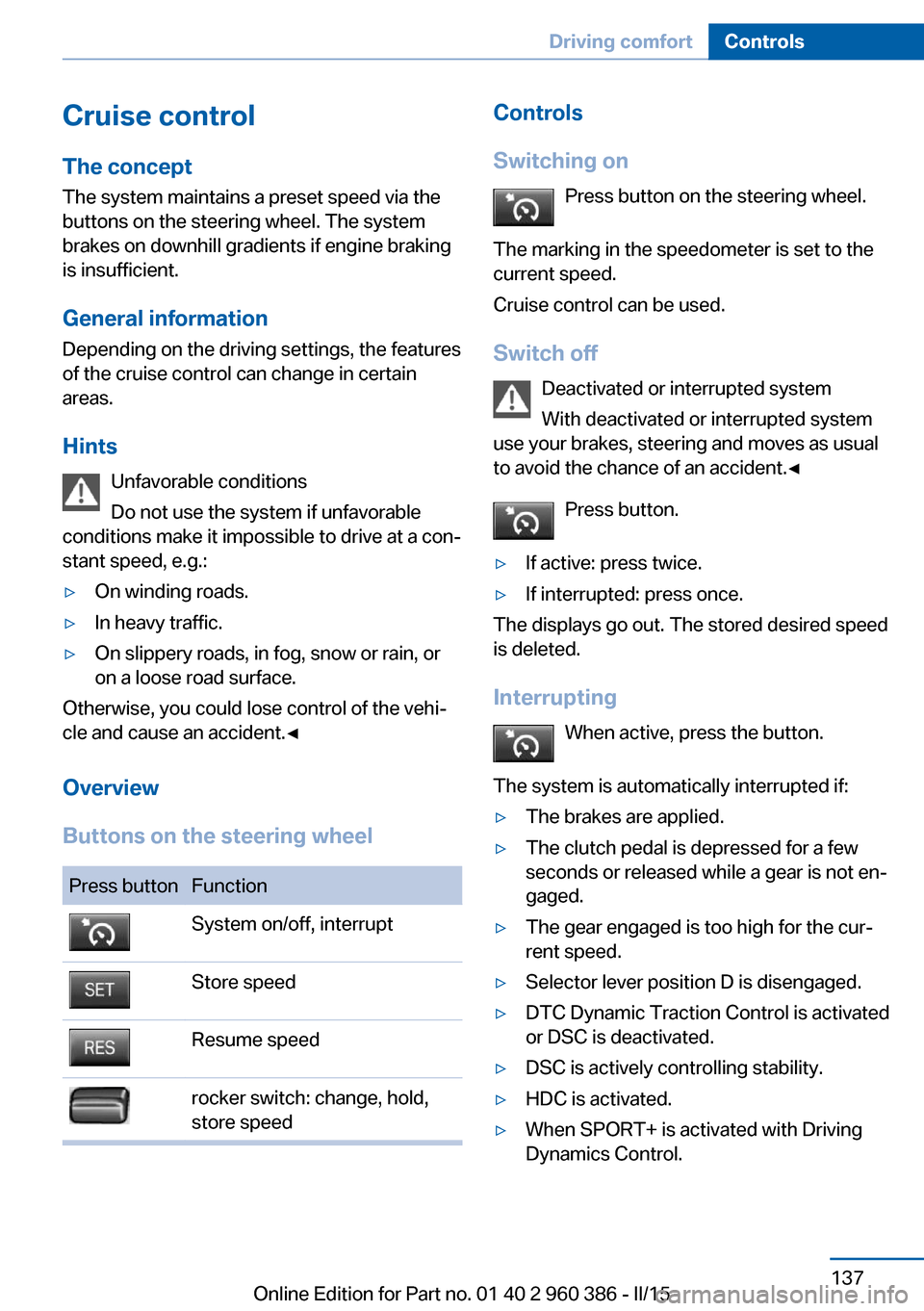
Buttons on the steering wheel
Press buttonFunctionSystem on/off, interruptStore speedResume speedrocker switch: change, hold,
store speedControls
Switching on Press button on the steering wheel.
The marking in the speedometer is set to the
current speed.
Cruise control can be used.
Switch off Deactivated or interrupted system
With deactivated or interrupted system
use your brakes, steering and moves as usual
to avoid the chance of an accident.◀
Press button.▷If active: press twice.▷If interrupted: press once.
The displays go out. The stored desired speed
is deleted.
Interrupting When active, press the button.
The system is automatically interrupted if:
▷The brakes are applied.▷The clutch pedal is depressed for a few
seconds or released while a gear is not en‐
gaged.▷The gear engaged is too high for the cur‐
rent speed.▷Selector lever position D is disengaged.▷DTC Dynamic Traction Control is activated
or DSC is deactivated.▷DSC is actively controlling stability.▷HDC is activated.▷When SPORT+ is activated with Driving
Dynamics Control.Seite 137Driving comfortControls137
Online Edition for Part no. 01 40 2 960 386 - II/15
Page 142 of 257
Maintaining, storing, and changing the
speed
Hints Adjusting the desired speed
Modify desired speed to road conditions
and be ready to brake at all times; otherwise,
there is the risk of an accident.◀
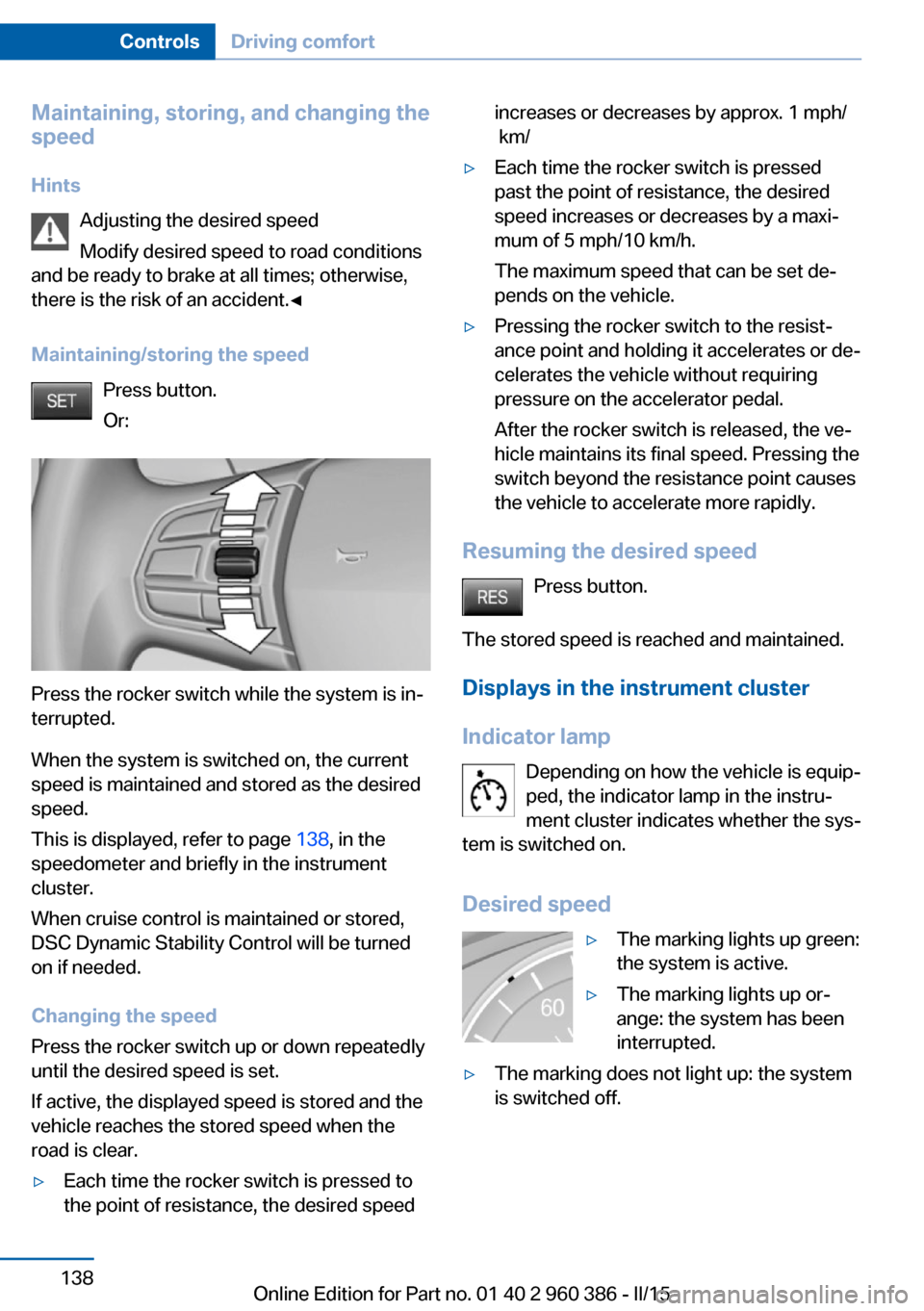
Maintaining/storing the speed Press button.
Or:
Press the rocker switch while the system is in‐
terrupted.
When the system is switched on, the current
speed is maintained and stored as the desired
speed.
This is displayed, refer to page 138, in the
speedometer and briefly in the instrument
cluster.
When cruise control is maintained or stored,
DSC Dynamic Stability Control will be turned
on if needed.
Changing the speed
Press the rocker switch up or down repeatedly
until the desired speed is set.
If active, the displayed speed is stored and the
vehicle reaches the stored speed when the
road is clear.
▷Each time the rocker switch is pressed to
the point of resistance, the desired speedincreases or decreases by approx. 1 mph/
km/▷Each time the rocker switch is pressed
past the point of resistance, the desired
speed increases or decreases by a maxi‐
mum of 5 mph/10 km/h.
The maximum speed that can be set de‐
pends on the vehicle.▷Pressing the rocker switch to the resist‐
ance point and holding it accelerates or de‐
celerates the vehicle without requiring
pressure on the accelerator pedal.
After the rocker switch is released, the ve‐
hicle maintains its final speed. Pressing the
switch beyond the resistance point causes
the vehicle to accelerate more rapidly.
Resuming the desired speed
Press button.
The stored speed is reached and maintained. Displays in the instrument cluster
Indicator lamp Depending on how the vehicle is equip‐
ped, the indicator lamp in the instru‐
ment cluster indicates whether the sys‐
tem is switched on.
Desired speed
▷The marking lights up green:
the system is active.▷The marking lights up or‐
ange: the system has been
interrupted.▷The marking does not light up: the system
is switched off.Seite 138ControlsDriving comfort138
Online Edition for Part no. 01 40 2 960 386 - II/15
Page 189 of 257
Vertical bars show consumption for the se‐
lected time frame.
Trip interruptions are represented below the
bar on the time axis.
"Consumption history"
Adjusting fuel consumption history time frame
Select the symbol.
Resetting fuel consumption history
1.Open "Options".2."Reset consumption history"
Displaying EfficientDynamics info
The current efficiency can be displayed.
"EfficientDynamics info"
The following systems are displayed:
▷Auto Start/Stop function.▷Energy recovery.▷Climate control output.▷Coasting.
Display ECO PRO tips
"ECO PRO Tips"
Settings are stored for the profile currently in
use.
Coasting
The concept
The system helps to conserve fuel.
To do this, under certain conditions the engine
is automatically decoupled from the transmis‐
sion when selector lever position D is set. The
vehicle continues traveling with the engine
idling to reduce fuel consumption. Selector
lever position D remains engaged.
This driving condition is referred to as coast‐
ing.
As soon as you step on the brake or accelera‐
tor pedal, the engine is automatically coupled
again.
Hints
Coasting is a component of the ECO PRO, re‐
fer to page 182, driving mode.
Coasting is automatically activated when ECO
PRO mode is called via the Driving Dynamics
Control.
The function is available in a certain speed
range.
A proactively driving style helps the driver to
use the function as often as possible and sup‐
ports the fuel-conserving effect of coasting.
Safety mode
The function is not available under one of the
following conditions.▷DSC OFF or TRACTION activated.▷Driving in the dynamic limit range and on
steep uphill or downhill grades.▷Battery charge status temporarily too low
or vehicle electrical system drawing exces‐
sive current.▷Cruise control activated.
Functional requirements
In ECO PRO mode, this function is available in
a speed range from approximately 30 mph, ap‐
prox. 50 km/h to 100 mph, approx. 160 km/h, if
the following conditions are met:
▷Accelerator pedal and brake pedal are not
operated.▷The selector lever is in selector lever posi‐
tion D.▷Engine and transmission are at operating
temperature.
The driving status Coast can be influenced
with the shift paddles.
Seite 185Saving fuelDriving tips185
Online Edition for Part no. 01 40 2 960 386 - II/15
Page 246 of 257
Everything from A to Z
IndexA ABS, Antilock Brake Sys‐ tem 123
ACC, Active Cruise Control with Stop & Go 130
Acceleration Assistant, refer to Launch Control 79
Accessories and parts 7
Activated-charcoal filter 157
Active Blind Spot Detec‐ tion 120
Active Cruise Control with Stop & Go, ACC 130
Adaptive brake lights, refer to Brake force display 122
Adaptive Light Control 96
Additives, oil 211
Adjustments, seats/head re‐ straints 52
After washing vehicle 232
Airbags 100
Airbags, indicator/warning light 101
Air circulation, refer to Recir‐ culated-air mode 153, 157
Air, dehumidifying, refer to Cooling function 154, 157
Air distribution, manual 153, 156
Air flow, automatic climate control 153, 156
Air pressure, tires 197
Air vents, refer to Ventila‐ tion 158
Alarm system 46
Alarm, unintentional 47
All around the center con‐ sole 16
All around the roofliner 17 All around the steering
wheel 14
All-season tires, refer to Win‐ ter tires 203
All-wheel-drive 125
Alternating-code hand-held transmitter 161
Alternative oil types 212
Ambient light 99
Antifreeze, washer fluid 75
Antilock Brake System, ABS 123
Anti-slip control, refer to DSC 123
Approved axle load 239
Approved engine oils, see Suitable engine oil
types 212
Armrest, refer to Center arm‐ rest 169
Arrival time 91
Ash tray 162
Assistance when driving off 128
Assist system, refer to Intelli‐ gent Safety 108
AUTO H button 71
AUTO H button, refer to Au‐ tomatic Hold 71
AUTO intensity 156
Automatic car wash 231
Automatic climate con‐ trol 152
Automatic climate control with enhanced features 155
Automatic Cruise Control with Stop & Go 130
Automatic Curb Monitor 59
Automatic deactivation, front- seat passenger airbags 102 Automatic headlight con‐
trol 96
Automatic Hold 71
Automatic locking 46
Automatic recirculated-air control 157
Automatic tailgate 41
Automatic transmission, see Steptronic transmission 76
AUTO program, automatic cli‐ mate control 156
AUTO program, climate con‐ trol 153
AUTO program, intensity 156
Auto Start/Stop function 68
Average fuel consumption 90
Average speed 90
Axle loads, weights 239
B Backrest curvature, refer to Lumbar support 54
Backrest, width 54
Bad road trips 174
Band-aids, refer to First aid kit 227
Bar for tow-starting/ towing 229
Battery replacement, vehicle battery 224
Battery replacement, vehicle remote control 35
Battery, vehicle 223
Belts, safety belts 55
Beverage holder, cu‐ pholder 169
Blinds, sun protection 49
BMW Advanced Diesel 193
BMW Assist, see user's manual for Navigation, En‐Seite 242ReferenceEverything from A to Z242
Online Edition for Part no. 01 40 2 960 386 - II/15
Page 248 of 257
Connecting electrical devi‐ces 163
Continued driving with a flat tire 105 , 108
Control Display 18
Control Display, settings 92
Controller 18, 19
Control systems, driving sta‐ bility 123
Convenient opening with the remote control 37
Coolant 213
Coolant level 213
Coolant temperature 85
Cooling function 154, 157
Cooling, maximum 156
Cooling system 213
Cornering light 96
Corrosion on brake discs 177
Cosmetic mirror 162
Courtesy lamps during un‐ locking 37
Courtesy lamps with the vehi‐ cle locked 38
Cruise control 137
Cruise control, active with Stop & Go 130
Cruising range 85
Cupholder 169
Current fuel consumption 86
D
Damage, tires 202
Damping control, dy‐ namic 126
Data, technical 238
Date 85
Daytime running lights 96
Daytime running lights, bulb replacement 219
Defrosting, refer to Windows, defrosting 153, 156
Dehumidifying, air 154, 157
Deleting personal data 25
Deletion of personal data 25 Destination distance 90
Diesel exhaust fluid, at low temperatures 194
Diesel exhaust fluid, having refilled 194
Diesel exhaust fluid, on mini‐ mum 194
Diesel exhaust fluid, replen‐ ishing yourself 194
Diesel particulate filter 175
Digital clock 85
Dimensions 238
Dimmable exterior mirrors 60
Dimmable interior rearview mirror 60
Direction indicator, refer to Turn signals 72
Display, electronic, instru‐ ment cluster 80
Display in windshield 93
Display lighting, refer to In‐ strument lighting 98
Displays, cleaning 234
Disposal, coolant 214
Disposal, vehicle battery 224
Distance control, refer to PDC 139
Distance to destination 90
Divided screen view, split screen 23
Door lock 39
Door lock, refer to Remote control 34
Downhill control 125
Drive-off assistant 128
Drive-off assistant, refer to DSC 123
Driving Dynamics Con‐ trol 126
Driving instructions, break- in 174
Driving mode 126
Driving notes, general 175
Driving on bad roads 174
Driving stability control sys‐ tems 123 Driving tips 175
DSC Dynamic Stability Con‐ trol 123
DTC Dynamic Traction Con‐ trol 124
Dynamic Damping Con‐ trol 126
Dynamic Stability Control DSC 123
Dynamic Traction Control DTC 124
E
ECO PRO 182
ECO PRO, bonus range 183
ECO PRO display 182
ECO PRO driving mode 182
ECO PRO mode 182
ECO PRO Tip - driving in‐ struction 184
EfficientDynamics 184
Electronic displays, instru‐ ment cluster 80
Electronic oil measure‐ ment 210
Electronic Stability Program ESP, refer to DSC 123
Emergency detection, remote control 35
Emergency release, fuel filler flap 190
Emergency Request 226
Emergency start function, en‐ gine start 35
Emergency unlocking, trans‐ mission lock 78
Energy Control 86
Energy recovery 86
Engine, automatic Start/Stop function 68
Engine, automatic switch- off 68
Engine compartment 208
Engine compartment, work‐ ing in 208 Seite 244ReferenceEverything from A to Z244
Online Edition for Part no. 01 40 2 960 386 - II/15
Page 252 of 257
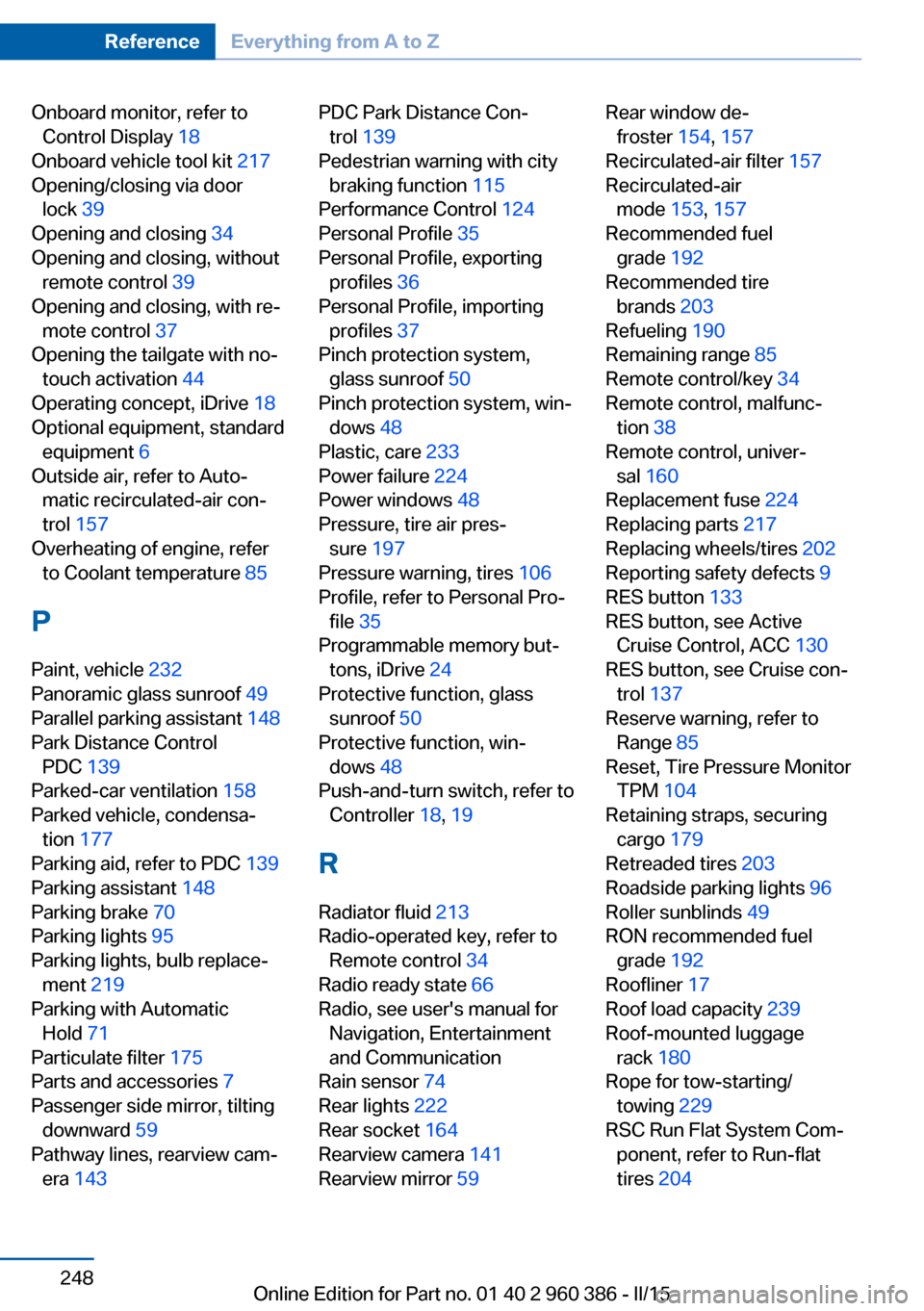
Onboard monitor, refer toControl Display 18
Onboard vehicle tool kit 217
Opening/closing via door lock 39
Opening and closing 34
Opening and closing, without remote control 39
Opening and closing, with re‐ mote control 37
Opening the tailgate with no- touch activation 44
Operating concept, iDrive 18
Optional equipment, standard equipment 6
Outside air, refer to Auto‐ matic recirculated-air con‐
trol 157
Overheating of engine, refer to Coolant temperature 85
P Paint, vehicle 232
Panoramic glass sunroof 49
Parallel parking assistant 148
Park Distance Control PDC 139
Parked-car ventilation 158
Parked vehicle, condensa‐ tion 177
Parking aid, refer to PDC 139
Parking assistant 148
Parking brake 70
Parking lights 95
Parking lights, bulb replace‐ ment 219
Parking with Automatic Hold 71
Particulate filter 175
Parts and accessories 7
Passenger side mirror, tilting downward 59
Pathway lines, rearview cam‐ era 143 PDC Park Distance Con‐
trol 139
Pedestrian warning with city braking function 115
Performance Control 124
Personal Profile 35
Personal Profile, exporting profiles 36
Personal Profile, importing profiles 37
Pinch protection system, glass sunroof 50
Pinch protection system, win‐ dows 48
Plastic, care 233
Power failure 224
Power windows 48
Pressure, tire air pres‐ sure 197
Pressure warning, tires 106
Profile, refer to Personal Pro‐ file 35
Programmable memory but‐ tons, iDrive 24
Protective function, glass sunroof 50
Protective function, win‐ dows 48
Push-and-turn switch, refer to Controller 18, 19
R Radiator fluid 213
Radio-operated key, refer to Remote control 34
Radio ready state 66
Radio, see user's manual for Navigation, Entertainment
and Communication
Rain sensor 74
Rear lights 222
Rear socket 164
Rearview camera 141
Rearview mirror 59 Rear window de‐
froster 154, 157
Recirculated-air filter 157
Recirculated-air mode 153, 157
Recommended fuel grade 192
Recommended tire brands 203
Refueling 190
Remaining range 85
Remote control/key 34
Remote control, malfunc‐ tion 38
Remote control, univer‐ sal 160
Replacement fuse 224
Replacing parts 217
Replacing wheels/tires 202
Reporting safety defects 9
RES button 133
RES button, see Active Cruise Control, ACC 130
RES button, see Cruise con‐ trol 137
Reserve warning, refer to Range 85
Reset, Tire Pressure Monitor TPM 104
Retaining straps, securing cargo 179
Retreaded tires 203
Roadside parking lights 96
Roller sunblinds 49
RON recommended fuel grade 192
Roofliner 17
Roof load capacity 239
Roof-mounted luggage rack 180
Rope for tow-starting/ towing 229
RSC Run Flat System Com‐ ponent, refer to Run-flat
tires 204 Seite 248ReferenceEverything from A to Z248
Online Edition for Part no. 01 40 2 960 386 - II/15
Page 253 of 257
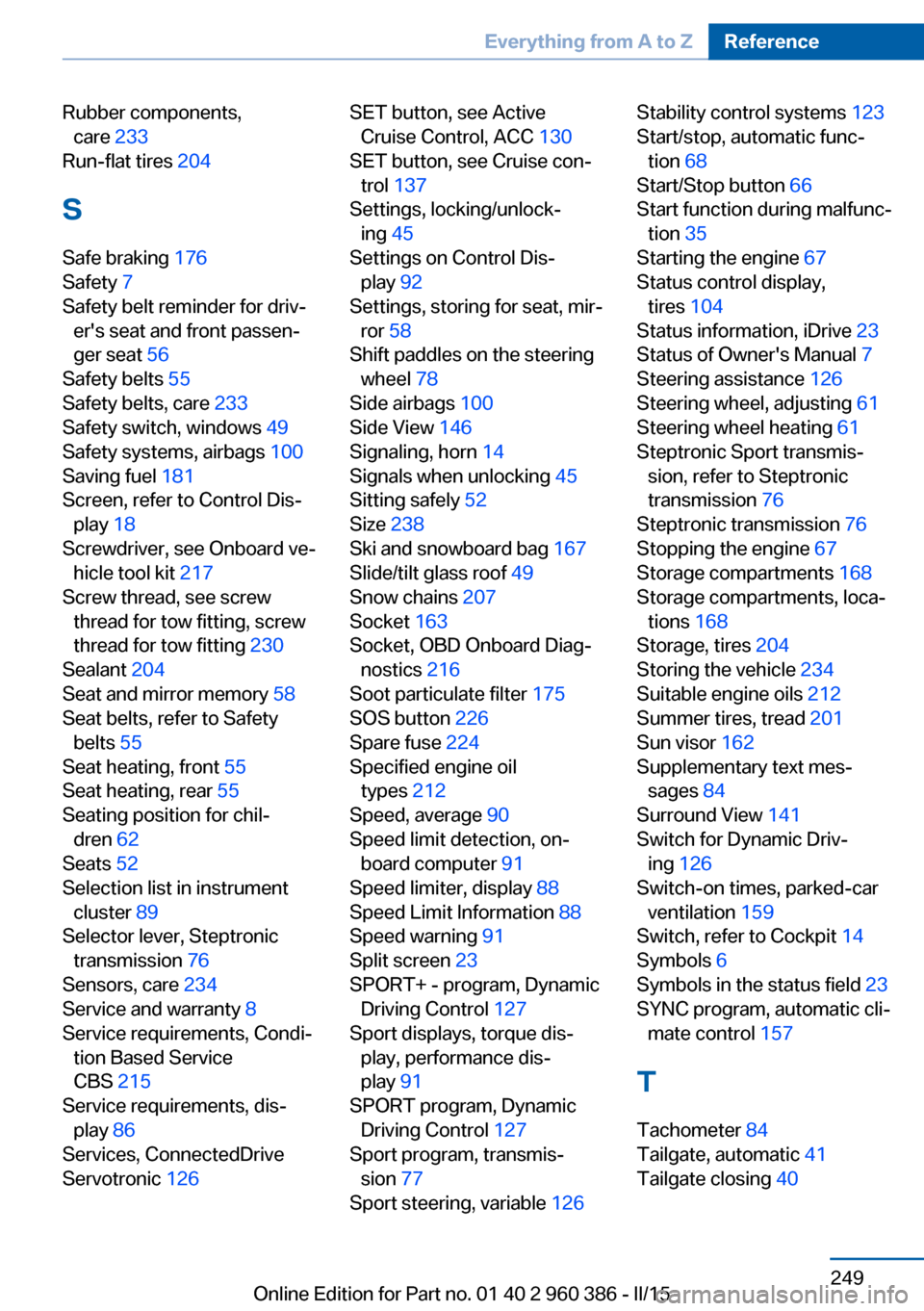
Rubber components,care 233
Run-flat tires 204
S Safe braking 176
Safety 7
Safety belt reminder for driv‐ er's seat and front passen‐
ger seat 56
Safety belts 55
Safety belts, care 233
Safety switch, windows 49
Safety systems, airbags 100
Saving fuel 181
Screen, refer to Control Dis‐ play 18
Screwdriver, see Onboard ve‐ hicle tool kit 217
Screw thread, see screw thread for tow fitting, screw
thread for tow fitting 230
Sealant 204
Seat and mirror memory 58
Seat belts, refer to Safety belts 55
Seat heating, front 55
Seat heating, rear 55
Seating position for chil‐ dren 62
Seats 52
Selection list in instrument cluster 89
Selector lever, Steptronic transmission 76
Sensors, care 234
Service and warranty 8
Service requirements, Condi‐ tion Based Service
CBS 215
Service requirements, dis‐ play 86
Services, ConnectedDrive
Servotronic 126 SET button, see Active
Cruise Control, ACC 130
SET button, see Cruise con‐ trol 137
Settings, locking/unlock‐ ing 45
Settings on Control Dis‐ play 92
Settings, storing for seat, mir‐ ror 58
Shift paddles on the steering wheel 78
Side airbags 100
Side View 146
Signaling, horn 14
Signals when unlocking 45
Sitting safely 52
Size 238
Ski and snowboard bag 167
Slide/tilt glass roof 49
Snow chains 207
Socket 163
Socket, OBD Onboard Diag‐ nostics 216
Soot particulate filter 175
SOS button 226
Spare fuse 224
Specified engine oil types 212
Speed, average 90
Speed limit detection, on- board computer 91
Speed limiter, display 88
Speed Limit Information 88
Speed warning 91
Split screen 23
SPORT+ - program, Dynamic Driving Control 127
Sport displays, torque dis‐ play, performance dis‐
play 91
SPORT program, Dynamic Driving Control 127
Sport program, transmis‐ sion 77
Sport steering, variable 126 Stability control systems 123
Start/stop, automatic func‐ tion 68
Start/Stop button 66
Start function during malfunc‐ tion 35
Starting the engine 67
Status control display, tires 104
Status information, iDrive 23
Status of Owner's Manual 7
Steering assistance 126
Steering wheel, adjusting 61
Steering wheel heating 61
Steptronic Sport transmis‐ sion, refer to Steptronic
transmission 76
Steptronic transmission 76
Stopping the engine 67
Storage compartments 168
Storage compartments, loca‐ tions 168
Storage, tires 204
Storing the vehicle 234
Suitable engine oils 212
Summer tires, tread 201
Sun visor 162
Supplementary text mes‐ sages 84
Surround View 141
Switch for Dynamic Driv‐ ing 126
Switch-on times, parked-car ventilation 159
Switch, refer to Cockpit 14
Symbols 6
Symbols in the status field 23
SYNC program, automatic cli‐ mate control 157
T Tachometer 84
Tailgate, automatic 41
Tailgate closing 40 Seite 249Everything from A to ZReference249
Online Edition for Part no. 01 40 2 960 386 - II/15