lock BMW X3 3.0I 2007 E83 Owner's Guide
[x] Cancel search | Manufacturer: BMW, Model Year: 2007, Model line: X3 3.0I, Model: BMW X3 3.0I 2007 E83Pages: 139, PDF Size: 4.74 MB
Page 49 of 139
Reference
At a glance
Controls
Driving tips
Mobility
47
The set time is transferred to the display of the
radio or displayed in the instrument cluster.
Display mode
Ignition key in position 0 or removed:
Press button1.
The time and display of the miles/kilometers
appear for a few seconds.
Computer
Mode selection
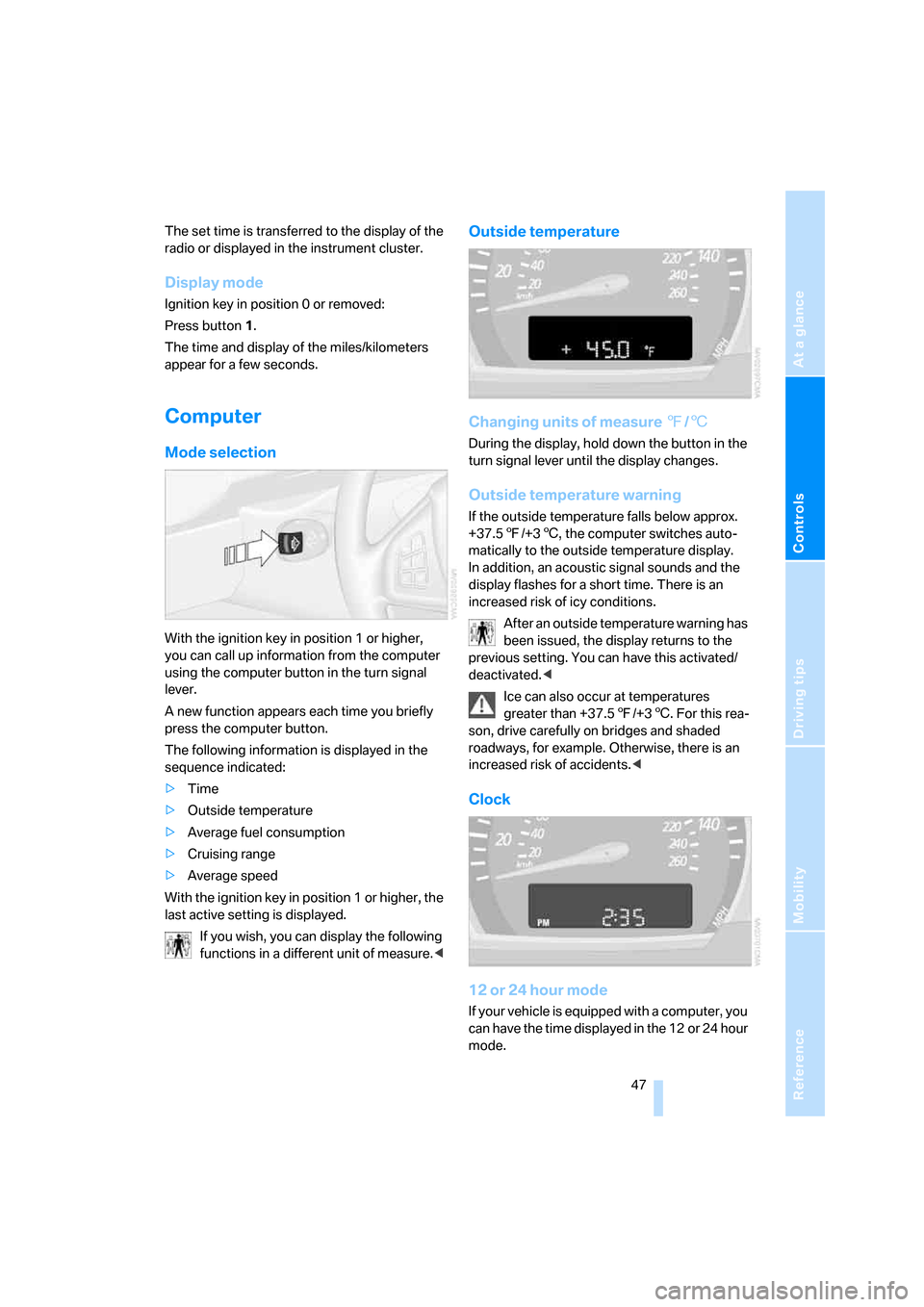
With the ignition key in position 1 or higher,
you can call up information from the computer
using the computer button in the turn signal
lever.
A new function appears each time you briefly
press the computer button.
The following information is displayed in the
sequence indicated:
>Time
>Outside temperature
>Average fuel consumption
>Cruising range
>Average speed
With the ignition key in position 1 or higher, the
last active setting is displayed.
If you wish, you can display the following
functions in a different unit of measure.<
Outside temperature
Changing units of measure 7/6
During the display, hold down the button in the
turn signal lever until the display changes.
Outside temperature warning
If the outside temperature falls below approx.
+37.57/+36, the computer switches auto-
matically to the outside temperature display.
In addition, an acoustic signal sounds and the
display flashes for a short time. There is an
increased risk of icy conditions.
After an outside temperature warning has
been issued, the display returns to the
previous setting. You can have this activated/
deactivated.<
Ice can also occur at temperatures
greater than +37.57/+36. For this rea-
son, drive carefully on bridges and shaded
roadways, for example. Otherwise, there is an
increased risk of accidents.<
Clock
12 or 24 hour mode
If your vehicle is equipped with a computer, you
can have the time displayed in the 12 or 24 hour
mode.
Page 52 of 139
Technology for comfort, convenience and safety
50
Malfunction
The LED in the button flashes and a short con-
tinuous tone sounds. PDC is malfunctioning.
Switch off PDC. Have the system checked.
To prevent this problem, keep the sensors
clean and free of ice or snow in order to ensure
that they will continue to operate effectively.
When using high-pressure washers, do not
spray sensors for long periods and keep the
sprayer at least 4 in/10 cm away from the sen-
sors.
System limits
Even with PDC, final responsibility for
estimating the distance between the
vehicle and any obstructions always remains
with the driver. Even when sensors are involved,
there is a blind spot in which objects cannot be
detected. The system is also subject to the
physical limits that apply to all forms of ultra-
sonic measurement, such as those encoun-
tered with tow bars and trailer couplings, or thin
and wedge-shaped objects. Low objects
already displayed, e.g. curb edges, can come
into the blind spot of the sensors before or after
a continuous tone sounds. The system may fail
to detect higher obstacles such as projections
from walls.
Loud sources of sound, inside and outside the
vehicle, could drown out the PDC signal tone.<
Driving stability control
systems
Your BMW is equipped with an extended array
of systems designed to enhance and maintain
vehicle stability even under unfavorable driving
conditions.
ABS Antilock Brake System
ABS prevents the wheels from locking during
braking. Safe steering response is maintained
even during full braking. This results in an
increase in the active safety.
ABS is operational every time you start the
engine. Safe braking, refer to page81.
Electronic brake-force distribution
The system controls the brake pressure in the
rear wheels to ensure a stable braking behavior.
Brake assistant
When the brake pedal is depressed quickly, this
system automatically generates a maximum
braking force distribution and thus helps keep
the braking distance to a minimum during full
braking. This system exploits all of the benefits
provided by ABS.
As long as you want full braking to continue, do
not reduce pressure on the brake.
DSC Dynamic Stability Control
DSC prevents slip at the drive wheels when
starting off and accelerating. The system also
detects unstable driving conditions, such as a
fishtailing of the vehicle's rear end or the sliding
of the vehicle on its front wheels. In these cir-
cumstances, DSC helps keep the vehicle on a
safe path, within physical limits, by reducing
engine output and by applying the brakes in
individual wheels.
The laws of physics cannot be repealed,
even with DSC. An appropriate driving
style always remains the responsibility of the
driver. Do not squander the additional margin of
safety by driving dangerously; otherwise, you
run the risk of causing an accident.<
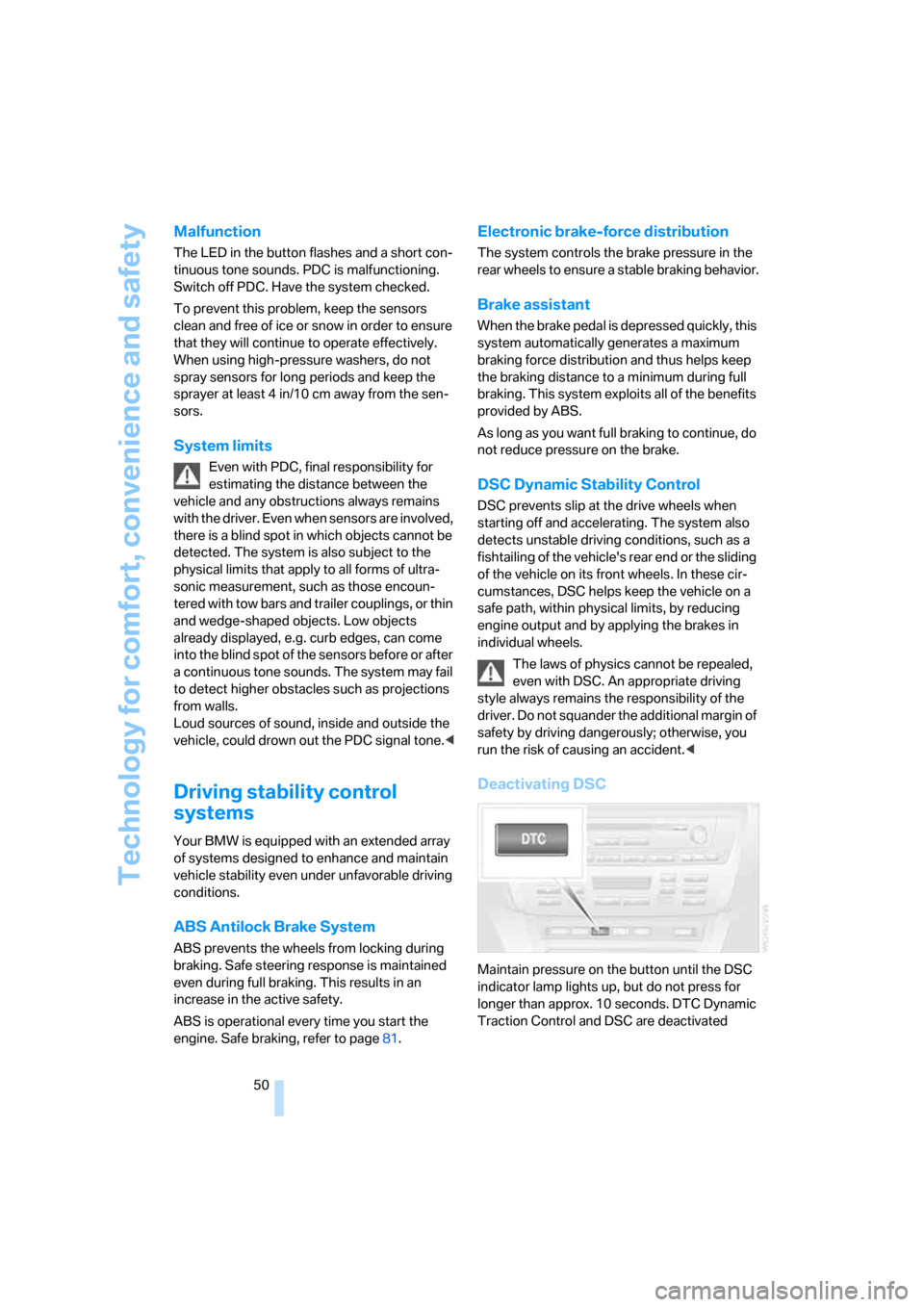
Deactivating DSC
Maintain pressure on the button until the DSC
indicator lamp lights up, but do not press for
longer than approx. 10 seconds. DTC Dynamic
Traction Control and DSC are deactivated
Page 62 of 139
Lamps
60 If the automatic headlamp control is acti-
vated, the low beams will come on auto-
matically when you switch on the fog lamps.<
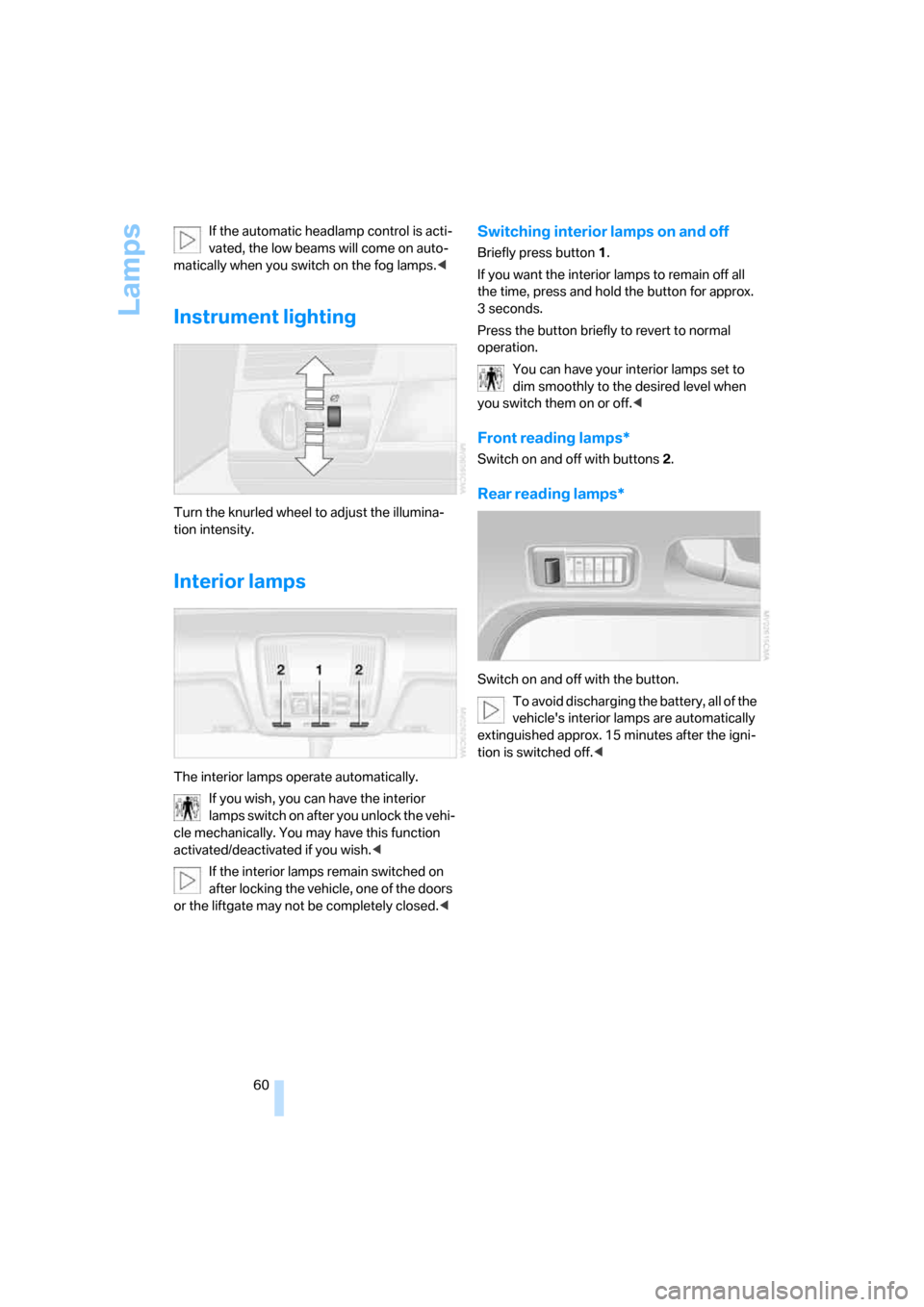
Instrument lighting
Turn the knurled wheel to adjust the illumina-
tion intensity.
Interior lamps
The interior lamps operate automatically.
If you wish, you can have the interior
lamps switch on after you unlock the vehi-
cle mechanically. You may have this function
activated/deactivated if you wish.<
If the interior lamps remain switched on
after locking the vehicle, one of the doors
or the liftgate may not be completely closed.<
Switching interior lamps on and off
Briefly press button 1.
If you want the interior lamps to remain off all
the time, press and hold the button for approx.
3seconds.
Press the button briefly to revert to normal
operation.
You can have your interior lamps set to
dim smoothly to the desired level when
you switch them on or off.<
Front reading lamps*
Switch on and off with buttons 2.
Rear reading lamps*
Switch on and off with the button.
To avoid discharging the battery, all of the
vehicle's interior lamps are automatically
extinguished approx. 15 minutes after the igni-
tion is switched off.<
Page 64 of 139
Air conditioner
62
Air volume
You can vary the air volume in
steps 1 through 4. The heating or
cooling output is more effective
with a higher air volume.
Switching system on/off
Turn air volume rotary switch to 0. This com-
pletely shuts off the blower and air conditioning
system and stops the flow of air.
To switch on the air conditioning system, set an
arbitrary air volume.
Temperature
To increase the temperature, turn
to the right, toward red.
For a lower temperature, turn the
rotary switch counterclockwise
toward blue.
Air distribution
You can direct air to flow onto the
windows , toward the upper
body and into the footwell .
Intermediate settings are possible.
Rear window defroster
The rear window heating switches
off automatically after a certain
amount of time. Depending on
your equipment package, the upper wires are
used as an antenna and are not part of the rear
window defroster.
Switching cooling function on/off
When the cooling function is on,
the air is cooled, dehumidified, and
then reheated depending on the
temperature setting.
Depending on the weather, the windshield may
fog over briefly when the engine is started.
Recirculated-air mode
You can respond to unpleasant
odors outside the vehicle by tem-
porarily suspending the supply of
outside air. The system then recirculates the air
currently within the vehicle.
If condensation starts to form on the
inside window surfaces during operation
in recirculated-air mode, you should switch it off
and increase the air supply as needed.
The recirculated-air mode should not be used
over a sustained period of time; otherwise, the
air quality inside the vehicle will steadily deteri-
orate.<
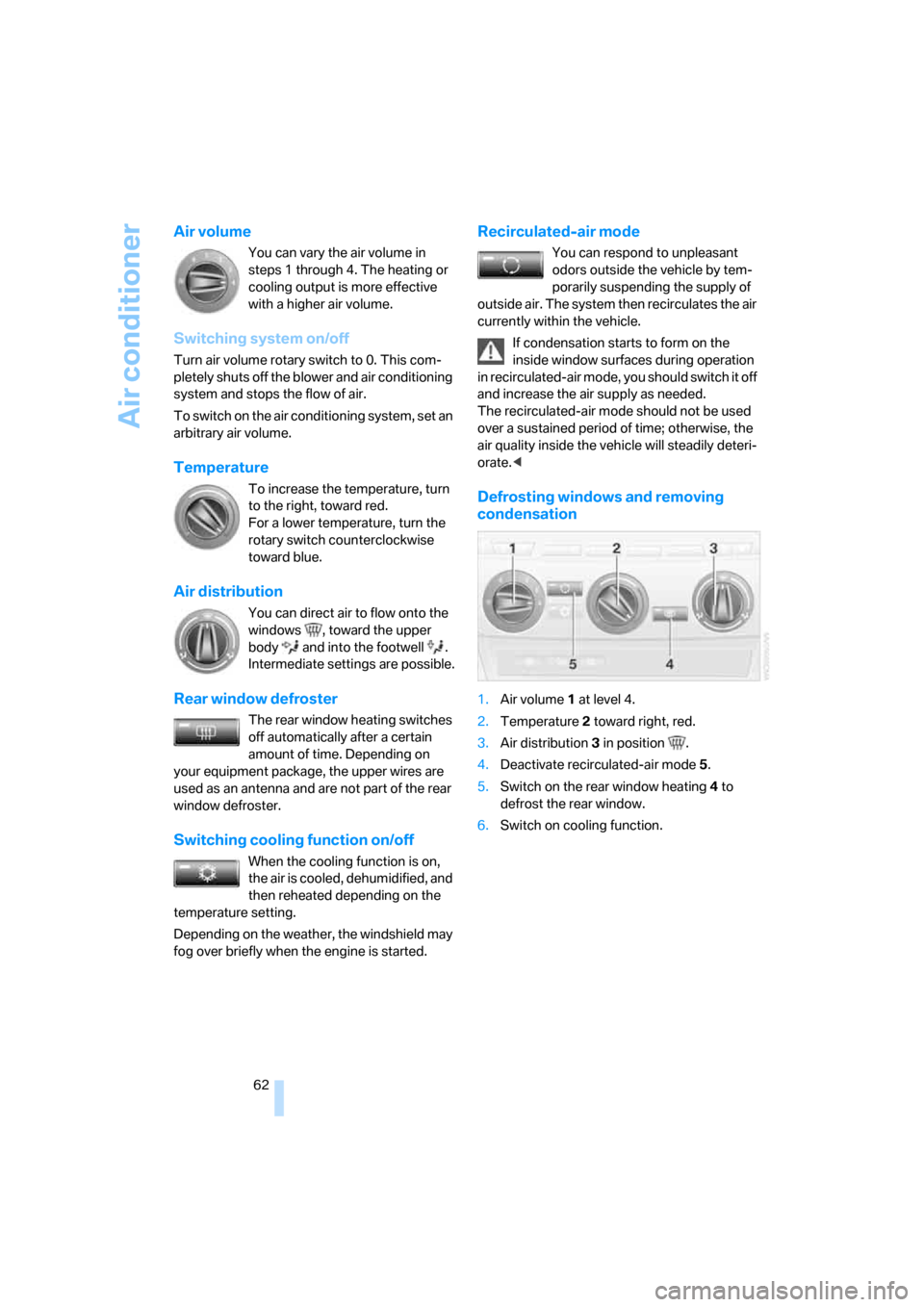
Defrosting windows and removing
condensation
1.Air volume 1 at level 4.
2.Temperature 2 toward right, red.
3.Air distribution 3 in position .
4.Deactivate recirculated-air mode 5.
5.Switch on the rear window heating 4 to
defrost the rear window.
6.Switch on cooling function.
Page 67 of 139
Reference
At a glance
Controls
Driving tips
Mobility
65
A congenial climate
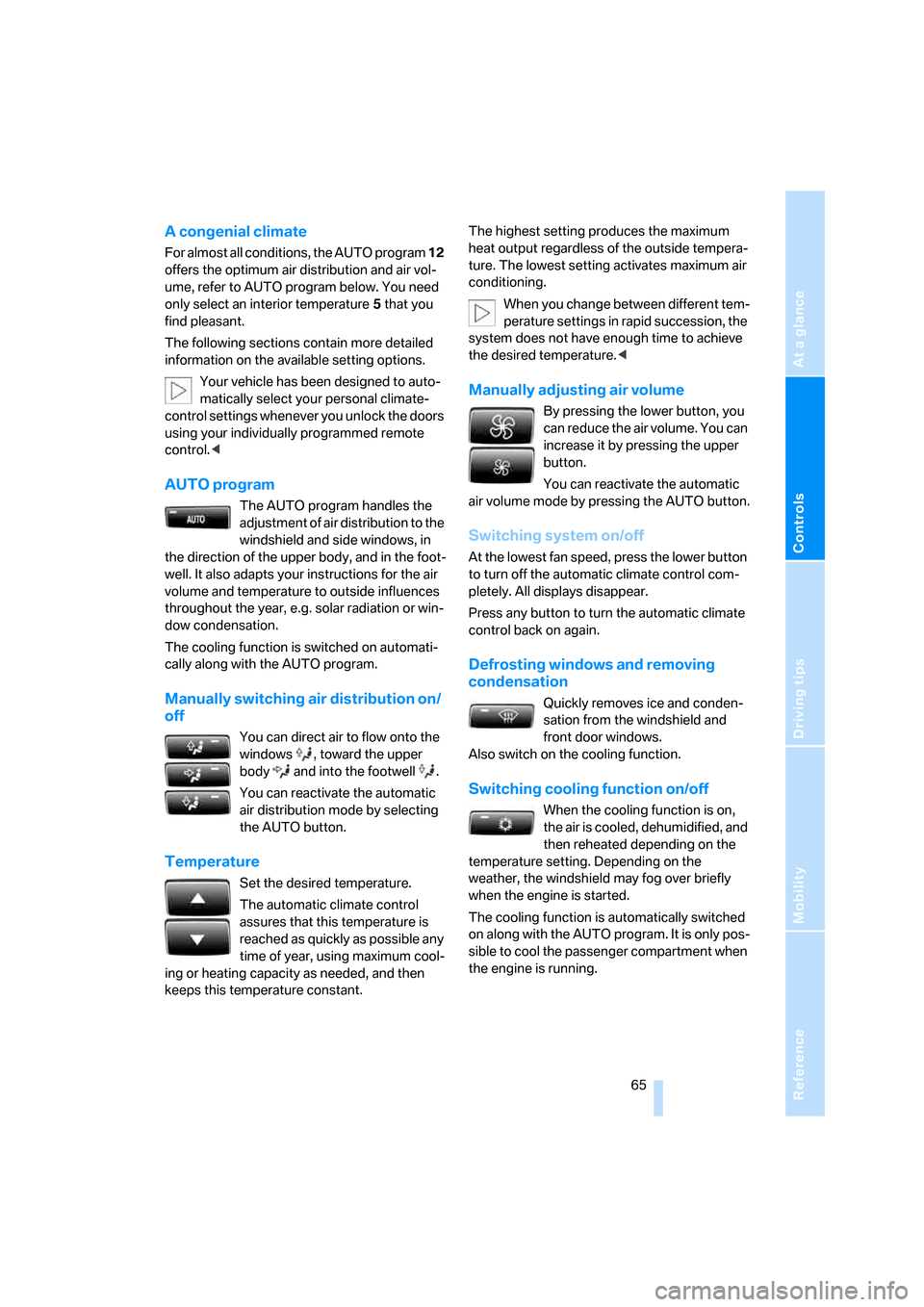
For almost all conditions, the AUTO program 12
offers the optimum air distribution and air vol-
ume, refer to AUTO program below. You need
only select an interior temperature 5 that you
find pleasant.
The following sections contain more detailed
information on the available setting options.
Your vehicle has been designed to auto-
matically select your personal climate-
control settings whenever you unlock the doors
using your individually programmed remote
control.<
AUTO program
The AUTO program handles the
adjustment of air distribution to the
windshield and side windows, in
the direction of the upper body, and in the foot-
well. It also adapts your instructions for the air
volume and temperature to outside influences
throughout the year, e.g. solar radiation or win-
dow condensation.
The cooling function is switched on automati-
cally along with the AUTO program.
Manually switching air distribution on/
off
You can direct air to flow onto the
windows , toward the upper
body and into the footwell .
You can reactivate the automatic
air distribution mode by selecting
the AUTO button.
Temperature
Set the desired temperature.
The automatic climate control
assures that this temperature is
reached as quickly as possible any
time of year, using maximum cool-
ing or heating capacity as needed, and then
keeps this temperature constant.The highest setting produces the maximum
heat output regardless of the outside tempera-
ture. The lowest setting activates maximum air
conditioning.
When you change between different tem-
perature settings in rapid succession, the
system does not have enough time to achieve
the desired temperature.<
Manually adjusting air volume
By pressing the lower button, you
can reduce the air volume. You can
increase it by pressing the upper
button.
You can reactivate the automatic
air volume mode by pressing the AUTO button.
Switching system on/off
At the lowest fan speed, press the lower button
to turn off the automatic climate control com-
pletely. All displays disappear.
Press any button to turn the automatic climate
control back on again.
Defrosting windows and removing
condensation
Quickly removes ice and conden-
sation from the windshield and
front door windows.
Also switch on the cooling function.
Switching cooling function on/off
When the cooling function is on,
the air is cooled, dehumidified, and
then reheated depending on the
temperature setting. Depending on the
weather, the windshield may fog over briefly
when the engine is started.
The cooling function is automatically switched
on along with the AUTO program. It is only pos-
sible to cool the passenger compartment when
the engine is running.
Page 72 of 139
Practical interior accessories
70 The setting is automatically stored after approx.
10 seconds.
Cup holders
Use lightweight, unbreakable containers;
otherwise, there is a risk of injury in an
accident. Do not push unsuitable containers
into the cup holder as this can damage it.<
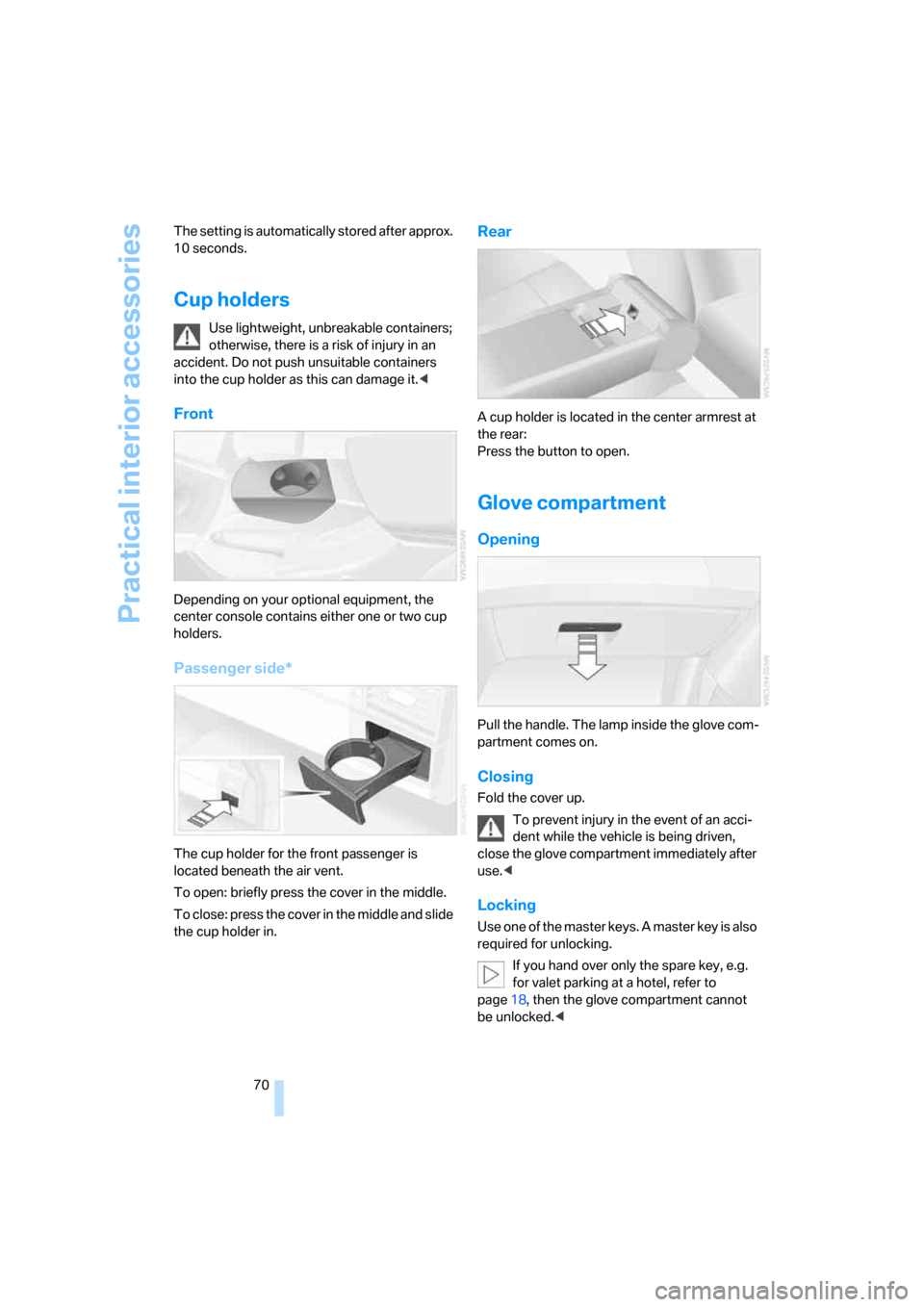
Front
Depending on your optional equipment, the
center console contains either one or two cup
holders.
Passenger side*
The cup holder for the front passenger is
located beneath the air vent.
To open: briefly press the cover in the middle.
To close: press the cover in the middle and slide
the cup holder in.
Rear
A cup holder is located in the center armrest at
the rear:
Press the button to open.
Glove compartment
Opening
Pull the handle. The lamp inside the glove com-
partment comes on.
Closing
Fold the cover up.
To prevent injury in the event of an acci-
dent while the vehicle is being driven,
close the glove compartment immediately after
use.<
Locking
Use one of the master keys. A master key is also
required for unlocking.
If you hand over only the spare key, e.g.
for valet parking at a hotel, refer to
page18, then the glove compartment cannot
be unlocked.<
Page 77 of 139
Reference
At a glance
Controls
Driving tips
Mobility
75
Cargo area cover
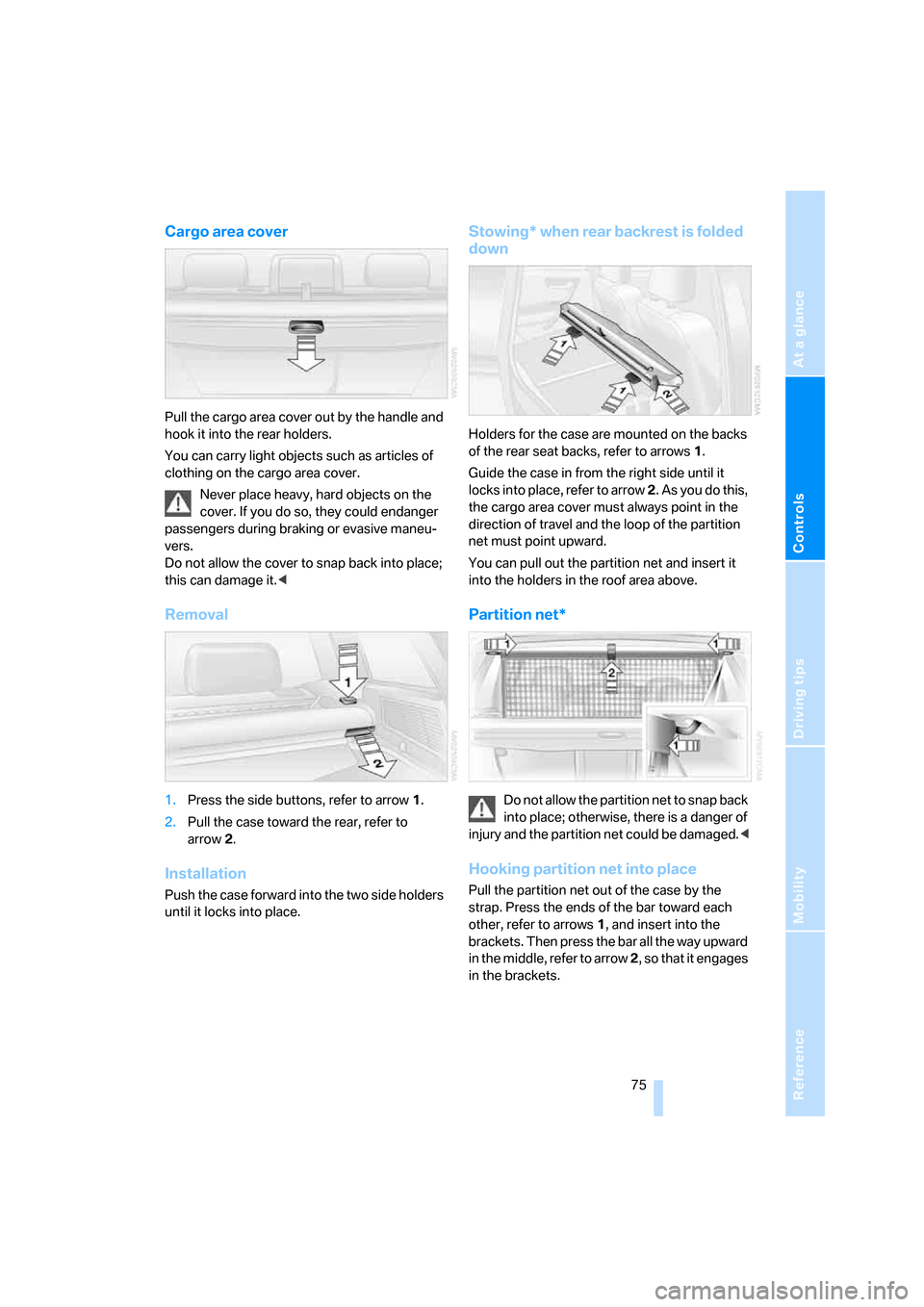
Pull the cargo area cover out by the handle and
hook it into the rear holders.
You can carry light objects such as articles of
clothing on the cargo area cover.
Never place heavy, hard objects on the
cover. If you do so, they could endanger
passengers during braking or evasive maneu-
vers.
Do not allow the cover to snap back into place;
this can damage it.<
Removal
1.Press the side buttons, refer to arrow1.
2.Pull the case toward the rear, refer to
arrow2.
Installation
Push the case forward into the two side holders
until it locks into place.
Stowing* when rear backrest is folded
down
Holders for the case are mounted on the backs
of the rear seat backs, refer to arrows1.
Guide the case in from the right side until it
locks into place, refer to arrow 2. As you do this,
the cargo area cover must always point in the
direction of travel and the loop of the partition
net must point upward.
You can pull out the partition net and insert it
into the holders in the roof area above.
Partition net*
Do not allow the partition net to snap back
into place; otherwise, there is a danger of
injury and the partition net could be damaged.<
Hooking partition net into place
Pull the partition net out of the case by the
strap. Press the ends of the bar toward each
other, refer to arrows 1, and insert into the
brackets. Then press the bar all the way upward
in the middle, refer to arrow 2, so that it engages
in the brackets.
Page 90 of 139
Refueling
88
Refueling
Fuel cap
Opening
Always switch off the engine before
refueling. Otherwise, no fuel can be dis-
pensed into the tank and the Service Engine
Soon lamp lights up.<
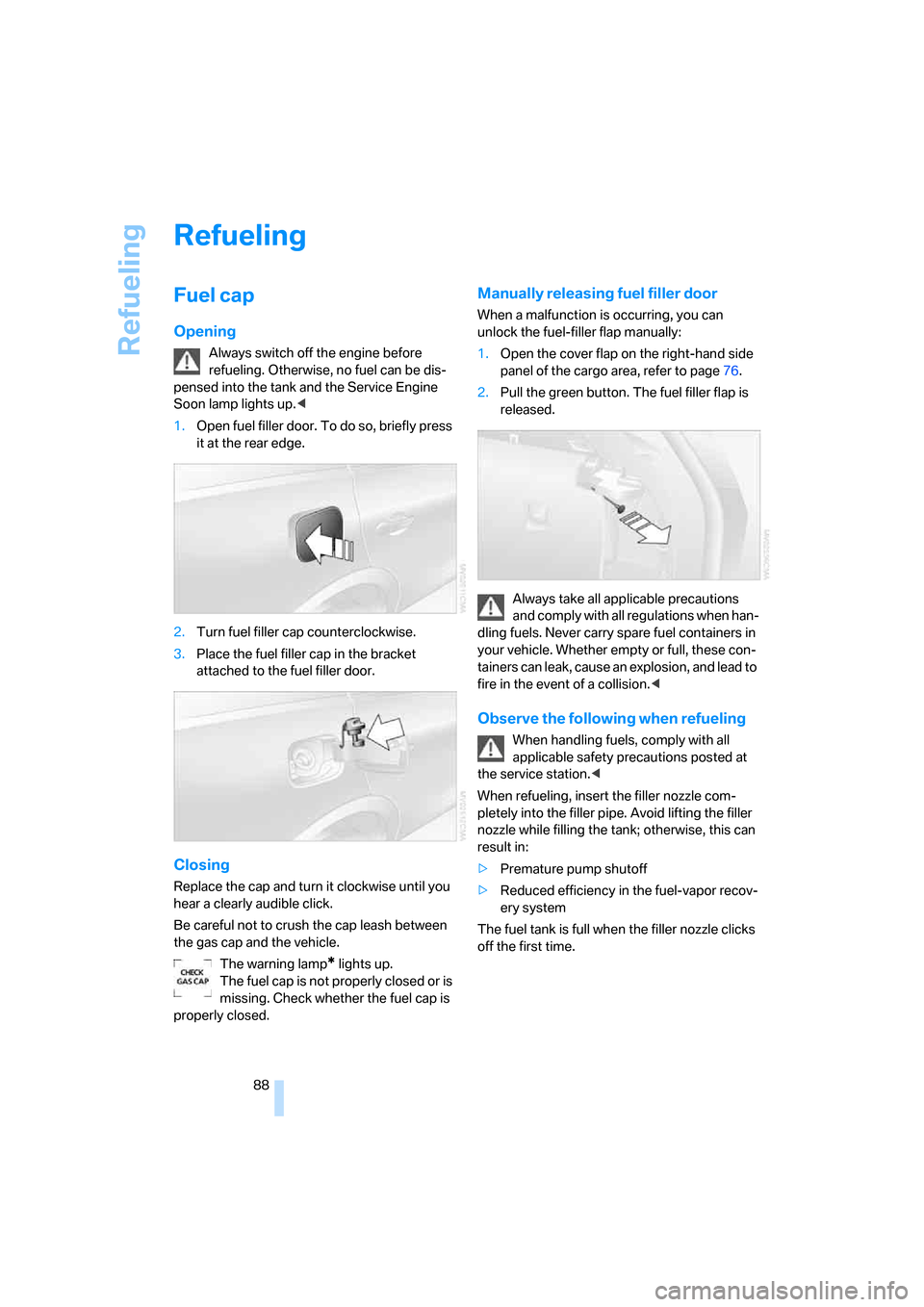
1.Open fuel filler door. To do so, briefly press
it at the rear edge.
2.Turn fuel filler cap counterclockwise.
3.Place the fuel filler cap in the bracket
attached to the fuel filler door.
Closing
Replace the cap and turn it clockwise until you
hear a clearly audible click.
Be careful not to crush the cap leash between
the gas cap and the vehicle.
The warning lamp
* lights up.
The fuel cap is not properly closed or is
missing. Check whether the fuel cap is
properly closed.
Manually releasing fuel filler door
When a malfunction is occurring, you can
unlock the fuel-filler flap manually:
1.Open the cover flap on the right-hand side
panel of the cargo area, refer to page76.
2.Pull the green button. The fuel filler flap is
released.
Always take all applicable precautions
and comply with all regulations when han-
dling fuels. Never carry spare fuel containers in
your vehicle. Whether empty or full, these con-
tainers can leak, cause an explosion, and lead to
fire in the event of a collision.<
Observe the following when refueling
When handling fuels, comply with all
applicable safety precautions posted at
the service station.<
When refueling, insert the filler nozzle com-
pletely into the filler pipe. Avoid lifting the filler
nozzle while filling the tank; otherwise, this can
result in:
>Premature pump shutoff
>Reduced efficiency in the fuel-vapor recov-
ery system
The fuel tank is full when the filler nozzle clicks
off the first time.
Page 99 of 139
Reference
At a glance
Controls
Driving tips
Mobility
97
Under the hood
Never attempt to perform any service or
repair operations on your vehicle without
the required professional technical training. If
you are not familiar with the regulations to be
observed, have work on your vehicle carried out
only by your BMW Sports Activity Vehicle Cen-
ter or at a workshop that works according to
BMW repair procedures with appropriately
trained personnel. If this work is not carried out
properly, there is a danger of subsequent dam-
age and related safety hazards.<
Hood
Unlocking
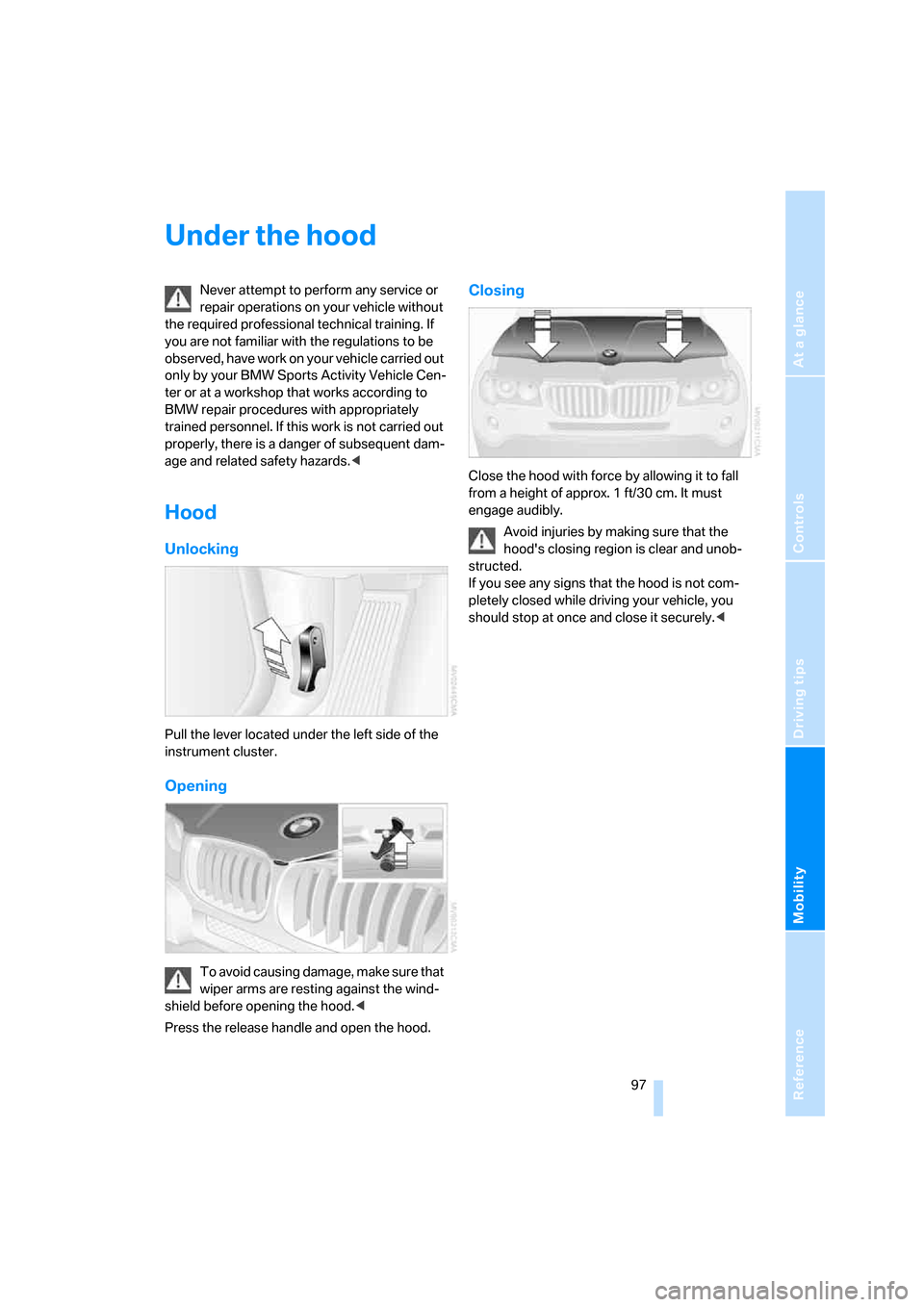
Pull the lever located under the left side of the
instrument cluster.
Opening
To avoid causing damage, make sure that
wiper arms are resting against the wind-
shield before opening the hood.<
Press the release handle and open the hood.
Closing
Close the hood with force by allowing it to fall
from a height of approx. 1 ft/30 cm. It must
engage audibly.
Avoid injuries by making sure that the
hood's closing region is clear and unob-
structed.
If you see any signs that the hood is not com-
pletely closed while driving your vehicle, you
should stop at once and close it securely.<
Page 103 of 139
Reference
At a glance
Controls
Driving tips
Mobility
101
Coolant
Warning lamp
The warning lamp lights up: coolant
level is too low; top off at the next
opportunity.
Do not open the cooling system when the
engine is hot. Escaping coolant can cause
burns.<
Coolant consists of water and coolant additive.
Not all commercially available additives are suit-
able for your BMW. Ask your BMW Sports
Activity Vehicle Center for suitable additives.
Only use suitable additives; otherwise,
engine damage may result. The additives
are harmful to your health, so follow the instruc-
tions on the containers.<
Always observe all applicable environ-
mental laws and regulations when dis-
posing of used coolant additives.<
Checking coolant level
1.Allow engine to cool.
2.Turn the cap of the expansion tank counter-
clockwise to allow any accumulated pres-
sure to escape, then continue turning to
open.
3.The coolant level is correct when it is
between the MIN and MAX marks, also refer
to illustration next to filler neck.
4.If the coolant is low, slowly add coolant up to
the specified level – do not overfill.
5.Screw on the cap and tighten snugly.
6.Have the reason for the coolant loss cor-
rected as soon as possible.
Brake system
Malfunction
Brake fluid
The warning lamp lights up red despite
the handbrake being released.
The brake fluid in the reservoir has
fallen to below the minimum level. At the same
time, a considerably longer brake pedal travel
may be noticeable. Have the system checked
immediately.
During continued driving, increased brake
pedal travel may be necessary, and con-
siderably longer braking distances may result.
Please adapt your driving style accordingly.<
Display of the previously described mal-
function on Canadian models.