Comfort BMW X5 2009 E70 User Guide
[x] Cancel search | Manufacturer: BMW, Model Year: 2009, Model line: X5, Model: BMW X5 2009 E70Pages: 317, PDF Size: 9.56 MB
Page 45 of 317
Controls
43Reference
At a glance
Driving tips
Communications
Navigation
Entertainment
Mobility
Raising, opening, closing
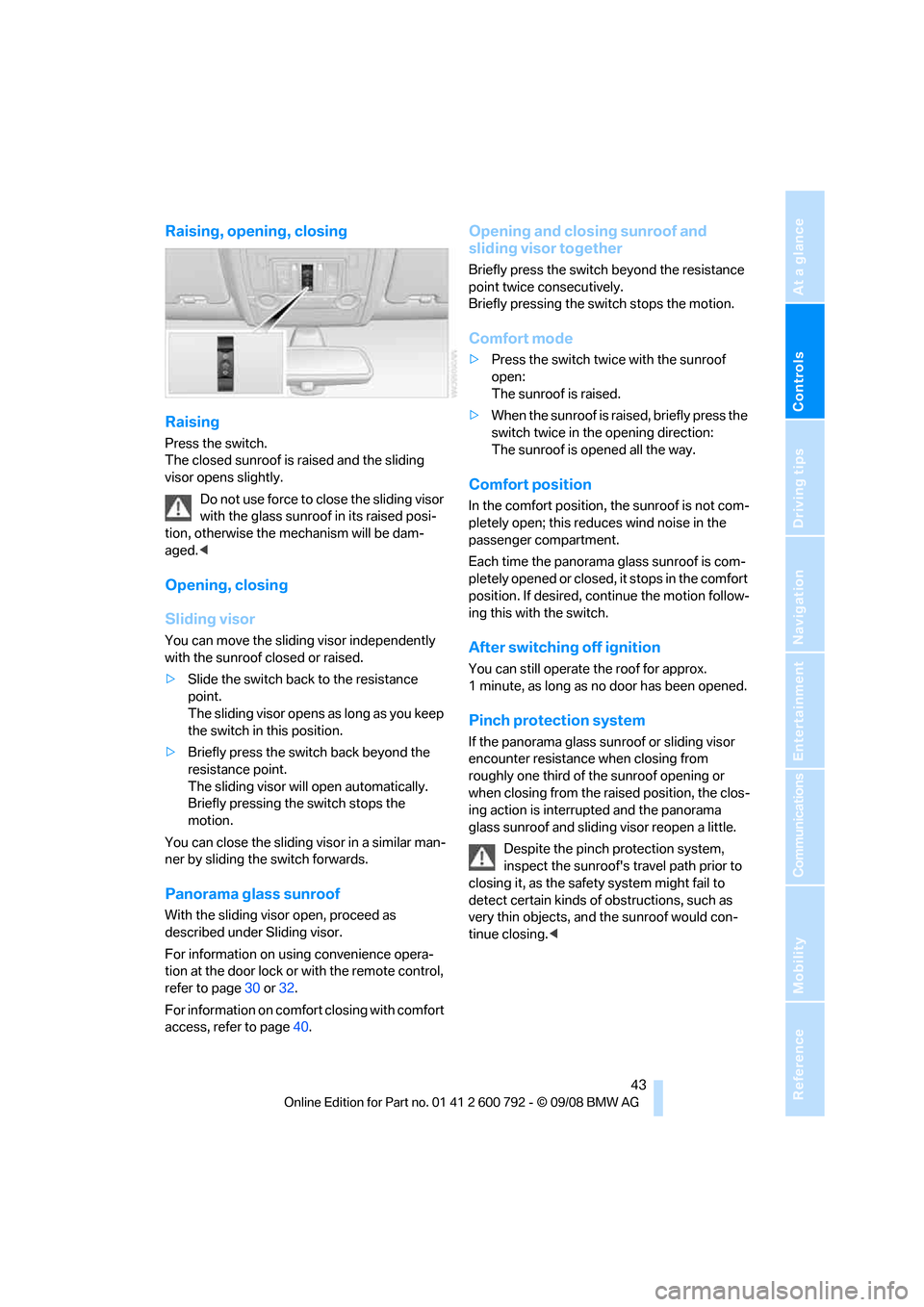
Raising
Press the switch.
The closed sunroof is raised and the sliding
visor opens slightly.Do not use force to close the sliding visor
with the glass sunroof in its raised posi-
tion, otherwise the mechanism will be dam-
aged. <
Opening, closing
Sliding visor
You can move the sliding visor independently
with the sunroof closed or raised.
>Slide the switch back to the resistance
point.
The sliding visor opens as long as you keep
the switch in this position.
> Briefly press the switch back beyond the
resistance point.
The sliding visor will open automatically.
Briefly pressing the switch stops the
motion.
You can close the sliding visor in a similar man-
ner by sliding the switch forwards.
Panorama glass sunroof
With the sliding visor open, proceed as
described under Sliding visor.
For information on using convenience opera-
tion at the door lock or with the remote control,
refer to page 30 or32.
For information on comfort closing with comfort
access, refer to page 40.
Opening and closing sunroof and
sliding visor together
Briefly press the switch beyond the resistance
point twice consecutively.
Briefly pressing the switch stops the motion.
Comfort mode
>Press the switch twice with the sunroof
open:
The sunroof is raised.
> When the sunroof is raised, briefly press the
switch twice in the opening direction:
The sunroof is opened all the way.
Comfort position
In the comfort position, the sunroof is not com-
pletely open; this reduces wind noise in the
passenger compartment.
Each time the panorama glass sunroof is com-
pletely opened or closed, it stops in the comfort
position. If desired, co ntinue the motion follow-
ing this with the switch.
After switching off ignition
You can still operate the roof for approx.
1 minute, as long as no door has been opened.
Pinch protection system
If the panorama glass su nroof or sliding visor
encounter resistance when closing from
roughly one third of the sunroof opening or
when closing from the raised position, the clos-
ing action is interrupted and the panorama
glass sunroof and slidin g visor reopen a little.
Despite the pinch protection system,
inspect the sunroof's tr avel path prior to
closing it, as the safety system might fail to
detect certain kinds of obstructions, such as
very thin objects, an d the sunroof would con-
tinue closing. <
Page 47 of 317
Controls
45Reference
At a glance
Driving tips
Communications
Navigation
Entertainment
Mobility
BMW X6: glass sunroof*,
electric
The glass sunroof is ready for operation when
the ignition is switched on, refer to page65.
To prevent injuries, exercise care when
closing the glass sunroof and keep it in
your field of vision until it is closed.
Always take along the remote control when you
leave the vehicle, otherw ise children could, for
example, operate the roof and injure them-
selves. <
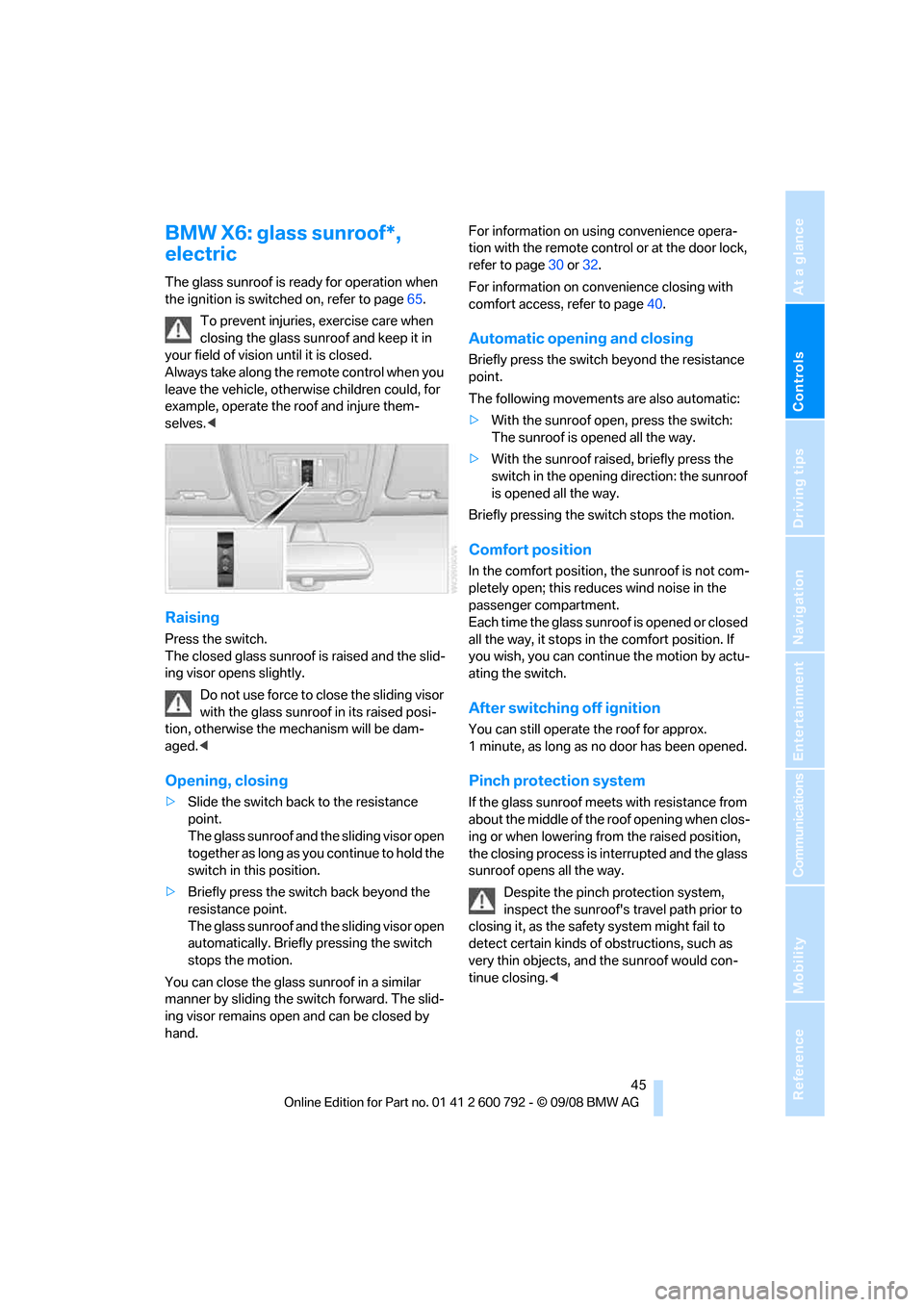
Raising
Press the switch.
The closed glass sunroof is raised and the slid-
ing visor opens slightly.
Do not use force to close the sliding visor
with the glass sunroof in its raised posi-
tion, otherwise the mechanism will be dam-
aged. <
Opening, closing
>Slide the switch back to the resistance
point.
The glass sunroof and the sliding visor open
together as long as yo u continue to hold the
switch in this position.
> Briefly press the switch back beyond the
resistance point.
The glass sunroof and the sliding visor open
automatically. Briefly pressing the switch
stops the motion.
You can close the glass sunroof in a similar
manner by sliding the swit ch forward. The slid-
ing visor remains open and can be closed by
hand. For information on using convenience opera-
tion with the remote cont
rol or at the door lock,
refer to page 30 or 32.
For information on convenience closing with
comfort access, refer to page 40.
Automatic opening and closing
Briefly press the switch beyond the resistance
point.
The following movements are also automatic:
>With the sunroof open, press the switch:
The sunroof is opened all the way.
> With the sunroof rais ed, briefly press the
switch in the opening direction: the sunroof
is opened all the way.
Briefly pressing the switch stops the motion.
Comfort position
In the comfort position, the sunroof is not com-
pletely open; this reduces wind noise in the
passenger compartment.
Each time the glass sunroof is opened or closed
all the way, it stops in the comfort position. If
you wish, you can continue the motion by actu-
ating the switch.
After switching off ignition
You can still operate the roof for approx.
1 minute, as long as no door has been opened.
Pinch protection system
If the glass sunroof meets with resistance from
about the middle of the roof opening when clos-
ing or when lowering fr om the raised position,
the closing process is interrupted and the glass
sunroof opens all the way.
Despite the pinch protection system,
inspect the sunroof's tr avel path prior to
closing it, as the safety system might fail to
detect certain kinds of obstructions, such as
very thin objects, an d the sunroof would con-
tinue closing. <
Page 53 of 317
Controls
51Reference
At a glance
Driving tips
Communications
Navigation
Entertainment
Mobility
3.Press the button:
The LED in the button lights up.
4. Press the desired memory button 1 or 2:
The LED goes out.
The positions of the driver's seat, the exte-
rior rearview mirrors, and steering wheel are
stored for the remote control currently in
use.
Calling up automatically
You can choose when the stored positions of
the driver's seat, exterior rearview mirrors, and
steering wheel are activated.
> Calling up when unlocking vehicle
> Calling up when opening driver's door
When using this feat ure, always make
sure that the footwell behind the driver's
seat is empty and unobstructed. Failure to do
so could cause injury to persons or damage to
objects behind the seat as a result of a rearward
movement of the seat. <
The system cancels the adjustment procedure
when you briefly press one of the seat adjust-
ment switches or one of the memory buttons.
Selecting calling up automatically
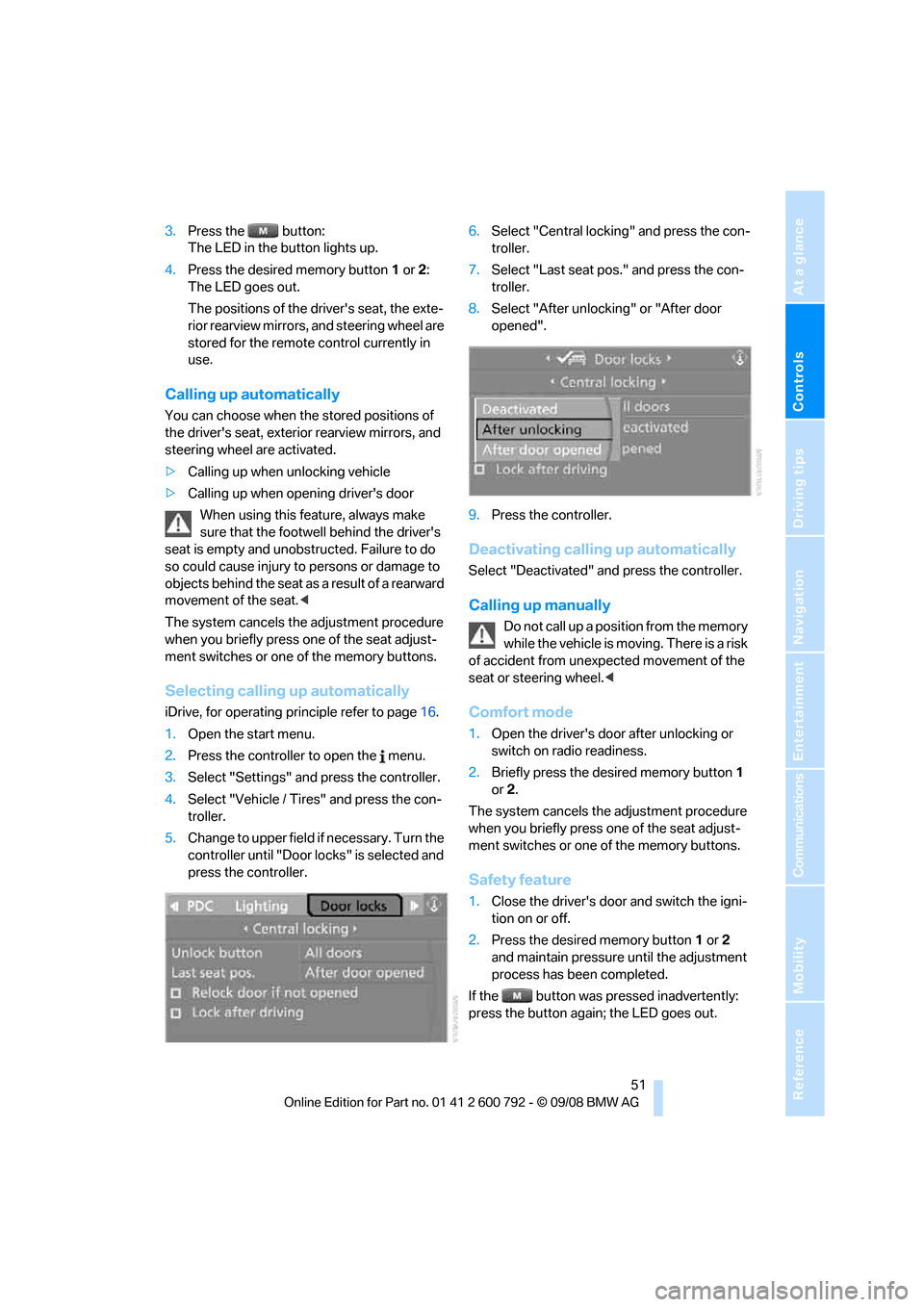
iDrive, for operating principle refer to page 16.
1. Open the start menu.
2. Press the controller to open the menu.
3. Select "Settings" and press the controller.
4. Select "Vehicle / Tire s" and press the con-
troller.
5. Change to upper field if necessary. Turn the
controller until "Door locks" is selected and
press the controller. 6.
Select "Central locking" and press the con-
troller.
7. Select "Last seat pos." and press the con-
troller.
8. Select "After unlock ing" or "After door
opened".
9. Press the controller.
Deactivating calling up automatically
Select "Deactivated" an d press the controller.
Calling up manually
Do not call up a position from the memory
while the vehicle is moving. There is a risk
of accident from unexpected movement of the
seat or steering wheel. <
Comfort mode
1.Open the driver's door after unlocking or
switch on radio readiness.
2. Briefly press the de sired memory button 1
or 2.
The system cancels the adjustment procedure
when you briefly press one of the seat adjust-
ment switches or one of the memory buttons.
Safety feature
1. Close the driver's door and switch the igni-
tion on or off.
2. Press the desired memory button 1 or 2
and maintain pressure until the adjustment
process has been completed.
If the button was pressed inadvertently:
press the button again; the LED goes out.
Page 54 of 317
Adjusting
52
Head restraints
A correctly adjusted head restraint reduces the
risk of spinal injury in the event of an accident.Adjust the head restraint so that its center
is approx. at ear level. Otherwise there is
increased danger of inju ry in the event of an
accident. Only remove the head restraints if the
respective seat is not occupied. Reinstall the
head restraints before transporting passen-
gers, as otherwise the head restraint cannot
provide its protective function. <
Active front head restraints
In the event of a rear-end collision of sufficient
severity, the active head restraint reduces the
distance to the head.
Do not use seat covers or head restraint
covers that could impede the proper
functioning of the active head restraint. Other-
wise, there is no assuranc e that the active head
restraint will perform its protective function and
it is not possible to take advantage of its injury-
reducing potential in th e event of a rear-end
collision.
Have the active head rest raints reset after they
are triggered in a rear-end collision. Have this
work carried out only at a BMW Sports Activity
Vehicle Center or at a workshop that works
according to BMW repair procedures with cor-
respondingly trained personnel. Otherwise,
correct operation of this safety equipment is not
guaranteed. <
Removal and installation of the front head
restraints should be performed by a BMW
Sports Activity Vehicle Center. <
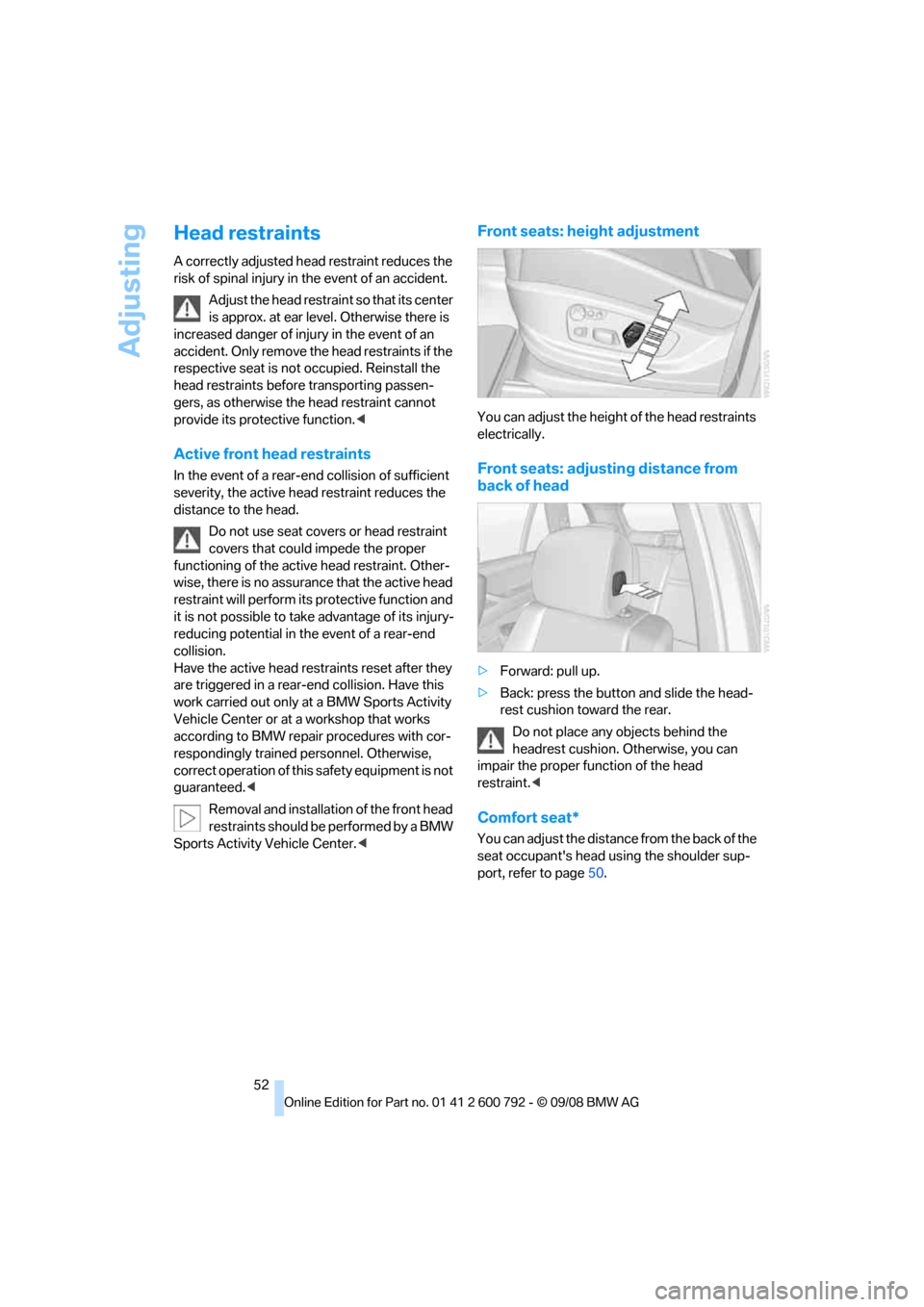
Front seats: height adjustment
You can adjust the height of the head restraints
electrically.
Front seats: adjust ing distance from
back of head
> Forward: pull up.
> Back: press the button and slide the head-
rest cushion toward the rear.
Do not place any objects behind the
headrest cushion. Otherwise, you can
impair the proper function of the head
restraint. <
Comfort seat*
You can adjust the distance from the back of the
seat occupant's head using the shoulder sup-
port, refer to page 50.
Page 67 of 317
Controls
65Reference
At a glance
Driving tips
Communications
Navigation
Entertainment
Mobility
Driving
Ignition lock
Inserting remote control into ignition
lock
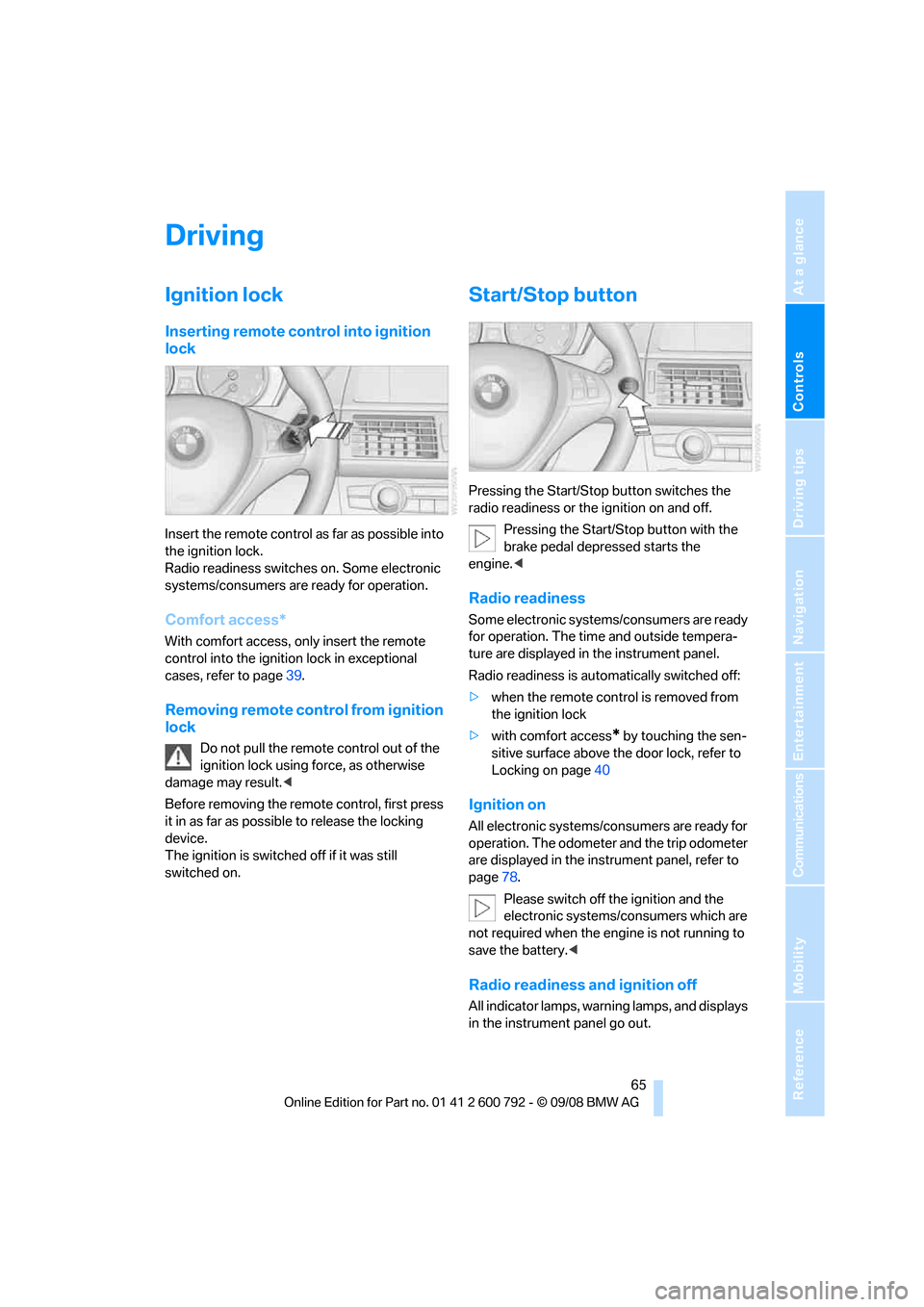
Insert the remote control as far as possible into
the ignition lock.
Radio readiness switches on. Some electronic
systems/consumers are ready for operation.
Comfort access*
With comfort access, only insert the remote
control into the ignition lock in exceptional
cases, refer to page 39.
Removing remote control from ignition
lock
Do not pull the remote control out of the
ignition lock using force, as otherwise
damage may result. <
Before removing the remo te control, first press
it in as far as possibl e to release the locking
device.
The ignition is switched off if it was still
switched on.
Start/Stop button
Pressing the Start/Stop button switches the
radio readiness or the ignition on and off.
Pressing the Start/Stop button with the
brake pedal depre ssed starts the
engine. <
Radio readiness
Some electronic systems/consumers are ready
for operation. The time and outside tempera-
ture are displayed in the instrument panel.
Radio readiness is auto matically switched off:
> when the remote control is removed from
the ignition lock
> with comfort access
* by touching the sen-
sitive surface above the door lock, refer to
Locking on page 40
Ignition on
All electronic systems/consumers are ready for
operation. The odometer and the trip odometer
are displayed in the instrument panel, refer to
page78.
Please switch off the ignition and the
electronic systems/consumers which are
not required when the engine is not running to
save the battery. <
Radio readiness and ignition off
All indicator lamps, warning lamps, and displays
in the instrument panel go out.
Page 68 of 317
Driving
66
The ignition switches off automatically
* if the
driver's door is opened. Pressing the start/stop
button again switches the ignition back on.
For example, the ignition is not switched off in
the following situations:
> the brakes are actuated
> the low beams are switched on
Starting engine
Do not run the engine in closed rooms,
otherwise the inhalati on of toxic exhaust
gases can cause uncons ciousness and death.
The exhaust gases contain carbon monoxide,
an odorless and colorless, but highly toxic gas.
Never leave an unattend ed vehicle with the
engine running, as such a vehicle represents a
potential safety hazard.
To prevent the vehicle from rolling, always
engage transmission position N or P and set the
parking brake before le aving the vehicle with
the engine running. <
Do not allow the engine to warm up by leaving it
running while the vehicl e remains stationary.
Instead, begin to drive at a moderate engine
speed.
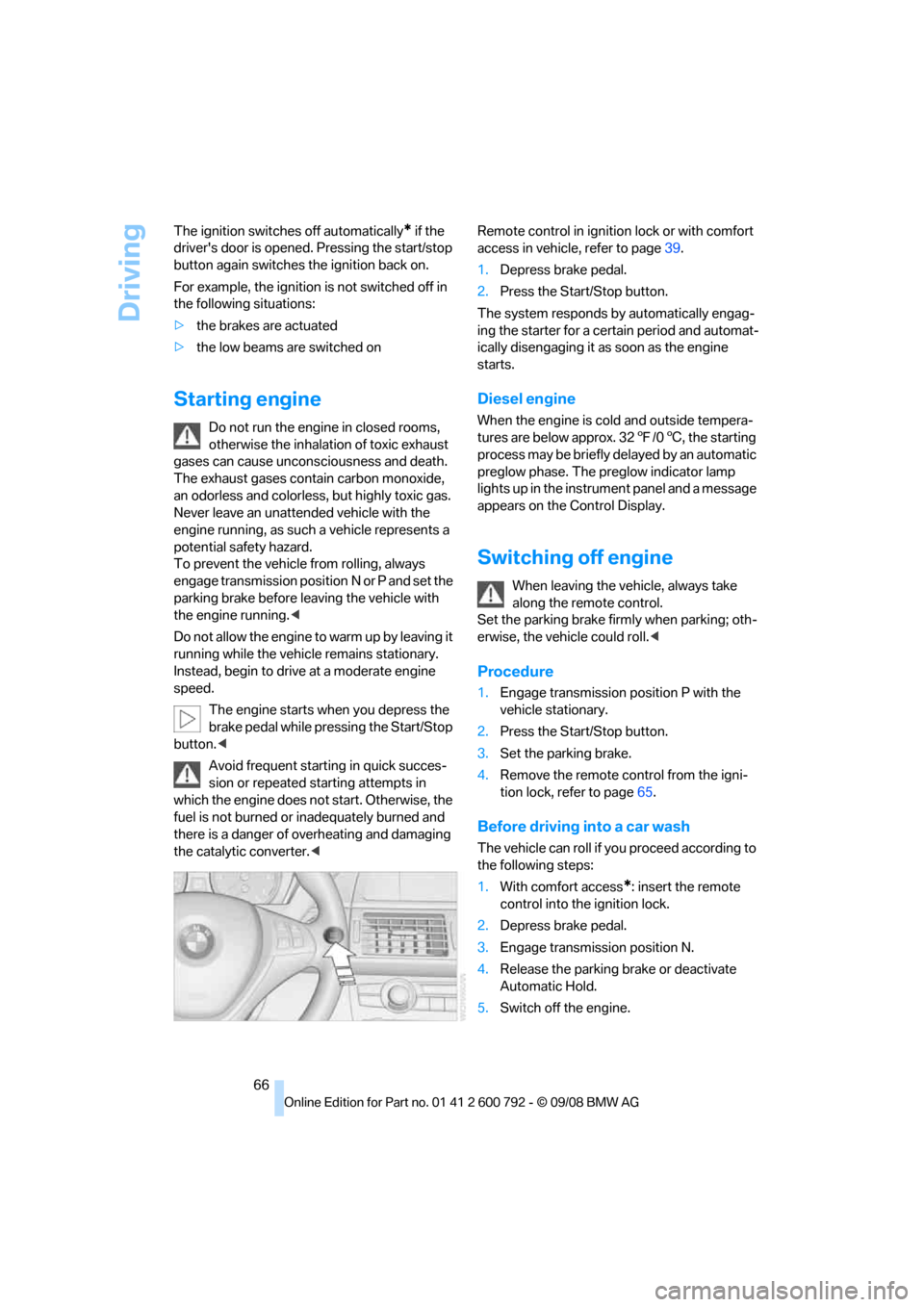
The engine starts when you depress the
brake pedal while pressing the Start/Stop
button. <
Avoid frequent starting in quick succes-
sion or repeated starting attempts in
which the engine does no t start. Otherwise, the
fuel is not burned or inadequately burned and
there is a danger of overheating and damaging
the catalytic converter. < Remote control in ignition lock or with comfort
access in vehicle, refer to page
39.
1. Depress brake pedal.
2. Press the Start/Stop button.
The system responds by automatically engag-
ing the starter for a cert ain period and automat-
ically disengaging it as soon as the engine
starts.
Diesel engine
When the engine is cold and outside tempera-
tures are below approx. 32 7/06 , the starting
process may be briefly delayed by an automatic
preglow phase. The pr eglow indicator lamp
lights up in the instrument panel and a message
appears on the Control Display.
Switching off engine
When leaving the vehicle, always take
along the remote control.
Set the parking brake firmly when parking; oth-
erwise, the vehicle could roll. <
Procedure
1.Engage transmission position P with the
vehicle stationary.
2. Press the Start/Stop button.
3. Set the parking brake.
4. Remove the remote control from the igni-
tion lock, refer to page 65.
Before driving into a car wash
The vehicle can roll if yo u proceed according to
the following steps:
1. With comfort access
*: insert the remote
control into the ignition lock.
2. Depress brake pedal.
3. Engage transmission position N.
4. Release the parking brake or deactivate
Automatic Hold.
5. Switch off the engine.
Page 73 of 317
Controls
71Reference
At a glance
Driving tips
Communications
Navigation
Entertainment
Mobility
The transmission automatically shifts into
park if you release the driver's safety belt
and open the driver's door with the engine run-
ning while in re verse or drive.
The picture from the rear view camera
* and
PDC Park Distance Control
* on the Control
Display is hidden. <
R Reverse
Select only with the vehicle stationary.
An interlock prevents inadvertent gearshifts
into transmission position R. To deactivate the
interlock, press the release button 1.
P Park
Select only with the vehicle stationary. The rear
wheels are locked.
P is engaged automatically as soon as
you switch off the engine unless N is
engaged and on vehicles with comfort access
the remote control is inserted in the ignition
lock, refer to page 65.<
N Neutral
Can, for example, be engaged in automatic car
washes. The vehicle can roll.
N remains engaged even after the engine
is switched off whenever you leave the
remote control in the ignition lock. This function
is used, for example, in a car wash, refer to
page 66. After approx. 30 minutes P is auto-
matically engaged. <
D Drive, automatic position
Position for normal vehi cle operation. All for-
ward gears are available.
Under normal operating conditions, the fuel
consumption is lowest when driving in posi-
tion D.
Kick-down
The kick-down mode provides maximum accel-
eration.
Press the accelerato r pedal beyond the
increased resistance at full throttle.
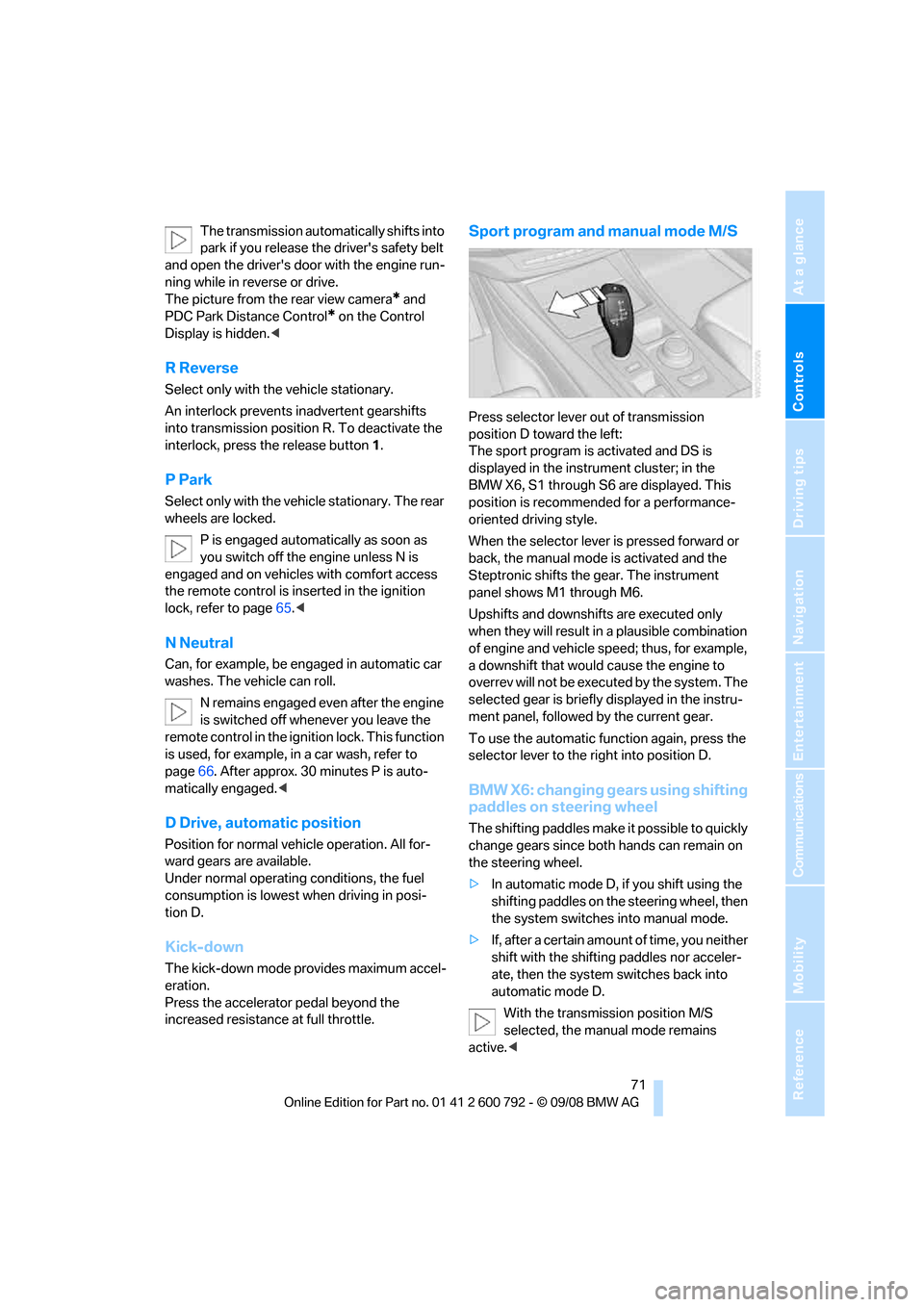
Sport program and manual mode M/S
Press selector lever out of transmission
position D toward the left:
The sport program is activated and DS is
displayed in the instru ment cluster; in the
BMW X6, S1 through S6 are displayed. This
position is recommend ed for a performance-
oriented driving style.
When the selector lever is pressed forward or
back, the manual mode is activated and the
Steptronic shifts the gear. The instrument
panel shows M1 through M6.
Upshifts and downshifts are executed only
when they will result in a plausible combination
of engine and vehicle speed; thus, for example,
a downshift that would cause the engine to
overrev will not be executed by the system. The
selected gear is briefly displayed in the instru-
ment panel, followed by the current gear.
To use the automatic func tion again, press the
selector lever to the right into position D.
BMW X6: changing gears using shifting
paddles on steering wheel
The shifting paddles make it possible to quickly
change gears since both hands can remain on
the steering wheel.
> In automatic mode D, if you shift using the
shifting paddles on the steering wheel, then
the system switches into manual mode.
> If, after a certain amount of time, you neither
shift with the shifting paddles nor acceler-
ate, then the system switches back into
automatic mode D.
With the transmission position M/S
selected, the manual mode remains
active.<
Page 93 of 317
Controls
91Reference
At a glance
Driving tips
Communications
Navigation
Entertainment
Mobility
Technology for comfort, convenience and
safety
PDC Park Distance Control*
The concept
The PDC assists you when you are parking.
Acoustic signals and an optical displays
alert
you to the approach of an object in front of
* or
behind your vehicle. To measure the distance,
there are four ultrasonic sensors in each
bumper. The range of these sensors is approx.
7 ft/2 m. But an acoustic warning only sounds at
approx. 24 in/60 cm for the sensors at the
front
* and at the two rear corners and at approx.
5 ft/1,50 m for the middle sensors at the rear.
PDC is a parking aid that can indicate
objects when they are approached
slowly, as is usually th e case when parking.
Avoid approaching an obje ct a t h i g h s p e e d , o t h -
erwise the physical circumstances would mean
that the system warning was too late. <
Automatic activation
Whenever the engine is running or the ignition
i s o n , e a c h t i m e y o u m o v e the selector lever into
position R, the PDC syst em is activated after
approx. 1 second.
Wait this short period before driving off.
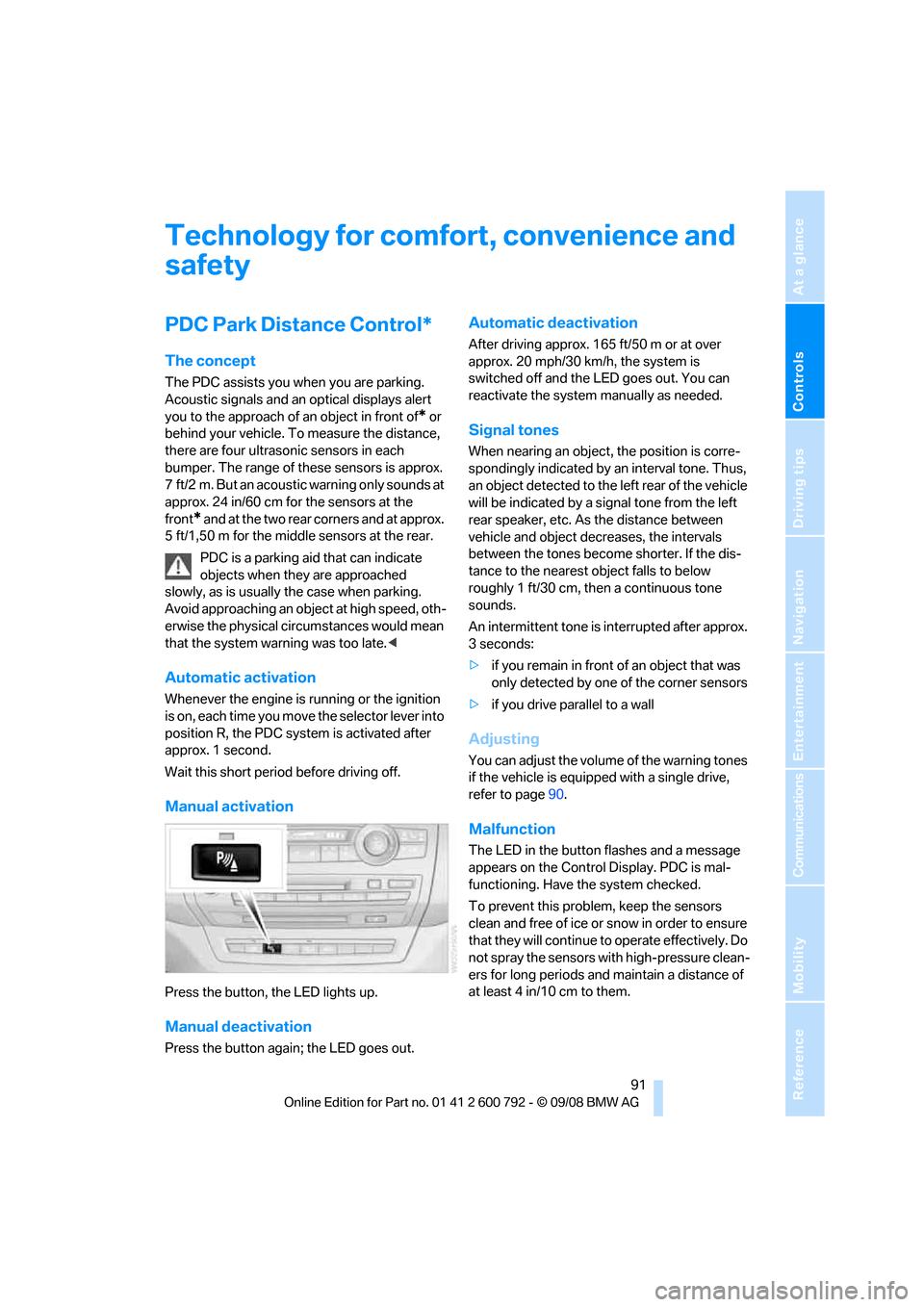
Manual activation
Press the button, the LED lights up.
Manual deactivation
Press the button again; the LED goes out.
Automatic deactivation
After driving approx. 165 ft/50 m or at over
approx. 20 mph/30 km/h, the system is
switched off and the LED goes out. You can
reactivate the system manually as needed.
Signal tones
When nearing an object, the position is corre-
spondingly indicated by an interval tone. Thus,
an object detected to the left rear of the vehicle
will be indicated by a sign al tone from the left
rear speaker, etc. As the distance between
vehicle and object decreases, the intervals
between the tones become shorter. If the dis-
tance to the nearest ob ject falls to below
roughly 1 ft/30 cm, then a continuous tone
sounds.
An intermittent tone is interrupted after approx.
3seconds:
> if you remain in front of an object that was
only detected by one of the corner sensors
> if you drive parallel to a wall
Adjusting
You can adjust the volume of the warning tones
if the vehicle is equipped with a single drive,
refer to page 90.
Malfunction
The LED in the button flashes and a message
appears on the Control Display. PDC is mal-
functioning. Have the system checked.
To prevent this problem, keep the sensors
clean and free of ice or snow in order to ensure
that they will continue to operate effectively. Do
not spray the sensors with high-pressure clean-
ers for long periods and maintain a distance of
at least 4 in/10 cm to them.
Page 94 of 317
Technology for comfort, convenience and safety
92
PDC with visual warning
You can also have the system show distances
to objects on the Control Display. Objects that
are farther away are already shown there before
a signal tone sounds.
The setting is stored for the remote control cur-
rently in use.
If the vehicle is equipped with a rear view cam-
era, refer to Displays on page 95.
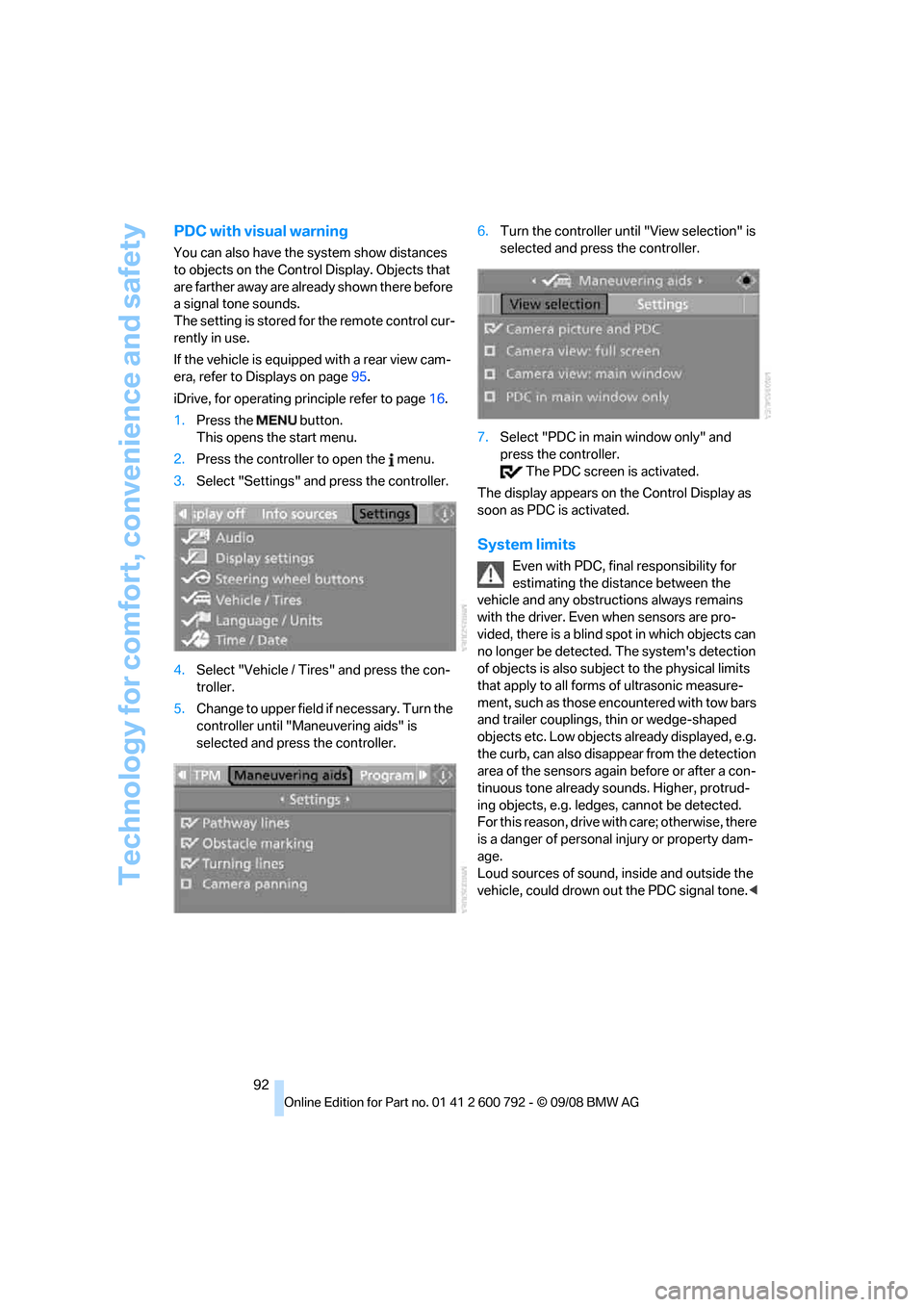
iDrive, for operating pr inciple refer to page16.
1. Press the button.
This opens the start menu.
2. Press the controller to open the menu.
3. Select "Settings" and press the controller.
4. Select "Vehicle / Tire s" and press the con-
troller.
5. Change to upper field if necessary. Turn the
controller until "Maneuvering aids" is
selected and press the controller. 6.
Turn the controller until "View selection" is
selected and press the controller.
7. Select "PDC in main window only" and
press the controller.
The PDC screen is activated.
The display appears on the Control Display as
soon as PDC is activated.
System limits
Even with PDC, final responsibility for
estimating the distance between the
vehicle and any obstructions always remains
with the driver. Even when sensors are pro-
vided, there is a blind sp ot in which objects can
no longer be detected. The system's detection
of objects is also subjec t to the physical limits
that apply to all forms of ultrasonic measure-
ment, such as those encountered with tow bars
and trailer couplings, th in or wedge-shaped
objects etc. Low objects already displayed, e.g.
the curb, can also disappear from the detection
area of the sensors again before or after a con-
tinuous tone already sounds. Higher, protrud-
ing objects, e.g. ledg es, cannot be detected.
For this reason, drive with care; otherwise, there
is a danger of personal injury or property dam-
age.
Loud sources of sound, inside and outside the
vehicle, could drown ou t the PDC signal tone.<
Page 96 of 317
Technology for comfort, convenience and safety
94
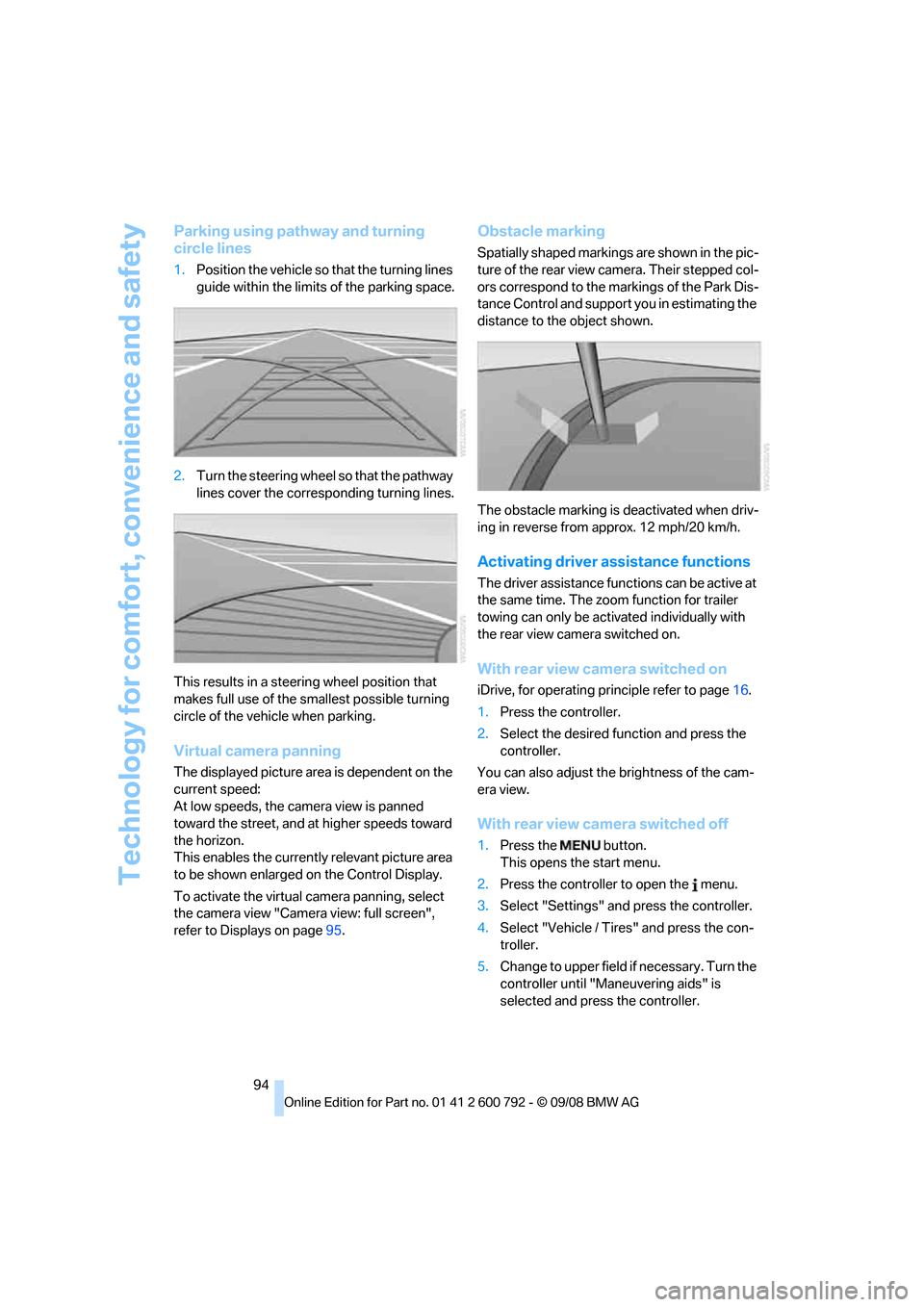
Parking using pathway and turning
circle lines
1.Position the vehicle so that the turning lines
guide within the limits of the parking space.
2. Turn the steering wheel so that the pathway
lines cover the corresp onding turning lines.
This results in a steerin g wheel position that
makes full use of the smallest possible turning
circle of the vehicle when parking.
Virtual camera panning
The displayed picture area is dependent on the
current speed:
At low speeds, the camera view is panned
toward the street, and at higher speeds toward
the horizon.
This enables the currentl y relevant picture area
to be shown enlarged on the Control Display.
To activate the virtual camera panning, select
the camera view "Camera view: full screen",
refer to Displays on page 95.
Obstacle marking
Spatially shaped markings are shown in the pic-
ture of the rear view camera. Their stepped col-
ors correspond to the markings of the Park Dis-
tance Control and support you in estimating the
distance to the object shown.
The obstacle marking is deactivated when driv-
ing in reverse from approx. 12 mph/20 km/h.
Activating driver a ssistance functions
The driver assistance functions can be active at
the same time. The zoom function for trailer
towing can only be acti vated individually with
the rear view camera switched on.
With rear view camera switched on
iDrive, for operating pr inciple refer to page16.
1. Press the controller.
2. Select the desired fu nction and press the
controller.
You can also adjust the brightness of the cam-
era view.
With rear view ca mera switched off
1.Press the button.
This opens the start menu.
2. Press the controller to open the menu.
3. Select "Settings" an d press the controller.
4. Select "Vehicle / Tire s" and press the con-
troller.
5. Change to upper field if necessary. Turn the
controller until "Maneuvering aids" is
selected and press the controller.