Comfort BMW X5 2009 E70 Owner's Manual
[x] Cancel search | Manufacturer: BMW, Model Year: 2009, Model line: X5, Model: BMW X5 2009 E70Pages: 317, PDF Size: 9.56 MB
Page 5 of 317
Reference
At a glance
Controls
Driving tips
Communications
Navigation
Entertainment
Mobility
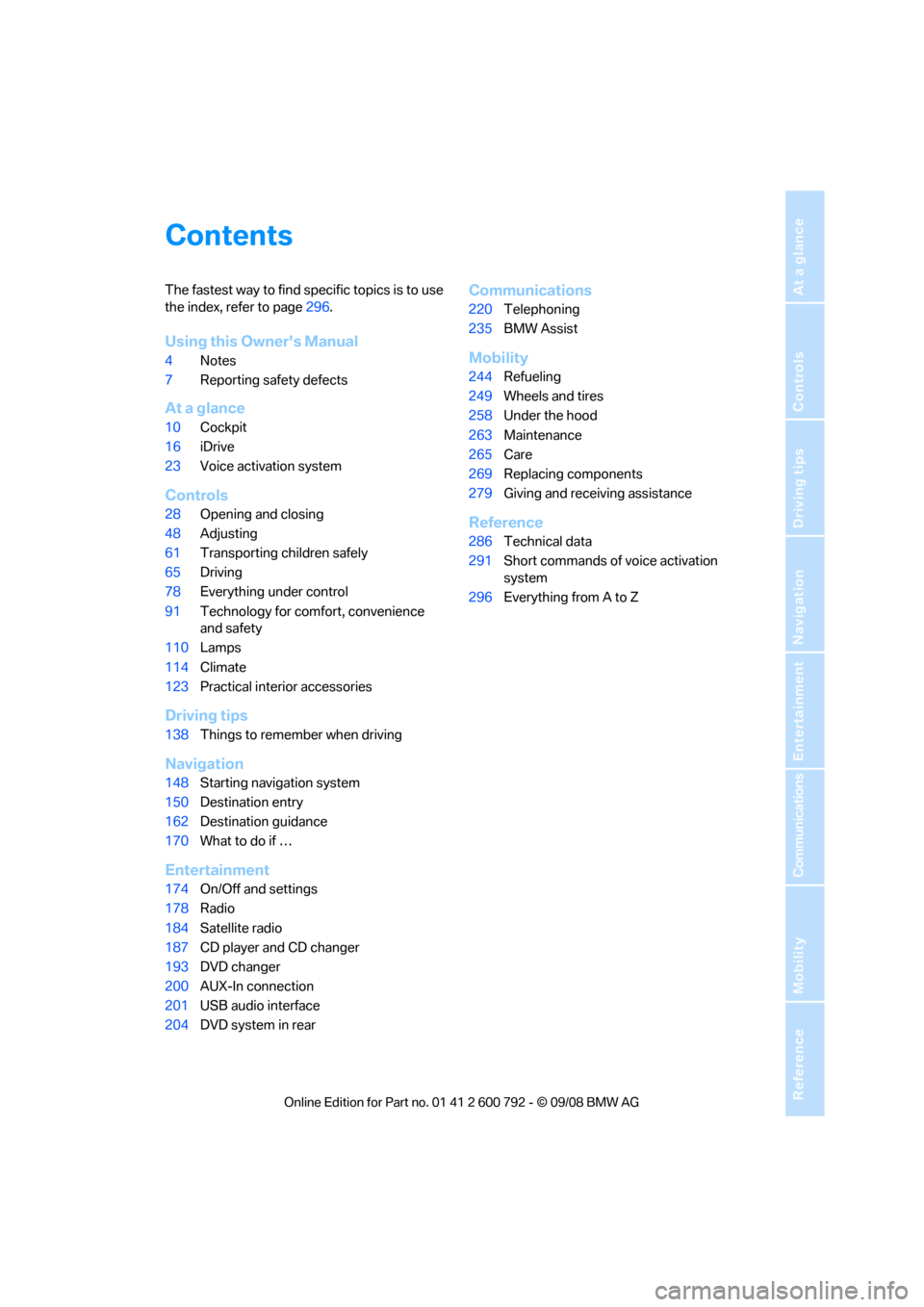
Contents
The fastest way to find specific topics is to use
the index, refer to page296.
Using this Owner's Manual
4 Notes
7 Reporting safety defects
At a glance
10Cockpit
16 iDrive
23 Voice activation system
Controls
28Opening and closing
48 Adjusting
61 Transporting children safely
65 Driving
78 Everything under control
91 Technology for comfort, convenience
and safety
110 Lamps
114 Climate
123 Practical interior accessories
Driving tips
138Things to remember when driving
Navigation
148Starting navigation system
150 Destination entry
162 Destination guidance
170 What to do if …
Entertainment
174On/Off and settings
178 Radio
184 Satellite radio
187 CD player and CD changer
193 DVD changer
200 AUX-In connection
201 USB audio interface
204 DVD system in rear
Communications
220Telephoning
235 BMW Assist
Mobility
244Refueling
249 Wheels and tires
258 Under the hood
263 Maintenance
265 Care
269 Replacing components
279 Giving and rece iving assistance
Reference
286Technical data
291 Short commands of voice activation
system
296 Everything from A to Z
Page 20 of 317
iDrive
18
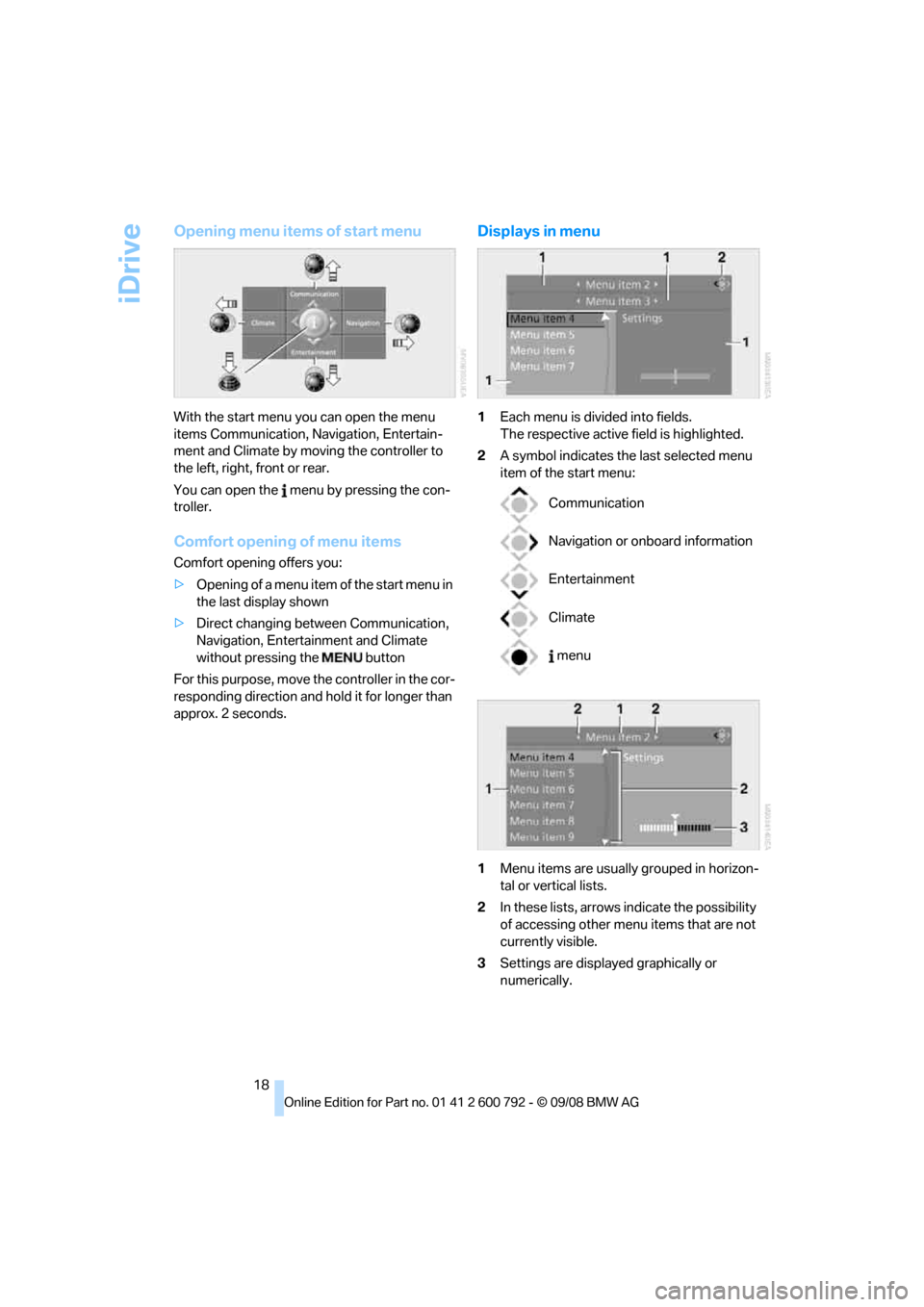
Opening menu items of start menu
With the start menu you can open the menu
items Communication, Navigation, Entertain-
ment and Climate by moving the controller to
the left, right, front or rear.
You can open the menu by pressing the con-
troller.
Comfort opening of menu items
Comfort opening offers you:
> Opening of a menu item of the start menu in
the last display shown
> Direct changing between Communication,
Navigation, Entertainment and Climate
without pressing the button
For this purpose, move the controller in the cor-
responding direction and hold it for longer than
approx. 2 seconds.
Displays in menu
1 Each menu is divided into fields.
The respective active field is highlighted.
2 A symbol indicates the last selected menu
item of the start menu:
1 Menu items are usually grouped in horizon-
tal or vertical lists.
2 In these lists, arrows indicate the possibility
of accessing other menu items that are not
currently visible.
3 Settings are displayed graphically or
numerically.
Communication
Navigation or onboard information
Entertainment
Climate
menu
Page 29 of 317
Controls
This chapter is intended to provide you with
information for complete control of your vehicle. Its extensive array of features and accessories,
both for driving and for your own safety,
comfort and convenience, are described here.
Controls
Page 30 of 317
Opening and closing
28
Opening and closing
Keys/remote control
Each remote control contains a battery which is
automatically charged in the ignition lock while
driving. Drive a longer distance with each
remote control at least tw ice a year to keep the
battery charged. For comfort access
*, the
remote control contains a replaceable battery,
refer to page 41.
Depending on which remote control is detected
by the vehicle during unlocking, different set-
tings are called up and carr ied out in the vehicle,
refer to Personal Profile, page 28.
Information on the requir ed maintenance is also
stored in the remote co ntrol, refer to Service
data in remote control, page 263.
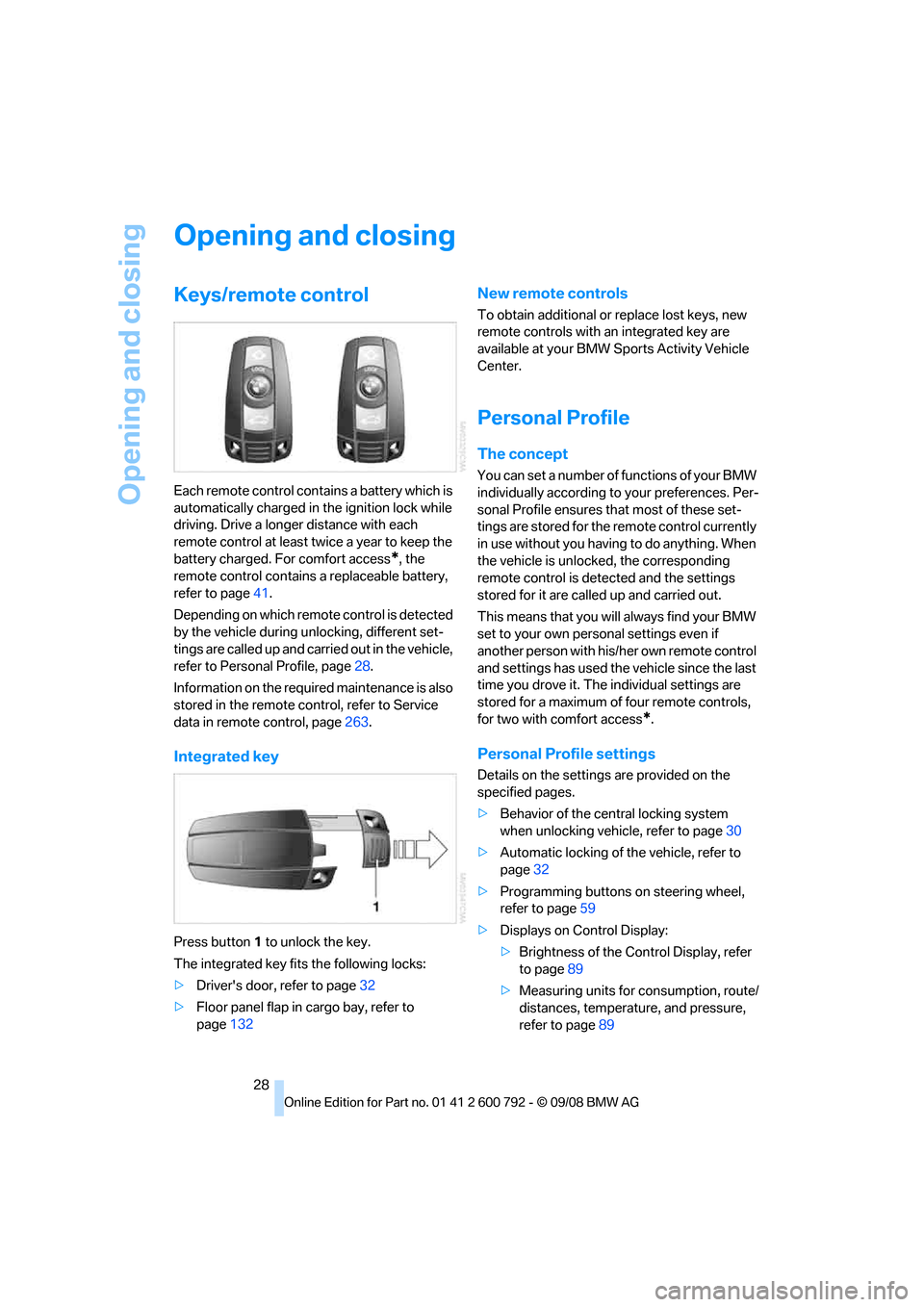
Integrated key
Press button 1 to unlock the key.
The integrated key fits the following locks:
> Driver's door, refer to page 32
> Floor panel flap in cargo bay, refer to
page 132
New remote controls
To obtain additional or replace lost keys, new
remote controls with an integrated key are
available at your BMW Sp orts Activity Vehicle
Center.
Personal Profile
The concept
You can set a number of functions of your BMW
individually according to your preferences. Per-
sonal Profile ensures that most of these set-
tings are stored for the remote control currently
in use without you having to do anything. When
the vehicle is unlocked, the corresponding
remote control is dete cted and the settings
stored for it are called up and carried out.
This means that you will always find your BMW
set to your own personal settings even if
another person with his/ her own remote control
and settings has used the vehicle since the last
time you drove it. The individual settings are
stored for a maximum of four remote controls,
for two with comfort access
*.
Personal Profile settings
Details on the settings are provided on the
specified pages.
> Behavior of the central locking system
when unlocking vehicle, refer to page 30
> Automatic locking of the vehicle, refer to
page 32
> Programming buttons
on steering wheel,
refer to page 59
> Displays on Control Display:
>Brightness of the Control Display, refer
to page 89
> Measuring units for consumption, route/
distances, temperature, and pressure,
refer to page 89
Page 31 of 317
Controls
29Reference
At a glance
Driving tips
Communications
Navigation
Entertainment
Mobility
>Language on Control Display, refer to
page 90
> 12h/24h clock format, refer to page 89
> Date format, refer to page 89
> Lighting settings:
>Triple turn signal activation, refer to
page 73
> Welcome lamps, refer to page 110
> Pathway lighting, refer to page 111
> Daytime driving lamps
*, refer to
page 111
> PDC Park Distance Control
*: optical warn-
ing, refer to page 92
> Rear view camera
*:
> Selecting functions, refer to page 93
> Type of display, refer to page 95
> Head-Up Display
*: selection, brightness
and position of display, refer to page 107
> Automatic climate control: AUTO program
and intensity, cooling function, and auto-
matic recirculated air control/recirculated
air mode, temperature, air distribution, tem-
perature in the upper body region, refer to
text starting on page 115
> Programmable memory buttons: selecting
stored functions, refer to page 21
> Positions of driver's seat, outside mirrors,
and steering wheel
*, refer to page 50
> Adaptive Drive
*: selected chassis and sus-
pension tuning, refer to page 99
> Audio sources: volume and tone settings,
refer to page 175
> Radio:
>Display of stored stations, refer to
page 178
> Switching RDS Radio Data System on/
off
*, refer to page 181
> Phone: volume setting, refer to
pages 226,232
Central locking system
The concept
The central locking system functions when the
driver's door is closed.
The system simultaneously engages and
releases the locks on the following:
> Doors
> Liftgate
> Fuel filler door
Operating from outside
>via the remote control
> via the door lock
> with comfort access
* via the door handles
The interior lamps and the courtesy lamps
* are
also switched on and off with the remote con-
trol. The alarm system
is armed/disarmed at the
same time.
You can find more detailed information on the
alarm system
on page 38.
Operating from inside
Via the button for centra l locking, refer to
page 32. The fuel filler door is not locked.
In an accident of sufficient severity, the central
locking system automati cally unlocks the vehi-
cle. In addition, the hazard warning flashers and
interior lamps come on.
Opening and closing:
Using remote control
Persons or animals left unattended in a
parked vehicle can lock the doors from
the inside. Always take along the remote control
when leaving the vehicle so that the vehicle can
then be opened from the outside. <
Page 32 of 317
Opening and closing
30
Unlocking
Press the button.
This unlocks the vehicle.
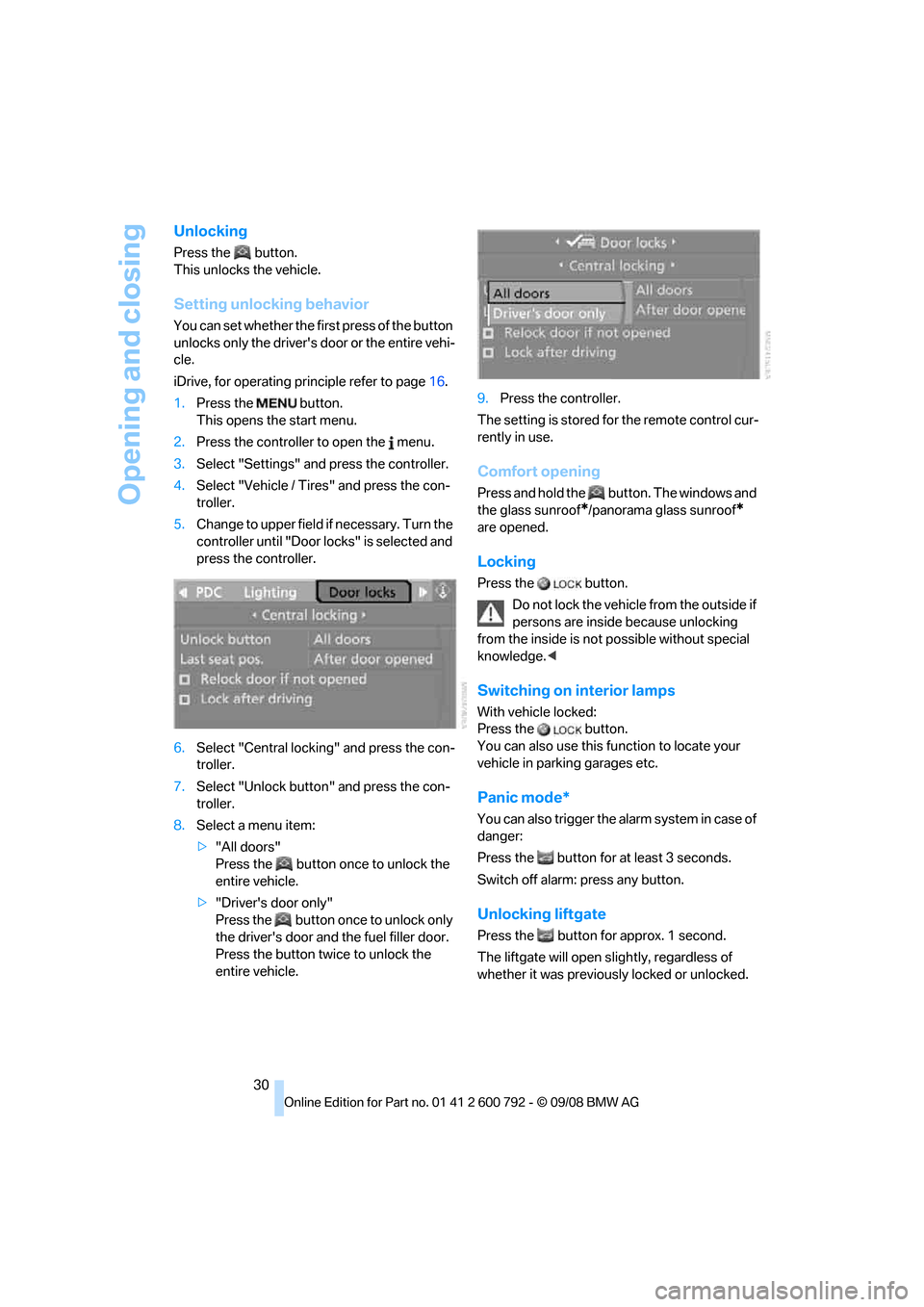
Setting unlocking behavior
You can set whether the first press of the button
unlocks only the driver's door or the entire vehi-
cle.
iDrive, for operating pr inciple refer to page16.
1. Press the button.
This opens the start menu.
2. Press the controller to open the menu.
3. Select "Settings" and press the controller.
4. Select "Vehicle / Tire s" and press the con-
troller.
5. Change to upper field if necessary. Turn the
controller until "Door locks" is selected and
press the controller.
6. Select "Central locking" and press the con-
troller.
7. Select "Unlock button" and press the con-
troller.
8. Select a menu item:
>"All doors"
Press the button once to unlock the
entire vehicle.
> "Driver's door only"
Press the button once to unlock only
the driver's door and the fuel filler door.
Press the button twic e to unlock the
entire vehicle. 9.
Press the controller.
The setting is stored fo r the remote control cur-
rently in use.
Comfort opening
Press and hold the button. The windows and
the glass sunroof
*/panorama glass sunroof*
are opened.
Locking
Press the button.
Do not lock the vehicle from the outside if
persons are inside because unlocking
from the inside is not possible without special
knowledge. <
Switching on interior lamps
With vehicle locked:
Press the button.
You can also use this fu nction to locate your
vehicle in parking garages etc.
Panic mode*
You can also trigger the alarm system in case of
danger:
Press the button for at least 3 seconds.
Switch off alarm: press any button.
Unlocking liftgate
Press the button for approx. 1 second.
The liftgate will open s lightly, regardless of
whether it was previously locked or unlocked.
Page 41 of 317
Controls
39Reference
At a glance
Driving tips
Communications
Navigation
Entertainment
Mobility
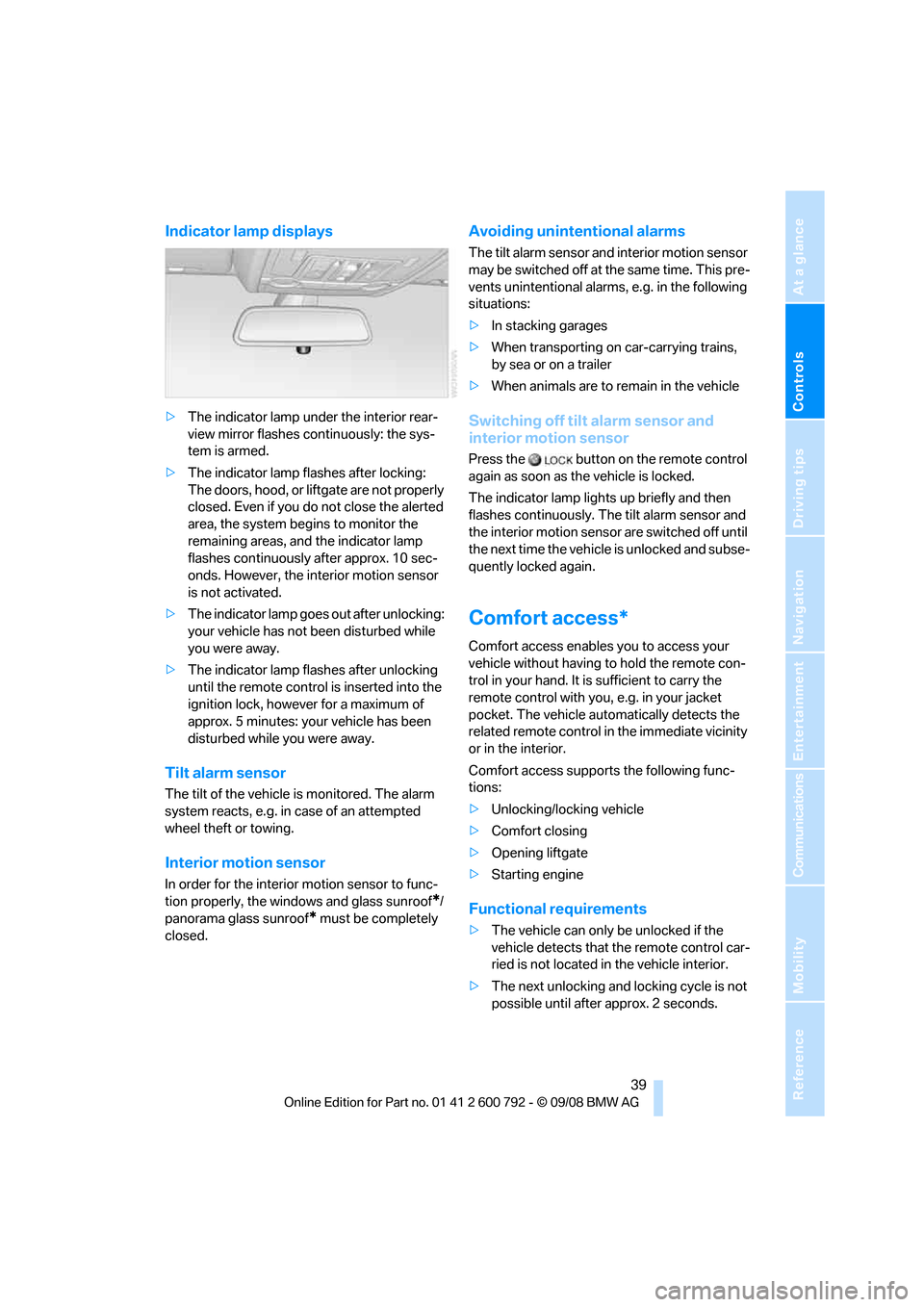
Indicator lamp displays
>The indicator lamp under the interior rear-
view mirror flashes continuously: the sys-
tem is armed.
> The indicator lamp flashes after locking:
The doors, hood, or liftgate are not properly
closed. Even if you do not close the alerted
area, the system begins to monitor the
remaining areas, and the indicator lamp
flashes continuously after approx. 10 sec-
onds. However, the interior motion sensor
is not activated.
> The indicator lamp goes out after unlocking:
your vehicle has not been disturbed while
you were away.
> The indicator lamp flashes after unlocking
until the remote control is inserted into the
ignition lock, however for a maximum of
approx. 5 minutes: your vehicle has been
disturbed while you were away.
Tilt alarm sensor
The tilt of the vehicle is monitored. The alarm
system reacts, e.g. in case of an attempted
wheel theft or towing.
Interior motion sensor
In order for the interior motion sensor to func-
tion properly, the windows and glass sunroof
*/
panorama glass sunroof
* must be completely
closed.
Avoiding unintentional alarms
The tilt alarm sensor and interior motion sensor
may be switched off at the same time. This pre-
vents unintentional alarms, e.g. in the following
situations:
> In stacking garages
> When transporting on car-carrying trains,
by sea or on a trailer
> When animals are to remain in the vehicle
Switching off tilt alarm sensor and
interior motion sensor
Press the button on the remote control
again as soon as the vehicle is locked.
The indicator lamp light s up briefly and then
flashes continuously. The tilt alarm sensor and
the interior motion sensor are switched off until
the next time the vehicle is unlocked and subse-
quently locked again.
Comfort access*
Comfort access enables you to access your
vehicle without having to hold the remote con-
trol in your hand. It is sufficient to carry the
remote control with you, e.g. in your jacket
pocket. The vehicle auto matically detects the
related remote control in the immediate vicinity
or in the interior.
Comfort access supports the following func-
tions:
> Unlocking/locking vehicle
> Comfort closing
> Opening liftgate
> Starting engine
Functional requirements
>The vehicle can only be unlocked if the
vehicle detects that th e remote control car-
ried is not located in the vehicle interior.
> The next unlocking and locking cycle is not
possible until after approx. 2 seconds.
Page 42 of 317
Opening and closing
40
>
The engine can only be started if the vehicle
detects that the remote control is located in
the vehicle.
Comparison with ordinary remote
control
You can control the functions mentioned previ-
ously with the comfort access or by pressing
the buttons on the remote control. Therefore,
please familiarize yourself with the information
on opening and closing beginning on page 28
beforehand.
The special features when using comfort
access are described in the following.
Should a short delay occur when opening
or closing the windows or the glass sun-
roof
*/panorama glass sunroof*, the system
checks whether a remote control is located in
the vehicle. Please repeat opening or closing if
necessary. <
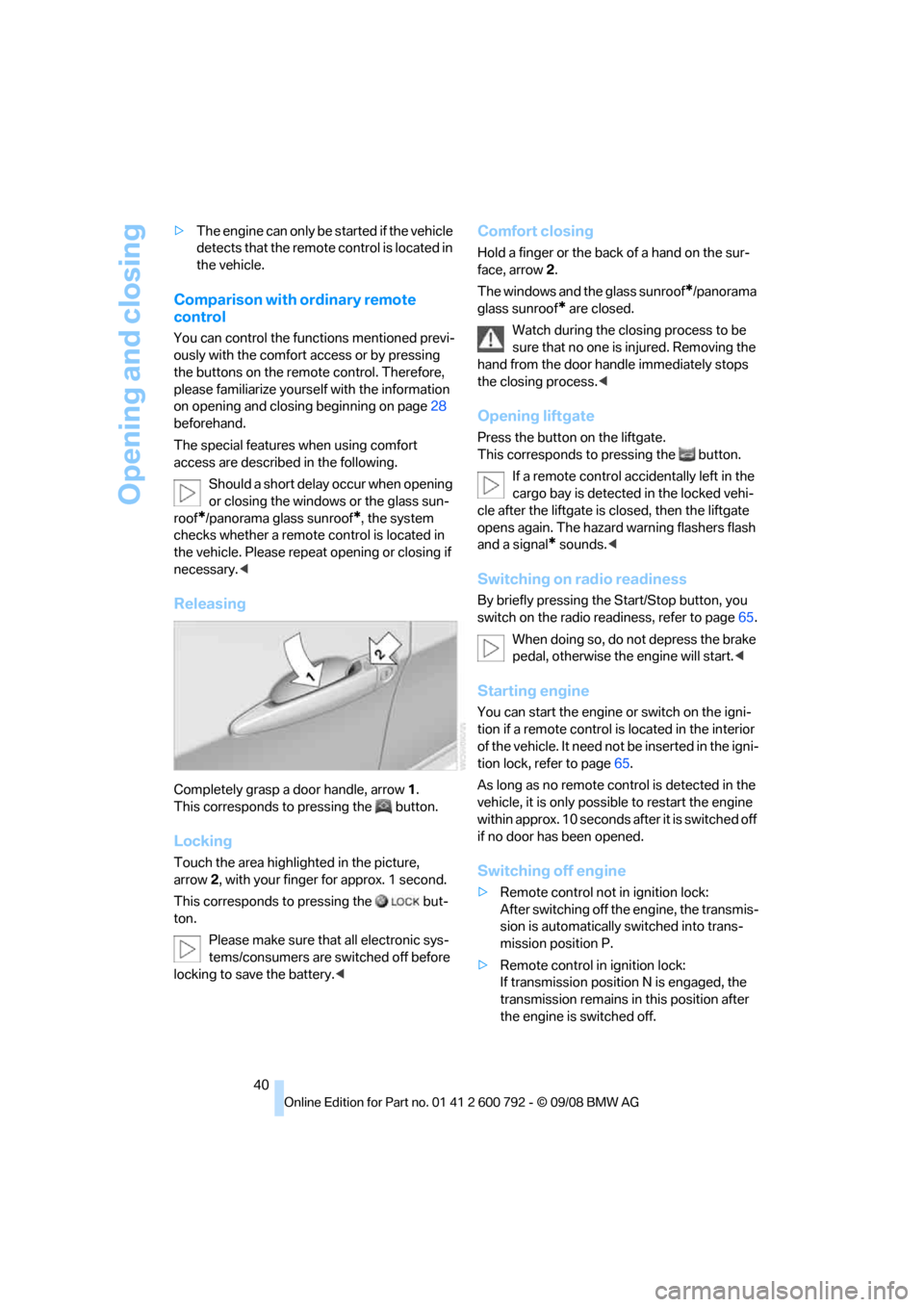
Releasing
Completely grasp a door handle, arrow 1.
This corresponds to pressing the button.
Locking
Touch the area highlighted in the picture,
arrow 2, with your finger for approx. 1 second.
This corresponds to pressing the but-
ton.
Please make sure that all electronic sys-
tems/consumers are sw itched off before
locking to save the battery. <
Comfort closing
Hold a finger or the back of a hand on the sur-
face, arrow2.
The windows and the glass sunroof
*/panorama
glass sunroof
* are closed.
Watch during the closing process to be
sure that no one is injured. Removing the
hand from the door handle immediately stops
the closing process. <
Opening liftgate
Press the button on the liftgate.
This corresponds to pr essing the button.
If a remote control acci dentally left in the
cargo bay is detected in the locked vehi-
cle after the liftgate is closed, then the liftgate
opens again. The hazard warning flashers flash
and a signal
* sounds. <
Switching on radio readiness
By briefly pressing the Start/Stop button, you
switch on the radio readiness, refer to page 65.
When doing so, do not depress the brake
pedal, otherwise the engine will start.<
Starting engine
You can start the engine or switch on the igni-
tion if a remote control is located in the interior
of the vehicle. It need not be inserted in the igni-
tion lock, refer to page 65.
As long as no remote co ntrol is detected in the
vehicle, it is only possible to restart the engine
within approx. 10 seconds after it is switched off
if no door has been opened.
Switching off engine
> Remote control not in ignition lock:
After switching off the engine, the transmis-
sion is automatically switched into trans-
mission position P.
> Remote control in ignition lock:
If transmission position N is engaged, the
transmission remains in this position after
the engine is switched off.
Page 43 of 317
Controls
41Reference
At a glance
Driving tips
Communications
Navigation
Entertainment
Mobility
Before driving into a car wash
The vehicle can roll if you proceed according to
the following steps:
1.Insert remote control into ignition lock.
2. Depress brake pedal.
3. Engage transmission position N.
4. Release the parking brake.
5. Switch off the engine.
6. Leave the remote control in the ignition
lock.
Malfunction
The comfort access function may malfunction
due to local radio waves. Then open or close the
vehicle with the buttons on the remote control
or with a key. To start the engine following this,
insert the remote control in the ignition lock.
The warning lamp in the instrument
panel lights up when an attempt is
made to start the engine: starting the
engine is not possible. The remote control is
not in the vehicle or has a malfunction. Take
along the remote control into the vehicle or
have it checked. Insert another remote control
into the ignition lock if necessary.
The warning lamp in the instrument
panel lights up when the engine is
running: the remote control is no
longer in the vehicle. After switching off the
engine, the engine can only be started again
within approx. 10 seconds if no door has been
opened.
The indicator lamp in the instrument
panel lights up and a message
appears on the Control Display:
Replace the battery of the remote control.
Replacing battery
The remote control for comfort access contains
a battery which must be replaced if necessary.
1.Remove integrated key from remote con-
trol, refer to page 28.
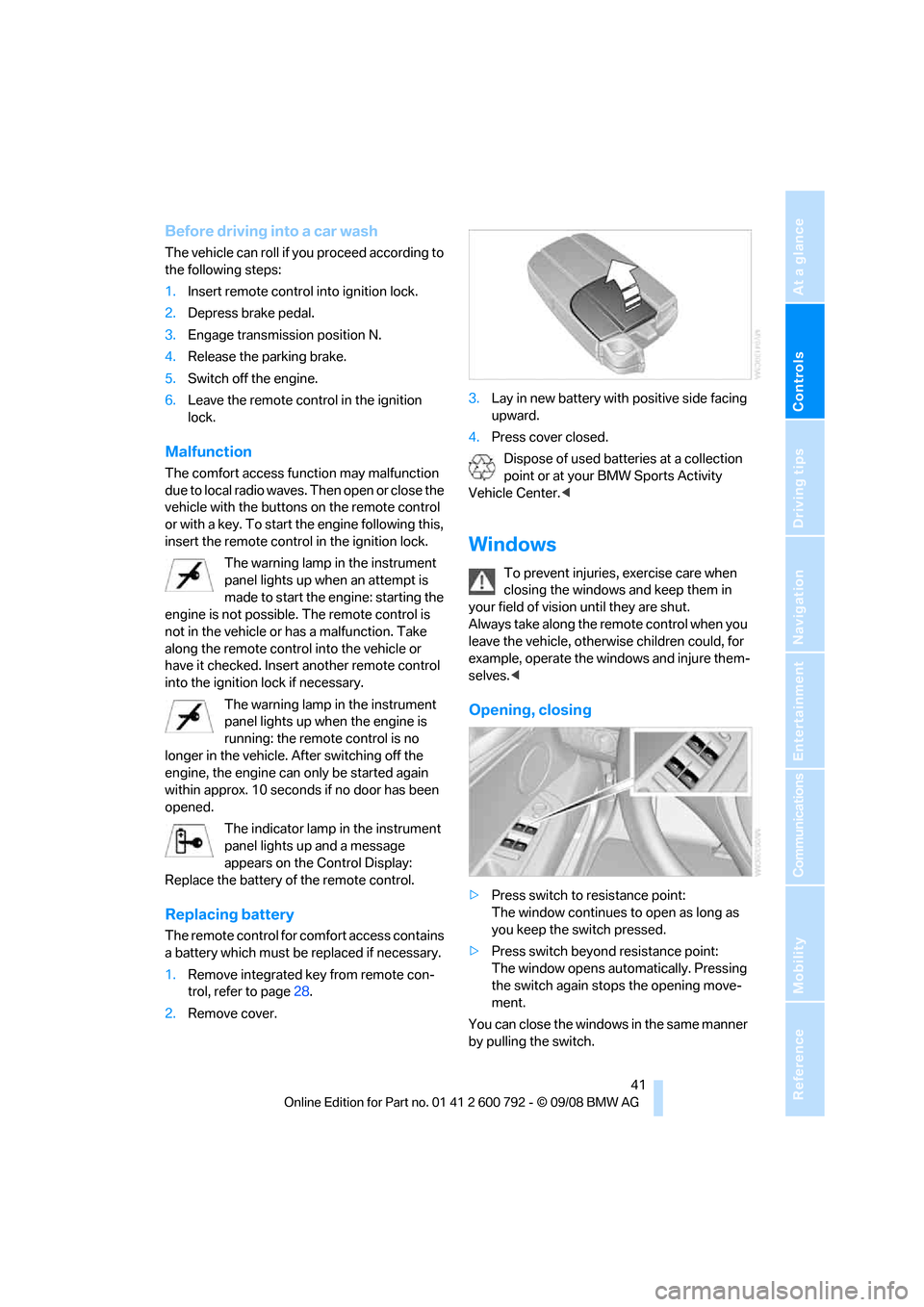
2. Remove cover. 3.
Lay in new battery with positive side facing
upward.
4. Press cover closed.
Dispose of used batteries at a collection
point or at your BMW Sports Activity
Vehicle Center. <
Windows
To prevent injuries, exercise care when
closing the windows and keep them in
your field of vision until they are shut.
Always take along the remote control when you
leave the vehicle, otherw ise children could, for
example, operate the windows and injure them-
selves. <
Opening, closing
>Press switch to resistance point:
The window continues to open as long as
you keep the switch pressed.
> Press switch beyond resistance point:
The window opens automatically. Pressing
the switch again stops the opening move-
ment.
You can close the windows in the same manner
by pulling the switch.
Page 44 of 317
Opening and closing
42
Separate switches for the rear windows are
located in the rear.
For information on using convenience opera-
tion at the door lock or
with the remote control,
refer to page 30 or32.
For information on comfort closing with comfort
access, refer to page 40.
After switching off ignition
You can still operate the windows with the
remote control remove d or the ignition
switched off for approx. 1 minute, as long as
neither of the front doors has been opened.
Pinch protection system
If the closing force rises beyond a predefined
threshold during closing, the system will stop
moving the window prior to lowering it again
slightly.
Despite the pinch protection system,
inspect the window's travel path prior to
closing it, as the safety system might fail to
detect certain kinds of obstructions, such as
thin objects, and the window would continue
closing.
Do not install any accesso ries in the range of
movement of the windows, otherwise the pinch
protection system will be impaired. <
Closing without pinch protection
system
In case of danger from outside or if, for example,
ice on the window prevents normal closing, pro-
ceed as follows:
1.Pull the switch beyond the resistance point
and hold. The pinch protection system is
limited and the window opens slightly if the
closing force exceeds a certain value.
2. Pull the switch beyond the resistance point
and hold again within approx. 4 seconds.
The window closes without the pinch pro-
tection system.
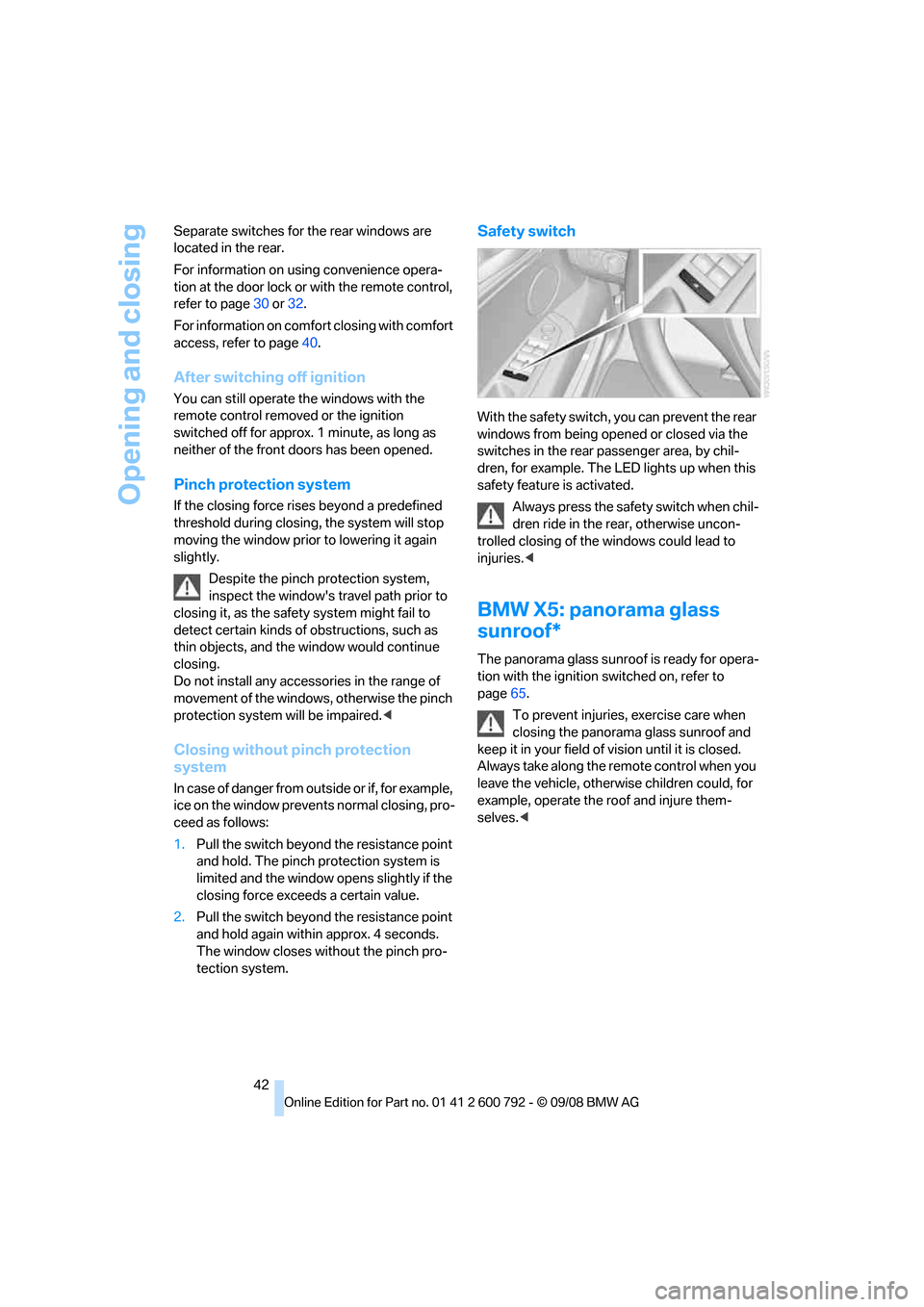
Safety switch
With the safety switch, you can prevent the rear
windows from being opened or closed via the
switches in the rear passenger area, by chil-
dren, for example. The LED lights up when this
safety feature is activated.
Always press the safety switch when chil-
dren ride in the re ar, otherwise uncon-
trolled closing of the windows could lead to
injuries. <
BMW X5: panorama glass
sunroof*
The panorama glass sunr oof is ready for opera-
tion with the ignition switched on, refer to
page 65.
To prevent injuries, exercise care when
closing the panorama glass sunroof and
keep it in your field of vision until it is closed.
Always take along the re mote control when you
leave the vehicle, otherwise children could, for
example, operate the roof and injure them-
selves. <