light BMW X5 3.0I 2002 Owner's Manual
[x] Cancel search | Manufacturer: BMW, Model Year: 2002, Model line: X5 3.0I, Model: BMW X5 3.0I 2002Pages: 185, PDF Size: 2.7 MB
Page 99 of 185

99n
OverviewControlsMaintenanceRepairsDataIndex
Tire Pressure Monitor (RDC)
*
Adaptive brake light
Flat tireIf there is a tire failure with a loss of
inflation pressure, the red indicator
lamp comes on or the message "TIRE
DEFECTIVE" appears in the Check
Control. In addition, a gong sounds.
If this occurs, reduce vehicle speed
immediately and stop the vehicle in a
safe location. Avoid hard brake applica-
tions. Do not oversteer. Replace the flat
tire.
The spare tire which is available in
your vehicle as standard equip-
ment is equipped with the electronics
required for RDC and, following activa-
tion of the system, is also monitored
after it is mounted.<
RDC cannot alert you to severe
and sudden tire damage caused
by external factors.<
Have the tires changed at your
BMW Sports Activity Vehicle
center.
Your BMW Sports Activity Vehicle
center has the information needed for
working with RDC and is equipped with
the necessary special tools.<
System malfunctionDuring the period of the malfunction,
the yellow indicator lamp comes on or
the message "TIRECONTROL INAC-
TIVE" appears in the Check Control.
You will also see the same message
>in the event of a system malfunction
>if a wheel is mounted without the
RDC electronics
>if, in addition to the spare tire, addi-
tional wheels with RDC electronics
are on board.
Please contact your BMW Sports
Activity Vehicle center for additional
information.The adaptive brake light (in preparation)
provides drivers of following vehicles
with an indication of the intensity with
which the brakes are being applied in
your own vehicle.
The display occurs in two stages:
>Normal braking:
The brake light units within the tail-
light clusters and the high-mount
brake light integrated within the rear
spoiler both light up with normal
intensity
>Hard braking or braking with ABS
active:
The taillights also come on, lighting
up with the same intensity as the
brake lights to provide a larger a
more conspicuous warning.
Page 100 of 185
100n
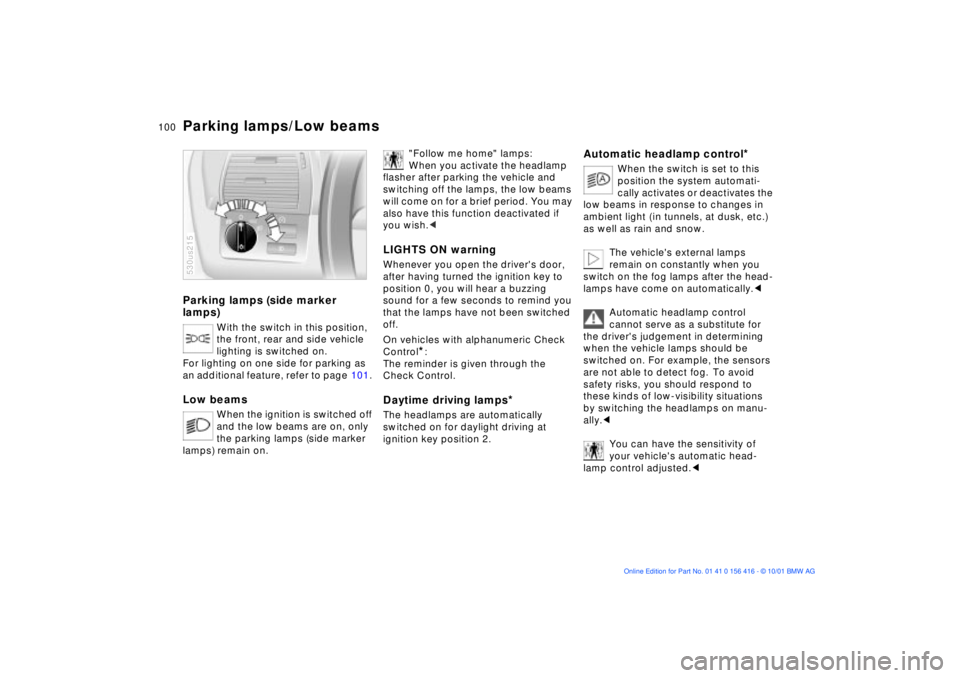
Parking lamps (side marker
lamps)
With the switch in this position,
the front, rear and side vehicle
lighting is switched on.
For lighting on one side for parking as
an additional feature, refer to page 101.
Low beams
When the ignition is switched off
and the low beams are on, only
the parking lamps (side marker
lamps) remain on.
530us215
"Follow me home" lamps:
When you activate the headlamp
flasher after parking the vehicle and
switching off the lamps, the low beams
will come on for a brief period. You may
also have this function deactivated if
you wish.<
LIGHTS ON warningWhenever you open the driver's door,
after having turned the ignition key to
position 0, you will hear a buzzing
sound for a few seconds to remind you
that the lamps have not been switched
off.
On vehicles with alphanumeric Check
Control
*:
The reminder is given through the
Check Control.
Daytime driving lamps
*
The headlamps are automatically
switched on for daylight driving at
ignition key position 2.
Automatic headlamp control
*
When the switch is set to this
position the system automati-
cally activates or deactivates the
low beams in response to changes in
ambient light ( in tunnels, at dusk, etc.)
as well as rain and snow.
The vehicle's external lamps
remain on constantly when you
switch on the fog lamps after the head-
lamps have come on automatically.<
Automatic headlamp control
cannot serve as a substitute for
the driver's judgement in determining
when the vehicle lamps should be
switched on. For example, the sensors
are not able to detect fog. To avoid
safety risks, you should respond to
these kinds of low-visibility situations
by switching the headlamps on manu-
ally.<
You can have the sensitivity of
your vehicle's automatic head-
lamp control adjusted.<
Parking lamps/Low beams
Page 101 of 185
101n
OverviewControlsMaintenanceRepairsDataIndex
Instrument lighting
High beams/Standing lamps
Fog lamps
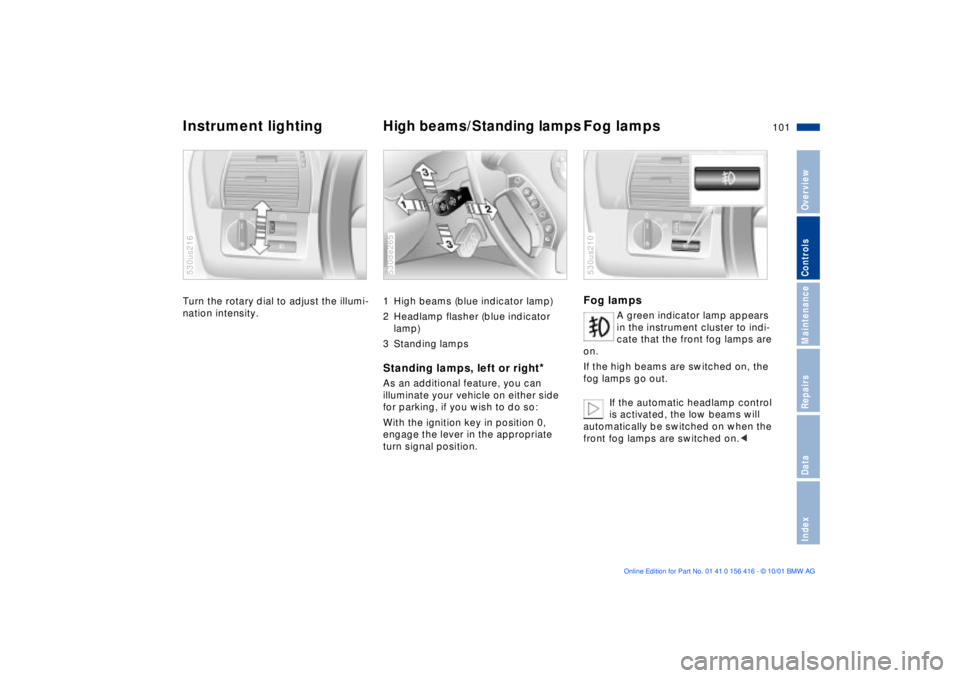
Turn the rotary dial to adjust the illumi-
nation intensity. 530us216
1 High beams (blue indicator lamp)
2 Headlamp flasher (blue indicator
lamp)
3 Standing lamps Standing lamps, left or right
*
As an additional feature, you can
illuminate your vehicle on either side
for parking, if you wish to do so:
With the ignition key in position 0,
engage the lever in the appropriate
turn signal position. 530de265
Fog lamps
A green indicator lamp appears
in the instrument cluster to indi-
cate that the front fog lamps are
on.
If the high beams are switched on, the
fog lamps go out.
If the automatic headlamp control
is activated, the low beams will
automatically be switched on when the
front fog lamps are switched on.<
530us210
Page 102 of 185
102n
Interior lamps Reading lamps
*
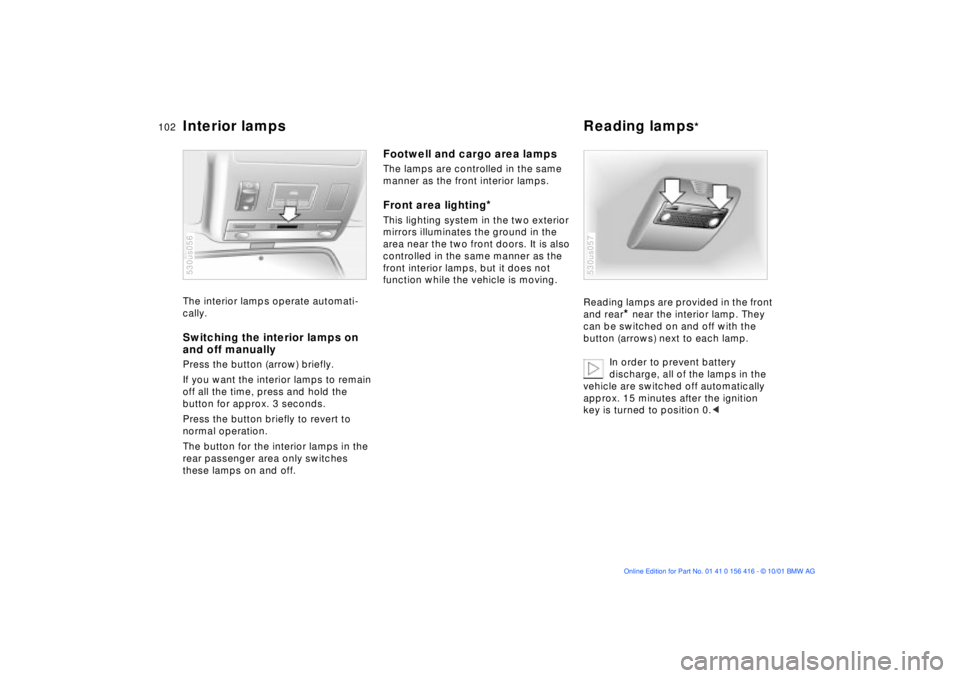
The interior lamps operate automati-
cally. Switching the interior lamps on
and off manuallyPress the button (arrow) briefly.
If you want the interior lamps to remain
off all the time, press and hold the
button for approx. 3 seconds.
Press the button briefly to revert to
normal operation.
The button for the interior lamps in the
rear passenger area only switches
these lamps on and off. 530us056
Footwell and cargo area lampsThe lamps are controlled in the same
manner as the front interior lamps.Front area lighting
*
This lighting system in the two exterior
mirrors illuminates the ground in the
area near the two front doors. It is also
controlled in the same manner as the
front interior lamps, but it does not
function while the vehicle is moving.
Reading lamps are provided in the front
and rear
* near the interior lamp. They
can be switched on and off with the
button (arrows) next to each lamp.
In order to prevent battery
discharge, all of the lamps in the
vehicle are switched off automatically
approx. 15 minutes after the ignition
key is turned to position 0.<
530us057
Page 110 of 185
110n
Automatic climate control
*
Residual heat mode
The heat which is stored in
the engine is utilized for
heating the interior when the engine
has been switched off (while waiting at
a railroad crossing, for instance). In
ignition key position 1, you can alter the
settings of the automatic climate
control. With the ignition key in posi-
tion 0, the system automatically directs
heated air to the windshield, side
windows and footwells.
This function may be activated
when the outside temperature is
below approx. +59 7 (+15 6), the
engine is at operating temperature, and
the battery is adequately charged. The
LED on the button will light up when all
conditions have been met.<
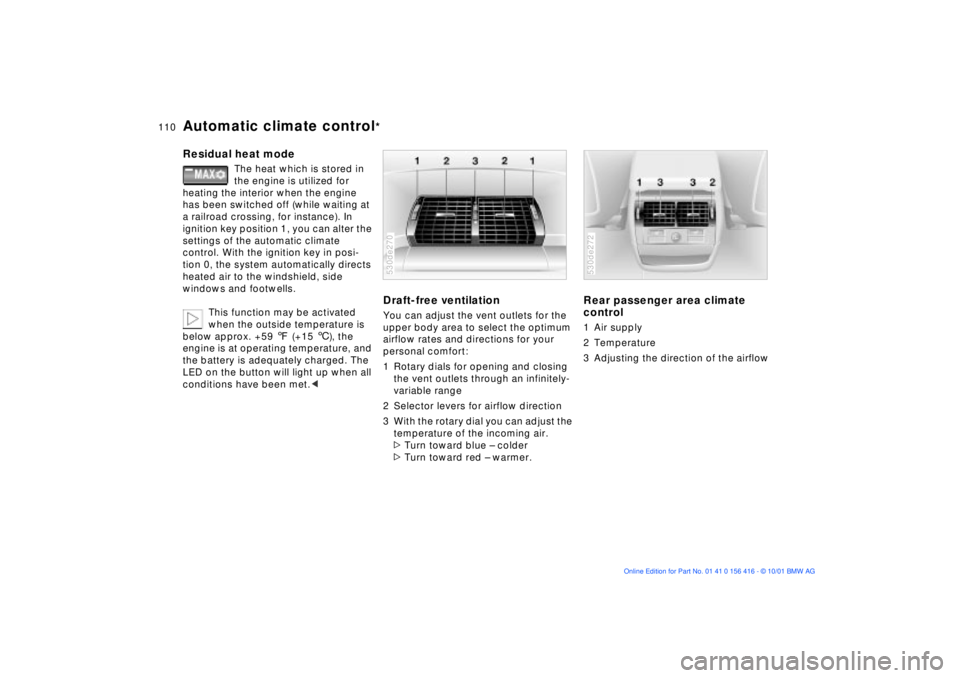
Draft-free ventilation You can adjust the vent outlets for the
upper body area to select the optimum
airflow rates and directions for your
personal comfort:
1 Rotary dials for opening and closing
the vent outlets through an infinitely-
variable range
2 Selector levers for airflow direction
3 With the rotary dial you can adjust the
temperature of the incoming air.
>Turn toward blue Ð colder
>Turn toward red Ð warmer. 530de270
Rear passenger area climate
control 1 Air supply
2 Temperature
3 Adjusting the direction of the airflow 530de272
Page 113 of 185
113n
OverviewControlsMaintenanceRepairsDataIndex
The concept The BMW Universal Transmitter
replaces up to three hand-held trans-
mitters of different devices such as
garage door openers, alarm systems, or
door locking systems. The BMW
Universal Transmitter recognizes and
"learns" the transmitted signal of each
of the original hand-held transmitters.
The signal of an original hand-held
transmitter can be programmed on one
of the three channel keys. Following
that, each of the devices can be actu-ated with the appropriately-programmed
channel key. The indicator lamp flashes
to confirm transmission of the signal.
If the vehicle is sold, the memory of the
channel keys should be cleared as
described on page 115.
During programming and before
every remote actuation of a
programmed device by the BMW
Universal Transmitter, check to be sure
that there are no persons, animals or
objects within the actuation range of
the device in order to prevent possible
injuries or damage. Also, comply with
the safety precautions of the original
hand-held transmitter.<
To Canadian residents:
During programming, your hand-
held transmitter may automatically stop
transmitting after two seconds. This
may not be long enough to program the
BMW Universal Transmitter. If you are
programming from one of these hand-
held transmitters, the Universal Trans-
mitter's light may begin to flash in a
series of double-blinks. If this occurs,
continue to hold the button of the
Universal Transmitter while you reacti-
vate your hand-held transmitter. You
may have to repeat this function several
times while programming.<
Before programming, read the
"User information" section on
page 115.<
Original hand-held transmitter
If this symbol is present on the
packaging or in the instructions
of the original hand-held trans-
mitter, it may be assumed that this
hand-held transmitter is compatible
with the BMW Universal Transmitter.
Checking for the conversion code To determine whether the original
hand-held transmitter is provided with
a conversion-code system, you may
either read the instructions for the orig-
inal hand-held transmitter or program a
channel key as described on the next
page (left-hand column under
"Programming").
Then press and hold the programmed
channel key of the BMW Universal
Transmitter. If the indicator lamp of the
BMW Universal Transmitter flashes for
two seconds and then comes on
steadily, the original hand-held trans-
mitter is provided with a conversion-
code system. With a conversion-code
system, program the channel keys as
described on the next page (right-hand
column under "Programming a hand-
held transmitter with conversion code").
If you have additional questions,
please consult your BMW Sports
Activity Vehicle center or call
1-800-355-3515.
You can also visit this website:
www.bmwusa.com.<
BMW Universal Transmitter
Page 116 of 185
116n
Glove compartment Storage compartments To open Pull the handle. The lamp inside the
glove compartment comes on.To closeFold the cover up.
To prevent injury in the event of an
accident, close the glove
compartment immediately after use.< 530de275
To lock Use one of the master keys. A master
key is also required for unlocking.
If you turn over only your door and
ignition key for valet parking (refer
to page 30), for example, access to the
glove compartment is not possible.< Rechargeable flashlight
*
Located on the left-hand side of the
glove compartment.
Features integral overload-protection,
so it can be left in its holder continu-
ously.
To avoid completely discharging
and possibly damaging the lamp,
always ensure that it is switched off
before inserting it in the socket.<
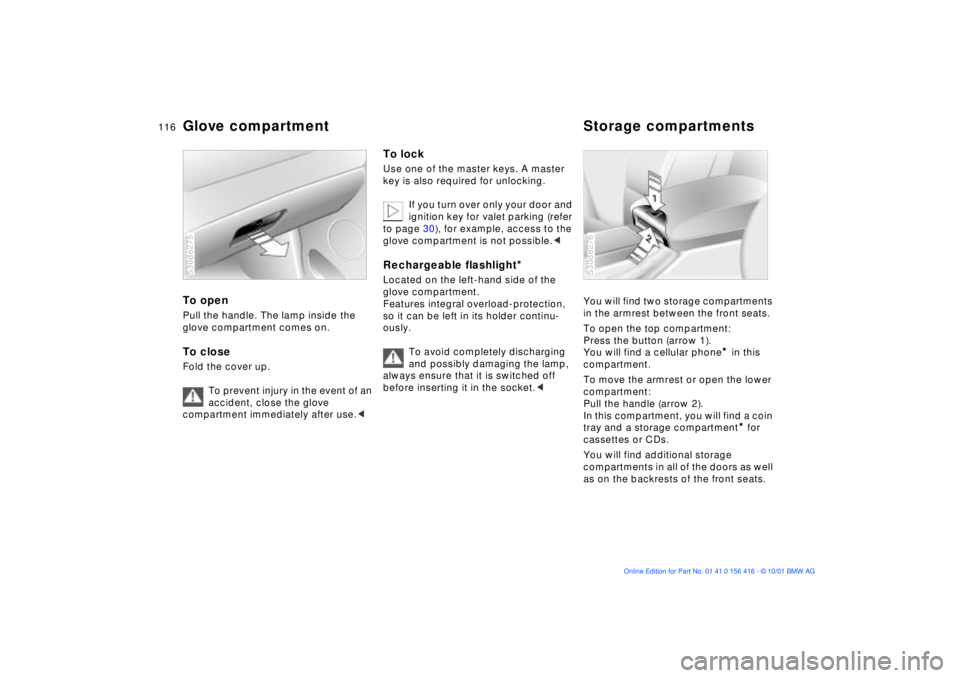
You will find two storage compartments
in the armrest between the front seats.
To open the top compartment:
Press the button (arrow 1).
You will find a cellular phone
* in this
compartment.
To move the armrest or open the lower
compartment:
Pull the handle (arrow 2).
In this compartment, you will find a coin
tray and a storage compartment* for
cassettes or CDs.
You will find additional storage
compartments in all of the doors as well
as on the backrests of the front seats.
530de276
Page 117 of 185
117n
OverviewControlsMaintenanceRepairsDataIndex
Cellular phone
*
Beverage holder
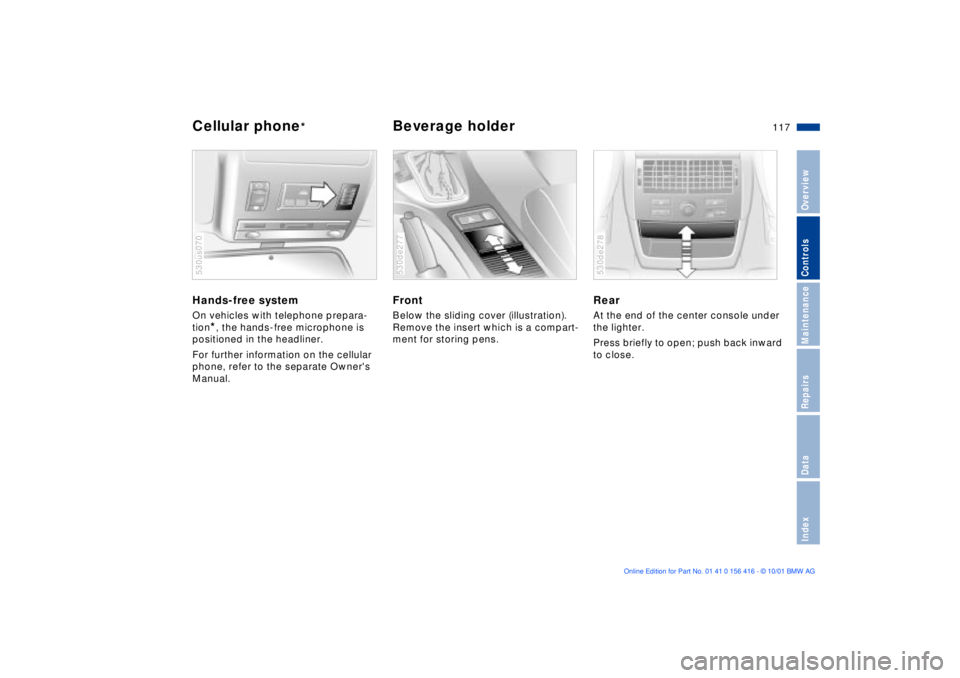
Hands-free system On vehicles with telephone prepara-
tion
*, the hands-free microphone is
positioned in the headliner.
For further information on the cellular
phone, refer to the separate Owner's
Manual.
530us070
Front Below the sliding cover (illustration).
Remove the insert which is a compart-
ment for storing pens.530de277
Rear At the end of the center console under
the lighter.
Press briefly to open; push back inward
to close. 530de278
Page 118 of 185
118n
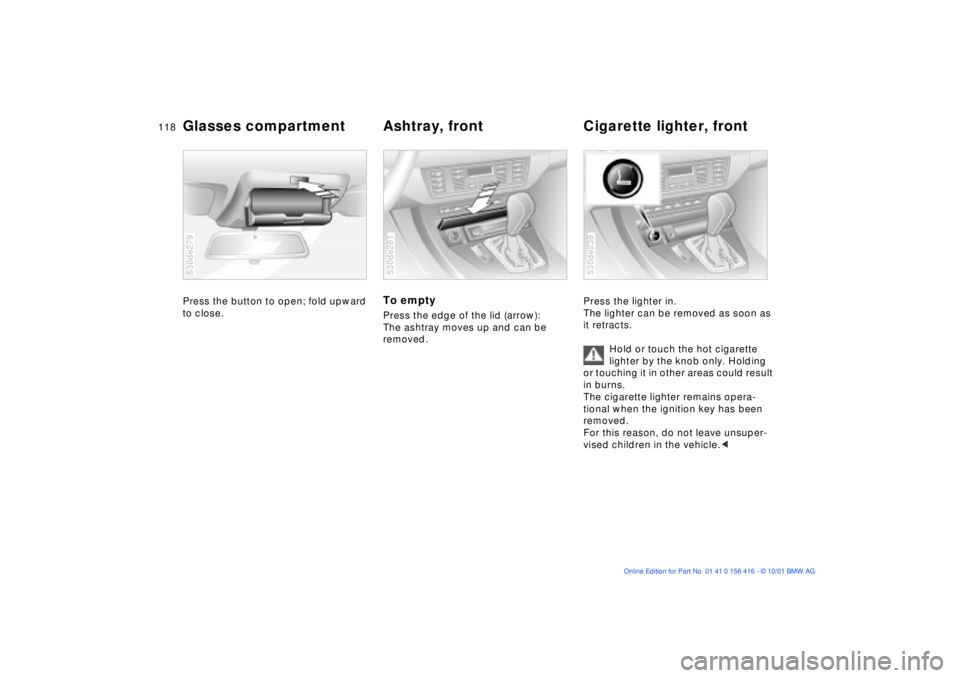
Glasses compartment Ashtray, front Cigarette lighter, frontPress the button to open; fold upward
to close. 530de279
To empty Press the edge of the lid (arrow):
The ashtray moves up and can be
removed.530de281
Press the lighter in.
The lighter can be removed as soon as
it retracts.
Hold or touch the hot cigarette
lighter by the knob only. Holding
or touching it in other areas could result
in burns.
The cigarette lighter remains opera-
tional when the ignition key has been
removed.
For this reason, do not leave unsuper-
vised children in the vehicle.< 530de238
Page 119 of 185
119n
OverviewControlsMaintenanceRepairsDataIndex
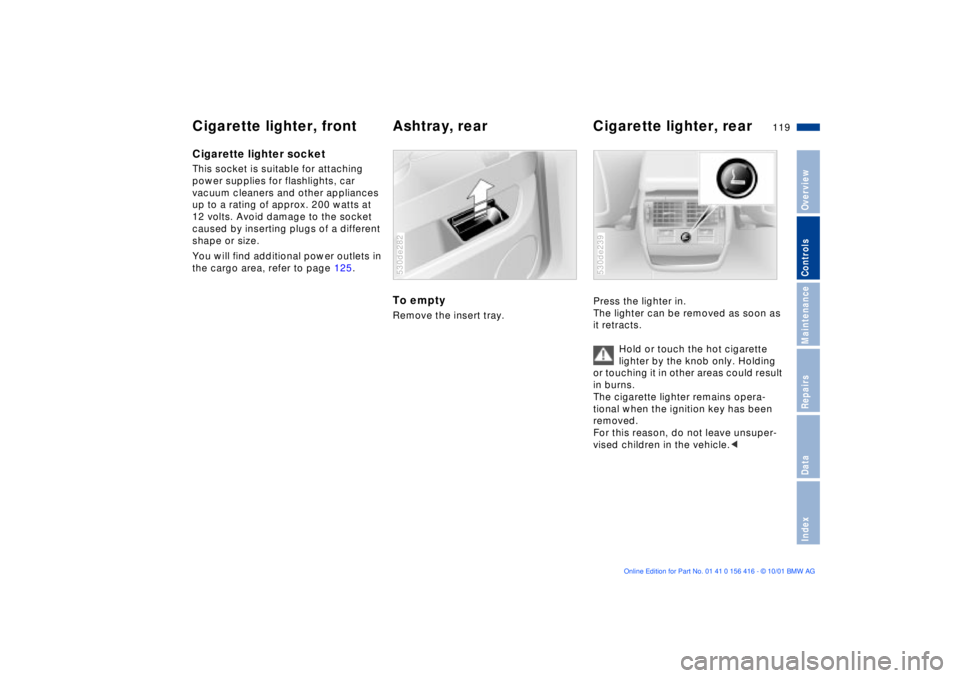
Cigarette lighter, front Ashtray, rear Cigarette lighter, rearCigarette lighter socket This socket is suitable for attaching
power supplies for flashlights, car
vacuum cleaners and other appliances
up to a rating of approx. 200 watts at
12 volts. Avoid damage to the socket
caused by inserting plugs of a different
shape or size.
You will find additional power outlets in
the cargo area, refer to page 125.
To emptyRemove the insert tray. 530de282
Press the lighter in.
The lighter can be removed as soon as
it retracts.
Hold or touch the hot cigarette
lighter by the knob only. Holding
or touching it in other areas could result
in burns.
The cigarette lighter remains opera-
tional when the ignition key has been
removed.
For this reason, do not leave unsuper-
vised children in the vehicle.< 530de239