operation BMW X5 3.0I 2004 E53 Owner's Guide
[x] Cancel search | Manufacturer: BMW, Model Year: 2004, Model line: X5 3.0I, Model: BMW X5 3.0I 2004 E53Pages: 200, PDF Size: 3.91 MB
Page 80 of 200
78n
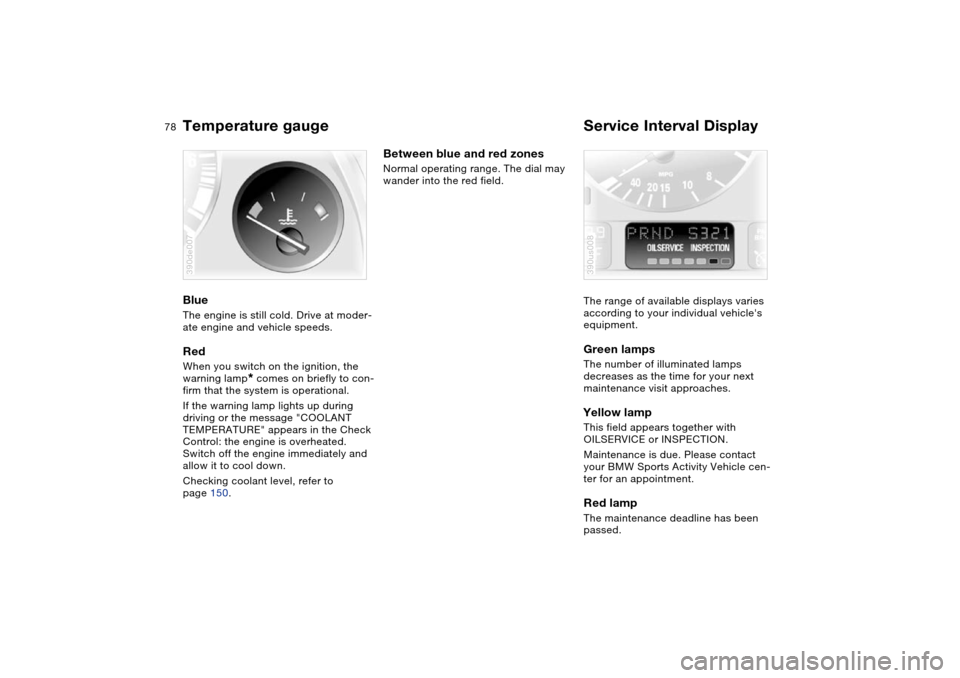
Temperature gauge Service Interval Display Blue The engine is still cold. Drive at moder-
ate engine and vehicle speeds.Red When you switch on the ignition, the
warning lamp
* comes on briefly to con-
firm that the system is operational.
If the warning lamp lights up during
driving or the message "COOLANT
TEMPERATURE" appears in the Check
Control: the engine is overheated.
Switch off the engine immediately and
allow it to cool down.
Checking coolant level, refer to
page 150.
390de007
Between blue and red zones Normal operating range. The dial may
wander into the red field.
The range of available displays varies
according to your individual vehicle's
equipment.
Green lamps The number of illuminated lamps
decreases as the time for your next
maintenance visit approaches.Yellow lamp This field appears together with
OILSERVICE or INSPECTION.
Maintenance is due. Please contact
your BMW Sports Activity Vehicle cen-
ter for an appointment.Red lamp The maintenance deadline has been
passed.390us008
Page 85 of 200
83n
OverviewControlsMaintenanceRepairsDataIndex
MID Multi-Information Display Central display The MID serves as the central display
and operation for the following onboard
systems:
>Digital clock, e.g. time display, date
>Audio systems: radio, cassette, CD
>Computer, e.g. fuel consumption,
cruising range
>Telephone, e.g. dialing.
You will find explanations and notes for
operating the digital clock and the com-
puter on the following pages. Please
refer to the separate Owner's Manuals
for operating the audio systems, the
telephone and the onboard computer.
Any unrealistic numerical entries
will not be accepted.
All stored data will be lost if the power
supply is interrupted. Time display,
switch-on times for independent venti-
lation, distance and cruise control
speed limit may have to be reset once
the power supply has been reestab-
lished.<
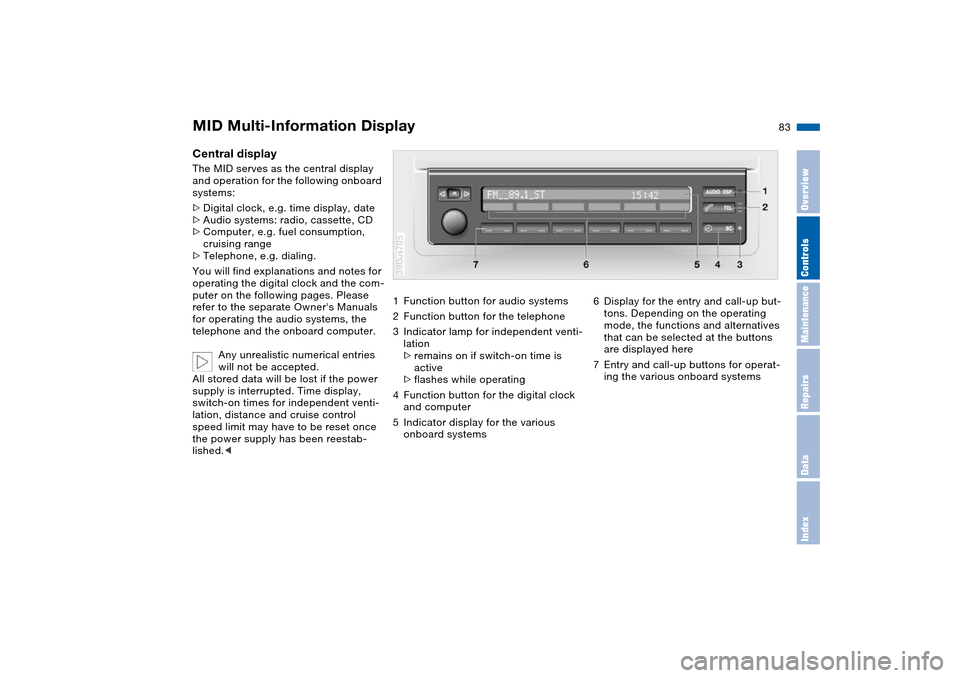
1Function button for audio systems
2Function button for the telephone
3Indicator lamp for independent venti-
lation
>remains on if switch-on time is
active
>flashes while operating
4Function button for the digital clock
and computer
5Indicator display for the various
onboard systems390us705
6Display for the entry and call-up but-
tons. Depending on the operating
mode, the functions and alternatives
that can be selected at the buttons
are displayed here
7Entry and call-up buttons for operat-
ing the various onboard systems
Page 88 of 200
86n
Digital clock in MIDEntering switch-on times for
independent ventilation You can enter two different switch-on
times.
The ventilation will switch off automati-
cally after 30 minutes.
Please follow the instructions for
operating the independent ventila-
tion that start on page 115.<
Press the left side of the button.
Press on the left/right.
Display shows:
Press the right side of the button:
Display flashes, e.g. TIMER 1.
To enter the time:
Press on the left/right, or hold the but-
ton down.
To confirm the entry:
Press the right side of the button.
The activated time is marked with an
asterisk.
The switch-on times remain stored until
new entries are made.
You can change switch-on times that
have already been stored by making a
new time entry as described above.
When the switch-on time is active, the
LED comes on in the MID. During actual
operation of the ventilation, the LED
flashes. The LED goes out when the
system is switched off.
To activate/deactivate the time:
Press twice.
Directly switching independent
ventilation on and off
The independent ventilation func-
tion can only be called up in igni-
tion key position 1.<
Press the left side of the button.
Press.
Page 96 of 200
94n
Antilock Brake System DSC Dynamic Stability Control MalfunctionBe sure to observe the information on
the lamp combination which may light
up on page 20.
The concept DSC maintains vehicle stability, even in
critical driving situations.
The DSC is operational every time you
start the engine.
The system optimizes the driving stabil-
ity during acceleration and when start-
ing from a standstill. The system recog-
nizes any tendency for the vehicle to
assume an unstable attitude such as
oversteer or understeer; it then coun-
teracts this tendency with a combina-
tion of graduated reductions in engine
torque and selective braking interven-
tion at individual wheels. DSC provides
optimized stability within the limits
defined by the laws of physics.
The laws of physics cannot be
repealed, even with DSC. An
appropriate driving style always
remains the responsibility of the driver.
We therefore urge you to avoid using
the additional safety margin of the sys-
tem as an excuse for taking risks.
Do not make any modifications to the
DSC system. Never allow anyone other
than authorized professional techni-
cians to carry out service or repairs on
the system.<
Indicator lamps The indicator lamps in the instrument
cluster goes out shortly after you switch
on the ignition,
The indicator lamp flashes:
DSC is active and governs drive
and braking force.
The indicator lamp stays lit:
DSC has been switched off using the
button and the stabilizing interventions
are no longer available.
Page 100 of 200
98n
2-axle self-leveling suspension
*
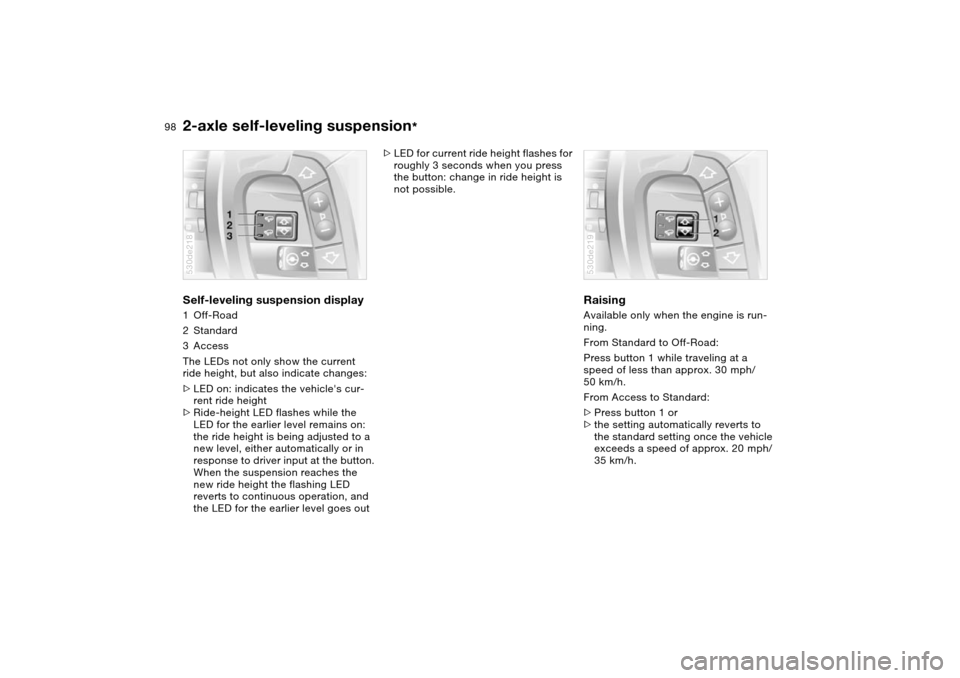
Self-leveling suspension display 1Off-Road
2Standard
3Access
The LEDs not only show the current
ride height, but also indicate changes:
>LED on: indicates the vehicle's cur-
rent ride height
>Ride-height LED flashes while the
LED for the earlier level remains on:
the ride height is being adjusted to a
new level, either automatically or in
response to driver input at the button.
When the suspension reaches the
new ride height the flashing LED
reverts to continuous operation, and
the LED for the earlier level goes out530de218
>LED for current ride height flashes for
roughly 3 seconds when you press
the button: change in ride height is
not possible.
Raising Available only when the engine is run-
ning.
From Standard to Off-Road:
Press button 1 while traveling at a
speed of less than approx. 30 mph/
50 km/h.
From Access to Standard:
>Press button 1 or
>the setting automatically reverts to
the standard setting once the vehicle
exceeds a speed of approx. 20 mph/
35 km/h.530de219
Page 102 of 200
100n
Flat Tire MonitorThe concept The Flat Tire Monitor keeps track of the
inflation pressures in the four fitted tires
as you drive. The system provides an
alert whenever the inflation pressure
drops significantly in relation to the
pressure another tire.
The check of the tire inflation pressure
is based on monitoring the relative
speeds of the wheels. A flat is detected
and reported on the basis of a deviation
in certain speed ratios.Functional requirementTo ensure reliable operation, the sys-
tem should have been initialized with
the correct tire inflation pressure.
System limits
The Flat Tire Monitor cannot indi-
cate sudden severe tire damage
caused by outside factors and does not
detect a natural, even pressure drop in
all four tires.<
In the following situations, the system
could be delayed or malfunction:
>When driving on snow-covered or
slippery road surfaces
>In the case of performance-oriented
driving: slip on the drive wheels, high
lateral acceleration
>False alarms and undetected loss of
pressure may occur when you are
driving with snow chains fitted.
Initializing system
Perform the initialization immedi-
ately every time you correct the
inflation pressure, change a tire or
change a wheel or all wheels. A drive
is required for this purpose.<
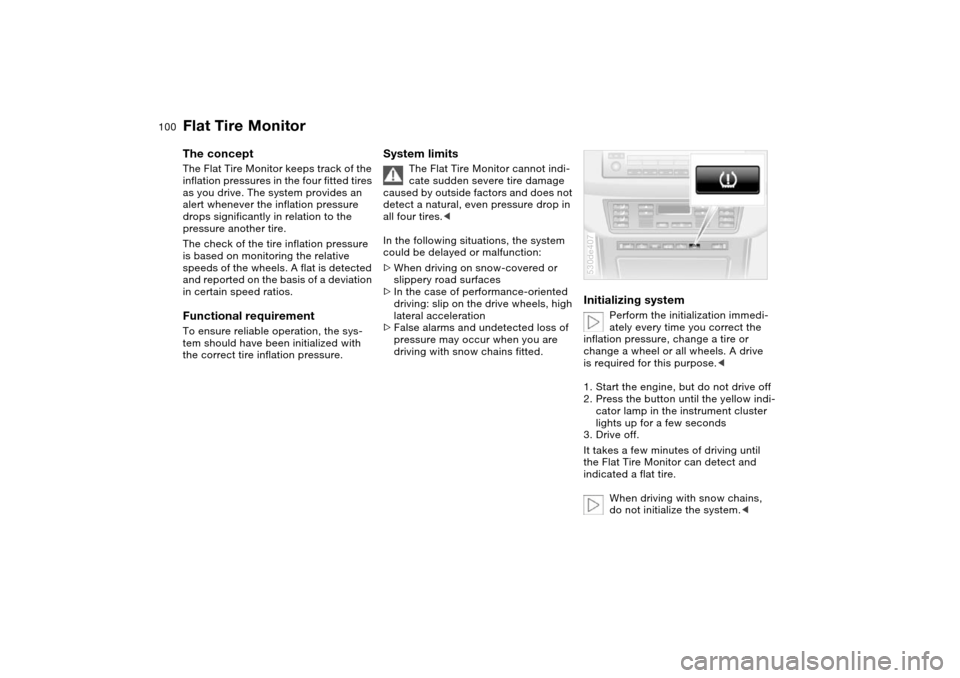
1. Start the engine, but do not drive off
2. Press the button until the yellow indi-
cator lamp in the instrument cluster
lights up for a few seconds
3. Drive off.
It takes a few minutes of driving until
the Flat Tire Monitor can detect and
indicated a flat tire.
When driving with snow chains,
do not initialize the system.<
530de407
Page 106 of 200
104n
Front fog lamps
Instrument lighting
Interior lamps
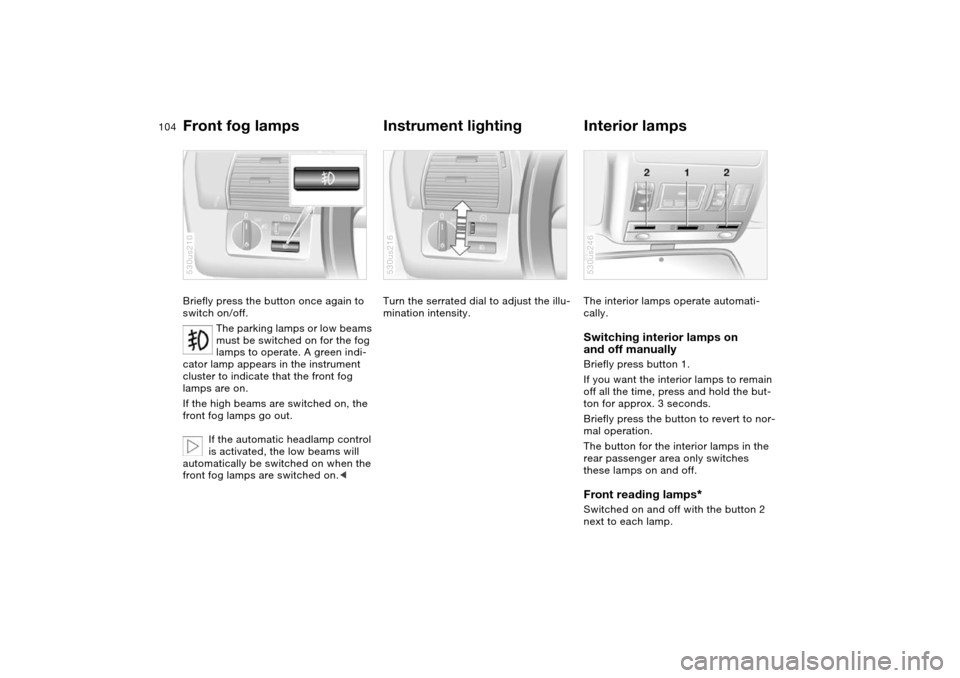
Briefly press the button once again to
switch on/off.
The parking lamps or low beams
must be switched on for the fog
lamps to operate. A green indi-
cator lamp appears in the instrument
cluster to indicate that the front fog
lamps are on.
If the high beams are switched on, the
front fog lamps go out.
If the automatic headlamp control
is activated, the low beams will
automatically be switched on when the
front fog lamps are switched on.<530us210
Turn the serrated dial to adjust the illu-
mination intensity.530us216
The interior lamps operate automati-
cally. Switching interior lamps on
and off manually Briefly press button 1.
If you want the interior lamps to remain
off all the time, press and hold the but-
ton for approx. 3 seconds.
Briefly press the button to revert to nor-
mal operation.
The button for the interior lamps in the
rear passenger area only switches
these lamps on and off. Front reading lamps
*
Switched on and off with the button 2
next to each lamp.530us246
Page 113 of 200
111n
OverviewControlsMaintenanceRepairsDataIndex
Automatic climate control
*
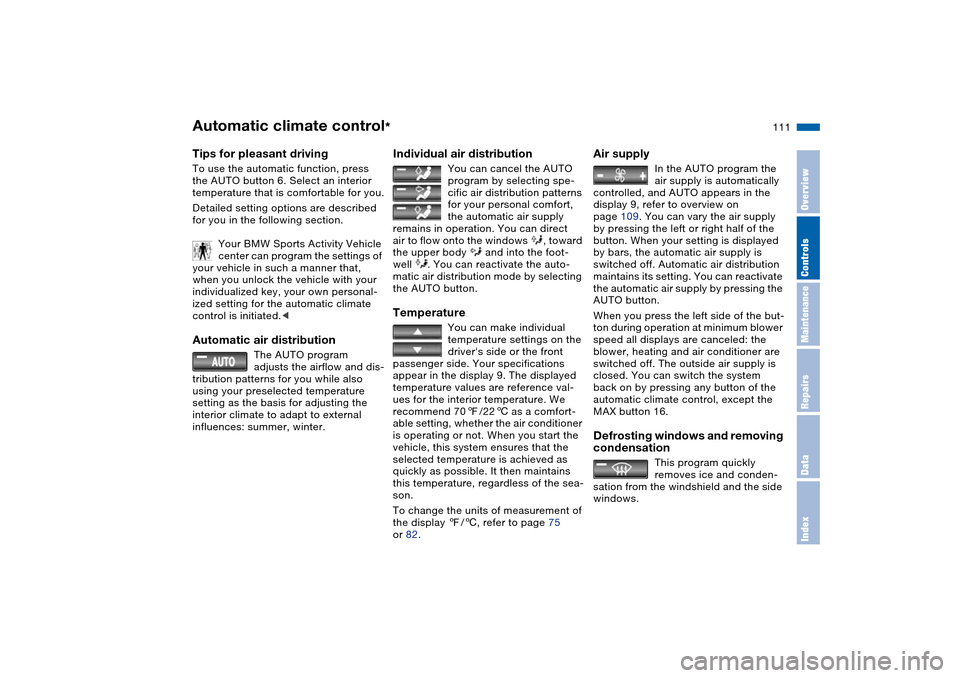
Tips for pleasant drivingTo use the automatic function, press
the AUTO button 6. Select an interior
temperature that is comfortable for you.
Detailed setting options are described
for you in the following section.
Your BMW Sports Activity Vehicle
center can program the settings of
your vehicle in such a manner that,
when you unlock the vehicle with your
individualized key, your own personal-
ized setting for the automatic climate
control is initiated.< Automatic air distribution
The AUTO program
adjusts the airflow and dis-
tribution patterns for you while also
using your preselected temperature
setting as the basis for adjusting the
interior climate to adapt to external
influences: summer, winter.
Individual air distribution
You can cancel the AUTO
program by selecting spe-
cific air distribution patterns
for your personal comfort,
the automatic air supply
remains in operation. You can direct
air to flow onto the windows , toward
the upper body and into the foot-
well . You can reactivate the auto-
matic air distribution mode by selecting
the AUTO button.
Temperature
You can make individual
temperature settings on the
driver's side or the front
passenger side. Your specifications
appear in the display 9. The displayed
temperature values are reference val-
ues for the interior temperature. We
recommend 707/226 as a comfort-
able setting, whether the air conditioner
is operating or not. When you start the
vehicle, this system ensures that the
selected temperature is achieved as
quickly as possible. It then maintains
this temperature, regardless of the sea-
son.
To change the units of measurement of
the display 7/6, refer to page 75
or 82.
Air supply
In the AUTO program the
air supply is automatically
controlled, and AUTO appears in the
display 9, refer to overview on
page 109. You can vary the air supply
by pressing the left or right half of the
button. When your setting is displayed
by bars, the automatic air supply is
switched off. Automatic air distribution
maintains its setting. You can reactivate
the automatic air supply by pressing the
AUTO button.
When you press the left side of the but-
ton during operation at minimum blower
speed all displays are canceled: the
blower, heating and air conditioner are
switched off. The outside air supply is
closed. You can switch the system
back on by pressing any button of the
automatic climate control, except the
MAX button 16.
Defrosting windows and removing
condensation
This program quickly
removes ice and conden-
sation from the windshield and the side
windows.
Page 114 of 200
112n
Automatic climate control
*
Air conditioning
The air is cooled and
dehumidified and —
depending on the temperature setting —
warmed again. Depending on the
weather, the windshield may fog over
briefly when the engine is started. You
can reduce condensation forming on
the windows by switching on the air
conditioning.
During air conditioning condensa-
tion forms, which then exits under
the vehicle. Traces of condensed water
of this kind are thus normal.<
Maximum cooling
You will get maximum cool-
ing capacity using this pro-
gram if the engine is running and
the outside temperature is above
approx. 417/56.
The temperature display 9 jumps to
+607/166, the system switches over
to the recirculated-air mode, and the air
streams out of the ventilation grill with
the maximum air supply. That is why
you need to keep these open if you
select this program.
AUC Automatic recirculated-air
control
You can respond to
unpleasant odors or pollut-
ants in the immediate environment by
temporarily suspending the supply of
outside air. The system then recircu-
lates the air currently within the vehicle.
Press the button repeatedly to run
through the following control sequence
>Indicator lamps off: outside air supply
operational
>Left indicator lamp on, AUC mode:
the system recognizes pollutants in
the outside air and blocks the flow of
air when necessary. The system then
recirculates the air currently within
the vehicle.
Depending on the air quality, the
automatic system then switches back
and forth between outside air supply
and recirculation of the air within the
vehicle
>Right-hand indicator lamp on: the
outside air supply into the vehicle is
completely blocked. The system then
recirculates the air currently within
the vehicle.
With the button on the steering wheel
you can also switch between Off and
recirculated-air mode or AUC and recir-
culated-air mode, refer to page 23.
If the windows fog over in the
recirculated-air mode, switch the
recirculated-air mode off and increase
the air supply as required.< Rear window defroster
When the rear window
defroster is activated, the
indicator lamp comes on. The rear win-
dow defroster switches off automati-
cally.
Page 117 of 200
115n
OverviewControlsMaintenanceRepairsDataIndex
Roller sun blinds
*
Independent ventilation
*
Roller sun blinds for rear side
windows
*
Use the strap to pull out the blinds, then
hook them in the provided attachment.
With roller sun blinds attached, do
not open the windows during
travel. The blinds may otherwise be
damaged by the wind.<
You can use this system to ventilate the
interior and lower its temperature, using
the blower of the independent ventila-
tion or of the automatic climate control.
The independent ventilation is operated
via the MID Multi-Information Display,
refer to page 86 or via the onboard
computer, refer to the separate
Owner's Manual.
You can set two different times for the
system to start; it will remain active for
30 minutes. You can also switch it on
and off directly. Since the system uses
a substantial amount of electrical cur-
rent, you should refrain from switching
it on twice in succession without allow-
ing the battery to be recharged in nor-
mal operation between use.When a preselected activation time is
set, the independent ventilation is oper-
ational at outside temperatures above
607/166, or by direct switch activa-
tion.
The air enters the passenger compart-
ment through the vent outlets in the
instrument cluster, which can be
adjusted for both direction and airflow.
Therefore, the vent outlets must be
open for the independent ventilation to
operate.