wheel BMW X5 4.4I 2000 User Guide
[x] Cancel search | Manufacturer: BMW, Model Year: 2000, Model line: X5 4.4I, Model: BMW X5 4.4I 2000Pages: 201, PDF Size: 1.93 MB
Page 32 of 201
32n
Locks and security systems:
Keys34
Electronic vehicle
immobilizer35
Central locking system36
Opening and closing
Ð from the outside36
Using the key36
Using the remote control37
Opening and closing
Ð from the inside40
Liftgate41
Tailgate41
Alarm system43
Electric power windows45
Sliding/Tilt sunroof with glass
moonroof46
Adjustments:
Seats48
Steering wheel51
Mirrors52
Seat, mirror and steering wheel
memory54
Car Memory, Key Memory55
Passenger safety systems:
Safety belts56
Airbags57
Child restraints60
Child seat security61
Child-safety locks62Driving:
Steering/Ignition lock63
Starting the engine64
Switching off the engine65
Parking brake65
Automatic transmission with
Steptronic66
Turn signal indicator/Headlamp
flasher69
Washer/Wiper system/Rain
sensor69
Rear window defroster71
Cruise control72
Everything under control:
Odometer, outside temperature
display74
Tachometer75
Energy control75
Fuel gauge75
Coolant temperature gauge76
Service Interval Display76
Check Control77
Onboard computer80
Technology for safety and
driving convenience:
Park Distance Control (PDC)82
Dynamic Stability Control
(DSC)83
Hill Descent Control (HDC)84
Controls
Page 33 of 201
IndexDataTechnologyRepairsCar careControlsOverview
Overview
Controls and features
Operation, care
and maintenance
Owner service procedures
Technical data
Index Advanced technology
33n
Lamps:
Side lamps/Low beams86
Instrument lightning86
High beams/Parking lamps87
Fog lamps87
Interior lamps87
Reading lamps88
Controlling the climate for
pleasant driving:
Automatic climate control90
Seat heating96
Steering wheel heating96
Roller sun blind97
Independent ventilation
system97
Cabin convenience:
BMW Universal Transmitter98
Glove compartment101
Storage compartments101
Cellular phone102
Cup holders102
Glasses compartment102
Ashtray, front103
Cigarette lighter103
Ashtray, rear104Loading and transporting:
Ski bag105
Cargo area
Fold the rear backrests
down107
Cargo area cover107
Partition net108
Cover panels in the cargo
area109
Power outlets110
Pull-out cargo floor111
Cargo loading112
Roof-mounted luggage rack113
Page 43 of 201
IndexDataTechnologyRepairsCar careControlsOverview
43n
Alarm system The concept The vehicle alarm system responds:
>When a door, the hood, or the liftgate
is opened.
>To movement inside the vehicle (inte-
rior motion sensor).
>To variations in the vehicle tilt sensor
such as occur during attempts to
steal the wheels or tow the vehicle.
>To interruption of battery voltage.
The system responds to unauthorized
vehicle entry and attempted theft by
simultaneously activating the following:
>Sounding an acoustical alarm for
30 seconds.
>The hazard warning flashers are acti-
vated for approx. five minutes.
>The high beams flash on and off in
the same rhythm.
To activate and deactivate the
alarm system When the vehicle is locked or unlocked
with the key or the remote control, the
alarm system is also simultaneously
armed or disarmed.
The interior motion sensor is activated
approx. 30 seconds after you have fin-
ished locking the vehicle.
The system indicates that it has been
correctly armed by switching on the
hazard flashers for a single cycle and
by emitting an acoustical signal.
You can have different acknowl-
edgment signals set to confirm
system arming and disarming.<
You can still open the liftgate after the
system has been armed by pressing
button 3 of the remote control. Refer to
page 39. When you close the liftgate,
the system is secured again.
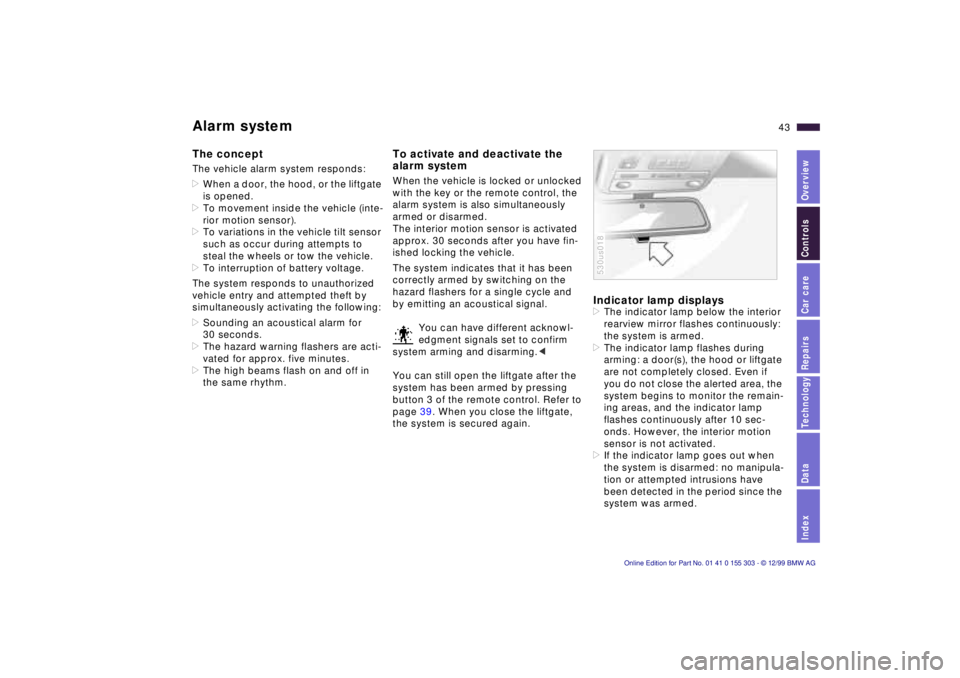
Indicator lamp displays >The indicator lamp below the interior
rearview mirror flashes continuously:
the system is armed.
>The indicator lamp flashes during
arming: a door(s), the hood or liftgate
are not completely closed. Even if
you do not close the alerted area, the
system begins to monitor the remain-
ing areas, and the indicator lamp
flashes continuously after 10 sec-
onds. However, the interior motion
sensor is not activated.
>If the indicator lamp goes out when
the system is disarmed: no manipula-
tion or attempted intrusions have
been detected in the period since the
system was armed. 530us018
Page 48 of 201
48n
For maximum safety when adjusting the
seat position, please observe the fol-
lowing:
Never try to adjust your seat while
driving the vehicle. The seat could
respond with unexpected movement,
and the ensuing loss of vehicle control
could lead to an accident.
Be sure that the safety belt remains
firmly against your body at all times. In
the event of a frontal impact, a loose lap
belt could slide over your hips, leading
to abdominal injury. In addition, the
safety belt's restraint effectiveness is
reduced if the belt is worn loosely.
Never ride with the backrest reclined to
an extreme angle (especially important
for the front passenger to remember).
If you do so, there is a risk that you will
slide under the safety belt in an acci-
dent, thus reducing the protection
provided by the safety belt.<
Correct sitting posture
To reduce strain on the spinal column,
sit all the way back in the seat and rest
your back fully against the backrest.
The ideal sitting posture is achieved
with your head extending from your
spine in a straight line.
For long-distance driving, you may wish
to angle the backrest slightly to reduce
muscular tension. You should be able
to reach the highest point on the steer-
ing wheel without straightening your
arms.
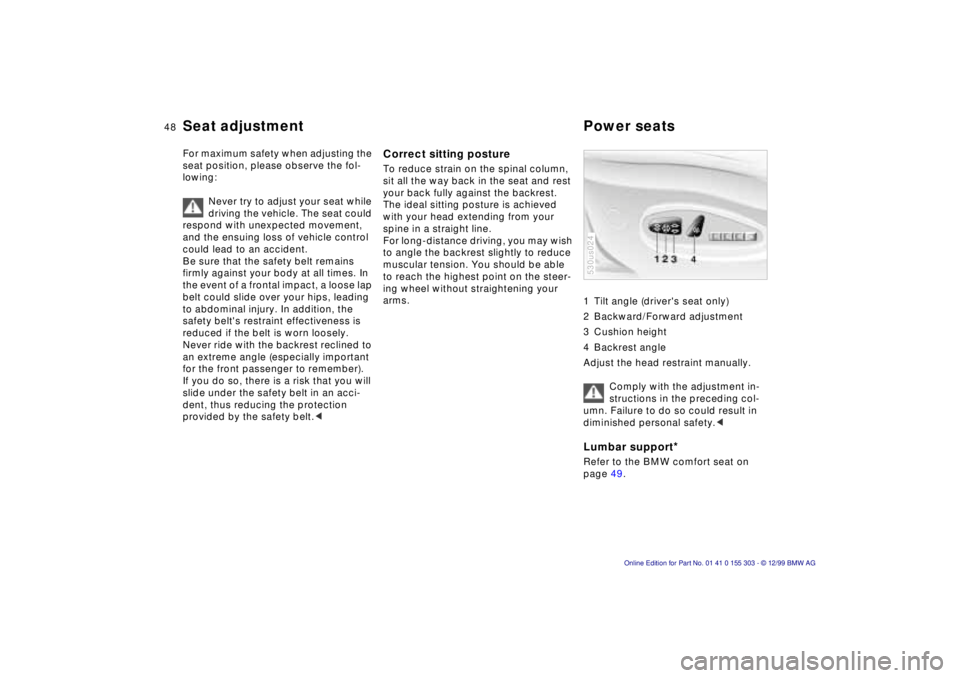
1 Tilt angle (driver's seat only)
2 Backward/Forward adjustment
3 Cushion height
4 Backrest angle
Adjust the head restraint manually.
Comply with the adjustment in-
structions in the preceding col-
umn. Failure to do so could result in
diminished personal safety.<
Lumbar support
*
Refer to the BMW comfort seat on
page 49. 530us024
Seat adjustment Power seats
Page 51 of 201
IndexDataTechnologyRepairsCar careControlsOverview
51n
Power rear-seat backrests
* Adjusting steering wheel
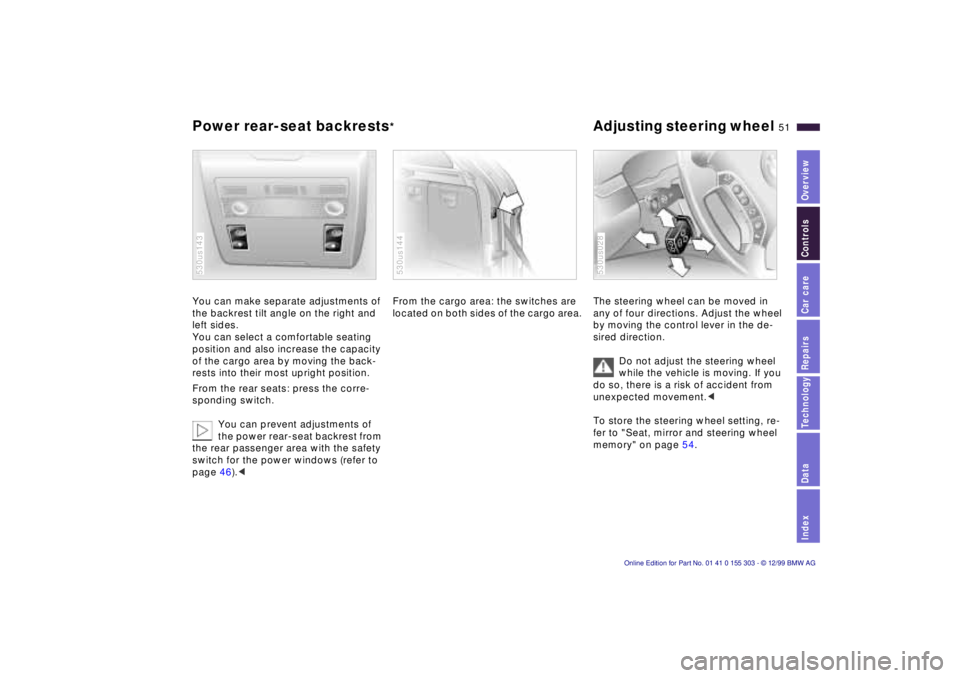
You can make separate adjustments of
the backrest tilt angle on the right and
left sides.
You can select a comfortable seating
position and also increase the capacity
of the cargo area by moving the back-
rests into their most upright position.
From the rear seats: press the corre-
sponding switch.
You can prevent adjustments of
the power rear-seat backrest from
the rear passenger area with the safety
switch for the power windows (refer to
page 46).<530us143
From the cargo area: the switches are
located on both sides of the cargo area. 530us144
The steering wheel can be moved in
any of four directions. Adjust the wheel
by moving the control lever in the de-
sired direction.
Do not adjust the steering wheel
while the vehicle is moving. If you
do so, there is a risk of accident from
unexpected movement.<
To store the steering wheel setting, re-
fer to "Seat, mirror and steering wheel
memory" on page 54. 530us028
Page 52 of 201
52n
Adjusting steering wheel Mirrors Automatic steering wheel
adjustment In order to make it easier to get into and
out of the vehicle, the steering wheel
automatically moves into the top posi-
tion and returns to the driving (memory)
position.
This automatic feature is controlled by
the position of the ignition key and by
the driver's door.
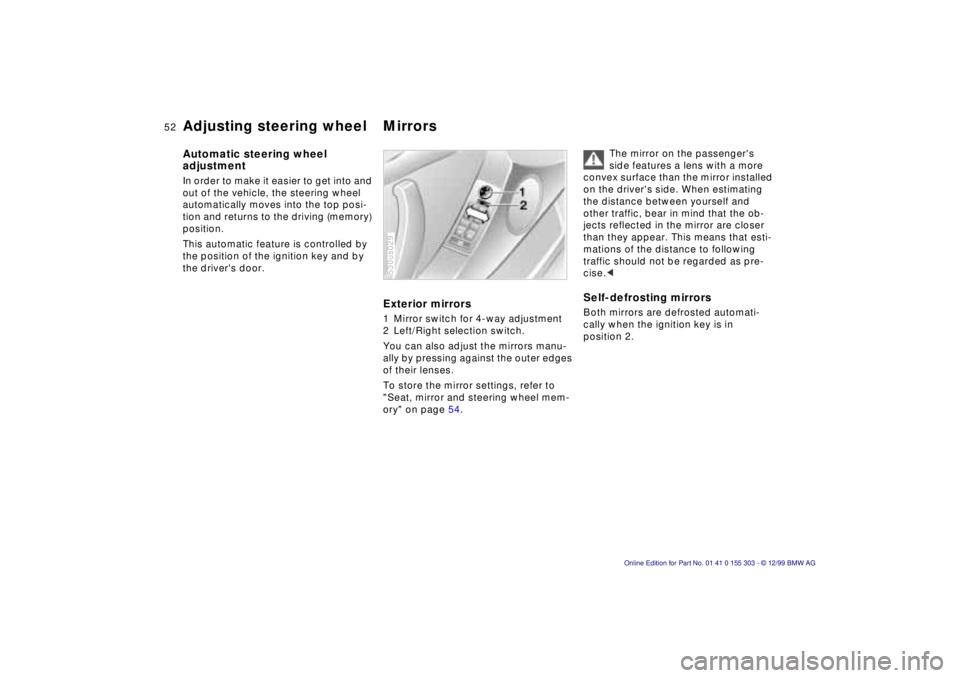
Exterior mirrors 1 Mirror switch for 4-way adjustment
2 Left/Right selection switch.
You can also adjust the mirrors manu-
ally by pressing against the outer edges
of their lenses.
To store the mirror settings, refer to
"Seat, mirror and steering wheel mem-
ory" on page 54. 530us029
The mirror on the passenger's
side features a lens with a more
convex surface than the mirror installed
on the driver's side. When estimating
the distance between yourself and
other traffic, bear in mind that the ob-
jects reflected in the mirror are closer
than they appear. This means that esti-
mations of the distance to following
traffic should not be regarded as pre-
cise.<
Self-defrosting mirrors Both mirrors are defrosted automati-
cally when the ignition key is in
position 2.
Page 54 of 201
54n
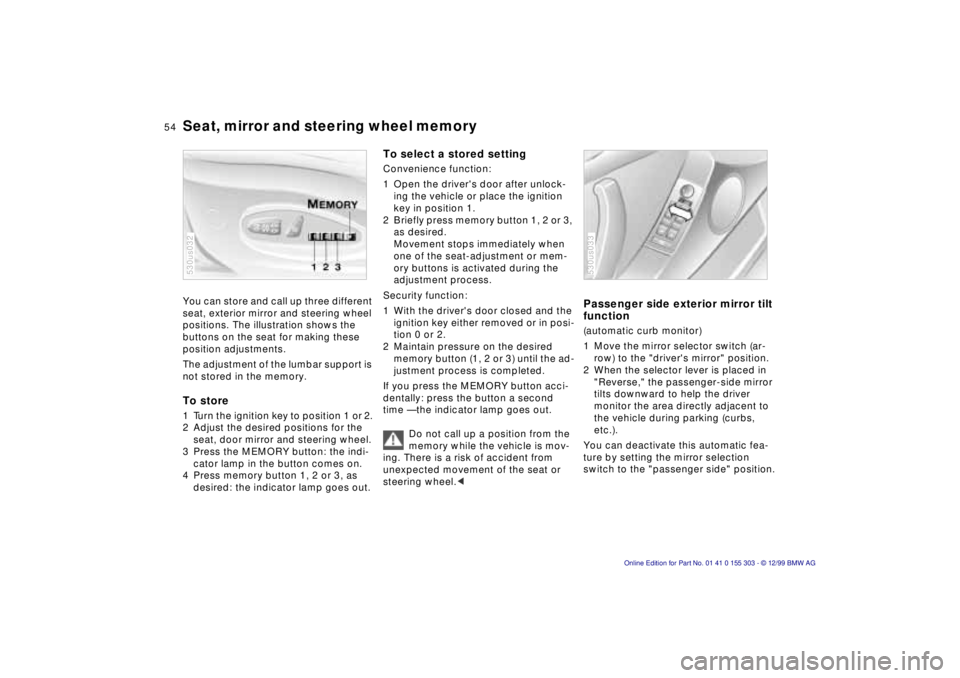
Seat, mirror and steering wheel memory You can store and call up three different
seat, exterior mirror and steering wheel
positions. The illustration shows the
buttons on the seat for making these
position adjustments.
The adjustment of the lumbar support is
not stored in the memory. To store 1 Turn the ignition key to position 1 or 2.
2 Adjust the desired positions for the
seat, door mirror and steering wheel.
3 Press the MEMORY button: the indi-
cator lamp in the button comes on.
4 Press memory button 1, 2 or 3, as
desired: the indicator lamp goes out. 530us032
To select a stored settingConvenience function:
1 Open the driver's door after unlock-
ing the vehicle or place the ignition
key in position 1.
2 Briefly press memory button 1, 2 or 3,
as desired.
Movement stops immediately when
one of the seat-adjustment or mem-
ory buttons is activated during the
adjustment process.
Security function:
1 With the driver's door closed and the
ignition key either removed or in posi-
tion 0 or 2.
2 Maintain pressure on the desired
memory button (1, 2 or 3) until the ad-
justment process is completed.
If you press the MEMORY button acci-
dentally: press the button a second
time Ñ the indicator lamp goes out.
Do not call up a position from the
memory while the vehicle is mov-
ing. There is a risk of accident from
unexpected movement of the seat or
steering wheel.<
Passenger side exterior mirror tilt
function(automatic curb monitor)
1 Move the mirror selector switch (ar-
row) to the "driver's mirror" position.
2 When the selector lever is placed in
"Reverse," the passenger-side mirror
tilts downward to help the driver
monitor the area directly adjacent to
the vehicle during parking (curbs,
etc.).
You can deactivate this automatic fea-
ture by setting the mirror selection
switch to the "passenger side" position.530us033
Page 55 of 201
IndexDataTechnologyRepairsCar careControlsOverview
55n
Car Memory, Key Memory
Your BMW center can adjust your
vehicle's systems in such a man-
ner that your personalized settings are
automatically called up for the seat,
mirror and steering wheel positions
when you unlock the vehicle with your
personal remote control.<
If you make use of the Key Mem-
ory, be sure that the footwell
behind the driver's seat is unobstructed
before unlocking the vehicle. If you fail
to do so, persons or objects could be
injured or damaged if the seat should
move backward.<
How the system functions You have probably frequently wished
that you could configure individual
functions of your vehicles to reflect your
own personal requirements. In engi-
neering your vehicle, BMW has in-
cluded several user-defined functions
in the vehicle's design. Your authorized
BMW center can make these settings
for you.
There are settings related to the vehicle
("Car Memory") and settings related to
individuals ("Key Memory"). You can
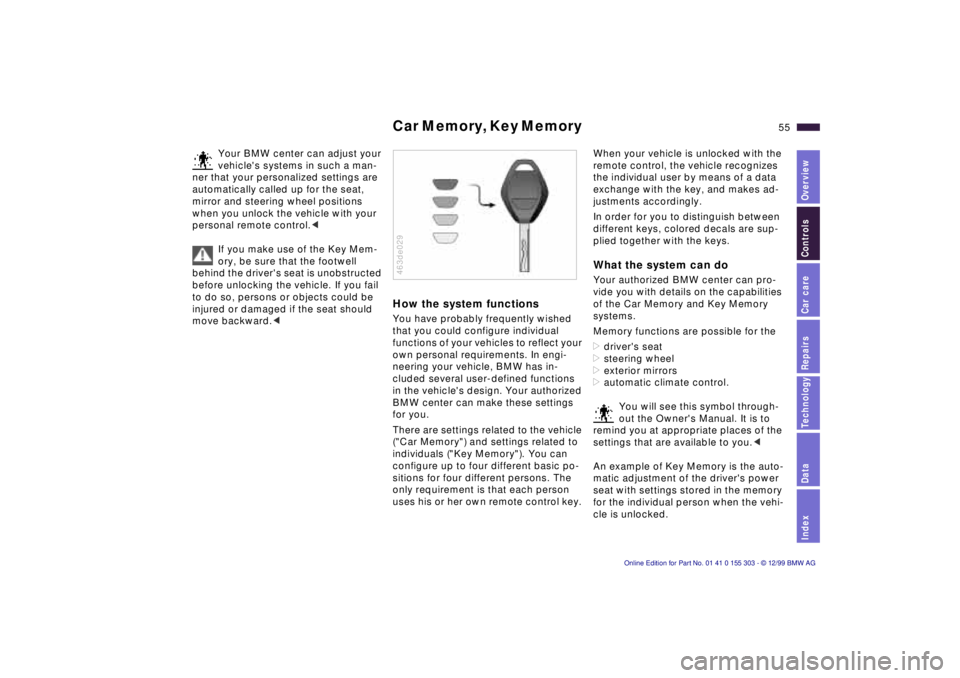
configure up to four different basic po-
sitions for four different persons. The
only requirement is that each person
uses his or her own remote control key. 463de029
When your vehicle is unlocked with the
remote control, the vehicle recognizes
the individual user by means of a data
exchange with the key, and makes ad-
justments accordingly.
In order for you to distinguish between
different keys, colored decals are sup-
plied together with the keys. What the system can do Your authorized BMW center can pro-
vide you with details on the capabilities
of the Car Memory and Key Memory
systems.
Memory functions are possible for the
>driver's seat
>steering wheel
>exterior mirrors
>automatic climate control.
You will see this symbol through-
out the Owner's Manual. It is to
remind you at appropriate places of the
settings that are available to you.<
An example of Key Memory is the auto-
matic adjustment of the driver's power
seat with settings stored in the memory
for the individual person when the vehi-
cle is unlocked.
Page 58 of 201

58n
Airbags Indicator lamp
The indicator lamp displays the
operational status of the airbag
system from ignition key posi-
tion 1 and up.
System operational:
>The indicator lamp comes on briefly
then goes out.
System malfunction:
>The indicator lamp fails to come on.
>The indicator lamp comes on briefly
before going out and then lighting up
again.
A system malfunction could prevent the
system from responding to an impact
occurring within its normal response
range.
Please have your authorized BMW cen-
ter inspect and repair the system as
soon as possible.
Sitting correctly with airbags
For your safety, comply with the
following instructions for the air-
bags. If you do not, the airbags may not
be able to provide their maximum pro-
tection. All passengers in the vehicle
should be aware of and comply with
this information:
The airbags are supplemental restraint
devices designed to provide extra pro-
tection; they are not a substitute for
safety belts. Wear your safety belt at all
times. The airbags will not be triggered
in the event of a minor accident, a vehi-
cle roll-over, or collisions from the rear.
In these instances, the safety belt pro-
vides optimal protection.
Airbags are located under cover panels
in the steering wheel, in the dashboard,
in the side trim panels in the front and
rear*, and in the windshield pillars and
the sides of the headliner.
Adjust your seat to a position that pro-
vides maximum distance between you
and the steering wheel, the instrument
panel and the door while still allowing
comfortable and safe access to all
vehicle controls.
To avoid sustaining hand and arm inju-
ries, always grasp the steering wheel
on
the rim with the hands at the 9 and
3 o'clock positions. Do not place your
hands on the center pad.
Never allow any objects to obstruct the
area between the airbag and an occu-
pant.
Do not use the cover panel above the
passenger-side airbag as a storage
area.
Do not apply adhesive materials to the
cover panels of the airbags, cover them
or modify them in any other way.
Do not install a rear-facing child re-
straint system in the front passenger
seat of this vehicle.
Children under 13 years of age and
children less than 5 feet (150 cm) tall
should ride only in the rear seat.
Infants or small children should never
be held on the lap of a passenger.
If your vehicle is equipped with side air-
bags in the rear passenger area, be
sure that child restraints are mounted
correctly and provided with the great-
est-possible distance between the air-
bags in the side trim panels. Do not al-
low children to lean out of the child's
seat in the direction of the side trim
panels. If they do so, serious injuries
can occur if the airbag is triggered.<
Page 63 of 201
IndexDataTechnologyRepairsCar careControlsOverview
63n
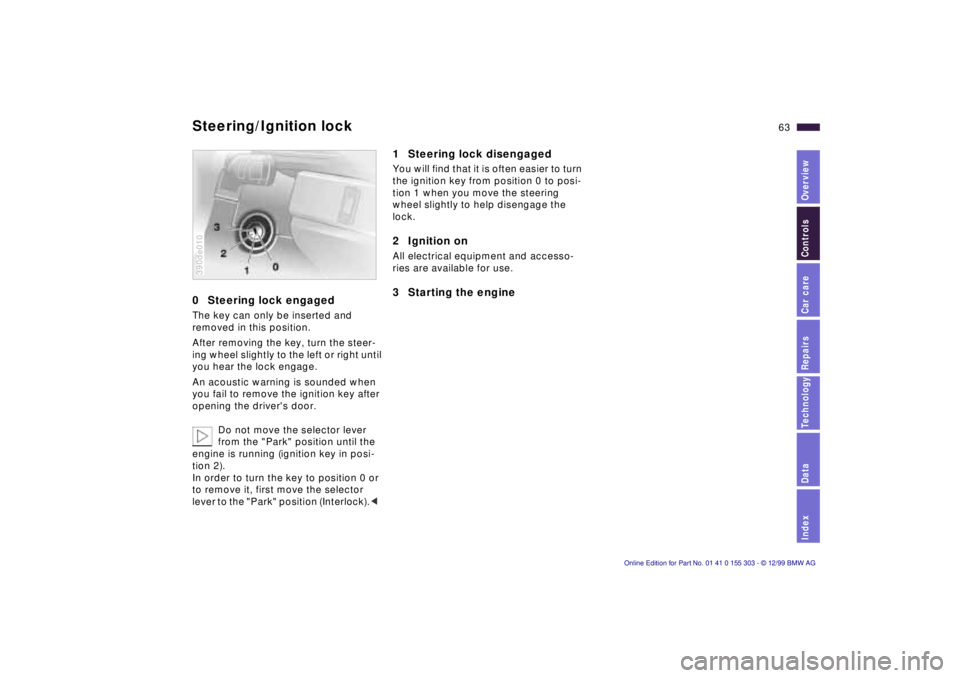
0 Steering lock engaged The key can only be inserted and
removed in this position.
After removing the key, turn the steer-
ing wheel slightly to the left or right until
you hear the lock engage.
An acoustic warning is sounded when
you fail to remove the ignition key after
opening the driver's door.
Do not move the selector lever
from the "Park" position until the
engine is running (ignition key in posi-
tion 2).
In order to turn the key to position 0 or
to remove it, first move the selector
lever to the "Park" position (Interlock).< 390de010
1 Steering lock disengaged You will find that it is often easier to turn
the ignition key from position 0 to posi-
tion 1 when you move the steering
wheel slightly to help disengage the
lock.2 Ignition on All electrical equipment and accesso-
ries are available for use. 3 Starting the engine
Steering/Ignition lock