ignition BMW X5 4.4I 2000 Owner's Manual
[x] Cancel search | Manufacturer: BMW, Model Year: 2000, Model line: X5 4.4I, Model: BMW X5 4.4I 2000Pages: 201, PDF Size: 1.93 MB
Page 74 of 201
74n
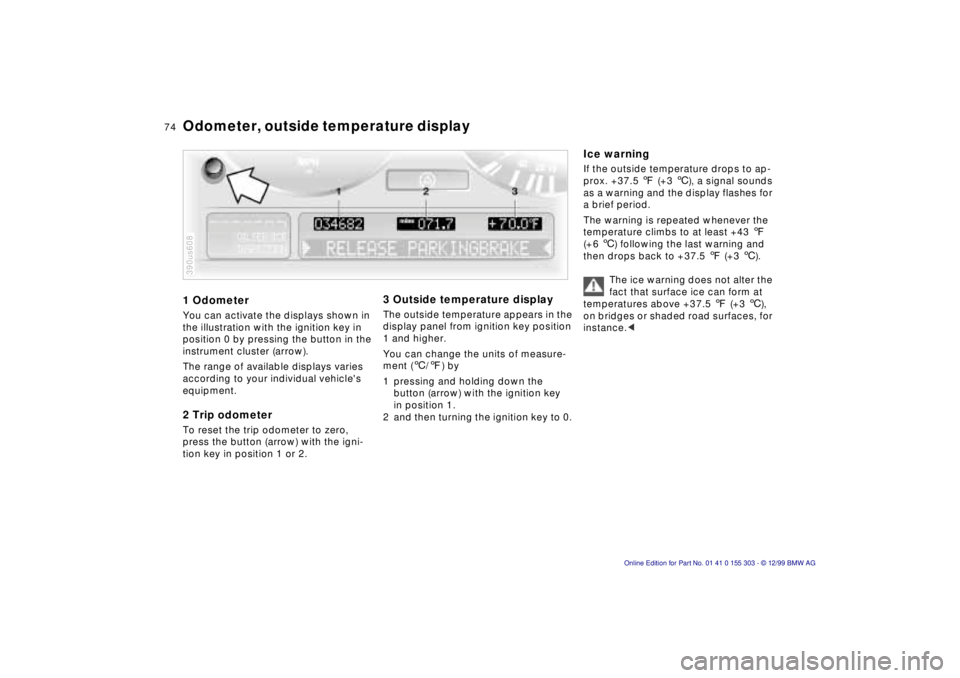
1 Odometer You can activate the displays shown in
the illustration with the ignition key in
position 0 by pressing the button in the
instrument cluster (arrow).
The range of available displays varies
according to your individual vehicle's
equipment. 2 Trip odometer To reset the trip odometer to zero,
press the button (arrow) with the igni-
tion key in position 1 or 2. 390us608
3 Outside temperature display The outside temperature appears in the
display panel from ignition key position
1 and higher.
You can change the units of measure-
ment (6/7) by
1 pressing and holding down the
button (arrow) with the ignition key
in position 1.
2 and then turning the ignition key to 0.
Ice warning If the outside temperature drops to ap-
prox. +37.5 7 (+3 6), a signal sounds
as a warning and the display flashes for
a brief period.
The warning is repeated whenever the
temperature climbs to at least +43 7
(+6 6) following the last warning and
then drops back to +37.5 7 (+3 6).
The ice warning does not alter the
fact that surface ice can form at
temperatures above +37.5 7 (+3 6),
on bridges or shaded road surfaces, for
instance.<
Odometer, outside temperature display
Page 75 of 201
IndexDataTechnologyRepairsCar careControlsOverview
75n
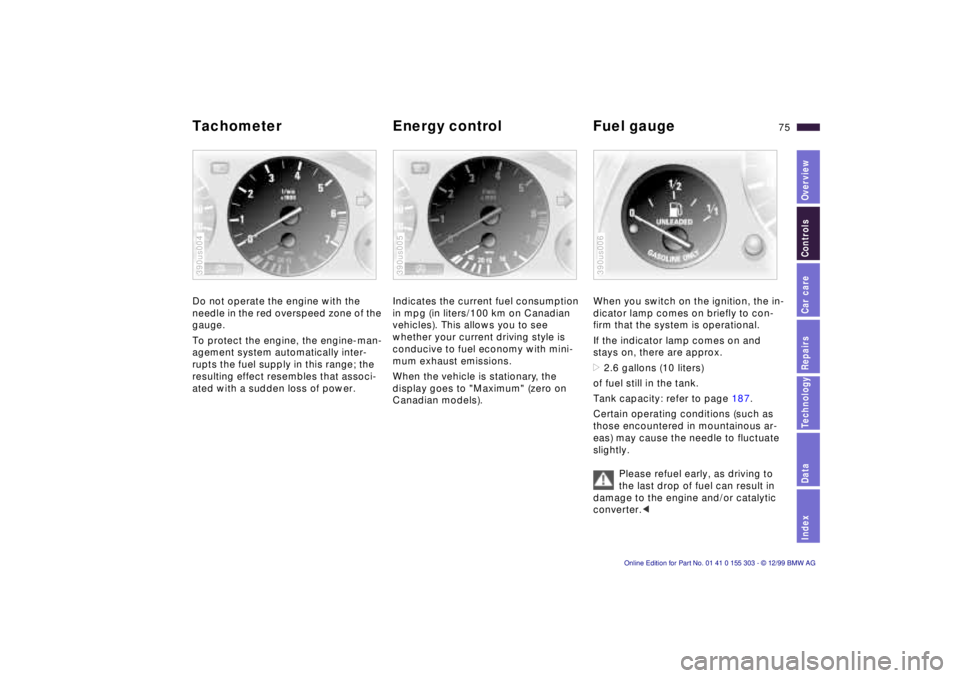
Tachometer Energy control Fuel gauge Do not operate the engine with the
needle in the red overspeed zone of the
gauge.
To protect the engine, the engine-man-
agement system automatically inter-
rupts the fuel supply in this range; the
resulting effect resembles that associ-
ated with a sudden loss of power. 390us004
Indicates the current fuel consumption
in mpg (in liters/100 km on Canadian
vehicles). This allows you to see
whether your current driving style is
conducive to fuel economy with mini-
mum exhaust emissions.
When the vehicle is stationary, the
display goes to "Maximum" (zero on
Canadian models). 390us005
When you switch on the ignition, the in-
dicator lamp comes on briefly to con-
firm that the system is operational.
If the indicator lamp comes on and
stays on, there are approx.
>2.6 gallons (10 liters)
of fuel still in the tank.
Tank capacity: refer to page 187.
Certain operating conditions (such as
those encountered in mountainous ar-
eas) may cause the needle to fluctuate
slightly.
Please refuel early, as driving to
the last drop of fuel can result in
damage to the engine and/or catalytic
converter.< 390us006
Page 76 of 201
76n
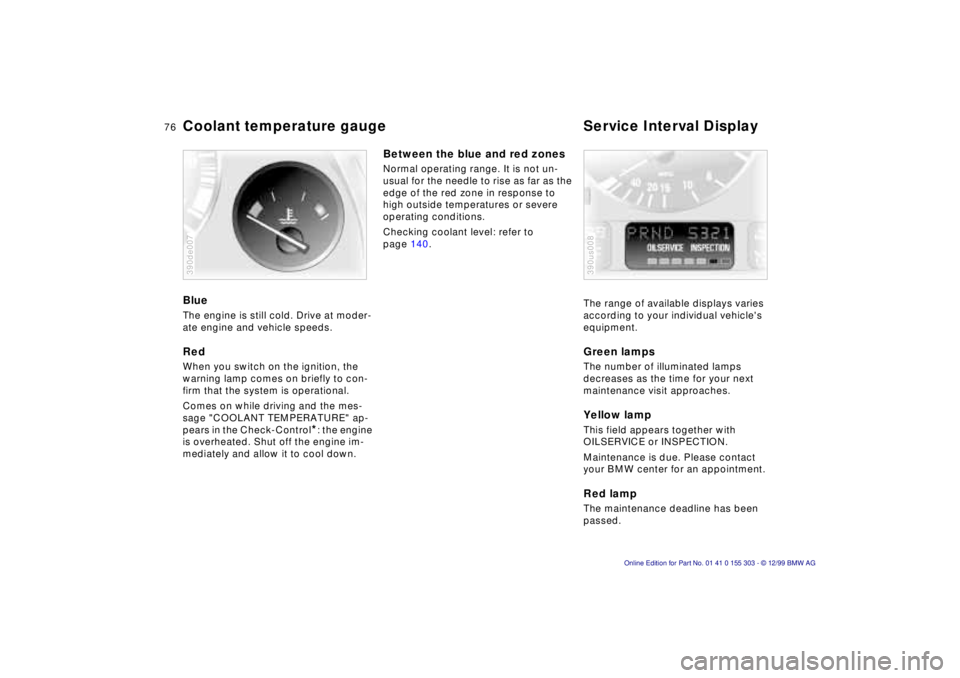
Coolant temperature gauge Service Interval Display Blue The engine is still cold. Drive at moder-
ate engine and vehicle speeds. Red When you switch on the ignition, the
warning lamp comes on briefly to con-
firm that the system is operational.
Comes on while driving and the mes-
sage "COOLANT TEMPERATURE" ap-
pears in the Check-Control
*: the engine
is overheated. Shut off the engine im-
mediately and allow it to cool down.
390de007
Between the blue and red zones Normal operating range. It is not un-
usual for the needle to rise as far as the
edge of the red zone in response to
high outside temperatures or severe
operating conditions.
Checking coolant level: refer to
page 140.
The range of available displays varies
according to your individual vehicle's
equipment.
Green lamps The number of illuminated lamps
decreases as the time for your next
maintenance visit approaches. Yellow lamp This field appears together with
OILSERVICE or INSPECTION.
Maintenance is due. Please contact
your BMW center for an appointment. Red lamp The maintenance deadline has been
passed. 390us008
Page 77 of 201
IndexDataTechnologyRepairsCar careControlsOverview
77n
Check Control Graphic display
*
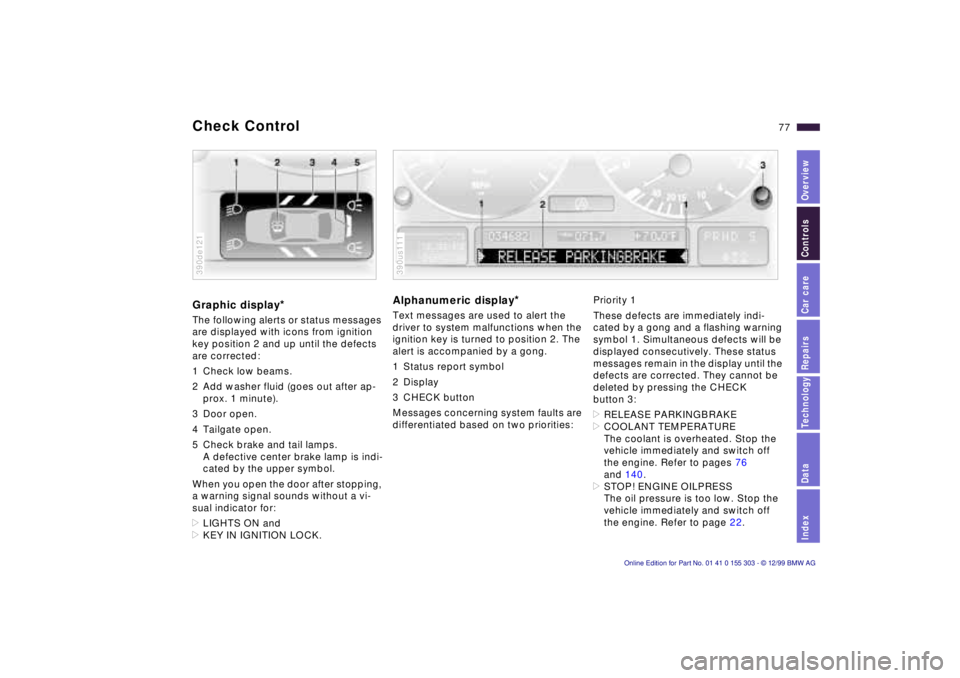
The following alerts or status messages
are displayed with icons from ignition
key position 2 and up until the defects
are corrected:
1 Check low beams.
2 Add washer fluid (goes out after ap-
prox. 1 minute).
3 Door open.
4 Tailgate open.
5 Check brake and tail lamps.
A defective center brake lamp is indi-
cated by the upper symbol.
When you open the door after stopping,
a warning signal sounds without a vi-
sual indicator for:
>LIGHTS ON and
>KEY IN IGNITION LOCK. 390de121
Alphanumeric display
*
Text messages are used to alert the
driver to system malfunctions when the
ignition key is turned to position 2. The
alert is accompanied by a gong.
1 Status report symbol
2 Display
3 CHECK button
Messages concerning system faults are
differentiated based on two priorities: 390us111
Priority 1
These defects are immediately indi-
cated by a gong and a flashing warning
symbol 1. Simultaneous defects will be
displayed consecutively. These status
messages remain in the display until the
defects are corrected. They cannot be
deleted by pressing the CHECK
button 3:
>RELEASE PARKINGBRAKE
>COOLANT TEMPERATURE
The coolant is overheated. Stop the
vehicle immediately and switch off
the engine. Refer to pages 76
and 140.
>STOP! ENGINE OILPRESS
The oil pressure is too low. Stop the
vehicle immediately and switch off
the engine. Refer to page 22.
Page 78 of 201

78n
Check Control >CHECK BRAKE FLUID
Indicates that brake fluid is down to
approximately the minimum level.
Top up the brake fluid at the next op-
portunity. Refer to page 141. Have
the cause of the brake fluid loss diag-
nosed and corrected by your BMW
center.
>SELFLEVEL. SUSP. INACT
Please consult the nearest authorized
BMW center. Refer to page 125.
>SPEED LIMIT
*
You will see this message if the pro-
grammed speed limit has been ex-
ceeded.Priority 2
These displays appear for 20 seconds
when the ignition key is turned to posi-
tion 2. The warning symbols remain
after the message disappears. You can
call up the messages again for display
by pressing the CHECK button.
>TRUNKLID OPEN
This message appears only at the
start of a trip.
>DOOR OPEN
This message appears after a mini-
mal defined road speed has been
exceeded.
>FASTEN SEAT BELTS
*
In addition to this message, an indi-
cator lamp with the safety belt icon
appears and an acoustical signal is
sounded.
>WASHER FLUID LOW
The fluid level is too low; top up at
the next opportunity. Refer to
page 136.
>CHECK ENGINE OIL LEV
Add engine oil as soon as possible.
Refer to page 137.>OUTSIDE TEMP. +23 7 (Ð5 6)
This display is only an example. The
current temperature is displayed at
outside temperatures of +37.5 7
(+3 6) and below. Refer also to
page 74.
>CHECK BRAKE LIGHTS
A lamp has failed or the electrical
circuit has a fault. Refer to pages 157
and 158 or consult an authorized
BMW center.
>CHECK LOWBEAM LIGHTS
CHECK SIDE LIGHTS
CHECK REAR LIGHTS
CHECK FRONT FOGLAMPS
CHECK LICPLATE LIGHTS
CHECK HIGHBEAM LIGHTS
CHECK BACK UP LIGHTS
Defective bulb or circuit. Refer to
page 155 or consult an authorized
BMW center.
Page 79 of 201

IndexDataTechnologyRepairsCar careControlsOverview
79n
Check Control >TRANS. FAILSAFE PROG
Please consult the nearest authorized
BMW center. Refer to page 68.
>CHECK BRAKE LININGS
Have the brake linings inspected by
your BMW center. Refer to page 123.
>CHECK COOLANT LEVEL
Coolant too low, top up at the next
opportunity. Refer to page 140.
>ENGINE FAILSAFE PROG
There is a fault in the engine's elec-
tronic control system. When braking,
higher brake application pressure
may be necessary and brake pedal
travel may be significantly longer.
Have the fault checked by your
authorized BMW center.
Displays after completion of trip All of the malfunctions registered during
the trip appear consecutively when the
key is turned to position 0.
The following displays will appear when
appropriate:
>LIGHTS ON
>KEY IN IGNITION LOCK
>CHECK ENGINE OIL LEV
Add engine oil at the next opportunity
(next stop for fuel). Refer to
page 137.
These displays appear when you open
the driver's door after parking the vehi-
cle. A supplementary gong is also
heard.
Status reports remain available for a
period of approx. three minutes after
the display goes out and the key is
removed from the ignition. Press the
CHECK button 3. If there were multiple
reports, press the CHECK button re-
peatedly to view them all in sequence.
To check the Check Control Press the CHECK button 3 with the
ignition key in position 2: CHECK
CONTROL OK appears in the display.
No malfunctions are present in the
monitored systems. Onboard computer
*
You will find a description of the
onboard computer in the Owner's
Manual for the Radio and Information
System or the Owner's Manual for the
onboard monitor.
You can have the Check Control
and onboard computer messages
displayed in a different language.<
Page 80 of 201
80n
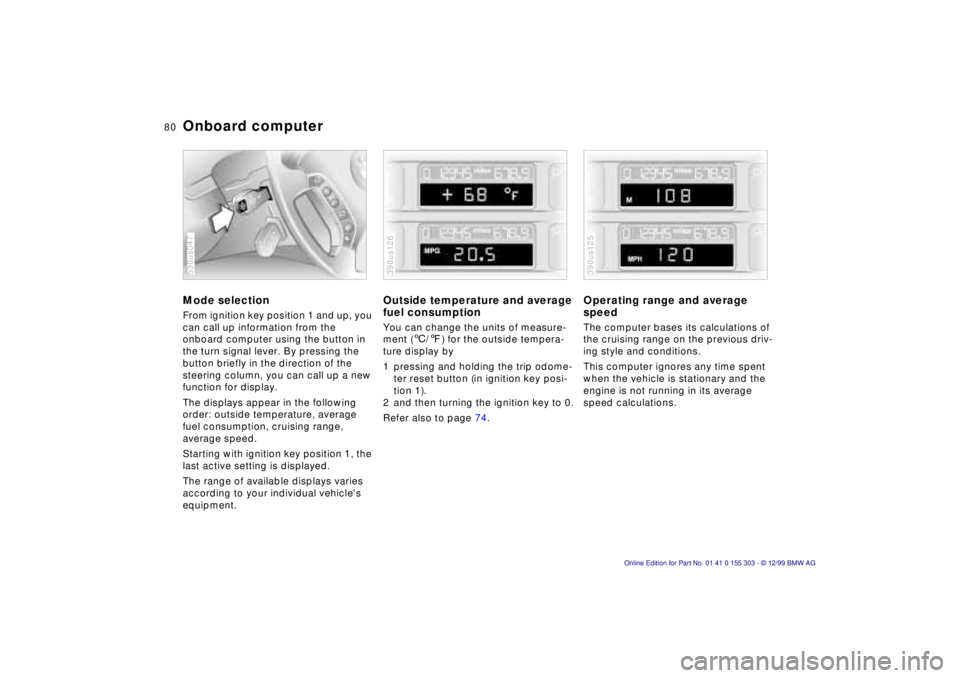
Onboard computer Mode selection From ignition key position 1 and up, you
can call up information from the
onboard computer using the button in
the turn signal lever. By pressing the
button briefly in the direction of the
steering column, you can call up a new
function for display.
The displays appear in the following
order: outside temperature, average
fuel consumption, cruising range,
average speed.
Starting with ignition key position 1, the
last active setting is displayed.
The range of available displays varies
according to your individual vehicle's
equipment. 530us047
Outside temperature and average
fuel consumption You can change the units of measure-
ment (6/7) for the outside tempera-
ture display by
1 pressing and holding the trip odome-
ter reset button (in ignition key posi-
tion 1).
2 and then turning the ignition key to 0.
Refer also to page 74. 390us126
Operating range and average
speed The computer bases its calculations of
the cruising range on the previous driv-
ing style and conditions.
This computer ignores any time spent
when the vehicle is stationary and the
engine is not running in its average
speed calculations. 390us125
Page 82 of 201
82n
The concept The PDC assists you when you are
parking. Acoustical signals inform you
of the distance to an obstacle. To do
this, four ultrasonic sensors in the front
and rear bumpers measure the distance
to the nearest object. The monitoring
range for the front sensors as well as
the two rear corner sensors ends ap-
prox. 2 feet (60 cm) behind the respec-
tive bumper. The center sensors in the
rear have a range of approx. 5 feet
(1.50 meters). Automatic function The system starts to operate auto-
matically about one second after you
select ÒReverseÒ with the ignition key in
position 2.
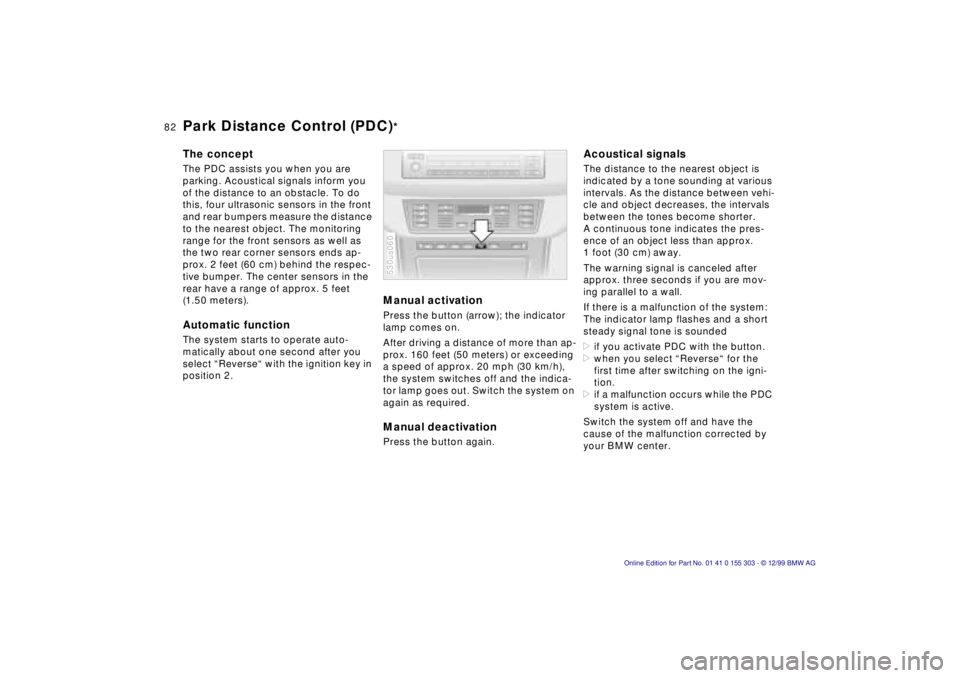
Manual activation Press the button (arrow); the indicator
lamp comes on.
After driving a distance of more than ap-
prox. 160 feet (50 meters) or exceeding
a speed of approx. 20 mph (30 km/h),
the system switches off and the indica-
tor lamp goes out. Switch the system on
again as required. Manual deactivation Press the button again. 530us060
Acoustical signals The distance to the nearest object is
indicated by a tone sounding at various
intervals. As the distance between vehi-
cle and object decreases, the intervals
between the tones become shorter.
A continuous tone indicates the pres-
ence of an object less than approx.
1 foot (30 cm) away.
The warning signal is canceled after
approx. three seconds if you are mov-
ing parallel to a wall.
If there is a malfunction of the system:
The indicator lamp flashes and a short
steady signal tone is sounded
>if you activate PDC with the button.
>when you select ÒReverseÒ for the
first time after switching on the igni-
tion.
>if a malfunction occurs while the PDC
system is active.
Switch the system off and have the
cause of the malfunction corrected by
your BMW center.
Park Distance Control (PDC)
*
Page 83 of 201
IndexDataTechnologyRepairsCar careControlsOverview
83n
PDC
*
Dynamic Stability Control (DSC)
The PDC system does not remove
the driver's personal responsibility
for evaluating the distance between the
vehicle and any obstacles. Even when
sensors are involved, there is a blind
spot in which objects cannot be de-
tected. This applies especially in those
cases where the system approaches
the physical constraints of ultrasonic
measurement, as occurs with tow bars
and trailer couplings, and in the vicinity
of thin and painted objects.
Certain sources of sound, such as a
loud radio, could drown out the PDC
signal tone.<
Keep the sensors clean and free
of ice or snow in order to ensure
that they continue to operate effectively.
Do not apply high pressure spray to the
sensors for a prolonged period of time.
Maintain an adequate distance of more
than 4 inches (10 cm).<
The concept DSC maintains vehicle stability, even in
critical driving situations.
The system optimizes vehicle stability
during acceleration and when starting
from a full stop, as well as optimizing
traction. In addition, the system recog-
nizes unstable vehicle conditions (un-
dersteering or oversteering, for exam-
ple) and helps to keep the vehicle on a
sure course by intervening via the en-
gine and by braking intervention at the
individual wheels.
The system starts up automatically
each time you start the engine. Indicator lamp
The indicator lamp in the instru-
ment cluster goes out shortly
after you switch on the ignition.
Refer to page 24.
Indicator lamp ßashes:
The system is active and governs drive
force and braking force.
If the indicator lamp fails to go out after
the engine is started, or comes on dur-
ing normal driving and stays on:
There is a system malfunction or the
system was deactivated with the but-
ton. You can continue to drive the vehi-
cle normally, but without DSC. Consult
your authorized BMW center to have
the system repaired.
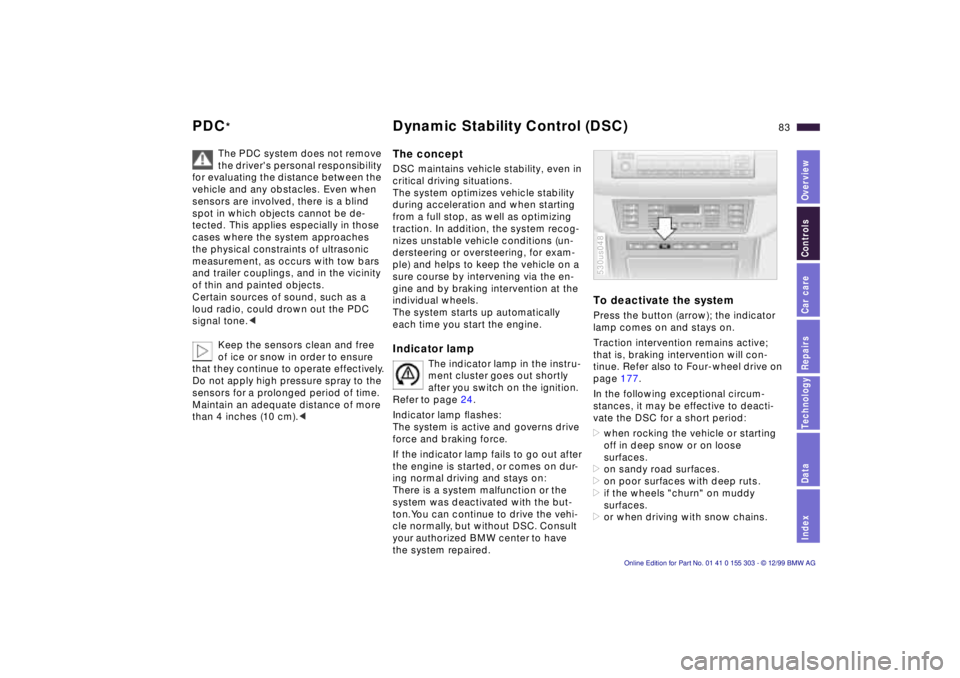
To deactivate the system Press the button (arrow); the indicator
lamp comes on and stays on.
Traction intervention remains active;
that is, braking intervention will con-
tinue. Refer also to Four-wheel drive on
page 177.
In the following exceptional circum-
stances, it may be effective to deacti-
vate the DSC for a short period:
>when rocking the vehicle or starting
off in deep snow or on loose
surfaces.
>on sandy road surfaces.
>on poor surfaces with deep ruts.
>if the wheels "churn" on muddy
surfaces.
>or when driving with snow chains. 530us048
Page 84 of 201
84n
DSC Hill Descent Control (HDC)
As a result of the traction interven-
tion, the brakes may be subjected
to additional loads when the system is
deactivated. For this reason, it is possi-
ble that the braking intervention will be
disabled automatically for a brief period
in order to limit brake temperature.
To maintain vehicle stability, always
drive with the system switched on when
possible.<
To reactivate the systemPress the button again; the indicator
lamp goes out.
The laws of physics cannot be re-
pealed, even with DSC. An appro-
priate driving style always remains the
responsibility of the driver. We there-
fore urge you to avoid using the addi-
tional safety margin of the system as an
excuse for taking risks.<
For additional details concerning DSC,
please refer to the chapter describing
"Advanced technology" on page 177.
The concept HDC is a system for driving downhill on
steep roads. This system reduces
vehicle speed on steep downgrades,
thus allowing you to maintain control of
your BMW under these conditions.
The vehicle moves at slightly more than
walking speed without active interven-
tion from the driver.
You can activate HDC below approx.
20 mph (35 km/h). When driving down
steep roads, the vehicle reduces speed
automatically down to slightly more
than walking speed (approx. 5 mph/
8 km/h) and then maintains this speed
at a constant.
By applications of the brakes or accel-
erator, you can alter this speed in the
range of approx. 3 mph (5 km/h) to ap-
prox. 20 mph (35 km/h).
HDC is deactivated automatically if you
exceed approx. 35 mph (60 km/h).
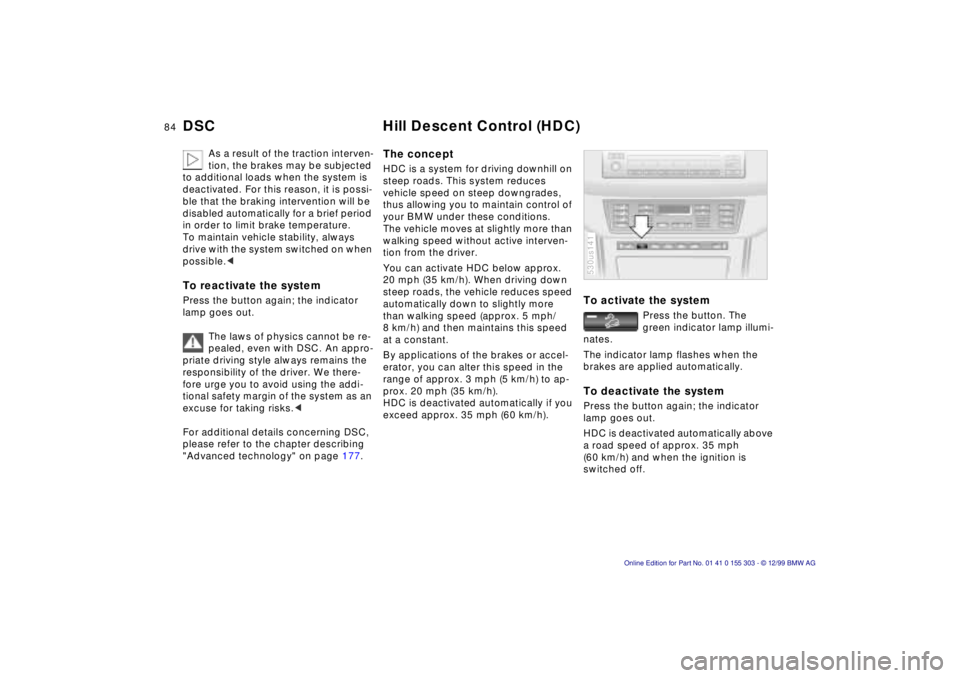
To activate the system
Press the button. The
green indicator lamp illumi-
nates.
The indicator lamp flashes when the
brakes are applied automatically.
To deactivate the system Press the button again; the indicator
lamp goes out.
HDC is deactivated automatically above
a road speed of approx. 35 mph
(60 km/h) and when the ignition is
switched off. 530us141