lock BMW X5 4.4I 2000 Owner's Manual
[x] Cancel search | Manufacturer: BMW, Model Year: 2000, Model line: X5 4.4I, Model: BMW X5 4.4I 2000Pages: 201, PDF Size: 1.93 MB
Page 56 of 201
56n
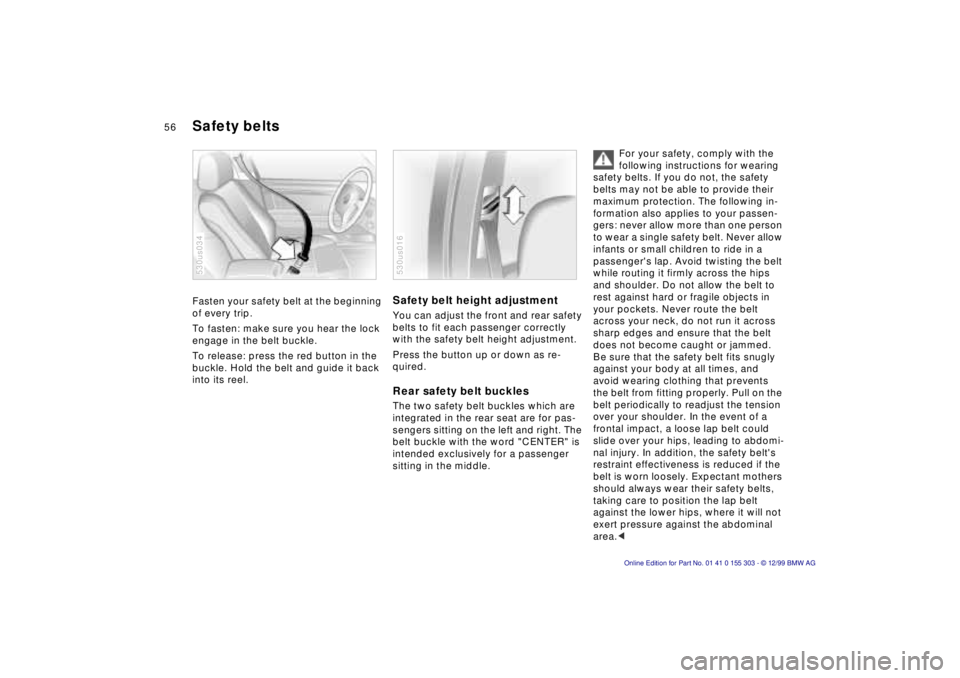
Fasten your safety belt at the beginning
of every trip.
To fasten: make sure you hear the lock
engage in the belt buckle.
To release: press the red button in the
buckle. Hold the belt and guide it back
into its reel.
530us034
Safety belt height adjustment You can adjust the front and rear safety
belts to fit each passenger correctly
with the safety belt height adjustment.
Press the button up or down as re-
quired. Rear safety belt buckles The two safety belt buckles which are
integrated in the rear seat are for pas-
sengers sitting on the left and right. The
belt buckle with the word "CENTER" is
intended exclusively for a passenger
sitting in the middle.530us016
For your safety, comply with the
following instructions for wearing
safety belts. If you do not, the safety
belts may not be able to provide their
maximum protection. The following in-
formation also applies to your passen-
gers: never allow more than one person
to wear a single safety belt. Never allow
infants or small children to ride in a
passenger's lap. Avoid twisting the belt
while routing it firmly across the hips
and shoulder. Do not allow the belt to
rest against hard or fragile objects in
your pockets. Never route the belt
across your neck, do not run it across
sharp edges and ensure that the belt
does not become caught or jammed.
Be sure that the safety belt fits snugly
against your body at all times, and
avoid wearing clothing that prevents
the belt from fitting properly. Pull on the
belt periodically to readjust the tension
over your shoulder. In the event of a
frontal impact, a loose lap belt could
slide over your hips, leading to abdomi-
nal injury. In addition, the safety belt's
restraint effectiveness is reduced if the
belt is worn loosely. Expectant mothers
should always wear their safety belts,
taking care to position the lap belt
against the lower hips, where it will not
exert pressure against the abdominal
area.<
Safety belts
Page 58 of 201
58n
Airbags Indicator lamp
The indicator lamp displays the
operational status of the airbag
system from ignition key posi-
tion 1 and up.
System operational:
>The indicator lamp comes on briefly
then goes out.
System malfunction:
>The indicator lamp fails to come on.
>The indicator lamp comes on briefly
before going out and then lighting up
again.
A system malfunction could prevent the
system from responding to an impact
occurring within its normal response
range.
Please have your authorized BMW cen-
ter inspect and repair the system as
soon as possible.
Sitting correctly with airbags
For your safety, comply with the
following instructions for the air-
bags. If you do not, the airbags may not
be able to provide their maximum pro-
tection. All passengers in the vehicle
should be aware of and comply with
this information:
The airbags are supplemental restraint
devices designed to provide extra pro-
tection; they are not a substitute for
safety belts. Wear your safety belt at all
times. The airbags will not be triggered
in the event of a minor accident, a vehi-
cle roll-over, or collisions from the rear.
In these instances, the safety belt pro-
vides optimal protection.
Airbags are located under cover panels
in the steering wheel, in the dashboard,
in the side trim panels in the front and
rear*, and in the windshield pillars and
the sides of the headliner.
Adjust your seat to a position that pro-
vides maximum distance between you
and the steering wheel, the instrument
panel and the door while still allowing
comfortable and safe access to all
vehicle controls.
To avoid sustaining hand and arm inju-
ries, always grasp the steering wheel
on
the rim with the hands at the 9 and
3 o'clock positions. Do not place your
hands on the center pad.
Never allow any objects to obstruct the
area between the airbag and an occu-
pant.
Do not use the cover panel above the
passenger-side airbag as a storage
area.
Do not apply adhesive materials to the
cover panels of the airbags, cover them
or modify them in any other way.
Do not install a rear-facing child re-
straint system in the front passenger
seat of this vehicle.
Children under 13 years of age and
children less than 5 feet (150 cm) tall
should ride only in the rear seat.
Infants or small children should never
be held on the lap of a passenger.
If your vehicle is equipped with side air-
bags in the rear passenger area, be
sure that child restraints are mounted
correctly and provided with the great-
est-possible distance between the air-
bags in the side trim panels. Do not al-
low children to lean out of the child's
seat in the direction of the side trim
panels. If they do so, serious injuries
can occur if the airbag is triggered.<
Page 61 of 201
IndexDataTechnologyRepairsCar careControlsOverview
61n
Child restraints
*
Child seat security
Before installing any child restraint
device or child seat, please read
the following:
Never install a rear-facing child restraint
system in the front passenger seat of
this vehicle.
Your vehicle is equipped with an airbag
supplemental restraint system for the
front passenger. Because the backrest
on any rear-facing child restraint sys-
tem (of the kind designed for infants
under 1 year and 20 Ibs./9 kg) would be
within the airbag's deployment range,
you should never mount such a device
in the front passenger seat, since the
impact of the airbag against the child
restraint's backrest could lead to seri-
ous or fatal injuries.
If it is necessary for a child (not an in-
fant) to ride in the front seat, certain
precautions should be taken. First,
move the passenger seat as far away
from the dashboard as possible. This
important precaution is intended to
maximize the distance between the
airbag and the child. Older children
should be tightly secured with a safety
belt. Younger children should be se-
cured in an appropriate forward-facing
child restraint system that has first been
properly secured with a safety belt.
Never install a rear-facing child restraint
system in the front passenger seat.
We strongly urge you to carefully read
and comply with the instructions for in-
stallation and use provided by the child
restraint's manufacturer whenever you
use such a device.
Be sure that all occupants (of all ages)
remain properly and securely restrained
at all times.<
All rear seating positions in your vehicle
meet the recommendations of SAE
J1819, an industry-recommended prac-
tice for securing child restraint systems
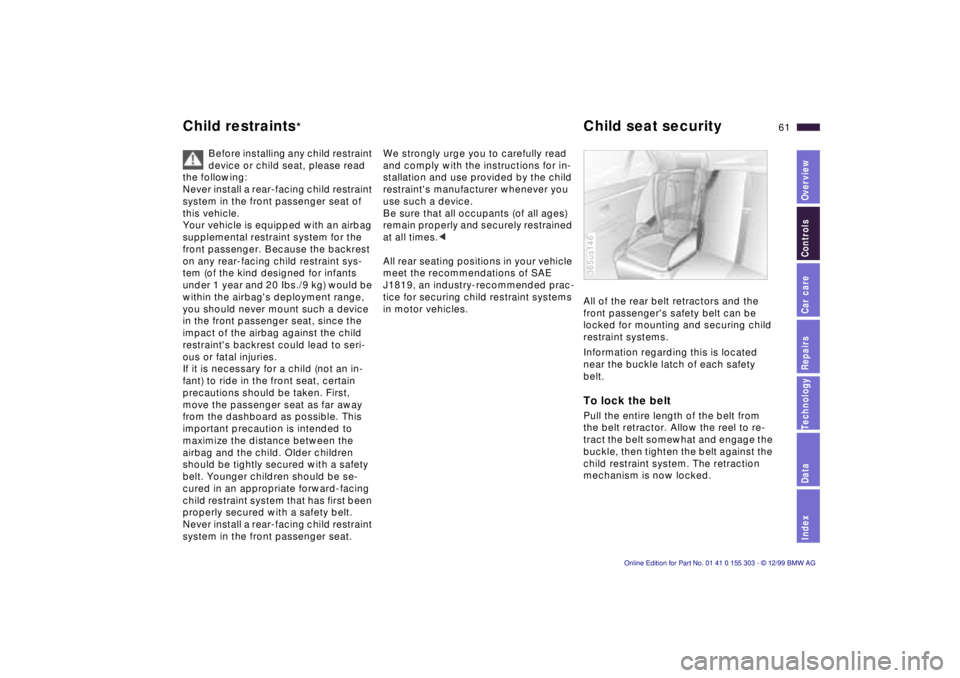
in motor vehicles. All of the rear belt retractors and the
front passenger's safety belt can be
locked for mounting and securing child
restraint systems.
Information regarding this is located
near the buckle latch of each safety
belt.
To lock the belt Pull the entire length of the belt from
the belt retractor. Allow the reel to re-
tract the belt somewhat and engage the
buckle, then tighten the belt against the
child restraint system. The retraction
mechanism is now locked. 365us146
Page 62 of 201
62n
Child seat security Child-safety locks To release the belt Release the buckle, remove the child-
restraint device and allow the belt
retractor to reel the belt completely in.
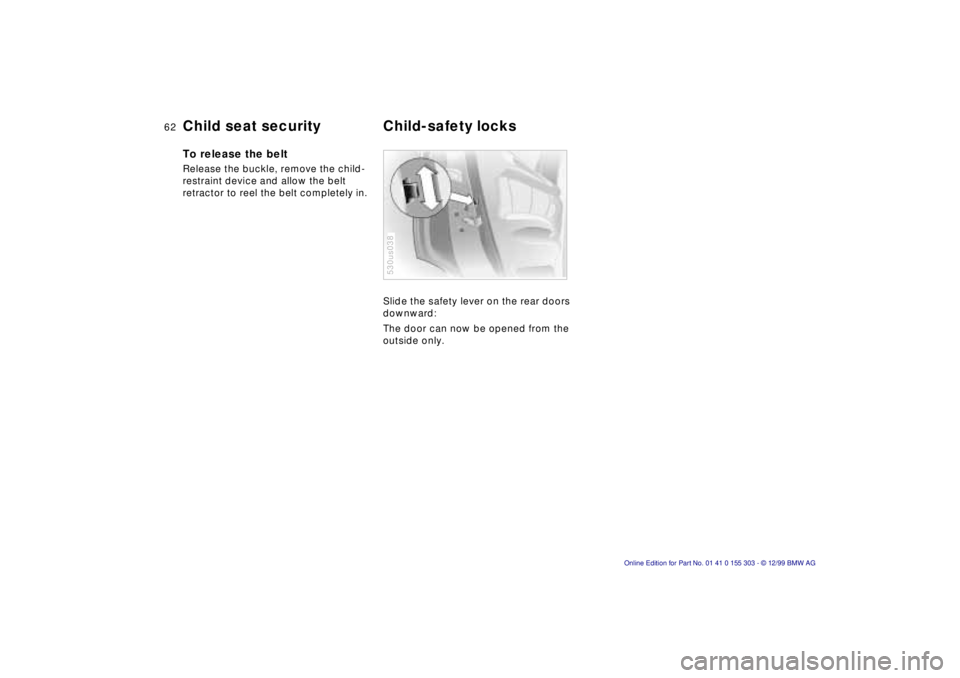
Slide the safety lever on the rear doors
downward:
The door can now be opened from the
outside only.
530us038
Page 63 of 201
IndexDataTechnologyRepairsCar careControlsOverview
63n
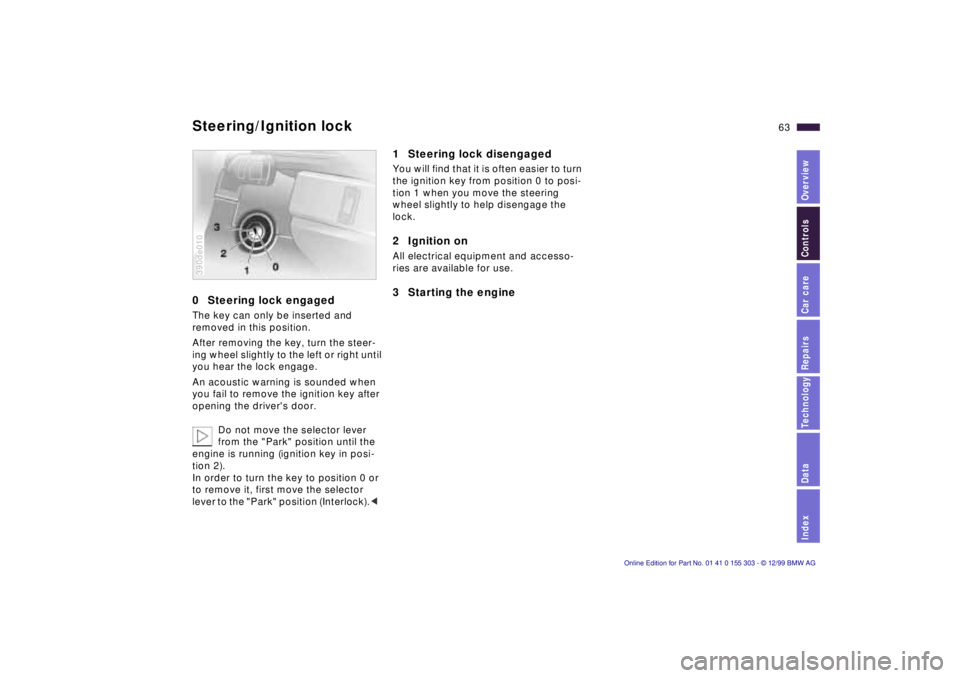
0 Steering lock engaged The key can only be inserted and
removed in this position.
After removing the key, turn the steer-
ing wheel slightly to the left or right until
you hear the lock engage.
An acoustic warning is sounded when
you fail to remove the ignition key after
opening the driver's door.
Do not move the selector lever
from the "Park" position until the
engine is running (ignition key in posi-
tion 2).
In order to turn the key to position 0 or
to remove it, first move the selector
lever to the "Park" position (Interlock).< 390de010
1 Steering lock disengaged You will find that it is often easier to turn
the ignition key from position 0 to posi-
tion 1 when you move the steering
wheel slightly to help disengage the
lock.2 Ignition on All electrical equipment and accesso-
ries are available for use. 3 Starting the engine
Steering/Ignition lock
Page 65 of 201
IndexDataTechnologyRepairsCar careControlsOverview
65n
Switching off the engine Parking brake Turn the ignition key to position 1 or 0.
Never remove the ignition key
while the vehicle is rolling. If you
did so, the ignition lock would engage
when the steering wheel is turned.
Always remove the ignition key and en-
gage the steering lock before leaving
the vehicle.
Always engage the parking brake and
place the selector lever in "Park" when
parking on slopes and inclined sur-
faces.<
The vehicle must be stationary and the
selector lever in "Park" before you can
remove the ignition key.
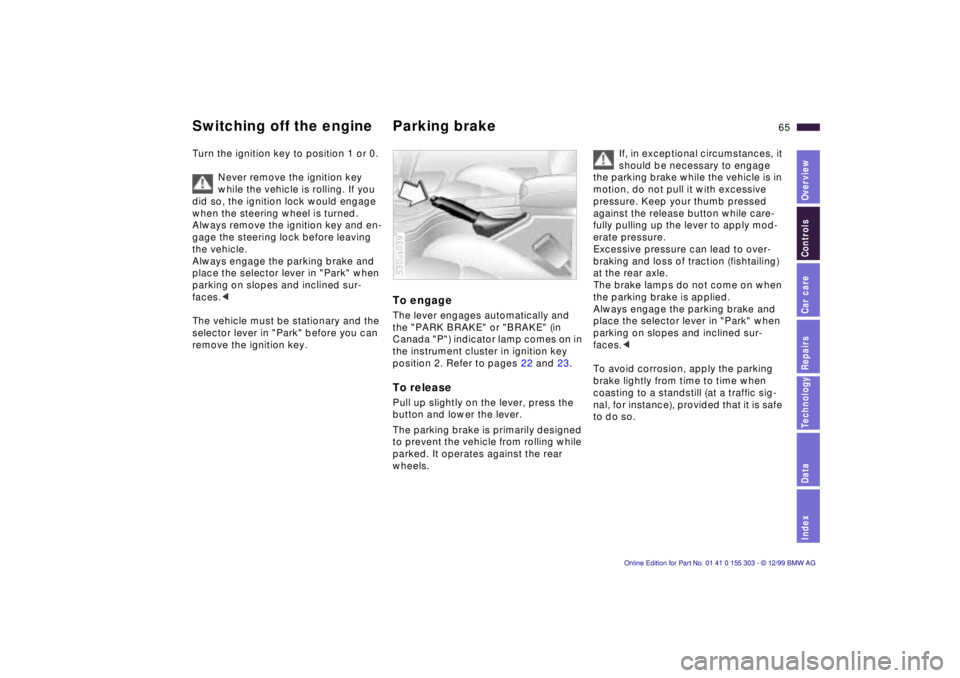
To engage The lever engages automatically and
the "PARK BRAKE" or "BRAKE" (in
Canada "P") indicator lamp comes on in
the instrument cluster in ignition key
position 2. Refer to pages 22 and 23. To release Pull up slightly on the lever, press the
button and lower the lever.
The parking brake is primarily designed
to prevent the vehicle from rolling while
parked. It operates against the rear
wheels. 530us039
If, in exceptional circumstances, it
should be necessary to engage
the parking brake while the vehicle is in
motion, do not pull it with excessive
pressure. Keep your thumb pressed
against the release button while care-
fully pulling up the lever to apply mod-
erate pressure.
Excessive pressure can lead to over-
braking and loss of traction (fishtailing)
at the rear axle.
The brake lamps do not come on when
the parking brake is applied.
Always engage the parking brake and
place the selector lever in "Park" when
parking on slopes and inclined sur-
faces.<
To avoid corrosion, apply the parking
brake lightly from time to time when
coasting to a standstill (at a traffic sig-
nal, for instance), provided that it is safe
to do so.
Page 66 of 201
66n
Automatic transmission with Steptronic You can drive as with a normal auto-
matic transmission. In addition, you can
also shift manually.
When you move the selector lever from
the "D" position to the left into the M/S
range, the performance-oriented shift
programs of the automatic transmission
are engaged. As soon as you briefly
touch the selector lever in the "+" or "Ð"
direction, Steptronic changes the gear.
The manual mode is engaged. When
you wish to use the automatic transmis-
sion mode again, move the selector
lever to the right into the "D" position.
The automatic transmission of your
BMW is equipped with Adaptive Trans-
mission Control (ATC), a system which
reacts with precision to your individual
driving style and the driving conditions. 530us040
To achieve this, different shift programs
are automatically engaged.
For additional details concerning the
ATC, please refer to the chapter de-
scribing "Advanced technology" on
page 176. Selector lever positions
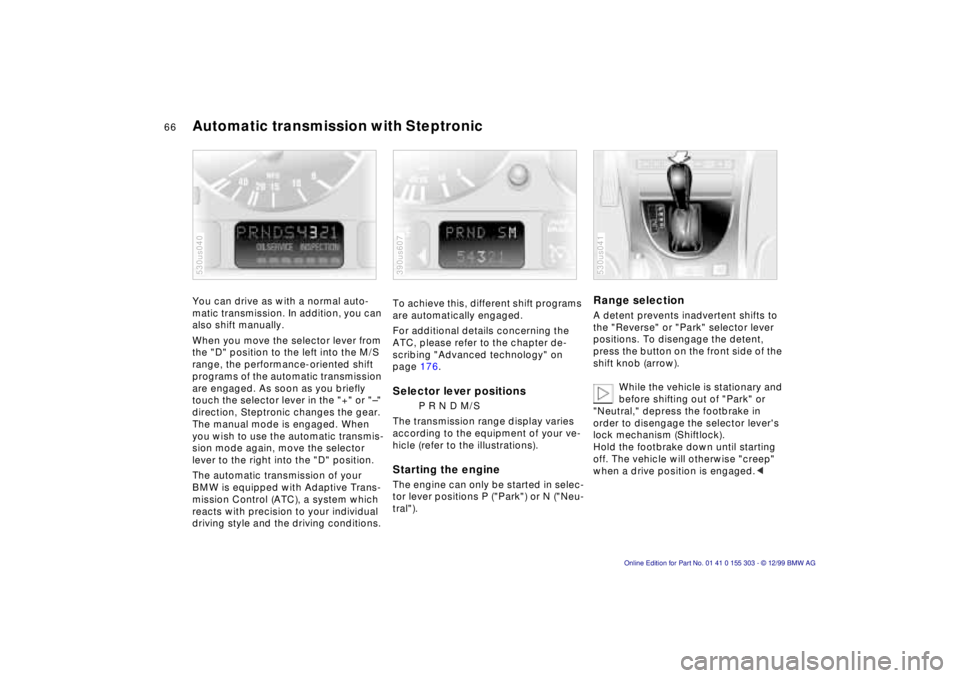
P R N D M/S
The transmission range display varies
according to the equipment of your ve-
hicle (refer to the illustrations).
Starting the engine The engine can only be started in selec-
tor lever positions P ("Park") or N ("Neu-
tral"). 390us607
Range selection A detent prevents inadvertent shifts to
the "Reverse" or "Park" selector lever
positions. To disengage the detent,
press the button on the front side of the
shift knob (arrow).
While the vehicle is stationary and
before shifting out of "Park" or
"Neutral," depress the footbrake in
order to disengage the selector lever's
lock mechanism (Shiftlock).
Hold the footbrake down until starting
off. The vehicle will otherwise "creep"
when a drive position is engaged.< 530us041
Page 67 of 201
IndexDataTechnologyRepairsCar careControlsOverview
67n
Automatic transmission with Steptronic
If you leave the vehicle with the
engine running, move the selector
lever to the "Park" or "Neutral" position
and apply the parking brake. If you fail
to do this, the vehicle could move.
Do not leave the vehicle unattended
with the engine running. An unattended
vehicle with a running engine repre-
sents a potential safety hazard.<
P Ñ Park Select "Park" only when the vehicle is
completely stopped. The transmission
locks to prevent the rear wheels from
turning. R Ñ Reverse Select "Reverse" only when the vehicle
is completely stopped.
When you select "Reverse", the backup
lamps will turn on automatically when
the ignition key is in position 2. N Ñ Neutral Select "Neutral" only if your journey is
interrupted for a longer period.
D Ñ Drive
(automatic shift program) This position is designed for driving
under all normal operating conditions.
All forward gears are available. "Kickdown" In the "Kickdown" mode, you achieve
maximum performance.
Depress the accelerator pedal past the
increased resistance point at the full-
throttle position.
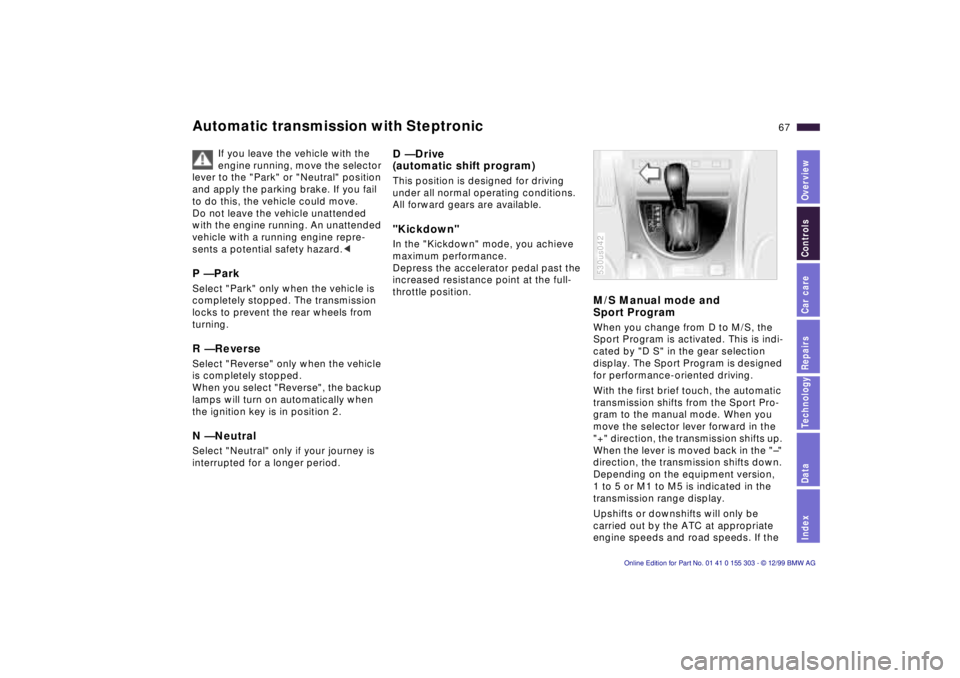
M/S Manual mode and
Sport Program When you change from D to M/S, the
Sport Program is activated. This is indi-
cated by "D S" in the gear selection
display. The Sport Program is designed
for performance-oriented driving.
With the first brief touch, the automatic
transmission shifts from the Sport Pro-
gram to the manual mode. When you
move the selector lever forward in the
"+" direction, the transmission shifts up.
When the lever is moved back in the "Ð"
direction, the transmission shifts down.
Depending on the equipment version,
1 to 5 or M1 to M5 is indicated in the
transmission range display.
Upshifts or downshifts will only be
carried out by the ATC at appropriate
engine speeds and road speeds. If the 530us042
Page 77 of 201
IndexDataTechnologyRepairsCar careControlsOverview
77n
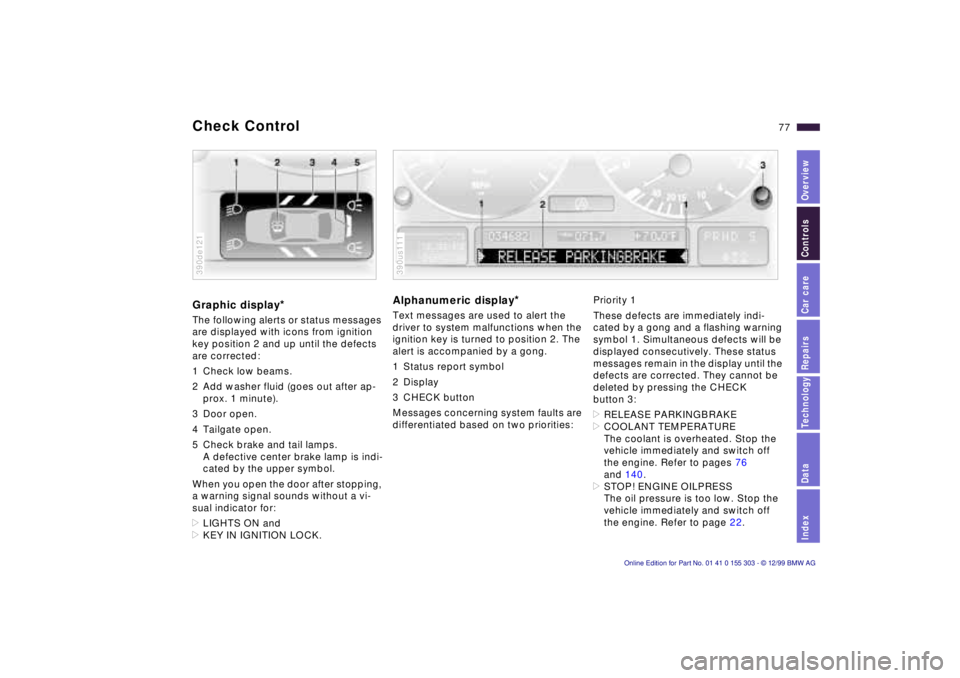
Check Control Graphic display
*
The following alerts or status messages
are displayed with icons from ignition
key position 2 and up until the defects
are corrected:
1 Check low beams.
2 Add washer fluid (goes out after ap-
prox. 1 minute).
3 Door open.
4 Tailgate open.
5 Check brake and tail lamps.
A defective center brake lamp is indi-
cated by the upper symbol.
When you open the door after stopping,
a warning signal sounds without a vi-
sual indicator for:
>LIGHTS ON and
>KEY IN IGNITION LOCK. 390de121
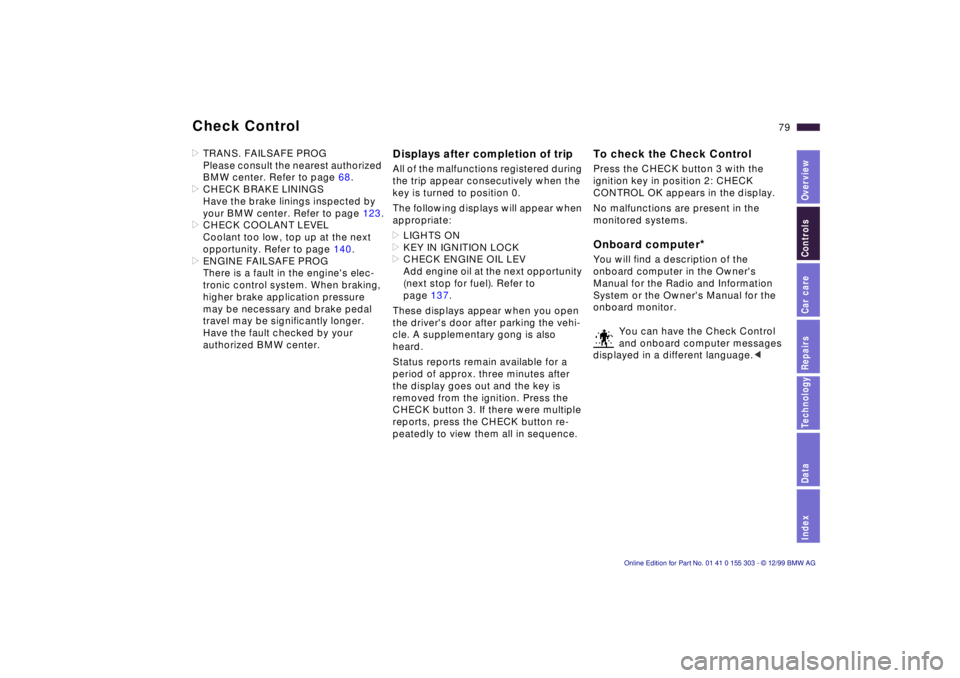
Alphanumeric display
*
Text messages are used to alert the
driver to system malfunctions when the
ignition key is turned to position 2. The
alert is accompanied by a gong.
1 Status report symbol
2 Display
3 CHECK button
Messages concerning system faults are
differentiated based on two priorities: 390us111
Priority 1
These defects are immediately indi-
cated by a gong and a flashing warning
symbol 1. Simultaneous defects will be
displayed consecutively. These status
messages remain in the display until the
defects are corrected. They cannot be
deleted by pressing the CHECK
button 3:
>RELEASE PARKINGBRAKE
>COOLANT TEMPERATURE
The coolant is overheated. Stop the
vehicle immediately and switch off
the engine. Refer to pages 76
and 140.
>STOP! ENGINE OILPRESS
The oil pressure is too low. Stop the
vehicle immediately and switch off
the engine. Refer to page 22.
Page 79 of 201
IndexDataTechnologyRepairsCar careControlsOverview
79n
Check Control >TRANS. FAILSAFE PROG
Please consult the nearest authorized
BMW center. Refer to page 68.
>CHECK BRAKE LININGS
Have the brake linings inspected by
your BMW center. Refer to page 123.
>CHECK COOLANT LEVEL
Coolant too low, top up at the next
opportunity. Refer to page 140.
>ENGINE FAILSAFE PROG
There is a fault in the engine's elec-
tronic control system. When braking,
higher brake application pressure
may be necessary and brake pedal
travel may be significantly longer.
Have the fault checked by your
authorized BMW center.
Displays after completion of trip All of the malfunctions registered during
the trip appear consecutively when the
key is turned to position 0.
The following displays will appear when
appropriate:
>LIGHTS ON
>KEY IN IGNITION LOCK
>CHECK ENGINE OIL LEV
Add engine oil at the next opportunity
(next stop for fuel). Refer to
page 137.
These displays appear when you open
the driver's door after parking the vehi-
cle. A supplementary gong is also
heard.
Status reports remain available for a
period of approx. three minutes after
the display goes out and the key is
removed from the ignition. Press the
CHECK button 3. If there were multiple
reports, press the CHECK button re-
peatedly to view them all in sequence.
To check the Check Control Press the CHECK button 3 with the
ignition key in position 2: CHECK
CONTROL OK appears in the display.
No malfunctions are present in the
monitored systems. Onboard computer
*
You will find a description of the
onboard computer in the Owner's
Manual for the Radio and Information
System or the Owner's Manual for the
onboard monitor.
You can have the Check Control
and onboard computer messages
displayed in a different language.<