brake BMW X5 4.4I 2003 User Guide
[x] Cancel search | Manufacturer: BMW, Model Year: 2003, Model line: X5 4.4I, Model: BMW X5 4.4I 2003Pages: 183, PDF Size: 2.31 MB
Page 66 of 183
66n
Automatic transmission with Steptronic
*
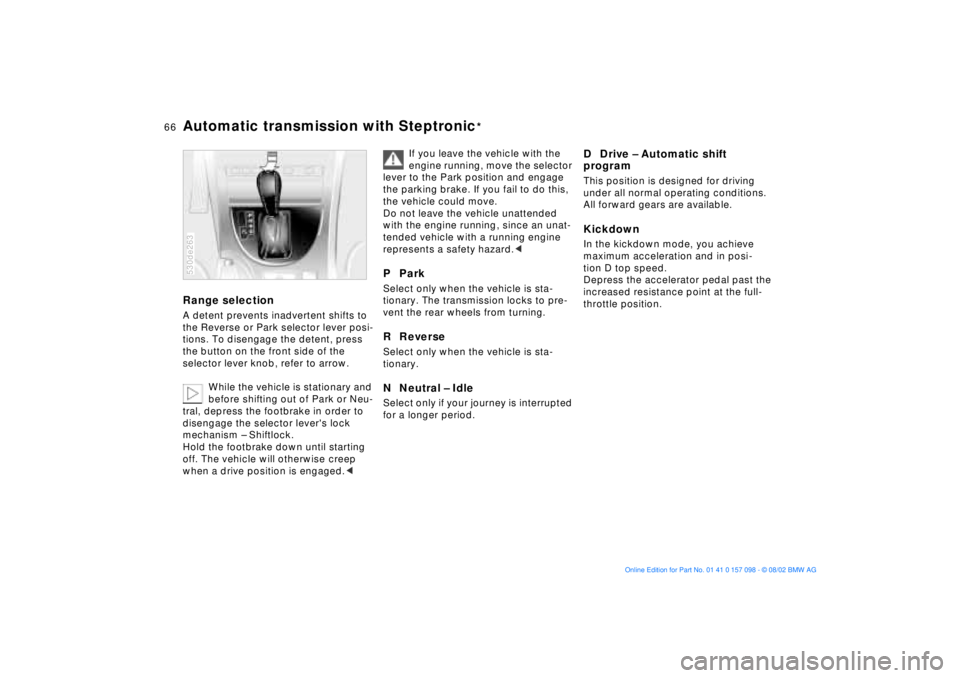
Range selection A detent prevents inadvertent shifts to
the Reverse or Park selector lever posi-
tions. To disengage the detent, press
the button on the front side of the
selector lever knob, refer to arrow.
While the vehicle is stationary and
before shifting out of Park or Neu-
tral, depress the footbrake in order to
disengage the selector lever's lock
mechanism Ð Shiftlock.
Hold the footbrake down until starting
off. The vehicle will otherwise creep
when a drive position is engaged.< 530de263
If you leave the vehicle with the
engine running, move the selector
lever to the Park position and engage
the parking brake. If you fail to do this,
the vehicle could move.
Do not leave the vehicle unattended
with the engine running, since an unat-
tended vehicle with a running engine
represents a safety hazard.<
P Park Select only when the vehicle is sta-
tionary. The transmission locks to pre-
vent the rear wheels from turning.R Reverse Select only when the vehicle is sta-
tionary. N Neutral Ð IdleSelect only if your journey is interrupted
for a longer period.
D Drive Ð Automatic shift
program This position is designed for driving
under all normal operating conditions.
All forward gears are available. Kickdown In the kickdown mode, you achieve
maximum acceleration and in posi-
tion D top speed.
Depress the accelerator pedal past the
increased resistance point at the full-
throttle position.
Page 67 of 183
67n
OverviewControlsMaintenanceRepairsDataIndex
Automatic transmission with Steptronic
*
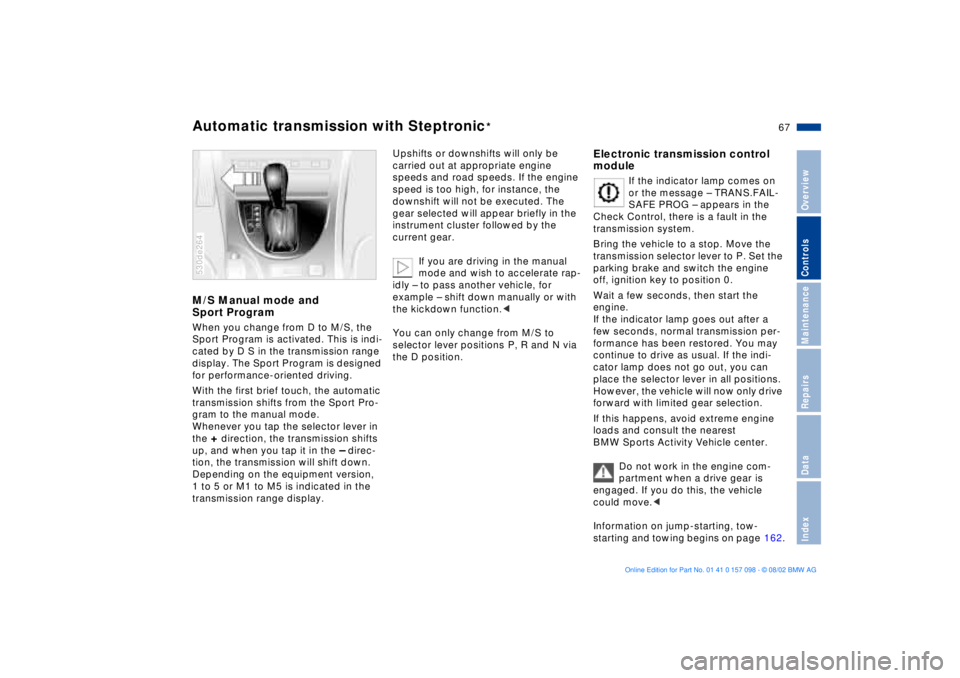
M/S Manual mode and
Sport Program When you change from D to M/S, the
Sport Program is activated. This is indi-
cated by D S in the transmission range
display. The Sport Program is designed
for performance-oriented driving.
With the first brief touch, the automatic
transmission shifts from the Sport Pro-
gram to the manual mode.
Whenever you tap the selector lever in
the
+ direction, the transmission shifts
up, and when you tap it in the
Ð direc-
tion, the transmission will shift down.
Depending on the equipment version,
1 to 5 or M1 to M5 is indicated in the
transmission range display.
530de264
Upshifts or downshifts will only be
carried out at appropriate engine
speeds and road speeds. If the engine
speed is too high, for instance, the
downshift will not be executed. The
gear selected will appear briefly in the
instrument cluster followed by the
current gear.
If you are driving in the manual
mode and wish to accelerate rap-
idly Ð to pass another vehicle, for
example Ð shift down manually or with
the kickdown function.<
You can only change from M/S to
selector lever positions P, R and N via
the D position.
Electronic transmission control
module
If the indicator lamp comes on
or the message Ð TRANS.FAIL-
SAFE PROG Ð appears in the
Check Control, there is a fault in the
transmission system.
Bring the vehicle to a stop. Move the
transmission selector lever to P. Set the
parking brake and switch the engine
off, ignition key to position 0.
Wait a few seconds, then start the
engine.
If the indicator lamp goes out after a
few seconds, normal transmission per-
formance has been restored. You may
continue to drive as usual. If the indi-
cator lamp does not go out, you can
place the selector lever in all positions.
However, the vehicle will now only drive
forward with limited gear selection.
If this happens, avoid extreme engine
loads and consult the nearest
BMW Sports Activity Vehicle center.
Do not work in the engine com-
partment when a drive gear is
engaged. If you do this, the vehicle
could move.<
Information on jump-starting, tow-
starting and towing begins on page 162.
Page 72 of 183
72n
Cruise control
*
To decelerate Press button
Ð briefly:
When cruise control is active, every
brief touch of the button reduces the
speed by approx. 0.6 mph/1 km/h.
Press and hold button
Ð:
With the cruise control active, the
system automatically reduces the
throttle opening to slow the vehicle.
When you release the button, the
system maintains and stores the cur-
rent speed.
To interrupt the cruise control When the system is activated, press
button 1. The indicator lamp stays on.
You can use the cruise control again
whenever required by calling up the
speed that was stored last.
In addition, the system is automatically
interrupted in response to the following
conditions:
>When you apply pressure to the
brake pedal
>When you apply pressure to the
clutch pedal or when you move the
automatic transmission selector lever
from Drive to Neutral
>If you exceed or fall below the con-
trolled speed for an extended period,
by depressing the accelerator, for
example.
To recall the stored setting Press button:
The vehicle accelerates to and main-
tains the last speed stored.
Page 77 of 183
77n
OverviewControlsMaintenanceRepairsDataIndex
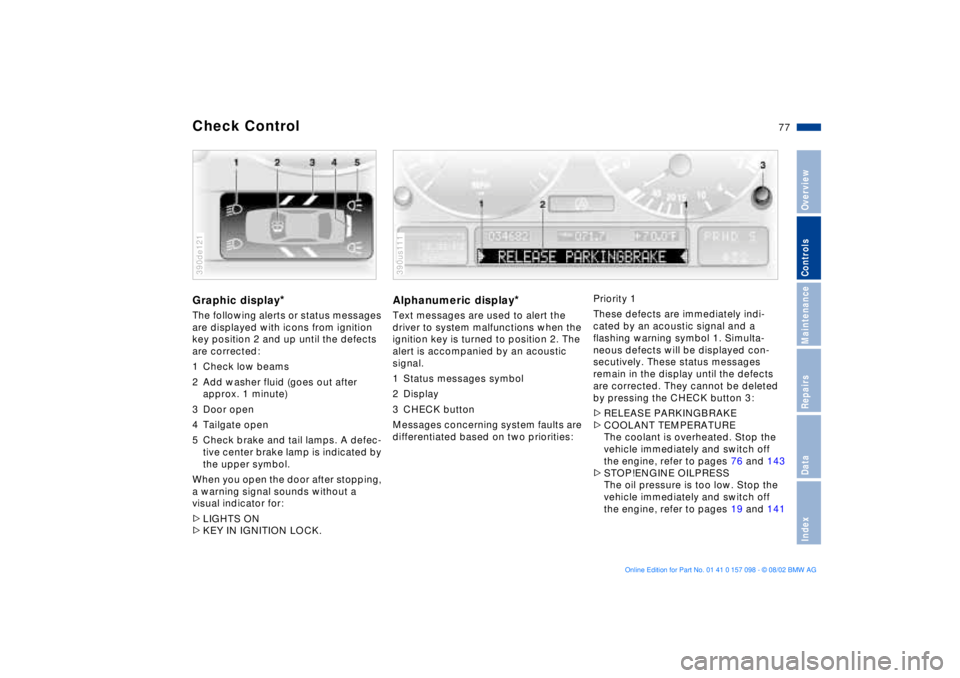
Check Control Graphic display
*
The following alerts or status messages
are displayed with icons from ignition
key position 2 and up until the defects
are corrected:
1 Check low beams
2 Add washer fluid (goes out after
approx. 1 minute)
3 Door open
4 Tailgate open
5 Check brake and tail lamps. A defec-
tive center brake lamp is indicated by
the upper symbol.
When you open the door after stopping,
a warning signal sounds without a
visual indicator for:
>LIGHTS ON
>KEY IN IGNITION LOCK. 390de121
Alphanumeric display
*
Text messages are used to alert the
driver to system malfunctions when the
ignition key is turned to position 2. The
alert is accompanied by an acoustic
signal.
1 Status messages symbol
2 Display
3 CHECK button
Messages concerning system faults are
differentiated based on two priorities: 390us111
Priority 1
These defects are immediately indi-
cated by an acoustic signal and a
flashing warning symbol 1. Simulta-
neous defects will be displayed con-
secutively. These status messages
remain in the display until the defects
are corrected. They cannot be deleted
by pressing the CHECK button 3:
>RELEASE PARKINGBRAKE
>COOLANT TEMPERATURE
The coolant is overheated. Stop the
vehicle immediately and switch off
the engine, refer to pages 76 and 143
>STOP!ENGINE OILPRESS
The oil pressure is too low. Stop the
vehicle immediately and switch off
the engine, refer to pages 19 and 141
Page 78 of 183

78n
Check Control>CHECK BRAKE FLUID
Indicates that brake fluid is down to
approximately the minimum level.
Top off the brake fluid at the next
opportunity, refer to page 144. Have
the cause of the brake fluid loss diag-
nosed and corrected by your BMW
Sports Activity Vehicle center
>TIRE LOW/FLAT
*
Reduce vehicle speed immediately
and stop the vehicle. Avoid hard
brake applications. Do not oversteer,
refer to page 98
>SELFLEVEL SUSP.INACT
*
Please consult the nearest
BMW Sports Activity Vehicle center
>SELFLEVEL SUSP.INACT
*
max. 35 mph/max. 60 km/h
*
These displays appear consecutively.
Do not exceed a maximum speed of
35 mph/60 km/h.
Please consult the nearest BMW
Sports Activity Vehicle center
>LIMIT
*
You will see this message if the pro-
grammed speed limit has been
exceeded, refer to page 85.Priority 2
These displays appear for 20 seconds
when the ignition key is turned to posi-
tion 2. The warning symbols remain
after the message disappears. You can
call up the messages again for display
by pressing the CHECK button.
>TRUNKLID OPEN
This message appears only at the
start of a trip
>DOOR OPEN
This message appears after a min-
imal defined road speed has been
exceeded
>FASTEN SEAT BELTS
*
In addition to this message, an indi-
cator lamp with the safety belt icon
appears and an acoustical signal is
sounded
>WASHER FLUID LOW
The fluid level is too low; top off at
the next opportunity, refer to
page 141
>CHECK ENGINE OIL LEV
The oil level is at the absolute min-
imum; refill as soon as possible, refer
to page 141. Do not drive more than
approx. 30 miles/50 km until you add
oil >CHECK FILLER CAP
Check to see whether the fuel filler
cap has been closed properly, refer
to page 25
>OUTSIDE TEMP. +23 7/Ð5 6
This display is only an example. The
current temperature is displayed at
outside temperatures of +37.5 7/
+3 6 and below, refer also to
page 73
>TIRE PRESSURE SET
*
The RDC has imported the current
inflation pressure in the tires as the
target values which the system will
monitor, refer to page 97
>CHECK TIRE PRESSURE
*
Check and correct the tire inflation
pressure to specifications at the ear-
liest opportunity, e.g. next stop to
refuel, refer to page 97
>TIRECONTROL INACTIVE
*
A temporary interference of the RDC
or a system fault, refer to page 98
>CHECK BRAKE LIGHTS
A lamp has failed or the electrical
circuit has a fault, refer to page 153
or consult a BMW Sports Activity
Vehicle center
Page 79 of 183
79n
OverviewControlsMaintenanceRepairsDataIndex
Check Control >CHECK LOWBEAM LIGHTS
CHECK SIDE LIGHTS
CHECK REAR LIGHTS
CHECK FRONT FOGLAMPS
CHECK LICPLATE LIGHT
CHECK HIGHBEAM LIGHT
CHECK BACK UP LIGHTS
Defective bulb or circuit, refer to
page 151 or consult a BMW Sports
Activity Vehicle center
>TRANS. FAILSAFE PROG
*
Please consult the nearest
BMW Sports Activity Vehicle center,
refer to page 67
>CHECK BRAKE LININGS
Have the brake pads inspected by
your BMW Sports Activity Vehicle
center, refer to page 133
>CHECK COOLANT LEVEL
Coolant too low, top off at the next
opportunity, refer to page 143
>ENGINE FAILSAFE PROG
There is a fault in the engine's elec-
tronic control system.
You can continue to drive with
reduced engine output or engine
speed.
Have the system checked by your
BMW Sports Activity Vehicle center.
Displays after completion of trip All of the malfunctions registered during
the trip appear consecutively when the
ignition key is turned to position 0.
The following displays will appear when
appropriate:
>LIGHTS ON
>KEY IN IGNITION LOCK
>CHECK ENGINE OIL LEV
Add engine oil at the next opportu-
nity, e.g. next stop to refuel, refer to
page 141.
This display appears when you open
the driver's door after parking the
vehicle. A supplementary acoustic
signal is also heard.
Status messages remain available for a
period of approx. three minutes after
the display goes out and the key is
removed from the ignition lock. Press
the CHECK button 3. If there were mul-
tiple messages, press the CHECK
button repeatedly to view them all in
sequence.
To check the Check Control Press the CHECK button 3 with the
ignition key in position 2:
CHECK CONTROL OK appears in the
display.
No malfunctions are present in the
monitored systems.Computer You can find a description of the com-
puter on pages 80 and 85 as well as in
the Owner's Manual for the Onboard
Computer.
You can have the Check Control
and computer messages dis-
played in a different language.<
Page 91 of 183
91n
OverviewControlsMaintenanceRepairsDataIndex
PDC
* Dynamic Stability Control DSC
The PDC system does not remove
the driver's personal responsibility
for evaluating the distance between the
vehicle and any objects. Even when
sensors are involved, there is a blind
spot in which objects cannot be
detected. This applies especially in
those cases where the system
approaches the physical constraints of
ultrasonic measurement, as occurs with
tow bars and trailer couplings, and in
the vicinity of thin or wedge-shaped
objects. Similarly, low objects that have
already been detected - e.g. a curb-
stone - may disappear out of the range
of the sensors before a continuous tone
is emitted.
Loud sources of sound, inside and out-
side the vehicle, could drown out the
PDC signal tone.<
Keep the sensors clean and free
of ice or snow in order to ensure
that they continue to operate effectively.
Do not apply high pressure spray to the
sensors for a prolonged period of time.
Maintain an adequate distance of more
than 4 in/10 cm.<
The concept DSC maintains vehicle stability, even in
critical driving situations.
The system optimizes vehicle stability
during acceleration and when starting
from a full stop, as well as optimizing
traction. In addition, it recognizes
unstable vehicle conditions, such as
understeering or oversteering, and, as
far as is possible within the laws of
physics, keeps the vehicle on a steady
course by adapting the rpms and brake
applications to the individual wheels.
The system starts up automatically
each time you start the engine.
Indicator lamp
The indicator lamp in the instru-
ment cluster goes out shortly
after you switch on the ignition,
refer to page 21.
Indicator lamp ßashes:
The system is active and governs drive
and braking force.
If the indicator lamp fails to go out after
the engine is started, or comes on
during normal driving and stays on:
The system is either defective or was
switched off with the button: the stabi-
lizing applications described to the left
are no longer available. The vehicle will
remain completely operational, how-
ever, without DSC.
Consult your BMW Sports Activity
Vehicle center to have the system
repaired.
Page 92 of 183
92n
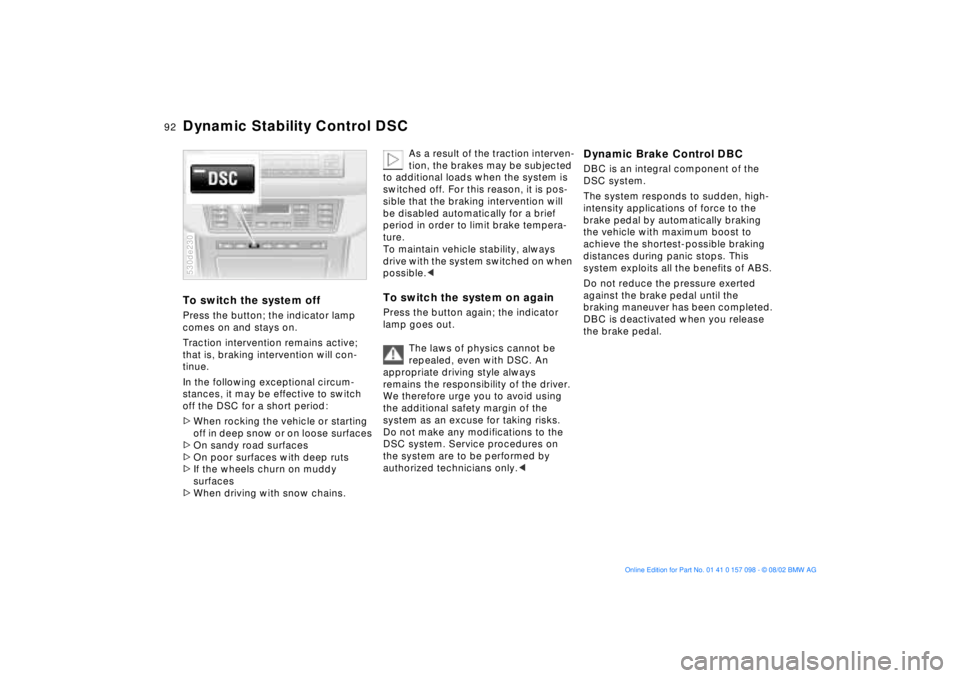
Dynamic Stability Control DSCTo switch the system offPress the button; the indicator lamp
comes on and stays on.
Traction intervention remains active;
that is, braking intervention will con-
tinue.
In the following exceptional circum-
stances, it may be effective to switch
off the DSC for a short period:
>When rocking the vehicle or starting
off in deep snow or on loose surfaces
>On sandy road surfaces
>On poor surfaces with deep ruts
>If the wheels churn on muddy
surfaces
>When driving with snow chains. 530de230
As a result of the traction interven-
tion, the brakes may be subjected
to additional loads when the system is
switched off. For this reason, it is pos-
sible that the braking intervention will
be disabled automatically for a brief
period in order to limit brake tempera-
ture.
To maintain vehicle stability, always
drive with the system switched on when
possible.<
To switch the system on againPress the button again; the indicator
lamp goes out.
The laws of physics cannot be
repealed, even with DSC. An
appropriate driving style always
remains the responsibility of the driver.
We therefore urge you to avoid using
the additional safety margin of the
system as an excuse for taking risks.
Do not make any modifications to the
DSC system. Service procedures on
the system are to be performed by
authorized technicians only.<
Dynamic Brake Control DBCDBC is an integral component of the
DSC system.
The system responds to sudden, high-
intensity applications of force to the
brake pedal by automatically braking
the vehicle with maximum boost to
achieve the shortest-possible braking
distances during panic stops. This
system exploits all the benefits of ABS.
Do not reduce the pressure exerted
against the brake pedal until the
braking maneuver has been completed.
DBC is deactivated when you release
the brake pedal.
Page 93 of 183
93n
OverviewControlsMaintenanceRepairsDataIndex
Hill Descent Control HDC The concept HDC is a system for driving downhill in
steep terrain. This system reduces
vehicle speed on steep downhill gradi-
ents, thus allowing you to maintain con-
trol of your BMW under these condi-
tions.
The vehicle moves at slightly more than
walking speed without active interven-
tion from the driver.
HDC is available for activation at
vehicle speeds below approx. 20 mph/
35 km/h. When driving down steep hills
with a speed below approx. 20 mph/
35 km/h, the vehicle reduces speed
automatically down to slightly more
than walking speed (approx. 5 mph/
8 km/h) and then maintains this speed
at a constant.
You can use the accelerator or brakes
to vary this automatically controlled
speed within a range extending from
approx. 3 mph/5 km/h to 15 mph/
25 km/h.
You can specify a target speed
within the same range by using the
+/Ð buttons of the cruise control.
HDC is automatically deactivated once
vehicle speed again exceeds approx.
35 mph/60 km/h.
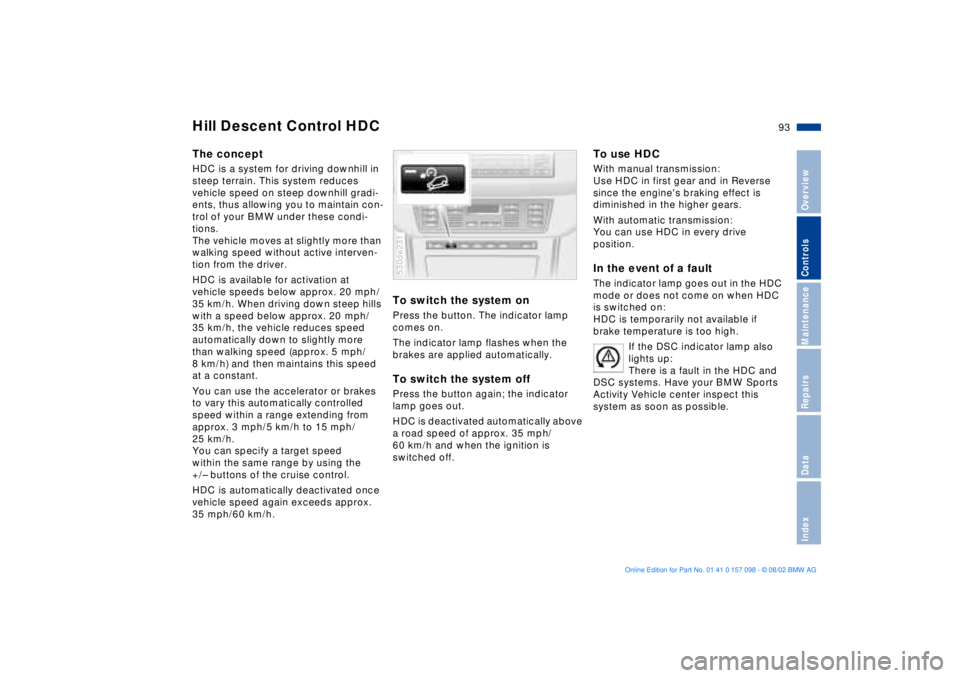
To switch the system onPress the button. The indicator lamp
comes on.
The indicator lamp flashes when the
brakes are applied automatically. To switch the system offPress the button again; the indicator
lamp goes out.
HDC is deactivated automatically above
a road speed of approx. 35 mph/
60 km/h and when the ignition is
switched off. 530de231
To use HDC With manual transmission:
Use HDC in first gear and in Reverse
since the engine's braking effect is
diminished in the higher gears.
With automatic transmission:
You can use HDC in every drive
position. In the event of a faultThe indicator lamp goes out in the HDC
mode or does not come on when HDC
is switched on:
HDC is temporarily not available if
brake temperature is too high.
If the DSC indicator lamp also
lights up:
There is a fault in the HDC and
DSC systems. Have your BMW Sports
Activity Vehicle center inspect this
system as soon as possible.
Page 98 of 183

98n
Tire Pressure Monitor RDC
*
Adaptive brake light
Flat tireIf there is a tire failure with a loss of
inflation pressure, the red indicator
lamp comes on or the message Ð TIRE
LOW/FLAT Ð appears in the Check
Control. In addition, an acoustic signal
sounds.
If this occurs, reduce vehicle speed
immediately and stop the vehicle in a
safe location. Avoid hard brake applica-
tions. Do not oversteer. Replace the flat
tire.
The spare tire which is available in
your vehicle as standard equip-
ment is equipped with the electronics
required for RDC and, following activa-
tion of the system, is also monitored
after it is mounted.<
RDC cannot alert you to severe
and sudden tire damage caused
by external factors.<
Have the tires changed at your
BMW Sports Activity Vehicle
center.
Your BMW Sports Activity Vehicle
center has the information needed for
working with RDC and is equipped with
the necessary special tools.<
System malfunctionDuring the period of the malfunction,
the yellow indicator lamp comes on or
the message Ð TIRECONTROL INAC-
TIVE Ð appears in the Check Control.
You will also see the same message
>in the event of a system malfunction
>if a wheel is mounted without the
RDC electronics
>if, in addition to the spare tire, addi-
tional wheels with RDC electronics
are on board
>after installation of one or several
wheels with an electronics system
still unknown to the system.
It takes a few minutes to learn the
new wheel electronics ID numbers
after system activation. Only then can
RDC detect and report a flat tire.
Please contact your BMW Sports
Activity Vehicle center for additional
information.The adaptive brake light provides
drivers of following vehicles with an
indication of the intensity with which
the brakes are being applied in your
own vehicle.
The display occurs in two stages:
>Normal braking:
The brake light units within the tail
lamps and the high-mount brake
lamp integrated within the rear
spoiler both light up with normal
intensity
>Hard braking or braking with ABS
active:
The tail lamps also come on, lighting
up with the same intensity as the
brake lamps to provide a more con-
spicuous warning.