light BMW X5 4.4I 2005 E53 User Guide
[x] Cancel search | Manufacturer: BMW, Model Year: 2005, Model line: X5 4.4I, Model: BMW X5 4.4I 2005 E53Pages: 200, PDF Size: 3.55 MB
Page 42 of 200
42n
Panorama glass sunroof
*
Anti-trapping mechanism If the panorama glass sunroof or sliding
visor encounter resistance when clos-
ing from roughly one third of the roof
opening or when closing from the
raised position, the closing action is
interrupted and the panorama glass
sunroof and sliding visor reopen a little.
Despite the anti-trapping mecha-
nism inspect the roof's travel path
prior to closing it, as the safety system
might fail to detect certain kinds of
obstructions, such as very thin objects,
and the roof would continue closing.
The anti-trapping mechanism for clos-
ing the panorama glass sunroof is
deactivated if the switch is pressed
beyond the resistance point and held
there. The closing action is interrupted
when you release the switch.<
Following a power failure Following interruptions in electrical
power, for instance, when the battery
is disconnected, it is possible that the
panorama glass sunroof will extend to
its tilt-up position, but fail to respond to
other commands. The system must be
initialized. BMW recommends having
this work carried out by your BMW
Sports Activity Vehicle center.
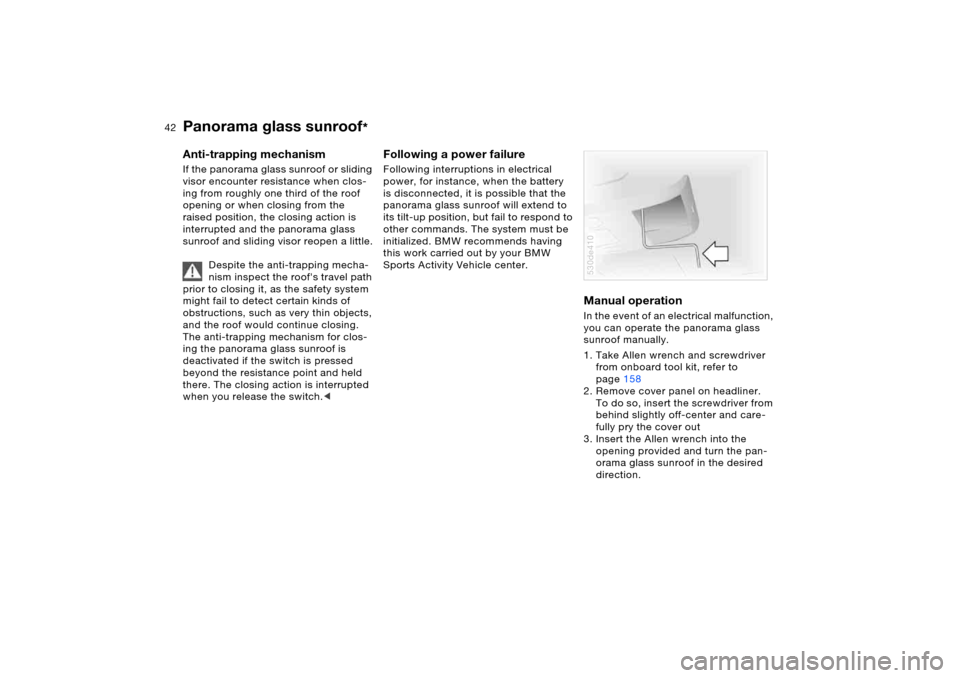
Manual operation In the event of an electrical malfunction,
you can operate the panorama glass
sunroof manually.
1. Take Allen wrench and screwdriver
from onboard tool kit, refer to
page158
2. Remove cover panel on headliner.
To do so, insert the screwdriver from
behind slightly off-center and care-
fully pry the cover out
3. Insert the Allen wrench into the
opening provided and turn the pan-
orama glass sunroof in the desired
direction.530de410
Page 45 of 200
45n
OverviewControlsMaintenanceRepairsDataIndex
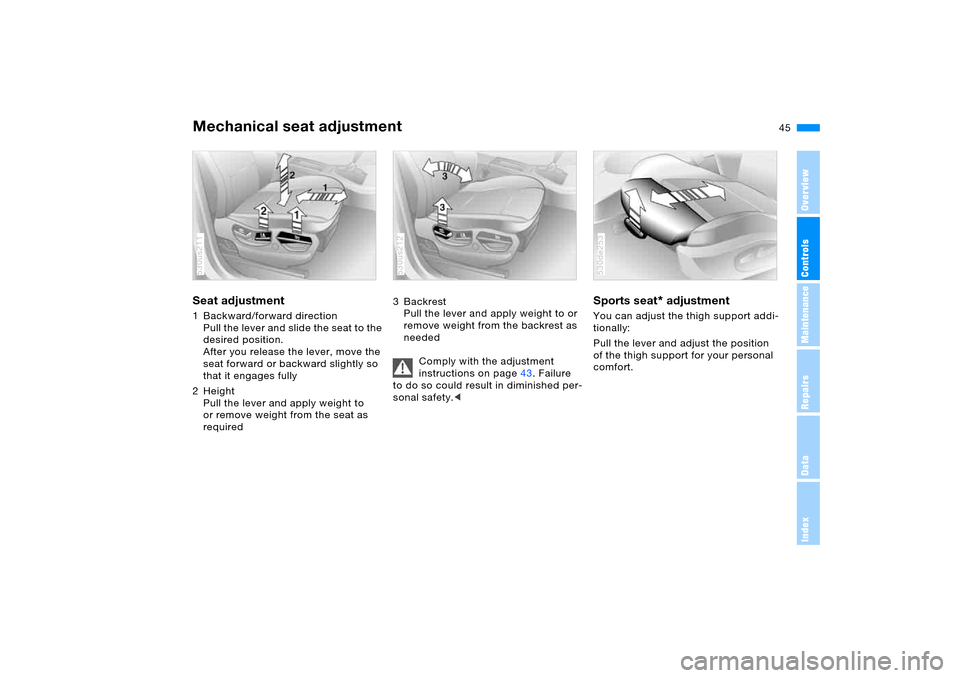
Mechanical seat adjustment Seat adjustment 1 Backward/forward direction
Pull the lever and slide the seat to the
desired position.
After you release the lever, move the
seat forward or backward slightly so
that it engages fully
2Height
Pull the lever and apply weight to
or remove weight from the seat as
required 530us211
3Backrest
Pull the lever and apply weight to or
remove weight from the backrest as
needed
Comply with the adjustment
instructions on page43. Failure
to do so could result in diminished per-
sonal safety.< 530us212
Sports seat
* adjustment
You can adjust the thigh support addi-
tionally:
Pull the lever and adjust the position
of the thigh support for your personal
comfort. 530de253
Page 47 of 200
47n
OverviewControlsMaintenanceRepairsDataIndex
Power seat adjustment
*
Head restraints
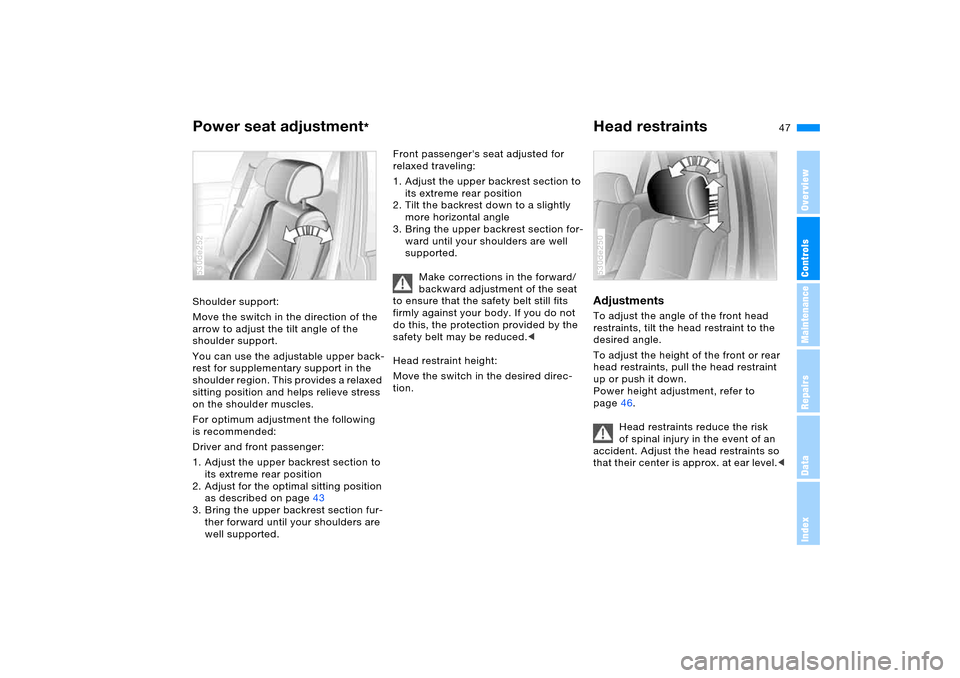
Shoulder support:
Move the switch in the direction of the
arrow to adjust the tilt angle of the
shoulder support.
You can use the adjustable upper back-
rest for supplementary support in the
shoulder region. This provides a relaxed
sitting position and helps relieve stress
on the shoulder muscles.
For optimum adjustment the following
is recommended:
Driver and front passenger:
1. Adjust the upper backrest section to
its extreme rear position
2. Adjust for the optimal sitting position
as described on page43
3. Bring the upper backrest section fur-
ther forward until your shoulders are
well supported.530de252
Front passenger's seat adjusted for
relaxed traveling:
1. Adjust the upper backrest section to
its extreme rear position
2. Tilt the backrest down to a slightly
more horizontal angle
3. Bring the upper backrest section for-
ward until your shoulders are well
supported.
Make corrections in the forward/
backward adjustment of the seat
to ensure that the safety belt still fits
firmly against your body. If you do not
do this, the protection provided by the
safety belt may be reduced.<
Head restraint height:
Move the switch in the desired direc-
tion.
Adjustments To adjust the angle of the front head
restraints, tilt the head restraint to the
desired angle.
To adjust the height of the front or rear
head restraints, pull the head restraint
up or push it down.
Power height adjustment, refer to
page46.
Head restraints reduce the risk
of spinal injury in the event of an
accident. Adjust the head restraints so
that their center is approx. at ear level.<530de250
Page 49 of 200
49n
OverviewControlsMaintenanceRepairsDataIndex
Safety belts
Comply with the instructions on
page43. Failure to do so could
result in diminished personal safety.<
For every trip, use the safety belts on all
occupied seats. Airbags complement
the safety belt as an additional safety
device, but they do not represent a sub-
stitute.
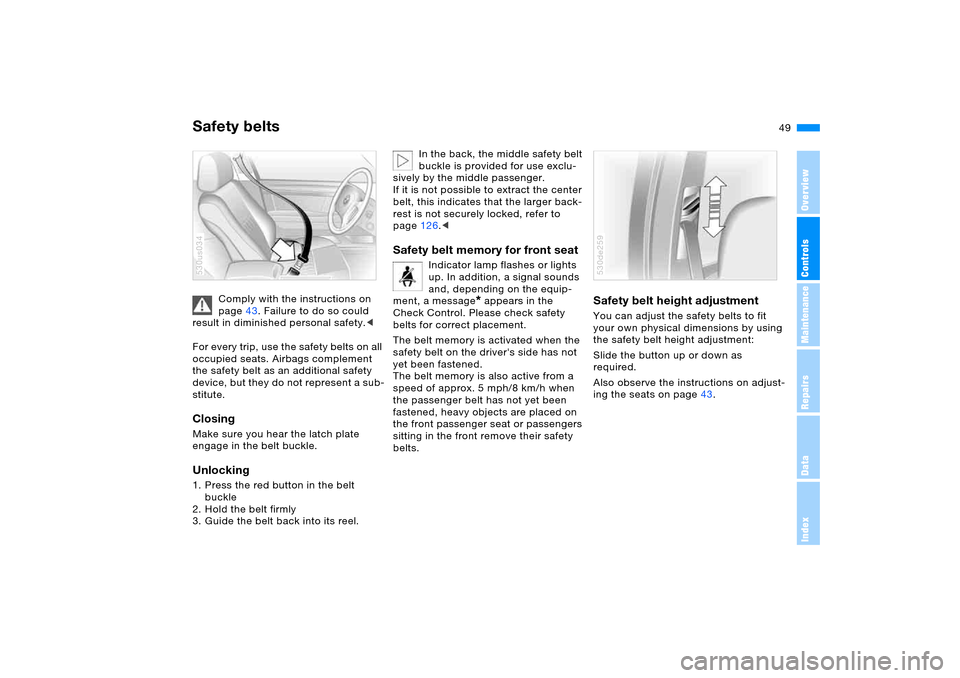
Closing Make sure you hear the latch plate
engage in the belt buckle.Unlocking1. Press the red button in the belt
buckle
2. Hold the belt firmly
3. Guide the belt back into its reel.530us034
In the back, the middle safety belt
buckle is provided for use exclu-
sively by the middle passenger.
If it is not possible to extract the center
belt, this indicates that the larger back-
rest is not securely locked, refer to
page126.<
Safety belt memory for front seat
Indicator lamp flashes or lights
up. In addition, a signal sounds
and, depending on the equip-
ment, a message
* appears in the
Check Control. Please check safety
belts for correct placement.
The belt memory is activated when the
safety belt on the driver's side has not
yet been fastened.
The belt memory is also active from a
speed of approx. 5 mph/8 km/h when
the passenger belt has not yet been
fastened, heavy objects are placed on
the front passenger seat or passengers
sitting in the front remove their safety
belts.
Safety belt height adjustment You can adjust the safety belts to fit
your own physical dimensions by using
the safety belt height adjustment:
Slide the button up or down as
required.
Also observe the instructions on adjust-
ing the seats on page43.530de259
Page 51 of 200
51n
OverviewControlsMaintenanceRepairsDataIndex
Seat, mirror and steering wheel memory
*
Calling up a stored setting
Do not call up a position from the
memory while the vehicle is mov-
ing. There is a risk of accident from
unexpected movement of the seat or
steering wheel.<
Convenience function:
1. Open the driver's door after unlock-
ing the vehicle or place the ignition
key in position 1
2. Briefly press memory button 1, 2
or 3, as desired.
Movement stops immediately when
one of the seat-adjustment or mem-
ory buttons is activated during the
adjustment process.
Security function:
1. With the driver's door closed and the
ignition key either removed or in
position 0 or 2
2. Maintain pressure on the desired
memory button 1, 2 or 3 until the
adjustment process is completed.
If you press the
M
EMORY button
accidentally: press the button a
second time – the indicator lamp goes
out.<
You can have your vehicle pro-
grammed to automatically dial in
your own individual adjustment settings
for the seat, mirrors and steering wheel
whenever you use your personal
remote control to unlock the vehicle.<
If you make use of this adjust-
ment, be sure that the footwell
behind the driver's seat is unobstructed
before unlocking the vehicle. If you fail
to do so, any persons or objects behind
the seat could be injured or damaged
by a rearward movement of the seat.<
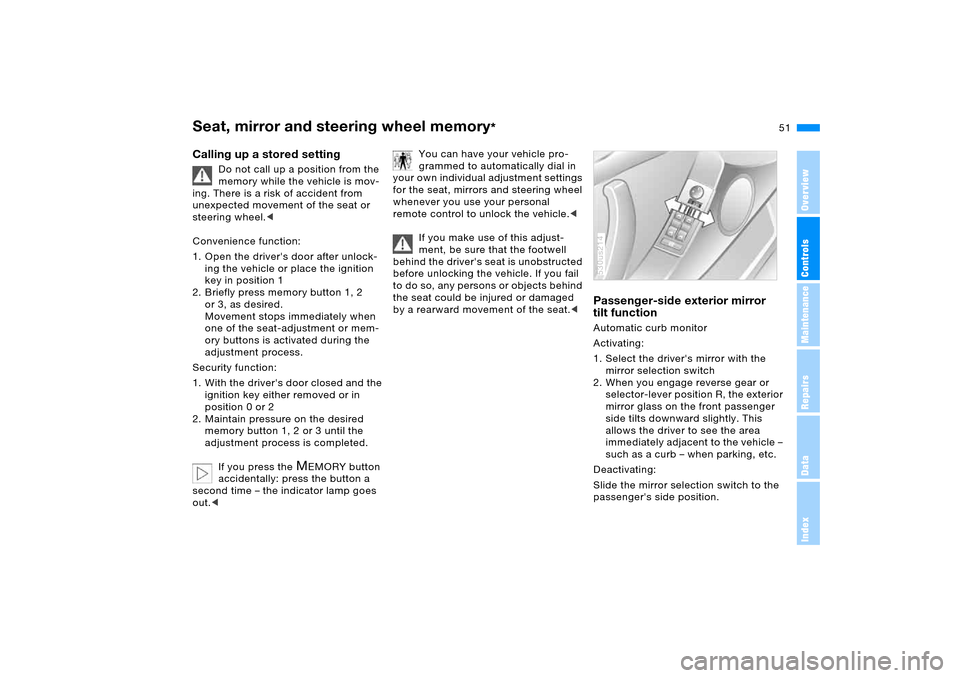
Passenger-side exterior mirror
tilt function Automatic curb monitor
Activating:
1. Select the driver's mirror with the
mirror selection switch
2. When you engage reverse gear or
selector-lever position R, the exterior
mirror glass on the front passenger
side tilts downward slightly. This
allows the driver to see the area
immediately adjacent to the vehicle –
such as a curb – when parking, etc.
Deactivating:
Slide the mirror selection switch to the
passenger's side position.530us214
Page 52 of 200
52n
Heated seats
*
Steering wheel
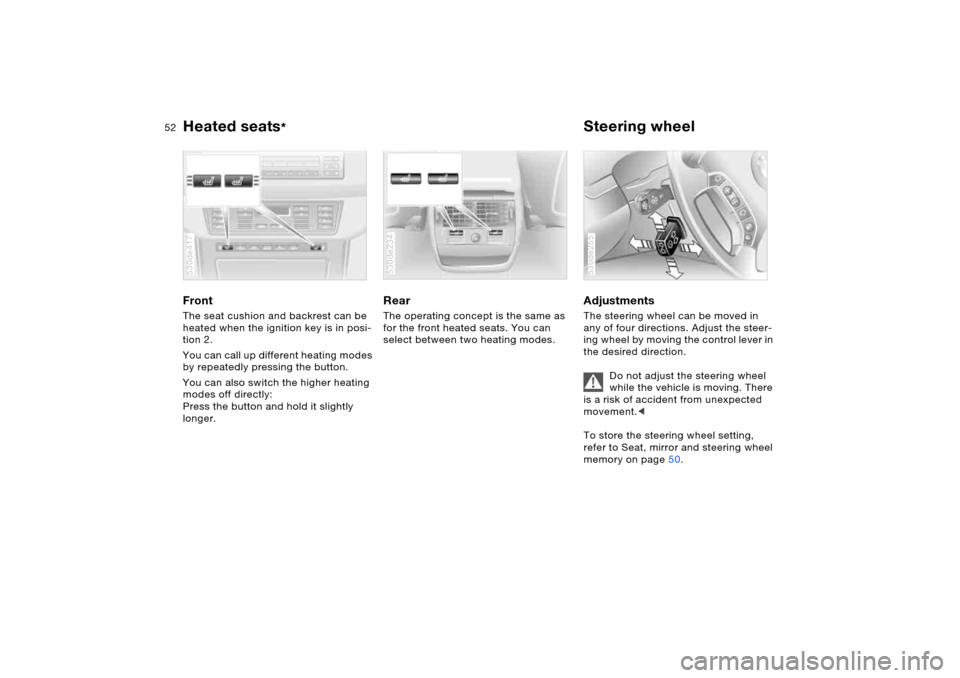
Front The seat cushion and backrest can be
heated when the ignition key is in posi-
tion 2.
You can call up different heating modes
by repeatedly pressing the button.
You can also switch the higher heating
modes off directly:
Press the button and hold it slightly
longer.530de417
Rear The operating concept is the same as
for the front heated seats. You can
select between two heating modes.530de234
Adjustments The steering wheel can be moved in
any of four directions. Adjust the steer-
ing wheel by moving the control lever in
the desired direction.
Do not adjust the steering wheel
while the vehicle is moving. There
is a risk of accident from unexpected
movement.<
To store the steering wheel setting,
refer to Seat, mirror and steering wheel
memory on page50. 530de255
Page 53 of 200
53n
OverviewControlsMaintenanceRepairsDataIndex
Steering wheel Steering wheel heater
*
Automatic steering wheel
adjustmentonly in conjunction with seat, mirror and
steering wheel memory
In or der to m a ke it e asie r t o get in to an d
out of the vehicle, the steering wheel
automatically moves into the top posi-
tion and returns to the driving or mem-
ory position.
This automatic feature is controlled by
the position of the ignition key and by
the driver's door.
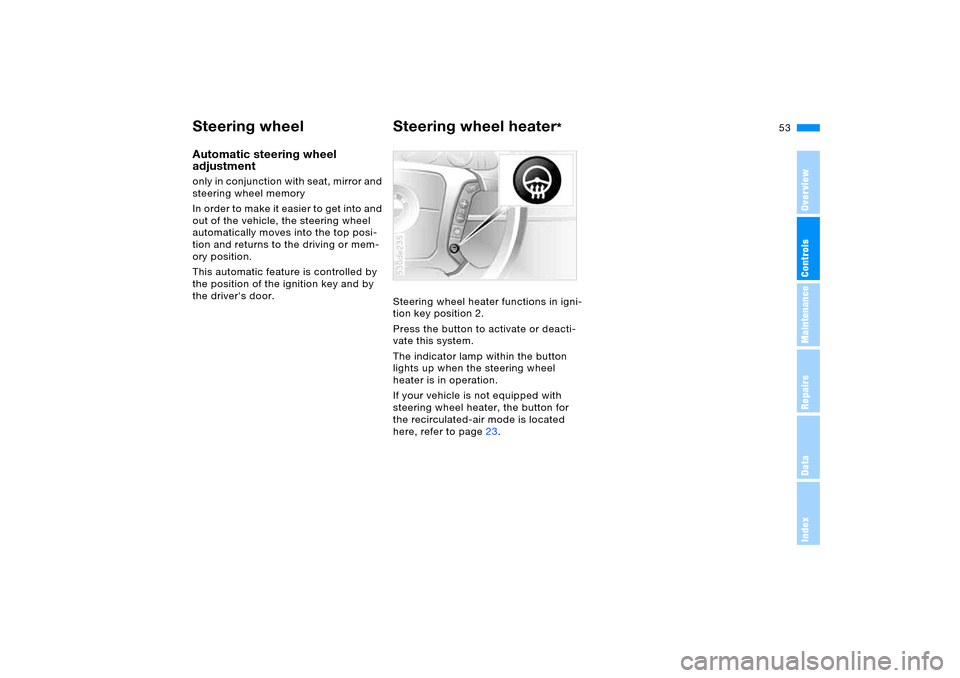
Steering wheel heater functions in igni-
tion key position 2.
Press the button to activate or deacti-
vate this system.
The indicator lamp within the button
lights up when the steering wheel
heater is in operation.
If your vehicle is not equipped with
steering wheel heater, the button for
the recirculated-air mode is located
here, refer to page23.
530de235
Page 59 of 200
59n
OverviewControlsMaintenanceRepairsDataIndex
Airbags Transporting children safely Operational readiness of airbag
system
As of ignition key position 1, the
warning lamp in the instrument
cluster lights up for a short time,
thus indicating the operational readi-
ness of the entire airbag system and the
safety belt tensioners.
Airbag system malfunction
A fault has occurred in the air-
bag system:
>Warning lamp does not light up as of
ignition key position 1
>Warning lamp lights up permanently.
Have the airbag system checked
immediately if a malfunction
occurs, as otherwise there is a danger
of the system failing to respond in the
expected manner to an impact occur-
ring within its normal response range.<
The right place for children Children always in the rear:
Accident research shows that the saf-
est place for children in a vehicle is in
the rear seat.
Older children should be tightly secured
with a safety belt, after they have out-
grown a booster seat that is appropriate
for their age, height and weight.
If your vehicle is equipped with
rear side airbags, do not allow
children to lean towards the door trim,
as serious injuries could occur if the
side airbags were deployed and chil-
dren are too close to the airbags.<
Deactivate rear side airbags:
Labels in the rear door opening should
indicate the status of your rear seat side
airbags. If you are uncertain of their sta-
tus, or wish to have the airbags acti-
vated or deactivated, please contact
your BMW Sports Activity Vehicle cen-
ter.
Child-restraint systems in the rear
Children under 13 years of age
and children less than 5 ft/150 cm
tall should always ride in the rear and
the restraint systems should be prop-
erly restraint.<
Younger children should be secured in
an appropriate child-restraint system
that has been first properly secured to
the vehicle.
All rear sitting positions in your vehi-
cle meet the recommendations of
SAE J1819, an industry-recommended
practice for securing child-restraint sys-
tems in motor vehicles.
Exception for front passenger
seat
Should it become necessary to
use a child-restraint system on the
front passenger seat, the front passen-
ger airbags must be deactivated. Your
BMW Sports Activity Vehicle center will
be happy to advise you on this sub-
ject.<
Page 63 of 200
63n
OverviewControlsMaintenanceRepairsDataIndex
Vehicle Memory, Key Memory How the system functions You have probably frequently wished
that you could configure individual
functions of your vehicle to reflect your
own personal requirements. In engi-
neering your vehicle, BMW has
included several user-defined func-
tions in the vehicle's design. Your
BMW Sports Activity Vehicle center can
make these settings for you.
There are vehicle and person-related
adjustments: Vehicle Memory and Key
Memory. You can have up to four differ-
ent basic positions configured for four
different persons. The only requirement
is that each person uses his or her own
remote control key.
When your vehicle is unlocked with the
remote control, the vehicle recognizes
the individual user by means of a data
exchange with the key, and makes
adjustments accordingly.
In order for you to distinguish between
the master keys with remote control,
color-coded decals are supplied
together with the keys.
What the system can doYour BMW Sports Activity Vehicle cen-
ter can provide you with details on the
capabilities of the Vehicle Memory and
Key Memory systems.
You will see this symbol through-
out the Owner's Manual. It is to
remind you at appropriate places of the
settings that are available to you.<
Following configuration of the
memory functions, vehicle opera-
tion may differ from the description in
the Owner's Manual. Should you want
to sell your BMW some day, please
remember to have the memory func-
tions reset to the default state.<
Examples for Vehicle Memory:
>Various signals that can serve as
acknowledgment for locking and
unlocking the vehicle, refer to
pages31, 33
>Deactivating/activating the Pathway
lighting function, refer to page103.
Examples for Key Memory:
>Automatic adjustment of the driver's
seat, exterior mirror and steering
wheel with settings stored in the
memory for the individual driver when
the vehicle is unlocked, refer to
page51
>Calling up customized settings for
the automatic climate control when
unlocking the vehicle, refer to
page112.
Page 64 of 200
64n
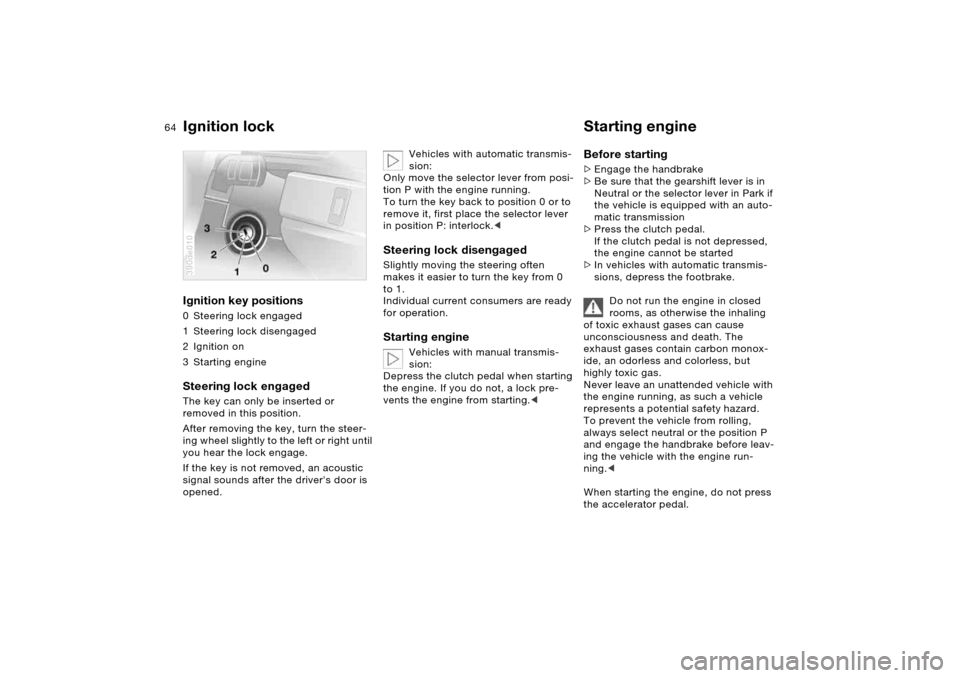
Ignition lock Starting engine Ignition key positions 0 Steering lock engaged
1Steering lock disengaged
2 Ignition on
3Starting engineSteering lock engaged The key can only be inserted or
removed in this position.
After removing the key, turn the steer-
ing wheel slightly to the left or right until
you hear the lock engage.
If the key is not removed, an acoustic
signal sounds after the driver's door is
opened.390de010
Vehicles with automatic transmis-
sion:
Only move the selector lever from posi-
tion P with the engine running.
To turn the key back to position 0 or to
remove it, first place the selector lever
in position P: interlock.<
Steering lock disengaged Slightly moving the steering often
makes it easier to turn the key from 0
to 1.
Individual current consumers are ready
for operation. Starting engine
Vehicles with manual transmis-
sion:
Depress the clutch pedal when starting
the engine. If you do not, a lock pre-
vents the engine from starting.<
Before starting >Engage the handbrake
>Be sure that the gearshift lever is in
Neutral or the selector lever in Park if
the vehicle is equipped with an auto-
matic transmission
>Press the clutch pedal.
If the clutch pedal is not depressed,
the engine cannot be started
>In vehicles with automatic transmis-
sions, depress the footbrake.
Do not run the engine in closed
rooms, as otherwise the inhaling
of toxic exhaust gases can cause
unconsciousness and death. The
exhaust gases contain carbon monox-
ide, an odorless and colorless, but
highly toxic gas.
Never leave an unattended vehicle with
the engine running, as such a vehicle
represents a potential safety hazard.
To prevent the vehicle from rolling,
always select neutral or the position P
and engage the handbrake before leav-
ing the vehicle with the engine run-
ning.<
When starting the engine, do not press
the accelerator pedal.