ECU BMW X5 4.8IS 2004 E53 User Guide
[x] Cancel search | Manufacturer: BMW, Model Year: 2004, Model line: X5 4.8IS, Model: BMW X5 4.8IS 2004 E53Pages: 200, PDF Size: 3.91 MB
Page 62 of 200
60n
Transporting children safelyException for front passenger
seat
Should it become necessary to
use a child-restraint system on the
front passenger seat, the airbags on the
passenger's side must be deactivated.
Your BMW Sports Activity Vehicle cen-
ter will be happy to advise you on this
subject.<
Never install a rearward-facing
child-restraint system in the front
passenger seat of this vehicle if the
passenger airbag is not deactivated. If
you do so, the child could be severely
injured or killed when the airbag is trig-
gered. Your vehicle is equipped with an
airbag supplemental restraint system
for the front passenger. Because the
backrest on any rearward-facing child-
restraint system – of the kind designed
for infants under 1 year and 20 Ibs./9 kg
– would be within the airbag's deploy-
ment range, you should never mount
such a system in the front passenger
seat, since the impact of the airbag
against the child restraint's backrest
could lead to serious or fatal injuries.<
Installing child-restraint systemsBefore installing any child-restraint sys-
tem or child seat, read the following:
Observe the child-restraint system
manufacturer's instructions for
installation and use. Otherwise the
degree of protection can be reduced.
After an accident, have all parts of the
child-restraint system and of the rele-
vant vehicle safety belt system checked
by a BMW Sports Activity Vehicle cen-
ter and replaced if necessary.<
Commercially-available child-restraint
systems are designed to be secured
with a lap belt or with the lap belt por-
tion of a combination lap/shoulder belt.
Improperly or inadequately installed
restraint systems can increase the risk
of injury to children. Always read and
follow the instructions that come with
the system.
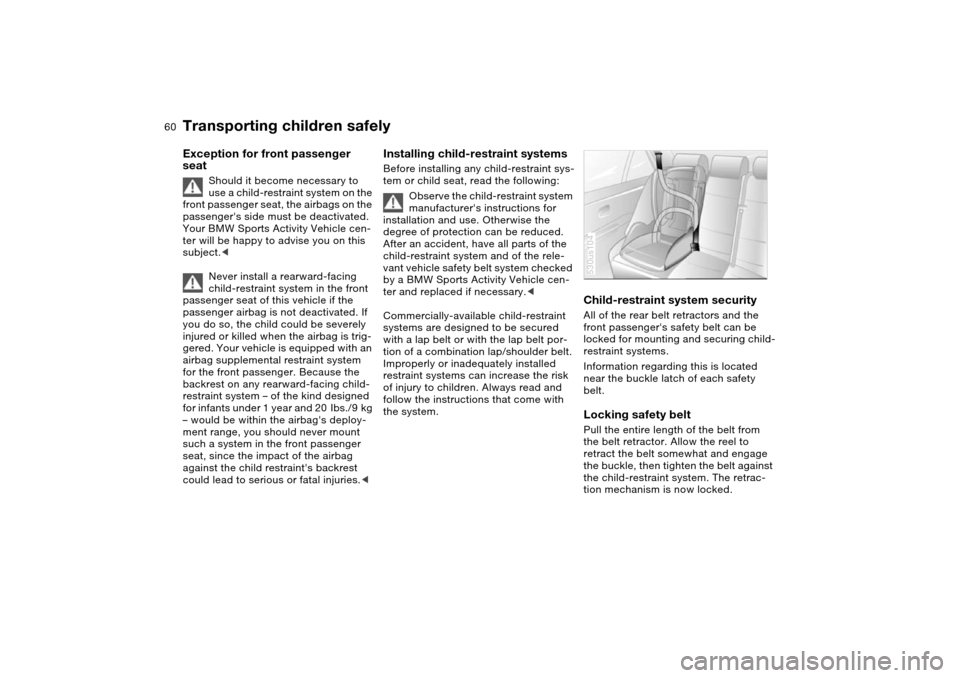
Child-restraint system securityAll of the rear belt retractors and the
front passenger's safety belt can be
locked for mounting and securing child-
restraint systems.
Information regarding this is located
near the buckle latch of each safety
belt. Locking safety belt Pull the entire length of the belt from
the belt retractor. Allow the reel to
retract the belt somewhat and engage
the buckle, then tighten the belt against
the child-restraint system. The retrac-
tion mechanism is now locked. 530us104
Page 63 of 200
61n
OverviewControlsMaintenanceRepairsDataIndex
Transporting children safelyUnlocking safety belt Unlock the safety belt, remove the
child-restraint device and allow the belt
retractor to reel the belt completely in.
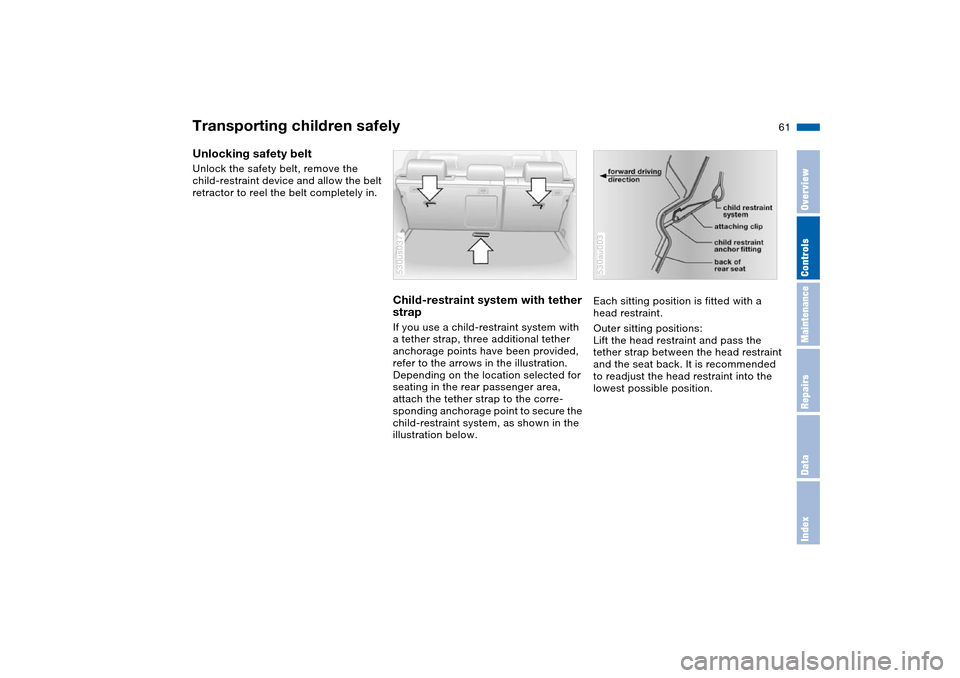
Child-restraint system with tether
strapIf you use a child-restraint system with
a tether strap, three additional tether
anchorage points have been provided,
refer to the arrows in the illustration.
Depending on the location selected for
seating in the rear passenger area,
attach the tether strap to the corre-
sponding anchorage point to secure the
child-restraint system, as shown in the
illustration below. 530us037
Each sitting position is fitted with a
head restraint.
Outer sitting positions:
Lift the head restraint and pass the
tether strap between the head restraint
and the seat back. It is recommended
to readjust the head restraint into the
lowest possible position.530au003
Page 71 of 200
69n
OverviewControlsMaintenanceRepairsDataIndex
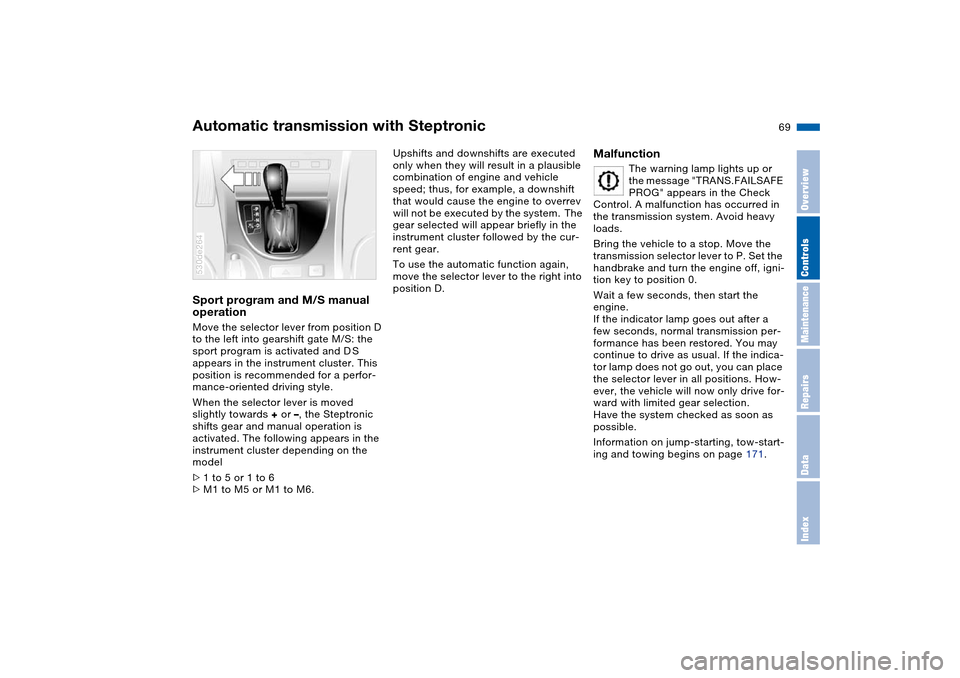
Automatic transmission with SteptronicSport program and M/S manual
operation Move the selector lever from position D
to the left into gearshift gate M/S: the
sport program is activated and D S
appears in the instrument cluster. This
position is recommended for a perfor-
mance-oriented driving style.
When the selector lever is moved
slightly towards + or –, the Steptronic
shifts gear and manual operation is
activated. The following appears in the
instrument cluster depending on the
model
>1 to 5 or 1 to 6
>M1 to M5 or M1 to M6. 530de264
Upshifts and downshifts are executed
only when they will result in a plausible
combination of engine and vehicle
speed; thus, for example, a downshift
that would cause the engine to overrev
will not be executed by the system. The
gear selected will appear briefly in the
instrument cluster followed by the cur-
rent gear.
To use the automatic function again,
move the selector lever to the right into
position D.
Malfunction
The warning lamp lights up or
the message "TRANS.FAILSAFE
PROG" appears in the Check
Control. A malfunction has occurred in
the transmission system. Avoid heavy
loads.
Bring the vehicle to a stop. Move the
transmission selector lever to P. Set the
handbrake and turn the engine off, igni-
tion key to position 0.
Wait a few seconds, then start the
engine.
If the indicator lamp goes out after a
few seconds, normal transmission per-
formance has been restored. You may
continue to drive as usual. If the indica-
tor lamp does not go out, you can place
the selector lever in all positions. How-
ever, the vehicle will now only drive for-
ward with limited gear selection.
Have the system checked as soon as
possible.
Information on jump-starting, tow-start-
ing and towing begins on page 171.
Page 81 of 200
Maintenance
79n
OverviewControlsRepairsDataIndex
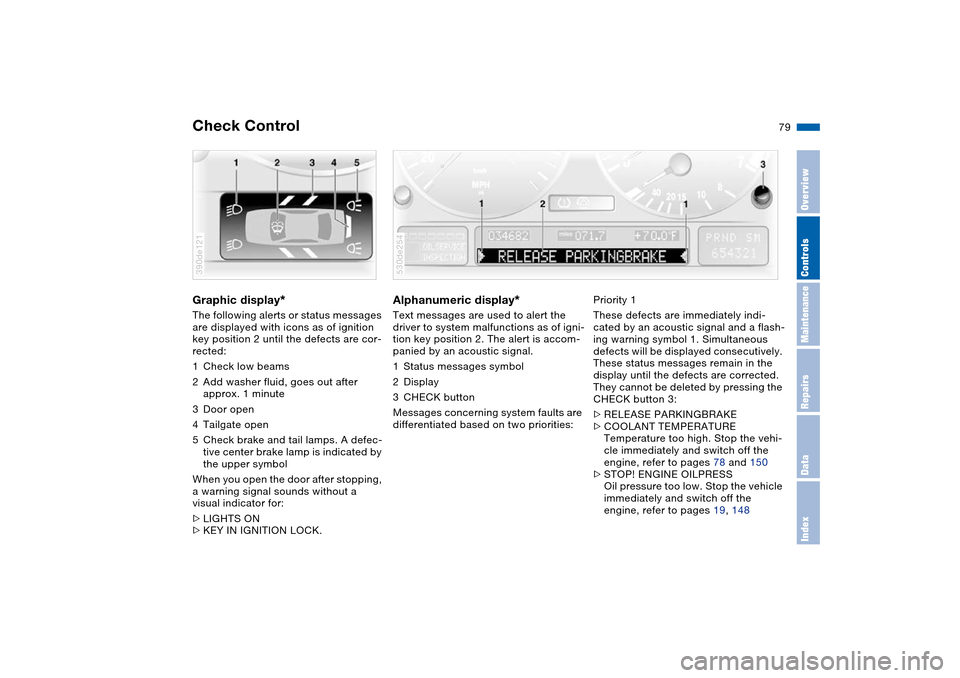
Check Control Graphic display
*
The following alerts or status messages
are displayed with icons as of ignition
key position 2 until the defects are cor-
rected:
1Check low beams
2Add washer fluid, goes out after
approx. 1 minute
3Door open
4Tailgate open
5Check brake and tail lamps. A defec-
tive center brake lamp is indicated by
the upper symbol
When you open the door after stopping,
a warning signal sounds without a
visual indicator for:
>LIGHTS ON
>KEY IN IGNITION LOCK. 390de121
Alphanumeric display
*
Text messages are used to alert the
driver to system malfunctions as of igni-
tion key position 2. The alert is accom-
panied by an acoustic signal.
1Status messages symbol
2Display
3CHECK button
Messages concerning system faults are
differentiated based on two priorities: 530de254
Priority 1
These defects are immediately indi-
cated by an acoustic signal and a flash-
ing warning symbol 1. Simultaneous
defects will be displayed consecutively.
These status messages remain in the
display until the defects are corrected.
They cannot be deleted by pressing the
CHECK button 3:
>RELEASE PARKINGBRAKE
>COOLANT TEMPERATURE
Temperature too high. Stop the vehi-
cle immediately and switch off the
engine, refer to pages 78 and 150
>STOP! ENGINE OILPRESS
Oil pressure too low. Stop the vehicle
immediately and switch off the
engine, refer to pages 19, 148
Page 82 of 200
80n
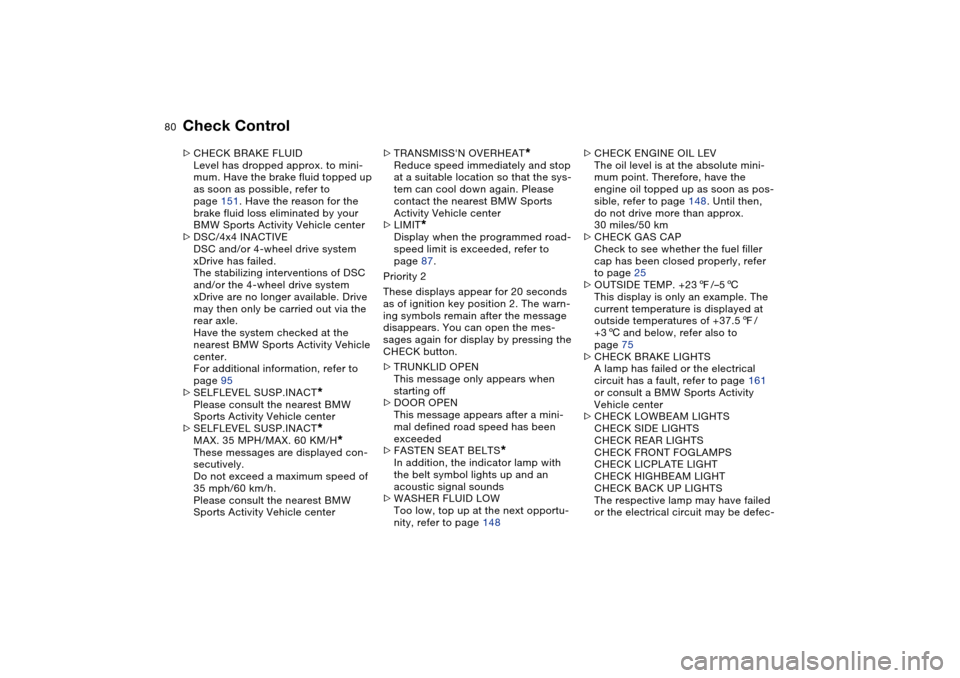
Check Control >CHECK BRAKE FLUID
Level has dropped approx. to mini-
mum. Have the brake fluid topped up
as soon as possible, refer to
page 151. Have the reason for the
brake fluid loss eliminated by your
BMW Sports Activity Vehicle center
>DSC/4x4 INACTIVE
DSC and/or 4-wheel drive system
xDrive has failed.
The stabilizing interventions of DSC
and/or the 4-wheel drive system
xDrive are no longer available. Drive
may then only be carried out via the
rear axle.
Have the system checked at the
nearest BMW Sports Activity Vehicle
center.
For additional information, refer to
page 95
>SELFLEVEL SUSP.INACT
*
Please consult the nearest BMW
Sports Activity Vehicle center
>SELFLEVEL SUSP.INACT*
MAX. 35 MPH/MAX. 60 KM/H
*
These messages are displayed con-
secutively.
Do not exceed a maximum speed of
35 mph/60 km/h.
Please consult the nearest BMW
Sports Activity Vehicle center>TRANSMISS'N OVERHEAT
*
Reduce speed immediately and stop
at a suitable location so that the sys-
tem can cool down again. Please
contact the nearest BMW Sports
Activity Vehicle center
>LIMIT
*
Display when the programmed road-
speed limit is exceeded, refer to
page 87.
Priority 2
These displays appear for 20 seconds
as of ignition key position 2. The warn-
ing symbols remain after the message
disappears. You can open the mes-
sages again for display by pressing the
CHECK button.
>TRUNKLID OPEN
This message only appears when
starting off
>DOOR OPEN
This message appears after a mini-
mal defined road speed has been
exceeded
>FASTEN SEAT BELTS
*
In addition, the indicator lamp with
the belt symbol lights up and an
acoustic signal sounds
>WASHER FLUID LOW
Too low, top up at the next opportu-
nity, refer to page 148>CHECK ENGINE OIL LEV
The oil level is at the absolute mini-
mum point. Therefore, have the
engine oil topped up as soon as pos-
sible, refer to page 148. Until then,
do not drive more than approx.
30 miles/50 km
>CHECK GAS CAP
Check to see whether the fuel filler
cap has been closed properly, refer
to page 25
>OUTSIDE TEMP. +237/–56
This display is only an example. The
current temperature is displayed at
outside temperatures of +37.57/
+36 and below, refer also to
page 75
>CHECK BRAKE LIGHTS
A lamp has failed or the electrical
circuit has a fault, refer to page 161
or consult a BMW Sports Activity
Vehicle center
>CHECK LOWBEAM LIGHTS
CHECK SIDE LIGHTS
CHECK REAR LIGHTS
CHECK FRONT FOGLAMPS
CHECK LICPLATE LIGHT
CHECK HIGHBEAM LIGHT
CHECK BACK UP LIGHTS
The respective lamp may have failed
or the electrical circuit may be defec-
Page 83 of 200
Maintenance
81n
OverviewControlsRepairsDataIndex
Check Controltive, refer to page 159 or consult a
BMW Sports Activity Vehicle center
>TRANS. FAILSAFE PROG
*
Please consult the nearest BMW
Sports Activity Vehicle center, refer
to page 69
>CHECK BRAKE LININGS
Have the brake pads inspected by
your BMW Sports Activity Vehicle
center, refer to page 139
>CHECK COOLANT LEVEL
Coolant too low, top off at the next
opportunity, refer to page 150
>ENGINE FAILSAFE PROG
Fault in the engine electronics.
You can continue to drive with
reduced engine output or engine
speed.
Please have the system inspected by
your BMW Sports Activity Vehicle
center.
Displays after completion of trip All of the malfunctions registered during
the trip appear consecutively when the
ignition key is turned to position 0.
The following displays will appear when
appropriate:
>LIGHTS ON
>KEY IN IGNITION LOCK >CHECK ENGINE OIL LEV
Top up engine oil at the next opportu-
nity, e.g. while refueling, refer to
page 148.
This display appears when you open
the driver's door after parking the vehi-
cle. A supplementary acoustic signal is
also heard.
Status messages remain available with
the CHECK button 3 for a period of
approx. three minutes after the display
goes out and the key is removed from
the ignition lock. If there were multiple
messages, press the CHECK button
repeatedly to view them all in
sequence.
Checking Check Control Press the CHECK button 3 with the
ignition key in position 2:
"CHECK CONTROL OK" appears in the
display.
No malfunctions are present in the
monitored systems. Computer You can find a description of the com-
puter on pages 82 and 87 as well as in
the Owner's Manual for Onboard Com-
puter.You can have the Check Control
and computer messages dis-
played in a different language.<
Page 99 of 200
97n
OverviewControlsMaintenanceRepairsDataIndex
Self-leveling suspension
*
2-axle self-leveling suspension
*
The warning lamp for the self-
leveling suspension comes on,
or the message "SELFLEVEL
SUSP.INACT" appears in the Check
Control: there is a malfunction in the
self-leveling suspension.
Stop and inspect the vehicle. If the rear
of the vehicle is visibly lower than the
front, possibly accompanied by a tilt
noticeable when you compare the left
rear with the right rear, please respond
by immediately proceeding to the near-
est BMW Sports Activity Vehicle center.
Drive with appropriate caution in the
meantime. The vehicle has reduced
ground clearance and driving comfort
may be noticeably reduced.
Even when the position of the vehicle is
normal, have the system checked as
soon as possible when a malfunction is
indicated.
The concept Your vehicle is equipped with 2-axle
self-leveling suspension acting on both
the front and rear suspension. This sys-
tem combines automatic self-leveling,
which compensates for variations in
front-to-rear load-distribution patterns,
with a selection feature allowing drivers
to choose from among several ride-
height options.
You may choose from among the fol-
lowing ride heights:
>Normal
The standard setting is intended for
most operating conditions, including
trailer towing
>Off-Road
Increased level for more ground
clearance
>Access
Lowers vehicle for more convenient
cargo handling or easier passenger
entries and exits.
Changes in ride height are initiated
either manually, using the control but-
ton, refer to page 98, or automatically in
response to specific speeds. When the
ride height is selected manually, the
driver has the additional option of revis-
ing the ride-height selection by entering a new command during the adjustment
process.
When the vehicle is stationary, the sys-
tem executes ride-height changes in
both directions – up and down – when-
ever the doors are closed. The liftgate/
tailgate may be open. The system
raises the vehicle only when the engine
is running.
The system's automatic self-leveling
feature automatically compensates for
variations in the vehicle's load.
Frequent changes in ride height
initiated at short intervals can
overheat the compressor, causing the
system to briefly suspend active opera-
tion.<
Page 126 of 200
124n
Ski bag
*
Cargo area
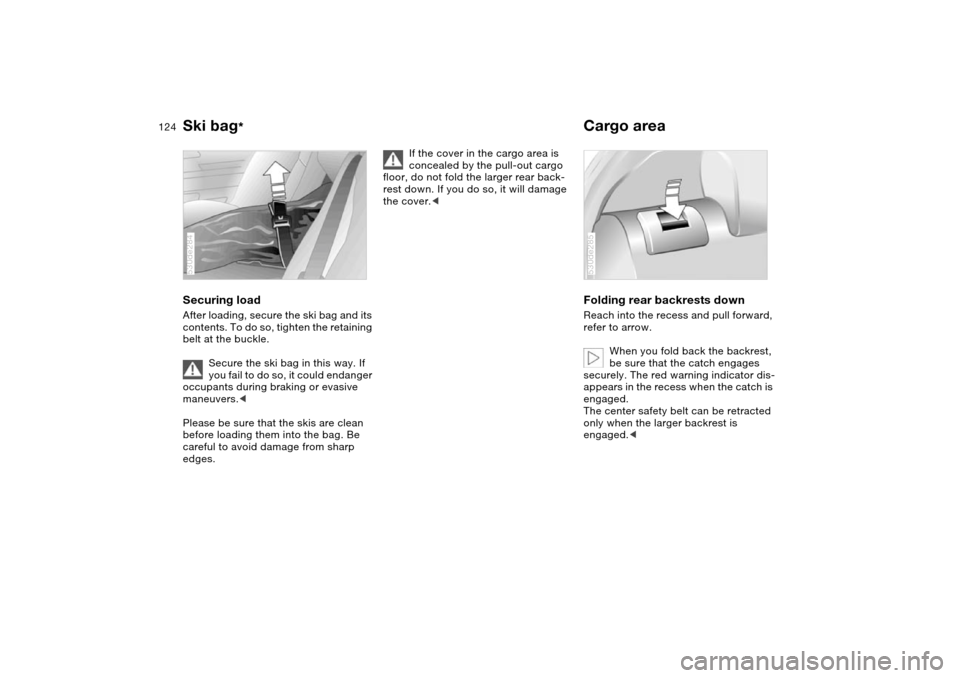
Securing load After loading, secure the ski bag and its
contents. To do so, tighten the retaining
belt at the buckle.
Secure the ski bag in this way. If
you fail to do so, it could endanger
occupants during braking or evasive
maneuvers.<
Please be sure that the skis are clean
before loading them into the bag. Be
careful to avoid damage from sharp
edges. 530de284
If the cover in the cargo area is
concealed by the pull-out cargo
floor, do not fold the larger rear back-
rest down. If you do so, it will damage
the cover.<
Folding rear backrests down Reach into the recess and pull forward,
refer to arrow.
When you fold back the backrest,
be sure that the catch engages
securely. The red warning indicator dis-
appears in the recess when the catch is
engaged.
The center safety belt can be retracted
only when the larger backrest is
engaged.<530de285
Page 128 of 200
126n
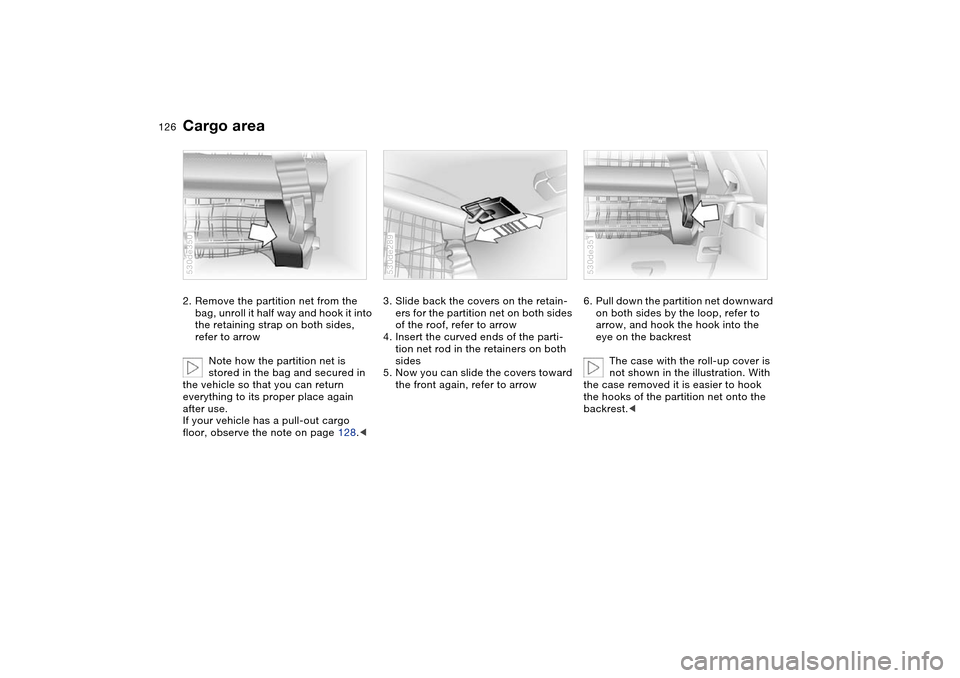
Cargo area 2. Remove the partition net from the
bag, unroll it half way and hook it into
the retaining strap on both sides,
refer to arrow
Note how the partition net is
stored in the bag and secured in
the vehicle so that you can return
everything to its proper place again
after use.
If your vehicle has a pull-out cargo
floor, observe the note on page 128.<530de350
3. Slide back the covers on the retain-
ers for the partition net on both sides
of the roof, refer to arrow
4. Insert the curved ends of the parti-
tion net rod in the retainers on both
sides
5. Now you can slide the covers toward
the front again, refer to arrow530de289
6. Pull down the partition net downward
on both sides by the loop, refer to
arrow, and hook the hook into the
eye on the backrest
The case with the roll-up cover is
not shown in the illustration. With
the case removed it is easier to hook
the hooks of the partition net onto the
backrest.<530de351
Page 129 of 200
127n
OverviewControlsMaintenanceRepairsDataIndex
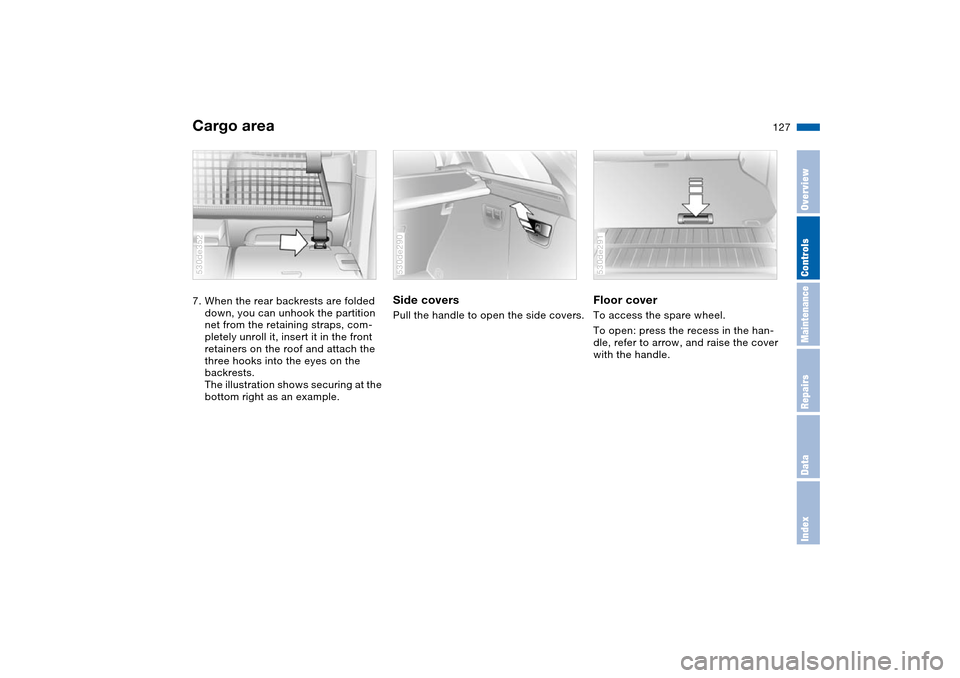
Cargo area 7. When the rear backrests are folded
down, you can unhook the partition
net from the retaining straps, com-
pletely unroll it, insert it in the front
retainers on the roof and attach the
three hooks into the eyes on the
backrests.
The illustration shows securing at the
bottom right as an example.530de352
Side covers Pull the handle to open the side covers.530de290
Floor cover To access the spare wheel.
To open: press the recess in the han-
dle, refer to arrow, and raise the cover
with the handle. 530de291