ESP BMW X5M 2016 F85 Owner's Guide
[x] Cancel search | Manufacturer: BMW, Model Year: 2016, Model line: X5M, Model: BMW X5M 2016 F85Pages: 255, PDF Size: 6.73 MB
Page 76 of 255
▷On uphill grades or on a slope, turn the
front wheels in the direction of the curb.▷On uphill grades or on a slope, also secure
the vehicle, e.g. with a wheel chock.◀
The parking brake can be released manually in
the event of a power failure or electrical fault.
Unlocking If the parking brake has been released man‐
ually in response to a malfunction, only quali‐
fied technicians should return it to operation.
1.Open the left side trim in the trunk.2.Remove the first-aid kit and warning trian‐
gle.3.Insert the screwdriver from the onboard
vehicle tool kit under the cargo floor panel
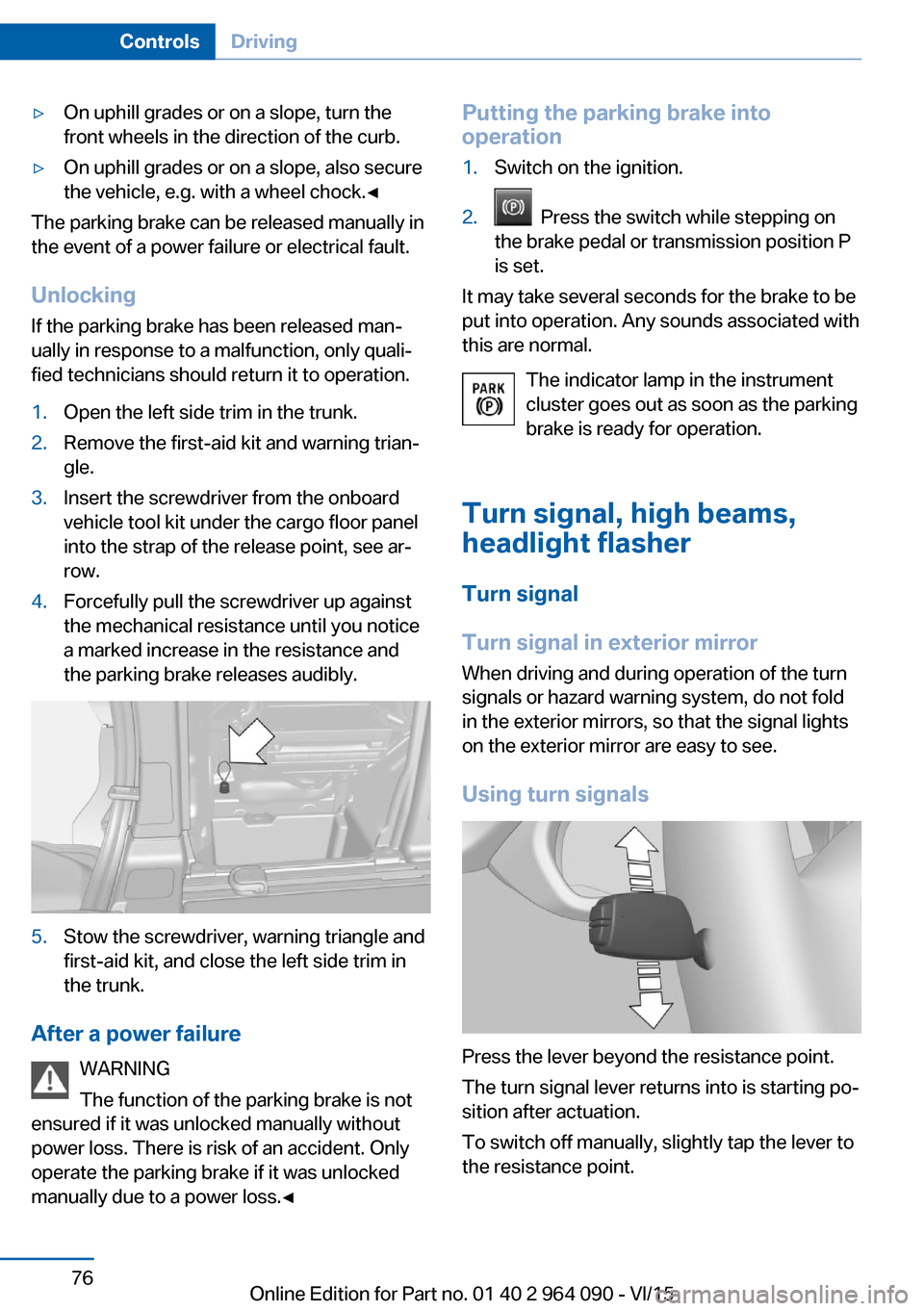
into the strap of the release point, see ar‐
row.4.Forcefully pull the screwdriver up against
the mechanical resistance until you notice
a marked increase in the resistance and
the parking brake releases audibly.5.Stow the screwdriver, warning triangle and
first-aid kit, and close the left side trim in
the trunk.
After a power failure
WARNING
The function of the parking brake is not
ensured if it was unlocked manually without
power loss. There is risk of an accident. Only
operate the parking brake if it was unlocked
manually due to a power loss.◀
Putting the parking brake into
operation1.Switch on the ignition.2. Press the switch while stepping on
the brake pedal or transmission position P
is set.
It may take several seconds for the brake to be
put into operation. Any sounds associated with
this are normal.
The indicator lamp in the instrument
cluster goes out as soon as the parking
brake is ready for operation.
Turn signal, high beams,
headlight flasher
Turn signal
Turn signal in exterior mirror When driving and during operation of the turn
signals or hazard warning system, do not fold
in the exterior mirrors, so that the signal lights on the exterior mirror are easy to see.
Using turn signals
Press the lever beyond the resistance point.
The turn signal lever returns into is starting po‐
sition after actuation.
To switch off manually, slightly tap the lever to
the resistance point.
Seite 76ControlsDriving76
Online Edition for Part no. 01 40 2 964 090 - VI/15
Page 81 of 255
▷Automatic downshifting and protection
from misshifting even in sequential mode.▷Launch Control.▷Low Speed Assistant.
Selector lever, selector lever positions
Overview
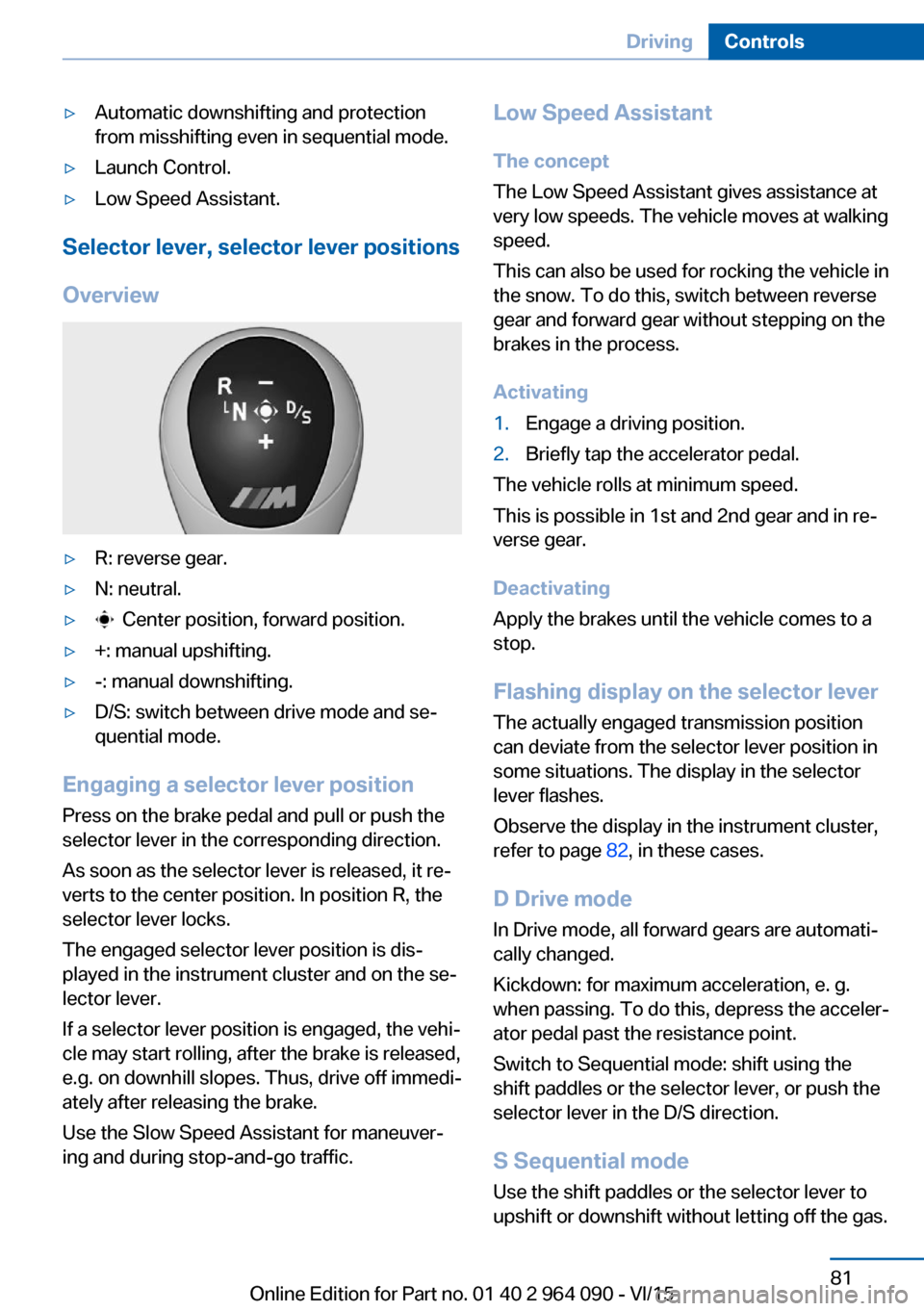
▷R: reverse gear.▷N: neutral.▷ Center position, forward position.▷+: manual upshifting.▷-: manual downshifting.▷D/S: switch between drive mode and se‐
quential mode.
Engaging a selector lever position
Press on the brake pedal and pull or push the
selector lever in the corresponding direction.
As soon as the selector lever is released, it re‐
verts to the center position. In position R, the
selector lever locks.
The engaged selector lever position is dis‐
played in the instrument cluster and on the se‐
lector lever.
If a selector lever position is engaged, the vehi‐
cle may start rolling, after the brake is released,
e.g. on downhill slopes. Thus, drive off immedi‐
ately after releasing the brake.
Use the Slow Speed Assistant for maneuver‐
ing and during stop-and-go traffic.
Low Speed Assistant
The concept
The Low Speed Assistant gives assistance at
very low speeds. The vehicle moves at walking
speed.
This can also be used for rocking the vehicle in
the snow. To do this, switch between reverse
gear and forward gear without stepping on the
brakes in the process.
Activating1.Engage a driving position.2.Briefly tap the accelerator pedal.
The vehicle rolls at minimum speed.
This is possible in 1st and 2nd gear and in re‐
verse gear.
Deactivating
Apply the brakes until the vehicle comes to a
stop.
Flashing display on the selector lever The actually engaged transmission position
can deviate from the selector lever position in
some situations. The display in the selector
lever flashes.
Observe the display in the instrument cluster,
refer to page 82, in these cases.
D Drive mode
In Drive mode, all forward gears are automati‐
cally changed.
Kickdown: for maximum acceleration, e. g. when passing. To do this, depress the acceler‐
ator pedal past the resistance point.
Switch to Sequential mode: shift using the
shift paddles or the selector lever, or push the
selector lever in the D/S direction.
S Sequential mode
Use the shift paddles or the selector lever to
upshift or downshift without letting off the gas.
Seite 81DrivingControls81
Online Edition for Part no. 01 40 2 964 090 - VI/15
Page 83 of 255
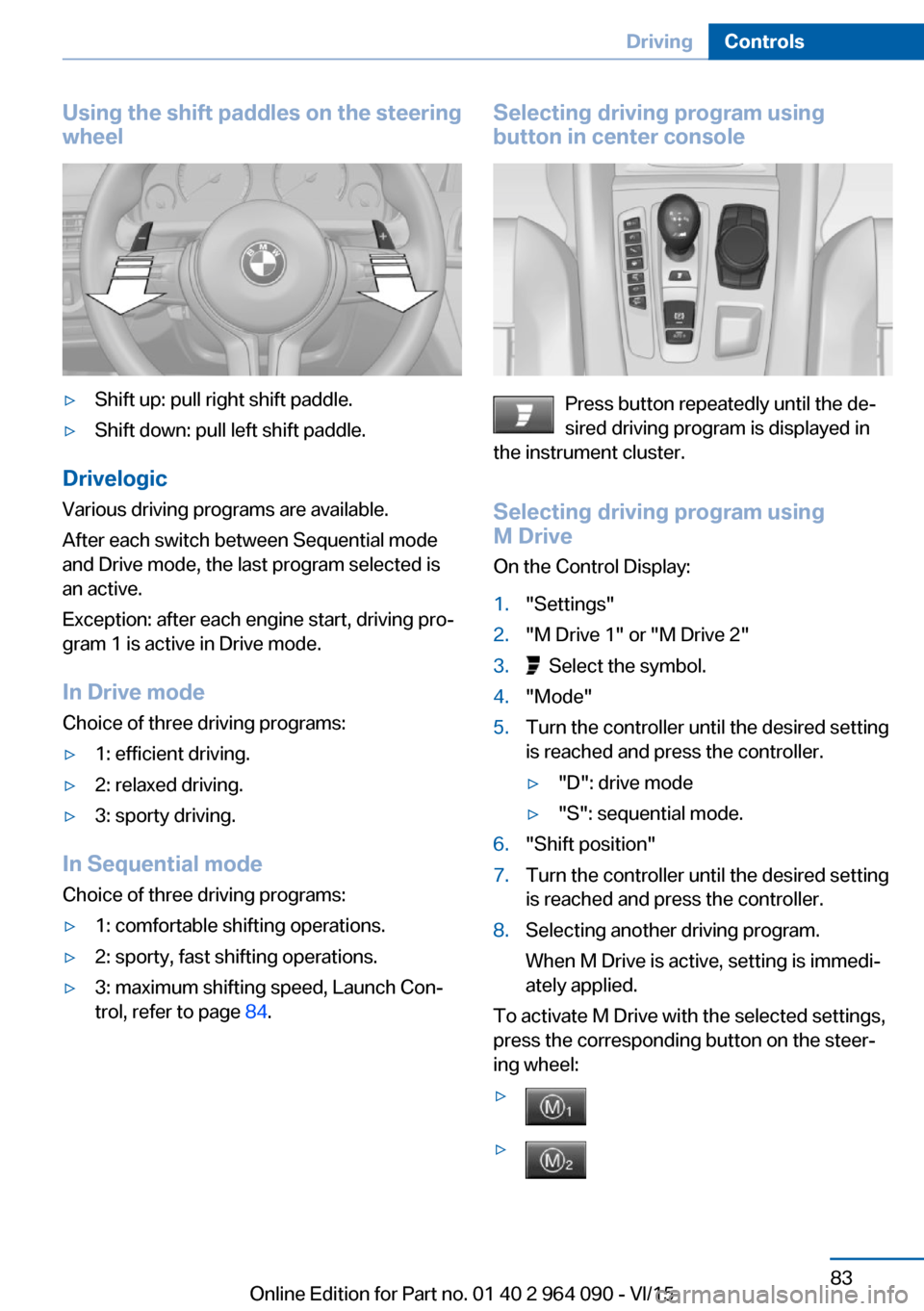
Using the shift paddles on the steeringwheel▷Shift up: pull right shift paddle.▷Shift down: pull left shift paddle.
Drivelogic
Various driving programs are available.
After each switch between Sequential mode
and Drive mode, the last program selected is
an active.
Exception: after each engine start, driving pro‐
gram 1 is active in Drive mode.
In Drive mode
Choice of three driving programs:
▷1: efficient driving.▷2: relaxed driving.▷3: sporty driving.
In Sequential mode Choice of three driving programs:
▷1: comfortable shifting operations.▷2: sporty, fast shifting operations.▷3: maximum shifting speed, Launch Con‐
trol, refer to page 84.Selecting driving program using
button in center console
Press button repeatedly until the de‐
sired driving program is displayed in
the instrument cluster.
Selecting driving program using
M Drive
On the Control Display:
1."Settings"2."M Drive 1" or "M Drive 2"3. Select the symbol.4."Mode"5.Turn the controller until the desired setting
is reached and press the controller.▷"D": drive mode▷"S": sequential mode.6."Shift position"7.Turn the controller until the desired setting
is reached and press the controller.8.Selecting another driving program.
When M Drive is active, setting is immedi‐
ately applied.
To activate M Drive with the selected settings,
press the corresponding button on the steer‐
ing wheel:
▷▷Seite 83DrivingControls83
Online Edition for Part no. 01 40 2 964 090 - VI/15
Page 84 of 255
WARNING
Depending on the setting, the DSC may
only be available to a limited extent or may not
be available with activated M drive. There is
risk of accidents or risk of property damage.
Heed the settings for DSC in the M drive and
react actively if necessary. Adapt your driving
style and react if necessary.◀
Display in the instrument cluster Selected driving program corre‐
sponds to the number of illumi‐
nated fields.
Electronic unlocking of the transmission lock
General information
Electronically unlock the transmission lock to
maneuver vehicle from the danger area.
Unlocking is possible, if the started can spin
the engine.
Engaging selector lever position N1.Depress the brake pedal.2.Press the Start/Stop button. The starter
must audibly start.3.Press and hold the selector lever into posi‐
tion N.
A corresponding Check Control message
is displayed.4.Press the selector lever again into posi‐
tion N within approx. 6 seconds.
Selector lever position N is displayed in the
instrument cluster.5.Release brake, as soon as the starter
stops.6.Maneuver the vehicle from the danger area
and secure it against moving on its own.Launch Control
The concept Launch Control enables optimum accelerationon surfaces with good traction.
General information
The use of Launch Control causes premature
component wear since this function represents
a very heavy load for the vehicle.
Do not use Launch Control during the break-in,
refer to page 184, period.
Requirements Launch Control is available when the engine is
warmed up, that is, after uninterrupted driving
of at least 6 miles/10 km.
To start with Launch Control do not steer the
steering wheel.
Activate Launch Control1.Deactivate Dynamic Stability Control, refer
to page 135, or activate M Dynamic mode,
refer to page 134.2.Select Sequential mode with gear 1 and
driving program 3.3.With the engine running, firmly apply the
brake with the left foot.4.Depress the accelerator pedal far enough
that a flag symbol is displayed in the instru‐
ment cluster.
Keep accelerator pedal in this position.
The starting engine speed adjusts.5.Within 3 seconds, release the brake. The
vehicle accelerates.
Upshifting occurs automatically as long as
the flag symbol is displayed and the accel‐
erator pedal is not released.
Launch Control is available again only after the
transmission is cooled down to a certain de‐
gree.
Seite 84ControlsDriving84
Online Edition for Part no. 01 40 2 964 090 - VI/15
Page 85 of 255
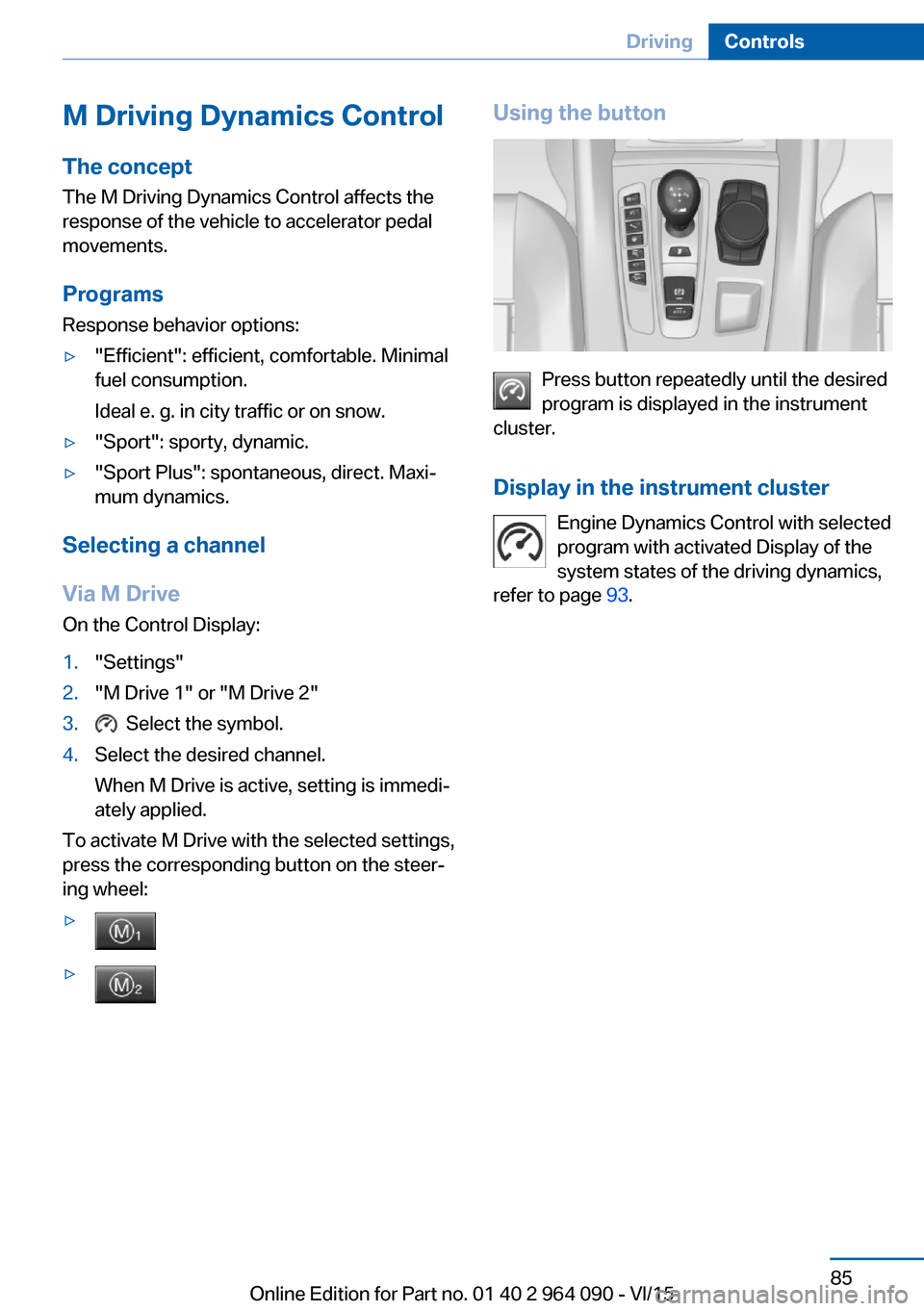
M Driving Dynamics Control
The concept The M Driving Dynamics Control affects the
response of the vehicle to accelerator pedal movements.
Programs Response behavior options:▷"Efficient": efficient, comfortable. Minimal
fuel consumption.
Ideal e. g. in city traffic or on snow.▷"Sport": sporty, dynamic.▷"Sport Plus": spontaneous, direct. Maxi‐
mum dynamics.
Selecting a channel
Via M Drive On the Control Display:
1."Settings"2."M Drive 1" or "M Drive 2"3. Select the symbol.4.Select the desired channel.
When M Drive is active, setting is immedi‐
ately applied.
To activate M Drive with the selected settings,
press the corresponding button on the steer‐
ing wheel:
▷▷Using the button
Press button repeatedly until the desired
program is displayed in the instrument
cluster.
Display in the instrument cluster Engine Dynamics Control with selected
program with activated Display of the
system states of the driving dynamics,
refer to page 93.
Seite 85DrivingControls85
Online Edition for Part no. 01 40 2 964 090 - VI/15
Page 86 of 255
DisplaysVehicle features and optionsThis chapter describes all standard, country-
specific and optional features offered with the
series. It also describes features that are not
necessarily available in your car, e. g., due tothe selected options or country versions. This
also applies to safety-related functions and
systems. The respectively applicable country
provisions must be observed when using the
respective features and systems.
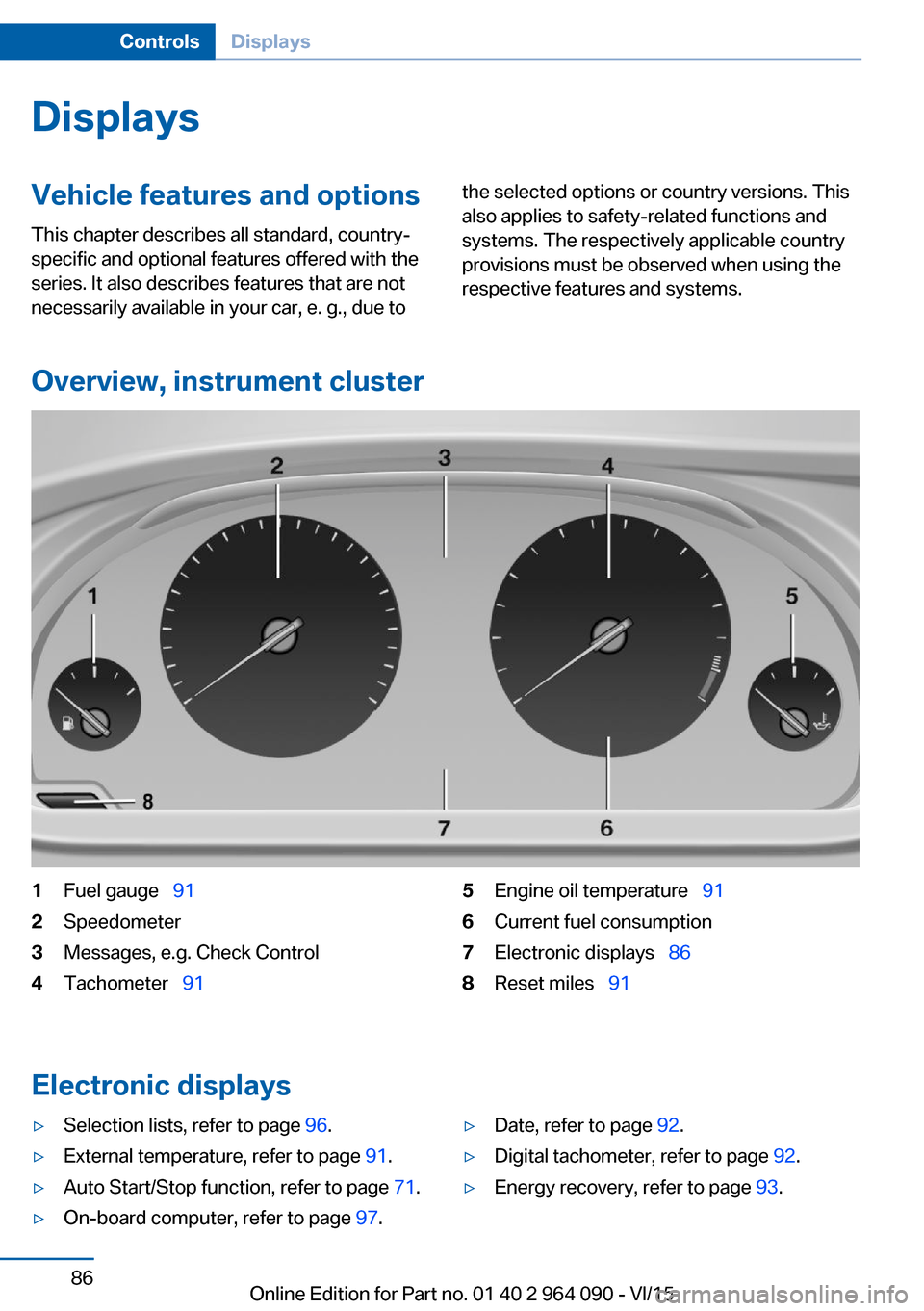
Overview, instrument cluster
1Fuel gauge 912Speedometer3Messages, e.g. Check Control4Tachometer 915Engine oil temperature 916Current fuel consumption7Electronic displays 868Reset miles 91
Electronic displays
▷Selection lists, refer to page 96.▷External temperature, refer to page 91.▷Auto Start/Stop function, refer to page 71.▷On-board computer, refer to page 97.▷Date, refer to page 92.▷Digital tachometer, refer to page 92.▷Energy recovery, refer to page 93.Seite 86ControlsDisplays86
Online Edition for Part no. 01 40 2 964 090 - VI/15
Page 92 of 255
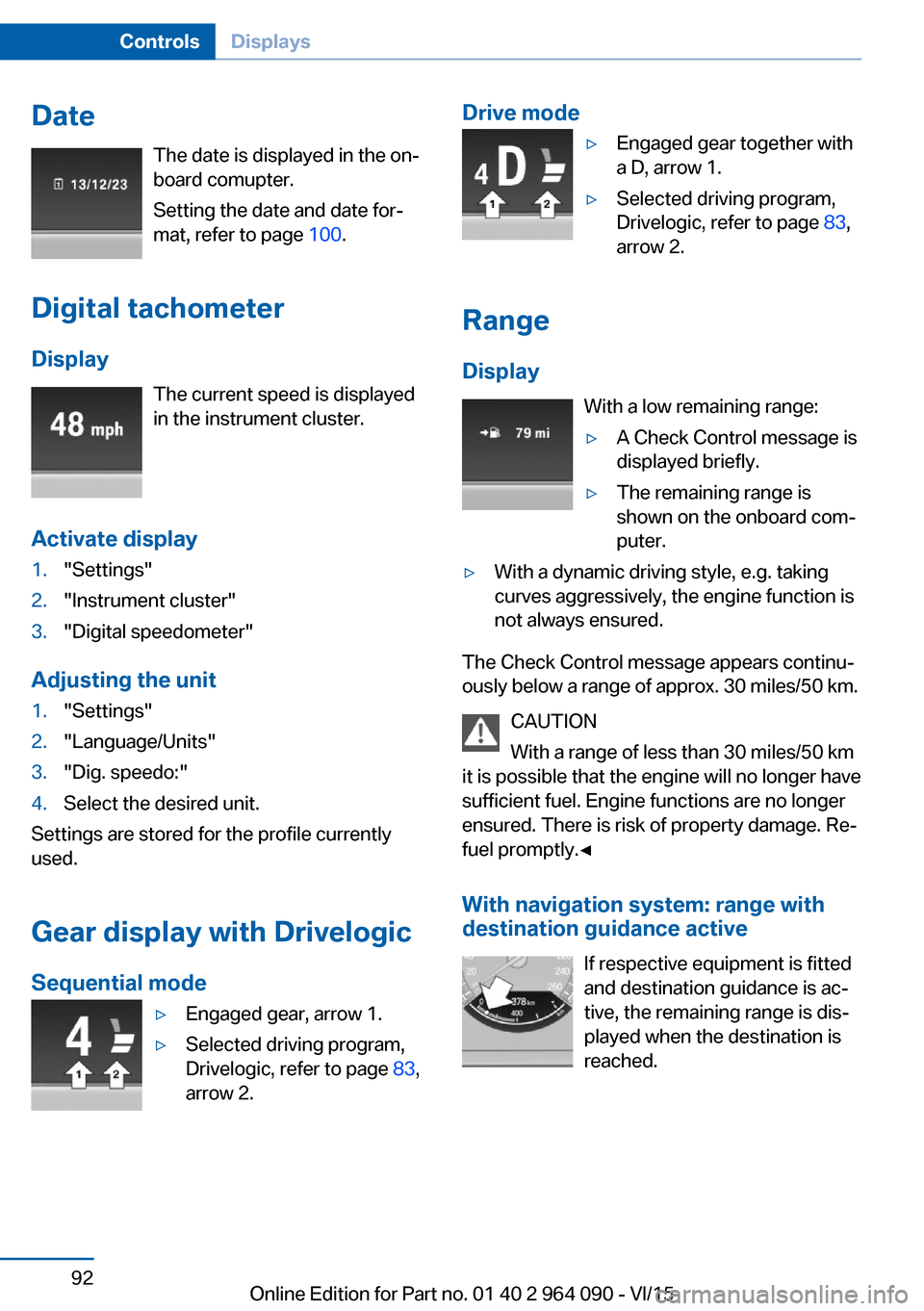
DateThe date is displayed in the on-
board comupter.
Setting the date and date for‐
mat, refer to page 100.
Digital tachometer
Display The current speed is displayed
in the instrument cluster.
Activate display1."Settings"2."Instrument cluster"3."Digital speedometer"
Adjusting the unit
1."Settings"2."Language/Units"3."Dig. speedo:"4.Select the desired unit.
Settings are stored for the profile currently
used.
Gear display with Drivelogic
Sequential mode
▷Engaged gear, arrow 1.▷Selected driving program,
Drivelogic, refer to page 83,
arrow 2.Drive mode▷Engaged gear together with
a D, arrow 1.▷Selected driving program,
Drivelogic, refer to page 83,
arrow 2.
Range
Display With a low remaining range:
▷A Check Control message is
displayed briefly.▷The remaining range is
shown on the onboard com‐
puter.▷With a dynamic driving style, e.g. taking
curves aggressively, the engine function is
not always ensured.
The Check Control message appears continu‐
ously below a range of approx. 30 miles/50 km.
CAUTION
With a range of less than 30 miles/50 km
it is possible that the engine will no longer have
sufficient fuel. Engine functions are no longer
ensured. There is risk of property damage. Re‐
fuel promptly.◀
With navigation system: range with
destination guidance active
If respective equipment is fitted
and destination guidance is ac‐
tive, the remaining range is dis‐
played when the destination is
reached.
Seite 92ControlsDisplays92
Online Edition for Part no. 01 40 2 964 090 - VI/15
Page 95 of 255
On the Control Display:1."Vehicle info"2."Vehicle status"3.Open "Options".4."Last Service Request"
Gear shift indicatorThe conceptThe system recommends the most fuel effi‐
cient gear for the current driving situation.
General information
The gear shift indicator is active in the sequen‐
tial mode of the M Steptronic Sport transmis‐
sion.
Suggestions to shift gear up or down are dis‐
played in the instrument cluster.
On vehicles without a gear shift indicator, the
engaged gear is displayed.
Displays
SymbolDescriptionShift up to fuel efficient gear.Shift down to fuel efficient gear.
Speed limit detection
The concept
Speed limit detection
Speed limit detection shows the current maxi‐
mum permitted speed in the instrument clus‐
ter. The camera in the area of the interior rear‐
view mirror detects traffic signs at the edge of
the road as well as variable overhead sign
posts. Traffic signs with extra symbols for wet
road conditions, etc. are also detected and
compared with the vehicle's onboard data,
such as for the rain sensor, and will be dis‐
played depending on the situation. The system
takes into account the information stored in
the navigation system and also displays speed
limits present on routes without signs.
Information WARNING
The system does not relieve from the
personal responsibility to correctly assess visi‐
bility and traffic situation. There is risk of an ac‐
cident. Adjust the driving style to the traffic
conditions. Watch traffic closely and actively
interfere in the respective situations.◀
Overview
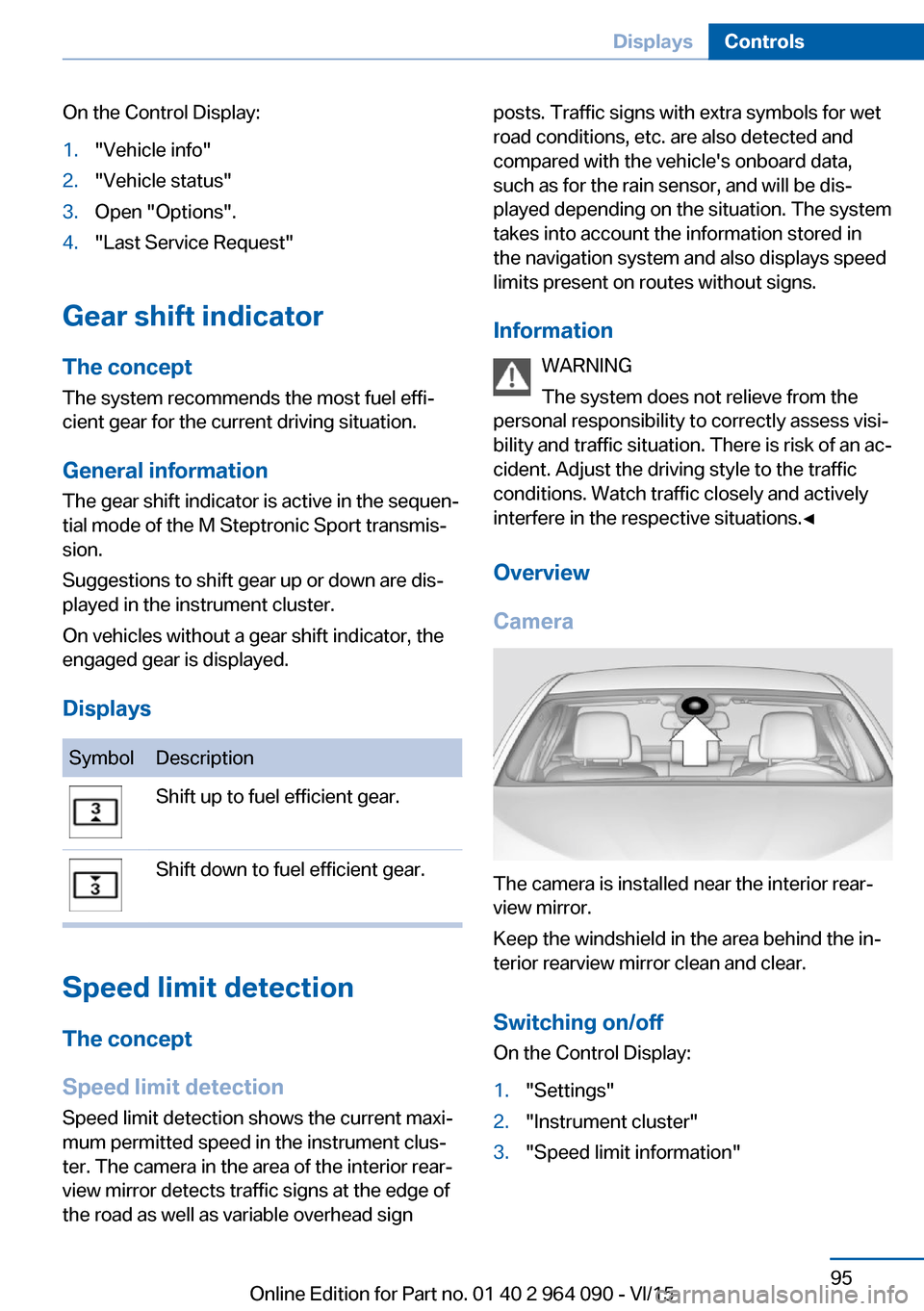
Camera
The camera is installed near the interior rear‐
view mirror.
Keep the windshield in the area behind the in‐
terior rearview mirror clean and clear.
Switching on/offOn the Control Display:
1."Settings"2."Instrument cluster"3."Speed limit information"Seite 95DisplaysControls95
Online Edition for Part no. 01 40 2 964 090 - VI/15
Page 97 of 255
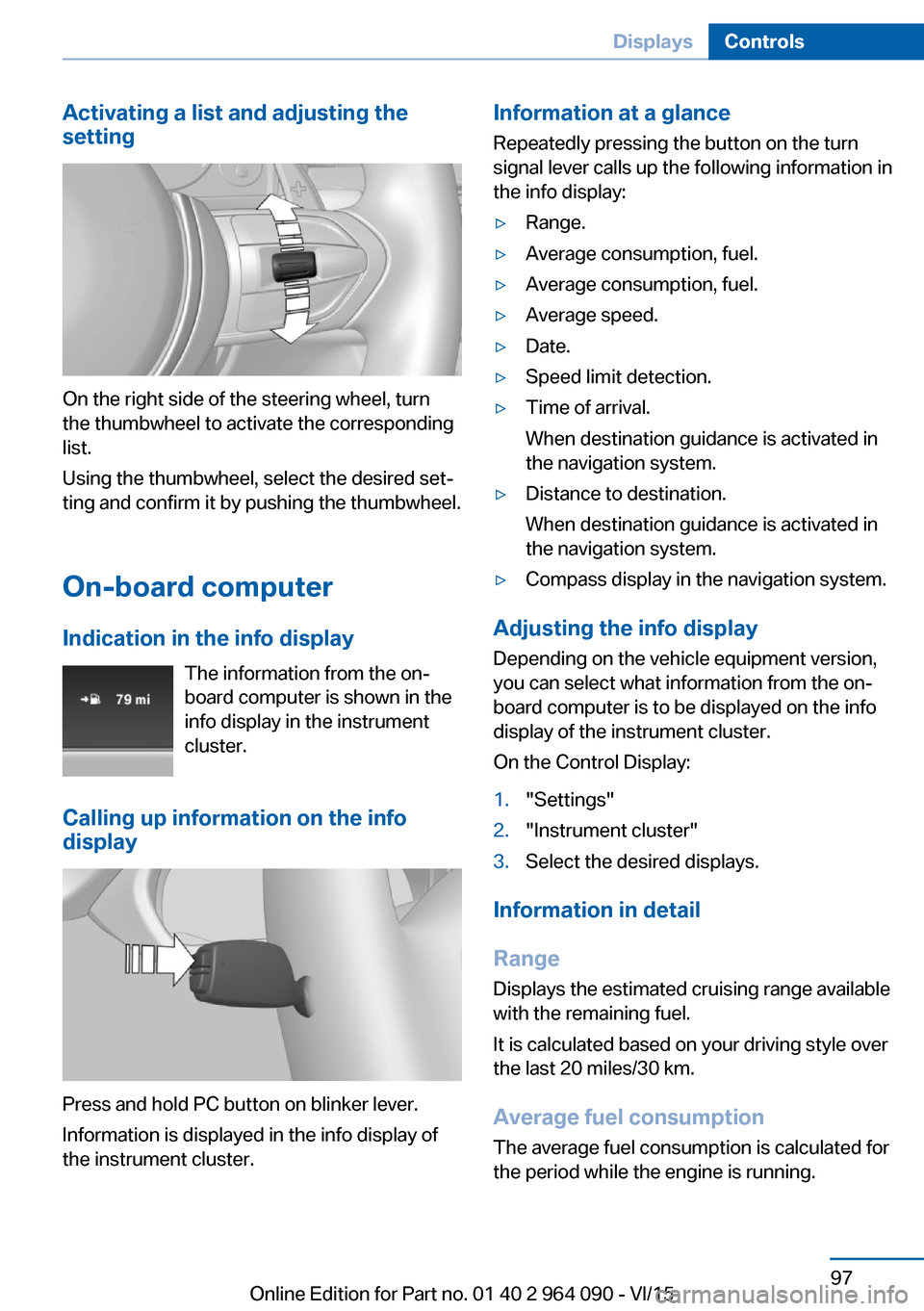
Activating a list and adjusting the
setting
On the right side of the steering wheel, turn
the thumbwheel to activate the corresponding
list.
Using the thumbwheel, select the desired set‐
ting and confirm it by pushing the thumbwheel.
On-board computer
Indication in the info display The information from the on-
board computer is shown in the
info display in the instrument
cluster.
Calling up information on the info
display
Press and hold PC button on blinker lever.
Information is displayed in the info display of
the instrument cluster.
Information at a glance
Repeatedly pressing the button on the turn
signal lever calls up the following information in
the info display:▷Range.▷Average consumption, fuel.▷Average consumption, fuel.▷Average speed.▷Date.▷Speed limit detection.▷Time of arrival.
When destination guidance is activated in
the navigation system.▷Distance to destination.
When destination guidance is activated in
the navigation system.▷Compass display in the navigation system.
Adjusting the info display
Depending on the vehicle equipment version,
you can select what information from the on-
board computer is to be displayed on the info
display of the instrument cluster.
On the Control Display:
1."Settings"2."Instrument cluster"3.Select the desired displays.
Information in detail
Range
Displays the estimated cruising range available
with the remaining fuel.
It is calculated based on your driving style over
the last 20 miles/30 km.
Average fuel consumption
The average fuel consumption is calculated for
the period while the engine is running.
Seite 97DisplaysControls97
Online Edition for Part no. 01 40 2 964 090 - VI/15
Page 104 of 255
LightsVehicle features and optionsThis chapter describes all standard, country-
specific and optional features offered with the
series. It also describes features that are not
necessarily available in your car, e. g., due to
the selected options or country versions. This
also applies to safety-related functions and
systems. The respectively applicable country
provisions must be observed when using the
respective features and systems.
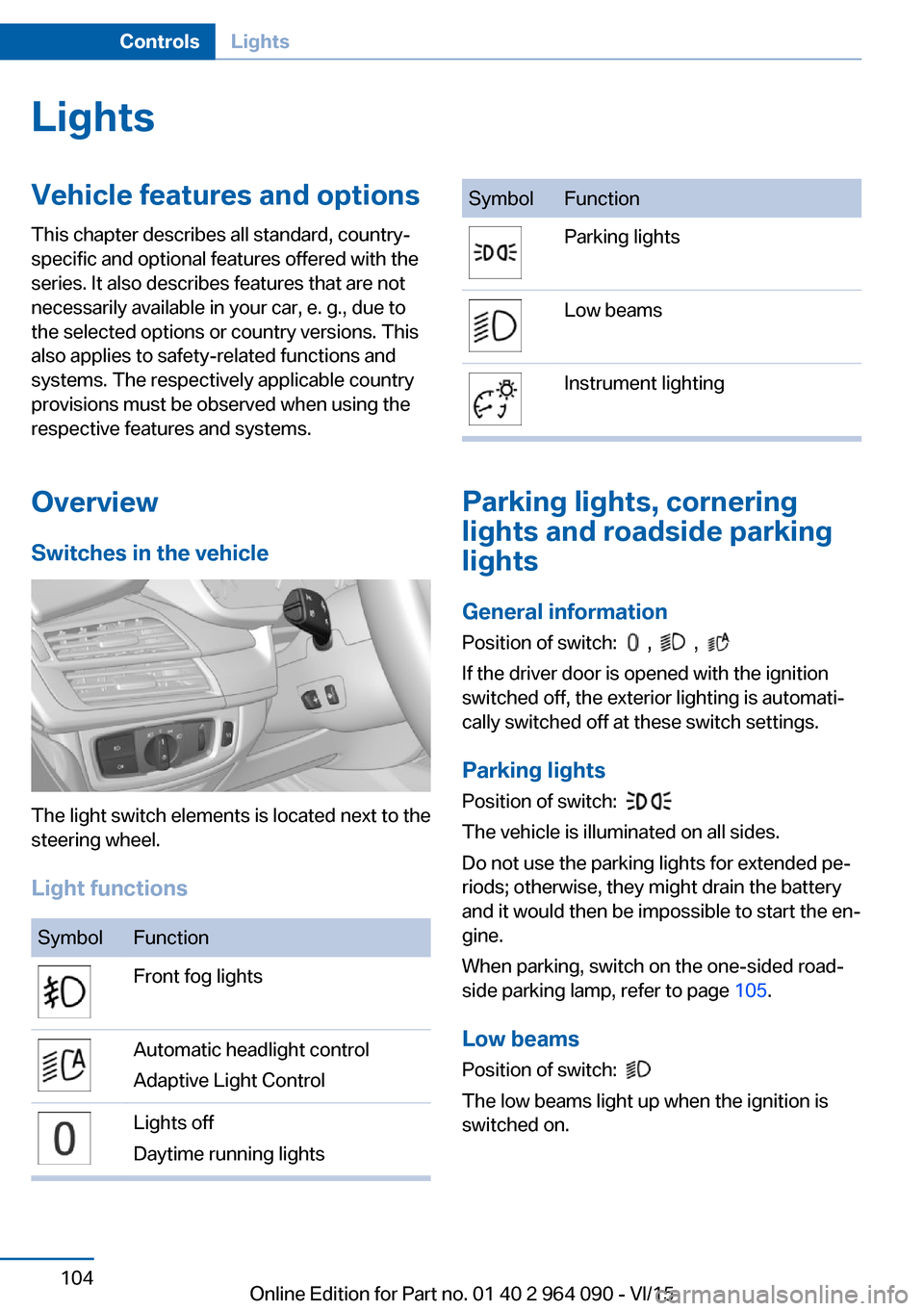
Overview Switches in the vehicle
The light switch elements is located next to the
steering wheel.
Light functions
SymbolFunctionFront fog lightsAutomatic headlight control
Adaptive Light ControlLights off
Daytime running lightsSymbolFunctionParking lightsLow beamsInstrument lighting
Parking lights, cornering
lights and roadside parking
lights
General information Position of switch:
, ,
If the driver door is opened with the ignition
switched off, the exterior lighting is automati‐
cally switched off at these switch settings.
Parking lights
Position of switch:
The vehicle is illuminated on all sides.
Do not use the parking lights for extended pe‐
riods; otherwise, they might drain the battery
and it would then be impossible to start the en‐
gine.
When parking, switch on the one-sided road‐
side parking lamp, refer to page 105.
Low beams Position of switch:
The low beams light up when the ignition is
switched on.
Seite 104ControlsLights104
Online Edition for Part no. 01 40 2 964 090 - VI/15