remote control BMW X6 M 2012 Owner's Guide
[x] Cancel search | Manufacturer: BMW, Model Year: 2012, Model line: X6 M, Model: BMW X6 M 2012Pages: 317, PDF Size: 8.83 MB
Page 81 of 317
Lamps
At a glance
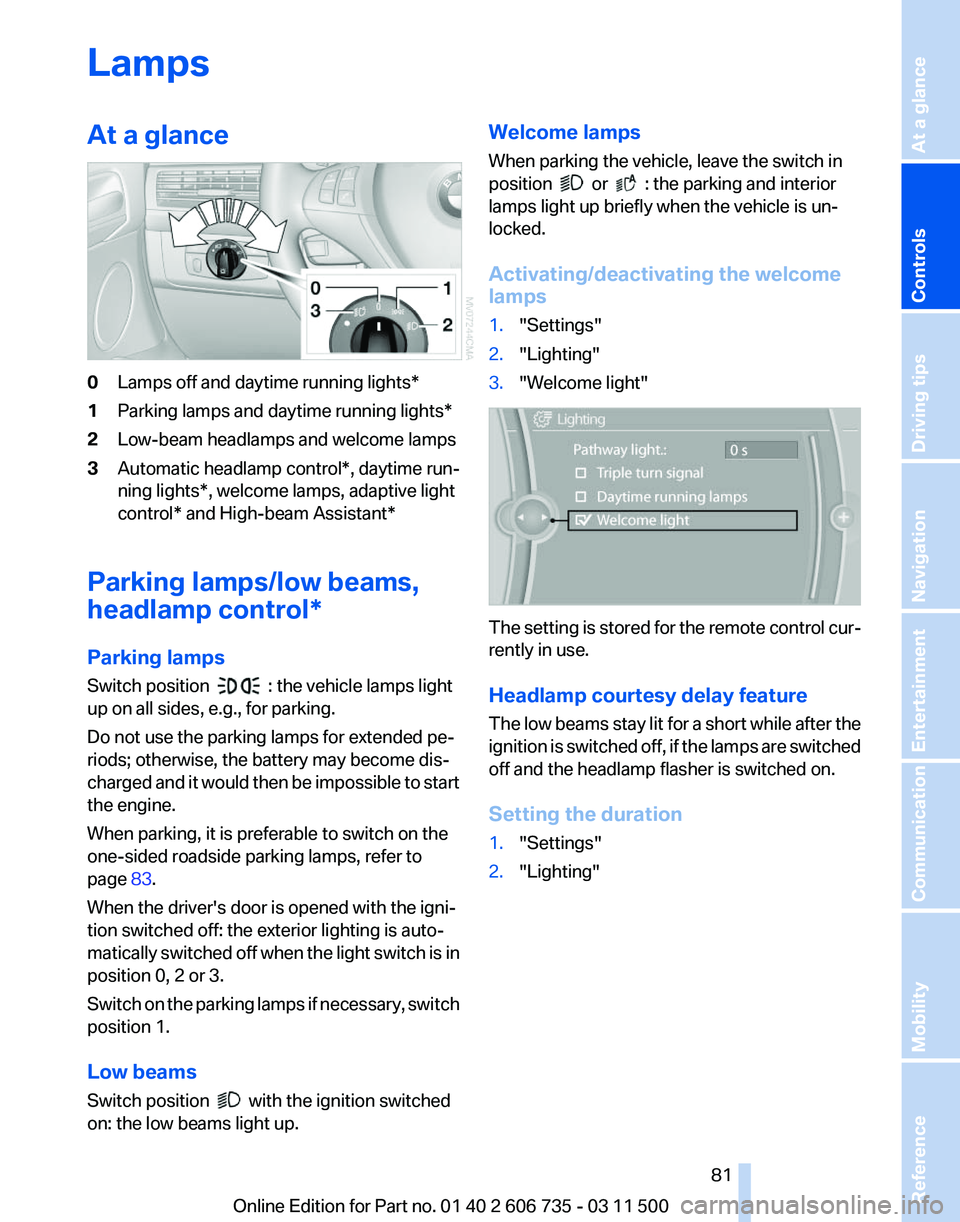
0
Lamps off and daytime running lights*
1 Parking lamps and daytime running lights*
2 Low-beam headlamps and welcome lamps
3 Automatic headlamp control*, daytime run‐
ning lights*, welcome lamps,
adaptive light
control* and High-beam Assistant*
Parking lamps/low beams,
headlamp control*
Parking lamps
Switch position : the vehicle lamps light
up on all sides, e.g., for parking.
Do not use the parking lamps for extended pe‐
riods; otherwise, the battery may become dis‐
charged
and it would then be impossible to start
the engine.
When parking, it is preferable to switch on the
one-sided roadside parking lamps, refer to
page 83.
When the driver's door is opened with the igni‐
tion switched off: the exterior lighting is auto‐
matically switched off when the light switch is in
position 0, 2 or 3.
Switch on the parking lamps if necessary, switch
position 1.
Low beams
Switch position with the ignition switched
on: the low beams light up. Welcome lamps
When parking the vehicle, leave the switch in
position or : the parking and interior
lamps light up briefly when the vehicle is un‐
locked.
Activating/deactivating the welcome
lamps
1. "Settings"
2. "Lighting"
3. "Welcome light" The setting is stored for the remote control cur‐
rently in use.
Headlamp courtesy delay feature
The
low beams stay lit for a short while after the
ignition is switched off, if the lamps are switched
off and the headlamp flasher is switched on.
Setting the duration
1. "Settings"
2. "Lighting"
Seite 81
81Online Edition for Part no. 01 40 2 606 735 - 03 11 500
Reference Mobility Communication Entertainment Navigation Driving tips
Controls At a glance
Page 82 of 317
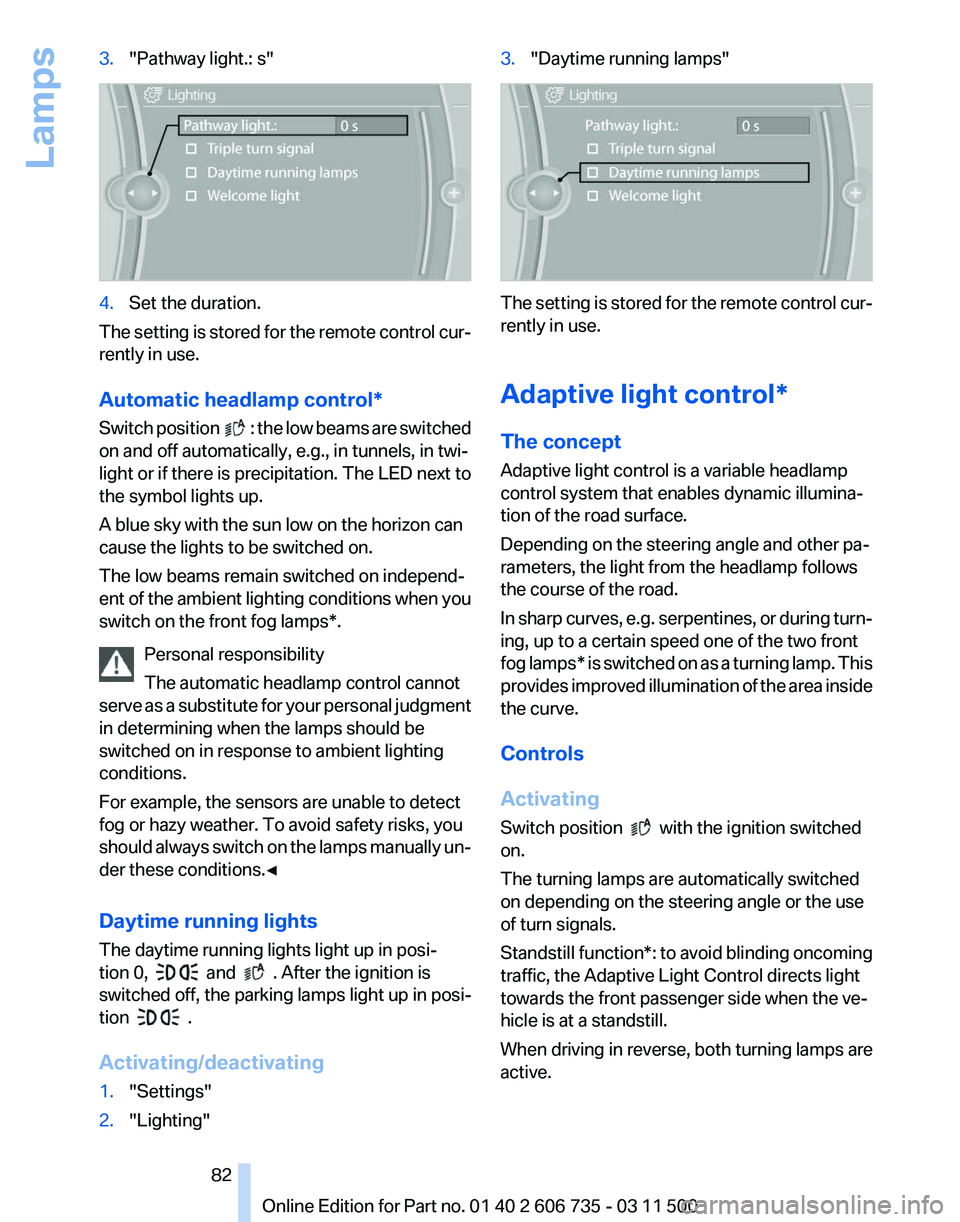
3.
"Pathway light.: s" 4.
Set the duration.
The setting is stored for the remote control cur‐
rently in use.
Automatic headlamp control
*
Switch position : the low beams are switched
on and off automatically, e.g., in tunnels, in twi‐
light or if there is precipitation. The LED next to
the symbol lights up.
A blue sky with the sun low on the horizon can
cause the lights to be switched on.
The low beams remain switched on independ‐
ent
of the ambient lighting conditions when you
switch on the front fog lamps*.
Personal responsibility
The automatic headlamp control cannot
serve as a substitute for your personal judgment
in determining when the lamps should be
switched on in response to ambient lighting
conditions.
For example, the sensors are unable to detect
fog or hazy weather. To avoid safety risks, you
should always switch on the lamps manually un‐
der these conditions.◀
Daytime running lights
The daytime running lights light up in posi‐
tion 0, and . After the ignition is
switched off, the parking lamps light up in posi‐
tion .
Activating/deactivating
1. "Settings"
2. "Lighting" 3.
"Daytime running lamps" The setting is stored for the remote control cur‐
rently in use.
Adaptive light control*
The concept
Adaptive light control is a variable headlamp
control system that enables dynamic illumina‐
tion of the road surface.
Depending on the steering angle and other pa‐
rameters, the light from the headlamp follows
the course of the road.
In
sharp curves, e.g. serpentines, or during turn‐
ing, up to a certain speed one of the two front
fog lamps* is switched on as a turning lamp. This
provides improved illumination of the area inside
the curve.
Controls
Activating
Switch position with the ignition switched
on.
The turning lamps are automatically switched
on depending on the steering angle or the use
of turn signals.
Standstill function*:
to avoid blinding oncoming
traffic, the Adaptive Light Control directs light
towards the front passenger side when the ve‐
hicle is at a standstill.
When driving in reverse, both turning lamps are
active.
Seite 82
82 Online Edition for Part no. 01 40 2 606 735 - 03 11 500
Lamps
Page 84 of 317
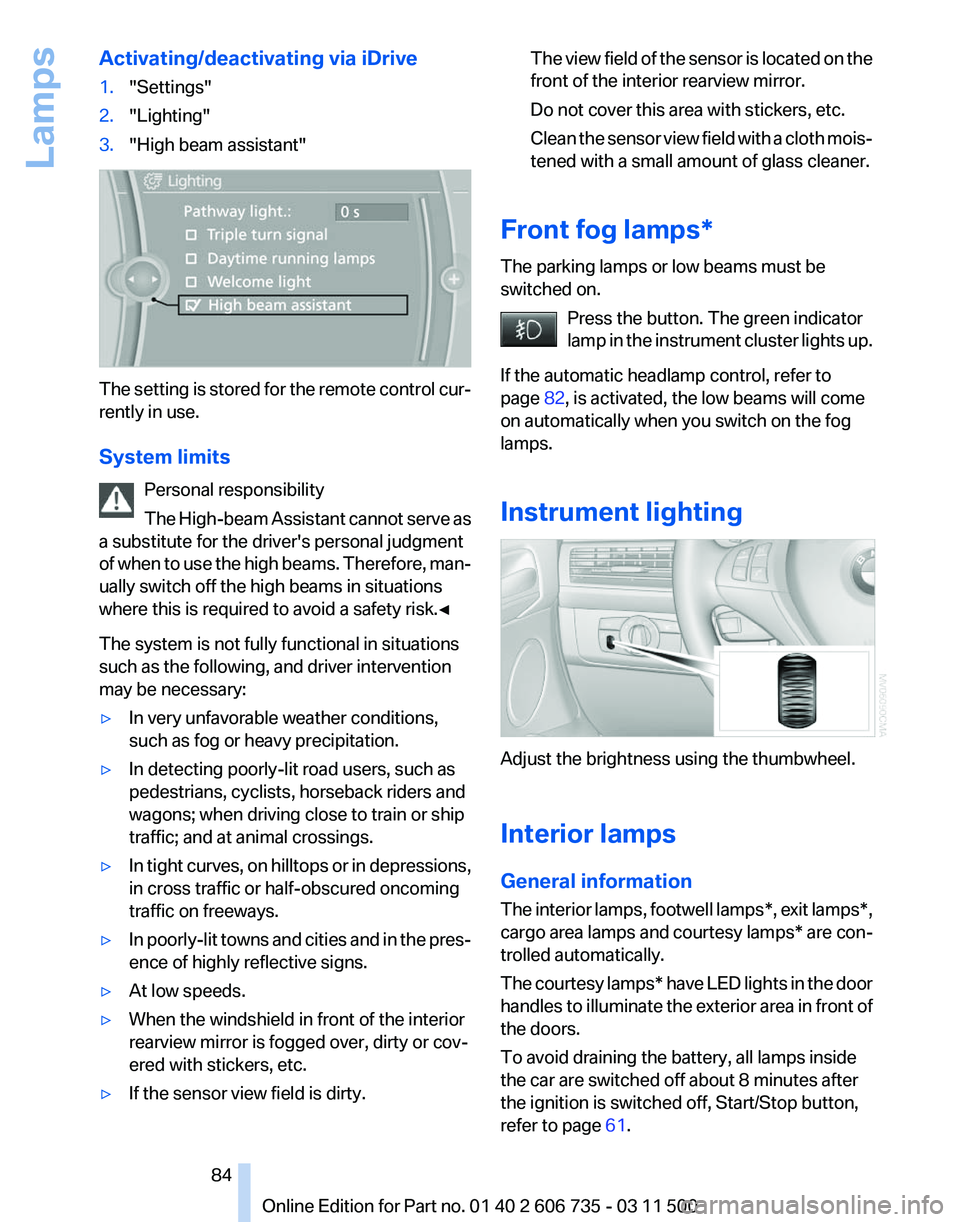
Activating/deactivating via iDrive
1.
"Settings"
2. "Lighting"
3. "High beam assistant" The setting is stored for the remote control cur‐
rently in use.
System limits
Personal responsibility
The
High-beam Assistant cannot serve as
a substitute for the driver's personal judgment
of when to use the high beams. Therefore, man‐
ually switch off the high beams in situations
where this is required to avoid a safety risk.◀
The system is not fully functional in situations
such as the following, and driver intervention
may be necessary:
▷ In very unfavorable weather conditions,
such as fog or heavy precipitation.
▷ In detecting poorly-lit road users, such as
pedestrians, cyclists, horseback riders and
wagons; when driving close to train or ship
traffic; and at animal crossings.
▷ In tight curves, on hilltops or in depressions,
in cross traffic or half-obscured oncoming
traffic on freeways.
▷ In poorly-lit towns and cities and in the pres‐
ence of highly reflective signs.
▷ At low speeds.
▷ When the windshield in front of the interior
rearview mirror is fogged over, dirty or cov‐
ered with stickers, etc.
▷ If the sensor view field is dirty. The view field of the sensor is located on the
front of the interior rearview mirror.
Do not cover this area with stickers, etc.
Clean
the sensor view field with a cloth mois‐
tened with a small amount of glass cleaner.
Front fog lamps*
The parking lamps or low beams must be
switched on. Press the button. The green indicator
lamp
in the instrument cluster lights up.
If the automatic headlamp control, refer to
page 82, is activated, the low beams will come
on automatically when you switch on the fog
lamps.
Instrument lighting Adjust the brightness using the thumbwheel.
Interior lamps
General information
The
interior lamps, footwell lamps*, exit lamps*,
cargo area lamps and courtesy lamps* are con‐
trolled automatically.
The courtesy lamps* have LED lights in the door
handles to illuminate the exterior area in front of
the doors.
To avoid draining the battery, all lamps inside
the car are switched off about 8 minutes after
the ignition is switched off, Start/Stop button,
refer to page 61. Seite 84
84 Online Edition for Part no. 01 40 2 606 735 - 03 11 500
Lamps
Page 93 of 317
should stop and check your tires as soon as
possible, and inflate them to the proper pres‐
sure.
Driving on a significantly under-inflated tire
causes the tire to overheat and can lead to tire
failure. Under-inflation also reduces fuel effi‐
ciency and tire tread life, and may affect the ve‐
hicle's handling and stopping ability.
Please note that the TPMS is not a substitute for
proper tire maintenance, and it is the driver's re‐
sponsibility to maintain correct tire pressure,
even if under-inflation has not reached the level
to trigger illumination of the TPMS low tire pres‐
sure telltale.
Your vehicle has also been equipped with a
TPMS malfunction indicator to indicate when
the system is not operating properly. The TPMS
malfunction indicator is combined with the low
tire pressure telltale. When the system detects
a malfunction, the telltale will flash for approxi‐
mately one minute and then remain continu‐
ously illuminated. This sequence will continue
upon subsequent vehicle startups as long as the
malfunction exists. When the malfunction indi‐
cator is illuminated, the system may not be able
to detect or signal low tire pressure as intended.
TPMS malfunctions may occur for a variety of
reasons, including the installation of replace‐
ment or alternate tires or wheels on the vehicle
that prevent the TPMS from functioning prop‐
erly. Always check the TPMS malfunction tell‐
tale after replacing one or more tires or wheels
on your vehicle to ensure that the replacement
or alternate tires and wheels allow the TPMS to
continue to function properly.
Lane departure warning*
The concept
This system issues a warning at speeds above
approx. 40 mph/65 km/h if the vehicle is about
to leave the lane on roads with lane markings.
The steering wheel begins vibrating lightly.
The system does not issue a warning if the turn
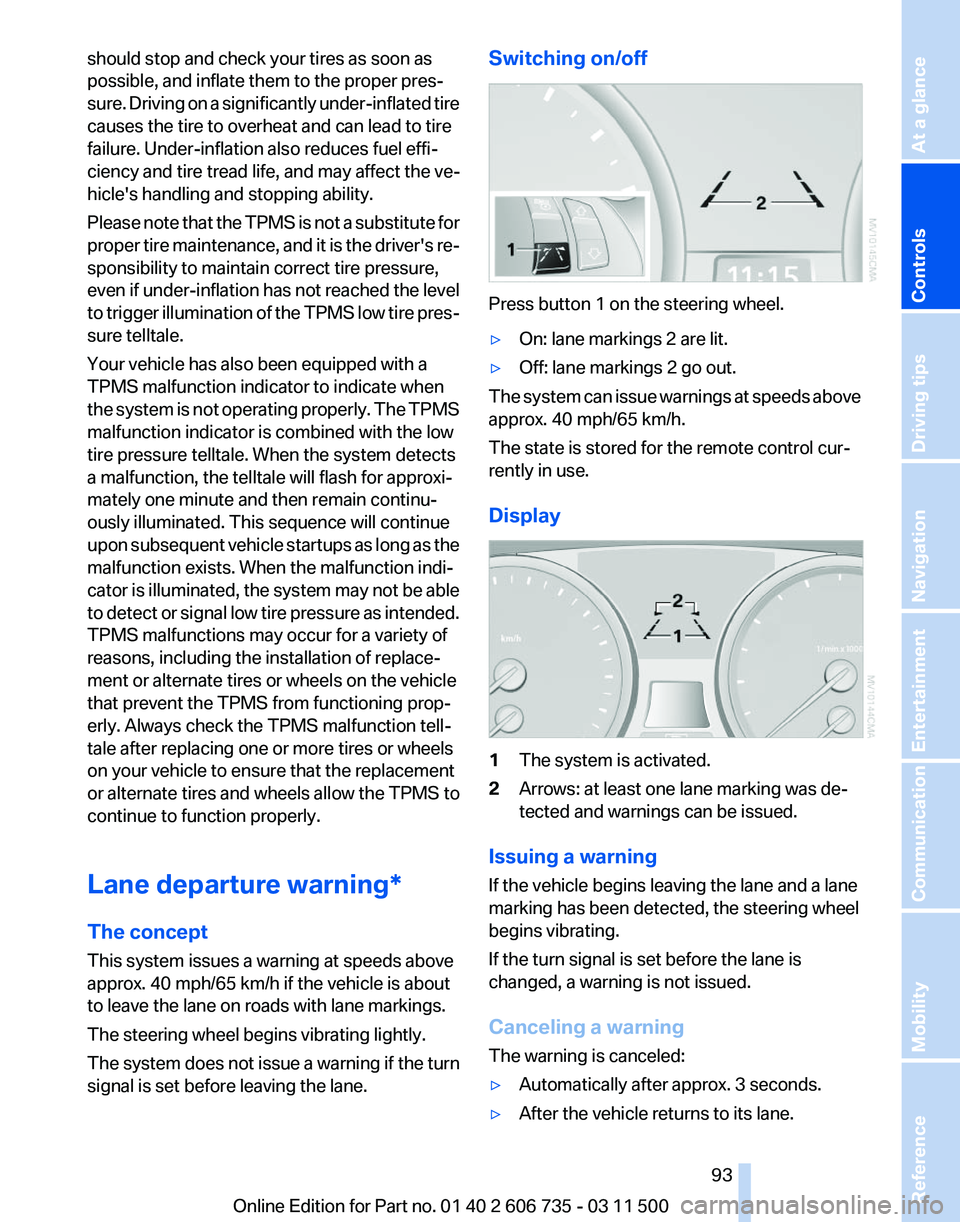
signal is set before leaving the lane. Switching on/off
Press button 1 on the steering wheel.
▷
On: lane markings 2 are lit.
▷ Off: lane markings 2 go out.
The system can issue warnings at speeds above
approx. 40 mph/65 km/h.
The state is stored for the remote control cur‐
rently in use.
Display 1
The system is activated.
2 Arrows: at least one lane marking was de‐
tected and warnings can be issued.
Issuing a warning
If the vehicle begins leaving the lane and a lane
marking has been detected, the steering wheel
begins vibrating.
If the turn signal is set before the lane is
changed, a warning is not issued.
Canceling a warning
The warning is canceled:
▷ Automatically after approx. 3 seconds.
▷ After the vehicle returns to its lane.
Seite 93
93Online Edition for Part no. 01 40 2 606 735 - 03 11 500
Reference Mobility Communication Entertainment Navigation Driving tips
Controls At a glance
Page 100 of 317
Chassis and suspension tuning
Two chassis and suspension tunings are avail‐
able for selection.
▷
Normal:
The comfortable basic setting offers opti‐
mum comfort when traveling.
▷ Sport:
The sporty basic setting offers increased
driving agility.
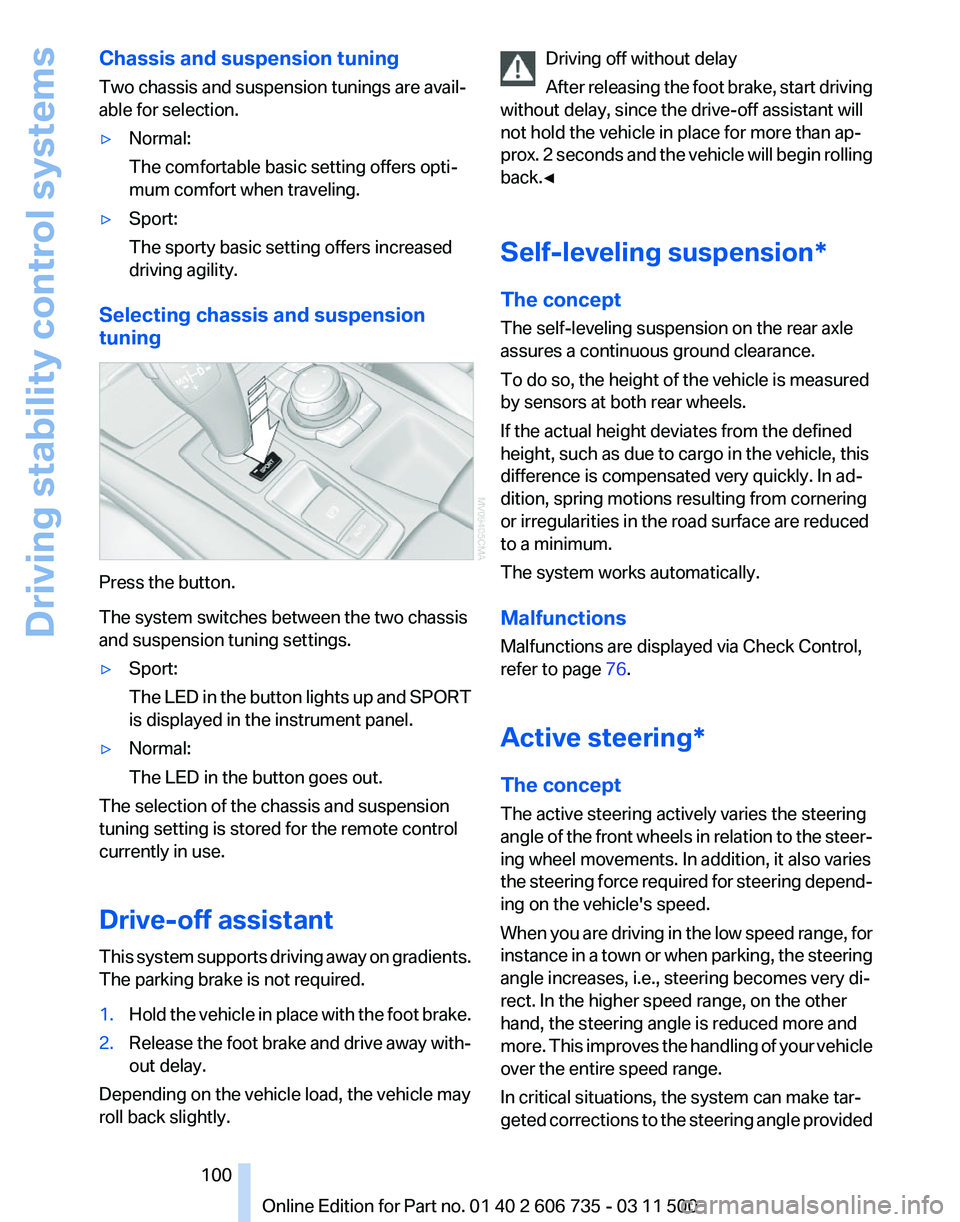
Selecting chassis and suspension
tuning Press the button.
The system switches between the two chassis
and suspension tuning settings.
▷
Sport:
The
LED in the button lights up and SPORT
is displayed in the instrument panel.
▷ Normal:
The LED in the button goes out.
The selection of the chassis and suspension
tuning setting is stored for the remote control
currently in use.
Drive-off assistant
This
system supports driving away on gradients.
The parking brake is not required.
1. Hold the vehicle in place with the foot brake.
2. Release the foot brake and drive away with‐
out delay.
Depending on the vehicle load, the vehicle may
roll back slightly. Driving off without delay
After
releasing the foot brake, start driving
without delay, since the drive-off assistant will
not hold the vehicle in place for more than ap‐
prox. 2 seconds and the vehicle will begin rolling
back.◀
Self-leveling suspension*
The concept
The self-leveling suspension on the rear axle
assures a continuous ground clearance.
To do so, the height of the vehicle is measured
by sensors at both rear wheels.
If the actual height deviates from the defined
height, such as due to cargo in the vehicle, this
difference is compensated very quickly. In ad‐
dition, spring motions resulting from cornering
or irregularities in the road surface are reduced
to a minimum.
The system works automatically.
Malfunctions
Malfunctions are displayed via Check Control,
refer to page 76.
Active steering*
The concept
The active steering actively varies the steering
angle of the front wheels in relation to the steer‐
ing wheel movements. In addition, it also varies
the steering force required for steering depend‐
ing on the vehicle's speed.
When you are driving in the low speed range, for
instance in a town or when parking, the steering
angle increases, i.e., steering becomes very di‐
rect. In the higher speed range, on the other
hand, the steering angle is reduced more and
more. This improves the handling of your vehicle
over the entire speed range.
In critical situations, the system can make tar‐
geted corrections to the steering angle provided Seite 100
100 Online Edition for Part no. 01 40 2 606 735 - 03 11 500
Driving stability control systems
Page 111 of 317
Switching on automatically
With
the engine running or the ignition switched
on, shift the selector lever into position R.
Switching off automatically
The system switches off and the LED goes out:
▷ After approx. 165 ft/50 m when driving for‐
ward.
▷ After approx. 22 mph/35 km/h when driving
forward.
Switch on the system again if necessary.
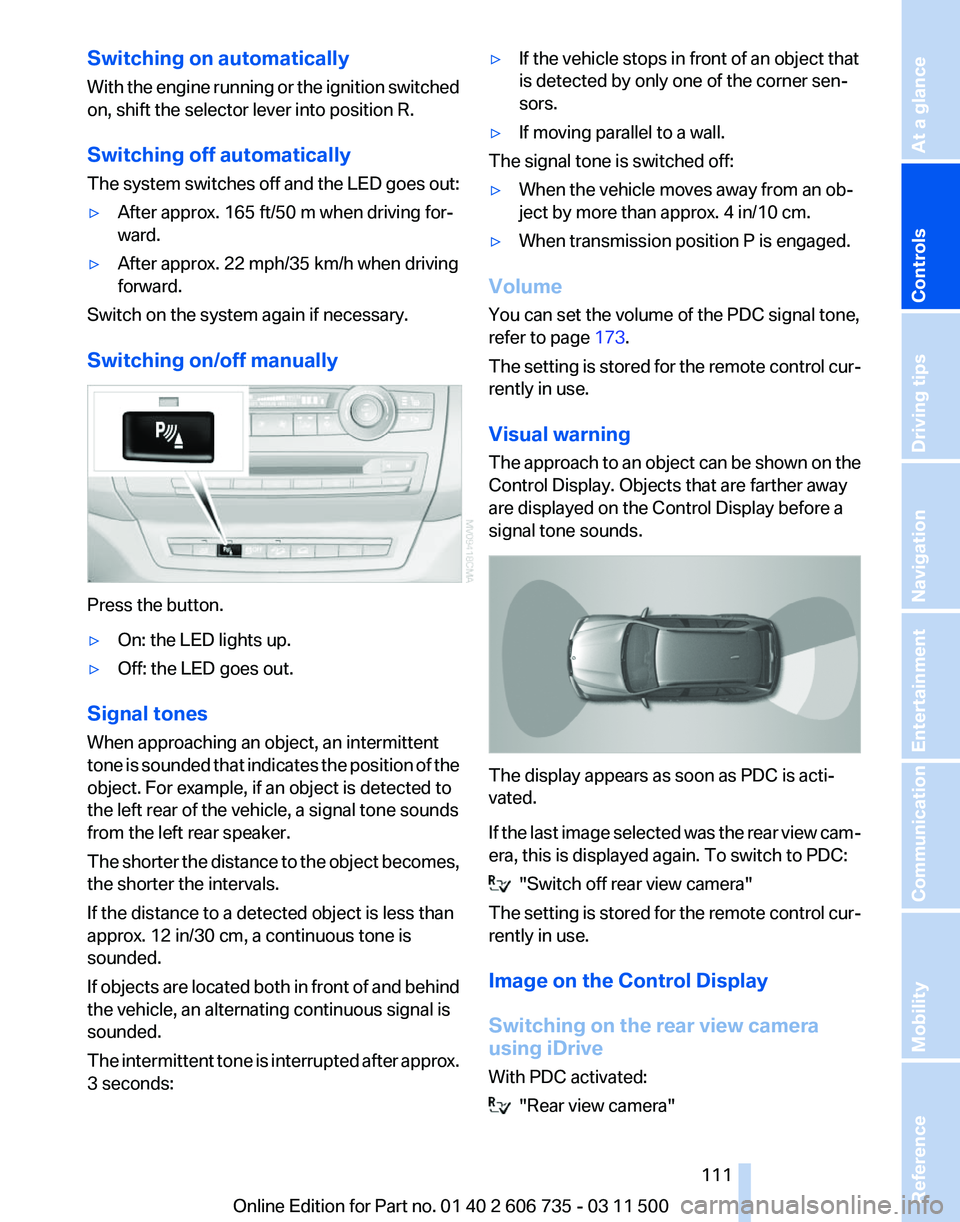
Switching on/off manually Press the button.
▷
On: the LED lights up.
▷ Off: the LED goes out.
Signal tones
When approaching an object, an intermittent
tone
is sounded that indicates the position of the
object. For example, if an object is detected to
the left rear of the vehicle, a signal tone sounds
from the left rear speaker.
The shorter the distance to the object becomes,
the shorter the intervals.
If the distance to a detected object is less than
approx. 12 in/30 cm, a continuous tone is
sounded.
If objects are located both in front of and behind
the vehicle, an alternating continuous signal is
sounded.
The intermittent tone is interrupted after approx.
3 seconds: ▷
If the vehicle stops in front of an object that
is detected by only one of the corner sen‐
sors.
▷ If moving parallel to a wall.
The signal tone is switched off:
▷ When the vehicle moves away from an ob‐
ject by more than approx. 4 in/10 cm.
▷ When transmission position P is engaged.
Volume
You can set the volume of the PDC signal tone,
refer to page 173.
The
setting is stored for the remote control cur‐
rently in use.
Visual warning
The approach to an object can be shown on the
Control Display. Objects that are farther away
are displayed on the Control Display before a
signal tone sounds. The display appears as soon as PDC is acti‐
vated.
If
the last image selected was the rear view cam‐
era, this is displayed again. To switch to PDC: "Switch off rear view camera"
The
setting is stored for the remote control cur‐
rently in use.
Image on the Control Display
Switching on the rear view camera
using iDrive
With PDC activated: "Rear view camera"
Seite 111
111Online Edition for Part no. 01 40 2 606 735 - 03 11 500
Reference Mobility Communication Entertainment Navigation Driving tips
Controls At a glance
Page 112 of 317
The image of the rear view camera is displayed.
The
setting is stored for the remote control cur‐
rently in use.
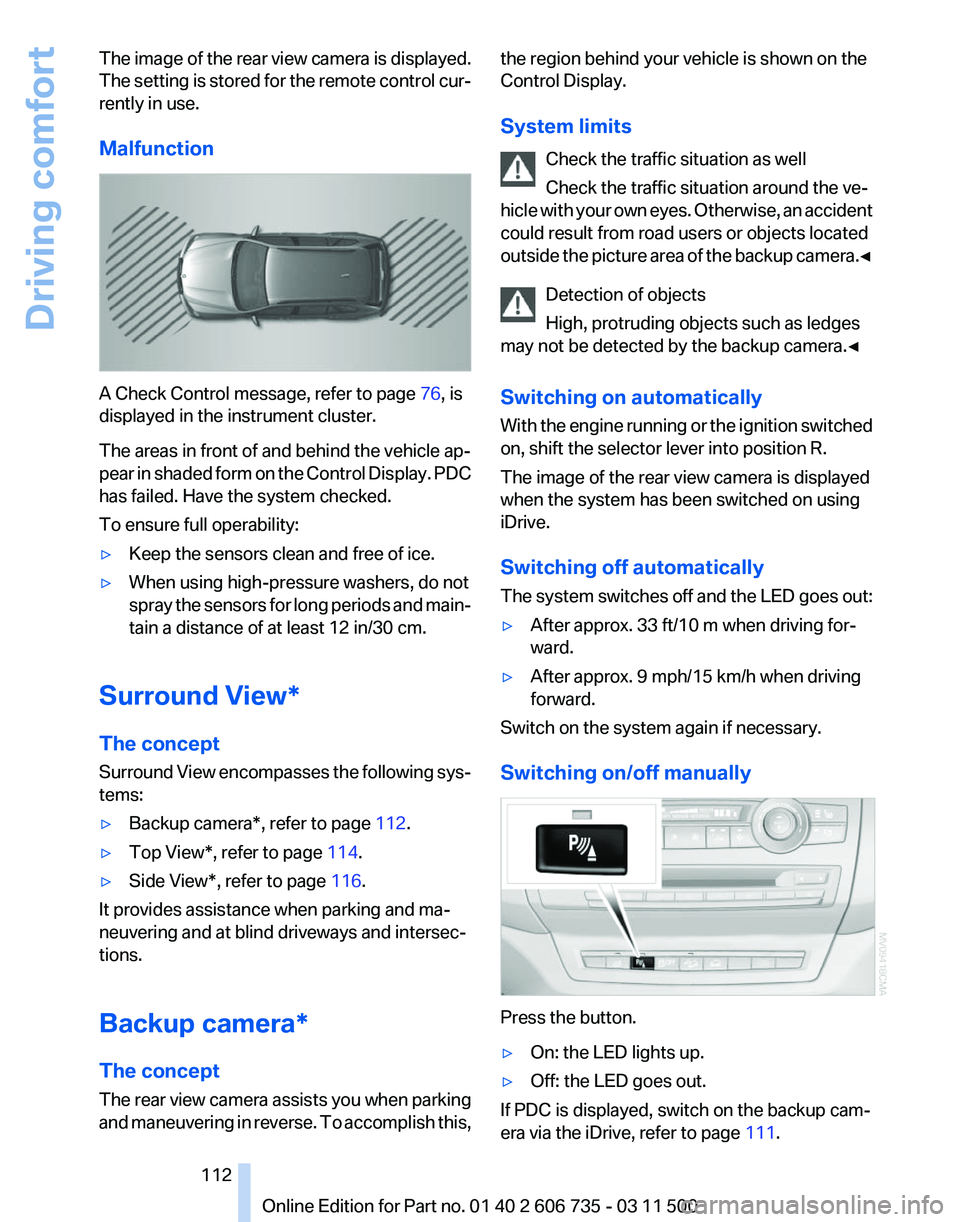
Malfunction A Check Control message, refer to page
76, is
displayed in the instrument cluster.
The areas in front of and behind the vehicle ap‐
pear
in shaded form on the Control Display. PDC
has failed. Have the system checked.
To ensure full operability:
▷ Keep the sensors clean and free of ice.
▷ When using high-pressure washers, do not
spray
the sensors for long periods and main‐
tain a distance of at least 12 in/30 cm.
Surround View*
The concept
Surround
View encompasses the following sys‐
tems:
▷ Backup camera*, refer to page 112.
▷ Top View*, refer to page 114.
▷ Side View*, refer to page 116.
It provides assistance when parking and ma‐
neuvering and at blind driveways and intersec‐
tions.
Backup camera*
The concept
The
rear view camera assists you when parking
and maneuvering in reverse. To accomplish this, the region behind your vehicle is shown on the
Control Display.
System limits
Check the traffic situation as well
Check the traffic situation around the ve‐
hicle
with your own eyes. Otherwise, an accident
could result from road users or objects located
outside the picture area of the backup camera.◀
Detection of objects
High, protruding objects such as ledges
may not be detected by the backup camera.◀
Switching on automatically
With the engine running or the ignition switched
on, shift the selector lever into position R.
The image of the rear view camera is displayed
when the system has been switched on using
iDrive.
Switching off automatically
The system switches off and the LED goes out:
▷ After approx. 33 ft/10 m when driving for‐
ward.
▷ After approx. 9 mph/15 km/h when driving
forward.
Switch on the system again if necessary.
Switching on/off manually Press the button.
▷
On: the LED lights up.
▷ Off: the LED goes out.
If PDC is displayed, switch on the backup cam‐
era via the iDrive, refer to page 111. Seite 112
112 Online Edition for Part no. 01 40 2 606 735 - 03 11 500
Driving comfort
Page 114 of 317
Show the obstacle marking via the iDrive, refer
to page
114.
Activating assistance functions
Several
assistance functions can be active at the
same time.
Showing the parking aid lines "Parking aid lines"
Pathway and turning lines are displayed.
Showing the obstacle marking "Obstacle marking"
Three-dimensionally-shaped markings are dis‐
played.
Image on the Control Display
Switching on the rear view camera
using iDrive
With PDC activated: "Rear view camera"
The
image of the rear view camera is displayed.
The setting is stored for the remote control cur‐
rently in use.
Brightness
With the rear view camera switched on:
1. Select the symbol.
2. Turn the controller until the desired setting
is reached and press the controller.
Contrast
With the rear view camera switched on:
1. Select the symbol.
2. Turn the controller until the desired setting
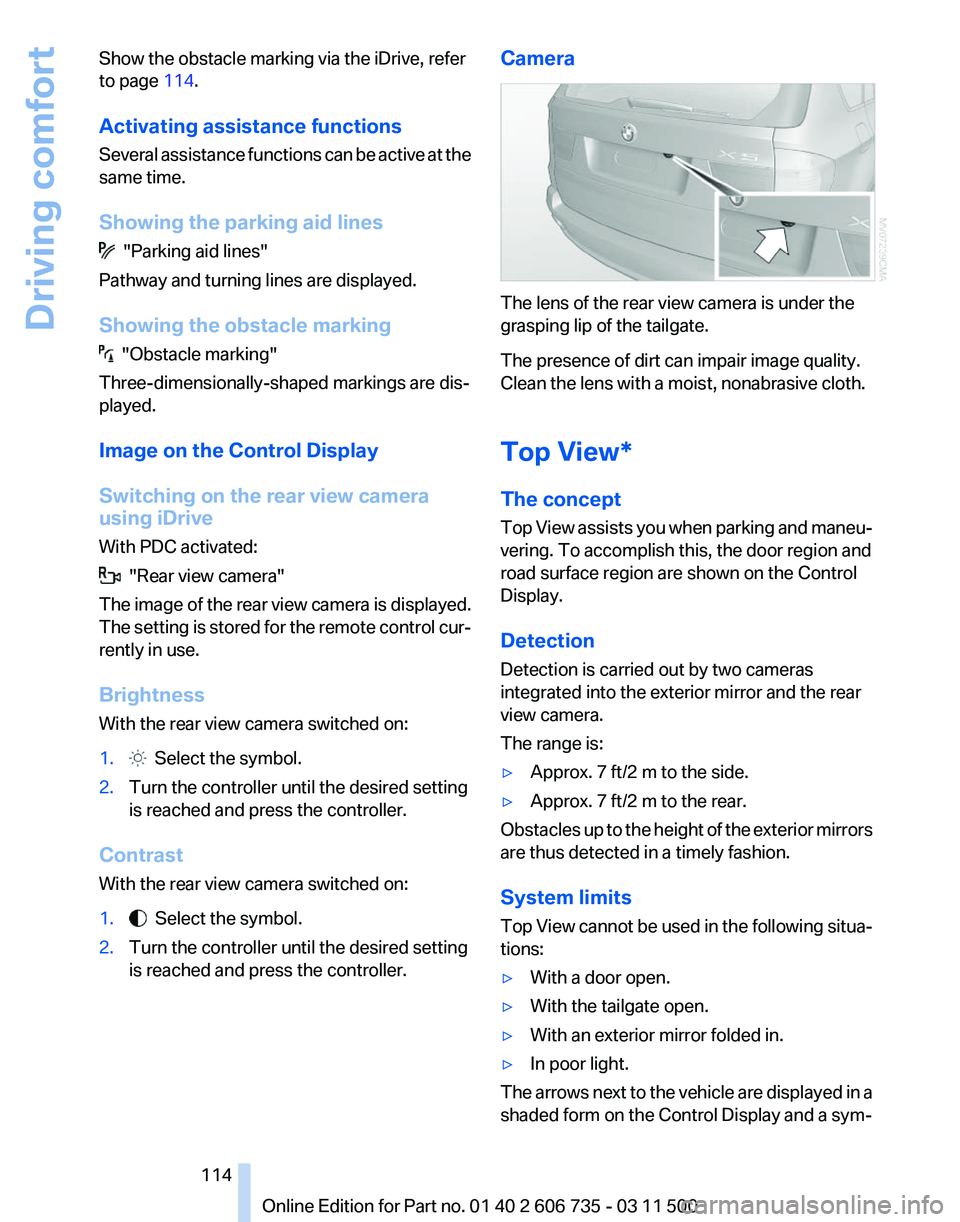
is reached and press the controller. Camera The lens of the rear view camera is under the
grasping lip of the tailgate.
The presence of dirt can impair image quality.
Clean the lens with a moist, nonabrasive cloth.
Top View*
The concept
Top
View assists you when parking and maneu‐
vering. To accomplish this, the door region and
road surface region are shown on the Control
Display.
Detection
Detection is carried out by two cameras
integrated into the exterior mirror and the rear
view camera.
The range is:
▷ Approx. 7 ft/2 m to the side.
▷ Approx. 7 ft/2 m to the rear.
Obstacles up to the height of the exterior mirrors
are thus detected in a timely fashion.
System limits
Top
View cannot be used in the following situa‐
tions:
▷ With a door open.
▷ With the tailgate open.
▷ With an exterior mirror folded in.
▷ In poor light.
The arrows next to the vehicle are displayed in a
shaded form on the Control Display and a sym‐
Seite 114
114 Online Edition for Part no. 01 40 2 606 735 - 03 11 500
Driving comfort
Page 115 of 317
bol appears at the corresponding location on the
vehicle.
Check the traffic situation as well
Check the traffic situation around the ve‐
hicle
with your own eyes. Otherwise, an accident
could result from road users or objects located
outside the picture area of the cameras.◀
Switching on automatically
Select transmission position R with the engine
running.
The images from Top View and PDC are dis‐
played when the system has been switched on
using iDrive.
Switching off automatically
The system switches off and the LED goes out:
▷ After approx. 165 ft/50 m when driving for‐
ward.
▷ After approx. 22 mph/35 km/h when driving
forward.
Switch on the system again if necessary.
Switching on/off manually Press the button.
▷
On: the LED lights up.
▷ Off: the LED goes out.
If Top View is displayed, switch on the backup
camera via the iDrive, refer to page 114.
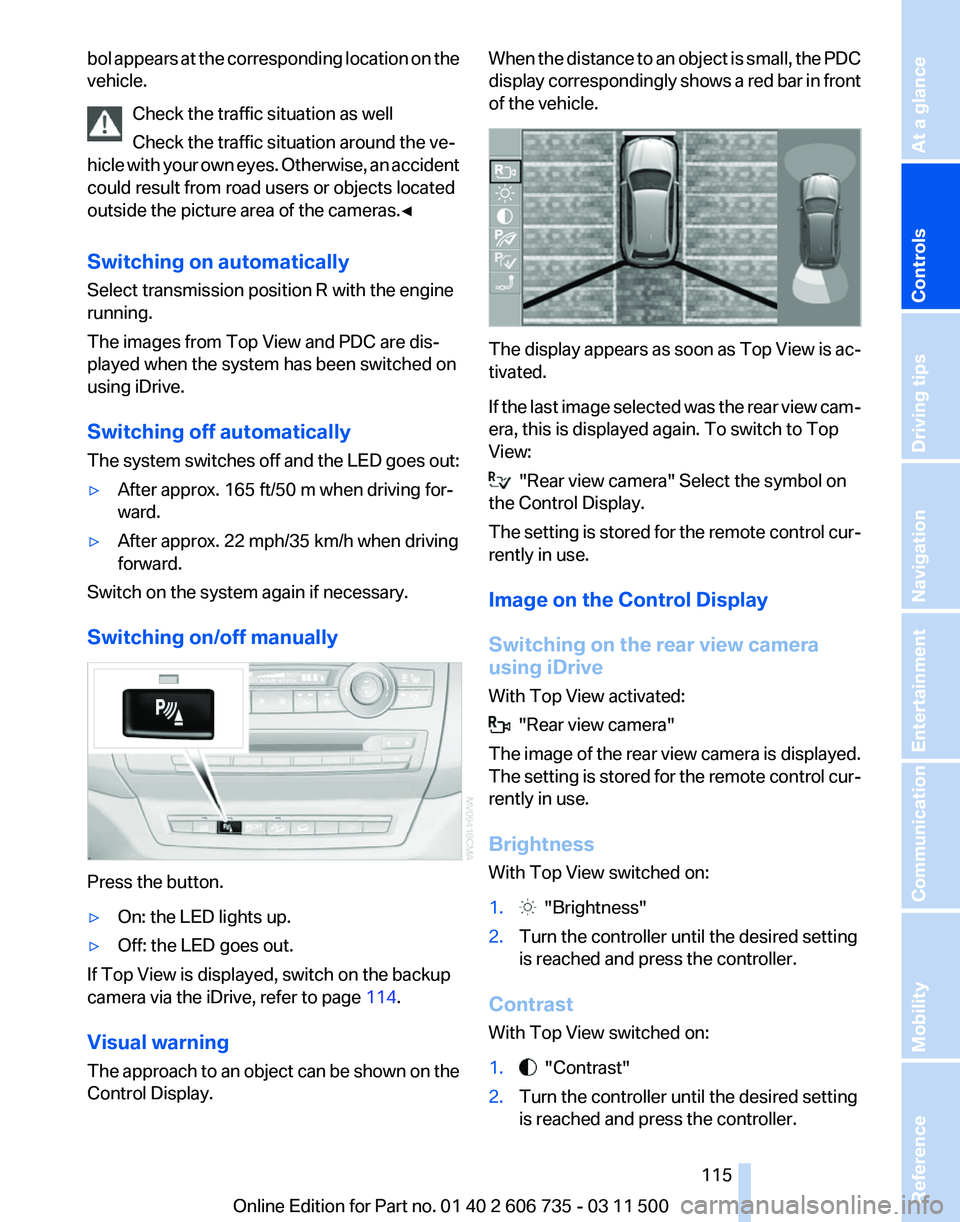
Visual warning
The
approach to an object can be shown on the
Control Display. When the distance to an object is small, the PDC
display
correspondingly shows a red bar in front
of the vehicle. The display appears as soon as Top View is ac‐
tivated.
If
the last image selected was the rear view cam‐
era, this is displayed again. To switch to Top
View: "Rear view camera" Select the symbol on
the Control Display.
The
setting is stored for the remote control cur‐
rently in use.
Image on the Control Display
Switching on the rear view camera
using iDrive
With Top View activated: "Rear view camera"
The
image of the rear view camera is displayed.
The setting is stored for the remote control cur‐
rently in use.
Brightness
With Top View switched on:
1. "Brightness"
2. Turn the controller until the desired setting
is reached and press the controller.
Contrast
With Top View switched on:
1. "Contrast"
2. Turn the controller until the desired setting
is reached and press the controller.
Seite 115
115Online Edition for Part no. 01 40 2 606 735 - 03 11 500
Reference Mobility Communication Entertainment Navigation Driving tips
Controls At a glance
Page 118 of 317
Display
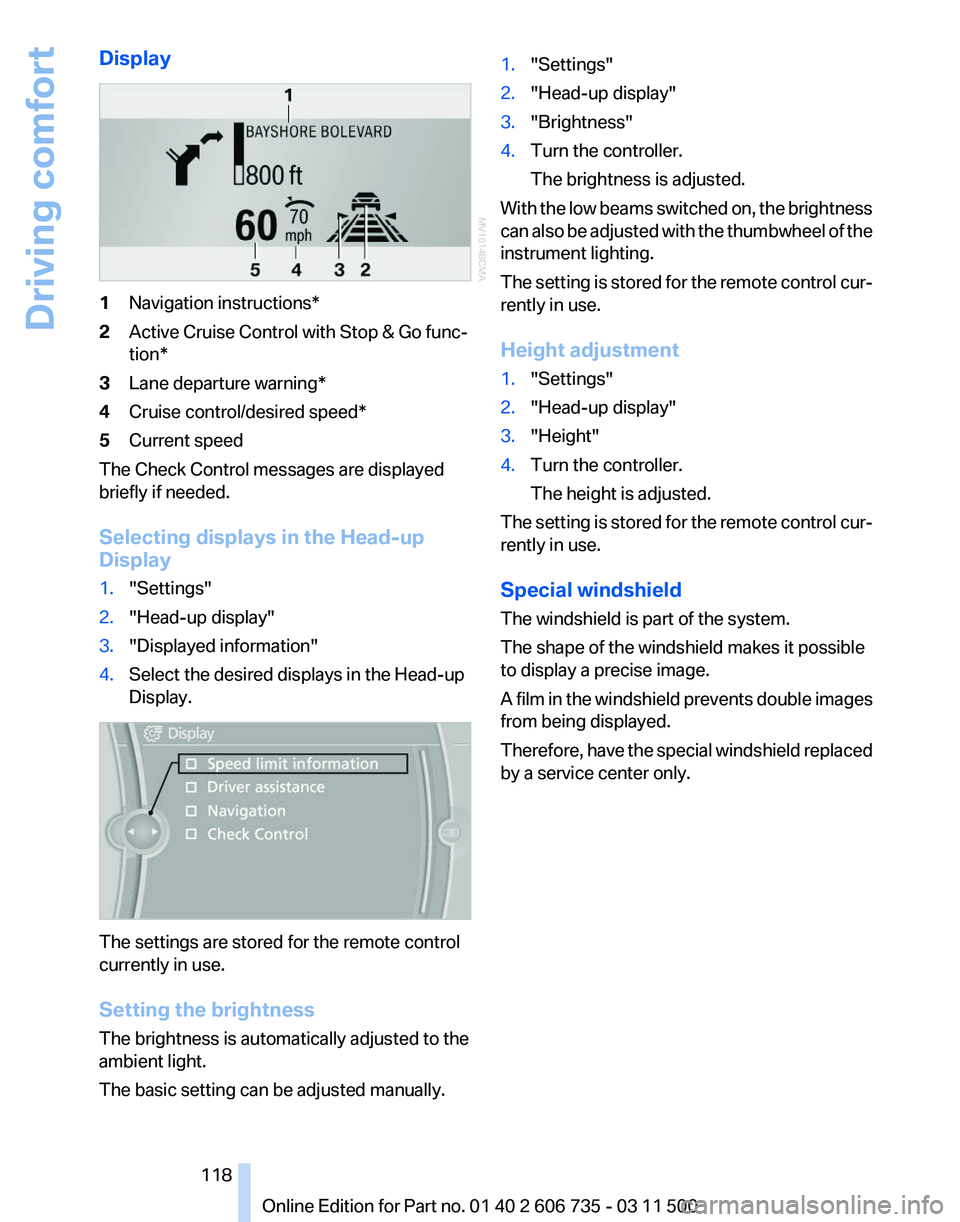
1
Navigation instructions*
2 Active Cruise Control with Stop & Go func‐
tion*
3 Lane departure warning*
4 Cruise control/desired speed*
5 Current speed
The Check Control messages are displayed
briefly if needed.
Selecting displays in the Head-up
Display
1. "Settings"
2. "Head-up display"
3. "Displayed information"
4. Select the desired displays in the Head-up
Display. The settings are stored for the remote control
currently in use.
Setting the brightness
The brightness is automatically adjusted to the
ambient light.
The basic setting can be adjusted manually. 1.
"Settings"
2. "Head-up display"
3. "Brightness"
4. Turn the controller.
The brightness is adjusted.
With the low beams switched on, the brightness
can also be adjusted with the thumbwheel of the
instrument lighting.
The setting is stored for the remote control cur‐
rently in use.
Height adjustment
1. "Settings"
2. "Head-up display"
3. "Height"
4. Turn the controller.
The height is adjusted.
The setting is stored for the remote control cur‐
rently in use.
Special windshield
The windshield is part of the system.
The shape of the windshield makes it possible
to display a precise image.
A
film in the windshield prevents double images
from being displayed.
Therefore, have the special windshield replaced
by a service center only.
Seite 118
118 Online Edition for Part no. 01 40 2 606 735 - 03 11 500
Driving comfort