remote control BMW X6 M 2012 Workshop Manual
[x] Cancel search | Manufacturer: BMW, Model Year: 2012, Model line: X6 M, Model: BMW X6 M 2012Pages: 317, PDF Size: 8.83 MB
Page 179 of 317
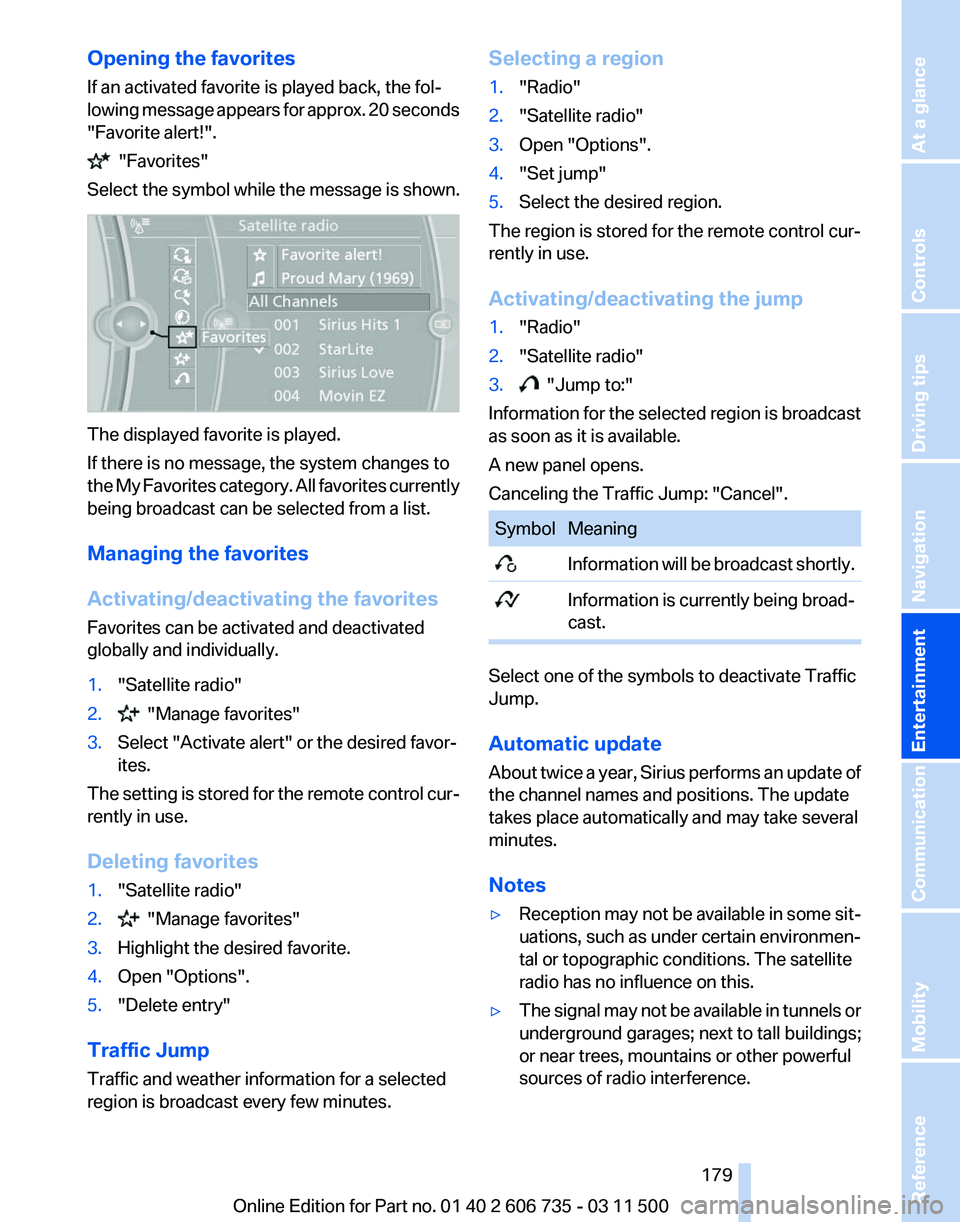
Opening the favorites
If an activated favorite is played back, the fol‐
lowing
message appears for approx. 20 seconds
"Favorite alert!". "Favorites"
Select the symbol while the message is shown. The displayed favorite is played.
If there is no message, the system changes to
the
My Favorites category. All favorites currently
being broadcast can be selected from a list.
Managing the favorites
Activating/deactivating the favorites
Favorites can be activated and deactivated
globally and individually.
1. "Satellite radio"
2. "Manage favorites"
3. Select "Activate alert" or the desired favor‐
ites.
The setting is stored for the remote control cur‐
rently in use.
Deleting favorites
1. "Satellite radio"
2. "Manage favorites"
3. Highlight the desired favorite.
4. Open "Options".
5. "Delete entry"
Traffic Jump
Traffic and weather information for a selected
region is broadcast every few minutes. Selecting a region
1.
"Radio"
2. "Satellite radio"
3. Open "Options".
4. "Set jump"
5. Select the desired region.
The region is stored for the remote control cur‐
rently in use.
Activating/deactivating the jump
1. "Radio"
2. "Satellite radio"
3. "Jump to:"
Information for the selected region is broadcast
as soon as it is available.
A new panel opens.
Canceling the Traffic Jump: "Cancel". Symbol Meaning
Information will be broadcast shortly.
Information is currently being broad‐
cast. Select one of the symbols to deactivate Traffic
Jump.
Automatic update
About
twice a year, Sirius performs an update of
the channel names and positions. The update
takes place automatically and may take several
minutes.
Notes
▷ Reception may not be available in some sit‐
uations, such as under certain environmen‐
tal or topographic conditions. The satellite
radio has no influence on this.
▷ The signal may not be available in tunnels or
underground garages; next to tall buildings;
or near trees, mountains or other powerful
sources of radio interference.
Seite 179
179Online Edition for Part no. 01 40 2 606 735 - 03 11 500
Reference Mobility Communication
Entertainment Navigation Driving tips Controls At a glance
Page 200 of 317
DVD system in rear*
General information
With the DVD system in the rear you can play
CDs
and DVDs with audio, video and image data.
The DVD system can also play data from at‐
tached external audio and video devices. Audio
output is possible both via headphones and via
the vehicle speakers.
You can control the DVD system using the but‐
tons on the CD-/DVD player or using the remote
control.
Some functions are operated using the remote
control.
Enabling DVD system
The DVD system can be enabled via iDrive.
1. "Settings"
2. "Allow rear control"
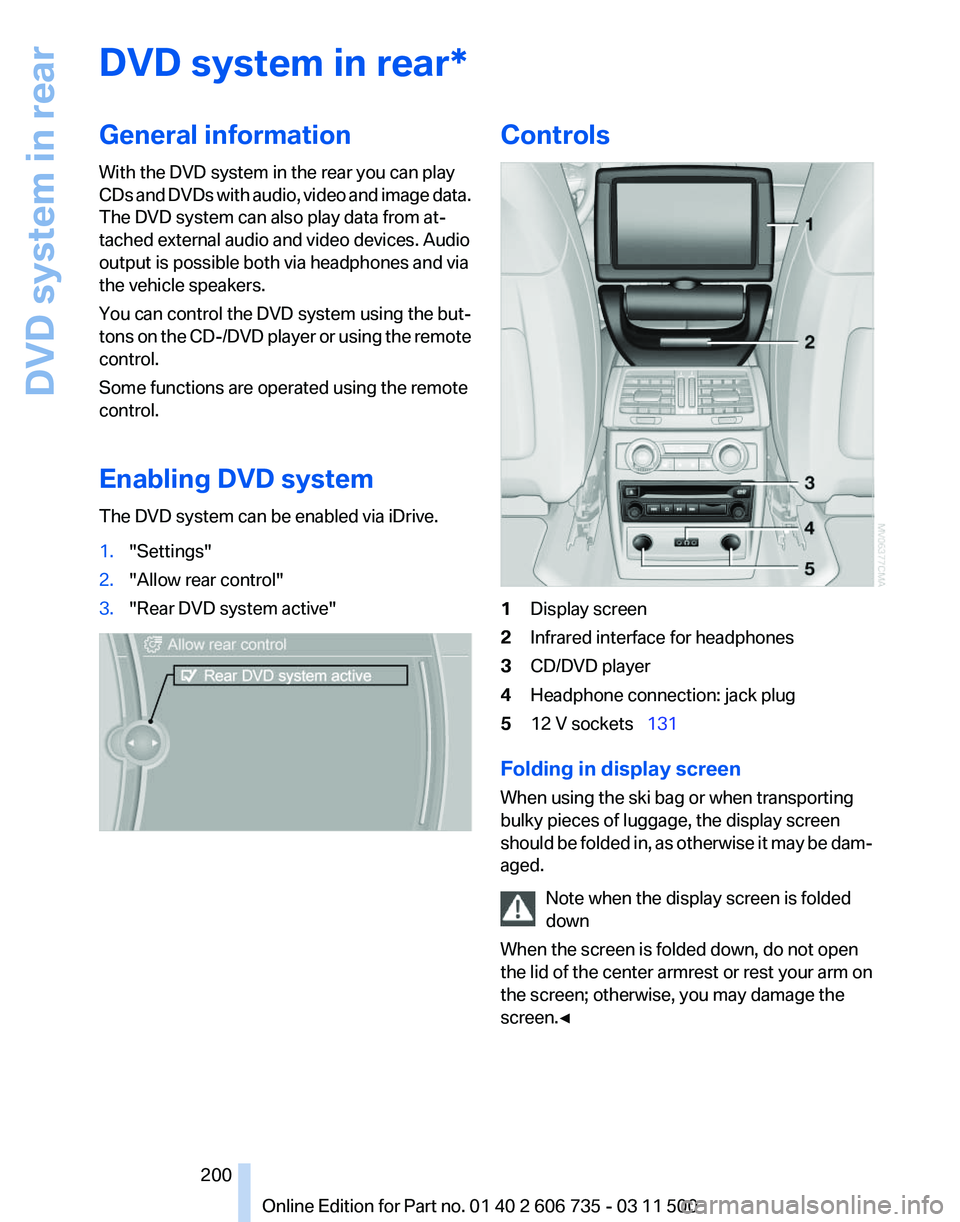
3. "Rear DVD system active" Controls
1
Display screen
2 Infrared interface for headphones
3 CD/DVD player
4 Headphone connection: jack plug
5 12 V sockets 131
Folding in display screen
When using the ski bag or when transporting
bulky pieces of luggage, the display screen
should
be folded in, as otherwise it may be dam‐
aged.
Note when the display screen is folded
down
When the screen is folded down, do not open
the lid of the center armrest or rest your arm on
the screen; otherwise, you may damage the
screen.◀ Seite 200
200 Online Edition for Part no. 01 40 2 606 735 - 03 11 500
DVD system in rear
Page 201 of 317
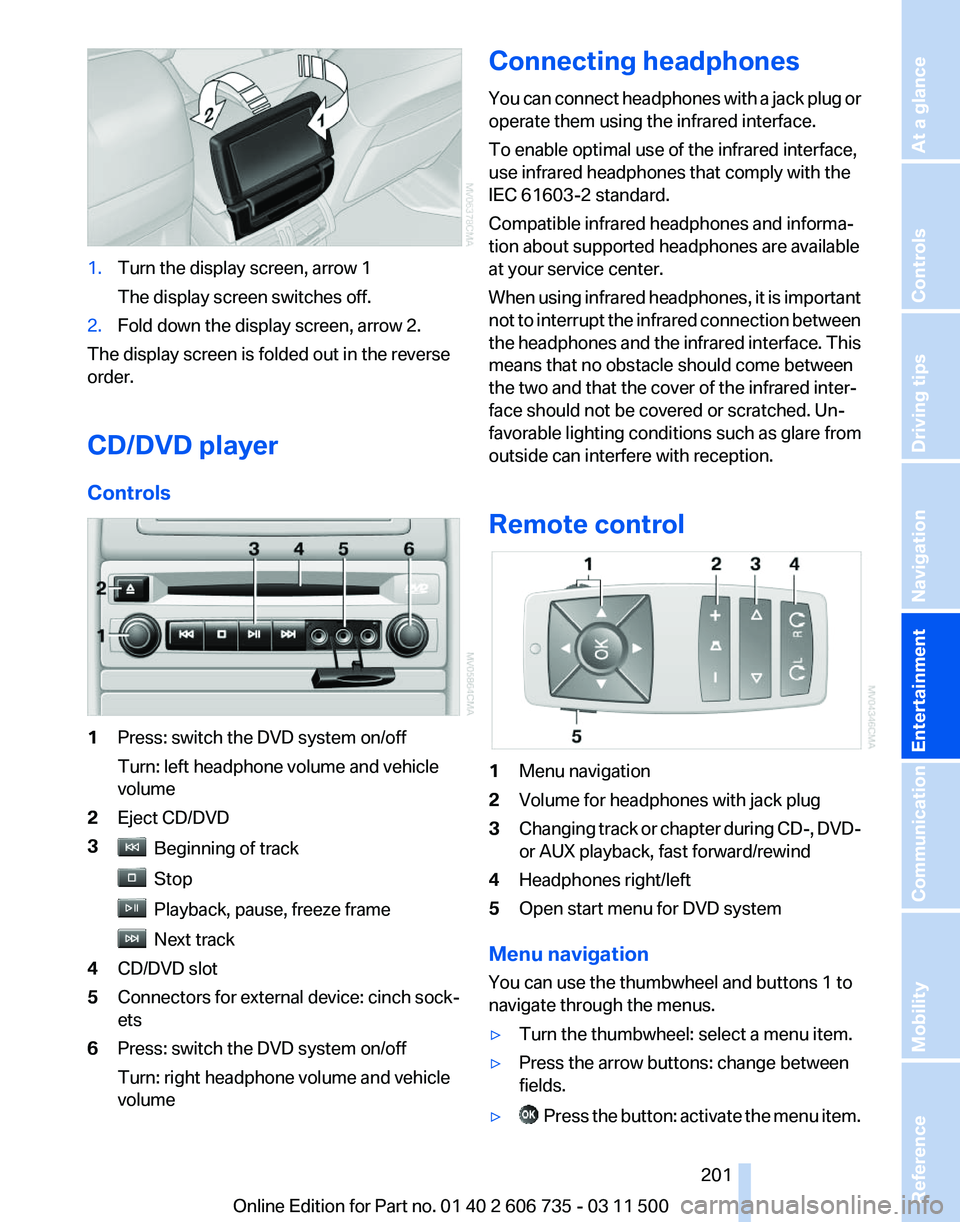
1.
Turn the display screen, arrow 1
The display screen switches off.
2. Fold down the display screen, arrow 2.
The display screen is folded out in the reverse
order.
CD/DVD player
Controls 1
Press: switch the DVD system on/off
Turn: left headphone volume and vehicle
volume
2 Eject CD/DVD
3 Beginning of track
Stop
Playback, pause, freeze frame
Next track
4 CD/DVD slot
5 Connectors for external device: cinch sock‐
ets
6 Press: switch the DVD system on/off
Turn: right headphone volume and vehicle
volume Connecting headphones
You
can connect headphones with a jack plug or
operate them using the infrared interface.
To enable optimal use of the infrared interface,
use infrared headphones that comply with the
IEC 61603-2 standard.
Compatible infrared headphones and informa‐
tion about supported headphones are available
at your service center.
When using infrared headphones, it is important
not to interrupt the infrared connection between
the headphones and the infrared interface. This
means that no obstacle should come between
the two and that the cover of the infrared inter‐
face should not be covered or scratched. Un‐
favorable lighting conditions such as glare from
outside can interfere with reception.
Remote control 1
Menu navigation
2 Volume for headphones with jack plug
3 Changing track or chapter during CD-, DVD-
or AUX playback, fast forward/rewind
4 Headphones right/left
5 Open start menu for DVD system
Menu navigation
You can use the thumbwheel and buttons 1 to
navigate through the menus.
▷ Turn the thumbwheel: select a menu item.
▷ Press the arrow buttons: change between
fields.
▷ Press the button: activate the menu item.
Seite 201
201Online Edition for Part no. 01 40 2 606 735 - 03 11 500
Reference Mobility Communication
Entertainment Navigation Driving tips Controls At a glance
Page 203 of 317
Code Region
3 Southeast Asia
4 Australia, Central and South America,
New Zealand
5 Northwest Asia, North Africa
6 China DVDs with the code 0 can be played on all devi‐
ces.
Starting playback
1.
Push the CD/DVD into the drive with the la‐
beled side facing upward. The CD/DVD is
automatically pulled in.
▷Playback begins automatically after a
few seconds.
▷ Otherwise: select "DVD".
2. If the DVD control or the DVD-specific menu
is
displayed when a DVD is inserted, use the
remote control buttons for menu navigation
to select the desired option.
Or: Press the button on the CD/DVD player.
You can control the playback with the buttons
on the CD/DVD player or the DVD control.
Video CDs (VCDs) and Super Video CDs
(SVCDs) can only be played if they do not have
a DVD-specific menu.
Eject CD/DVD Press
the button on the CD/DVD player. The
DVD emerges slightly from the drive.
DVD control
With the DVD control, you can select the title and
chapter, open the DVD-specific menu, and op‐
erate functions such as Language, Fast forward
and Reverse or Freeze frame.
A DVD can briefly deactivate functions of the
DVD control, under certain circumstances while
the entire DVD is being played. It is not possible
to operate the DVD control under these circum‐ stances. In this case, try to make the selection
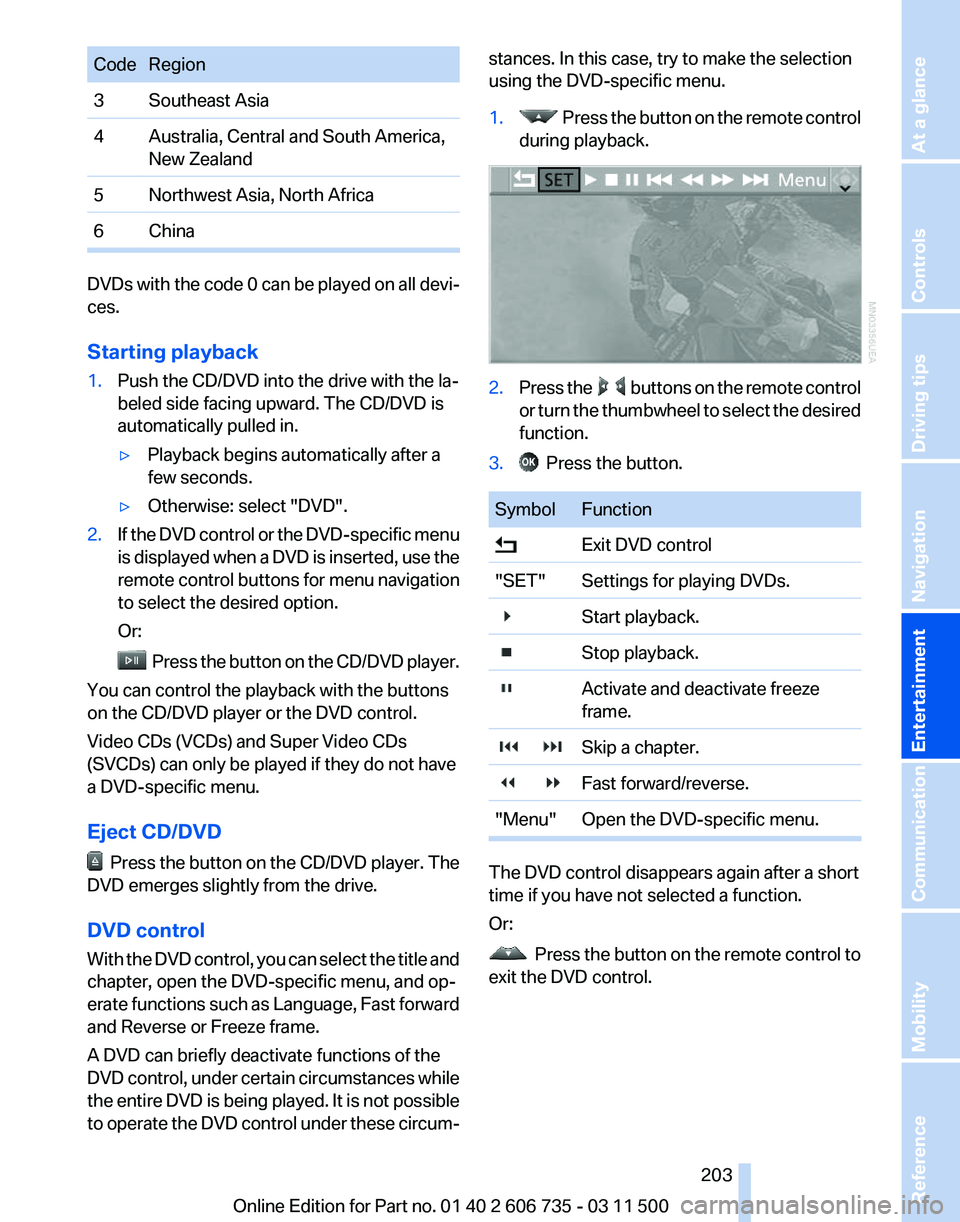
using the DVD-specific menu.
1. Press the button on the remote control
during playback. 2.
Press the buttons on the remote control
or
turn the thumbwheel to select the desired
function.
3. Press the button.
Symbol Function
Exit DVD control
"SET" Settings for playing DVDs.
Start playback.
Stop playback.
Activate and deactivate freeze
frame.
Skip a chapter.
Fast forward/reverse.
"Menu" Open the DVD-specific menu. The DVD control disappears again after a short
time if you have not selected a function.
Or:
Press
the button on the remote control to
exit the DVD control.
Seite 203
203Online Edition for Part no. 01 40 2 606 735 - 03 11 500
Reference Mobility Communication
Entertainment Navigation Driving tips Controls At a glance
Page 204 of 317
Fast forward/reverse
Forward/reverse with DVD control
1.
Press the button on the remote control
during playback.
2. Select the symbol.
3. Press the button.
4. Press the button several times to in‐
crease the fast forward/reverse speed.
The DVD playback will be distorted.
To cancel fast forward/reverse:
1. Select the symbol.
2. Press the button.
Or: Press the button on the CD/DVD player. The
DVD will start play at the point selected.
Forward/reverse with remote control Press and hold the button until you reach
the desired point.
Or:
1. During playback, turn the thumbwheel. Fast
forward/reverse is interrupted.
2. Continue to turn the thumbwheel. The
speed is increased.
3. Press the button on the CD/DVD player.
Fast forward/reverse is interrupted. The
DVD will start play at the point selected.
Skipping chapter
You can change to the next or previous chapter
during playback.
1. Press the button on the remote control
during playback.
2. Select the symbol.
3. Press the button repeatedly, continuing
until you reach the desired chapter.
Or: Press the button on the left or right on the
remote control repeatedly until you reach the
desired chapter. Freeze frame
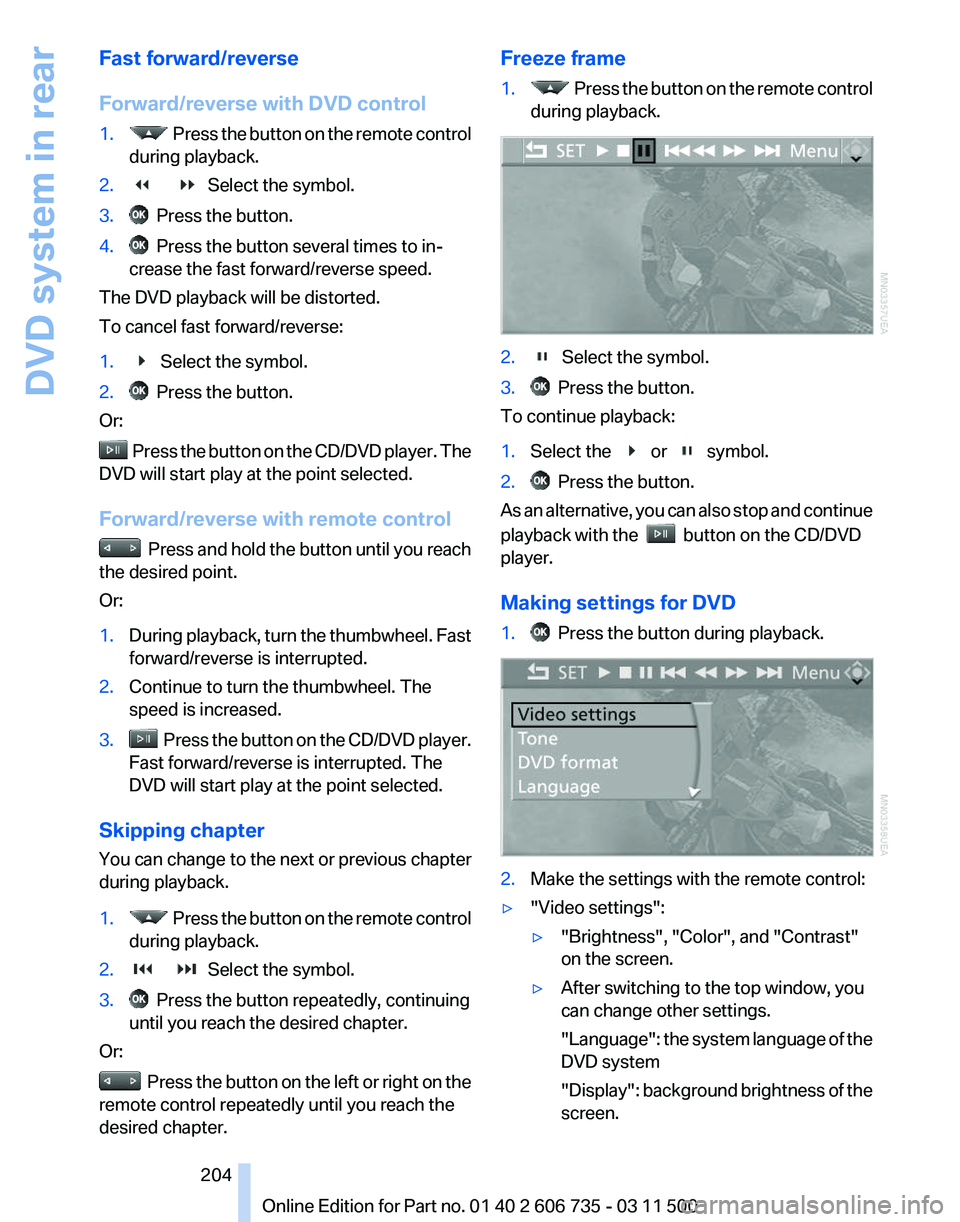
1. Press the button on the remote control
during playback. 2. Select the symbol.
3. Press the button.
To continue playback:
1. Select the or symbol.
2. Press the button.
As an alternative, you can also stop and continue
playback with the button on the CD/DVD
player.
Making settings for DVD
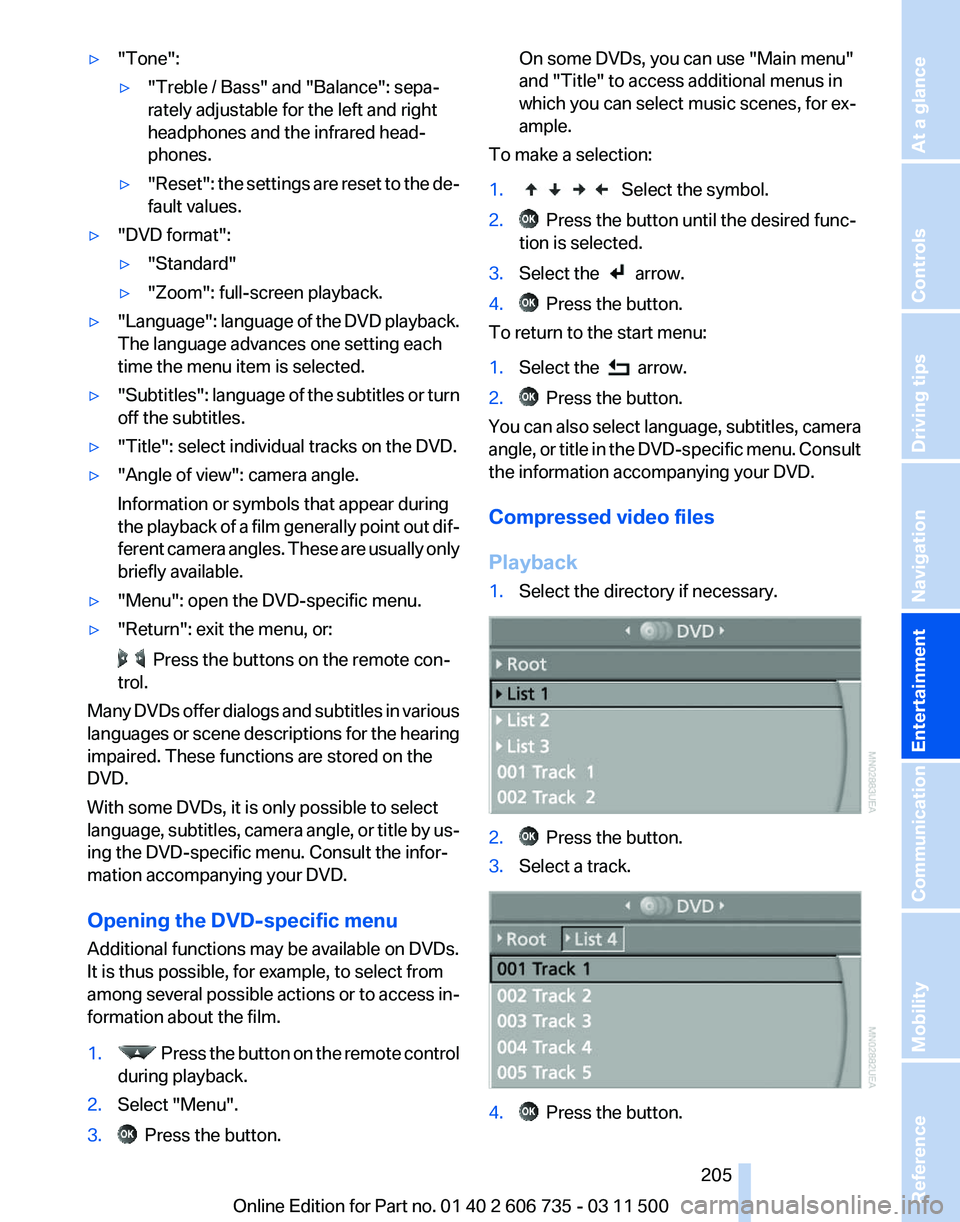
1. Press the button during playback.
2.
Make the settings with the remote control:
▷ "Video settings":
▷"Brightness", "Color", and "Contrast"
on the screen.
▷ After switching to the top window, you
can change other settings.
"Language":
the system language of the
DVD system
"Display": background brightness of the
screen.
Seite 204
204 Online Edition for Part no. 01 40 2 606 735 - 03 11 500
DVD system in rear
Page 205 of 317
▷
"Tone":
▷"Treble / Bass" and "Balance": sepa‐
rately adjustable for the left and right
headphones and the infrared head‐
phones.
▷ "Reset": the settings are reset to the de‐
fault values.
▷ "DVD format":
▷"Standard"
▷ "Zoom": full-screen playback.
▷ "Language":
language of the DVD playback.
The language advances one setting each
time the menu item is selected.
▷ "Subtitles":
language of the subtitles or turn
off the subtitles.
▷ "Title": select individual tracks on the DVD.
▷ "Angle of view": camera angle.
Information or symbols that appear during
the
playback of a film generally point out dif‐
ferent camera angles. These are usually only
briefly available.
▷ "Menu": open the DVD-specific menu.
▷ "Return": exit the menu, or: Press the buttons on the remote con‐
trol.
Many DVDs offer dialogs and subtitles in various
languages
or scene descriptions for the hearing
impaired. These functions are stored on the
DVD.
With some DVDs, it is only possible to select
language, subtitles, camera angle, or title by us‐
ing the DVD-specific menu. Consult the infor‐
mation accompanying your DVD.
Opening the DVD-specific menu
Additional functions may be available on DVDs.
It is thus possible, for example, to select from
among several possible actions or to access in‐
formation about the film.
1. Press the button on the remote control
during playback.
2. Select "Menu".
3. Press the button. On some DVDs, you can use "Main menu"
and "Title" to access additional menus in
which you can select music scenes, for ex‐
ample.
To make a selection:
1. Select the symbol.
2. Press the button until the desired func‐
tion is selected.
3. Select the arrow.
4. Press the button.
To return to the start menu:
1. Select the arrow.
2. Press the button.
You can also select language, subtitles, camera
angle,
or title in the DVD-specific menu. Consult
the information accompanying your DVD.
Compressed video files
Playback
1. Select the directory if necessary. 2. Press the button.
3. Select a track. 4. Press the button.
Seite 205
205Online Edition for Part no. 01 40 2 606 735 - 03 11 500
Reference Mobility Communication
Entertainment Navigation Driving tips Controls At a glance
Page 206 of 317
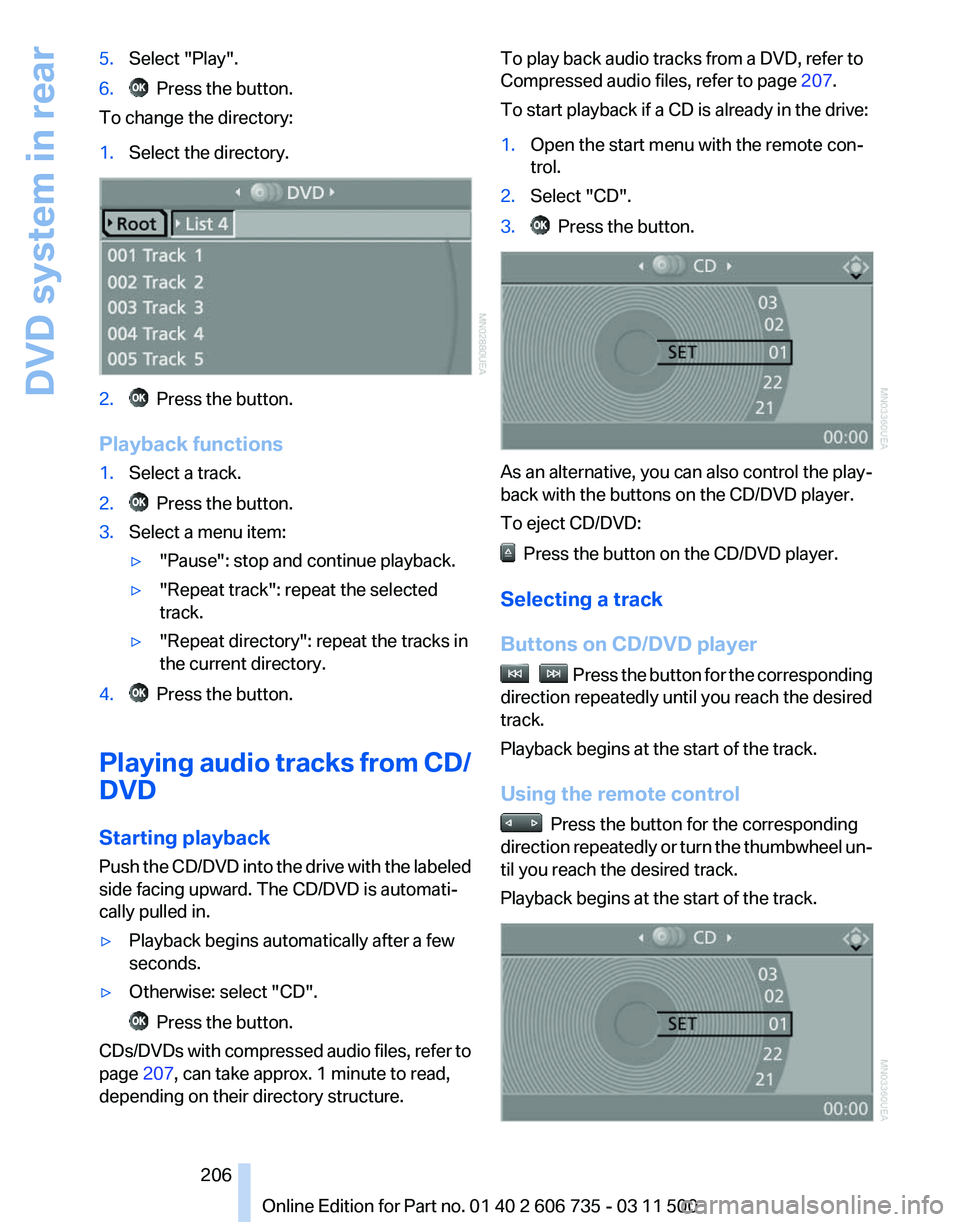
5.
Select "Play".
6. Press the button.
To change the directory:
1. Select the directory. 2. Press the button.
Playback functions
1. Select a track.
2. Press the button.
3. Select a menu item:
▷"Pause": stop and continue playback.
▷ "Repeat track": repeat the selected
track.
▷ "Repeat directory": repeat the tracks in
the current directory.
4. Press the button.
Playing audio tracks from CD/
DVD
Starting playback
Push
the CD/DVD into the drive with the labeled
side facing upward. The CD/DVD is automati‐
cally pulled in.
▷ Playback begins automatically after a few
seconds.
▷ Otherwise: select "CD". Press the button.
CDs/DVDs with compressed audio files, refer to
page 207, can take approx. 1 minute to read,
depending on their directory structure. To play back audio tracks from a DVD, refer to
Compressed audio files, refer to page
207.
To start playback if a CD is already in the drive:
1. Open the start menu with the remote con‐
trol.
2. Select "CD".
3. Press the button.
As an alternative, you can also control the play‐
back with the buttons on the CD/DVD player.
To eject CD/DVD:
Press the button on the CD/DVD player.
Selecting a track
Buttons on CD/DVD player Press the button for the corresponding
direction repeatedly until you reach the desired
track.
Playback begins at the start of the track.
Using the remote control Press the button for the corresponding
direction
repeatedly or turn the thumbwheel un‐
til you reach the desired track.
Playback begins at the start of the track. Seite 206
206 Online Edition for Part no. 01 40 2 606 735 - 03 11 500
DVD system in rear
Page 207 of 317
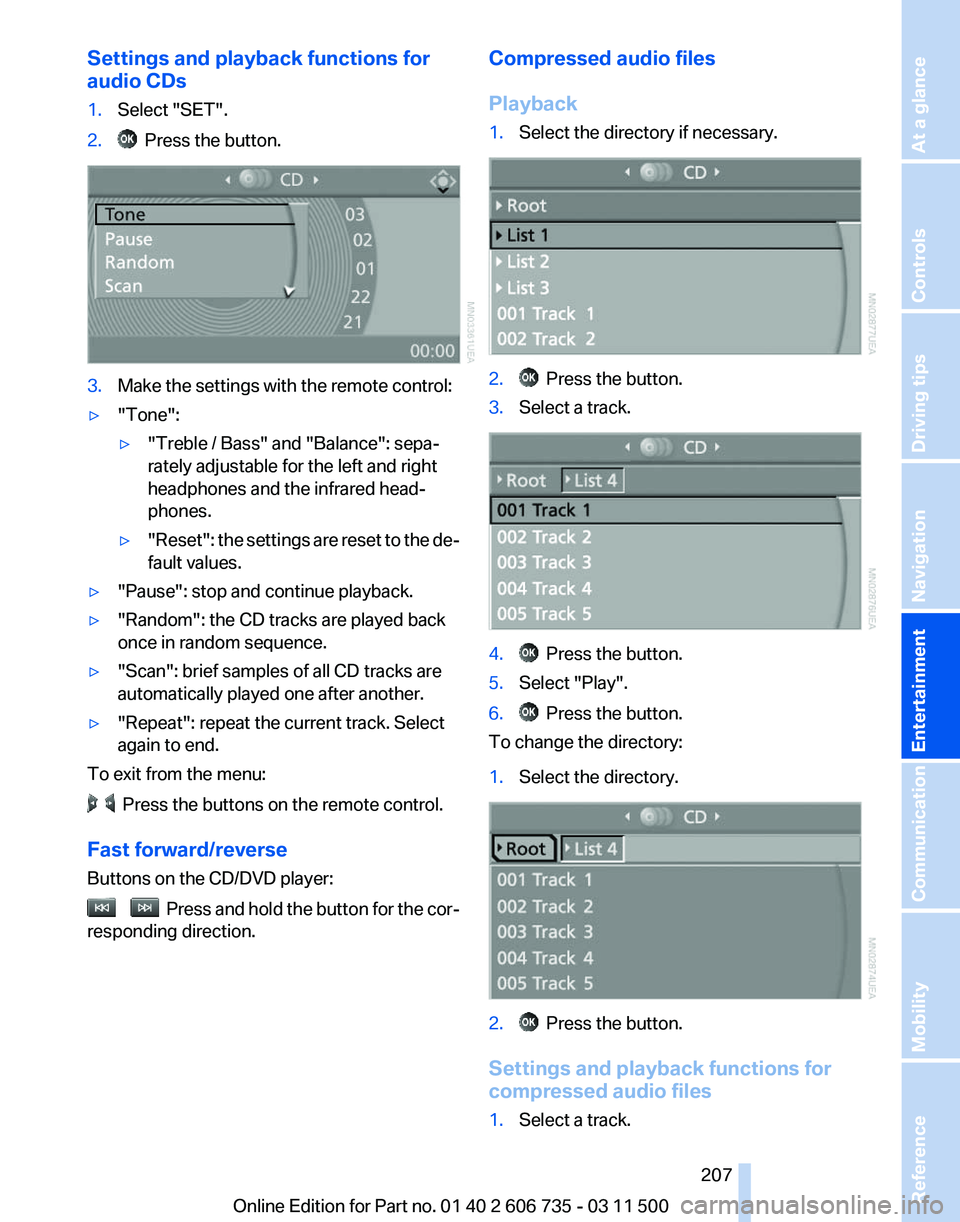
Settings and playback functions for
audio CDs
1.
Select "SET".
2. Press the button.
3.
Make the settings with the remote control:
▷ "Tone":
▷"Treble / Bass" and "Balance": sepa‐
rately adjustable for the left and right
headphones and the infrared head‐
phones.
▷ "Reset": the settings are reset to the de‐
fault values.
▷ "Pause": stop and continue playback.
▷ "Random": the CD tracks are played back
once in random sequence.
▷ "Scan": brief samples of all CD tracks are
automatically played one after another.
▷ "Repeat": repeat the current track. Select
again to end.
To exit from the menu: Press the buttons on the remote control.
Fast forward/reverse
Buttons on the CD/DVD player: Press and hold the button for the cor‐
responding direction. Compressed audio files
Playback
1.
Select the directory if necessary. 2. Press the button.
3. Select a track. 4. Press the button.
5. Select "Play".
6. Press the button.
To change the directory:
1. Select the directory. 2. Press the button.
Settings and playback functions for
compressed audio files
1. Select a track.
Seite 207
207Online Edition for Part no. 01 40 2 606 735 - 03 11 500
Reference Mobility Communication
Entertainment Navigation Driving tips Controls At a glance
Page 208 of 317
2. Press the button.
3. Make the settings with the remote control:
▷ "Tone":
▷"Treble / Bass" and "Balance": sepa‐
rately adjustable for the left and right
headphones and the infrared head‐
phones.
▷ "Reset": the settings are reset to the de‐
fault values.
▷ "Pause": stop and continue playback.
▷ "Scan directory": briefly sample the tracks
in the current directory.
▷ "Scan all": briefly sample all tracks.
▷ "Random directory": play the tracks in the
current directory in a random sequence.
▷ "Random
all": play all tracks in a random se‐
quence.
▷ "Repeat track": repeat the selected track.
▷ "Repeat directory": repeat the tracks in the
current directory.
▷ "Details": display any stored information on
the current track.
To exit from the menu: Press the buttons on the remote control.
Displaying images from CD/
DVD
1. Push the CD/DVD into the drive with the la‐
beled side facing upward. The CD/DVD is
automatically pulled in.
2. Open the start menu with the remote con‐
trol.
3. Select "Photo".
4. Press the button.
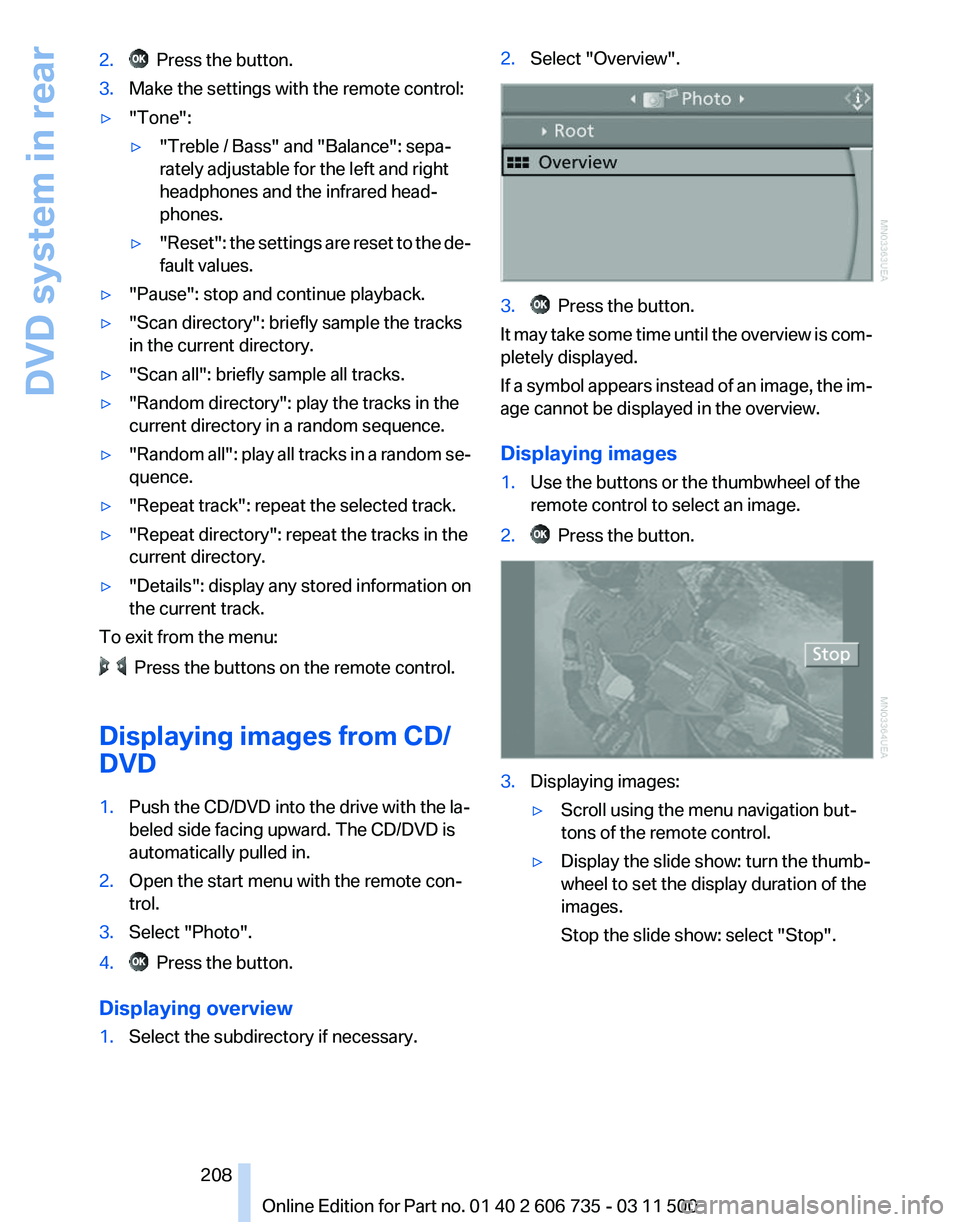
Displaying overview
1. Select the subdirectory if necessary. 2.
Select "Overview". 3. Press the button.
It may take some time until the overview is com‐
pletely displayed.
If
a symbol appears instead of an image, the im‐
age cannot be displayed in the overview.
Displaying images
1. Use the buttons or the thumbwheel of the
remote control to select an image.
2. Press the button.
3.
Displaying images:
▷Scroll using the menu navigation but‐
tons of the remote control.
▷ Display the slide show: turn the thumb‐
wheel to set the display duration of the
images.
Stop the slide show: select "Stop".
Seite 208
208 Online Edition for Part no. 01 40 2 606 735 - 03 11 500
DVD system in rear
Page 211 of 317
External device
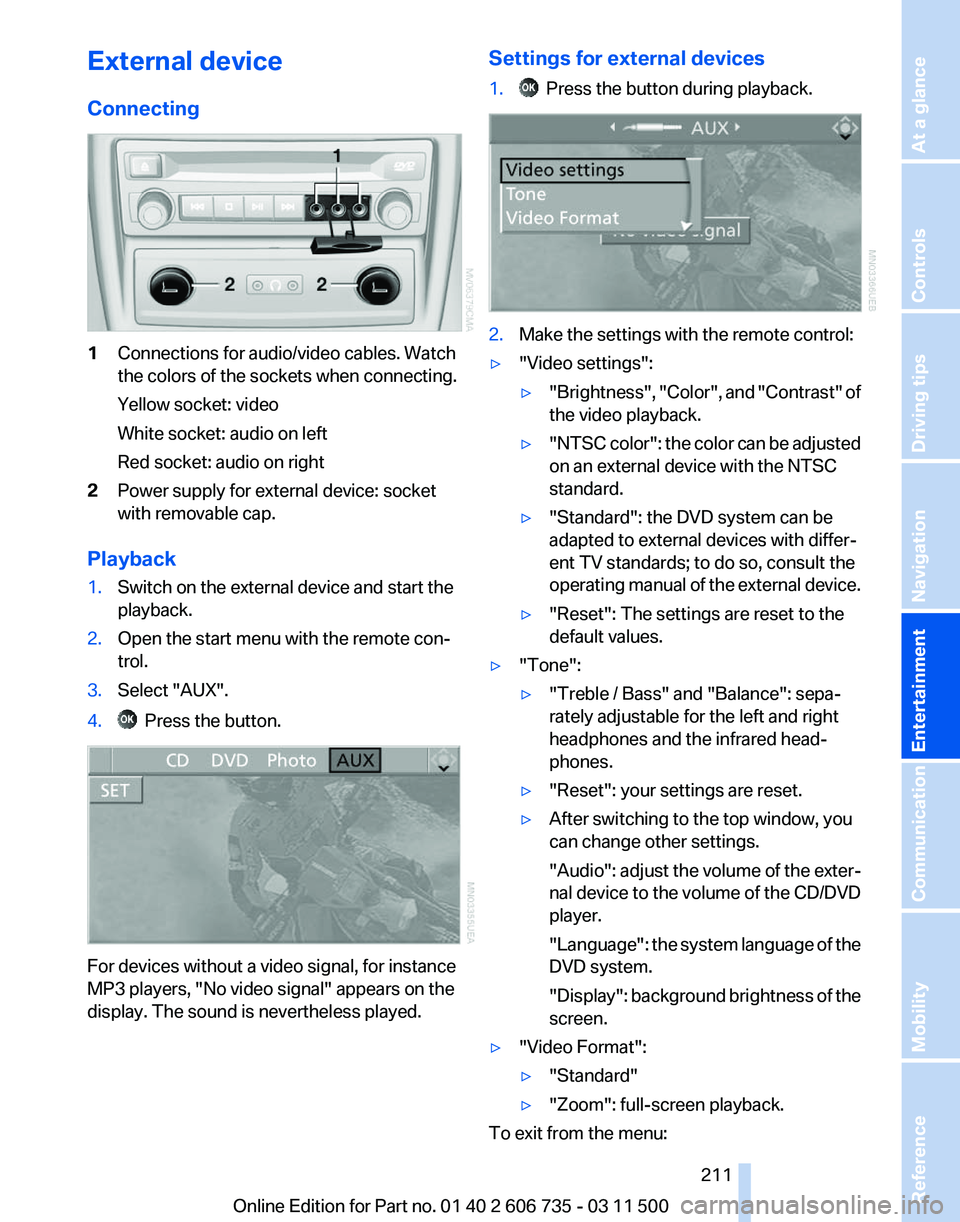
Connecting
1
Connections for audio/video cables. Watch
the colors of the sockets when connecting.
Yellow socket: video
White socket: audio on left
Red socket: audio on right
2 Power supply for external device: socket
with removable cap.
Playback
1. Switch on the external device and start the
playback.
2. Open the start menu with the remote con‐
trol.
3. Select "AUX".
4. Press the button.
For devices without a video signal, for instance
MP3 players, "No video signal"
appears on the
display. The sound is nevertheless played. Settings for external devices
1. Press the button during playback.
2.
Make the settings with the remote control:
▷ "Video settings":
▷"Brightness", "Color",
and "Contrast" of
the video playback.
▷ "NTSC
color": the color can be adjusted
on an external device with the NTSC
standard.
▷ "Standard": the DVD system can be
adapted to external devices with differ‐
ent TV standards; to do so, consult the
operating
manual of the external device.
▷ "Reset": The settings are reset to the
default values.
▷ "Tone":
▷"Treble / Bass" and "Balance": sepa‐
rately adjustable for the left and right
headphones and the infrared head‐
phones.
▷ "Reset": your settings are reset.
▷ After switching to the top window, you
can change other settings.
"Audio":
adjust the volume of the exter‐
nal device to the volume of the CD/DVD
player.
"Language": the system language of the
DVD system.
"Display": background brightness of the
screen.
▷ "Video Format":
▷"Standard"
▷ "Zoom": full-screen playback.
To exit from the menu:
Seite 211
211Online Edition for Part no. 01 40 2 606 735 - 03 11 500
Reference Mobility Communication
Entertainment Navigation Driving tips Controls At a glance