remote control BMW X6 M 2012 Repair Manual
[x] Cancel search | Manufacturer: BMW, Model Year: 2012, Model line: X6 M, Model: BMW X6 M 2012Pages: 317, PDF Size: 8.83 MB
Page 212 of 317
Press the buttons on the remote control.
Seite 212
212 Online Edition for Part no. 01 40 2 606 735 - 03 11 500DVD system in rear
Page 220 of 317
▷
The strength of the Bluetooth signal on the
mobile phone can be adjusted, depending
on the mobile phone.
▷ Insert the mobile phone into the snap-in
adapter* or place it in the area of the center
console.
▷ Adjust the volume of the microphone and
loudspeakers separately.
If all points in this list have been checked and the
required function is still not available, please
contact the hotline or service center.
Controls
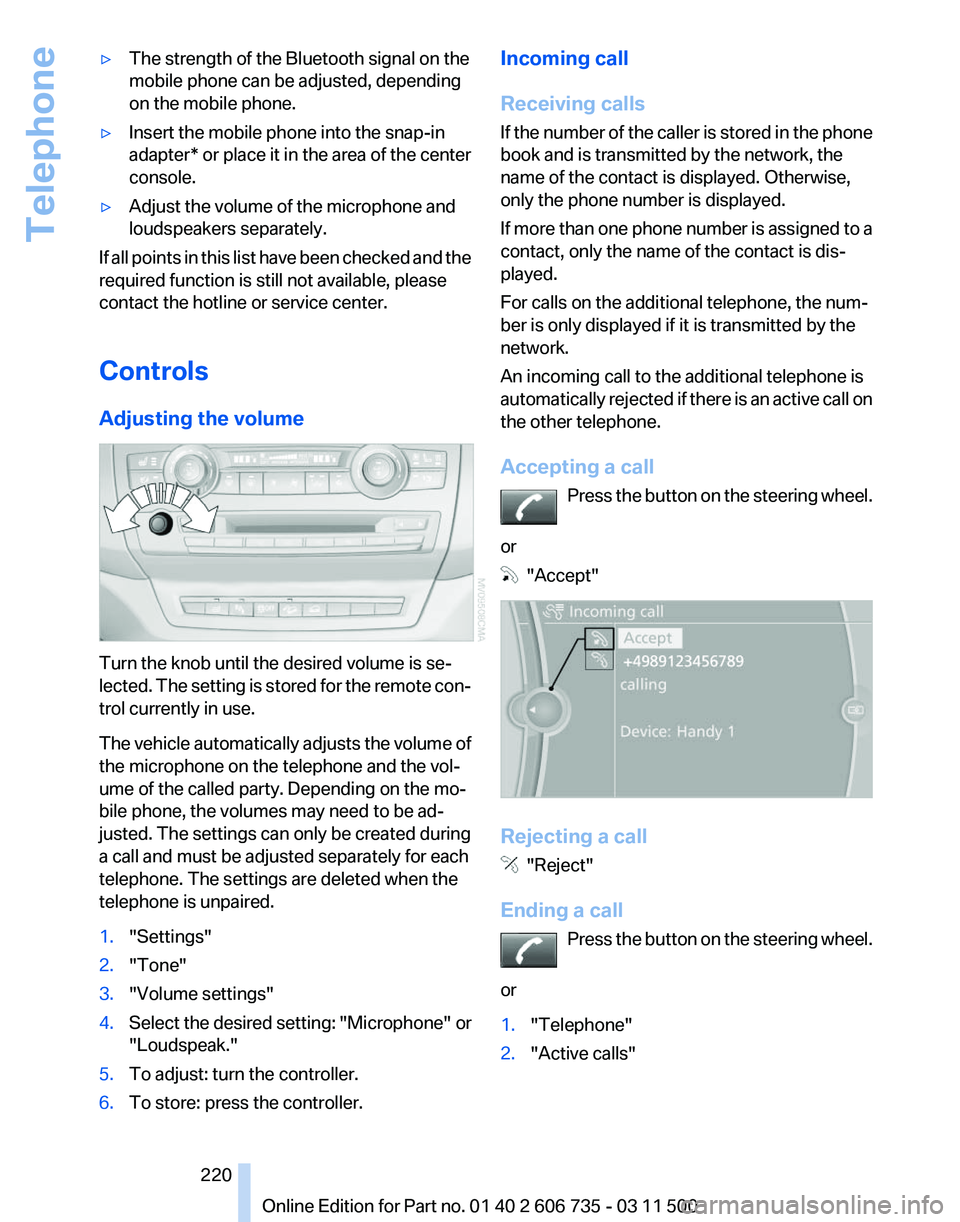
Adjusting the volume Turn the knob until the desired volume is se‐
lected.
The setting is stored for the remote con‐
trol currently in use.
The vehicle automatically adjusts the volume of
the microphone on the telephone and the vol‐
ume of the called party. Depending on the mo‐
bile phone, the volumes may need to be ad‐
justed. The settings can only be created during
a call and must be adjusted separately for each
telephone. The settings are deleted when the
telephone is unpaired.
1. "Settings"
2. "Tone"
3. "Volume settings"
4. Select the desired setting: "Microphone" or
"Loudspeak."
5. To adjust: turn the controller.
6. To store: press the controller. Incoming call
Receiving calls
If
the number of the caller is stored in the phone
book and is transmitted by the network, the
name of the contact is displayed. Otherwise,
only the phone number is displayed.
If more than one phone number is assigned to a
contact, only the name of the contact is dis‐
played.
For calls on the additional telephone, the num‐
ber is only displayed if it is transmitted by the
network.
An incoming call to the additional telephone is
automatically rejected if there is an active call on
the other telephone.
Accepting a call
Press the button on the steering wheel.
or "Accept"
Rejecting a call
"Reject"
Ending a call Press
the button on the steering wheel.
or
1. "Telephone"
2. "Active calls" Seite 220
220 Online Edition for Part no. 01 40 2 606 735 - 03 11 500
Telephone
Page 222 of 317
2.
"Active calls"
3. "Microphone mute"
A microphone that has been switched to mute
is automatically reactivated:
▷ When a new connection is established.
▷ When switching between call parties.
DTMF suffix dialing
DTMF suffix dialing can be used for gaining ac‐
cess
to network services or for controlling devi‐
ces, e.g., to make a remote inquiry of an answer‐
ing machine. The DTMF code is needed for this
purpose.
1. "Telephone"
2. Select the contact from a list or "Dial
number".
3. "Keypad dialing"
4. Enter the DTMF code via iDrive.
Phone book
Displays
The phone book accesses the contacts and
shows all contacts for which a phone number
has
been stored. The entries can be selected to
make a call.
1. "Telephone"
2. "Phone book"
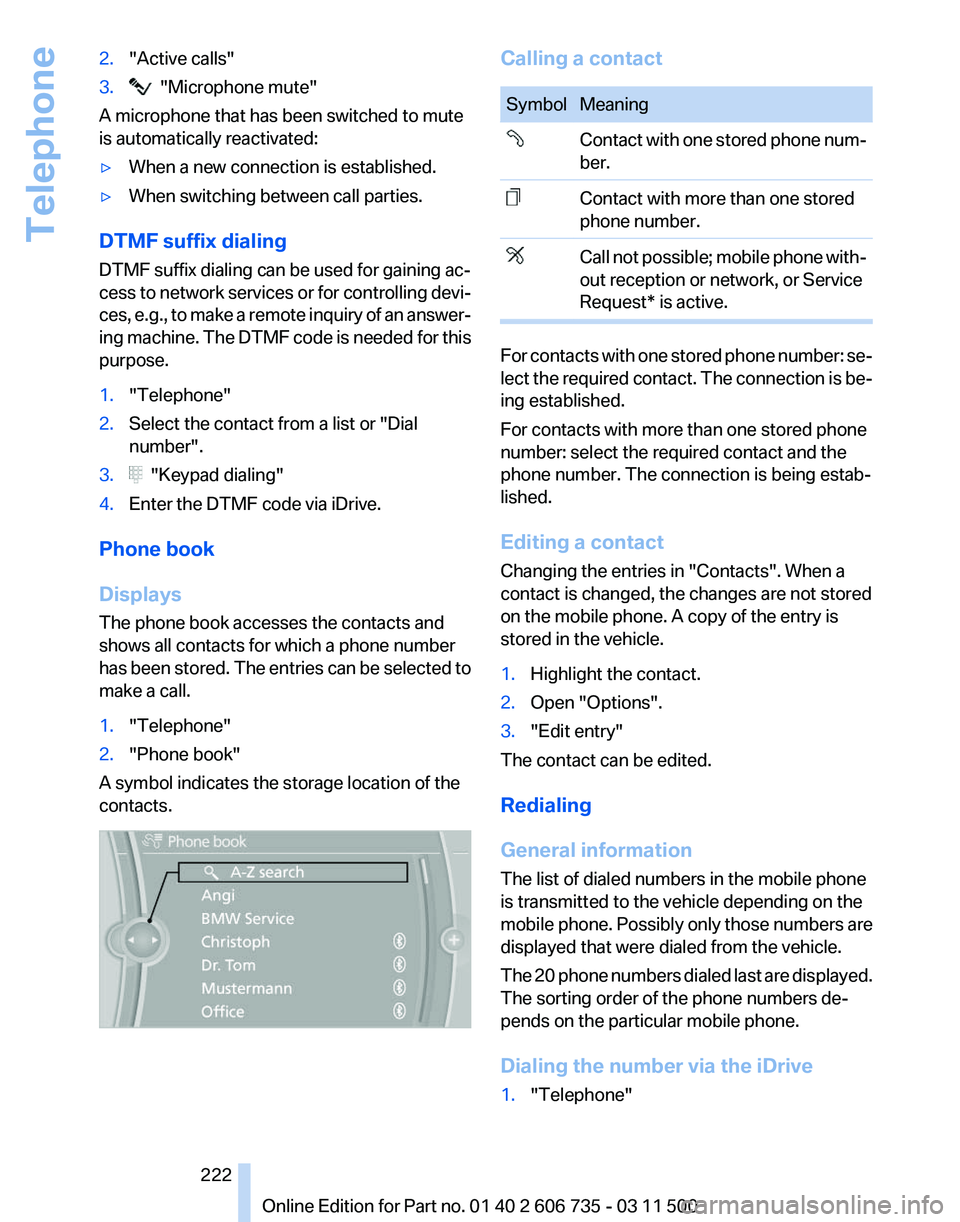
A symbol indicates the storage location of the
contacts. Calling a contact
Symbol Meaning
Contact with one stored phone num‐
ber.
Contact with more than one stored
phone number.
Call not possible; mobile phone with‐
out reception or network, or Service
Request* is active.
For contacts with one stored phone number: se‐
lect
the required contact. The connection is be‐
ing established.
For contacts with more than one stored phone
number: select the required contact and the
phone number. The connection is being estab‐
lished.
Editing a contact
Changing the entries in "Contacts". When a
contact is changed, the changes are not stored
on the mobile phone. A copy of the entry is
stored in the vehicle.
1. Highlight the contact.
2. Open "Options".
3. "Edit entry"
The contact can be edited.
Redialing
General information
The list of dialed numbers in the mobile phone
is transmitted to the vehicle depending on the
mobile
phone. Possibly only those numbers are
displayed that were dialed from the vehicle.
The 20 phone numbers dialed last are displayed.
The sorting order of the phone numbers de‐
pends on the particular mobile phone.
Dialing the number via the iDrive
1. "Telephone"
Seite 222
222 Online Edition for Part no. 01 40 2 606 735 - 03 11 500
Telephone
Page 225 of 317
Saving an entry
1.
›Save name‹
2. Say the name. Do not exceed the speaking
duration of approx. 2 seconds.
3. Say the phone number after being prompted
to do so by the system.
4. ›Save‹
Deleting an entry
1. ›Delete name‹
2. Say the name after being prompted to do so.
3. Confirm the query with ›Yes‹.
Deleting all entries
1. ›Delete phone book‹
The dialog for deleting the phone book is
opened.
2. Confirm the query with ›Yes‹.
3. Confirm the query again with ›Yes‹.
Reading and selecting entries
1. ›Read phone book‹
The dialog for reading the phone book is
opened.
2. Say ›Dial number‹ when the desired entry is
read.
Selecting an entry
1. ›Dial name‹
2. Say the name after being prompted to do so.
3. Confirm the query with ›Yes‹.
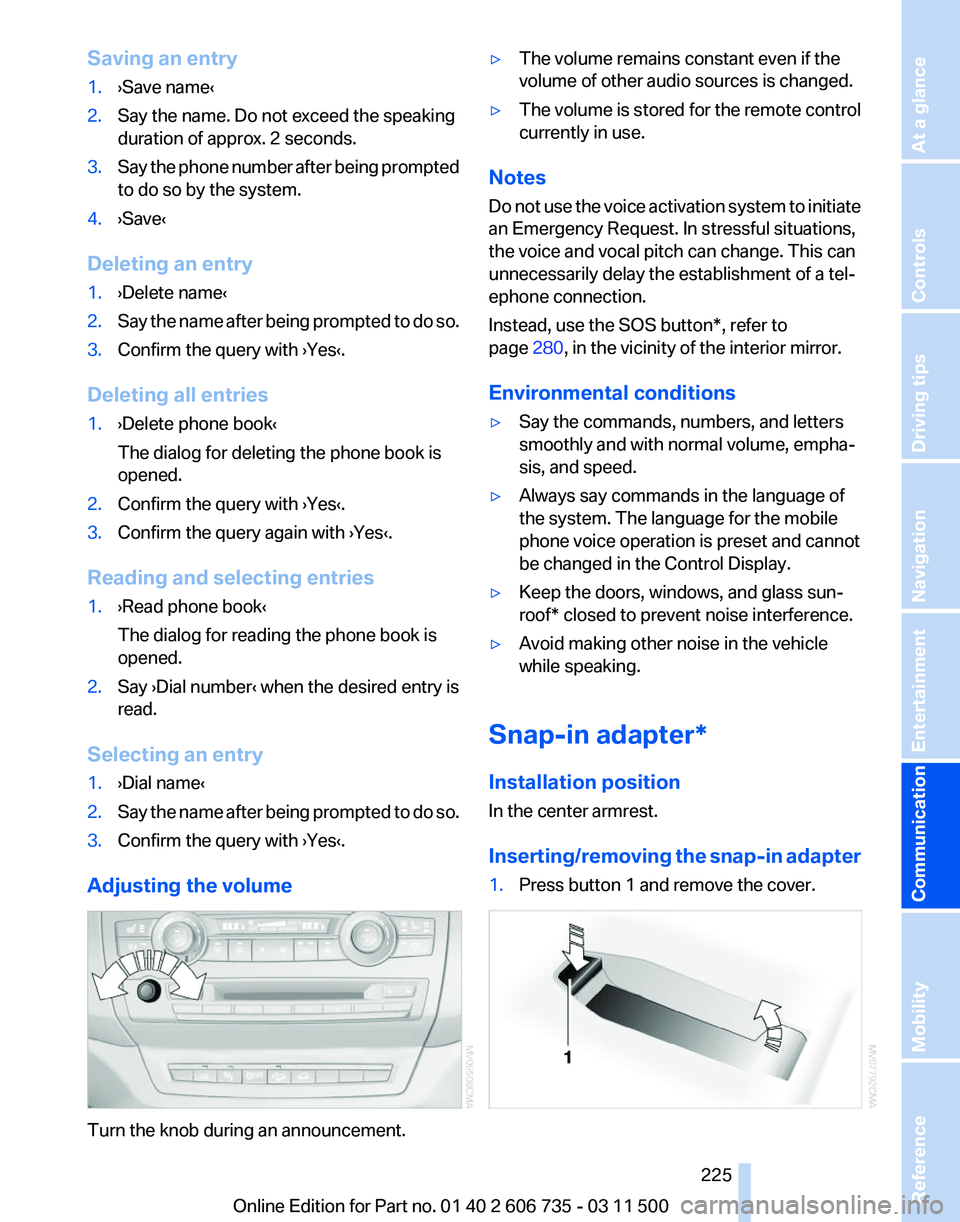
Adjusting the volume Turn the knob during an announcement. ▷
The volume remains constant even if the
volume of other audio sources is changed.
▷ The volume is stored for the remote control
currently in use.
Notes
Do not use the voice activation system to initiate
an Emergency Request. In stressful situations,
the voice and vocal pitch can change. This can
unnecessarily delay the establishment of a tel‐
ephone connection.
Instead, use the SOS button*, refer to
page 280, in the vicinity of the interior mirror.
Environmental conditions
▷ Say the commands, numbers, and letters
smoothly and with normal volume, empha‐
sis, and speed.
▷ Always say commands in the language of
the system. The language for the mobile
phone voice operation is preset and cannot
be changed in the Control Display.
▷ Keep the doors, windows, and glass sun‐
roof* closed to prevent noise interference.
▷ Avoid making other noise in the vehicle
while speaking.
Snap-in adapter*
Installation position
In the center armrest.
Inserting/removing
the snap-in adapter
1. Press button 1 and remove the cover. Seite 225
225Online Edition for Part no. 01 40 2 606 735 - 03 11 500
Reference Mobility
Communication Entertainment Navigation Driving tips Controls At a glance
Page 237 of 317
ConnectedDrive*
BMW Assist*
General information
BMW
Assist provides you with certain services,
e.g., transmission of the position data of your
vehicle to the BMW Assist Response Center if
an Emergency Request* has been initiated.
Many BMW Assist services depend on the indi‐
vidually agreed upon contract.
After your contract has expired, the BMW Assist
system will be deactivated by the BMW Assist
Response Center without your having to visit a
service center. After the BMW Assist system
has been deactivated, no BMW Assist services
will be available. The BMW Assist system can be
reactivated by a service center after you sign a
new contract.
Requirements
▷ The installed BMW Assist system is logged
in to a wireless communications network.
This network must be capable of transmit‐
ting the services.
▷ To transmit position data, the vehicle must
be able to determine the current position.
▷ The BMW Assist service contract was
signed with your service center or with the
BMW Assist Response Center. Enabling
must have been completed.
▷ BMW Assist is activated.
Services offered
▷ Emergency Request: when you press the
SOS button, a connection to the BMW As‐
sist Response Center is established. The
BMW Assist Response Center then speaks
with
you and takes further steps to help you.
▷ Automatic Collision Notification: under cer‐
tain conditions, a connection is established
to
the BMW Assist Response Center after a
serious accident. If possible, the BMW As‐ sist Response Center then speaks with you
and takes further steps to help you.
▷ Enhanced Roadside Assistance: BMW
Roadside Assistance* can be contacted if
assistance
is needed in the event of a break‐
down. If possible, the vehicle and position
data are transmitted in the process.
▷ Customer Relations: connection with Cus‐
tomer Relations for information on all as‐
pects of your vehicle.
▷ TeleService: data on your vehicle's service
status or required inspections are transmit‐
ted to your service center, either automati‐
cally before a service due date or when you
request a BMW service appointment.
▷ Remote Door Unlock: the BMW Assist Re‐
sponse
Center provides assistance if, for ex‐
ample, the remote control is not available
and the vehicle needs to be opened.
▷ Stolen Vehicle Recovery: after you report
that
your vehicle was stolen to the police, the
BMW Assist Response Center can deter‐
mine its position.
▷ In addition to these services, the optional
Convenience Plan offers Concierge service
and information for route planning, traffic,
and weather. A limited number of calls can
be made via the BMW Assist Response
Center with Critical Calling if, for example,
the mobile phone is not available or dis‐
charged.
Press the SOS button to contact the BMW
Assist Response Center.
TeleService*
General information
TeleService
supports communication with your
service center.
▷ Data on the vehicle's service requirements
can
be sent directly to the service center. In
this way, the service center can plan its work
Seite 237
237Online Edition for Part no. 01 40 2 606 735 - 03 11 500
Reference Mobility
Communication Entertainment Navigation Driving tips Controls At a glance
Page 268 of 317
Maintenance
BMW maintenance system
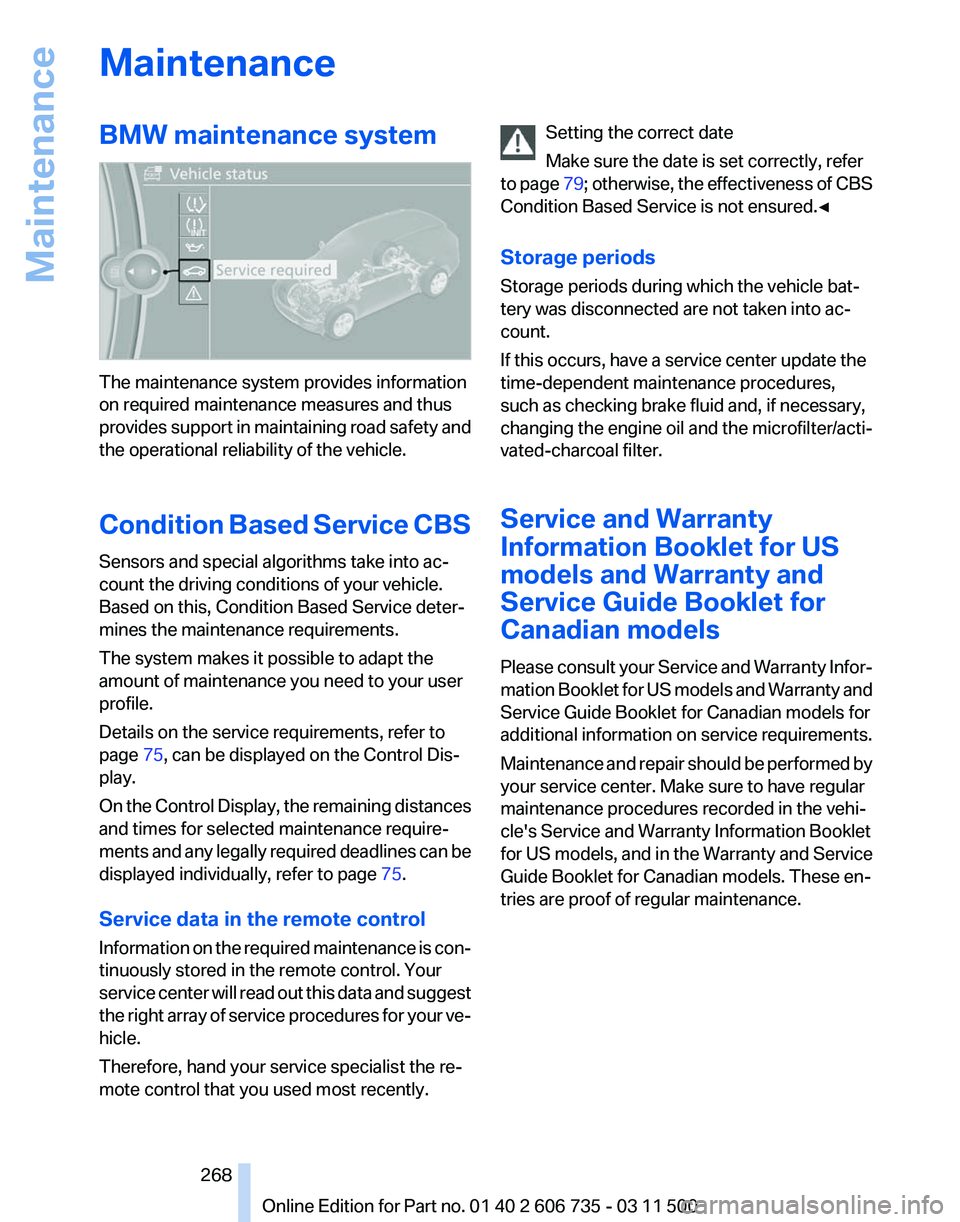
The maintenance system provides information
on required maintenance measures and thus
provides
support in maintaining road safety and
the operational reliability of the vehicle.
Condition Based Service CBS
Sensors and special algorithms take into ac‐
count the driving conditions of your vehicle.
Based on this, Condition Based Service deter‐
mines the maintenance requirements.
The system makes it possible to adapt the
amount of maintenance you need to your user
profile.
Details on the service requirements, refer to
page 75, can be displayed on the Control Dis‐
play.
On the Control Display, the remaining distances
and times for selected maintenance require‐
ments and any legally required deadlines can be
displayed individually, refer to page 75.
Service data in the remote control
Information on the required maintenance is con‐
tinuously stored in the remote control. Your
service center will read out this data and suggest
the right array of service procedures for your ve‐
hicle.
Therefore, hand your service specialist the re‐
mote control that you used most recently. Setting the correct date
Make sure the date is set correctly, refer
to
page 79; otherwise, the effectiveness of CBS
Condition Based Service is not ensured.◀
Storage periods
Storage periods during which the vehicle bat‐
tery was disconnected are not taken into ac‐
count.
If this occurs, have a service center update the
time-dependent maintenance procedures,
such as checking brake fluid and, if necessary,
changing the engine oil and the microfilter/acti‐
vated-charcoal filter.
Service and Warranty
Information Booklet for US
models and Warranty and
Service Guide Booklet for
Canadian models
Please consult your Service and Warranty Infor‐
mation Booklet for US models and Warranty and
Service Guide Booklet for Canadian models for
additional information on service requirements.
Maintenance and repair should be performed by
your service center. Make sure to have regular
maintenance procedures recorded in the vehi‐
cle's Service and Warranty Information Booklet
for US models, and in the Warranty and Service
Guide Booklet for Canadian models. These en‐
tries are proof of regular maintenance. Seite 268
268 Online Edition for Part no. 01 40 2 606 735 - 03 11 500
Maintenance
Page 269 of 317
Socket for OBD Onboard
Diagnosis
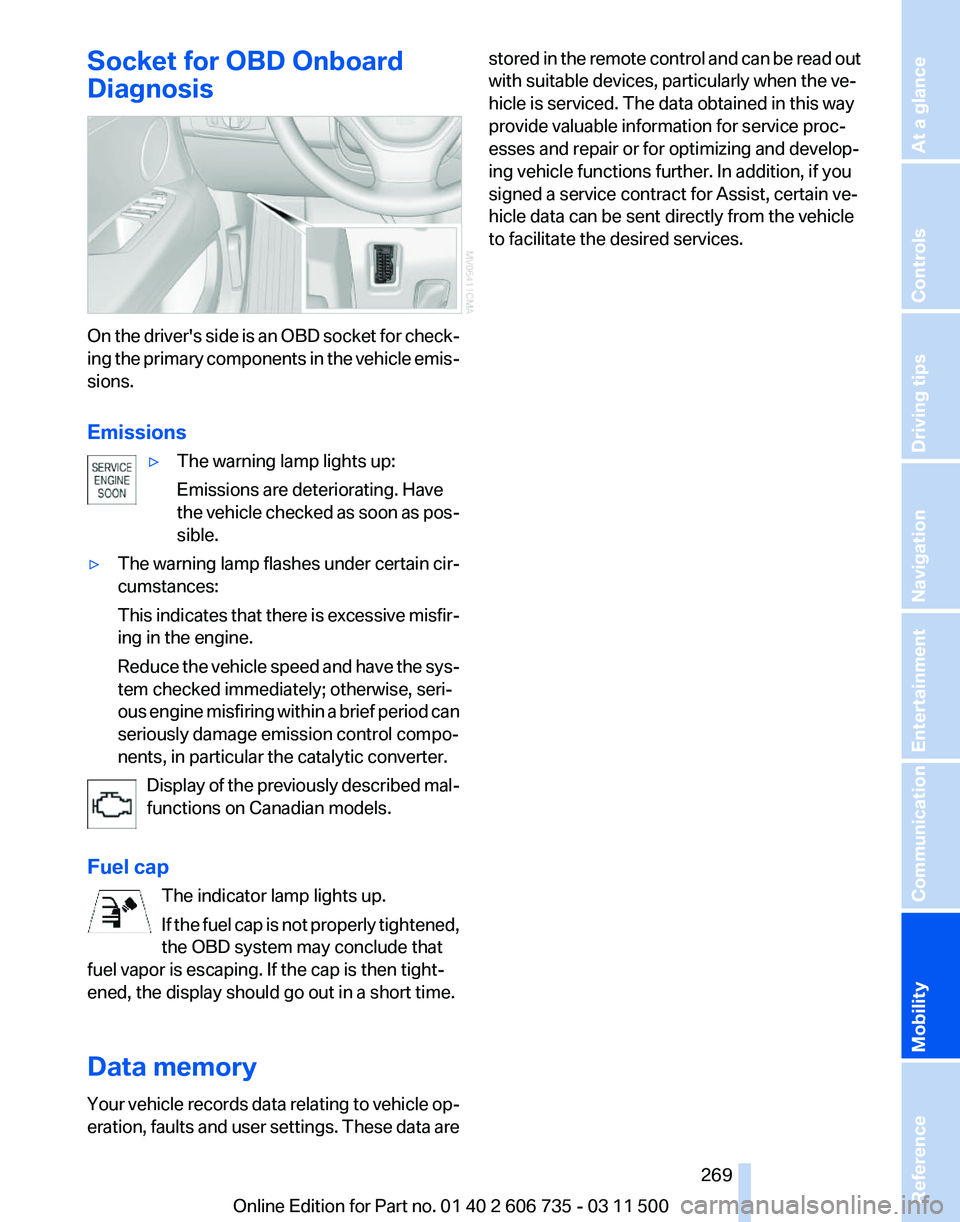
On the driver's side is an OBD socket for check‐
ing
the primary components in the vehicle emis‐
sions.
Emissions
▷The warning lamp lights up:
Emissions are deteriorating. Have
the
vehicle checked as soon as pos‐
sible.
▷ The warning lamp flashes under certain cir‐
cumstances:
This
indicates that there is excessive misfir‐
ing in the engine.
Reduce the vehicle speed and have the sys‐
tem checked immediately; otherwise, seri‐
ous engine misfiring within a brief period can
seriously damage emission control compo‐
nents, in particular the catalytic converter.
Display of the previously described mal‐
functions on Canadian models.
Fuel cap The indicator lamp lights up.
If
the fuel cap is not properly tightened,
the OBD system may conclude that
fuel vapor is escaping. If the cap is then tight‐
ened, the display should go out in a short time.
Data memory
Your vehicle records data relating to vehicle op‐
eration, faults and user settings. These data are stored in the remote control and can be read out
with suitable devices, particularly when the ve‐
hicle is serviced. The data obtained in this way
provide valuable information for service proc‐
esses and repair or for optimizing and develop‐
ing vehicle functions further. In addition, if you
signed a service contract for Assist, certain ve‐
hicle data can be sent directly from the vehicle
to facilitate the desired services.
Seite 269
269Online Edition for Part no. 01 40 2 606 735 - 03 11 500
Reference
Mobility Communication Entertainment Navigation Driving tips Controls At a glance
Page 285 of 317
Care
Car washes
Notes
Steam jets or high-pressure washers
When using steam jets or high-pressure
washers, hold them a sufficient distance away
and use a maximum temperature of 140 ℉/
60 ℃.
Holding them too close or using excessively
high
pressures or temperatures can cause dam‐
age or preliminary damage that may then lead to
long-term damage.
Follow the operating instructions for the high-
pressure washer.◀
Cleaning sensors/cameras with high-
pressure washers
When using high-pressure washers, do not
spray the exterior sensors and cameras, for Park
Distance Control* or the backup camera*, for
instance, for extended periods of time and only
from a distance of at least 12 in/30 cm.◀
Wash your vehicle frequently, particularly in win‐
ter.
Intense soiling and road salt can damage the ve‐
hicle.
Washing in automatic car washes
Your vehicle can be washed in automatic car
washes right from the start.
Give preference to cloth car washes or those
that use soft brushes in order to avoid paint
damage.
Notes
Note the following:
▷ Make sure that the wheels and tires are not
damaged by the transport mechanisms.
▷ Fold in the exterior mirrors; otherwise, they
may
be damaged, depending on the width of
the vehicle. ▷
Deactivate rain sensor, refer to page 67, to
prevent unintentional wiper action.
▷ BMW X5: deactivate the rear window wiper
and protect it from damage. Ask the car
wash
operator about any necessary protec‐
tive measures.
▷ Remove additional attachments, for in‐
stance a spoiler or telephone antenna, if
there is a risk that these may be damaged.
Guide rails in car washes
Avoid car washes with guide rails higher
than 4 in/10 cm; otherwise, the vehicle body
could be damaged.
◀
Before driving into a car wash
The vehicle is able to roll if the following steps
are taken.
1. Insert the remote control into the ignition
lock, even with Comfort Access.
2. Engage transmission position N.
3. Release the parking brake.
4. Deactivating Automatic Hold, refer to
page 64.
5. Switch the engine off.
6. Leave the remote control in the ignition lock
so that the vehicle can roll.
Mixed tires* Note the vehicle width
Before driving into a car wash, make sure
that
the vehicle width is not too large for the car
wash, as otherwise the vehicle and the car wash
could be damaged.◀
Headlamps
▷ Do not rub dry and do not use abrasive or
caustic cleansers.
▷ Soak areas that have been soiled e.g. due to
insects, with shampoo and wash off with
water. Seite 285
285Online Edition for Part no. 01 40 2 606 735 - 03 11 500
Reference
Mobility Communication Entertainment Navigation Driving tips Controls At a glance
Page 303 of 317
Automatic climate control in
rear, deactivating on Control
Display 124
Automatic climate control in rear, switching off 125
Automatic climate control, switching off 123, 125
Automatic climate control, ventilation in rear 123
Automatic climate control, with 2-zone control 120
Automatic climate control, with 4-zone control 124
Automatic, cruise control 108
Automatic
Cruise Control 102
Automatic Curb Monitor 54
Automatic headlamp con‐ trol 81, 82
Automatic Hold 64
Automatic Hold, activating 64
Automatic Hold, deactivat‐ ing 64
Automatic Hold, parking 65
Automatic recirculated air control 122
Automatic Soft Closing, doors 33
Automatic Soft Closing, tail‐ gate 34
Automatic tailgate opera‐ tion 34, 36
Automatic transmission with Steptronic 69
Automatic transmission with
Steptronic
– Kickdown 69
AUTO program with automatic
climate control 120, 125
AUX-IN port 134, 192
Average fuel consumption 74
Average fuel consumption, setting the units 80
Average speed 73
Average speed, refer to Com‐ puter 73
Axle loads, refer to Weights 292 B
Backrest curvature, refer to
Lumbar support 46
Backrest width 46
Back
seats, adjusting the head
restraints 52
Backup camera 112
Backup camera, cleaning 114
Backup camera, obstacle marking 113
Backup camera, pathway lines 113
Backup camera, turning lines 113
Balance 172
Band-aids, refer to First aid kit 281
Bass 172
Battery
– Remote control 28
Battery change, remote con‐
trol
for rear DVD system 202
Battery disposal 278
Battery, refer to Vehicle bat‐ tery 278
Battery replacement, remote control for vehicle 39
Before entering the car wash 285
Belts, refer to Safety belts 50
Belt tensioners, refer to Safety belts 50
Beverage holder, refer to Cu‐ pholder 135
Black and white map dis‐ play 166
Blower, refer to Air flow rate 121
Bluetooth audio 196
Bluetooth connection, activat‐ ing/deactivating 217
BMW Advanced Diesel 249
BMW Apps 241
BMW Apps, video play‐ back 195
BMW Assist 237
BMW Assist, refer to Connec‐ tedDrive 237 BMW EfficientDynamics, refer
to Saving fuel 148
BMW homepage 6
BMW Internet page 6
BMW maintenance sys‐ tem 268
BMW Online 239
BMW TeleService 237
Bottle holder, refer to Cu‐ pholder 135
Brake assistant 96
Brake discs, breaking in 142
Brake
fluid, refer to Service re‐
quirements 75
Brake force display 94
Brake force distribution, elec‐ tronic 96
Brake lamps, brake force dis‐ play 94
Brake lights, adaptive 94
Brake pads, breaking in 142
Brakes, BMW maintenance system 268
Brakes, parking brake 63
Brakes, service require‐ ments 75
Brake system, BMW mainte‐ nance system 268
Braking, notes 143
Breakdown assistance 281
Breakdown, transporting the vehicle 282
Breaking in 142
Brightness, on the Control Display 80
Bulb replacement, refer to Lamp and bulb replace‐
ment 270
Button for starting the engine, refer to Start/Stop button 61
C
Calendar 232
Calibration, driver's seat 51
California Proposition 65 Warning 7
Camera, care 287
Seite 303
303Online Edition for Part no. 01 40 2 606 735 - 03 11 500
Reference Mobility Communication Entertainment Navigation Driving tips Controls At a glance
Page 304 of 317
Camera, refer to Backup cam‐
era 112
Camera, Side View 117
Camera, Top View 116
Can holder, refer to Cu‐ pholder 135
Car battery, refer to Vehicle battery 278
Car care products 286
Care 285
Care, displays 287
Care, vehicle 286
Cargo 144
Cargo area
– Comfort Access 38
Cargo area, capacities 292
Cargo area, enlarging 133
Cargo area lamp, refer to Inte‐ rior lamps 84
Cargo area lid, refer to Tail‐ gate 33, 36
Cargo area, opening/closing, refer to Lower tailgate 36
Cargo area, opening/closing, refer to Tailgate 33, 36
Cargo area, opening from the inside 34
Cargo area, opening from the outside 34
Cargo area, refer to Cargo area 132
Cargo cover, refer to Luggage compartment roller
cover 132
Cargo, securing with ski bag, refer to Securing cargo 139
Cargo straps, securing cargo 146
Car key, refer to Integrated key/remote control 28
Carpet, care 287
Car phone, installation loca‐ tion, refer to Center arm‐
rest 134
Car phone, refer to Tele‐ phone 216
Car vacuum cleaner, connect‐ ing,
refer to Connecting elec‐
trical devices 131 Car wash 285
Catalytic converter, refer to
Hot exhaust system 142
CBC, refer to Cornering Brake Control 96
CBS Condition Based Serv‐ ice 268
CD/DVD 181
CD/DVD changer 185
CD/DVD in rear 201
CD/DVD notes 187
CD, refer to Playing audio tracks,
rear DVD system 206
CDs, storing 188
Cell phone 216
Cell phone, installation loca‐ tion, refer to Center arm‐
rest 134
Center armrest, front 134
Center armrest, rear 135
Center brake lamp 273, 275
Center console, refer to Around the center con‐
sole 16
Central locking
– Comfort Access 37
– From the inside 33
– Setting the unlocking char‐ acteristics 30
Central locking system
– From the outside 29
– Principle 29
Central screen, refer to Control
Display 19
Changes, technical, refer to Safety 6
Changing wheels/tires 260
Chassis number, refer to En‐ gine compartment 263
Check Control 76
Children, transporting 56
Child restraint fixing system LATCH 57
Child restraint fixing sys‐ tems 56
Child restraint fixing systems, mounting 56
Child safety locks 60
Child seat, mounting 56 Child seats, refer to Transport‐
ing children safely 56
Chrome parts, care 286
Cigarette lighter, connecting electrical devices 131
Cigarette lighter, refer to Lighter 130
Cigarette lighter socket 131
Circulation of air, refer to Re‐ circulated air mode 122
Cleaning, displays 287
Cleaning your BMW, refer to Care 285
Clock 71
Clock, 12h/24h mode 79
Closing
– From the inside 33
– From the outside 30
Clothes hooks 135
Cockpit 12
Cold
start, refer to Starting the
engine 62
Combination instrument, refer to Instrument cluster 14
Combination switch, refer to Turn signal/high beams/
headlamp flasher 66
Combination switch, refer to Washer/wiper system 67
Comfort Access
– Battery replacement 39
Comfort area, refer to Around
the center console 16
Compact
wheel, inflation pres‐
sure 252, 253
Compartment for remote con‐ trol, refer to Ignition lock 61
Compartments, refer to Stor‐ age compartments 134, 135
Compass, digital 129
Computer 73
Computer, displaying informa‐ tion 73
Computer, displays on the Control Display 74
Concierge service 238
Condensation on windows, re‐ moving 121
Seite 304
304 Online Edition for Part no. 01 40 2 606 735 - 03 11 500
Everything from A to Z