ECO mode BMW Z4 2.5I 2005 User Guide
[x] Cancel search | Manufacturer: BMW, Model Year: 2005, Model line: Z4 2.5I, Model: BMW Z4 2.5I 2005Pages: 120, PDF Size: 3.82 MB
Page 91 of 120
Reference
At a glance
Controls
Driving tips
Mobility
89
Maintenance
The BMW Maintenance
System
The BMW Maintenance System helps maintain
the road safety and operating reliability of your
BMW.
Please keep in mind that regular maintenance is
not only necessary for the safety of your vehi-
cle, but also plays a significant role in maintain-
ing the resale value of your vehicle.
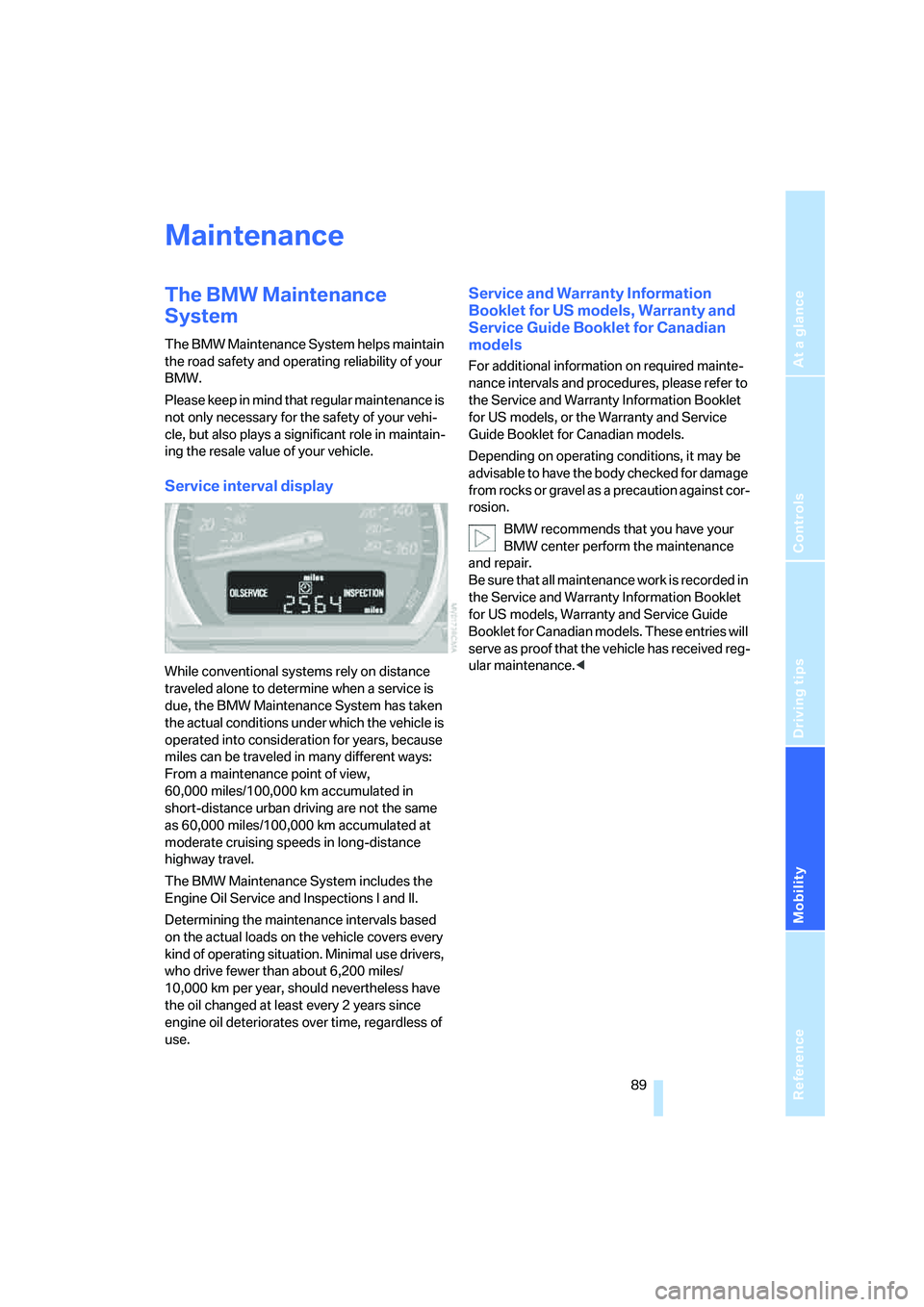
Service interval display
While conventional systems rely on distance
traveled alone to determine when a service is
due, the BMW Maintenance System has taken
the actual conditions under which the vehicle is
operated into consideration for years, because
miles can be traveled in many different ways:
From a maintenance point of view,
60,000 miles/100,000 km accumulated in
short-distance urban driving are not the same
as 60,000 miles/100,000 km accumulated at
moderate cruising speeds in long-distance
highway travel.
The BMW Maintenance System includes the
Engine Oil Service and Inspections I and II.
Determining the maintenance intervals based
on the actual loads on the vehicle covers every
kind of operating situation. Minimal use drivers,
who drive fewer than about 6,200 miles/
10,000 km per year, should nevertheless have
the oil changed at least every 2 years since
engine oil deteriorates over time, regardless of
use.
Service and Warranty Information
Booklet for US models, Warranty and
Service Guide Booklet for Canadian
models
For additional information on required mainte-
nance intervals and procedures, please refer to
the Service and Warranty Information Booklet
for US models, or the Warranty and Service
Guide Booklet for Canadian models.
Depending on operating conditions, it may be
advisable to have the body checked for damage
from rocks or gravel as a precaution against cor-
rosion.
BMW recommends that you have your
BMW center perform the maintenance
and repair.
Be sure that all maintenance work is recorded in
the Service and Warranty Information Booklet
for US models, Warranty and Service Guide
Booklet for Canadian models. These entries will
serve as proof that the vehicle has received reg-
ular maintenance.<
Page 92 of 120
Maintenance
90
OBD interface socket
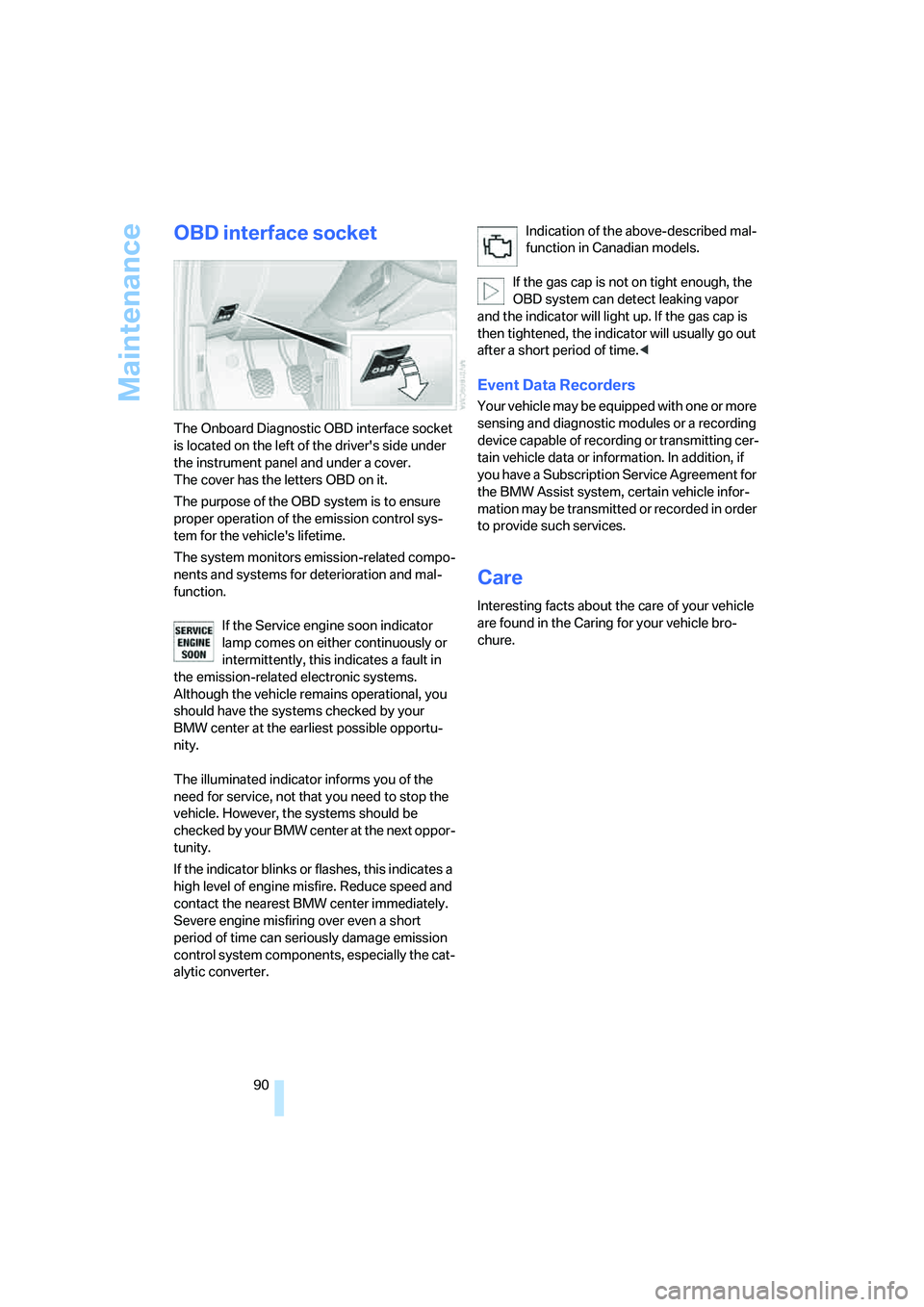
The Onboard Diagnostic OBD interface socket
is located on the left of the driver's side under
the instrument panel and under a cover.
The cover has the letters OBD on it.
The purpose of the OBD system is to ensure
proper operation of the emission control sys-
tem for the vehicle's lifetime.
The system monitors emission-related compo-
nents and systems for deterioration and mal-
function.
If the Service engine soon indicator
lamp comes on either continuously or
intermittently, this indicates a fault in
the emission-related electronic systems.
Although the vehicle remains operational, you
should have the systems checked by your
BMW center at the earliest possible opportu-
nity.
The illuminated indicator informs you of the
need for service, not that you need to stop the
vehicle. However, the systems should be
checked by your BMW cente r a t t h e n e x t o p p o r -
tunity.
If the indicator blinks or flashes, this indicates a
high level of engine misfire. Reduce speed and
contact the nearest BMW center immediately.
Severe engine misfiring over even a short
period of time can seriously damage emission
control system components, especially the cat-
alytic converter.Indication of the above-described mal-
function in Canadian models.
If the gas cap is not on tight enough, the
OBD system can detect leaking vapor
and the indicator will light up. If the gas cap is
then tightened, the indicator will usually go out
after a short period of time.<
Event Data Recorders
Your vehicle may be equipped with one or more
sensing and diagnostic modules or a recording
device capable of recording or transmitting cer-
tain vehicle data or information. In addition, if
you have a Subscription Service Agreement for
the BMW Assist system, certain vehicle infor-
mation may be transmitted or recorded in order
to provide such services.
Care
Interesting facts about the care of your vehicle
are found in the Caring for your vehicle bro-
chure.
Page 96 of 120
Replacement procedures
94 Please contact a BMW center in case of a mal-
function.
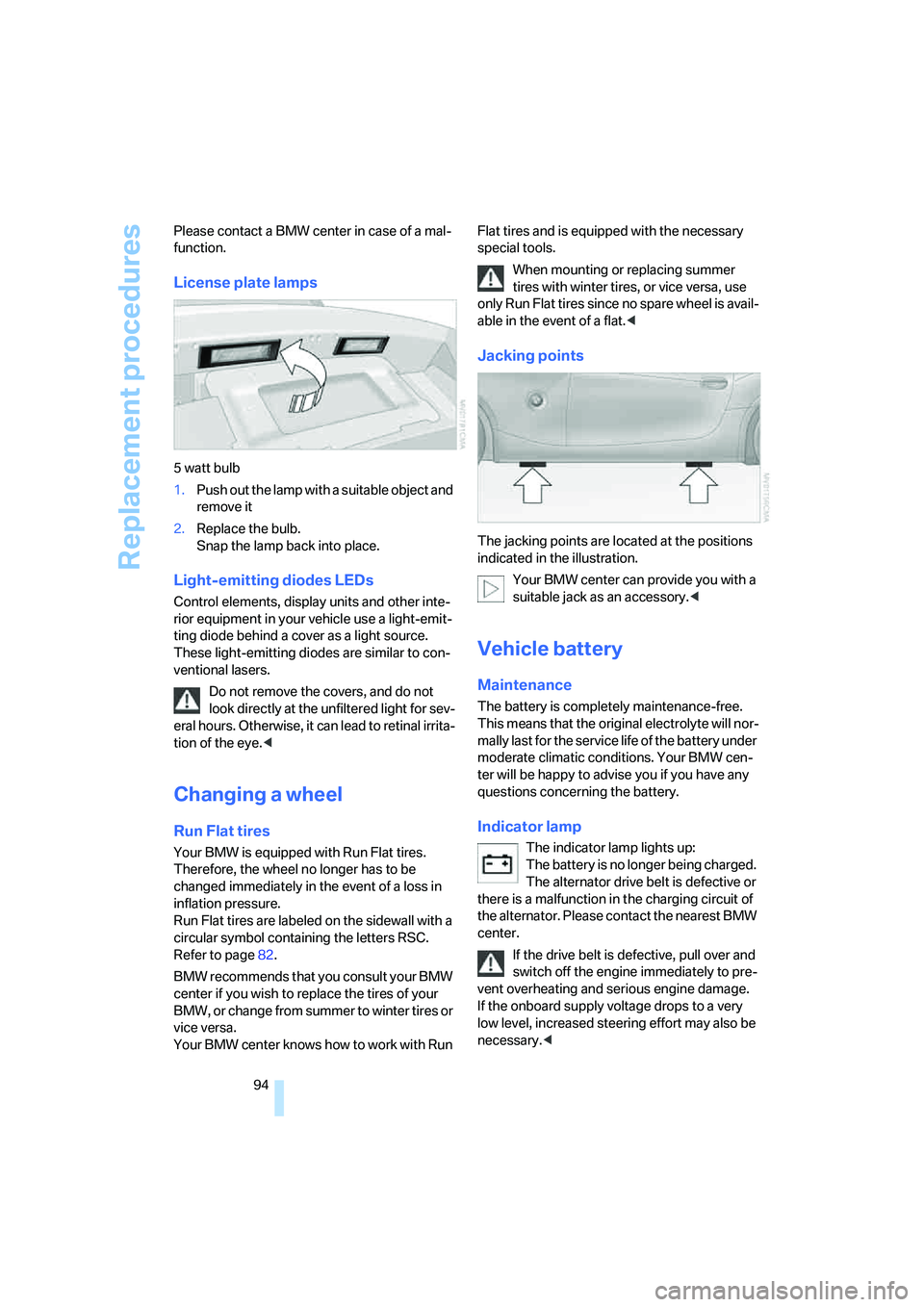
License plate lamps
5 watt bulb
1.Push out the lamp with a suitable object and
remove it
2.Replace the bulb.
Snap the lamp back into place.
Light-emitting diodes LEDs
Control elements, display units and other inte-
rior equipment in your vehicle use a light-emit-
ting diode behind a cover as a light source.
These light-emitting diodes are similar to con-
ventional lasers.
Do not remove the covers, and do not
look directly at the unfiltered light for sev-
eral hours. Otherwise, it can lead to retinal irrita-
tion of the eye.<
Changing a wheel
Run Flat tires
Your BMW is equipped with Run Flat tires.
Therefore, the wheel no longer has to be
changed immediately in the event of a loss in
inflation pressure.
Run Flat tires are labeled on the sidewall with a
circular symbol containing the letters RSC.
Refer to page82.
BMW recommends that you consult your BMW
center if you wish to replace the tires of your
B MW , o r change from summe r to winter tire s o r
vice versa.
Your BMW center knows how to work with Run Flat tires and is equipped with the necessary
special tools.
When mounting or replacing summer
tires with winter tires, or vice versa, use
only Run Flat tires since no spare wheel is avail-
able in the event of a flat.<
Jacking points
The jacking points are located at the positions
indicated in the illustration.
Your BMW center can provide you with a
suitable jack as an accessory.<
Vehicle battery
Maintenance
The battery is completely maintenance-free.
This means that the original electrolyte will nor-
mally last for the service life of the battery under
moderate climatic conditions. Your BMW cen-
ter will be happy to advise you if you have any
questions concerning the battery.
Indicator lamp
The indicator lamp lights up:
The battery is no longer being charged.
The alternator drive belt is defective or
there is a malfunction in the charging circuit of
the alternator. Please contact the nearest BMW
center.
If the drive belt is defective, pull over and
switch off the engine immediately to pre-
vent overheating and serious engine damage.
If the onboard supply voltage drops to a very
low level, increased steering effort may also be
necessary.<
Page 118 of 120
Everything from A to Z
116 Ventilation59,63
– air conditioning59
– automatic climate control63
Vents, refer to
Ventilation59,63
Volume
– fuel tank, refer to
Capacities105
W
Warning and indicator
lamps12
Warning triangle96
Warranty, refer to Service and
Warranty Information
Booklet for US models,
Warranty and Service Guide
Booklet for Canadian
models89
Warranty and service7
Washer/wiper system43
Washer fluid reservoir, refer to
– Capacities105
– Headlamp washer system
and Windshield washer
system86
Washer jets, refer to
Windshield washer
nozzles44
Washing fluids86
Washing systems86
Waste tray, refer to Ashtray65
Water on roads, flooding69
Weights103
Wheel/tire combinations82
Wheelbase, refer to
Dimensions104
Wheels and tires78
Width, refer to
Dimensions104
Wind deflector24
Window defrosting, refer to
Defrosting windows
– air conditioning60
– automatic climate control62
Windows
– convenience operation18
Windshield washer nozzles44Windshield washer
reservoir86
– volume, refer to
Capacities105
Windshield washer system
– washer/wiper system43
– washing fluids86
Windshield wiper blades
– care, refer to the Caring for
your vehicle brochure
– changing91
Windshield wipers
– changing91
– refer to Washer/wiper
system43
Winter tires82
– changing94
– condition81
– storage83
Wood decoration, refer to the
Caring for your vehicle
brochure
Work in the engine
compartment84
Wrench, refer to Onboard tool
kit91
X
Xenon lamps, bulb
replacement92