language BMW Z4 2015 E89 User Guide
[x] Cancel search | Manufacturer: BMW, Model Year: 2015, Model line: Z4, Model: BMW Z4 2015 E89Pages: 289, PDF Size: 7.16 MB
Page 150 of 289
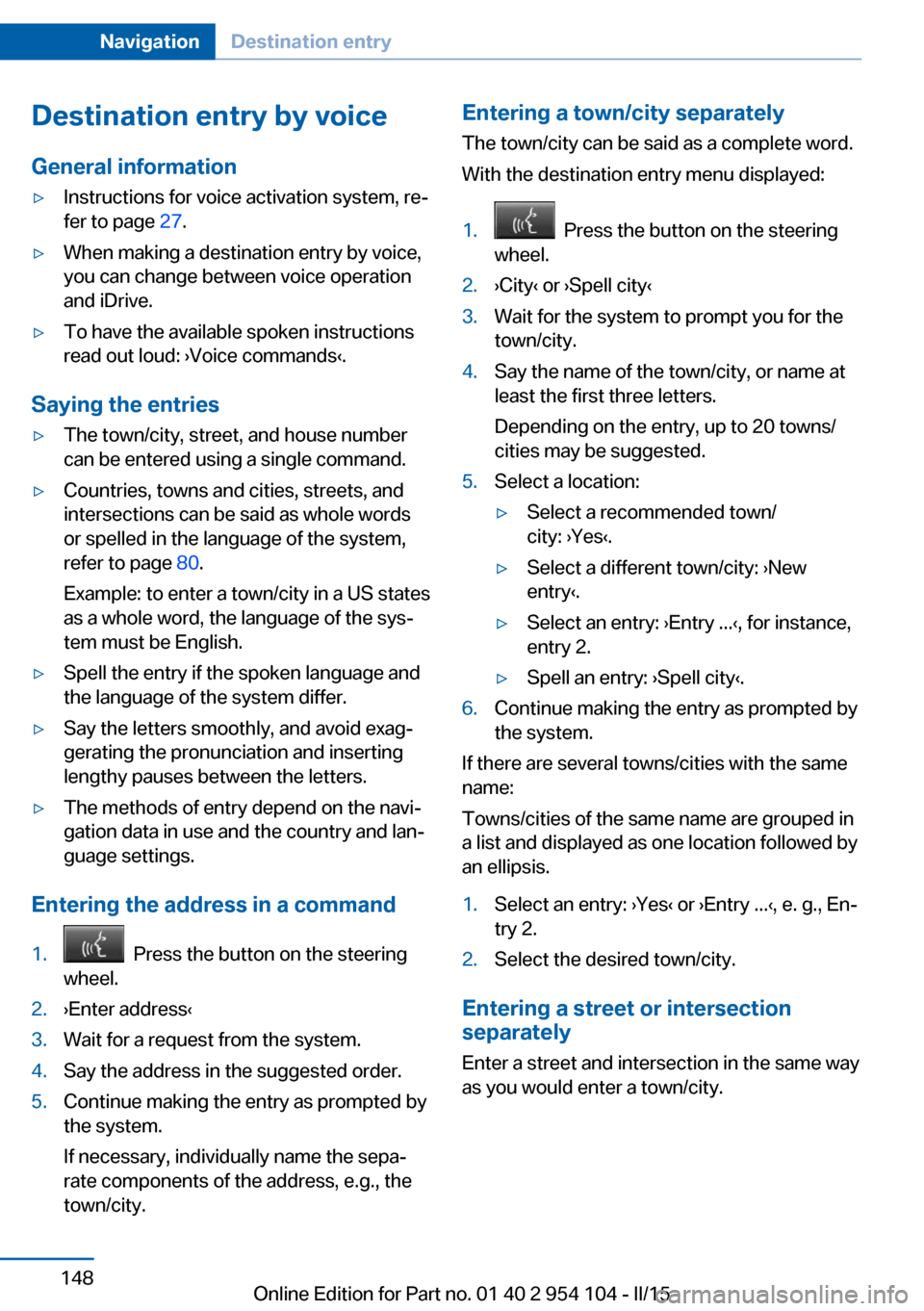
Destination entry by voiceGeneral information▷Instructions for voice activation system, re‐
fer to page 27.▷When making a destination entry by voice,
you can change between voice operation
and iDrive.▷To have the available spoken instructions
read out loud: ›Voice commands‹.
Saying the entries
▷The town/city, street, and house number
can be entered using a single command.▷Countries, towns and cities, streets, and
intersections can be said as whole words
or spelled in the language of the system,
refer to page 80.
Example: to enter a town/city in a US states
as a whole word, the language of the sys‐
tem must be English.▷Spell the entry if the spoken language and
the language of the system differ.▷Say the letters smoothly, and avoid exag‐
gerating the pronunciation and inserting
lengthy pauses between the letters.▷The methods of entry depend on the navi‐
gation data in use and the country and lan‐
guage settings.
Entering the address in a command
1. Press the button on the steering
wheel.2.›Enter address‹3.Wait for a request from the system.4.Say the address in the suggested order.5.Continue making the entry as prompted by
the system.
If necessary, individually name the sepa‐
rate components of the address, e.g., the
town/city.Entering a town/city separately
The town/city can be said as a complete word.
With the destination entry menu displayed:1. Press the button on the steering
wheel.2.›City‹ or ›Spell city‹3.Wait for the system to prompt you for the
town/city.4.Say the name of the town/city, or name at
least the first three letters.
Depending on the entry, up to 20 towns/
cities may be suggested.5.Select a location:▷Select a recommended town/
city: ›Yes‹.▷Select a different town/city: ›New
entry‹.▷Select an entry: ›Entry ...‹, for instance,
entry 2.▷Spell an entry: ›Spell city‹.6.Continue making the entry as prompted by
the system.
If there are several towns/cities with the same
name:
Towns/cities of the same name are grouped in
a list and displayed as one location followed by
an ellipsis.
1.Select an entry: ›Yes‹ or ›Entry ...‹, e. g., En‐
try 2.2.Select the desired town/city.
Entering a street or intersection
separately
Enter a street and intersection in the same way
as you would enter a town/city.
Seite 148NavigationDestination entry148
Online Edition for Part no. 01 40 2 954 104 - II/15
Page 177 of 289
In fast forward/reverse: the speed increases
every time the controller is pressed. To stop,
start playback.
DVD menu1.If necessary, turn the controller to open the
video menu.2. "DVD menu"
The DVD menu is displayed. The display
depends on the contents of the DVD.3.To select menu items: move the controller
and press it.
To change to the video menu: turn the control‐
ler and press it.
DVD settingsFor some DVDs, settings can only be made via
the DVD menu; refer also to the information on
the DVD.
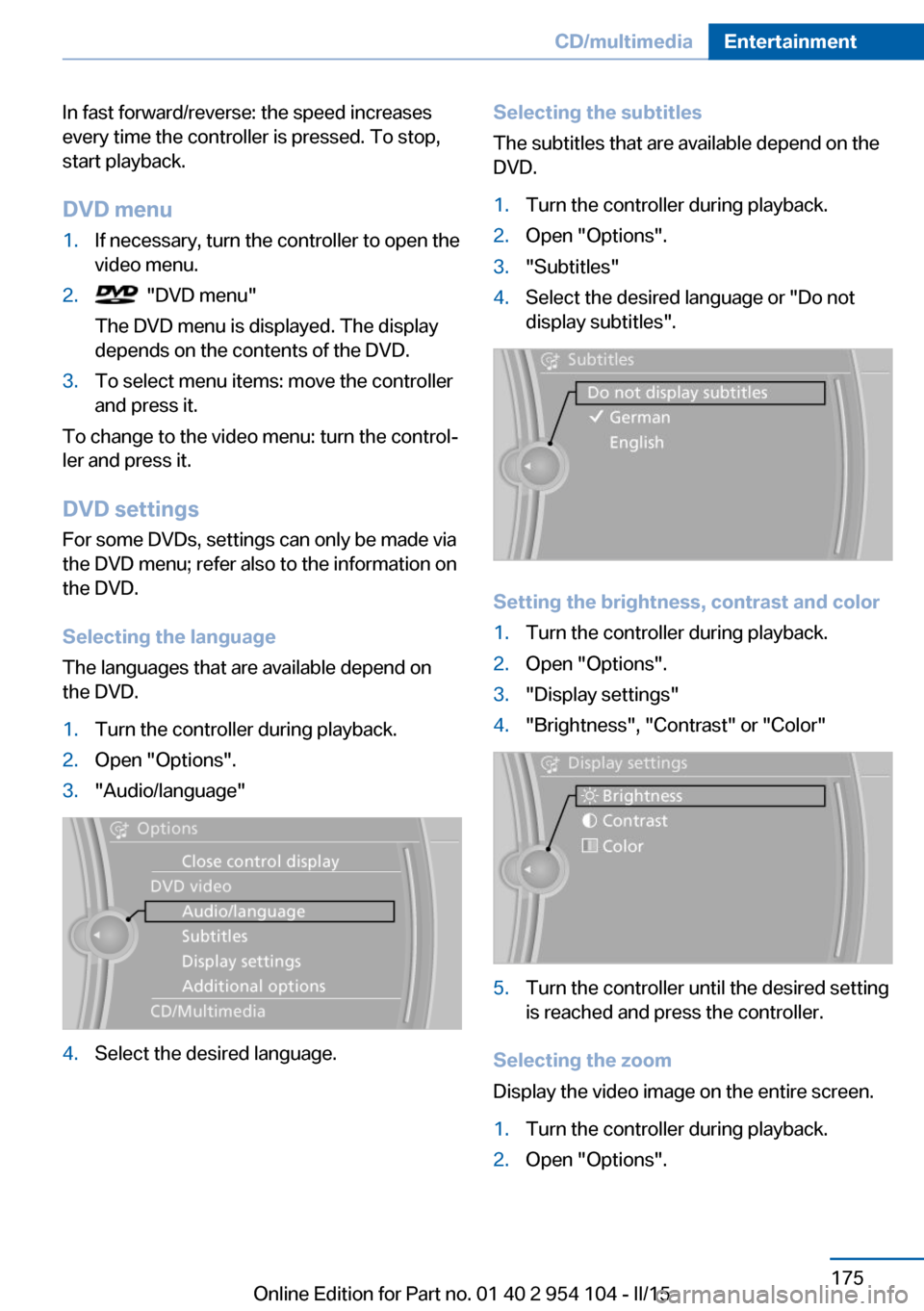
Selecting the language
The languages that are available depend on
the DVD.
1.Turn the controller during playback.2.Open "Options".3."Audio/language"4.Select the desired language.Selecting the subtitles
The subtitles that are available depend on the
DVD.1.Turn the controller during playback.2.Open "Options".3."Subtitles"4.Select the desired language or "Do not
display subtitles".
Setting the brightness, contrast and color
1.Turn the controller during playback.2.Open "Options".3."Display settings"4."Brightness", "Contrast" or "Color"5.Turn the controller until the desired setting
is reached and press the controller.
Selecting the zoom
Display the video image on the entire screen.
1.Turn the controller during playback.2.Open "Options".Seite 175CD/multimediaEntertainment175
Online Edition for Part no. 01 40 2 954 104 - II/15
Page 268 of 289
Short commands of the voice activation
systemVehicle equipment
This chapter describes all series equipment as
well as country-specific and special equipment
offered for this model series. Therefore, it also
describes equipment that may not be found in
your vehicle, for instance due to the selected
special equipment or the country version. This
also applies to safety-related functions and
systems.
When using the features and systems descri‐
bed here, adhere to local regulations.General information
Instructions for voice activation system, refer
to page 27.
To have the available spoken instructions read
out loud: ›Voice commands‹
The following short commands apply to vehi‐
cles equipped with a voice activation system.
They have no function in vehicles in which only
the mobile phone is operated using the voice.
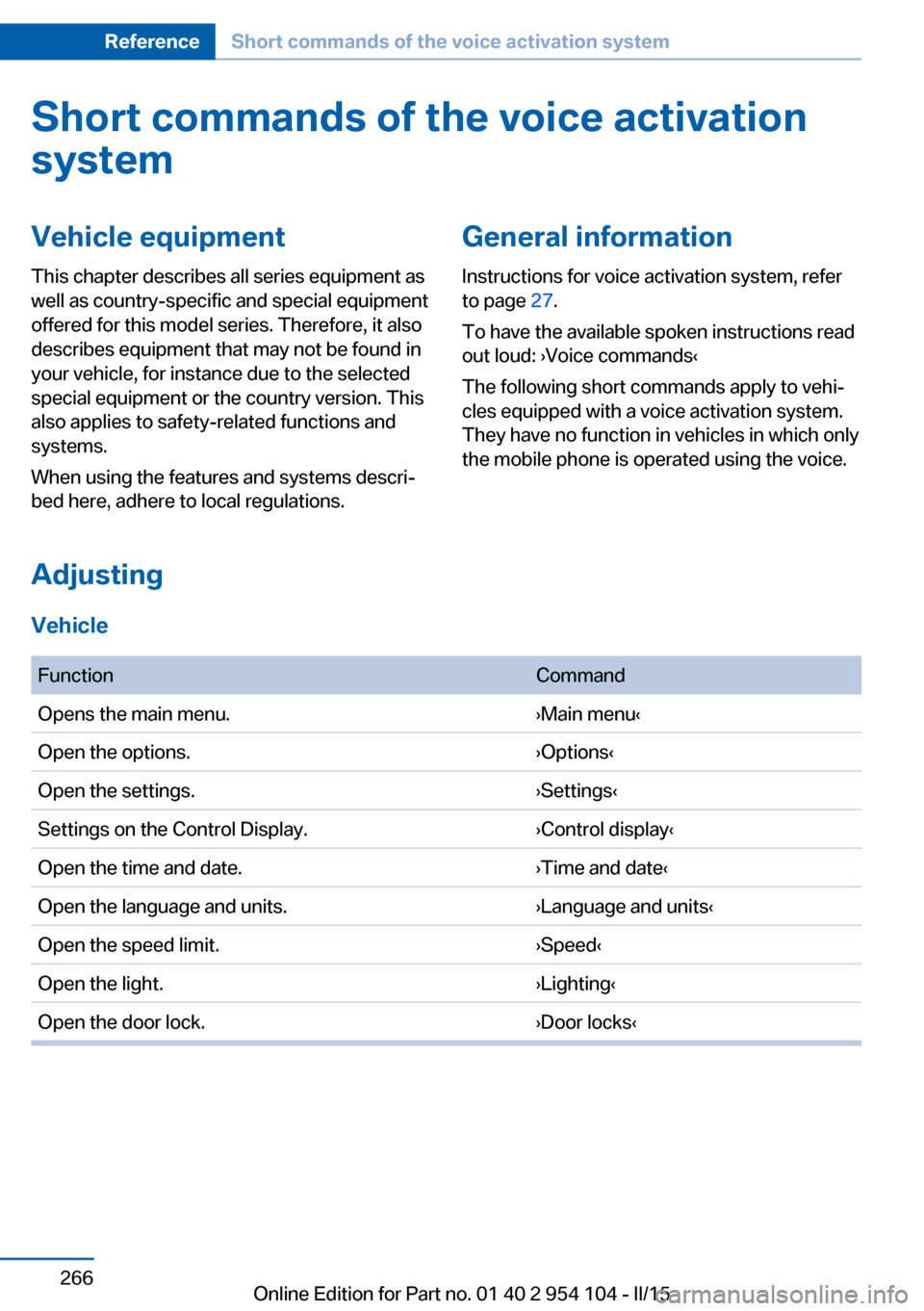
Adjusting
Vehicle
FunctionCommandOpens the main menu.›Main menu‹Open the options.›Options‹Open the settings.›Settings‹Settings on the Control Display.›Control display‹Open the time and date.›Time and date‹Open the language and units.›Language and units‹Open the speed limit.›Speed‹Open the light.›Lighting‹Open the door lock.›Door locks‹Seite 266ReferenceShort commands of the voice activation system266
Online Edition for Part no. 01 40 2 954 104 - II/15
Page 282 of 289
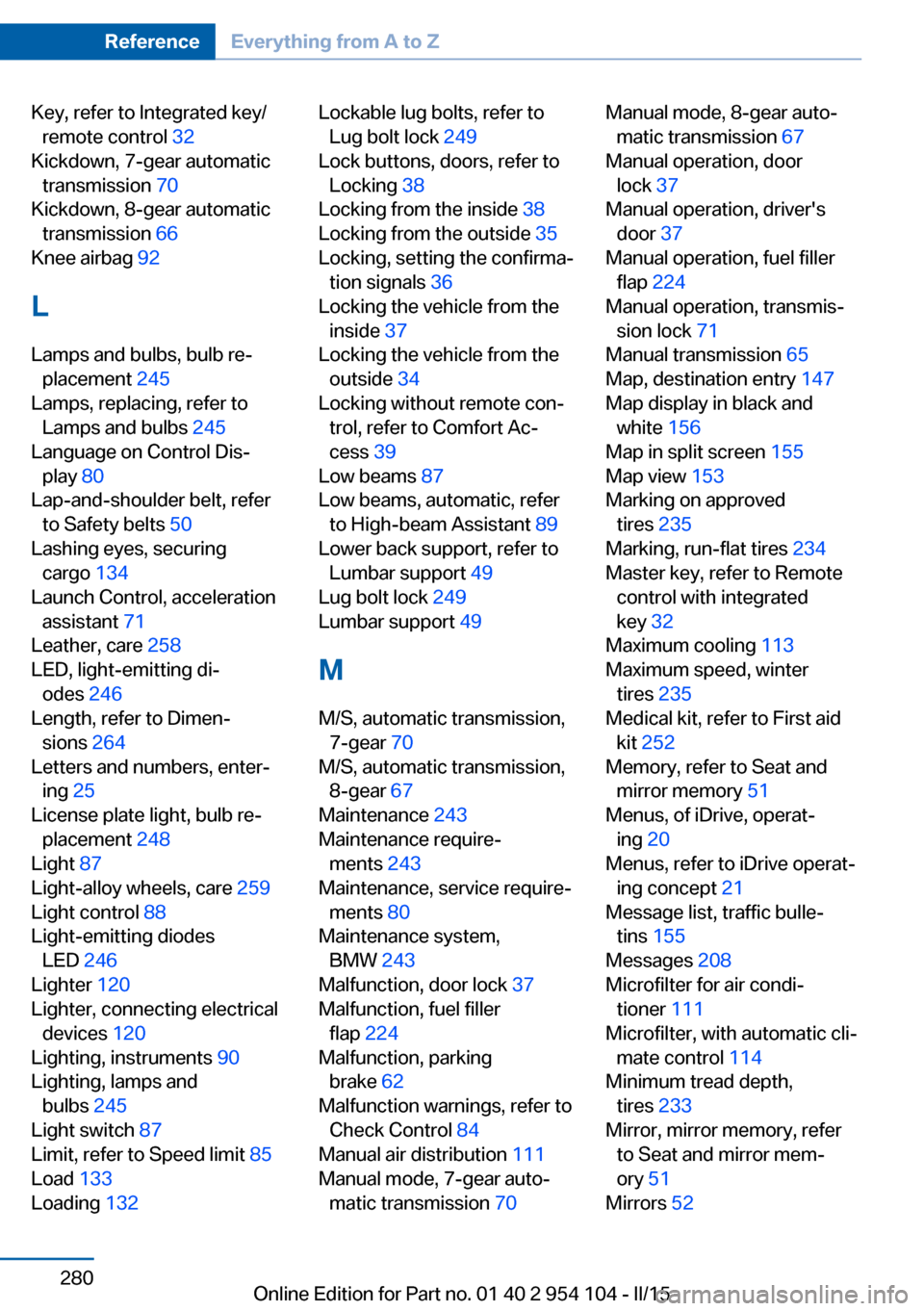
Key, refer to Integrated key/remote control 32
Kickdown, 7-gear automatic transmission 70
Kickdown, 8-gear automatic transmission 66
Knee airbag 92
L
Lamps and bulbs, bulb re‐ placement 245
Lamps, replacing, refer to Lamps and bulbs 245
Language on Control Dis‐ play 80
Lap-and-shoulder belt, refer to Safety belts 50
Lashing eyes, securing cargo 134
Launch Control, acceleration assistant 71
Leather, care 258
LED, light-emitting di‐ odes 246
Length, refer to Dimen‐ sions 264
Letters and numbers, enter‐ ing 25
License plate light, bulb re‐ placement 248
Light 87
Light-alloy wheels, care 259
Light control 88
Light-emitting diodes LED 246
Lighter 120
Lighter, connecting electrical devices 120
Lighting, instruments 90
Lighting, lamps and bulbs 245
Light switch 87
Limit, refer to Speed limit 85
Load 133
Loading 132 Lockable lug bolts, refer to
Lug bolt lock 249
Lock buttons, doors, refer to Locking 38
Locking from the inside 38
Locking from the outside 35
Locking, setting the confirma‐ tion signals 36
Locking the vehicle from the inside 37
Locking the vehicle from the outside 34
Locking without remote con‐ trol, refer to Comfort Ac‐
cess 39
Low beams 87
Low beams, automatic, refer to High-beam Assistant 89
Lower back support, refer to Lumbar support 49
Lug bolt lock 249
Lumbar support 49
M
M/S, automatic transmission, 7-gear 70
M/S, automatic transmission, 8-gear 67
Maintenance 243
Maintenance require‐ ments 243
Maintenance, service require‐ ments 80
Maintenance system, BMW 243
Malfunction, door lock 37
Malfunction, fuel filler flap 224
Malfunction, parking brake 62
Malfunction warnings, refer to Check Control 84
Manual air distribution 111
Manual mode, 7-gear auto‐ matic transmission 70 Manual mode, 8-gear auto‐
matic transmission 67
Manual operation, door lock 37
Manual operation, driver's door 37
Manual operation, fuel filler flap 224
Manual operation, transmis‐ sion lock 71
Manual transmission 65
Map, destination entry 147
Map display in black and white 156
Map in split screen 155
Map view 153
Marking on approved tires 235
Marking, run-flat tires 234
Master key, refer to Remote control with integrated
key 32
Maximum cooling 113
Maximum speed, winter tires 235
Medical kit, refer to First aid kit 252
Memory, refer to Seat and mirror memory 51
Menus, of iDrive, operat‐ ing 20
Menus, refer to iDrive operat‐ ing concept 21
Message list, traffic bulle‐ tins 155
Messages 208
Microfilter for air condi‐ tioner 111
Microfilter, with automatic cli‐ mate control 114
Minimum tread depth, tires 233
Mirror, mirror memory, refer to Seat and mirror mem‐
ory 51
Mirrors 52 Seite 280ReferenceEverything from A to Z280
Online Edition for Part no. 01 40 2 954 104 - II/15