heating BMW Z4 SDRIVE28I 2012 User Guide
[x] Cancel search | Manufacturer: BMW, Model Year: 2012, Model line: Z4 SDRIVE28I, Model: BMW Z4 SDRIVE28I 2012Pages: 220, PDF Size: 9.9 MB
Page 93 of 220
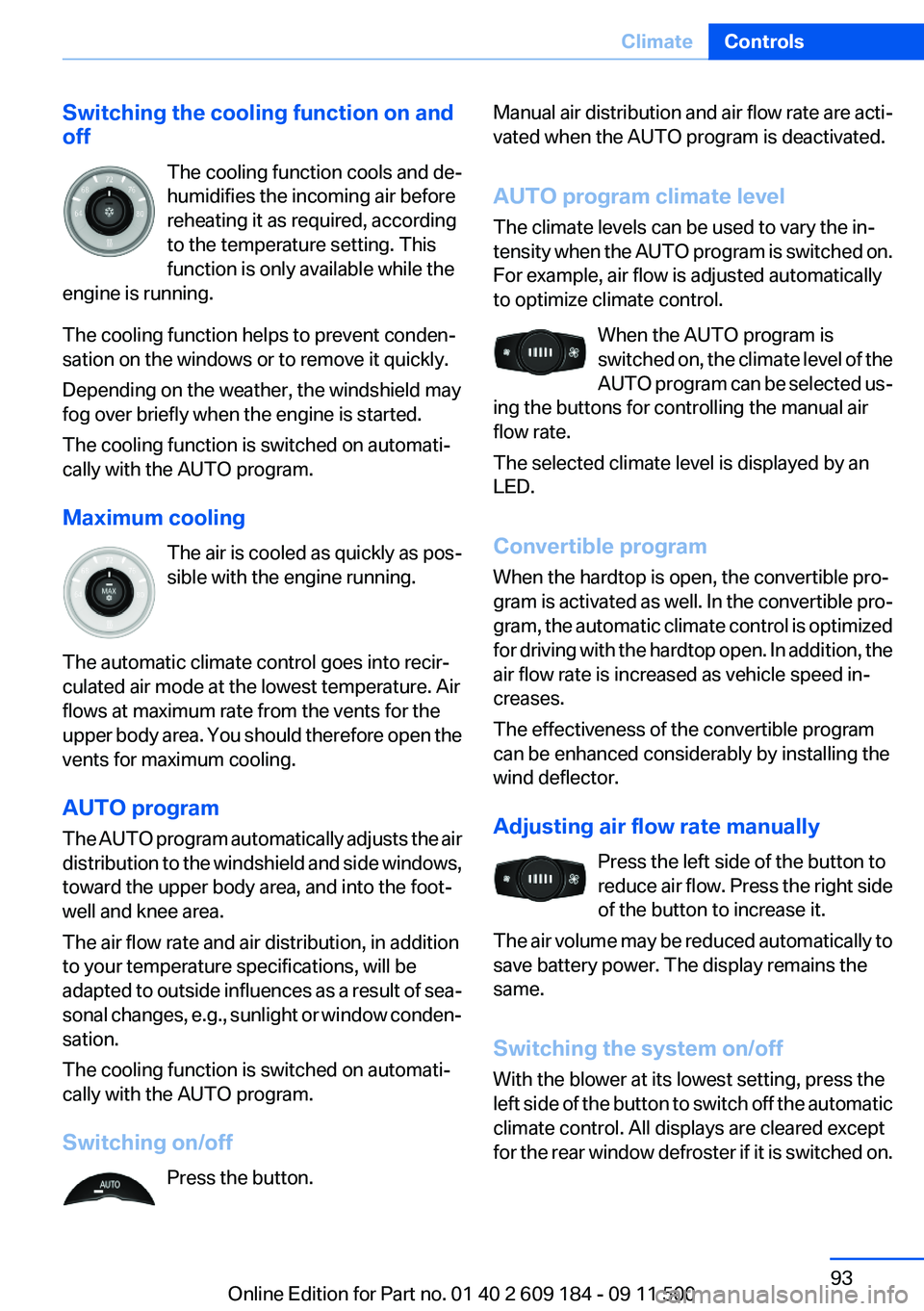
Switching the cooling function on and
off
The cooling function cools and de‐
humidifies the incoming air before
reheating it as required, according
to the temperature setting. This
function is only available while the
engine is running.
The cooling function helps to prevent conden‐
sation on the windows or to remove it quickly.
Depending on the weather, the windshield may
fog over briefly when the engine is started.
The cooling function is switched on automati‐
cally with the AUTO program.
Maximum cooling The air is cooled as quickly as pos‐
sible with the engine running.
The automatic climate control goes into recir‐
culated air mode at the lowest temperature. Air
flows at maximum rate from the vents for the
upper body area. You should therefore open the
vents for maximum cooling.
AUTO program
The AUTO program automatically adjusts the air
distribution to the windshield and side windows,
toward the upper body area, and into the foot‐
well and knee area.
The air flow rate and air distribution, in addition
to your temperature specifications, will be
adapted to outside influences as a result of sea‐
sonal changes, e.g., sunlight or window conden‐
sation.
The cooling function is switched on automati‐
cally with the AUTO program.
Switching on/off Press the button.Manual air distribution and air flow rate are acti‐
vated when the AUTO program is deactivated.
AUTO program climate level
The climate levels can be used to vary the in‐
tensity when the AUTO program is switched on.
For example, air flow is adjusted automatically
to optimize climate control.
When the AUTO program is
switched on, the climate level of the
AUTO program can be selected us‐
ing the buttons for controlling the manual air
flow rate.
The selected climate level is displayed by an
LED.
Convertible program
When the hardtop is open, the convertible pro‐
gram is activated as well. In the convertible pro‐
gram, the automatic climate control is optimized
for driving with the hardtop open. In addition, the
air flow rate is increased as vehicle speed in‐
creases.
The effectiveness of the convertible program
can be enhanced considerably by installing the
wind deflector.
Adjusting air flow rate manually Press the left side of the button to
reduce air flow. Press the right side
of the button to increase it.
The air volume may be reduced automatically to
save battery power. The display remains the
same.
Switching the system on/off
With the blower at its lowest setting, press the
left side of the button to switch off the automatic
climate control. All displays are cleared except
for the rear window defroster if it is switched on.Seite 93ClimateControls93
Online Edition for Part no. 01 40 2 609 184 - 09 11 500
Page 110 of 220
Ensure that the floor mats are securely fastened
again when they are returned after being re‐
moved, such as for cleaning.◀
Driving in wet conditions
When roads are wet or there is heavy rain, briefly
exert gentle pressure on the brake pedal every
few miles.
Ensure that this action does not endanger other
road users.
The heat generated in this process helps dry the
brake discs and pads.
In this way braking efficiency will be available
when you need it.
Hills
Drive long or steep downhill gradients in the gear
in which the least braking is required. Otherwise,
the brake system may overheat, resulting in a
reduction in the brake system efficiency.
You can increase the engine's braking effect by
shifting down, going all the way to first gear, if
necessary.
Downshifting in manual mode of the 8-gear
Sport automatic transmission, refer to page 54.
Downshifting in manual mode of the 7-gear
Sport automatic transmission with dual clutch,
refer to page 57.
Avoid load on the brakes
Avoid placing excessive load on the brake
system. Light but consistent brake pressure can
lead to high temperatures, brake wear and pos‐
sibly even brake failure.◀
Do not drive in neutral
Never drive with the transmission in neu‐
tral, with the engine switched off or with the
clutch depressed; otherwise, you will have nei‐
ther the braking action of the engine or nor its
power assistance when braking or steering.◀Brake disc corrosion
Corrosion on the brake discs and contamination
on the brake pads are furthered by:▷Low mileage.▷Extended periods when the vehicle is not
used at all.▷Infrequent use of the brakes.
Corrosion occurs when the minimum pressure
that must be exerted by the pads during brake
applications to clean the discs is not reached.
Should corrosion form on the brake discs, the
brakes will tend to respond with a pulsating ef‐
fect that generally cannot be corrected.
Condensation under the parked vehicle
When using the automatic climate control, con‐
densation water develops that exits underneath
the vehicle.
Therefore, traces of condensed water under the
vehicle are normal.
Loading Overloading the vehicle
To avoid exceeding the approved carrying
capacity of the tires, never overload the vehicle.
Overloading can lead to overheating and in‐
creases the rate at which damage develops in‐
side the tires. This could result in a sudden loss
of tire inflation pressure.◀
Secure heavy objects
Never transport unsecured heavy or hard
objects in the passenger compartment, as they
could be thrown around and pose a safety haz‐
ard to the vehicle's occupants during abrupt
braking or evasive maneuvers.◀
No fluids in the cargo area
Make sure that fluids do not leak into the
cargo area; otherwise, the vehicle may be dam‐
aged.◀
Seite 110Driving tipsThings to remember when driving110
Online Edition for Part no. 01 40 2 609 184 - 09 11 500
Page 191 of 220
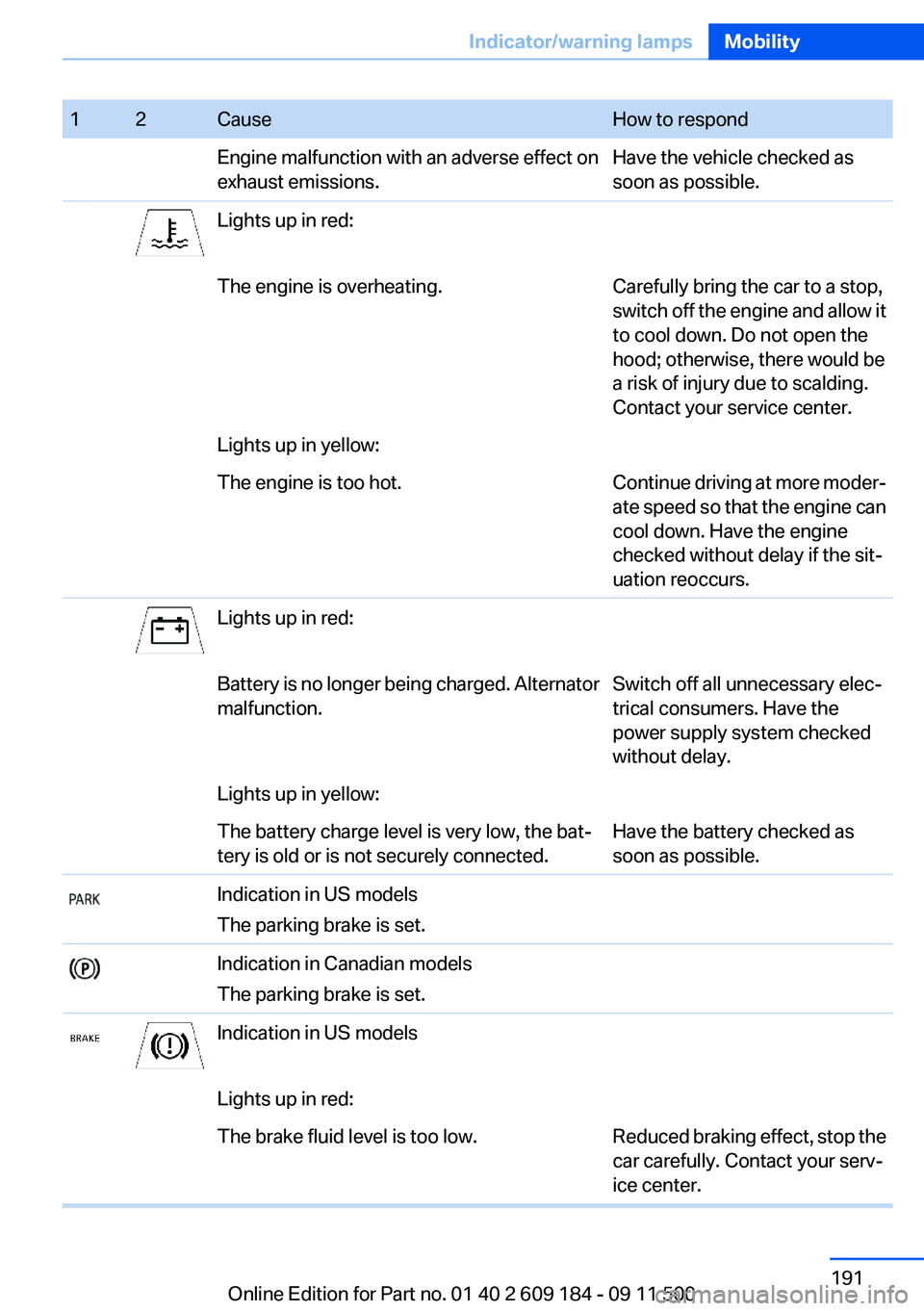
12CauseHow to respondEngine malfunction with an adverse effect on
exhaust emissions.Have the vehicle checked as
soon as possible.Lights up in red:The engine is overheating.Carefully bring the car to a stop,
switch off the engine and allow it
to cool down. Do not open the
hood; otherwise, there would be
a risk of injury due to scalding.
Contact your service center.Lights up in yellow:The engine is too hot.Continue driving at more moder‐
ate speed so that the engine can
cool down. Have the engine
checked without delay if the sit‐
uation reoccurs.Lights up in red:Battery is no longer being charged. Alternator
malfunction.Switch off all unnecessary elec‐
trical consumers. Have the
power supply system checked
without delay.Lights up in yellow:The battery charge level is very low, the bat‐
tery is old or is not securely connected.Have the battery checked as
soon as possible.Indication in US models
The parking brake is set.Indication in Canadian models
The parking brake is set.Indication in US modelsLights up in red:The brake fluid level is too low.Reduced braking effect, stop the
car carefully. Contact your serv‐
ice center.Seite 191Indicator/warning lampsMobility191
Online Edition for Part no. 01 40 2 609 184 - 09 11 500
Page 192 of 220
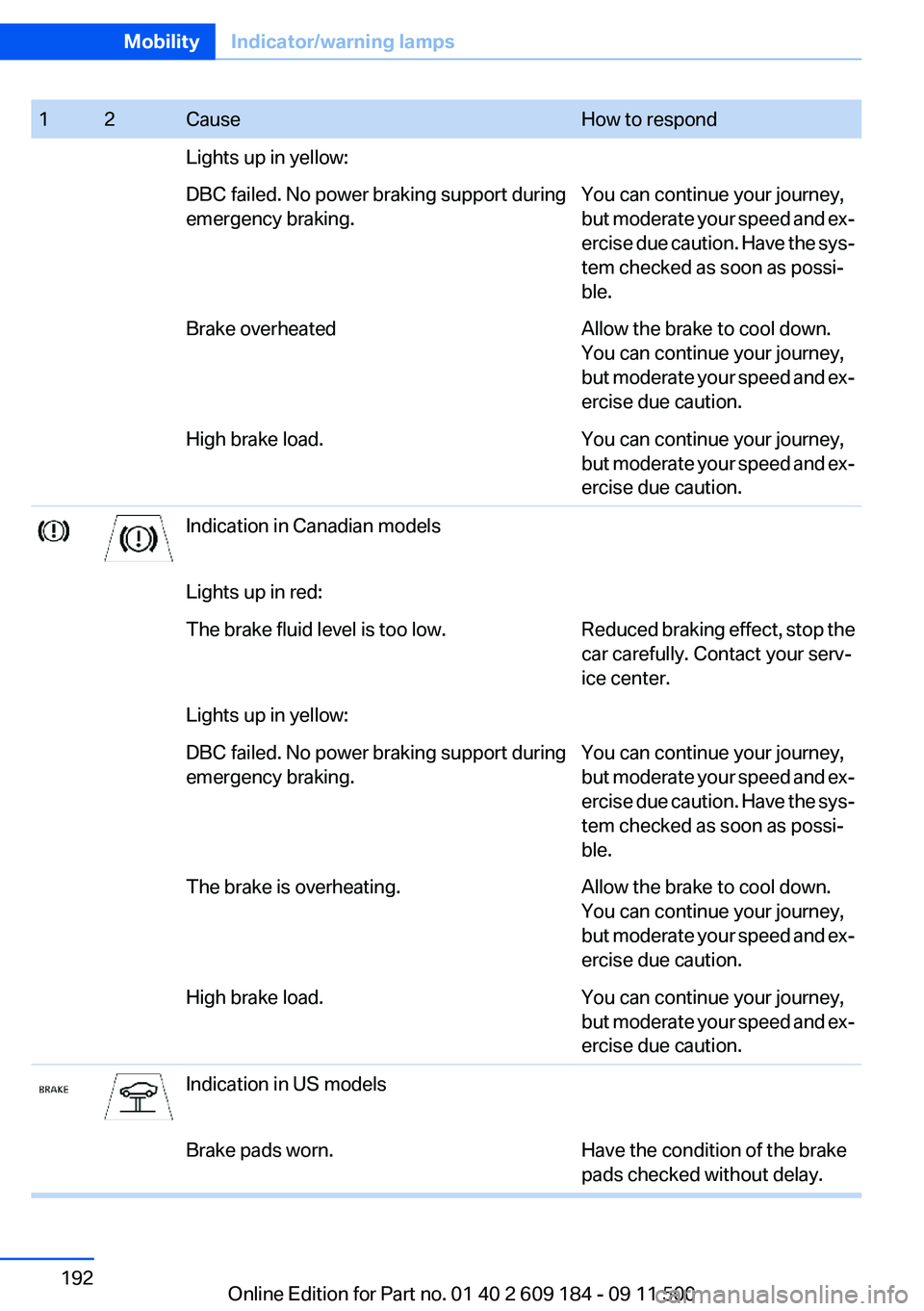
12CauseHow to respondLights up in yellow:DBC failed. No power braking support during
emergency braking.You can continue your journey,
but moderate your speed and ex‐
ercise due caution. Have the sys‐
tem checked as soon as possi‐
ble.Brake overheatedAllow the brake to cool down.
You can continue your journey,
but moderate your speed and ex‐
ercise due caution.High brake load.You can continue your journey,
but moderate your speed and ex‐
ercise due caution.Indication in Canadian modelsLights up in red:The brake fluid level is too low.Reduced braking effect, stop the
car carefully. Contact your serv‐
ice center.Lights up in yellow:DBC failed. No power braking support during
emergency braking.You can continue your journey,
but moderate your speed and ex‐
ercise due caution. Have the sys‐
tem checked as soon as possi‐
ble.The brake is overheating.Allow the brake to cool down.
You can continue your journey,
but moderate your speed and ex‐
ercise due caution.High brake load.You can continue your journey,
but moderate your speed and ex‐
ercise due caution.Indication in US modelsBrake pads worn.Have the condition of the brake
pads checked without delay.Seite 192MobilityIndicator/warning lamps192
Online Edition for Part no. 01 40 2 609 184 - 09 11 500
Page 197 of 220
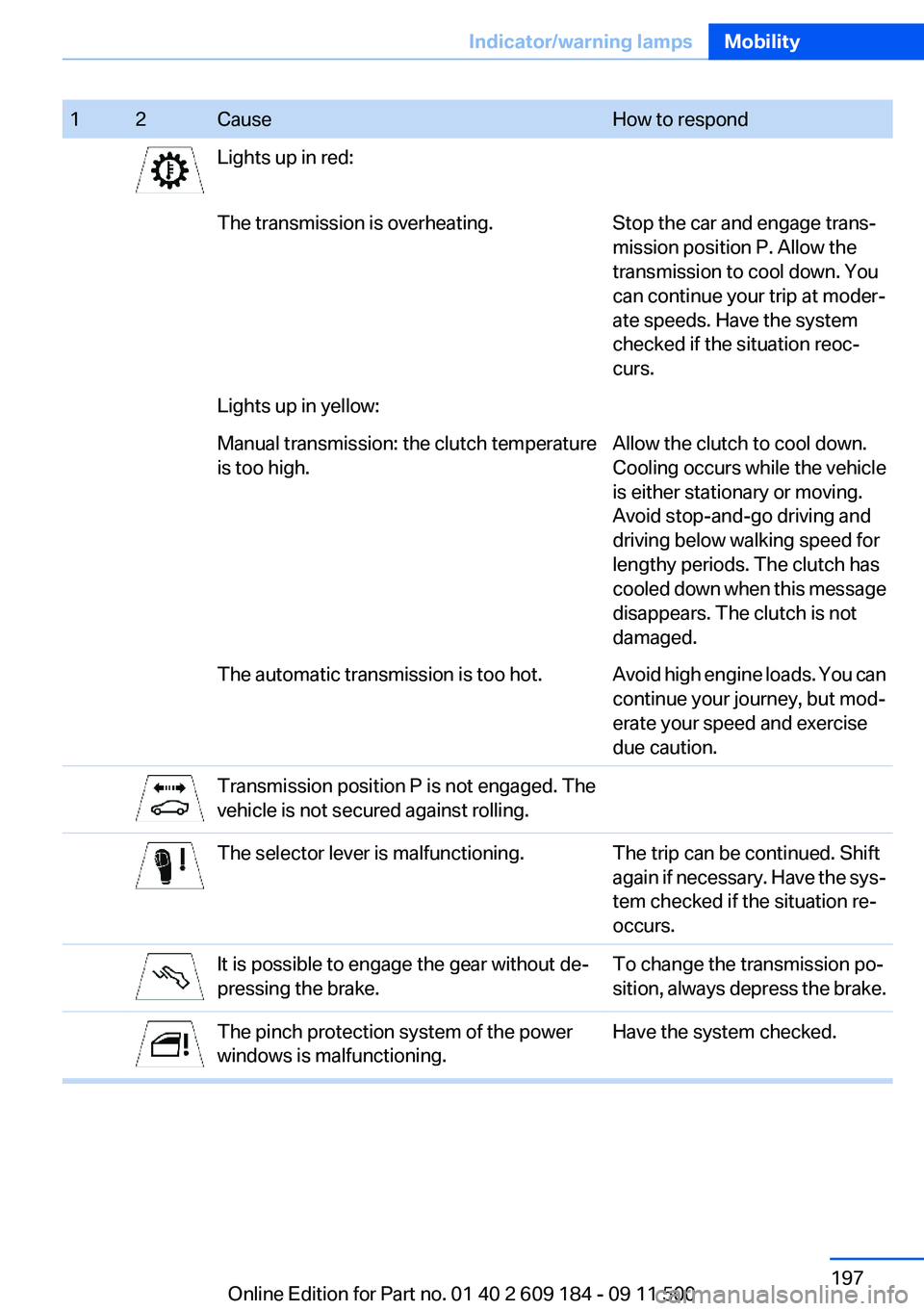
12CauseHow to respondLights up in red:The transmission is overheating.Stop the car and engage trans‐
mission position P. Allow the
transmission to cool down. You
can continue your trip at moder‐
ate speeds. Have the system
checked if the situation reoc‐
curs.Lights up in yellow:Manual transmission: the clutch temperature
is too high.Allow the clutch to cool down.
Cooling occurs while the vehicle
is either stationary or moving.
Avoid stop-and-go driving and
driving below walking speed for
lengthy periods. The clutch has
cooled down when this message
disappears. The clutch is not
damaged.The automatic transmission is too hot.Avoid high engine loads. You can
continue your journey, but mod‐
erate your speed and exercise
due caution.Transmission position P is not engaged. The
vehicle is not secured against rolling.The selector lever is malfunctioning.The trip can be continued. Shift
again if necessary. Have the sys‐
tem checked if the situation re‐
occurs.It is possible to engage the gear without de‐
pressing the brake.To change the transmission po‐
sition, always depress the brake.The pinch protection system of the power
windows is malfunctioning.Have the system checked.Seite 197Indicator/warning lampsMobility197
Online Edition for Part no. 01 40 2 609 184 - 09 11 500
Page 211 of 220
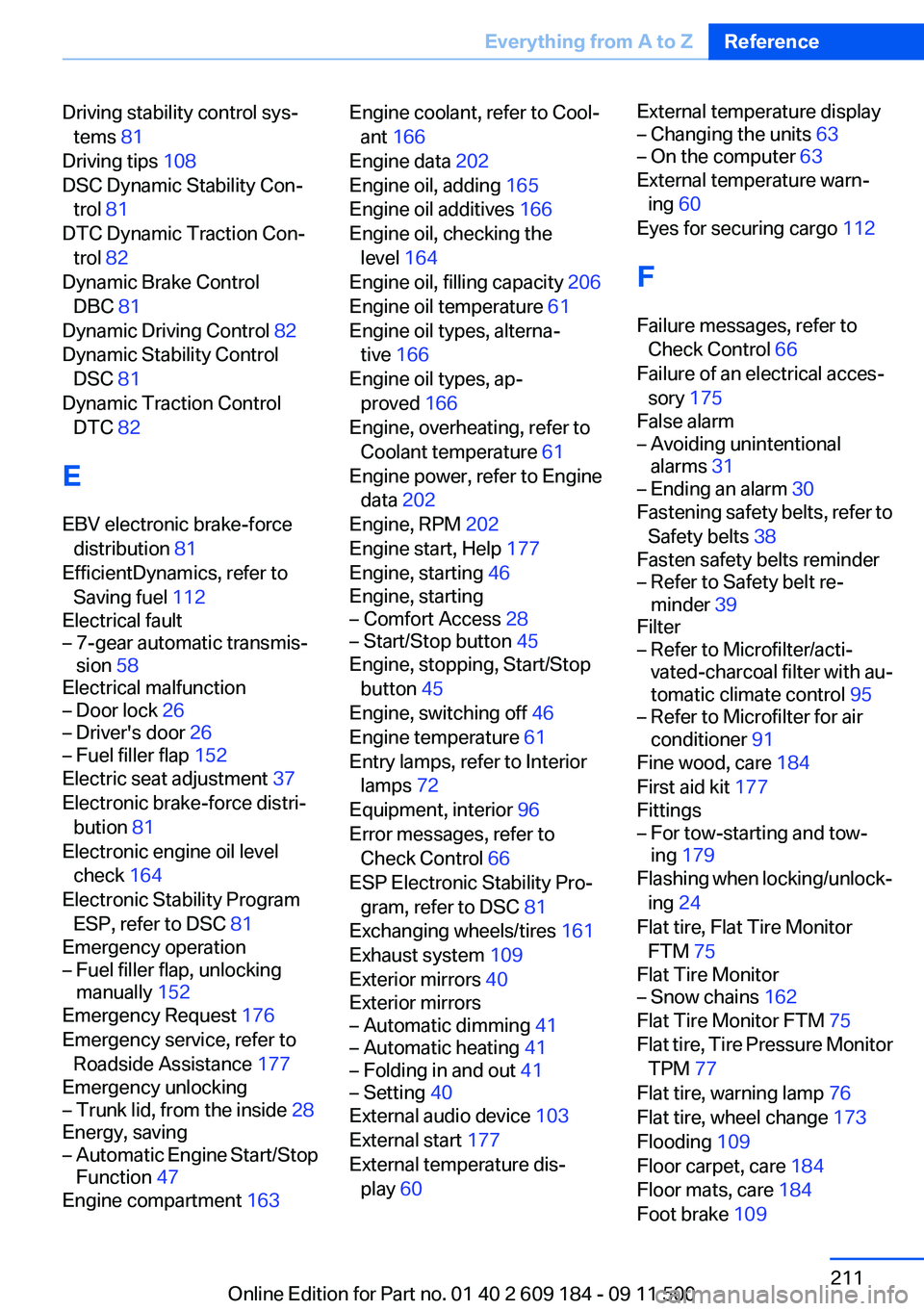
Driving stability control sys‐tems 81
Driving tips 108
DSC Dynamic Stability Con‐ trol 81
DTC Dynamic Traction Con‐ trol 82
Dynamic Brake Control DBC 81
Dynamic Driving Control 82
Dynamic Stability Control DSC 81
Dynamic Traction Control DTC 82
E
EBV electronic brake-force distribution 81
EfficientDynamics, refer to Saving fuel 112
Electrical fault– 7-gear automatic transmis‐
sion 58
Electrical malfunction
– Door lock 26– Driver's door 26– Fuel filler flap 152
Electric seat adjustment 37
Electronic brake-force distri‐ bution 81
Electronic engine oil level check 164
Electronic Stability Program ESP, refer to DSC 81
Emergency operation
– Fuel filler flap, unlocking
manually 152
Emergency Request 176
Emergency service, refer to Roadside Assistance 177
Emergency unlocking
– Trunk lid, from the inside 28
Energy, saving
– Automatic Engine Start/Stop
Function 47
Engine compartment 163
Engine coolant, refer to Cool‐
ant 166
Engine data 202
Engine oil, adding 165
Engine oil additives 166
Engine oil, checking the level 164
Engine oil, filling capacity 206
Engine oil temperature 61
Engine oil types, alterna‐ tive 166
Engine oil types, ap‐ proved 166
Engine, overheating, refer to Coolant temperature 61
Engine power, refer to Engine data 202
Engine, RPM 202
Engine start, Help 177
Engine, starting 46
Engine, starting– Comfort Access 28– Start/Stop button 45
Engine, stopping, Start/Stop
button 45
Engine, switching off 46
Engine temperature 61
Entry lamps, refer to Interior lamps 72
Equipment, interior 96
Error messages, refer to Check Control 66
ESP Electronic Stability Pro‐ gram, refer to DSC 81
Exchanging wheels/tires 161
Exhaust system 109
Exterior mirrors 40
Exterior mirrors
– Automatic dimming 41– Automatic heating 41– Folding in and out 41– Setting 40
External audio device 103
External start 177
External temperature dis‐ play 60
External temperature display– Changing the units 63– On the computer 63
External temperature warn‐
ing 60
Eyes for securing cargo 112
F
Failure messages, refer to Check Control 66
Failure of an electrical acces‐ sory 175
False alarm
– Avoiding unintentional
alarms 31– Ending an alarm 30
Fastening safety belts, refer to
Safety belts 38
Fasten safety belts reminder
– Refer to Safety belt re‐
minder 39
Filter
– Refer to Microfilter/acti‐
vated-charcoal filter with au‐
tomatic climate control 95– Refer to Microfilter for air
conditioner 91
Fine wood, care 184
First aid kit 177
Fittings
– For tow-starting and tow‐
ing 179
Flashing when locking/unlock‐
ing 24
Flat tire, Flat Tire Monitor FTM 75
Flat Tire Monitor
– Snow chains 162
Flat Tire Monitor FTM 75
Flat tire, Tire Pressure Monitor TPM 77
Flat tire, warning lamp 76
Flat tire, wheel change 173
Flooding 109
Floor carpet, care 184
Floor mats, care 184
Foot brake 109
Seite 211Everything from A to ZReference211
Online Edition for Part no. 01 40 2 609 184 - 09 11 500
Page 212 of 220
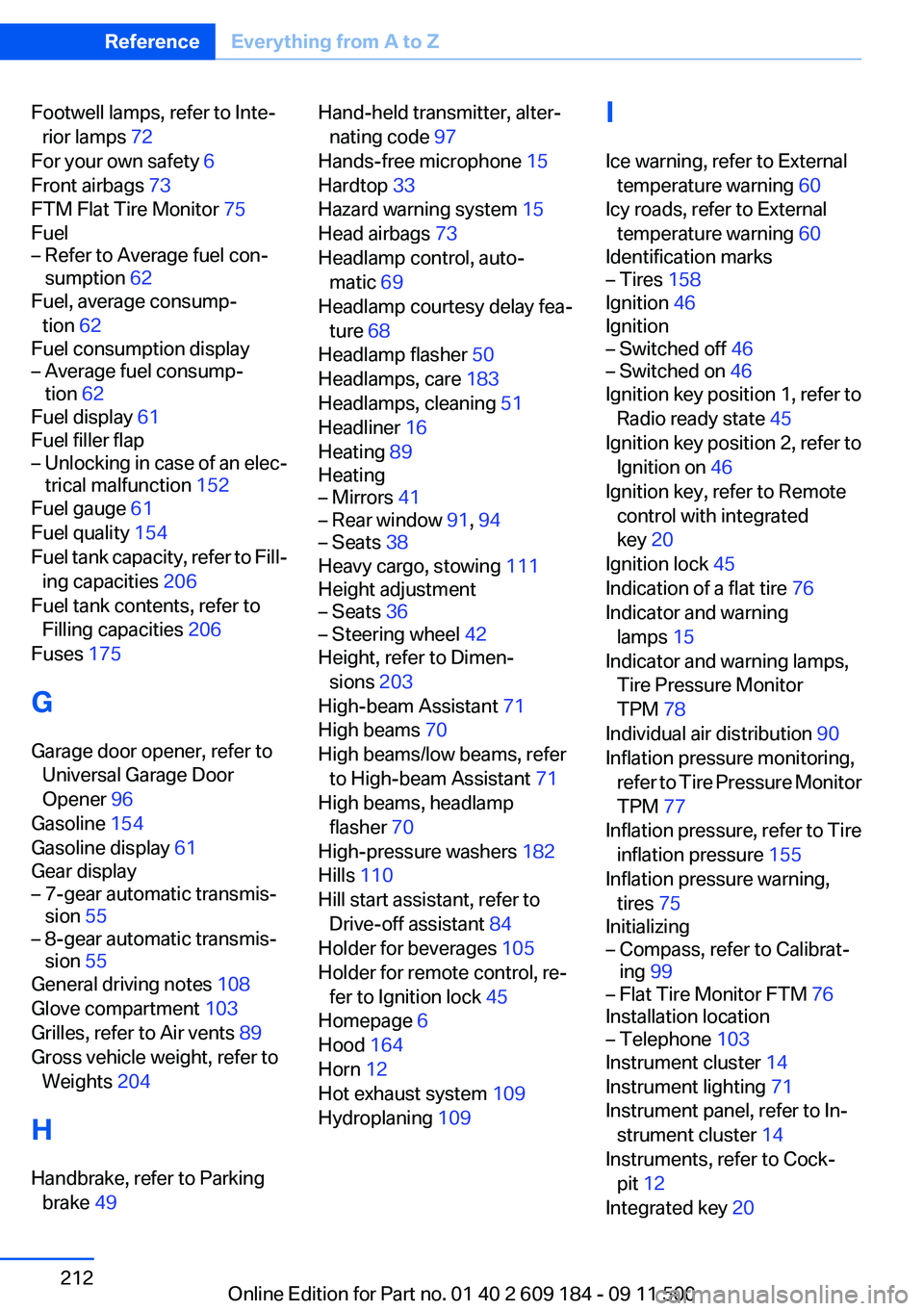
Footwell lamps, refer to Inte‐rior lamps 72
For your own safety 6
Front airbags 73
FTM Flat Tire Monitor 75
Fuel– Refer to Average fuel con‐
sumption 62
Fuel, average consump‐
tion 62
Fuel consumption display
– Average fuel consump‐
tion 62
Fuel display 61
Fuel filler flap
– Unlocking in case of an elec‐
trical malfunction 152
Fuel gauge 61
Fuel quality 154
Fuel tank capacity, refer to Fill‐ ing capacities 206
Fuel tank contents, refer to Filling capacities 206
Fuses 175
G
Garage door opener, refer to Universal Garage Door
Opener 96
Gasoline 154
Gasoline display 61
Gear display
– 7-gear automatic transmis‐
sion 55– 8-gear automatic transmis‐
sion 55
General driving notes 108
Glove compartment 103
Grilles, refer to Air vents 89
Gross vehicle weight, refer to Weights 204
H
Handbrake, refer to Parking brake 49
Hand-held transmitter, alter‐
nating code 97
Hands-free microphone 15
Hardtop 33
Hazard warning system 15
Head airbags 73
Headlamp control, auto‐ matic 69
Headlamp courtesy delay fea‐ ture 68
Headlamp flasher 50
Headlamps, care 183
Headlamps, cleaning 51
Headliner 16
Heating 89
Heating– Mirrors 41– Rear window 91, 94– Seats 38
Heavy cargo, stowing 111
Height adjustment
– Seats 36– Steering wheel 42
Height, refer to Dimen‐
sions 203
High-beam Assistant 71
High beams 70
High beams/low beams, refer to High-beam Assistant 71
High beams, headlamp flasher 70
High-pressure washers 182
Hills 110
Hill start assistant, refer to Drive-off assistant 84
Holder for beverages 105
Holder for remote control, re‐ fer to Ignition lock 45
Homepage 6
Hood 164
Horn 12
Hot exhaust system 109
Hydroplaning 109
I
Ice warning, refer to External temperature warning 60
Icy roads, refer to External temperature warning 60
Identification marks– Tires 158
Ignition 46
Ignition
– Switched off 46– Switched on 46
Ignition key position 1, refer to
Radio ready state 45
Ignition key position 2, refer to Ignition on 46
Ignition key, refer to Remote control with integrated
key 20
Ignition lock 45
Indication of a flat tire 76
Indicator and warning lamps 15
Indicator and warning lamps, Tire Pressure Monitor
TPM 78
Individual air distribution 90
Inflation pressure monitoring, refer to Tire Pressure Monitor
TPM 77
Inflation pressure, refer to Tire inflation pressure 155
Inflation pressure warning, tires 75
Initializing
– Compass, refer to Calibrat‐
ing 99– Flat Tire Monitor FTM 76
Installation location
– Telephone 103
Instrument cluster 14
Instrument lighting 71
Instrument panel, refer to In‐ strument cluster 14
Instruments, refer to Cock‐ pit 12
Integrated key 20
Seite 212ReferenceEverything from A to Z212
Online Edition for Part no. 01 40 2 609 184 - 09 11 500
Page 214 of 220
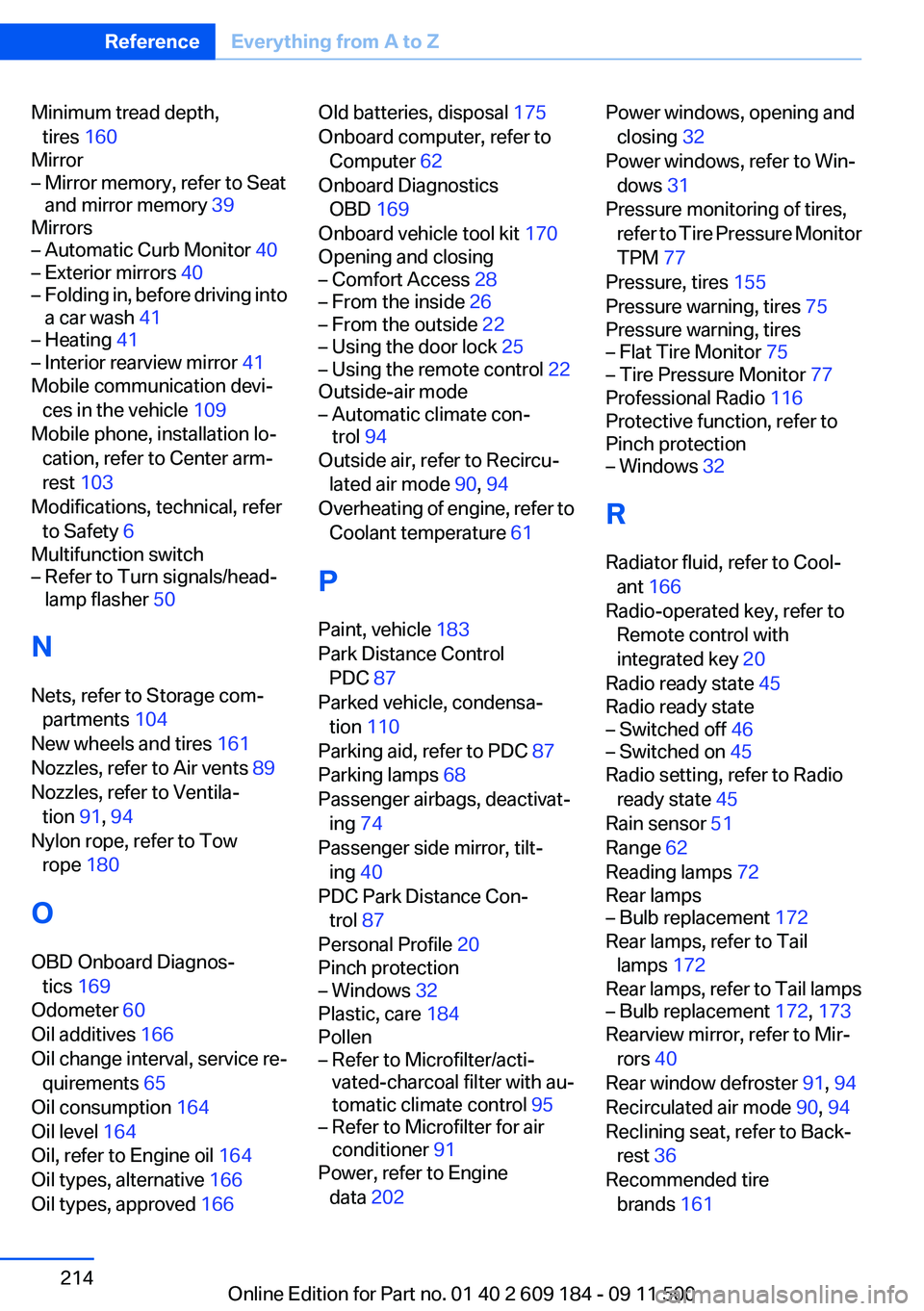
Minimum tread depth,tires 160
Mirror– Mirror memory, refer to Seat
and mirror memory 39
Mirrors
– Automatic Curb Monitor 40– Exterior mirrors 40– Folding in, before driving into
a car wash 41– Heating 41– Interior rearview mirror 41
Mobile communication devi‐
ces in the vehicle 109
Mobile phone, installation lo‐ cation, refer to Center arm‐
rest 103
Modifications, technical, refer to Safety 6
Multifunction switch
– Refer to Turn signals/head‐
lamp flasher 50
N
Nets, refer to Storage com‐ partments 104
New wheels and tires 161
Nozzles, refer to Air vents 89
Nozzles, refer to Ventila‐ tion 91, 94
Nylon rope, refer to Tow rope 180
O
OBD Onboard Diagnos‐ tics 169
Odometer 60
Oil additives 166
Oil change interval, service re‐ quirements 65
Oil consumption 164
Oil level 164
Oil, refer to Engine oil 164
Oil types, alternative 166
Oil types, approved 166
Old batteries, disposal 175
Onboard computer, refer to Computer 62
Onboard Diagnostics OBD 169
Onboard vehicle tool kit 170
Opening and closing– Comfort Access 28– From the inside 26– From the outside 22– Using the door lock 25– Using the remote control 22
Outside-air mode
– Automatic climate con‐
trol 94
Outside air, refer to Recircu‐
lated air mode 90, 94
Overheating of engine, refer to Coolant temperature 61
P
Paint, vehicle 183
Park Distance Control PDC 87
Parked vehicle, condensa‐ tion 110
Parking aid, refer to PDC 87
Parking lamps 68
Passenger airbags, deactivat‐ ing 74
Passenger side mirror, tilt‐ ing 40
PDC Park Distance Con‐ trol 87
Personal Profile 20
Pinch protection
– Windows 32
Plastic, care 184
Pollen
– Refer to Microfilter/acti‐
vated-charcoal filter with au‐
tomatic climate control 95– Refer to Microfilter for air
conditioner 91
Power, refer to Engine
data 202
Power windows, opening and
closing 32
Power windows, refer to Win‐ dows 31
Pressure monitoring of tires, refer to Tire Pressure Monitor
TPM 77
Pressure, tires 155
Pressure warning, tires 75
Pressure warning, tires– Flat Tire Monitor 75– Tire Pressure Monitor 77
Professional Radio 116
Protective function, refer to
Pinch protection
– Windows 32
R
Radiator fluid, refer to Cool‐ ant 166
Radio-operated key, refer to Remote control with
integrated key 20
Radio ready state 45
Radio ready state
– Switched off 46– Switched on 45
Radio setting, refer to Radio
ready state 45
Rain sensor 51
Range 62
Reading lamps 72
Rear lamps
– Bulb replacement 172
Rear lamps, refer to Tail
lamps 172
Rear lamps, refer to Tail lamps
– Bulb replacement 172, 173
Rearview mirror, refer to Mir‐
rors 40
Rear window defroster 91, 94
Recirculated air mode 90, 94
Reclining seat, refer to Back‐ rest 36
Recommended tire brands 161
Seite 214ReferenceEverything from A to Z214
Online Edition for Part no. 01 40 2 609 184 - 09 11 500
Page 215 of 220
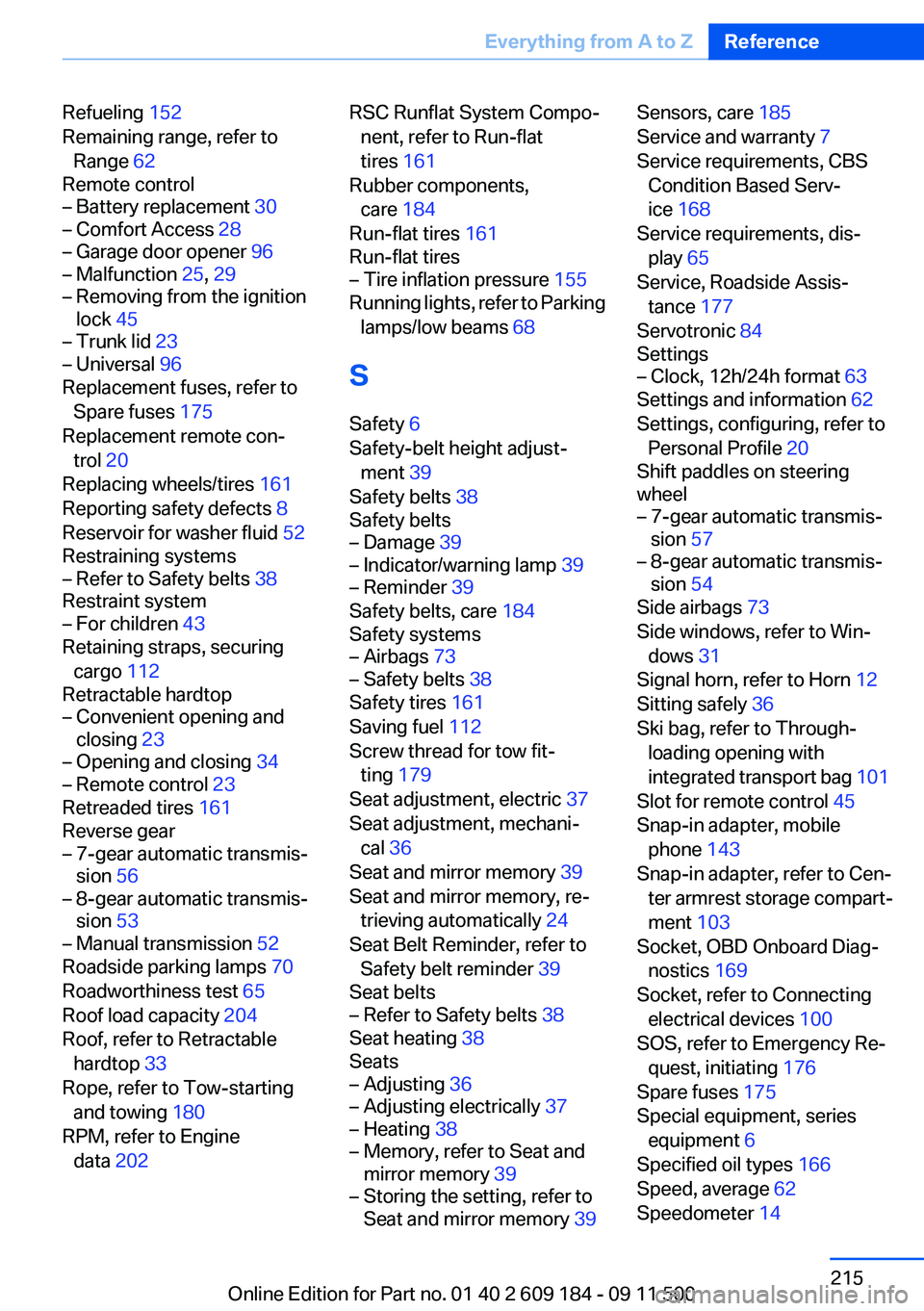
Refueling 152
Remaining range, refer to Range 62
Remote control– Battery replacement 30– Comfort Access 28– Garage door opener 96– Malfunction 25, 29– Removing from the ignition
lock 45– Trunk lid 23– Universal 96
Replacement fuses, refer to
Spare fuses 175
Replacement remote con‐ trol 20
Replacing wheels/tires 161
Reporting safety defects 8
Reservoir for washer fluid 52
Restraining systems
– Refer to Safety belts 38
Restraint system
– For children 43
Retaining straps, securing
cargo 112
Retractable hardtop
– Convenient opening and
closing 23– Opening and closing 34– Remote control 23
Retreaded tires 161
Reverse gear
– 7-gear automatic transmis‐
sion 56– 8-gear automatic transmis‐
sion 53– Manual transmission 52
Roadside parking lamps 70
Roadworthiness test 65
Roof load capacity 204
Roof, refer to Retractable hardtop 33
Rope, refer to Tow-starting and towing 180
RPM, refer to Engine data 202
RSC Runflat System Compo‐
nent, refer to Run-flat
tires 161
Rubber components, care 184
Run-flat tires 161
Run-flat tires– Tire inflation pressure 155
Running lights, refer to Parking
lamps/low beams 68
S
Safety 6
Safety-belt height adjust‐ ment 39
Safety belts 38
Safety belts
– Damage 39– Indicator/warning lamp 39– Reminder 39
Safety belts, care 184
Safety systems
– Airbags 73– Safety belts 38
Safety tires 161
Saving fuel 112
Screw thread for tow fit‐ ting 179
Seat adjustment, electric 37
Seat adjustment, mechani‐ cal 36
Seat and mirror memory 39
Seat and mirror memory, re‐ trieving automatically 24
Seat Belt Reminder, refer to Safety belt reminder 39
Seat belts
– Refer to Safety belts 38
Seat heating 38
Seats
– Adjusting 36– Adjusting electrically 37– Heating 38– Memory, refer to Seat and
mirror memory 39– Storing the setting, refer to
Seat and mirror memory 39Sensors, care 185
Service and warranty 7
Service requirements, CBS Condition Based Serv‐
ice 168
Service requirements, dis‐ play 65
Service, Roadside Assis‐ tance 177
Servotronic 84
Settings– Clock, 12h/24h format 63
Settings and information 62
Settings, configuring, refer to Personal Profile 20
Shift paddles on steering
wheel
– 7-gear automatic transmis‐
sion 57– 8-gear automatic transmis‐
sion 54
Side airbags 73
Side windows, refer to Win‐ dows 31
Signal horn, refer to Horn 12
Sitting safely 36
Ski bag, refer to Through- loading opening with
integrated transport bag 101
Slot for remote control 45
Snap-in adapter, mobile phone 143
Snap-in adapter, refer to Cen‐ ter armrest storage compart‐
ment 103
Socket, OBD Onboard Diag‐ nostics 169
Socket, refer to Connecting electrical devices 100
SOS, refer to Emergency Re‐ quest, initiating 176
Spare fuses 175
Special equipment, series equipment 6
Specified oil types 166
Speed, average 62
Speedometer 14
Seite 215Everything from A to ZReference215
Online Edition for Part no. 01 40 2 609 184 - 09 11 500