lights BUICK CASCADA 2017 User Guide
[x] Cancel search | Manufacturer: BUICK, Model Year: 2017, Model line: CASCADA, Model: BUICK CASCADA 2017Pages: 381, PDF Size: 6.58 MB
Page 119 of 381
Buick Cascada Owner Manual (GMNA-Localizing-U.S.-9967834) - 2017 - crc -
7/18/16
118 Instruments and Controls
Remote Lock Feedback
This allows selection of what
feedback is provided when
unlocking the vehicle with the RKE
transmitter.
Select Lights and Horn, Lights Only,
Horn Only, or Off.
Remote Door Unlock
This allows selection of which doors
will unlock on the first press of
Kon
the RKE transmitter. If Driver Door
is selected, all doors will unlock on
the second press of
Kwithin
five seconds of the prior press.
Select Driver Door or All Doors.
Return to Factory Settings?
This returns all of the vehicle
personalization settings to the
factory settings.
Select Yes or No.
Page 120 of 381
Buick Cascada Owner Manual (GMNA-Localizing-U.S.-9967834) - 2017 - crc -
7/18/16
Lighting 119
Lighting
Exterior Lighting
Exterior Lamp Controls . . . . . . . 119
Headlamp High/Low-BeamChanger . . . . . . . . . . . . . . . . . . . . 120
Flash-to-Pass . . . . . . . . . . . . . . . . 120
Daytime Running Lamps (DRL) . . . . . . . . . . . . . . . 120
Automatic Headlamp System . . . . . . . . . . . . . . . . . . . . . . 121
Adaptive Forward Lighting (AFL) . . . . . . . . . . . . . . . 121
Headlamp Leveling Control . . . 122
Hazard Warning Flashers . . . . . 122
Turn and Lane-Change Signals . . . . . . . . . . . . . . . . . . . . . . 122
Fog Lamps . . . . . . . . . . . . . . . . . . . 123
Interior Lighting
Instrument Panel Illumination Control . . . . . . . . . . . . . . . . . . . . . . 123
Courtesy Lamps . . . . . . . . . . . . . . 124
Dome Lamps . . . . . . . . . . . . . . . . . 124
Reading Lamps . . . . . . . . . . . . . . 124
Lighting Features
Entry Lighting . . . . . . . . . . . . . . . . 124
Exit Lighting . . . . . . . . . . . . . . . . . . 124
Battery Load Management . . . 125 Battery Power Protection . . . . . 125
Exterior Lighting Battery
Saver . . . . . . . . . . . . . . . . . . . . . . . 125
Exterior Lighting
Exterior Lamp Controls
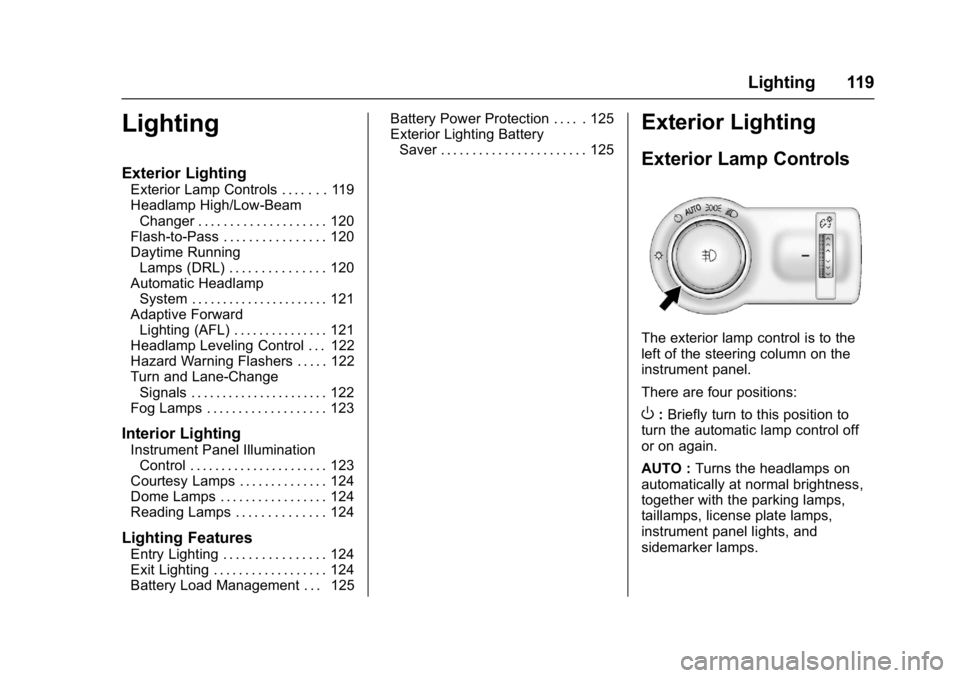
The exterior lamp control is to the
left of the steering column on the
instrument panel.
There are four positions:
O: Briefly turn to this position to
turn the automatic lamp control off
or on again.
AUTO : Turns the headlamps on
automatically at normal brightness,
together with the parking lamps,
taillamps, license plate lamps,
instrument panel lights, and
sidemarker lamps.
Page 121 of 381
Buick Cascada Owner Manual (GMNA-Localizing-U.S.-9967834) - 2017 - crc -
7/18/16
120 Lighting
;:Turns on the parking lamps
including all lamps, except the
headlamps.
5: Turns on the headlamps
together with the parking lamps and
instrument panel lights. A warning
chime sounds if the driver door is
opened when the ignition switch is
off and the headlamps are on.
#: If equipped, press to turn the
fog lamps on or off.
See Fog Lamps 0123.
When the lights are on,
;will be
lit. See Lamps On Reminder 0109.
Headlamp High/
Low-Beam Changer
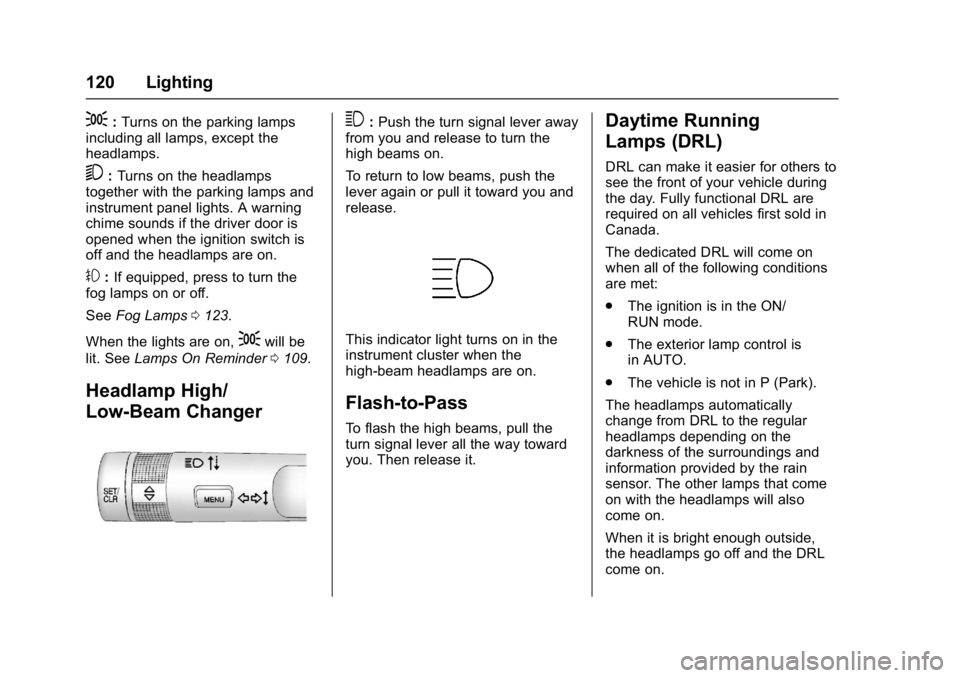
3:Push the turn signal lever away
from you and release to turn the
high beams on.
To return to low beams, push the
lever again or pull it toward you and
release.
This indicator light turns on in the
instrument cluster when the
high-beam headlamps are on.
Flash-to-Pass
To flash the high beams, pull the
turn signal lever all the way toward
you. Then release it.
Daytime Running
Lamps (DRL)
DRL can make it easier for others to
see the front of your vehicle during
the day. Fully functional DRL are
required on all vehicles first sold in
Canada.
The dedicated DRL will come on
when all of the following conditions
are met:
. The ignition is in the ON/
RUN mode.
. The exterior lamp control is
in AUTO.
. The vehicle is not in P (Park).
The headlamps automatically
change from DRL to the regular
headlamps depending on the
darkness of the surroundings and
information provided by the rain
sensor. The other lamps that come
on with the headlamps will also
come on.
When it is bright enough outside,
the headlamps go off and the DRL
come on.
Page 122 of 381
Buick Cascada Owner Manual (GMNA-Localizing-U.S.-9967834) - 2017 - crc -
7/18/16
Lighting 121
To turn the DRL off or on again, turn
the exterior lamp control to
Oand
then release. For vehicles first sold
in Canada, this control only works
when the transmission is in
P (Park).
Automatic Headlamp
System
When it is dark enough outside and
the exterior lamp control is in the
automatic position and the engine is
running, the headlamps come on
automatically. See Exterior Lamp
Controls 0119.
The system may also turn on the
headlamps when driving through a
parking garage or tunnel.
If the vehicle is started in a dark
garage, the automatic headlamp
system comes on immediately. If it
is light outside when the vehicle
leaves the garage, there is a slight
delay before the automatic
headlamp system changes to the
DRL. During that delay, the
instrument cluster may not be as
bright as usual. Make sure the instrument panel brightness control
is in the full bright position. See
Instrument Panel Illumination
Control
0123.
Lights On with Wipers
If the windshield wipers are
activated in daylight with the engine
on, and the exterior lamp control is
in AUTO, the headlamps, parking
lamps, and other exterior lamps
come on. The transition time for the
lamps coming on varies based on
wiper speed. When the wipers are
not operating, these lamps turn off.
Move the exterior lamp control to
P
or;to disable this feature.
Adaptive Forward
Lighting (AFL)
The AFL system adjusts the
headlamps to provide greater road
illumination in various driving
conditions.
To enable AFL, set the exterior lamp
control to the AUTO position.
Moving the control out of the AUTO
position will deactivate the system. AFL will operate when the vehicle
speed is greater than 3 km/h
(2 mph). AFL will not operate when
the transmission is in R (Reverse).
AFL is not immediately operable
after starting the vehicle; driving a
short distance is required to
calibrate the AFL. See
Exterior
Lamp Controls 0119.
Curve Lighting
The light beam pivots based on the
steering wheel position and vehicle
speed of at least 10 km/h (6 mph).
The headlamps shine at an angle of
up to 15 degrees to the right or left
of the direction of travel.
Corner Lighting
On tight bends or when making a
turn, depending on the steering
angle or the turn signal lamp, an
additional left or right reflector is
turned on to illuminate the road at a
right angle to the direction of travel.
It is activated up to a speed of
40 km/h (25 MPH).
Page 123 of 381
Buick Cascada Owner Manual (GMNA-Localizing-U.S.-9967834) - 2017 - crc -
7/18/16
122 Lighting
Reversing Function
If the headlamps are on and the
shift lever is in R (Reverse), both
corner lights are turned on. They
remain on for 20 seconds after
moving the shift lever out of
R (Reverse) position or until the
vehicle is driving forward faster than
16 km/h (10 mph).
Headlamp Leveling
Control
The level of the headlamps is
adjusted automatically based on
vehicle load.
Hazard Warning Flashers
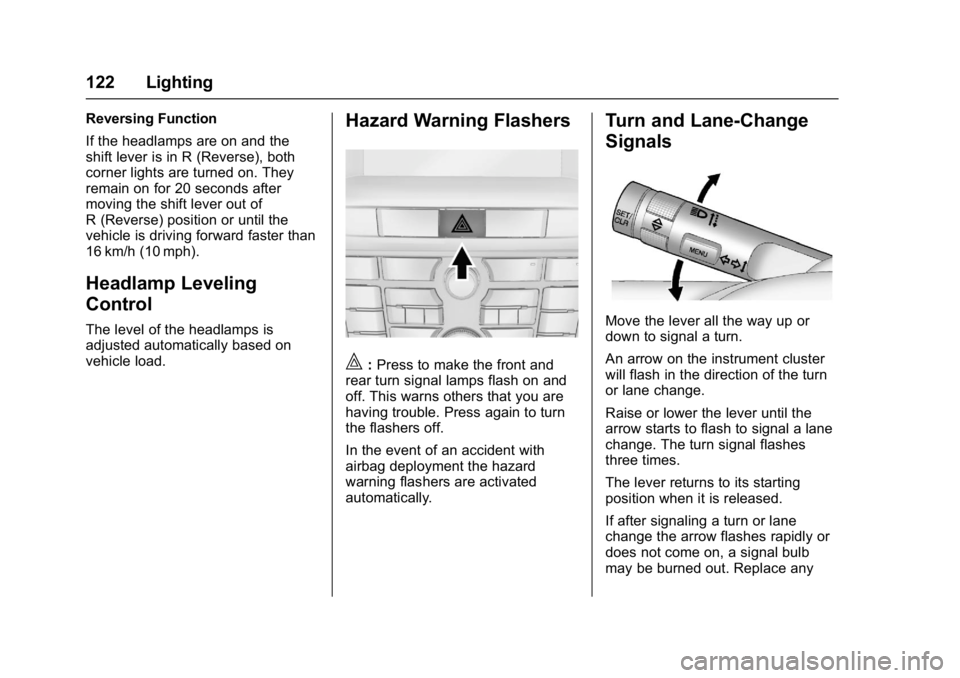
|:Press to make the front and
rear turn signal lamps flash on and
off. This warns others that you are
having trouble. Press again to turn
the flashers off.
In the event of an accident with
airbag deployment the hazard
warning flashers are activated
automatically.
Turn and Lane-Change
Signals
Move the lever all the way up or
down to signal a turn.
An arrow on the instrument cluster
will flash in the direction of the turn
or lane change.
Raise or lower the lever until the
arrow starts to flash to signal a lane
change. The turn signal flashes
three times.
The lever returns to its starting
position when it is released.
If after signaling a turn or lane
change the arrow flashes rapidly or
does not come on, a signal bulb
may be burned out. Replace any
Page 176 of 381
Buick Cascada Owner Manual (GMNA-Localizing-U.S.-9967834) - 2017 - crc -
7/18/16
Infotainment System 175
If no state has been entered
previously, the city and state fields
are not available. Touch display at
the right of the city name to select a
state.
If the state was previously set and is
displayed, touch the display at the
right of the city name to change the
selected state.
To make name selection easier, the
system highlights only characters
that are available after the
previously entered one.
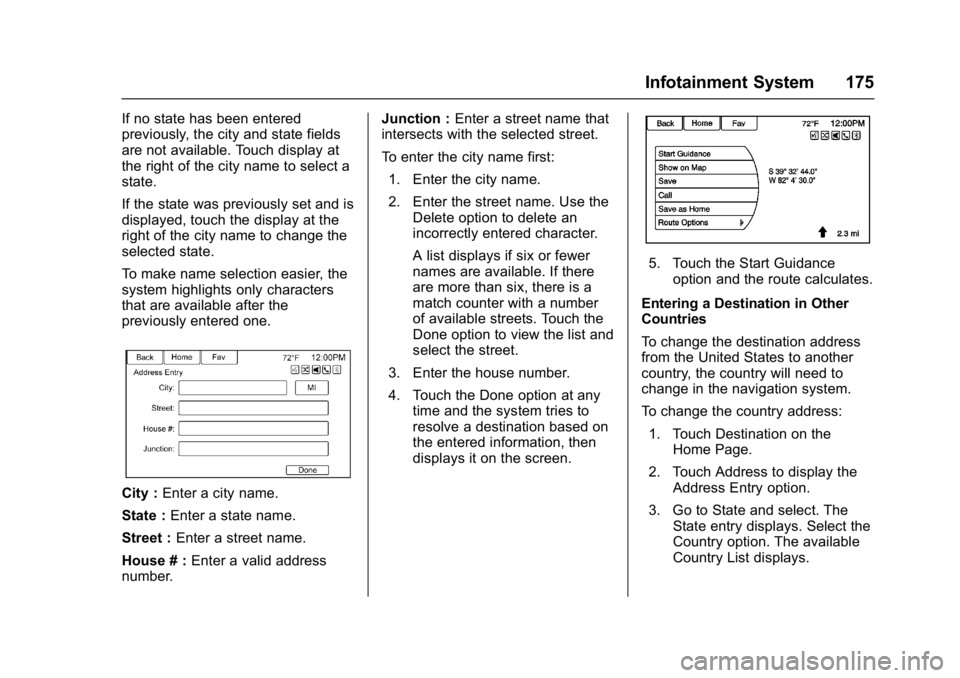
City :Enter a city name.
State : Enter a state name.
Street : Enter a street name.
House # : Enter a valid address
number. Junction :
Enter a street name that
intersects with the selected street.
To enter the city name first:
1. Enter the city name.
2. Enter the street name. Use the Delete option to delete an
incorrectly entered character.
A list displays if six or fewer
names are available. If there
are more than six, there is a
match counter with a number
of available streets. Touch the
Done option to view the list and
select the street.
3. Enter the house number.
4. Touch the Done option at any time and the system tries to
resolve a destination based on
the entered information, then
displays it on the screen.
5. Touch the Start Guidance
option and the route calculates.
Entering a Destination in Other
Countries
To change the destination address
from the United States to another
country, the country will need to
change in the navigation system.
To change the country address: 1. Touch Destination on the Home Page.
2. Touch Address to display the Address Entry option.
3. Go to State and select. The State entry displays. Select the
Country option. The available
Country List displays.
Page 184 of 381
Buick Cascada Owner Manual (GMNA-Localizing-U.S.-9967834) - 2017 - crc -
7/18/16
Infotainment System 183
Avoid List
Select Avoid List to display a list of
avoided road segments with the
option to remove the avoided items
from the list.
Voice Prompt
Select Voice Prompt to view options
to disable or manage navigation
voice prompts and traffic alert
prompts.
Detour
Touch Detour to display the route
detour options. Select to detour the
whole route or by a specific
distance.
Route Options
This feature can be accessed from
the Destination Confirmation Menu
and Destination Menu with Route
Guidance Active. See“Destination
Confirmation” previously in this
section.
Waypoints
Up to three waypoints can be added
to the current route. The waypoints
can be sorted (moved) or deleted.
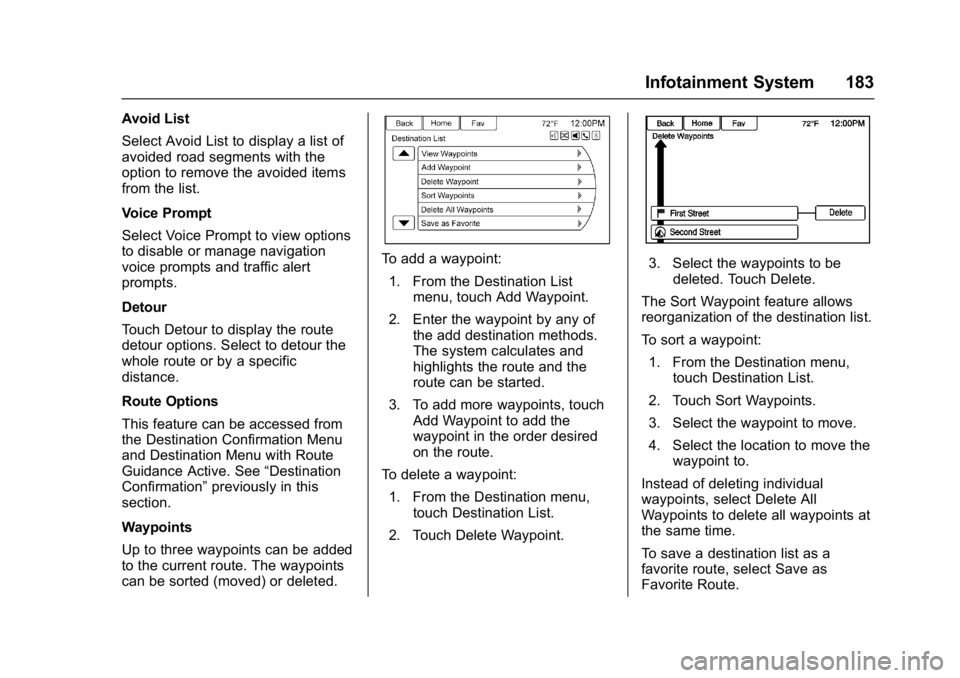
To add a waypoint:
1. From the Destination List menu, touch Add Waypoint.
2. Enter the waypoint by any of the add destination methods.
The system calculates and
highlights the route and the
route can be started.
3. To add more waypoints, touch Add Waypoint to add the
waypoint in the order desired
on the route.
To delete a waypoint: 1. From the Destination menu, touch Destination List.
2. Touch Delete Waypoint.3. Select the waypoints to be deleted. Touch Delete.
The Sort Waypoint feature allows
reorganization of the destination list.
To sort a waypoint: 1. From the Destination menu, touch Destination List.
2. Touch Sort Waypoints.
3. Select the waypoint to move.
4. Select the location to move the waypoint to.
Instead of deleting individual
waypoints, select Delete All
Waypoints to delete all waypoints at
the same time.
To save a destination list as a
favorite route, select Save as
Favorite Route.
Page 216 of 381

Buick Cascada Owner Manual (GMNA-Localizing-U.S.-9967834) - 2017 - crc -
7/18/16
Climate Controls 215
automatically when the interior
temperature is cold and the outside
temperature is about 4 °C (40 °F)
and below. The auto rear defogger
turns off automatically after about
10 minutes. At higher speeds, the
rear window defogger may stay on
continuously.
If equipped with heated outside
rearview mirrors, they turn on when
the rear window defogger button is
on and help to clear fog or frost from
the surface of the mirrors. See
Heated Mirrors033.
Caution
Do not try to clear frost or other
material from the inside of the
front windshield and rear window
with a razor blade or anything
else that is sharp. This may
damage the rear window
defogger grid and affect the
radio's ability to pick up stations
clearly. The repairs would not be
covered by the vehicle warranty.
MorL:Press to turn the heated
seats on or off. See Heated Front
Seats 049.
(:If equipped, press to turn the
heated steering wheel on or off. See
Heated Steering Wheel 094.
Remote Start Climate Control
Operation : If equipped with the
remote vehicle start feature, the
climate control system may run
when the vehicle is started remotely.
The system uses the driver ’s
previous settings to heat or cool the
inside of the vehicle. The rear defog
may come on during remote start
based on cold ambient conditions.
The rear defog indicator light does
not come on during a remote start.
If the vehicle has front heated
seats, they may come on during a
remote start. The heated seat
indicator lights do not come on
during a remote start.
See Remote Vehicle Start 026
and Heated Front Seats 049.
Air Vents
Adjustable Air Vents
1. Slider Knob
Page 230 of 381
Buick Cascada Owner Manual (GMNA-Localizing-U.S.-9967834) - 2017 - crc -
7/18/16
Driving and Operating 229
{Warning
Turning off the vehicle while
moving may cause loss of power
assist in the brake and steering
systems and disable the airbags.
While driving, only shut the
vehicle off in an emergency.
If the vehicle cannot be pulled over,
and must be shut off while driving,
turn the ignition to ACC/
ACCESSORY.
1 : This position provides power to
some of the electrical accessories.
To move the key from ACC/
ACCESSORY to LOCK/OFF, push
in the key and then turn it to
LOCK/OFF.
2 : The ignition switch stays in this
position when the engine is running.
This position can be used to operate
the electrical accessories, including
the ventilation fan and 12-volt power
outlet, as well as to display some
warning and indicator lights. This
position can also be used for
service and diagnostics, and to verify the proper operation of the
malfunction indicator lamp as may
be required for emission inspection
purposes. The transmission is also
unlocked in this position.
The battery could be drained if the
key is left in the ACC/ACCESSORY
or ON/RUN position with the engine
off. The vehicle might not start if the
battery is allowed to drain for an
extended period of time.
3 :
This position starts the engine.
When the engine starts, release the
key. The ignition switch will return to
ON/RUN for normal driving.
A warning tone sounds when the
driver door is opened if the ignition
is still in ACC/ACCESSORY and the
key is in the ignition.
If the ignition becomes difficult to
turn, see Keys021.
Key Lock Release
The vehicle is equipped with an
electronic key lock release. The key
lock release is designed to prevent
ignition key removal unless the shift
lever is in P (Park). The key lock release is always
functional except in the case of an
uncharged or low voltage (less than
9-volt) battery. If the vehicle has an
uncharged battery or a battery with
low voltage, try charging or jump
starting the battery. See
Jump
Starting - North America 0315.
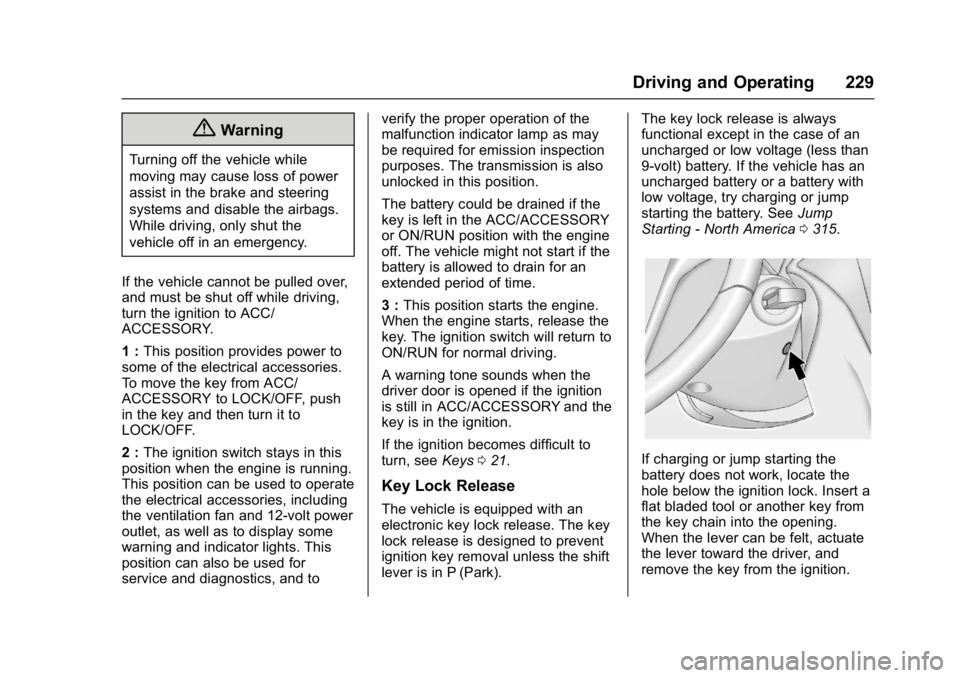
If charging or jump starting the
battery does not work, locate the
hole below the ignition lock. Insert a
flat bladed tool or another key from
the key chain into the opening.
When the lever can be felt, actuate
the lever toward the driver, and
remove the key from the ignition.
Page 318 of 381
Buick Cascada Owner Manual (GMNA-Localizing-U.S.-9967834) - 2017 - crc -
7/18/16
Vehicle Care 317
4. Turn the ignition to LOCK/OFF.Turn off all lights and
accessories in both vehicles,
except the hazard warning
flashers if needed.
{Warning
An electric fan can start up even
when the engine is not running
and can injure you. Keep hands,
clothing, and tools away from any
underhood electric fan.
{Warning
Using a match near a battery can
cause battery gas to explode.
People have been hurt doing this,
and some have been blinded.
Use a flashlight if you need more
light.
Battery fluid contains acid that
can burn you. Do not get it on
you. If you accidentally get it in
(Continued)
Warning (Continued)
your eyes or on your skin, flush
the place with water and get
medical help immediately.
{Warning
Fans or other moving engine
parts can injure you badly. Keep
your hands away from moving
parts once the engine is running.
5. Connect one end of the red positive (+) cable to the
positive (+) terminal on the
discharged battery.
6. Connect the other end of the red positive (+) cable to the
positive (+) terminal of the good
battery.
7. Connect one end of the black negative (–) cable to the
negative (–) terminal of the
good battery. 8. Connect the other end of the
black negative (–) cable to the
negative (–) grounding point for
the discharged battery.
9. Start the engine in the vehicle with the good battery and run
the engine at idle speed for at
least four minutes.
10. Try to start the vehicle that had the dead battery. If it will not
start after a few tries, it
probably needs service.
Caution
If the jumper cables are
connected or removed in the
wrong order, electrical shorting
may occur and damage the
vehicle. The repairs would not be
covered by the vehicle warranty.
Always connect and remove the
jumper cables in the correct order,
making sure that the cables do
not touch each other or other
metal.